
HTCondor Annex Elasticity with the Public Cloud
LO
Published · 23 slides · 0 views

1 / 1





Description
HTCondor Annex Elasticity with the Public Cloud Elasticity means easily growing (and shrinking) a HTCondor pool. AWS-only today, code contributions from Google and Microsoft should mean Google Cloud and Azure support by next HTCondor Week.
Related Topics
Share
Embed code
Download this presentation From Below
"HTCondor Annex Elasticity with the Public Cloud" is the property of its rightful owner. Permission is granted to download and print the materials on this website for personal, non-commercial use only, and to display it on your personal computer provided you do not modify the materials and that you retain all copyright notices contained in the materials. By downloading content from our website, you accept the terms of this agreement.
Presentation Transcript
01
HTCondor Annex
Elasticity with the Public Cloud<br>
02
Elasticity means easily growing (and shrinking) a HTCondor pool.
AWS-only today, code contributions from Google and Microsoft should mean Google Cloud and Azure support by next HTCondor Week. condor_annex 2<br>
AWS-only today, code contributions from Google and Microsoft should mean Google Cloud and Azure support by next HTCondor Week. condor_annex 2<br>
03
Deadlines: temporary capacity
Capability: specialized hardware
(new) GPUs, very large main memories
Customization: different policies or software Use Cases 3<br>
Capability: specialized hardware
(new) GPUs, very large main memories
Customization: different policies or software Use Cases 3<br>
04
An AWS account
A web browser (e.g., Firefox)
An SSH client (e.g., PuTTY)
An HTCondor pool you can expand
friendly admin and/or
create your own (section 6.3.1 in v8.7 manual) Getting Started 4<br>
A web browser (e.g., Firefox)
An SSH client (e.g., PuTTY)
An HTCondor pool you can expand
friendly admin and/or
create your own (section 6.3.1 in v8.7 manual) Getting Started 4<br>
05
Allow condor_annex to use your account
Create a user for it
Give it that user’s credentials
Issue the initial setup command
Verify that it worked Scary Live Demo, part 1 5<br>
Create a user for it
Give it that user’s credentials
Issue the initial setup command
Verify that it worked Scary Live Demo, part 1 5<br>
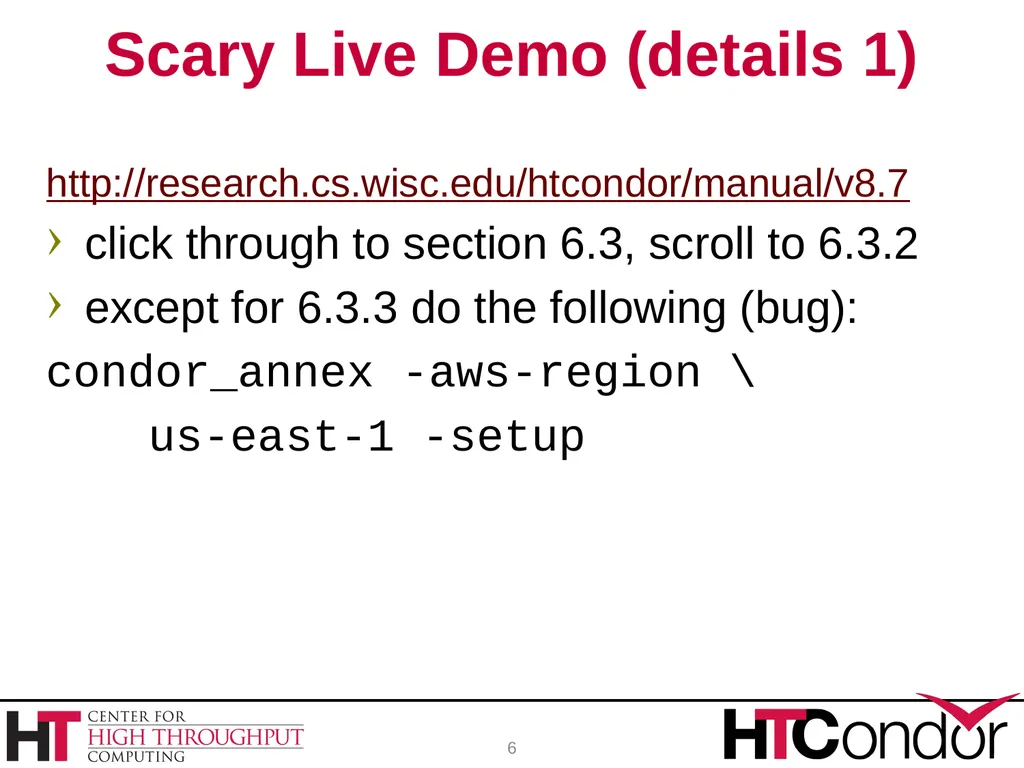
06
http://research.cs.wisc.edu/htcondor/manual/v8.7
click through to section 6.3, scroll to 6.3.2
except for 6.3.3 do the following (bug):
condor_annex -aws-region \
us-east-1 -setup Scary Live Demo (details 1) 6<br>
click through to section 6.3, scroll to 6.3.2
except for 6.3.3 do the following (bug):
condor_annex -aws-region \
us-east-1 -setup Scary Live Demo (details 1) 6<br>
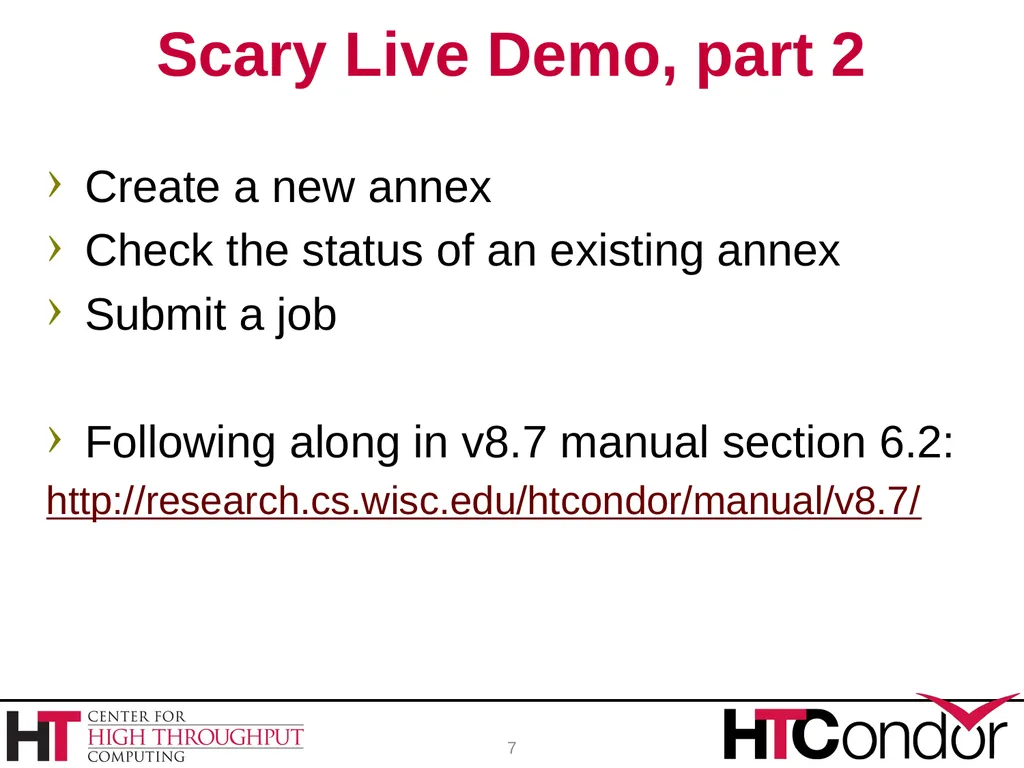
07
Create a new annex
Check the status of an existing annex
Submit a job
Following along in v8.7 manual section 6.2:
http://research.cs.wisc.edu/htcondor/manual/v8.7/ Scary Live Demo, part 2 7<br>
Check the status of an existing annex
Submit a job
Following along in v8.7 manual section 6.2:
http://research.cs.wisc.edu/htcondor/manual/v8.7/ Scary Live Demo, part 2 7<br>
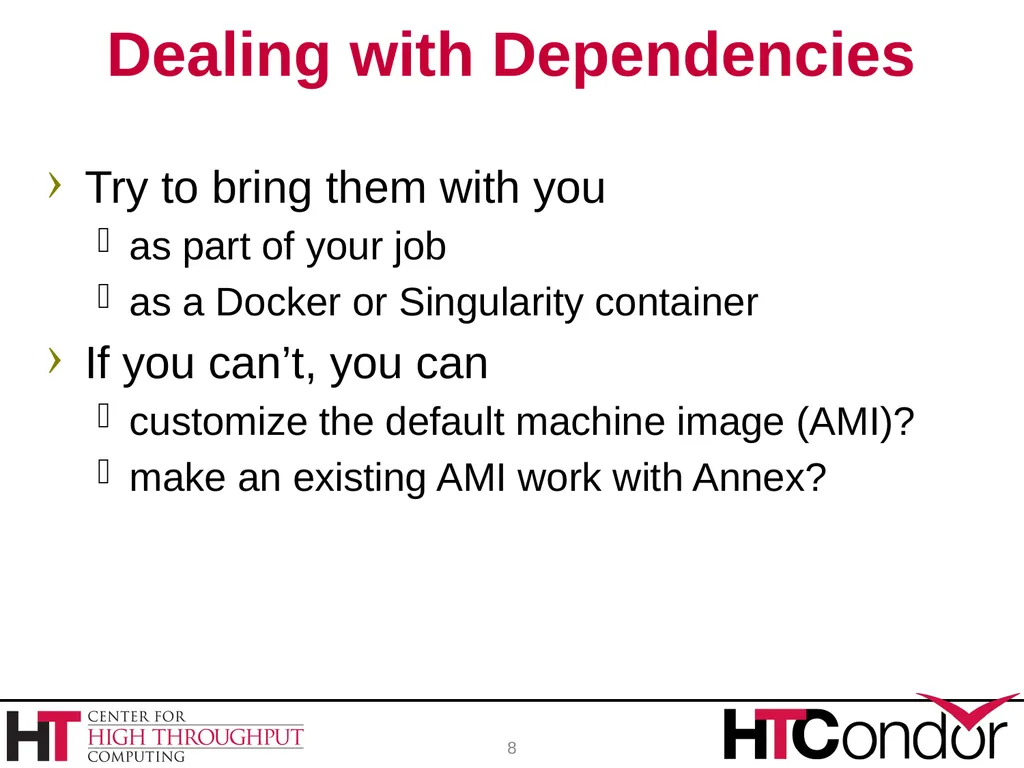
08
Try to bring them with you
as part of your job
as a Docker or Singularity container
If you can’t, you can
customize the default machine image (AMI)?
make an existing AMI work with Annex? Dealing with Dependencies 8<br>
as part of your job
as a Docker or Singularity container
If you can’t, you can
customize the default machine image (AMI)?
make an existing AMI work with Annex? Dealing with Dependencies 8<br>
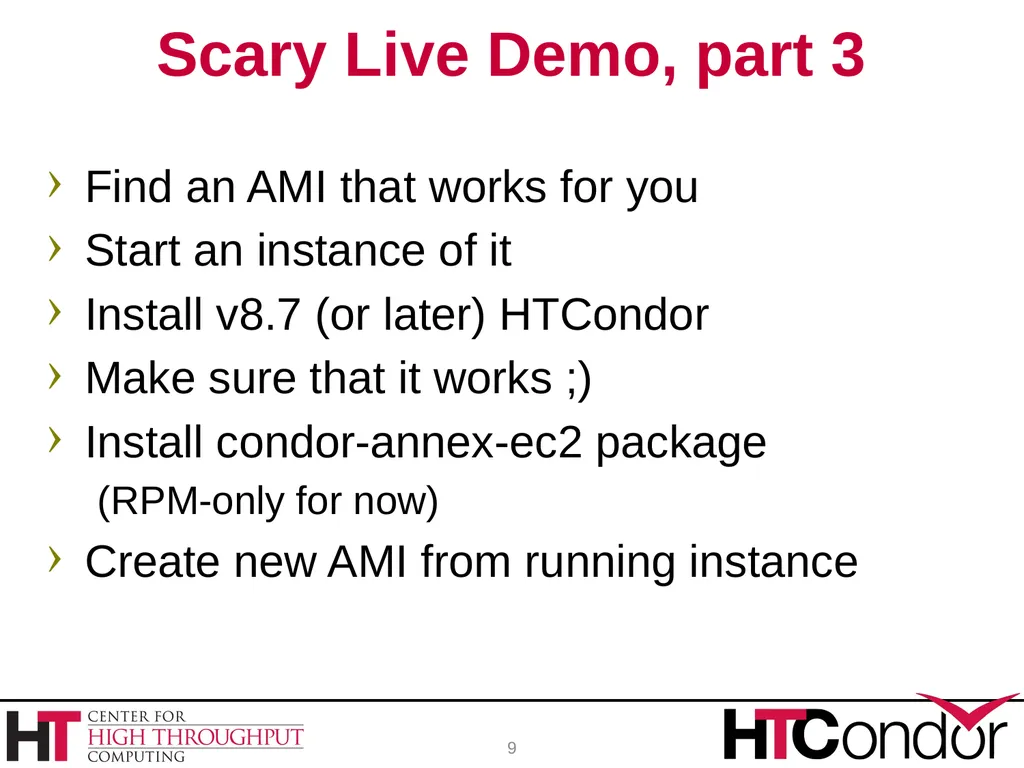
09
Find an AMI that works for you
Start an instance of it
Install v8.7 (or later) HTCondor
Make sure that it works ;)
Install condor-annex-ec2 package
(RPM-only for now)
Create new AMI from running instance Scary Live Demo, part 3 9<br>
Start an instance of it
Install v8.7 (or later) HTCondor
Make sure that it works ;)
Install condor-annex-ec2 package
(RPM-only for now)
Create new AMI from running instance Scary Live Demo, part 3 9<br>
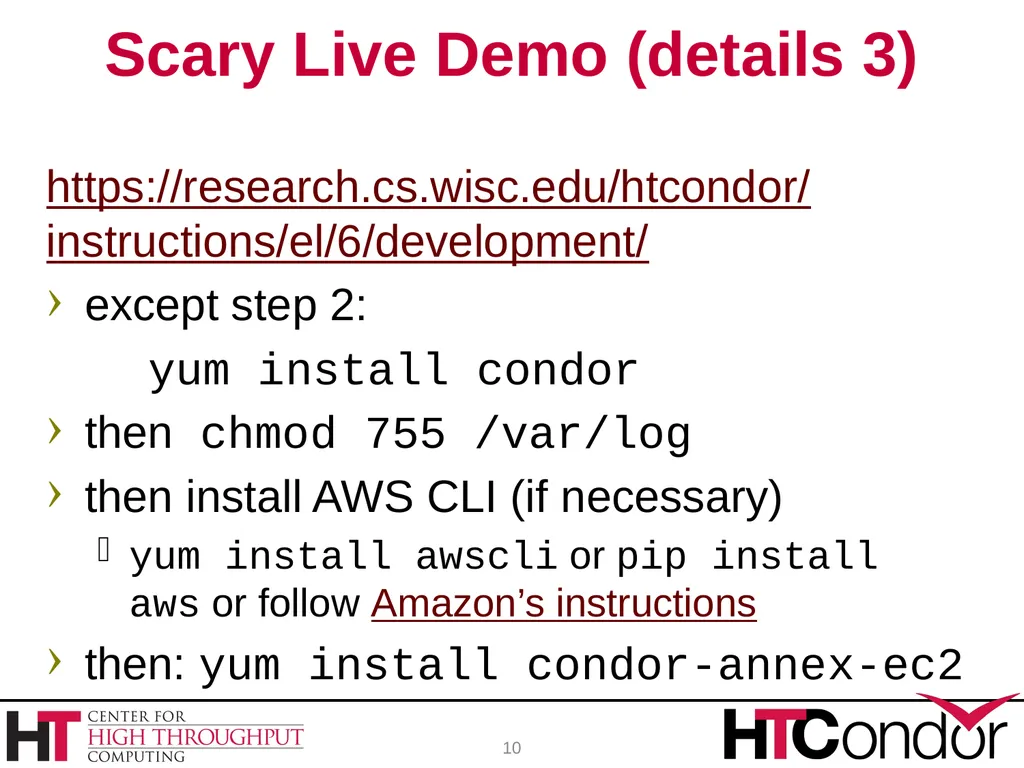
10
https://research.cs.wisc.edu/htcondor/
instructions/el/6/development/
except step 2:
yum install condor
then chmod 755 /var/log
then install AWS CLI (if necessary)
yum install awscli or pip install aws or follow Amazon’s instructions
then: yum install condor-annex-ec2 Scary Live Demo (details 3) 10<br>
except step 2:
yum install condor
then chmod 755 /var/log
then install AWS CLI (if necessary)
yum install awscli or pip install aws or follow Amazon’s instructions
then: yum install condor-annex-ec2 Scary Live Demo (details 3) 10<br>
11
May not be time after the demo. Any questions while we wait? 11<br>
12
demo-user@azaphrael:~/condor-8.7.8$ mkdir ~/.condor
demo-user@azaphrael:~/condor-8.7.8$ cd ~/.condor
demo-user@azaphrael:~/.condor$ touch publicKeyFile privateKeyFile
demo-user@azaphrael:~/.condor$ chmod 600 publicKeyFile privateKeyFile
demo-user@azaphrael:~/.condor$ nano publicKeyFile
demo-user@azaphrael:~/.condor$ nano privateKeyFile
demo-user@azaphrael:~/.condor$ condor_annex -aws-region us-east-1 -setup
Creating configuration bucket (this takes less than a minute).. complete.
Creating Lambda functions (this takes about a minute).. complete.
Creating instance profile (this takes about two minutes).. complete.
Creating security group (this takes less than a minute).. complete.
Setup successful.
demo-user@azaphrael:~/.condor$ condor_annex -check-setup
Checking security configuration... OK.
Checking for configuration bucket... OK.
Checking for Lambda functions... OK.
Checking for instance profile... OK.
Checking for security group... OK.
Your setup looks OK. 12 console log: initial setup<br>
demo-user@azaphrael:~/condor-8.7.8$ cd ~/.condor
demo-user@azaphrael:~/.condor$ touch publicKeyFile privateKeyFile
demo-user@azaphrael:~/.condor$ chmod 600 publicKeyFile privateKeyFile
demo-user@azaphrael:~/.condor$ nano publicKeyFile
demo-user@azaphrael:~/.condor$ nano privateKeyFile
demo-user@azaphrael:~/.condor$ condor_annex -aws-region us-east-1 -setup
Creating configuration bucket (this takes less than a minute).. complete.
Creating Lambda functions (this takes about a minute).. complete.
Creating instance profile (this takes about two minutes).. complete.
Creating security group (this takes less than a minute).. complete.
Setup successful.
demo-user@azaphrael:~/.condor$ condor_annex -check-setup
Checking security configuration... OK.
Checking for configuration bucket... OK.
Checking for Lambda functions... OK.
Checking for instance profile... OK.
Checking for security group... OK.
Your setup looks OK. 12 console log: initial setup<br>
13
demo-user@azaphrael:~/.condor$ cd
demo-user@azaphrael:~$ cd jobs
demo-user@azaphrael:~/jobs$ condor_status
demo-user@azaphrael:~/jobs$ condor_q
-- Schedd: azaphrael.org : <69.130.245.124:9618?... @ 05/21/18 09:17:01
OWNER BATCH_NAME SUBMITTED DONE RUN IDLE HOLD TOTAL JOB_IDS
Total for query: 0 jobs; 0 completed, 0 removed, 0 idle, 0 running, 0 held, 0 suspended
Total for all users: 0 jobs; 0 completed, 0 removed, 0 idle, 0 running, 0 held, 0 suspended
demo-user@azaphrael:~/jobs$ condor_annex -count 1 -duration 1 -idle 1 -annex LiveDemo
Will request 1 m4.large on-demand instance for 1.00 hours. Each instance will terminate after being idle for 1.00 hours.
Is that OK? (Type 'yes' or 'no'): yes
Starting annex...
Annex started. Its identity with the cloud provider is 'LiveDemo_6b8fc122-7b4e-4ffc-a608-363fd5fd3bd0'. It will take about three minutes for the new machines to join the pool.
demo-user@azaphrael:~/jobs$ condor_status
demo-user@azaphrael:~/jobs$ condor_annex status
Instance ID not in Annex Status Reason (if known)
i-094bd2fed87a4edb LiveDemo running - 13 console log: user guide (1)<br>
demo-user@azaphrael:~$ cd jobs
demo-user@azaphrael:~/jobs$ condor_status
demo-user@azaphrael:~/jobs$ condor_q
-- Schedd: azaphrael.org : <69.130.245.124:9618?... @ 05/21/18 09:17:01
OWNER BATCH_NAME SUBMITTED DONE RUN IDLE HOLD TOTAL JOB_IDS
Total for query: 0 jobs; 0 completed, 0 removed, 0 idle, 0 running, 0 held, 0 suspended
Total for all users: 0 jobs; 0 completed, 0 removed, 0 idle, 0 running, 0 held, 0 suspended
demo-user@azaphrael:~/jobs$ condor_annex -count 1 -duration 1 -idle 1 -annex LiveDemo
Will request 1 m4.large on-demand instance for 1.00 hours. Each instance will terminate after being idle for 1.00 hours.
Is that OK? (Type 'yes' or 'no'): yes
Starting annex...
Annex started. Its identity with the cloud provider is 'LiveDemo_6b8fc122-7b4e-4ffc-a608-363fd5fd3bd0'. It will take about three minutes for the new machines to join the pool.
demo-user@azaphrael:~/jobs$ condor_status
demo-user@azaphrael:~/jobs$ condor_annex status
Instance ID not in Annex Status Reason (if known)
i-094bd2fed87a4edb LiveDemo running - 13 console log: user guide (1)<br>
14
demo-user@azaphrael:~/jobs$ condor_annex -help | less
demo-user@azaphrael:~/jobs$ condor_annex status
Name OpSys Arch State Activity LoadAv Me
slot2@ip-172-31-8-79.ec2.internal LINUX X86_64 Unclaimed Idle 0.000 39
slot1@ip-172-31-8-79.ec2.internal LINUX X86_64 Unclaimed Benchmarking 0.000 39
Total Owner Claimed Unclaimed Matched Preempting Backfill Drain
X86_64/LINUX 2 0 0 2 0 0 0 0
Total 2 0 0 2 0 0 0 0
demo-user@azaphrael:~/jobs$ cat hello-world.py2
#!/usr/bin/python2
print "Hello, world!"
demo-user@azaphrael:~/jobs$ cat hello-world.py2.submit
executable = hello-world.py2
output = out.hello-world.py2
error = err.hello-world.py2
log = log.hello-world.py2
+MayUseAWS = TRUE
queue 14 console log: user guide (2)<br>
demo-user@azaphrael:~/jobs$ condor_annex status
Name OpSys Arch State Activity LoadAv Me
slot2@ip-172-31-8-79.ec2.internal LINUX X86_64 Unclaimed Idle 0.000 39
slot1@ip-172-31-8-79.ec2.internal LINUX X86_64 Unclaimed Benchmarking 0.000 39
Total Owner Claimed Unclaimed Matched Preempting Backfill Drain
X86_64/LINUX 2 0 0 2 0 0 0 0
Total 2 0 0 2 0 0 0 0
demo-user@azaphrael:~/jobs$ cat hello-world.py2
#!/usr/bin/python2
print "Hello, world!"
demo-user@azaphrael:~/jobs$ cat hello-world.py2.submit
executable = hello-world.py2
output = out.hello-world.py2
error = err.hello-world.py2
log = log.hello-world.py2
+MayUseAWS = TRUE
queue 14 console log: user guide (2)<br>
15
demo-user@azaphrael:~/jobs$ condor_submit ./hello-world.py2.submit
Submitting job(s).
1 job(s) submitted to cluster 19.
demo-user@azaphrael:~/jobs$ condor_q
-- Schedd: azaphrael.org : <69.130.245.124:9618?... @ 05/21/18 09:22:40
OWNER BATCH_NAME SUBMITTED DONE RUN IDLE TOTAL JOB_IDS
demo-user ID: 19 5/21 09:22 _ _ 1 1 19.0
Total for query: 1 jobs; 0 completed, 0 removed, 1 idle, 0 running, 0 held, 0 suspended
Total for all users: 1 jobs; 0 completed, 0 removed, 1 idle, 0 running, 0 held, 0 suspended
demo-user@azaphrael:~/jobs$ condor_q
-- Schedd: azaphrael.org : <69.130.245.124:9618?... @ 05/21/18 09:23:08
OWNER BATCH_NAME SUBMITTED DONE RUN IDLE HOLD TOTAL JOB_IDS
Total for query: 0 jobs; 0 completed, 0 removed, 0 idle, 0 running, 0 held, 0 suspended
Total for all users: 0 jobs; 0 completed, 0 removed, 0 idle, 0 running, 0 held, 0 suspended 15 console log: user guide (3)<br>
Submitting job(s).
1 job(s) submitted to cluster 19.
demo-user@azaphrael:~/jobs$ condor_q
-- Schedd: azaphrael.org : <69.130.245.124:9618?... @ 05/21/18 09:22:40
OWNER BATCH_NAME SUBMITTED DONE RUN IDLE TOTAL JOB_IDS
demo-user ID: 19 5/21 09:22 _ _ 1 1 19.0
Total for query: 1 jobs; 0 completed, 0 removed, 1 idle, 0 running, 0 held, 0 suspended
Total for all users: 1 jobs; 0 completed, 0 removed, 1 idle, 0 running, 0 held, 0 suspended
demo-user@azaphrael:~/jobs$ condor_q
-- Schedd: azaphrael.org : <69.130.245.124:9618?... @ 05/21/18 09:23:08
OWNER BATCH_NAME SUBMITTED DONE RUN IDLE HOLD TOTAL JOB_IDS
Total for query: 0 jobs; 0 completed, 0 removed, 0 idle, 0 running, 0 held, 0 suspended
Total for all users: 0 jobs; 0 completed, 0 removed, 0 idle, 0 running, 0 held, 0 suspended 15 console log: user guide (3)<br>
16
demo-user@azaphrael:~/jobs$ cat out.hello-world.py2
Hello, world!
demo-user@azaphrael:~/jobs$ cat err.hello-world.py2
demo-user@azaphrael:~/jobs$ cat log.hello-world.py2
...
001 (019.000.000) 05/21 09:22:45 Job executing on host: <54.159.48.132:9618?addrs=54.159.48.132-9618+[--1]-9618&noUDP&sock=3100_3028_3>
...
demo-user@azaphrael:~/jobs$ host 54.159.48.132
132.48.159.54.in-addr.arpa domain name pointer ec2-54-159-48-132.compute-1.amazonaws.com.
demo-user@azaphrael:~/jobs$ cat hello-world.py3
#!/usr/bin/python3
import sys
print( "Hello, world!", file=sys.stderr )
demo-user@azaphrael:~/jobs$ cat hello-world.py3.submit
executable = hello-world.py3
output = out.hello-world.py3
error = err.hello-world.py3
log = log.hello-world.py3
+MayUseAWS = TRUE
queue 16 console log: user guide (4)<br>
Hello, world!
demo-user@azaphrael:~/jobs$ cat err.hello-world.py2
demo-user@azaphrael:~/jobs$ cat log.hello-world.py2
...
001 (019.000.000) 05/21 09:22:45 Job executing on host: <54.159.48.132:9618?addrs=54.159.48.132-9618+[--1]-9618&noUDP&sock=3100_3028_3>
...
demo-user@azaphrael:~/jobs$ host 54.159.48.132
132.48.159.54.in-addr.arpa domain name pointer ec2-54-159-48-132.compute-1.amazonaws.com.
demo-user@azaphrael:~/jobs$ cat hello-world.py3
#!/usr/bin/python3
import sys
print( "Hello, world!", file=sys.stderr )
demo-user@azaphrael:~/jobs$ cat hello-world.py3.submit
executable = hello-world.py3
output = out.hello-world.py3
error = err.hello-world.py3
log = log.hello-world.py3
+MayUseAWS = TRUE
queue 16 console log: user guide (4)<br>
17
demo-user@azaphrael:~/jobs$ ssh -i ../demo-prep/us-east-1.pem ec2-user@52.90.65.81
The authenticity of host '52.90.65.81 (52.90.65.81)' can't be established.
ECDSA key fingerprint is cb:a8:fe:ce:b2:e6:cd:94:c5:fb:88:00:42:95:9d:20.
Are you sure you want to continue connecting (yes/no)? yes
Warning: Permanently added '52.90.65.81' (ECDSA) to the list of known hosts.
=============================================================================
__| __|_ )
_| ( / Deep Learning AMI (Amazon Linux)
___|\___|___|
=============================================================================
…
Amazon Linux version 2018.03 is available.
[ec2-user@ip-172-31-58-147 ~]$ /usr/bin/python3 --version
Python 3.4.7
[ec2-user@ip-172-31-58-147 ~]$ sudo su 17 console log: customization (1)<br>
The authenticity of host '52.90.65.81 (52.90.65.81)' can't be established.
ECDSA key fingerprint is cb:a8:fe:ce:b2:e6:cd:94:c5:fb:88:00:42:95:9d:20.
Are you sure you want to continue connecting (yes/no)? yes
Warning: Permanently added '52.90.65.81' (ECDSA) to the list of known hosts.
=============================================================================
__| __|_ )
_| ( / Deep Learning AMI (Amazon Linux)
___|\___|___|
=============================================================================
…
Amazon Linux version 2018.03 is available.
[ec2-user@ip-172-31-58-147 ~]$ /usr/bin/python3 --version
Python 3.4.7
[ec2-user@ip-172-31-58-147 ~]$ sudo su 17 console log: customization (1)<br>
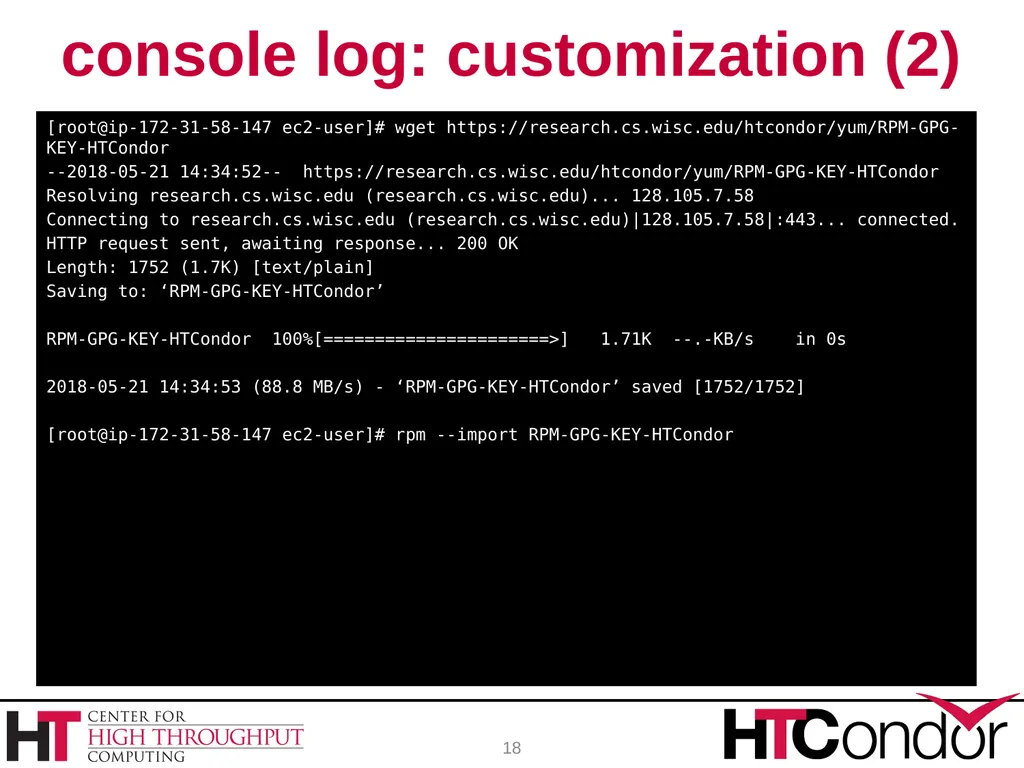
18
[root@ip-172-31-58-147 ec2-user]# wget https://research.cs.wisc.edu/htcondor/yum/RPM-GPG-KEY-HTCondor
--2018-05-21 14:34:52-- https://research.cs.wisc.edu/htcondor/yum/RPM-GPG-KEY-HTCondor
Resolving research.cs.wisc.edu (research.cs.wisc.edu)... 128.105.7.58
Connecting to research.cs.wisc.edu (research.cs.wisc.edu)|128.105.7.58|:443... connected.
HTTP request sent, awaiting response... 200 OK
Length: 1752 (1.7K) [text/plain]
Saving to: ‘RPM-GPG-KEY-HTCondor’
RPM-GPG-KEY-HTCondor 100%[======================>] 1.71K --.-KB/s in 0s
2018-05-21 14:34:53 (88.8 MB/s) - ‘RPM-GPG-KEY-HTCondor’ saved [1752/1752]
[root@ip-172-31-58-147 ec2-user]# rpm --import RPM-GPG-KEY-HTCondor 18 console log: customization (2)<br>
--2018-05-21 14:34:52-- https://research.cs.wisc.edu/htcondor/yum/RPM-GPG-KEY-HTCondor
Resolving research.cs.wisc.edu (research.cs.wisc.edu)... 128.105.7.58
Connecting to research.cs.wisc.edu (research.cs.wisc.edu)|128.105.7.58|:443... connected.
HTTP request sent, awaiting response... 200 OK
Length: 1752 (1.7K) [text/plain]
Saving to: ‘RPM-GPG-KEY-HTCondor’
RPM-GPG-KEY-HTCondor 100%[======================>] 1.71K --.-KB/s in 0s
2018-05-21 14:34:53 (88.8 MB/s) - ‘RPM-GPG-KEY-HTCondor’ saved [1752/1752]
[root@ip-172-31-58-147 ec2-user]# rpm --import RPM-GPG-KEY-HTCondor 18 console log: customization (2)<br>
19
[root@ip-172-31-58-147 yum.repos.d]# wget https://research.cs.wisc.edu/htcondor/yum/repo.d/htcondor-development-rhel6.repo
--2018-05-21 14:36:26-- https://research.cs.wisc.edu/htcondor/yum/repo.d/htcondor-development-rhel6.repo
Resolving research.cs.wisc.edu (research.cs.wisc.edu)... 128.105.7.58
Connecting to research.cs.wisc.edu (research.cs.wisc.edu)|128.105.7.58|:443... connected.
HTTP request sent, awaiting response... 200 OK
Length: 183 [text/plain]
Saving to: ‘htcondor-development-rhel6.repo’
htcondor-development- 100%[======================>] 183 --.-KB/s in 0s
2018-05-21 14:36:26 (10.2 MB/s) - ‘htcondor-development-rhel6.repo’ saved [183/183]
[root@ip-172-31-58-147 yum.repos.d]# yum install condor
…
Install 1 Package (+11 Dependent packages)
Total download size: 9.1 M
Installed size: 26 M
Is this ok [y/d/N]: y
…
Complete! 19 console log: customization (3)<br>
--2018-05-21 14:36:26-- https://research.cs.wisc.edu/htcondor/yum/repo.d/htcondor-development-rhel6.repo
Resolving research.cs.wisc.edu (research.cs.wisc.edu)... 128.105.7.58
Connecting to research.cs.wisc.edu (research.cs.wisc.edu)|128.105.7.58|:443... connected.
HTTP request sent, awaiting response... 200 OK
Length: 183 [text/plain]
Saving to: ‘htcondor-development-rhel6.repo’
htcondor-development- 100%[======================>] 183 --.-KB/s in 0s
2018-05-21 14:36:26 (10.2 MB/s) - ‘htcondor-development-rhel6.repo’ saved [183/183]
[root@ip-172-31-58-147 yum.repos.d]# yum install condor
…
Install 1 Package (+11 Dependent packages)
Total download size: 9.1 M
Installed size: 26 M
Is this ok [y/d/N]: y
…
Complete! 19 console log: customization (3)<br>
20
[root@ip-172-31-58-147 yum.repos.d]# chkconfig condor on
[root@ip-172-31-58-147 yum.repos.d]# service condor start
Starting Condor daemons: 05/21/18 14:40:35 Can't open "/var/log/condor/MasterLog"
ERROR "Cannot open log file '/var/log/condor/MasterLog'" at line 174 in file /slots/01/dir_2484669/userdir/.tmpQ8XdCL/BUILD/condor-8.7.8/src/condor_utils/dprintf_setup.cpp
[FAILED]
[root@ip-172-31-58-147 yum.repos.d]# ls -lad /var/log
drwx------ 4 root root 4096 May 21 14:39 /var/log
[root@ip-172-31-58-147 yum.repos.d]# chmod 755 /var/log
[root@ip-172-31-58-147 yum.repos.d]# service condor start
Starting Condor daemons: [ OK ]
[root@ip-172-31-58-147 yum.repos.d]# aws --version
aws-cli/1.14.9 Python/2.7.13 Linux/4.9.93-41.60.amzn1.x86_64 botocore/1.10.16
[root@ip-172-31-58-147 yum.repos.d]# yum install condor-annex-ec2
…
Is this ok [y/d/N]: y
…
Complete! 20 console log: customization (4)<br>
[root@ip-172-31-58-147 yum.repos.d]# service condor start
Starting Condor daemons: 05/21/18 14:40:35 Can't open "/var/log/condor/MasterLog"
ERROR "Cannot open log file '/var/log/condor/MasterLog'" at line 174 in file /slots/01/dir_2484669/userdir/.tmpQ8XdCL/BUILD/condor-8.7.8/src/condor_utils/dprintf_setup.cpp
[FAILED]
[root@ip-172-31-58-147 yum.repos.d]# ls -lad /var/log
drwx------ 4 root root 4096 May 21 14:39 /var/log
[root@ip-172-31-58-147 yum.repos.d]# chmod 755 /var/log
[root@ip-172-31-58-147 yum.repos.d]# service condor start
Starting Condor daemons: [ OK ]
[root@ip-172-31-58-147 yum.repos.d]# aws --version
aws-cli/1.14.9 Python/2.7.13 Linux/4.9.93-41.60.amzn1.x86_64 botocore/1.10.16
[root@ip-172-31-58-147 yum.repos.d]# yum install condor-annex-ec2
…
Is this ok [y/d/N]: y
…
Complete! 20 console log: customization (4)<br>
21
[root@ip-172-31-58-147 yum.repos.d]#
Broadcast message from root@ip-172-31-58-147
(unknown) at 14:43 ...
The system is going down for reboot NOW!
Control-Alt-Delete pressed
Connection to 52.90.65.81 closed by remote host.
Connection to 52.90.65.81 closed.
demo-user@azaphrael:~/jobs$ condor_off -annex LiveDemo
Sent "Kill-Daemon" command for "master" to master ip-172-31-8-79.ec2.internal
demo-user@azaphrael:~/jobs$ condor_status
demo-user@azaphrael:~/jobs$ condor_annex status
Instance ID not in Annex Status Reason (if known)
i-094bd2fed87a4edb LiveDemo shutting-down Client.InstanceInitiatedShutdown
demo-user@azaphrael:~/jobs$ condor_annex -count 1 -idle 1 -duration 1 -annex LiveDemoTwo -aws-on-demand-ami-id ami-068946925ab4a817f
Will request 1 m4.large on-demand instance for 1.00 hours. Each instance will terminate after being idle for 1.00 hours.
Is that OK? (Type 'yes' or 'no'): yes
Starting annex...
Annex started. Its identity with the cloud provider is 'LiveDemoTwo_71e2e507-d708-400f-bca7-4fbd918557d3'. It will take about three minutes for the new machines to join the pool. 21 console log: customization (5)<br>
Broadcast message from root@ip-172-31-58-147
(unknown) at 14:43 ...
The system is going down for reboot NOW!
Control-Alt-Delete pressed
Connection to 52.90.65.81 closed by remote host.
Connection to 52.90.65.81 closed.
demo-user@azaphrael:~/jobs$ condor_off -annex LiveDemo
Sent "Kill-Daemon" command for "master" to master ip-172-31-8-79.ec2.internal
demo-user@azaphrael:~/jobs$ condor_status
demo-user@azaphrael:~/jobs$ condor_annex status
Instance ID not in Annex Status Reason (if known)
i-094bd2fed87a4edb LiveDemo shutting-down Client.InstanceInitiatedShutdown
demo-user@azaphrael:~/jobs$ condor_annex -count 1 -idle 1 -duration 1 -annex LiveDemoTwo -aws-on-demand-ami-id ami-068946925ab4a817f
Will request 1 m4.large on-demand instance for 1.00 hours. Each instance will terminate after being idle for 1.00 hours.
Is that OK? (Type 'yes' or 'no'): yes
Starting annex...
Annex started. Its identity with the cloud provider is 'LiveDemoTwo_71e2e507-d708-400f-bca7-4fbd918557d3'. It will take about three minutes for the new machines to join the pool. 21 console log: customization (5)<br>
22
demo-user@azaphrael:~/jobs$ condor_release 20
All jobs in cluster 20 have been released
demo-user@azaphrael:~/jobs$ condor_annex status
Instance ID not in Annex Status Reason (if known)
i-016ab7f32f359d1e LiveDemoTwo running -
i-094bd2fed87a4edb LiveDemo terminated Client.InstanceInitiatedShutdown
demo-user@azaphrael:~/jobs$ condor_annex status
Name OpSys Arch State Activity LoadAv Me
slot2@ip-172-31-6-27.ec2.internal LINUX X86_64 Unclaimed Idle 0.000 39
slot1@ip-172-31-6-27.ec2.internal LINUX X86_64 Unclaimed Benchmarking 0.000 39
Total Owner Claimed Unclaimed Matched Preempting Backfill Drain
X86_64/LINUX 2 0 0 2 0 0 0 0
Total 2 0 0 2 0 0 0 0
Instance ID not in Annex Status Reason (if known)
i-094bd2fed87a4edb LiveDemo terminated Client.InstanceInitiatedShutdown 22 console log: customization (6)<br>
All jobs in cluster 20 have been released
demo-user@azaphrael:~/jobs$ condor_annex status
Instance ID not in Annex Status Reason (if known)
i-016ab7f32f359d1e LiveDemoTwo running -
i-094bd2fed87a4edb LiveDemo terminated Client.InstanceInitiatedShutdown
demo-user@azaphrael:~/jobs$ condor_annex status
Name OpSys Arch State Activity LoadAv Me
slot2@ip-172-31-6-27.ec2.internal LINUX X86_64 Unclaimed Idle 0.000 39
slot1@ip-172-31-6-27.ec2.internal LINUX X86_64 Unclaimed Benchmarking 0.000 39
Total Owner Claimed Unclaimed Matched Preempting Backfill Drain
X86_64/LINUX 2 0 0 2 0 0 0 0
Total 2 0 0 2 0 0 0 0
Instance ID not in Annex Status Reason (if known)
i-094bd2fed87a4edb LiveDemo terminated Client.InstanceInitiatedShutdown 22 console log: customization (6)<br>
23
demo-user@azaphrael:~/jobs$ condor_q
-- Schedd: azaphrael.org : <69.130.245.124:9618?... @ 05/21/18 09:48:29
OWNER BATCH_NAME SUBMITTED DONE RUN IDLE HOLD TOTAL JOB_IDS
Total for query: 0 jobs; 0 completed, 0 removed, 0 idle, 0 running, 0 held, 0 suspended
Total for all users: 0 jobs; 0 completed, 0 removed, 0 idle, 0 running, 0 held, 0 suspended
demo-user@azaphrael:~/jobs$ cat out.hello-world.py3
demo-user@azaphrael:~/jobs$ cat err.hello-world.py3
Hello, world!
...
001 (020.000.000) 05/21 09:48:22 Job executing on host: <18.206.168.65:9618?addrs=18.206.168.65-9618&noUDP&sock=3231_16fe_3>
...
demo-user@azaphrael:~/jobs$ host 18.206.168.65
65.168.206.18.IN-ADDR.ARPA domain name pointer ec2-18-206-168-65.compute-1.amazonaws.com. 23 console log: customization (7)<br>
-- Schedd: azaphrael.org : <69.130.245.124:9618?... @ 05/21/18 09:48:29
OWNER BATCH_NAME SUBMITTED DONE RUN IDLE HOLD TOTAL JOB_IDS
Total for query: 0 jobs; 0 completed, 0 removed, 0 idle, 0 running, 0 held, 0 suspended
Total for all users: 0 jobs; 0 completed, 0 removed, 0 idle, 0 running, 0 held, 0 suspended
demo-user@azaphrael:~/jobs$ cat out.hello-world.py3
demo-user@azaphrael:~/jobs$ cat err.hello-world.py3
Hello, world!
...
001 (020.000.000) 05/21 09:48:22 Job executing on host: <18.206.168.65:9618?addrs=18.206.168.65-9618&noUDP&sock=3231_16fe_3>
...
demo-user@azaphrael:~/jobs$ host 18.206.168.65
65.168.206.18.IN-ADDR.ARPA domain name pointer ec2-18-206-168-65.compute-1.amazonaws.com. 23 console log: customization (7)<br>