HTML Forms HTML FORM An HTML form is used to
Description: HTML Forms HTML FORM An HTML form is used to collect user input. The form element is a container for different types of input elements, such as: text fields, checkboxes, radio buttons, submit buttons, etc. form . form elements . form
Related Topics
Download Presentation
"HTML Forms HTML FORM An HTML form is used to" is the property of its rightful owner. Permission is granted to download and print the materials on this website for personal, non-commercial use only, and to display it on your personal computer provided you do not modify the materials and that you retain all copyright notices contained in the materials. By downloading content from our website, you accept the terms of this agreement.
Presentation Transcript
slide1. HTML Forms<br>
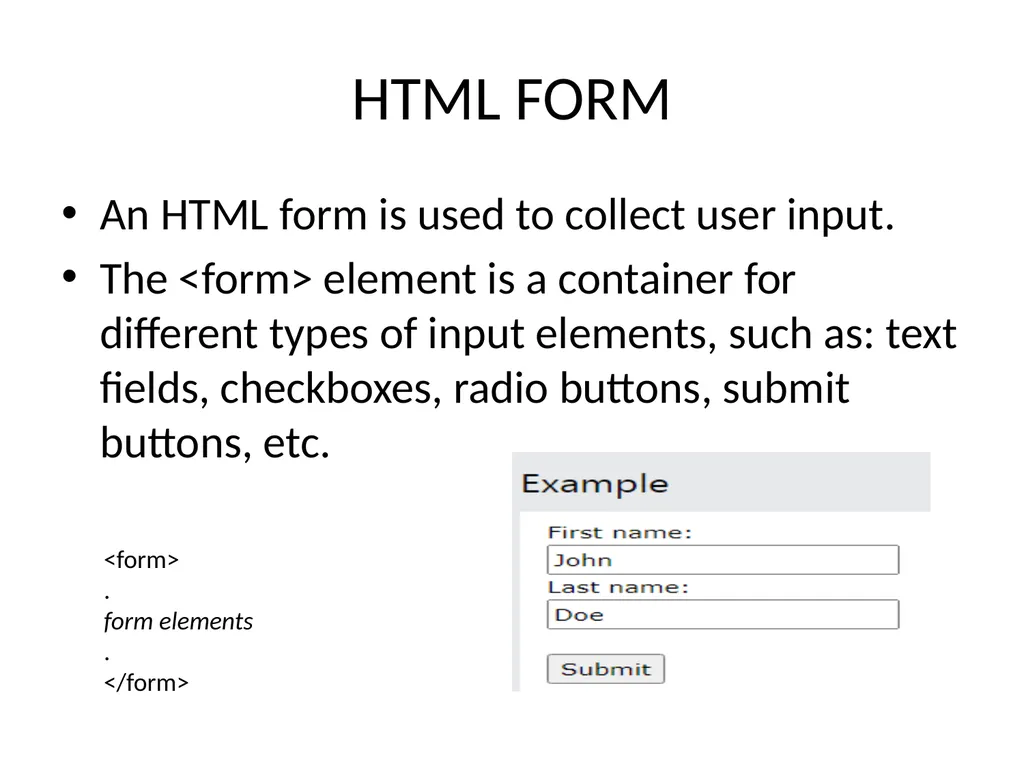
slide2. HTML FORM An HTML form is used to collect user input.
The <form> element is a container for different types of input elements, such as: text fields, checkboxes, radio buttons, submit buttons, etc. <form>.form elements.</form><br>
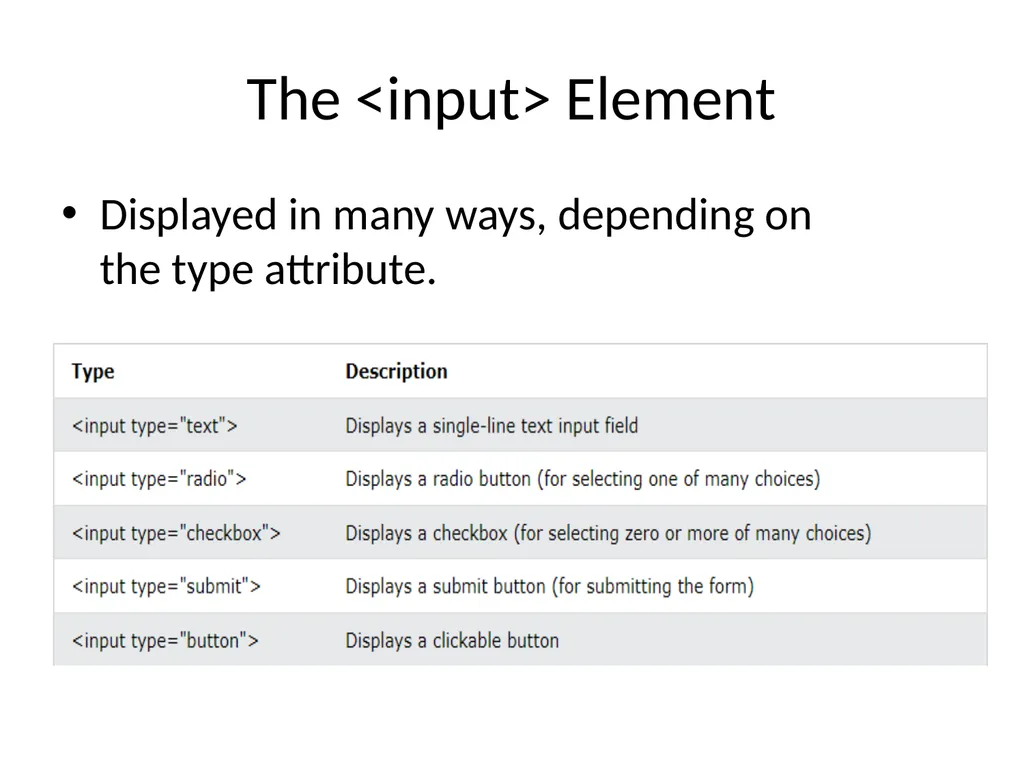
slide3. The <input> Element Displayed in many ways, depending on the type attribute.<br>
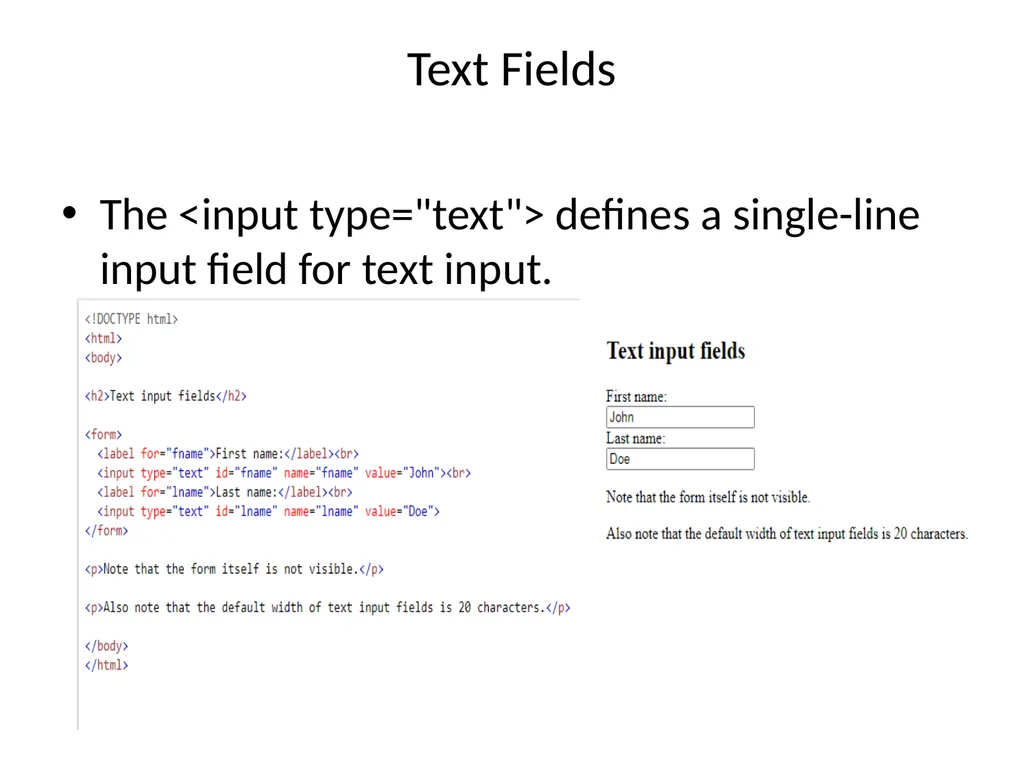
slide4. Text Fields The <input type="text"> defines a single-line input field for text input.<br>
slide5. The <label> Element The <label> tag defines a label for many form elements.
when the user clicks the text within the <label> element, it toggles the radio button/checkbox.
The for attribute of the <label> tag should be equal to the id attribute of the <input> element to bind them together.<br>
slide6. Radio Buttons Let a user select ONE of a limited number of choices<br>
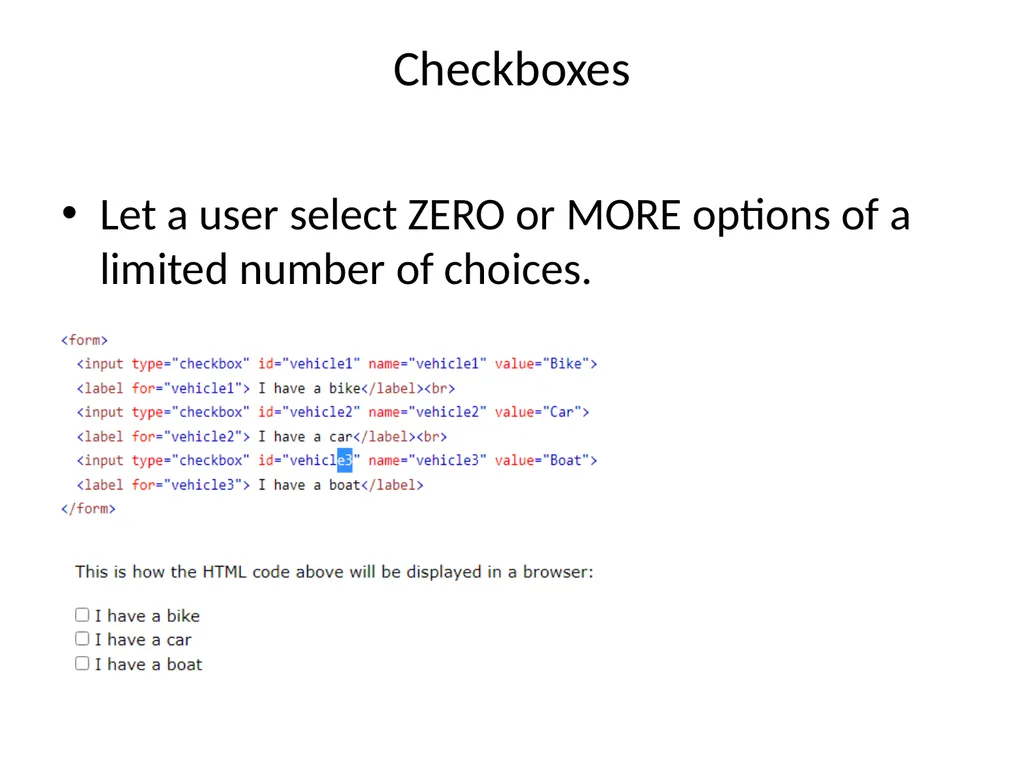
slide7. Checkboxes Let a user select ZERO or MORE options of a limited number of choices.<br>
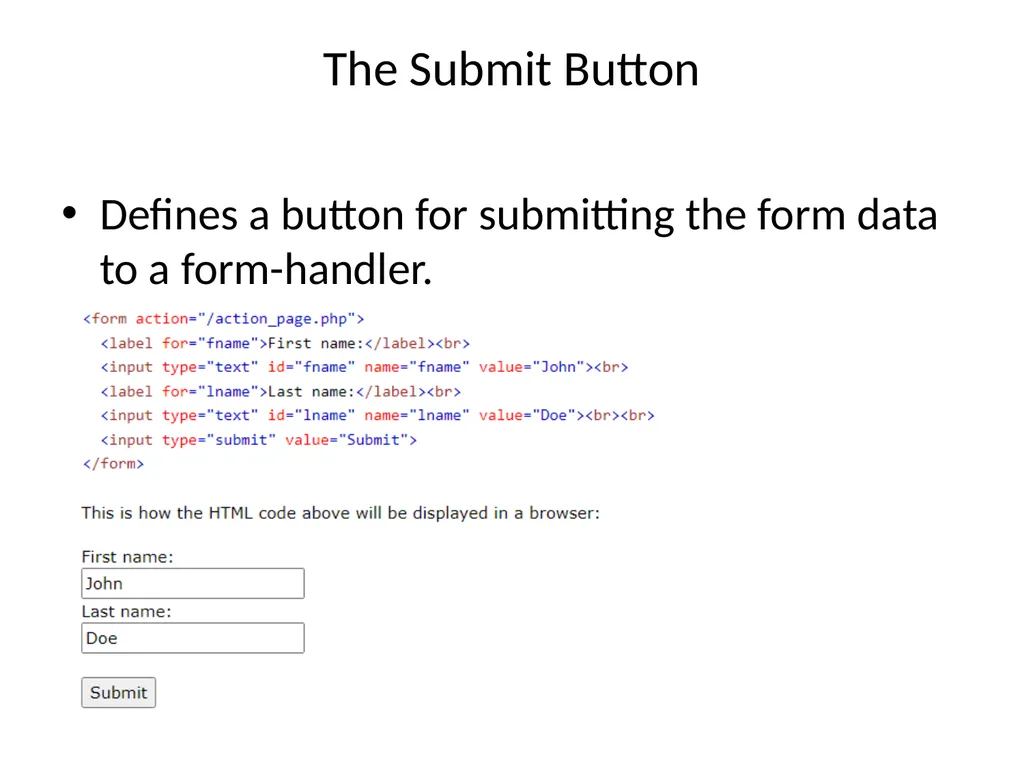
slide8. The Submit Button Defines a button for submitting the form data to a form-handler.<br>
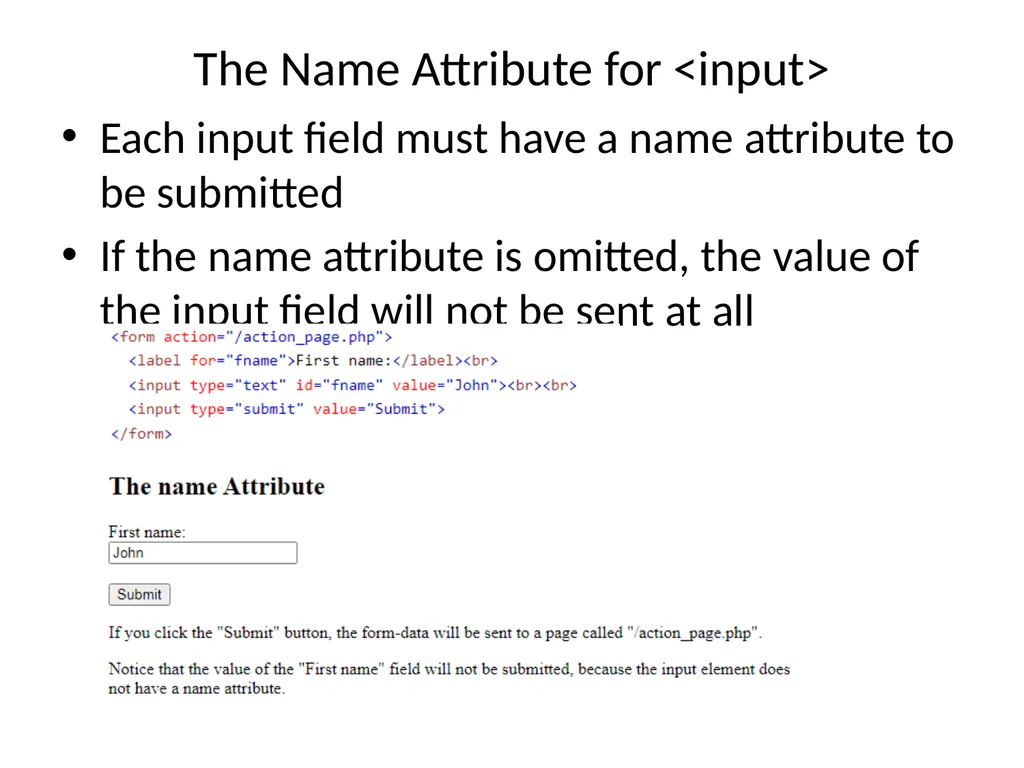
slide9. The Name Attribute for <input> Each input field must have a name attribute to be submitted
If the name attribute is omitted, the value of the input field will not be sent at all<br>
slide2. HTML FORM An HTML form is used to collect user input.
The <form> element is a container for different types of input elements, such as: text fields, checkboxes, radio buttons, submit buttons, etc. <form>.form elements.</form><br>
slide3. The <input> Element Displayed in many ways, depending on the type attribute.<br>
slide4. Text Fields The <input type="text"> defines a single-line input field for text input.<br>
slide5. The <label> Element The <label> tag defines a label for many form elements.
when the user clicks the text within the <label> element, it toggles the radio button/checkbox.
The for attribute of the <label> tag should be equal to the id attribute of the <input> element to bind them together.<br>
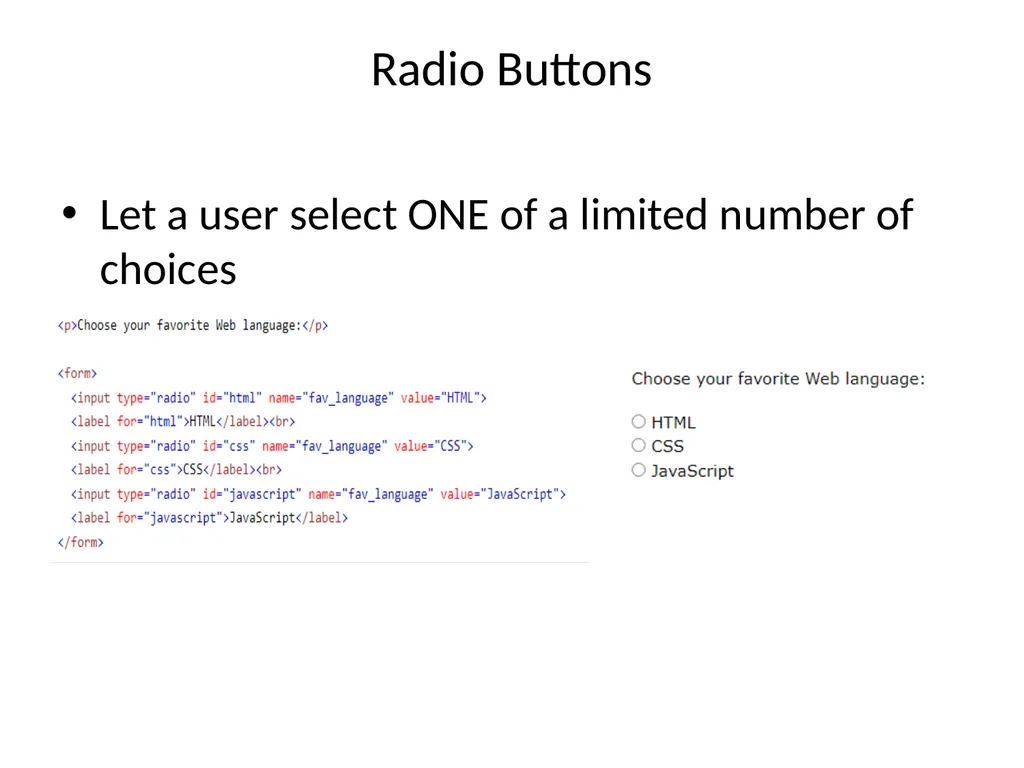
slide6. Radio Buttons Let a user select ONE of a limited number of choices<br>
slide7. Checkboxes Let a user select ZERO or MORE options of a limited number of choices.<br>
slide8. The Submit Button Defines a button for submitting the form data to a form-handler.<br>
slide9. The Name Attribute for <input> Each input field must have a name attribute to be submitted
If the name attribute is omitted, the value of the input field will not be sent at all<br>