
Improving Postgraduate Learning LaTeX Advanced –
KL
Published · 72 slides · 0 views
1 / 1


Description
Improving Postgraduate Learning LaTeX Advanced Thesis Preparation https:www.cse.cuhk.edu.hkyclawipllatex Dr. Yat-chiu LAW (yclawcse.cuhk.edu.hk) Senior Lecturer Dept of Computer Science Engineering 1 Acknowledgment to Mr
Related Topics
Share
Embed code
Download this presentation From Below
"Improving Postgraduate Learning LaTeX Advanced –" is the property of its rightful owner. Permission is granted to download and print the materials on this website for personal, non-commercial use only, and to display it on your personal computer provided you do not modify the materials and that you retain all copyright notices contained in the materials. By downloading content from our website, you accept the terms of this agreement.
Presentation Transcript
01
Improving Postgraduate Learning LaTeX Advanced –
Thesis Preparation
https://www.cse.cuhk.edu.hk/~yclaw/ipl_latex/
Dr. Yat-chiu LAW* (yclaw@cse.cuhk.edu.hk)
Senior Lecturer
Dept of Computer Science & Engineering 1 *Acknowledgment to Mr Michael Fung, who allowed me to adopt and adapt his slides for this workshop<br>
Thesis Preparation
https://www.cse.cuhk.edu.hk/~yclaw/ipl_latex/
Dr. Yat-chiu LAW* (yclaw@cse.cuhk.edu.hk)
Senior Lecturer
Dept of Computer Science & Engineering 1 *Acknowledgment to Mr Michael Fung, who allowed me to adopt and adapt his slides for this workshop<br>
02
Get Course Material Visit:
https://www.cse.cuhk.edu.hk/~yclaw/ipl_latex/
Download the “Lab Materials”
IPL_LaTeX_Advanced_lab.zip
Extract the content of the zip file 2<br>
https://www.cse.cuhk.edu.hk/~yclaw/ipl_latex/
Download the “Lab Materials”
IPL_LaTeX_Advanced_lab.zip
Extract the content of the zip file 2<br>
03
LaTeX A typesetting system for professional writing and publication
FREE open source software
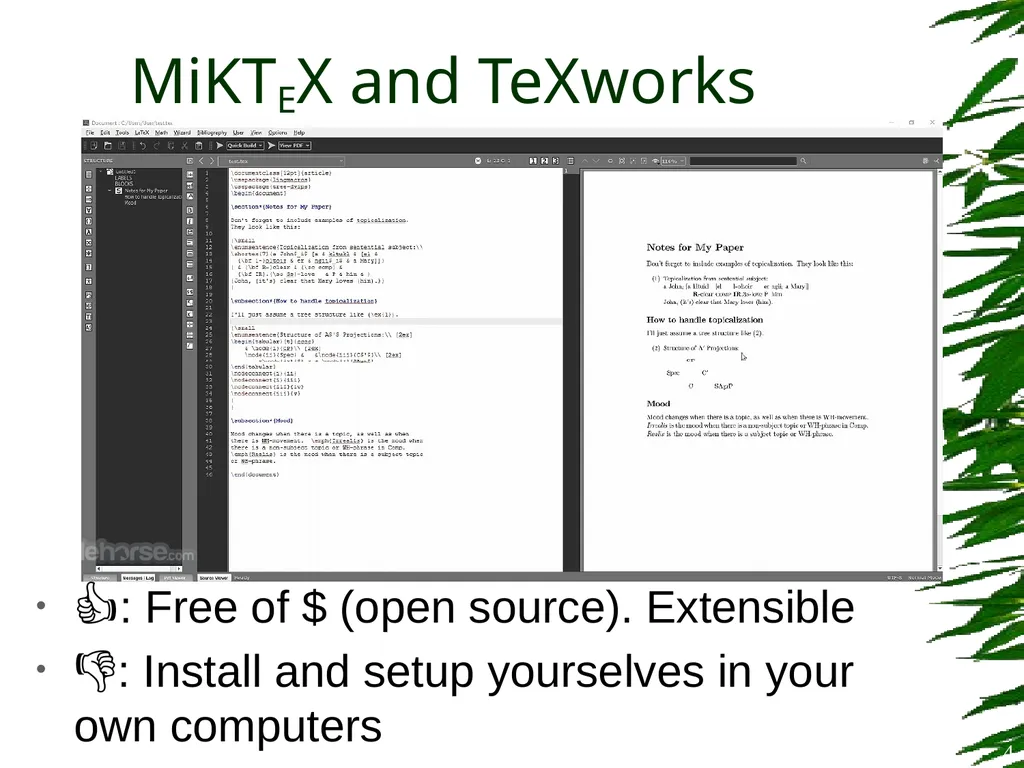
MiKTEX (miktex.org)
MacTEX (www.tug.org/mactex/)
Online
Overleaf (www.overleaf.com) 3<br>
FREE open source software
MiKTEX (miktex.org)
MacTEX (www.tug.org/mactex/)
Online
Overleaf (www.overleaf.com) 3<br>
04
👍: Free of $ (open source). Extensible
👎: Install and setup yourselves in your own computers MiKTEX and TeXworks 4<br>
👎: Install and setup yourselves in your own computers MiKTEX and TeXworks 4<br>
05
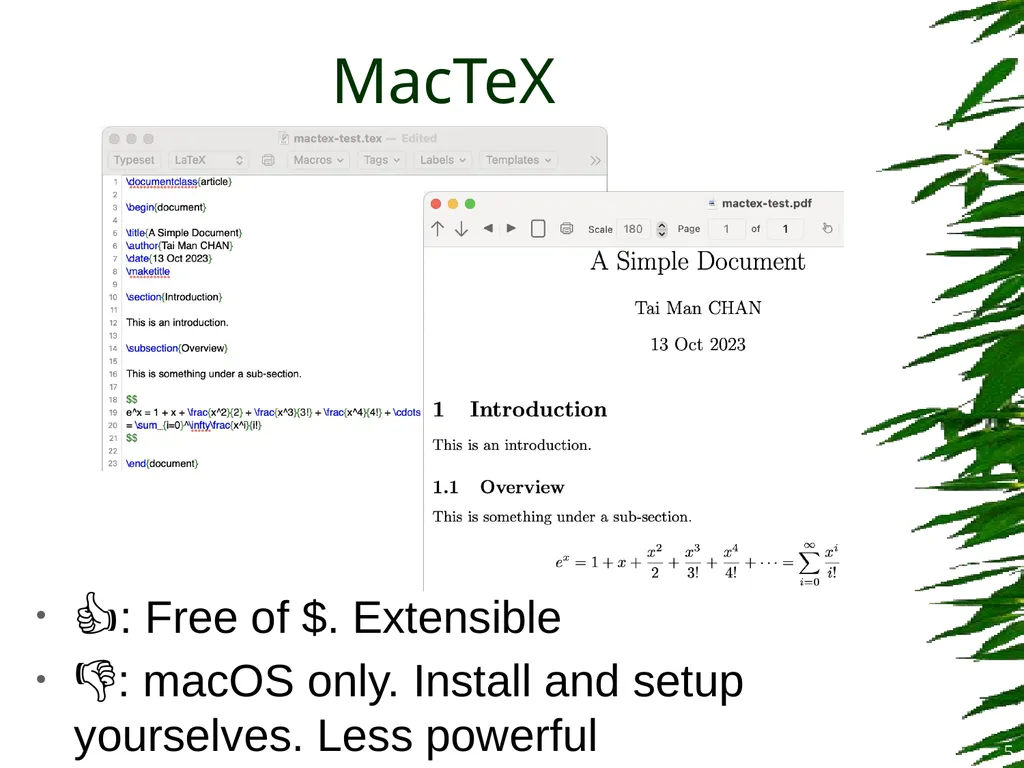
MacTeX 5 👍: Free of $. Extensible
👎: macOS only. Install and setup yourselves. Less powerful<br>
👎: macOS only. Install and setup yourselves. Less powerful<br>
06
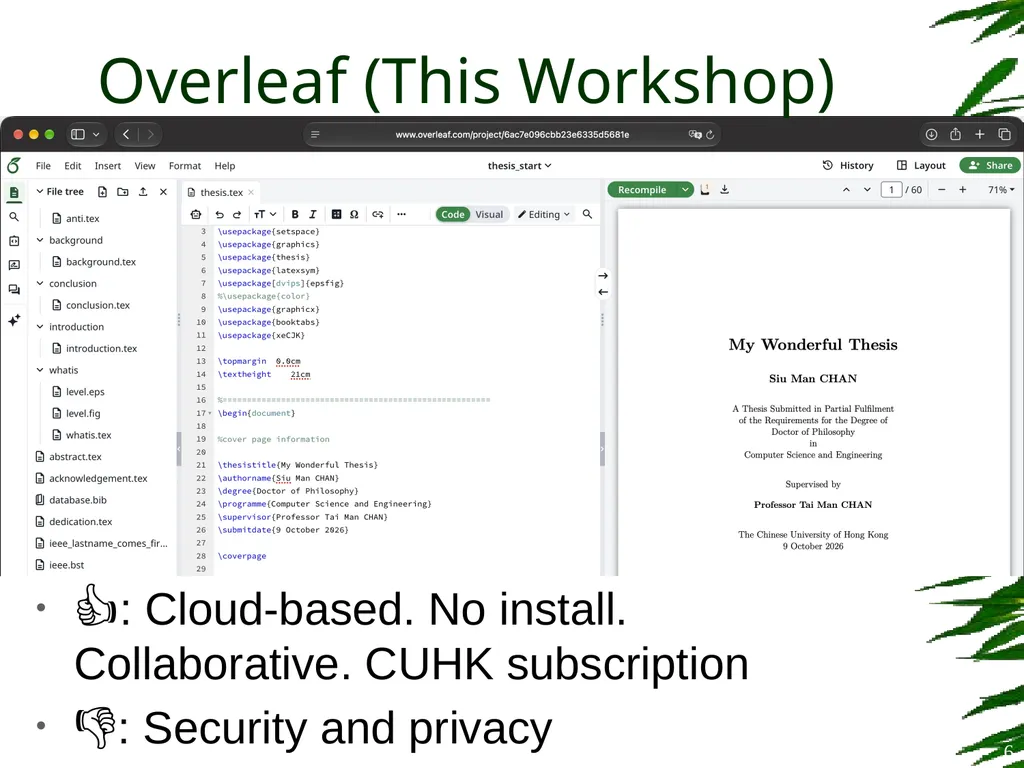
Overleaf (This Workshop) 👍: Cloud-based. No install. Collaborative. CUHK subscription
👎: Security and privacy 6<br>
👎: Security and privacy 6<br>
07
https://www.overleaf.com/edu/cuhk Visit CUHK on Overleaf 7<br>
08
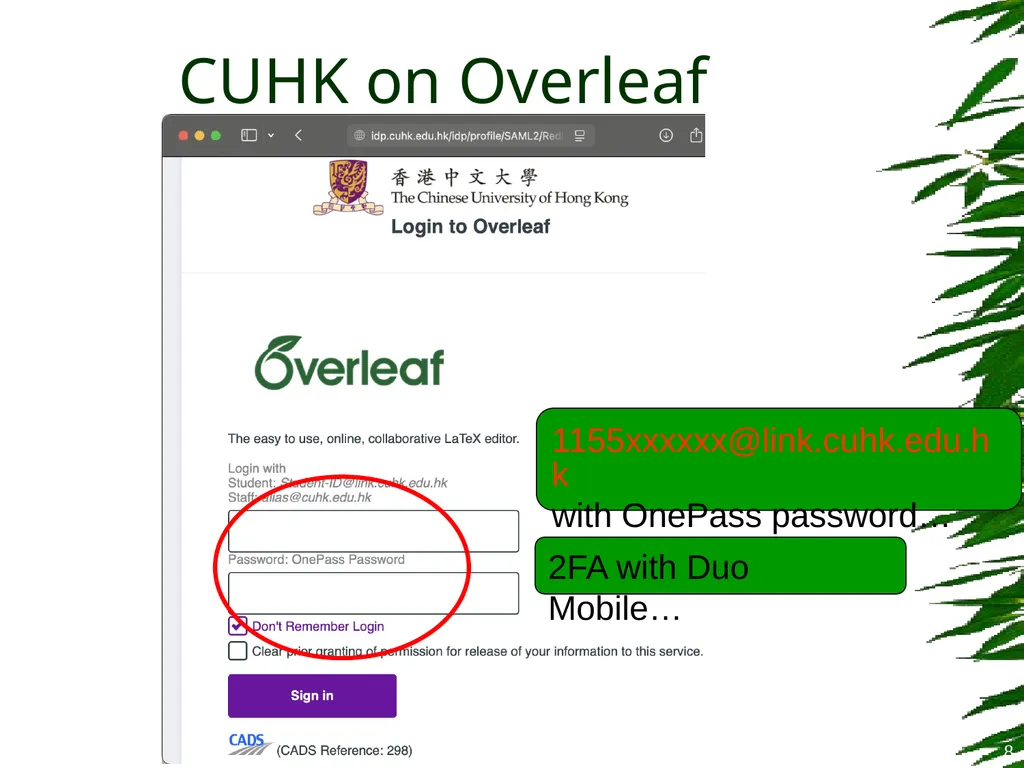
CUHK on Overleaf 8 1155xxxxxx@link.cuhk.edu.hk
with OnePass password… 2FA with Duo Mobile…<br>
with OnePass password… 2FA with Duo Mobile…<br>
09
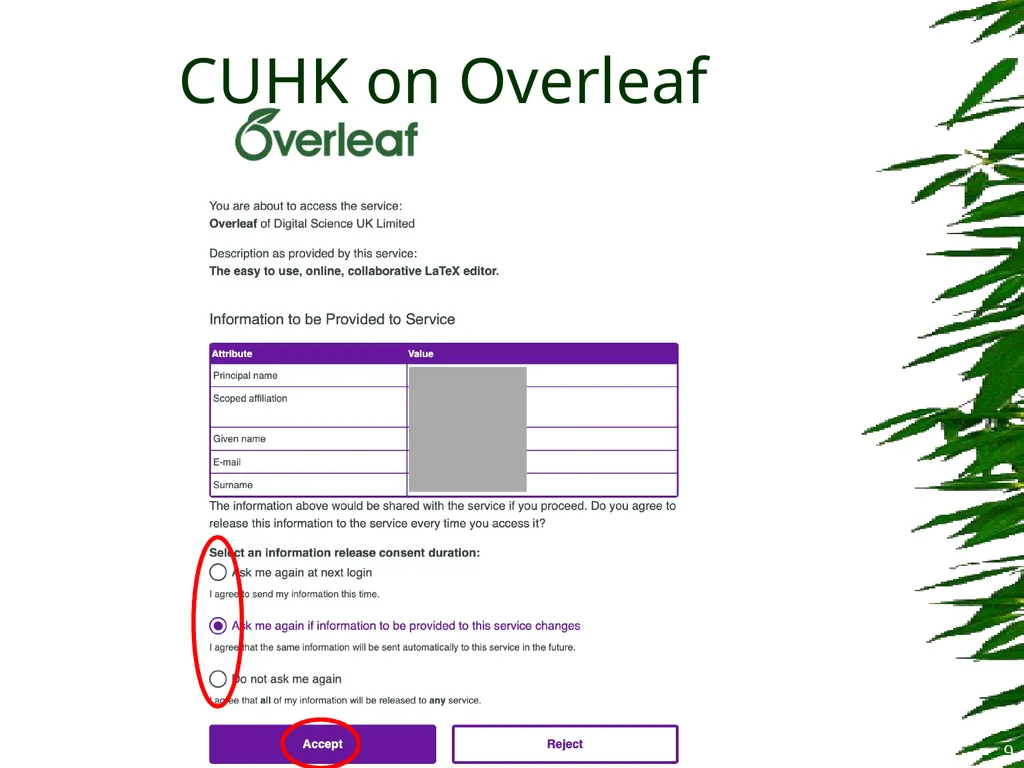
CUHK on Overleaf 9<br>
10
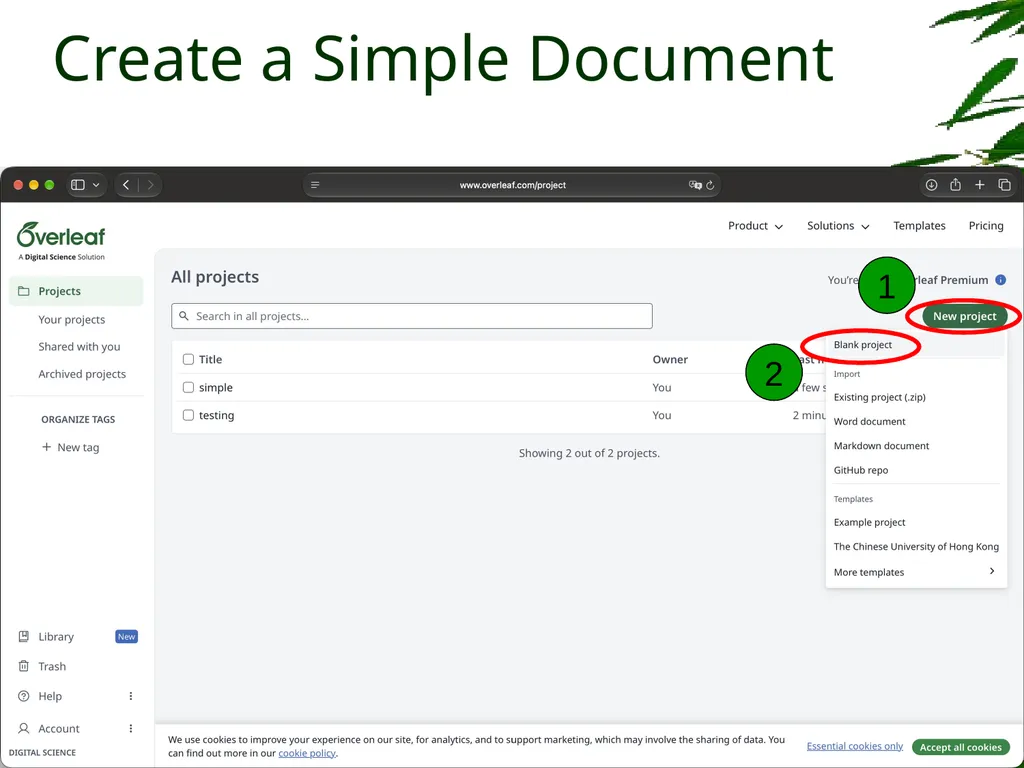
Create a Simple Document 10 2 1<br>
11
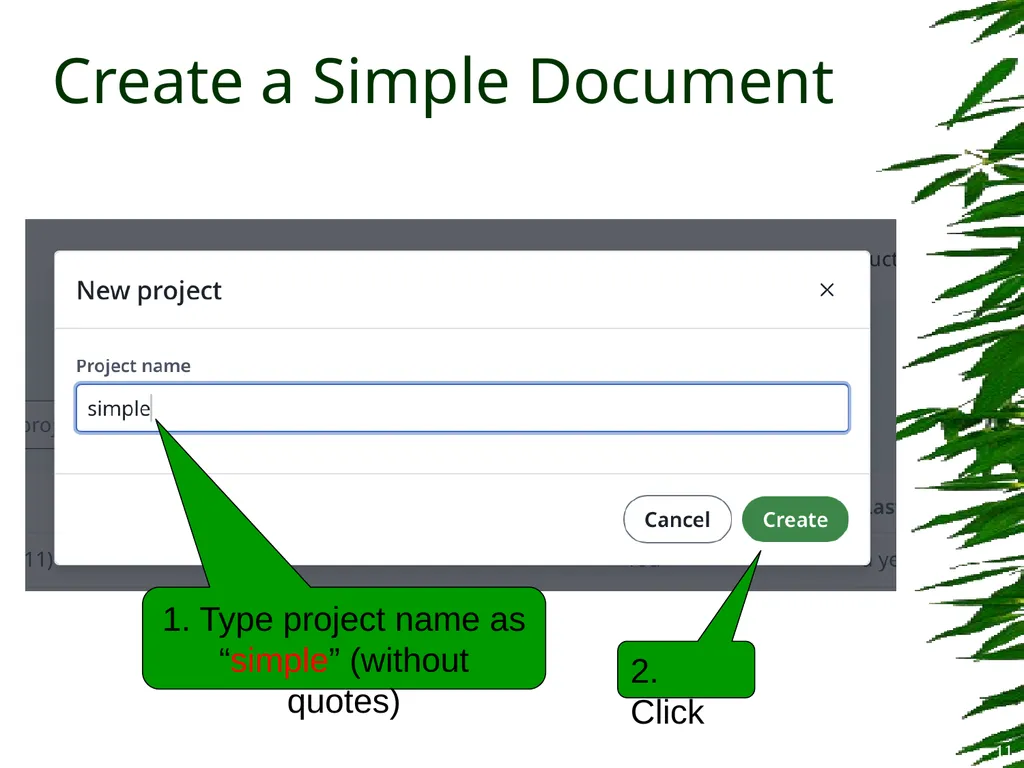
Create a Simple Document 11 1. Type project name as
“simple” (without quotes) 2. Click<br>
“simple” (without quotes) 2. Click<br>
12
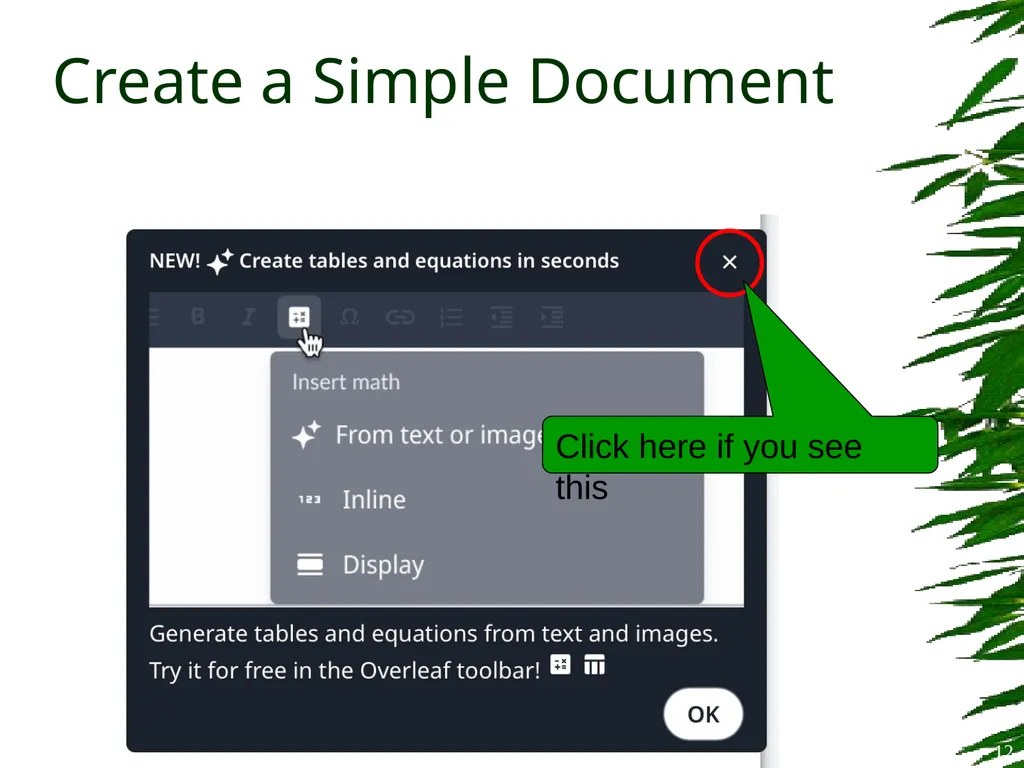
Create a Simple Document 12 Click here if you see this<br>
13
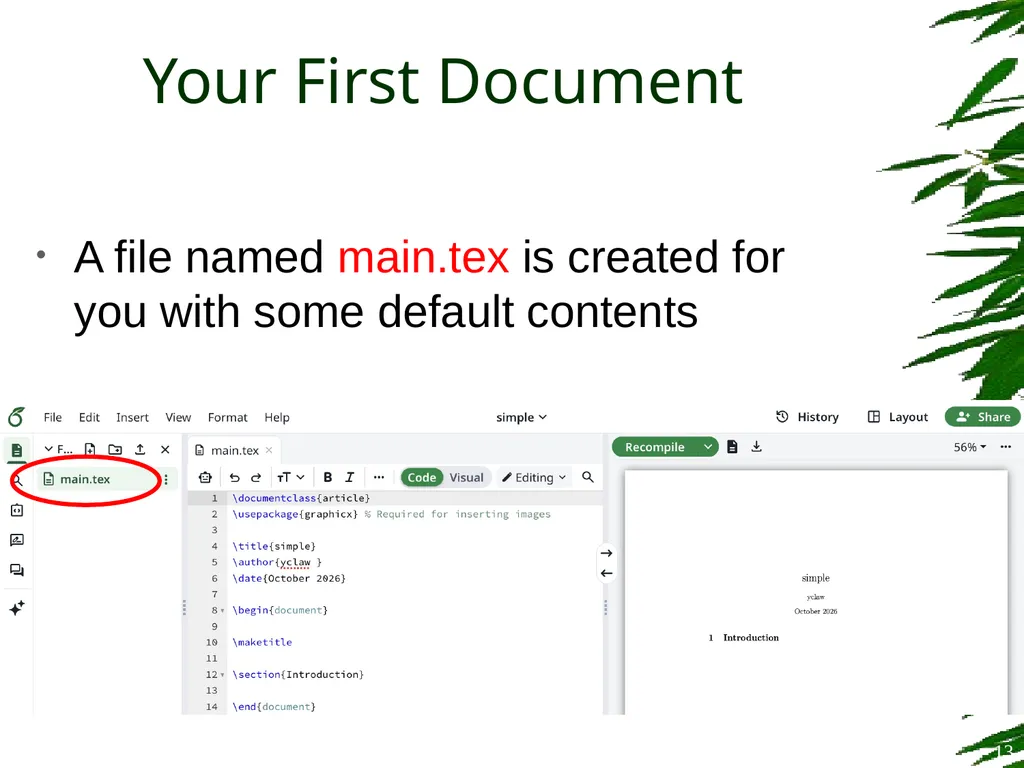
A file named main.tex is created for you with some default contents Your First Document 13<br>
14
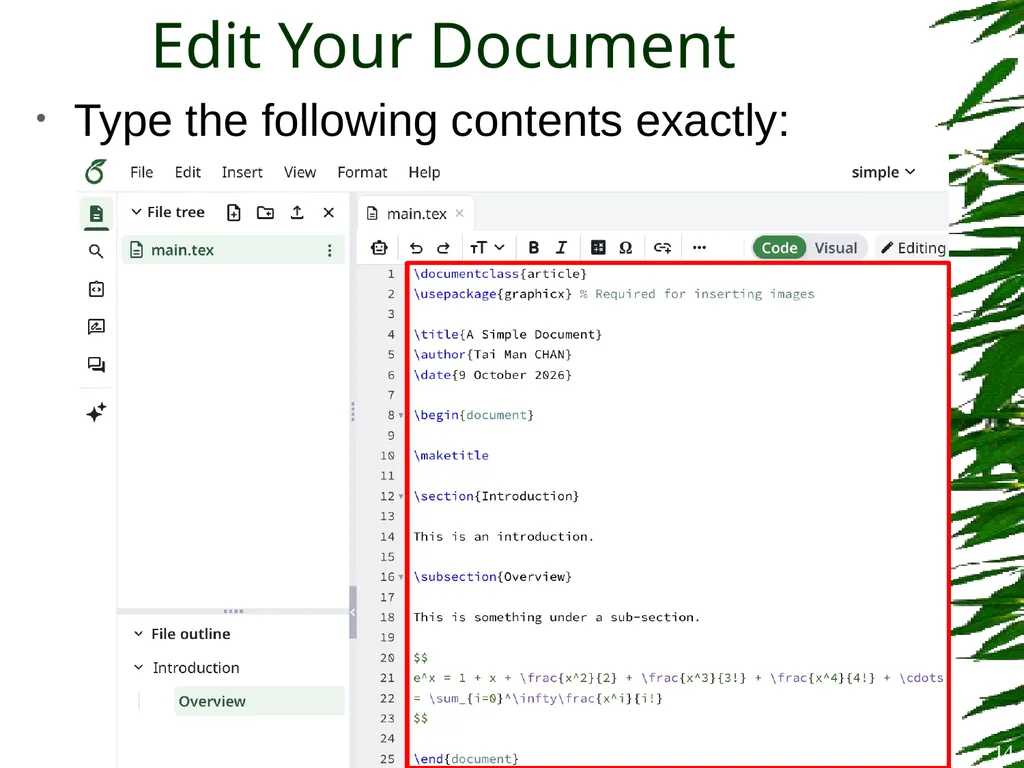
Type the following contents exactly: Edit Your Document 14<br>
15
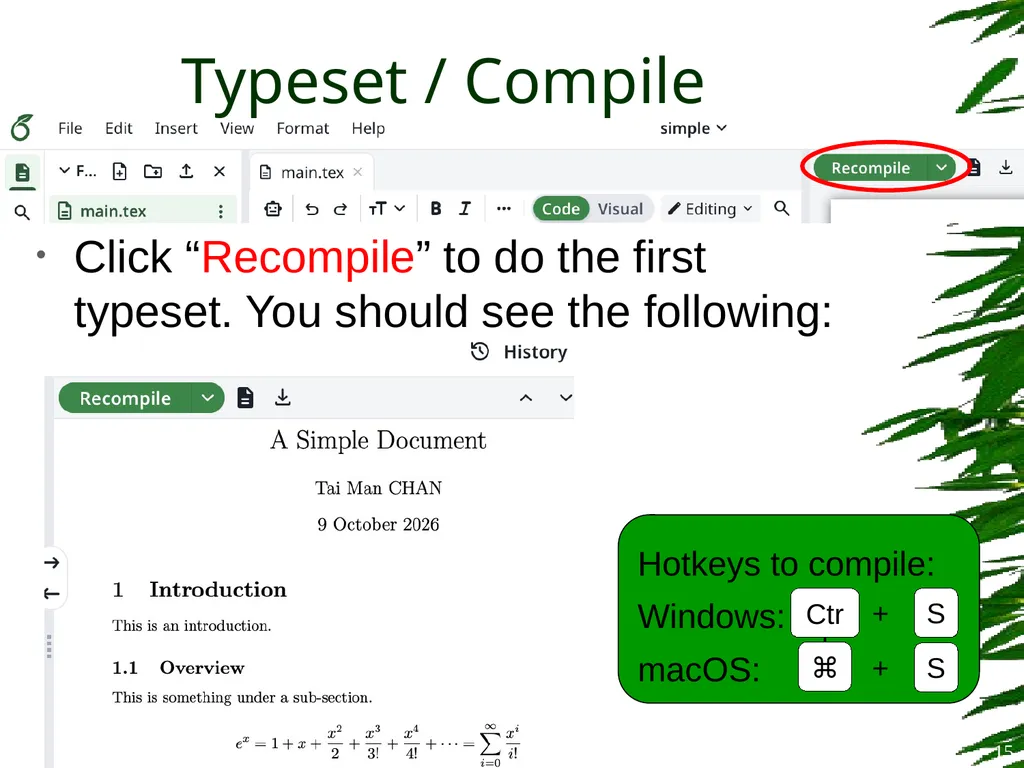
Typeset / Compile Click “Recompile” to do the first typeset. You should see the following: 15<br>
16
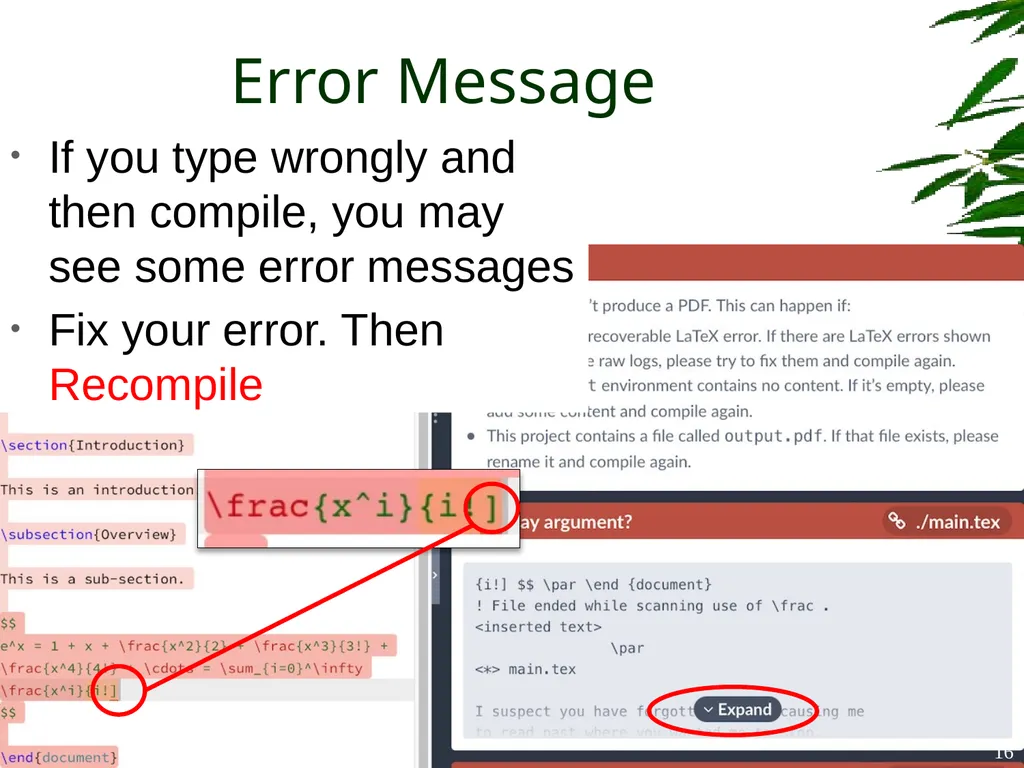
Error Message If you type wrongly and then compile, you may see some error messages
Fix your error. Then Recompile 16<br>
Fix your error. Then Recompile 16<br>
17
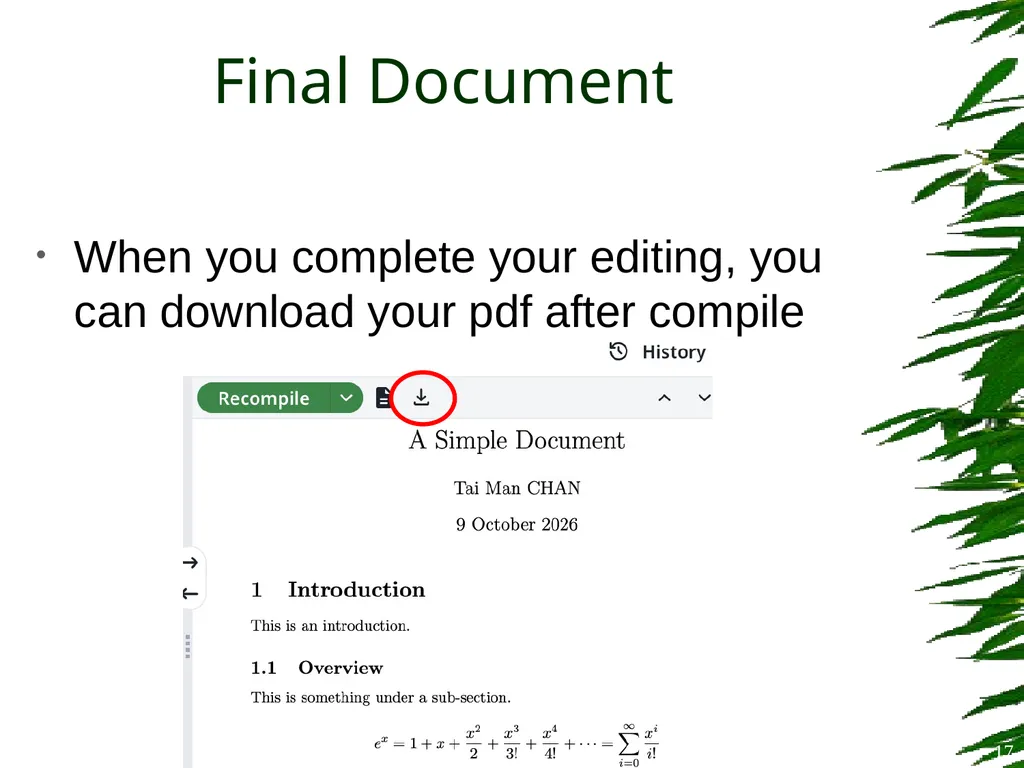
When you complete your editing, you can download your pdf after compile Final Document 17<br>
18
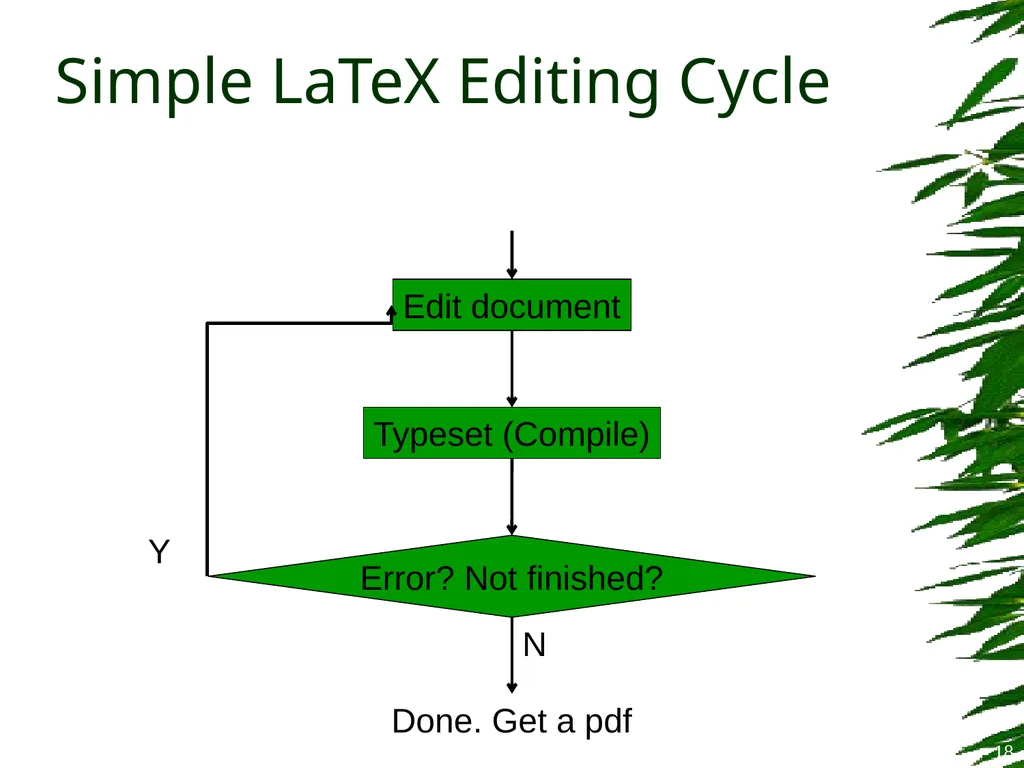
Simple LaTeX Editing Cycle Edit document Typeset (Compile) Error? Not finished? Done. Get a pdf Y N 18<br>
19
Before we really start…
What should be in a thesis? Thesis Preparation 19<br>
What should be in a thesis? Thesis Preparation 19<br>
20
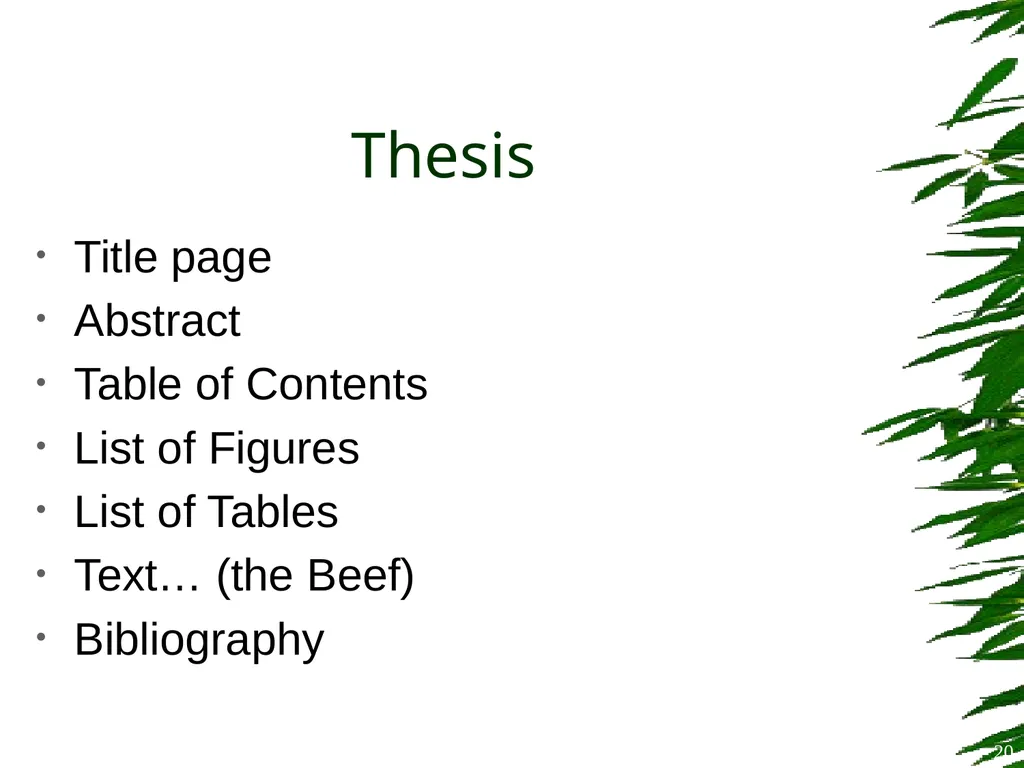
Thesis Title page
Abstract
Table of Contents
List of Figures
List of Tables
Text… (the Beef)
Bibliography 20<br>
Abstract
Table of Contents
List of Figures
List of Tables
Text… (the Beef)
Bibliography 20<br>
21
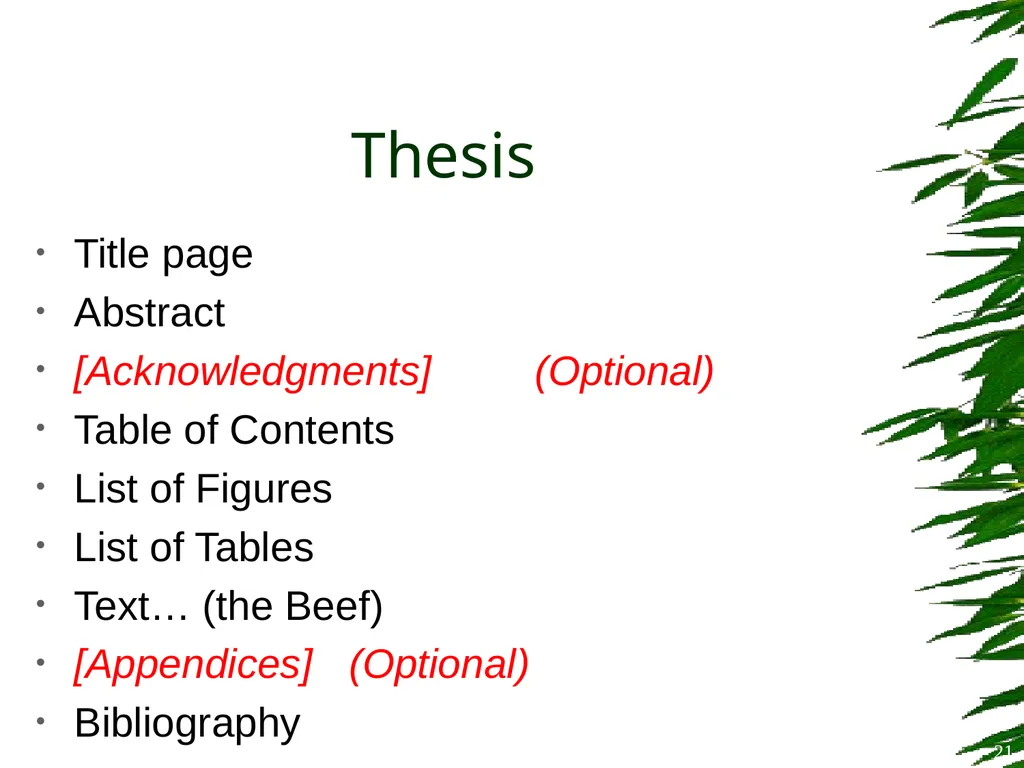
Thesis Title page
Abstract
[Acknowledgments] (Optional)
Table of Contents
List of Figures
List of Tables
Text… (the Beef)
[Appendices] (Optional)
Bibliography 21<br>
Abstract
[Acknowledgments] (Optional)
Table of Contents
List of Figures
List of Tables
Text… (the Beef)
[Appendices] (Optional)
Bibliography 21<br>
22
Course Material Recall the “Lab Materials” that you downloaded
IPL_LaTeX_Advanced_lab.zip
Extract the zip content, you’ll see two more zip files
thesis_start.zip and thesis_finish.zip
(No need to further extract these two zip files)
The file thesis_start.zip contains a LaTeX template for a thesis 22<br>
IPL_LaTeX_Advanced_lab.zip
Extract the zip content, you’ll see two more zip files
thesis_start.zip and thesis_finish.zip
(No need to further extract these two zip files)
The file thesis_start.zip contains a LaTeX template for a thesis 22<br>
23
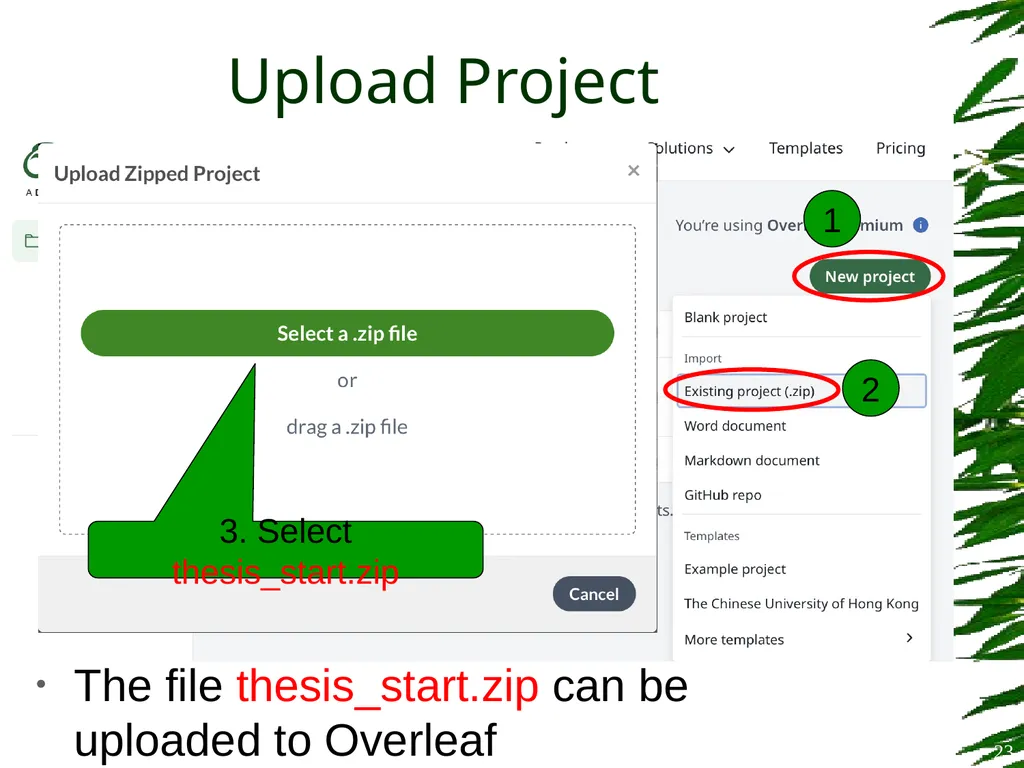
The file thesis_start.zip can be uploaded to Overleaf Upload Project 23 3. Select thesis_start.zip 1 2<br>
24
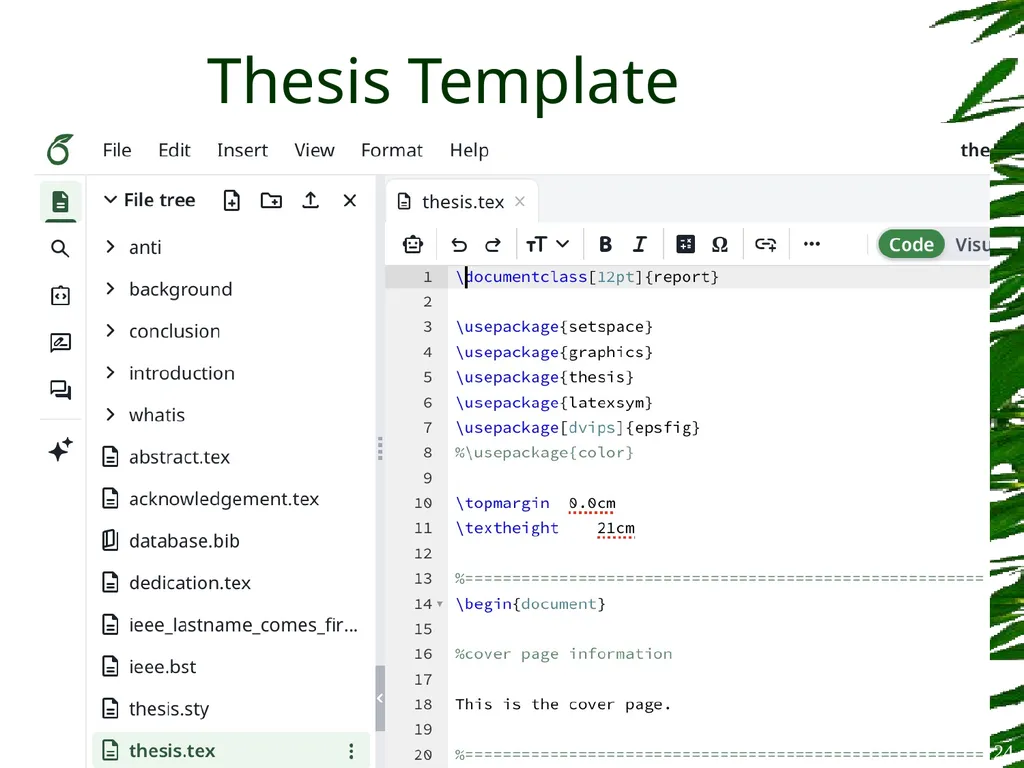
Thesis Template 24<br>
25
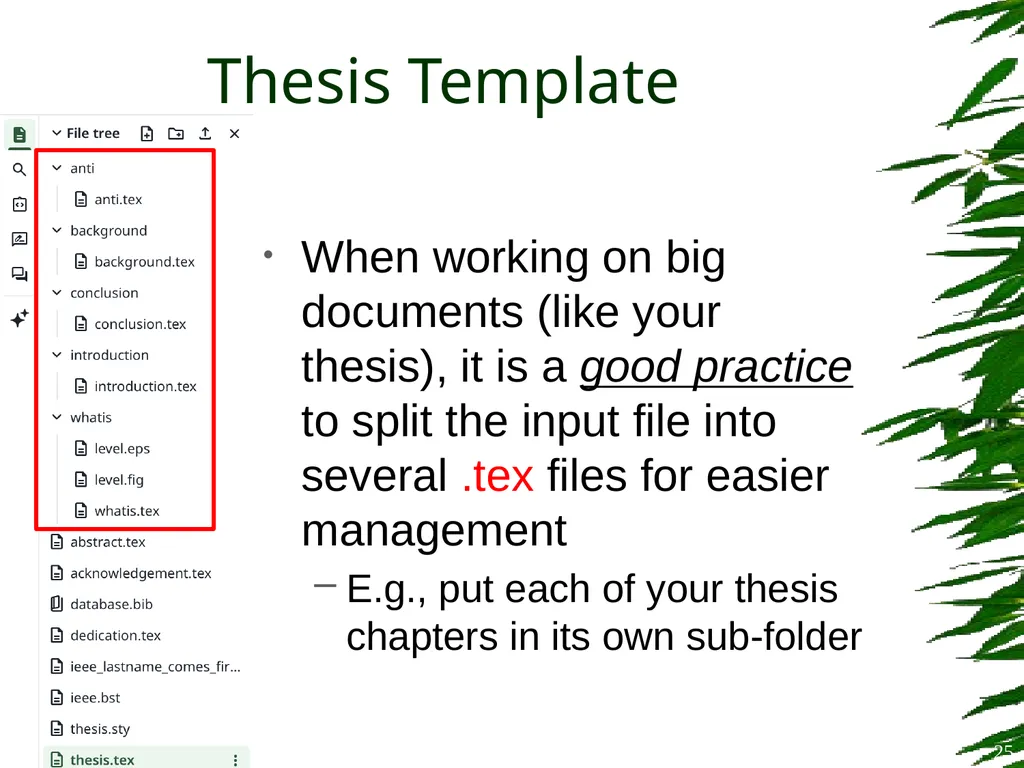
Thesis Template When working on big documents (like your thesis), it is a good practice to split the input file into several .tex files for easier management
E.g., put each of your thesis chapters in its own sub-folder 25<br>
E.g., put each of your thesis chapters in its own sub-folder 25<br>
26
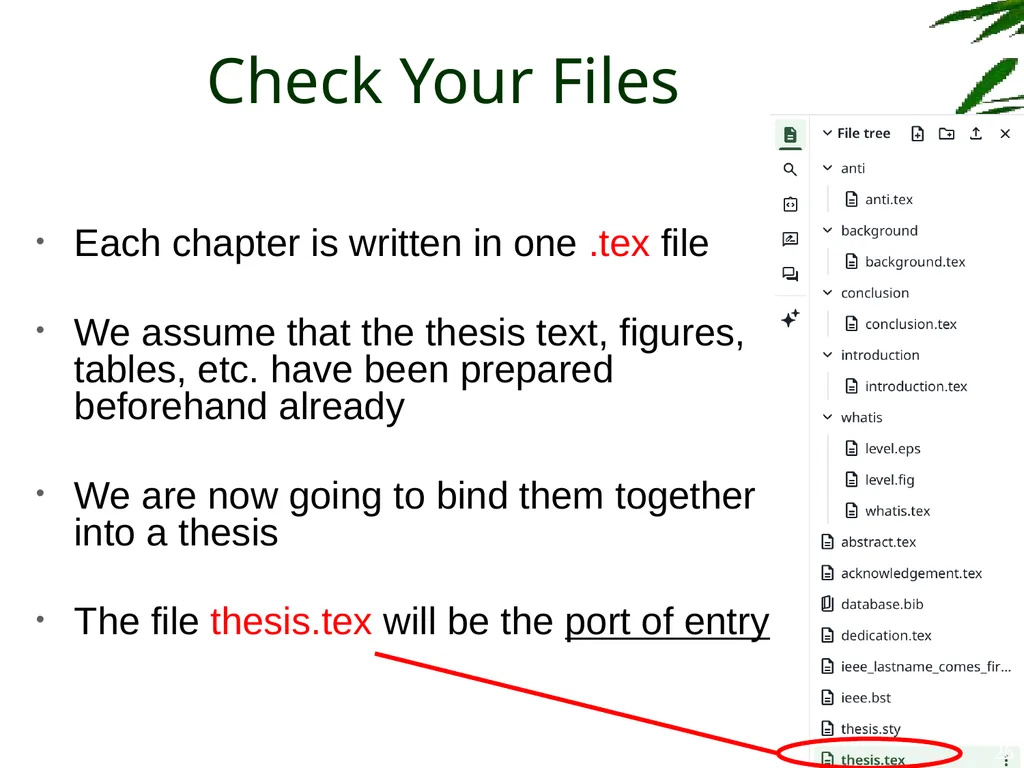
Check Your Files Each chapter is written in one .tex file
We assume that the thesis text, figures, tables, etc. have been prepared beforehand already
We are now going to bind them together into a thesis
The file thesis.tex will be the port of entry 26<br>
We assume that the thesis text, figures, tables, etc. have been prepared beforehand already
We are now going to bind them together into a thesis
The file thesis.tex will be the port of entry 26<br>
27
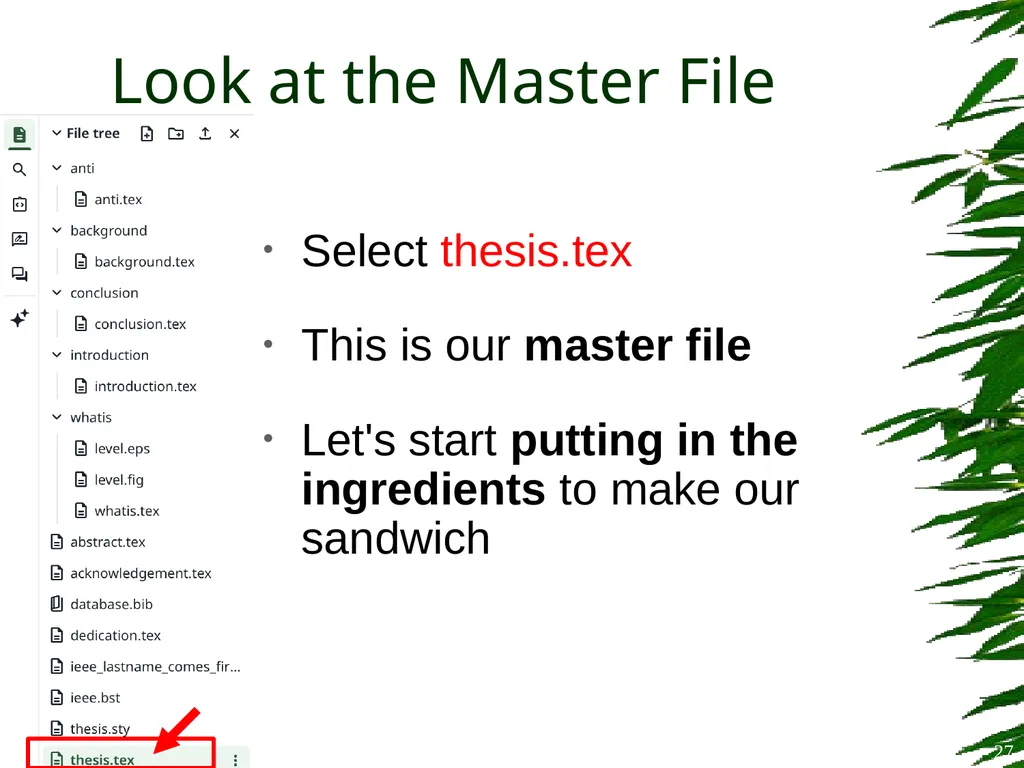
Look at the Master File Select thesis.tex
This is our master file
Let's start putting in the ingredients to make our sandwich 27<br>
This is our master file
Let's start putting in the ingredients to make our sandwich 27<br>
28
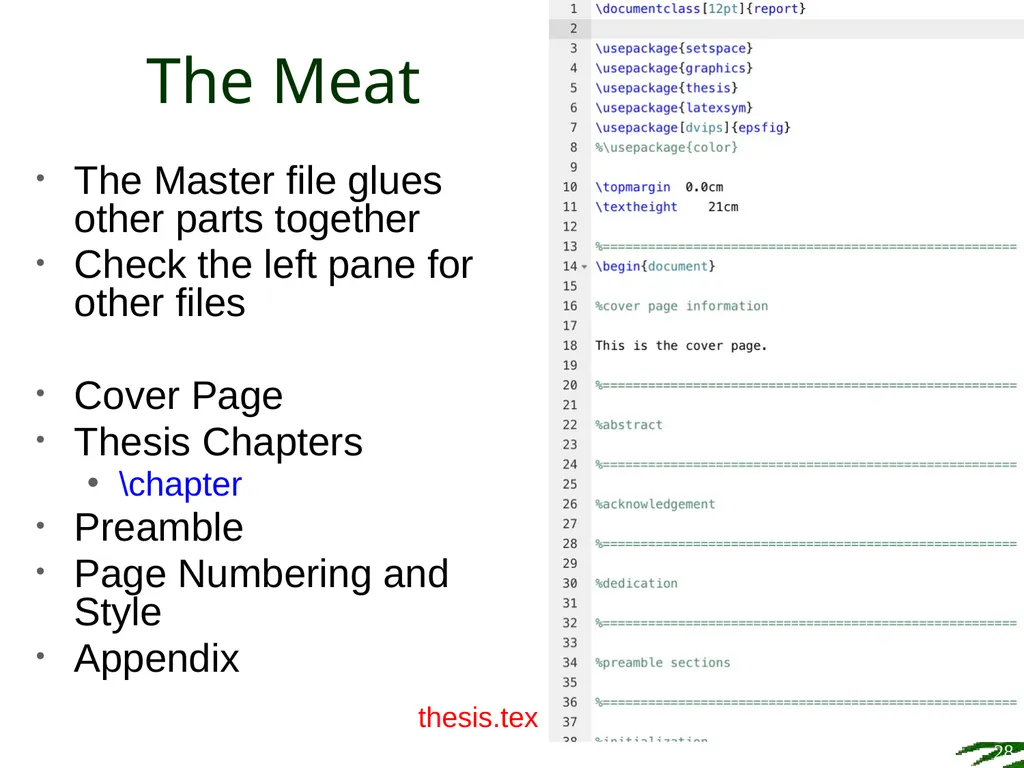
The Meat 28 The Master file glues other parts together
Check the left pane for other files
Cover Page
Thesis Chapters
\chapter
Preamble
Page Numbering and Style
Appendix thesis.tex<br>
Check the left pane for other files
Cover Page
Thesis Chapters
\chapter
Preamble
Page Numbering and Style
Appendix thesis.tex<br>
29
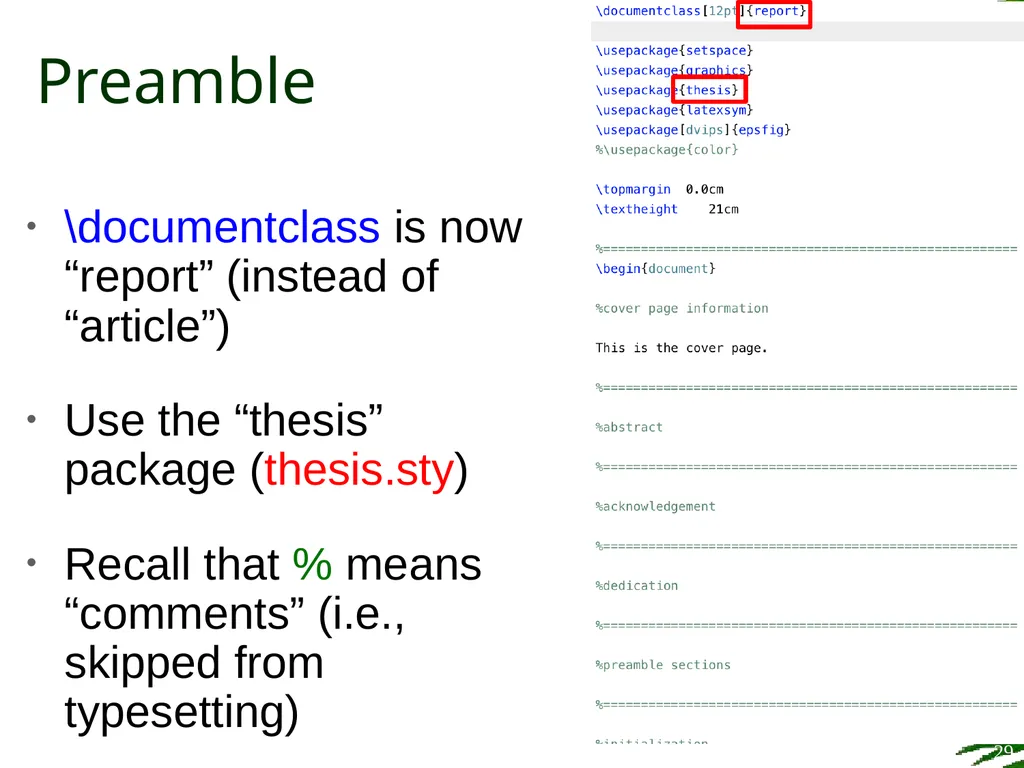
Preamble \documentclass is now “report” (instead of “article”)
Use the “thesis” package (thesis.sty)
Recall that % means “comments” (i.e., skipped from typesetting) 29<br>
Use the “thesis” package (thesis.sty)
Recall that % means “comments” (i.e., skipped from typesetting) 29<br>
30
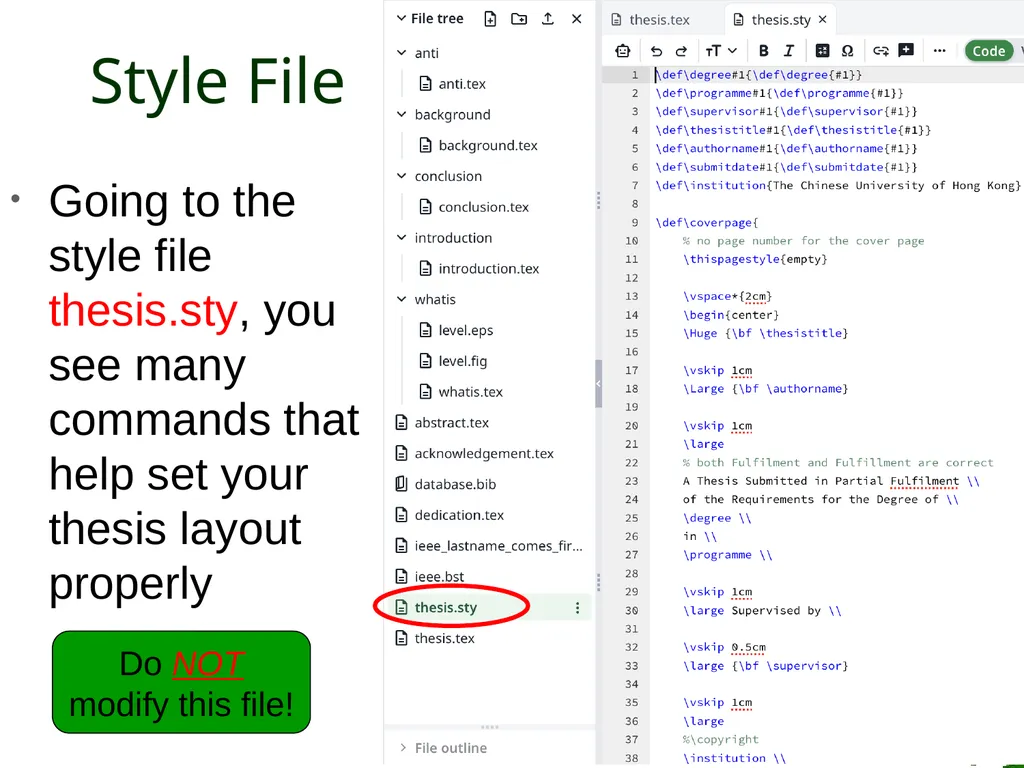
Style File Going to the style file thesis.sty, you see many commands that help set your thesis layout properly Do NOT modify this file! 30<br>
31
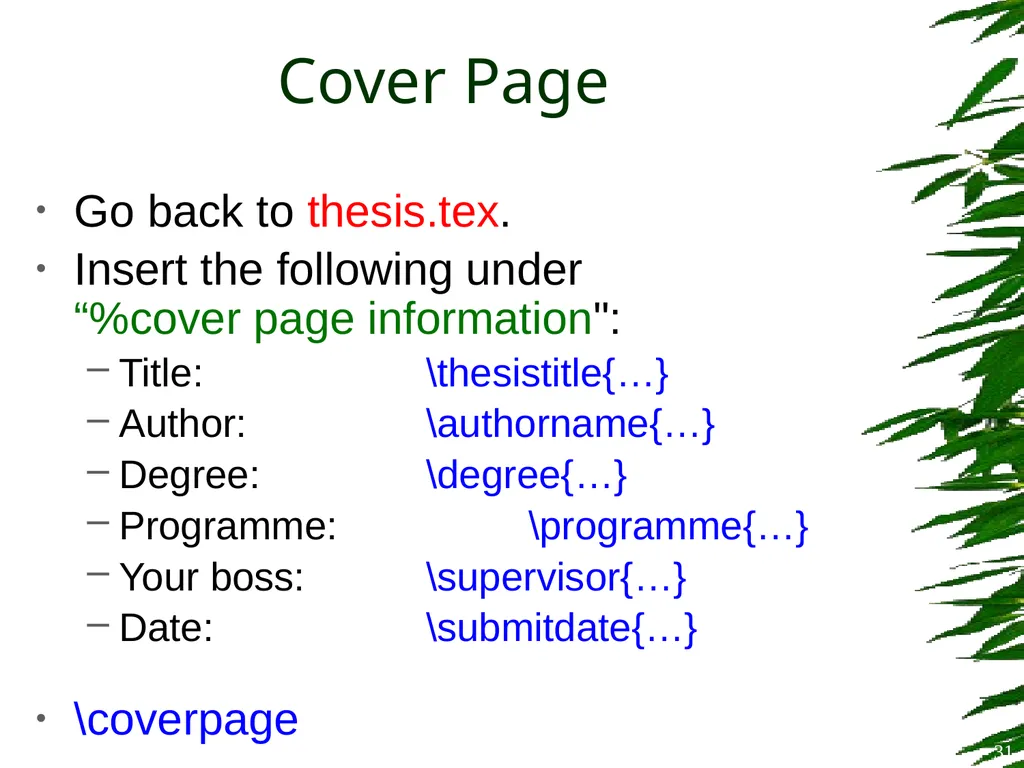
Cover Page Go back to thesis.tex.
Insert the following under “%cover page information":
Title: \thesistitle{…}
Author: \authorname{…}
Degree: \degree{…}
Programme: \programme{…}
Your boss: \supervisor{…}
Date: \submitdate{…}
\coverpage 31<br>
Insert the following under “%cover page information":
Title: \thesistitle{…}
Author: \authorname{…}
Degree: \degree{…}
Programme: \programme{…}
Your boss: \supervisor{…}
Date: \submitdate{…}
\coverpage 31<br>
32
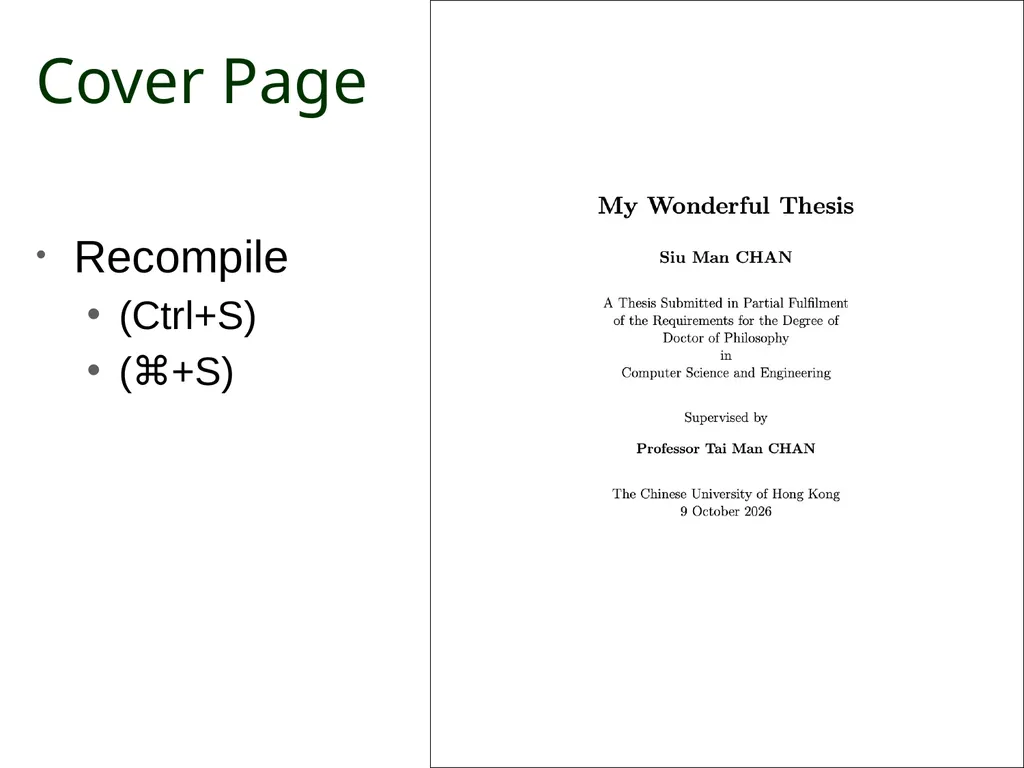
Cover Page Recompile
(Ctrl+S)
(⌘+S) 32<br>
(Ctrl+S)
(⌘+S) 32<br>
33
Style File The previous commands (\thesistitle, \authorname, etc.), and more coming, are non-standard LaTeX commands, self-defined in the thesis style file (thesis.sty) 33<br>
34
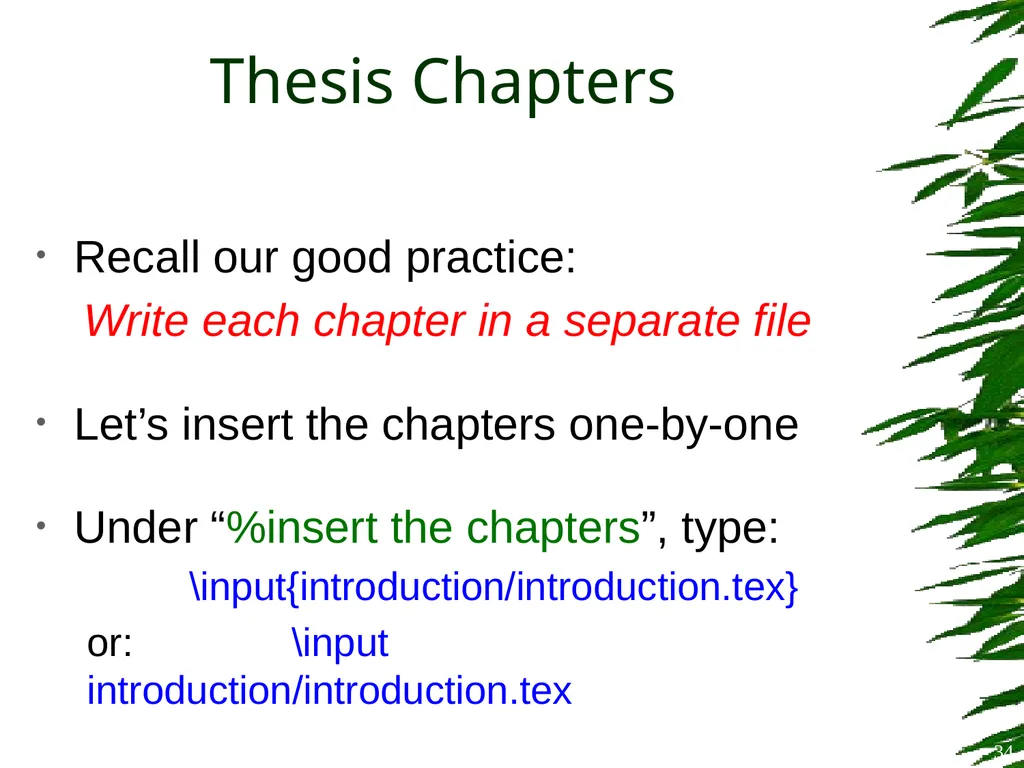
Thesis Chapters Recall our good practice:
Write each chapter in a separate file
Let’s insert the chapters one-by-one
Under “%insert the chapters”, type:
\input{introduction/introduction.tex}
or: \input introduction/introduction.tex 34<br>
Write each chapter in a separate file
Let’s insert the chapters one-by-one
Under “%insert the chapters”, type:
\input{introduction/introduction.tex}
or: \input introduction/introduction.tex 34<br>
35
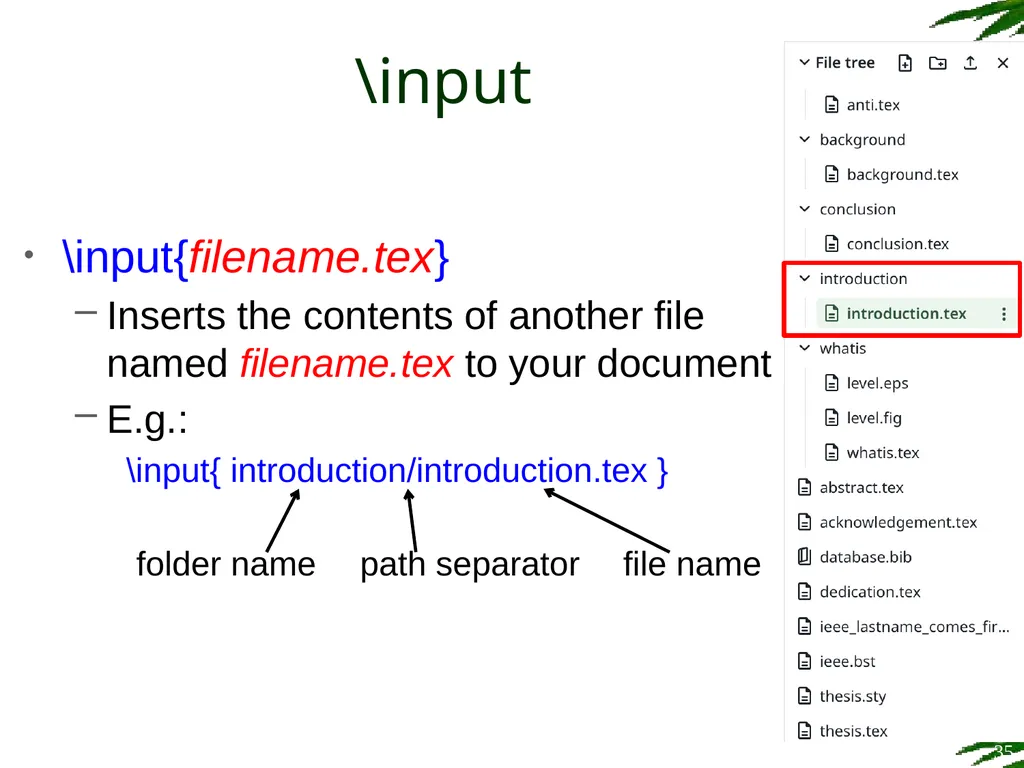
\input \input{filename.tex}
Inserts the contents of another file named filename.tex to your document
E.g.:
\input{ introduction/introduction.tex } 35 path separator folder name file name<br>
Inserts the contents of another file named filename.tex to your document
E.g.:
\input{ introduction/introduction.tex } 35 path separator folder name file name<br>
36
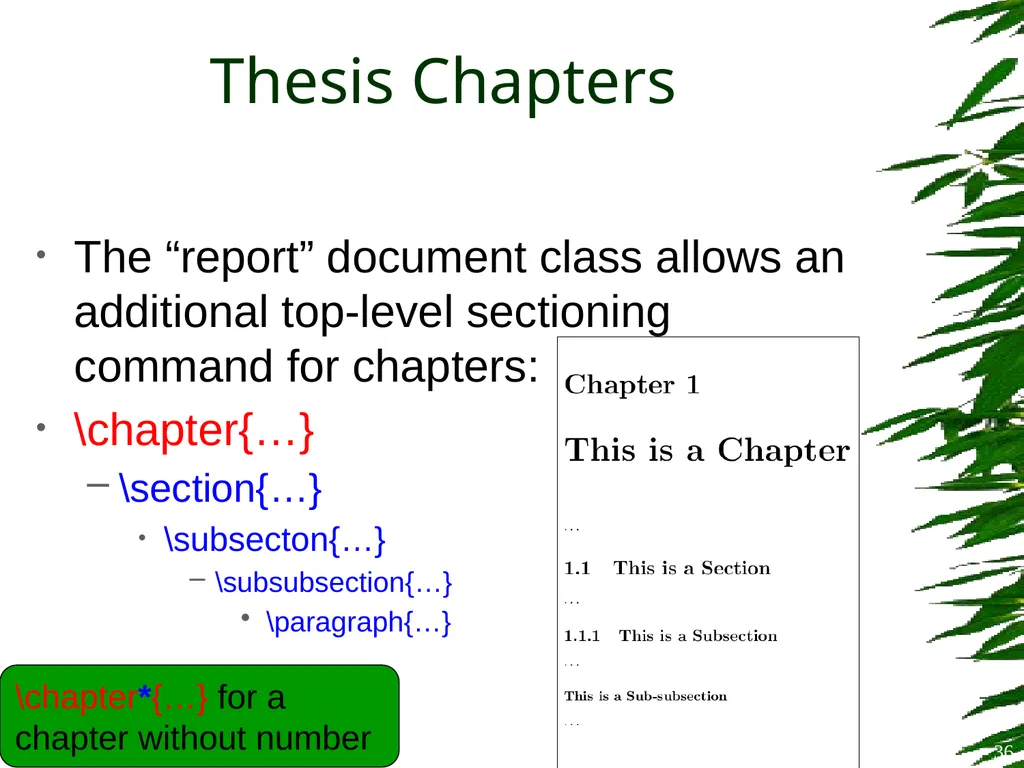
Thesis Chapters The “report” document class allows an additional top-level sectioning command for chapters:
\chapter{…}
\section{…}
\subsecton{…}
\subsubsection{…}
\paragraph{…} \chapter*{…} for a chapter without number 36<br>
\chapter{…}
\section{…}
\subsecton{…}
\subsubsection{…}
\paragraph{…} \chapter*{…} for a chapter without number 36<br>
37
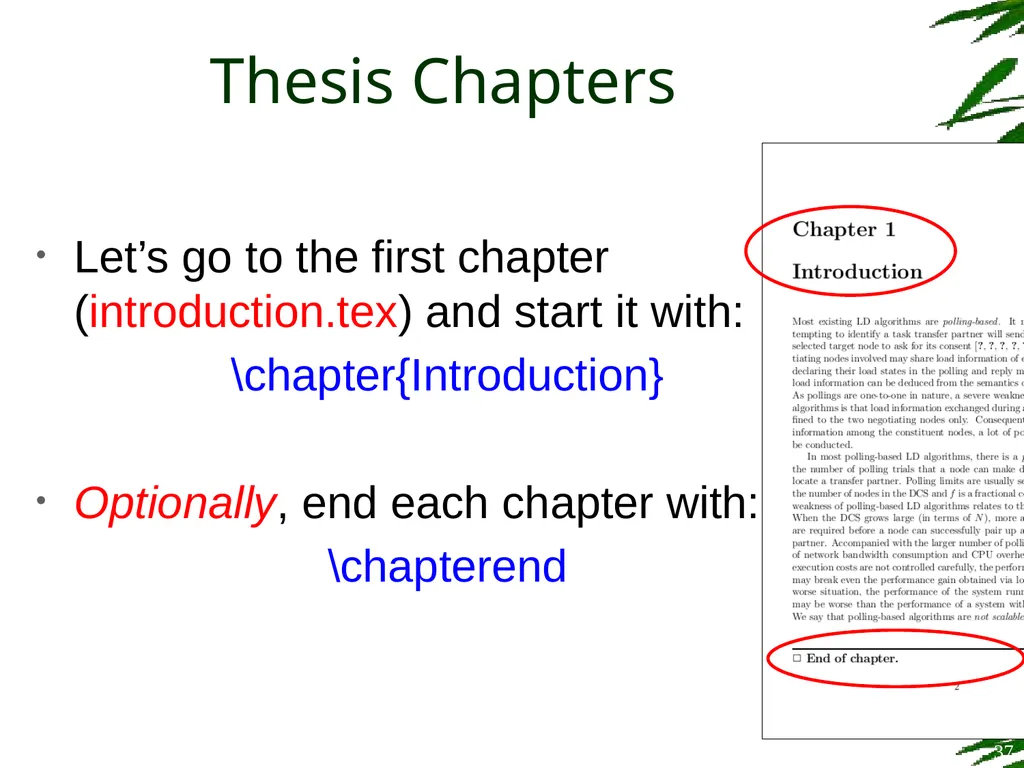
Thesis Chapters Let’s go to the first chapter (introduction.tex) and start it with:
\chapter{Introduction}
Optionally, end each chapter with:
\chapterend 37<br>
\chapter{Introduction}
Optionally, end each chapter with:
\chapterend 37<br>
38
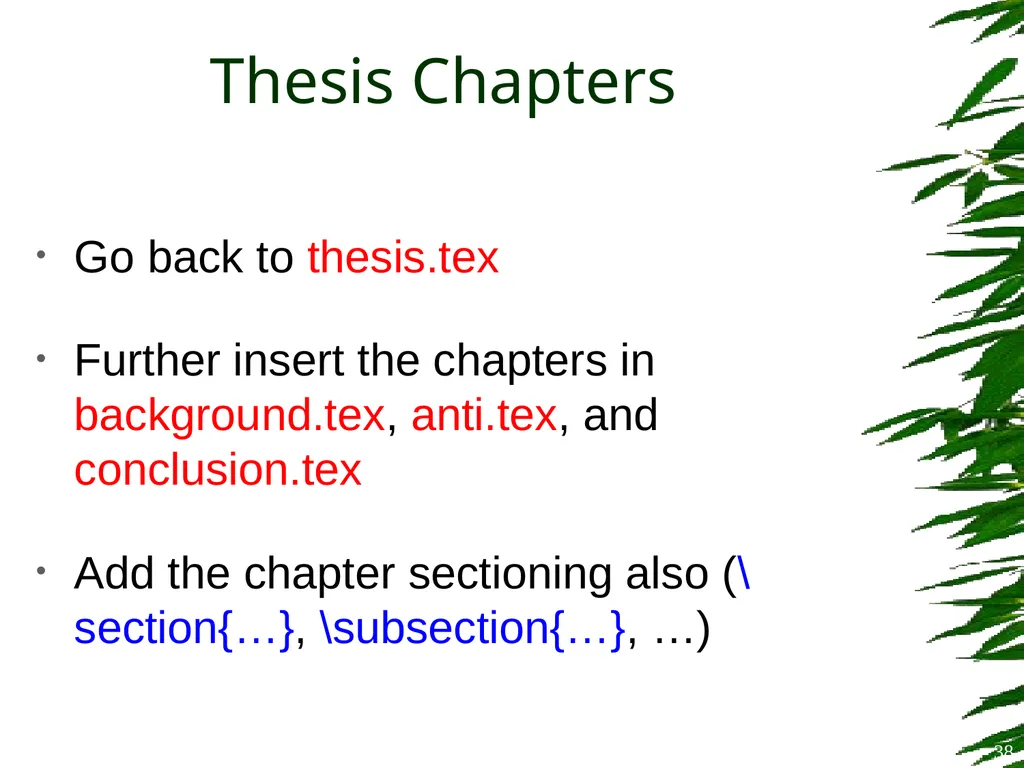
Thesis Chapters Go back to thesis.tex
Further insert the chapters in background.tex, anti.tex, and conclusion.tex
Add the chapter sectioning also (\section{…}, \subsection{…}, …) 38<br>
Further insert the chapters in background.tex, anti.tex, and conclusion.tex
Add the chapter sectioning also (\section{…}, \subsection{…}, …) 38<br>
39
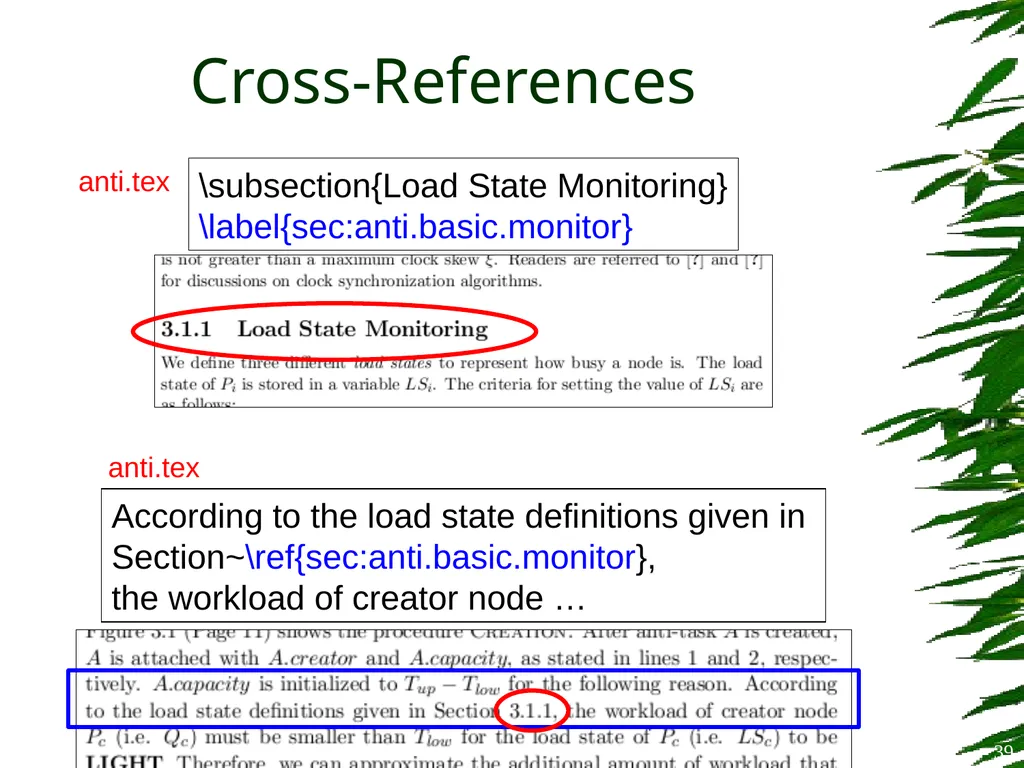
Cross-References 39 \subsection{Load State Monitoring}
\label{sec:anti.basic.monitor} According to the load state definitions given in
Section~\ref{sec:anti.basic.monitor},
the workload of creator node … anti.tex anti.tex<br>
\label{sec:anti.basic.monitor} According to the load state definitions given in
Section~\ref{sec:anti.basic.monitor},
the workload of creator node … anti.tex anti.tex<br>
40
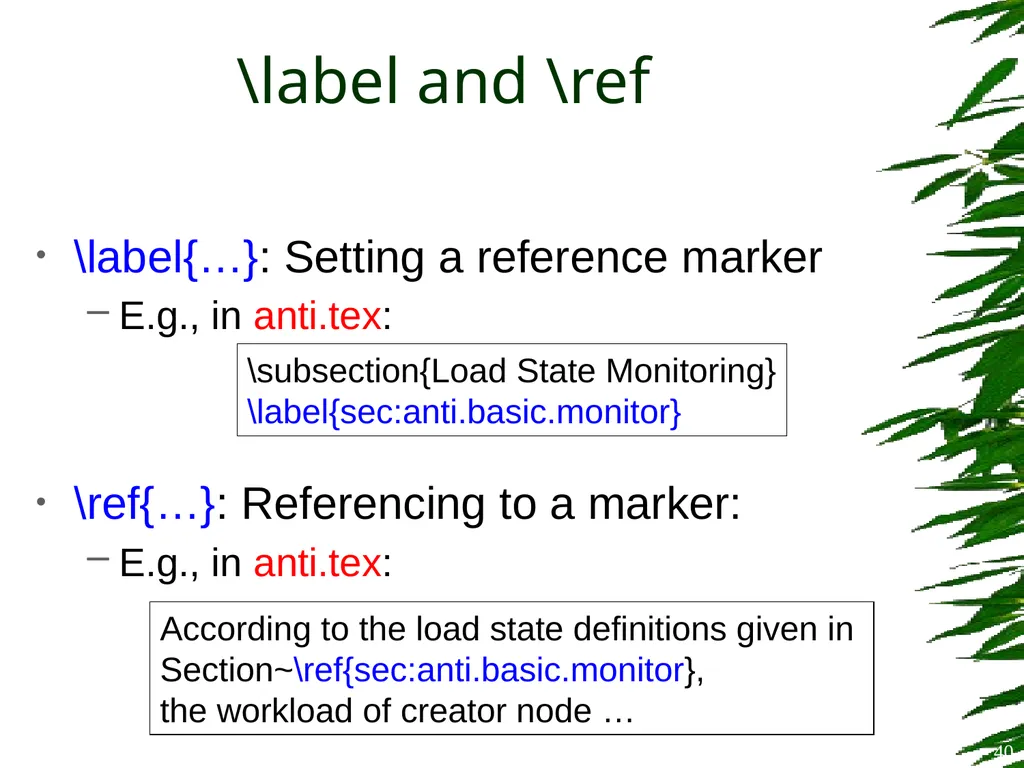
\label and \ref \label{…}: Setting a reference marker
E.g., in anti.tex:
\ref{…}: Referencing to a marker:
E.g., in anti.tex: 40 \subsection{Load State Monitoring}
\label{sec:anti.basic.monitor} According to the load state definitions given in
Section~\ref{sec:anti.basic.monitor},
the workload of creator node …<br>
E.g., in anti.tex:
\ref{…}: Referencing to a marker:
E.g., in anti.tex: 40 \subsection{Load State Monitoring}
\label{sec:anti.basic.monitor} According to the load state definitions given in
Section~\ref{sec:anti.basic.monitor},
the workload of creator node …<br>
41
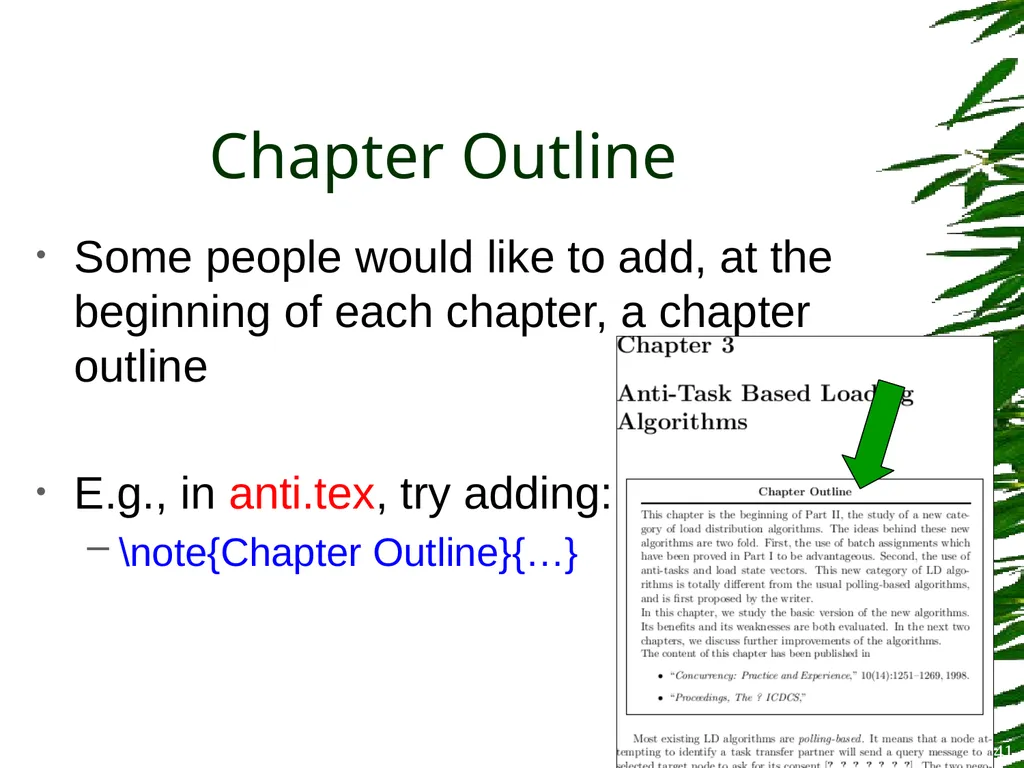
Chapter Outline Some people would like to add, at the beginning of each chapter, a chapter outline
E.g., in anti.tex, try adding:
\note{Chapter Outline}{…} 41<br>
E.g., in anti.tex, try adding:
\note{Chapter Outline}{…} 41<br>
42
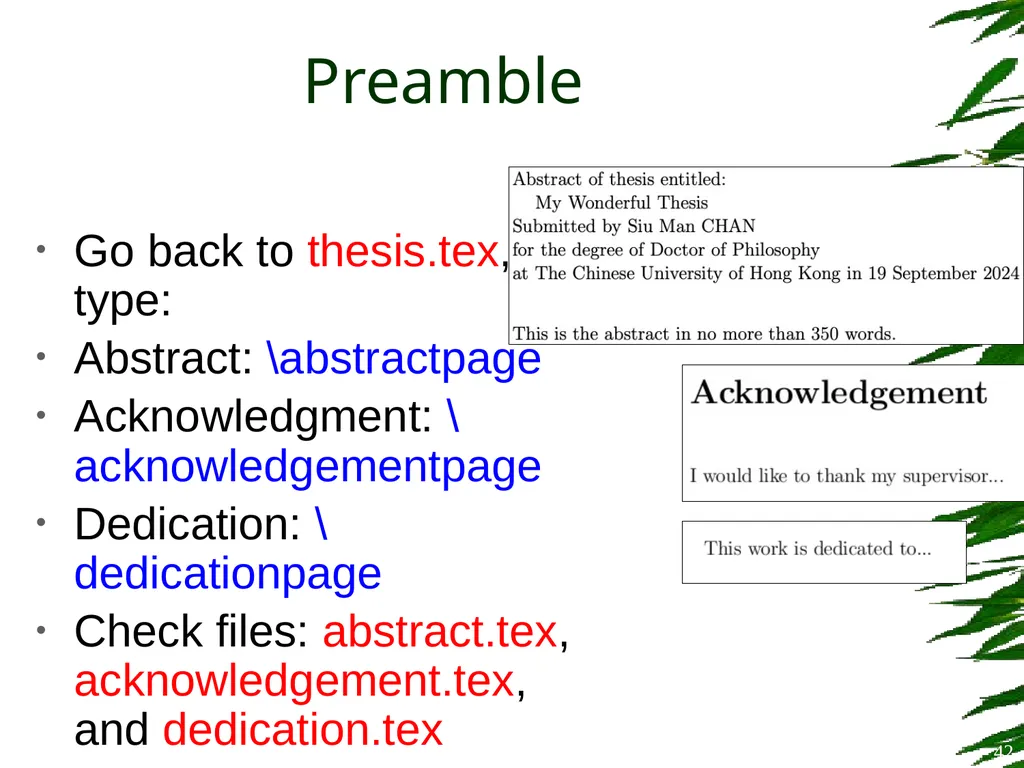
Preamble Go back to thesis.tex, type:
Abstract: \abstractpage
Acknowledgment: \acknowledgementpage
Dedication: \dedicationpage
Check files: abstract.tex, acknowledgement.tex, and dedication.tex 42<br>
Abstract: \abstractpage
Acknowledgment: \acknowledgementpage
Dedication: \dedicationpage
Check files: abstract.tex, acknowledgement.tex, and dedication.tex 42<br>
43
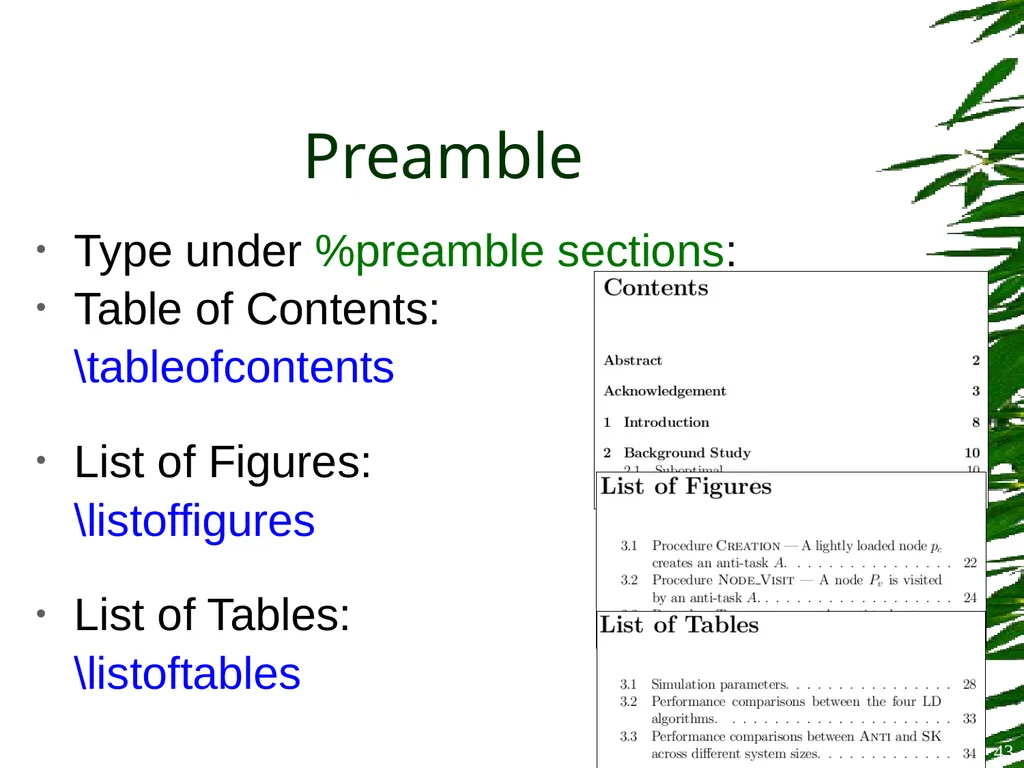
Preamble Type under %preamble sections:
Table of Contents:
\tableofcontents
List of Figures:
\listoffigures
List of Tables:
\listoftables 43<br>
Table of Contents:
\tableofcontents
List of Figures:
\listoffigures
List of Tables:
\listoftables 43<br>
44
Page Numbering Roman number system, usually for the preamble
\pagenumbering{roman}
Arabic number system, usually for the main text
\newpage
\pagenumbering{arabic} Put this before Abstract Put them under Initialization 44<br>
\pagenumbering{roman}
Arabic number system, usually for the main text
\newpage
\pagenumbering{arabic} Put this before Abstract Put them under Initialization 44<br>
45
Page Numbering If you want to set your own page number, use:
\setcounter{page}{x}
(where x is some number) 45<br>
\setcounter{page}{x}
(where x is some number) 45<br>
46
Page Style Control how the headers and footers look like. Try (under %initialization) these one by one:
\pagestyle{headings}
\pagestyle{plain}
\pagestyle{empty} 46<br>
\pagestyle{headings}
\pagestyle{plain}
\pagestyle{empty} 46<br>
47
Line Spacing Control line spacing. Try (under %initialization):
\singlespacing
\onehalfspacing
\doublespacing 47<br>
\singlespacing
\onehalfspacing
\doublespacing 47<br>
48
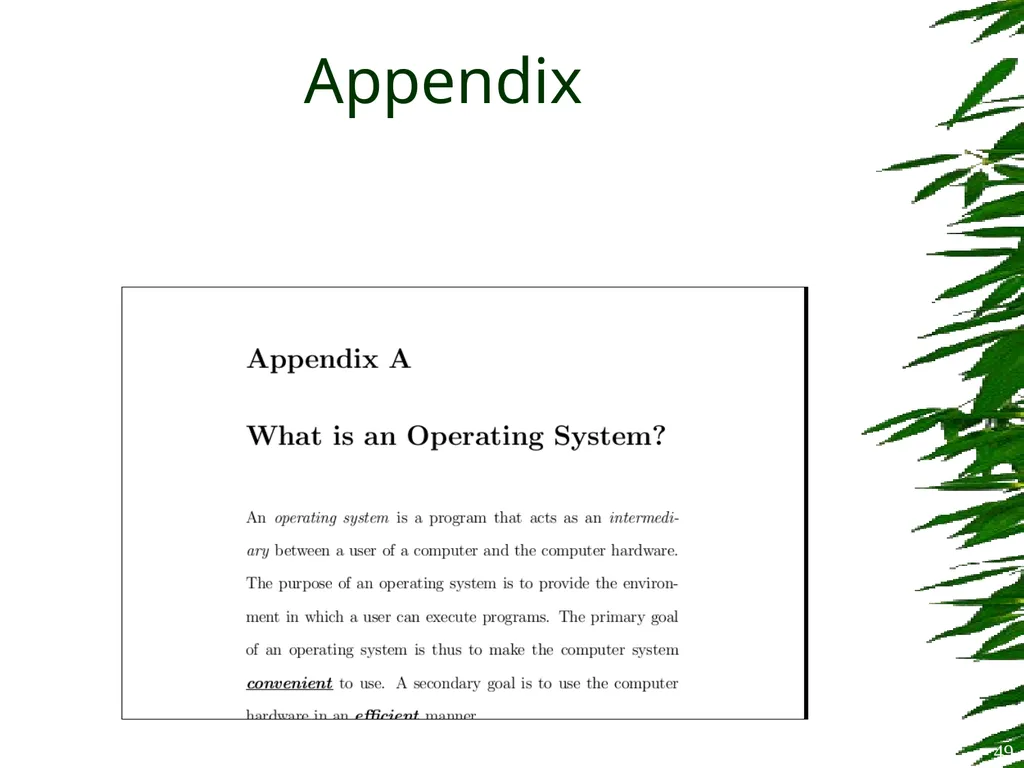
Appendix To start producing appendixes:
\appendix
Section/chapter numbering will be automatically restarted and changed to alphabetic
E.g., Appendix A, Appendix B, …
Try including whatis.tex to see the effect 48<br>
\appendix
Section/chapter numbering will be automatically restarted and changed to alphabetic
E.g., Appendix A, Appendix B, …
Try including whatis.tex to see the effect 48<br>
49
Appendix 49<br>
50
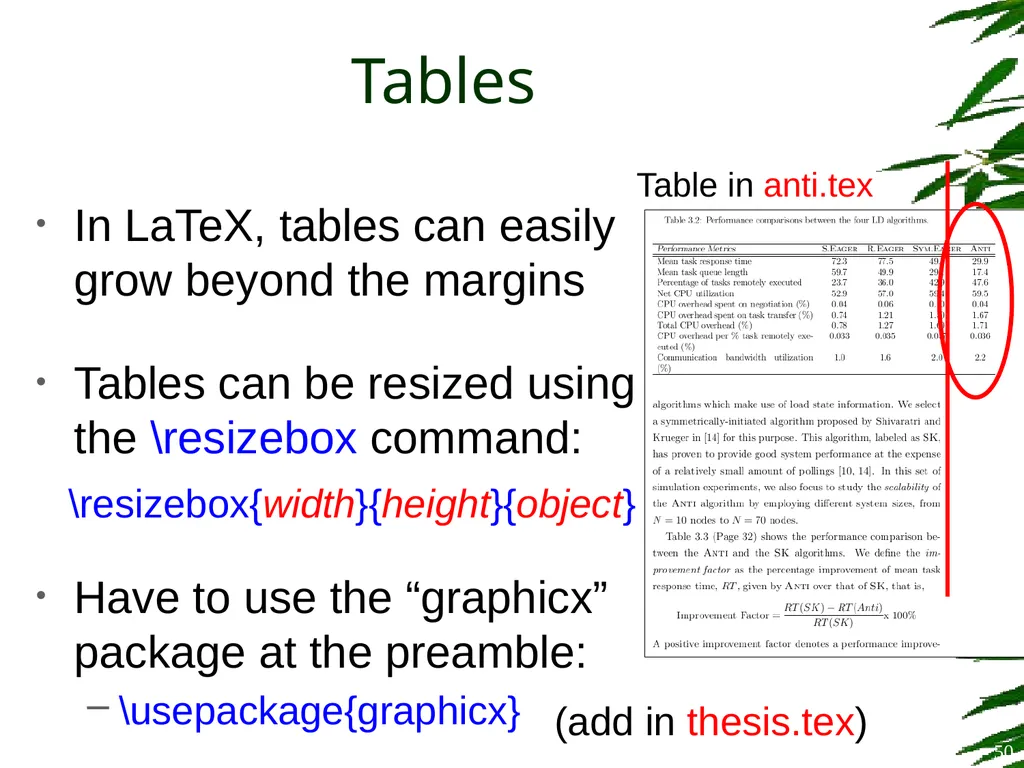
Tables In LaTeX, tables can easily grow beyond the margins
Tables can be resized using the \resizebox command:
Have to use the “graphicx” package at the preamble:
\usepackage{graphicx} Table in anti.tex \resizebox{width}{height}{object} 50 (add in thesis.tex)<br>
Tables can be resized using the \resizebox command:
Have to use the “graphicx” package at the preamble:
\usepackage{graphicx} Table in anti.tex \resizebox{width}{height}{object} 50 (add in thesis.tex)<br>
51
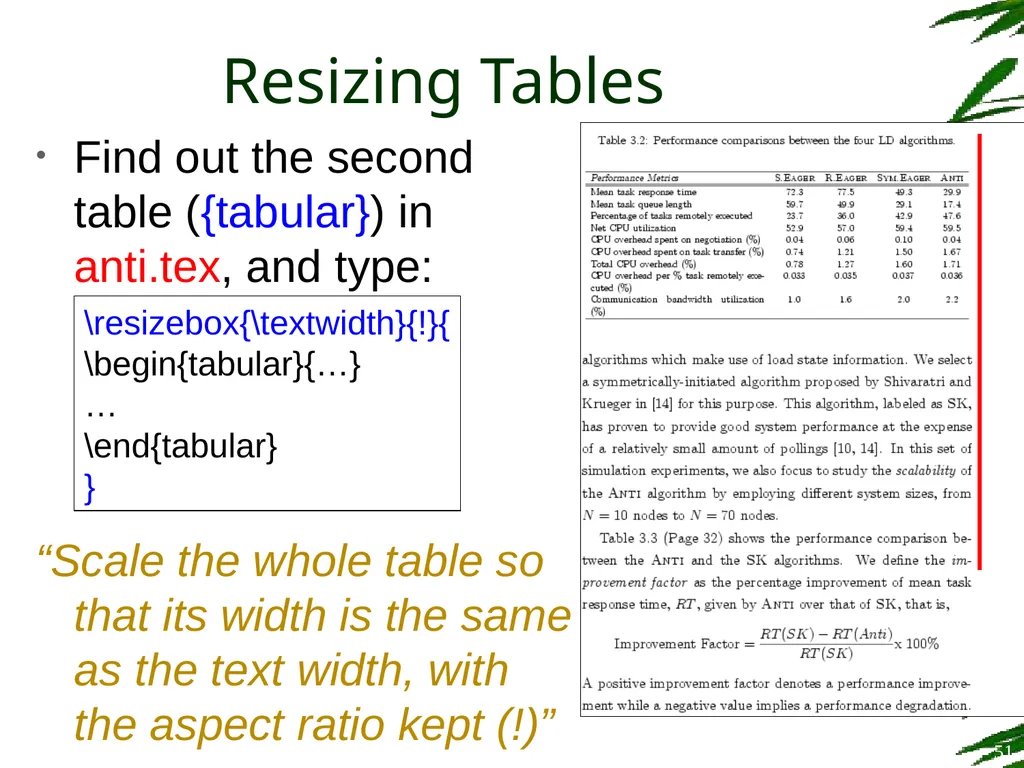
Resizing Tables Find out the second table ({tabular}) in anti.tex, and type:
“Scale the whole table so that its width is the same as the text width, with the aspect ratio kept (!)” \resizebox{\textwidth}{!}{
\begin{tabular}{…}
…
\end{tabular}
} 51<br>
“Scale the whole table so that its width is the same as the text width, with the aspect ratio kept (!)” \resizebox{\textwidth}{!}{
\begin{tabular}{…}
…
\end{tabular}
} 51<br>
52
Tables It is sometimes inconvenient to prepare LaTeX tables
Excel spreadsheets can be exported to LaTeX easily by using the following MS Office add-in:
Excel2LaTeX
http://www.ctan.org/tex-archive/support/excel2latex/ 52<br>
Excel spreadsheets can be exported to LaTeX easily by using the following MS Office add-in:
Excel2LaTeX
http://www.ctan.org/tex-archive/support/excel2latex/ 52<br>
53
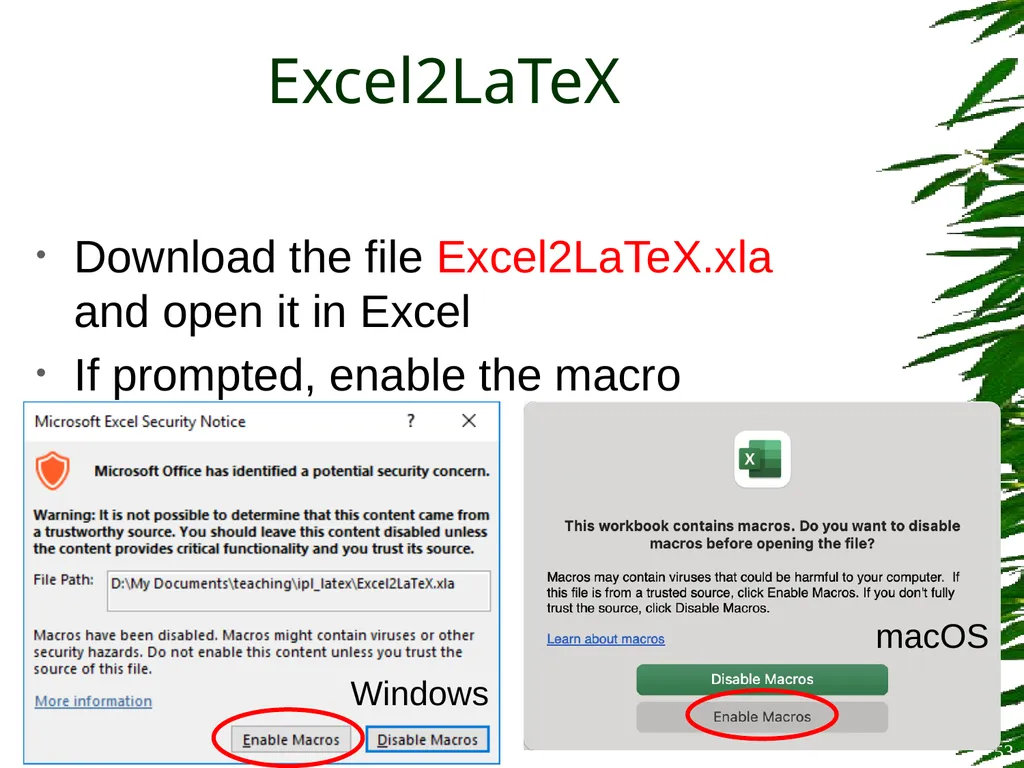
Download the file Excel2LaTeX.xla and open it in Excel
If prompted, enable the macro Excel2LaTeX 53 Windows macOS<br>
If prompted, enable the macro Excel2LaTeX 53 Windows macOS<br>
54
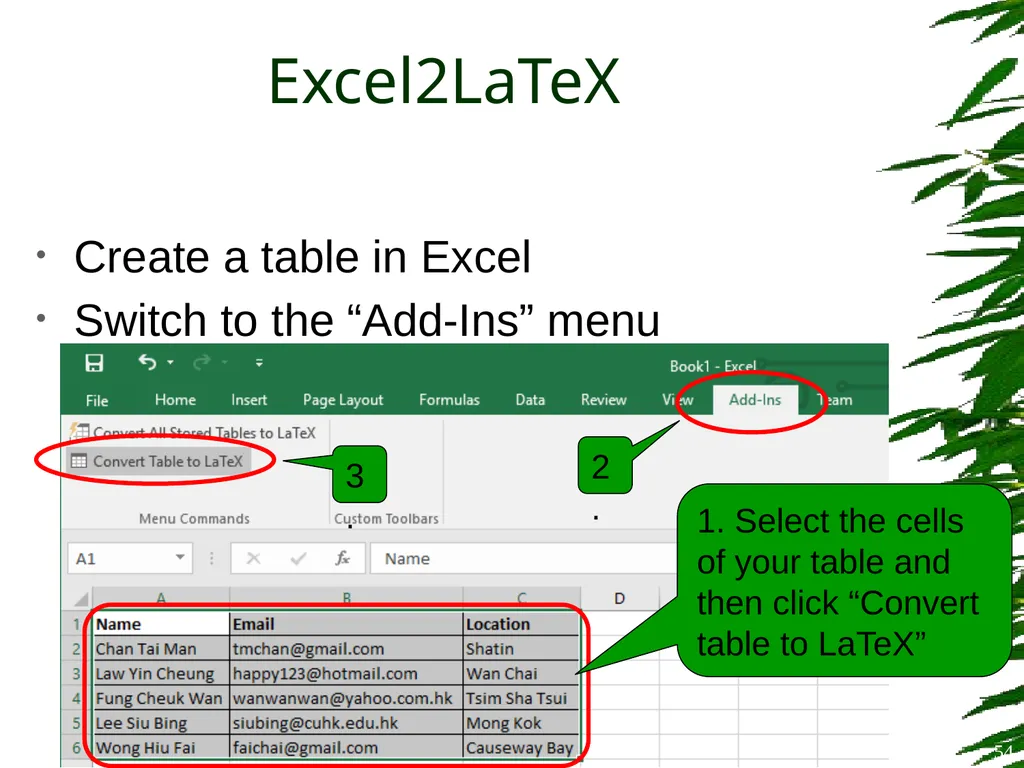
Create a table in Excel
Switch to the “Add-Ins” menu Excel2LaTeX 54 1. Select the cells of your table and then click “Convert table to LaTeX” 2. 3.<br>
Switch to the “Add-Ins” menu Excel2LaTeX 54 1. Select the cells of your table and then click “Convert table to LaTeX” 2. 3.<br>
55
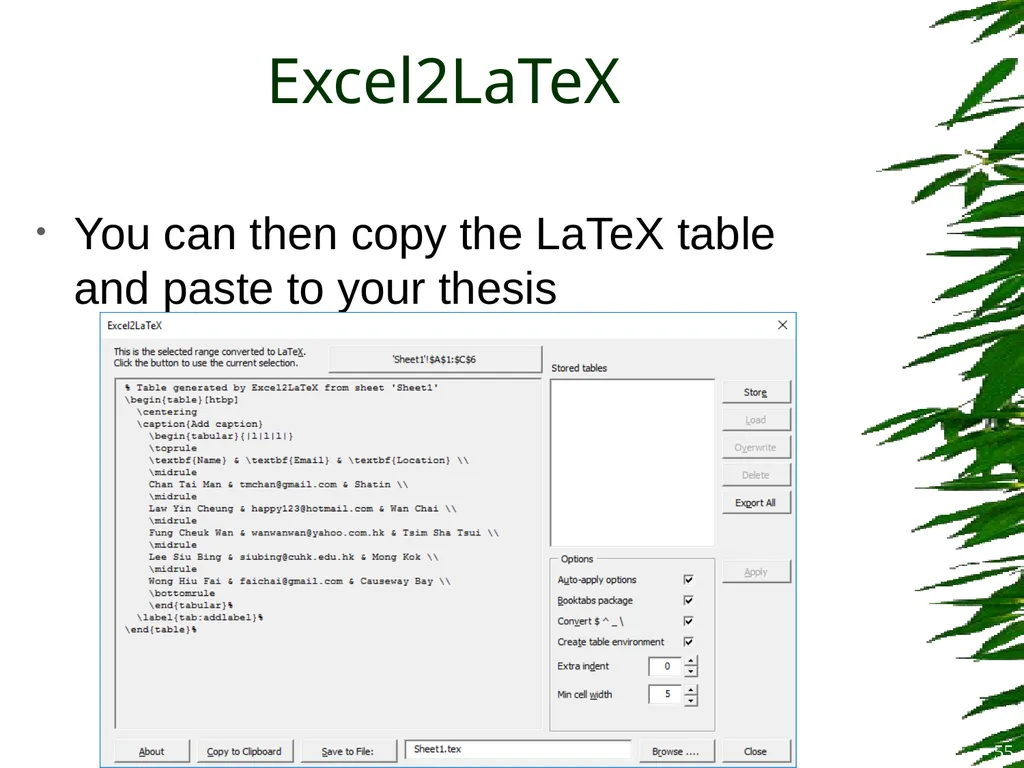
Excel2LaTeX You can then copy the LaTeX table and paste to your thesis 55<br>
56
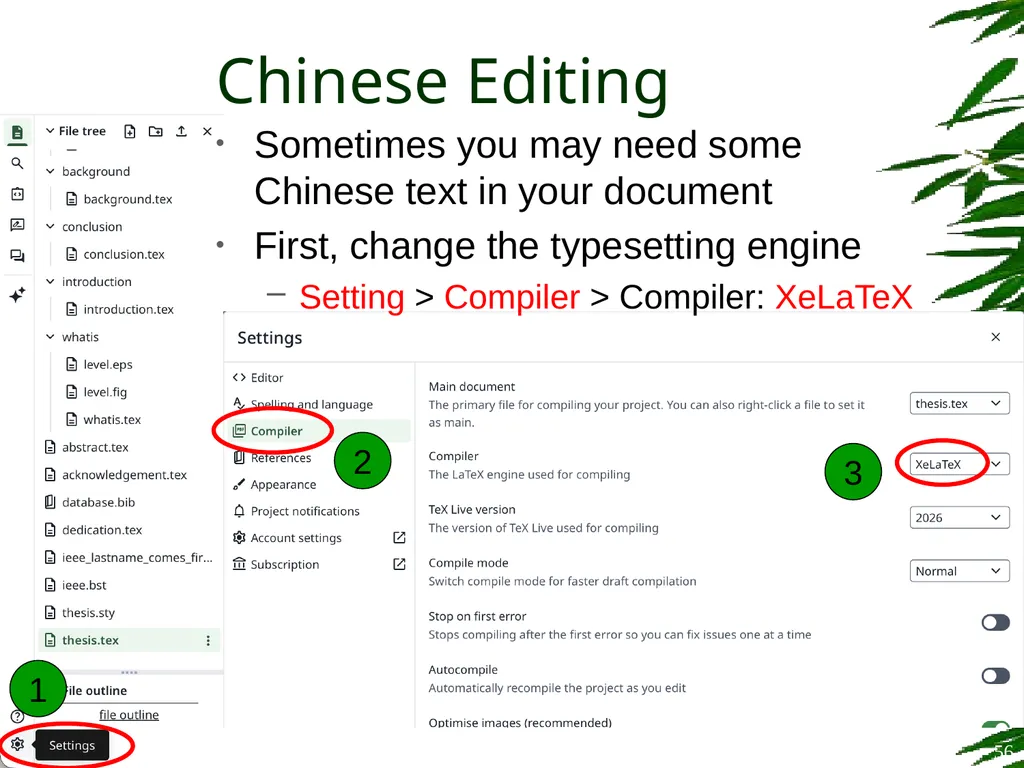
Chinese Editing Sometimes you may need some Chinese text in your document
First, change the typesetting engine
Setting > Compiler > Compiler: XeLaTeX 56 1 2 3<br>
First, change the typesetting engine
Setting > Compiler > Compiler: XeLaTeX 56 1 2 3<br>
57
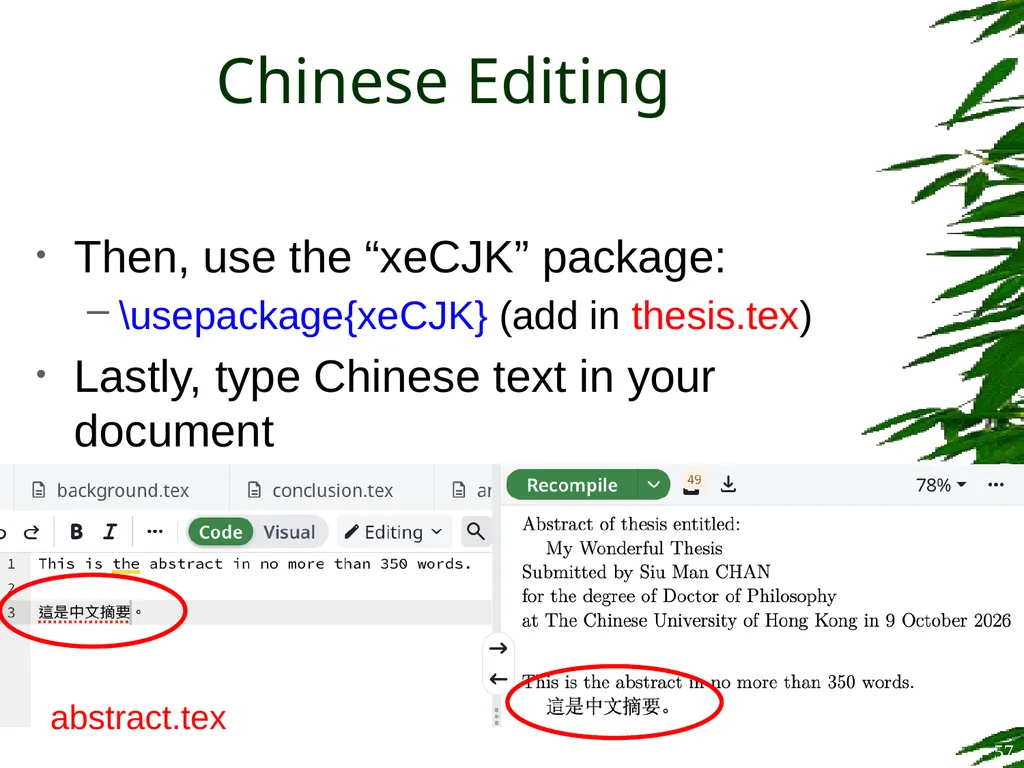
Then, use the “xeCJK” package:
\usepackage{xeCJK} (add in thesis.tex)
Lastly, type Chinese text in your document Chinese Editing 57 abstract.tex<br>
\usepackage{xeCJK} (add in thesis.tex)
Lastly, type Chinese text in your document Chinese Editing 57 abstract.tex<br>
58
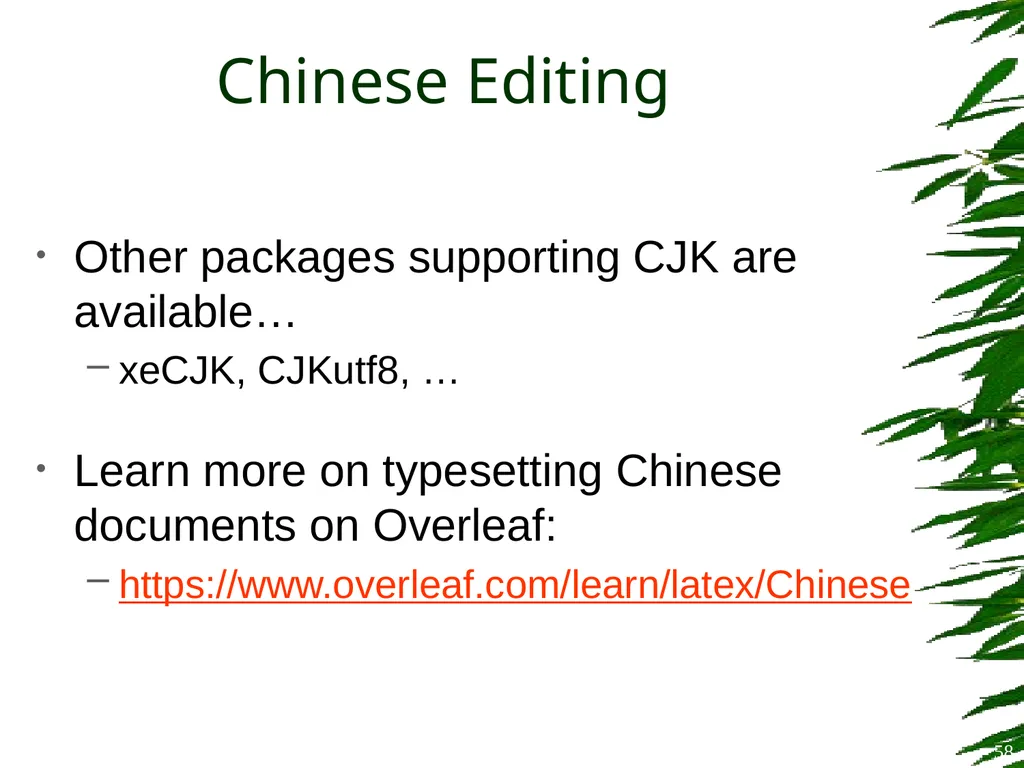
Chinese Editing Other packages supporting CJK are available…
xeCJK, CJKutf8, …
Learn more on typesetting Chinese documents on Overleaf:
https://www.overleaf.com/learn/latex/Chinese 58<br>
xeCJK, CJKutf8, …
Learn more on typesetting Chinese documents on Overleaf:
https://www.overleaf.com/learn/latex/Chinese 58<br>
59
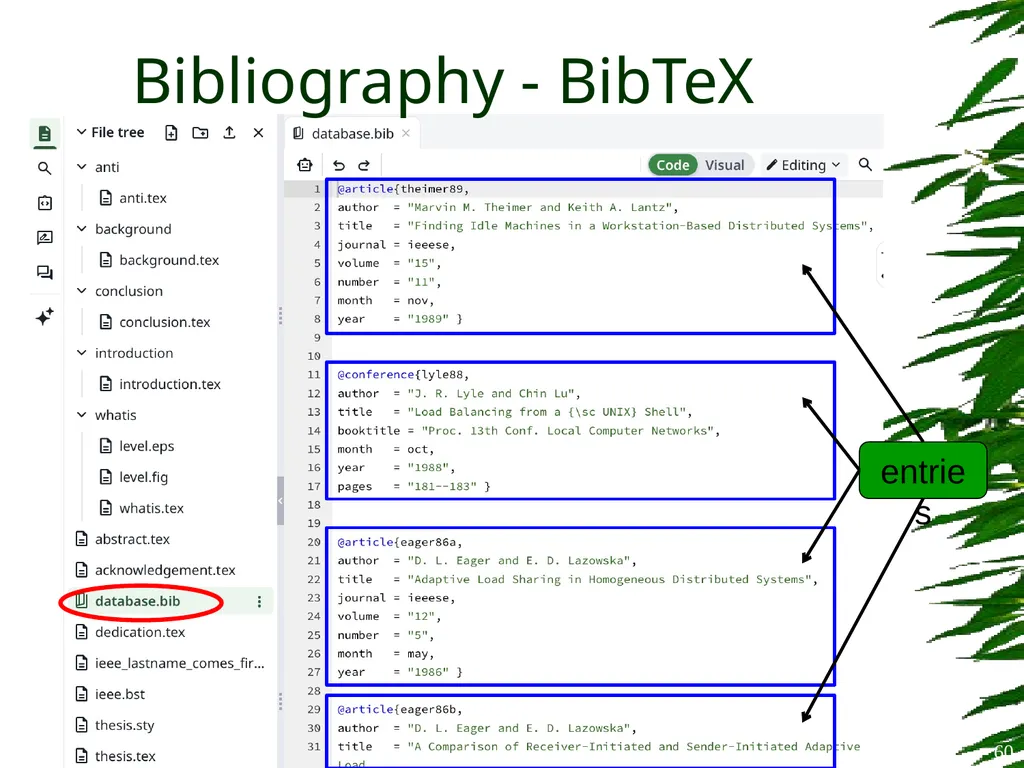
Bibliography - BibTeX BibTeX is a popular reference management tool for formatting list of references
You have to prepare a “database” file (.bib) to contain the references you want to include in your document 59<br>
You have to prepare a “database” file (.bib) to contain the references you want to include in your document 59<br>
60
Bibliography - BibTeX 60 entries<br>
61
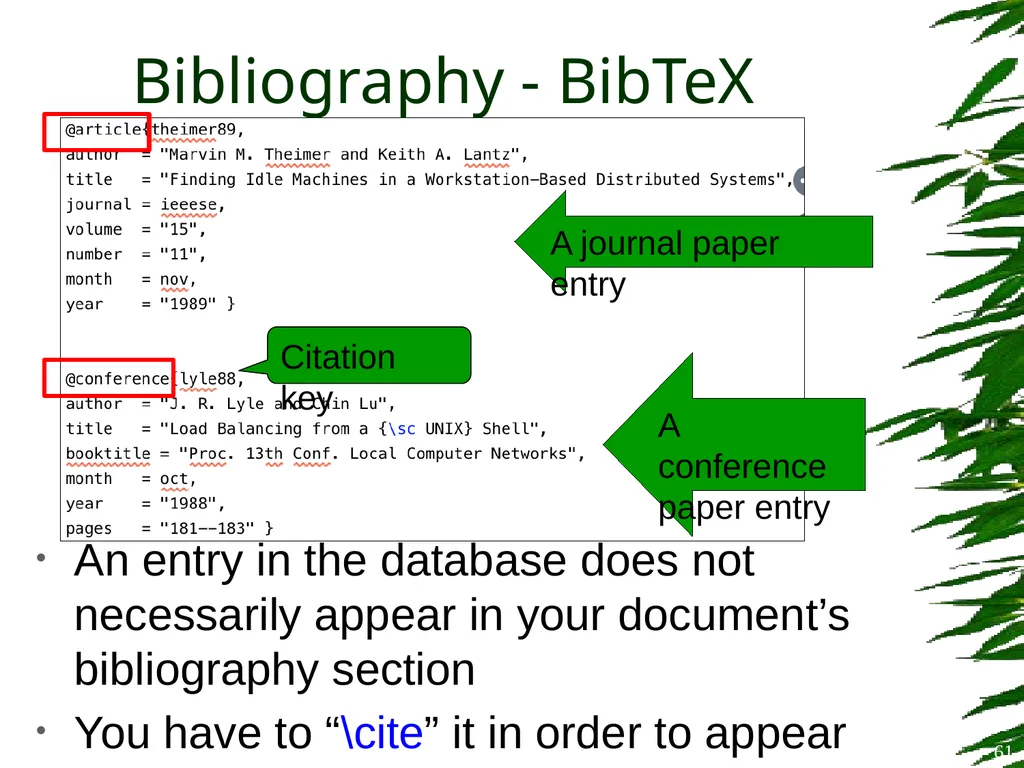
Bibliography - BibTeX An entry in the database does not necessarily appear in your document’s bibliography section
You have to “\cite” it in order to appear A journal paper entry A conference
paper entry Citation key 61<br>
You have to “\cite” it in order to appear A journal paper entry A conference
paper entry Citation key 61<br>
62
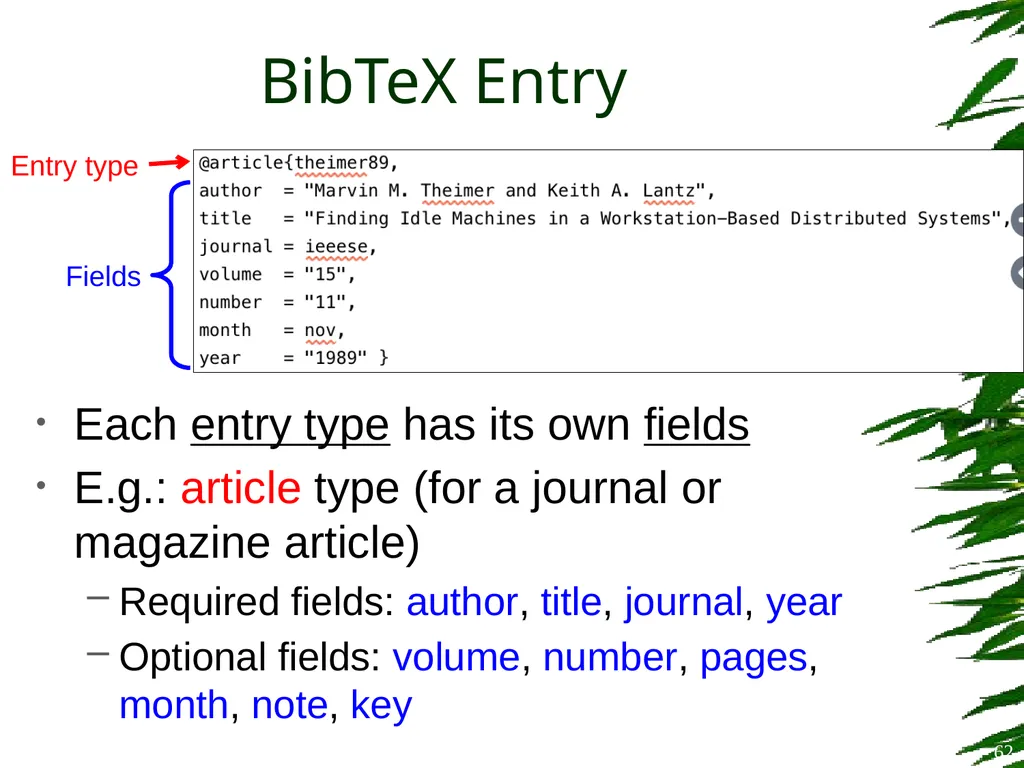
BibTeX Entry Each entry type has its own fields
E.g.: article type (for a journal or magazine article)
Required fields: author, title, journal, year
Optional fields: volume, number, pages, month, note, key Entry type Fields 62<br>
E.g.: article type (for a journal or magazine article)
Required fields: author, title, journal, year
Optional fields: volume, number, pages, month, note, key Entry type Fields 62<br>
63
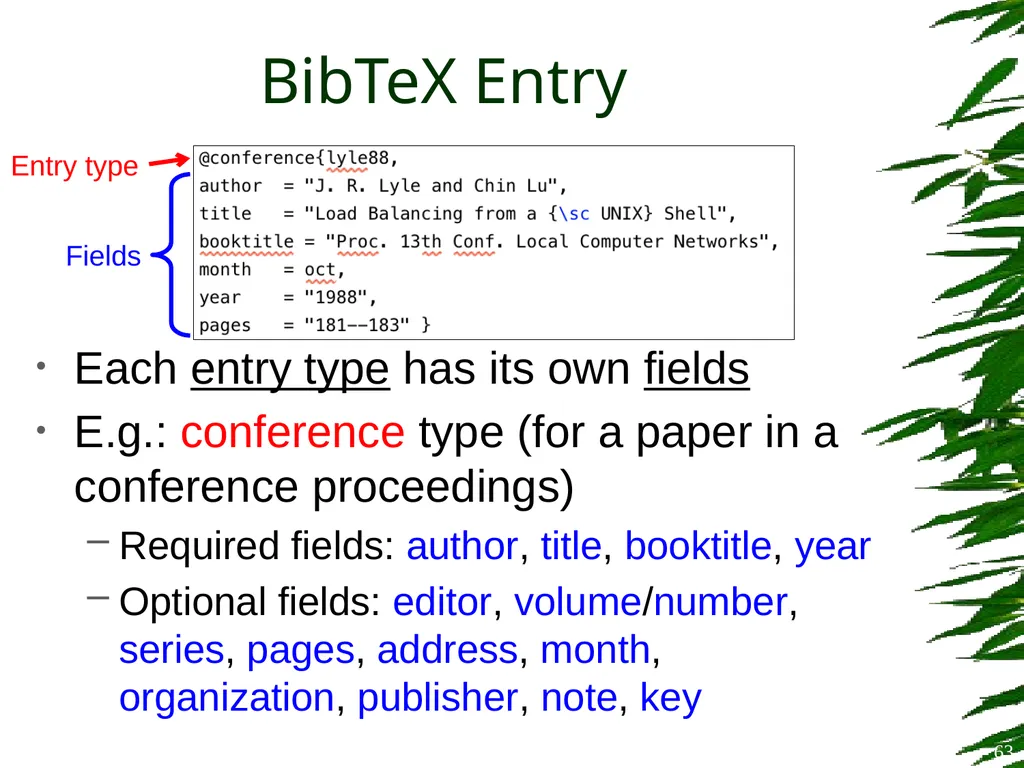
BibTeX Entry Each entry type has its own fields
E.g.: conference type (for a paper in a conference proceedings)
Required fields: author, title, booktitle, year
Optional fields: editor, volume/number, series, pages, address, month, organization, publisher, note, key Entry type 63 Fields<br>
E.g.: conference type (for a paper in a conference proceedings)
Required fields: author, title, booktitle, year
Optional fields: editor, volume/number, series, pages, address, month, organization, publisher, note, key Entry type 63 Fields<br>
64
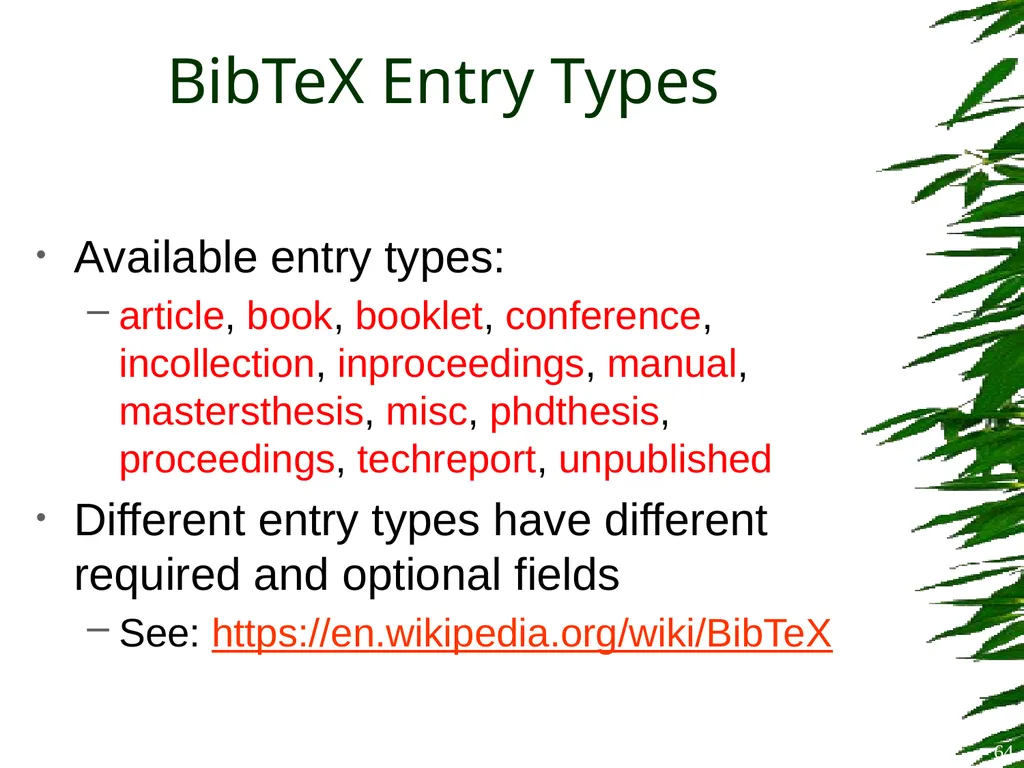
BibTeX Entry Types Available entry types:
article, book, booklet, conference, incollection, inproceedings, manual, mastersthesis, misc, phdthesis, proceedings, techreport, unpublished
Different entry types have different required and optional fields
See: https://en.wikipedia.org/wiki/BibTeX 64<br>
article, book, booklet, conference, incollection, inproceedings, manual, mastersthesis, misc, phdthesis, proceedings, techreport, unpublished
Different entry types have different required and optional fields
See: https://en.wikipedia.org/wiki/BibTeX 64<br>
65
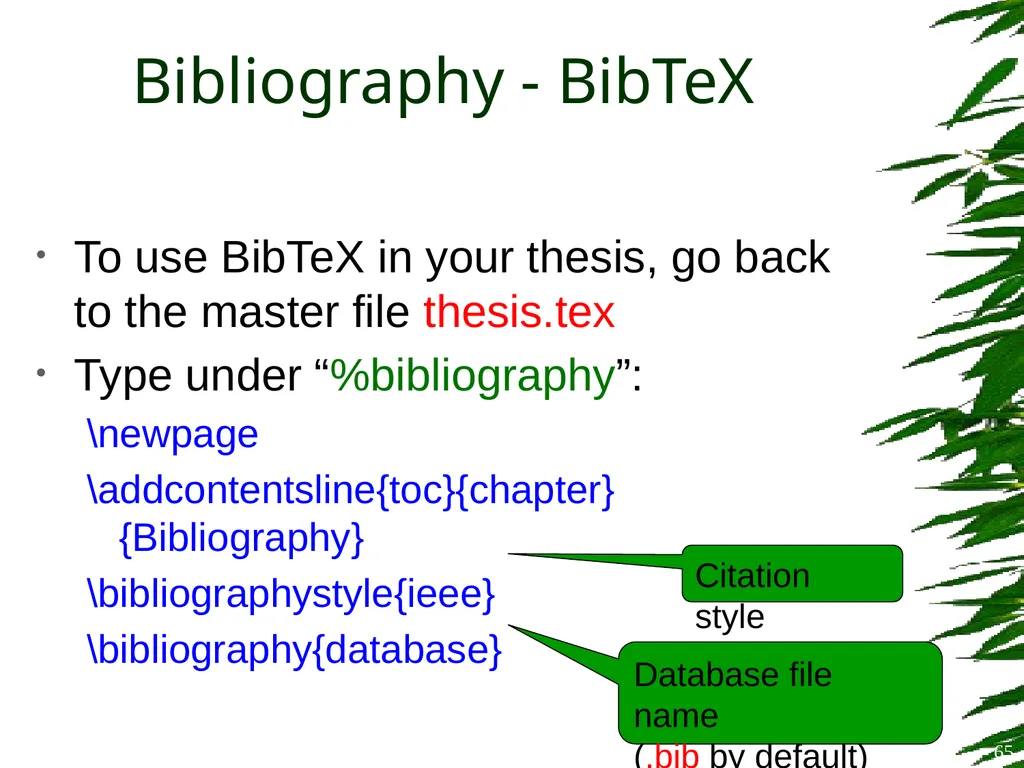
Bibliography - BibTeX To use BibTeX in your thesis, go back to the master file thesis.tex
Type under “%bibliography”:
\newpage
\addcontentsline{toc}{chapter}{Bibliography}
\bibliographystyle{ieee}
\bibliography{database} Citation style Database file name
(.bib by default) 65<br>
Type under “%bibliography”:
\newpage
\addcontentsline{toc}{chapter}{Bibliography}
\bibliographystyle{ieee}
\bibliography{database} Citation style Database file name
(.bib by default) 65<br>
66
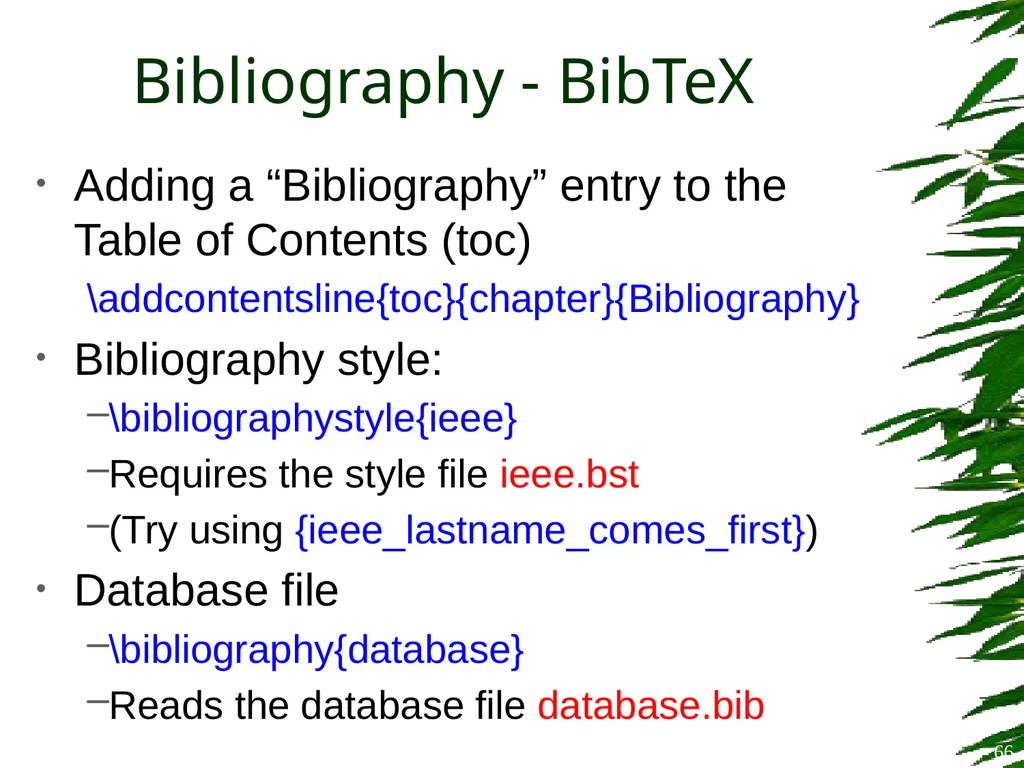
Bibliography - BibTeX Adding a “Bibliography” entry to the Table of Contents (toc)
\addcontentsline{toc}{chapter}{Bibliography}
Bibliography style:
\bibliographystyle{ieee}
Requires the style file ieee.bst
(Try using {ieee_lastname_comes_first})
Database file
\bibliography{database}
Reads the database file database.bib 66<br>
\addcontentsline{toc}{chapter}{Bibliography}
Bibliography style:
\bibliographystyle{ieee}
Requires the style file ieee.bst
(Try using {ieee_lastname_comes_first})
Database file
\bibliography{database}
Reads the database file database.bib 66<br>
67
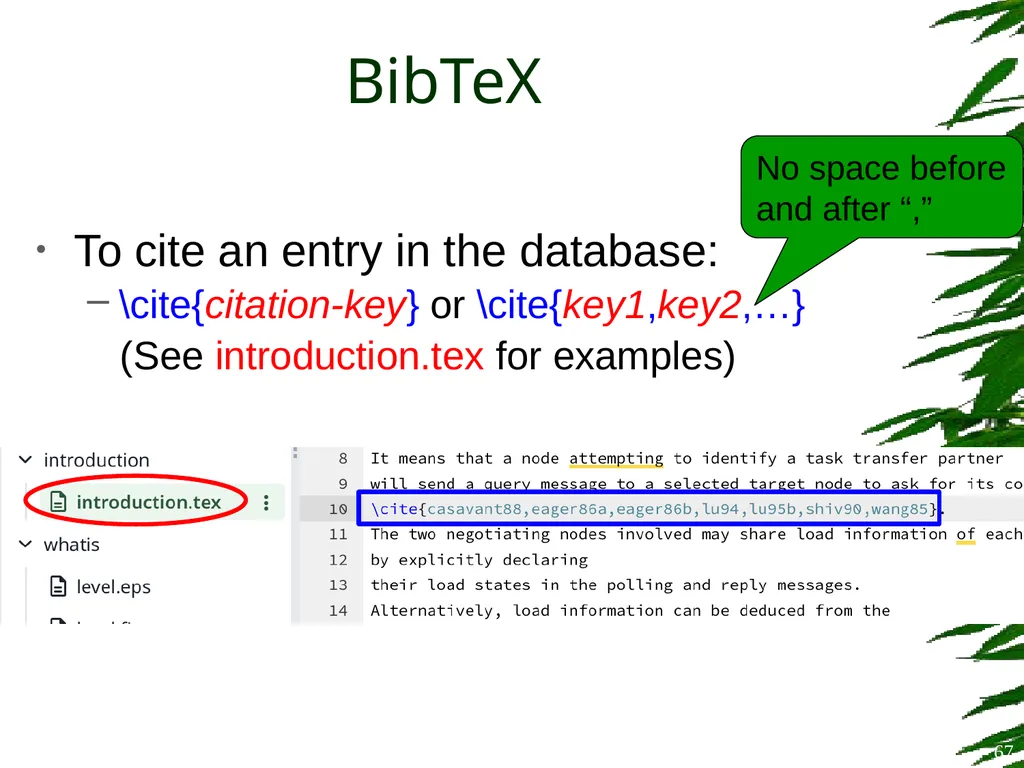
To cite an entry in the database:
\cite{citation-key} or \cite{key1,key2,…}
(See introduction.tex for examples) BibTeX 67 No space before and after “,”<br>
\cite{citation-key} or \cite{key1,key2,…}
(See introduction.tex for examples) BibTeX 67 No space before and after “,”<br>
68
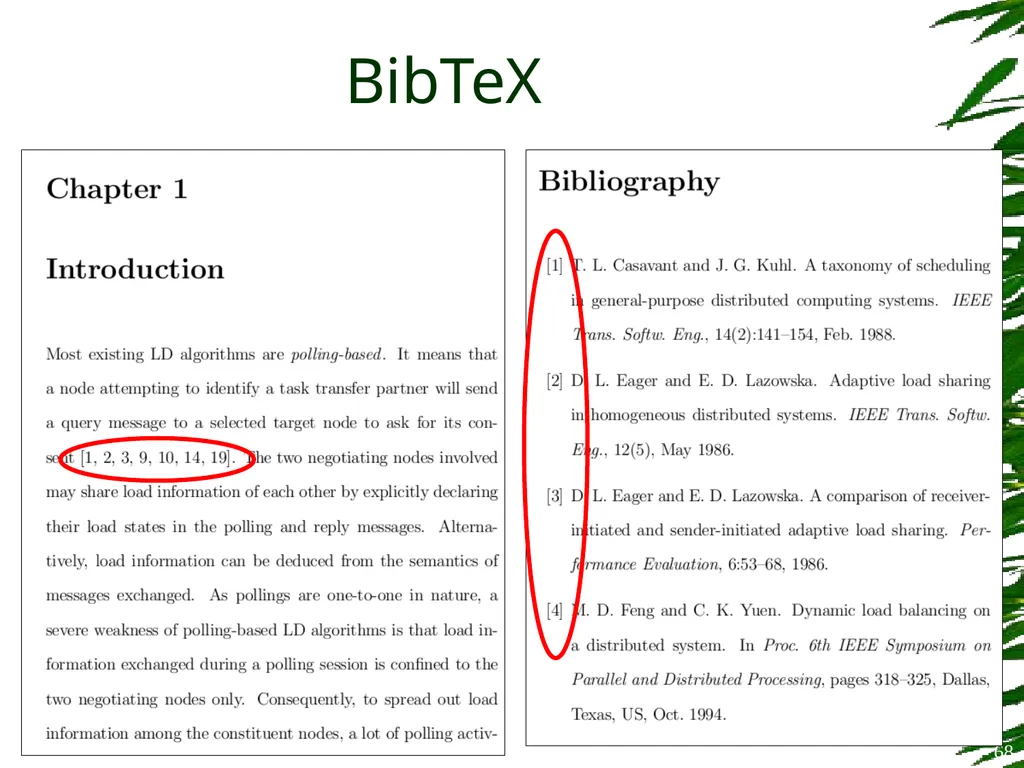
BibTeX 68<br>
69
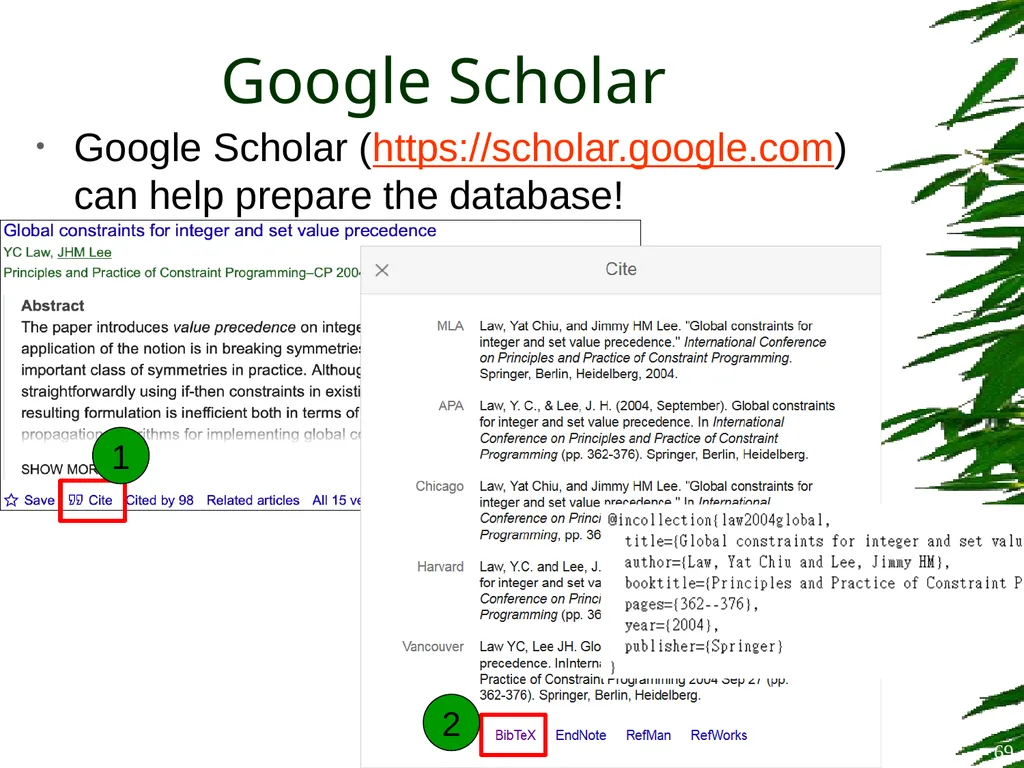
Google Scholar Google Scholar (https://scholar.google.com) can help prepare the database! 69 1 2<br>
70
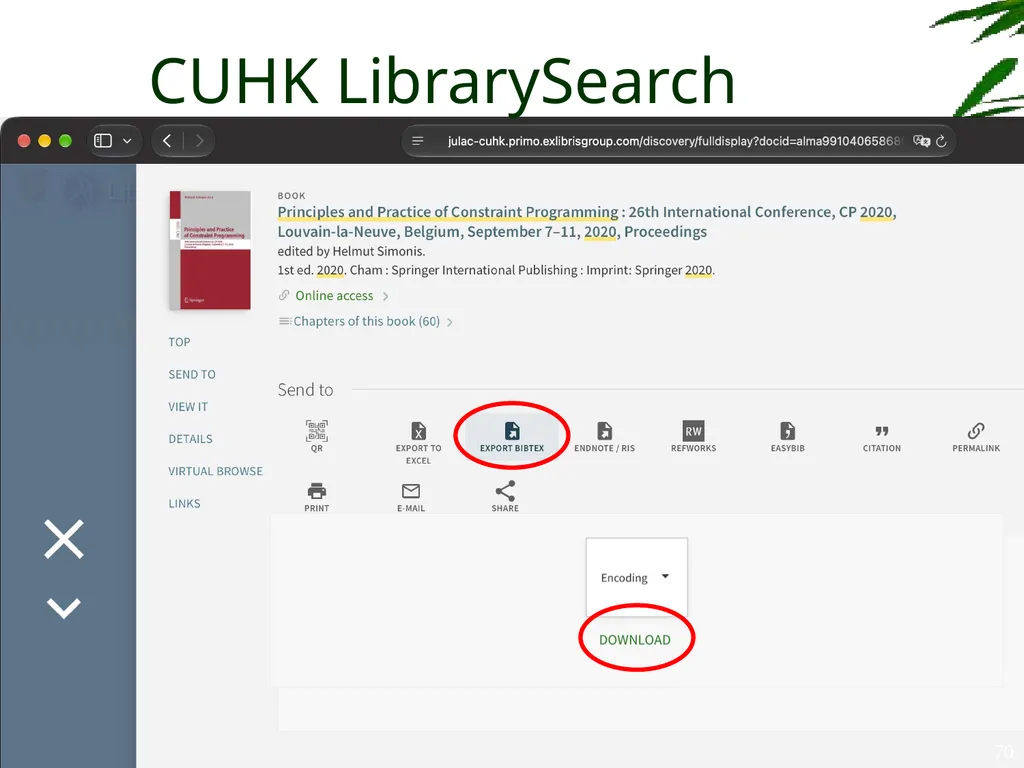
CUHK LibrarySearch 70<br>
71
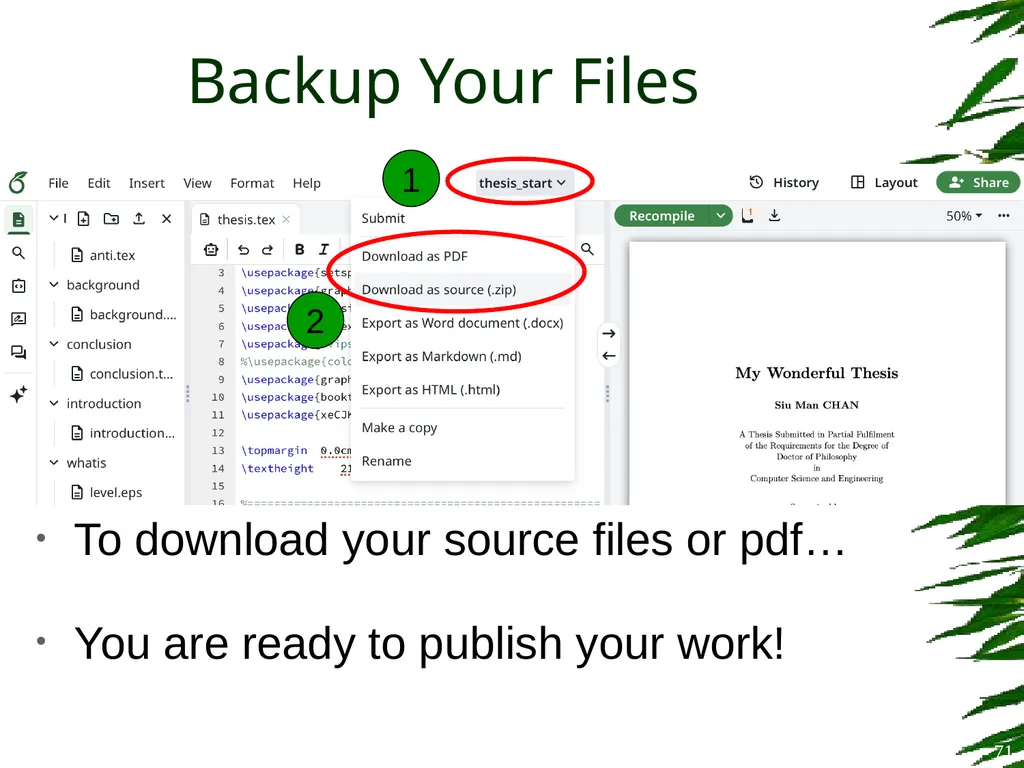
Backup Your Files To download your source files or pdf…
You are ready to publish your work! 71 1 2<br>
You are ready to publish your work! 71 1 2<br>
72
Thank You Wish you a smooth thesis writing! 72<br>