
INFS 1026 Systems Requirements and User Experience
T
Published · 45 slides · 0 views
1 / 1
Description
INFS 1026 Systems Requirements and User Experience - SRUX Lecture 6: Modelling and Use Case Descriptions Recap Lean UX Framework: Discovery Competitor analysis Task analysis Show hierarchical sequence of activities User stories associated
Related Topics
Share
Embed code
Download this presentation From Below
"INFS 1026 Systems Requirements and User Experience" is the property of its rightful owner. Permission is granted to download and print the materials on this website for personal, non-commercial use only, and to display it on your personal computer provided you do not modify the materials and that you retain all copyright notices contained in the materials. By downloading content from our website, you accept the terms of this agreement.
Presentation Transcript
01
INFS 1026 Systems Requirements and User Experience - SRUX Lecture 6: Modelling and Use Case Descriptions<br>
02
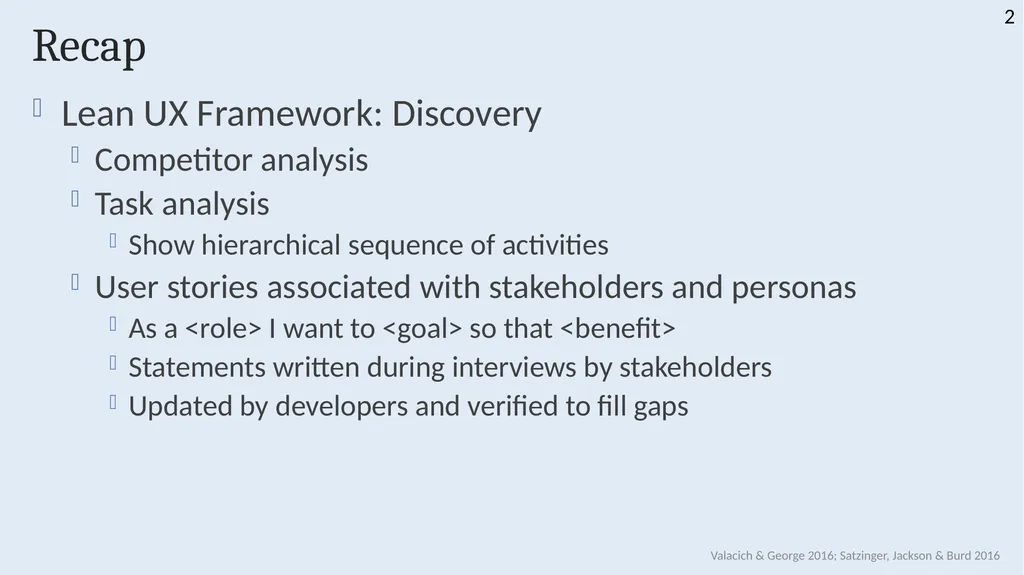
Recap Lean UX Framework: Discovery
Competitor analysis
Task analysis
Show hierarchical sequence of activities
User stories associated with stakeholders and personas
As a <role> I want to <goal> so that <benefit>
Statements written during interviews by stakeholders
Updated by developers and verified to fill gaps Valacich & George 2016; Satzinger, Jackson & Burd 2016 2<br>
Competitor analysis
Task analysis
Show hierarchical sequence of activities
User stories associated with stakeholders and personas
As a <role> I want to <goal> so that <benefit>
Statements written during interviews by stakeholders
Updated by developers and verified to fill gaps Valacich & George 2016; Satzinger, Jackson & Burd 2016 2<br>
03
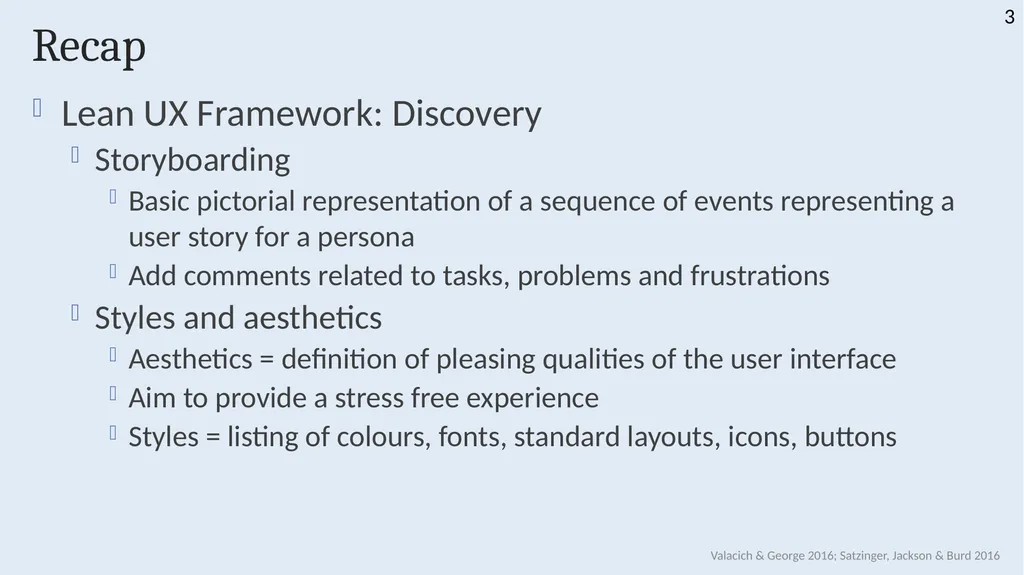
Recap Lean UX Framework: Discovery
Storyboarding
Basic pictorial representation of a sequence of events representing a user story for a persona
Add comments related to tasks, problems and frustrations
Styles and aesthetics
Aesthetics = definition of pleasing qualities of the user interface
Aim to provide a stress free experience
Styles = listing of colours, fonts, standard layouts, icons, buttons Valacich & George 2016; Satzinger, Jackson & Burd 2016 3<br>
Storyboarding
Basic pictorial representation of a sequence of events representing a user story for a persona
Add comments related to tasks, problems and frustrations
Styles and aesthetics
Aesthetics = definition of pleasing qualities of the user interface
Aim to provide a stress free experience
Styles = listing of colours, fonts, standard layouts, icons, buttons Valacich & George 2016; Satzinger, Jackson & Burd 2016 3<br>
04
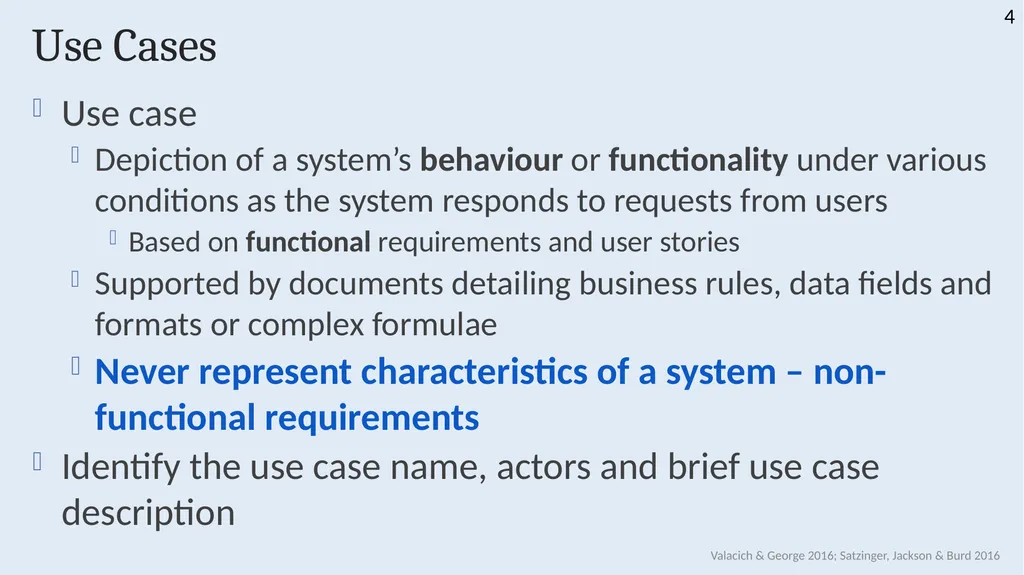
Use Cases Use case
Depiction of a system’s behaviour or functionality under various conditions as the system responds to requests from users
Based on functional requirements and user stories
Supported by documents detailing business rules, data fields and formats or complex formulae
Never represent characteristics of a system – non-functional requirements
Identify the use case name, actors and brief use case description Valacich & George 2016; Satzinger, Jackson & Burd 2016 4<br>
Depiction of a system’s behaviour or functionality under various conditions as the system responds to requests from users
Based on functional requirements and user stories
Supported by documents detailing business rules, data fields and formats or complex formulae
Never represent characteristics of a system – non-functional requirements
Identify the use case name, actors and brief use case description Valacich & George 2016; Satzinger, Jackson & Burd 2016 4<br>
05
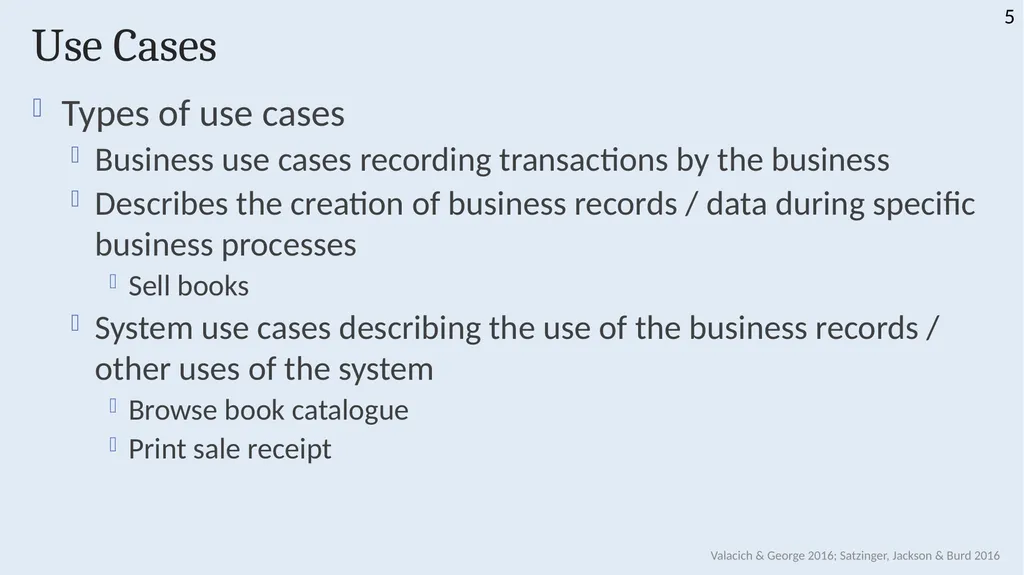
Use Cases Types of use cases
Business use cases recording transactions by the business
Describes the creation of business records / data during specific business processes
Sell books
System use cases describing the use of the business records / other uses of the system
Browse book catalogue
Print sale receipt Valacich & George 2016; Satzinger, Jackson & Burd 2016 5<br>
Business use cases recording transactions by the business
Describes the creation of business records / data during specific business processes
Sell books
System use cases describing the use of the business records / other uses of the system
Browse book catalogue
Print sale receipt Valacich & George 2016; Satzinger, Jackson & Burd 2016 5<br>
06
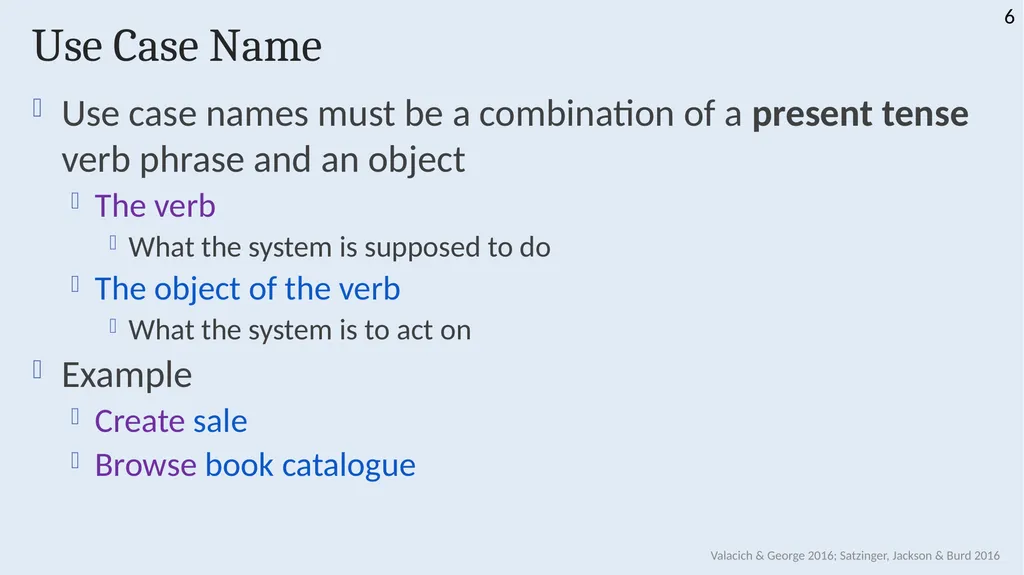
Use Case Name Use case names must be a combination of a present tense verb phrase and an object
The verb
What the system is supposed to do
The object of the verb
What the system is to act on
Example
Create sale
Browse book catalogue Valacich & George 2016; Satzinger, Jackson & Burd 2016 6<br>
The verb
What the system is supposed to do
The object of the verb
What the system is to act on
Example
Create sale
Browse book catalogue Valacich & George 2016; Satzinger, Jackson & Burd 2016 6<br>
07
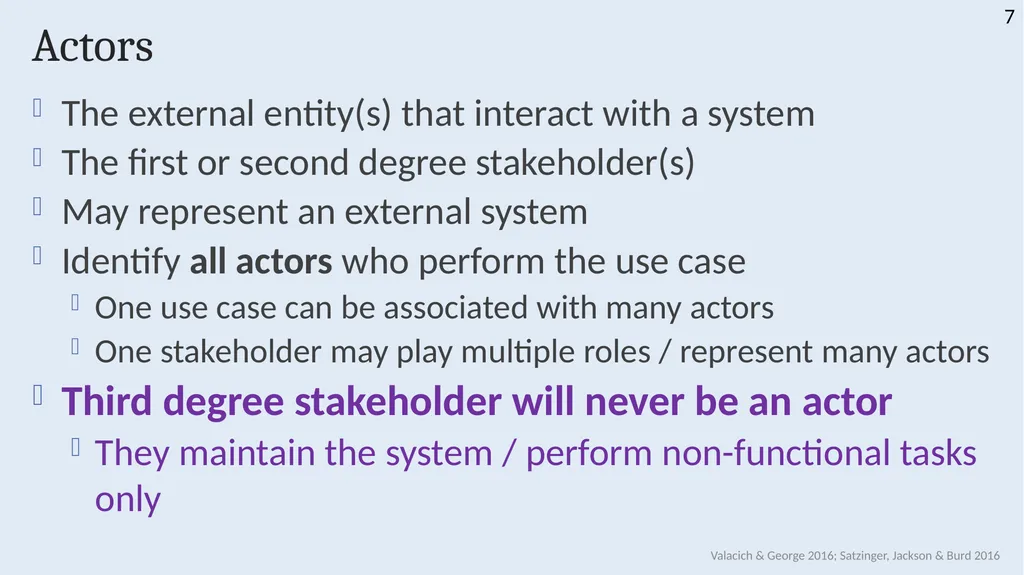
Actors The external entity(s) that interact with a system
The first or second degree stakeholder(s)
May represent an external system
Identify all actors who perform the use case
One use case can be associated with many actors
One stakeholder may play multiple roles / represent many actors
Third degree stakeholder will never be an actor
They maintain the system / perform non-functional tasks only Valacich & George 2016; Satzinger, Jackson & Burd 2016 7<br>
The first or second degree stakeholder(s)
May represent an external system
Identify all actors who perform the use case
One use case can be associated with many actors
One stakeholder may play multiple roles / represent many actors
Third degree stakeholder will never be an actor
They maintain the system / perform non-functional tasks only Valacich & George 2016; Satzinger, Jackson & Burd 2016 7<br>
08
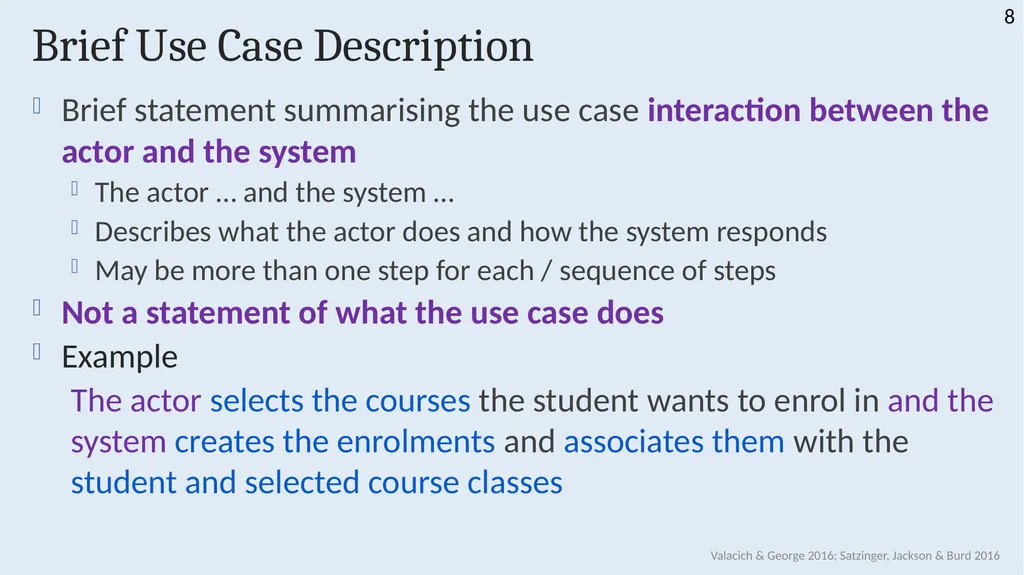
Brief Use Case Description Brief statement summarising the use case interaction between the actor and the system
The actor … and the system …
Describes what the actor does and how the system responds
May be more than one step for each / sequence of steps
Not a statement of what the use case does
Example
The actor selects the courses the student wants to enrol in and the system creates the enrolments and associates them with the student and selected course classes Valacich & George 2016; Satzinger, Jackson & Burd 2016 8<br>
The actor … and the system …
Describes what the actor does and how the system responds
May be more than one step for each / sequence of steps
Not a statement of what the use case does
Example
The actor selects the courses the student wants to enrol in and the system creates the enrolments and associates them with the student and selected course classes Valacich & George 2016; Satzinger, Jackson & Burd 2016 8<br>
09
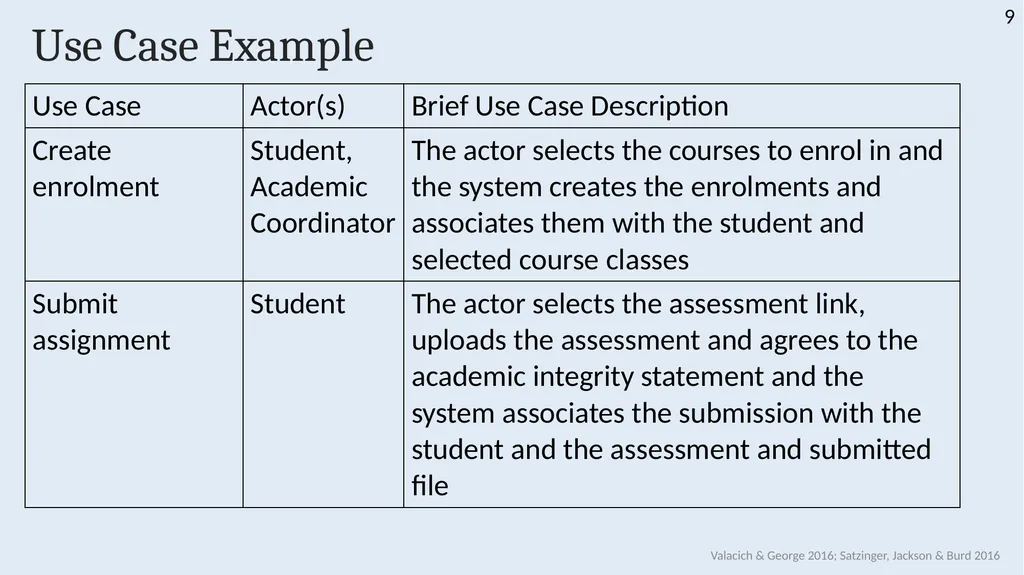
Use Case Example Valacich & George 2016; Satzinger, Jackson & Burd 2016 9<br>
10
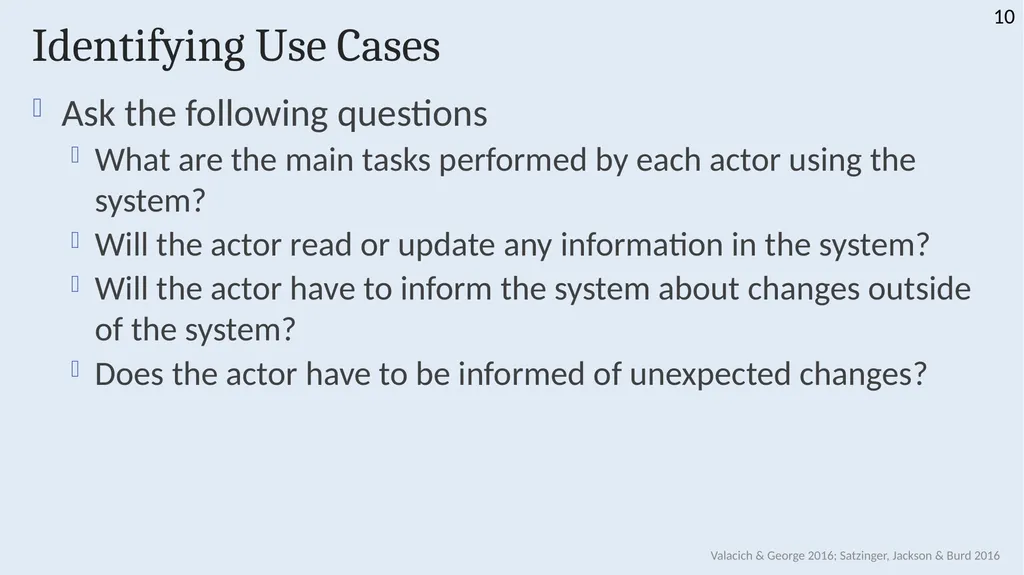
Identifying Use Cases Ask the following questions
What are the main tasks performed by each actor using the system?
Will the actor read or update any information in the system?
Will the actor have to inform the system about changes outside of the system?
Does the actor have to be informed of unexpected changes? Valacich & George 2016; Satzinger, Jackson & Burd 2016 10<br>
What are the main tasks performed by each actor using the system?
Will the actor read or update any information in the system?
Will the actor have to inform the system about changes outside of the system?
Does the actor have to be informed of unexpected changes? Valacich & George 2016; Satzinger, Jackson & Burd 2016 10<br>
11
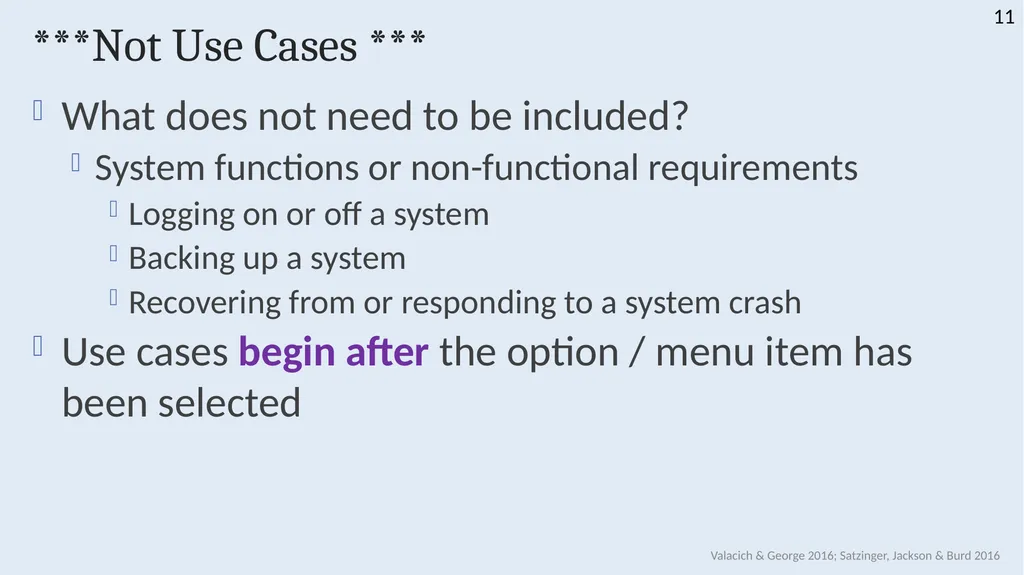
***Not Use Cases *** What does not need to be included?
System functions or non-functional requirements
Logging on or off a system
Backing up a system
Recovering from or responding to a system crash
Use cases begin after the option / menu item has been selected Valacich & George 2016; Satzinger, Jackson & Burd 2016 11<br>
System functions or non-functional requirements
Logging on or off a system
Backing up a system
Recovering from or responding to a system crash
Use cases begin after the option / menu item has been selected Valacich & George 2016; Satzinger, Jackson & Burd 2016 11<br>
12
Modelling 12<br>
13
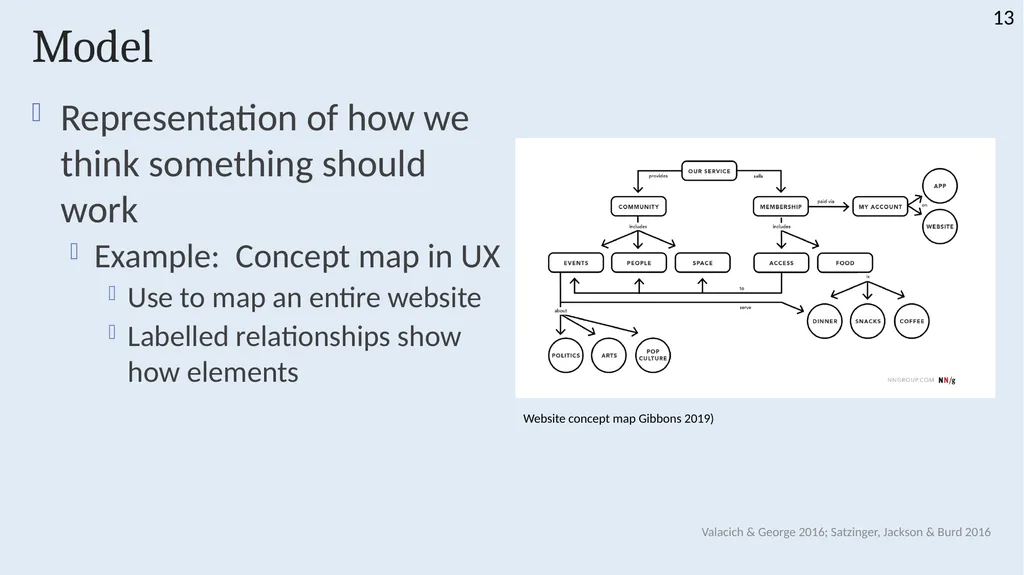
Model Representation of how we think something should work
Example: Concept map in UX
Use to map an entire website
Labelled relationships show how elements Valacich & George 2016; Satzinger, Jackson & Burd 2016 13 Website concept map Gibbons 2019)<br>
Example: Concept map in UX
Use to map an entire website
Labelled relationships show how elements Valacich & George 2016; Satzinger, Jackson & Burd 2016 13 Website concept map Gibbons 2019)<br>
14
Types of Models Textual models
Written descriptions
Event list
Use case descriptions
Graphical models
Diagram, schematic
Mathematical models
Formulae, statistics, algorithms Valacich & George 2016; Satzinger, Jackson & Burd 2016 14<br>
Written descriptions
Event list
Use case descriptions
Graphical models
Diagram, schematic
Mathematical models
Formulae, statistics, algorithms Valacich & George 2016; Satzinger, Jackson & Burd 2016 14<br>
15
Why Model? Learn about the system from the modelling process
Reduce complexity by abstraction
Easier to remember all the details
Communication tool
Other development team members
Users and stakeholders
Documenting for future maintenance or enhancement Valacich & George 2016; Satzinger, Jackson & Burd 2016 15<br>
Reduce complexity by abstraction
Easier to remember all the details
Communication tool
Other development team members
Users and stakeholders
Documenting for future maintenance or enhancement Valacich & George 2016; Satzinger, Jackson & Burd 2016 15<br>
16
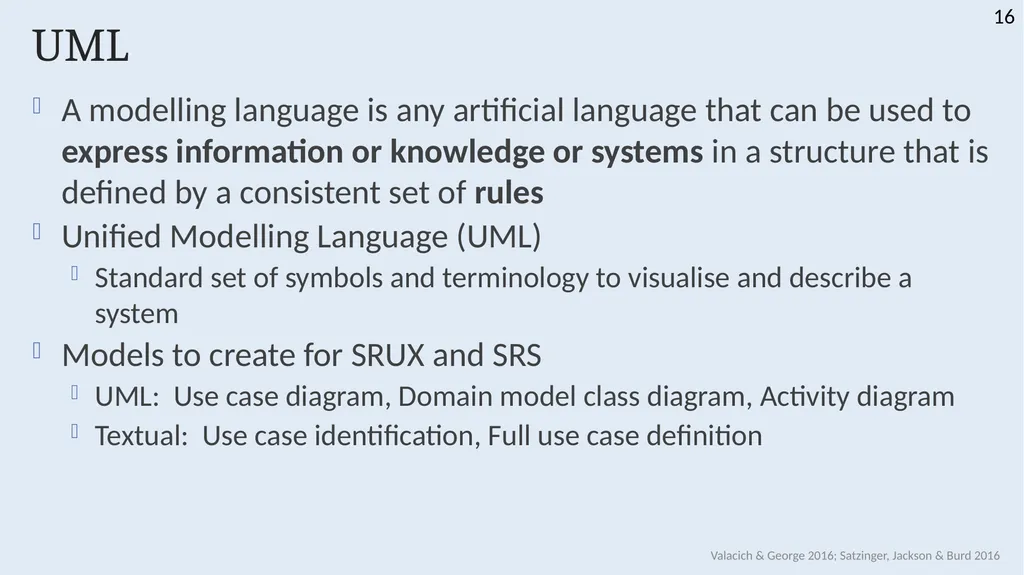
UML A modelling language is any artificial language that can be used to express information or knowledge or systems in a structure that is defined by a consistent set of rules
Unified Modelling Language (UML)
Standard set of symbols and terminology to visualise and describe a system
Models to create for SRUX and SRS
UML: Use case diagram, Domain model class diagram, Activity diagram
Textual: Use case identification, Full use case definition Valacich & George 2016; Satzinger, Jackson & Burd 2016 16<br>
Unified Modelling Language (UML)
Standard set of symbols and terminology to visualise and describe a system
Models to create for SRUX and SRS
UML: Use case diagram, Domain model class diagram, Activity diagram
Textual: Use case identification, Full use case definition Valacich & George 2016; Satzinger, Jackson & Burd 2016 16<br>
17
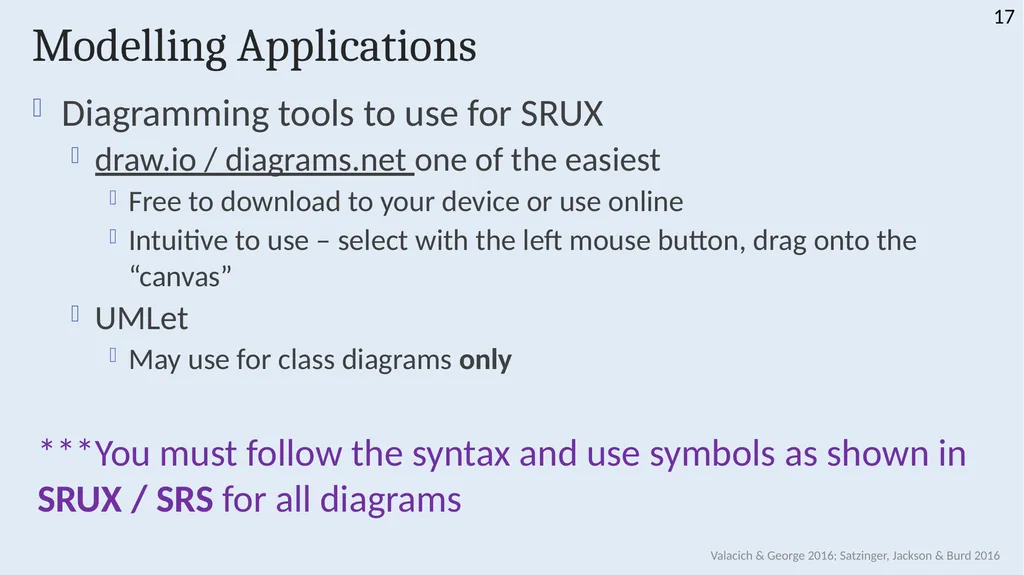
Modelling Applications Diagramming tools to use for SRUX
draw.io / diagrams.net one of the easiest
Free to download to your device or use online
Intuitive to use – select with the left mouse button, drag onto the “canvas”
UMLet
May use for class diagrams only
***You must follow the syntax and use symbols as shown in SRUX / SRS for all diagrams Valacich & George 2016; Satzinger, Jackson & Burd 2016 17<br>
draw.io / diagrams.net one of the easiest
Free to download to your device or use online
Intuitive to use – select with the left mouse button, drag onto the “canvas”
UMLet
May use for class diagrams only
***You must follow the syntax and use symbols as shown in SRUX / SRS for all diagrams Valacich & George 2016; Satzinger, Jackson & Burd 2016 17<br>
18
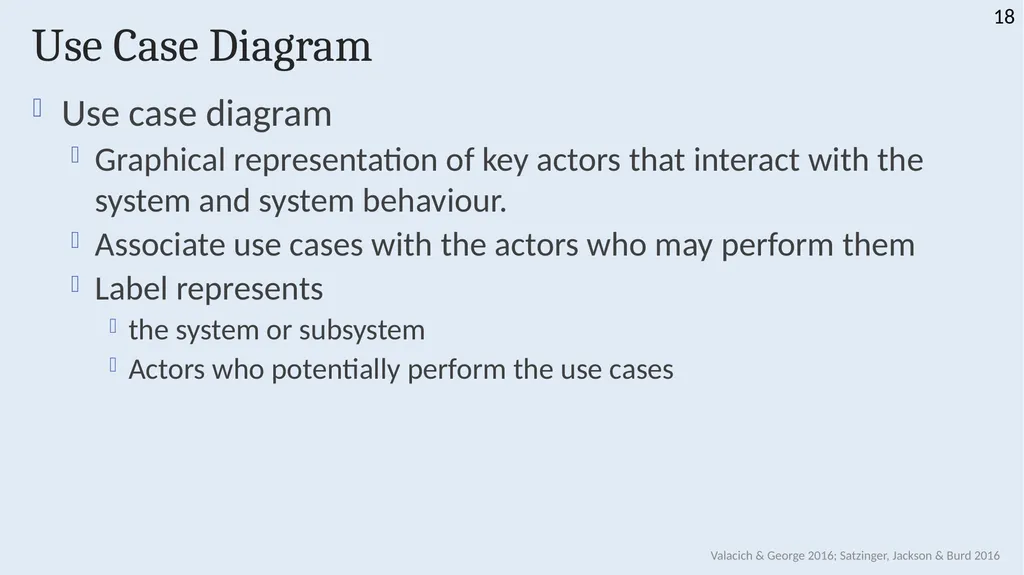
Use Case Diagram Use case diagram
Graphical representation of key actors that interact with the system and system behaviour.
Associate use cases with the actors who may perform them
Label represents
the system or subsystem
Actors who potentially perform the use cases Valacich & George 2016; Satzinger, Jackson & Burd 2016 18<br>
Graphical representation of key actors that interact with the system and system behaviour.
Associate use cases with the actors who may perform them
Label represents
the system or subsystem
Actors who potentially perform the use cases Valacich & George 2016; Satzinger, Jackson & Burd 2016 18<br>
19
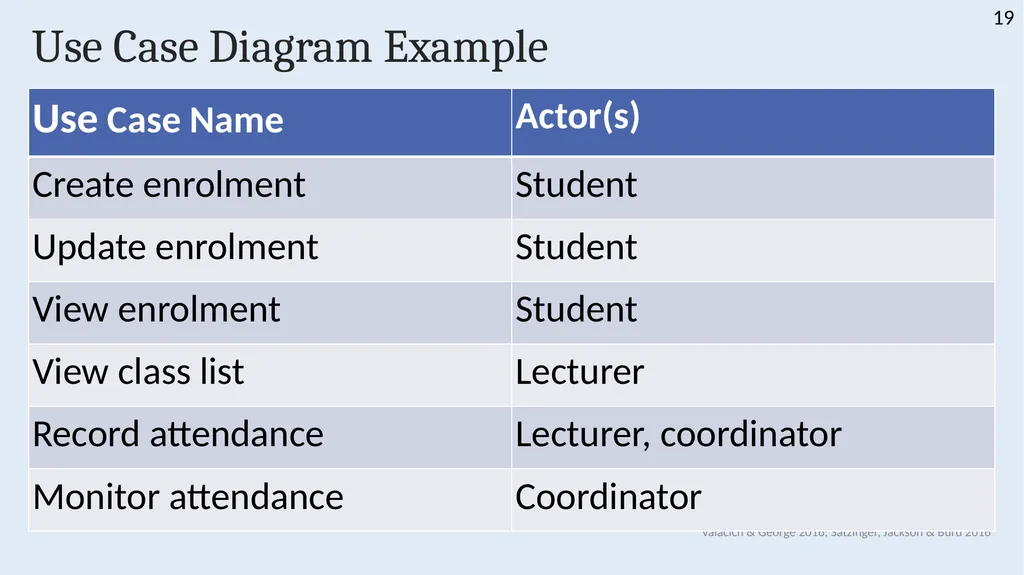
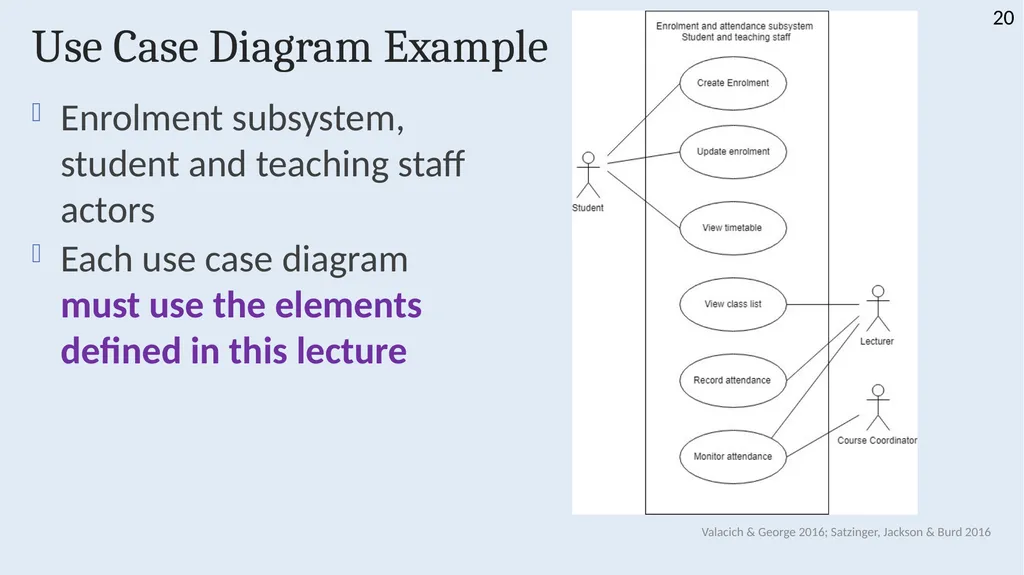
Use Case Diagram Example Valacich & George 2016; Satzinger, Jackson & Burd 2016 19<br>
20
Use Case Diagram Example Enrolment subsystem, student and teaching staff actors
Each use case diagram must use the elements defined in this lecture Valacich & George 2016; Satzinger, Jackson & Burd 2016 20<br>
Each use case diagram must use the elements defined in this lecture Valacich & George 2016; Satzinger, Jackson & Burd 2016 20<br>
21
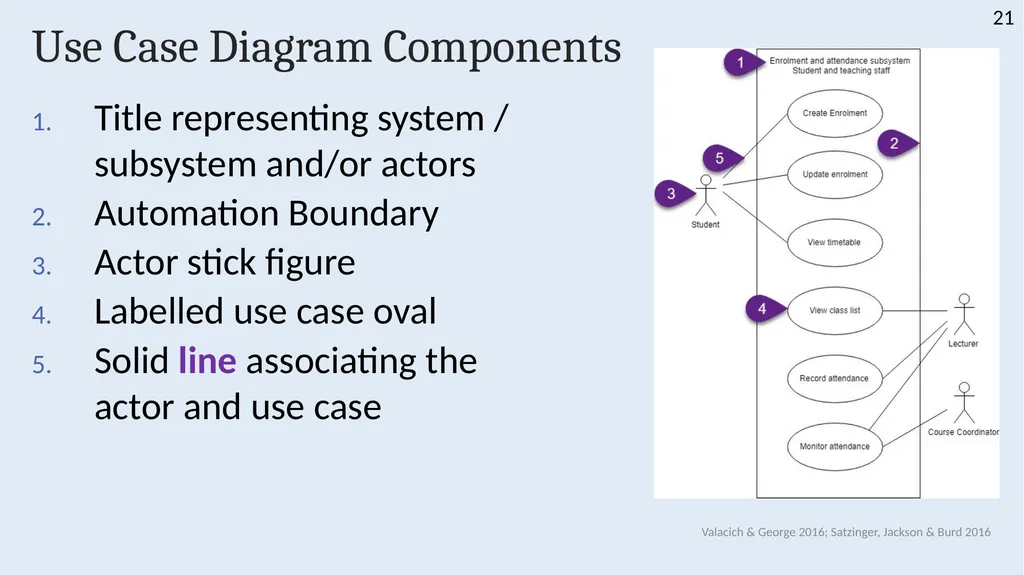
Use Case Diagram Components Title representing system / subsystem and/or actors
Automation Boundary
Actor stick figure
Labelled use case oval
Solid line associating the actor and use case Valacich & George 2016; Satzinger, Jackson & Burd 2016 21<br>
Automation Boundary
Actor stick figure
Labelled use case oval
Solid line associating the actor and use case Valacich & George 2016; Satzinger, Jackson & Burd 2016 21<br>
22
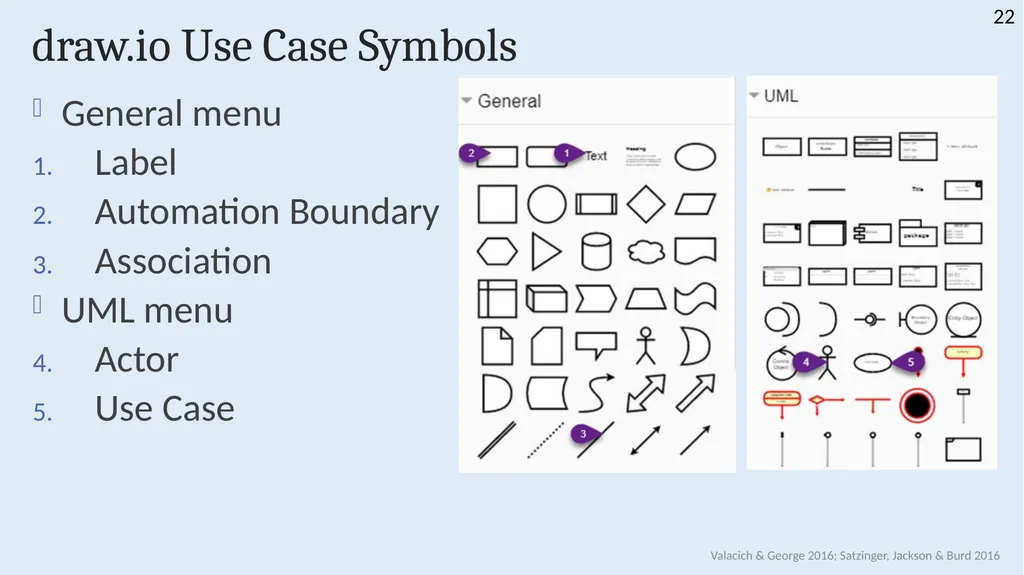
draw.io Use Case Symbols General menu
Label
Automation Boundary
Association
UML menu
Actor
Use Case Valacich & George 2016; Satzinger, Jackson & Burd 2016 22<br>
Label
Automation Boundary
Association
UML menu
Actor
Use Case Valacich & George 2016; Satzinger, Jackson & Burd 2016 22<br>
23
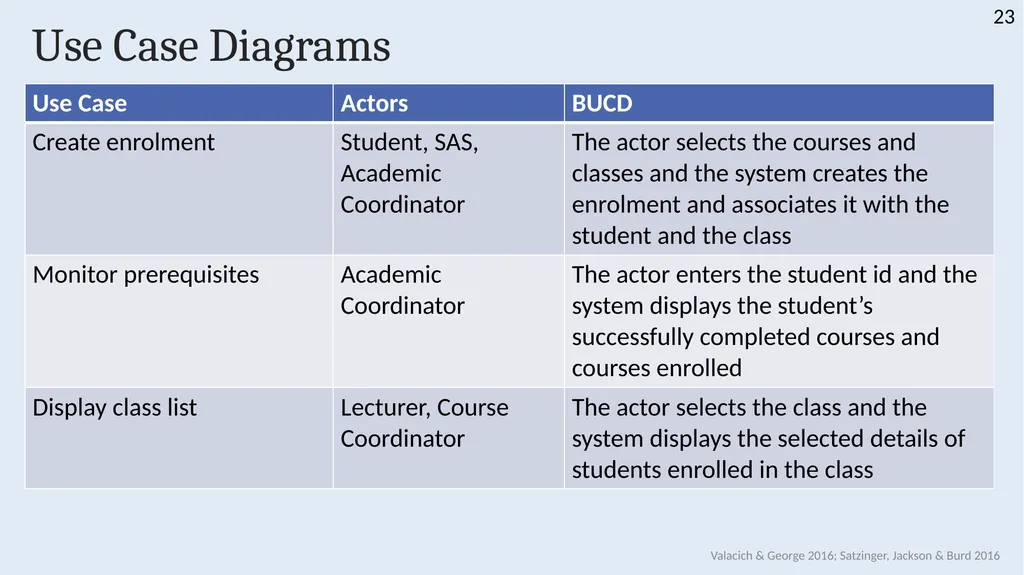
Use Case Diagrams Valacich & George 2016; Satzinger, Jackson & Burd 2016 23<br>
24
Use Case Diagrams Actor
Representative of a stakeholder group
One actor may be associated with multiple use cases
May represent the same actor more than once for clarity / tidiness of the diagram / avoid crossed lines
Actors may be other external systems
Example: External payment system
Label: <<xx system>>
system name Valacich & George 2016; Satzinger, Jackson & Burd 2016 24<br>
Representative of a stakeholder group
One actor may be associated with multiple use cases
May represent the same actor more than once for clarity / tidiness of the diagram / avoid crossed lines
Actors may be other external systems
Example: External payment system
Label: <<xx system>>
system name Valacich & George 2016; Satzinger, Jackson & Burd 2016 24<br>
25
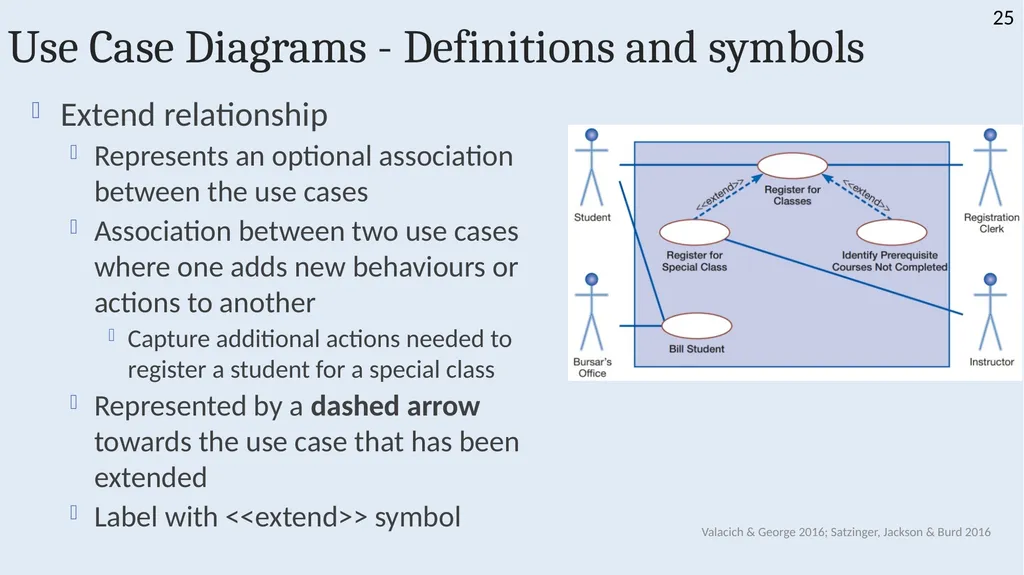
Use Case Diagrams - Definitions and symbols Extend relationship
Represents an optional association between the use cases
Association between two use cases where one adds new behaviours or actions to another
Capture additional actions needed to register a student for a special class
Represented by a dashed arrow towards the use case that has been extended
Label with <<extend>> symbol Valacich & George 2016; Satzinger, Jackson & Burd 2016 25<br>
Represents an optional association between the use cases
Association between two use cases where one adds new behaviours or actions to another
Capture additional actions needed to register a student for a special class
Represented by a dashed arrow towards the use case that has been extended
Label with <<extend>> symbol Valacich & George 2016; Satzinger, Jackson & Burd 2016 25<br>
26
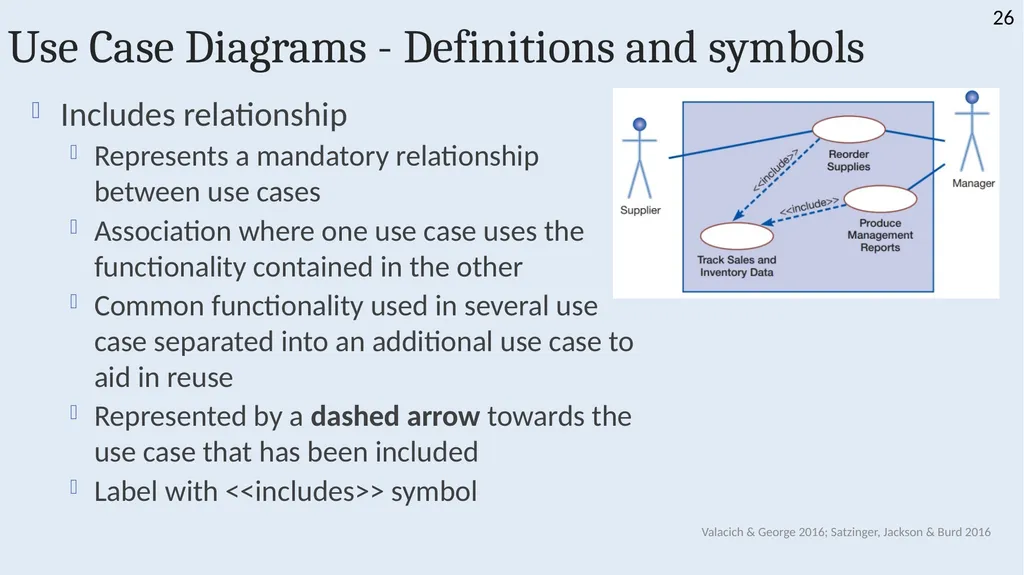
Use Case Diagrams - Definitions and symbols Includes relationship
Represents a mandatory relationship between use cases
Association where one use case uses the functionality contained in the other
Common functionality used in several use case separated into an additional use case to aid in reuse
Represented by a dashed arrow towards the use case that has been included
Label with <<includes>> symbol Valacich & George 2016; Satzinger, Jackson & Burd 2016 26<br>
Represents a mandatory relationship between use cases
Association where one use case uses the functionality contained in the other
Common functionality used in several use case separated into an additional use case to aid in reuse
Represented by a dashed arrow towards the use case that has been included
Label with <<includes>> symbol Valacich & George 2016; Satzinger, Jackson & Burd 2016 26<br>
27
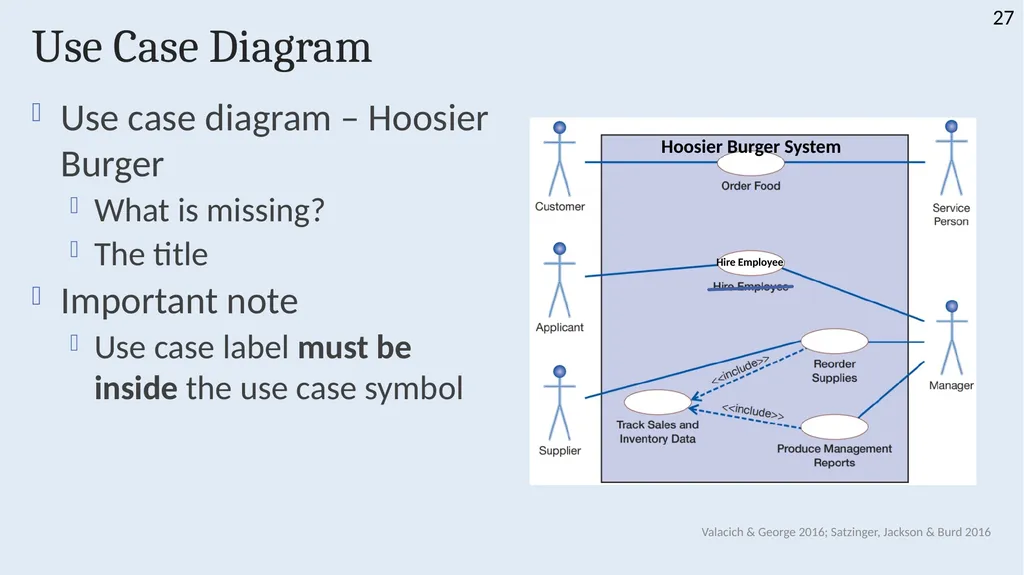
Use Case Diagram Use case diagram – Hoosier Burger
What is missing?
The title
Important note
Use case label must be inside the use case symbol Valacich & George 2016; Satzinger, Jackson & Burd 2016 27 Hoosier Burger System Hire Employee<br>
What is missing?
The title
Important note
Use case label must be inside the use case symbol Valacich & George 2016; Satzinger, Jackson & Burd 2016 27 Hoosier Burger System Hire Employee<br>
28
Use Case Descriptions 28<br>
29
Use Case Descriptions Textual model of individual use cases
Describe use cases in more detail
Levels of use cases depending on the perspective
Summary
User goal
Subfunction
Most in this course will be user goal Valacich & George 2016; Satzinger, Jackson & Burd 2016 29<br>
Describe use cases in more detail
Levels of use cases depending on the perspective
Summary
User goal
Subfunction
Most in this course will be user goal Valacich & George 2016; Satzinger, Jackson & Burd 2016 29<br>
30
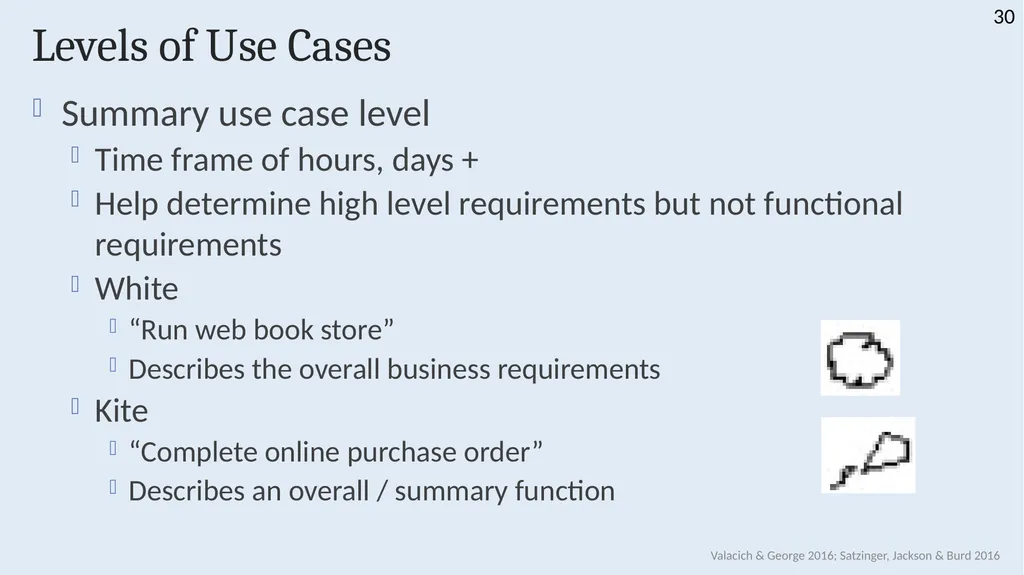
Levels of Use Cases Summary use case level
Time frame of hours, days +
Help determine high level requirements but not functional requirements
White
“Run web book store”
Describes the overall business requirements
Kite
“Complete online purchase order”
Describes an overall / summary function Valacich & George 2016; Satzinger, Jackson & Burd 2016 30<br>
Time frame of hours, days +
Help determine high level requirements but not functional requirements
White
“Run web book store”
Describes the overall business requirements
Kite
“Complete online purchase order”
Describes an overall / summary function Valacich & George 2016; Satzinger, Jackson & Burd 2016 30<br>
31
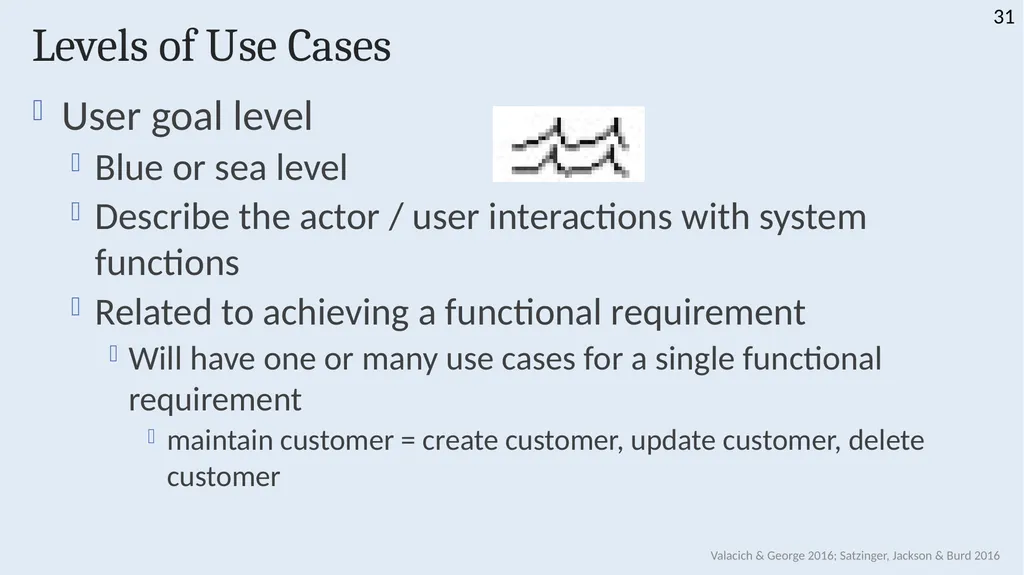
Levels of Use Cases User goal level
Blue or sea level
Describe the actor / user interactions with system functions
Related to achieving a functional requirement
Will have one or many use cases for a single functional requirement
maintain customer = create customer, update customer, delete customer Valacich & George 2016; Satzinger, Jackson & Burd 2016 31<br>
Blue or sea level
Describe the actor / user interactions with system functions
Related to achieving a functional requirement
Will have one or many use cases for a single functional requirement
maintain customer = create customer, update customer, delete customer Valacich & George 2016; Satzinger, Jackson & Burd 2016 31<br>
32
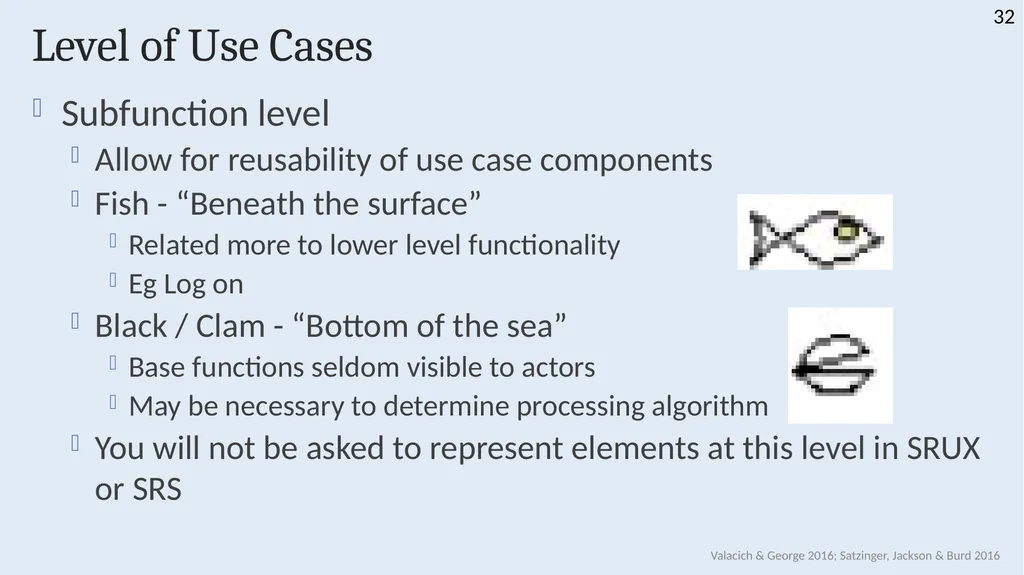
Level of Use Cases Subfunction level
Allow for reusability of use case components
Fish - “Beneath the surface”
Related more to lower level functionality
Eg Log on
Black / Clam - “Bottom of the sea”
Base functions seldom visible to actors
May be necessary to determine processing algorithm
You will not be asked to represent elements at this level in SRUX or SRS Valacich & George 2016; Satzinger, Jackson & Burd 2016 32<br>
Allow for reusability of use case components
Fish - “Beneath the surface”
Related more to lower level functionality
Eg Log on
Black / Clam - “Bottom of the sea”
Base functions seldom visible to actors
May be necessary to determine processing algorithm
You will not be asked to represent elements at this level in SRUX or SRS Valacich & George 2016; Satzinger, Jackson & Burd 2016 32<br>
33
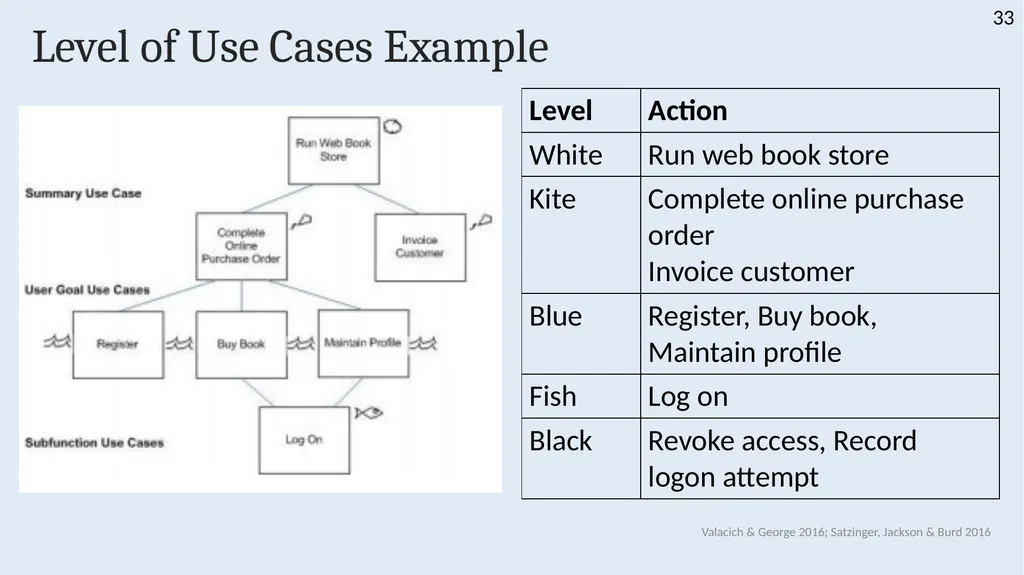
Level of Use Cases Example Valacich & George 2016; Satzinger, Jackson & Burd 2016 33<br>
34
Use Case Description Template One use case may have different scenarios
Steps unique to a specific actor or situation
Use Case Description Template must be used to identify use case scenarios
Use case title
Must be consistent with the use case listing / diagram Valacich & George 2016; Satzinger, Jackson & Burd 2016 34<br>
Steps unique to a specific actor or situation
Use Case Description Template must be used to identify use case scenarios
Use case title
Must be consistent with the use case listing / diagram Valacich & George 2016; Satzinger, Jackson & Burd 2016 34<br>
35
Use Case Description Template Primary actor
The first or second degree stakeholder who interacts with the system to perform the use case
*** Only ever one actor for each use case description ***
If differences in the tasks performed for each actor create multiple use case descriptions
If no differences, rename the actor to represent all stakeholders Valacich & George 2016; Satzinger, Jackson & Burd 2016 35<br>
The first or second degree stakeholder who interacts with the system to perform the use case
*** Only ever one actor for each use case description ***
If differences in the tasks performed for each actor create multiple use case descriptions
If no differences, rename the actor to represent all stakeholders Valacich & George 2016; Satzinger, Jackson & Burd 2016 35<br>
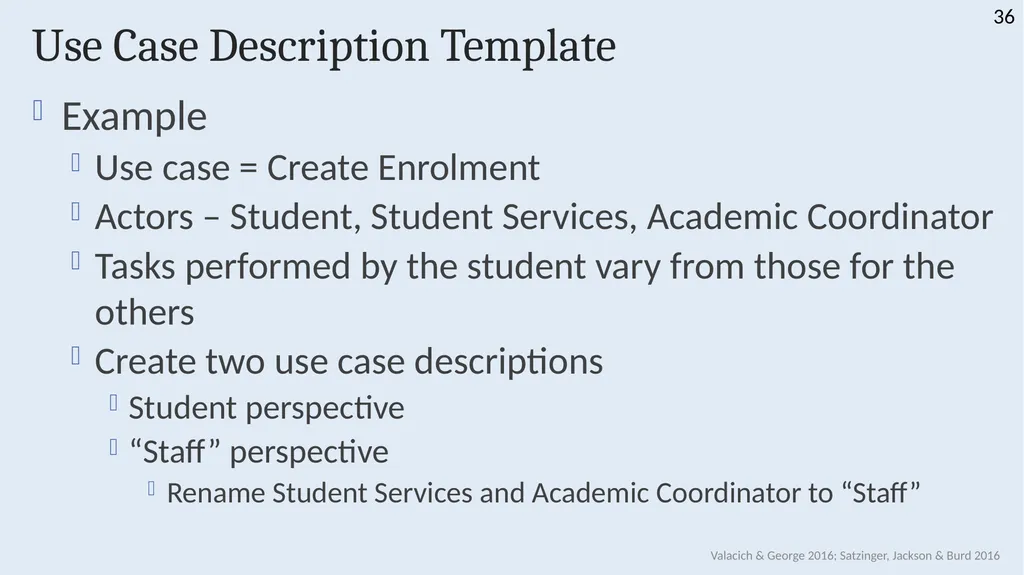
36
Use Case Description Template Example
Use case = Create Enrolment
Actors – Student, Student Services, Academic Coordinator
Tasks performed by the student vary from those for the others
Create two use case descriptions
Student perspective
“Staff” perspective
Rename Student Services and Academic Coordinator to “Staff” Valacich & George 2016; Satzinger, Jackson & Burd 2016 36<br>
Use case = Create Enrolment
Actors – Student, Student Services, Academic Coordinator
Tasks performed by the student vary from those for the others
Create two use case descriptions
Student perspective
“Staff” perspective
Rename Student Services and Academic Coordinator to “Staff” Valacich & George 2016; Satzinger, Jackson & Burd 2016 36<br>
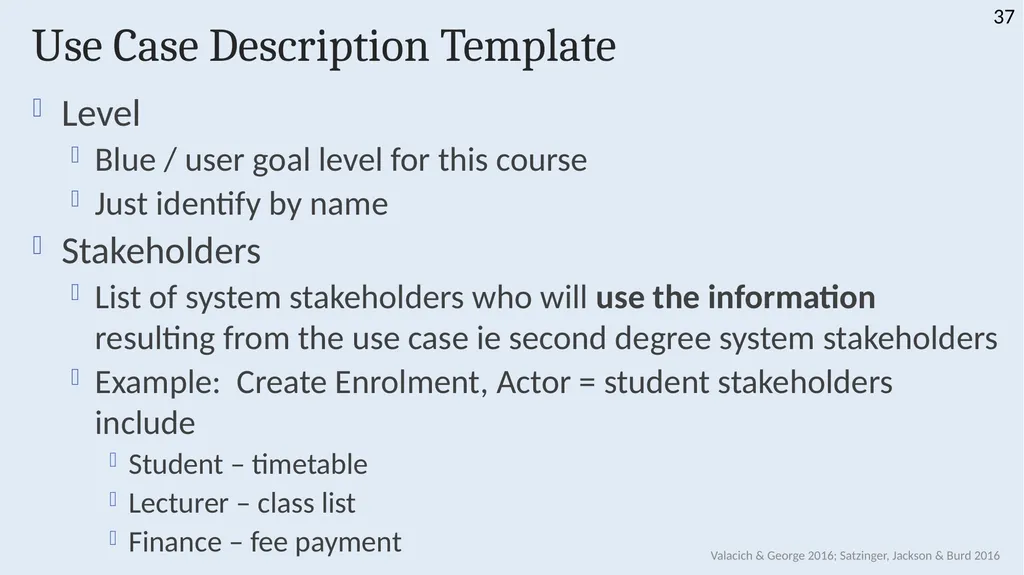
37
Use Case Description Template Level
Blue / user goal level for this course
Just identify by name
Stakeholders
List of system stakeholders who will use the information resulting from the use case ie second degree system stakeholders
Example: Create Enrolment, Actor = student stakeholders include
Student – timetable
Lecturer – class list
Finance – fee payment Valacich & George 2016; Satzinger, Jackson & Burd 2016 37<br>
Blue / user goal level for this course
Just identify by name
Stakeholders
List of system stakeholders who will use the information resulting from the use case ie second degree system stakeholders
Example: Create Enrolment, Actor = student stakeholders include
Student – timetable
Lecturer – class list
Finance – fee payment Valacich & George 2016; Satzinger, Jackson & Burd 2016 37<br>
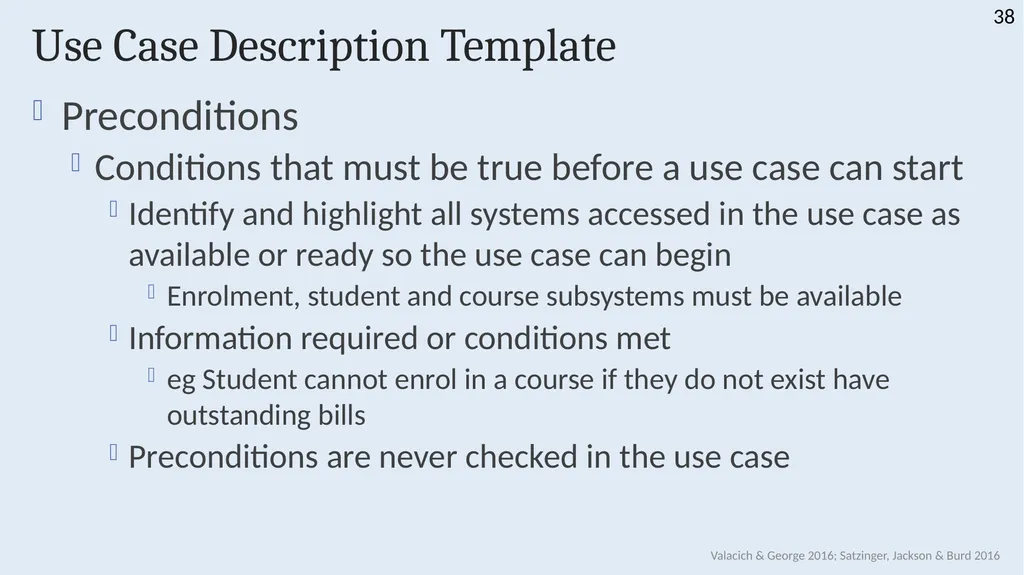
38
Use Case Description Template Preconditions
Conditions that must be true before a use case can start
Identify and highlight all systems accessed in the use case as available or ready so the use case can begin
Enrolment, student and course subsystems must be available
Information required or conditions met
eg Student cannot enrol in a course if they do not exist have outstanding bills
Preconditions are never checked in the use case Valacich & George 2016; Satzinger, Jackson & Burd 2016 38<br>
Conditions that must be true before a use case can start
Identify and highlight all systems accessed in the use case as available or ready so the use case can begin
Enrolment, student and course subsystems must be available
Information required or conditions met
eg Student cannot enrol in a course if they do not exist have outstanding bills
Preconditions are never checked in the use case Valacich & George 2016; Satzinger, Jackson & Burd 2016 38<br>
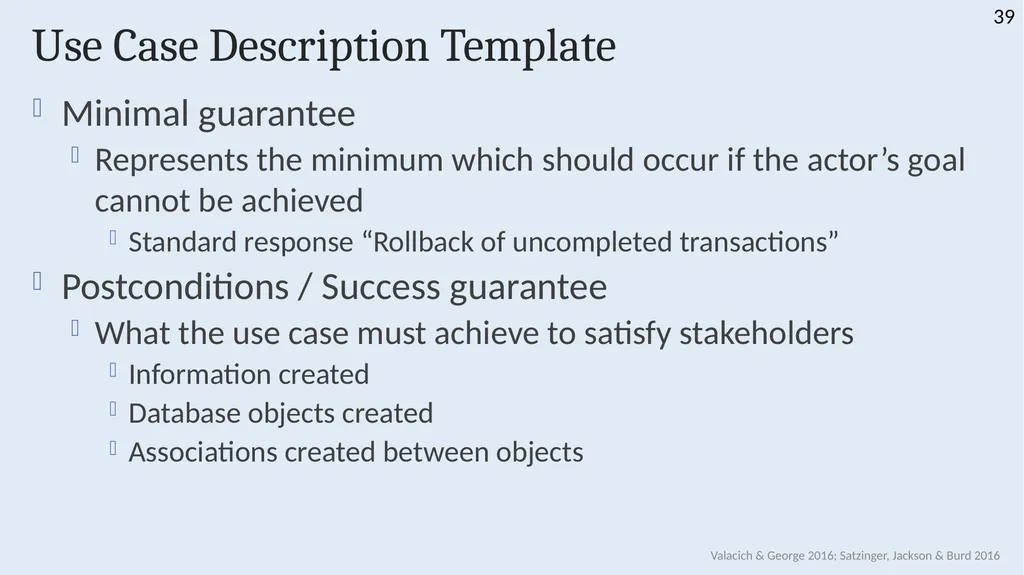
39
Use Case Description Template Minimal guarantee
Represents the minimum which should occur if the actor’s goal cannot be achieved
Standard response “Rollback of uncompleted transactions”
Postconditions / Success guarantee
What the use case must achieve to satisfy stakeholders
Information created
Database objects created
Associations created between objects Valacich & George 2016; Satzinger, Jackson & Burd 2016 39<br>
Represents the minimum which should occur if the actor’s goal cannot be achieved
Standard response “Rollback of uncompleted transactions”
Postconditions / Success guarantee
What the use case must achieve to satisfy stakeholders
Information created
Database objects created
Associations created between objects Valacich & George 2016; Satzinger, Jackson & Burd 2016 39<br>
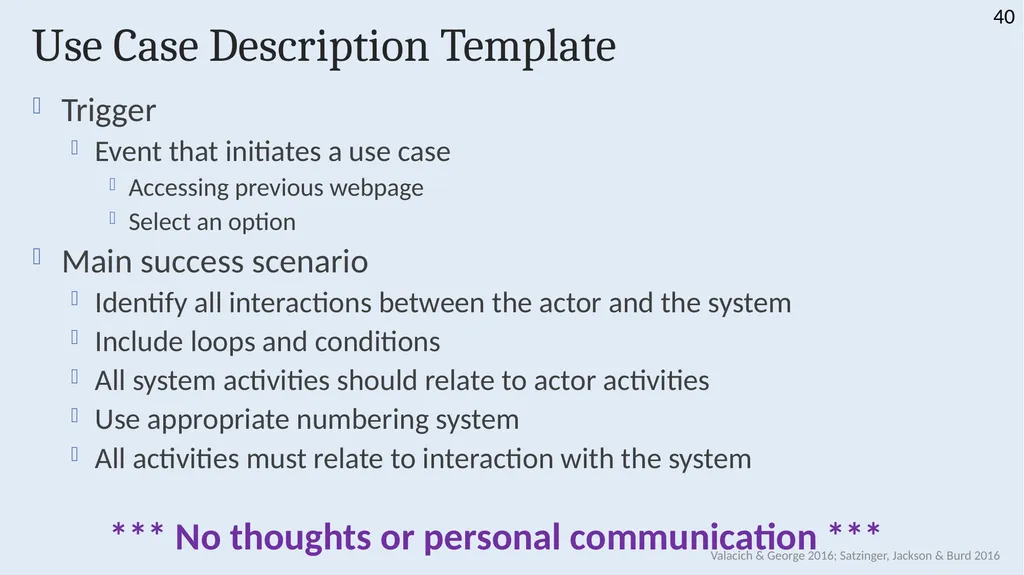
40
Use Case Description Template Trigger
Event that initiates a use case
Accessing previous webpage
Select an option
Main success scenario
Identify all interactions between the actor and the system
Include loops and conditions
All system activities should relate to actor activities
Use appropriate numbering system
All activities must relate to interaction with the system
*** No thoughts or personal communication *** Valacich & George 2016; Satzinger, Jackson & Burd 2016 40<br>
Event that initiates a use case
Accessing previous webpage
Select an option
Main success scenario
Identify all interactions between the actor and the system
Include loops and conditions
All system activities should relate to actor activities
Use appropriate numbering system
All activities must relate to interaction with the system
*** No thoughts or personal communication *** Valacich & George 2016; Satzinger, Jackson & Burd 2016 40<br>
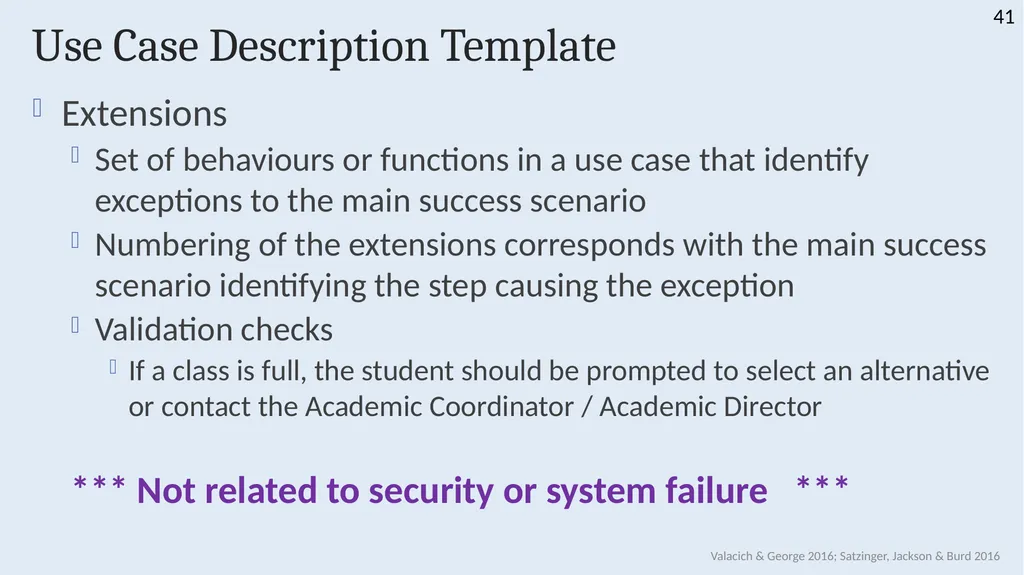
41
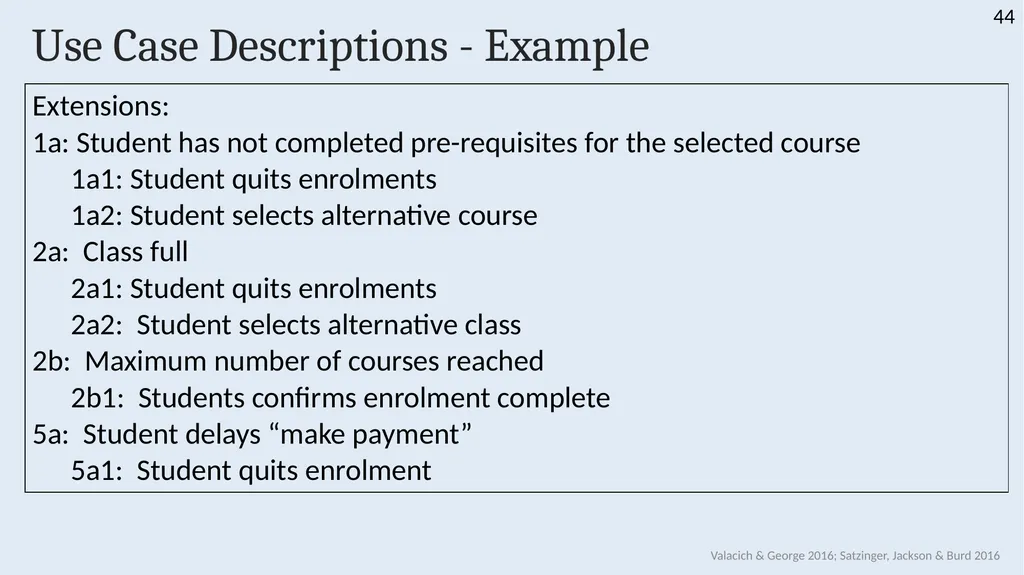
Use Case Description Template Extensions
Set of behaviours or functions in a use case that identify exceptions to the main success scenario
Numbering of the extensions corresponds with the main success scenario identifying the step causing the exception
Validation checks
If a class is full, the student should be prompted to select an alternative or contact the Academic Coordinator / Academic Director
*** Not related to security or system failure *** Valacich & George 2016; Satzinger, Jackson & Burd 2016 41<br>
Set of behaviours or functions in a use case that identify exceptions to the main success scenario
Numbering of the extensions corresponds with the main success scenario identifying the step causing the exception
Validation checks
If a class is full, the student should be prompted to select an alternative or contact the Academic Coordinator / Academic Director
*** Not related to security or system failure *** Valacich & George 2016; Satzinger, Jackson & Burd 2016 41<br>
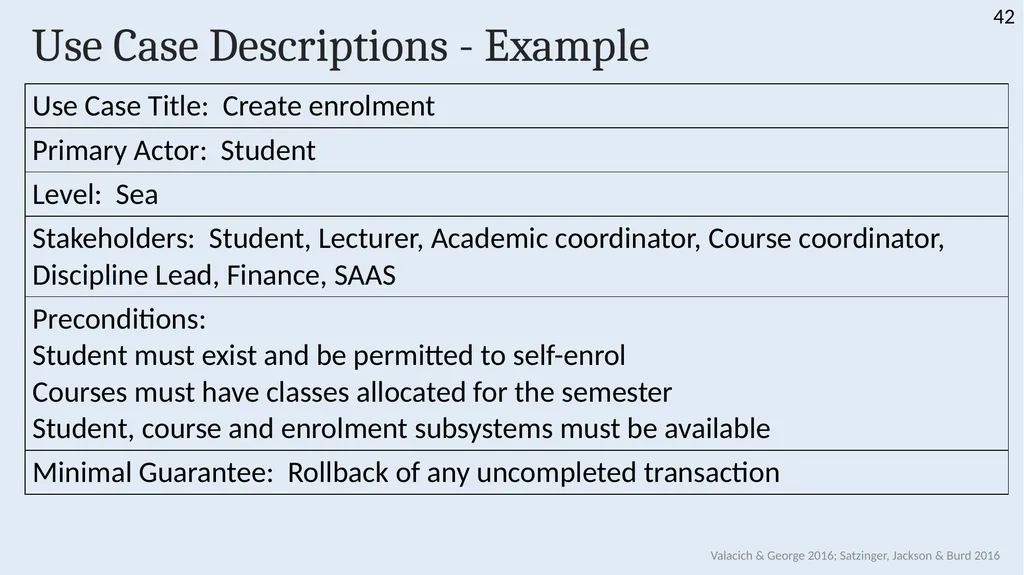
42
Use Case Descriptions - Example Valacich & George 2016; Satzinger, Jackson & Burd 2016 42<br>
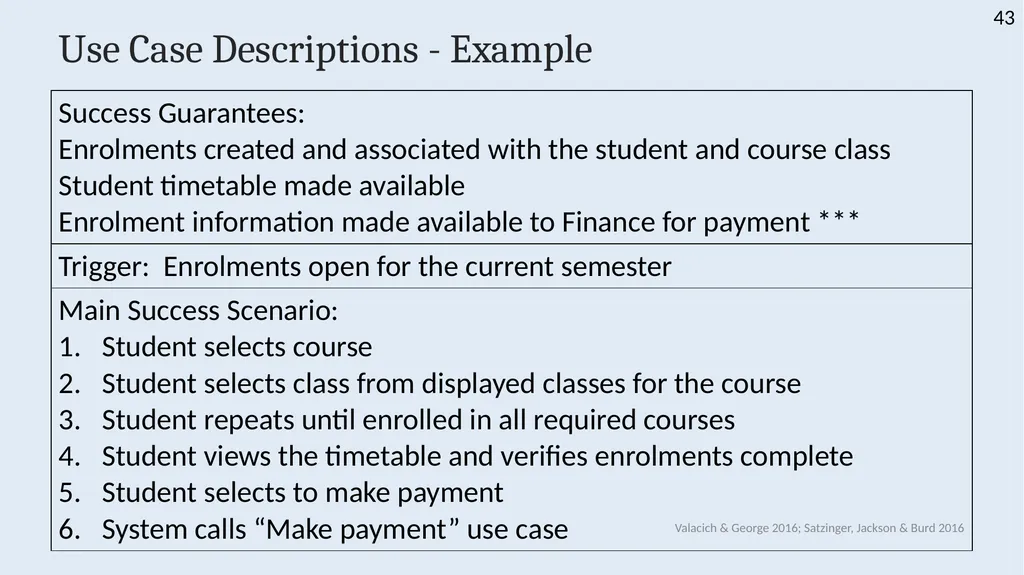
43
Use Case Descriptions - Example Valacich & George 2016; Satzinger, Jackson & Burd 2016<br>
44
Use Case Descriptions - Example Valacich & George 2016; Satzinger, Jackson & Burd 2016 44<br>
45
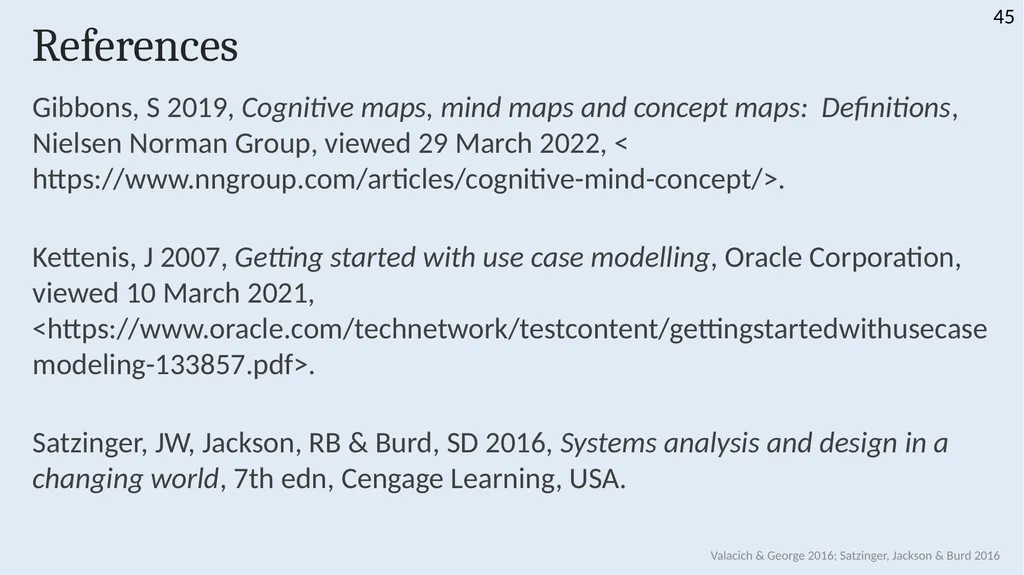
References Gibbons, S 2019, Cognitive maps, mind maps and concept maps: Definitions, Nielsen Norman Group, viewed 29 March 2022, < https://www.nngroup.com/articles/cognitive-mind-concept/>.
Kettenis, J 2007, Getting started with use case modelling, Oracle Corporation, viewed 10 March 2021, <https://www.oracle.com/technetwork/testcontent/gettingstartedwithusecasemodeling-133857.pdf>.
Satzinger, JW, Jackson, RB & Burd, SD 2016, Systems analysis and design in a changing world, 7th edn, Cengage Learning, USA. Valacich & George 2016; Satzinger, Jackson & Burd 2016 45<br>
Kettenis, J 2007, Getting started with use case modelling, Oracle Corporation, viewed 10 March 2021, <https://www.oracle.com/technetwork/testcontent/gettingstartedwithusecasemodeling-133857.pdf>.
Satzinger, JW, Jackson, RB & Burd, SD 2016, Systems analysis and design in a changing world, 7th edn, Cengage Learning, USA. Valacich & George 2016; Satzinger, Jackson & Burd 2016 45<br>