Intro to Azure Data Factory Data Flows Senior BI
Description: Intro to Azure Data Factory Data Flows Senior BI Consultant with Pragmatic Works Email: ALetourneauPragmaticWorks.com Twitter: LadyRuna 20 years focused on MSSQL Server as DeveloperDBA for financial and accounting software industries.
Related Topics
Download Presentation
"Intro to Azure Data Factory Data Flows Senior BI" is the property of its rightful owner. Permission is granted to download and print the materials on this website for personal, non-commercial use only, and to display it on your personal computer provided you do not modify the materials and that you retain all copyright notices contained in the materials. By downloading content from our website, you accept the terms of this agreement.
Presentation Transcript
slide1. Intro to Azure Data Factory Data Flows<br>
slide2. Senior BI Consultant with Pragmatic Works
Email: ALetourneau@PragmaticWorks.com
Twitter: @LadyRuna
20+ years focused on MSSQL Server as Developer/DBA
for financial and accounting software industries.
Microsoft Certified Azure Administrator Associate About Me<br>
slide3. Data Flows vs Pipeline in ADF
What are Wrangling Data Flows
What are Mapping Data Flows
DEMO: Creating Data Flows
Which One Should I Use? Agenda<br>
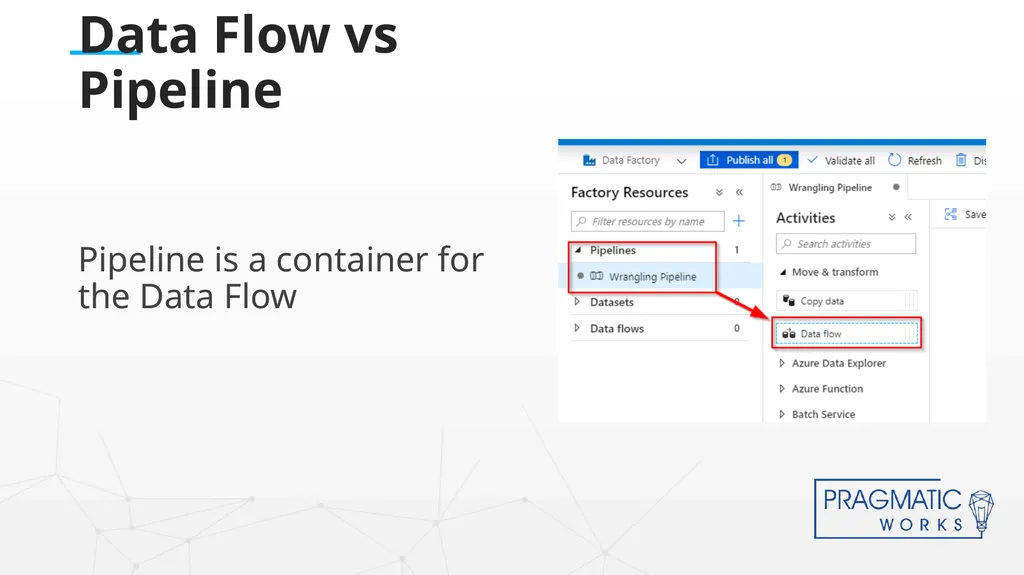
slide4. Pipeline is a container for the Data Flow Data Flow vs Pipeline<br>
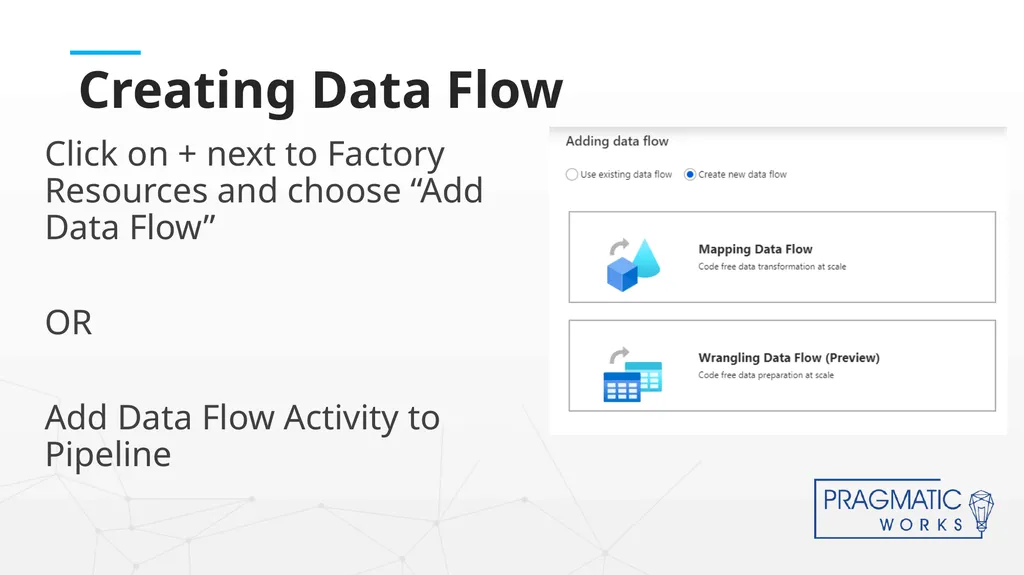
slide5. Click on + next to Factory Resources and choose “Add Data Flow”
OR
Add Data Flow Activity to Pipeline Creating Data Flow<br>
slide6. Mapping Data Flows<br>
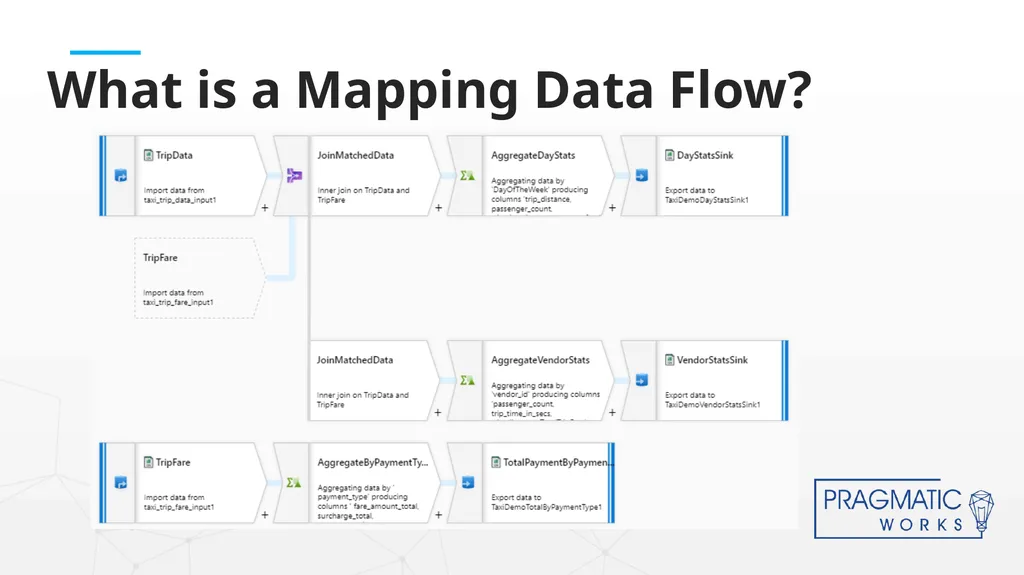
slide7. What is a Mapping Data Flow?<br>
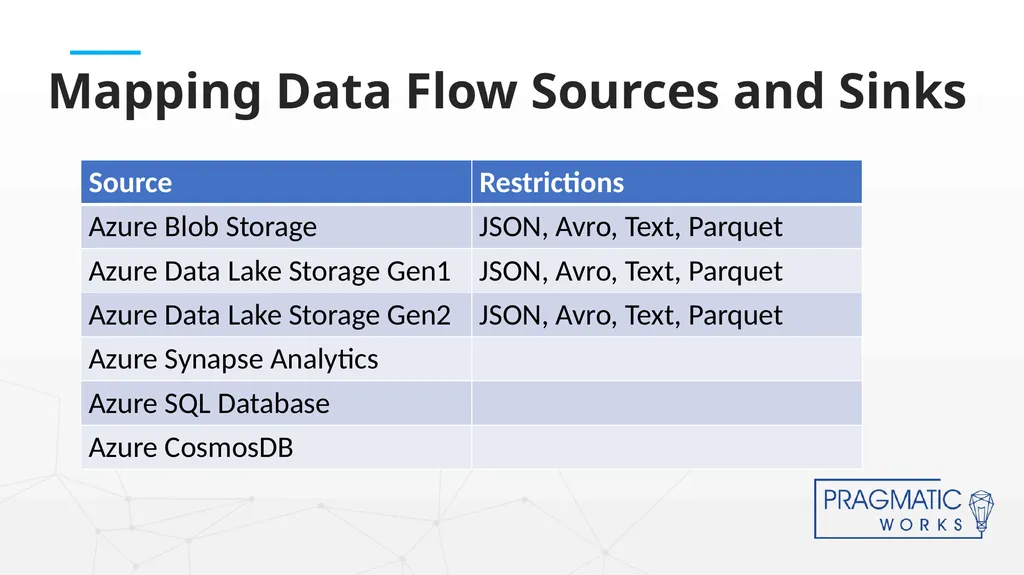
slide8. Mapping Data Flow Sources and Sinks<br>
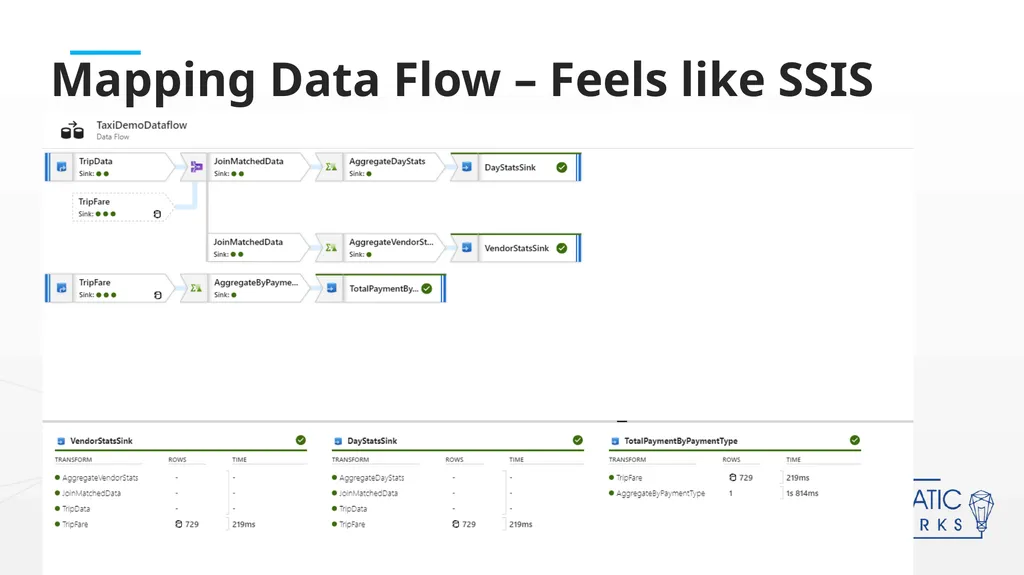
slide9. Mapping Data Flow – Feels like SSIS<br>
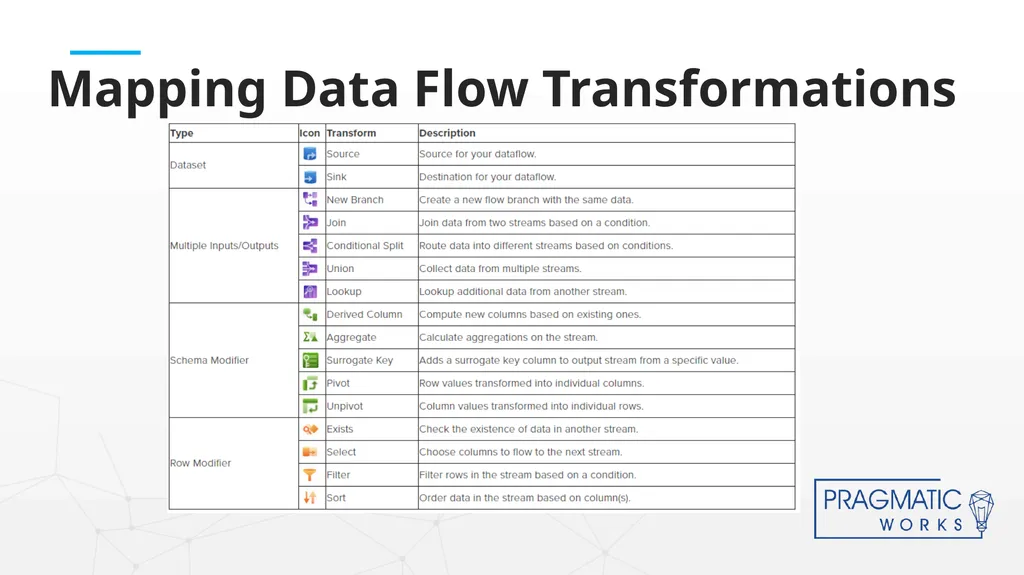
slide10. Mapping Data Flow Transformations<br>
slide11. Wrangling Data Flows<br>
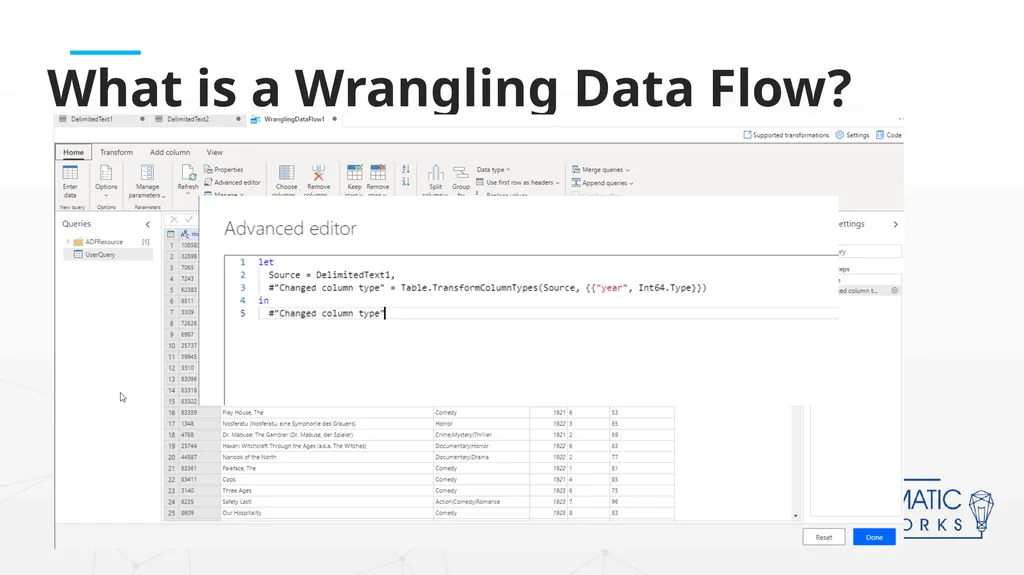
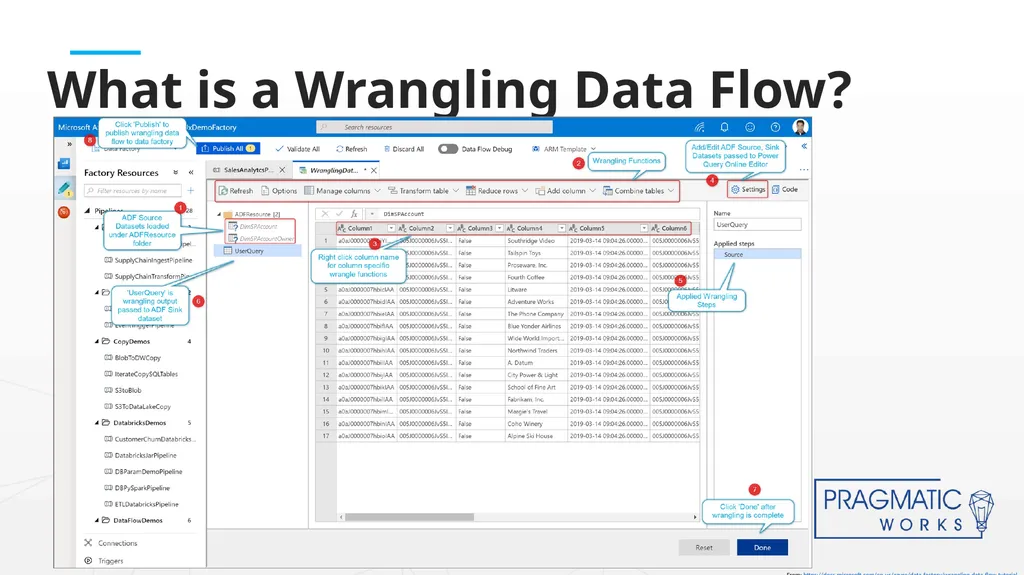
slide12. What is a Wrangling Data Flow?<br>
slide13. What is a Wrangling Data Flow? From: https://docs.microsoft.com/en-us/azure/data-factory/wrangling-data-flow-tutorial<br>
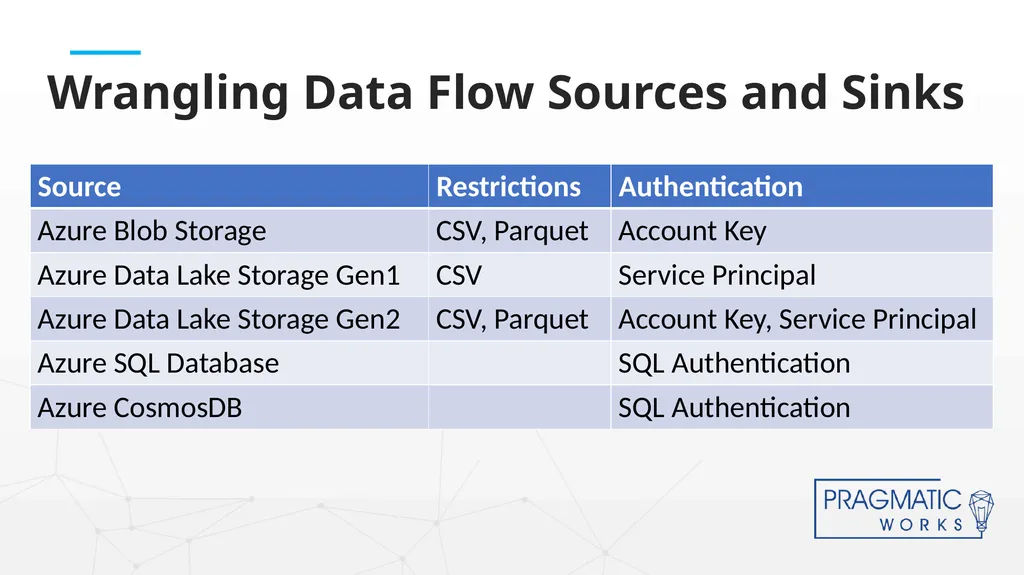
slide14. Wrangling Data Flow Sources and Sinks<br>
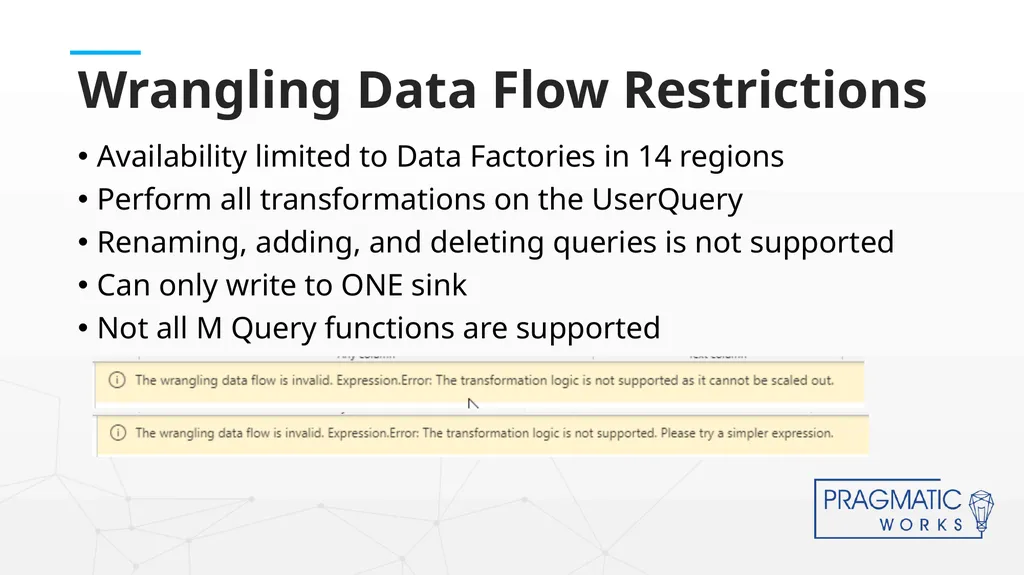
slide15. Availability limited to Data Factories in 14 regions
Perform all transformations on the UserQuery
Renaming, adding, and deleting queries is not supported
Can only write to ONE sink
Not all M Query functions are supported Wrangling Data Flow Restrictions<br>
slide16. DEMO TIME!<br>
slide17. Wrangling or Mapping?<br>
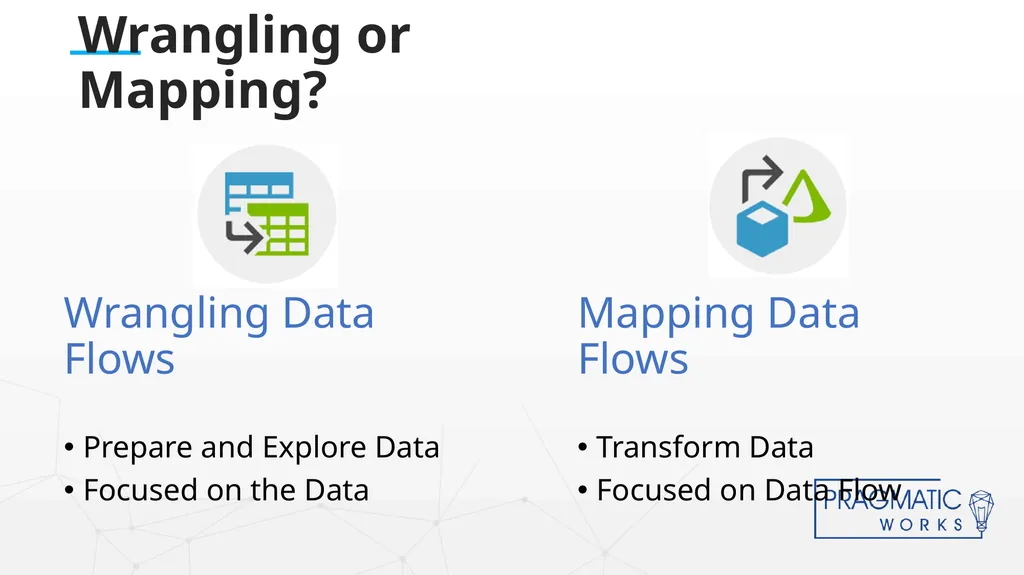
slide18. Wrangling or Mapping? Wrangling Data Flows
Prepare and Explore Data
Focused on the Data Mapping Data Flows
Transform Data
Focused on Data Flow<br>
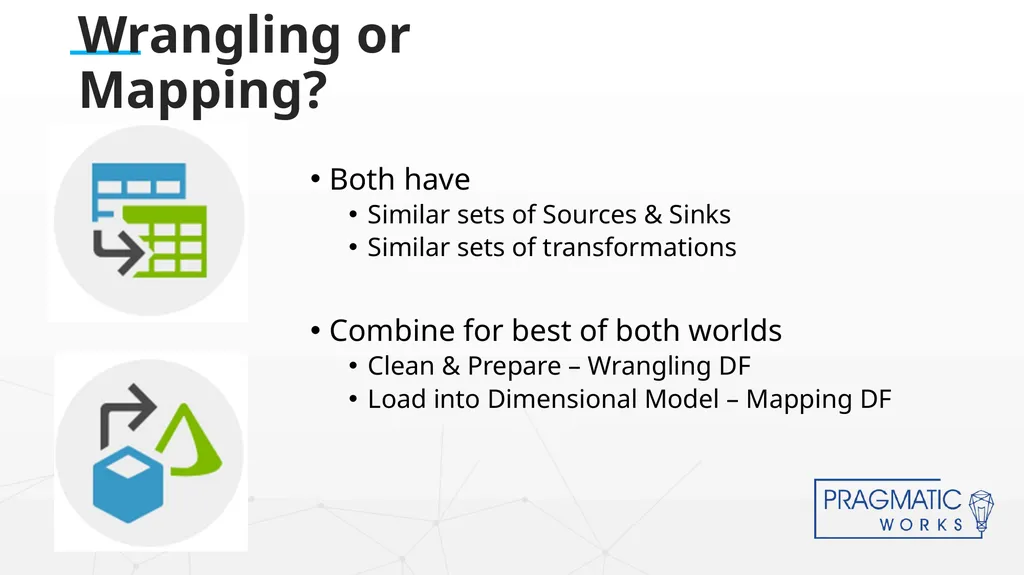
slide19. Wrangling or Mapping? Both have
Similar sets of Sources & Sinks
Similar sets of transformations
Combine for best of both worlds
Clean & Prepare – Wrangling DF
Load into Dimensional Model – Mapping DF<br>
slide20. https://docs.microsoft.com/en-us/azure/data-factory/wrangling-data-flow-overview
https://docs.microsoft.com/en-us/azure/data-factory/wrangling-data-flow-tutorial
https://docs.microsoft.com/en-us/azure/data-factory/wrangling-data-flow-functions
https://github.com/gauravmalhot/wranglingdataflow Wrangling Data Flow - Resources<br>
slide21. https://github.com/SQLPlayer/CheatSheets/blob/master/ADFDF-Cheat-Sheet-sqlplayer.pdf
https://github.com/kromerm/adfdataflowdocs/blob/master/patterns/adfdataflowlinks.md
https://kromerbigdata.com/
https://docs.microsoft.com/en-us/azure/data-factory/data-flow-transformation-overview Mapping Data Flow - Resources<br>
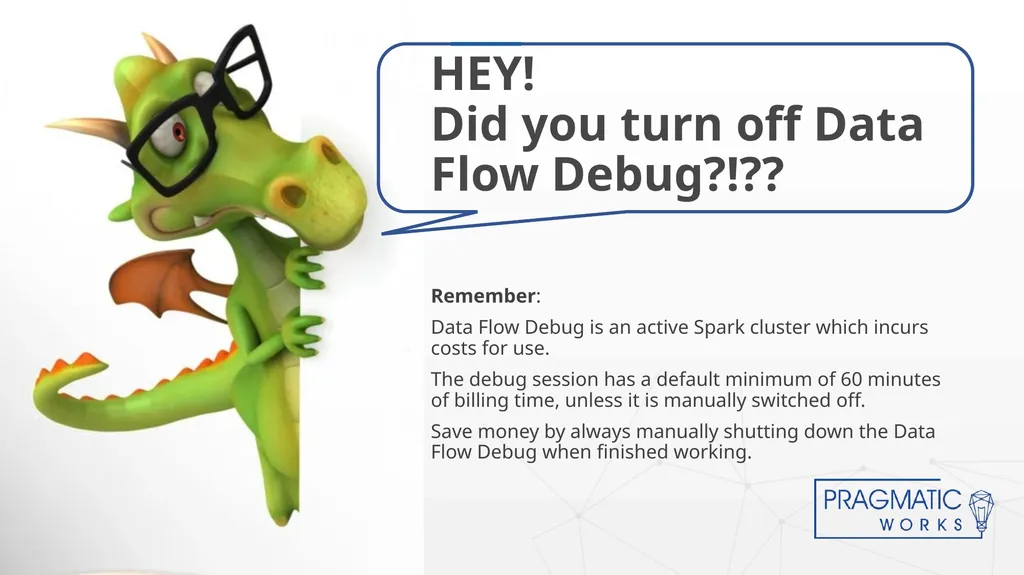
slide22. Remember:
Data Flow Debug is an active Spark cluster which incurs costs for use.
The debug session has a default minimum of 60 minutes of billing time, unless it is manually switched off.
Save money by always manually shutting down the Data Flow Debug when finished working. HEY! Did you turn off Data Flow Debug?!??<br>

slide23. Questions? Hope you enjoyed the Webinar!<br>
slide2. Senior BI Consultant with Pragmatic Works
Email: ALetourneau@PragmaticWorks.com
Twitter: @LadyRuna
20+ years focused on MSSQL Server as Developer/DBA
for financial and accounting software industries.
Microsoft Certified Azure Administrator Associate About Me<br>
slide3. Data Flows vs Pipeline in ADF
What are Wrangling Data Flows
What are Mapping Data Flows
DEMO: Creating Data Flows
Which One Should I Use? Agenda<br>
slide4. Pipeline is a container for the Data Flow Data Flow vs Pipeline<br>
slide5. Click on + next to Factory Resources and choose “Add Data Flow”
OR
Add Data Flow Activity to Pipeline Creating Data Flow<br>
slide6. Mapping Data Flows<br>
slide7. What is a Mapping Data Flow?<br>
slide8. Mapping Data Flow Sources and Sinks<br>
slide9. Mapping Data Flow – Feels like SSIS<br>
slide10. Mapping Data Flow Transformations<br>
slide11. Wrangling Data Flows<br>
slide12. What is a Wrangling Data Flow?<br>
slide13. What is a Wrangling Data Flow? From: https://docs.microsoft.com/en-us/azure/data-factory/wrangling-data-flow-tutorial<br>
slide14. Wrangling Data Flow Sources and Sinks<br>
slide15. Availability limited to Data Factories in 14 regions
Perform all transformations on the UserQuery
Renaming, adding, and deleting queries is not supported
Can only write to ONE sink
Not all M Query functions are supported Wrangling Data Flow Restrictions<br>
slide16. DEMO TIME!<br>
slide17. Wrangling or Mapping?<br>
slide18. Wrangling or Mapping? Wrangling Data Flows
Prepare and Explore Data
Focused on the Data Mapping Data Flows
Transform Data
Focused on Data Flow<br>
slide19. Wrangling or Mapping? Both have
Similar sets of Sources & Sinks
Similar sets of transformations
Combine for best of both worlds
Clean & Prepare – Wrangling DF
Load into Dimensional Model – Mapping DF<br>
slide20. https://docs.microsoft.com/en-us/azure/data-factory/wrangling-data-flow-overview
https://docs.microsoft.com/en-us/azure/data-factory/wrangling-data-flow-tutorial
https://docs.microsoft.com/en-us/azure/data-factory/wrangling-data-flow-functions
https://github.com/gauravmalhot/wranglingdataflow Wrangling Data Flow - Resources<br>
slide21. https://github.com/SQLPlayer/CheatSheets/blob/master/ADFDF-Cheat-Sheet-sqlplayer.pdf
https://github.com/kromerm/adfdataflowdocs/blob/master/patterns/adfdataflowlinks.md
https://kromerbigdata.com/
https://docs.microsoft.com/en-us/azure/data-factory/data-flow-transformation-overview Mapping Data Flow - Resources<br>
slide22. Remember:
Data Flow Debug is an active Spark cluster which incurs costs for use.
The debug session has a default minimum of 60 minutes of billing time, unless it is manually switched off.
Save money by always manually shutting down the Data Flow Debug when finished working. HEY! Did you turn off Data Flow Debug?!??<br>
slide23. Questions? Hope you enjoyed the Webinar!<br>