
Introduction to Pathology Informatics Session 8:
Description: Introduction to Pathology Informatics Session 8: Cybersecurity James Harrison, MD PhD University of Virginia 2025 API distribution, version 1.0.2 Is data and system security an issue in healthcare? Ransomware attacks on US healthcare
Related Topics
Download Presentation
"Introduction to Pathology Informatics Session 8:" is the property of its rightful owner. Permission is granted to download and print the materials on this website for personal, non-commercial use only, and to display it on your personal computer provided you do not modify the materials and that you retain all copyright notices contained in the materials. By downloading content from our website, you accept the terms of this agreement.
Presentation Transcript
slide1. Introduction to
Pathology Informatics Session 8:
Cybersecurity James Harrison, MD PhD
University of Virginia 2025
API distribution, version 1.0.2<br>
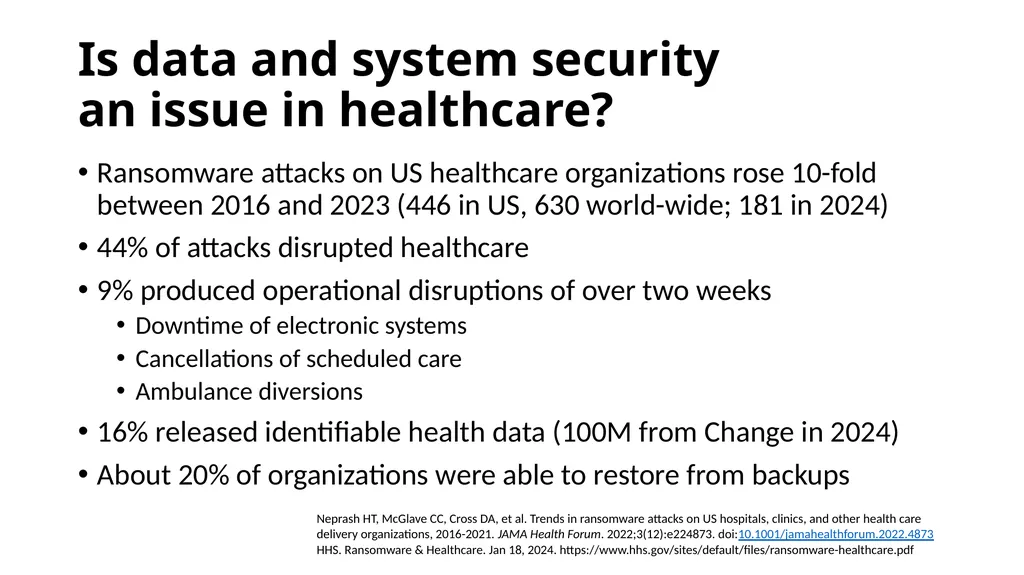
slide2. Is data and system security an issue in healthcare? Ransomware attacks on US healthcare organizations rose 10-fold between 2016 and 2023 (446 in US, 630 world-wide; 181 in 2024)
44% of attacks disrupted healthcare
9% produced operational disruptions of over two weeks
Downtime of electronic systems
Cancellations of scheduled care
Ambulance diversions
16% released identifiable health data (100M from Change in 2024)
About 20% of organizations were able to restore from backups Neprash HT, McGlave CC, Cross DA, et al. Trends in ransomware attacks on US hospitals, clinics, and other health care delivery organizations, 2016-2021. JAMA Health Forum. 2022;3(12):e224873. doi:10.1001/jamahealthforum.2022.4873
HHS. Ransomware & Healthcare. Jan 18, 2024. https://www.hhs.gov/sites/default/files/ransomware-healthcare.pdf<br>
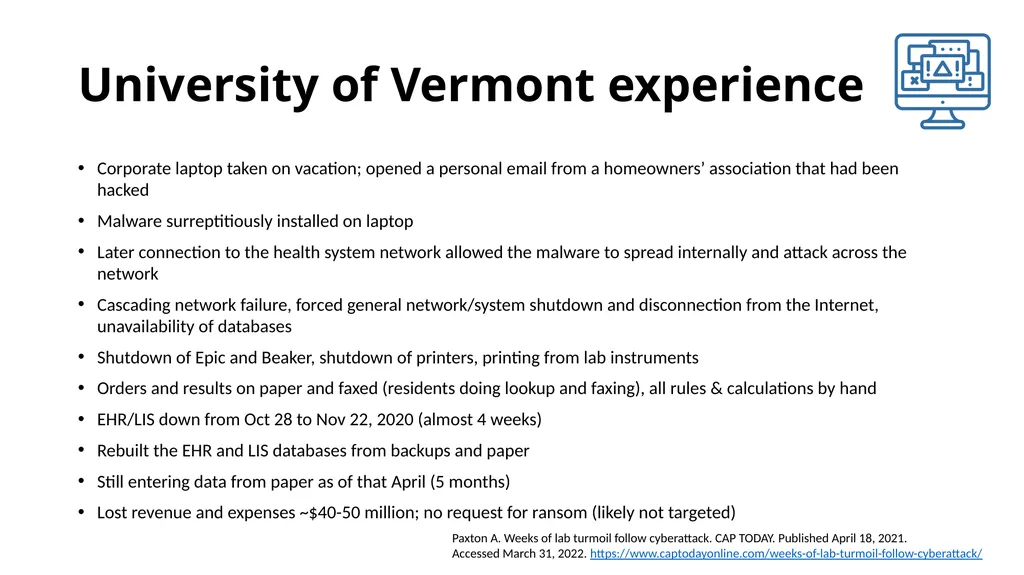
slide3. University of Vermont experience Corporate laptop taken on vacation; opened a personal email from a homeowners’ association that had been hacked
Malware surreptitiously installed on laptop
Later connection to the health system network allowed the malware to spread internally and attack across the network
Cascading network failure, forced general network/system shutdown and disconnection from the Internet, unavailability of databases
Shutdown of Epic and Beaker, shutdown of printers, printing from lab instruments
Orders and results on paper and faxed (residents doing lookup and faxing), all rules & calculations by hand
EHR/LIS down from Oct 28 to Nov 22, 2020 (almost 4 weeks)
Rebuilt the EHR and LIS databases from backups and paper
Still entering data from paper as of that April (5 months)
Lost revenue and expenses ~$40-50 million; no request for ransom (likely not targeted) Paxton A. Weeks of lab turmoil follow cyberattack. CAP TODAY. Published April 18, 2021. Accessed March 31, 2022. https://www.captodayonline.com/weeks-of-lab-turmoil-follow-cyberattack/<br>
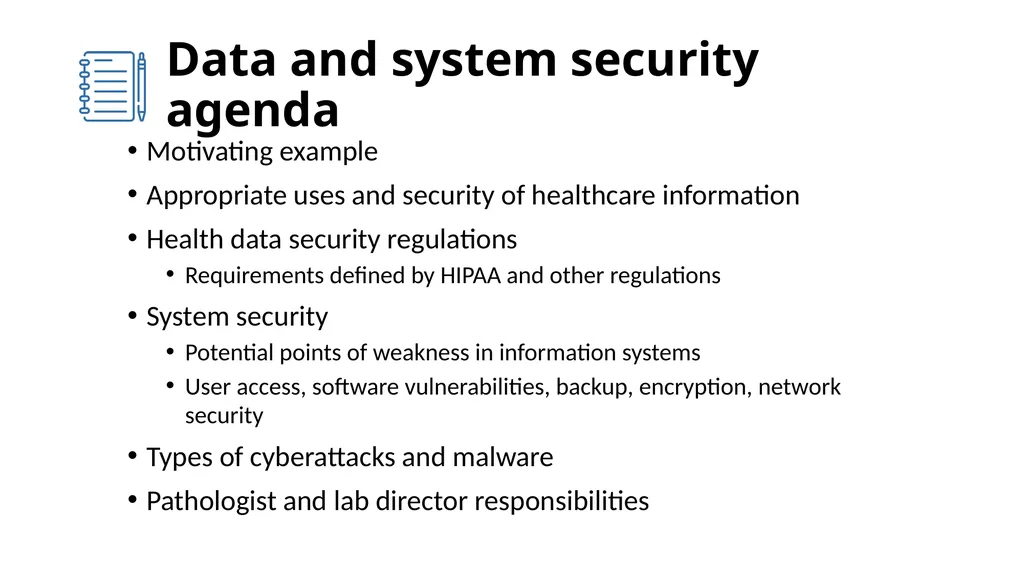
slide4. Data and system security agenda Motivating example
Appropriate uses and security of healthcare information
Health data security regulations
Requirements defined by HIPAA and other regulations
System security
Potential points of weakness in information systems
User access, software vulnerabilities, backup, encryption, network security
Types of cyberattacks and malware
Pathologist and lab director responsibilities<br>
slide5. Data security concepts Private data: Data defined as sensitive and kept secret
Usually applied to personal data of an individual
The ability to define what data is sensitive and keep it secret is seen by some as a fundamental right of individuals in a free society
Confidential data: Sensitive data that is shared within a defined scope
Access to data must be limited to the defined scope
Data integrity: Accuracy and completeness of data
Data security: The ability to maintain the privacy, confidentiality, and integrity of sensitive data<br>
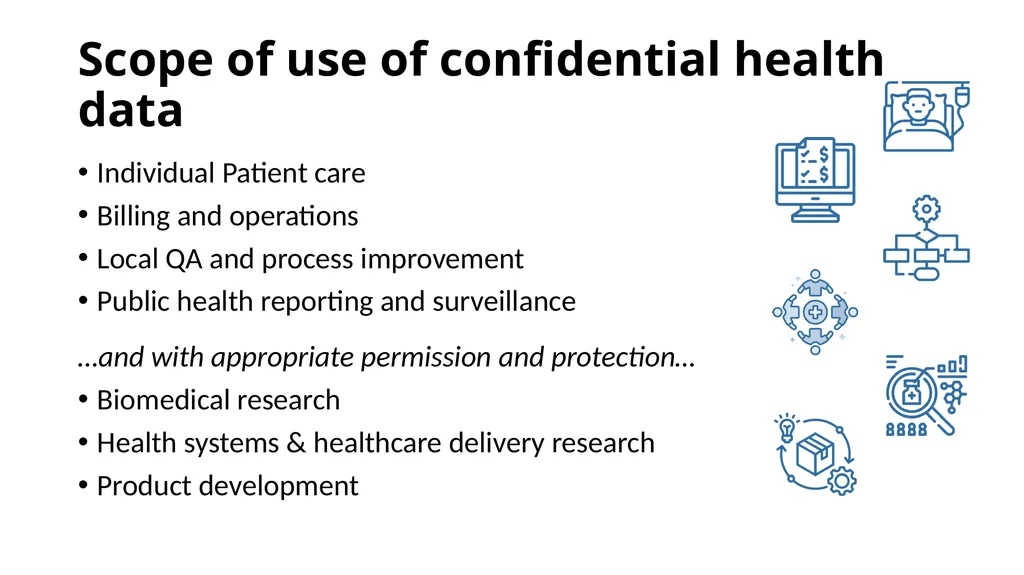
slide6. Scope of use of confidential health data Individual Patient care
Billing and operations
Local QA and process improvement
Public health reporting and surveillance
…and with appropriate permission and protection…
Biomedical research
Health systems & healthcare delivery research
Product development<br>
slide7. Healthcare data use responsibilities Healthcare delivery
Access control via login with limited permissions, data- and system-use best practices
Limit access based on need-to-know, but don’t obstruct trouble-shooting
Healthcare process improvement and Q/A
Sponsorship by and report to a Q/A committee is best practice
Identified data can be used, but de-identified data when possible is best practice
Does not require IRB review (consider expedited review if publication is anticipated)
Biomedical research
Primary goal is to create new knowledge for general dissemination
De-identified data or limited data sets should be used if possible
IRB review/consent if identifiable, may be expedited for simple data-only studies<br>
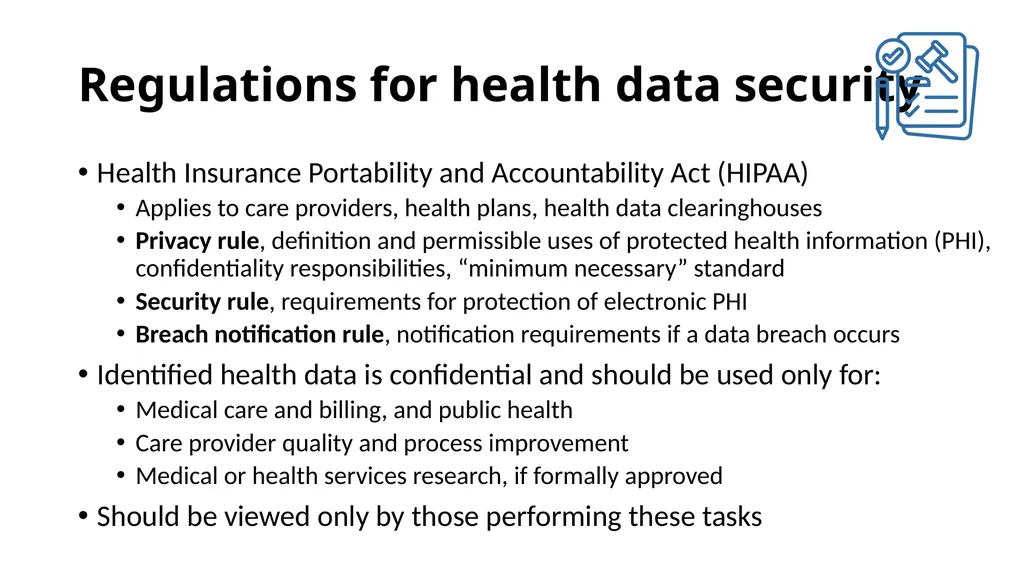
slide8. Regulations for health data security Health Insurance Portability and Accountability Act (HIPAA)
Applies to care providers, health plans, health data clearinghouses
Privacy rule, definition and permissible uses of protected health information (PHI), confidentiality responsibilities, “minimum necessary” standard
Security rule, requirements for protection of electronic PHI
Breach notification rule, notification requirements if a data breach occurs
Identified health data is confidential and should be used only for:
Medical care and billing, and public health
Care provider quality and process improvement
Medical or health services research, if formally approved
Should be viewed only by those performing these tasks<br>
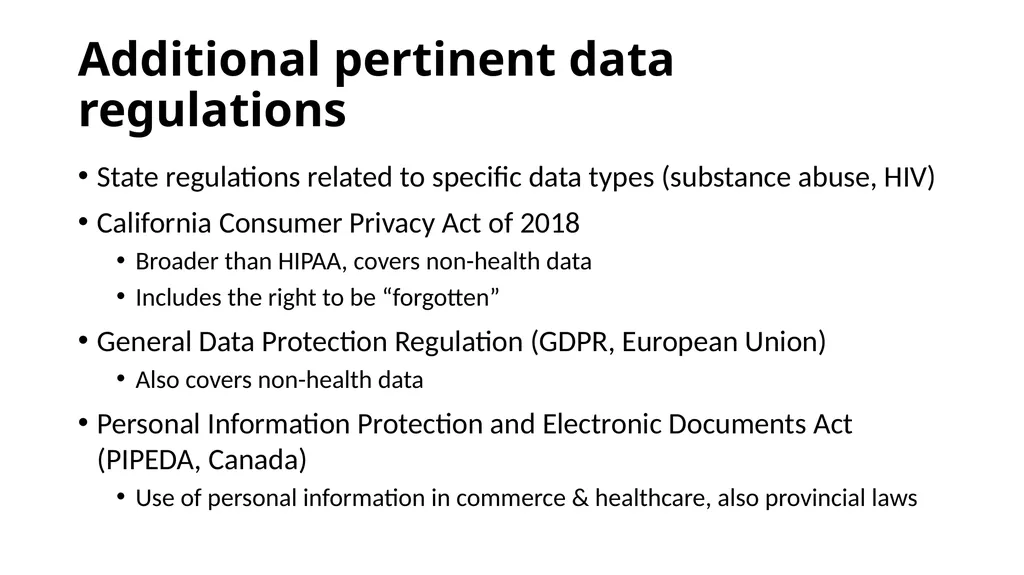
slide9. Additional pertinent data regulations State regulations related to specific data types (substance abuse, HIV)
California Consumer Privacy Act of 2018
Broader than HIPAA, covers non-health data
Includes the right to be “forgotten”
General Data Protection Regulation (GDPR, European Union)
Also covers non-health data
Personal Information Protection and Electronic Documents Act (PIPEDA, Canada)
Use of personal information in commerce & healthcare, also provincial laws<br>
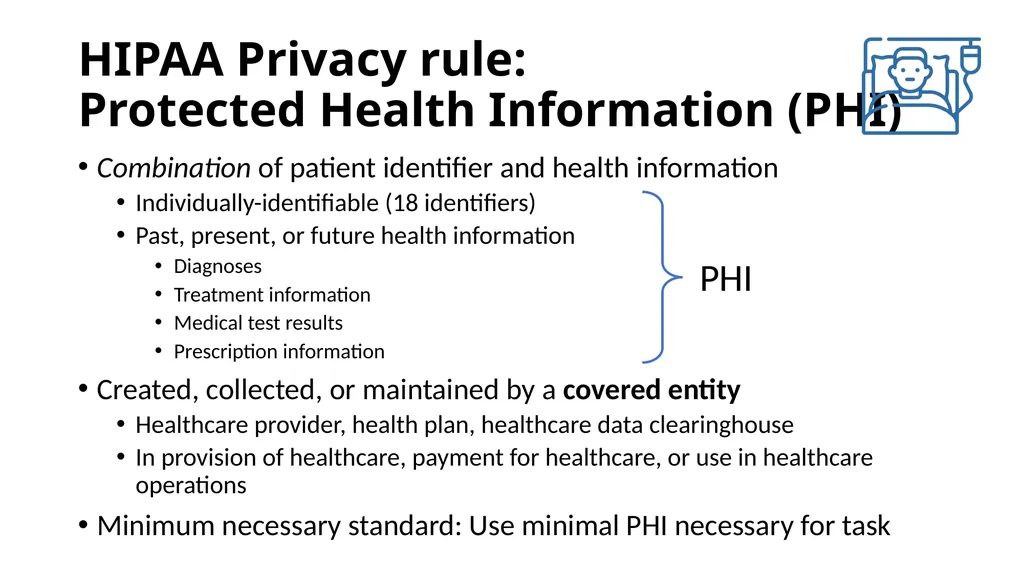
slide10. HIPAA Privacy rule: Protected Health Information (PHI) Combination of patient identifier and health information
Individually-identifiable (18 identifiers)
Past, present, or future health information
Diagnoses
Treatment information
Medical test results
Prescription information
Created, collected, or maintained by a covered entity
Healthcare provider, health plan, healthcare data clearinghouse
In provision of healthcare, payment for healthcare, or use in healthcare operations
Minimum necessary standard: Use minimal PHI necessary for task<br>
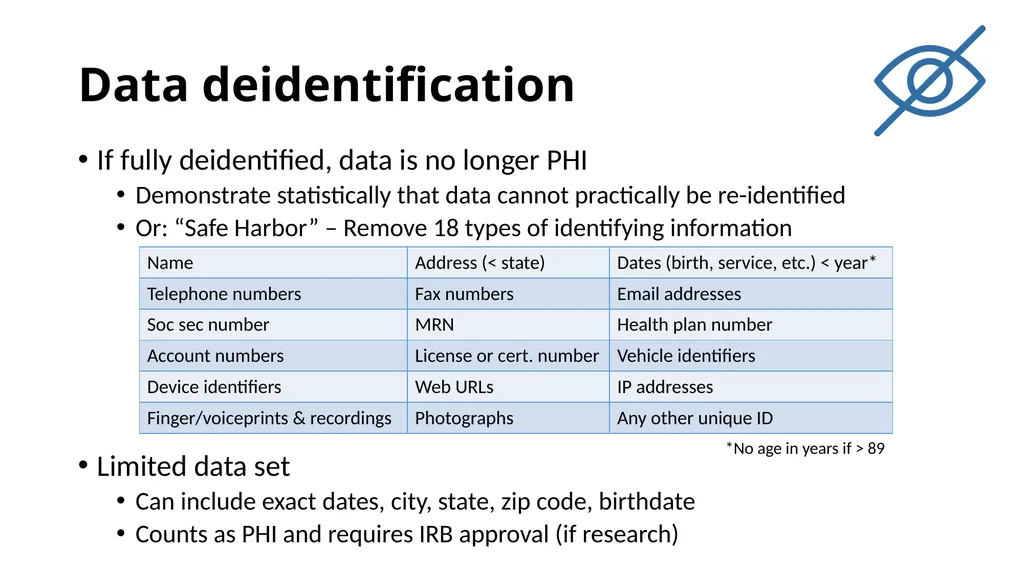
slide11. Data deidentification If fully deidentified, data is no longer PHI
Demonstrate statistically that data cannot practically be re-identified
Or: “Safe Harbor” – Remove 18 types of identifying information
Limited data set
Can include exact dates, city, state, zip code, birthdate
Counts as PHI and requires IRB approval (if research) *No age in years if > 89<br>
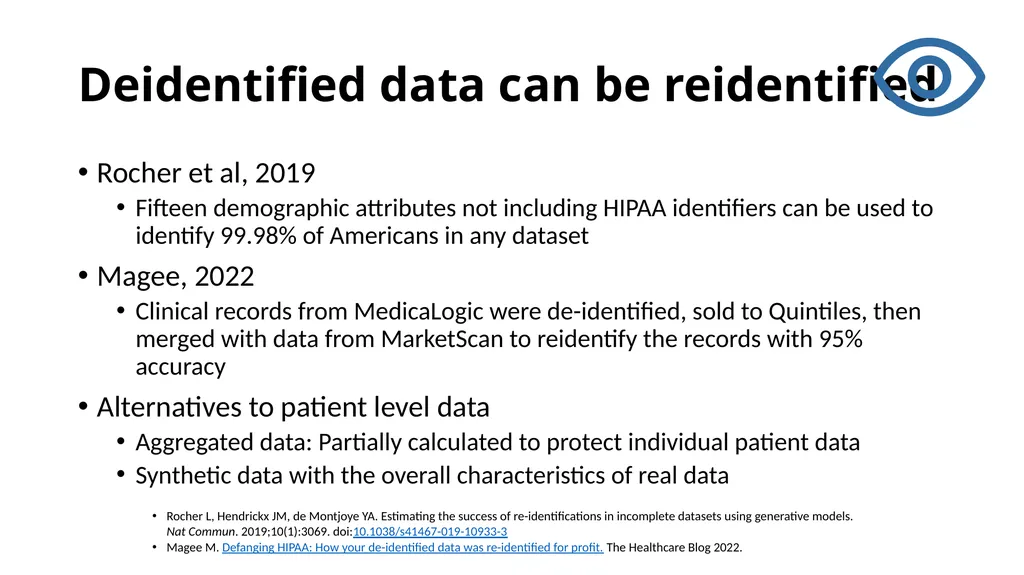
slide12. Deidentified data can be reidentified Rocher et al, 2019
Fifteen demographic attributes not including HIPAA identifiers can be used to identify 99.98% of Americans in any dataset
Magee, 2022
Clinical records from MedicaLogic were de-identified, sold to Quintiles, then merged with data from MarketScan to reidentify the records with 95% accuracy
Alternatives to patient level data
Aggregated data: Partially calculated to protect individual patient data
Synthetic data with the overall characteristics of real data Rocher L, Hendrickx JM, de Montjoye YA. Estimating the success of re-identifications in incomplete datasets using generative models. Nat Commun. 2019;10(1):3069. doi:10.1038/s41467-019-10933-3
Magee M. Defanging HIPAA: How your de-identified data was re-identified for profit. The Healthcare Blog 2022.<br>
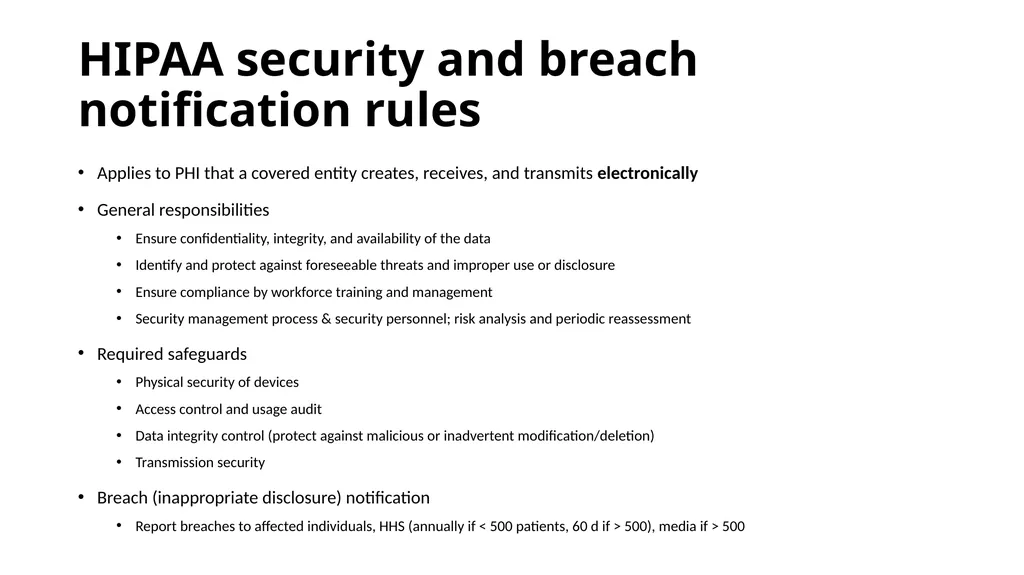
slide13. HIPAA security and breach notification rules Applies to PHI that a covered entity creates, receives, and transmits electronically
General responsibilities
Ensure confidentiality, integrity, and availability of the data
Identify and protect against foreseeable threats and improper use or disclosure
Ensure compliance by workforce training and management
Security management process & security personnel; risk analysis and periodic reassessment
Required safeguards
Physical security of devices
Access control and usage audit
Data integrity control (protect against malicious or inadvertent modification/deletion)
Transmission security
Breach (inappropriate disclosure) notification
Report breaches to affected individuals, HHS (annually if < 500 patients, 60 d if > 500), media if > 500<br>
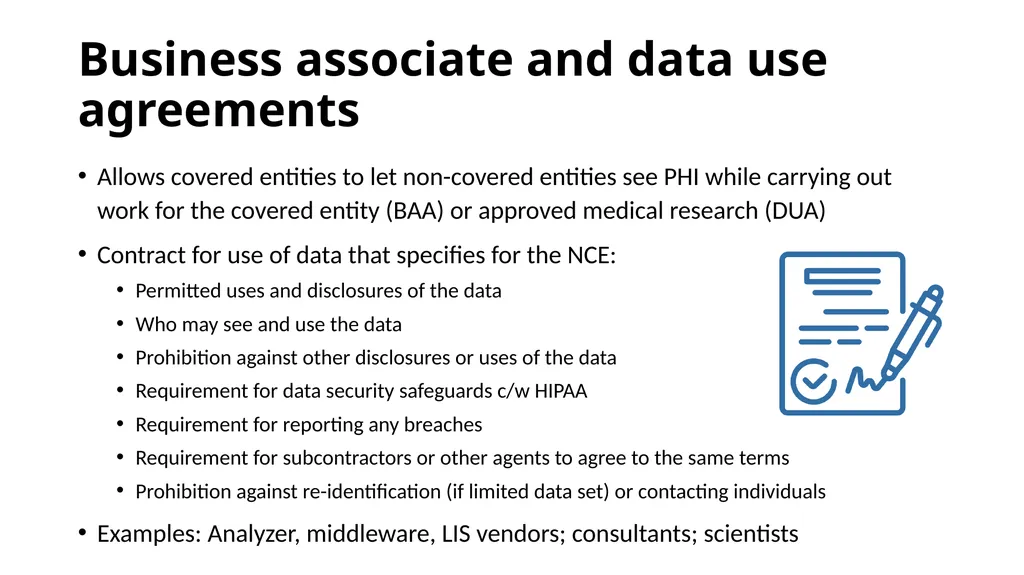
slide14. Business associate and data use agreements Allows covered entities to let non-covered entities see PHI while carrying out work for the covered entity (BAA) or approved medical research (DUA)
Contract for use of data that specifies for the NCE:
Permitted uses and disclosures of the data
Who may see and use the data
Prohibition against other disclosures or uses of the data
Requirement for data security safeguards c/w HIPAA
Requirement for reporting any breaches
Requirement for subcontractors or other agents to agree to the same terms
Prohibition against re-identification (if limited data set) or contacting individuals
Examples: Analyzer, middleware, LIS vendors; consultants; scientists<br>
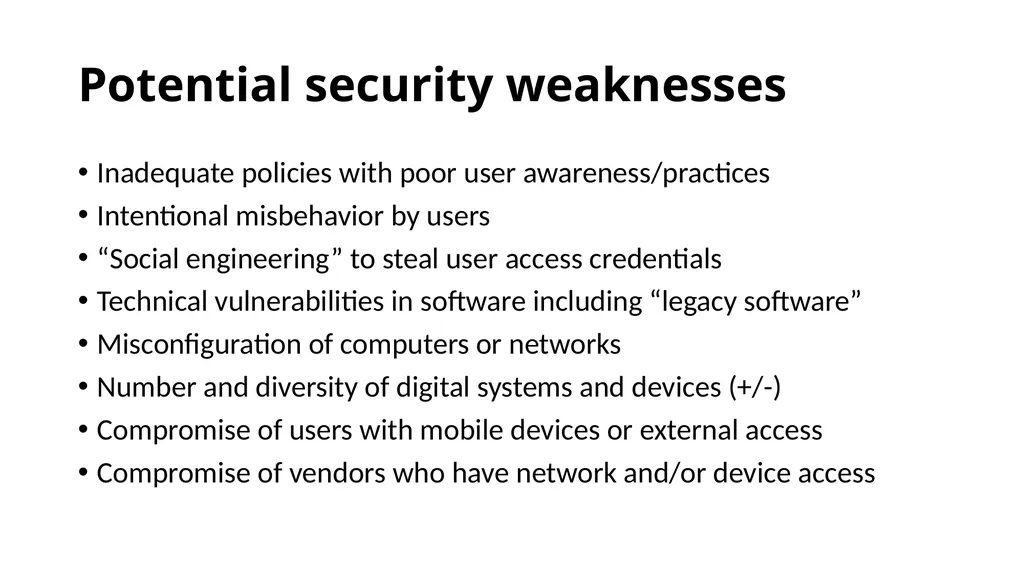
slide15. Potential security weaknesses Inadequate policies with poor user awareness/practices
Intentional misbehavior by users
“Social engineering” to steal user access credentials
Technical vulnerabilities in software including “legacy software”
Misconfiguration of computers or networks
Number and diversity of digital systems and devices (+/-)
Compromise of users with mobile devices or external access
Compromise of vendors who have network and/or device access<br>
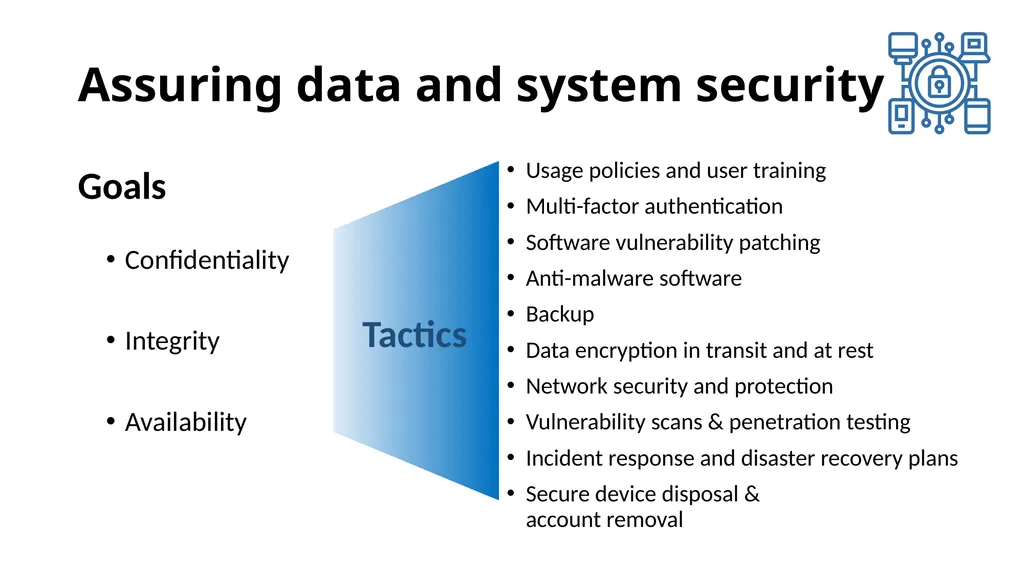
slide16. Assuring data and system security Confidentiality
Integrity
Availability Usage policies and user training
Multi-factor authentication
Software vulnerability patching
Anti-malware software
Backup
Data encryption in transit and at rest
Network security and protection
Vulnerability scans & penetration testing
Incident response and disaster recovery plans
Secure device disposal & account removal Goals Tactics<br>
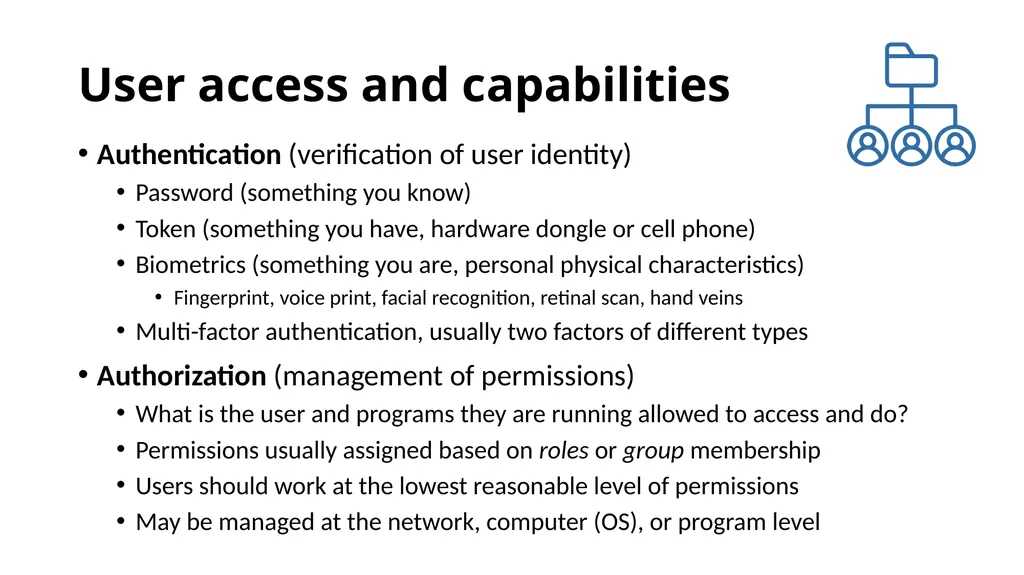
slide17. User access and capabilities Authentication (verification of user identity)
Password (something you know)
Token (something you have, hardware dongle or cell phone)
Biometrics (something you are, personal physical characteristics)
Fingerprint, voice print, facial recognition, retinal scan, hand veins
Multi-factor authentication, usually two factors of different types
Authorization (management of permissions)
What is the user and programs they are running allowed to access and do?
Permissions usually assigned based on roles or group membership
Users should work at the lowest reasonable level of permissions
May be managed at the network, computer (OS), or program level<br>
slide18. Good password construction practices Use 8 or more characters, don’t reuse across systems
Avoid single words and names (even with numbers appended)
Avoid common number sequences
Avoid current or past personal information
Use upper and lower case, punctuation, numbers, and spaces
Use phrases
Do not share passwords
Do not enter passwords in front of observers
Make a note of passwords and keep in safe place (pw managers)<br>
slide19. Good system user practices Lock and screen blank inactive workstations after a limited time
Latency on log-in or short-term lockout after several failed attempts
Changing passwords is controversial; long unique pw are better
Remove retired accounts and passwords quickly
Review access and data change logs for inappropriate activity
“Audit trails” for network & system logon, program use<br>
slide20. Software vulnerabilities and patching Example: Buffer overflow vulnerability
An error in software allows excess data to be written into memory
Malicious data is crafted that is larger than appropriate, overwrites memory areas containing program code, and contains malicious programming that is inserted into those areas for later execution
A “zero-day exploit” is a newly-discovered vulnerability that has not been corrected
Developer “patches” correct the error (eg, add data length checking)
“Legacy software” is old software that may contain uncorrected errors but is no longer being patched by the developer
May be necessary to run old programs or devices, creates risk<br>
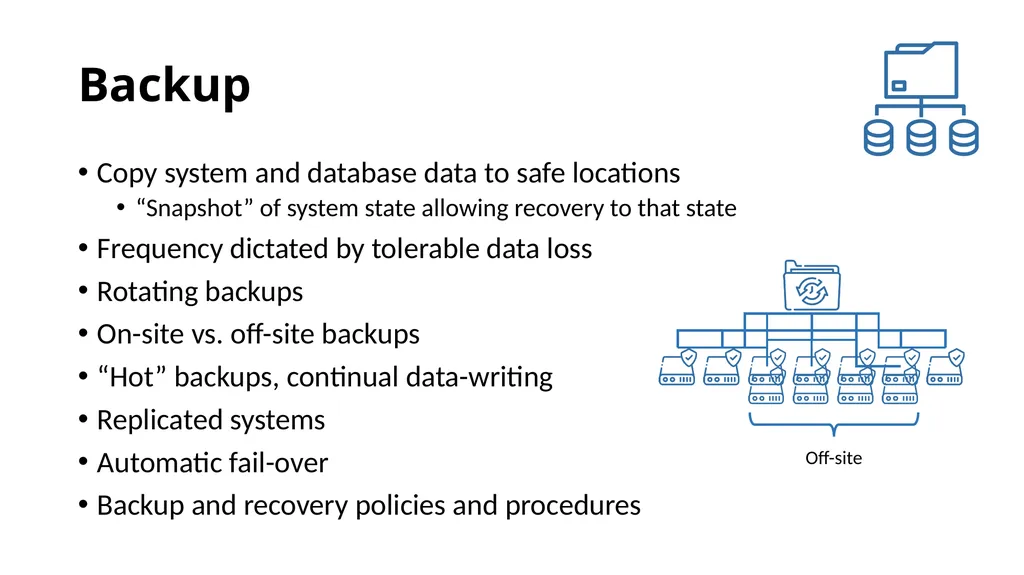
slide21. Backup Copy system and database data to safe locations
“Snapshot” of system state allowing recovery to that state
Frequency dictated by tolerable data loss
Rotating backups
On-site vs. off-site backups
“Hot” backups, continual data-writing
Replicated systems
Automatic fail-over
Backup and recovery policies and procedures<br>
slide22. Backup Copy system and database data to safe locations
“Snapshot” of system state allowing recovery to that state
Frequency dictated by tolerable data loss
Rotating backups
On-site vs. off-site backups
“Hot” backups, continual data-writing
Replicated systems
Automatic fail-over
Backup and recovery policies and procedures<br>
slide23. Encryption Mathematically transforms data to an unreadable form
Only those who know the transformation process and parameters can regenerate the data
Multiple encryption algorithms with varying “strength”
Algorithms use keys (large numbers) to transform & regenerate data
Secret key (symmetric) cryptography
Single key, fast, stronger encryption (longer key), but key is vulnerable
Public key (asymmetric) cryptography
Paired public & private keys, slow, but private key can be kept secret so less vulnerable
Private key MUST be protected
Importance of large prime numbers<br>
slide24. Implementing encryption Data “in motion”
Message encryption prevents interception of useable data during transmission
“End-to-end” encryption: no decryption in transit
A Virtual Private Network (VPN) encrypts all communications to an address
Data “at rest”
Disk encryption makes it more difficult for malicious software to access or copy data
Digital certificates
Contain encryption keys and information about the holder and authority
Certificate authorities
Generate and register keys
Provide certificates
Verify certificate-holder identities<br>
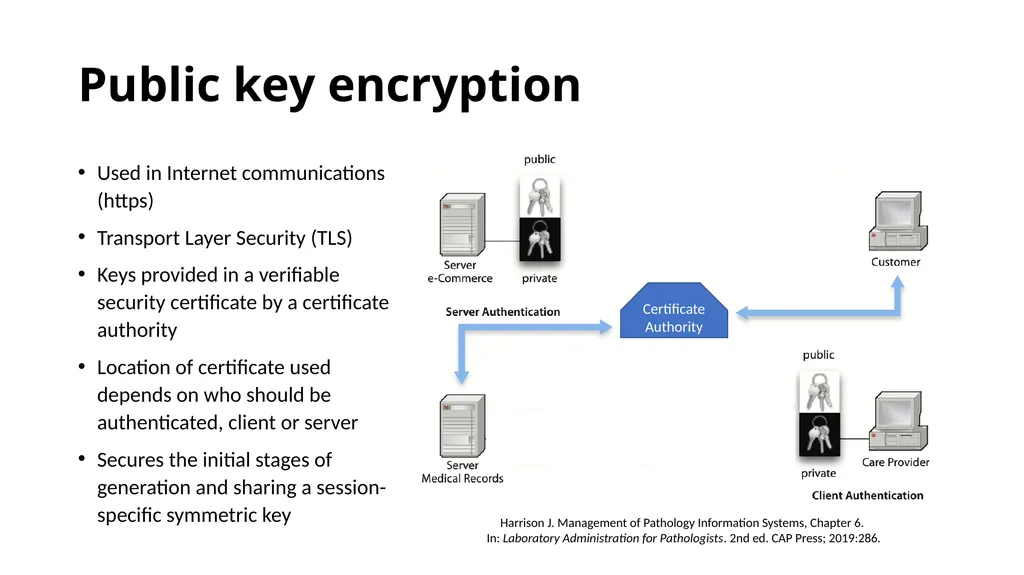
slide25. Public key encryption Used in Internet communications (https)
Transport Layer Security (TLS)
Keys provided in a verifiable security certificate by a certificate authority
Location of certificate used depends on who should be authenticated, client or server
Secures the initial stages of generation and sharing a session-specific symmetric key Harrison J. Management of Pathology Information Systems, Chapter 6. In: Laboratory Administration for Pathologists. 2nd ed. CAP Press; 2019:286. Certificate
Authority<br>
slide26. Digital signatures and encryption Formal digital signatures use public key encryption
If a document is decryptable with the public key
Authentication: It was encrypted with private key
Integrity: It has not changed since private key encryption
Non-repudiation: Private key is accessible only to the signer
In systems like Epic, ID of logged in user provides “digital signature”
Not a true “digital signature,” but suffices in the context of the system
Emails of agreement with headers and textual signatures; graphical signatures
Accepted as digital signature by some courts if author agrees with content and signature, probably acceptable for procedures, lab quality data, and other operational documents
Do NOT support non-repudiation<br>
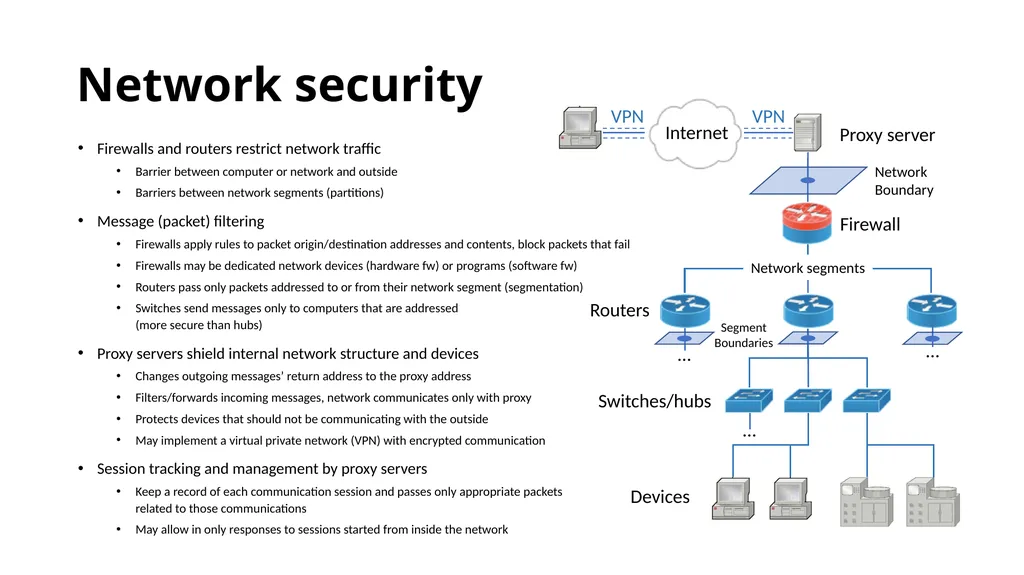
slide27. Network security Firewalls and routers restrict network traffic
Barrier between computer or network and outside
Barriers between network segments (partitions)
Message (packet) filtering
Firewalls apply rules to packet origin/destination addresses and contents, block packets that fail
Firewalls may be dedicated network devices (hardware fw) or programs (software fw)
Routers pass only packets addressed to or from their network segment (segmentation)
Switches send messages only to computers that are addressed (more secure than hubs)
Proxy servers shield internal network structure and devices
Changes outgoing messages’ return address to the proxy address
Filters/forwards incoming messages, network communicates only with proxy
Protects devices that should not be communicating with the outside
May implement a virtual private network (VPN) with encrypted communication
Session tracking and management by proxy servers
Keep a record of each communication session and passes only appropriate packets related to those communications
May allow in only responses to sessions started from inside the network … … … Internet Proxy server Firewall Network segments Switches/hubs Devices Routers<br>
slide28. Vulnerability scans and penetration testing Test a particular network or site (enterprise-level)
VS: Automated testing for common and known vulnerabilities and misconfigurations
PT: Simulated cyberattack using the same tools and techniques as malicious actors
“White hat hackers”
May include hacker-style reconnaissance, network scanning, attempted credential theft
May use a wide range of techniques including phishing emails and other “social” techniques
Allows recognition and remediation of problems and risks<br>
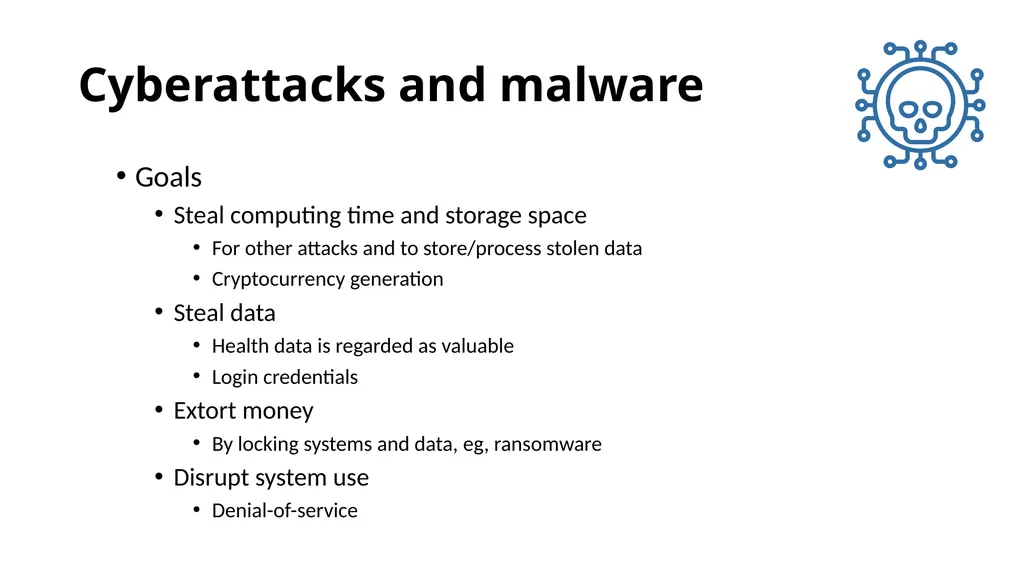
slide29. Cyberattacks and malware Goals
Steal computing time and storage space
For other attacks and to store/process stolen data
Cryptocurrency generation
Steal data
Health data is regarded as valuable
Login credentials
Extort money
By locking systems and data, eg, ransomware
Disrupt system use
Denial-of-service<br>
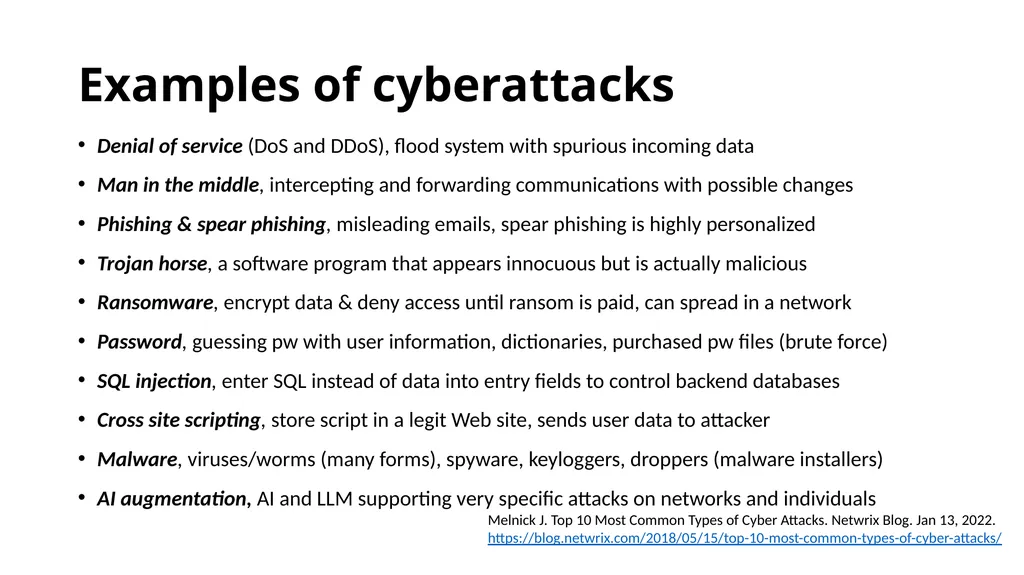
slide30. Examples of cyberattacks Denial of service (DoS and DDoS), flood system with spurious incoming data
Man in the middle, intercepting and forwarding communications with possible changes
Phishing & spear phishing, misleading emails, spear phishing is highly personalized
Trojan horse, a software program that appears innocuous but is actually malicious
Ransomware, encrypt data & deny access until ransom is paid, can spread in a network
Password, guessing pw with user information, dictionaries, purchased pw files (brute force)
SQL injection, enter SQL instead of data into entry fields to control backend databases
Cross site scripting, store script in a legit Web site, sends user data to attacker
Malware, viruses/worms (many forms), spyware, keyloggers, droppers (malware installers)
AI augmentation, AI and LLM supporting very specific attacks on networks and individuals Melnick J. Top 10 Most Common Types of Cyber Attacks. Netwrix Blog. Jan 13, 2022.
https://blog.netwrix.com/2018/05/15/top-10-most-common-types-of-cyber-attacks/<br>
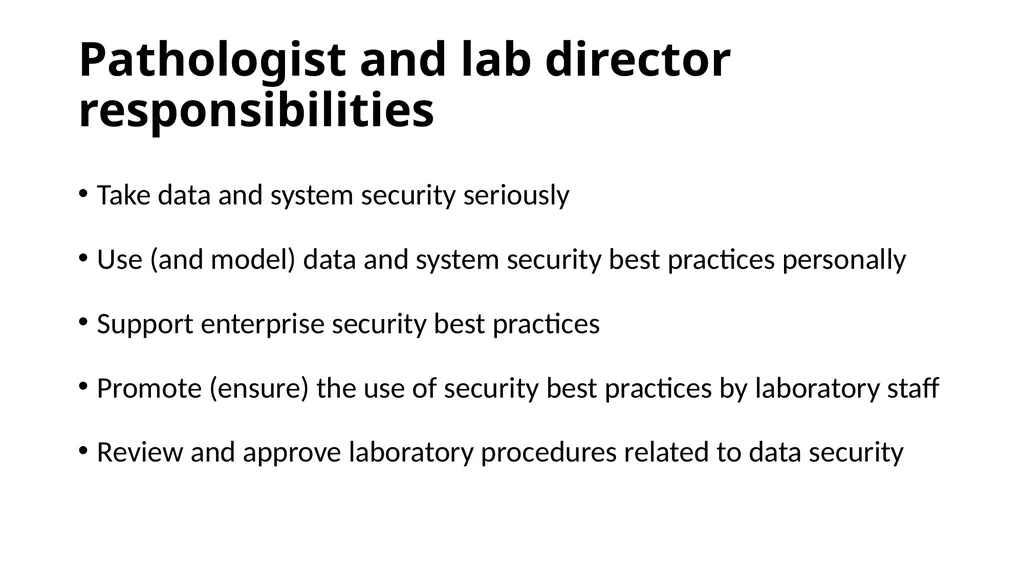
slide31. Pathologist and lab director responsibilities Take data and system security seriously
Use (and model) data and system security best practices personally
Support enterprise security best practices
Promote (ensure) the use of security best practices by laboratory staff
Review and approve laboratory procedures related to data security<br>
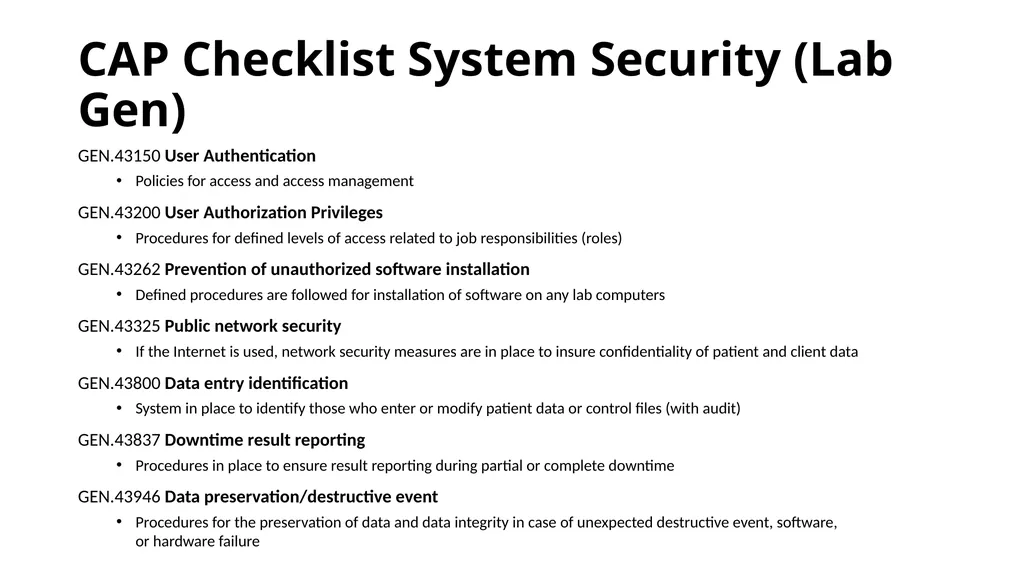
slide32. CAP Checklist System Security (Lab Gen) GEN.43150 User Authentication
Policies for access and access management
GEN.43200 User Authorization Privileges
Procedures for defined levels of access related to job responsibilities (roles)
GEN.43262 Prevention of unauthorized software installation
Defined procedures are followed for installation of software on any lab computers
GEN.43325 Public network security
If the Internet is used, network security measures are in place to insure confidentiality of patient and client data
GEN.43800 Data entry identification
System in place to identify those who enter or modify patient data or control files (with audit)
GEN.43837 Downtime result reporting
Procedures in place to ensure result reporting during partial or complete downtime
GEN.43946 Data preservation/destructive event
Procedures for the preservation of data and data integrity in case of unexpected destructive event, software, or hardware failure<br>
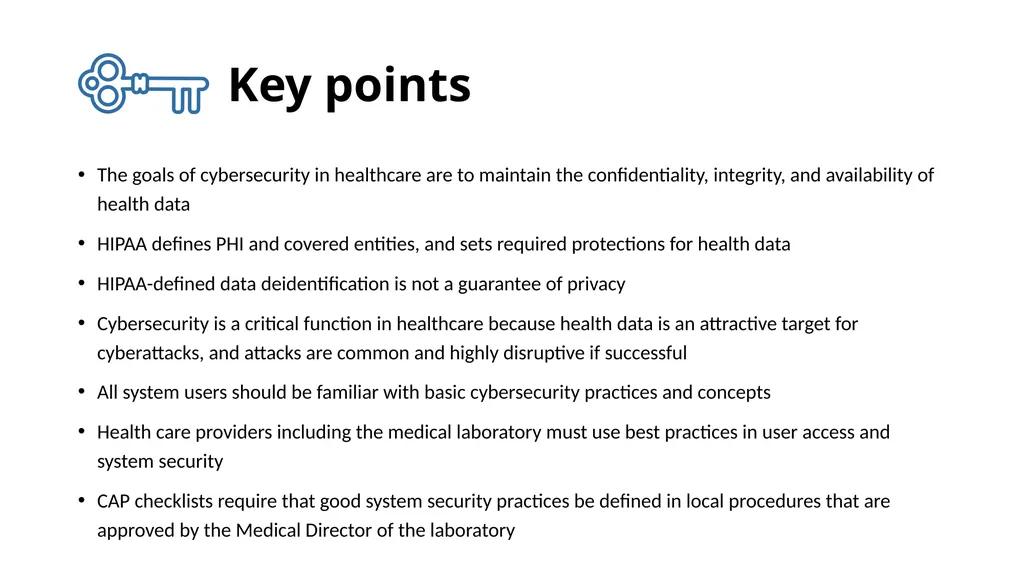
slide33. Key points The goals of cybersecurity in healthcare are to maintain the confidentiality, integrity, and availability of health data
HIPAA defines PHI and covered entities, and sets required protections for health data
HIPAA-defined data deidentification is not a guarantee of privacy
Cybersecurity is a critical function in healthcare because health data is an attractive target for cyberattacks, and attacks are common and highly disruptive if successful
All system users should be familiar with basic cybersecurity practices and concepts
Health care providers including the medical laboratory must use best practices in user access and system security
CAP checklists require that good system security practices be defined in local procedures that are approved by the Medical Director of the laboratory<br>
slide34. Readings Harrison J. Management of Pathology Information Systems, Chapter 6. In: Laboratory Administration for Pathologists. 2nd ed. CAP Press; 2019. Section: “System and Data Security.” Available for download from the Pathology Informatics Essentials for Residents curriculum page.
Patel AU, Williams CL, Hart SN, et al. Cybersecurity and information assurance for the clinical laboratory. J Appl Lab Med. 2023;8(1):145-161. doi:10.1093/jalm/jfac119<br>
slide35. Permitted uses © 2025 James H. Harrison, Jr. except as noted below. The original material in this slide set is made available under a Creative Commons Attribution 4.0 (CC BY 4.0) International License. The contents may be used without restriction, modified, and redistributed if they are attributed and any changes are indicated. Some graphical elements are used with permission or according to their own licenses requiring attribution. Attribution links are provided on the slide of use or on the Permitted Uses slide (this slide). These elements may be used and included in modified and redistributed work consistent with the licenses specified at the linked sites, provided that the links are included in the redistributed material. The cover image is a composite of two laboratory images from Pixabay available for use without attribution.
Cybersecurity infrastructure icon created by Eucalyp – Flaticon
Public health icon created by Flat Icons – Flaticon
Product development icon created by Iconjam – Flaticon
Rules icon created by Vectors Tank – Flaticon
Health report icon created by Wyasa.Design – Flaticon
Agenda, operating model, Health insurance document, patient, eye, hard drive, encrypt, and digital signature icons created by Freepik – Flaticon
Backup icons created by surang – Flaticon
Medical research and contract icons created by wanicon – Flaticon
Owner icon created by Uniconlabs – Flaticon
Penetration icon created by orvipixel – Flaticon
Cyber attack and vulnerability icons created by Smashicons – Flaticon
Bill and key icons created by juicy_fish – Flaticon
Book icon created by Good Ware – Flaticon<br>
University of Virginia 2025
API distribution, version 1.0.2<br>
slide2. Is data and system security an issue in healthcare? Ransomware attacks on US healthcare organizations rose 10-fold between 2016 and 2023 (446 in US, 630 world-wide; 181 in 2024)
44% of attacks disrupted healthcare
9% produced operational disruptions of over two weeks
Downtime of electronic systems
Cancellations of scheduled care
Ambulance diversions
16% released identifiable health data (100M from Change in 2024)
About 20% of organizations were able to restore from backups Neprash HT, McGlave CC, Cross DA, et al. Trends in ransomware attacks on US hospitals, clinics, and other health care delivery organizations, 2016-2021. JAMA Health Forum. 2022;3(12):e224873. doi:10.1001/jamahealthforum.2022.4873
HHS. Ransomware & Healthcare. Jan 18, 2024. https://www.hhs.gov/sites/default/files/ransomware-healthcare.pdf<br>
slide3. University of Vermont experience Corporate laptop taken on vacation; opened a personal email from a homeowners’ association that had been hacked
Malware surreptitiously installed on laptop
Later connection to the health system network allowed the malware to spread internally and attack across the network
Cascading network failure, forced general network/system shutdown and disconnection from the Internet, unavailability of databases
Shutdown of Epic and Beaker, shutdown of printers, printing from lab instruments
Orders and results on paper and faxed (residents doing lookup and faxing), all rules & calculations by hand
EHR/LIS down from Oct 28 to Nov 22, 2020 (almost 4 weeks)
Rebuilt the EHR and LIS databases from backups and paper
Still entering data from paper as of that April (5 months)
Lost revenue and expenses ~$40-50 million; no request for ransom (likely not targeted) Paxton A. Weeks of lab turmoil follow cyberattack. CAP TODAY. Published April 18, 2021. Accessed March 31, 2022. https://www.captodayonline.com/weeks-of-lab-turmoil-follow-cyberattack/<br>
slide4. Data and system security agenda Motivating example
Appropriate uses and security of healthcare information
Health data security regulations
Requirements defined by HIPAA and other regulations
System security
Potential points of weakness in information systems
User access, software vulnerabilities, backup, encryption, network security
Types of cyberattacks and malware
Pathologist and lab director responsibilities<br>
slide5. Data security concepts Private data: Data defined as sensitive and kept secret
Usually applied to personal data of an individual
The ability to define what data is sensitive and keep it secret is seen by some as a fundamental right of individuals in a free society
Confidential data: Sensitive data that is shared within a defined scope
Access to data must be limited to the defined scope
Data integrity: Accuracy and completeness of data
Data security: The ability to maintain the privacy, confidentiality, and integrity of sensitive data<br>
slide6. Scope of use of confidential health data Individual Patient care
Billing and operations
Local QA and process improvement
Public health reporting and surveillance
…and with appropriate permission and protection…
Biomedical research
Health systems & healthcare delivery research
Product development<br>
slide7. Healthcare data use responsibilities Healthcare delivery
Access control via login with limited permissions, data- and system-use best practices
Limit access based on need-to-know, but don’t obstruct trouble-shooting
Healthcare process improvement and Q/A
Sponsorship by and report to a Q/A committee is best practice
Identified data can be used, but de-identified data when possible is best practice
Does not require IRB review (consider expedited review if publication is anticipated)
Biomedical research
Primary goal is to create new knowledge for general dissemination
De-identified data or limited data sets should be used if possible
IRB review/consent if identifiable, may be expedited for simple data-only studies<br>
slide8. Regulations for health data security Health Insurance Portability and Accountability Act (HIPAA)
Applies to care providers, health plans, health data clearinghouses
Privacy rule, definition and permissible uses of protected health information (PHI), confidentiality responsibilities, “minimum necessary” standard
Security rule, requirements for protection of electronic PHI
Breach notification rule, notification requirements if a data breach occurs
Identified health data is confidential and should be used only for:
Medical care and billing, and public health
Care provider quality and process improvement
Medical or health services research, if formally approved
Should be viewed only by those performing these tasks<br>
slide9. Additional pertinent data regulations State regulations related to specific data types (substance abuse, HIV)
California Consumer Privacy Act of 2018
Broader than HIPAA, covers non-health data
Includes the right to be “forgotten”
General Data Protection Regulation (GDPR, European Union)
Also covers non-health data
Personal Information Protection and Electronic Documents Act (PIPEDA, Canada)
Use of personal information in commerce & healthcare, also provincial laws<br>
slide10. HIPAA Privacy rule: Protected Health Information (PHI) Combination of patient identifier and health information
Individually-identifiable (18 identifiers)
Past, present, or future health information
Diagnoses
Treatment information
Medical test results
Prescription information
Created, collected, or maintained by a covered entity
Healthcare provider, health plan, healthcare data clearinghouse
In provision of healthcare, payment for healthcare, or use in healthcare operations
Minimum necessary standard: Use minimal PHI necessary for task<br>
slide11. Data deidentification If fully deidentified, data is no longer PHI
Demonstrate statistically that data cannot practically be re-identified
Or: “Safe Harbor” – Remove 18 types of identifying information
Limited data set
Can include exact dates, city, state, zip code, birthdate
Counts as PHI and requires IRB approval (if research) *No age in years if > 89<br>
slide12. Deidentified data can be reidentified Rocher et al, 2019
Fifteen demographic attributes not including HIPAA identifiers can be used to identify 99.98% of Americans in any dataset
Magee, 2022
Clinical records from MedicaLogic were de-identified, sold to Quintiles, then merged with data from MarketScan to reidentify the records with 95% accuracy
Alternatives to patient level data
Aggregated data: Partially calculated to protect individual patient data
Synthetic data with the overall characteristics of real data Rocher L, Hendrickx JM, de Montjoye YA. Estimating the success of re-identifications in incomplete datasets using generative models. Nat Commun. 2019;10(1):3069. doi:10.1038/s41467-019-10933-3
Magee M. Defanging HIPAA: How your de-identified data was re-identified for profit. The Healthcare Blog 2022.<br>
slide13. HIPAA security and breach notification rules Applies to PHI that a covered entity creates, receives, and transmits electronically
General responsibilities
Ensure confidentiality, integrity, and availability of the data
Identify and protect against foreseeable threats and improper use or disclosure
Ensure compliance by workforce training and management
Security management process & security personnel; risk analysis and periodic reassessment
Required safeguards
Physical security of devices
Access control and usage audit
Data integrity control (protect against malicious or inadvertent modification/deletion)
Transmission security
Breach (inappropriate disclosure) notification
Report breaches to affected individuals, HHS (annually if < 500 patients, 60 d if > 500), media if > 500<br>
slide14. Business associate and data use agreements Allows covered entities to let non-covered entities see PHI while carrying out work for the covered entity (BAA) or approved medical research (DUA)
Contract for use of data that specifies for the NCE:
Permitted uses and disclosures of the data
Who may see and use the data
Prohibition against other disclosures or uses of the data
Requirement for data security safeguards c/w HIPAA
Requirement for reporting any breaches
Requirement for subcontractors or other agents to agree to the same terms
Prohibition against re-identification (if limited data set) or contacting individuals
Examples: Analyzer, middleware, LIS vendors; consultants; scientists<br>
slide15. Potential security weaknesses Inadequate policies with poor user awareness/practices
Intentional misbehavior by users
“Social engineering” to steal user access credentials
Technical vulnerabilities in software including “legacy software”
Misconfiguration of computers or networks
Number and diversity of digital systems and devices (+/-)
Compromise of users with mobile devices or external access
Compromise of vendors who have network and/or device access<br>
slide16. Assuring data and system security Confidentiality
Integrity
Availability Usage policies and user training
Multi-factor authentication
Software vulnerability patching
Anti-malware software
Backup
Data encryption in transit and at rest
Network security and protection
Vulnerability scans & penetration testing
Incident response and disaster recovery plans
Secure device disposal & account removal Goals Tactics<br>
slide17. User access and capabilities Authentication (verification of user identity)
Password (something you know)
Token (something you have, hardware dongle or cell phone)
Biometrics (something you are, personal physical characteristics)
Fingerprint, voice print, facial recognition, retinal scan, hand veins
Multi-factor authentication, usually two factors of different types
Authorization (management of permissions)
What is the user and programs they are running allowed to access and do?
Permissions usually assigned based on roles or group membership
Users should work at the lowest reasonable level of permissions
May be managed at the network, computer (OS), or program level<br>
slide18. Good password construction practices Use 8 or more characters, don’t reuse across systems
Avoid single words and names (even with numbers appended)
Avoid common number sequences
Avoid current or past personal information
Use upper and lower case, punctuation, numbers, and spaces
Use phrases
Do not share passwords
Do not enter passwords in front of observers
Make a note of passwords and keep in safe place (pw managers)<br>
slide19. Good system user practices Lock and screen blank inactive workstations after a limited time
Latency on log-in or short-term lockout after several failed attempts
Changing passwords is controversial; long unique pw are better
Remove retired accounts and passwords quickly
Review access and data change logs for inappropriate activity
“Audit trails” for network & system logon, program use<br>
slide20. Software vulnerabilities and patching Example: Buffer overflow vulnerability
An error in software allows excess data to be written into memory
Malicious data is crafted that is larger than appropriate, overwrites memory areas containing program code, and contains malicious programming that is inserted into those areas for later execution
A “zero-day exploit” is a newly-discovered vulnerability that has not been corrected
Developer “patches” correct the error (eg, add data length checking)
“Legacy software” is old software that may contain uncorrected errors but is no longer being patched by the developer
May be necessary to run old programs or devices, creates risk<br>
slide21. Backup Copy system and database data to safe locations
“Snapshot” of system state allowing recovery to that state
Frequency dictated by tolerable data loss
Rotating backups
On-site vs. off-site backups
“Hot” backups, continual data-writing
Replicated systems
Automatic fail-over
Backup and recovery policies and procedures<br>
slide22. Backup Copy system and database data to safe locations
“Snapshot” of system state allowing recovery to that state
Frequency dictated by tolerable data loss
Rotating backups
On-site vs. off-site backups
“Hot” backups, continual data-writing
Replicated systems
Automatic fail-over
Backup and recovery policies and procedures<br>
slide23. Encryption Mathematically transforms data to an unreadable form
Only those who know the transformation process and parameters can regenerate the data
Multiple encryption algorithms with varying “strength”
Algorithms use keys (large numbers) to transform & regenerate data
Secret key (symmetric) cryptography
Single key, fast, stronger encryption (longer key), but key is vulnerable
Public key (asymmetric) cryptography
Paired public & private keys, slow, but private key can be kept secret so less vulnerable
Private key MUST be protected
Importance of large prime numbers<br>
slide24. Implementing encryption Data “in motion”
Message encryption prevents interception of useable data during transmission
“End-to-end” encryption: no decryption in transit
A Virtual Private Network (VPN) encrypts all communications to an address
Data “at rest”
Disk encryption makes it more difficult for malicious software to access or copy data
Digital certificates
Contain encryption keys and information about the holder and authority
Certificate authorities
Generate and register keys
Provide certificates
Verify certificate-holder identities<br>
slide25. Public key encryption Used in Internet communications (https)
Transport Layer Security (TLS)
Keys provided in a verifiable security certificate by a certificate authority
Location of certificate used depends on who should be authenticated, client or server
Secures the initial stages of generation and sharing a session-specific symmetric key Harrison J. Management of Pathology Information Systems, Chapter 6. In: Laboratory Administration for Pathologists. 2nd ed. CAP Press; 2019:286. Certificate
Authority<br>
slide26. Digital signatures and encryption Formal digital signatures use public key encryption
If a document is decryptable with the public key
Authentication: It was encrypted with private key
Integrity: It has not changed since private key encryption
Non-repudiation: Private key is accessible only to the signer
In systems like Epic, ID of logged in user provides “digital signature”
Not a true “digital signature,” but suffices in the context of the system
Emails of agreement with headers and textual signatures; graphical signatures
Accepted as digital signature by some courts if author agrees with content and signature, probably acceptable for procedures, lab quality data, and other operational documents
Do NOT support non-repudiation<br>
slide27. Network security Firewalls and routers restrict network traffic
Barrier between computer or network and outside
Barriers between network segments (partitions)
Message (packet) filtering
Firewalls apply rules to packet origin/destination addresses and contents, block packets that fail
Firewalls may be dedicated network devices (hardware fw) or programs (software fw)
Routers pass only packets addressed to or from their network segment (segmentation)
Switches send messages only to computers that are addressed (more secure than hubs)
Proxy servers shield internal network structure and devices
Changes outgoing messages’ return address to the proxy address
Filters/forwards incoming messages, network communicates only with proxy
Protects devices that should not be communicating with the outside
May implement a virtual private network (VPN) with encrypted communication
Session tracking and management by proxy servers
Keep a record of each communication session and passes only appropriate packets related to those communications
May allow in only responses to sessions started from inside the network … … … Internet Proxy server Firewall Network segments Switches/hubs Devices Routers<br>
slide28. Vulnerability scans and penetration testing Test a particular network or site (enterprise-level)
VS: Automated testing for common and known vulnerabilities and misconfigurations
PT: Simulated cyberattack using the same tools and techniques as malicious actors
“White hat hackers”
May include hacker-style reconnaissance, network scanning, attempted credential theft
May use a wide range of techniques including phishing emails and other “social” techniques
Allows recognition and remediation of problems and risks<br>
slide29. Cyberattacks and malware Goals
Steal computing time and storage space
For other attacks and to store/process stolen data
Cryptocurrency generation
Steal data
Health data is regarded as valuable
Login credentials
Extort money
By locking systems and data, eg, ransomware
Disrupt system use
Denial-of-service<br>
slide30. Examples of cyberattacks Denial of service (DoS and DDoS), flood system with spurious incoming data
Man in the middle, intercepting and forwarding communications with possible changes
Phishing & spear phishing, misleading emails, spear phishing is highly personalized
Trojan horse, a software program that appears innocuous but is actually malicious
Ransomware, encrypt data & deny access until ransom is paid, can spread in a network
Password, guessing pw with user information, dictionaries, purchased pw files (brute force)
SQL injection, enter SQL instead of data into entry fields to control backend databases
Cross site scripting, store script in a legit Web site, sends user data to attacker
Malware, viruses/worms (many forms), spyware, keyloggers, droppers (malware installers)
AI augmentation, AI and LLM supporting very specific attacks on networks and individuals Melnick J. Top 10 Most Common Types of Cyber Attacks. Netwrix Blog. Jan 13, 2022.
https://blog.netwrix.com/2018/05/15/top-10-most-common-types-of-cyber-attacks/<br>
slide31. Pathologist and lab director responsibilities Take data and system security seriously
Use (and model) data and system security best practices personally
Support enterprise security best practices
Promote (ensure) the use of security best practices by laboratory staff
Review and approve laboratory procedures related to data security<br>
slide32. CAP Checklist System Security (Lab Gen) GEN.43150 User Authentication
Policies for access and access management
GEN.43200 User Authorization Privileges
Procedures for defined levels of access related to job responsibilities (roles)
GEN.43262 Prevention of unauthorized software installation
Defined procedures are followed for installation of software on any lab computers
GEN.43325 Public network security
If the Internet is used, network security measures are in place to insure confidentiality of patient and client data
GEN.43800 Data entry identification
System in place to identify those who enter or modify patient data or control files (with audit)
GEN.43837 Downtime result reporting
Procedures in place to ensure result reporting during partial or complete downtime
GEN.43946 Data preservation/destructive event
Procedures for the preservation of data and data integrity in case of unexpected destructive event, software, or hardware failure<br>
slide33. Key points The goals of cybersecurity in healthcare are to maintain the confidentiality, integrity, and availability of health data
HIPAA defines PHI and covered entities, and sets required protections for health data
HIPAA-defined data deidentification is not a guarantee of privacy
Cybersecurity is a critical function in healthcare because health data is an attractive target for cyberattacks, and attacks are common and highly disruptive if successful
All system users should be familiar with basic cybersecurity practices and concepts
Health care providers including the medical laboratory must use best practices in user access and system security
CAP checklists require that good system security practices be defined in local procedures that are approved by the Medical Director of the laboratory<br>
slide34. Readings Harrison J. Management of Pathology Information Systems, Chapter 6. In: Laboratory Administration for Pathologists. 2nd ed. CAP Press; 2019. Section: “System and Data Security.” Available for download from the Pathology Informatics Essentials for Residents curriculum page.
Patel AU, Williams CL, Hart SN, et al. Cybersecurity and information assurance for the clinical laboratory. J Appl Lab Med. 2023;8(1):145-161. doi:10.1093/jalm/jfac119<br>
slide35. Permitted uses © 2025 James H. Harrison, Jr. except as noted below. The original material in this slide set is made available under a Creative Commons Attribution 4.0 (CC BY 4.0) International License. The contents may be used without restriction, modified, and redistributed if they are attributed and any changes are indicated. Some graphical elements are used with permission or according to their own licenses requiring attribution. Attribution links are provided on the slide of use or on the Permitted Uses slide (this slide). These elements may be used and included in modified and redistributed work consistent with the licenses specified at the linked sites, provided that the links are included in the redistributed material. The cover image is a composite of two laboratory images from Pixabay available for use without attribution.
Cybersecurity infrastructure icon created by Eucalyp – Flaticon
Public health icon created by Flat Icons – Flaticon
Product development icon created by Iconjam – Flaticon
Rules icon created by Vectors Tank – Flaticon
Health report icon created by Wyasa.Design – Flaticon
Agenda, operating model, Health insurance document, patient, eye, hard drive, encrypt, and digital signature icons created by Freepik – Flaticon
Backup icons created by surang – Flaticon
Medical research and contract icons created by wanicon – Flaticon
Owner icon created by Uniconlabs – Flaticon
Penetration icon created by orvipixel – Flaticon
Cyber attack and vulnerability icons created by Smashicons – Flaticon
Bill and key icons created by juicy_fish – Flaticon
Book icon created by Good Ware – Flaticon<br>