
IS 2510 Lab Oracle SQL Revision Building The



Description: IS 2510 Lab Oracle SQL Revision Building The Schema Create Table Location (locationid number (3), region Varchar2(20) Not Null, constraint LocPk primary Key (locationid)); Create Table Department (Departno number (3) Primary Key , Dname
Related Topics
Download Presentation
"IS 2510 Lab Oracle SQL Revision Building The" is the property of its rightful owner. Permission is granted to download and print the materials on this website for personal, non-commercial use only, and to display it on your personal computer provided you do not modify the materials and that you retain all copyright notices contained in the materials. By downloading content from our website, you accept the terms of this agreement.
Presentation Transcript
slide1. IS 2510 Lab
Oracle SQL Revision<br>
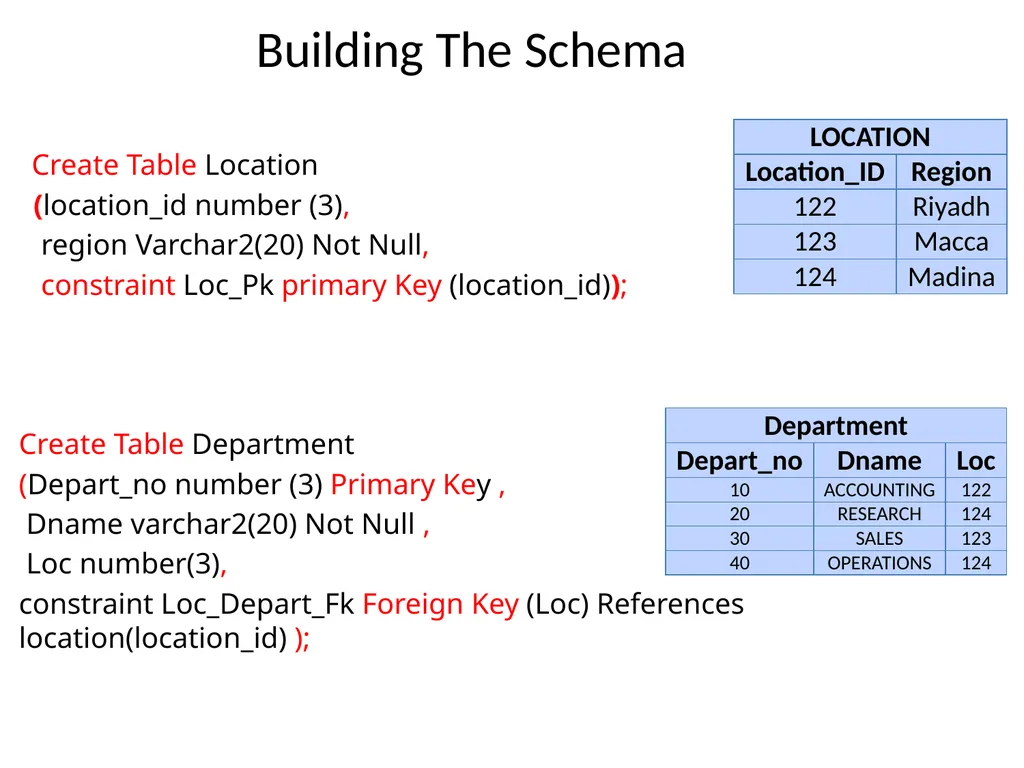
slide3. Building The Schema Create Table Location
(location_id number (3),
region Varchar2(20) Not Null,
constraint Loc_Pk primary Key (location_id));
Create Table Department
(Depart_no number (3) Primary Key ,
Dname varchar2(20) Not Null ,
Loc number(3),
constraint Loc_Depart_Fk Foreign Key (Loc) References location(location_id) );<br>
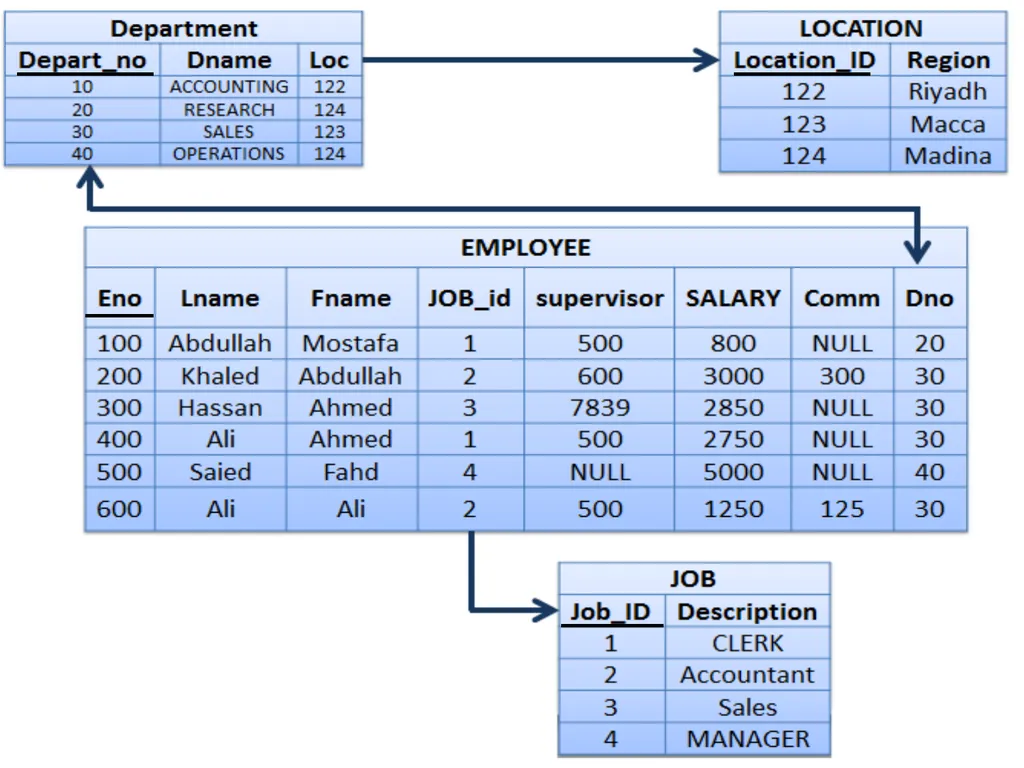
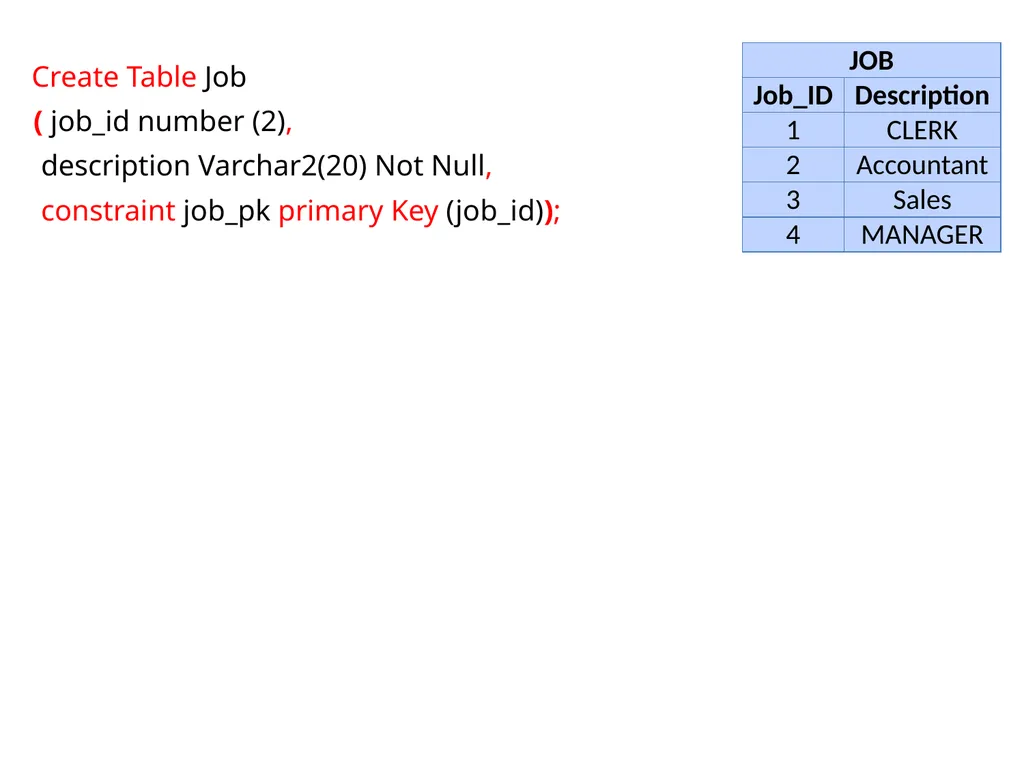
slide4. Create Table Job
( job_id number (2),
description Varchar2(20) Not Null,
constraint job_pk primary Key (job_id));<br>
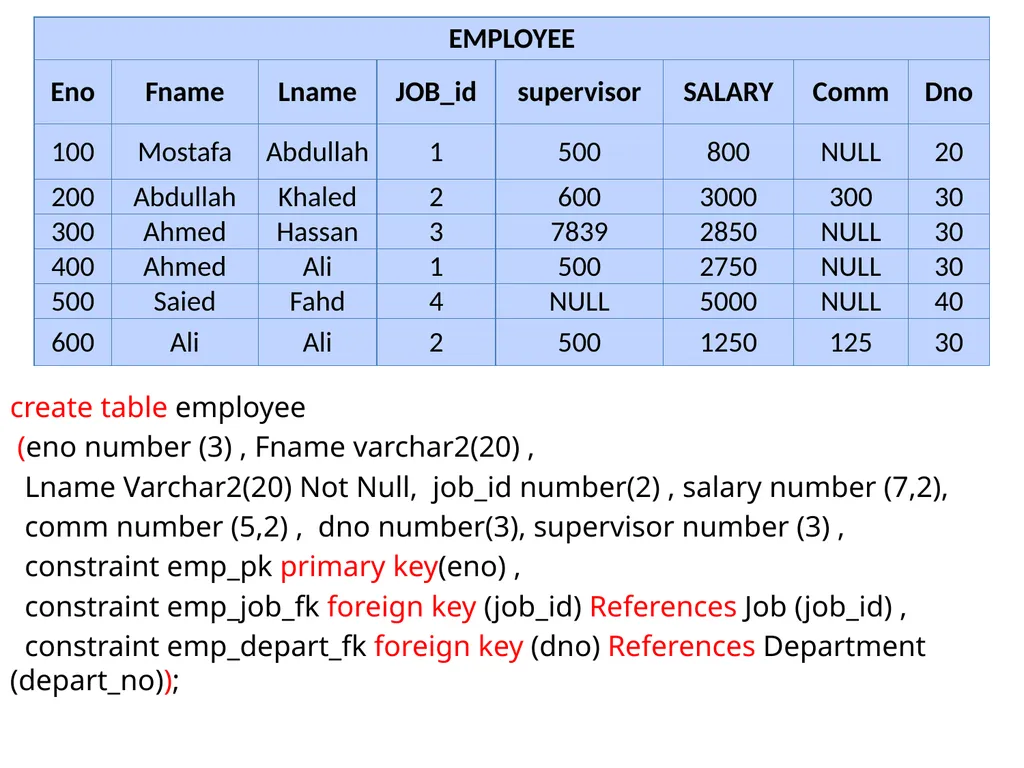
slide5. create table employee
(eno number (3) , Fname varchar2(20) ,
Lname Varchar2(20) Not Null, job_id number(2) , salary number (7,2),
comm number (5,2) , dno number(3), supervisor number (3) ,
constraint emp_pk primary key(eno) ,
constraint emp_job_fk foreign key (job_id) References Job (job_id) ,
constraint emp_depart_fk foreign key (dno) References Department (depart_no));<br>
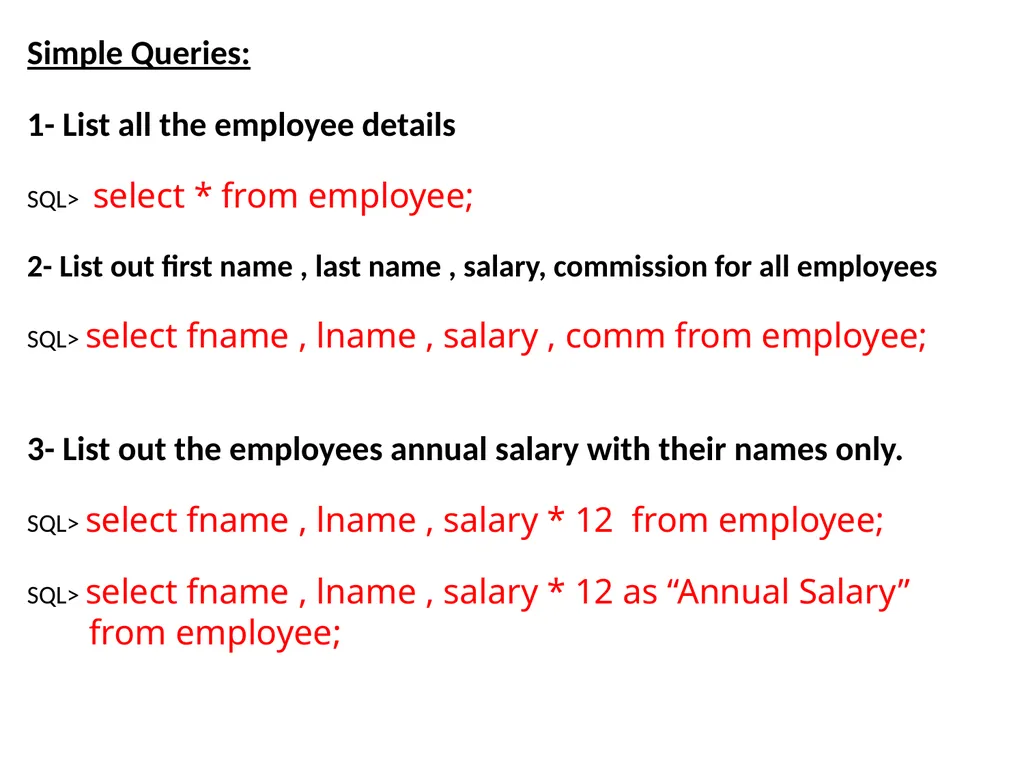
slide6. Simple Queries:
1- List all the employee details
SQL> select * from employee;
2- List out first name , last name , salary, commission for all employees
SQL> select fname , lname , salary , comm from employee;
3- List out the employees annual salary with their names only.
SQL> select fname , lname , salary * 12 from employee;
SQL> select fname , lname , salary * 12 as “Annual Salary”
from employee;<br>
slide7. 4- List out the employees who are working in department 20
SQL> select * from employee where dno = 20 ;
5- List the details about “Ahmed ALI"
SQL> select * from employee where fname =‘Ahmed‘ and
Lname = ‘Ali’;
6- List out the employees who are earning salary between 2000 and 3500
SQL> select * from Employee where
salary between 2000 and 3500;
7- List out the employees who are working in department 10 or 20
SQL> select * from employee where dno in (10 , 20);<br>
slide8. 8- List out the employees whose name starts with "S"
SQL> select * from employee where fname like 'S%' ;
9- List out the employees whose name start with "S" and
end with “D"
SQL> select * from employee where fname like 'S%D';
10 - List out the employees whose name length is 4 and the second character is “A"
SQL> select * from employee where fname like 'S___'<br>
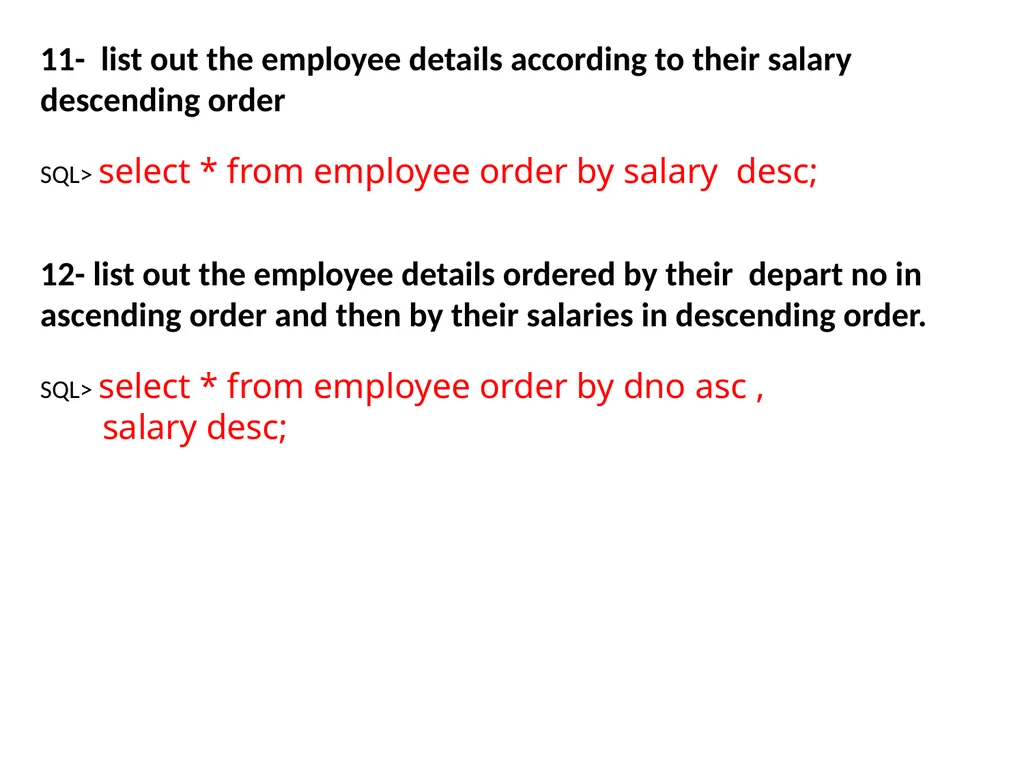
slide9. 11- list out the employee details according to their salary descending order
SQL> select * from employee order by salary desc;
12- list out the employee details ordered by their depart no in ascending order and then by their salaries in descending order.
SQL> select * from employee order by dno asc ,
salary desc;<br>
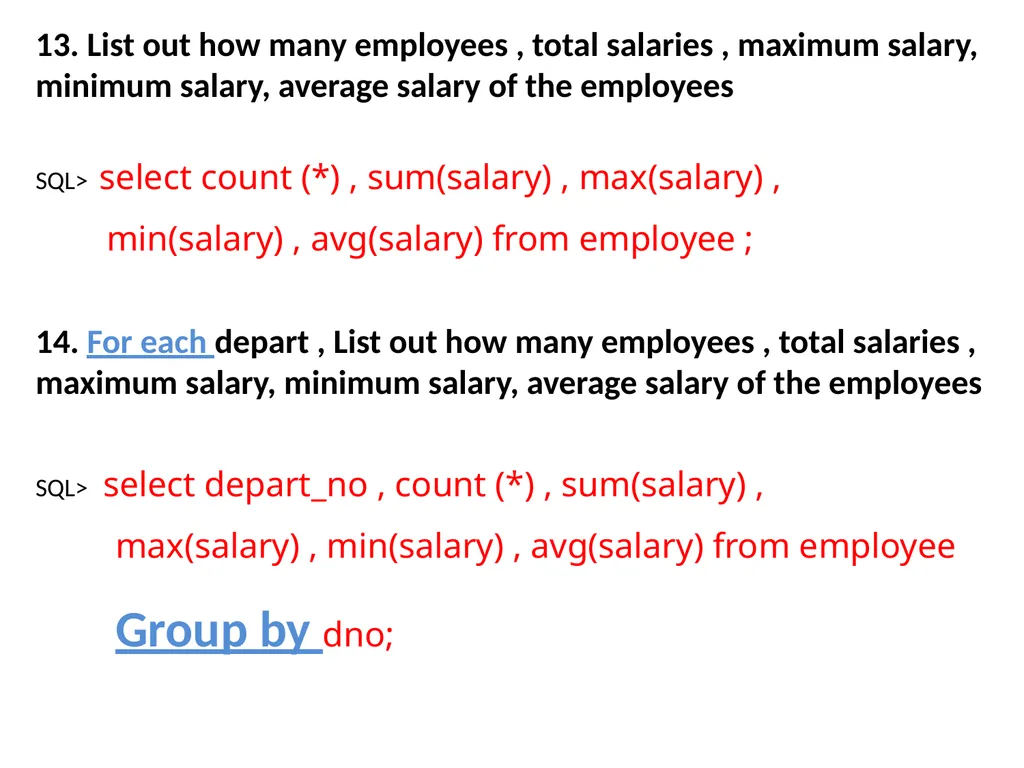
slide10. 13. List out how many employees , total salaries , maximum salary, minimum salary, average salary of the employees
SQL> select count (*) , sum(salary) , max(salary) ,
min(salary) , avg(salary) from employee ;
14. For each depart , List out how many employees , total salaries , maximum salary, minimum salary, average salary of the employees
SQL> select depart_no , count (*) , sum(salary) ,
max(salary) , min(salary) , avg(salary) from employee
Group by dno;<br>
slide11. 15- List out the department no which has at least 2 employees.
SQL> select depart_no , count(*) from employee
group by dno
having count(*) >=2;<br>
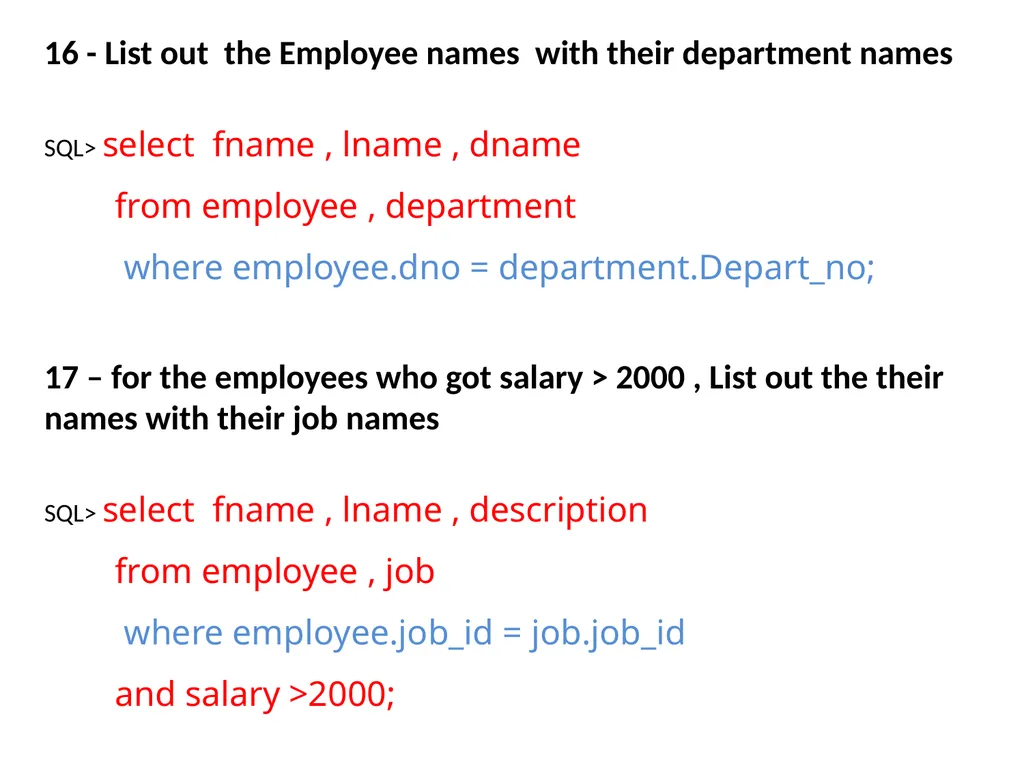
slide12. 16 - List out the Employee names with their department names
SQL> select fname , lname , dname
from employee , department
where employee.dno = department.Depart_no; 17 – for the employees who got salary > 2000 , List out the their names with their job names
SQL> select fname , lname , description
from employee , job
where employee.job_id = job.job_id
and salary >2000;<br>
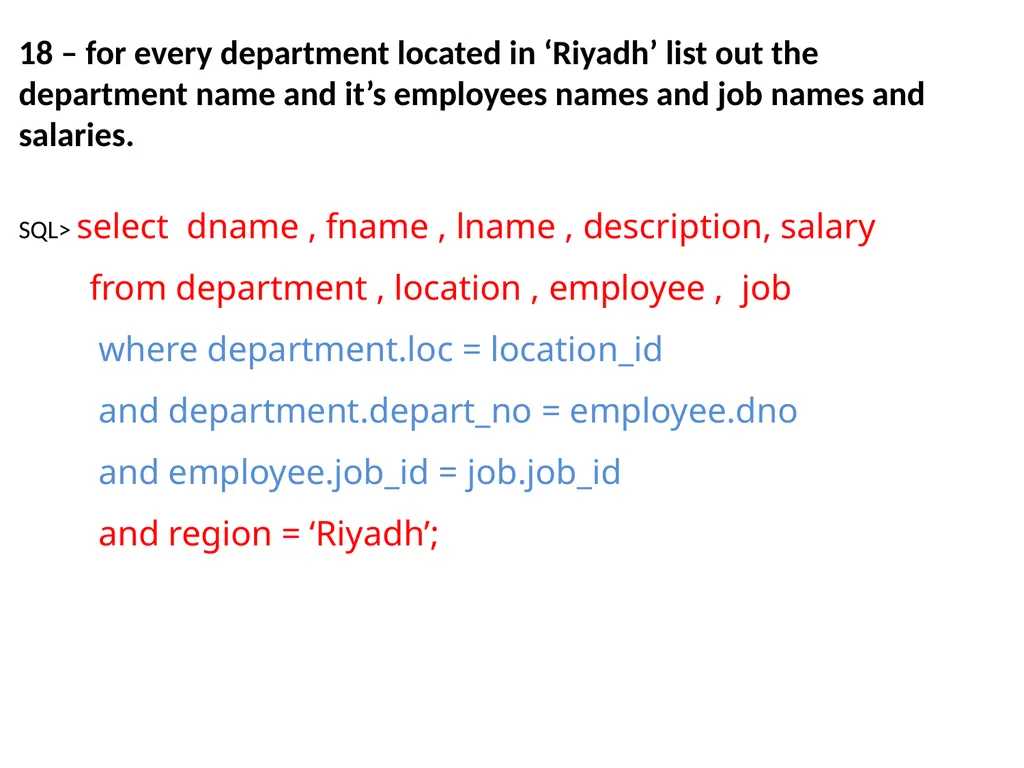
slide13. 18 – for every department located in ‘Riyadh’ list out the department name and it’s employees names and job names and salaries.
SQL> select dname , fname , lname , description, salary
from department , location , employee , job
where department.loc = location_id
and department.depart_no = employee.dno
and employee.job_id = job.job_id
and region = ‘Riyadh’;<br>
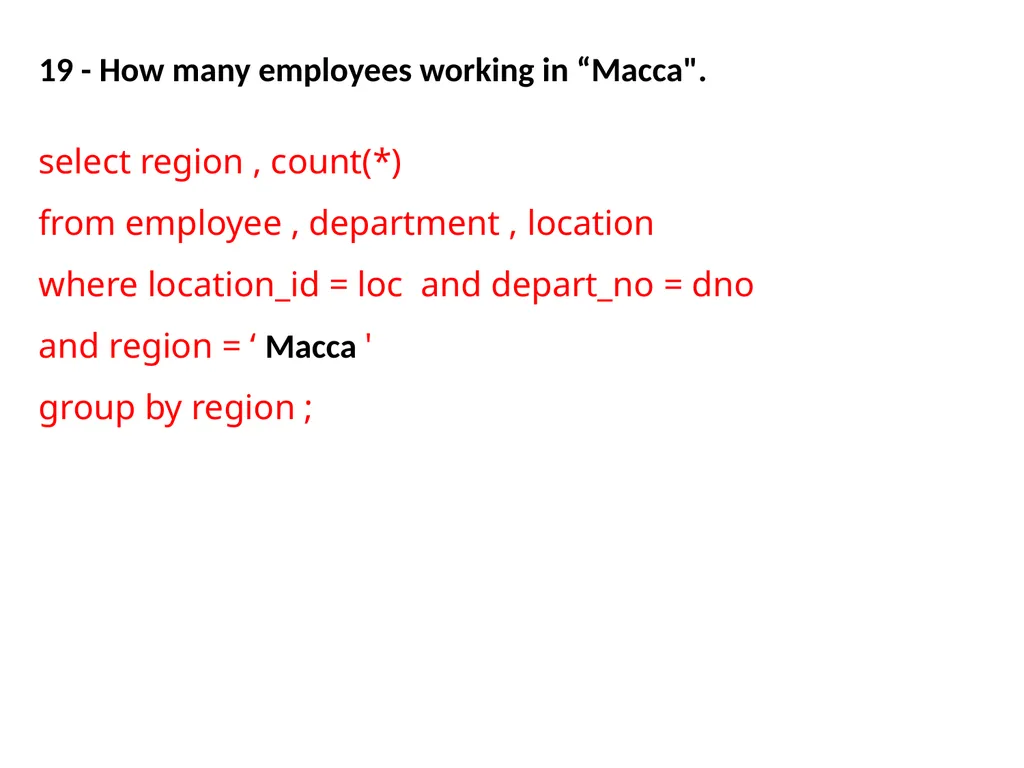
slide14. 19 - How many employees working in “Macca".
select region , count(*)
from employee , department , location
where location_id = loc and depart_no = dno
and region = ‘ Macca '
group by region ;<br>
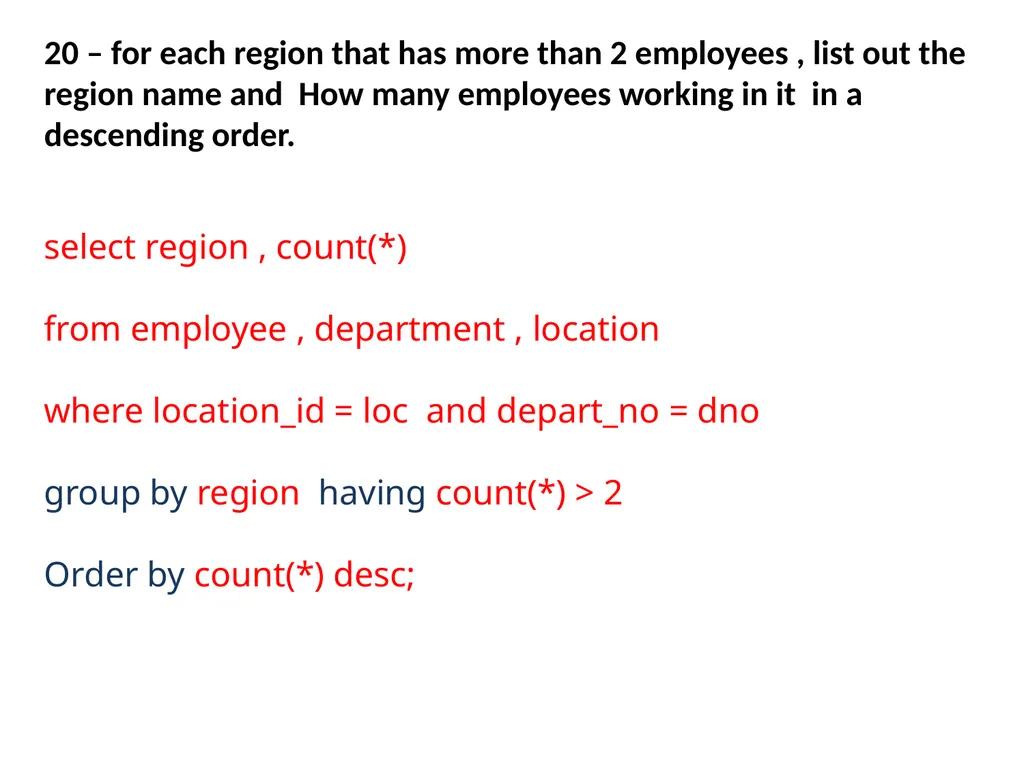
slide15. 20 – for each region that has more than 2 employees , list out the region name and How many employees working in it in a descending order.
select region , count(*)
from employee , department , location
where location_id = loc and depart_no = dno
group by region having count(*) > 2
Order by count(*) desc;<br>
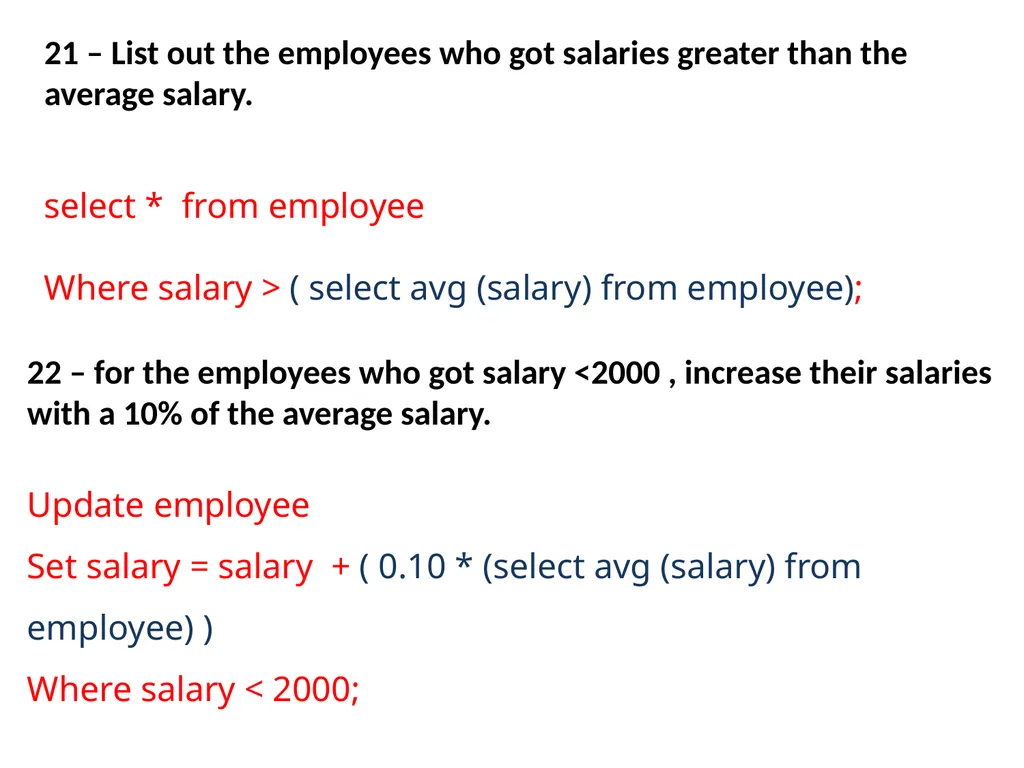
slide16. 21 – List out the employees who got salaries greater than the average salary.
select * from employee
Where salary > ( select avg (salary) from employee); 22 – for the employees who got salary <2000 , increase their salaries with a 10% of the average salary.
Update employee
Set salary = salary + ( 0.10 * (select avg (salary) from employee) )
Where salary < 2000;<br>
Oracle SQL Revision<br>
slide3. Building The Schema Create Table Location
(location_id number (3),
region Varchar2(20) Not Null,
constraint Loc_Pk primary Key (location_id));
Create Table Department
(Depart_no number (3) Primary Key ,
Dname varchar2(20) Not Null ,
Loc number(3),
constraint Loc_Depart_Fk Foreign Key (Loc) References location(location_id) );<br>
slide4. Create Table Job
( job_id number (2),
description Varchar2(20) Not Null,
constraint job_pk primary Key (job_id));<br>
slide5. create table employee
(eno number (3) , Fname varchar2(20) ,
Lname Varchar2(20) Not Null, job_id number(2) , salary number (7,2),
comm number (5,2) , dno number(3), supervisor number (3) ,
constraint emp_pk primary key(eno) ,
constraint emp_job_fk foreign key (job_id) References Job (job_id) ,
constraint emp_depart_fk foreign key (dno) References Department (depart_no));<br>
slide6. Simple Queries:
1- List all the employee details
SQL> select * from employee;
2- List out first name , last name , salary, commission for all employees
SQL> select fname , lname , salary , comm from employee;
3- List out the employees annual salary with their names only.
SQL> select fname , lname , salary * 12 from employee;
SQL> select fname , lname , salary * 12 as “Annual Salary”
from employee;<br>
slide7. 4- List out the employees who are working in department 20
SQL> select * from employee where dno = 20 ;
5- List the details about “Ahmed ALI"
SQL> select * from employee where fname =‘Ahmed‘ and
Lname = ‘Ali’;
6- List out the employees who are earning salary between 2000 and 3500
SQL> select * from Employee where
salary between 2000 and 3500;
7- List out the employees who are working in department 10 or 20
SQL> select * from employee where dno in (10 , 20);<br>
slide8. 8- List out the employees whose name starts with "S"
SQL> select * from employee where fname like 'S%' ;
9- List out the employees whose name start with "S" and
end with “D"
SQL> select * from employee where fname like 'S%D';
10 - List out the employees whose name length is 4 and the second character is “A"
SQL> select * from employee where fname like 'S___'<br>
slide9. 11- list out the employee details according to their salary descending order
SQL> select * from employee order by salary desc;
12- list out the employee details ordered by their depart no in ascending order and then by their salaries in descending order.
SQL> select * from employee order by dno asc ,
salary desc;<br>
slide10. 13. List out how many employees , total salaries , maximum salary, minimum salary, average salary of the employees
SQL> select count (*) , sum(salary) , max(salary) ,
min(salary) , avg(salary) from employee ;
14. For each depart , List out how many employees , total salaries , maximum salary, minimum salary, average salary of the employees
SQL> select depart_no , count (*) , sum(salary) ,
max(salary) , min(salary) , avg(salary) from employee
Group by dno;<br>
slide11. 15- List out the department no which has at least 2 employees.
SQL> select depart_no , count(*) from employee
group by dno
having count(*) >=2;<br>
slide12. 16 - List out the Employee names with their department names
SQL> select fname , lname , dname
from employee , department
where employee.dno = department.Depart_no; 17 – for the employees who got salary > 2000 , List out the their names with their job names
SQL> select fname , lname , description
from employee , job
where employee.job_id = job.job_id
and salary >2000;<br>
slide13. 18 – for every department located in ‘Riyadh’ list out the department name and it’s employees names and job names and salaries.
SQL> select dname , fname , lname , description, salary
from department , location , employee , job
where department.loc = location_id
and department.depart_no = employee.dno
and employee.job_id = job.job_id
and region = ‘Riyadh’;<br>
slide14. 19 - How many employees working in “Macca".
select region , count(*)
from employee , department , location
where location_id = loc and depart_no = dno
and region = ‘ Macca '
group by region ;<br>
slide15. 20 – for each region that has more than 2 employees , list out the region name and How many employees working in it in a descending order.
select region , count(*)
from employee , department , location
where location_id = loc and depart_no = dno
group by region having count(*) > 2
Order by count(*) desc;<br>
slide16. 21 – List out the employees who got salaries greater than the average salary.
select * from employee
Where salary > ( select avg (salary) from employee); 22 – for the employees who got salary <2000 , increase their salaries with a 10% of the average salary.
Update employee
Set salary = salary + ( 0.10 * (select avg (salary) from employee) )
Where salary < 2000;<br>