
IT professionals can use Copilot for assistance
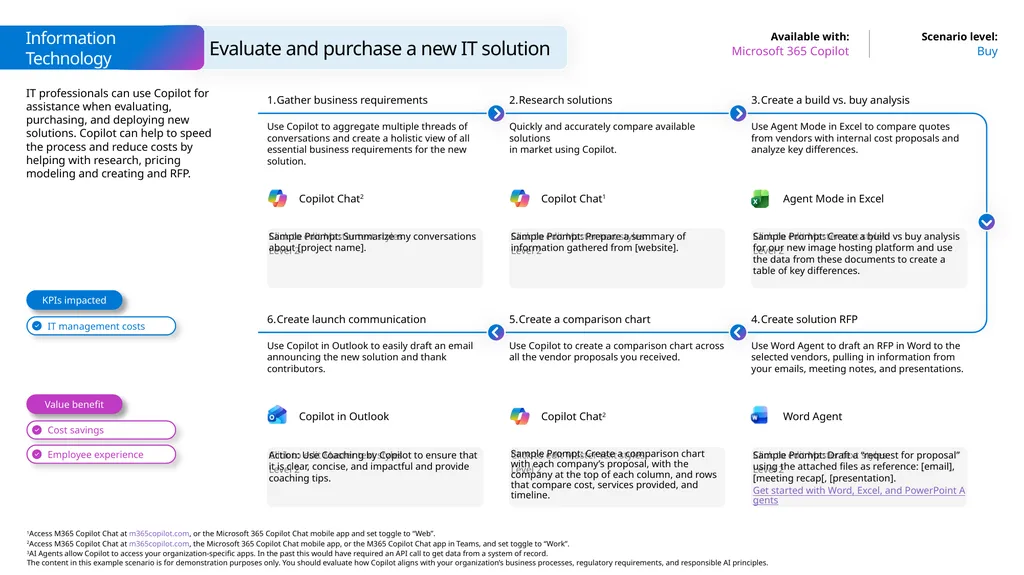
Description: IT professionals can use Copilot for assistance when evaluating, purchasing, and deploying new solutions. Copilot can help to speed the process and reduce costs by helping with research, pricing modeling and creating and RFP. Buy Microsoft
Related Topics
Download Presentation
"IT professionals can use Copilot for assistance" is the property of its rightful owner. Permission is granted to download and print the materials on this website for personal, non-commercial use only, and to display it on your personal computer provided you do not modify the materials and that you retain all copyright notices contained in the materials. By downloading content from our website, you accept the terms of this agreement.
Presentation Transcript
slide1. IT professionals can use Copilot for assistance when evaluating, purchasing, and deploying new solutions. Copilot can help to speed the process and reduce costs by helping with research, pricing modeling and creating and RFP. Buy Microsoft 365 Copilot Sample Prompt: Summarize my conversations about [project name]. Gather business requirements Use Copilot to aggregate multiple threads of conversations and create a holistic view of all essential business requirements for the new solution. Research solutions Quickly and accurately compare available solutions
in market using Copilot. Sample Prompt: Create a build vs buy analysis for our new image hosting platform and use the data from these documents to create a table of key differences. Create a build vs. buy analysis Use Agent Mode in Excel to compare quotes from vendors with internal cost proposals and analyze key differences. Sample Prompt: Prepare a summary of information gathered from [website]. Action: Use Coaching by Copilot to ensure that it is clear, concise, and impactful and provide
coaching tips. Create launch communication Use Copilot in Outlook to easily draft an email announcing the new solution and thank contributors. Create a comparison chart Use Copilot to create a comparison chart across all the vendor proposals you received. Sample Prompt: Draft a “request for proposal” using the attached files as reference: [email], [meeting recap[, [presentation].
Get started with Word, Excel, and PowerPoint Agents Create solution RFP Use Word Agent to draft an RFP in Word to the selected vendors, pulling in information from your emails, meeting notes, and presentations. Sample Prompt: Create a comparison chart with each company’s proposal, with the company at the top of each column, and rows that compare cost, services provided, and timeline. Value benefit KPIs impacted Copilot Chat2 Copilot Chat1 Agent Mode in Excel Copilot in Outlook Copilot Chat2 Word Agent Information Technology Evaluate and purchase a new IT solution<br>
Get started with Word, Excel, and PowerPoint Agents Create solution RFP Use Word Agent to draft an RFP in Word to the selected vendors, pulling in information from your emails, meeting notes, and presentations. Sample Prompt: Create a comparison chart with each company’s proposal, with the company at the top of each column, and rows that compare cost, services provided, and timeline. Value benefit KPIs impacted Copilot Chat2 Copilot Chat1 Agent Mode in Excel Copilot in Outlook Copilot Chat2 Word Agent Information Technology Evaluate and purchase a new IT solution<br>