\t\t\t\t\t\t\t HTML \nslide11. Event-driven programming CS380 11 split breaks apart a string into an array using a delimiter\ncan also be used with regular expressions (seen later)\njoin merges an array into a single string, placing a delimiter between them \nslide12. Event-driven programming CS380 12 you are used to programs start with a main method (or implicit main like in PHP)\nJavaScript programs instead wait for user actions called events and respond to them\nevent-driven programming: writing programs driven by user events\nLet's write a page with a clickable button that pops up a \"Hello, World\" window... \nslide13. Event handlers JavaScript functions can be set as event handlers\nwhen you interact with the element, the function will execute\nonclick is just one of many event HTML attributes one can use\nbut popping up an alert window is disruptive and annoying\nA better user experience would be to have the message appear on the page... CS380 13 ...\t\t\t\t\t\t\t\t\t\t HTML \t\t\t\t\t\t\t\t\t HTML \nslide14. Document Object Model (DOM) most JS code manipulates elements on an HTML page\nwe can examine elements' state\ne.g. see whether a box is checked\nwe can change state\ne.g. insert some new text into a div\nwe can change styles\ne.g. make a paragraph red 14 \nslide15. DOM element objects 15 \nslide16. Accessing elements: document.getElementById CS380 16 var name = document.getElementById(\"id\");\n\t\t \t\t \t \t \t JS \nreplace me\n\t\t\t HTML function changeText() {\n\tvar span = document.getElementById(\"output\");\n\tvar textBox = document.getElementById(\"textbox\");\n\t\n\t textbox.style.color = \"red\"; \n\t\t\n}\t\t \t\t \t \t \t JS \nslide17. Accessing elements: document.getElementById CS380 17 document.getElementById returns the DOM object for an element with a given id\ncan change the text inside most elements by setting the innerHTML property\ncan change the text in form controls by setting the value property \nslide18. Handling latency Network latency is a major challenge in programming web applications\nUsed to handle using event listeners and handlers\nRecent improvements have made life much easier for JS programmers \nslide19. Promises A promise returns an object that represents the eventual completion of an asynchronous request, and its resulting value var promise1 = new Promise(function(resolve, reject) \n\t{ set"
}
JS Basics September 26th 2019 What is it? The standard programming language of the web Used on 95 of all websites Great resource for beginners Client-side scripting Tells web pages what to do when things change Server-side scripting Tells
"JS Basics September 26th 2019 What is it? The" is the property of its rightful owner. Permission is granted to
download and print the materials on this website for personal, non-commercial use only, and to display it
on your personal computer provided you do not modify the materials and that you retain all copyright
notices contained in the materials. By downloading content from our website, you accept the terms of this
agreement.
Presentation Transcript
01
JS Basics September 26th 2019<br>
02
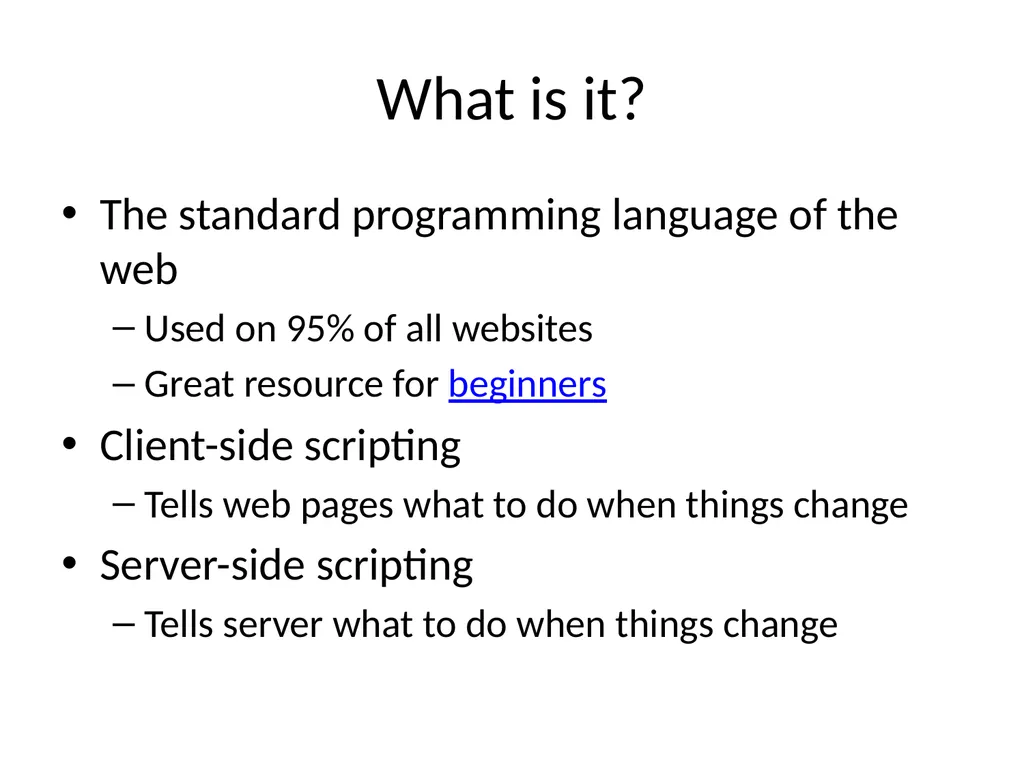
What is it? The standard programming language of the web
Used on 95% of all websites
Great resource for beginners
Client-side scripting
Tells web pages what to do when things change
Server-side scripting
Tells server what to do when things change<br>
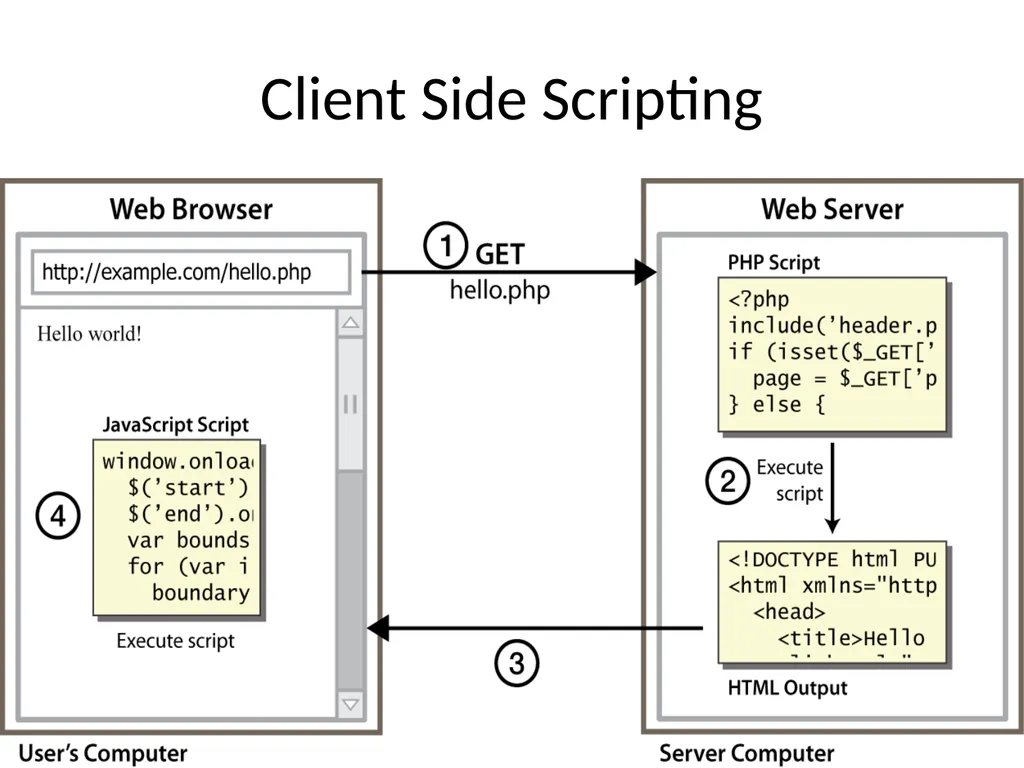
Why use client-side programming? PHP already allows us to create dynamic web pages. Why also use client-side scripting?
client-side scripting (JavaScript) benefits:
usability: can modify a page without having to post back to the server (faster UI)
efficiency: can make small, quick changes to page without waiting for server
event-driven: can respond to user actions like clicks and key presses CS380 5<br>
06
Why use server-side programming? server-side programming (PHP) benefits:
security: has access to server's private data; client can't see source code
compatibility: not subject to browser compatibility issues
power: can write files, open connections to servers, connect to databases, ... CS380 6<br>
07
What is JavaScript? a lightweight programming language ("scripting language")
used to make web pages interactive
insert dynamic text into HTML (ex: user name)
react to events (ex: page load user click)
get information about a user's computer (ex: browser type)
perform calculations on user's computer (ex: form validation) CS380 7<br>
08
JavaScript vs. PHP similarities:
both are interpreted, not compiled
both are relaxed about syntax, rules, and types
both are case-sensitive
both have built-in regular expressions for powerful text processing CS380 8<br>
09
JavaScript vs. PHP differences:
JS is more object-oriented: noun.verb(), less procedural: verb(noun)
JS focuses on user interfaces and interacting with a document; PHP is geared toward HTML output and file/form processing
JS code runs on the client's browser; PHP code runs on the web server CS380 9 JS <3<br>
10
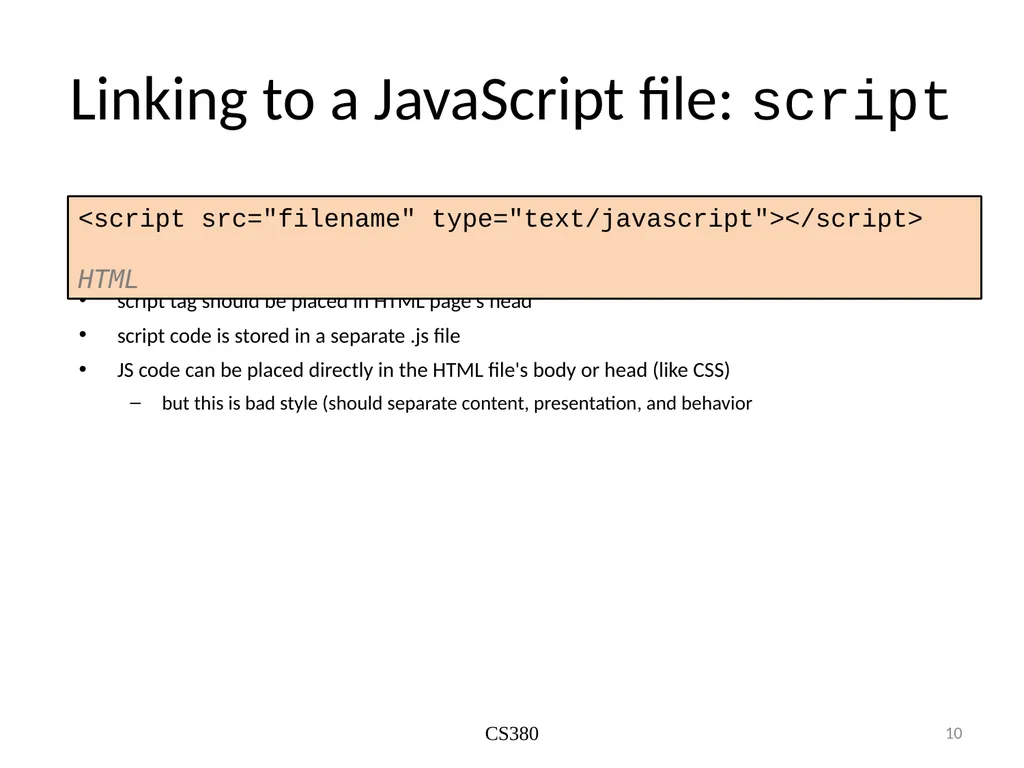
Linking to a JavaScript file: script script tag should be placed in HTML page's head
script code is stored in a separate .js file
JS code can be placed directly in the HTML file's body or head (like CSS)
but this is bad style (should separate content, presentation, and behavior CS380 10 <script src="filename" type="text/javascript"></script> HTML<br>
11
Event-driven programming CS380 11 split breaks apart a string into an array using a delimiter
can also be used with regular expressions (seen later)
join merges an array into a single string, placing a delimiter between them<br>
12
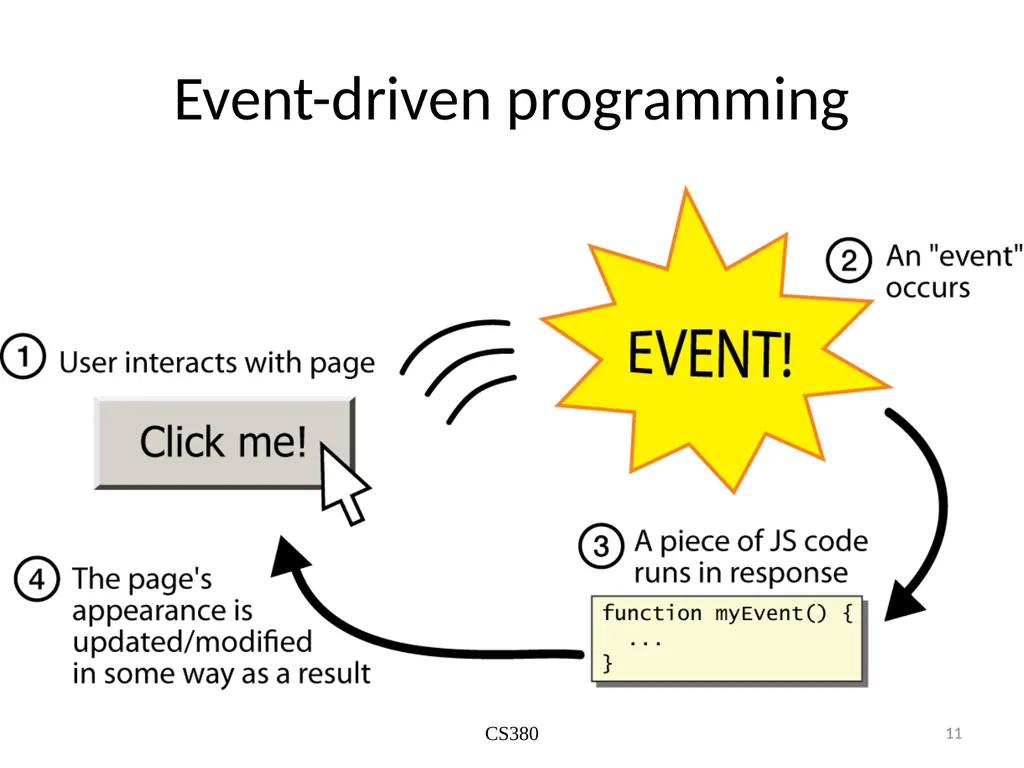
Event-driven programming CS380 12 you are used to programs start with a main method (or implicit main like in PHP)
JavaScript programs instead wait for user actions called events and respond to them
event-driven programming: writing programs driven by user events
Let's write a page with a clickable button that pops up a "Hello, World" window...<br>
13
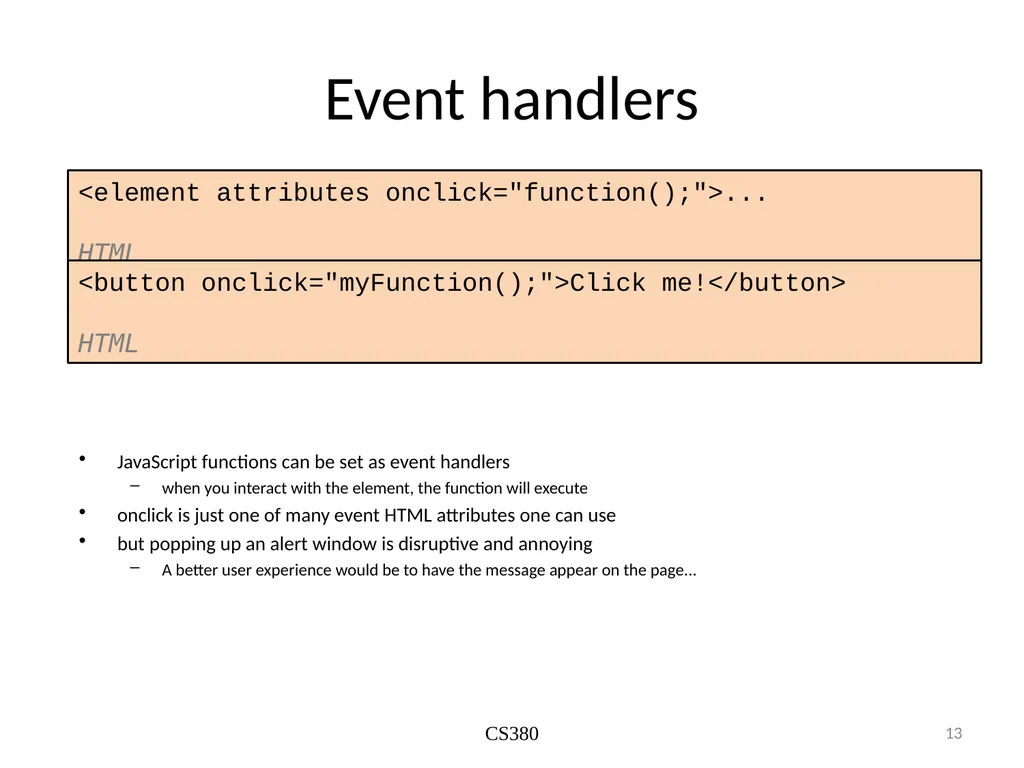
Event handlers JavaScript functions can be set as event handlers
when you interact with the element, the function will execute
onclick is just one of many event HTML attributes one can use
but popping up an alert window is disruptive and annoying
A better user experience would be to have the message appear on the page... CS380 13 <element attributes onclick="function();">... HTML <button onclick="myFunction();">Click me!</button> HTML<br>
14
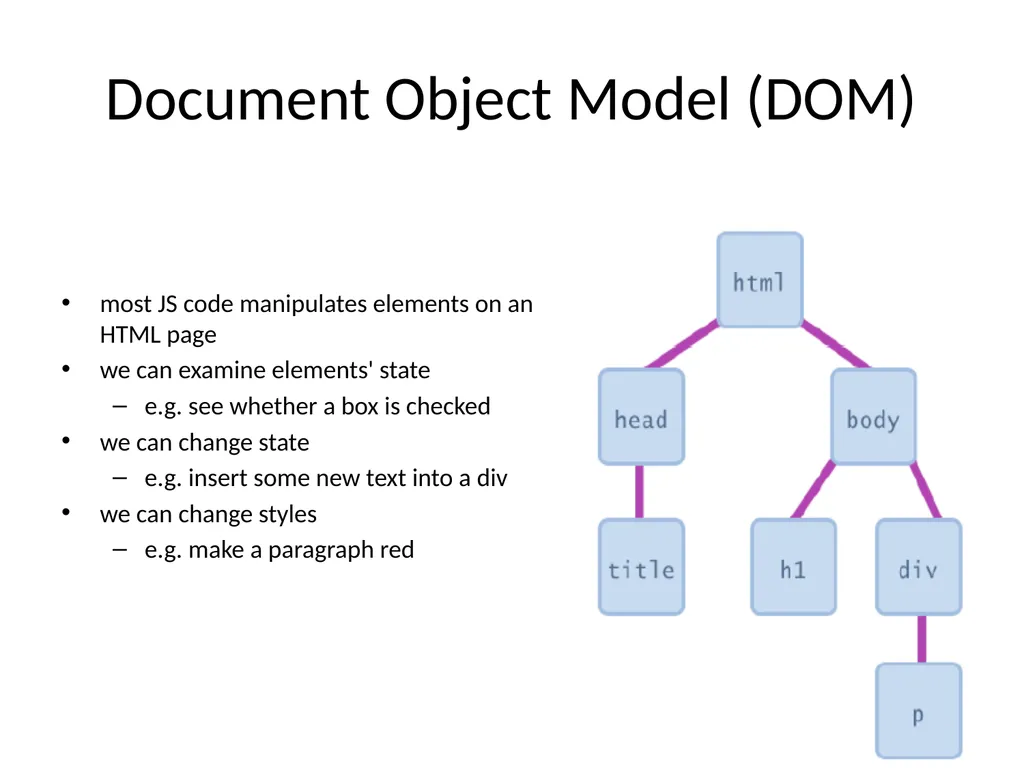
Document Object Model (DOM) most JS code manipulates elements on an HTML page
we can examine elements' state
e.g. see whether a box is checked
we can change state
e.g. insert some new text into a div
we can change styles
e.g. make a paragraph red 14<br>
15
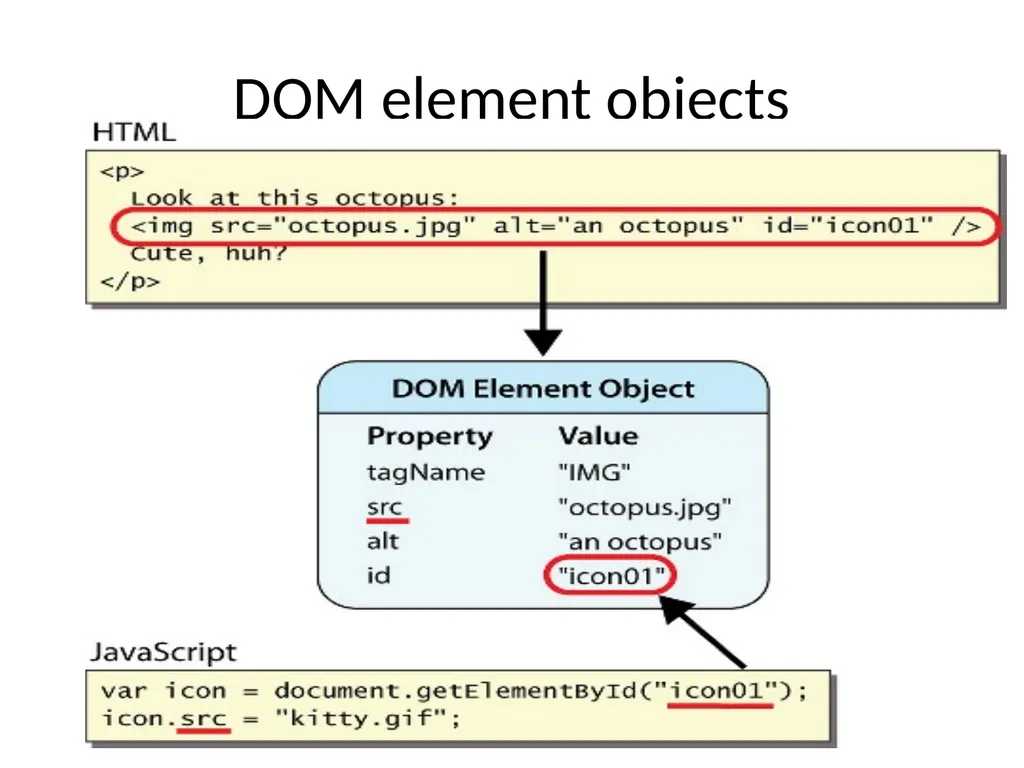
DOM element objects 15<br>
16
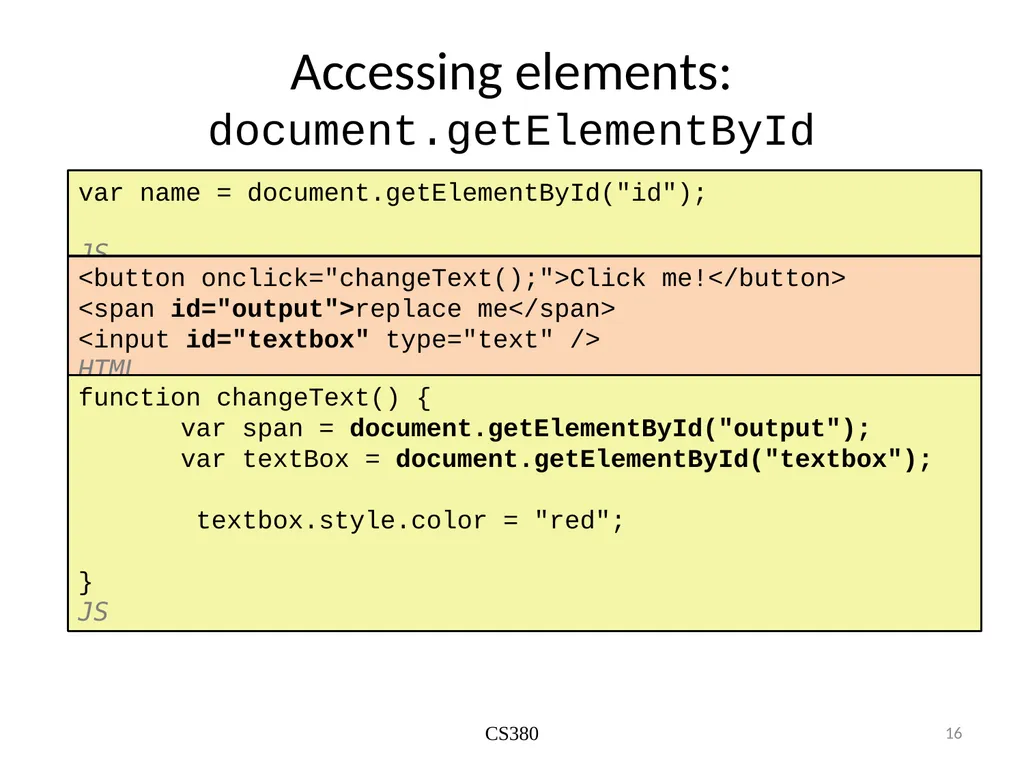
Accessing elements: document.getElementById CS380 16 var name = document.getElementById("id");
JS <button onclick="changeText();">Click me!</button>
<span id="output">replace me</span>
<input id="textbox" type="text" /> HTML function changeText() {
var span = document.getElementById("output");
var textBox = document.getElementById("textbox");
textbox.style.color = "red";
} JS<br>
17
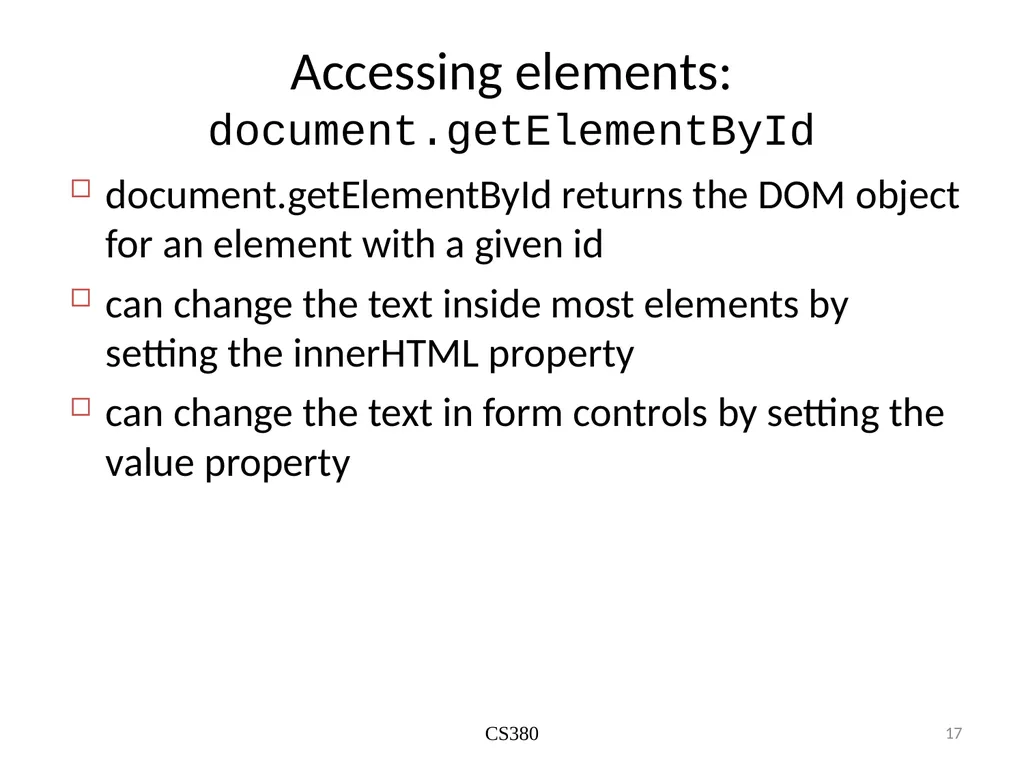
Accessing elements: document.getElementById CS380 17 document.getElementById returns the DOM object for an element with a given id
can change the text inside most elements by setting the innerHTML property
can change the text in form controls by setting the value property<br>
18
Handling latency Network latency is a major challenge in programming web applications
Used to handle using event listeners and handlers
Recent improvements have made life much easier for JS programmers<br>
19
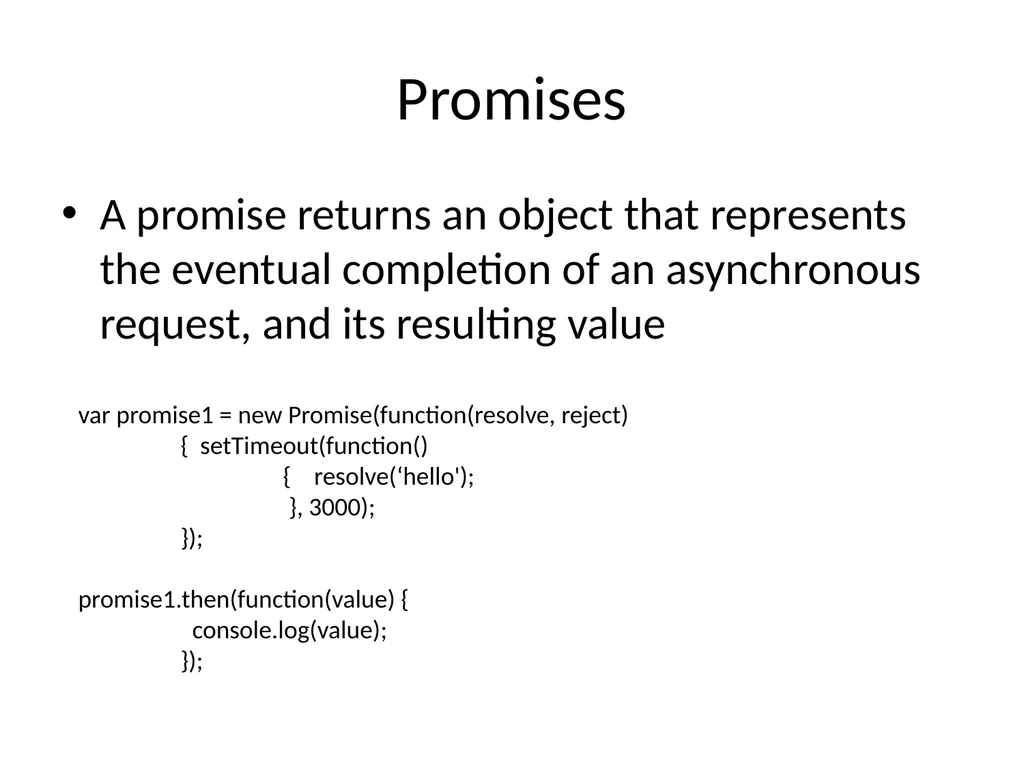
Promises A promise returns an object that represents the eventual completion of an asynchronous request, and its resulting value var promise1 = new Promise(function(resolve, reject)
{ setTimeout(function()
{ resolve(‘hello');
}, 3000);
});
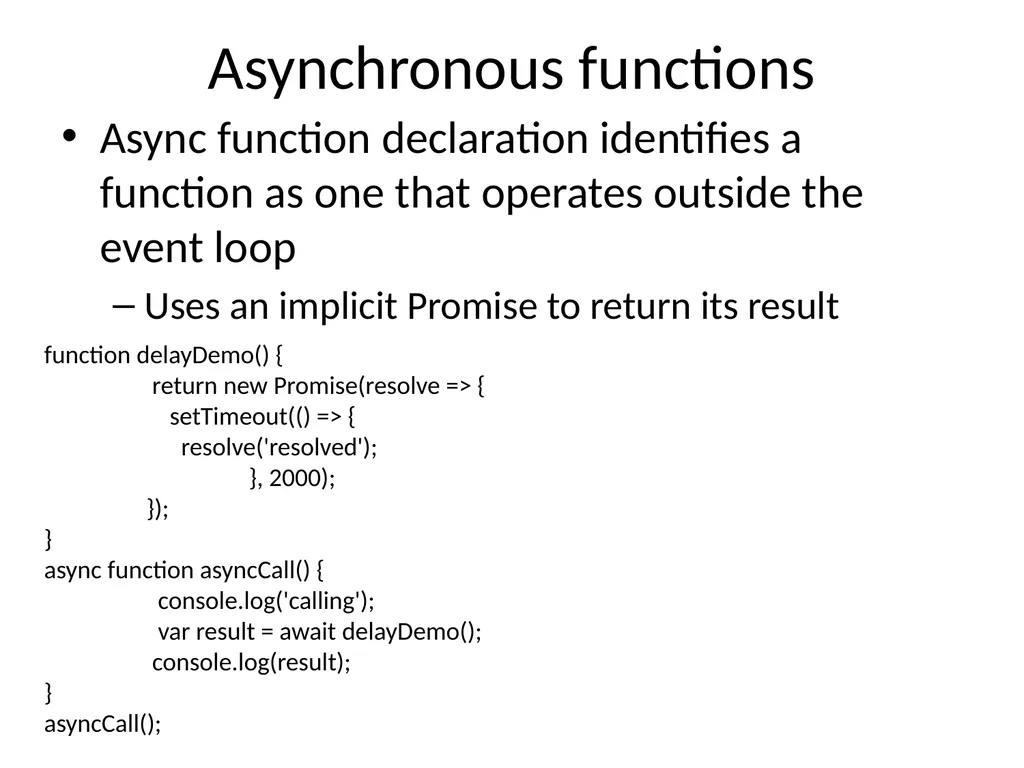
Asynchronous functions Async function declaration identifies a function as one that operates outside the event loop
Uses an implicit Promise to return its result function delayDemo() {
return new Promise(resolve => {
setTimeout(() => {
resolve('resolved');
}, 2000);
});
}
async function asyncCall() {
console.log('calling');
var result = await delayDemo();
console.log(result);
}
asyncCall();<br>
21
Library support Front-end frameworks
jQuery
Vue
Angular
React
Node.js
Server-side JS scripting
We start with the MEAN stack next week<br>
22
PHP integration Use HTTP requests pointing to your own server’s php files in the URL
User request can be passed in as pre-defined fields in the URL
Same as with APIs
Have PHP files serve the request the way we’ve already discussed<br>
23
Next week in lab Finish your LAMP application
Last day to show it to me is 2nd Oct
TAs will not be present, but I will be here
Those who have finished the LAMP app
Are not familiar with JS
Follow the Codecademy JS tutorial
Are familiar with JS
Reproduce today’s demo with a different API
Have to make your app responsive to UI, without reference to DB
Experiment with different approaches to programming asynchronous functions
Loading resources in request order
Loading resources in received order
Loading resources once they have all been downloaded<br>