Lecture 04: Network Topologies Introduction to Networks Lecture 04: Objectives Upon completion of this Lecture, you will be able to: Describe the purpose and function of the data link layer in preparing communication for transmission on
"Lecture 04: Network Topologies Introduction to" is the property of its rightful owner. Permission is granted to
download and print the materials on this website for personal, non-commercial use only, and to display it
on your personal computer provided you do not modify the materials and that you retain all copyright
notices contained in the materials. By downloading content from our website, you accept the terms of this
agreement.
Presentation Transcript
01
Lecture 04: Network Topologies Introduction to Networks<br>
02
Lecture 04: Objectives Upon completion of this Lecture, you will be able to:
Describe the purpose and function of the data link layer in preparing communication for transmission on specific media.
Describe the Layer 2 frame structure and identify generic fields.
Describe the purpose and functions for building different types of Topologies in the network.
Compare the functions of logical topologies and physical topologies.
Describe the basic characteristics of media control methods on WAN topologies.
Describe the basic characteristics of media control methods on LAN topologies.<br>
03
4.1 Data Link Layer Protocols<br>
04
Lecture 04 4.1 Data Link Layer Protocols
4.2 Physical and Logical Topologies
4.3 Summary<br>
05
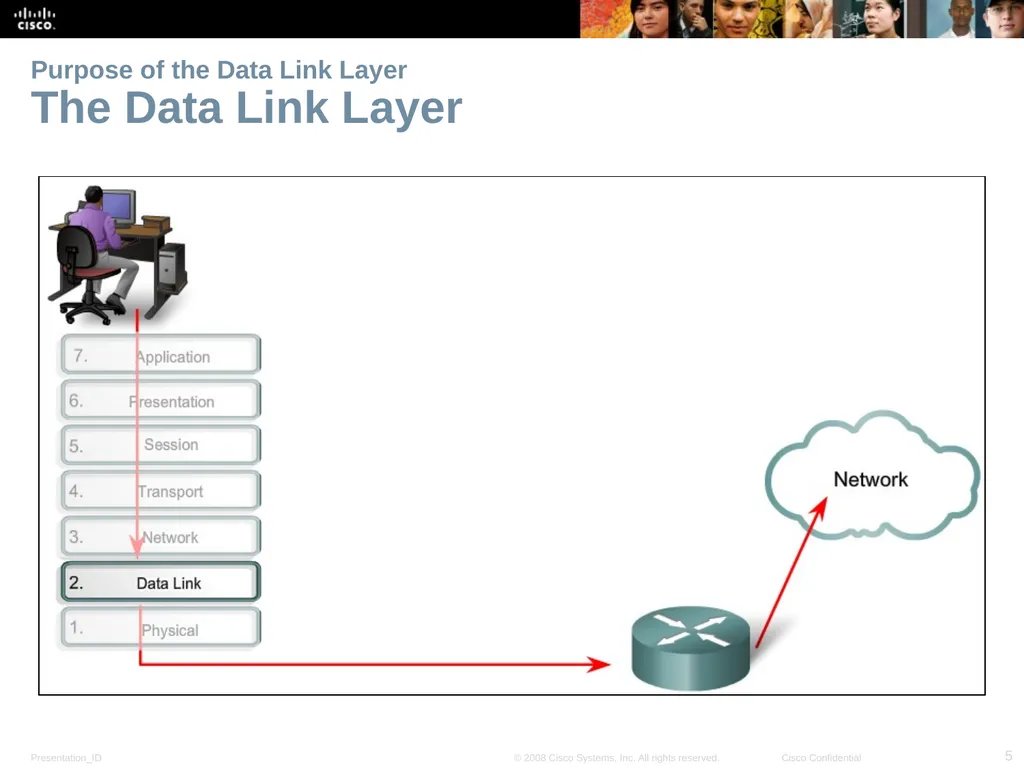
Purpose of the Data Link Layer The Data Link Layer<br>
06
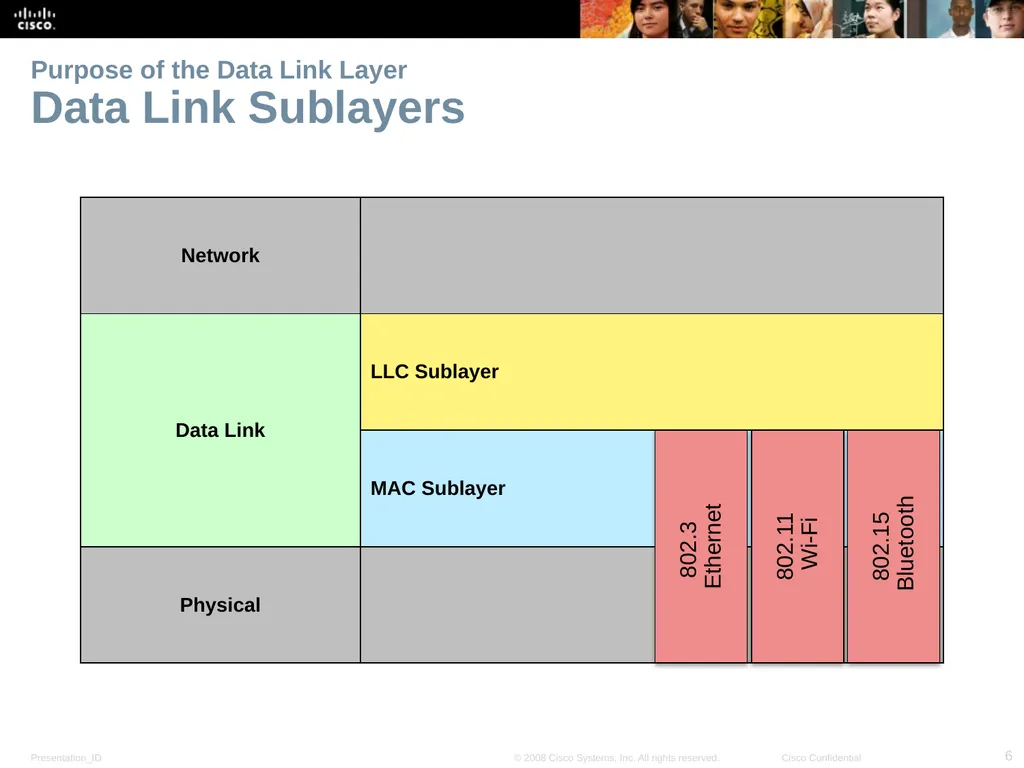
Purpose of the Data Link Layer Data Link Sublayers 802.3
Ethernet 802.11
Wi-Fi 802.15
Bluetooth<br>
07
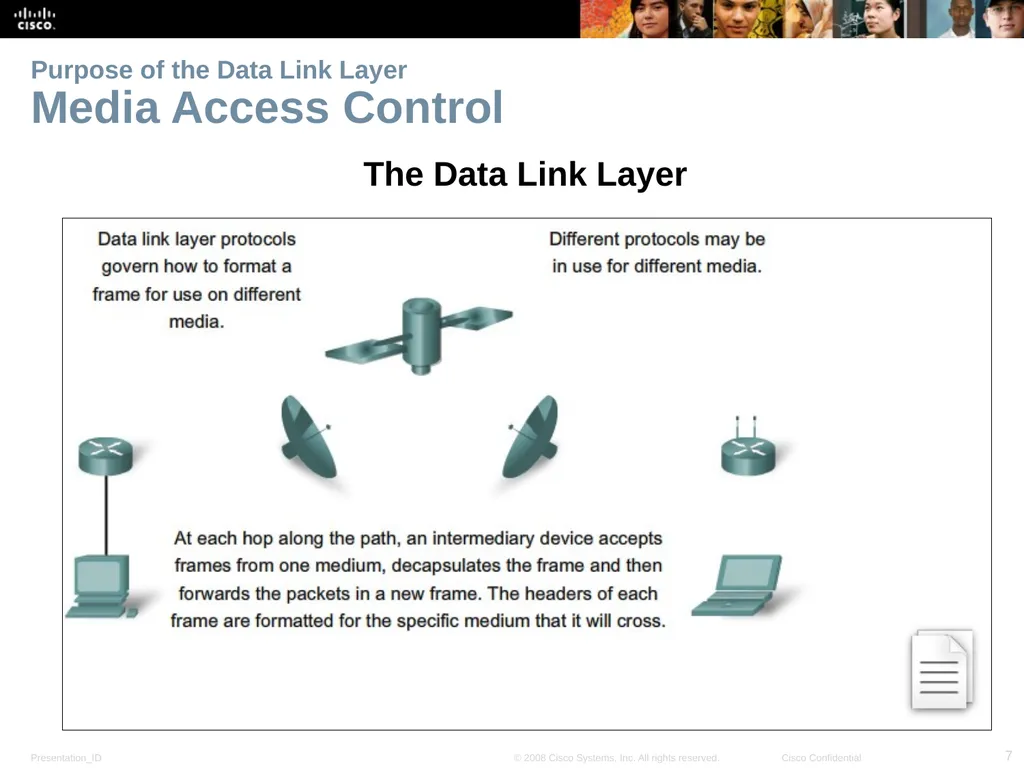
Purpose of the Data Link Layer Media Access Control The Data Link Layer<br>
08
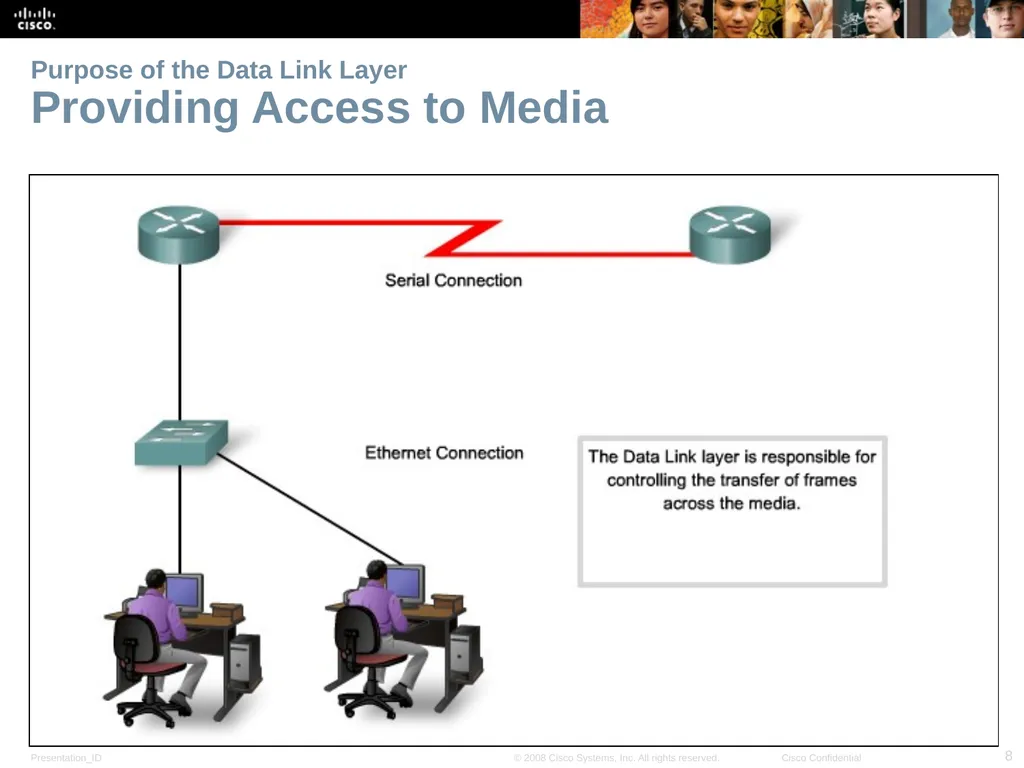
Purpose of the Data Link Layer Providing Access to Media<br>
09
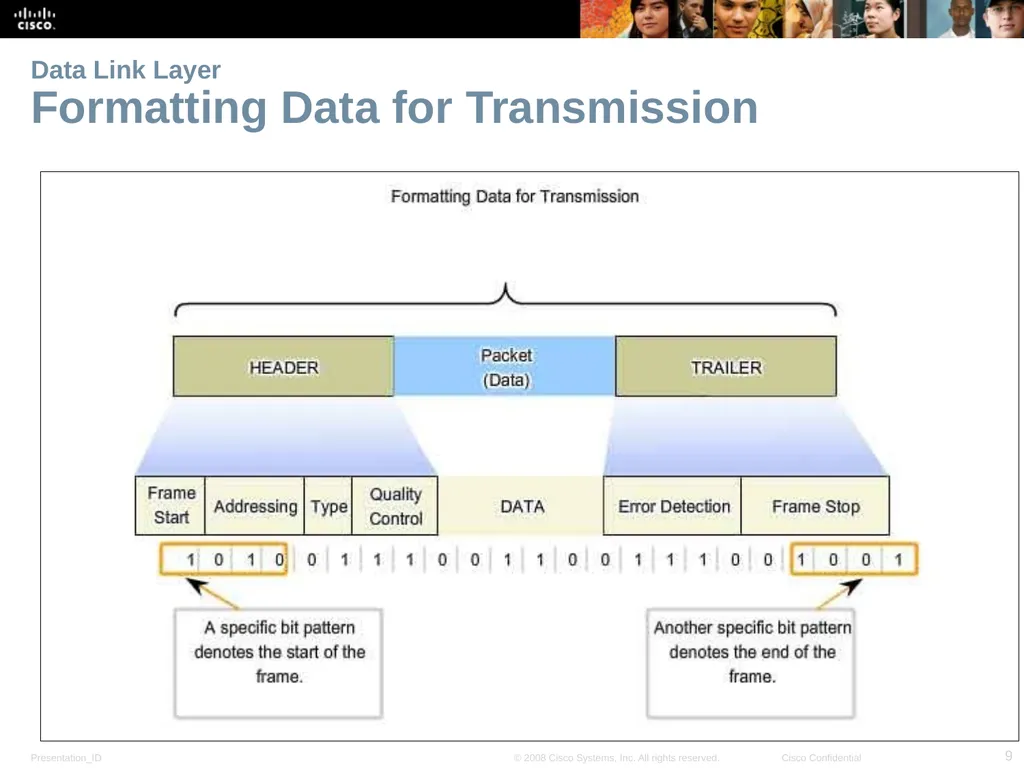
Data Link Layer Formatting Data for Transmission<br>
10
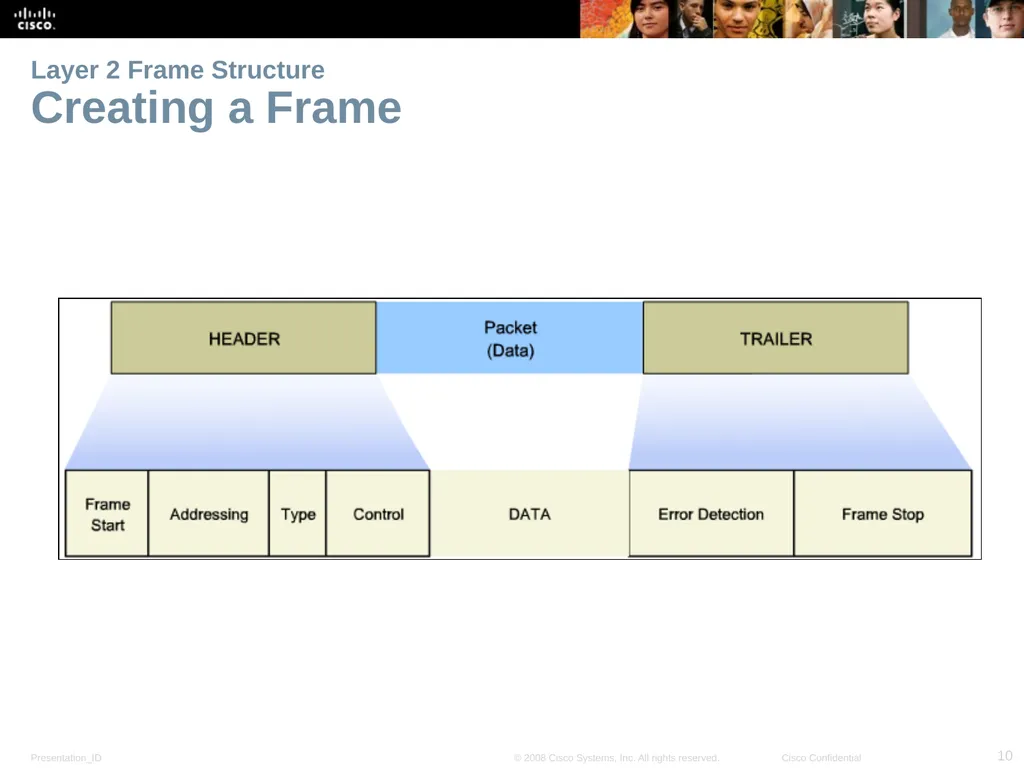
Layer 2 Frame Structure Creating a Frame<br>
11
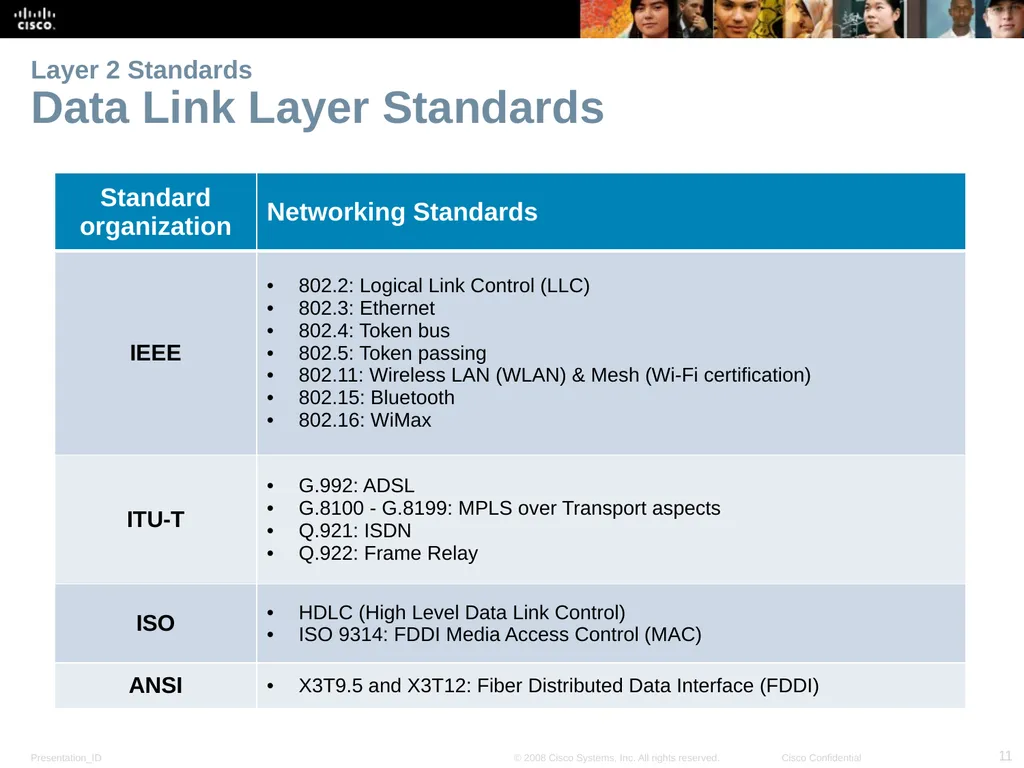
Layer 2 Standards Data Link Layer Standards<br>
12
4.1 Network Topologies<br>
13
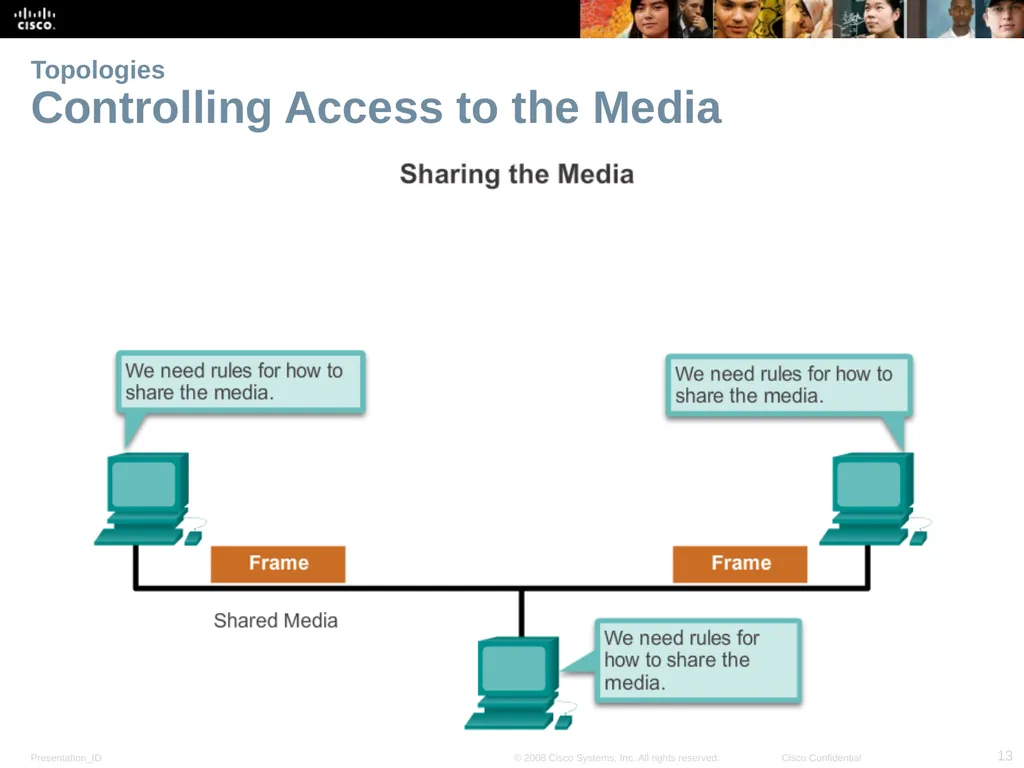
Topologies Controlling Access to the Media<br>
14
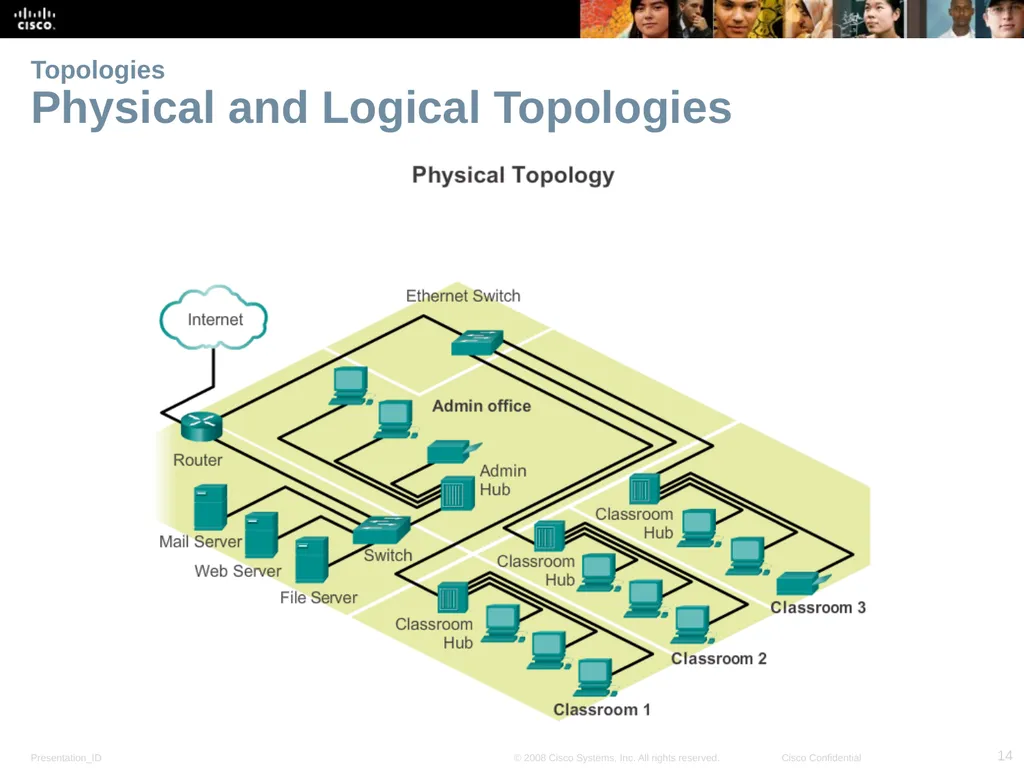
Topologies Physical and Logical Topologies<br>
15
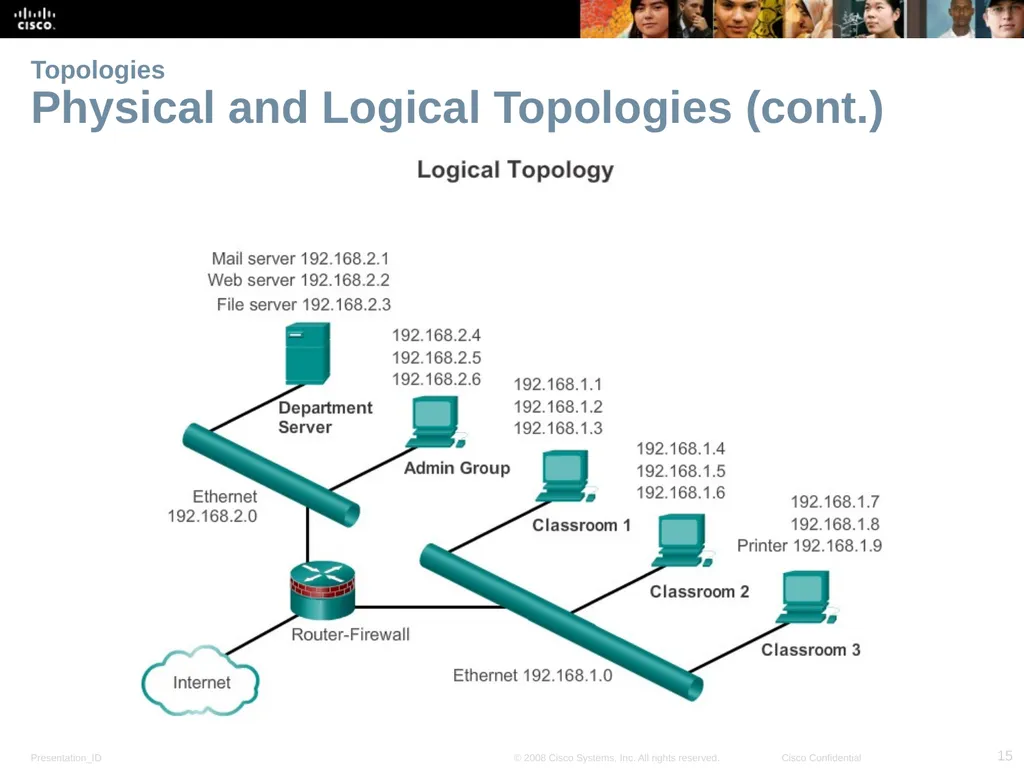
Topologies Physical and Logical Topologies (cont.)<br>
16
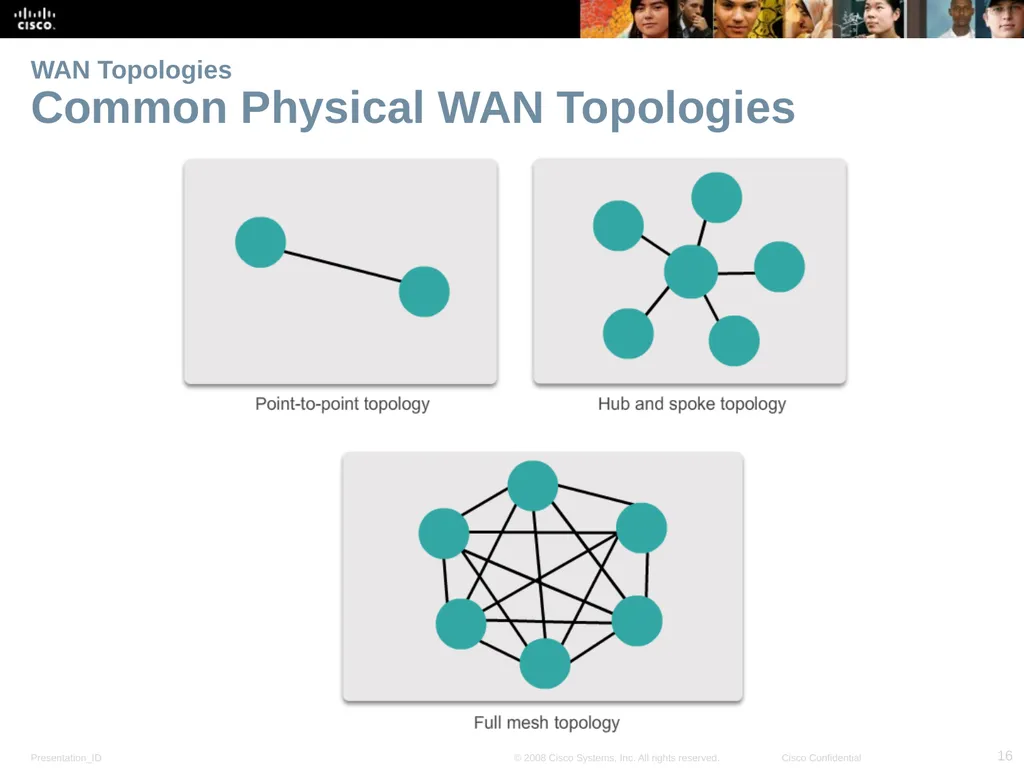
WAN Topologies Common Physical WAN Topologies<br>
17
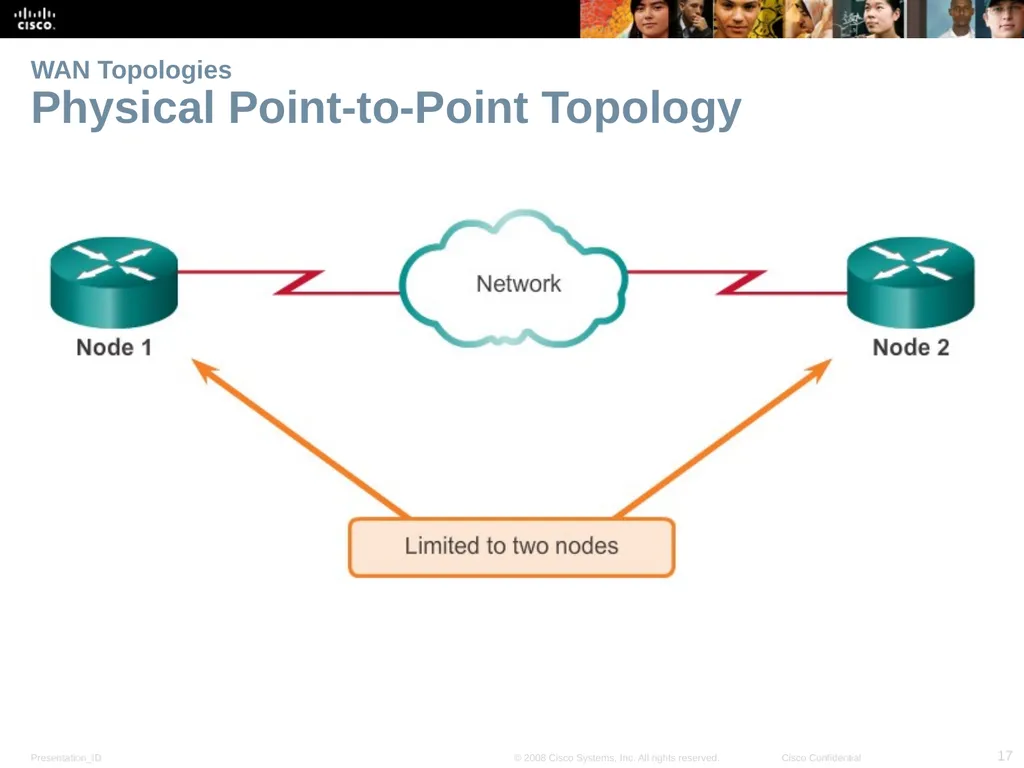
WAN Topologies Physical Point-to-Point Topology<br>
18
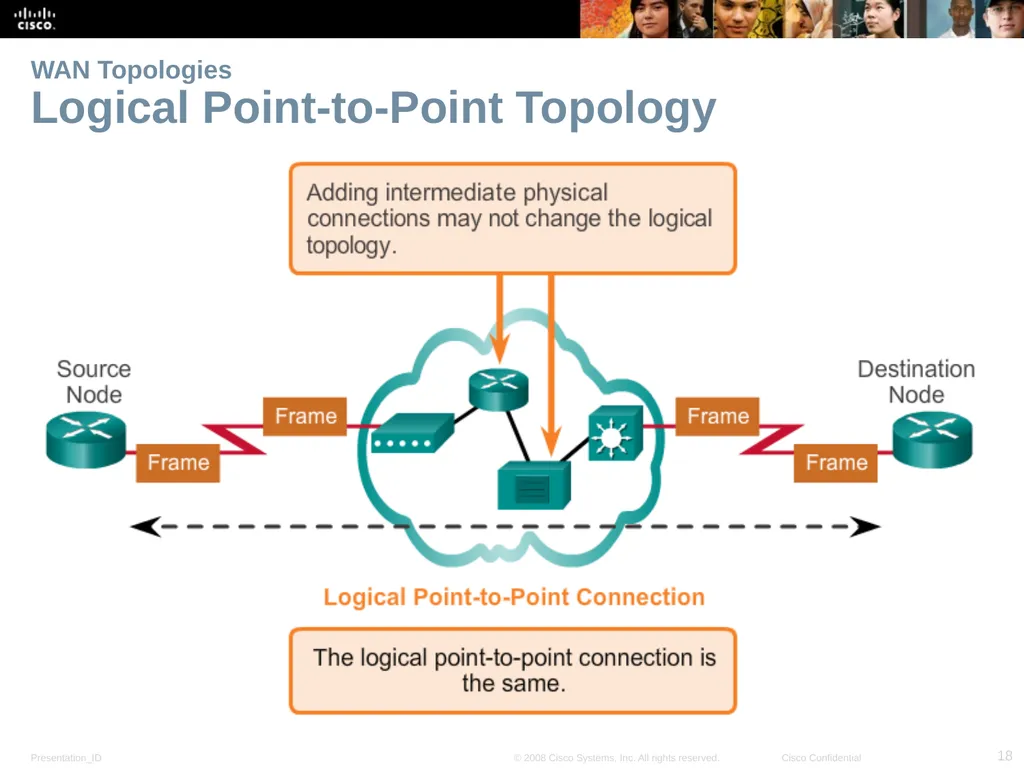
WAN Topologies Logical Point-to-Point Topology<br>
19
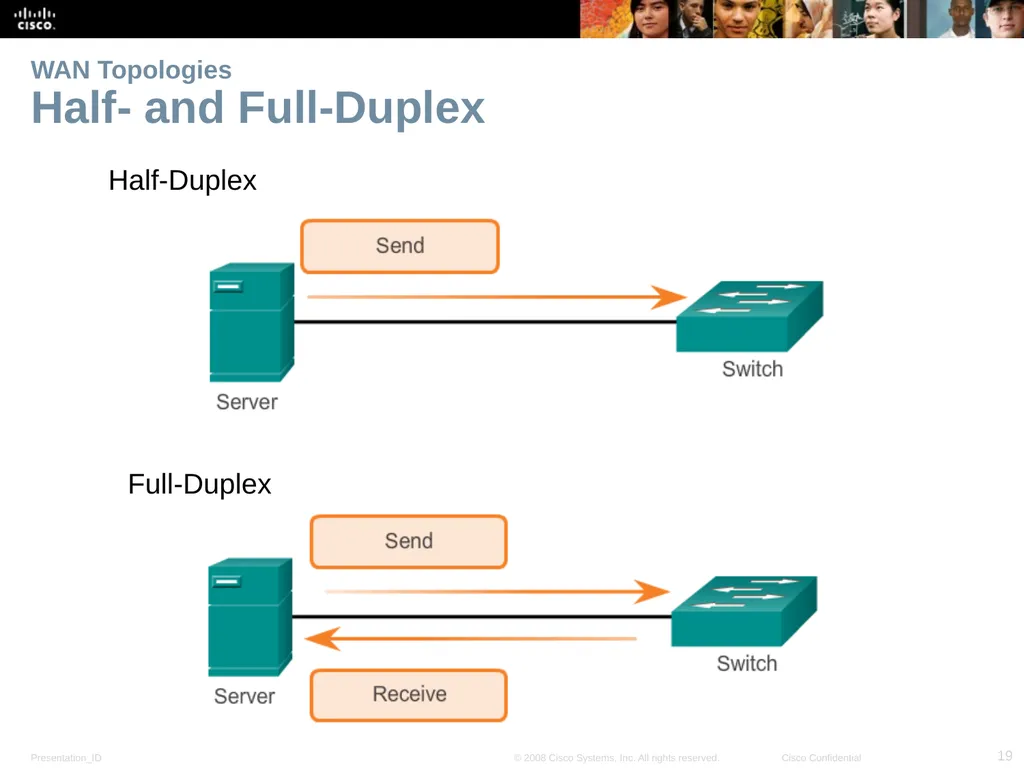
WAN Topologies Half- and Full-Duplex Half-Duplex Full-Duplex<br>
20
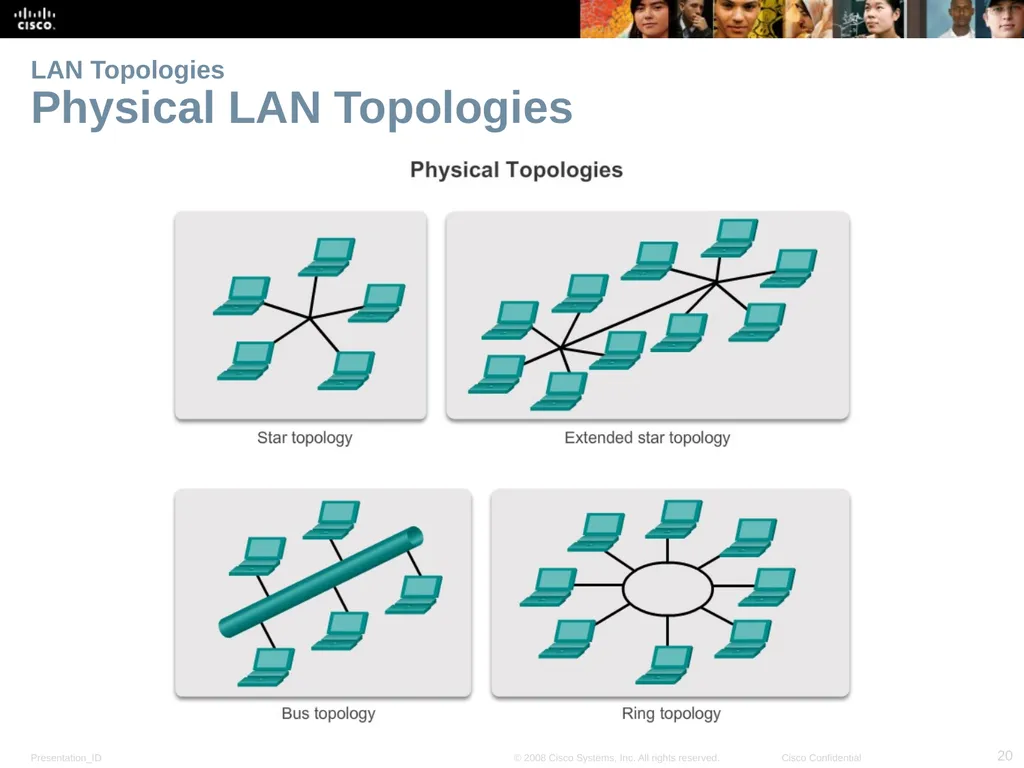
LAN Topologies Physical LAN Topologies<br>
21
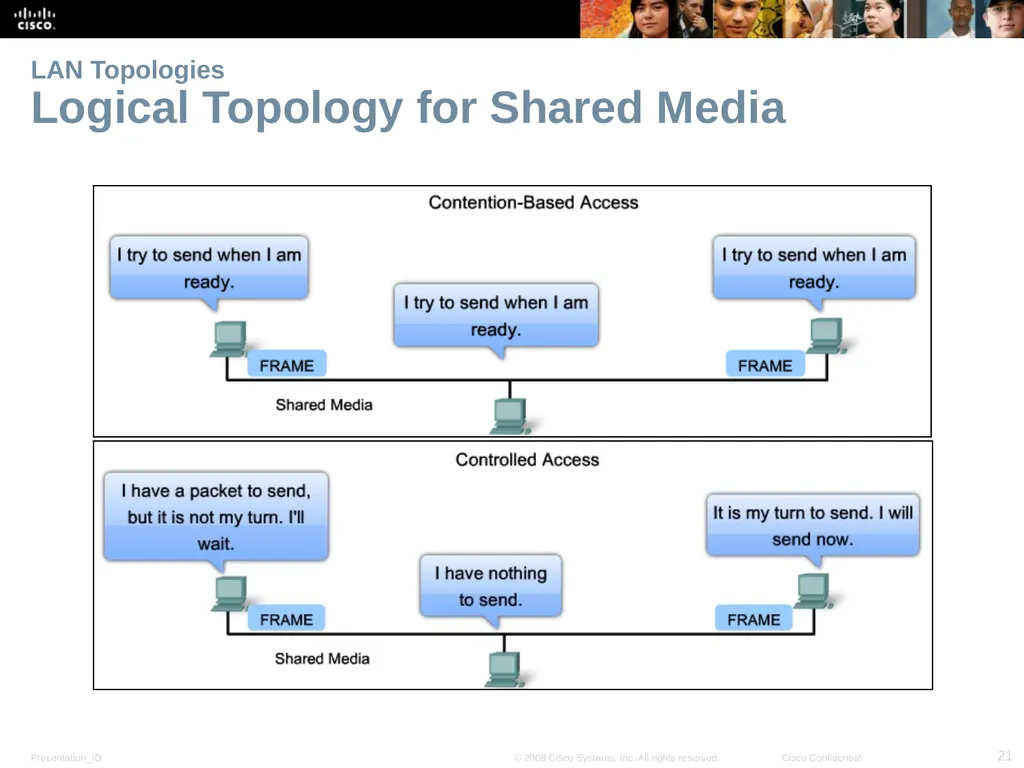
LAN Topologies Logical Topology for Shared Media<br>
22
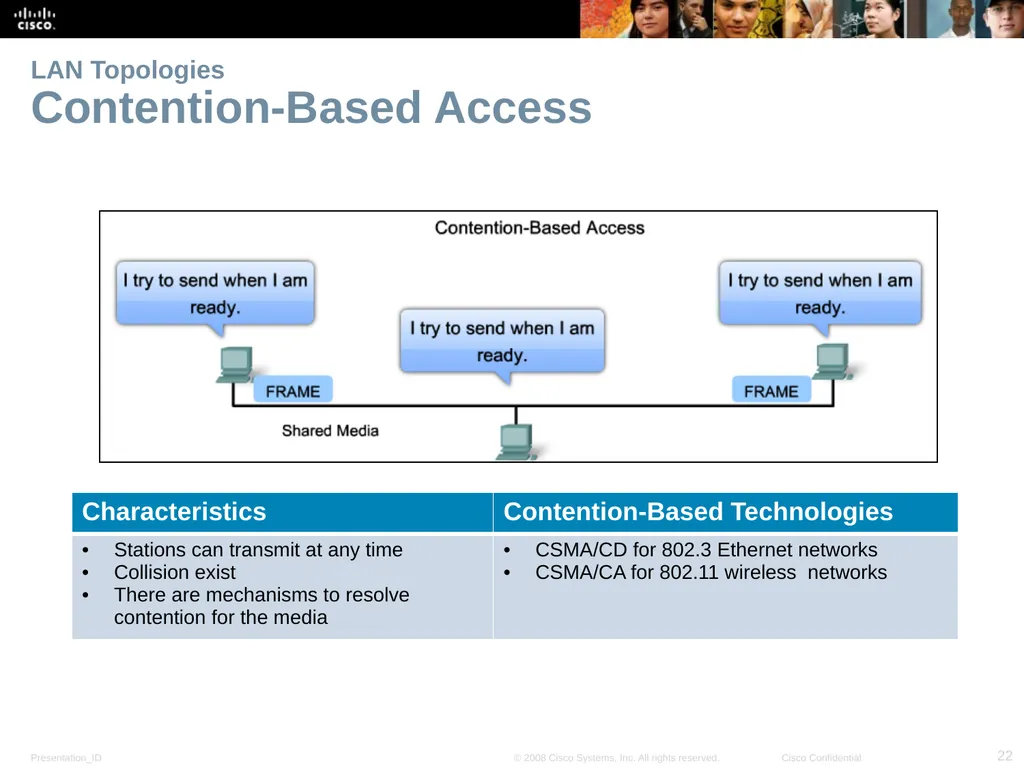
LAN Topologies Contention-Based Access<br>
23
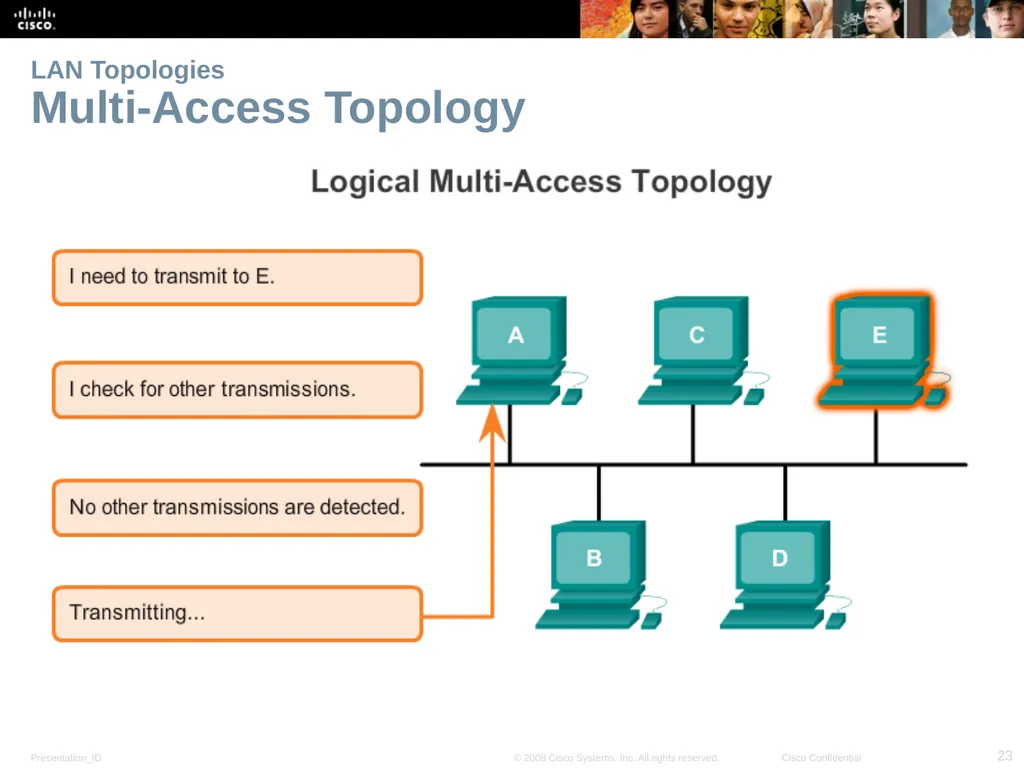
LAN Topologies Multi-Access Topology<br>
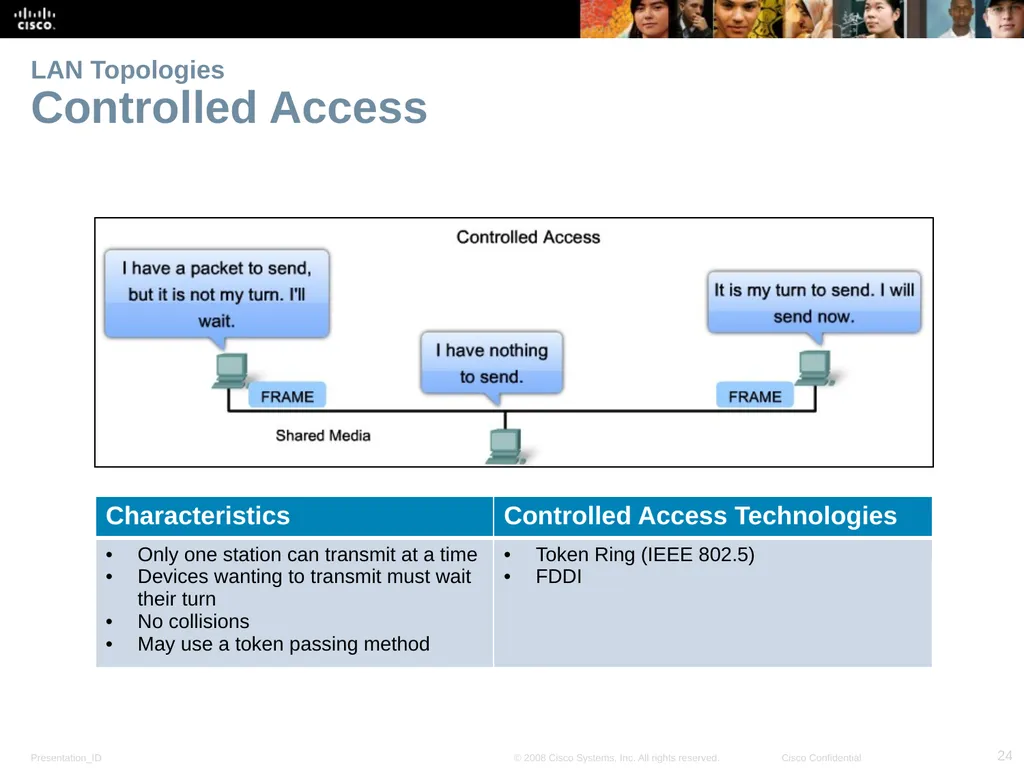
24
LAN Topologies Controlled Access<br>
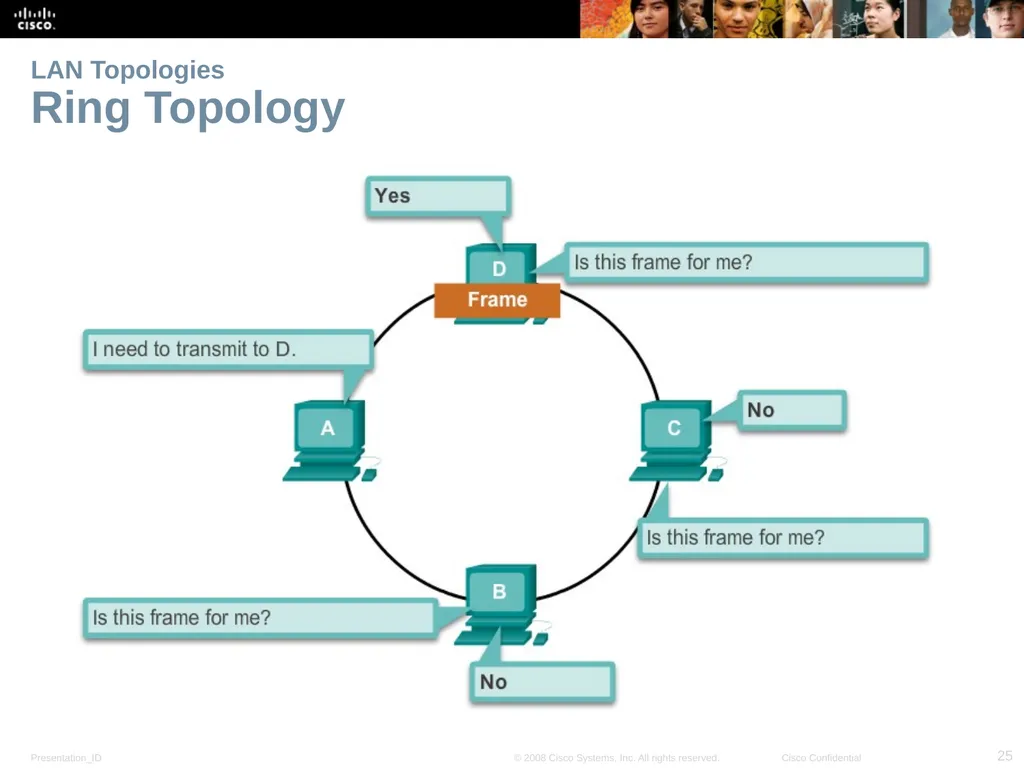
25
LAN Topologies Ring Topology<br>
26
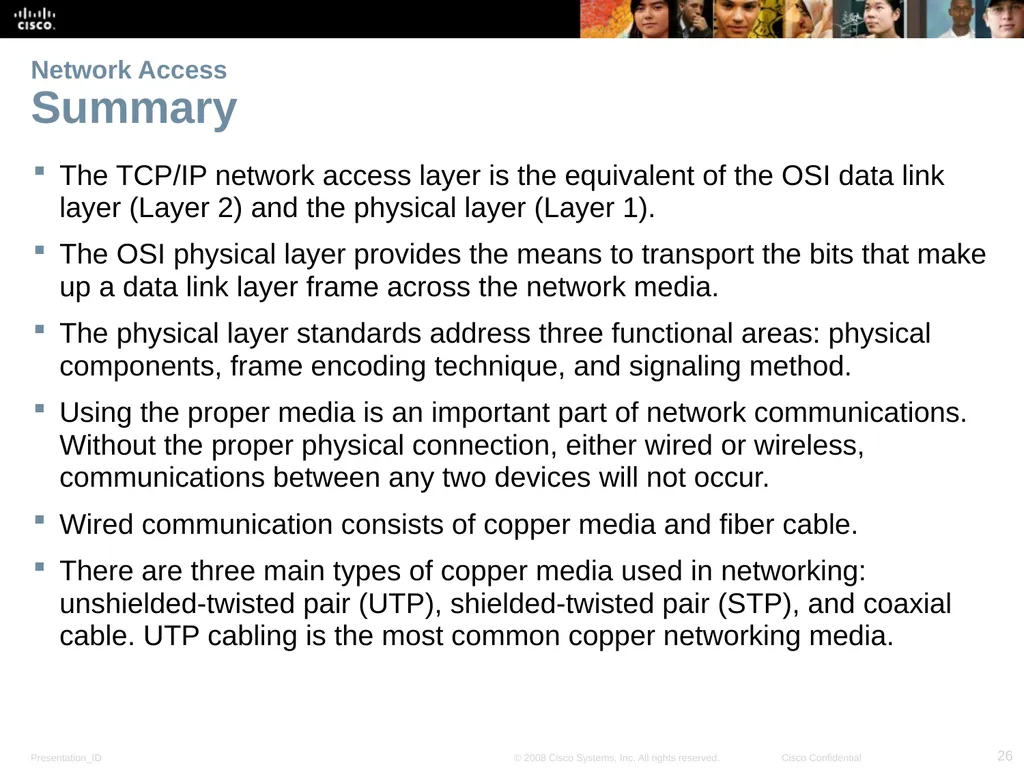
Network Access Summary The TCP/IP network access layer is the equivalent of the OSI data link layer (Layer 2) and the physical layer (Layer 1).
The OSI physical layer provides the means to transport the bits that make up a data link layer frame across the network media.
The physical layer standards address three functional areas: physical components, frame encoding technique, and signaling method.
Using the proper media is an important part of network communications. Without the proper physical connection, either wired or wireless, communications between any two devices will not occur.
Wired communication consists of copper media and fiber cable.
There are three main types of copper media used in networking: unshielded-twisted pair (UTP), shielded-twisted pair (STP), and coaxial cable. UTP cabling is the most common copper networking media.<br>
27
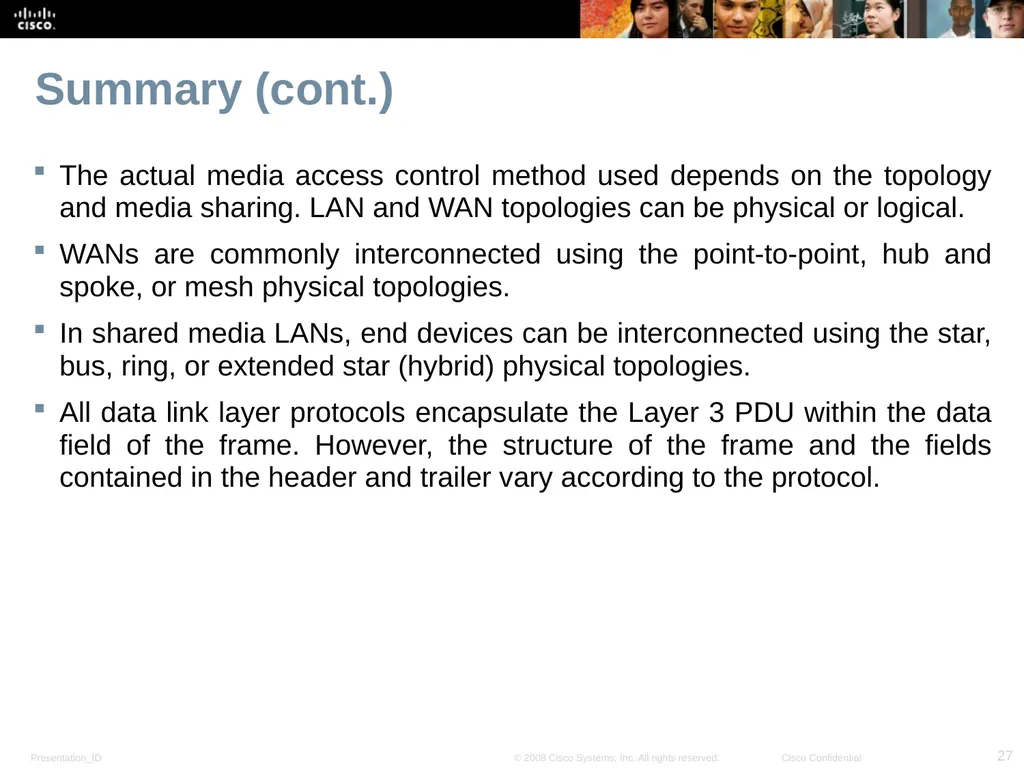
Summary (cont.) The actual media access control method used depends on the topology and media sharing. LAN and WAN topologies can be physical or logical.
WANs are commonly interconnected using the point-to-point, hub and spoke, or mesh physical topologies.
In shared media LANs, end devices can be interconnected using the star, bus, ring, or extended star (hybrid) physical topologies.
All data link layer protocols encapsulate the Layer 3 PDU within the data field of the frame. However, the structure of the frame and the fields contained in the header and trailer vary according to the protocol.<br>