
LENNARD HIGH SCHOOL Athletic Paperwork Directions
LS
Published · 29 slides · 0 views

1 / 1


Description
LENNARD HIGH SCHOOL Athletic Paperwork Directions List of Documents Needed For Athletic Clearance EL2 (Physical) on approved HCPS EL2 DATE 225 Birth Certificate Proofs of Residence (TECOwater bill within 30 days of athletic clearance
Related Topics
Share
Embed code
Download this presentation From Below
"LENNARD HIGH SCHOOL Athletic Paperwork Directions" is the property of its rightful owner. Permission is granted to download and print the materials on this website for personal, non-commercial use only, and to display it on your personal computer provided you do not modify the materials and that you retain all copyright notices contained in the materials. By downloading content from our website, you accept the terms of this agreement.
Presentation Transcript
01
LENNARD HIGH SCHOOL
Athletic Paperwork
Directions<br>
02
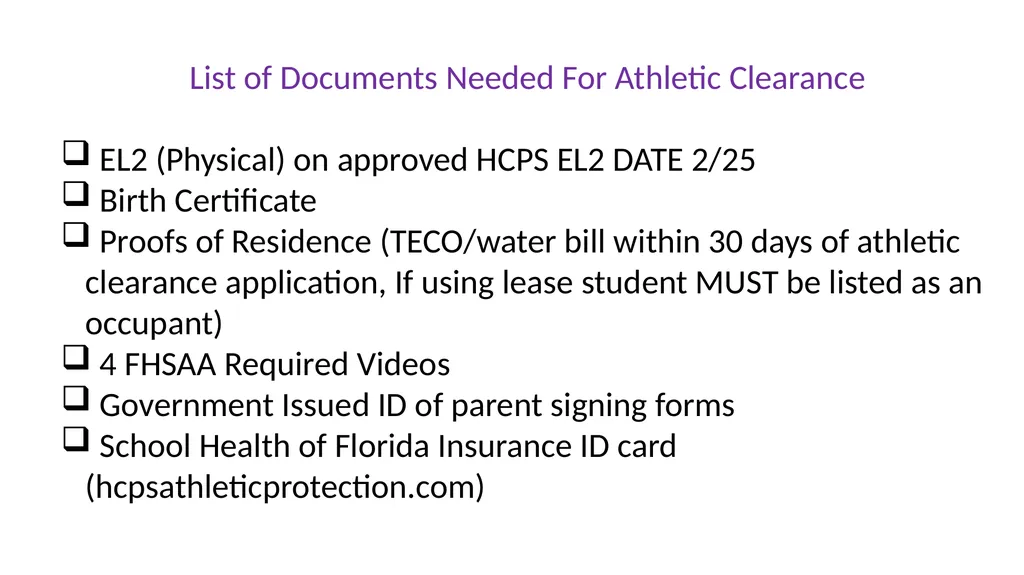
List of Documents Needed For Athletic Clearance
EL2 (Physical) on approved HCPS EL2 DATE 2/25
Birth Certificate
Proofs of Residence (TECO/water bill within 30 days of athletic clearance application, If using lease student MUST be listed as an occupant)
4 FHSAA Required Videos
Government Issued ID of parent signing forms
School Health of Florida Insurance ID card (hcpsathleticprotection.com)<br>
EL2 (Physical) on approved HCPS EL2 DATE 2/25
Birth Certificate
Proofs of Residence (TECO/water bill within 30 days of athletic clearance application, If using lease student MUST be listed as an occupant)
4 FHSAA Required Videos
Government Issued ID of parent signing forms
School Health of Florida Insurance ID card (hcpsathleticprotection.com)<br>
03
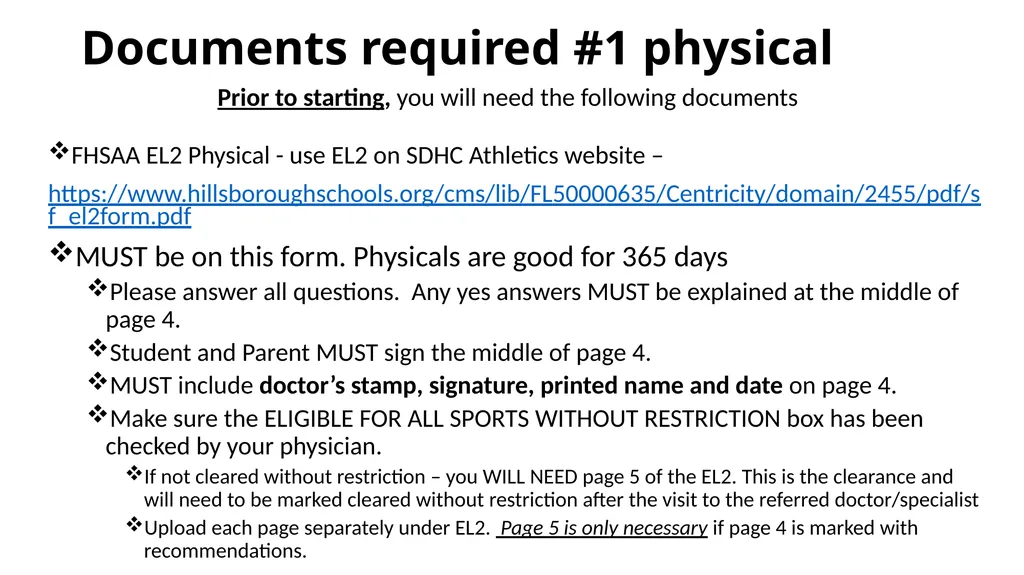
Documents required #1 physical FHSAA EL2 Physical - use EL2 on SDHC Athletics website –
https://www.hillsboroughschools.org/cms/lib/FL50000635/Centricity/domain/2455/pdf/sf_el2form.pdf
MUST be on this form. Physicals are good for 365 days
Please answer all questions. Any yes answers MUST be explained at the middle of page 4.
Student and Parent MUST sign the middle of page 4.
MUST include doctor’s stamp, signature, printed name and date on page 4.
Make sure the ELIGIBLE FOR ALL SPORTS WITHOUT RESTRICTION box has been checked by your physician.
If not cleared without restriction – you WILL NEED page 5 of the EL2. This is the clearance and will need to be marked cleared without restriction after the visit to the referred doctor/specialist
Upload each page separately under EL2. Page 5 is only necessary if page 4 is marked with recommendations. Prior to starting, you will need the following documents<br>
https://www.hillsboroughschools.org/cms/lib/FL50000635/Centricity/domain/2455/pdf/sf_el2form.pdf
MUST be on this form. Physicals are good for 365 days
Please answer all questions. Any yes answers MUST be explained at the middle of page 4.
Student and Parent MUST sign the middle of page 4.
MUST include doctor’s stamp, signature, printed name and date on page 4.
Make sure the ELIGIBLE FOR ALL SPORTS WITHOUT RESTRICTION box has been checked by your physician.
If not cleared without restriction – you WILL NEED page 5 of the EL2. This is the clearance and will need to be marked cleared without restriction after the visit to the referred doctor/specialist
Upload each page separately under EL2. Page 5 is only necessary if page 4 is marked with recommendations. Prior to starting, you will need the following documents<br>
04
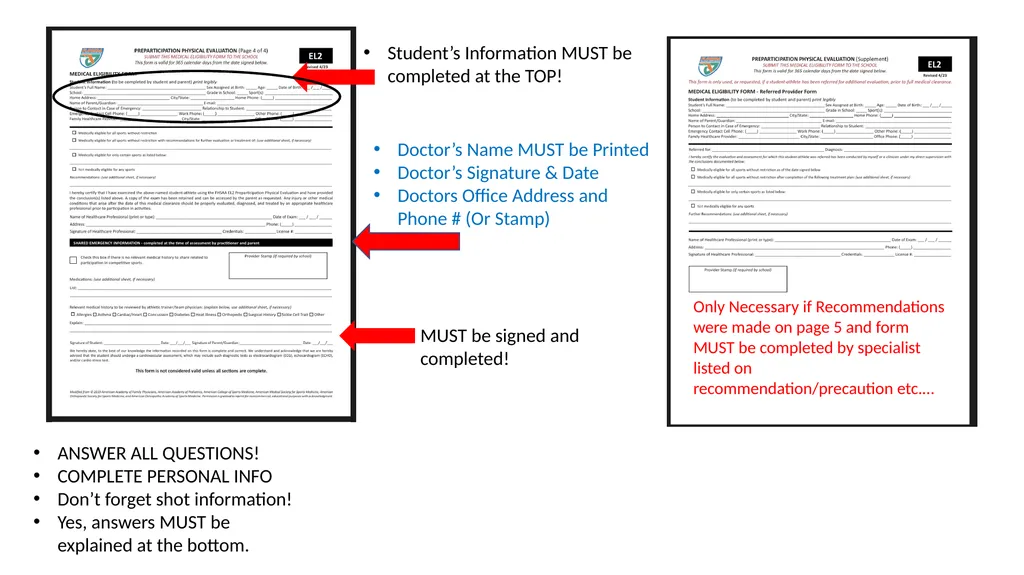
Student’s Information MUST be completed at the TOP! ANSWER ALL QUESTIONS!
COMPLETE PERSONAL INFO
Don’t forget shot information!
Yes, answers MUST be explained at the bottom. Doctor’s Name MUST be Printed
Doctor’s Signature & Date
Doctors Office Address and Phone # (Or Stamp) Only Necessary if Recommendations were made on page 5 and form MUST be completed by specialist listed on recommendation/precaution etc.… MUST be signed and completed!<br>
COMPLETE PERSONAL INFO
Don’t forget shot information!
Yes, answers MUST be explained at the bottom. Doctor’s Name MUST be Printed
Doctor’s Signature & Date
Doctors Office Address and Phone # (Or Stamp) Only Necessary if Recommendations were made on page 5 and form MUST be completed by specialist listed on recommendation/precaution etc.… MUST be signed and completed!<br>
05
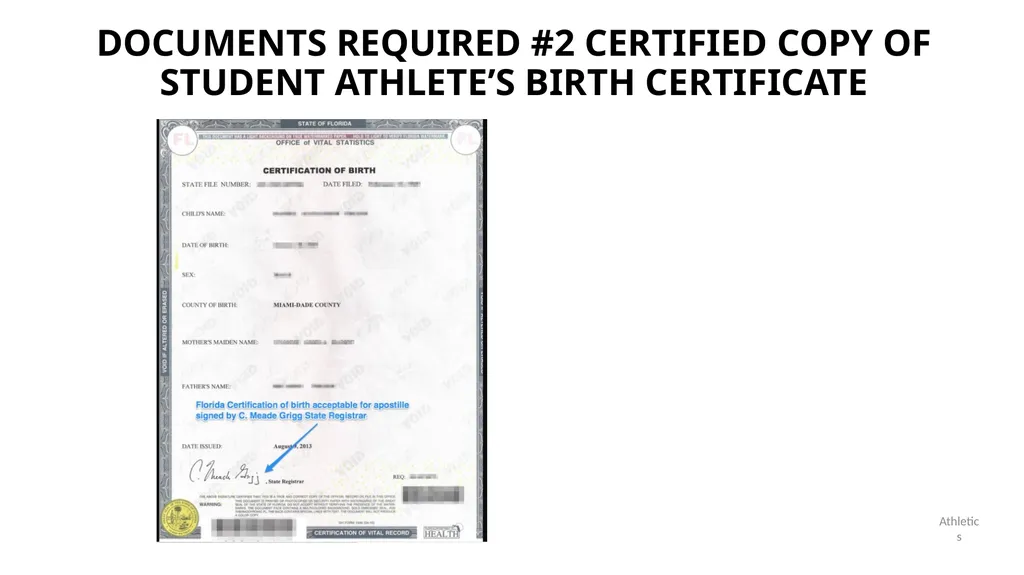
Documents required #2 certified copy of student athlete’s birth certificate Athletics<br>
06
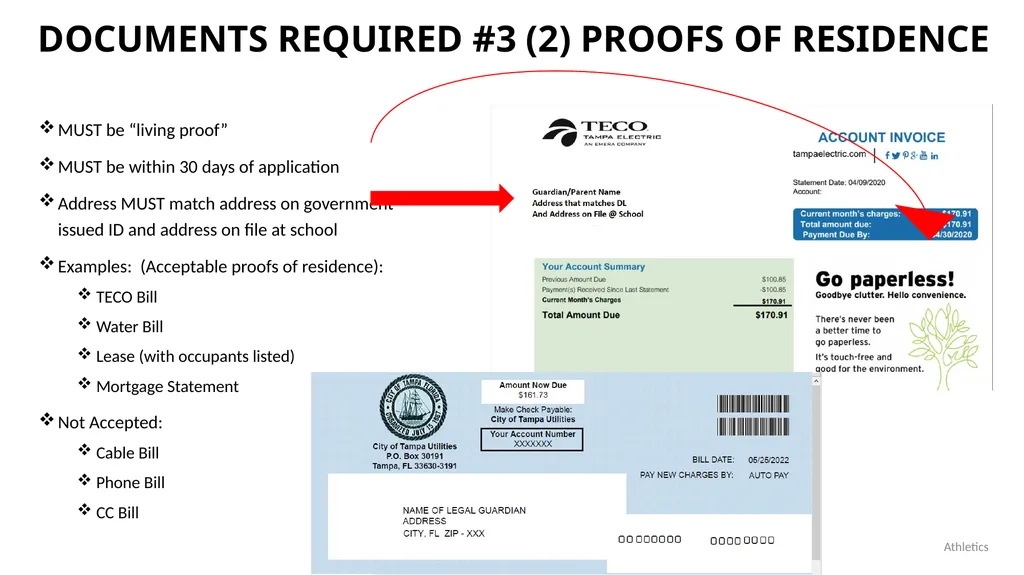
Documents required #3 (2) proofs of residence MUST be “living proof”
MUST be within 30 days of application
Address MUST match address on government issued ID and address on file at school
Examples: (Acceptable proofs of residence):
TECO Bill
Water Bill
Lease (with occupants listed)
Mortgage Statement
Not Accepted:
Cable Bill
Phone Bill
CC Bill Athletics<br>
MUST be within 30 days of application
Address MUST match address on government issued ID and address on file at school
Examples: (Acceptable proofs of residence):
TECO Bill
Water Bill
Lease (with occupants listed)
Mortgage Statement
Not Accepted:
Cable Bill
Phone Bill
CC Bill Athletics<br>
07
Documents required #4: FHSAA Video certificates Viewing the videos is required each year. For the 2025-26 school year, videos must be viewed AFTER May 16, 2025.
www.nfhslearn.com
Have the student log in or create an account. Be sure when asked for the name on the certificate the STUDENT’S NAME is entered and NOT the parent. The student is responsible for watching the videos, not the parent.
Order the following courses (they are FREE). Once you have completed checkout, the student can access the courses in their Dashboard.
Concussion for Students
Heat Illness Prevention
Sudden Cardiac Arrest
Sportsmanship
Once the student has completed all four courses, download the certificates.
Use the upload tips for multiple pages to upload the certificates.<br>
www.nfhslearn.com
Have the student log in or create an account. Be sure when asked for the name on the certificate the STUDENT’S NAME is entered and NOT the parent. The student is responsible for watching the videos, not the parent.
Order the following courses (they are FREE). Once you have completed checkout, the student can access the courses in their Dashboard.
Concussion for Students
Heat Illness Prevention
Sudden Cardiac Arrest
Sportsmanship
Once the student has completed all four courses, download the certificates.
Use the upload tips for multiple pages to upload the certificates.<br>
08
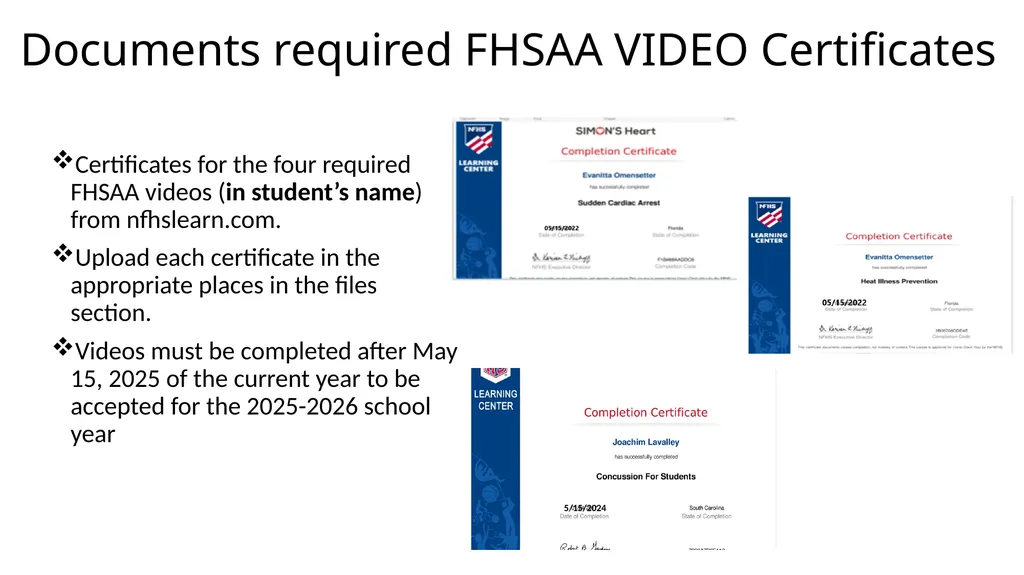
Documents required FHSAA VIDEO Certificates Certificates for the four required FHSAA videos (in student’s name) from nfhslearn.com.
Upload each certificate in the appropriate places in the files section.
Videos must be completed after May 15, 2025 of the current year to be accepted for the 2025-2026 school year 5/15/2024<br>
Upload each certificate in the appropriate places in the files section.
Videos must be completed after May 15, 2025 of the current year to be accepted for the 2025-2026 school year 5/15/2024<br>
09
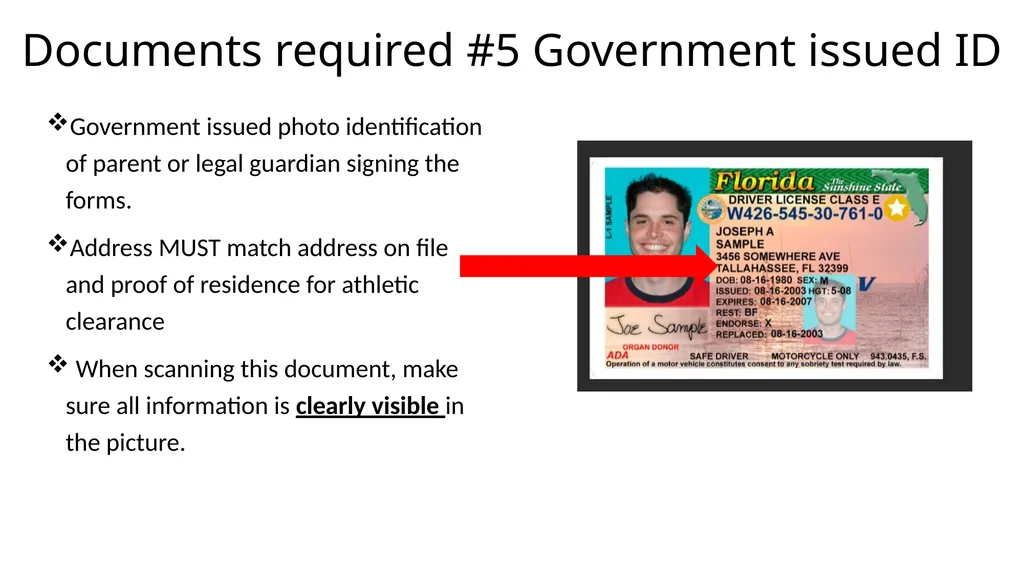
Documents required #5 Government issued ID Government issued photo identification of parent or legal guardian signing the forms.
Address MUST match address on file and proof of residence for athletic clearance
When scanning this document, make sure all information is clearly visible in the picture.<br>
Address MUST match address on file and proof of residence for athletic clearance
When scanning this document, make sure all information is clearly visible in the picture.<br>
10
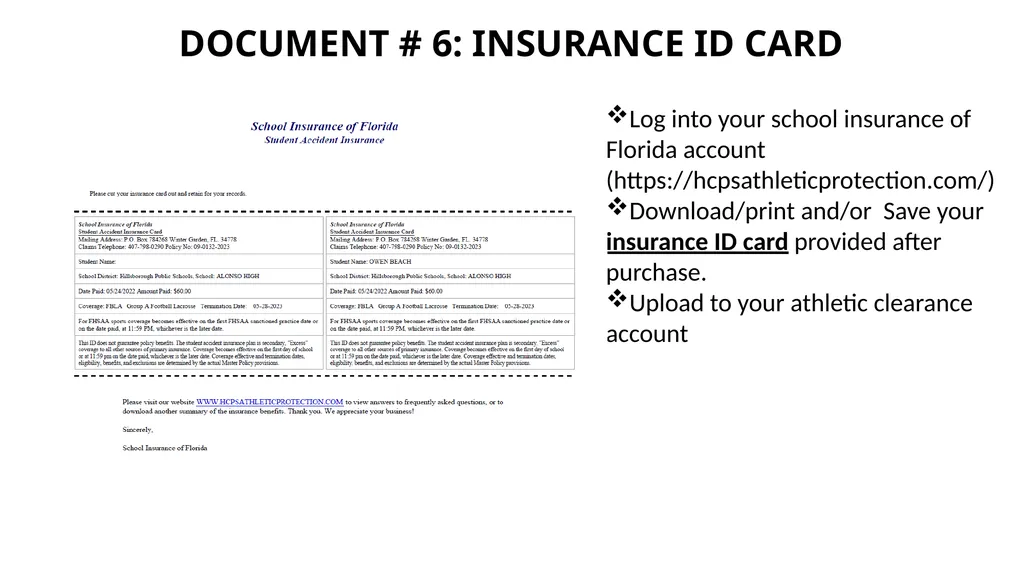
Document # 6: Insurance id card Log into your school insurance of Florida account (https://hcpsathleticprotection.com/)
Download/print and/or Save your insurance ID card provided after purchase.
Upload to your athletic clearance account<br>
Download/print and/or Save your insurance ID card provided after purchase.
Upload to your athletic clearance account<br>
11
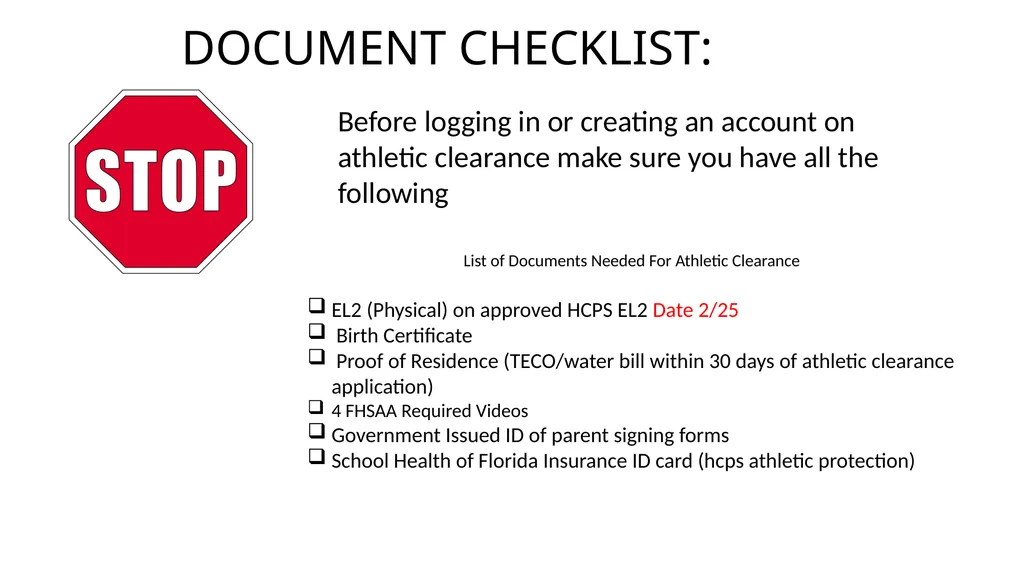
DOCUMENT CHECKLIST: Before logging in or creating an account on athletic clearance make sure you have all the following List of Documents Needed For Athletic Clearance
EL2 (Physical) on approved HCPS EL2 Date 2/25
Birth Certificate
Proof of Residence (TECO/water bill within 30 days of athletic clearance application)
4 FHSAA Required Videos
Government Issued ID of parent signing forms
School Health of Florida Insurance ID card (hcps athletic protection)<br>
EL2 (Physical) on approved HCPS EL2 Date 2/25
Birth Certificate
Proof of Residence (TECO/water bill within 30 days of athletic clearance application)
4 FHSAA Required Videos
Government Issued ID of parent signing forms
School Health of Florida Insurance ID card (hcps athletic protection)<br>
12
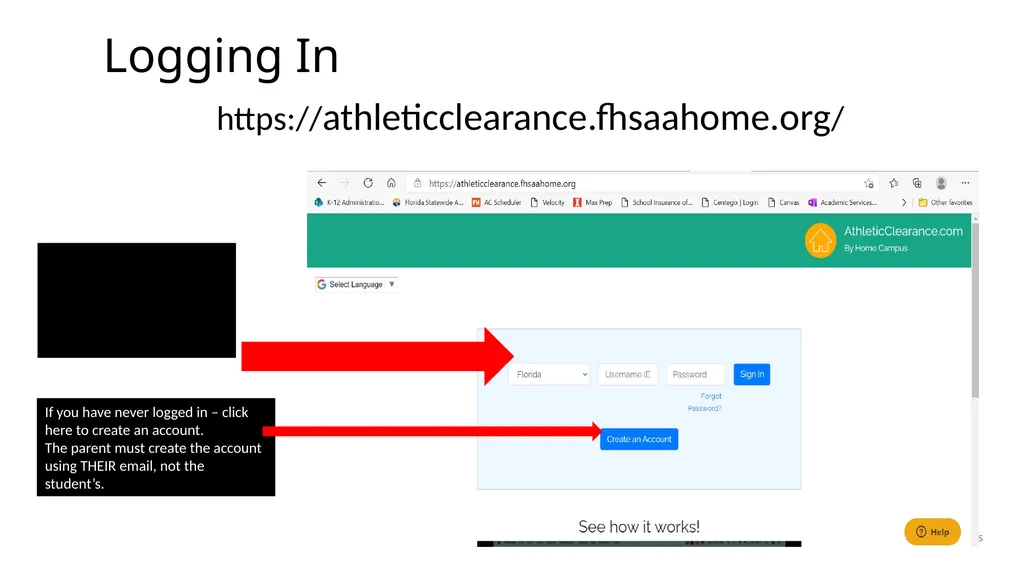
Logging In https://athleticclearance.fhsaahome.org/ Athletics If you have never logged in – click here to create an account.
The parent must create the account using THEIR email, not the student’s. If you have ever had an account, log in here. If you have forgotten your info, DO NOT create a new account. Use the reset or HELP options.<br>
The parent must create the account using THEIR email, not the student’s. If you have ever had an account, log in here. If you have forgotten your info, DO NOT create a new account. Use the reset or HELP options.<br>
13
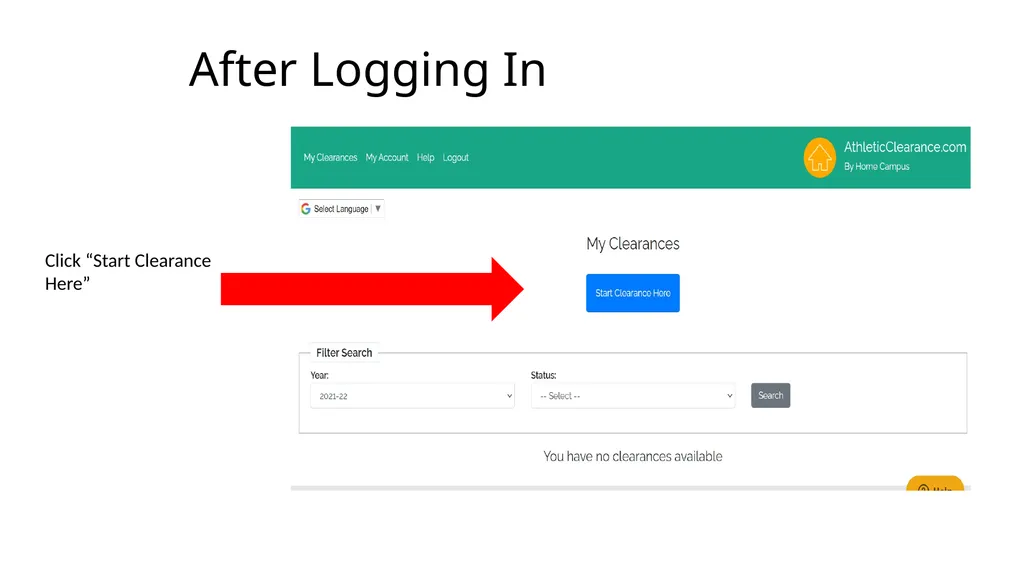
After Logging In Click “Start Clearance Here”<br>
14
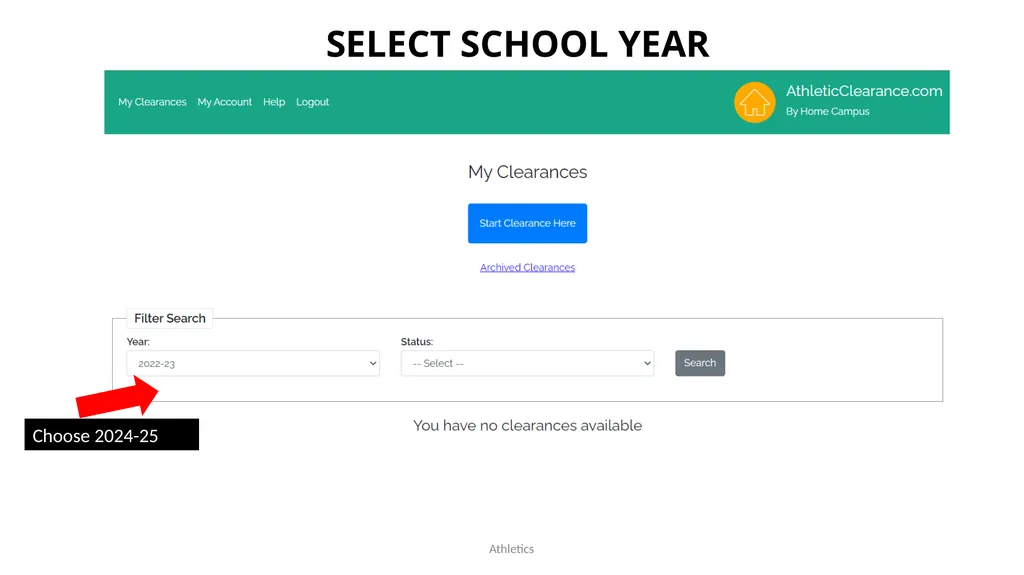
Athletics Select school Year Choose 2024-25<br>
15
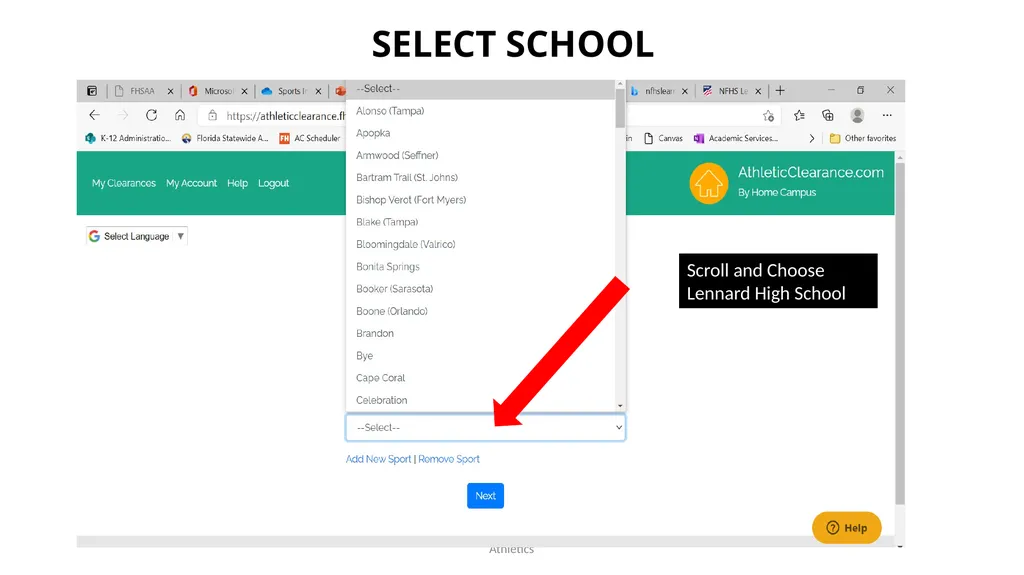
Athletics Select school Scroll and Choose Lennard High School<br>
16
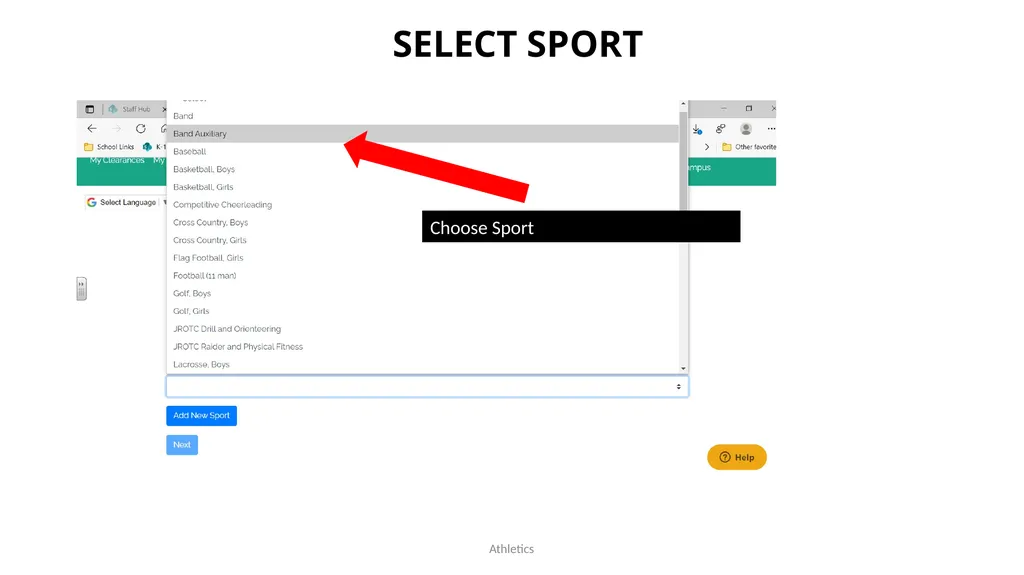
Athletics Select Sport Choose Sport<br>
17
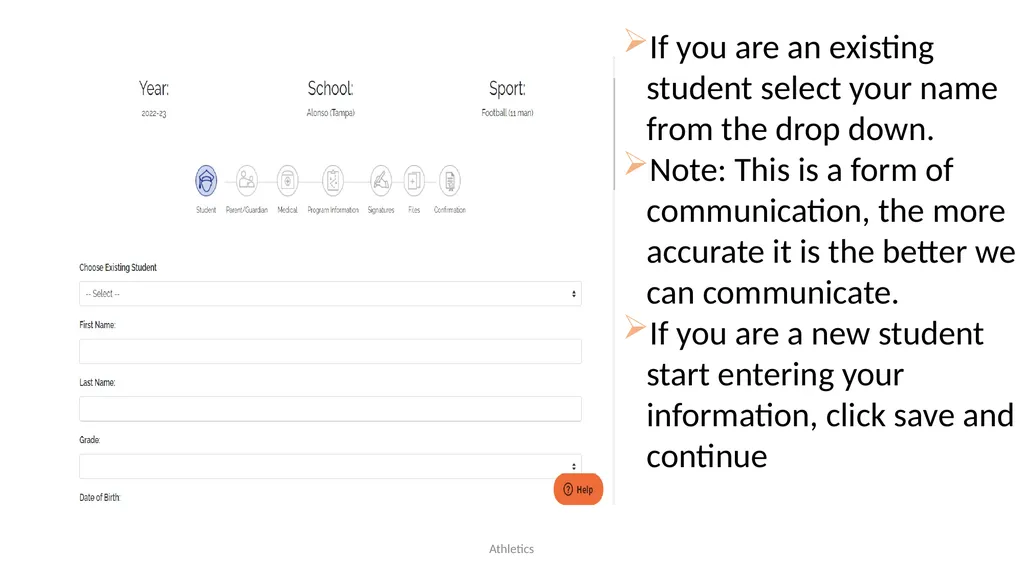
Athletics If you are an existing student select your name from the drop down.
Note: This is a form of communication, the more accurate it is the better we can communicate.
If you are a new student start entering your information, click save and continue<br>
Note: This is a form of communication, the more accurate it is the better we can communicate.
If you are a new student start entering your information, click save and continue<br>
18
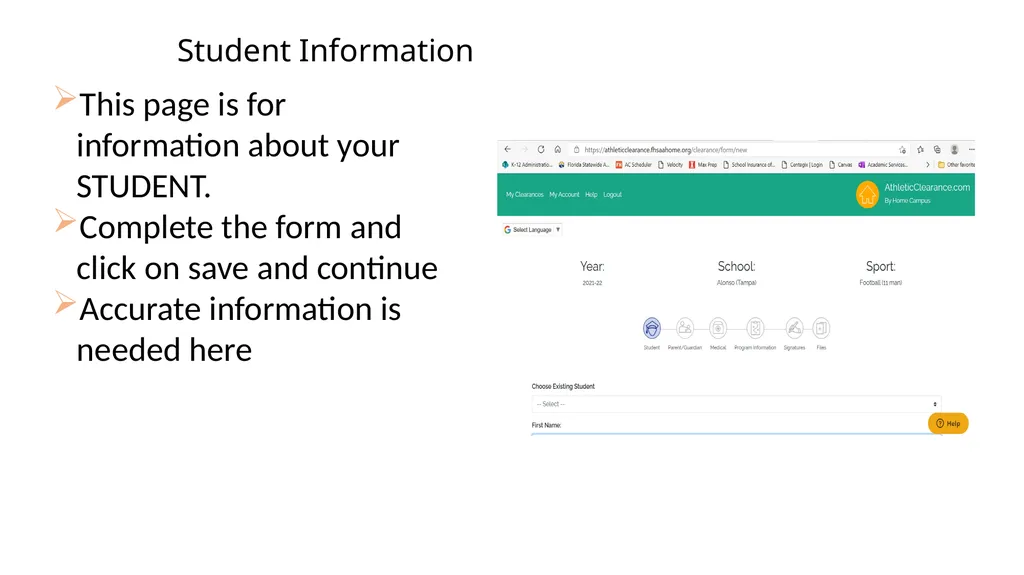
Student Information This page is for information about your STUDENT.
Complete the form and click on save and continue
Accurate information is needed here<br>
Complete the form and click on save and continue
Accurate information is needed here<br>
19
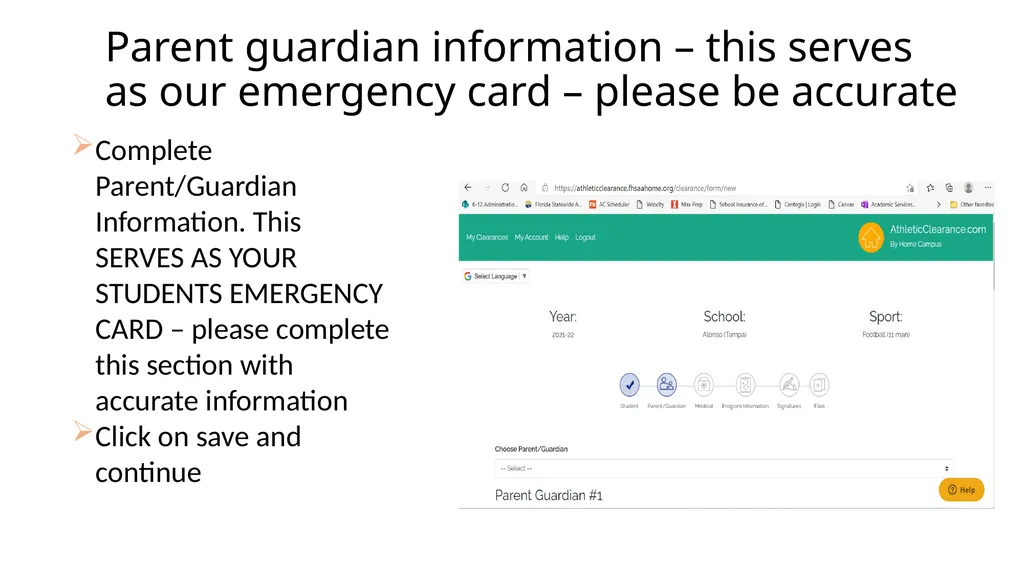
Parent guardian information – this serves as our emergency card – please be accurate Complete Parent/Guardian Information. This SERVES AS YOUR STUDENTS EMERGENCY CARD – please complete this section with accurate information
Click on save and continue<br>
Click on save and continue<br>
20
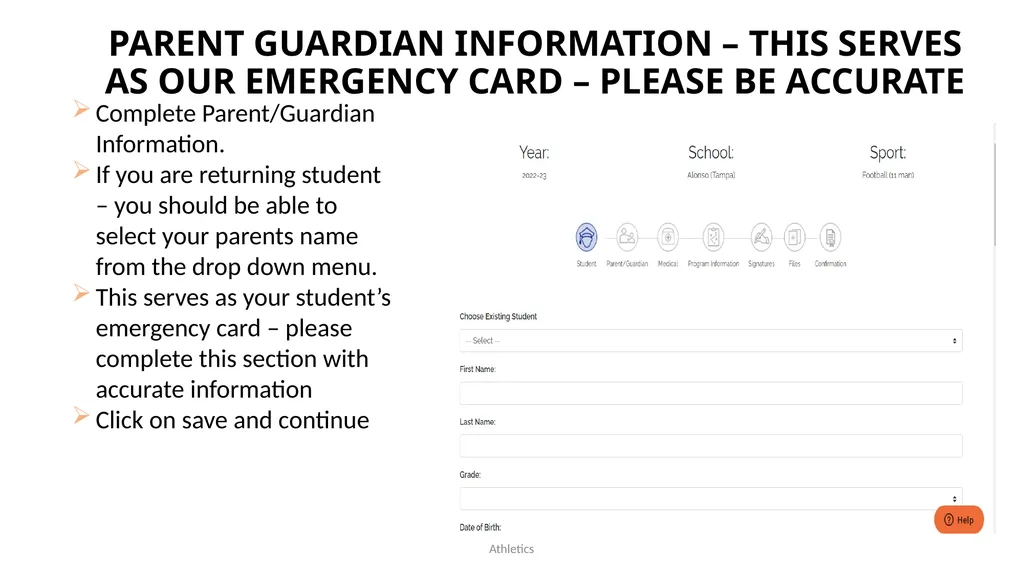
Athletics Complete Parent/Guardian Information.
If you are returning student – you should be able to select your parents name from the drop down menu.
This serves as your student’s emergency card – please complete this section with accurate information
Click on save and continue Parent guardian information – this serves as our emergency card – please be accurate<br>
If you are returning student – you should be able to select your parents name from the drop down menu.
This serves as your student’s emergency card – please complete this section with accurate information
Click on save and continue Parent guardian information – this serves as our emergency card – please be accurate<br>
21
This is your student's medical history information.
Please complete as accurately as possible.
Click on save and continue Student medical history information<br>
Please complete as accurately as possible.
Click on save and continue Student medical history information<br>
22
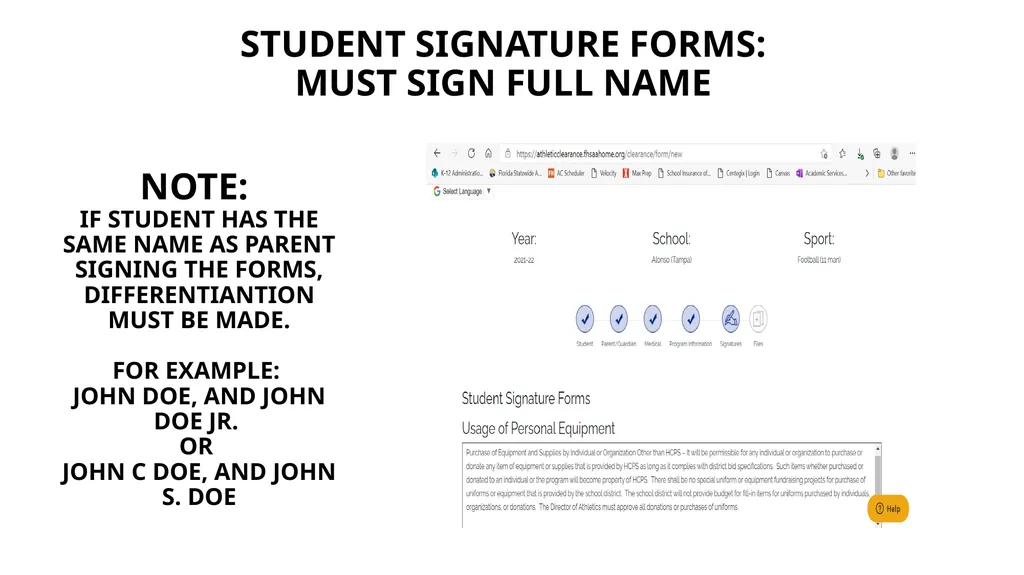
Student signature forms:
Must sign full name Note:
IF STUDENT HAS THE SAME NAME AS PARENT SIGNING THE FORMS, DIFFERENTIANTION MUST BE MADE.
FOR EXAMPLE:
John doe, AND John doe JR.
OR
John c doe, AND JOhn S. doe<br>
Must sign full name Note:
IF STUDENT HAS THE SAME NAME AS PARENT SIGNING THE FORMS, DIFFERENTIANTION MUST BE MADE.
FOR EXAMPLE:
John doe, AND John doe JR.
OR
John c doe, AND JOhn S. doe<br>
23
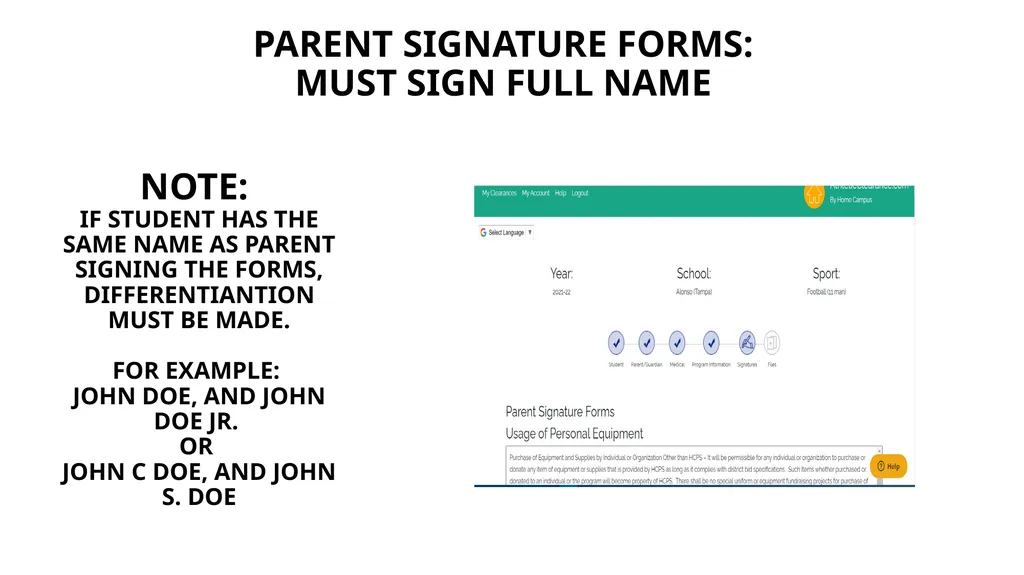
Parent signature forms:
Must sign full name Note:
IF STUDENT HAS THE SAME NAME AS PARENT SIGNING THE FORMS, DIFFERENTIANTION MUST BE MADE.
FOR EXAMPLE:
John doe, AND John doe JR.
OR
John c doe, AND JOhn S. doe<br>
Must sign full name Note:
IF STUDENT HAS THE SAME NAME AS PARENT SIGNING THE FORMS, DIFFERENTIANTION MUST BE MADE.
FOR EXAMPLE:
John doe, AND John doe JR.
OR
John c doe, AND JOhn S. doe<br>
24
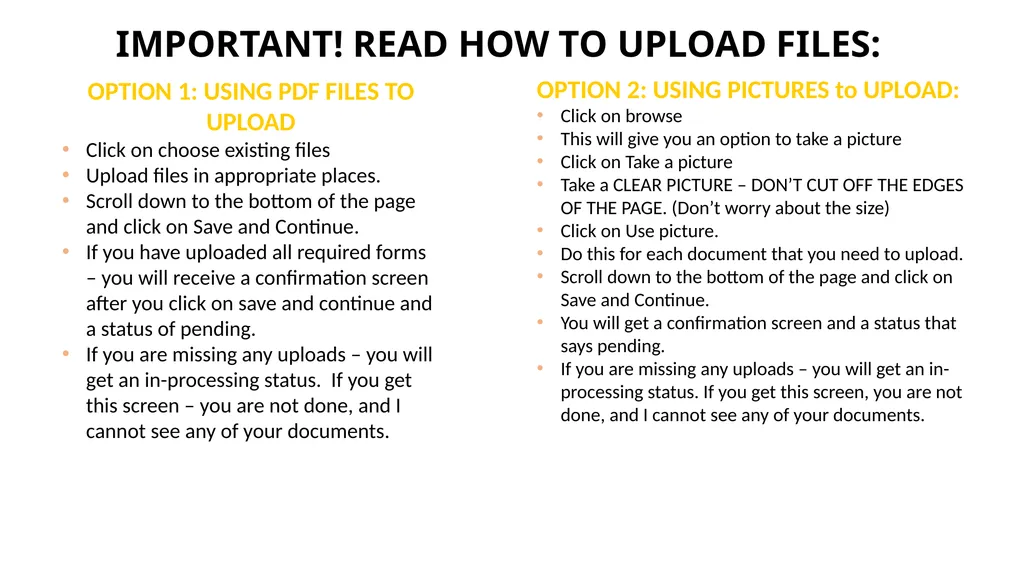
Important! Read HOW TO UPLOAD FILES: OPTION 2: USING PICTURES to UPLOAD:
Click on browse
This will give you an option to take a picture
Click on Take a picture
Take a CLEAR PICTURE – DON’T CUT OFF THE EDGES OF THE PAGE. (Don’t worry about the size)
Click on Use picture.
Do this for each document that you need to upload.
Scroll down to the bottom of the page and click on Save and Continue.
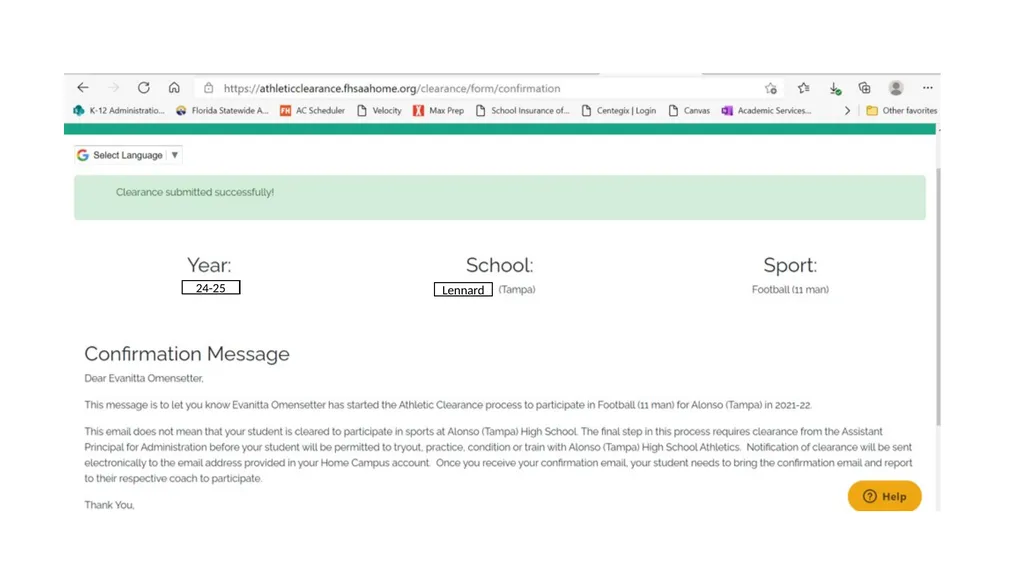
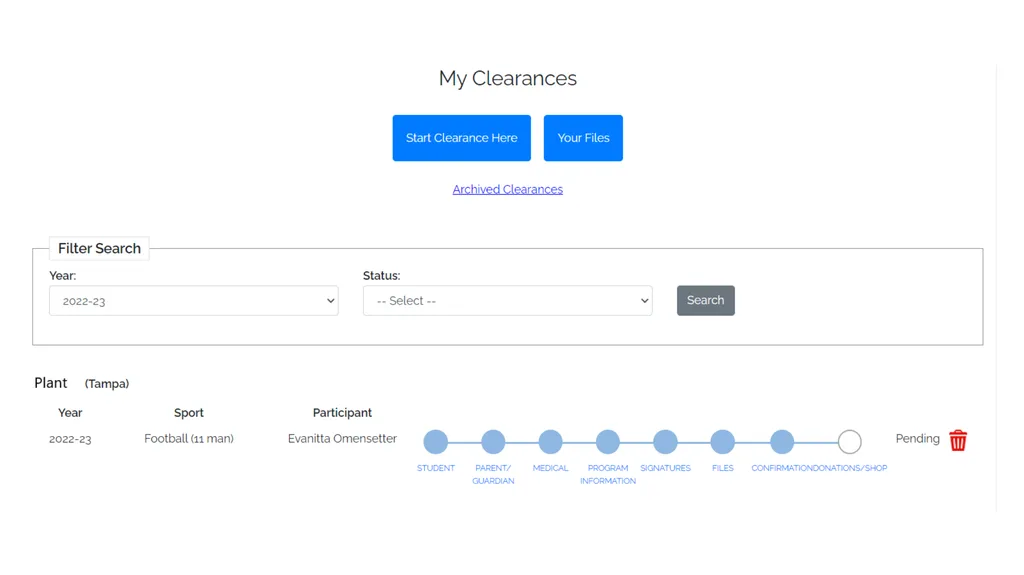
You will get a confirmation screen and a status that says pending.
If you are missing any uploads – you will get an in-processing status. If you get this screen, you are not done, and I cannot see any of your documents. OPTION 1: USING PDF FILES TO UPLOAD
Click on choose existing files
Upload files in appropriate places.
Scroll down to the bottom of the page and click on Save and Continue.
If you have uploaded all required forms – you will receive a confirmation screen after you click on save and continue and a status of pending.
If you are missing any uploads – you will get an in-processing status. If you get this screen – you are not done, and I cannot see any of your documents.<br>
Click on browse
This will give you an option to take a picture
Click on Take a picture
Take a CLEAR PICTURE – DON’T CUT OFF THE EDGES OF THE PAGE. (Don’t worry about the size)
Click on Use picture.
Do this for each document that you need to upload.
Scroll down to the bottom of the page and click on Save and Continue.
You will get a confirmation screen and a status that says pending.
If you are missing any uploads – you will get an in-processing status. If you get this screen, you are not done, and I cannot see any of your documents. OPTION 1: USING PDF FILES TO UPLOAD
Click on choose existing files
Upload files in appropriate places.
Scroll down to the bottom of the page and click on Save and Continue.
If you have uploaded all required forms – you will receive a confirmation screen after you click on save and continue and a status of pending.
If you are missing any uploads – you will get an in-processing status. If you get this screen – you are not done, and I cannot see any of your documents.<br>
25
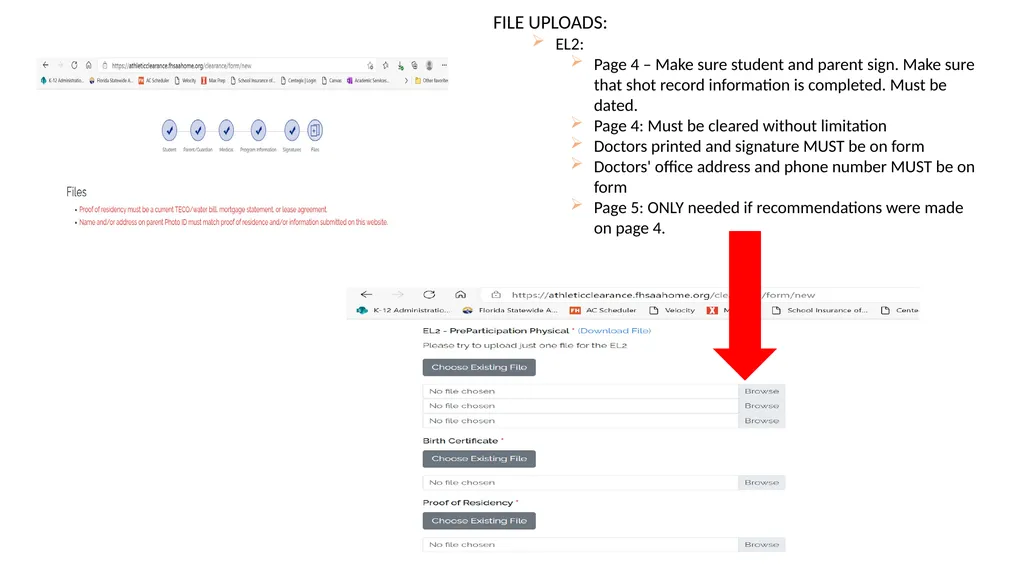
FILE UPLOADS:
EL2:
Page 4 – Make sure student and parent sign. Make sure that shot record information is completed. Must be dated.
Page 4: Must be cleared without limitation
Doctors printed and signature MUST be on form
Doctors' office address and phone number MUST be on form
Page 5: ONLY needed if recommendations were made on page 4.<br>
EL2:
Page 4 – Make sure student and parent sign. Make sure that shot record information is completed. Must be dated.
Page 4: Must be cleared without limitation
Doctors printed and signature MUST be on form
Doctors' office address and phone number MUST be on form
Page 5: ONLY needed if recommendations were made on page 4.<br>
26
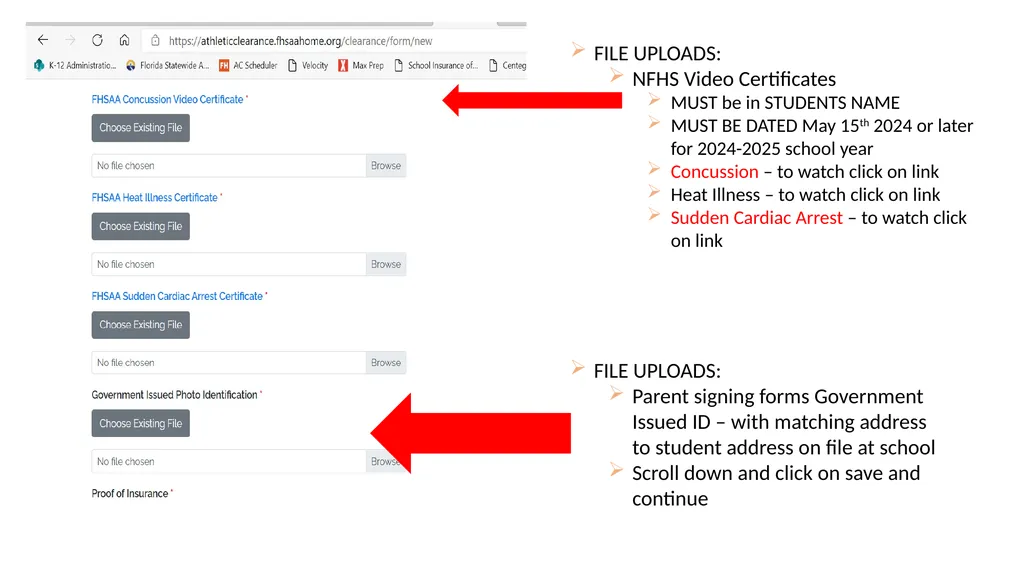
FILE UPLOADS:
NFHS Video Certificates
MUST be in STUDENTS NAME
MUST BE DATED May 15th 2024 or later for 2024-2025 school year
Concussion – to watch click on link
Heat Illness – to watch click on link
Sudden Cardiac Arrest – to watch click on link FILE UPLOADS:
Parent signing forms Government Issued ID – with matching address to student address on file at school
Scroll down and click on save and continue<br>
NFHS Video Certificates
MUST be in STUDENTS NAME
MUST BE DATED May 15th 2024 or later for 2024-2025 school year
Concussion – to watch click on link
Heat Illness – to watch click on link
Sudden Cardiac Arrest – to watch click on link FILE UPLOADS:
Parent signing forms Government Issued ID – with matching address to student address on file at school
Scroll down and click on save and continue<br>
27
24-25 Lennard<br>
28
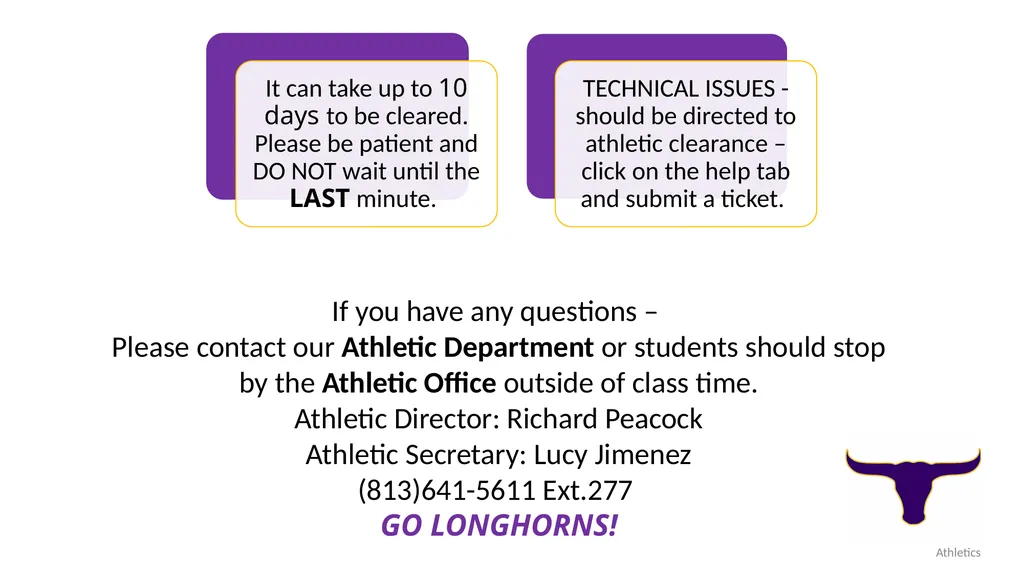
Athletics If you have any questions –
Please contact our Athletic Department or students should stop by the Athletic Office outside of class time.
Athletic Director: Richard Peacock
Athletic Secretary: Lucy Jimenez
(813)641-5611 Ext.277
GO LONGHORNS!<br>
Please contact our Athletic Department or students should stop by the Athletic Office outside of class time.
Athletic Director: Richard Peacock
Athletic Secretary: Lucy Jimenez
(813)641-5611 Ext.277
GO LONGHORNS!<br>