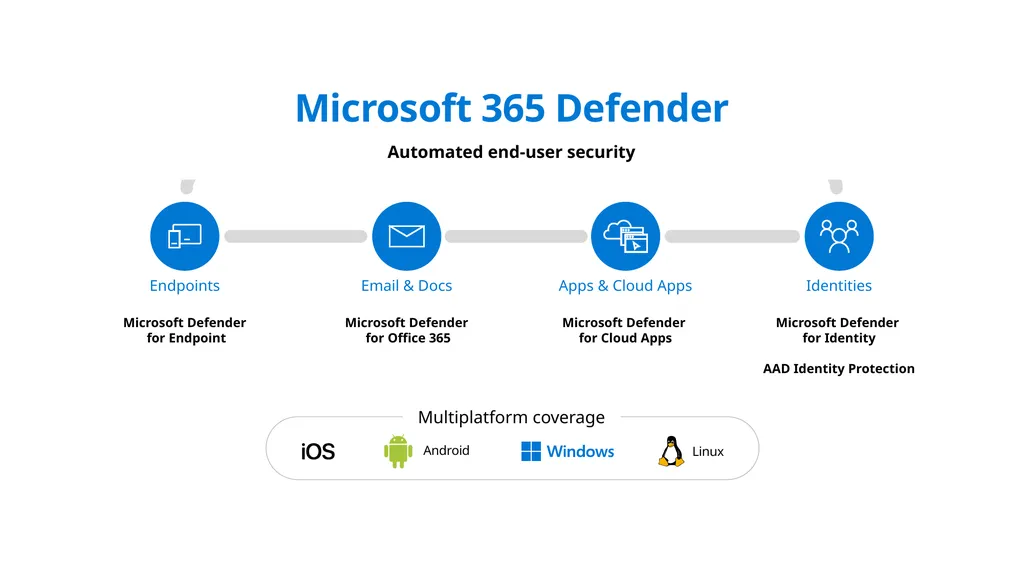
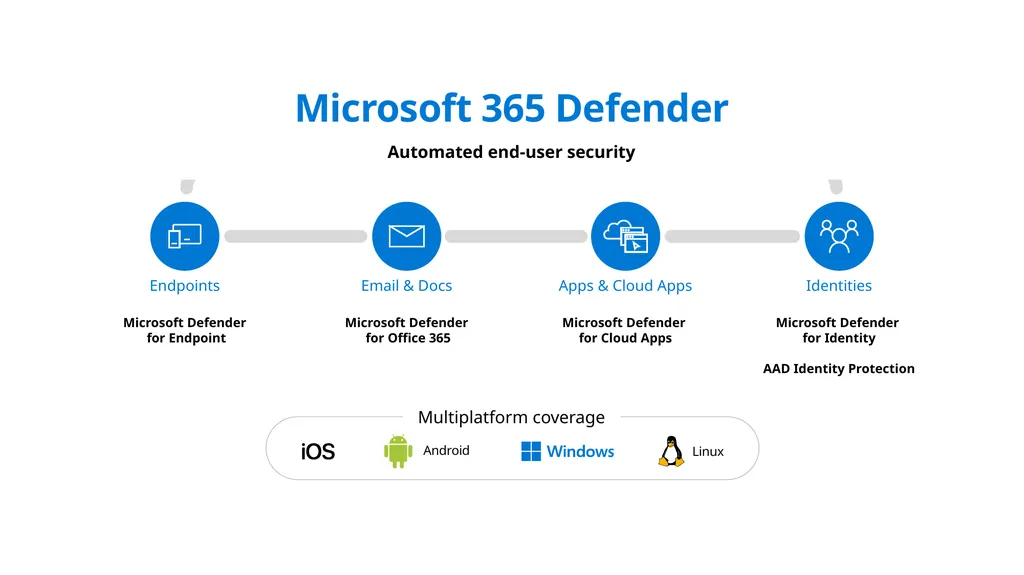
Microsoft 365 Defender Automated end-user security Endpoints Microsoft Defender for Endpoint Email Docs Microsoft Defender for Office 365 Apps Cloud Apps Microsoft Defender for Cloud Apps Identities Microsoft Defender for Identity AAD
"Microsoft 365 Defender Automated end-user security" is the property of its rightful owner. Permission is granted to
download and print the materials on this website for personal, non-commercial use only, and to display it
on your personal computer provided you do not modify the materials and that you retain all copyright
notices contained in the materials. By downloading content from our website, you accept the terms of this
agreement.
Presentation Transcript
01
Microsoft 365 Defender Automated end-user security Endpoints Microsoft Defender for Endpoint Email & Docs Microsoft Defender for Office 365 Apps & Cloud Apps Microsoft Defender for Cloud Apps Identities Microsoft Defender for Identity
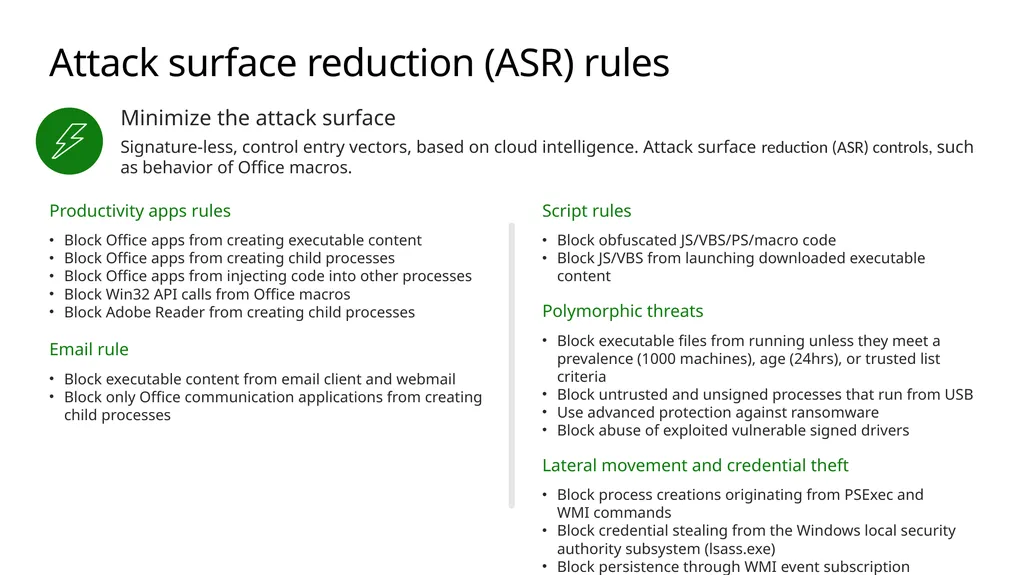
Attack surface reduction (ASR) rules Productivity apps rules
Block Office apps from creating executable content
Block Office apps from creating child processes
Block Office apps from injecting code into other processes
Block Win32 API calls from Office macros
Block Adobe Reader from creating child processes
Email rule
Block executable content from email client and webmail
Block only Office communication applications from creating child processes Script rules
Block obfuscated JS/VBS/PS/macro code
Block JS/VBS from launching downloaded executable content
Polymorphic threats
Block executable files from running unless they meet a prevalence (1000 machines), age (24hrs), or trusted list criteria
Block untrusted and unsigned processes that run from USB
Use advanced protection against ransomware
Block abuse of exploited vulnerable signed drivers
Lateral movement and credential theft
Block process creations originating from PSExec and WMI commands
Block credential stealing from the Windows local security authority subsystem (lsass.exe)
Block persistence through WMI event subscription<br>
04
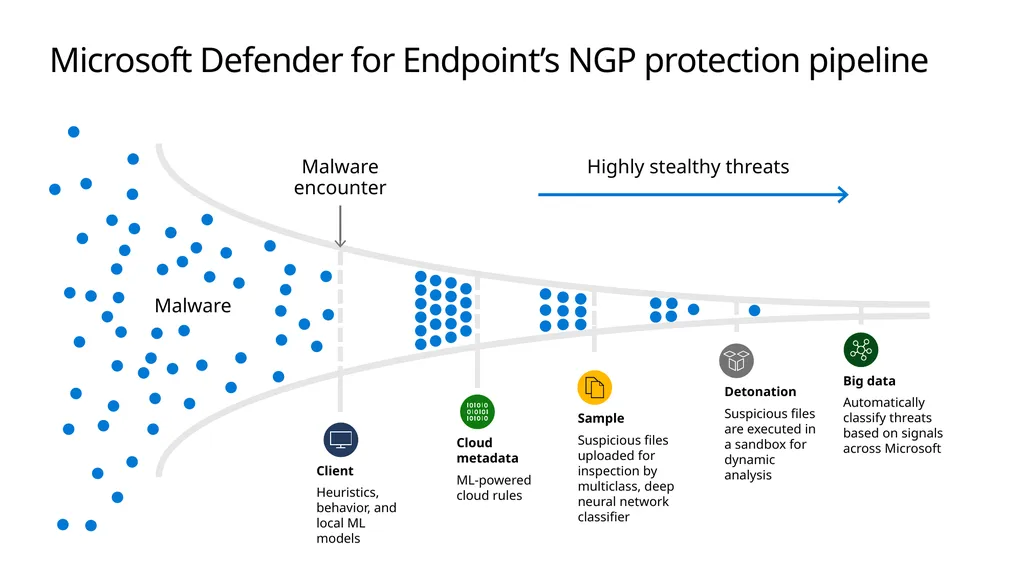
Microsoft Defender for Endpoint’s NGP protection pipeline Malware Malware encounter Client
Heuristics, behavior, and local ML models Cloud metadata
ML-powered cloud rules Sample
Suspicious files uploaded for inspection by multiclass, deep neural network classifier Detonation
Suspicious files are executed in a sandbox for dynamic analysis Big data
Automatically classify threats based on signals across Microsoft<br>