Microsoft Teams VUMC What is Teams? Microsoft teams is a hub - an app that helps you pull together a team. Work together using chat instead of email. Channels instead of folders. Its a workspace for you and your team Teams can securely
"Microsoft Teams VUMC What is Teams? Microsoft" is the property of its rightful owner. Permission is granted to
download and print the materials on this website for personal, non-commercial use only, and to display it
on your personal computer provided you do not modify the materials and that you retain all copyright
notices contained in the materials. By downloading content from our website, you accept the terms of this
agreement.
Presentation Transcript
01
Microsoft Teams VUMC<br>
02
What is Teams? Microsoft teams is a hub - an app that helps you pull together a team.
Work together using chat instead of email. Channels instead of folders.
It's a workspace for you and your team
Teams can securely edit files at the same time
See likes at mentions and replies with just a single tap - it's a place that your team can make its own by adding notes websites and apps
Because it's in the cloud it let's everyone work together no matter where they are<br>
03
How do I get it? TEAMS WEB APP
To use Teams on the web visit: https://teams.office.com/
TEAMS CLIENT
For the best Microsoft Teams experience use the Teams client. On workstations with Office365 Pro Plus installed, Teams is automatically installed with version 1902 or newer. You may also download the client on your desktop, laptop, or mobile device by visiting: http://aka.ms/getteams.<br>
04
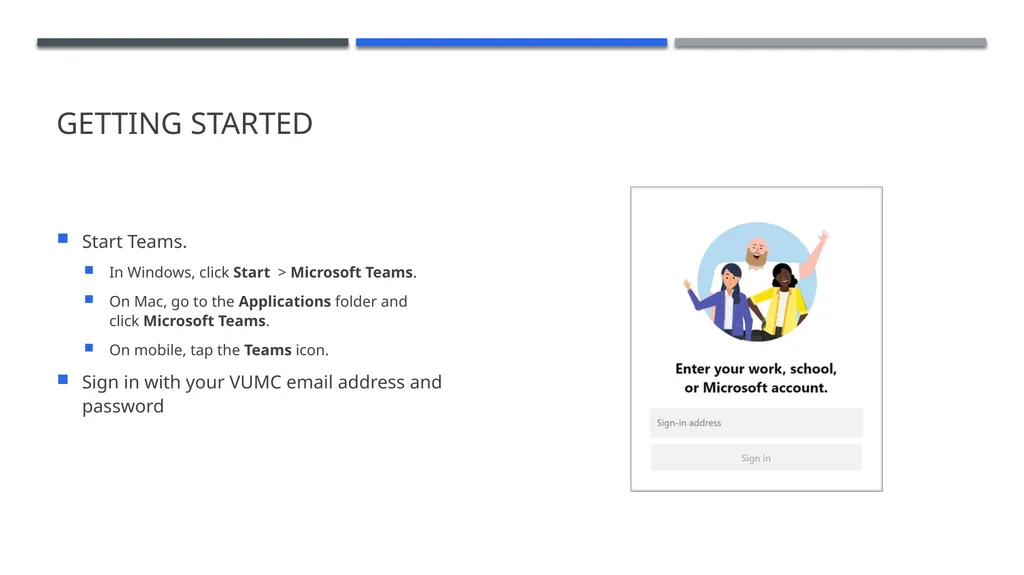
Getting started Start Teams.
In Windows, click Start > Microsoft Teams.
On Mac, go to the Applications folder and click Microsoft Teams.
On mobile, tap the Teams icon.
Sign in with your VUMC email address and password<br>
05
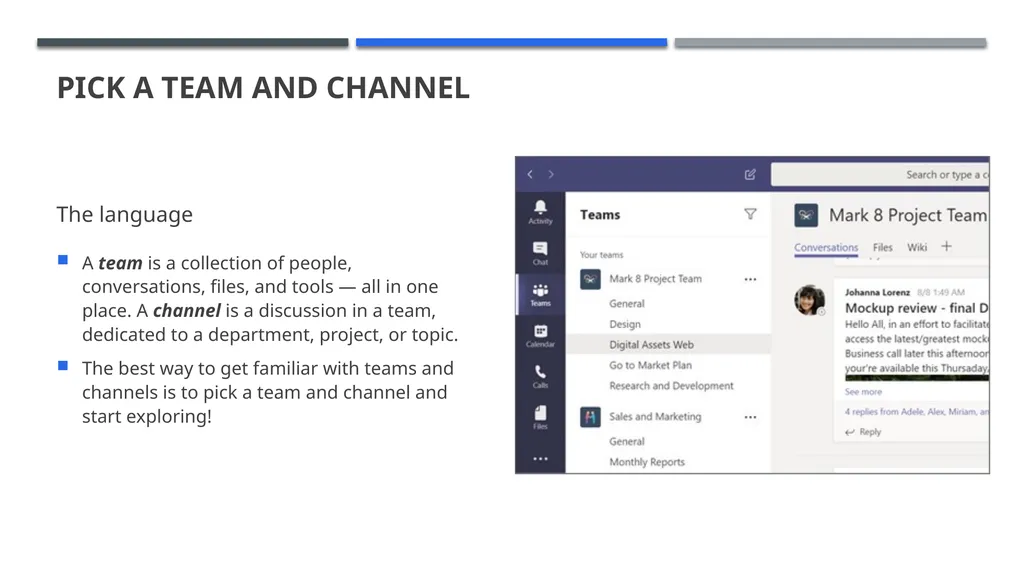
Pick a team and channel The language A team is a collection of people, conversations, files, and tools — all in one place. A channel is a discussion in a team, dedicated to a department, project, or topic.
The best way to get familiar with teams and channels is to pick a team and channel and start exploring!<br>
06
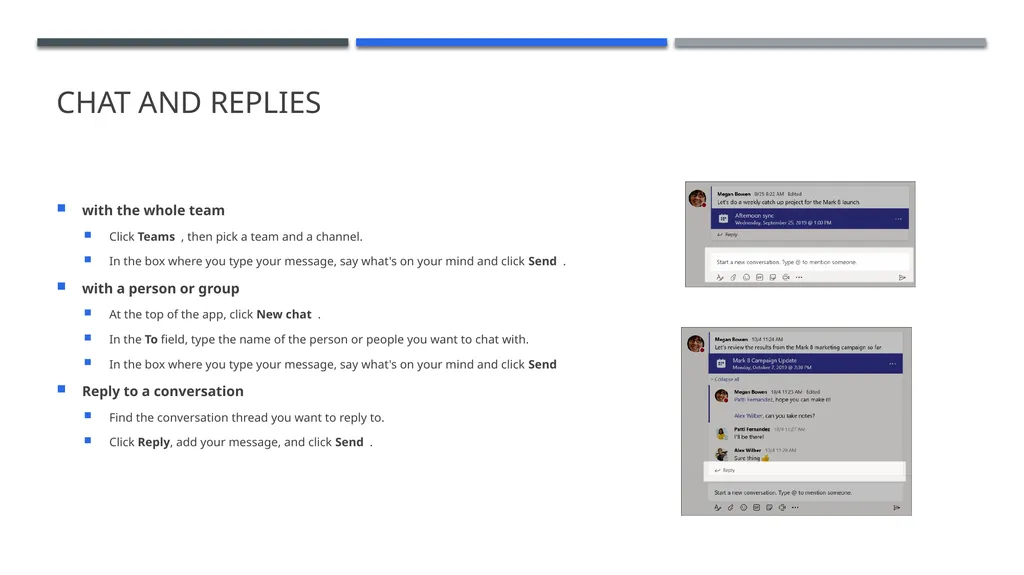
Chat and Replies with the whole team
Click Teams , then pick a team and a channel.
In the box where you type your message, say what's on your mind and click Send .
with a person or group
At the top of the app, click New chat .
In the To field, type the name of the person or people you want to chat with.
In the box where you type your message, say what's on your mind and click Send
Reply to a conversation
Find the conversation thread you want to reply to.
Click Reply, add your message, and click Send .<br>
07
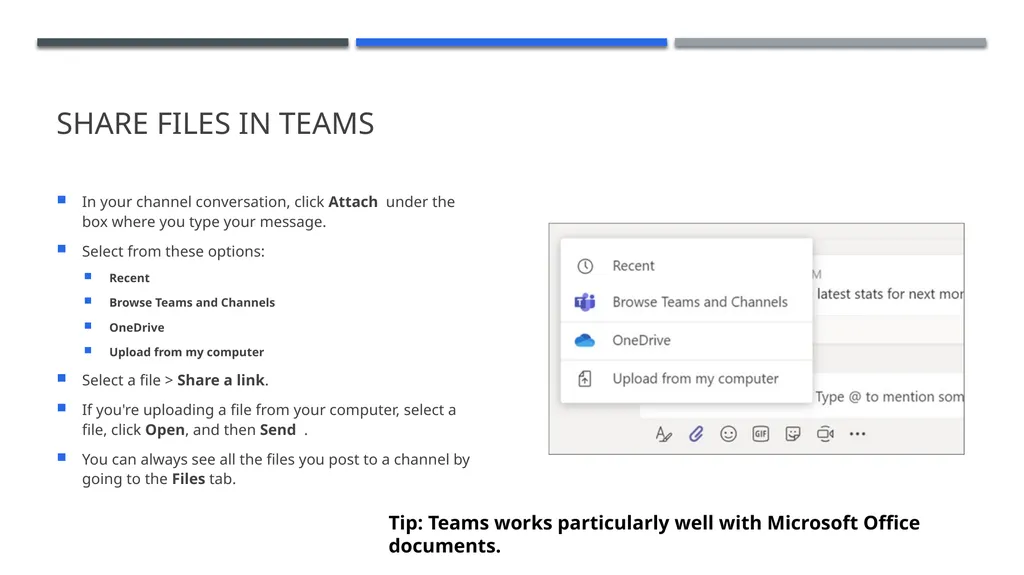
Share Files in Teams In your channel conversation, click Attach under the box where you type your message.
Select from these options:
Recent
Browse Teams and Channels
OneDrive
Upload from my computer
Select a file > Share a link.
If you're uploading a file from your computer, select a file, click Open, and then Send .
You can always see all the files you post to a channel by going to the Files tab. Tip: Teams works particularly well with Microsoft Office documents.<br>
08
TRAINING – VUMC IT Teams page (Guidelines and source of truth) Microsoft has short video training on several topics available at this link.
VUMC’s training partner Percipio has more in-depth courses available at this link.
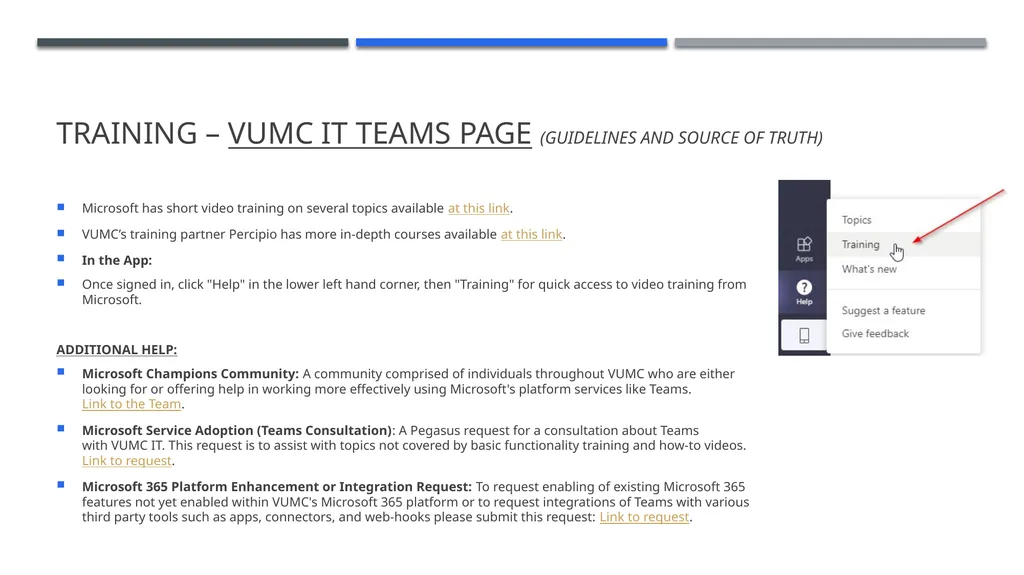
In the App:
Once signed in, click "Help" in the lower left hand corner, then "Training" for quick access to video training from Microsoft.
ADDITIONAL HELP:
Microsoft Champions Community: A community comprised of individuals throughout VUMC who are either looking for or offering help in working more effectively using Microsoft's platform services like Teams. Link to the Team.
Microsoft Service Adoption (Teams Consultation): A Pegasus request for a consultation about Teams with VUMC IT. This request is to assist with topics not covered by basic functionality training and how-to videos. Link to request.
Microsoft 365 Platform Enhancement or Integration Request: To request enabling of existing Microsoft 365 features not yet enabled within VUMC's Microsoft 365 platform or to request integrations of Teams with various third party tools such as apps, connectors, and web-hooks please submit this request: Link to request.<br>