
Mitigating Rapid Cyberattacks (Petya, WannaCrypt,
TD
Published · 37 slides · 0 views
1 / 1
Description
Mitigating Rapid Cyberattacks (Petya, WannaCrypt, and similar) Mark Simos Lead Cybersecurity Architect, Microsoft Jim Moeller Principal Cybersecurity Consultant, Microsoft Objectives Agenda Rapid Destruction at Global Organizations Petya -
Related Topics
Share
Embed code
Download this presentation From Below
"Mitigating Rapid Cyberattacks (Petya, WannaCrypt," is the property of its rightful owner. Permission is granted to download and print the materials on this website for personal, non-commercial use only, and to display it on your personal computer provided you do not modify the materials and that you retain all copyright notices contained in the materials. By downloading content from our website, you accept the terms of this agreement.
Presentation Transcript
01
Mitigating Rapid Cyberattacks
(Petya, WannaCrypt, and similar) Mark Simos
Lead Cybersecurity Architect, Microsoft Jim Moeller
Principal Cybersecurity Consultant, Microsoft<br>
Lead Cybersecurity Architect, Microsoft Jim Moeller
Principal Cybersecurity Consultant, Microsoft<br>
02
Objectives<br>
03
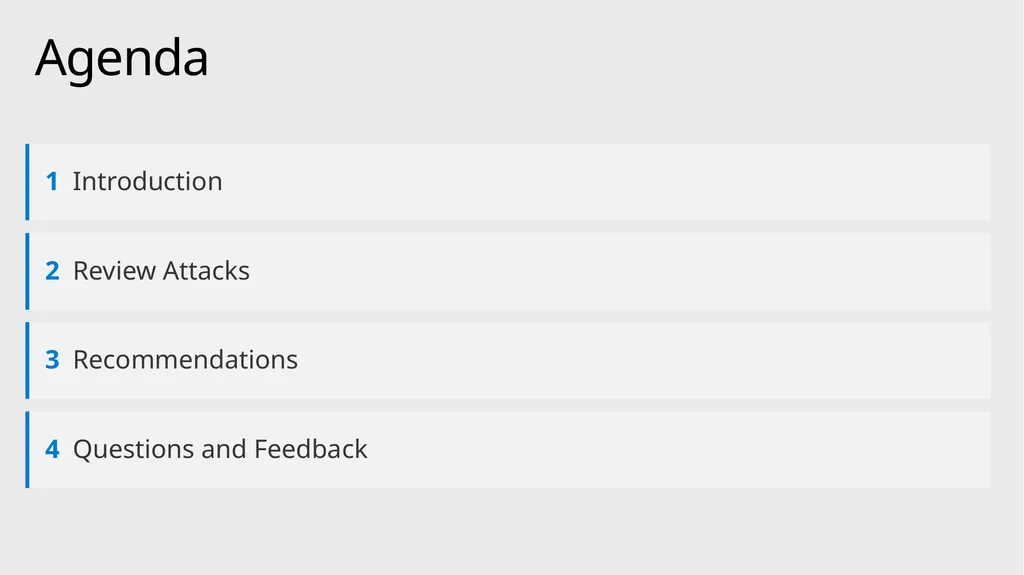
Agenda<br>
04
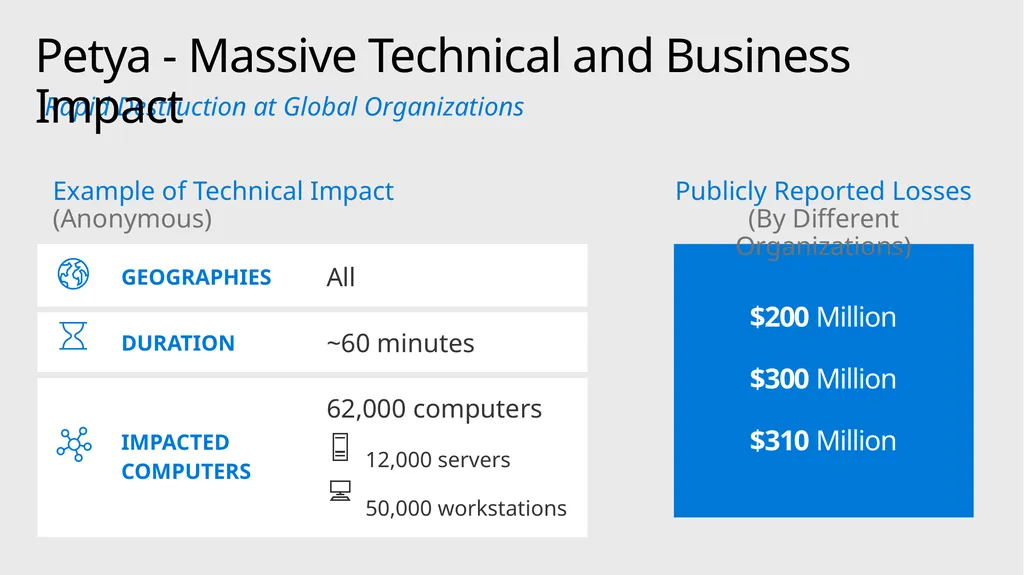
Rapid Destruction at Global Organizations Petya - Massive Technical and Business Impact $200 Million
$300 Million
$310 Million Example of Technical Impact (Anonymous) Publicly Reported Losses (By Different Organizations)<br>
$300 Million
$310 Million Example of Technical Impact (Anonymous) Publicly Reported Losses (By Different Organizations)<br>
05
Session Outcomes<br>
06
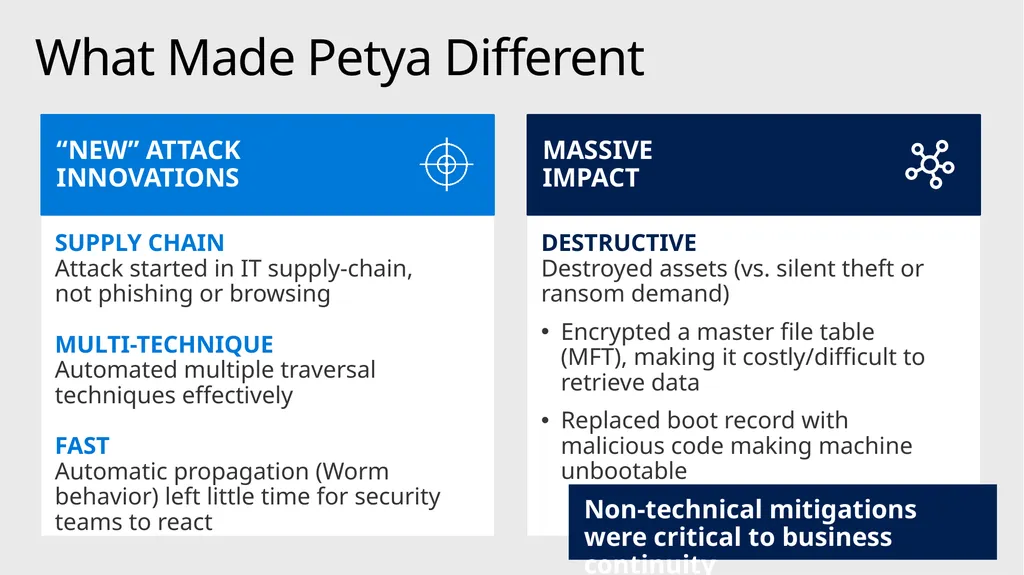
What Made Petya Different Non-technical mitigations were critical to business continuity<br>
07
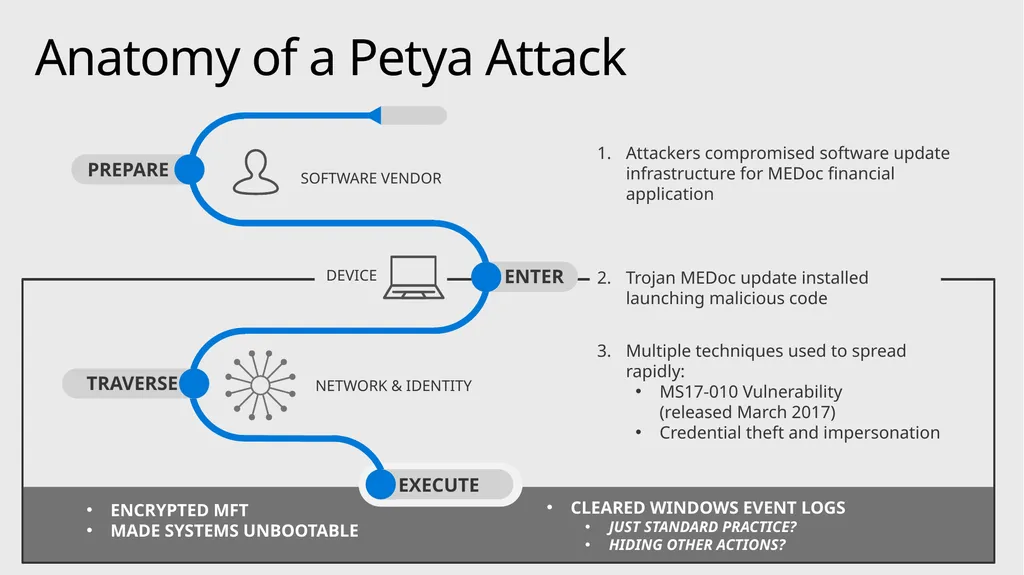
Trojan MEDoc update installed launching malicious code Multiple techniques used to spread rapidly:
MS17-010 Vulnerability (released March 2017)
Credential theft and impersonation Attackers compromised software update infrastructure for MEDoc financial application CLEARED WINDOWS EVENT LOGS
JUST STANDARD PRACTICE?
HIDING OTHER ACTIONS? ENCRYPTED MFT
MADE SYSTEMS UNBOOTABLE Anatomy of a Petya Attack<br>
MS17-010 Vulnerability (released March 2017)
Credential theft and impersonation Attackers compromised software update infrastructure for MEDoc financial application CLEARED WINDOWS EVENT LOGS
JUST STANDARD PRACTICE?
HIDING OTHER ACTIONS? ENCRYPTED MFT
MADE SYSTEMS UNBOOTABLE Anatomy of a Petya Attack<br>
08
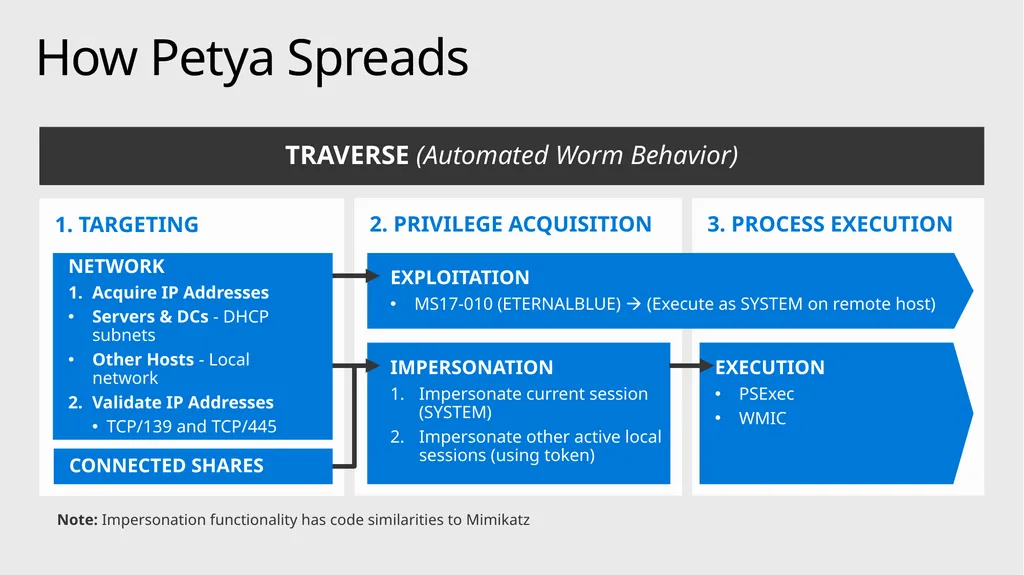
1. TARGETING 3. PROCESS EXECUTION EXECUTION
PSExec
WMIC 2. PRIVILEGE ACQUISITION How Petya Spreads TRAVERSE (Automated Worm Behavior) IMPERSONATION
Impersonate current session (SYSTEM)
Impersonate other active local sessions (using token) EXPLOITATION
MS17-010 (ETERNALBLUE) (Execute as SYSTEM on remote host) NETWORK
Acquire IP Addresses
Servers & DCs - DHCP subnets
Other Hosts - Local network
Validate IP Addresses
TCP/139 and TCP/445 CONNECTED SHARES Note: Impersonation functionality has code similarities to Mimikatz<br>
PSExec
WMIC 2. PRIVILEGE ACQUISITION How Petya Spreads TRAVERSE (Automated Worm Behavior) IMPERSONATION
Impersonate current session (SYSTEM)
Impersonate other active local sessions (using token) EXPLOITATION
MS17-010 (ETERNALBLUE) (Execute as SYSTEM on remote host) NETWORK
Acquire IP Addresses
Servers & DCs - DHCP subnets
Other Hosts - Local network
Validate IP Addresses
TCP/139 and TCP/445 CONNECTED SHARES Note: Impersonation functionality has code similarities to Mimikatz<br>
09
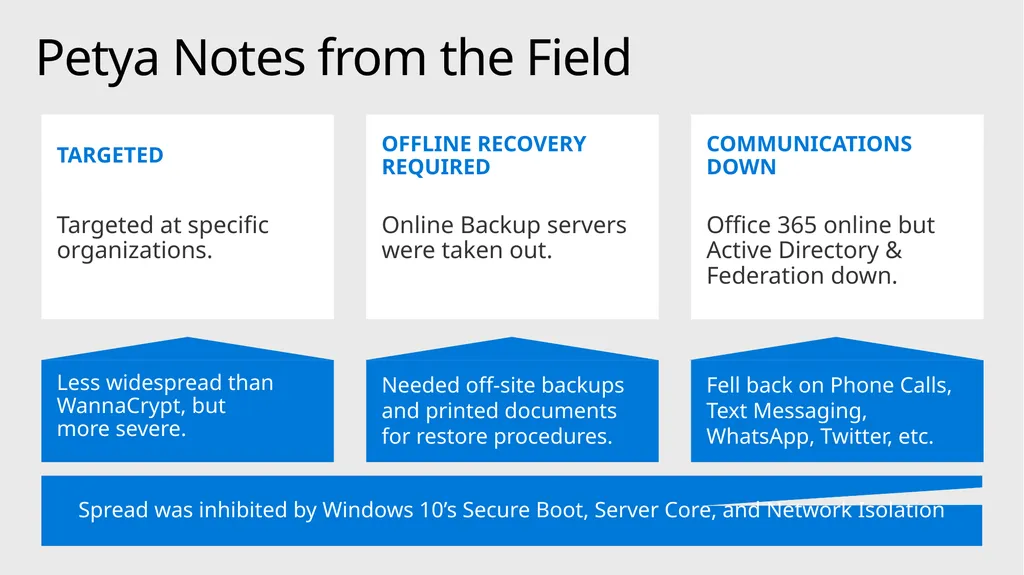
Petya Notes from the Field Spread was inhibited by Windows 10’s Secure Boot, Server Core, and Network Isolation<br>
10
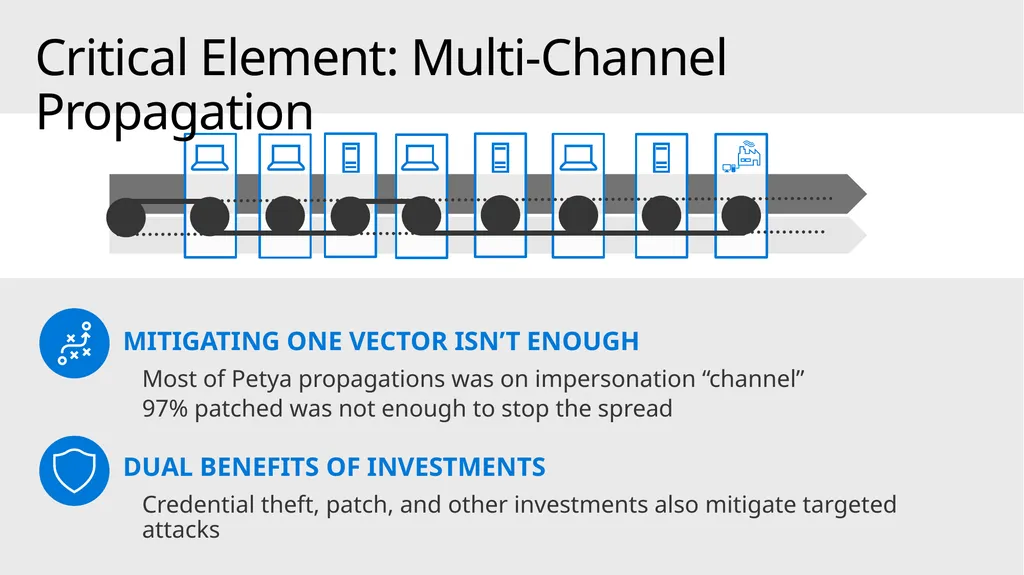
MITIGATING ONE VECTOR ISN’T ENOUGH
Most of Petya propagations was on impersonation “channel”
97% patched was not enough to stop the spread
DUAL BENEFITS OF INVESTMENTS
Credential theft, patch, and other investments also mitigate targeted attacks Critical Element: Multi-Channel Propagation<br>
Most of Petya propagations was on impersonation “channel”
97% patched was not enough to stop the spread
DUAL BENEFITS OF INVESTMENTS
Credential theft, patch, and other investments also mitigate targeted attacks Critical Element: Multi-Channel Propagation<br>
11
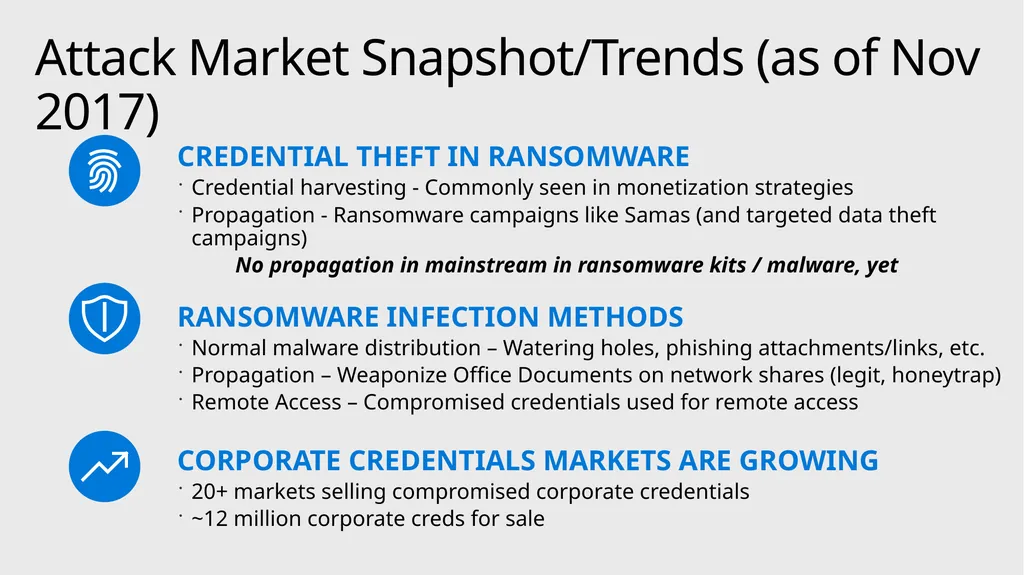
CREDENTIAL THEFT IN RANSOMWARE
Credential harvesting - Commonly seen in monetization strategies
Propagation - Ransomware campaigns like Samas (and targeted data theft campaigns)
No propagation in mainstream in ransomware kits / malware, yet
RANSOMWARE INFECTION METHODS
Normal malware distribution – Watering holes, phishing attachments/links, etc.
Propagation – Weaponize Office Documents on network shares (legit, honeytrap)
Remote Access – Compromised credentials used for remote access
CORPORATE CREDENTIALS MARKETS ARE GROWING
20+ markets selling compromised corporate credentials
~12 million corporate creds for sale Attack Market Snapshot/Trends (as of Nov 2017)<br>
Credential harvesting - Commonly seen in monetization strategies
Propagation - Ransomware campaigns like Samas (and targeted data theft campaigns)
No propagation in mainstream in ransomware kits / malware, yet
RANSOMWARE INFECTION METHODS
Normal malware distribution – Watering holes, phishing attachments/links, etc.
Propagation – Weaponize Office Documents on network shares (legit, honeytrap)
Remote Access – Compromised credentials used for remote access
CORPORATE CREDENTIALS MARKETS ARE GROWING
20+ markets selling compromised corporate credentials
~12 million corporate creds for sale Attack Market Snapshot/Trends (as of Nov 2017)<br>
12
Session Outcomes<br>
13
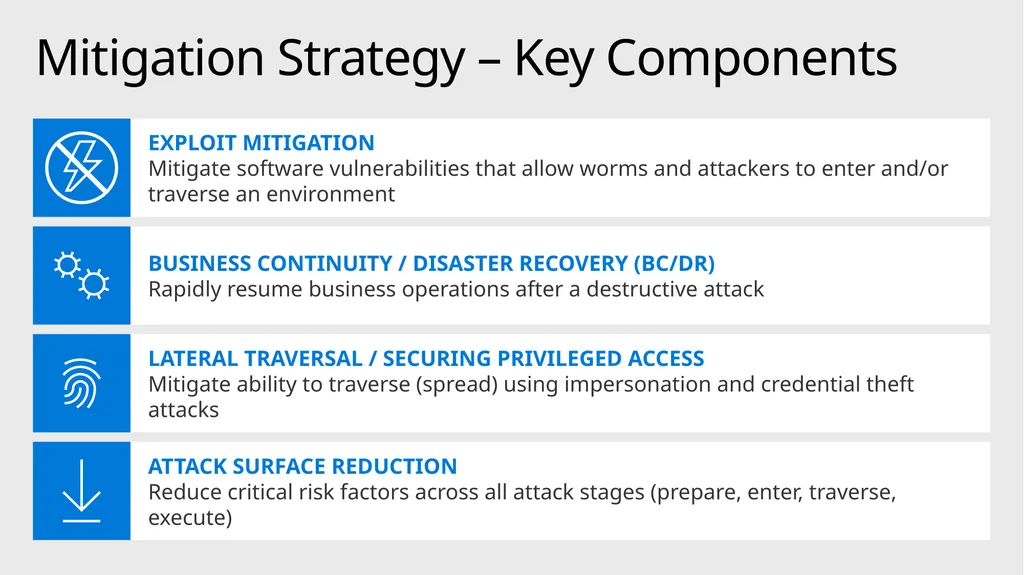
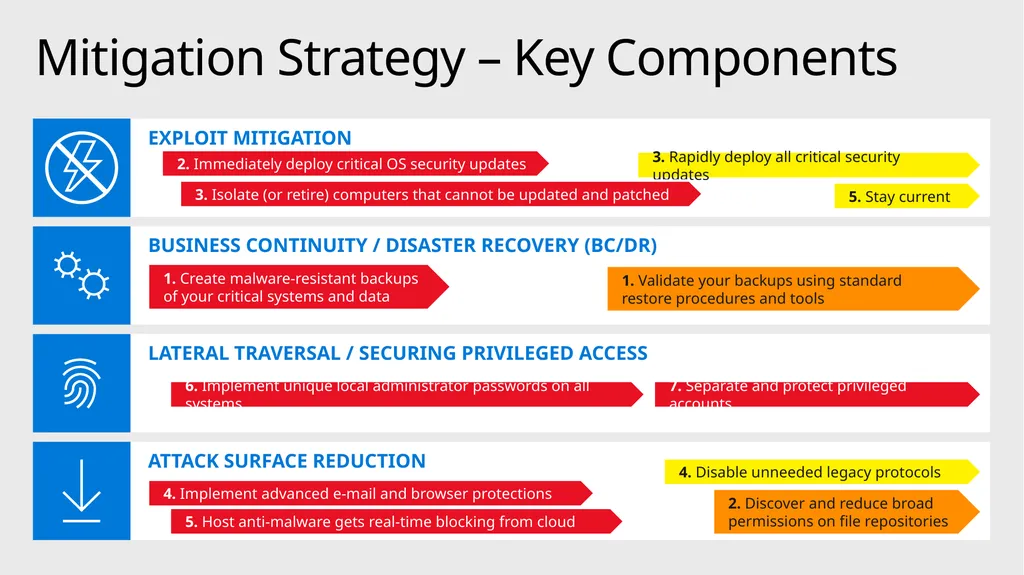
Mitigation Strategy – Key Components<br>
14
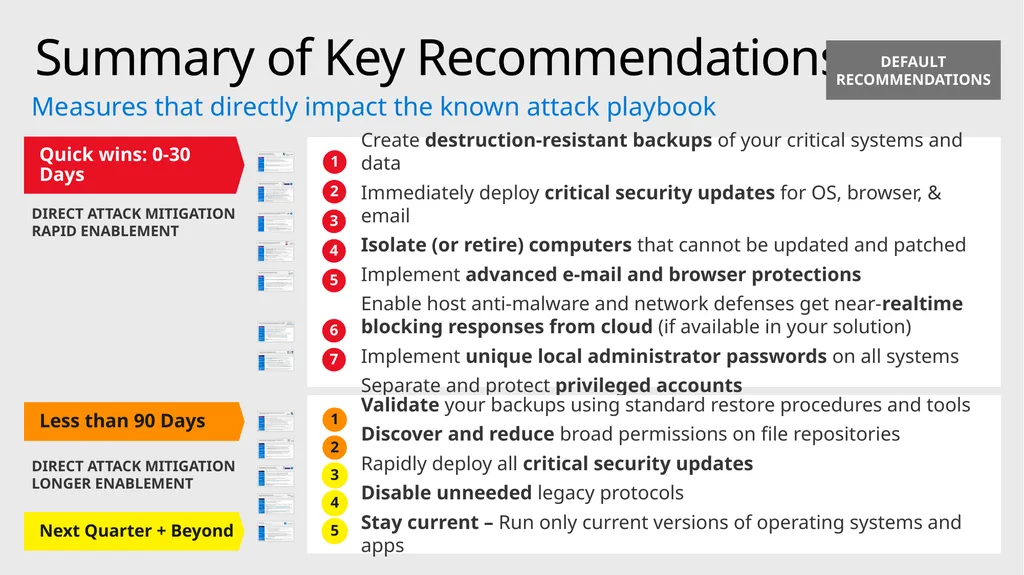
Summary of Key Recommendations Create destruction-resistant backups of your critical systems and data
Immediately deploy critical security updates for OS, browser, & email
Isolate (or retire) computers that cannot be updated and patched
Implement advanced e-mail and browser protections
Enable host anti-malware and network defenses get near-realtime blocking responses from cloud (if available in your solution)
Implement unique local administrator passwords on all systems
Separate and protect privileged accounts Measures that directly impact the known attack playbook 1 2 3 4 5 6 7 DEFAULT RECOMMENDATIONS Next Quarter + Beyond<br>
Immediately deploy critical security updates for OS, browser, & email
Isolate (or retire) computers that cannot be updated and patched
Implement advanced e-mail and browser protections
Enable host anti-malware and network defenses get near-realtime blocking responses from cloud (if available in your solution)
Implement unique local administrator passwords on all systems
Separate and protect privileged accounts Measures that directly impact the known attack playbook 1 2 3 4 5 6 7 DEFAULT RECOMMENDATIONS Next Quarter + Beyond<br>
15
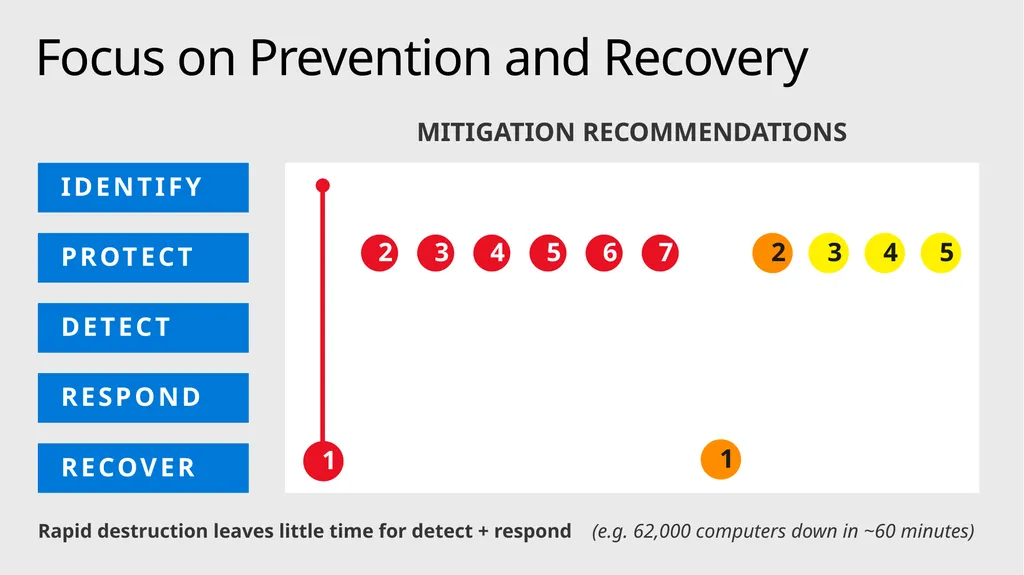
MITIGATION RECOMMENDATIONS Focus on Prevention and Recovery IDENTIFY PROTECT DETECT RESPOND RECOVER Rapid destruction leaves little time for detect + respond (e.g. 62,000 computers down in ~60 minutes)<br>
16
ATTACK SURFACE REDUCTION LATERAL TRAVERSAL / SECURING PRIVILEGED ACCESS BUSINESS CONTINUITY / DISASTER RECOVERY (BC/DR) EXPLOIT MITIGATION Mitigation Strategy – Key Components 2. Immediately deploy critical OS security updates 3. Rapidly deploy all critical security updates 5. Stay current 3. Isolate (or retire) computers that cannot be updated and patched 1. Create malware-resistant backups of your critical systems and data 1. Validate your backups using standard restore procedures and tools 7. Separate and protect privileged accounts 6. Implement unique local administrator passwords on all systems 4. Disable unneeded legacy protocols 2. Discover and reduce broad permissions on file repositories 4. Implement advanced e-mail and browser protections 5. Host anti-malware gets real-time blocking from cloud<br>
17
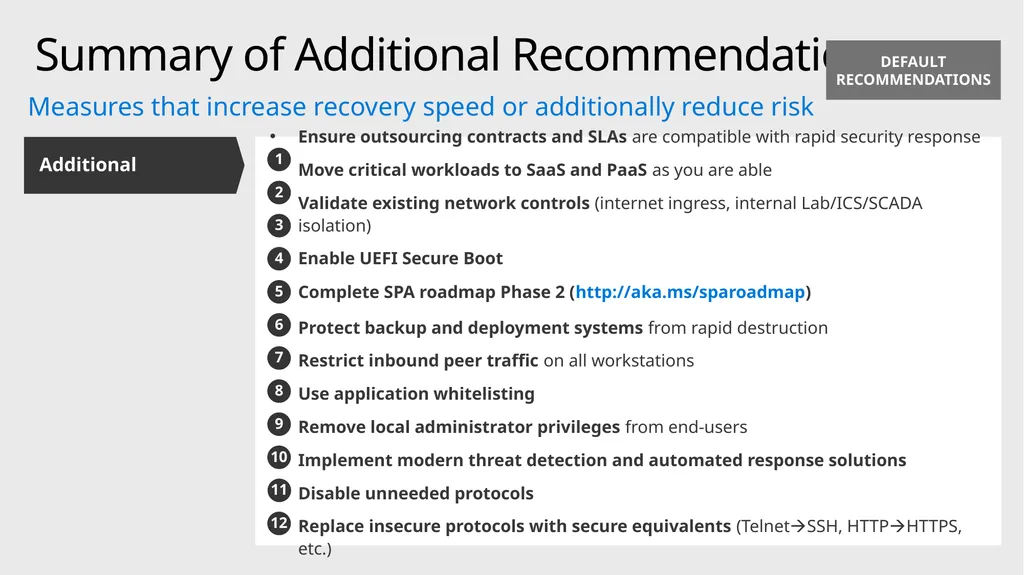
Summary of Additional Recommendations Ensure outsourcing contracts and SLAs are compatible with rapid security response
Move critical workloads to SaaS and PaaS as you are able
Validate existing network controls (internet ingress, internal Lab/ICS/SCADA isolation)
Enable UEFI Secure Boot
Complete SPA roadmap Phase 2 (http://aka.ms/sparoadmap)
Protect backup and deployment systems from rapid destruction
Restrict inbound peer traffic on all workstations
Use application whitelisting
Remove local administrator privileges from end-users
Implement modern threat detection and automated response solutions
Disable unneeded protocols
Replace insecure protocols with secure equivalents (TelnetSSH, HTTPHTTPS, etc.) Additional Measures that increase recovery speed or additionally reduce risk 1 2 3 4 5 6 7 8 9 10 DEFAULT RECOMMENDATIONS 11 12<br>
Move critical workloads to SaaS and PaaS as you are able
Validate existing network controls (internet ingress, internal Lab/ICS/SCADA isolation)
Enable UEFI Secure Boot
Complete SPA roadmap Phase 2 (http://aka.ms/sparoadmap)
Protect backup and deployment systems from rapid destruction
Restrict inbound peer traffic on all workstations
Use application whitelisting
Remove local administrator privileges from end-users
Implement modern threat detection and automated response solutions
Disable unneeded protocols
Replace insecure protocols with secure equivalents (TelnetSSH, HTTPHTTPS, etc.) Additional Measures that increase recovery speed or additionally reduce risk 1 2 3 4 5 6 7 8 9 10 DEFAULT RECOMMENDATIONS 11 12<br>
18
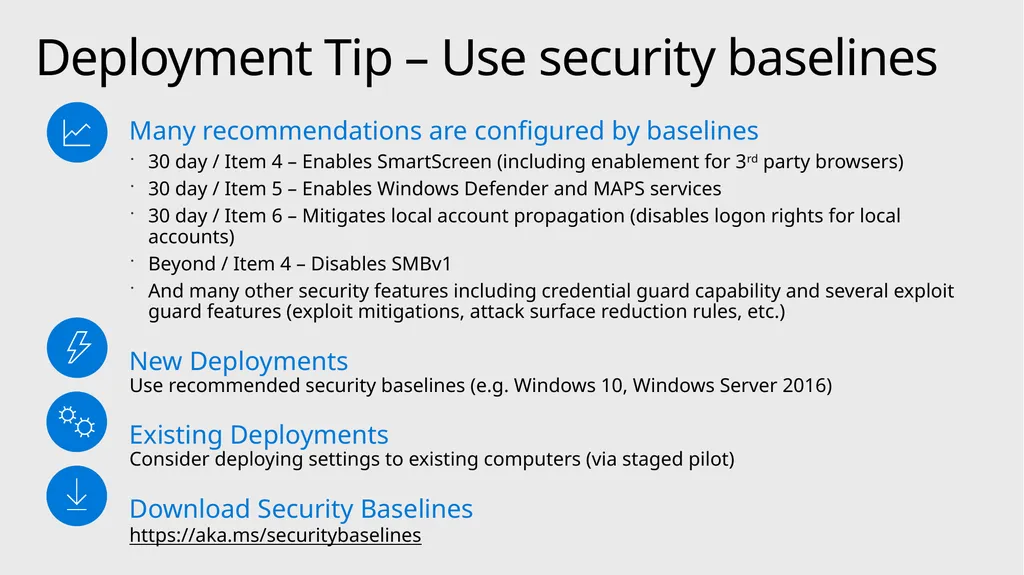
Deployment Tip – Use security baselines Many recommendations are configured by baselines
30 day / Item 4 – Enables SmartScreen (including enablement for 3rd party browsers)
30 day / Item 5 – Enables Windows Defender and MAPS services
30 day / Item 6 – Mitigates local account propagation (disables logon rights for local accounts)
Beyond / Item 4 – Disables SMBv1
And many other security features including credential guard capability and several exploit guard features (exploit mitigations, attack surface reduction rules, etc.)
New Deployments Use recommended security baselines (e.g. Windows 10, Windows Server 2016)
Existing Deployments Consider deploying settings to existing computers (via staged pilot)
Download Security Baselines https://aka.ms/securitybaselines<br>
30 day / Item 4 – Enables SmartScreen (including enablement for 3rd party browsers)
30 day / Item 5 – Enables Windows Defender and MAPS services
30 day / Item 6 – Mitigates local account propagation (disables logon rights for local accounts)
Beyond / Item 4 – Disables SMBv1
And many other security features including credential guard capability and several exploit guard features (exploit mitigations, attack surface reduction rules, etc.)
New Deployments Use recommended security baselines (e.g. Windows 10, Windows Server 2016)
Existing Deployments Consider deploying settings to existing computers (via staged pilot)
Download Security Baselines https://aka.ms/securitybaselines<br>
19
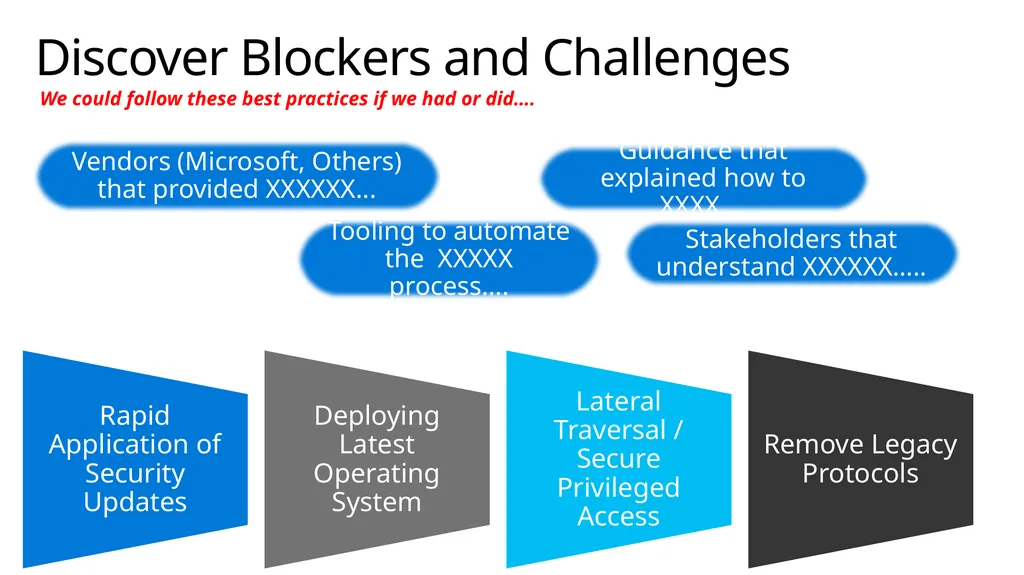
Discover Blockers and Challenges Vendors (Microsoft, Others) that provided XXXXXX... Stakeholders that understand XXXXXX….. Tooling to automate the XXXXX process…. Guidance that explained how to XXXX…. We could follow these best practices if we had or did….<br>
20
© 2017 Microsoft Corporation. All rights reserved. Microsoft, Windows, and other product names are or may be registered trademarks and/or trademarks in the U.S. and/or other countries.
The information herein is for informational purposes only and represents the current view of Microsoft Corporation as of the date of this presentation.
MICROSOFT MAKES NO WARRANTIES, EXPRESS, IMPLIED OR STATUTORY, AS TO THE INFORMATION IN THIS PRESENTATION.<br>
21
Reference –
Recommendation Details<br>
22
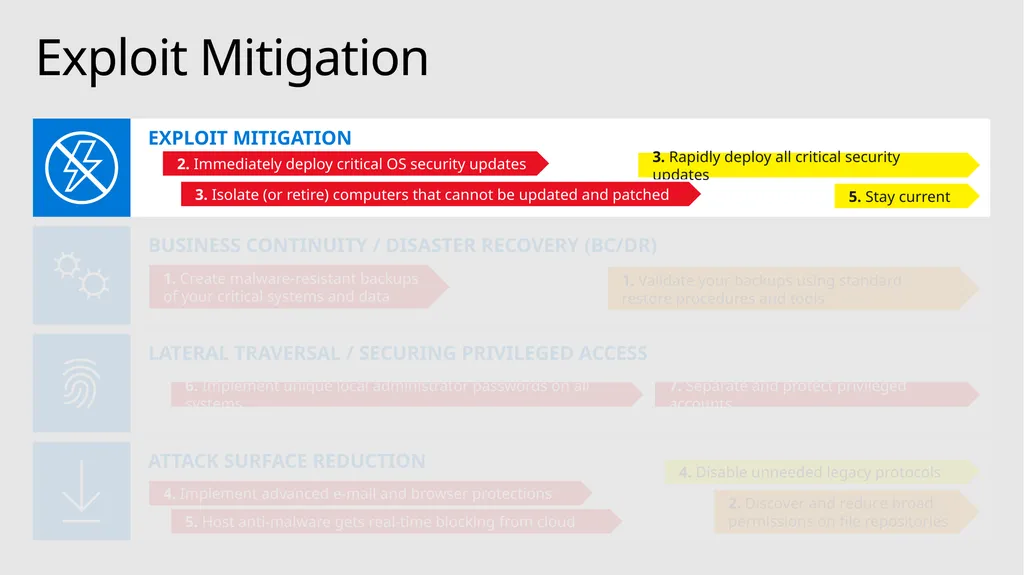
ATTACK SURFACE REDUCTION LATERAL TRAVERSAL / SECURING PRIVILEGED ACCESS BUSINESS CONTINUITY / DISASTER RECOVERY (BC/DR) EXPLOIT MITIGATION 2. Immediately deploy critical OS security updates 3. Rapidly deploy all critical security updates 5. Stay current 3. Isolate (or retire) computers that cannot be updated and patched 1. Create malware-resistant backups of your critical systems and data 1. Validate your backups using standard restore procedures and tools 7. Separate and protect privileged accounts 6. Implement unique local administrator passwords on all systems 4. Disable unneeded legacy protocols 2. Discover and reduce broad permissions on file repositories 4. Implement advanced e-mail and browser protections 5. Host anti-malware gets real-time blocking from cloud Exploit Mitigation<br>
23
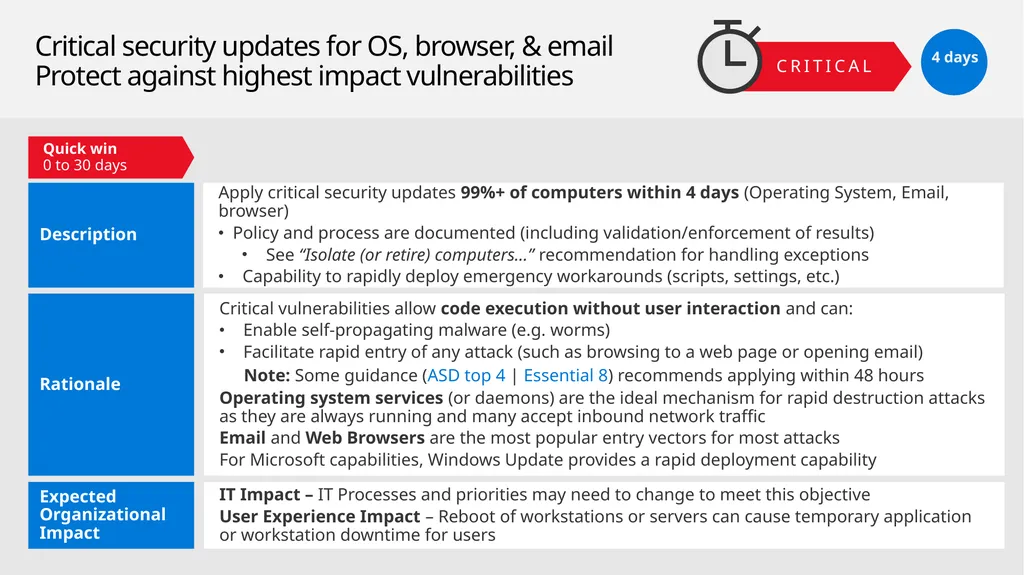
Critical security updates for OS, browser, & email
Protect against highest impact vulnerabilities Quick win
0 to 30 days CRITICAL 4 days<br>
0 to 30 days CRITICAL 4 days<br>
24
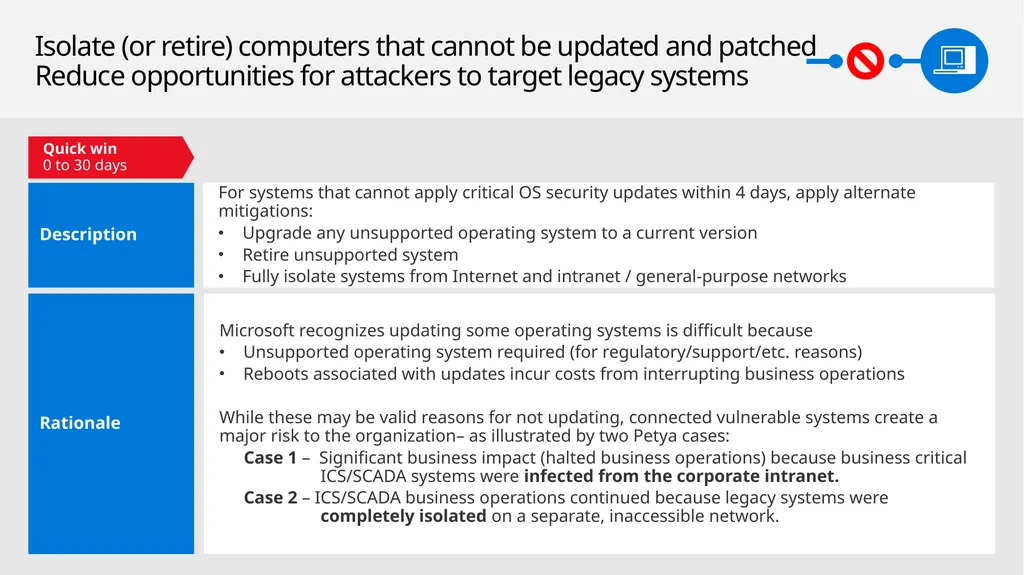
Isolate (or retire) computers that cannot be updated and patched
Reduce opportunities for attackers to target legacy systems Quick win
0 to 30 days<br>
0 to 30 days<br>
25
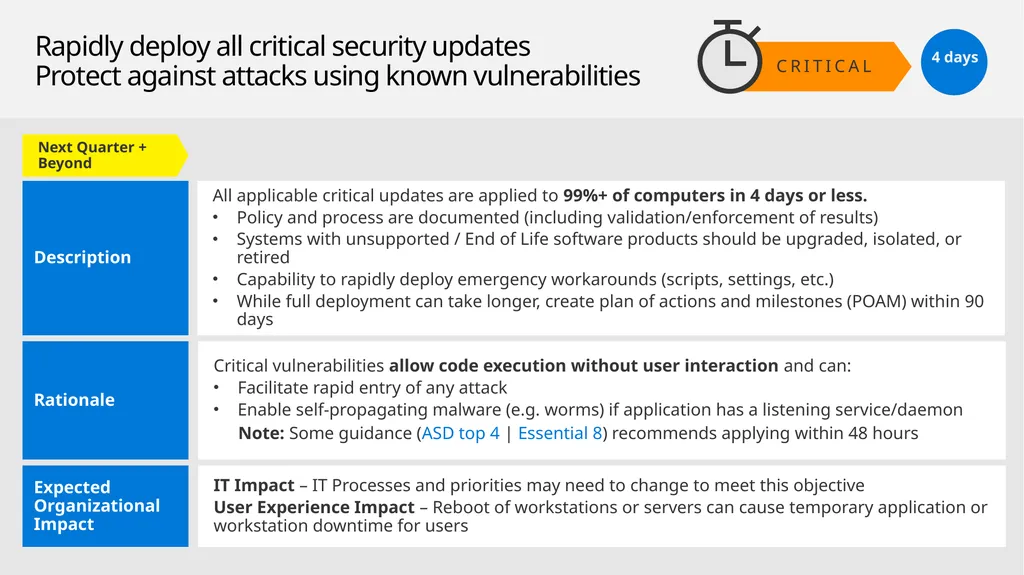
CRITICAL Rapidly deploy all critical security updates
Protect against attacks using known vulnerabilities 4 days Next Quarter + Beyond<br>
26
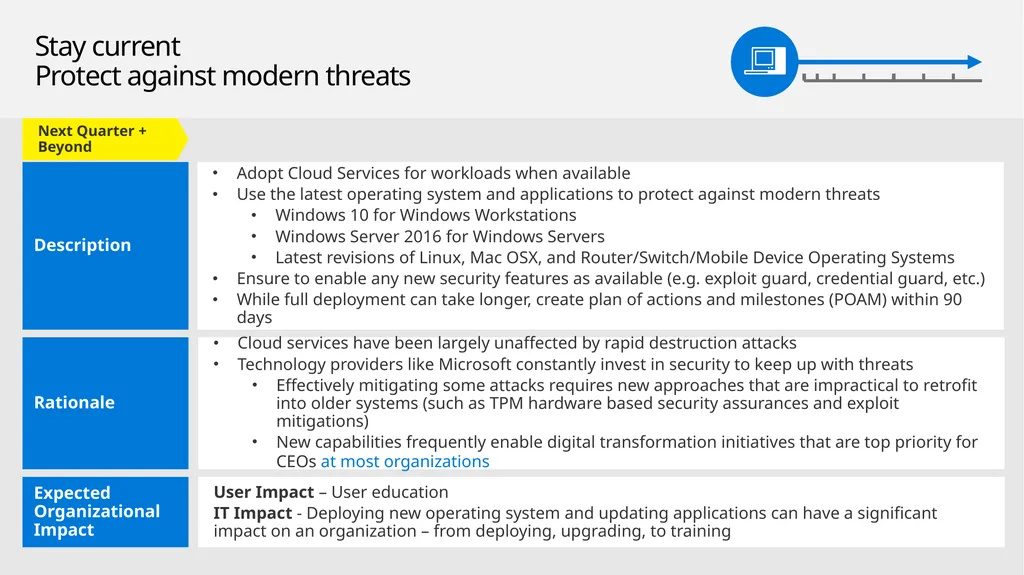
Stay current
Protect against modern threats Next Quarter + Beyond<br>
27
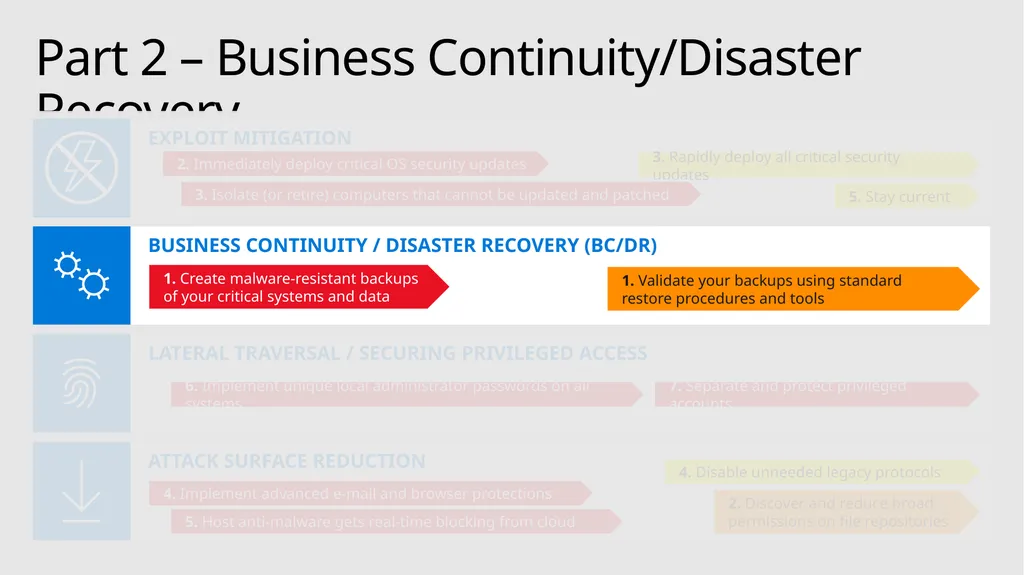
Part 2 – Business Continuity/Disaster Recovery ATTACK SURFACE REDUCTION LATERAL TRAVERSAL / SECURING PRIVILEGED ACCESS BUSINESS CONTINUITY / DISASTER RECOVERY (BC/DR) EXPLOIT MITIGATION 2. Immediately deploy critical OS security updates 3. Rapidly deploy all critical security updates 5. Stay current 3. Isolate (or retire) computers that cannot be updated and patched 1. Create malware-resistant backups of your critical systems and data 1. Validate your backups using standard restore procedures and tools 7. Separate and protect privileged accounts 6. Implement unique local administrator passwords on all systems 4. Disable unneeded legacy protocols 2. Discover and reduce broad permissions on file repositories 4. Implement advanced e-mail and browser protections 5. Host anti-malware gets real-time blocking from cloud<br>
28
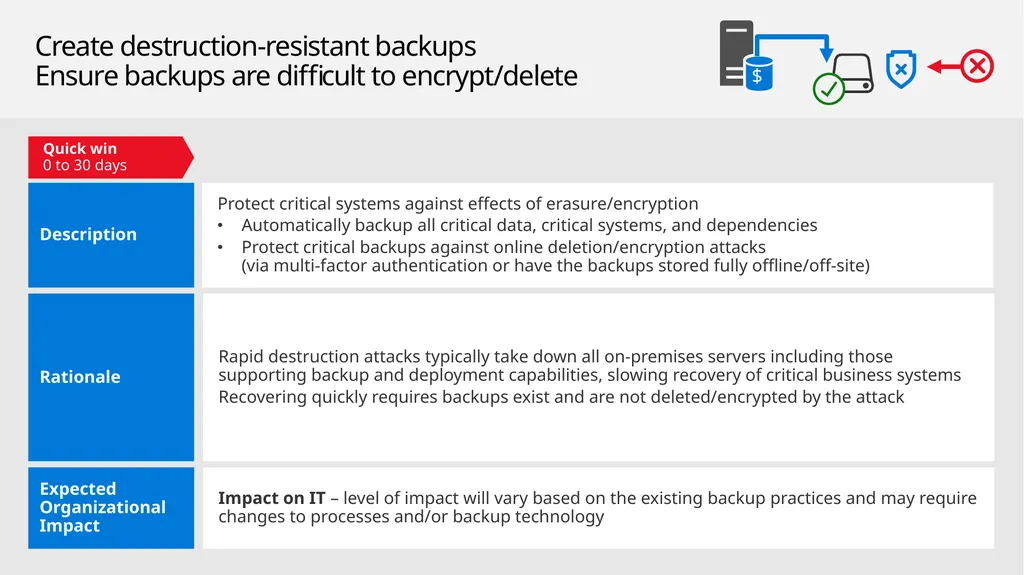
Create destruction-resistant backups
Ensure backups are difficult to encrypt/delete Impact on IT – level of impact will vary based on the existing backup practices and may require changes to processes and/or backup technology Protect critical systems against effects of erasure/encryption
Automatically backup all critical data, critical systems, and dependencies
Protect critical backups against online deletion/encryption attacks (via multi-factor authentication or have the backups stored fully offline/off-site) Expected Organizational Impact Description Rapid destruction attacks typically take down all on-premises servers including those supporting backup and deployment capabilities, slowing recovery of critical business systems
Recovering quickly requires backups exist and are not deleted/encrypted by the attack Rationale Quick win
0 to 30 days<br>
Automatically backup all critical data, critical systems, and dependencies
Protect critical backups against online deletion/encryption attacks (via multi-factor authentication or have the backups stored fully offline/off-site) Expected Organizational Impact Description Rapid destruction attacks typically take down all on-premises servers including those supporting backup and deployment capabilities, slowing recovery of critical business systems
Recovering quickly requires backups exist and are not deleted/encrypted by the attack Rationale Quick win
0 to 30 days<br>
29
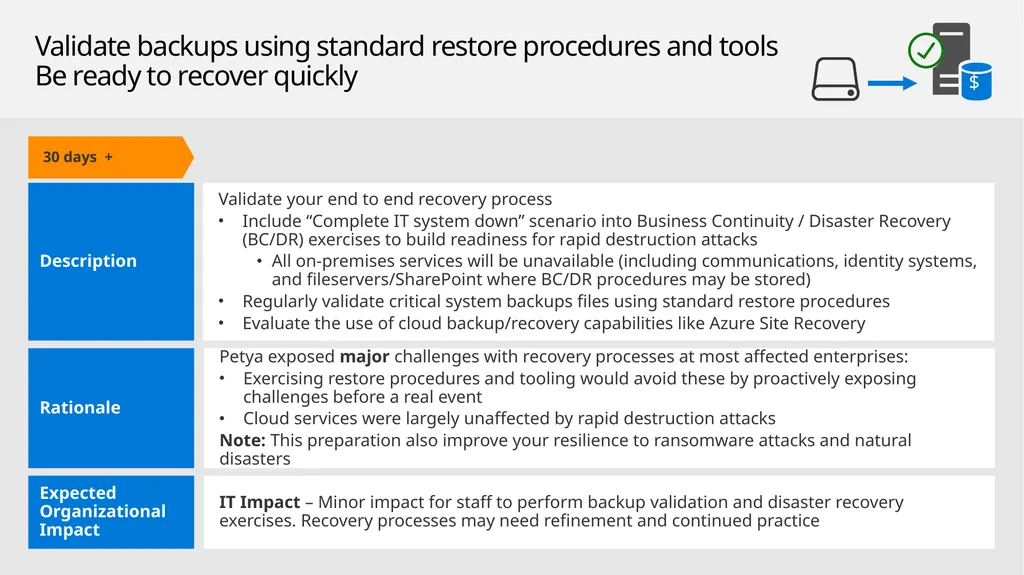
Validate backups using standard restore procedures and tools
Be ready to recover quickly 30 Days + 30 days +<br>
30
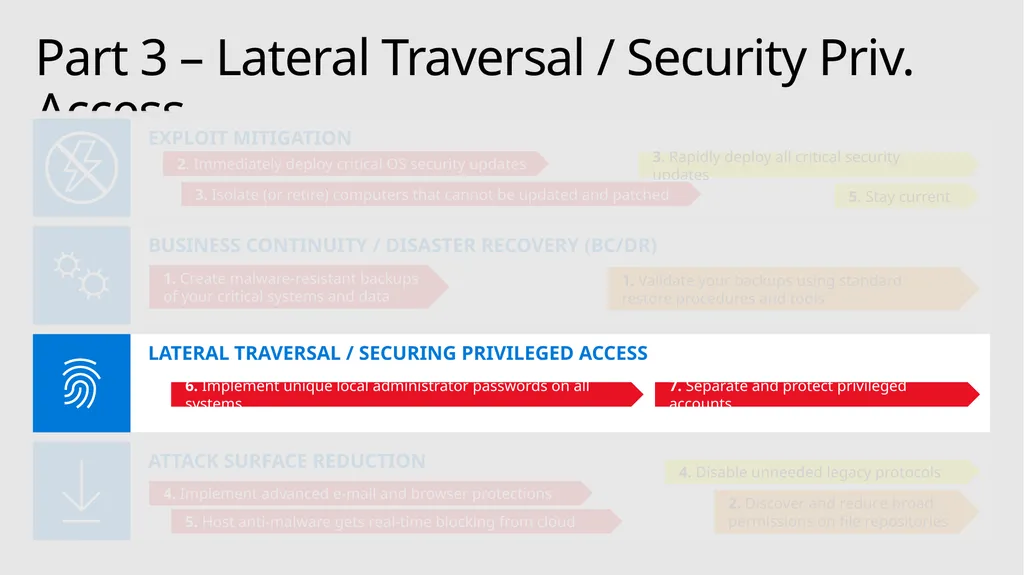
Part 3 – Lateral Traversal / Security Priv. Access ATTACK SURFACE REDUCTION LATERAL TRAVERSAL / SECURING PRIVILEGED ACCESS BUSINESS CONTINUITY / DISASTER RECOVERY (BC/DR) EXPLOIT MITIGATION 2. Immediately deploy critical OS security updates 3. Rapidly deploy all critical security updates 5. Stay current 3. Isolate (or retire) computers that cannot be updated and patched 1. Create malware-resistant backups of your critical systems and data 1. Validate your backups using standard restore procedures and tools 7. Separate and protect privileged accounts 6. Implement unique local administrator passwords on all systems 4. Disable unneeded legacy protocols 2. Discover and reduce broad permissions on file repositories 4. Implement advanced e-mail and browser protections 5. Host anti-malware gets real-time blocking from cloud<br>
31
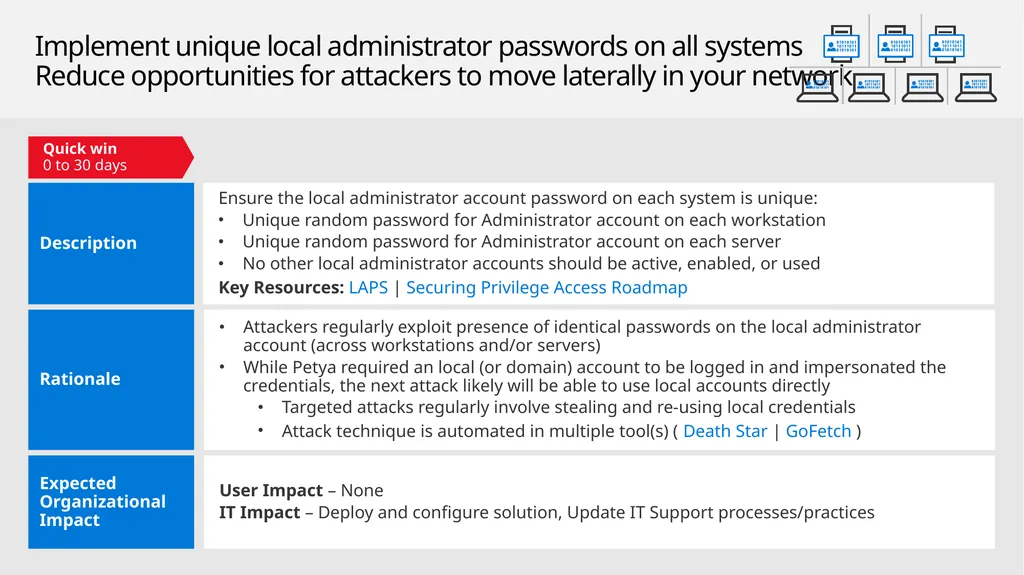
Implement unique local administrator passwords on all systems
Reduce opportunities for attackers to move laterally in your network Quick win
0 to 30 days<br>
0 to 30 days<br>
32
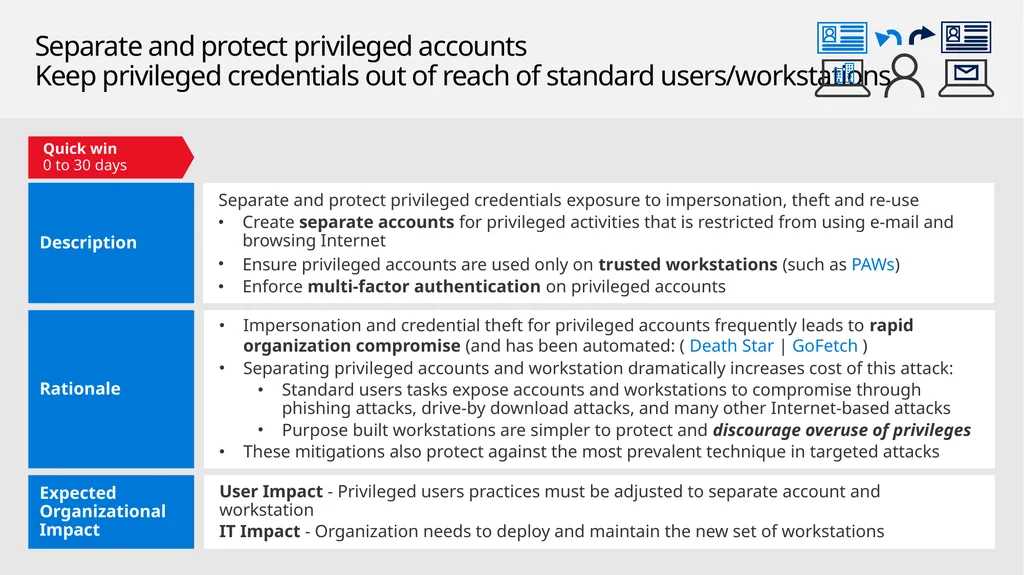
Separate and protect privileged accounts
Keep privileged credentials out of reach of standard users/workstations User Impact - Privileged users practices must be adjusted to separate account and workstation
IT Impact - Organization needs to deploy and maintain the new set of workstations Separate and protect privileged credentials exposure to impersonation, theft and re-use
Create separate accounts for privileged activities that is restricted from using e-mail and browsing Internet
Ensure privileged accounts are used only on trusted workstations (such as PAWs)
Enforce multi-factor authentication on privileged accounts Expected Organizational Impact Description Impersonation and credential theft for privileged accounts frequently leads to rapid organization compromise (and has been automated: ( Death Star | GoFetch )
Separating privileged accounts and workstation dramatically increases cost of this attack:
Standard users tasks expose accounts and workstations to compromise through phishing attacks, drive-by download attacks, and many other Internet-based attacks
Purpose built workstations are simpler to protect and discourage overuse of privileges
These mitigations also protect against the most prevalent technique in targeted attacks Rationale Quick win
0 to 30 days<br>
IT Impact - Organization needs to deploy and maintain the new set of workstations Separate and protect privileged credentials exposure to impersonation, theft and re-use
Create separate accounts for privileged activities that is restricted from using e-mail and browsing Internet
Ensure privileged accounts are used only on trusted workstations (such as PAWs)
Enforce multi-factor authentication on privileged accounts Expected Organizational Impact Description Impersonation and credential theft for privileged accounts frequently leads to rapid organization compromise (and has been automated: ( Death Star | GoFetch )
Separating privileged accounts and workstation dramatically increases cost of this attack:
Standard users tasks expose accounts and workstations to compromise through phishing attacks, drive-by download attacks, and many other Internet-based attacks
Purpose built workstations are simpler to protect and discourage overuse of privileges
These mitigations also protect against the most prevalent technique in targeted attacks Rationale Quick win
0 to 30 days<br>
33
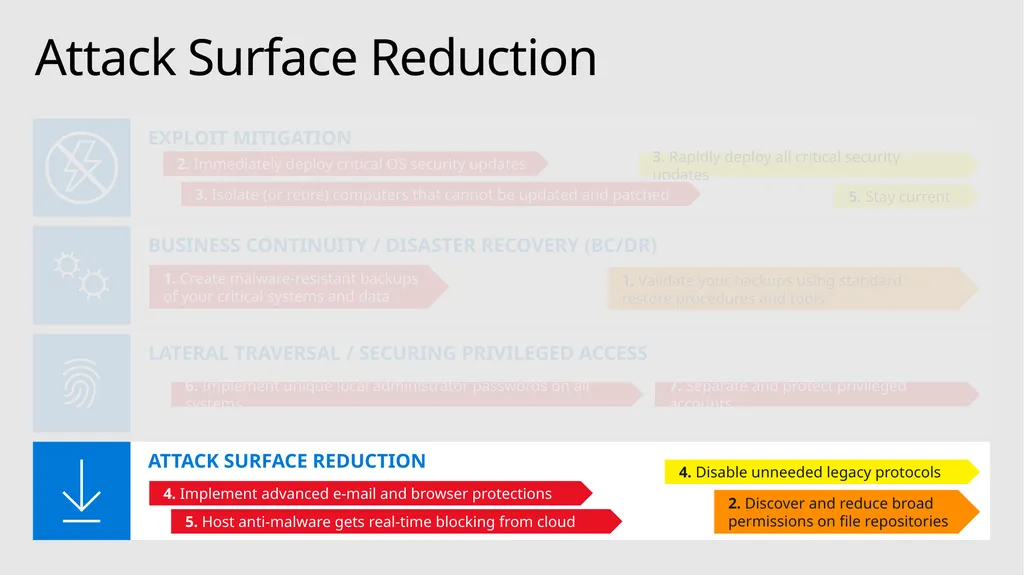
Attack Surface Reduction ATTACK SURFACE REDUCTION LATERAL TRAVERSAL / SECURING PRIVILEGED ACCESS BUSINESS CONTINUITY / DISASTER RECOVERY (BC/DR) EXPLOIT MITIGATION 2. Immediately deploy critical OS security updates 3. Rapidly deploy all critical security updates 5. Stay current 3. Isolate (or retire) computers that cannot be updated and patched 1. Create malware-resistant backups of your critical systems and data 1. Validate your backups using standard restore procedures and tools 7. Separate and protect privileged accounts 6. Implement unique local administrator passwords on all systems 4. Disable unneeded legacy protocols 2. Discover and reduce broad permissions on file repositories 4. Implement advanced e-mail and browser protections 5. Host anti-malware gets real-time blocking from cloud<br>
34
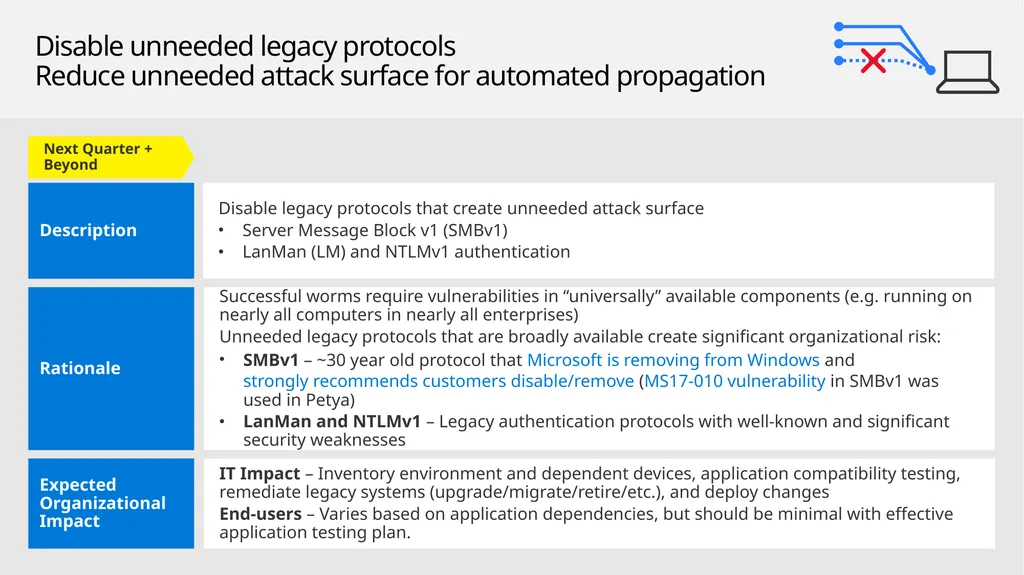
Disable unneeded legacy protocols
Reduce unneeded attack surface for automated propagation Next Quarter + Beyond<br>
35
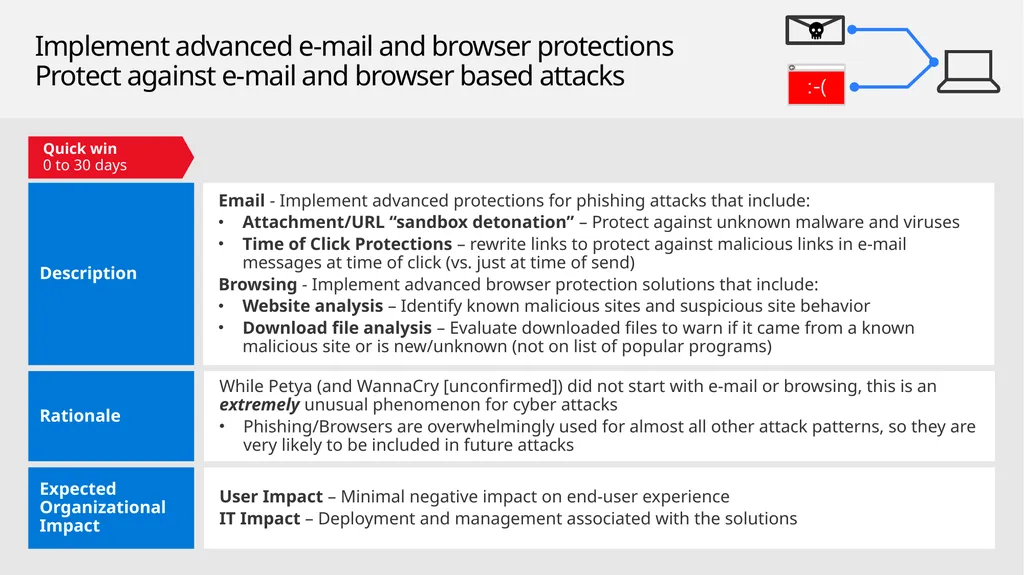
Implement advanced e-mail and browser protections
Protect against e-mail and browser based attacks<br>
36
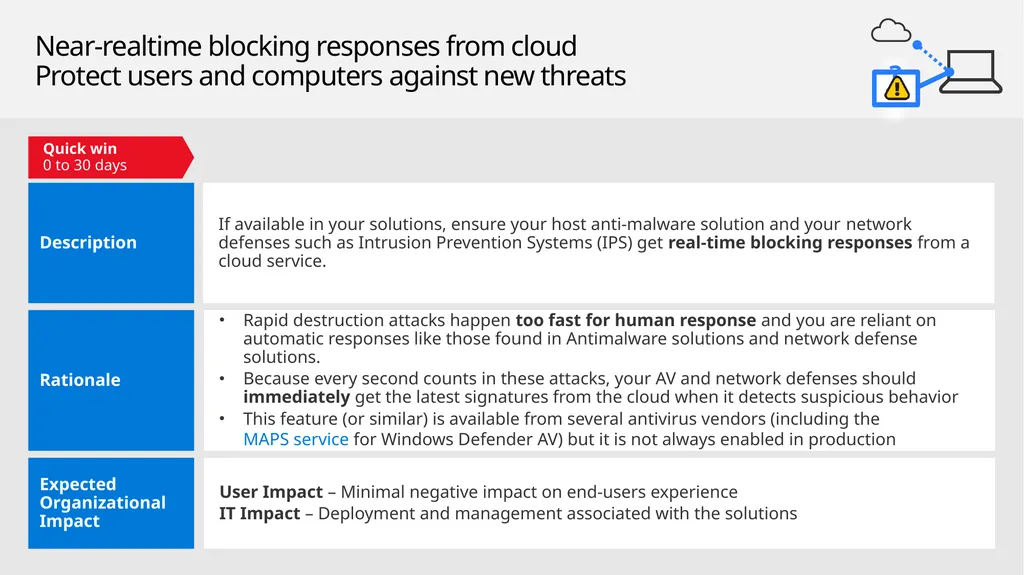
Near-realtime blocking responses from cloud
Protect users and computers against new threats ?<br>
37
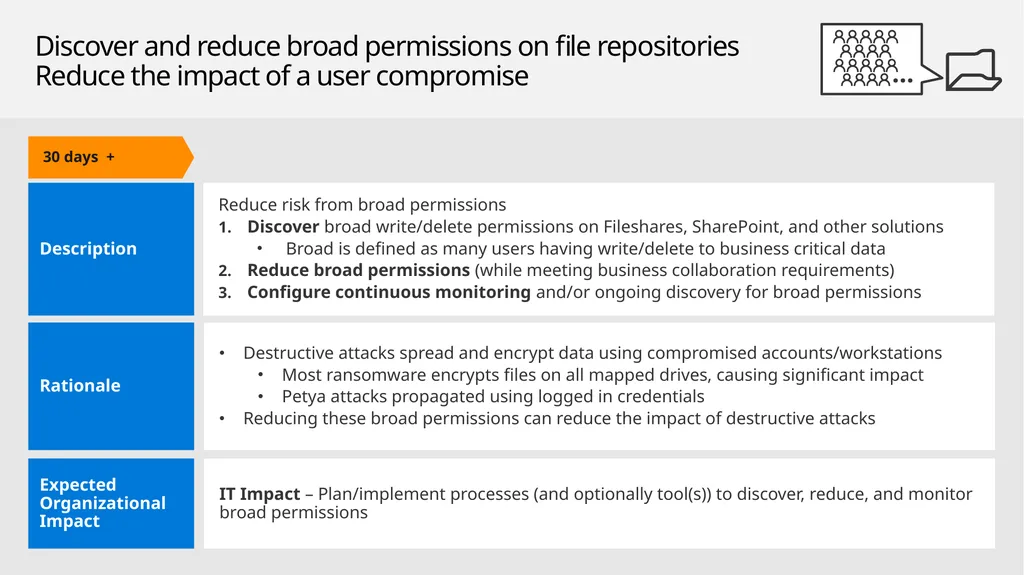
Discover and reduce broad permissions on file repositories
Reduce the impact of a user compromise<br>