
Module 1 Part 3: Using complex data types in Java
PM
Published · 39 slides · 0 views
1 / 1

Description
Module 1 Part 3: Using complex data types in Java Arrays ArrayList Strings Complex types Weve seen that Java has 8 primitive types: 4 types of decimal numbers (byte, short, int, long) 2 types of floating point numbers (float, double) char
Related Topics
Share
Embed code
Download this presentation From Below
"Module 1 Part 3: Using complex data types in Java" is the property of its rightful owner. Permission is granted to download and print the materials on this website for personal, non-commercial use only, and to display it on your personal computer provided you do not modify the materials and that you retain all copyright notices contained in the materials. By downloading content from our website, you accept the terms of this agreement.
Presentation Transcript
01
Module 1 Part 3:
Using complex data types in Java
Arrays
ArrayList
Strings<br>
Using complex data types in Java
Arrays
ArrayList
Strings<br>
02
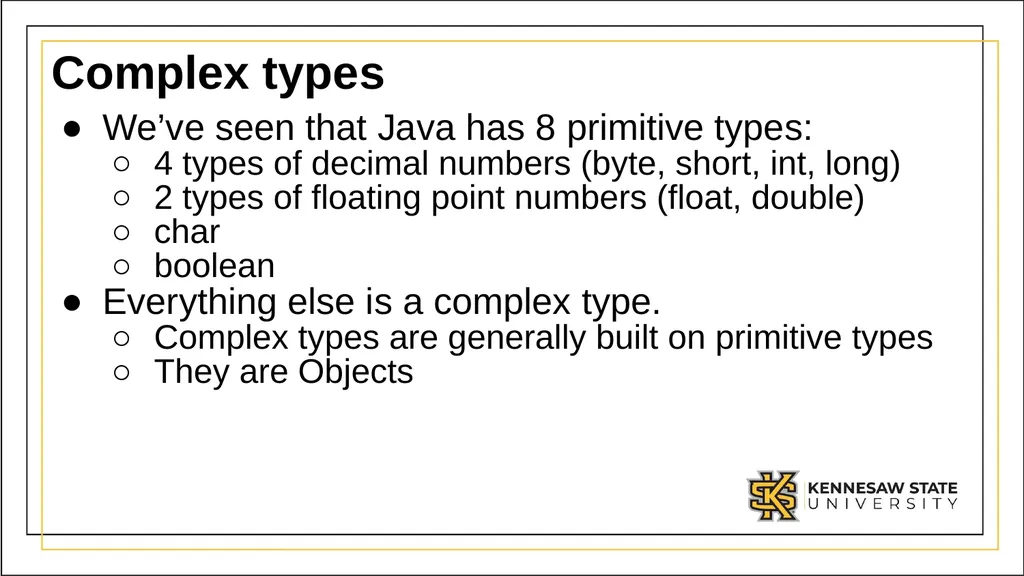
Complex types We’ve seen that Java has 8 primitive types:
4 types of decimal numbers (byte, short, int, long)
2 types of floating point numbers (float, double)
char
boolean
Everything else is a complex type.
Complex types are generally built on primitive types
They are Objects<br>
4 types of decimal numbers (byte, short, int, long)
2 types of floating point numbers (float, double)
char
boolean
Everything else is a complex type.
Complex types are generally built on primitive types
They are Objects<br>
03
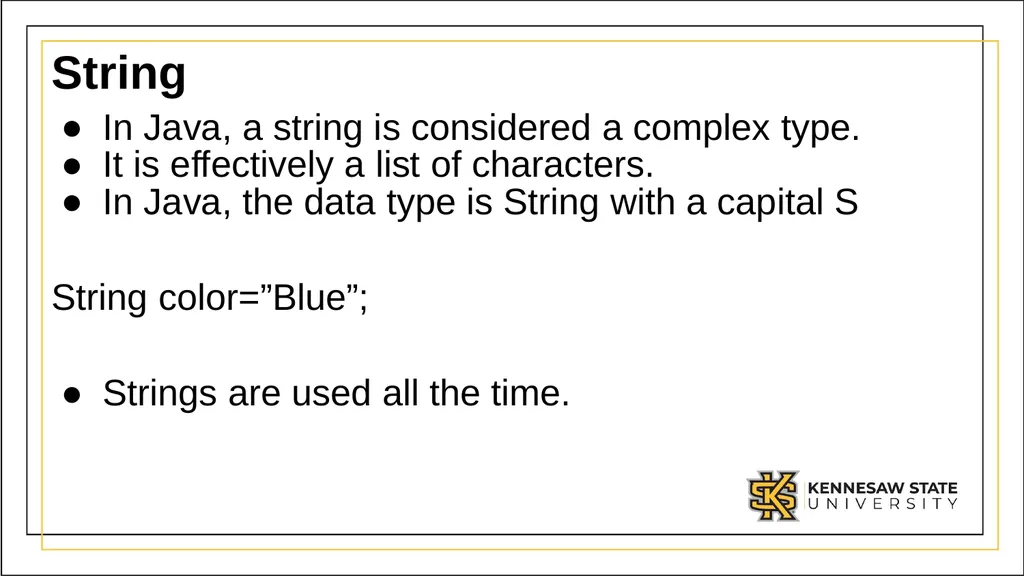
String In Java, a string is considered a complex type.
It is effectively a list of characters.
In Java, the data type is String with a capital S
String color=”Blue”;
Strings are used all the time.<br>
It is effectively a list of characters.
In Java, the data type is String with a capital S
String color=”Blue”;
Strings are used all the time.<br>
04
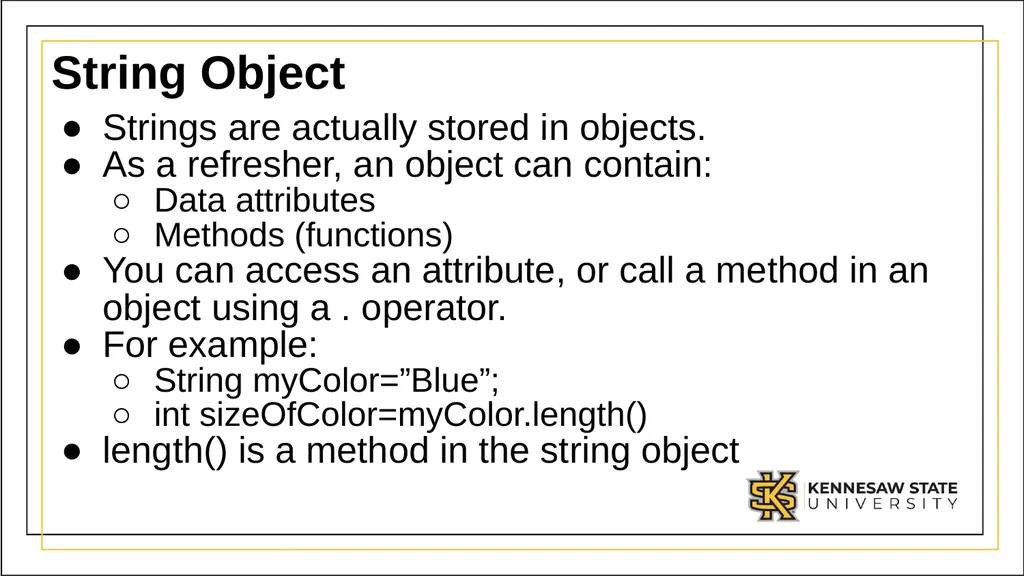
String Object Strings are actually stored in objects.
As a refresher, an object can contain:
Data attributes
Methods (functions)
You can access an attribute, or call a method in an object using a . operator.
For example:
String myColor=”Blue”;
int sizeOfColor=myColor.length()
length() is a method in the string object<br>
As a refresher, an object can contain:
Data attributes
Methods (functions)
You can access an attribute, or call a method in an object using a . operator.
For example:
String myColor=”Blue”;
int sizeOfColor=myColor.length()
length() is a method in the string object<br>
05
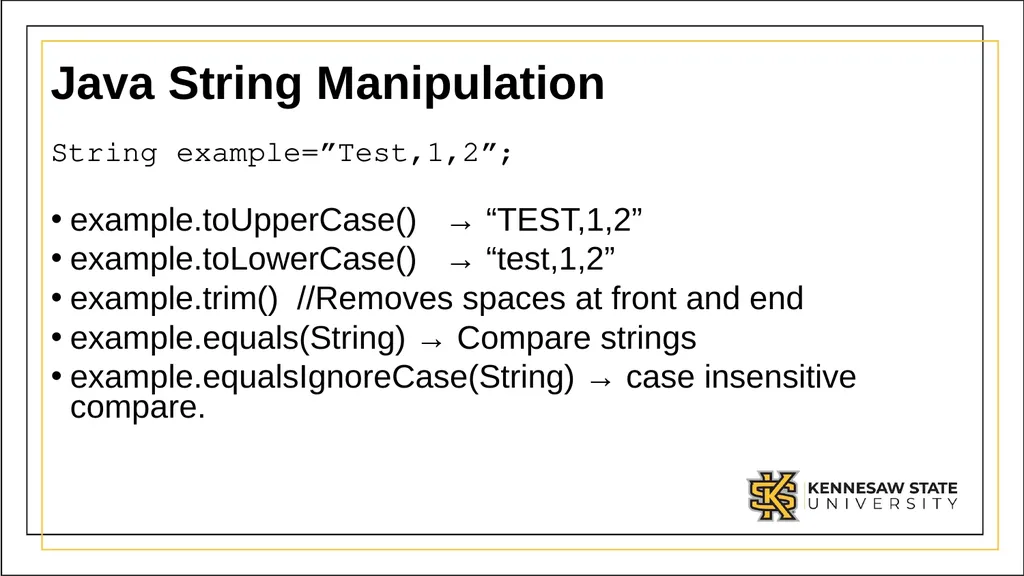
Java String Manipulation String example=”Test,1,2”;
example.toUpperCase() → “TEST,1,2”
example.toLowerCase() → “test,1,2”
example.trim() //Removes spaces at front and end
example.equals(String) → Compare strings
example.equalsIgnoreCase(String) → case insensitive compare.<br>
example.toUpperCase() → “TEST,1,2”
example.toLowerCase() → “test,1,2”
example.trim() //Removes spaces at front and end
example.equals(String) → Compare strings
example.equalsIgnoreCase(String) → case insensitive compare.<br>
06
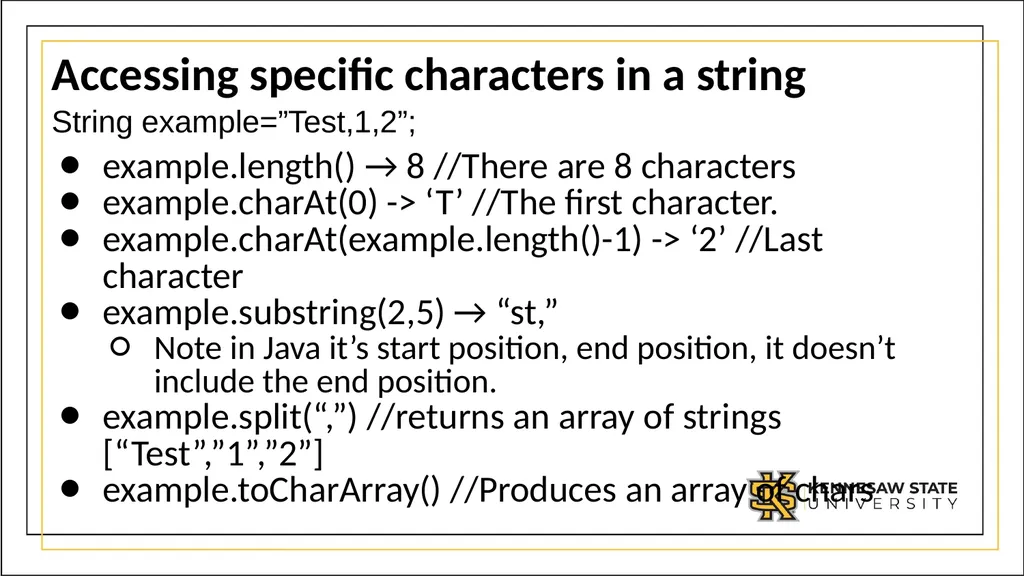
Accessing specific characters in a string String example=”Test,1,2”;
example.length() → 8 //There are 8 characters
example.charAt(0) -> ‘T’ //The first character.
example.charAt(example.length()-1) -> ‘2’ //Last character
example.substring(2,5) → “st,”
Note in Java it’s start position, end position, it doesn’t include the end position.
example.split(“,”) //returns an array of strings [“Test”,”1”,”2”]
example.toCharArray() //Produces an array of chars<br>
example.length() → 8 //There are 8 characters
example.charAt(0) -> ‘T’ //The first character.
example.charAt(example.length()-1) -> ‘2’ //Last character
example.substring(2,5) → “st,”
Note in Java it’s start position, end position, it doesn’t include the end position.
example.split(“,”) //returns an array of strings [“Test”,”1”,”2”]
example.toCharArray() //Produces an array of chars<br>
07
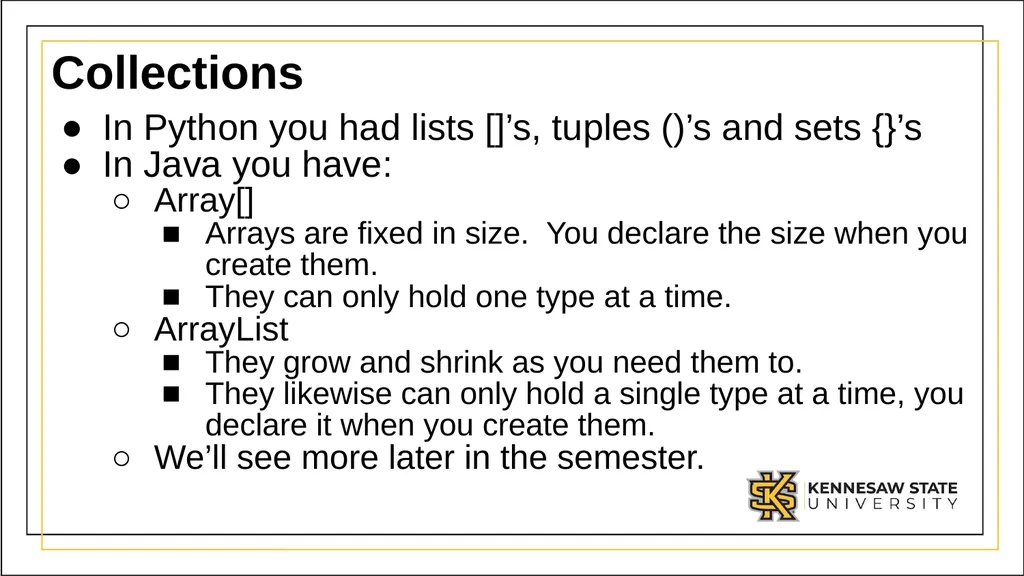
Collections In Python you had lists []’s, tuples ()’s and sets {}’s
In Java you have:
Array[]
Arrays are fixed in size. You declare the size when you create them.
They can only hold one type at a time.
ArrayList
They grow and shrink as you need them to.
They likewise can only hold a single type at a time, you declare it when you create them.
We’ll see more later in the semester.<br>
In Java you have:
Array[]
Arrays are fixed in size. You declare the size when you create them.
They can only hold one type at a time.
ArrayList
They grow and shrink as you need them to.
They likewise can only hold a single type at a time, you declare it when you create them.
We’ll see more later in the semester.<br>
08
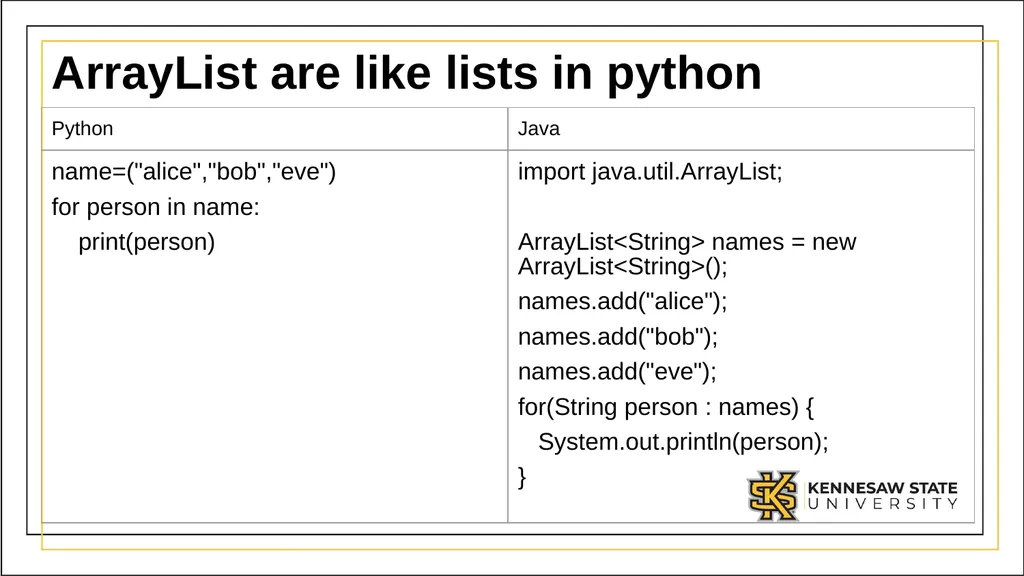
ArrayList are like lists in python<br>
09
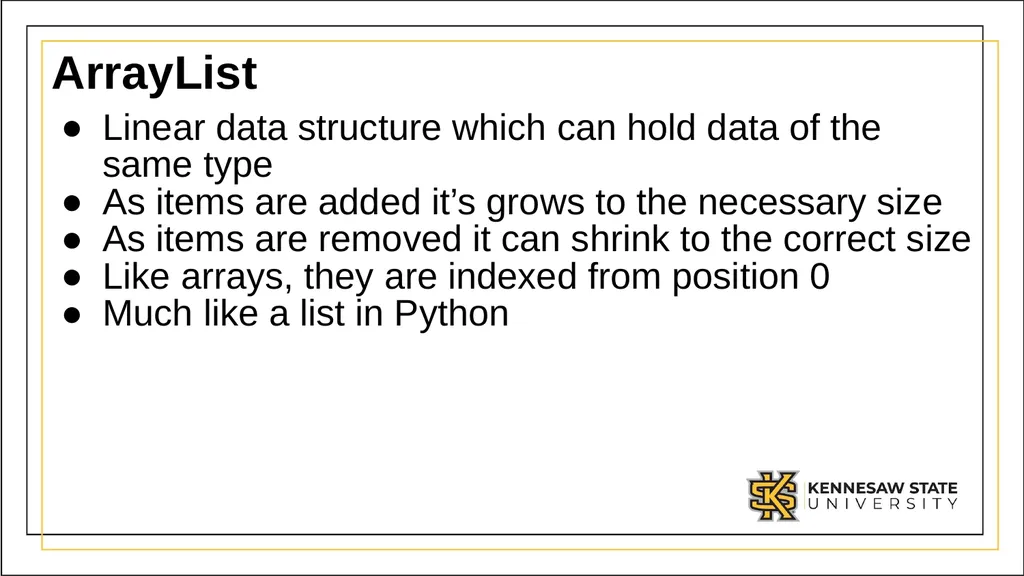
ArrayList Linear data structure which can hold data of the same type
As items are added it’s grows to the necessary size
As items are removed it can shrink to the correct size
Like arrays, they are indexed from position 0
Much like a list in Python<br>
As items are added it’s grows to the necessary size
As items are removed it can shrink to the correct size
Like arrays, they are indexed from position 0
Much like a list in Python<br>
10
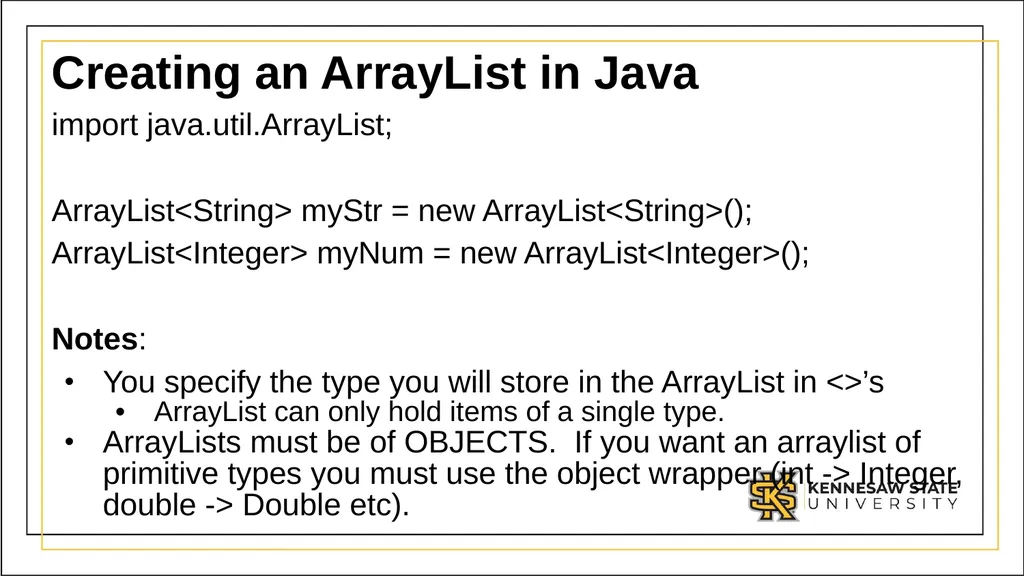
Creating an ArrayList in Java import java.util.ArrayList;
ArrayList<String> myStr = new ArrayList<String>();
ArrayList<Integer> myNum = new ArrayList<Integer>();
Notes:
You specify the type you will store in the ArrayList in <>’s
ArrayList can only hold items of a single type.
ArrayLists must be of OBJECTS. If you want an arraylist of primitive types you must use the object wrapper (int -> Integer, double -> Double etc).<br>
ArrayList<String> myStr = new ArrayList<String>();
ArrayList<Integer> myNum = new ArrayList<Integer>();
Notes:
You specify the type you will store in the ArrayList in <>’s
ArrayList can only hold items of a single type.
ArrayLists must be of OBJECTS. If you want an arraylist of primitive types you must use the object wrapper (int -> Integer, double -> Double etc).<br>
11
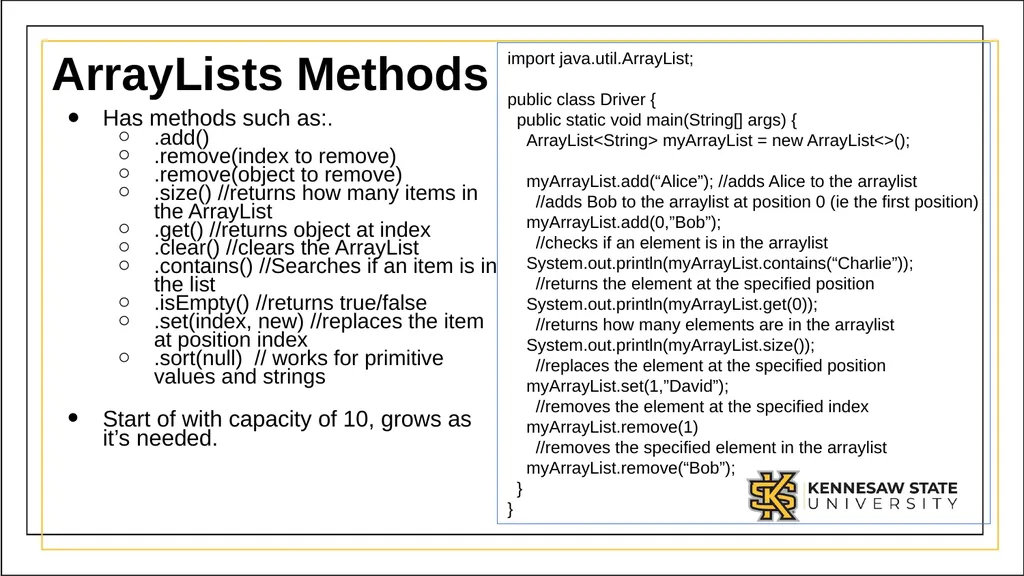
ArrayLists Methods Has methods such as:.
.add()
.remove(index to remove)
.remove(object to remove)
.size() //returns how many items in the ArrayList
.get() //returns object at index
.clear() //clears the ArrayList
.contains() //Searches if an item is in the list
.isEmpty() //returns true/false
.set(index, new) //replaces the item at position index
.sort(null) // works for primitive values and strings
Start of with capacity of 10, grows as it’s needed. import java.util.ArrayList;
public class Driver {
public static void main(String[] args) {
ArrayList<String> myArrayList = new ArrayList<>();
myArrayList.add(“Alice”); //adds Alice to the arraylist
//adds Bob to the arraylist at position 0 (ie the first position)
myArrayList.add(0,”Bob”);
//checks if an element is in the arraylist
System.out.println(myArrayList.contains(“Charlie”));
//returns the element at the specified position
System.out.println(myArrayList.get(0));
//returns how many elements are in the arraylist
System.out.println(myArrayList.size());
//replaces the element at the specified position
myArrayList.set(1,”David”);
//removes the element at the specified index
myArrayList.remove(1)
//removes the specified element in the arraylist
myArrayList.remove(“Bob”);
}
}<br>
.add()
.remove(index to remove)
.remove(object to remove)
.size() //returns how many items in the ArrayList
.get() //returns object at index
.clear() //clears the ArrayList
.contains() //Searches if an item is in the list
.isEmpty() //returns true/false
.set(index, new) //replaces the item at position index
.sort(null) // works for primitive values and strings
Start of with capacity of 10, grows as it’s needed. import java.util.ArrayList;
public class Driver {
public static void main(String[] args) {
ArrayList<String> myArrayList = new ArrayList<>();
myArrayList.add(“Alice”); //adds Alice to the arraylist
//adds Bob to the arraylist at position 0 (ie the first position)
myArrayList.add(0,”Bob”);
//checks if an element is in the arraylist
System.out.println(myArrayList.contains(“Charlie”));
//returns the element at the specified position
System.out.println(myArrayList.get(0));
//returns how many elements are in the arraylist
System.out.println(myArrayList.size());
//replaces the element at the specified position
myArrayList.set(1,”David”);
//removes the element at the specified index
myArrayList.remove(1)
//removes the specified element in the arraylist
myArrayList.remove(“Bob”);
}
}<br>
12
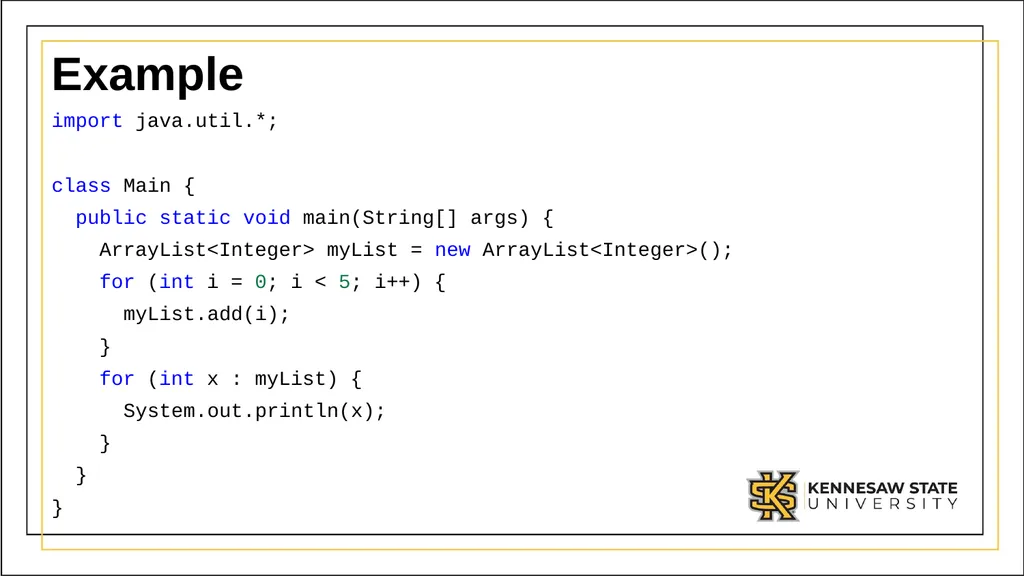
Example import java.util.*;
class Main {
public static void main(String[] args) {
ArrayList<Integer> myList = new ArrayList<Integer>();
for (int i = 0; i < 5; i++) {
myList.add(i);
}
for (int x : myList) {
System.out.println(x);
}
}
}<br>
class Main {
public static void main(String[] args) {
ArrayList<Integer> myList = new ArrayList<Integer>();
for (int i = 0; i < 5; i++) {
myList.add(i);
}
for (int x : myList) {
System.out.println(x);
}
}
}<br>
13
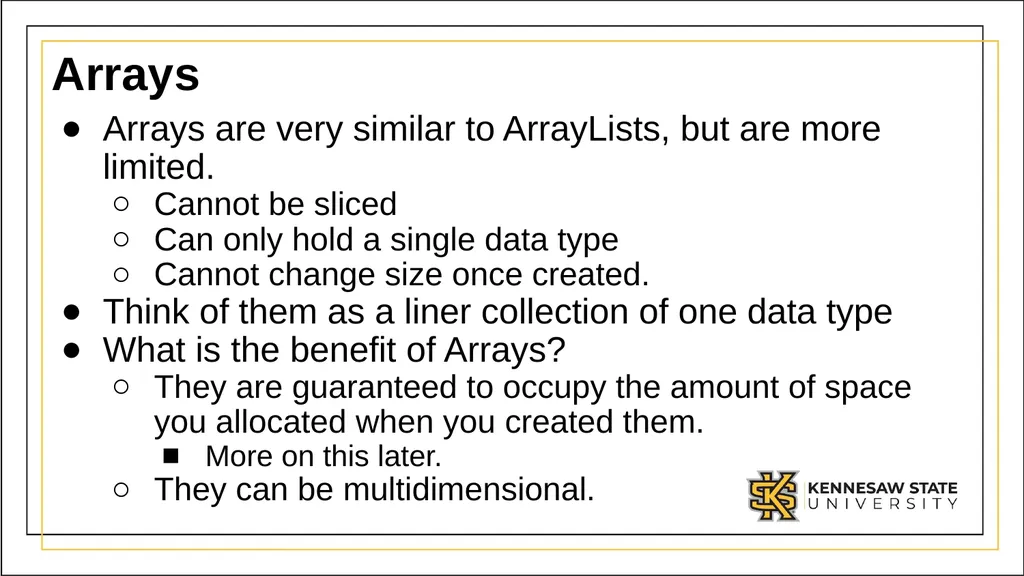
Arrays Arrays are very similar to ArrayLists, but are more limited.
Cannot be sliced
Can only hold a single data type
Cannot change size once created.
Think of them as a liner collection of one data type
What is the benefit of Arrays?
They are guaranteed to occupy the amount of space you allocated when you created them.
More on this later.
They can be multidimensional.<br>
Cannot be sliced
Can only hold a single data type
Cannot change size once created.
Think of them as a liner collection of one data type
What is the benefit of Arrays?
They are guaranteed to occupy the amount of space you allocated when you created them.
They can be multidimensional.<br>
14
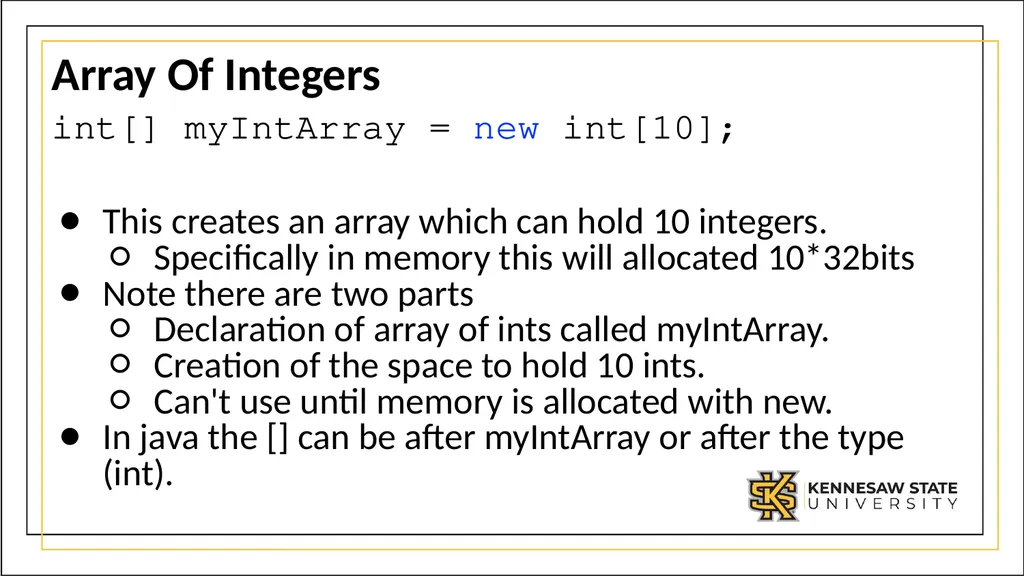
Array Of Integers int[] myIntArray = new int[10];
This creates an array which can hold 10 integers.
Specifically in memory this will allocated 10*32bits
Note there are two parts
Declaration of array of ints called myIntArray.
Creation of the space to hold 10 ints.
Can't use until memory is allocated with new.
In java the [] can be after myIntArray or after the type (int).<br>
This creates an array which can hold 10 integers.
Specifically in memory this will allocated 10*32bits
Note there are two parts
Declaration of array of ints called myIntArray.
Creation of the space to hold 10 ints.
Can't use until memory is allocated with new.
In java the [] can be after myIntArray or after the type (int).<br>
15
Reading and writing to arrays. Getting information from an array:
variable = name[position]; // reads value at position in name
Storing information in an array:
name[position] = value; // stores value at position in name
Note arrays are indexed from 0
This is probably one of the most common mistakes when using arrays
If you create an array of size 10, it has cells 0-9, NOT 1-10.<br>
variable = name[position]; // reads value at position in name
Storing information in an array:
name[position] = value; // stores value at position in name
Note arrays are indexed from 0
This is probably one of the most common mistakes when using arrays
If you create an array of size 10, it has cells 0-9, NOT 1-10.<br>
16
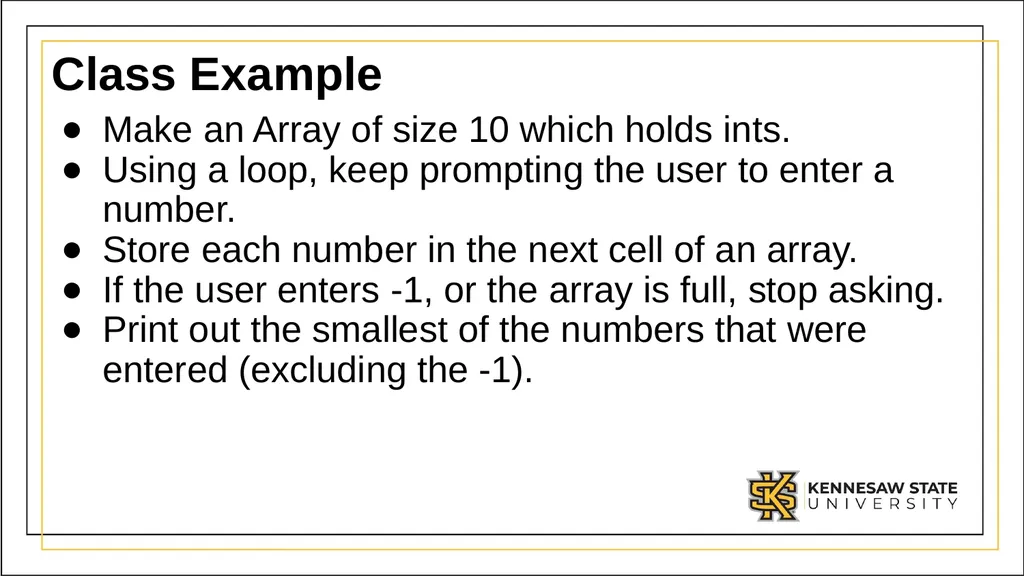
Class Example Make an Array of size 10 which holds ints.
Using a loop, keep prompting the user to enter a number.
Store each number in the next cell of an array.
If the user enters -1, or the array is full, stop asking.
Print out the smallest of the numbers that were entered (excluding the -1).<br>
Using a loop, keep prompting the user to enter a number.
Store each number in the next cell of an array.
If the user enters -1, or the array is full, stop asking.
Print out the smallest of the numbers that were entered (excluding the -1).<br>
17
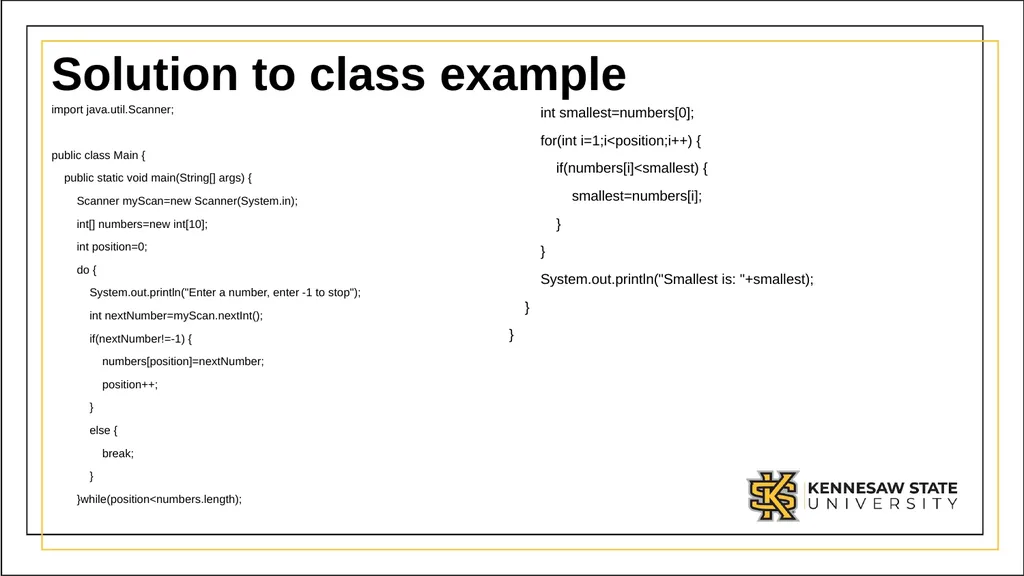
Solution to class example import java.util.Scanner;
public class Main {
public static void main(String[] args) {
Scanner myScan=new Scanner(System.in);
int[] numbers=new int[10];
int position=0;
do {
System.out.println("Enter a number, enter -1 to stop");
int nextNumber=myScan.nextInt();
if(nextNumber!=-1) {
numbers[position]=nextNumber;
position++;
}
else {
break;
}
}while(position<numbers.length); int smallest=numbers[0];
for(int i=1;i<position;i++) {
if(numbers[i]<smallest) {
smallest=numbers[i];
}
}
System.out.println("Smallest is: "+smallest);
}
}<br>
public class Main {
public static void main(String[] args) {
Scanner myScan=new Scanner(System.in);
int[] numbers=new int[10];
int position=0;
do {
System.out.println("Enter a number, enter -1 to stop");
int nextNumber=myScan.nextInt();
if(nextNumber!=-1) {
numbers[position]=nextNumber;
position++;
}
else {
break;
}
}while(position<numbers.length); int smallest=numbers[0];
for(int i=1;i<position;i++) {
if(numbers[i]<smallest) {
smallest=numbers[i];
}
}
System.out.println("Smallest is: "+smallest);
}
}<br>
18
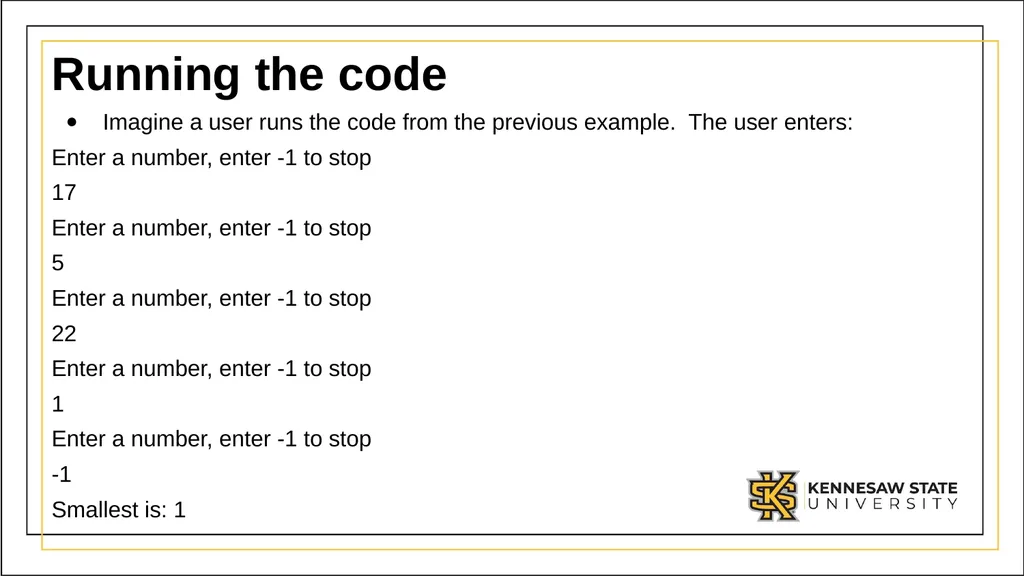
Running the code Imagine a user runs the code from the previous example. The user enters:
Enter a number, enter -1 to stop
17
Enter a number, enter -1 to stop
5
Enter a number, enter -1 to stop
22
Enter a number, enter -1 to stop
1
Enter a number, enter -1 to stop
-1
Smallest is: 1<br>
Enter a number, enter -1 to stop
17
Enter a number, enter -1 to stop
5
Enter a number, enter -1 to stop
22
Enter a number, enter -1 to stop
1
Enter a number, enter -1 to stop
-1
Smallest is: 1<br>
19
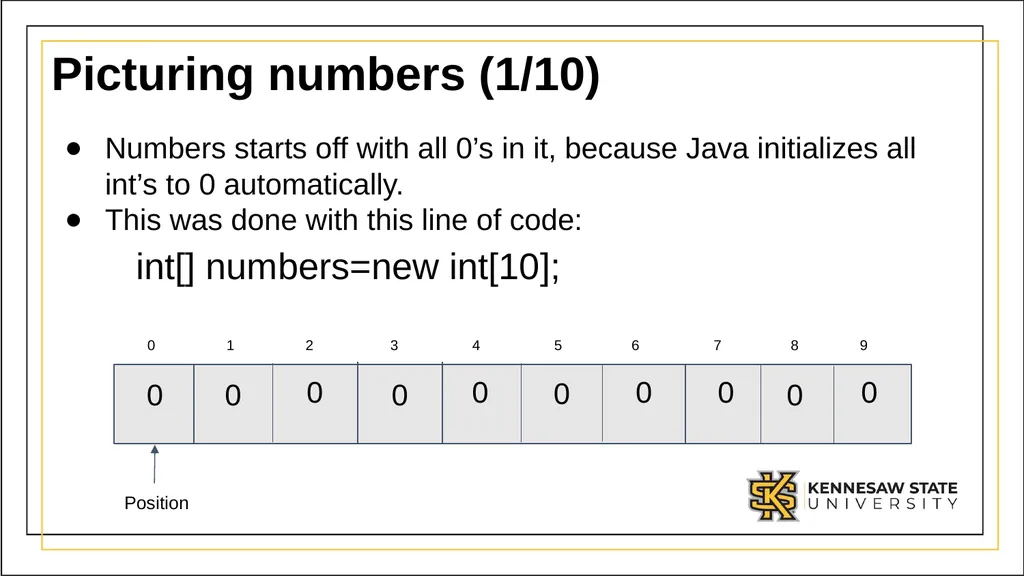
Picturing numbers (1/10) Numbers starts off with all 0’s in it, because Java initializes all int’s to 0 automatically.
This was done with this line of code:
int[] numbers=new int[10]; Position<br>
This was done with this line of code:
int[] numbers=new int[10]; Position<br>
20
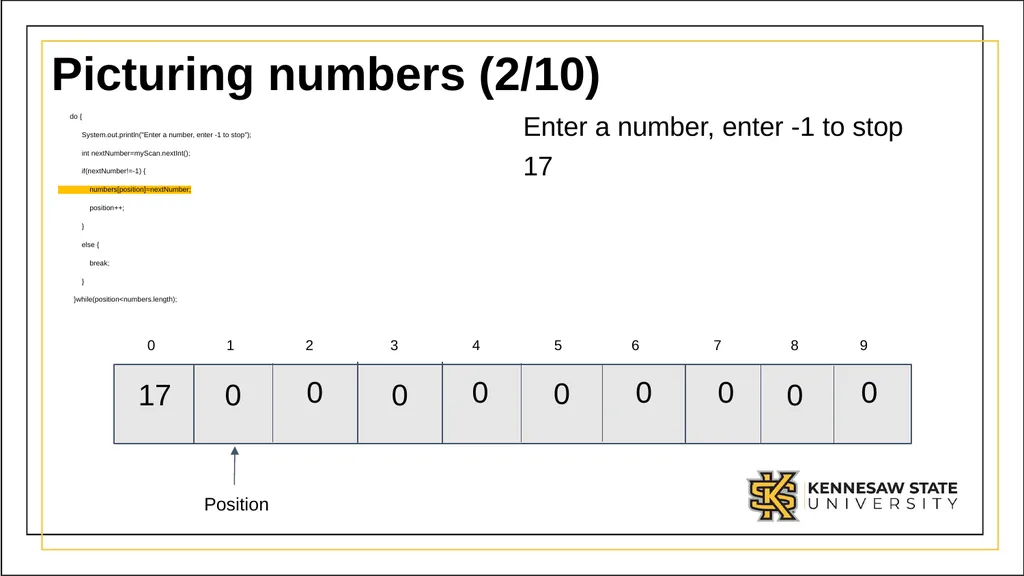
Picturing numbers (2/10) do {
System.out.println("Enter a number, enter -1 to stop");
int nextNumber=myScan.nextInt();
if(nextNumber!=-1) {
numbers[position]=nextNumber;
position++;
}
else {
break;
}
}while(position<numbers.length); Enter a number, enter -1 to stop
17 0 1 2 3 4 5 6 7 8 9 Position<br>
System.out.println("Enter a number, enter -1 to stop");
int nextNumber=myScan.nextInt();
if(nextNumber!=-1) {
numbers[position]=nextNumber;
position++;
}
else {
break;
}
}while(position<numbers.length); Enter a number, enter -1 to stop
17 0 1 2 3 4 5 6 7 8 9 Position<br>
21
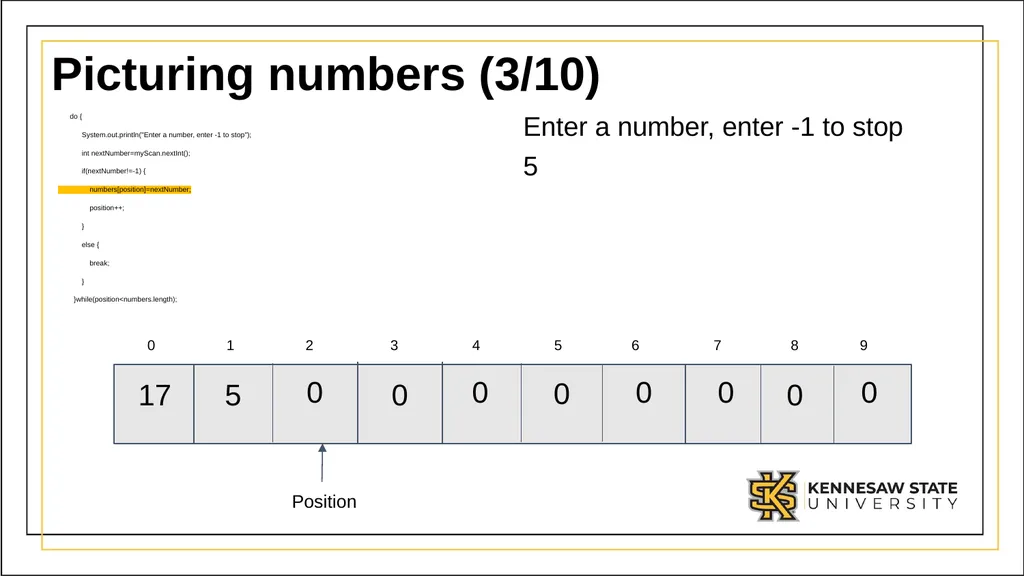
Picturing numbers (3/10) do {
System.out.println("Enter a number, enter -1 to stop");
int nextNumber=myScan.nextInt();
if(nextNumber!=-1) {
numbers[position]=nextNumber;
position++;
}
else {
break;
}
}while(position<numbers.length); Enter a number, enter -1 to stop
5 Position<br>
System.out.println("Enter a number, enter -1 to stop");
int nextNumber=myScan.nextInt();
if(nextNumber!=-1) {
numbers[position]=nextNumber;
position++;
}
else {
break;
}
}while(position<numbers.length); Enter a number, enter -1 to stop
5 Position<br>
22
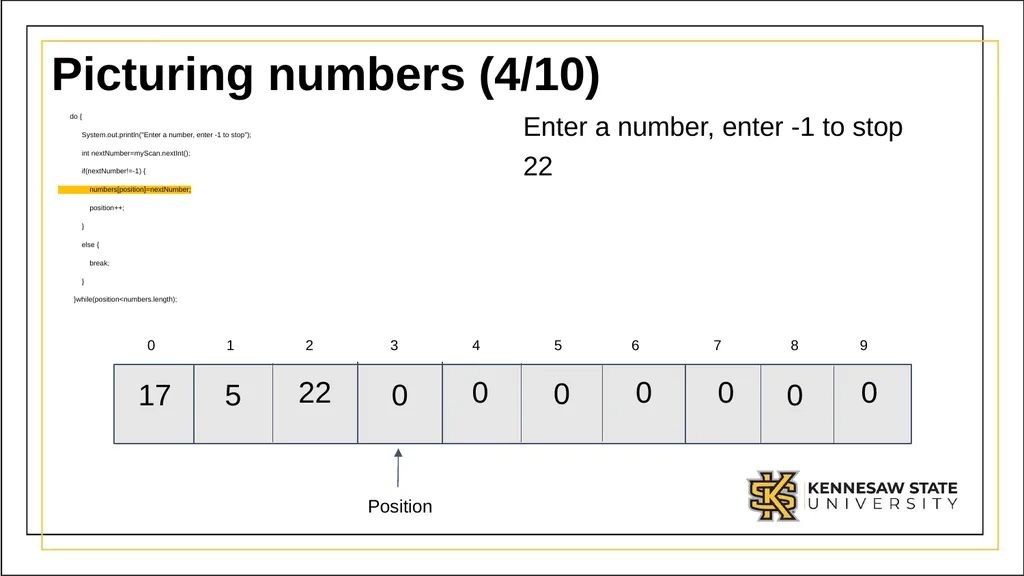
Picturing numbers (4/10) do {
System.out.println("Enter a number, enter -1 to stop");
int nextNumber=myScan.nextInt();
if(nextNumber!=-1) {
numbers[position]=nextNumber;
position++;
}
else {
break;
}
}while(position<numbers.length); Enter a number, enter -1 to stop
22 0 1 2 3 4 5 6 7 8 9 Position<br>
System.out.println("Enter a number, enter -1 to stop");
int nextNumber=myScan.nextInt();
if(nextNumber!=-1) {
numbers[position]=nextNumber;
position++;
}
else {
break;
}
}while(position<numbers.length); Enter a number, enter -1 to stop
22 0 1 2 3 4 5 6 7 8 9 Position<br>
23
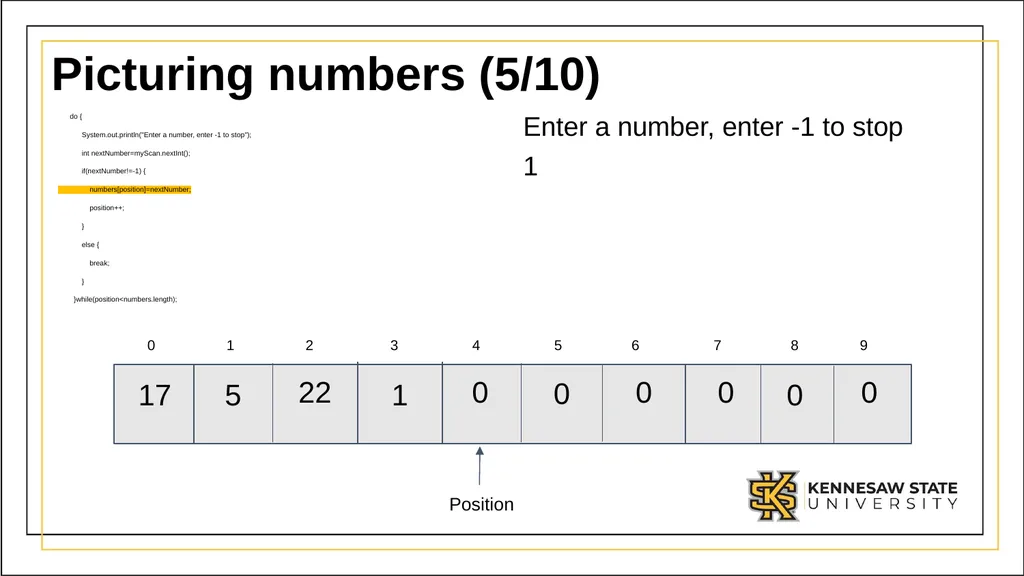
Picturing numbers (5/10) do {
System.out.println("Enter a number, enter -1 to stop");
int nextNumber=myScan.nextInt();
if(nextNumber!=-1) {
numbers[position]=nextNumber;
position++;
}
else {
break;
}
}while(position<numbers.length); Enter a number, enter -1 to stop
1 0 1 2 3 4 5 6 7 8 9 Position<br>
System.out.println("Enter a number, enter -1 to stop");
int nextNumber=myScan.nextInt();
if(nextNumber!=-1) {
numbers[position]=nextNumber;
position++;
}
else {
break;
}
}while(position<numbers.length); Enter a number, enter -1 to stop
1 0 1 2 3 4 5 6 7 8 9 Position<br>
24
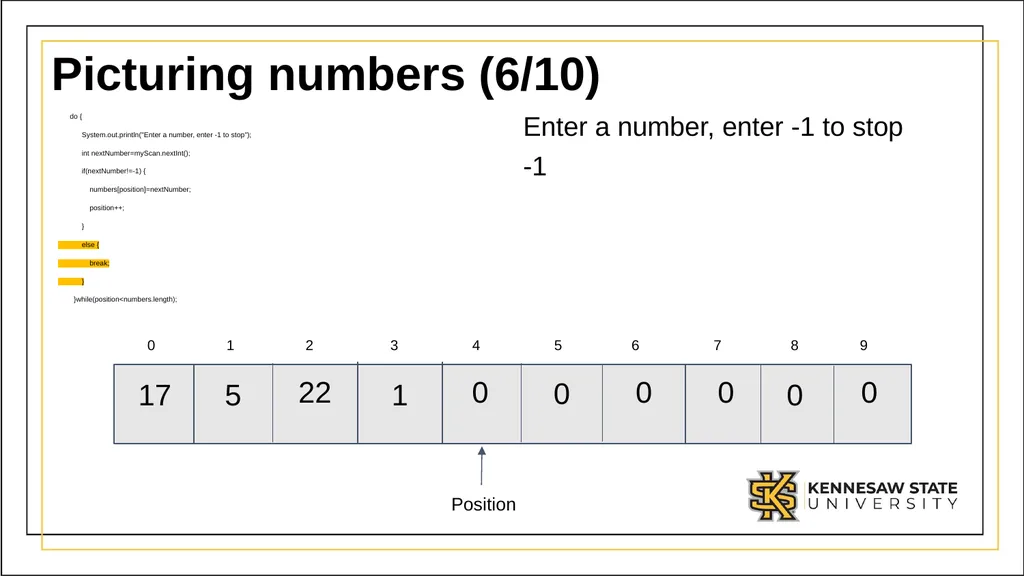
Picturing numbers (6/10) do {
System.out.println("Enter a number, enter -1 to stop");
int nextNumber=myScan.nextInt();
if(nextNumber!=-1) {
numbers[position]=nextNumber;
position++;
}
else {
break;
}
}while(position<numbers.length); Enter a number, enter -1 to stop
-1 Position<br>
System.out.println("Enter a number, enter -1 to stop");
int nextNumber=myScan.nextInt();
if(nextNumber!=-1) {
numbers[position]=nextNumber;
position++;
}
else {
break;
}
}while(position<numbers.length); Enter a number, enter -1 to stop
-1 Position<br>
25
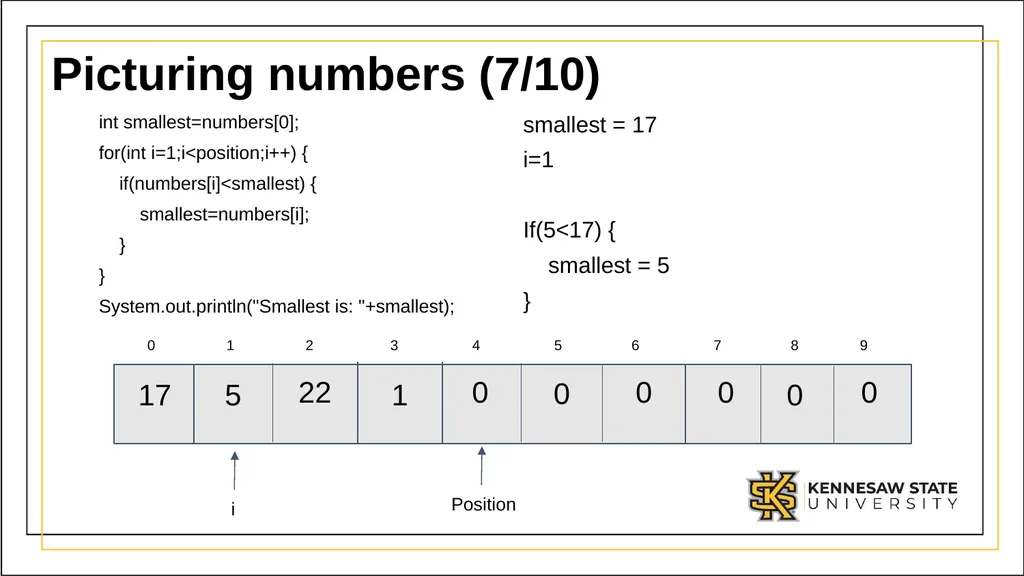
Picturing numbers (7/10) int smallest=numbers[0];
for(int i=1;i<position;i++) {
if(numbers[i]<smallest) {
smallest=numbers[i];
}
}
System.out.println("Smallest is: "+smallest); smallest = 17
i=1
If(5<17) {
smallest = 5
} Position i<br>
for(int i=1;i<position;i++) {
if(numbers[i]<smallest) {
smallest=numbers[i];
}
}
System.out.println("Smallest is: "+smallest); smallest = 17
i=1
If(5<17) {
smallest = 5
} Position i<br>
26
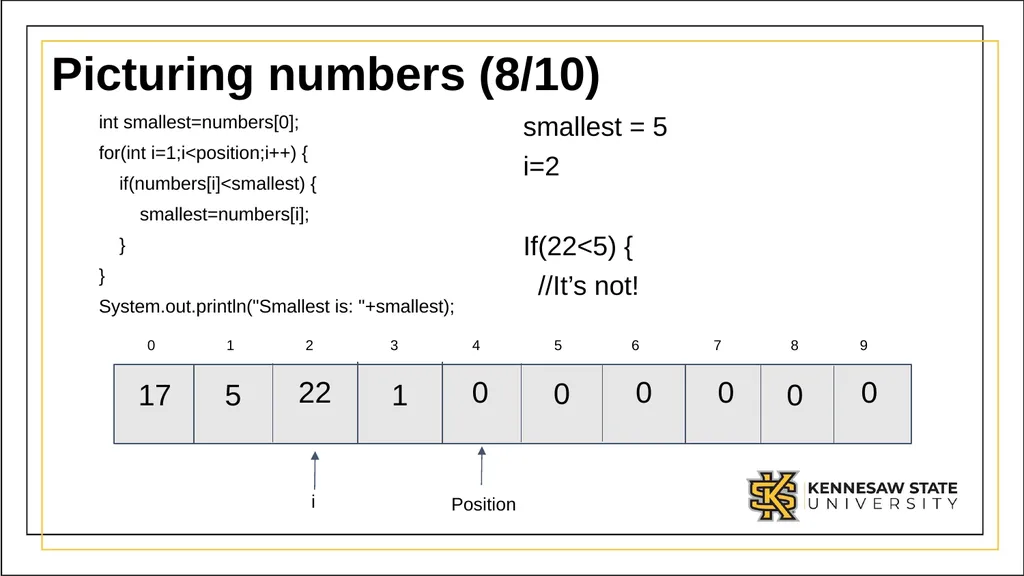
Picturing numbers (8/10) int smallest=numbers[0];
for(int i=1;i<position;i++) {
if(numbers[i]<smallest) {
smallest=numbers[i];
}
}
System.out.println("Smallest is: "+smallest); smallest = 5
i=2
If(22<5) {
//It’s not! Position i<br>
for(int i=1;i<position;i++) {
if(numbers[i]<smallest) {
smallest=numbers[i];
}
}
System.out.println("Smallest is: "+smallest); smallest = 5
i=2
If(22<5) {
//It’s not! Position i<br>
27
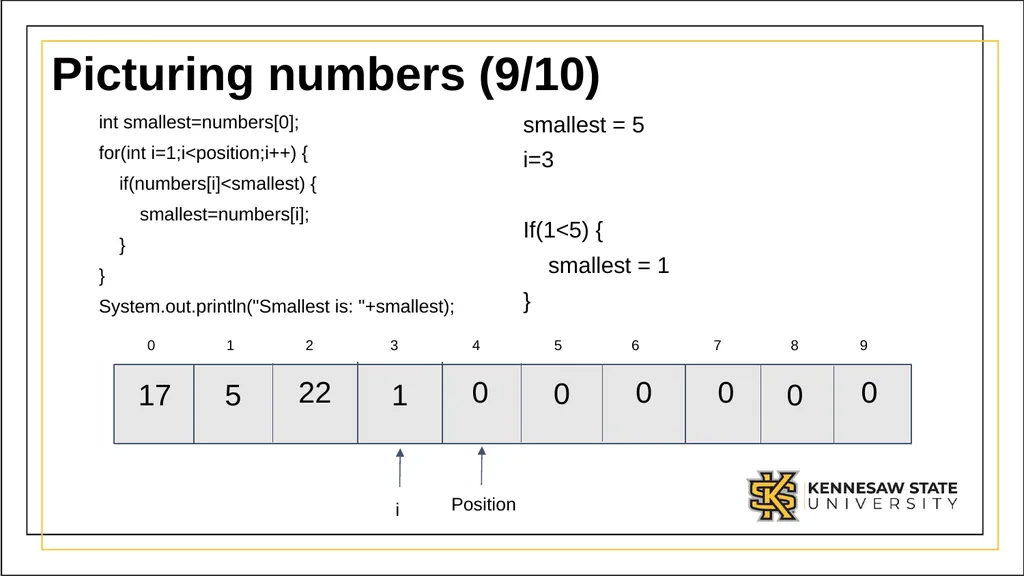
Picturing numbers (9/10) int smallest=numbers[0];
for(int i=1;i<position;i++) {
if(numbers[i]<smallest) {
smallest=numbers[i];
}
}
System.out.println("Smallest is: "+smallest); smallest = 5
i=3
If(1<5) {
smallest = 1
} Position i<br>
for(int i=1;i<position;i++) {
if(numbers[i]<smallest) {
smallest=numbers[i];
}
}
System.out.println("Smallest is: "+smallest); smallest = 5
i=3
If(1<5) {
smallest = 1
} Position i<br>
28
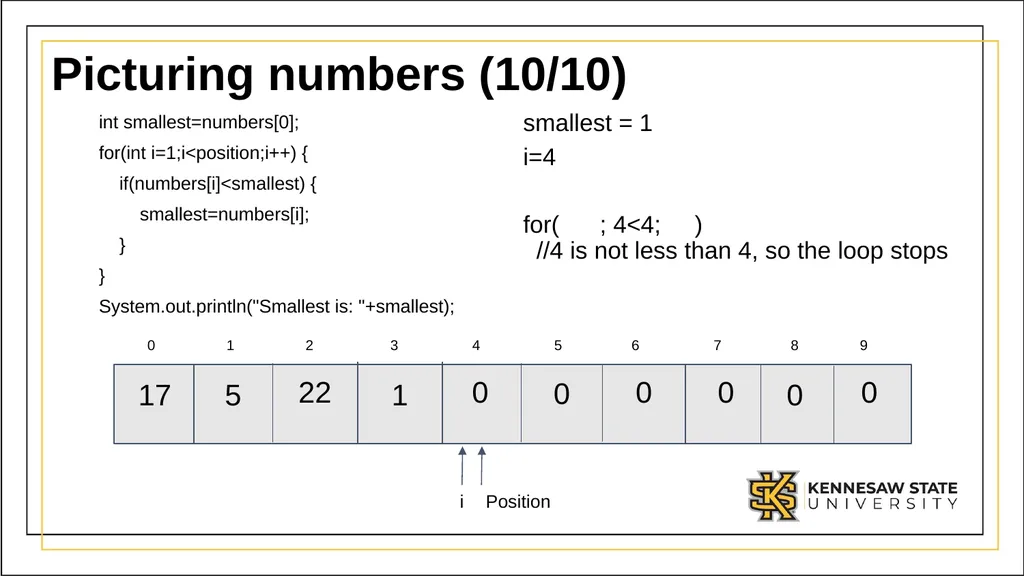
Picturing numbers (10/10) int smallest=numbers[0];
for(int i=1;i<position;i++) {
if(numbers[i]<smallest) {
smallest=numbers[i];
}
}
System.out.println("Smallest is: "+smallest); smallest = 1
i=4
for( ; 4<4; )
//4 is not less than 4, so the loop stops Position i<br>
for(int i=1;i<position;i++) {
if(numbers[i]<smallest) {
smallest=numbers[i];
}
}
System.out.println("Smallest is: "+smallest); smallest = 1
i=4
for( ; 4<4; )
//4 is not less than 4, so the loop stops Position i<br>
29
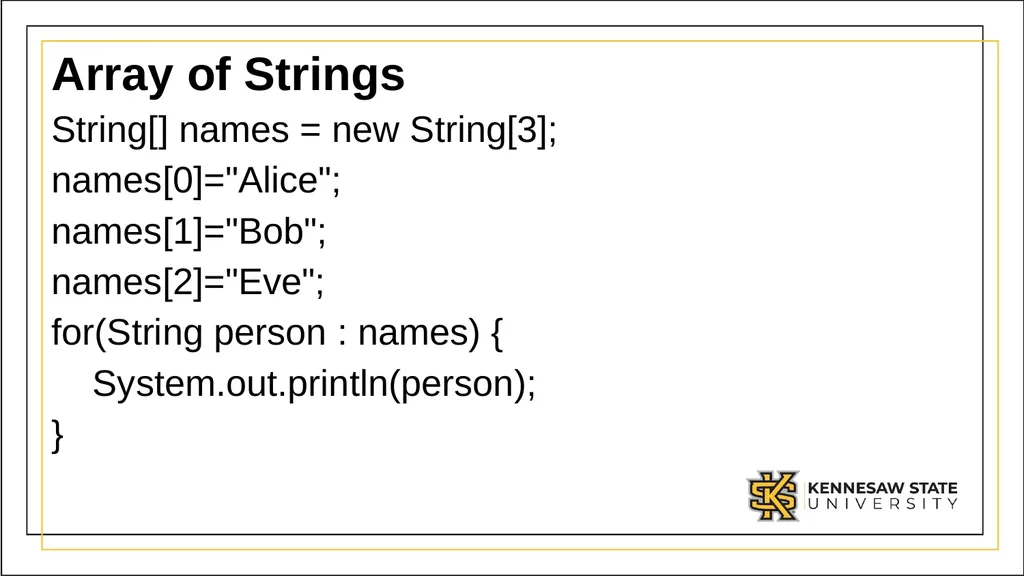
Array of Strings String[] names = new String[3];
names[0]="Alice";
names[1]="Bob";
names[2]="Eve";
for(String person : names) {
System.out.println(person);
}<br>
names[0]="Alice";
names[1]="Bob";
names[2]="Eve";
for(String person : names) {
System.out.println(person);
}<br>
30
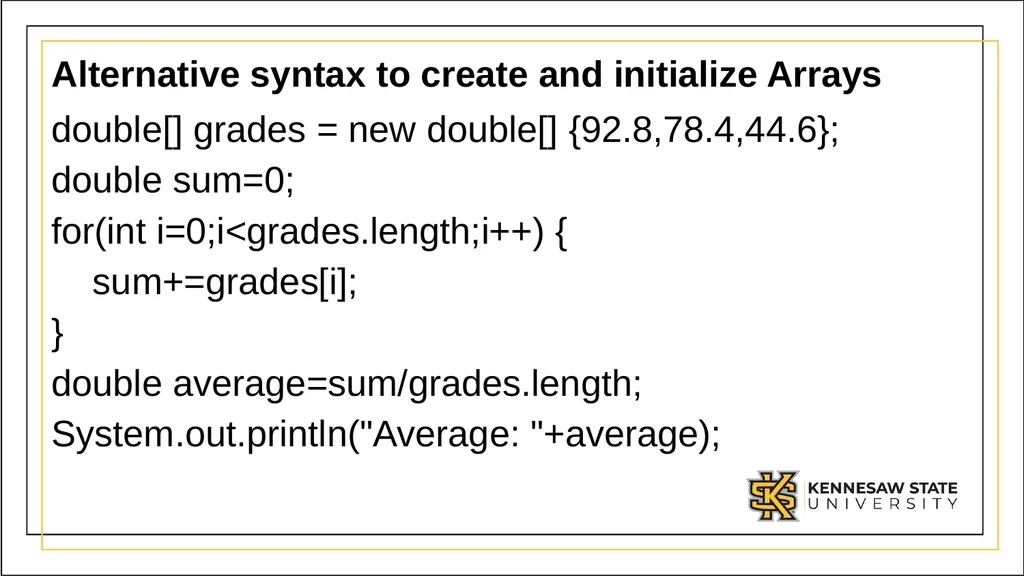
Alternative syntax to create and initialize Arrays double[] grades = new double[] {92.8,78.4,44.6};
double sum=0;
for(int i=0;i<grades.length;i++) {
sum+=grades[i];
}
double average=sum/grades.length;
System.out.println("Average: "+average);<br>
double sum=0;
for(int i=0;i<grades.length;i++) {
sum+=grades[i];
}
double average=sum/grades.length;
System.out.println("Average: "+average);<br>
31
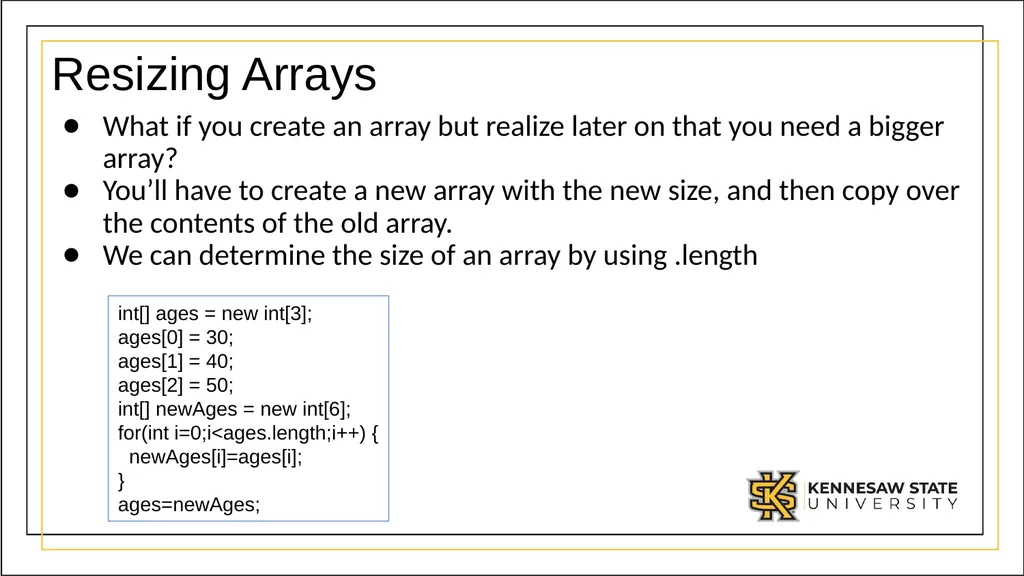
Resizing Arrays What if you create an array but realize later on that you need a bigger array?
You’ll have to create a new array with the new size, and then copy over the contents of the old array.
We can determine the size of an array by using .length int[] ages = new int[3];
ages[0] = 30;
ages[1] = 40;
ages[2] = 50;
int[] newAges = new int[6];
for(int i=0;i<ages.length;i++) {
newAges[i]=ages[i];
}
ages=newAges;<br>
You’ll have to create a new array with the new size, and then copy over the contents of the old array.
We can determine the size of an array by using .length int[] ages = new int[3];
ages[0] = 30;
ages[1] = 40;
ages[2] = 50;
int[] newAges = new int[6];
for(int i=0;i<ages.length;i++) {
newAges[i]=ages[i];
}
ages=newAges;<br>
32
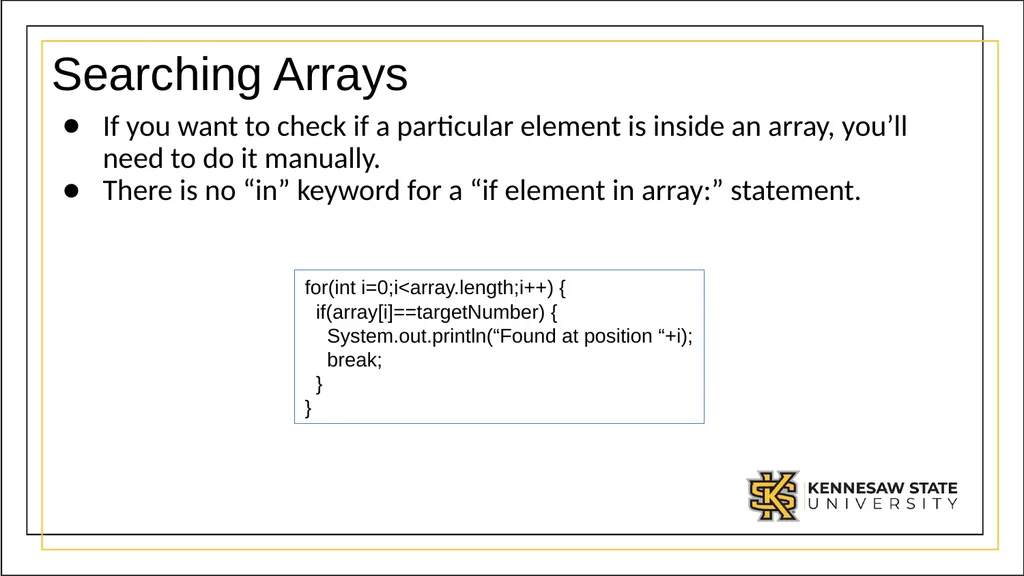
Searching Arrays If you want to check if a particular element is inside an array, you’ll need to do it manually.
There is no “in” keyword for a “if element in array:” statement. for(int i=0;i<array.length;i++) {
if(array[i]==targetNumber) {
System.out.println(“Found at position “+i);
break;
}
}<br>
There is no “in” keyword for a “if element in array:” statement. for(int i=0;i<array.length;i++) {
if(array[i]==targetNumber) {
System.out.println(“Found at position “+i);
break;
}
}<br>
33
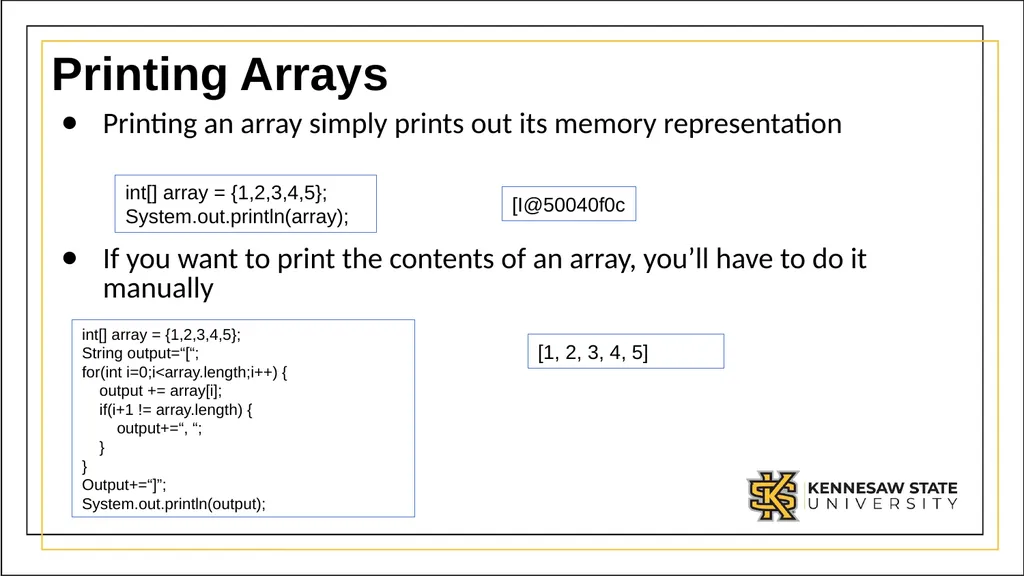
Printing Arrays Printing an array simply prints out its memory representation
If you want to print the contents of an array, you’ll have to do it manually int[] array = {1,2,3,4,5};
System.out.println(array); [I@50040f0c int[] array = {1,2,3,4,5};
String output=“[“;
for(int i=0;i<array.length;i++) {
output += array[i];
if(i+1 != array.length) {
output+=“, “;
}
}
Output+=“]”;
System.out.println(output); [1, 2, 3, 4, 5]<br>
If you want to print the contents of an array, you’ll have to do it manually int[] array = {1,2,3,4,5};
System.out.println(array); [I@50040f0c int[] array = {1,2,3,4,5};
String output=“[“;
for(int i=0;i<array.length;i++) {
output += array[i];
if(i+1 != array.length) {
output+=“, “;
}
}
Output+=“]”;
System.out.println(output); [1, 2, 3, 4, 5]<br>
34
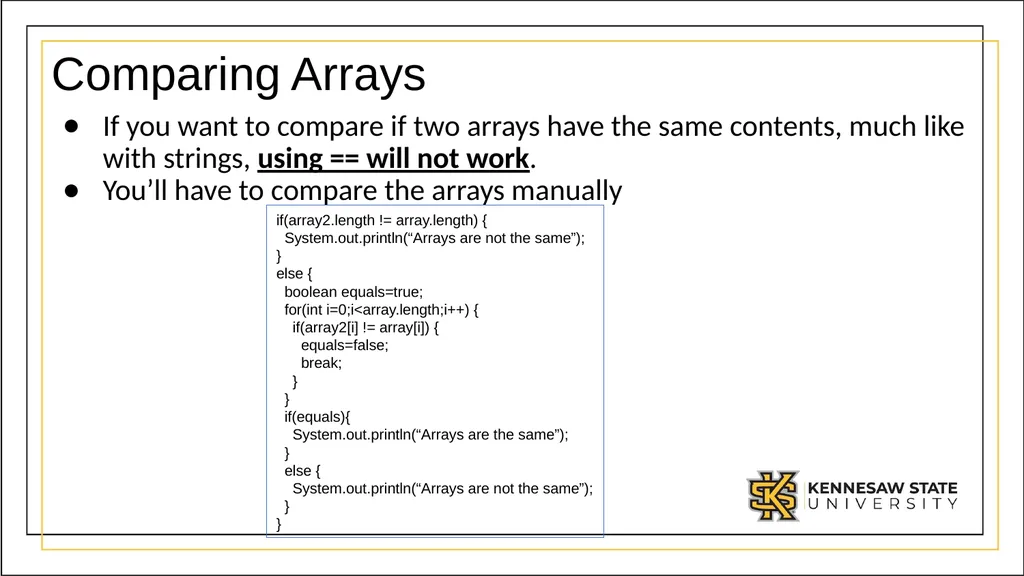
Comparing Arrays If you want to compare if two arrays have the same contents, much like with strings, using == will not work.
You’ll have to compare the arrays manually if(array2.length != array.length) {
System.out.println(“Arrays are not the same”);
}
else {
boolean equals=true;
for(int i=0;i<array.length;i++) {
if(array2[i] != array[i]) {
equals=false;
break;
}
}
if(equals){
System.out.println(“Arrays are the same”);
}
else {
System.out.println(“Arrays are not the same”);
}
}<br>
You’ll have to compare the arrays manually if(array2.length != array.length) {
System.out.println(“Arrays are not the same”);
}
else {
boolean equals=true;
for(int i=0;i<array.length;i++) {
if(array2[i] != array[i]) {
equals=false;
break;
}
}
if(equals){
System.out.println(“Arrays are the same”);
}
else {
System.out.println(“Arrays are not the same”);
}
}<br>
35
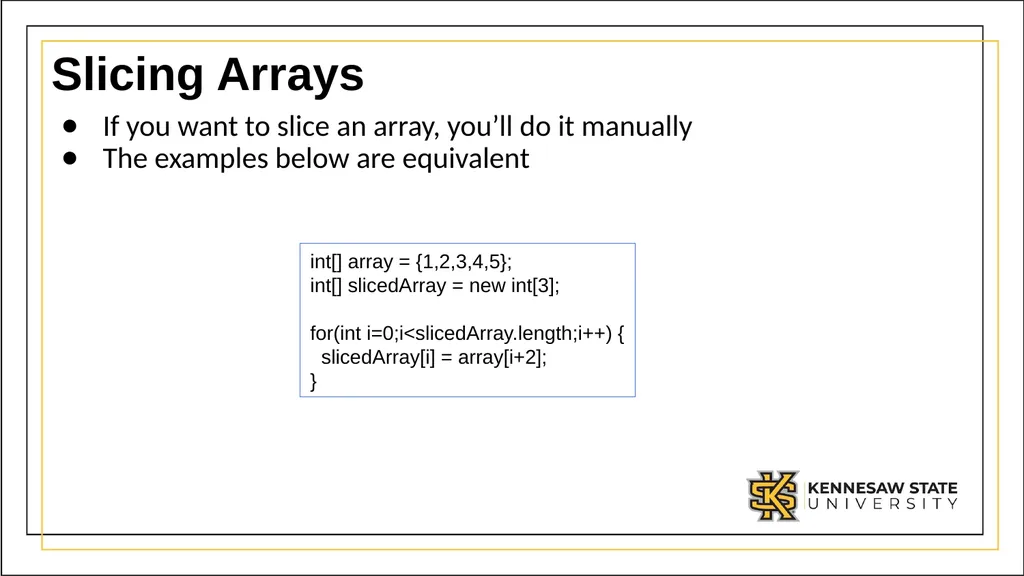
Slicing Arrays If you want to slice an array, you’ll do it manually
The examples below are equivalent int[] array = {1,2,3,4,5};
int[] slicedArray = new int[3];
for(int i=0;i<slicedArray.length;i++) {
slicedArray[i] = array[i+2];
}<br>
The examples below are equivalent int[] array = {1,2,3,4,5};
int[] slicedArray = new int[3];
for(int i=0;i<slicedArray.length;i++) {
slicedArray[i] = array[i+2];
}<br>
36
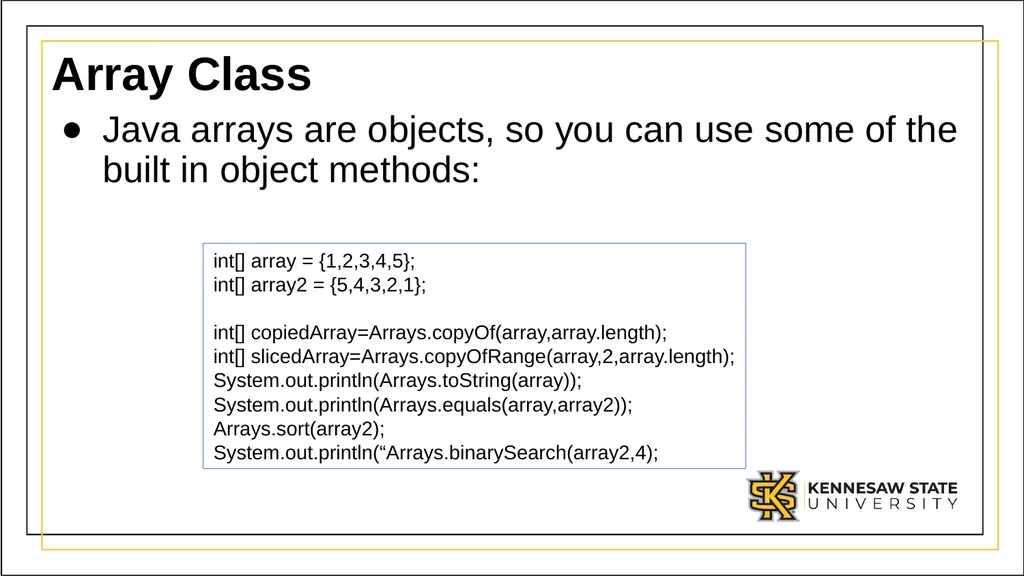
Array Class Java arrays are objects, so you can use some of the built in object methods: int[] array = {1,2,3,4,5};
int[] array2 = {5,4,3,2,1};
int[] copiedArray=Arrays.copyOf(array,array.length);
int[] slicedArray=Arrays.copyOfRange(array,2,array.length);
System.out.println(Arrays.toString(array));
System.out.println(Arrays.equals(array,array2));
Arrays.sort(array2);
System.out.println(“Arrays.binarySearch(array2,4);<br>
int[] array2 = {5,4,3,2,1};
int[] copiedArray=Arrays.copyOf(array,array.length);
int[] slicedArray=Arrays.copyOfRange(array,2,array.length);
System.out.println(Arrays.toString(array));
System.out.println(Arrays.equals(array,array2));
Arrays.sort(array2);
System.out.println(“Arrays.binarySearch(array2,4);<br>
37
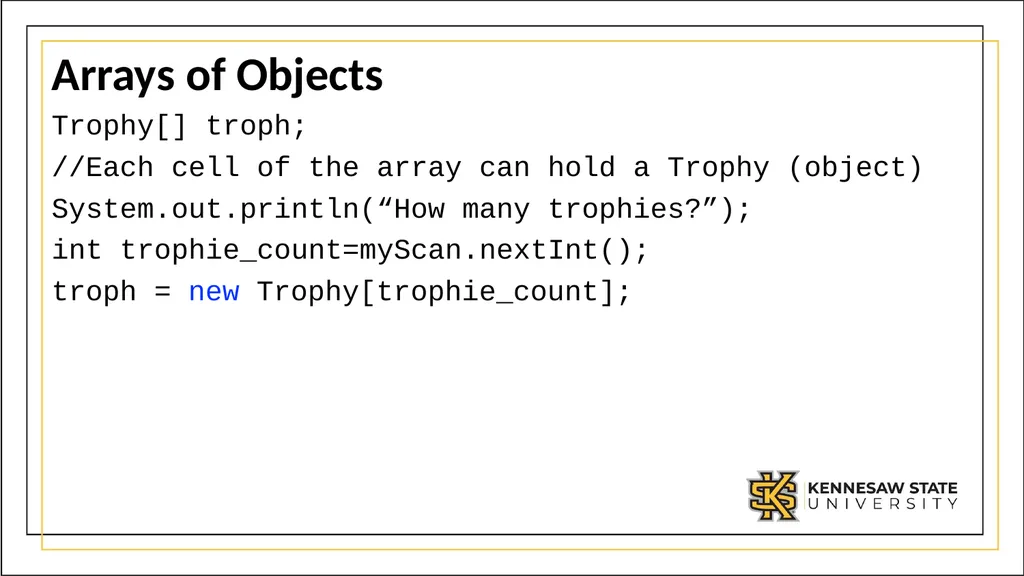
Arrays of Objects Trophy[] troph;
//Each cell of the array can hold a Trophy (object)
System.out.println(“How many trophies?”);
int trophie_count=myScan.nextInt();
troph = new Trophy[trophie_count];<br>
//Each cell of the array can hold a Trophy (object)
System.out.println(“How many trophies?”);
int trophie_count=myScan.nextInt();
troph = new Trophy[trophie_count];<br>
38
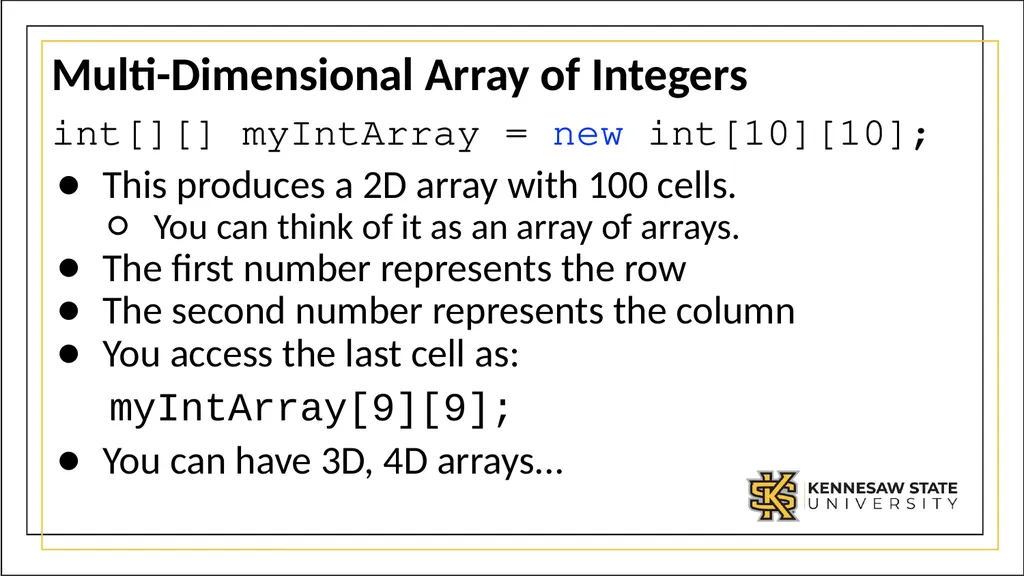
Multi-Dimensional Array of Integers int[][] myIntArray = new int[10][10];
This produces a 2D array with 100 cells.
You can think of it as an array of arrays.
The first number represents the row
The second number represents the column
You access the last cell as:
myIntArray[9][9];
You can have 3D, 4D arrays...<br>
This produces a 2D array with 100 cells.
You can think of it as an array of arrays.
The first number represents the row
The second number represents the column
You access the last cell as:
myIntArray[9][9];
You can have 3D, 4D arrays...<br>
39
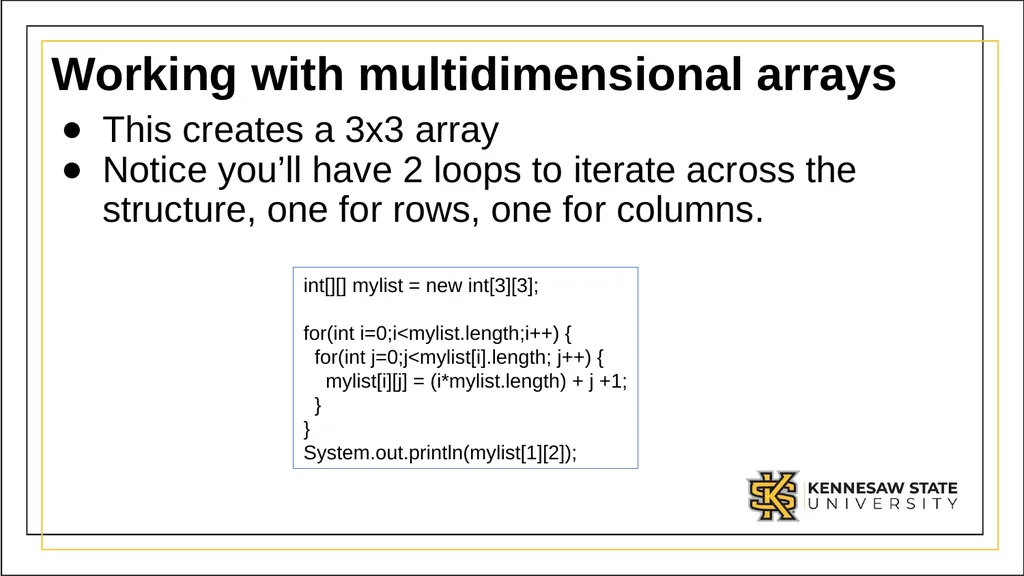
Working with multidimensional arrays This creates a 3x3 array
Notice you’ll have 2 loops to iterate across the structure, one for rows, one for columns. int[][] mylist = new int[3][3];
for(int i=0;i<mylist.length;i++) {
for(int j=0;j<mylist[i].length; j++) {
mylist[i][j] = (i*mylist.length) + j +1;
}
}
System.out.println(mylist[1][2]);<br>
Notice you’ll have 2 loops to iterate across the structure, one for rows, one for columns. int[][] mylist = new int[3][3];
for(int i=0;i<mylist.length;i++) {
for(int j=0;j<mylist[i].length; j++) {
mylist[i][j] = (i*mylist.length) + j +1;
}
}
System.out.println(mylist[1][2]);<br>