
Overview of ISO’s Quota Determination Data
CS
Published · 34 slides · 0 views

1 / 1
Description
Overview of ISOs Quota Determination Data Verification Process May 28, 2026 Introduction 1. Who is AIPSO and what does it do? AIPSO is a nonprofit management organization that provides various administrative services for the automobile
Related Topics
Share
Embed code
Download this presentation From Below
"Overview of ISO’s Quota Determination Data" is the property of its rightful owner. Permission is granted to download and print the materials on this website for personal, non-commercial use only, and to display it on your personal computer provided you do not modify the materials and that you retain all copyright notices contained in the materials. By downloading content from our website, you accept the terms of this agreement.
Presentation Transcript
01
Overview of ISO’s
Quota Determination
Data Verification Process May 28, 2026<br>
02
Introduction
1. Who is AIPSO and what does it do?
AIPSO is a nonprofit management organization that provides various administrative services for the automobile insurance residual market in most states. As a service provider to the insurance industry, one of AIPSO’s primary functions is the calculation of company quotas.
2. What is the Auto Residual Market?
The residual market is comprised of those policy holders who are unable to purchase automobile insurance through the voluntary market due to a variety of factors, such as their driving record or age. Because automobile liability insurance is required under the Financial Responsibility laws, most states have established a mechanism to provide coverage for drivers who are unable to obtain insurance in the voluntary market.
3. What is Quota Determination?
Quota Determination is the process by which AIPSO determines an insurance company’s share of the residual market burden it must assume in each state. Assignments (or quota shares) are issued to insurance companies roughly in proportion to the amount of voluntary business each insurer writes, with adjustments for certain credits in some states.
4. What is ISO’s Role?
As the statistical agent of record for the company ISO compiles all the relevant data we can, based on what the company has reported to us through our statistical plans. We also use written premium data taken from Statutory Page 14 of the company's Annual Statement (as compiled by AM Best). ISO then provides the company its data to give it an opportunity to revise or correct any information, to request certain additional detail that is not available through the statistical data, and to allow for the signoff on the accuracy of the data that ultimately goes to AIPSO. ISO then forwards the company’s data to AIPSO for quota determination. By leveraging the use of reported statistical data in this manner, ISO and the other statistical agents reduce costs for individual companies and for the system as a whole.<br>
1. Who is AIPSO and what does it do?
AIPSO is a nonprofit management organization that provides various administrative services for the automobile insurance residual market in most states. As a service provider to the insurance industry, one of AIPSO’s primary functions is the calculation of company quotas.
2. What is the Auto Residual Market?
The residual market is comprised of those policy holders who are unable to purchase automobile insurance through the voluntary market due to a variety of factors, such as their driving record or age. Because automobile liability insurance is required under the Financial Responsibility laws, most states have established a mechanism to provide coverage for drivers who are unable to obtain insurance in the voluntary market.
3. What is Quota Determination?
Quota Determination is the process by which AIPSO determines an insurance company’s share of the residual market burden it must assume in each state. Assignments (or quota shares) are issued to insurance companies roughly in proportion to the amount of voluntary business each insurer writes, with adjustments for certain credits in some states.
4. What is ISO’s Role?
As the statistical agent of record for the company ISO compiles all the relevant data we can, based on what the company has reported to us through our statistical plans. We also use written premium data taken from Statutory Page 14 of the company's Annual Statement (as compiled by AM Best). ISO then provides the company its data to give it an opportunity to revise or correct any information, to request certain additional detail that is not available through the statistical data, and to allow for the signoff on the accuracy of the data that ultimately goes to AIPSO. ISO then forwards the company’s data to AIPSO for quota determination. By leveraging the use of reported statistical data in this manner, ISO and the other statistical agents reduce costs for individual companies and for the system as a whole.<br>
03
General Instructions The General Instructions is the main reference document you should use while
reviewing the company’s workbook. This document provides:
A list of changes to the spreadsheet or procedures from the previous year
An in-depth description of the sheets in the workbook
Descriptions of the fields used on each sheet
Helpful tips for reviewing the data
ISO’s procedure for processing the workbook
Deadlines to submit the data to ISO
A list and explanation of items that specifically require company input
A list and discussion of common data problems
Reference tables containing class codes ISO uses to populate the fields in the workbook
Explanation of ISO’s exposure calculations
Explanation of how ISO handles companies reporting their statistical data to more than one statistical agent
A list of special services ISO offers related to the quota determination process, and their associated fees The General Instructions is a Portable Document Format (PDF) file that can be downloaded using the link in the e-mail ISO initially sent for the Quota Determination review process.<br>
reviewing the company’s workbook. This document provides:
A list of changes to the spreadsheet or procedures from the previous year
An in-depth description of the sheets in the workbook
Descriptions of the fields used on each sheet
Helpful tips for reviewing the data
ISO’s procedure for processing the workbook
Deadlines to submit the data to ISO
A list and explanation of items that specifically require company input
A list and discussion of common data problems
Reference tables containing class codes ISO uses to populate the fields in the workbook
Explanation of ISO’s exposure calculations
Explanation of how ISO handles companies reporting their statistical data to more than one statistical agent
A list of special services ISO offers related to the quota determination process, and their associated fees The General Instructions is a Portable Document Format (PDF) file that can be downloaded using the link in the e-mail ISO initially sent for the Quota Determination review process.<br>
04
SHEETS CONTAINED IN THE WORKBOOK There are 12 sheets in the Quota Determination workbook (the names of the individual sheets are provided here in quotes):
“Instructions”
Liability (“liab”)
Liability Credits (“liab credits”)
New York Territorial Zip Code Credits (“NY Terr”)
Liability Base (“liab base”)
Collision (“col”)
Other Than Collision (“otc”)
Physical Damage Base (“phys dam base”)
Statutory Page 14 (“P14 Data”)
“Diagnostics”
“Explanations”
“Verification Form”<br>
“Instructions”
Liability (“liab”)
Liability Credits (“liab credits”)
New York Territorial Zip Code Credits (“NY Terr”)
Liability Base (“liab base”)
Collision (“col”)
Other Than Collision (“otc”)
Physical Damage Base (“phys dam base”)
Statutory Page 14 (“P14 Data”)
“Diagnostics”
“Explanations”
“Verification Form”<br>
05
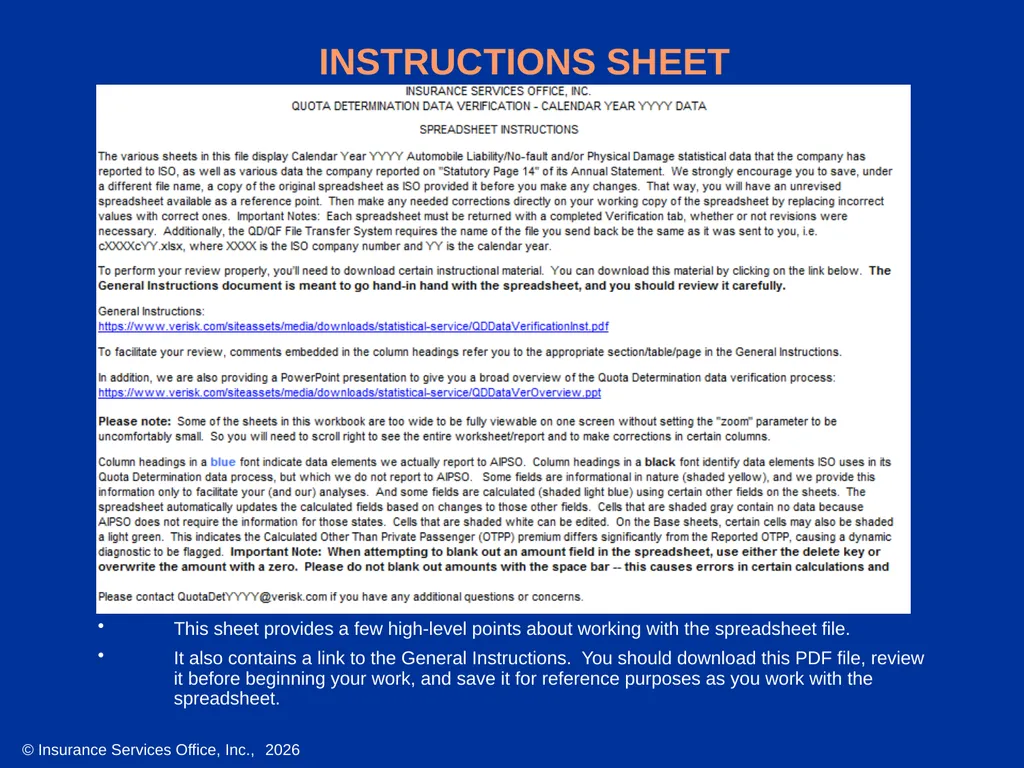
INSTRUCTIONS SHEET This sheet provides a few high-level points about working with the spreadsheet file.
It also contains a link to the General Instructions. You should download this PDF file, review it before beginning your work, and save it for reference purposes as you work with the spreadsheet.<br>
It also contains a link to the General Instructions. You should download this PDF file, review it before beginning your work, and save it for reference purposes as you work with the spreadsheet.<br>
06
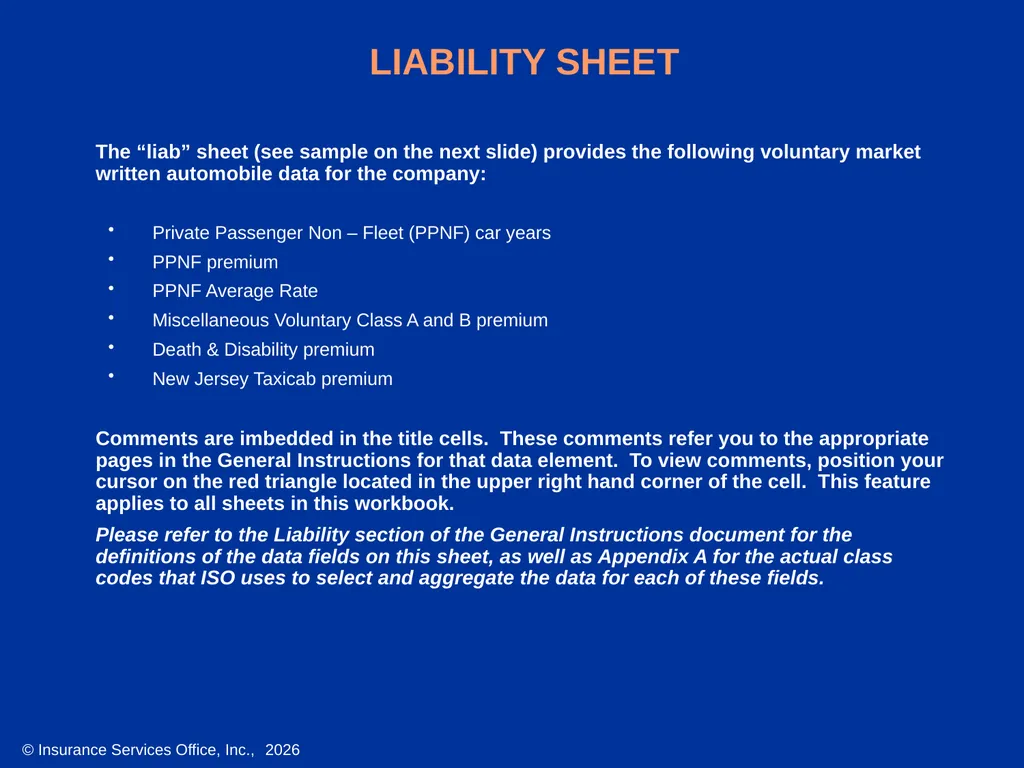
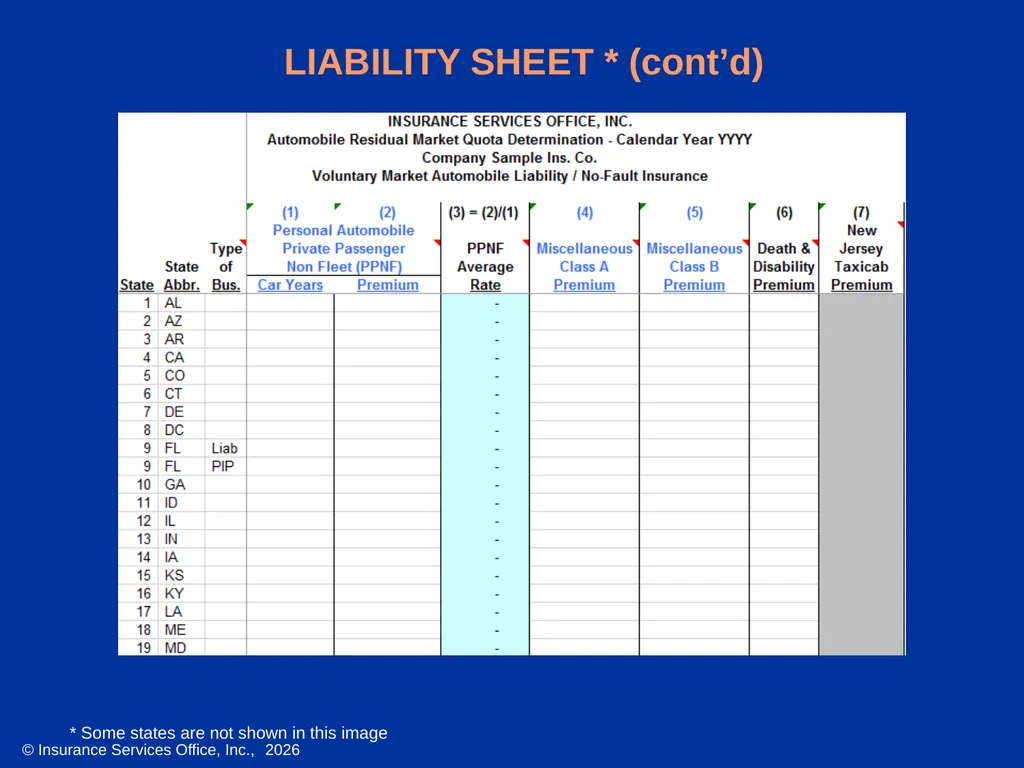
LIABILITY SHEET The “liab” sheet (see sample on the next slide) provides the following voluntary market written automobile data for the company:
Private Passenger Non – Fleet (PPNF) car years
PPNF premium
PPNF Average Rate
Miscellaneous Voluntary Class A and B premium
Death & Disability premium
New Jersey Taxicab premium
Comments are imbedded in the title cells. These comments refer you to the appropriate pages in the General Instructions for that data element. To view comments, position your cursor on the red triangle located in the upper right hand corner of the cell. This feature applies to all sheets in this workbook.
Please refer to the Liability section of the General Instructions document for the definitions of the data fields on this sheet, as well as Appendix A for the actual class codes that ISO uses to select and aggregate the data for each of these fields.<br>
Private Passenger Non – Fleet (PPNF) car years
PPNF premium
PPNF Average Rate
Miscellaneous Voluntary Class A and B premium
Death & Disability premium
New Jersey Taxicab premium
Comments are imbedded in the title cells. These comments refer you to the appropriate pages in the General Instructions for that data element. To view comments, position your cursor on the red triangle located in the upper right hand corner of the cell. This feature applies to all sheets in this workbook.
Please refer to the Liability section of the General Instructions document for the definitions of the data fields on this sheet, as well as Appendix A for the actual class codes that ISO uses to select and aggregate the data for each of these fields.<br>
07
LIABILITY SHEET * (cont’d) * Some states are not shown in this image<br>
08
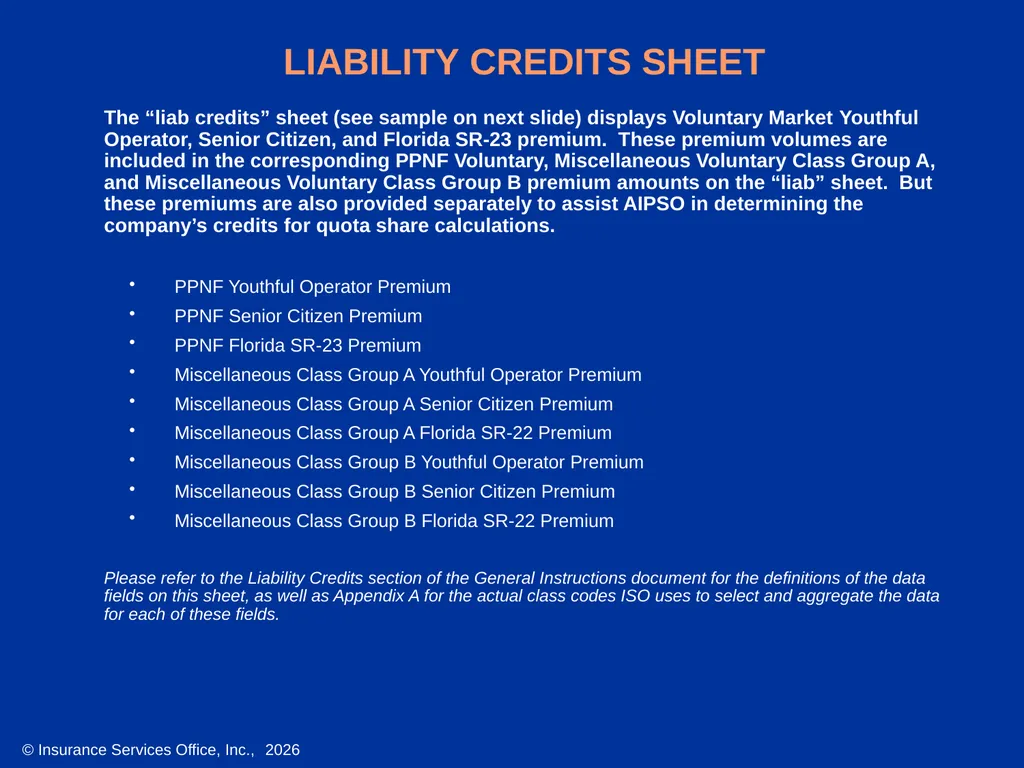
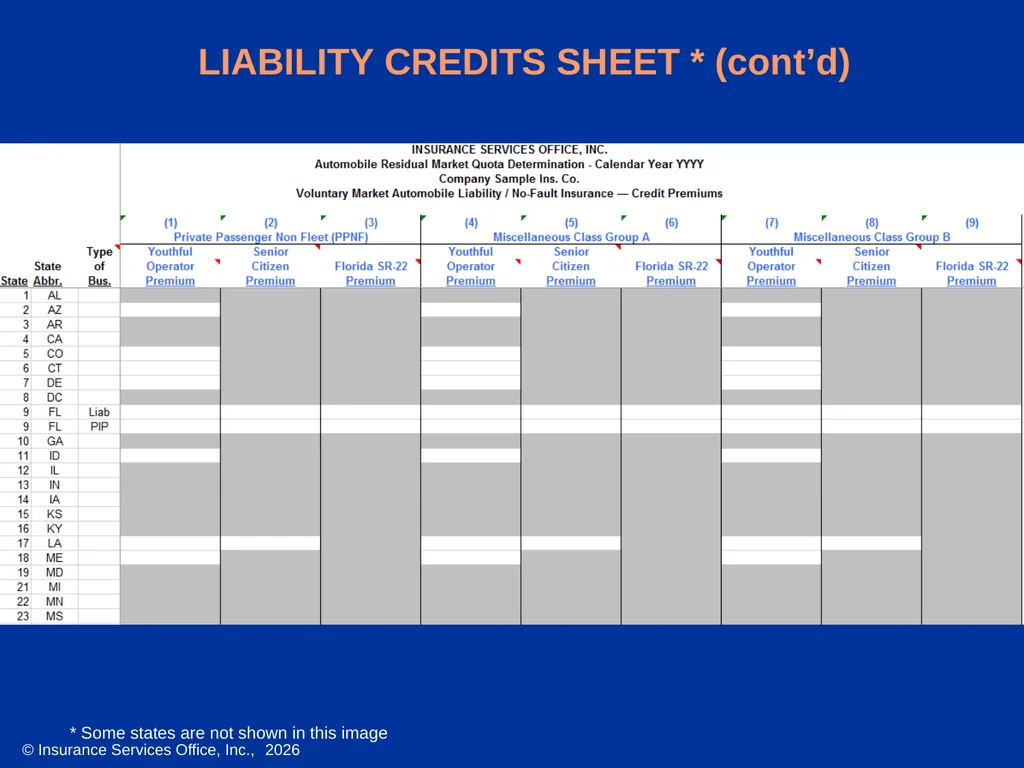
LIABILITY CREDITS SHEET The “liab credits” sheet (see sample on next slide) displays Voluntary Market Youthful Operator, Senior Citizen, and Florida SR-23 premium. These premium volumes are included in the corresponding PPNF Voluntary, Miscellaneous Voluntary Class Group A, and Miscellaneous Voluntary Class Group B premium amounts on the “liab” sheet. But these premiums are also provided separately to assist AIPSO in determining the company’s credits for quota share calculations.
PPNF Youthful Operator Premium
PPNF Senior Citizen Premium
PPNF Florida SR-23 Premium
Miscellaneous Class Group A Youthful Operator Premium
Miscellaneous Class Group A Senior Citizen Premium
Miscellaneous Class Group A Florida SR-22 Premium
Miscellaneous Class Group B Youthful Operator Premium
Miscellaneous Class Group B Senior Citizen Premium
Miscellaneous Class Group B Florida SR-22 Premium
Please refer to the Liability Credits section of the General Instructions document for the definitions of the data fields on this sheet, as well as Appendix A for the actual class codes ISO uses to select and aggregate the data for each of these fields.<br>
PPNF Youthful Operator Premium
PPNF Senior Citizen Premium
PPNF Florida SR-23 Premium
Miscellaneous Class Group A Youthful Operator Premium
Miscellaneous Class Group A Senior Citizen Premium
Miscellaneous Class Group A Florida SR-22 Premium
Miscellaneous Class Group B Youthful Operator Premium
Miscellaneous Class Group B Senior Citizen Premium
Miscellaneous Class Group B Florida SR-22 Premium
Please refer to the Liability Credits section of the General Instructions document for the definitions of the data fields on this sheet, as well as Appendix A for the actual class codes ISO uses to select and aggregate the data for each of these fields.<br>
09
LIABILITY CREDITS SHEET * (cont’d) * Some states are not shown in this image<br>
10
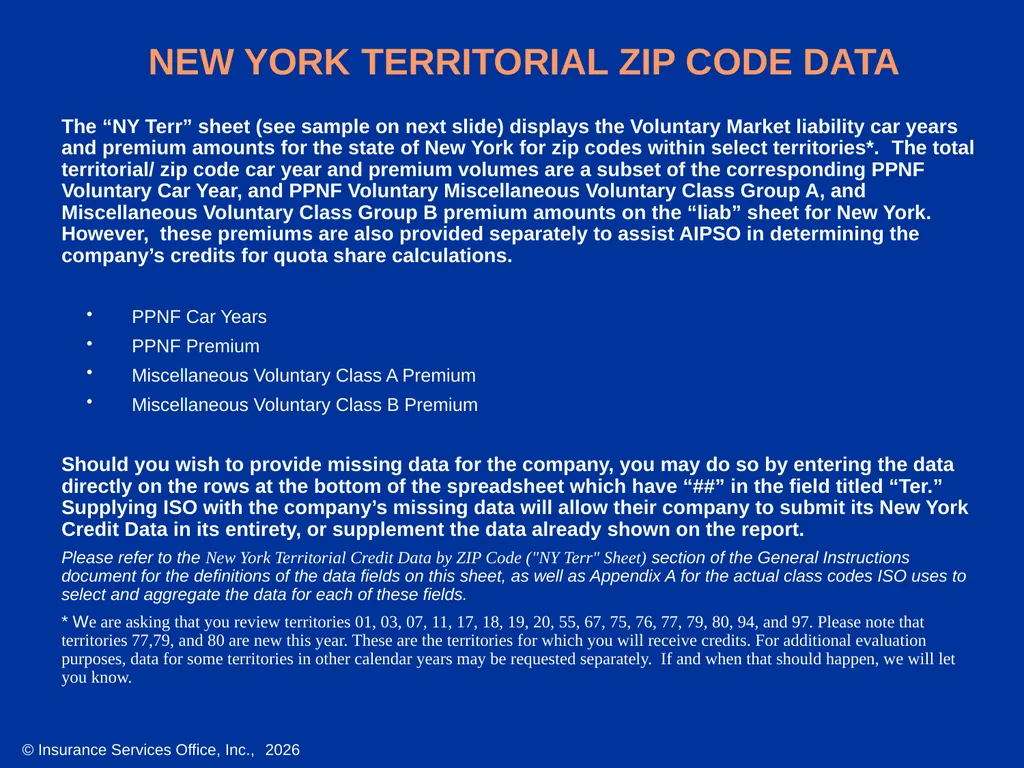
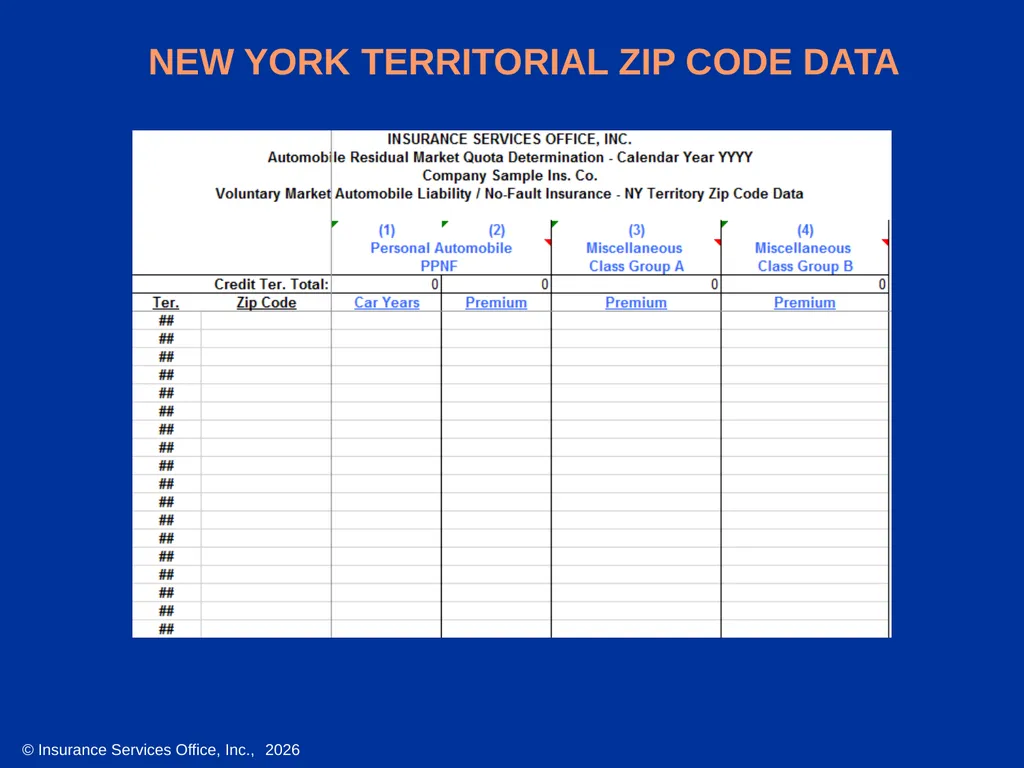
The “NY Terr” sheet (see sample on next slide) displays the Voluntary Market liability car years and premium amounts for the state of New York for zip codes within select territories*. The total territorial/ zip code car year and premium volumes are a subset of the corresponding PPNF Voluntary Car Year, and PPNF Voluntary Miscellaneous Voluntary Class Group A, and Miscellaneous Voluntary Class Group B premium amounts on the “liab” sheet for New York. However, these premiums are also provided separately to assist AIPSO in determining the company’s credits for quota share calculations.
PPNF Car Years
PPNF Premium
Miscellaneous Voluntary Class A Premium
Miscellaneous Voluntary Class B Premium
Should you wish to provide missing data for the company, you may do so by entering the data directly on the rows at the bottom of the spreadsheet which have “##” in the field titled “Ter.” Supplying ISO with the company’s missing data will allow their company to submit its New York Credit Data in its entirety, or supplement the data already shown on the report.
Please refer to the New York Territorial Credit Data by ZIP Code ("NY Terr" Sheet) section of the General Instructions document for the definitions of the data fields on this sheet, as well as Appendix A for the actual class codes ISO uses to select and aggregate the data for each of these fields.
* We are asking that you review territories 01, 03, 07, 11, 17, 18, 19, 20, 55, 67, 75, 76, 77, 79, 80, 94, and 97. Please note that territories 77,79, and 80 are new this year. These are the territories for which you will receive credits. For additional evaluation purposes, data for some territories in other calendar years may be requested separately. If and when that should happen, we will let you know. NEW YORK TERRITORIAL ZIP CODE DATA<br>
PPNF Car Years
PPNF Premium
Miscellaneous Voluntary Class A Premium
Miscellaneous Voluntary Class B Premium
Should you wish to provide missing data for the company, you may do so by entering the data directly on the rows at the bottom of the spreadsheet which have “##” in the field titled “Ter.” Supplying ISO with the company’s missing data will allow their company to submit its New York Credit Data in its entirety, or supplement the data already shown on the report.
Please refer to the New York Territorial Credit Data by ZIP Code ("NY Terr" Sheet) section of the General Instructions document for the definitions of the data fields on this sheet, as well as Appendix A for the actual class codes ISO uses to select and aggregate the data for each of these fields.
* We are asking that you review territories 01, 03, 07, 11, 17, 18, 19, 20, 55, 67, 75, 76, 77, 79, 80, 94, and 97. Please note that territories 77,79, and 80 are new this year. These are the territories for which you will receive credits. For additional evaluation purposes, data for some territories in other calendar years may be requested separately. If and when that should happen, we will let you know. NEW YORK TERRITORIAL ZIP CODE DATA<br>
11
NEW YORK TERRITORIAL ZIP CODE DATA<br>
12
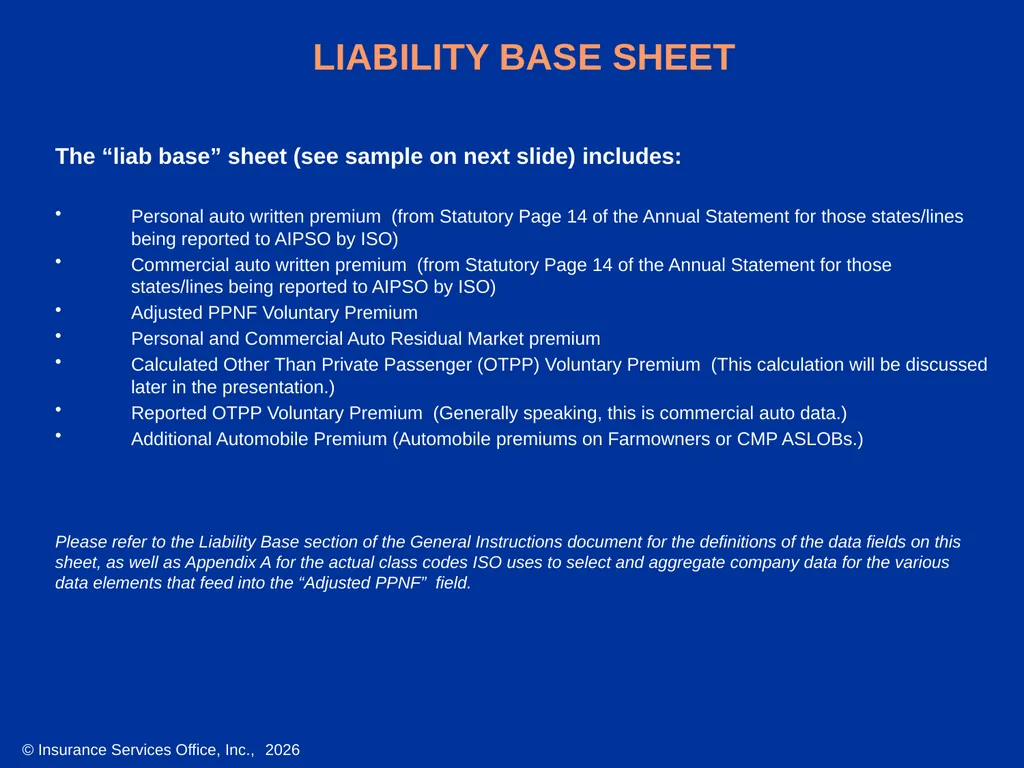
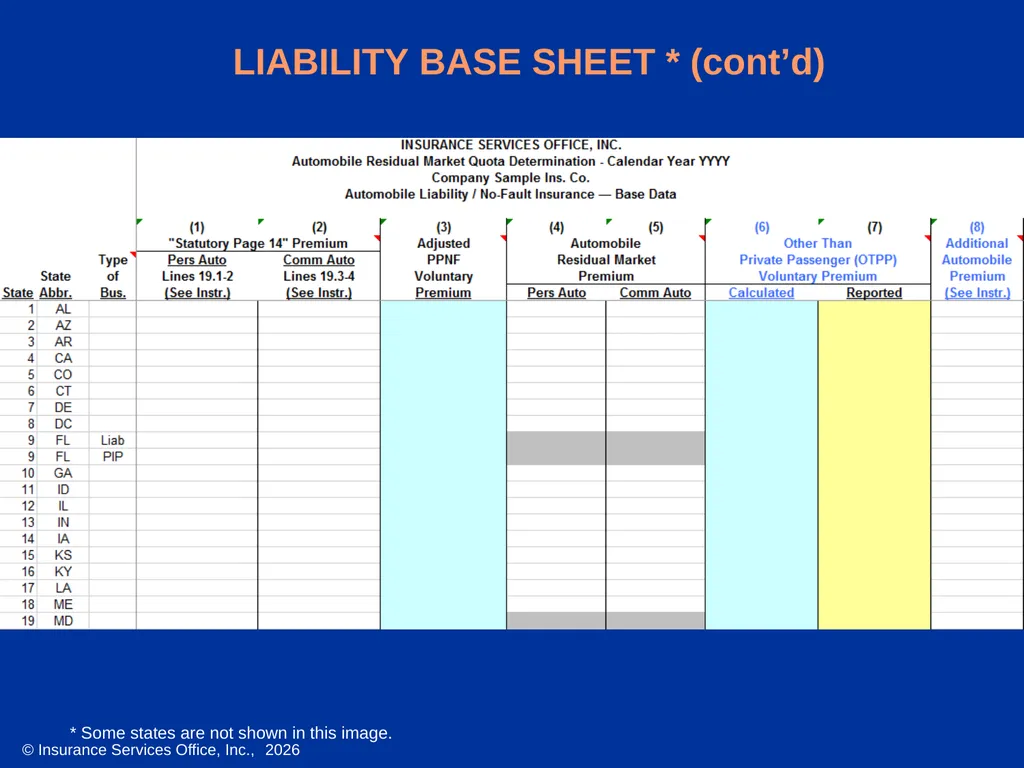
LIABILITY BASE SHEET The “liab base” sheet (see sample on next slide) includes:
Personal auto written premium (from Statutory Page 14 of the Annual Statement for those states/lines being reported to AIPSO by ISO)
Commercial auto written premium (from Statutory Page 14 of the Annual Statement for those states/lines being reported to AIPSO by ISO)
Adjusted PPNF Voluntary Premium
Personal and Commercial Auto Residual Market premium
Calculated Other Than Private Passenger (OTPP) Voluntary Premium (This calculation will be discussed later in the presentation.)
Reported OTPP Voluntary Premium (Generally speaking, this is commercial auto data.)
Additional Automobile Premium (Automobile premiums on Farmowners or CMP ASLOBs.)
Please refer to the Liability Base section of the General Instructions document for the definitions of the data fields on this
sheet, as well as Appendix A for the actual class codes ISO uses to select and aggregate company data for the various
data elements that feed into the “Adjusted PPNF” field.<br>
Personal auto written premium (from Statutory Page 14 of the Annual Statement for those states/lines being reported to AIPSO by ISO)
Commercial auto written premium (from Statutory Page 14 of the Annual Statement for those states/lines being reported to AIPSO by ISO)
Adjusted PPNF Voluntary Premium
Personal and Commercial Auto Residual Market premium
Calculated Other Than Private Passenger (OTPP) Voluntary Premium (This calculation will be discussed later in the presentation.)
Reported OTPP Voluntary Premium (Generally speaking, this is commercial auto data.)
Additional Automobile Premium (Automobile premiums on Farmowners or CMP ASLOBs.)
Please refer to the Liability Base section of the General Instructions document for the definitions of the data fields on this
sheet, as well as Appendix A for the actual class codes ISO uses to select and aggregate company data for the various
data elements that feed into the “Adjusted PPNF” field.<br>
13
LIABILITY BASE SHEET * (cont’d) * Some states are not shown in this image.<br>
14
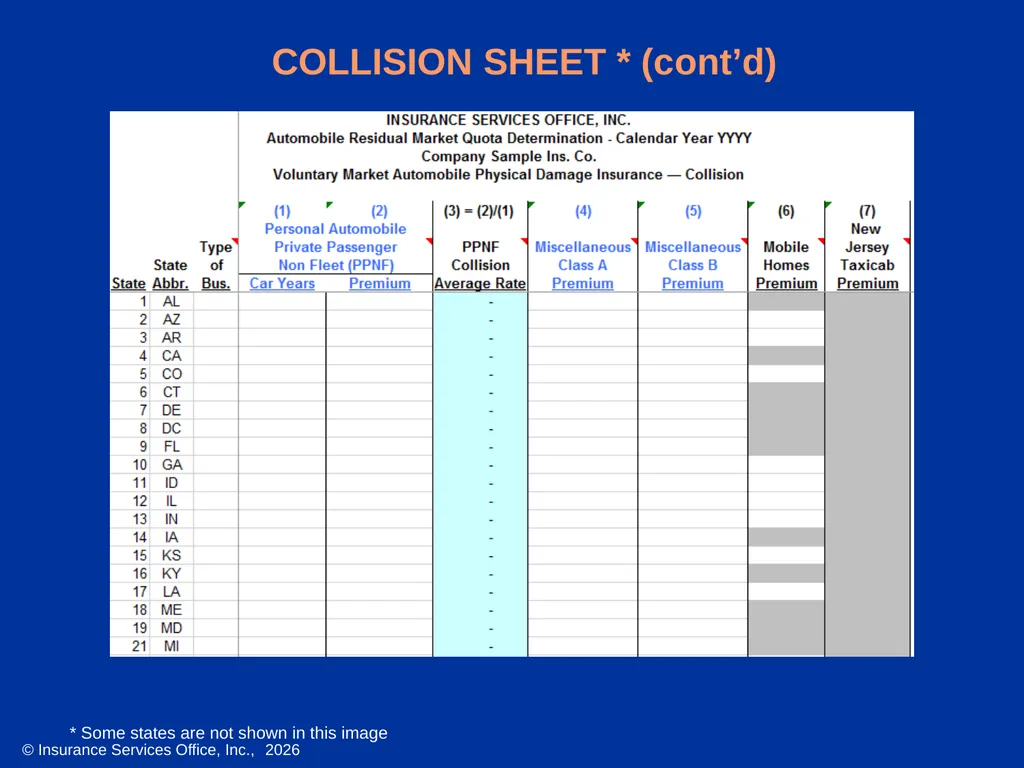
COLLISION SHEET The “col” sheet (see sample on next slide) provides the following voluntary market
written collision data for the company:
PPNF car years
PPNF premium
PPNF Average Rate
Miscellaneous Voluntary Class A and B premium
Mobile Homes premium
New Jersey Taxicab premium
Please refer to the Collision and Other than Collision section of the General Instructions document for the definitions
of the data fields on this sheet, as well as Appendix A for the actual class codes ISO uses to select and aggregate
the data for each of these fields.<br>
written collision data for the company:
PPNF car years
PPNF premium
PPNF Average Rate
Miscellaneous Voluntary Class A and B premium
Mobile Homes premium
New Jersey Taxicab premium
Please refer to the Collision and Other than Collision section of the General Instructions document for the definitions
of the data fields on this sheet, as well as Appendix A for the actual class codes ISO uses to select and aggregate
the data for each of these fields.<br>
15
COLLISION SHEET * (cont’d) * Some states are not shown in this image<br>
16
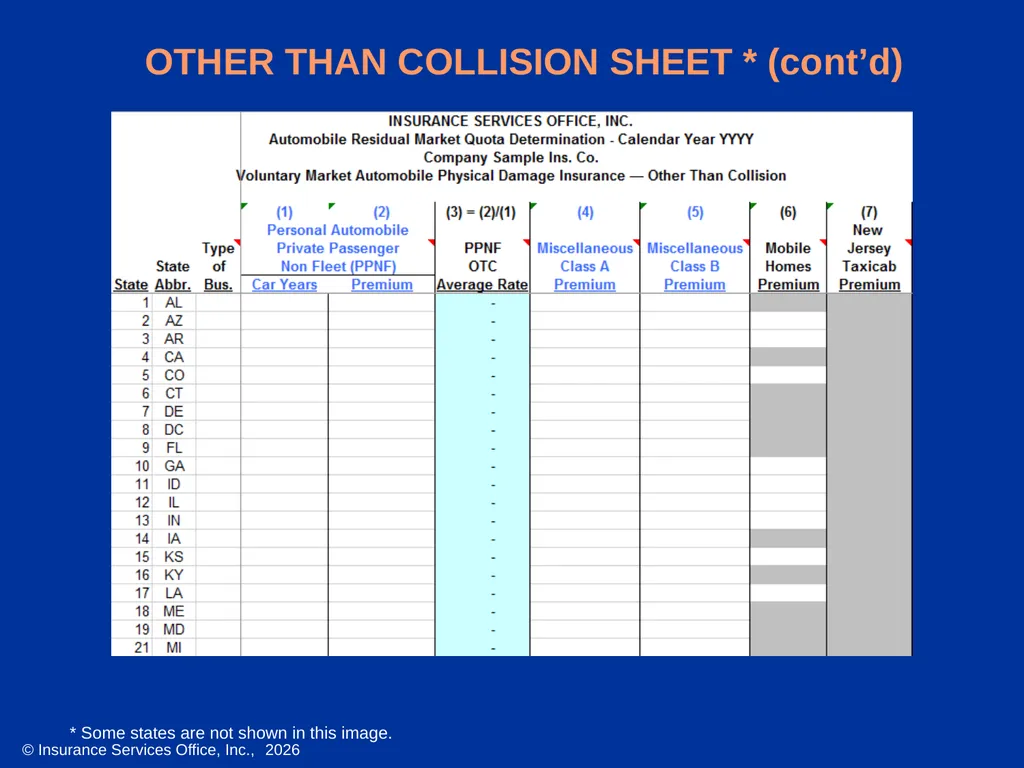
OTHER THAN COLLISION SHEET The “otc” sheet (see sample on next slide) provides the following voluntary market written other than collision data for the company:
PPNF car years
PPNF premium
PPNF Average Rate
Miscellaneous Voluntary Class A and B premium
Mobile Homes premium
New Jersey Taxicab premium
Please refer to the Collision and Other than Collision section of the General Instructions document for the definitions of the data fields on this sheet, as well as Appendix A for the actual class codes ISO uses to select and aggregate the data for each of these fields.<br>
PPNF car years
PPNF premium
PPNF Average Rate
Miscellaneous Voluntary Class A and B premium
Mobile Homes premium
New Jersey Taxicab premium
Please refer to the Collision and Other than Collision section of the General Instructions document for the definitions of the data fields on this sheet, as well as Appendix A for the actual class codes ISO uses to select and aggregate the data for each of these fields.<br>
17
OTHER THAN COLLISION SHEET * (cont’d) * Some states are not shown in this image.<br>
18
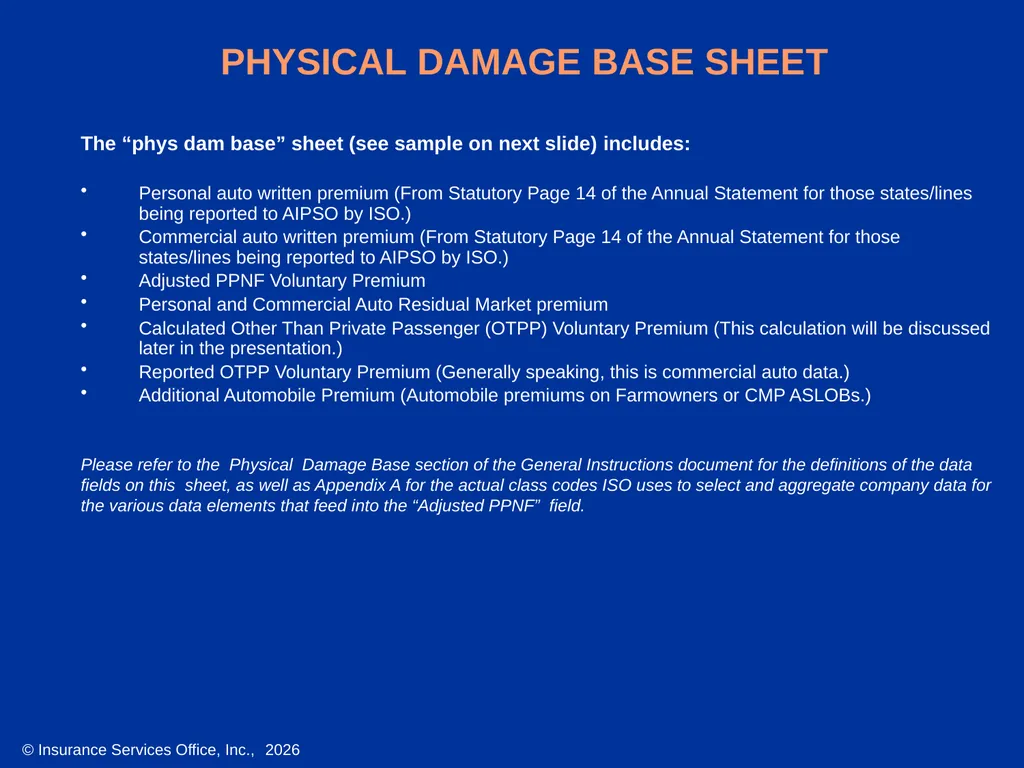
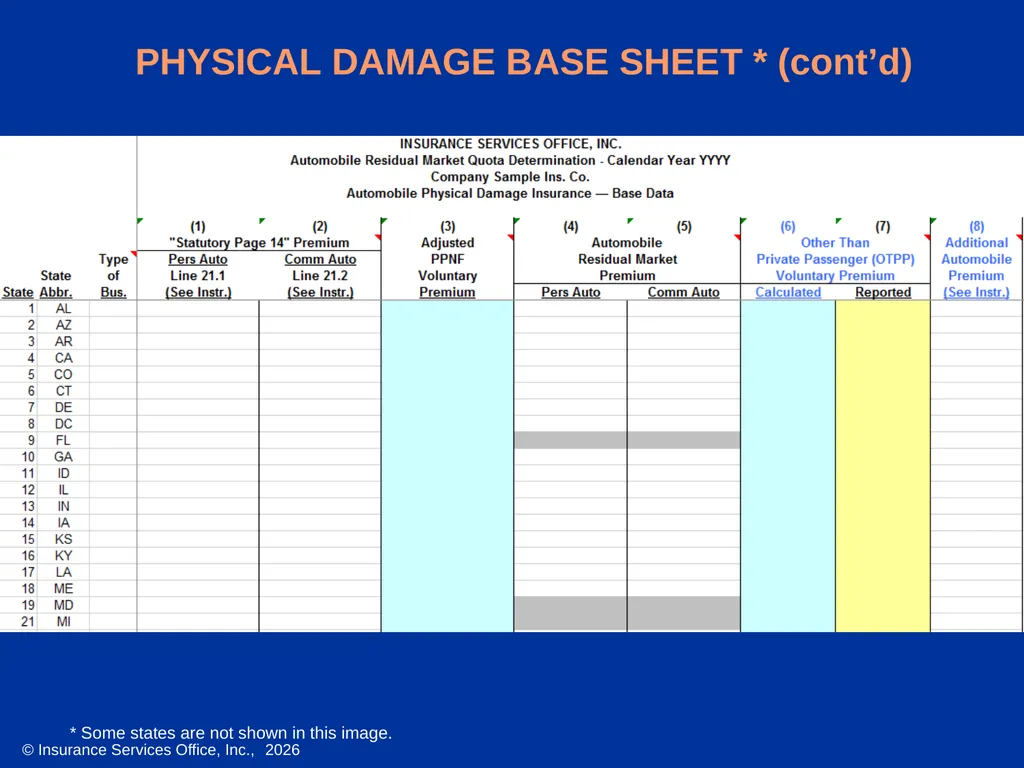
PHYSICAL DAMAGE BASE SHEET The “phys dam base” sheet (see sample on next slide) includes:
Personal auto written premium (From Statutory Page 14 of the Annual Statement for those states/lines being reported to AIPSO by ISO.)
Commercial auto written premium (From Statutory Page 14 of the Annual Statement for those states/lines being reported to AIPSO by ISO.)
Adjusted PPNF Voluntary Premium
Personal and Commercial Auto Residual Market premium
Calculated Other Than Private Passenger (OTPP) Voluntary Premium (This calculation will be discussed later in the presentation.)
Reported OTPP Voluntary Premium (Generally speaking, this is commercial auto data.)
Additional Automobile Premium (Automobile premiums on Farmowners or CMP ASLOBs.)
Please refer to the Physical Damage Base section of the General Instructions document for the definitions of the data
fields on this sheet, as well as Appendix A for the actual class codes ISO uses to select and aggregate company data for
the various data elements that feed into the “Adjusted PPNF” field.<br>
Personal auto written premium (From Statutory Page 14 of the Annual Statement for those states/lines being reported to AIPSO by ISO.)
Commercial auto written premium (From Statutory Page 14 of the Annual Statement for those states/lines being reported to AIPSO by ISO.)
Adjusted PPNF Voluntary Premium
Personal and Commercial Auto Residual Market premium
Calculated Other Than Private Passenger (OTPP) Voluntary Premium (This calculation will be discussed later in the presentation.)
Reported OTPP Voluntary Premium (Generally speaking, this is commercial auto data.)
Additional Automobile Premium (Automobile premiums on Farmowners or CMP ASLOBs.)
Please refer to the Physical Damage Base section of the General Instructions document for the definitions of the data
fields on this sheet, as well as Appendix A for the actual class codes ISO uses to select and aggregate company data for
the various data elements that feed into the “Adjusted PPNF” field.<br>
19
PHYSICAL DAMAGE BASE SHEET * (cont’d) * Some states are not shown in this image.<br>
20
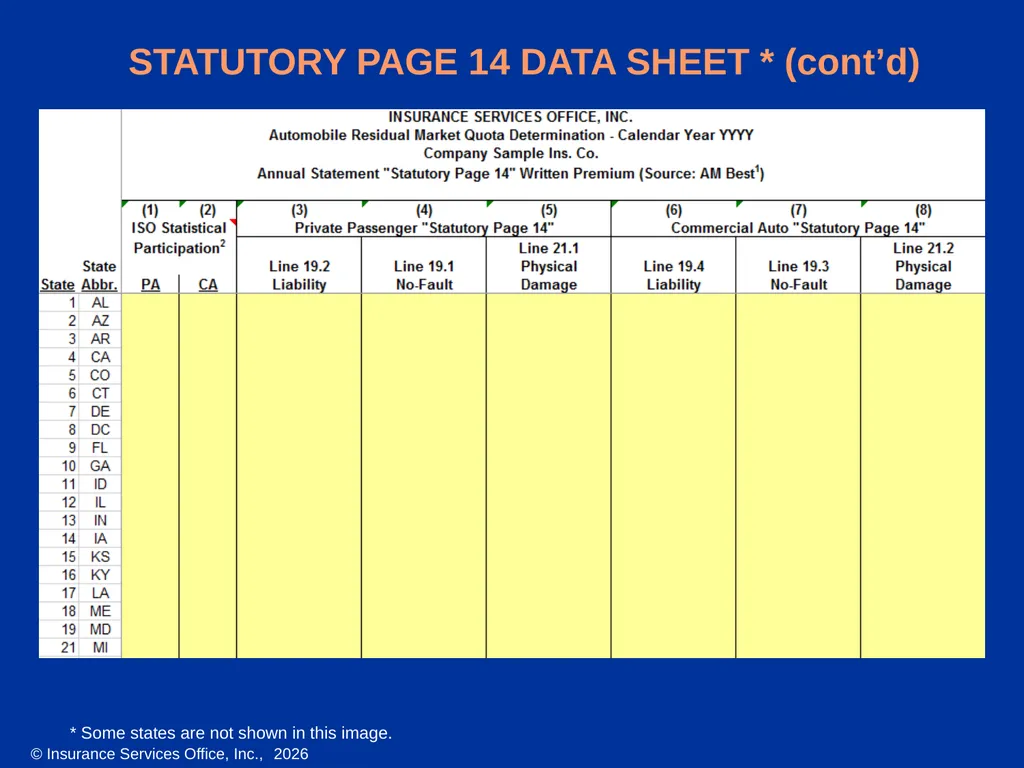
STATUTORY PAGE 14 DATA SHEET The statutory page 14 data sheet (see sample on next slide) provides:
Columns (1) and (2) indicate which line(s) of business and which states ISO will report to AIPSO, or if applicable, another Statistical Agent
The company’s Private Passenger and Commercial Auto Liability, No-Fault, and Physical Damage direct written premiums for calendar year YYYY on Statutory Page 14 of the Annual Statement, as reported to AM Best
Please refer to the P14 data section of the General Instructions document for a more detailed description of
the data on this sheet.<br>
Columns (1) and (2) indicate which line(s) of business and which states ISO will report to AIPSO, or if applicable, another Statistical Agent
The company’s Private Passenger and Commercial Auto Liability, No-Fault, and Physical Damage direct written premiums for calendar year YYYY on Statutory Page 14 of the Annual Statement, as reported to AM Best
Please refer to the P14 data section of the General Instructions document for a more detailed description of
the data on this sheet.<br>
21
STATUTORY PAGE 14 DATA SHEET * (cont’d) * Some states are not shown in this image.<br>
22
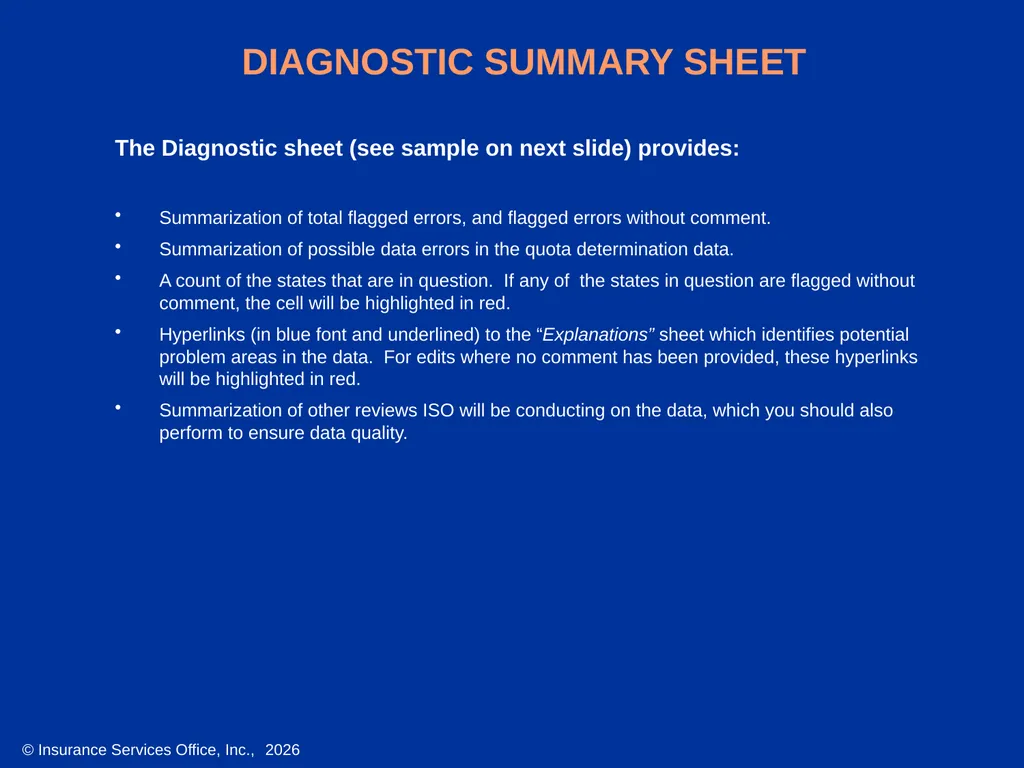
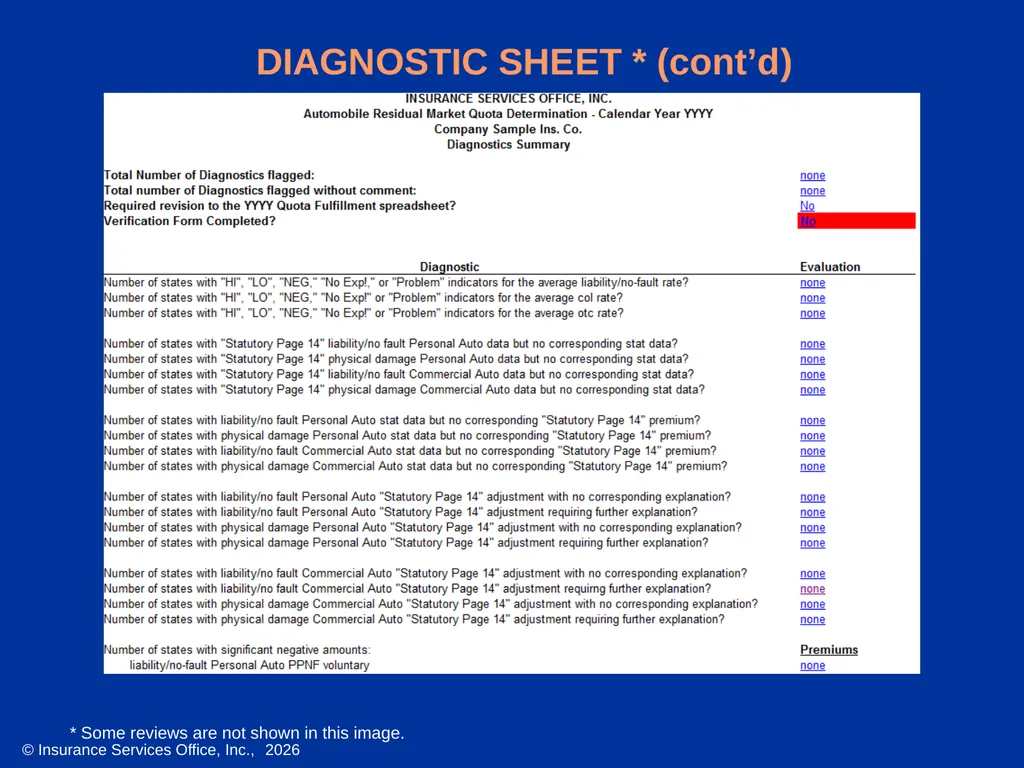
DIAGNOSTIC SUMMARY SHEET The Diagnostic sheet (see sample on next slide) provides:
Summarization of total flagged errors, and flagged errors without comment.
Summarization of possible data errors in the quota determination data.
A count of the states that are in question. If any of the states in question are flagged without comment, the cell will be highlighted in red.
Hyperlinks (in blue font and underlined) to the “Explanations” sheet which identifies potential problem areas in the data. For edits where no comment has been provided, these hyperlinks will be highlighted in red.
Summarization of other reviews ISO will be conducting on the data, which you should also perform to ensure data quality.<br>
Summarization of total flagged errors, and flagged errors without comment.
Summarization of possible data errors in the quota determination data.
A count of the states that are in question. If any of the states in question are flagged without comment, the cell will be highlighted in red.
Hyperlinks (in blue font and underlined) to the “Explanations” sheet which identifies potential problem areas in the data. For edits where no comment has been provided, these hyperlinks will be highlighted in red.
Summarization of other reviews ISO will be conducting on the data, which you should also perform to ensure data quality.<br>
23
DIAGNOSTIC SHEET * (cont’d) * Some reviews are not shown in this image.<br>
24
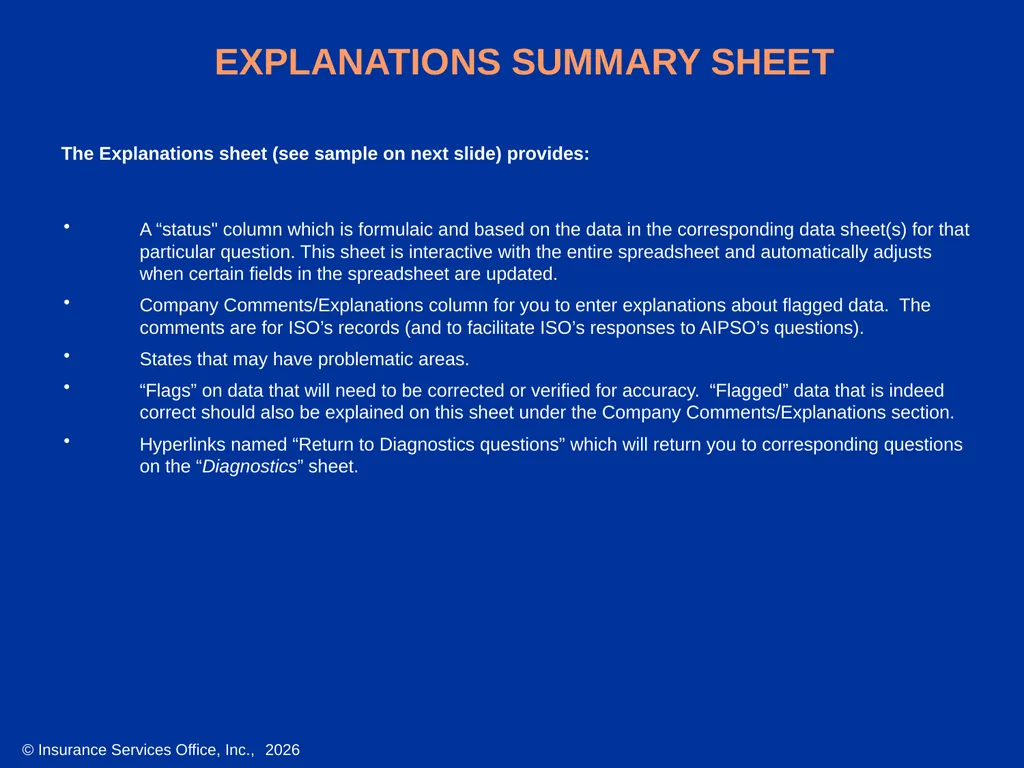
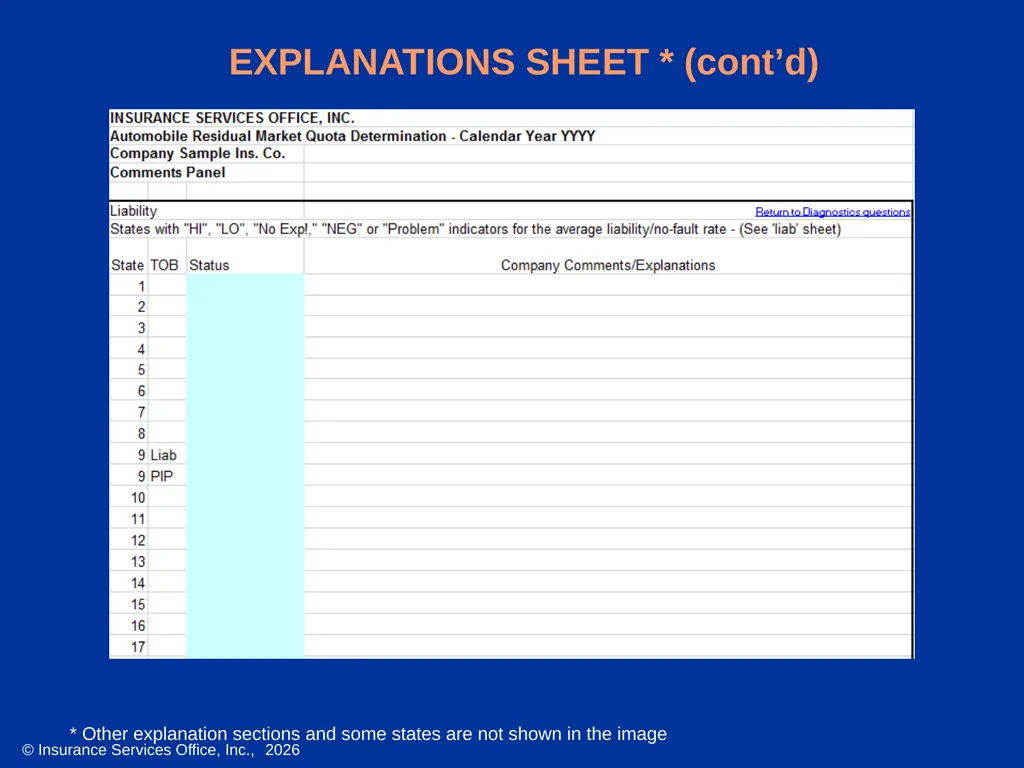
EXPLANATIONS SUMMARY SHEET A “status" column which is formulaic and based on the data in the corresponding data sheet(s) for that particular question. This sheet is interactive with the entire spreadsheet and automatically adjusts when certain fields in the spreadsheet are updated.
Company Comments/Explanations column for you to enter explanations about flagged data. The comments are for ISO’s records (and to facilitate ISO’s responses to AIPSO’s questions).
States that may have problematic areas.
“Flags” on data that will need to be corrected or verified for accuracy. “Flagged” data that is indeed correct should also be explained on this sheet under the Company Comments/Explanations section.
Hyperlinks named “Return to Diagnostics questions” which will return you to corresponding questions on the “Diagnostics” sheet. The Explanations sheet (see sample on next slide) provides:<br>
Company Comments/Explanations column for you to enter explanations about flagged data. The comments are for ISO’s records (and to facilitate ISO’s responses to AIPSO’s questions).
States that may have problematic areas.
“Flags” on data that will need to be corrected or verified for accuracy. “Flagged” data that is indeed correct should also be explained on this sheet under the Company Comments/Explanations section.
Hyperlinks named “Return to Diagnostics questions” which will return you to corresponding questions on the “Diagnostics” sheet. The Explanations sheet (see sample on next slide) provides:<br>
25
EXPLANATIONS SHEET * (cont’d) * Other explanation sections and some states are not shown in the image<br>
26
VERIFICATION FORM The Verification Form sheet should be filled out after the review and, if necessary, revision of the company’s data is complete.
The Verification Form sheet must be completed by a person with the authority to make the certification mentioned above on behalf of the company.
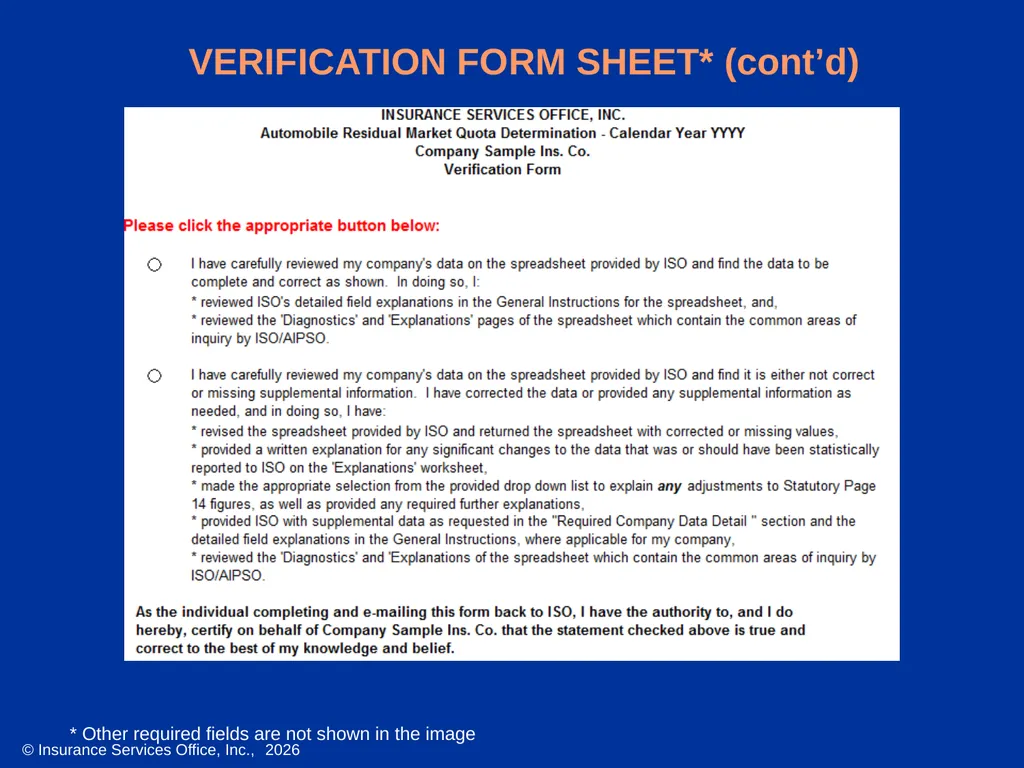
The Verification Form sheet must be completed in full for each company, regardless of whether corrections or revisions were required. If the Verification is not completed in full, an edit on the “Diagnostics” sheet will be triggered. The Verification Form sheet (see sample on next slide) is the official certification by the company that the data contained on the spreadsheet, and any revisions made to the spreadsheet, are complete and accurate.<br>
The Verification Form sheet must be completed by a person with the authority to make the certification mentioned above on behalf of the company.
The Verification Form sheet must be completed in full for each company, regardless of whether corrections or revisions were required. If the Verification is not completed in full, an edit on the “Diagnostics” sheet will be triggered. The Verification Form sheet (see sample on next slide) is the official certification by the company that the data contained on the spreadsheet, and any revisions made to the spreadsheet, are complete and accurate.<br>
27
VERIFICATION FORM SHEET* (cont’d) * Other required fields are not shown in the image<br>
28
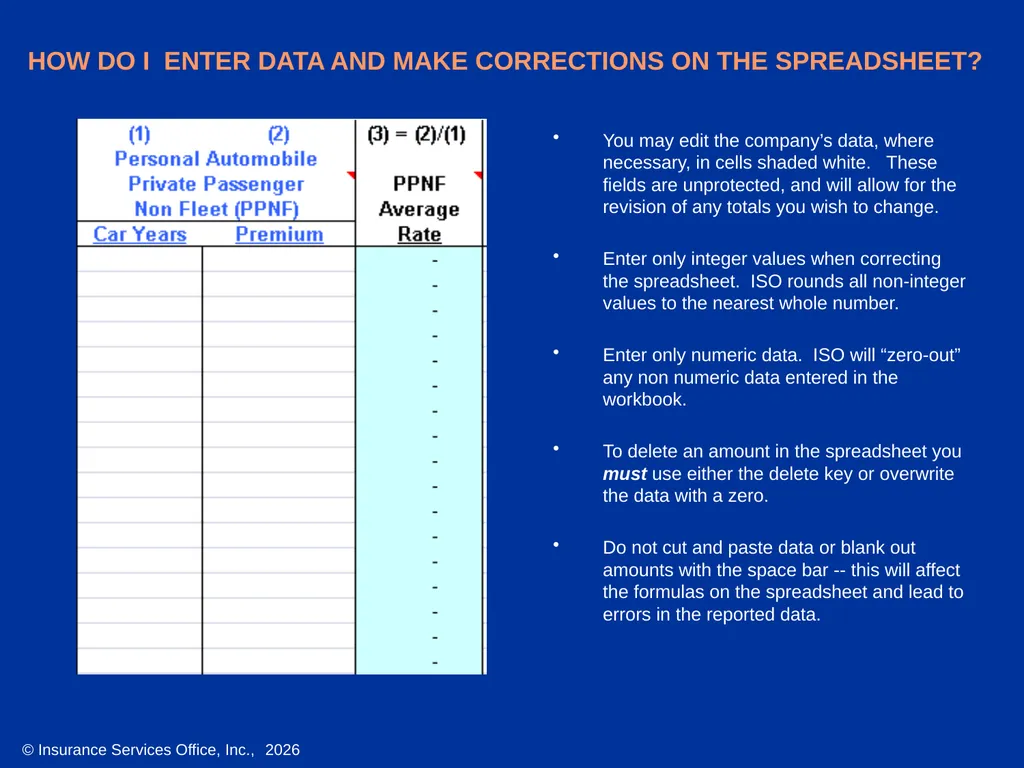
HOW DO I ENTER DATA AND MAKE CORRECTIONS ON THE SPREADSHEET? You may edit the company’s data, where necessary, in cells shaded white. These fields are unprotected, and will allow for the revision of any totals you wish to change.
Enter only integer values when correcting the spreadsheet. ISO rounds all non-integer values to the nearest whole number.
Enter only numeric data. ISO will “zero-out” any non numeric data entered in the workbook.
To delete an amount in the spreadsheet you must use either the delete key or overwrite the data with a zero.
Do not cut and paste data or blank out amounts with the space bar -- this will affect the formulas on the spreadsheet and lead to errors in the reported data.<br>
Enter only integer values when correcting the spreadsheet. ISO rounds all non-integer values to the nearest whole number.
Enter only numeric data. ISO will “zero-out” any non numeric data entered in the workbook.
To delete an amount in the spreadsheet you must use either the delete key or overwrite the data with a zero.
Do not cut and paste data or blank out amounts with the space bar -- this will affect the formulas on the spreadsheet and lead to errors in the reported data.<br>
29
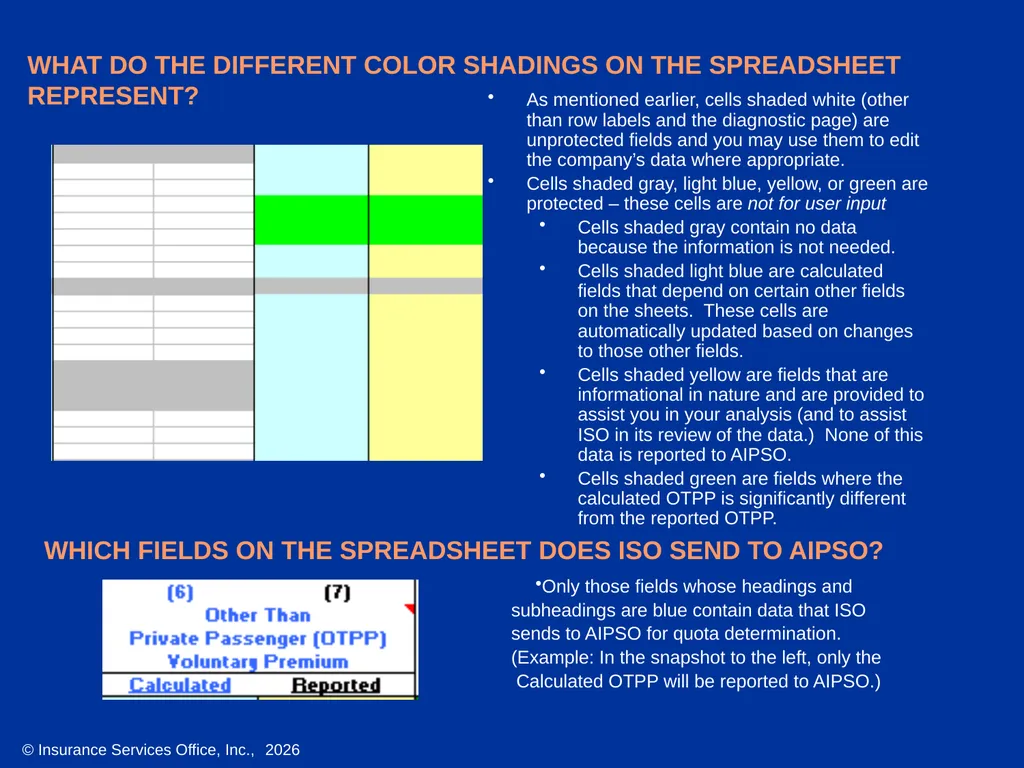
WHAT DO THE DIFFERENT COLOR SHADINGS ON THE SPREADSHEET REPRESENT? As mentioned earlier, cells shaded white (other than row labels and the diagnostic page) are unprotected fields and you may use them to edit the company’s data where appropriate.
Cells shaded gray, light blue, yellow, or green are protected – these cells are not for user input
Cells shaded gray contain no data because the information is not needed.
Cells shaded light blue are calculated fields that depend on certain other fields on the sheets. These cells are automatically updated based on changes to those other fields.
Cells shaded yellow are fields that are informational in nature and are provided to assist you in your analysis (and to assist ISO in its review of the data.) None of this data is reported to AIPSO.
Cells shaded green are fields where the calculated OTPP is significantly different from the reported OTPP. WHICH FIELDS ON THE SPREADSHEET DOES ISO SEND TO AIPSO? Only those fields whose headings and
subheadings are blue contain data that ISO
sends to AIPSO for quota determination.
(Example: In the snapshot to the left, only the
Calculated OTPP will be reported to AIPSO.)<br>
Cells shaded gray, light blue, yellow, or green are protected – these cells are not for user input
Cells shaded gray contain no data because the information is not needed.
Cells shaded light blue are calculated fields that depend on certain other fields on the sheets. These cells are automatically updated based on changes to those other fields.
Cells shaded yellow are fields that are informational in nature and are provided to assist you in your analysis (and to assist ISO in its review of the data.) None of this data is reported to AIPSO.
Cells shaded green are fields where the calculated OTPP is significantly different from the reported OTPP. WHICH FIELDS ON THE SPREADSHEET DOES ISO SEND TO AIPSO? Only those fields whose headings and
subheadings are blue contain data that ISO
sends to AIPSO for quota determination.
(Example: In the snapshot to the left, only the
Calculated OTPP will be reported to AIPSO.)<br>
30
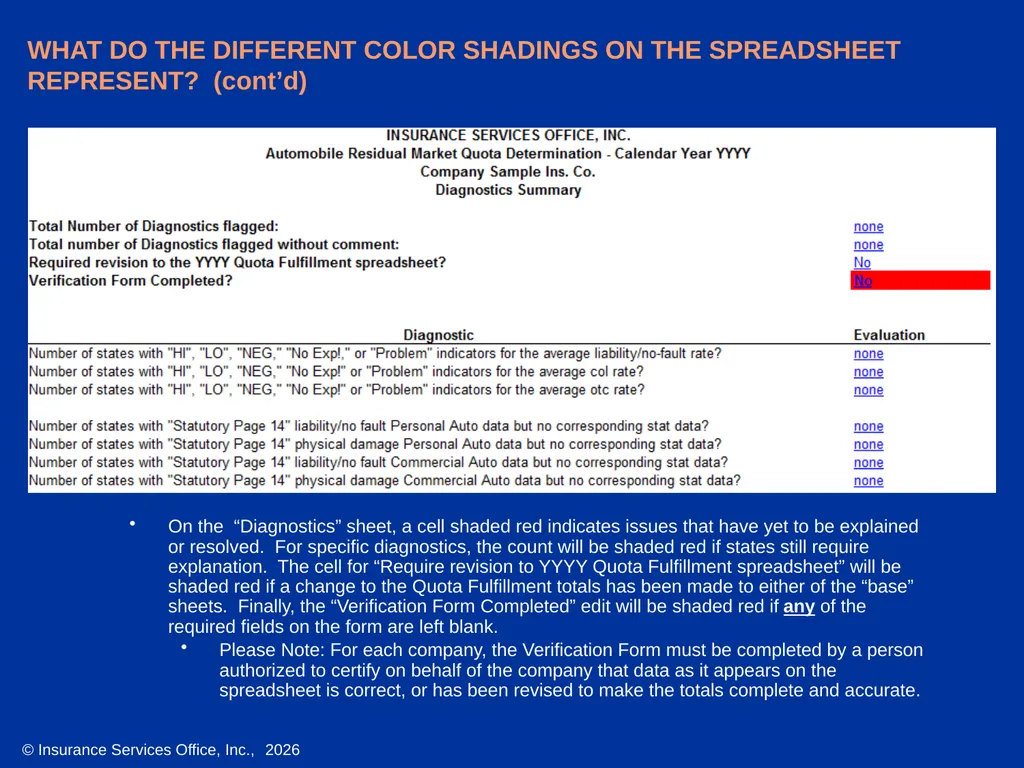
WHAT DO THE DIFFERENT COLOR SHADINGS ON THE SPREADSHEET REPRESENT? (cont’d) On the “Diagnostics” sheet, a cell shaded red indicates issues that have yet to be explained or resolved. For specific diagnostics, the count will be shaded red if states still require explanation. The cell for “Require revision to YYYY Quota Fulfillment spreadsheet” will be shaded red if a change to the Quota Fulfillment totals has been made to either of the “base” sheets. Finally, the “Verification Form Completed” edit will be shaded red if any of the required fields on the form are left blank.
Please Note: For each company, the Verification Form must be completed by a person authorized to certify on behalf of the company that data as it appears on the spreadsheet is correct, or has been revised to make the totals complete and accurate.<br>
Please Note: For each company, the Verification Form must be completed by a person authorized to certify on behalf of the company that data as it appears on the spreadsheet is correct, or has been revised to make the totals complete and accurate.<br>
31
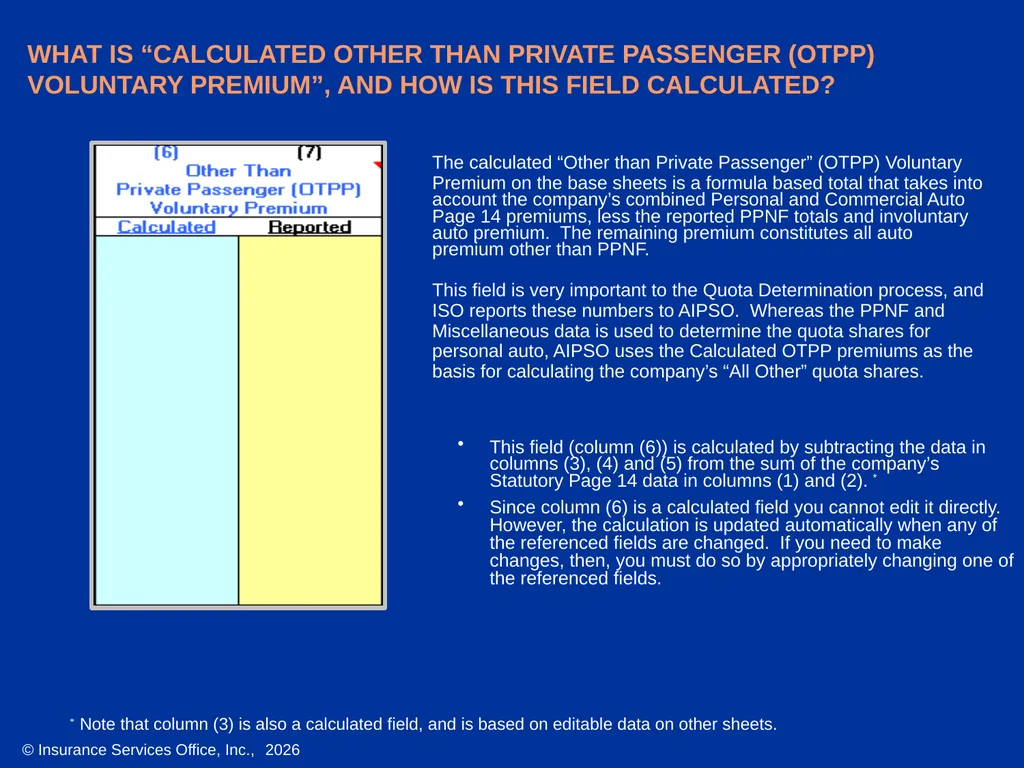
WHAT IS “CALCULATED OTHER THAN PRIVATE PASSENGER (OTPP) VOLUNTARY PREMIUM”, AND HOW IS THIS FIELD CALCULATED? The calculated “Other than Private Passenger” (OTPP) Voluntary
Premium on the base sheets is a formula based total that takes into account the company’s combined Personal and Commercial Auto Page 14 premiums, less the reported PPNF totals and involuntary auto premium. The remaining premium constitutes all auto premium other than PPNF.
This field is very important to the Quota Determination process, and
ISO reports these numbers to AIPSO. Whereas the PPNF and
Miscellaneous data is used to determine the quota shares for
personal auto, AIPSO uses the Calculated OTPP premiums as the
basis for calculating the company’s “All Other” quota shares. * Note that column (3) is also a calculated field, and is based on editable data on other sheets. This field (column (6)) is calculated by subtracting the data in columns (3), (4) and (5) from the sum of the company’s Statutory Page 14 data in columns (1) and (2). *
Since column (6) is a calculated field you cannot edit it directly. However, the calculation is updated automatically when any of the referenced fields are changed. If you need to make changes, then, you must do so by appropriately changing one of the referenced fields.<br>
Premium on the base sheets is a formula based total that takes into account the company’s combined Personal and Commercial Auto Page 14 premiums, less the reported PPNF totals and involuntary auto premium. The remaining premium constitutes all auto premium other than PPNF.
This field is very important to the Quota Determination process, and
ISO reports these numbers to AIPSO. Whereas the PPNF and
Miscellaneous data is used to determine the quota shares for
personal auto, AIPSO uses the Calculated OTPP premiums as the
basis for calculating the company’s “All Other” quota shares. * Note that column (3) is also a calculated field, and is based on editable data on other sheets. This field (column (6)) is calculated by subtracting the data in columns (3), (4) and (5) from the sum of the company’s Statutory Page 14 data in columns (1) and (2). *
Since column (6) is a calculated field you cannot edit it directly. However, the calculation is updated automatically when any of the referenced fields are changed. If you need to make changes, then, you must do so by appropriately changing one of the referenced fields.<br>
32
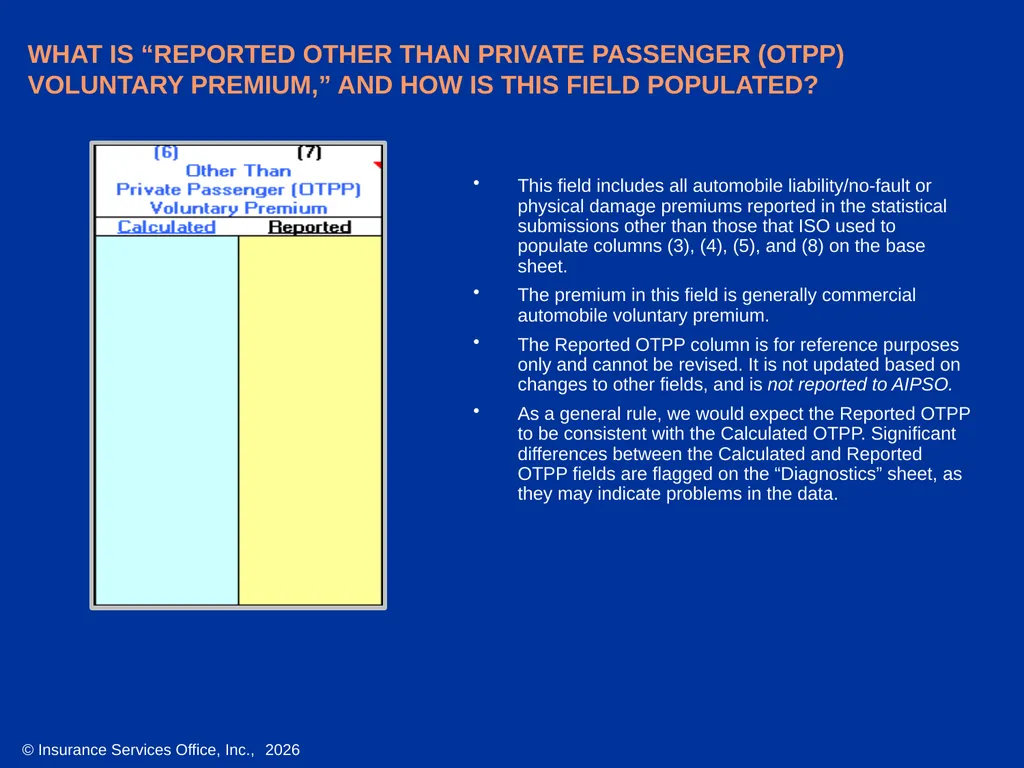
WHAT IS “REPORTED OTHER THAN PRIVATE PASSENGER (OTPP) VOLUNTARY PREMIUM,” AND HOW IS THIS FIELD POPULATED? This field includes all automobile liability/no-fault or physical damage premiums reported in the statistical submissions other than those that ISO used to populate columns (3), (4), (5), and (8) on the base sheet.
The premium in this field is generally commercial automobile voluntary premium.
The Reported OTPP column is for reference purposes only and cannot be revised. It is not updated based on changes to other fields, and is not reported to AIPSO.
As a general rule, we would expect the Reported OTPP to be consistent with the Calculated OTPP. Significant differences between the Calculated and Reported OTPP fields are flagged on the “Diagnostics” sheet, as they may indicate problems in the data.<br>
The premium in this field is generally commercial automobile voluntary premium.
The Reported OTPP column is for reference purposes only and cannot be revised. It is not updated based on changes to other fields, and is not reported to AIPSO.
As a general rule, we would expect the Reported OTPP to be consistent with the Calculated OTPP. Significant differences between the Calculated and Reported OTPP fields are flagged on the “Diagnostics” sheet, as they may indicate problems in the data.<br>
33
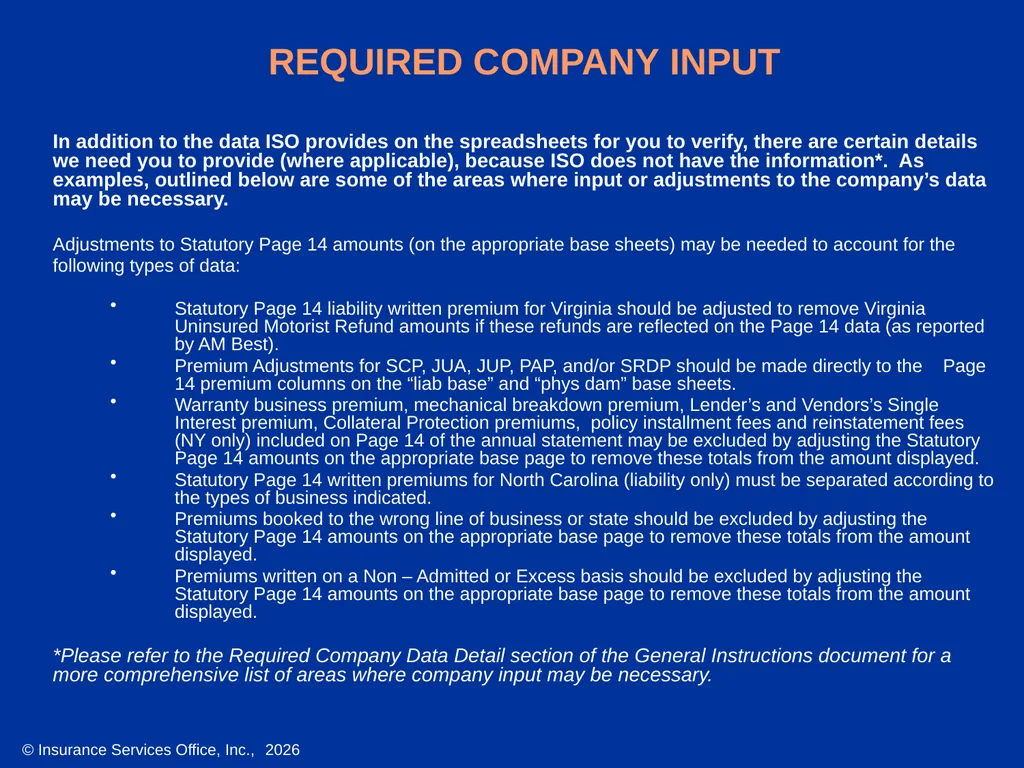
REQUIRED COMPANY INPUT In addition to the data ISO provides on the spreadsheets for you to verify, there are certain details we need you to provide (where applicable), because ISO does not have the information*. As examples, outlined below are some of the areas where input or adjustments to the company’s data may be necessary.
Adjustments to Statutory Page 14 amounts (on the appropriate base sheets) may be needed to account for the
following types of data:
Statutory Page 14 liability written premium for Virginia should be adjusted to remove Virginia Uninsured Motorist Refund amounts if these refunds are reflected on the Page 14 data (as reported by AM Best).
Premium Adjustments for SCP, JUA, JUP, PAP, and/or SRDP should be made directly to the Page 14 premium columns on the “liab base” and “phys dam” base sheets.
Warranty business premium, mechanical breakdown premium, Lender’s and Vendors’s Single Interest premium, Collateral Protection premiums, policy installment fees and reinstatement fees (NY only) included on Page 14 of the annual statement may be excluded by adjusting the Statutory Page 14 amounts on the appropriate base page to remove these totals from the amount displayed.
Statutory Page 14 written premiums for North Carolina (liability only) must be separated according to the types of business indicated.
Premiums booked to the wrong line of business or state should be excluded by adjusting the Statutory Page 14 amounts on the appropriate base page to remove these totals from the amount displayed.
Premiums written on a Non – Admitted or Excess basis should be excluded by adjusting the Statutory Page 14 amounts on the appropriate base page to remove these totals from the amount displayed.
*Please refer to the Required Company Data Detail section of the General Instructions document for a more comprehensive list of areas where company input may be necessary.<br>
Adjustments to Statutory Page 14 amounts (on the appropriate base sheets) may be needed to account for the
following types of data:
Statutory Page 14 liability written premium for Virginia should be adjusted to remove Virginia Uninsured Motorist Refund amounts if these refunds are reflected on the Page 14 data (as reported by AM Best).
Premium Adjustments for SCP, JUA, JUP, PAP, and/or SRDP should be made directly to the Page 14 premium columns on the “liab base” and “phys dam” base sheets.
Warranty business premium, mechanical breakdown premium, Lender’s and Vendors’s Single Interest premium, Collateral Protection premiums, policy installment fees and reinstatement fees (NY only) included on Page 14 of the annual statement may be excluded by adjusting the Statutory Page 14 amounts on the appropriate base page to remove these totals from the amount displayed.
Statutory Page 14 written premiums for North Carolina (liability only) must be separated according to the types of business indicated.
Premiums booked to the wrong line of business or state should be excluded by adjusting the Statutory Page 14 amounts on the appropriate base page to remove these totals from the amount displayed.
Premiums written on a Non – Admitted or Excess basis should be excluded by adjusting the Statutory Page 14 amounts on the appropriate base page to remove these totals from the amount displayed.
*Please refer to the Required Company Data Detail section of the General Instructions document for a more comprehensive list of areas where company input may be necessary.<br>
34
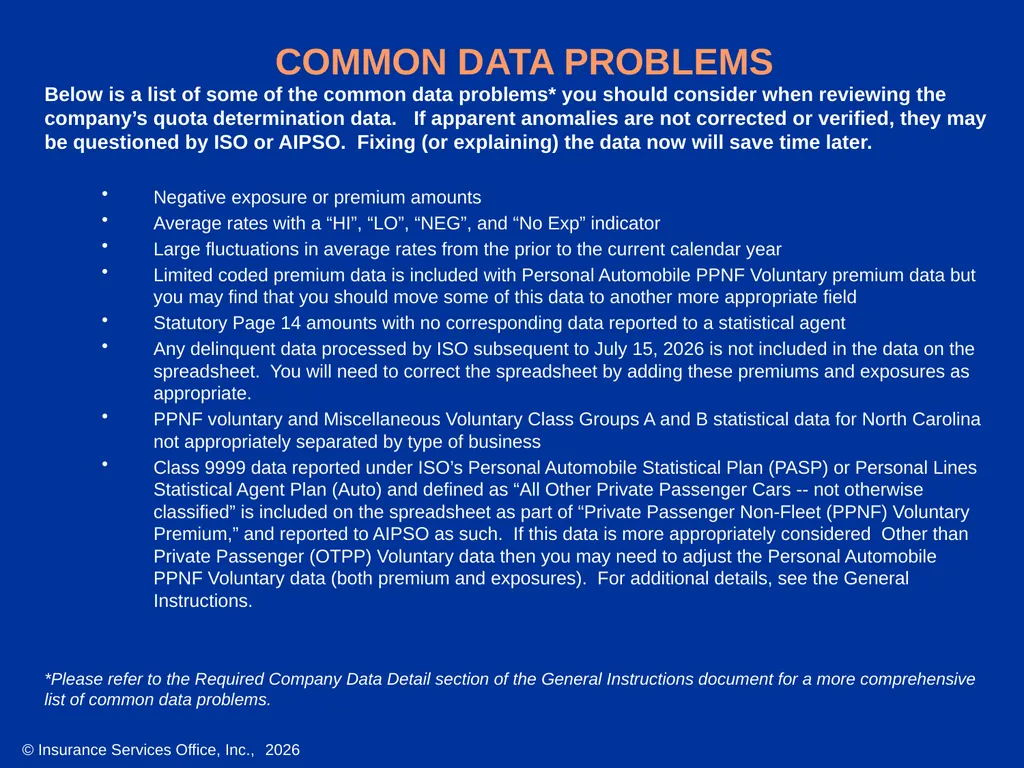
COMMON DATA PROBLEMS Below is a list of some of the common data problems* you should consider when reviewing the company’s quota determination data. If apparent anomalies are not corrected or verified, they may be questioned by ISO or AIPSO. Fixing (or explaining) the data now will save time later.
Negative exposure or premium amounts
Average rates with a “HI”, “LO”, “NEG”, and “No Exp” indicator
Large fluctuations in average rates from the prior to the current calendar year
Limited coded premium data is included with Personal Automobile PPNF Voluntary premium data but you may find that you should move some of this data to another more appropriate field
Statutory Page 14 amounts with no corresponding data reported to a statistical agent
Any delinquent data processed by ISO subsequent to July 15, 2026 is not included in the data on the spreadsheet. You will need to correct the spreadsheet by adding these premiums and exposures as appropriate.
PPNF voluntary and Miscellaneous Voluntary Class Groups A and B statistical data for North Carolina not appropriately separated by type of business
Class 9999 data reported under ISO’s Personal Automobile Statistical Plan (PASP) or Personal Lines Statistical Agent Plan (Auto) and defined as “All Other Private Passenger Cars -- not otherwise classified” is included on the spreadsheet as part of “Private Passenger Non-Fleet (PPNF) Voluntary Premium,” and reported to AIPSO as such. If this data is more appropriately considered Other than Private Passenger (OTPP) Voluntary data then you may need to adjust the Personal Automobile PPNF Voluntary data (both premium and exposures). For additional details, see the General Instructions.
*Please refer to the Required Company Data Detail section of the General Instructions document for a more comprehensive list of common data problems.<br>
Negative exposure or premium amounts
Average rates with a “HI”, “LO”, “NEG”, and “No Exp” indicator
Large fluctuations in average rates from the prior to the current calendar year
Limited coded premium data is included with Personal Automobile PPNF Voluntary premium data but you may find that you should move some of this data to another more appropriate field
Statutory Page 14 amounts with no corresponding data reported to a statistical agent
Any delinquent data processed by ISO subsequent to July 15, 2026 is not included in the data on the spreadsheet. You will need to correct the spreadsheet by adding these premiums and exposures as appropriate.
PPNF voluntary and Miscellaneous Voluntary Class Groups A and B statistical data for North Carolina not appropriately separated by type of business
Class 9999 data reported under ISO’s Personal Automobile Statistical Plan (PASP) or Personal Lines Statistical Agent Plan (Auto) and defined as “All Other Private Passenger Cars -- not otherwise classified” is included on the spreadsheet as part of “Private Passenger Non-Fleet (PPNF) Voluntary Premium,” and reported to AIPSO as such. If this data is more appropriately considered Other than Private Passenger (OTPP) Voluntary data then you may need to adjust the Personal Automobile PPNF Voluntary data (both premium and exposures). For additional details, see the General Instructions.
*Please refer to the Required Company Data Detail section of the General Instructions document for a more comprehensive list of common data problems.<br>