PM Schedules Nesting Fabio Alfeo Its a method to bypass minor PM WOs when we are releasing a major PM WO that occurs in a near timeframe. When we create major PM WOs, we need to include also the activities of the minor PM WOs. What is
"PM Schedules – Nesting Fabio Alfeo It’s a method" is the property of its rightful owner. Permission is granted to
download and print the materials on this website for personal, non-commercial use only, and to display it
on your personal computer provided you do not modify the materials and that you retain all copyright
notices contained in the materials. By downloading content from our website, you accept the terms of this
agreement.
Presentation Transcript
01
PM Schedules – Nesting Fabio Alfeo<br>
02
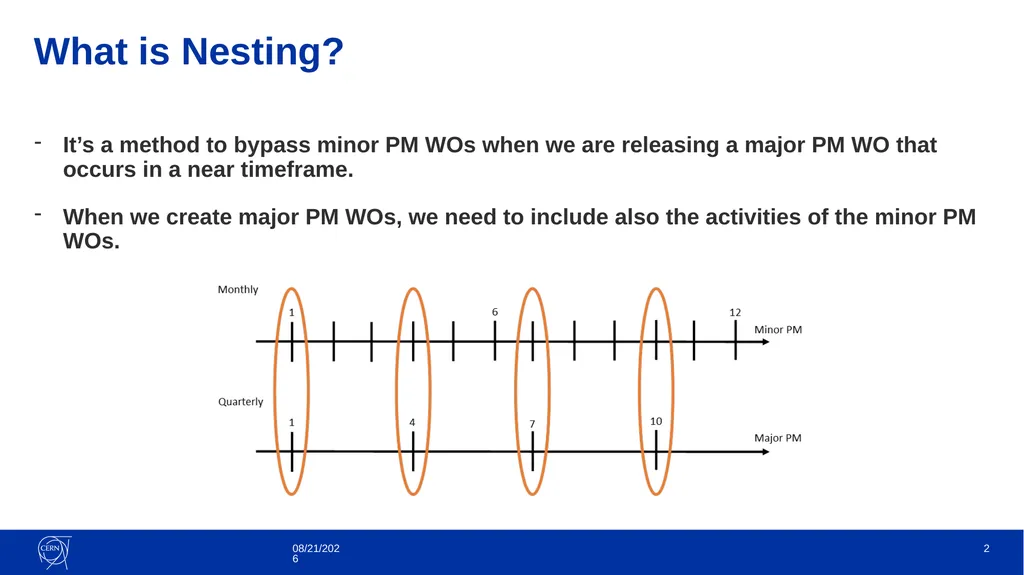
It’s a method to bypass minor PM WOs when we are releasing a major PM WO that occurs in a near timeframe.
When we create major PM WOs, we need to include also the activities of the minor PM WOs. What is Nesting? 3/31/2021 2<br>
03
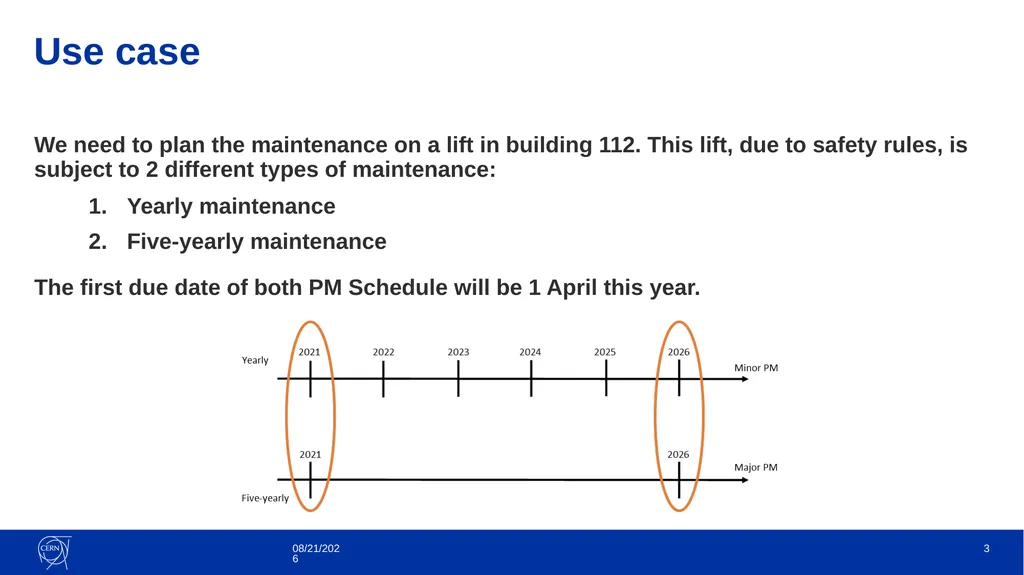
We need to plan the maintenance on a lift in building 112. This lift, due to safety rules, is subject to 2 different types of maintenance:
Yearly maintenance
Five-yearly maintenance
The first due date of both PM Schedule will be 1 April this year. Use case 3/31/2021 3<br>
04
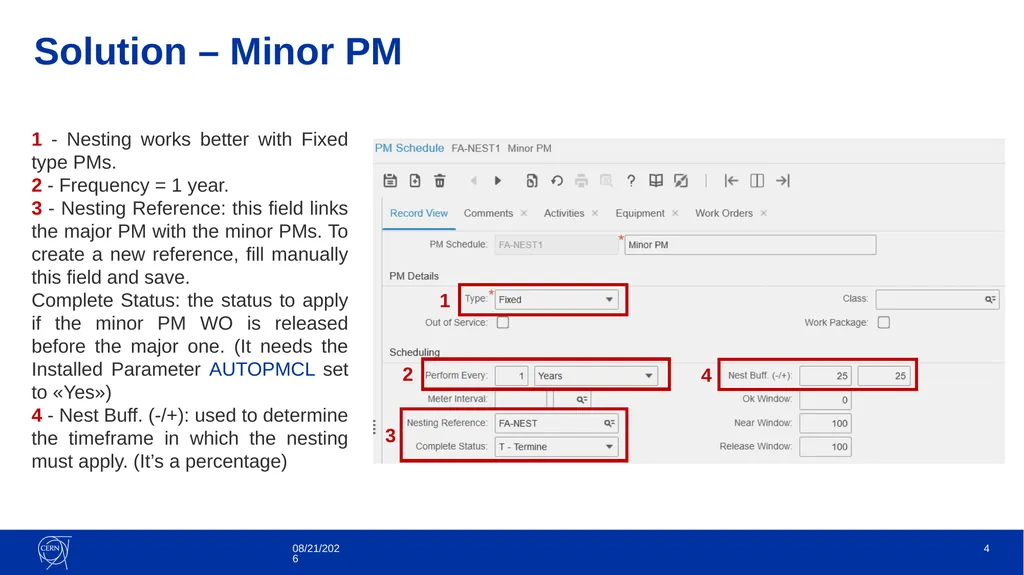
3/31/2021 Solution – Minor PM 4 1 2 3 4 1 - Nesting works better with Fixed type PMs.
2 - Frequency = 1 year.
3 - Nesting Reference: this field links the major PM with the minor PMs. To create a new reference, fill manually this field and save.
Complete Status: the status to apply if the minor PM WO is released before the major one. (It needs the Installed Parameter AUTOPMCL set to «Yes»)
4 - Nest Buff. (-/+): used to determine the timeframe in which the nesting must apply. (It’s a percentage)<br>
05
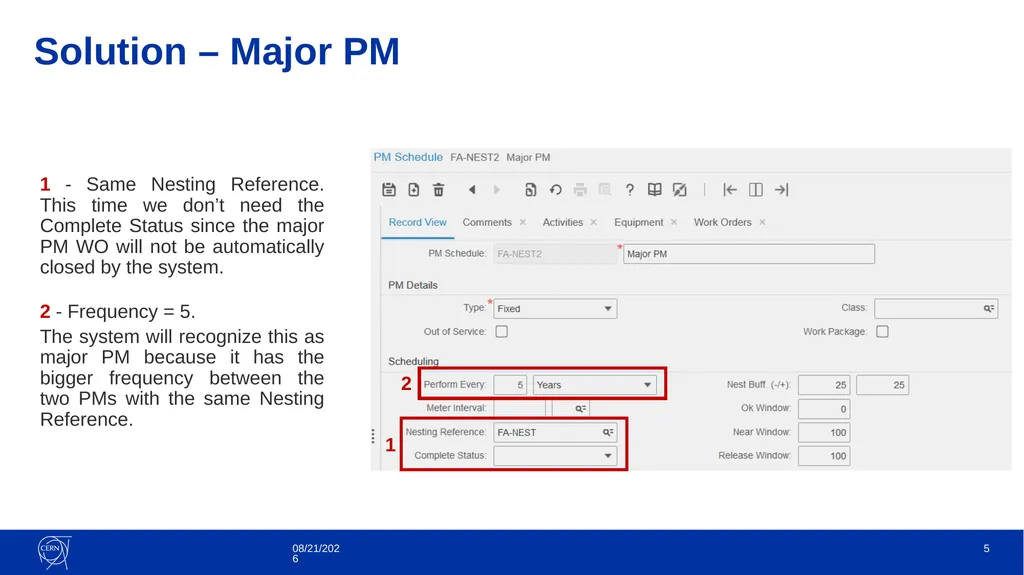
1 - Same Nesting Reference. This time we don’t need the Complete Status since the major PM WO will not be automatically closed by the system.
2 - Frequency = 5.
The system will recognize this as major PM because it has the bigger frequency between the two PMs with the same Nesting Reference. Solution – Major PM 3/31/2021 5 2 1<br>
06
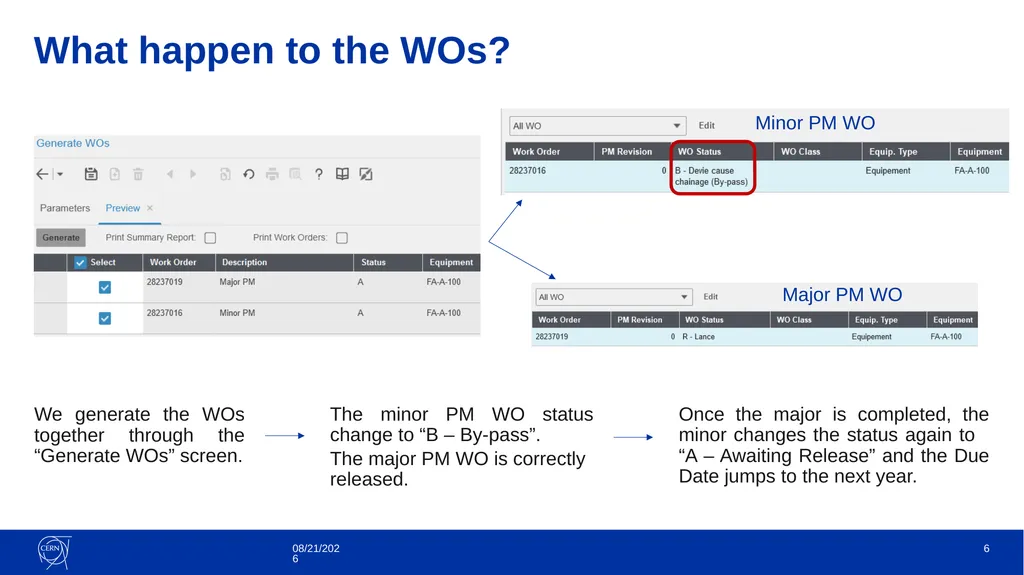
What happen to the WOs? We generate the WOs together through the “Generate WOs” screen. 3/31/2021 6 The minor PM WO status change to “B – By-pass”.
The major PM WO is correctly released. Major PM WO Minor PM WO Once the major is completed, the minor changes the status again to “A – Awaiting Release” and the Due Date jumps to the next year.<br>
07
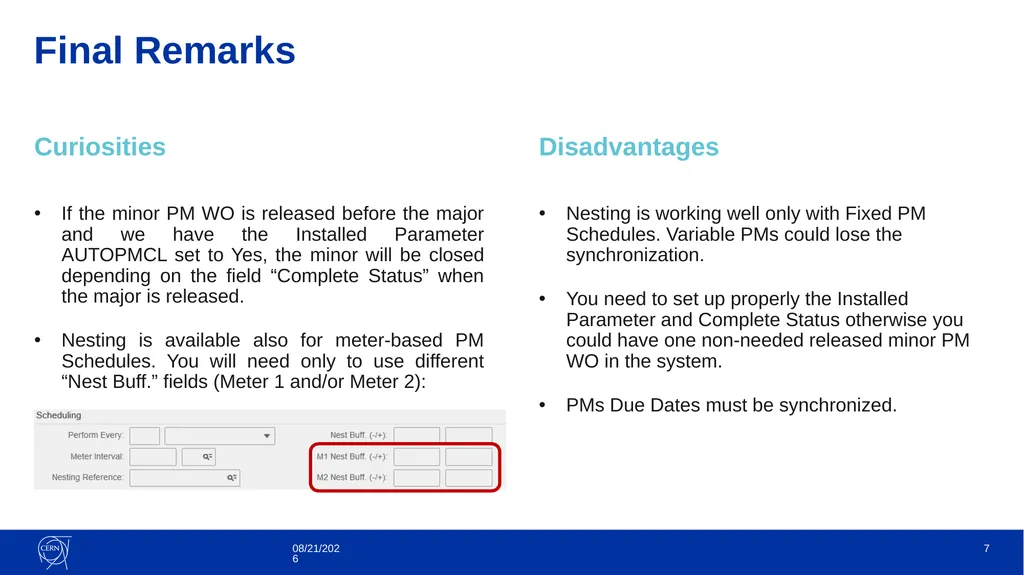
Final Remarks Curiosities If the minor PM WO is released before the major and we have the Installed Parameter AUTOPMCL set to Yes, the minor will be closed depending on the field “Complete Status” when the major is released.
Nesting is available also for meter-based PM Schedules. You will need only to use different “Nest Buff.” fields (Meter 1 and/or Meter 2): Disadvantages Nesting is working well only with Fixed PM Schedules. Variable PMs could lose the synchronization.
You need to set up properly the Installed Parameter and Complete Status otherwise you could have one non-needed released minor PM WO in the system.
PMs Due Dates must be synchronized. 3/31/2021 7<br>
08
In the next Episode: Maintenance Patterns 3/31/2021 8 Stay tuned...<br>