
PURCHASING GUIDELINES & ePROCUREMENT REQUESTOR
KB
Published · 24 slides · 0 views
1 / 1
Description
PURCHASING GUIDELINES ePROCUREMENT REQUESTOR TRAINING REVISED 12152021 DISCOVER YOUR OPPORTUNITIES Information contained in this training was provided by: The Valdosta State University Department of Procurement Todays Objectives At the
Related Topics
Share
Embed code
Download this presentation From Below
"PURCHASING GUIDELINES & ePROCUREMENT REQUESTOR" is the property of its rightful owner. Permission is granted to download and print the materials on this website for personal, non-commercial use only, and to display it on your personal computer provided you do not modify the materials and that you retain all copyright notices contained in the materials. By downloading content from our website, you accept the terms of this agreement.
Presentation Transcript
01
PURCHASING GUIDELINES & ePROCUREMENT REQUESTOR TRAINING REVISED 12/15/2021 DISCOVER YOUR OPPORTUNITIES Information contained in this training was provided by: The Valdosta State University Department of Procurement<br>
02
Today’s Objectives At the end of today’s training, Requesters will have a high level of understanding of:
Federal, State, USG, & VSU Procurement Policies & Procedures for:
Making purchases
Contract Review and Execution
Conducting Solicitations
Submitting requisitions in eProcurement
Requester and Departmental Responsibilities
Procurement Tips & Resources<br>
Federal, State, USG, & VSU Procurement Policies & Procedures for:
Making purchases
Contract Review and Execution
Conducting Solicitations
Submitting requisitions in eProcurement
Requester and Departmental Responsibilities
Procurement Tips & Resources<br>
03
Introduction Contact Info – Phone: 229-333-5708
– Fax: 229-333-7408
– Email: procurement@valdosta.edu itpurchasing@valdosta.edu
contracts@valdosta.edu
pcard@valdosta.edu
fuelcard@valdosta.edu Location
University Center, Entrance 7
Office Suite 1200
Location that previously housed the Office of Centralized Advising. VSU Procurement Website: http://www.valdosta.edu/administrat ion/finance-admin/financial- services/procurement/ VSU IT Procurement Website: https://www.valdosta.edu/administr ation/it/procurement/ VSU Financial Services Forms:
https://www.valdosta.edu/administrati on/finance-admin/financial- services/forms/<br>
– Fax: 229-333-7408
– Email: procurement@valdosta.edu itpurchasing@valdosta.edu
contracts@valdosta.edu
pcard@valdosta.edu
fuelcard@valdosta.edu Location
University Center, Entrance 7
Office Suite 1200
Location that previously housed the Office of Centralized Advising. VSU Procurement Website: http://www.valdosta.edu/administrat ion/finance-admin/financial- services/procurement/ VSU IT Procurement Website: https://www.valdosta.edu/administr ation/it/procurement/ VSU Financial Services Forms:
https://www.valdosta.edu/administrati on/finance-admin/financial- services/forms/<br>
04
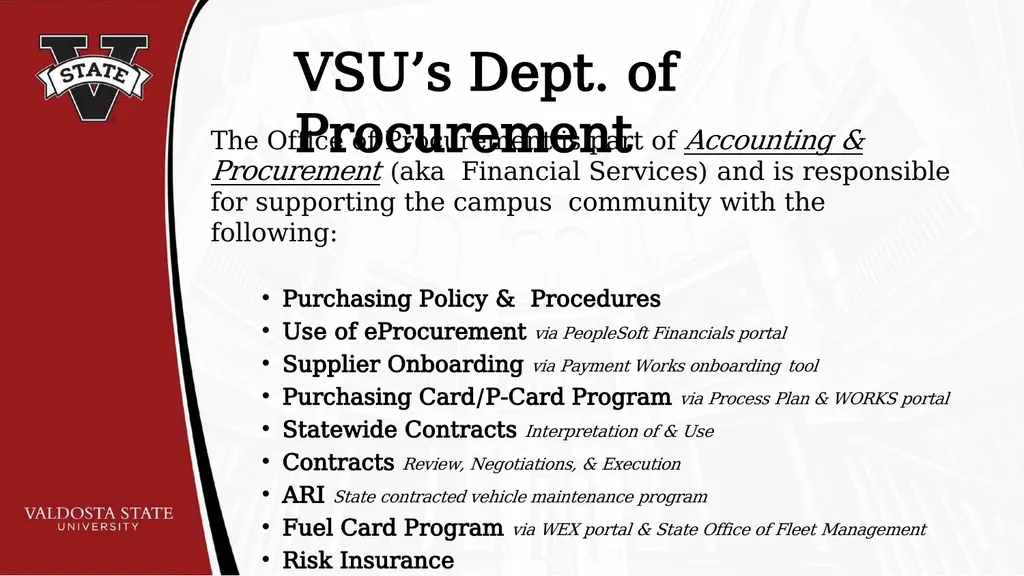
VSU’s Dept. of Procurement The Office of Procurement is part of Accounting & Procurement (aka Financial Services) and is responsible for supporting the campus community with the following:
Purchasing Policy & Procedures
Use of eProcurement via PeopleSoft Financials portal
Supplier Onboarding via Payment Works onboarding tool
Purchasing Card/P-Card Program via Process Plan & WORKS portal
Statewide Contracts Interpretation of & Use
Contracts Review, Negotiations, & Execution
ARI State contracted vehicle maintenance program
Fuel Card Program via WEX portal & State Office of Fleet Management
Risk Insurance<br>
Purchasing Policy & Procedures
Use of eProcurement via PeopleSoft Financials portal
Supplier Onboarding via Payment Works onboarding tool
Purchasing Card/P-Card Program via Process Plan & WORKS portal
Statewide Contracts Interpretation of & Use
Contracts Review, Negotiations, & Execution
ARI State contracted vehicle maintenance program
Fuel Card Program via WEX portal & State Office of Fleet Management
Risk Insurance<br>
05
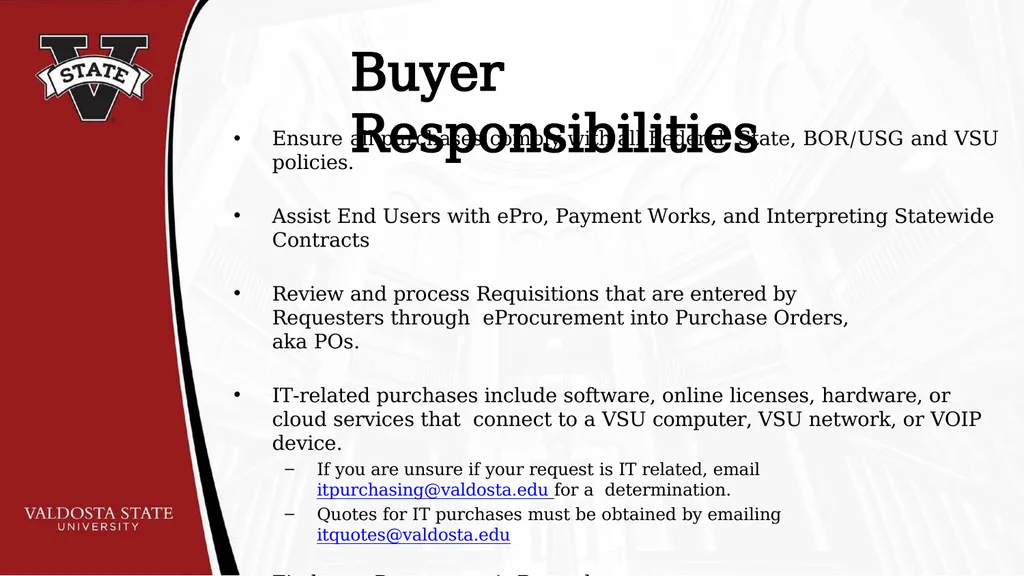
Buyer Responsibilities Ensure all purchases comply with all Federal, State, BOR/USG and VSU policies.
Assist End Users with ePro, Payment Works, and Interpreting Statewide Contracts
Review and process Requisitions that are entered by Requesters through eProcurement into Purchase Orders, aka POs.
IT-related purchases include software, online licenses, hardware, or cloud services that connect to a VSU computer, VSU network, or VOIP device.
If you are unsure if your request is IT related, email itpurchasing@valdosta.edu for a determination.
Quotes for IT purchases must be obtained by emailing itquotes@valdosta.edu
Find your Department’s Buyer here:
https://www.valdosta.edu/administration/finance-admin/financial- services/procurement/find-a-buyer.php<br>
Assist End Users with ePro, Payment Works, and Interpreting Statewide Contracts
Review and process Requisitions that are entered by Requesters through eProcurement into Purchase Orders, aka POs.
IT-related purchases include software, online licenses, hardware, or cloud services that connect to a VSU computer, VSU network, or VOIP device.
If you are unsure if your request is IT related, email itpurchasing@valdosta.edu for a determination.
Quotes for IT purchases must be obtained by emailing itquotes@valdosta.edu
Find your Department’s Buyer here:
https://www.valdosta.edu/administration/finance-admin/financial- services/procurement/find-a-buyer.php<br>
06
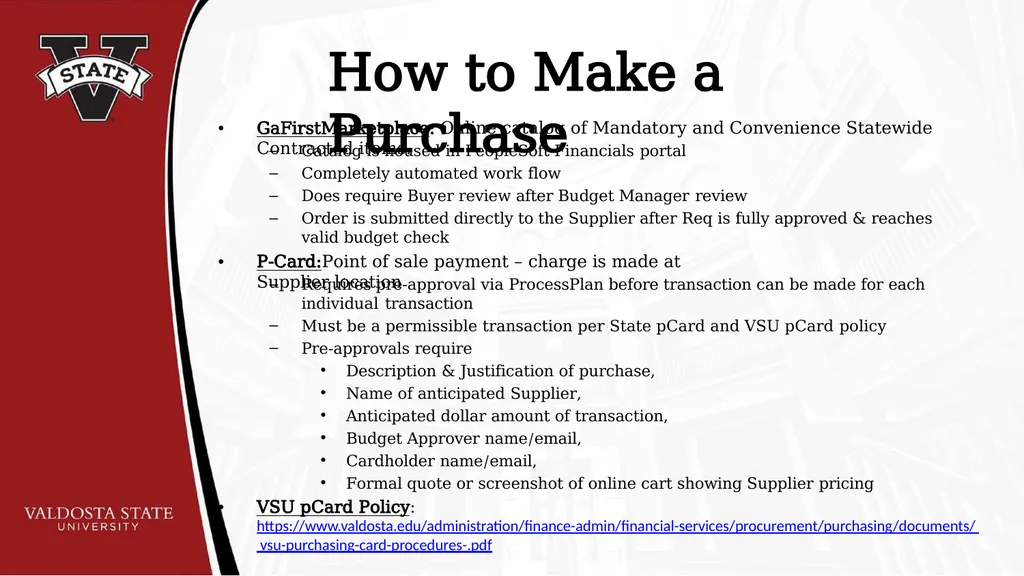
How to Make a Purchase • GaFirstMarketplace: Online catalog of Mandatory and Convenience Statewide Contracted items. Catalog is housed in PeopleSoft Financials portal
Completely automated work flow
Does require Buyer review after Budget Manager review
Order is submitted directly to the Supplier after Req is fully approved & reaches valid budget check • P-Card:Point of sale payment – charge is made at Supplier location Requires pre-approval via ProcessPlan before transaction can be made for each individual transaction
Must be a permissible transaction per State pCard and VSU pCard policy
Pre-approvals require
Description & Justification of purchase,
Name of anticipated Supplier,
Anticipated dollar amount of transaction,
Budget Approver name/email,
Cardholder name/email,
Formal quote or screenshot of online cart showing Supplier pricing • VSU pCard Policy:
https://www.valdosta.edu/administration/finance-admin/financial-services/procurement/purchasing/documents/ vsu-purchasing-card-procedures-.pdf<br>
Completely automated work flow
Does require Buyer review after Budget Manager review
Order is submitted directly to the Supplier after Req is fully approved & reaches valid budget check • P-Card:Point of sale payment – charge is made at Supplier location Requires pre-approval via ProcessPlan before transaction can be made for each individual transaction
Must be a permissible transaction per State pCard and VSU pCard policy
Pre-approvals require
Description & Justification of purchase,
Name of anticipated Supplier,
Anticipated dollar amount of transaction,
Budget Approver name/email,
Cardholder name/email,
Formal quote or screenshot of online cart showing Supplier pricing • VSU pCard Policy:
https://www.valdosta.edu/administration/finance-admin/financial-services/procurement/purchasing/documents/ vsu-purchasing-card-procedures-.pdf<br>
07
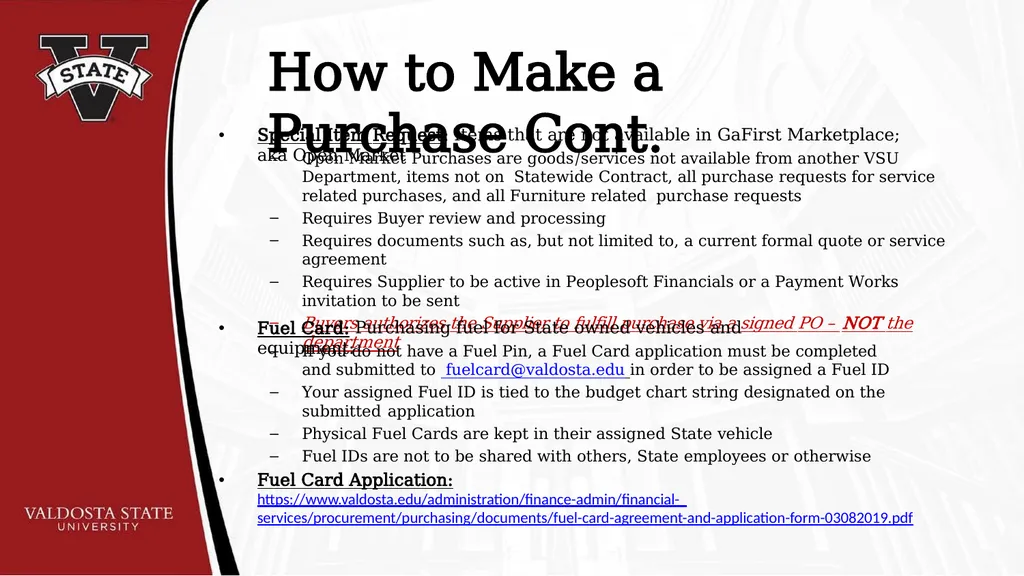
How to Make a Purchase Cont. • Special Item Request: Items that are not available in GaFirst Marketplace; aka Open Market Open Market Purchases are goods/services not available from another VSU Department, items not on Statewide Contract, all purchase requests for service related purchases, and all Furniture related purchase requests
Requires Buyer review and processing
Requires documents such as, but not limited to, a current formal quote or service agreement
Requires Supplier to be active in Peoplesoft Financials or a Payment Works invitation to be sent
Buyers authorizes the Supplier to fulfill purchase via a signed PO – NOT the department • Fuel Card: Purchasing fuel for State owned vehicles and equipment: If you do not have a Fuel Pin, a Fuel Card application must be completed and submitted to fuelcard@valdosta.edu in order to be assigned a Fuel ID
Your assigned Fuel ID is tied to the budget chart string designated on the submitted application
Physical Fuel Cards are kept in their assigned State vehicle
Fuel IDs are not to be shared with others, State employees or otherwise • Fuel Card Application:
https://www.valdosta.edu/administration/finance-admin/financial- services/procurement/purchasing/documents/fuel-card-agreement-and-application-form-03082019.pdf<br>
Requires Buyer review and processing
Requires documents such as, but not limited to, a current formal quote or service agreement
Requires Supplier to be active in Peoplesoft Financials or a Payment Works invitation to be sent
Buyers authorizes the Supplier to fulfill purchase via a signed PO – NOT the department • Fuel Card: Purchasing fuel for State owned vehicles and equipment: If you do not have a Fuel Pin, a Fuel Card application must be completed and submitted to fuelcard@valdosta.edu in order to be assigned a Fuel ID
Your assigned Fuel ID is tied to the budget chart string designated on the submitted application
Physical Fuel Cards are kept in their assigned State vehicle
Fuel IDs are not to be shared with others, State employees or otherwise • Fuel Card Application:
https://www.valdosta.edu/administration/finance-admin/financial- services/procurement/purchasing/documents/fuel-card-agreement-and-application-form-03082019.pdf<br>
08
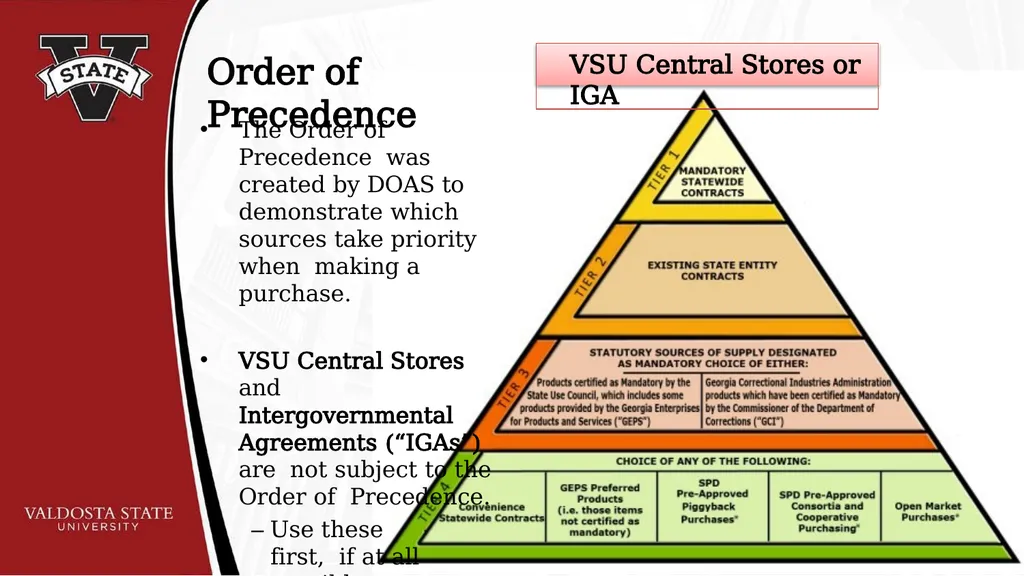
Order of Precedence The Order of Precedence was created by DOAS to demonstrate which sources take priority when making a purchase.
VSU Central Stores and Intergovernmental Agreements (“IGAs”) are not subject to the Order of Precedence.
– Use these first, if at all possible. VSU Central Stores or IGA<br>
VSU Central Stores and Intergovernmental Agreements (“IGAs”) are not subject to the Order of Precedence.
– Use these first, if at all possible. VSU Central Stores or IGA<br>
09
VSU Central Stores Stocks standard white 8.5” x 11” copy paper
Standard copy paper MUST be purchased from Central Stores.
Standard copy paper that is purchased in GAFirst Marketplace will result in the ENTIRE ORDER being rejected at the time of delivery to Central Receiving.
Any other stems on the rejected delivery will need to be re-ordered by the Requestor.
Requestor must request Procurement to cancel the associated PO in order to free up funds for the re-order of rejected items
For more information contact Central Stores at x5958.<br>
Standard copy paper MUST be purchased from Central Stores.
Standard copy paper that is purchased in GAFirst Marketplace will result in the ENTIRE ORDER being rejected at the time of delivery to Central Receiving.
Any other stems on the rejected delivery will need to be re-ordered by the Requestor.
Requestor must request Procurement to cancel the associated PO in order to free up funds for the re-order of rejected items
For more information contact Central Stores at x5958.<br>
10
Intergovernmental Agreements Intergovernmental Agreements (aka IGAs):
Contracts/purchases between government entities.
States Agencies & Programs, State Funded Higher Education Institutions, and Local Municipalities.
Does NOT include the Federal government.
Does not require competitive bidding.
Does not require Contract Review.
Available for Piggy Back purchases
Provides greater purchasing power resulting in savings from bulk purchases among more than one agency/institution<br>
Contracts/purchases between government entities.
States Agencies & Programs, State Funded Higher Education Institutions, and Local Municipalities.
Does NOT include the Federal government.
Does not require competitive bidding.
Does not require Contract Review.
Available for Piggy Back purchases
Provides greater purchasing power resulting in savings from bulk purchases among more than one agency/institution<br>
11
Security & Immigration Contractor Affidavit State and Federal law require VSU to confirm that any Supplier performing a service for or on behalf of VSU, where there is human involvement/interaction, are enrolled in the Federal eVerify program.
This requirement applies to “any physical performance of labor or services for a public employer using a bidding process or by contract wherein the labor or services exceed $2,499.99…” (O.C.G.A. 13-10-90)
Purpose of Affidavit is to ensure that all services provided are through and by individuals who are authorized to work in the United States.
Requirement does not apply to any services performed in another country<br>
This requirement applies to “any physical performance of labor or services for a public employer using a bidding process or by contract wherein the labor or services exceed $2,499.99…” (O.C.G.A. 13-10-90)
Purpose of Affidavit is to ensure that all services provided are through and by individuals who are authorized to work in the United States.
Requirement does not apply to any services performed in another country<br>
12
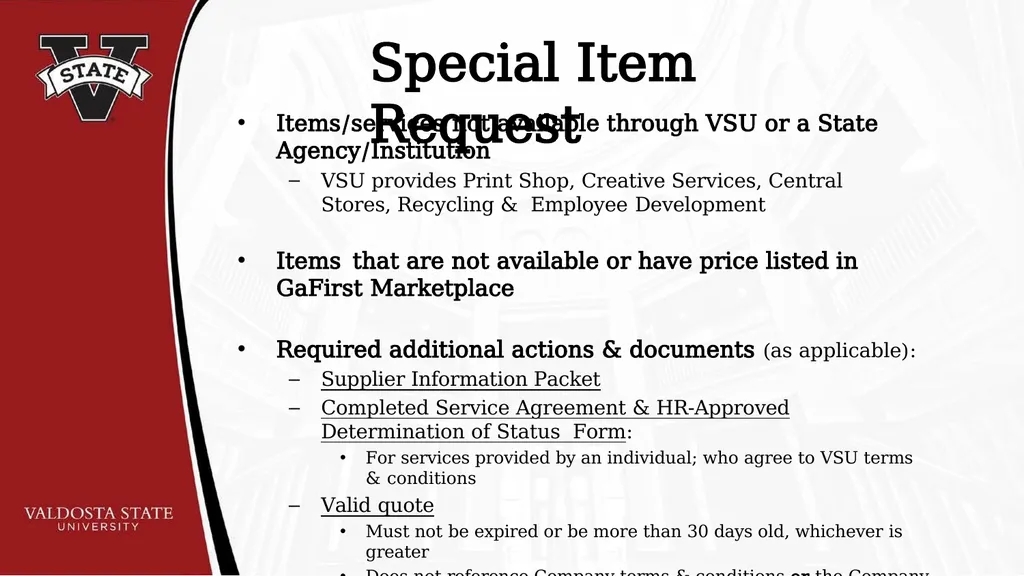
Special Item Request Items/services not available through VSU or a State Agency/Institution
VSU provides Print Shop, Creative Services, Central Stores, Recycling & Employee Development
Items that are not available or have price listed in GaFirst Marketplace
Required additional actions & documents (as applicable):
Supplier Information Packet
Completed Service Agreement & HR-Approved Determination of Status Form:
For services provided by an individual; who agree to VSU terms & conditions
Valid quote
Must not be expired or be more than 30 days old, whichever is greater
Does not reference Company terms & conditions or the Company agrees to VSU’s terms<br>
VSU provides Print Shop, Creative Services, Central Stores, Recycling & Employee Development
Items that are not available or have price listed in GaFirst Marketplace
Required additional actions & documents (as applicable):
Supplier Information Packet
Completed Service Agreement & HR-Approved Determination of Status Form:
For services provided by an individual; who agree to VSU terms & conditions
Valid quote
Must not be expired or be more than 30 days old, whichever is greater
Does not reference Company terms & conditions or the Company agrees to VSU’s terms<br>
13
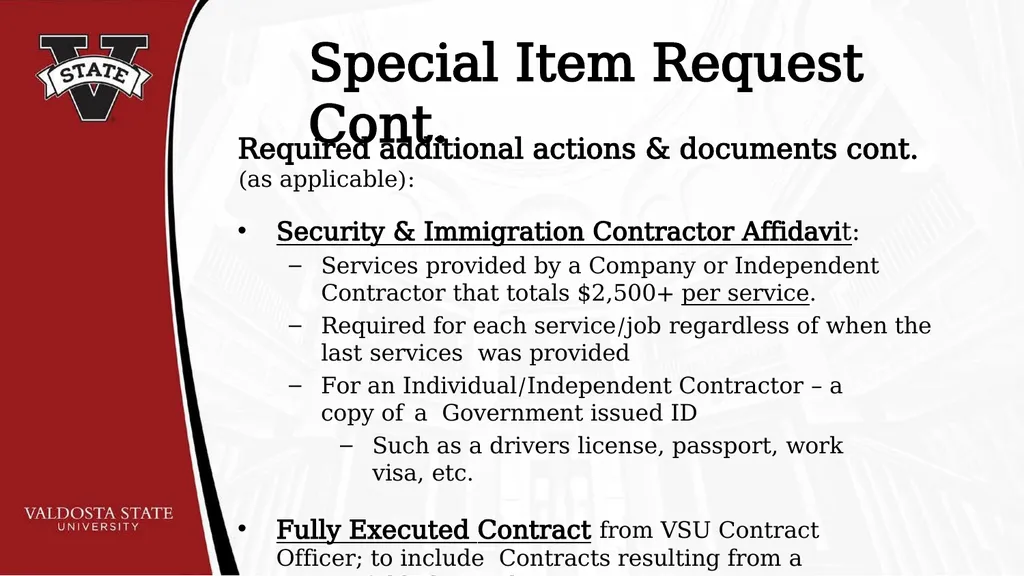
Special Item Request Cont. Required additional actions & documents cont. (as applicable):
Security & Immigration Contractor Affidavit:
Services provided by a Company or Independent Contractor that totals $2,500+ per service.
Required for each service/job regardless of when the last services was provided
For an Individual/Independent Contractor – a copy of a Government issued ID
Such as a drivers license, passport, work visa, etc.
Fully Executed Contract from VSU Contract Officer; to include Contracts resulting from a successful bid award<br>
Security & Immigration Contractor Affidavit:
Services provided by a Company or Independent Contractor that totals $2,500+ per service.
Required for each service/job regardless of when the last services was provided
For an Individual/Independent Contractor – a copy of a Government issued ID
Such as a drivers license, passport, work visa, etc.
Fully Executed Contract from VSU Contract Officer; to include Contracts resulting from a successful bid award<br>
14
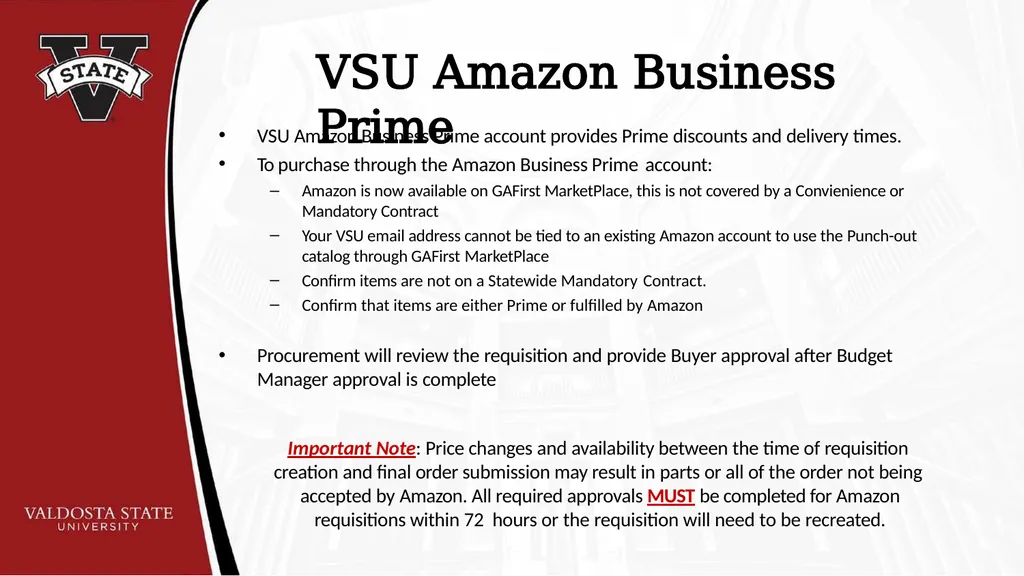
VSU Amazon Business Prime VSU Amazon Business Prime account provides Prime discounts and delivery times.
To purchase through the Amazon Business Prime account:
Amazon is now available on GAFirst MarketPlace, this is not covered by a Convienience or Mandatory Contract
Your VSU email address cannot be tied to an existing Amazon account to use the Punch-out catalog through GAFirst MarketPlace
Confirm items are not on a Statewide Mandatory Contract.
Confirm that items are either Prime or fulfilled by Amazon
Procurement will review the requisition and provide Buyer approval after Budget Manager approval is complete
Important Note: Price changes and availability between the time of requisition creation and final order submission may result in parts or all of the order not being accepted by Amazon. All required approvals MUST be completed for Amazon requisitions within 72 hours or the requisition will need to be recreated.<br>
To purchase through the Amazon Business Prime account:
Amazon is now available on GAFirst MarketPlace, this is not covered by a Convienience or Mandatory Contract
Your VSU email address cannot be tied to an existing Amazon account to use the Punch-out catalog through GAFirst MarketPlace
Confirm items are not on a Statewide Mandatory Contract.
Confirm that items are either Prime or fulfilled by Amazon
Procurement will review the requisition and provide Buyer approval after Budget Manager approval is complete
Important Note: Price changes and availability between the time of requisition creation and final order submission may result in parts or all of the order not being accepted by Amazon. All required approvals MUST be completed for Amazon requisitions within 72 hours or the requisition will need to be recreated.<br>
15
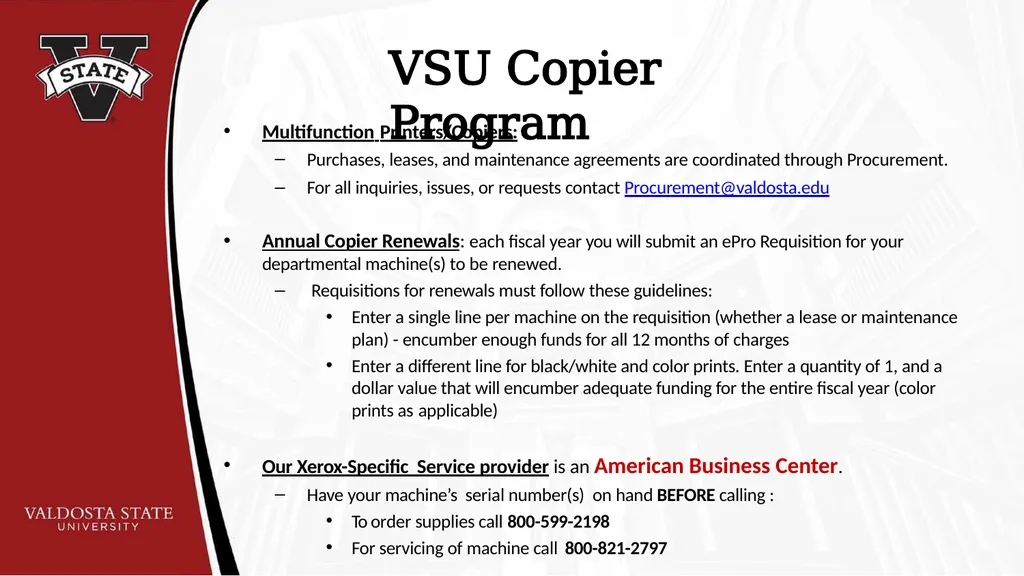
VSU Copier Program Multifunction Printers/Copiers:
Purchases, leases, and maintenance agreements are coordinated through Procurement.
For all inquiries, issues, or requests contact Procurement@valdosta.edu
Annual Copier Renewals: each fiscal year you will submit an ePro Requisition for your departmental machine(s) to be renewed.
Requisitions for renewals must follow these guidelines:
Enter a single line per machine on the requisition (whether a lease or maintenance plan) - encumber enough funds for all 12 months of charges
Enter a different line for black/white and color prints. Enter a quantity of 1, and a dollar value that will encumber adequate funding for the entire fiscal year (color prints as applicable)
Our Xerox-Specific Service provider is an American Business Center.
Have your machine’s serial number(s) on hand BEFORE calling :
To order supplies call 800-599-2198
For servicing of machine call 800-821-2797<br>
Purchases, leases, and maintenance agreements are coordinated through Procurement.
For all inquiries, issues, or requests contact Procurement@valdosta.edu
Annual Copier Renewals: each fiscal year you will submit an ePro Requisition for your departmental machine(s) to be renewed.
Requisitions for renewals must follow these guidelines:
Enter a single line per machine on the requisition (whether a lease or maintenance plan) - encumber enough funds for all 12 months of charges
Enter a different line for black/white and color prints. Enter a quantity of 1, and a dollar value that will encumber adequate funding for the entire fiscal year (color prints as applicable)
Our Xerox-Specific Service provider is an American Business Center.
Have your machine’s serial number(s) on hand BEFORE calling :
To order supplies call 800-599-2198
For servicing of machine call 800-821-2797<br>
16
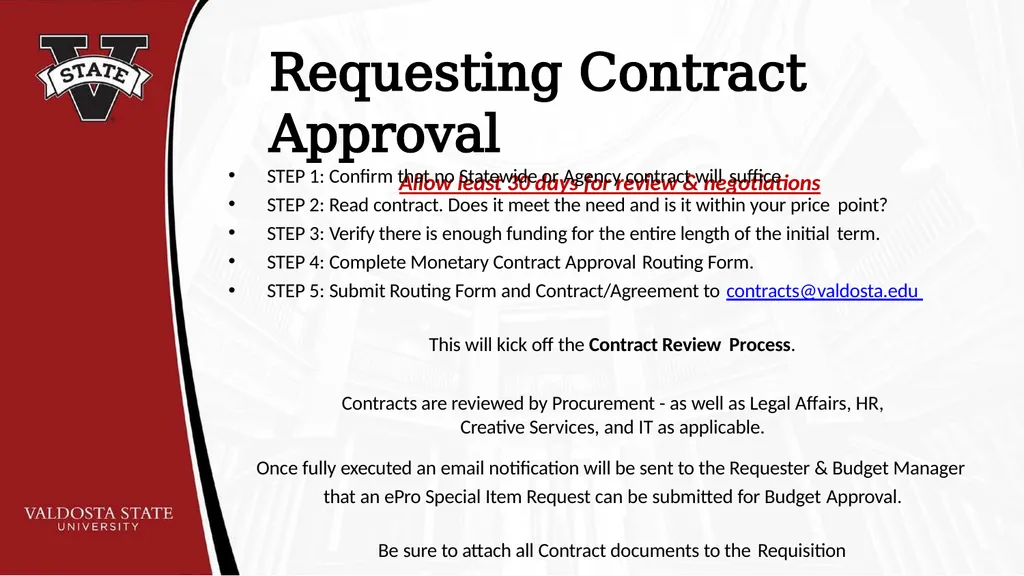
Requesting Contract Approval
Allow least 30 days for review & negotiations STEP 1: Confirm that no Statewide or Agency contract will suffice
STEP 2: Read contract. Does it meet the need and is it within your price point?
STEP 3: Verify there is enough funding for the entire length of the initial term.
STEP 4: Complete Monetary Contract Approval Routing Form.
STEP 5: Submit Routing Form and Contract/Agreement to contracts@valdosta.edu
This will kick off the Contract Review Process.
Contracts are reviewed by Procurement - as well as Legal Affairs, HR, Creative Services, and IT as applicable.
Once fully executed an email notification will be sent to the Requester & Budget Manager that an ePro Special Item Request can be submitted for Budget Approval.
Be sure to attach all Contract documents to the Requisition<br>
Allow least 30 days for review & negotiations STEP 1: Confirm that no Statewide or Agency contract will suffice
STEP 2: Read contract. Does it meet the need and is it within your price point?
STEP 3: Verify there is enough funding for the entire length of the initial term.
STEP 4: Complete Monetary Contract Approval Routing Form.
STEP 5: Submit Routing Form and Contract/Agreement to contracts@valdosta.edu
This will kick off the Contract Review Process.
Contracts are reviewed by Procurement - as well as Legal Affairs, HR, Creative Services, and IT as applicable.
Once fully executed an email notification will be sent to the Requester & Budget Manager that an ePro Special Item Request can be submitted for Budget Approval.
Be sure to attach all Contract documents to the Requisition<br>
17
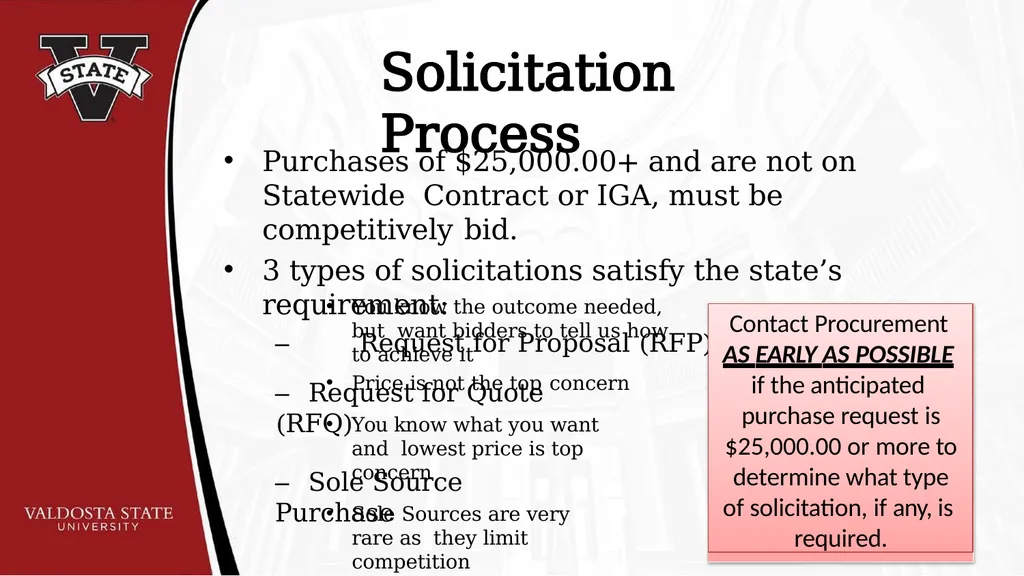
Solicitation Process Purchases of $25,000.00+ and are not on Statewide Contract or IGA, must be competitively bid.
3 types of solicitations satisfy the state’s requirement:
– Request for Proposal (RFP) You know the outcome needed, but want bidders to tell us how to achieve it
Price is not the top concern – Request for Quote (RFQ) You know what you want and lowest price is top concern – Sole Source Purchase Sole Sources are very rare as they limit competition Contact Procurement
AS EARLY AS POSSIBLE
if the anticipated purchase request is
$25,000.00 or more to determine what type of solicitation, if any, is required.<br>
3 types of solicitations satisfy the state’s requirement:
– Request for Proposal (RFP) You know the outcome needed, but want bidders to tell us how to achieve it
Price is not the top concern – Request for Quote (RFQ) You know what you want and lowest price is top concern – Sole Source Purchase Sole Sources are very rare as they limit competition Contact Procurement
AS EARLY AS POSSIBLE
if the anticipated purchase request is
$25,000.00 or more to determine what type of solicitation, if any, is required.<br>
18
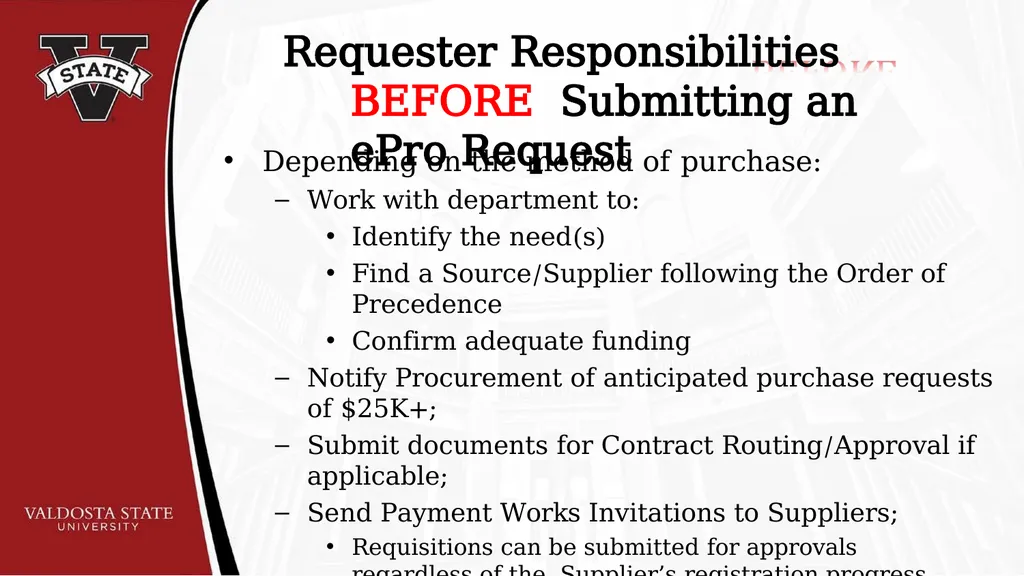
Requester Responsibilities BEFORE Submitting an ePro Request Depending on the method of purchase:
Work with department to:
Identify the need(s)
Find a Source/Supplier following the Order of Precedence
Confirm adequate funding
Notify Procurement of anticipated purchase requests of $25K+;
Submit documents for Contract Routing/Approval if applicable;
Send Payment Works Invitations to Suppliers;
Requisitions can be submitted for approvals regardless of the Supplier’s registration progress in Payment Works.
Make sure quote is valid and not expired<br>
Work with department to:
Identify the need(s)
Find a Source/Supplier following the Order of Precedence
Confirm adequate funding
Notify Procurement of anticipated purchase requests of $25K+;
Submit documents for Contract Routing/Approval if applicable;
Send Payment Works Invitations to Suppliers;
Requisitions can be submitted for approvals regardless of the Supplier’s registration progress in Payment Works.
Make sure quote is valid and not expired<br>
19
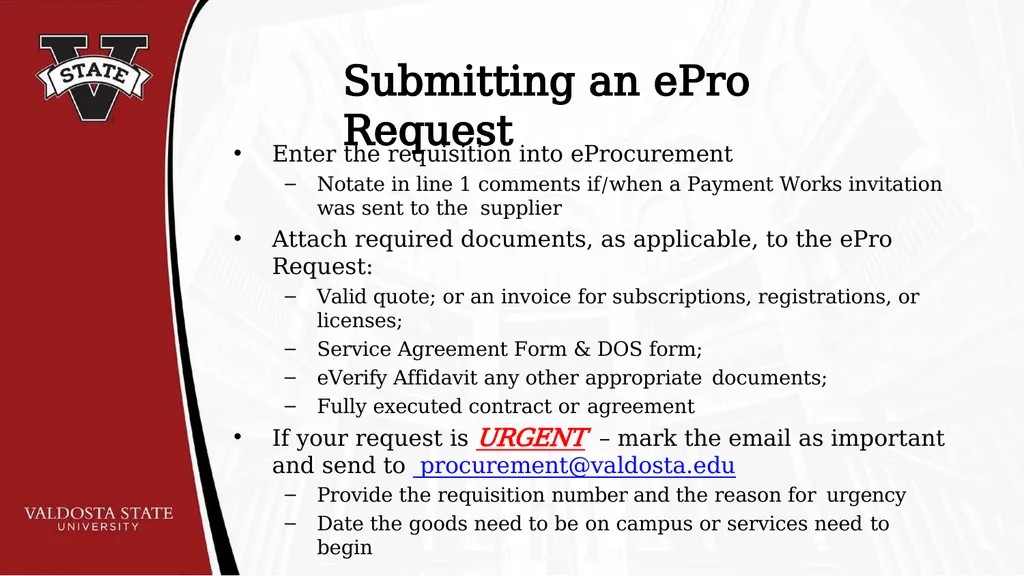
Submitting an ePro Request Enter the requisition into eProcurement
Notate in line 1 comments if/when a Payment Works invitation was sent to the supplier
Attach required documents, as applicable, to the ePro Request:
Valid quote; or an invoice for subscriptions, registrations, or licenses;
Service Agreement Form & DOS form;
eVerify Affidavit any other appropriate documents;
Fully executed contract or agreement
If your request is URGENT – mark the email as important and send to procurement@valdosta.edu
Provide the requisition number and the reason for urgency
Date the goods need to be on campus or services need to begin<br>
Notate in line 1 comments if/when a Payment Works invitation was sent to the supplier
Attach required documents, as applicable, to the ePro Request:
Valid quote; or an invoice for subscriptions, registrations, or licenses;
Service Agreement Form & DOS form;
eVerify Affidavit any other appropriate documents;
Fully executed contract or agreement
If your request is URGENT – mark the email as important and send to procurement@valdosta.edu
Provide the requisition number and the reason for urgency
Date the goods need to be on campus or services need to begin<br>
20
Requester Responsibilities AFTER Submitting an ePro Request Track the status of requisitions in ePro through Manage Requisitions
Inspect and accept or reject purchased items when delivered to your Department by VSU Central Receiving
Submit invoices and request for payment forms to Accounts Payable via accountspayable@valdosta.edu
Document and alert Procurement to any problems with Supplier(s) or with purchased items/services RIGHT AWAY.<br>
Inspect and accept or reject purchased items when delivered to your Department by VSU Central Receiving
Submit invoices and request for payment forms to Accounts Payable via accountspayable@valdosta.edu
Document and alert Procurement to any problems with Supplier(s) or with purchased items/services RIGHT AWAY.<br>
21
Purchasing Tips & Limitations • Requisitions (Reqs) are processed by a Buyer in the order they are approved & pass Req budget check – Enter your Req when all required documents are obtained or a fully executed contract is provided back to the Department by the VSU Contracting Officer. • • • Requisitions do NOT secure funds out of your budget; Req budget check only determines if funds are available at the time of Req submission & Approval
Funds are not actually secured out of your budget until you receive a signed PO back from Procurement
Procurement authorizes and places Special Item orders/services with the Supplier; not the Department
Submitting a Special Item Requests do not to give authorization to Supplier to begin order/service fulfillment
Only those employees with Delegated Signing Authority have the right to incur debt on behalf of VSU • Delegated Signing Authority is different than a Budget Manager’s signing authority Budget Managers are authorized to sign VSU related documents confirming that funds are available for the request.
Requestors are authorized to sign VSU related documents confirming that they are the End User making the request. • If you do not have Delegated Signing Authority, but authorize a Supplier to proceed with fulfillment of an order or begin providing services without the funds being secured on a PO - you are in direct conflict with State and USG policy and may be held liable to cover the cost of the purchase out of personal funds. • The list of Delegated Signatories can be found here:
https://www.valdosta.edu/administration/legal/documents/delegationofcontractsigningauthority.pdf<br>
Funds are not actually secured out of your budget until you receive a signed PO back from Procurement
Procurement authorizes and places Special Item orders/services with the Supplier; not the Department
Submitting a Special Item Requests do not to give authorization to Supplier to begin order/service fulfillment
Only those employees with Delegated Signing Authority have the right to incur debt on behalf of VSU • Delegated Signing Authority is different than a Budget Manager’s signing authority Budget Managers are authorized to sign VSU related documents confirming that funds are available for the request.
Requestors are authorized to sign VSU related documents confirming that they are the End User making the request. • If you do not have Delegated Signing Authority, but authorize a Supplier to proceed with fulfillment of an order or begin providing services without the funds being secured on a PO - you are in direct conflict with State and USG policy and may be held liable to cover the cost of the purchase out of personal funds. • The list of Delegated Signatories can be found here:
https://www.valdosta.edu/administration/legal/documents/delegationofcontractsigningauthority.pdf<br>
22
Purchasing Tips & Limitations Cont. • USG and SACs requires all payments are made via ACH/EFT Direct Deposit. ACH is more secure, but takes longer to deposit into the Supplier’s bank account
EFT is less secure, but will deposit into the Supplier’s bank account sooner than an ACH payment • Request for Payment forms submitted to Accounts Payable without a PO must be <$2,499. – Requests for Payment that do not have an established PO will require the Requesting End User’s, Budget Manager’s, & the Department’s VP’s signature, acknowledging that proper Procurement Policy was not followed by the Department • Request for Payment forms submitted to Accounts Payable will be sent back to the department if the purchase was $2,500+ and no PO was established before purchase was made. Departments that receive a returned Request for Payment form for a purchase that was $2,500+ must submit the invoice for the purchase & the Request for Payment form, into ePro as a Special Item Request
A Request for Payment with your VP’s signature must be attached to the Special Item Request
Accounts Payable will not remit payment for purchases that were $2,500+ without an established after-the-fact PO & signed Request for Payment Form • Requisitions submitted with a quote or agreement that include Supplier terms OR there are Supplier terms are included on the quote or agreement by reference via a web link will require contract review. This review is required of all Supplier provided terms & conditions regardless of dollar value
This requirement is because a breech of Supplier terms may result in legal action & fees to resolve the breech<br>
EFT is less secure, but will deposit into the Supplier’s bank account sooner than an ACH payment • Request for Payment forms submitted to Accounts Payable without a PO must be <$2,499. – Requests for Payment that do not have an established PO will require the Requesting End User’s, Budget Manager’s, & the Department’s VP’s signature, acknowledging that proper Procurement Policy was not followed by the Department • Request for Payment forms submitted to Accounts Payable will be sent back to the department if the purchase was $2,500+ and no PO was established before purchase was made. Departments that receive a returned Request for Payment form for a purchase that was $2,500+ must submit the invoice for the purchase & the Request for Payment form, into ePro as a Special Item Request
A Request for Payment with your VP’s signature must be attached to the Special Item Request
Accounts Payable will not remit payment for purchases that were $2,500+ without an established after-the-fact PO & signed Request for Payment Form • Requisitions submitted with a quote or agreement that include Supplier terms OR there are Supplier terms are included on the quote or agreement by reference via a web link will require contract review. This review is required of all Supplier provided terms & conditions regardless of dollar value
This requirement is because a breech of Supplier terms may result in legal action & fees to resolve the breech<br>
23
If You Need Assistance With: Contract Review Requests, Questions, or Issues contracts@valdosta.edu
General Procurement; Supplier Onboarding procurement@valdosta.edu; supplier@valdosta.edu
pCard or Fleet Management pcard@valdosta.edu; fuelcard@valdosta.edu
IT Purchasing or IT Quotes itpurchasing@valdosta.edu; itquotes@valdosta.edu<br>
General Procurement; Supplier Onboarding procurement@valdosta.edu; supplier@valdosta.edu
pCard or Fleet Management pcard@valdosta.edu; fuelcard@valdosta.edu
IT Purchasing or IT Quotes itpurchasing@valdosta.edu; itquotes@valdosta.edu<br>
24
If You Need Assistance With Cont.: Determination of Status for Independent Contractors vsuindependentcontractor@valdosta.edu
Travel; Accounts Payable travel@valdosta.edu; accountspayable@valdosta.edu
Budget budgets@valdosta.edu
Training Requests training@valdosta.edu<br>
Travel; Accounts Payable travel@valdosta.edu; accountspayable@valdosta.edu
Budget budgets@valdosta.edu
Training Requests training@valdosta.edu<br>