SE-2840 Dr. Mark L. Hornick 1 Server-side Javascript What is NodeJS about? Historically, server-side code has been (and still is) written in professional-strength languagesframeworks: PHP PythonDjangoFlask
"SE-2840 Dr. Mark L. Hornick 1 Server-side" is the property of its rightful owner. Permission is granted to
download and print the materials on this website for personal, non-commercial use only, and to display it
on your personal computer provided you do not modify the materials and that you retain all copyright
notices contained in the materials. By downloading content from our website, you accept the terms of this
agreement.
Presentation Transcript
01
SE-2840 Dr. Mark L. Hornick 1 Server-side Javascript<br>
02
What is NodeJS about? Historically, server-side code has been (and still is) written in “professional-strength” languages/frameworks:
PHP
Python/Django/Flask
Java/(JSP/Struts,Faces,several more)
C#
Ruby/Rails
Perl
While on the client (browser) side, Javascript has become the defacto standard language SE-2840 Dr. Mark L. Hornick 2<br>
03
Why has Javascript lagged? Javascript was originally seen as a “toy” language
…with significant security flaws
Javascript, as an interpreted language, was considered slow
Server-side code needed to be fast, powerful (expressive), and have access to a large set of code libraries
…and other (no longer valid) reasons… SE-2840 Dr. Mark L. Hornick 3<br>
04
Javascript today Has matured, although it still has some rough edges
Is actively evolving (ES6, ESNext…)
Is more well-understood
The underlying engines (eg Chrome V8, FF SpiderMonkey) have become incredibly fast
Has a huge developer base and wide support
Javascript has grown up SE-2840 Dr. Mark L. Hornick 4<br>
05
What is NodeJS? A JavaScript runtime designed to be run outside of the browser
Uses the V8 Javascript engine created by Google
Note: The V8 engine is written in C
Minimally, it is a standalone Javascript implementation much like Python or Java
Plus, NodeJS includes additional modules (ie libraries) that allow it to implement functionality that is not possible on the client (browser) side, like (notably):
Accessing the file system
Receiving and responding to http requests
(i.e. different from sending http ajax requests)
Note: While many libararies are available, the BOM and DOM browser-side workhorse libraries NOT part of NodeJS apps SE-2840 Dr. Mark L. Hornick 5 Note: it is even possible to use libraries written in C/C++ or Java (e.g. Swing/JavaFX)<br>
06
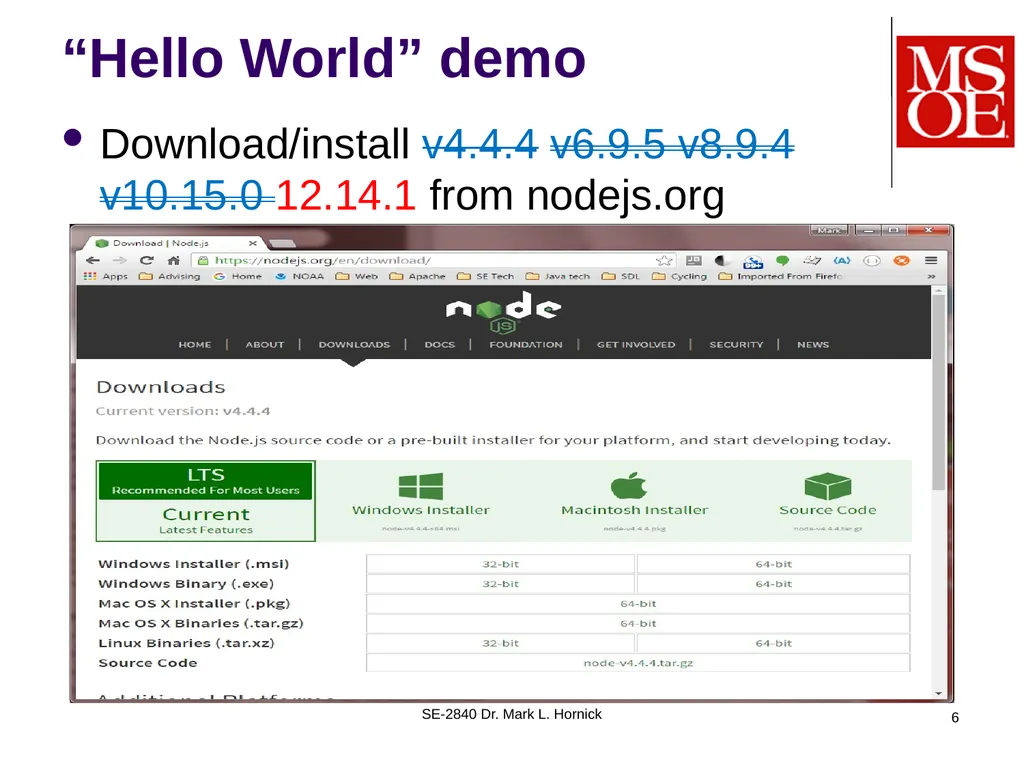
“Hello World” demo Download/install v4.4.4 v6.9.5 v8.9.4 v10.15.0 12.14.1 from nodejs.org
Warning: v.6.1.0 may not support debugging! SE-2840 Dr. Mark L. Hornick 6<br>
07
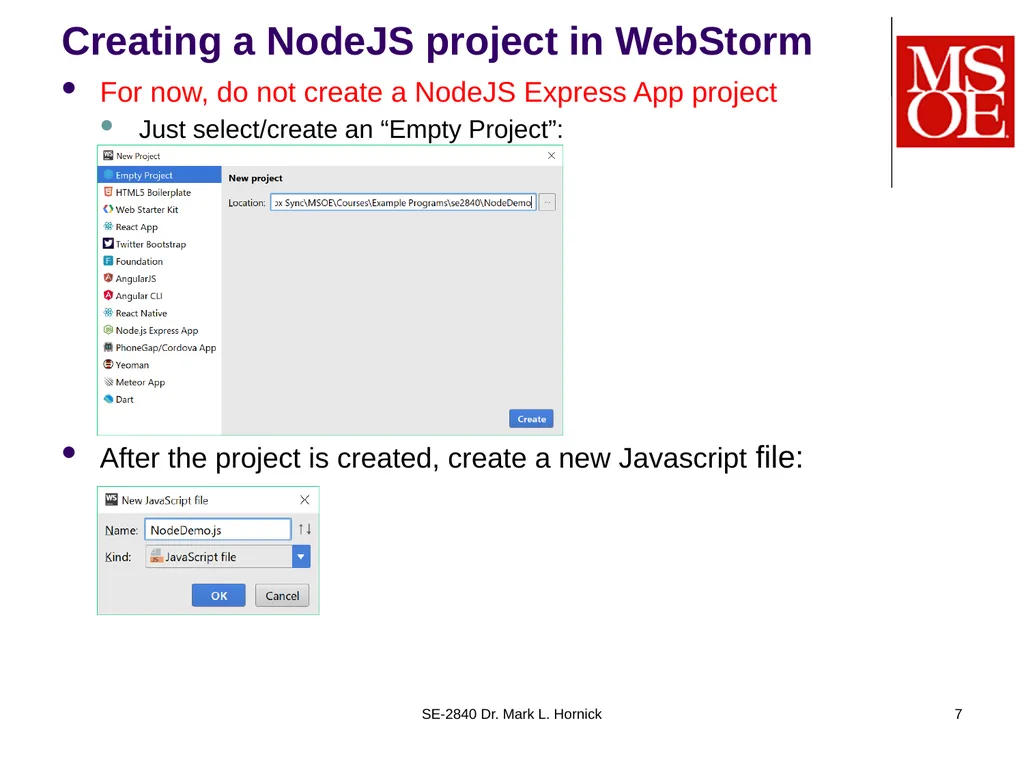
Creating a NodeJS project in WebStorm For now, do not create a NodeJS Express App project
Just select/create an “Empty Project”:
After the project is created, create a new Javascript file: SE-2840 Dr. Mark L. Hornick 7<br>
08
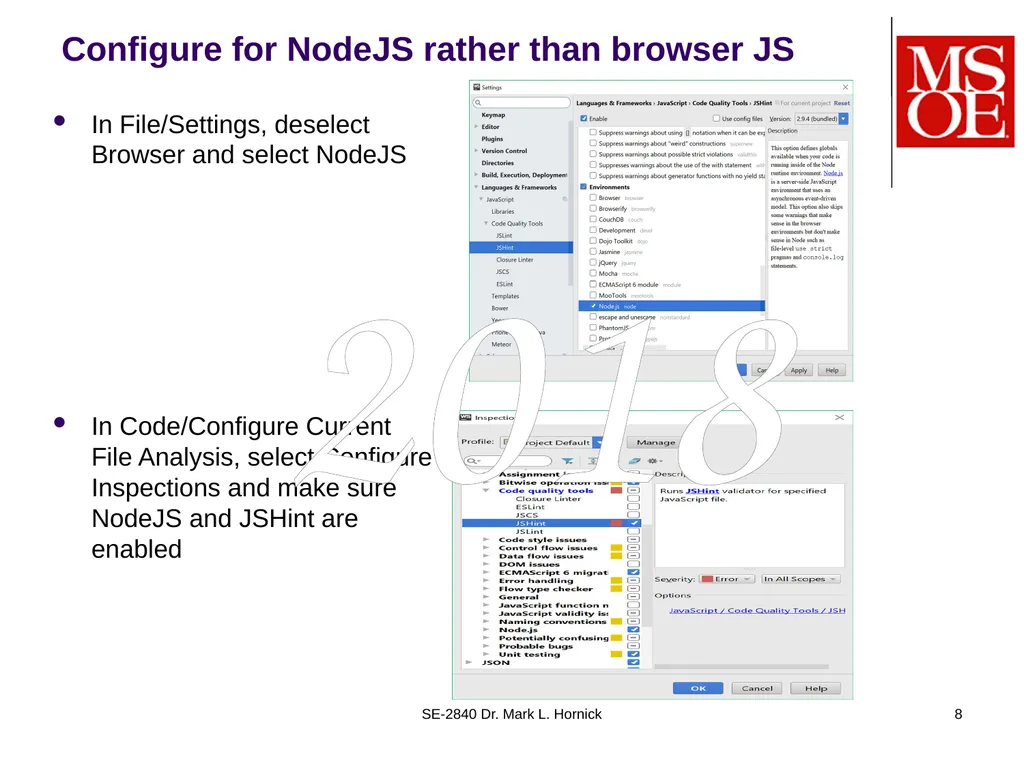
Configure for NodeJS rather than browser JS In File/Settings, deselect Browser and select NodeJS
In Code/Configure Current File Analysis, select Configure Inspections and make sure NodeJS and JSHint are enabled SE-2840 Dr. Mark L. Hornick 8 2018<br>
09
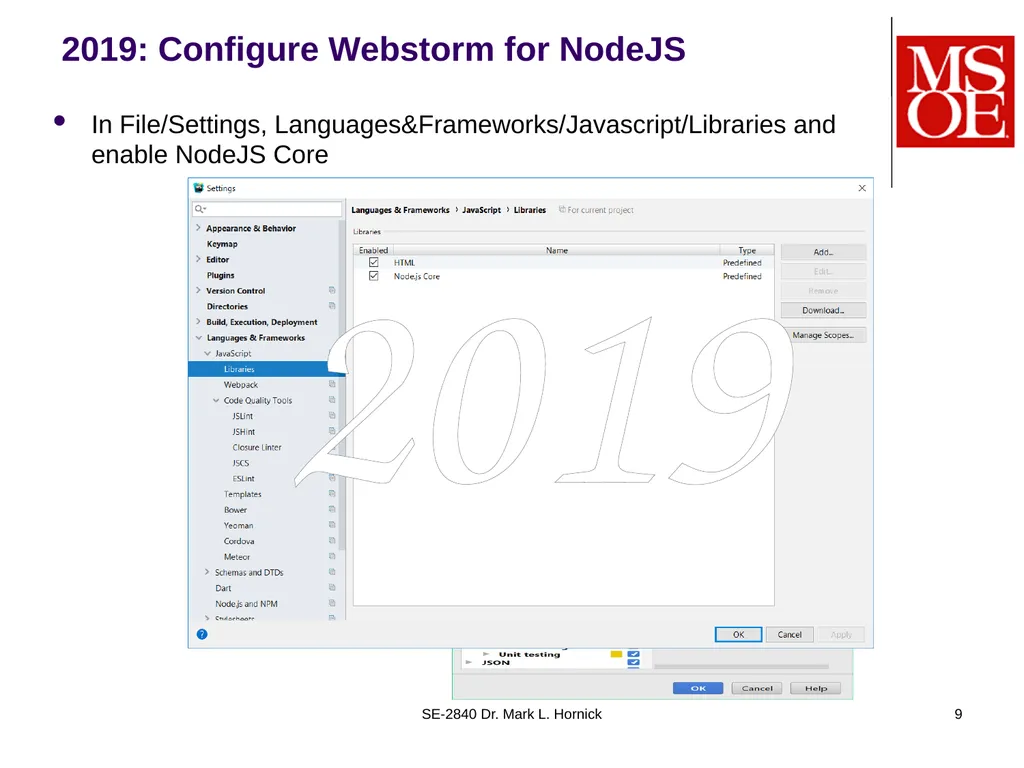
2019: Configure Webstorm for NodeJS In File/Settings, Languages&Frameworks/Javascript/Libraries and enable NodeJS Core SE-2840 Dr. Mark L. Hornick 9 2019<br>
10
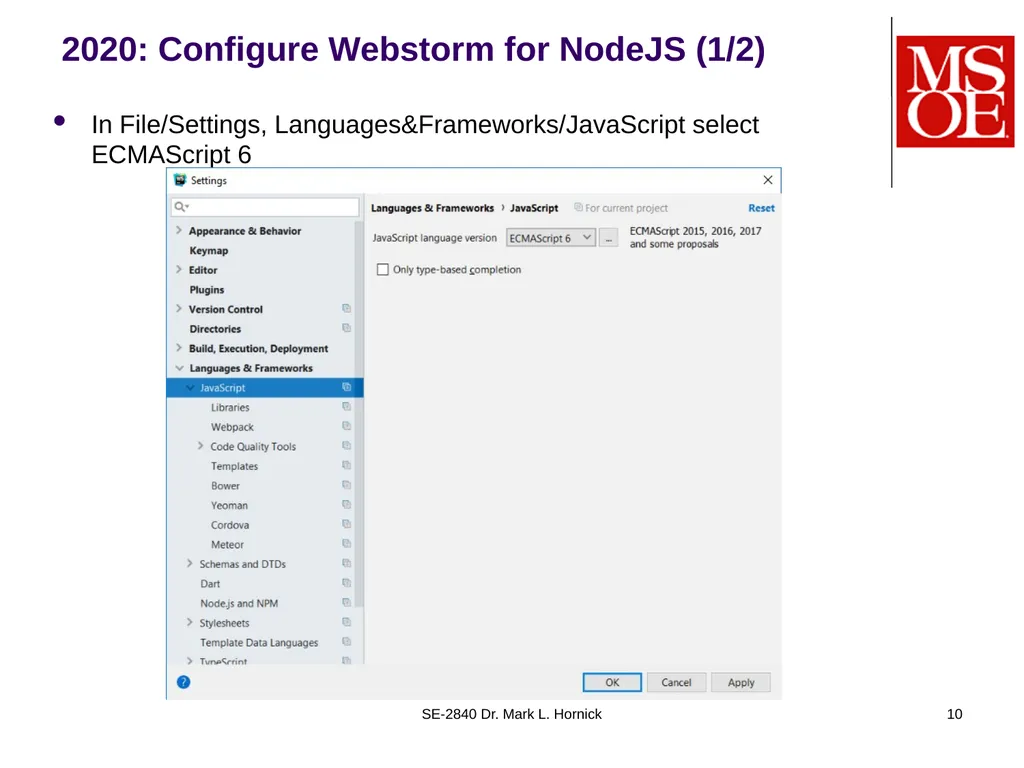
2020: Configure Webstorm for NodeJS (1/2) In File/Settings, Languages&Frameworks/JavaScript select ECMAScript 6 SE-2840 Dr. Mark L. Hornick 10<br>
11
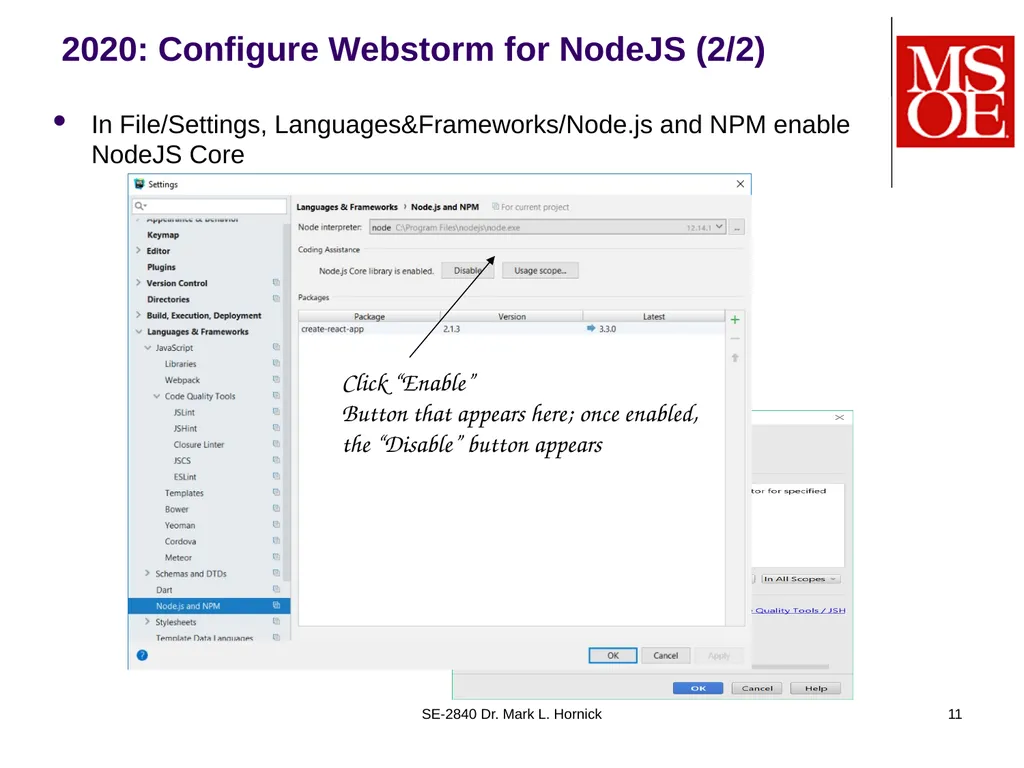
2020: Configure Webstorm for NodeJS (2/2) In File/Settings, Languages&Frameworks/Node.js and NPM enable NodeJS Core SE-2840 Dr. Mark L. Hornick 11 Click “Enable”
Button that appears here; once enabled, the “Disable” button appears<br>
12
Browser vs Node JavaScript NodeJS does NOT run in the browser environment, so has no access to the (meaningless) BOM and DOM libraries
The NodeJS core runtime environment contains only basic objects and functions, such as:
Object, Date, String, Array, JSON, …
isNaN(), parseInt(), … SE-2840 Dr. Mark L. Hornick 12<br>
13
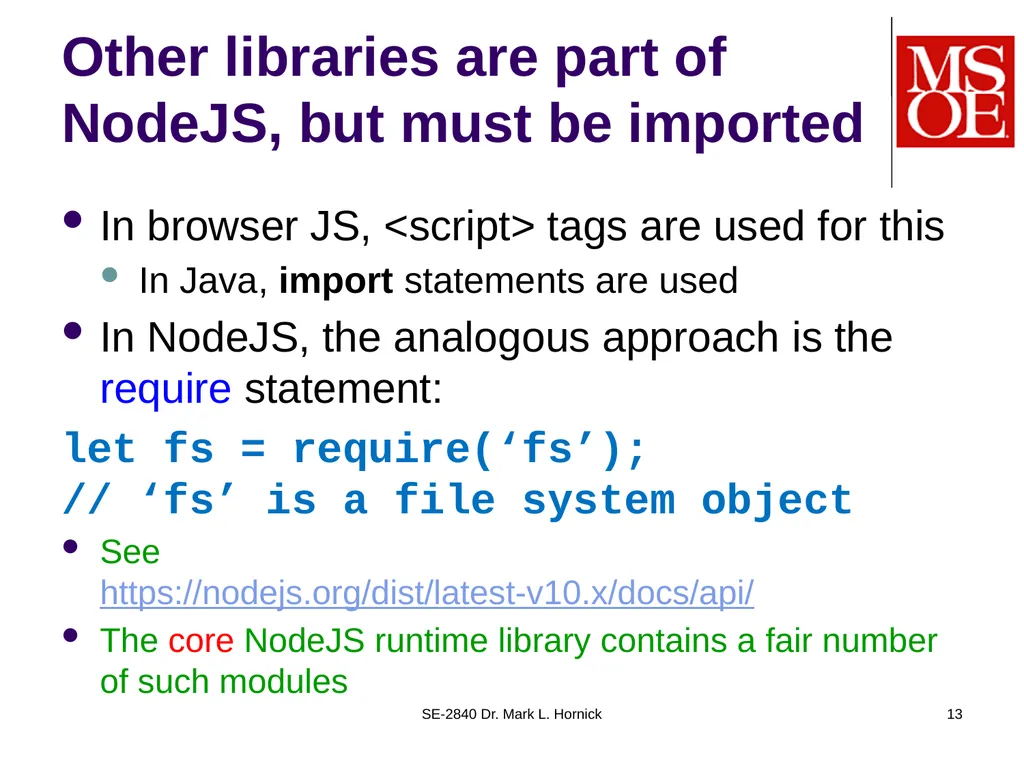
Other libraries are part of NodeJS, but must be imported In browser JS, <script> tags are used for this
In Java, import statements are used
In NodeJS, the analogous approach is the require statement:
let fs = require(‘fs’); // ‘fs’ is a file system object
See https://nodejs.org/dist/latest-v10.x/docs/api/
The core NodeJS runtime library contains a fair number of such modules SE-2840 Dr. Mark L. Hornick 13<br>
14
Creating your own module Javascript code modules are simply Javascript files that allow certain variables, functions, or classes to be “required”
This is done by exporting those elements
Demo SE-2840 Dr. Mark L. Hornick 14 2019 Note: The ES6 specification has extended the syntax and semantics of the “import” and “export” statements, but their use is not yet fully supported either within browsers or within the NodeJS engine.
See for example: https://stackoverflow.com/questions/45854169/how-can-i-use-an-es6-import-in-node<br>
15
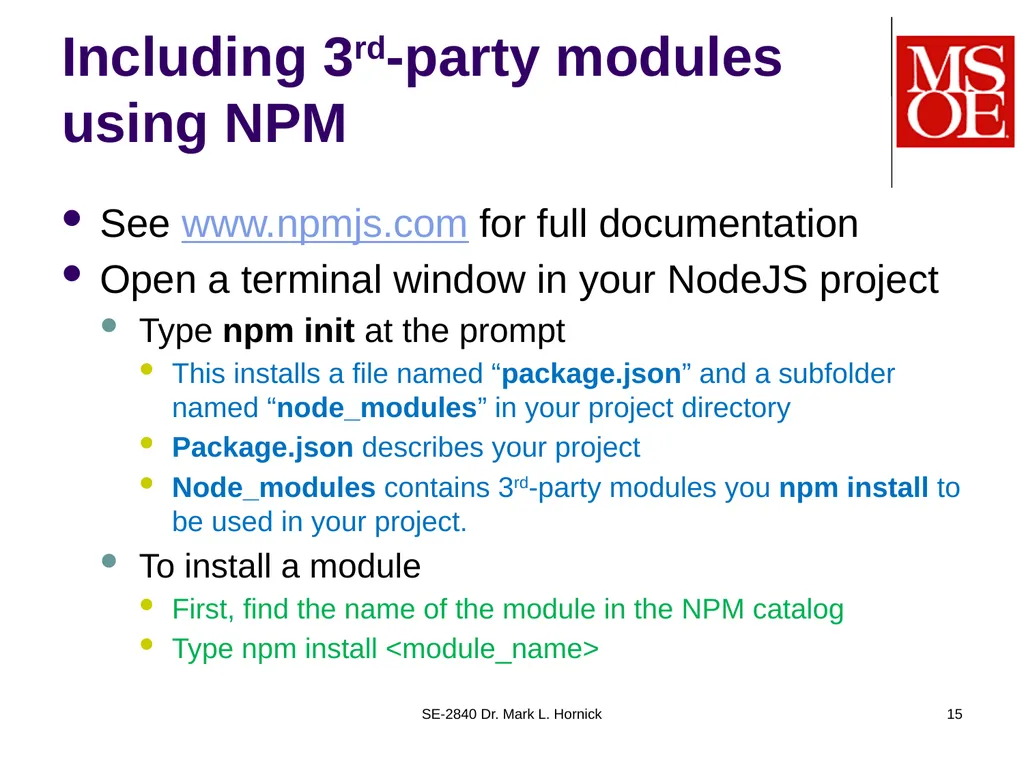
Including 3rd-party modules using NPM See www.npmjs.com for full documentation
Open a terminal window in your NodeJS project
Type npm init at the prompt
This installs a file named “package.json” and a subfolder named “node_modules” in your project directory
Package.json describes your project
Node_modules contains 3rd-party modules you npm install to be used in your project.
To install a module
First, find the name of the module in the NPM catalog
Type npm install <module_name> SE-2840 Dr. Mark L. Hornick 15<br>
16
Anyone can publish to NPM Below, a NodeJS app published by an MSOE SDL (SE3011) team in 2015: SE-2840 Dr. Mark L. Hornick 16<br>
17
A NodeJS web server For a complete background see https://nodejs.org/en/docs/guides/anatomy-of-an-http-transaction/
The main module we need to require is http
Note: The http module is built-in and doesn’t need to be installed via npm
But: Writing a server is more easily accomplished by using a 3-rd party module called Express, which needs to be installed with npm.
Demo SE-2840 Dr. Mark L. Hornick 17<br>
18
BTW: NodeJS is single-threaded Traditional servers (ie Tomcat) use threads to handle multiple requests
doGet/doPost run synchronously w.r.t. browser “calls” via HTTP Get/Post requests
NodeJS uses an event mechanism to execute Get/Post requests asynchronously on secondary thread(s)
This keeps the main thread from blocking (when used correctly)
Similar to how Java Swing/JavaFX and other typical UI’s handle events
This eliminates synchronization issues SE-2840 Dr. Mark L. Hornick 18<br>