
StarTeam SDK Overview Anil Peres-da-Silva
DP
Published · 99 slides · 0 views
1 / 1
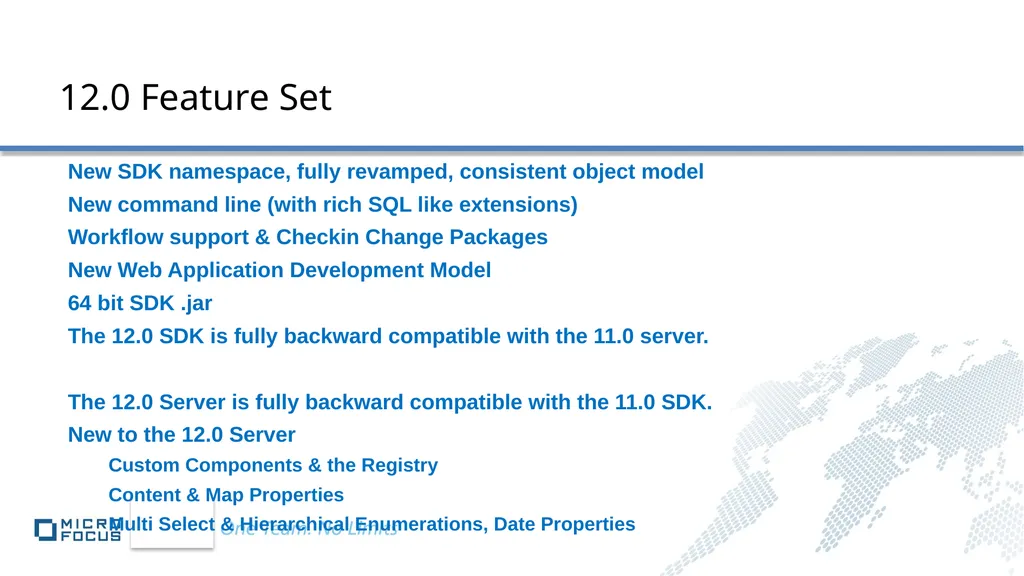
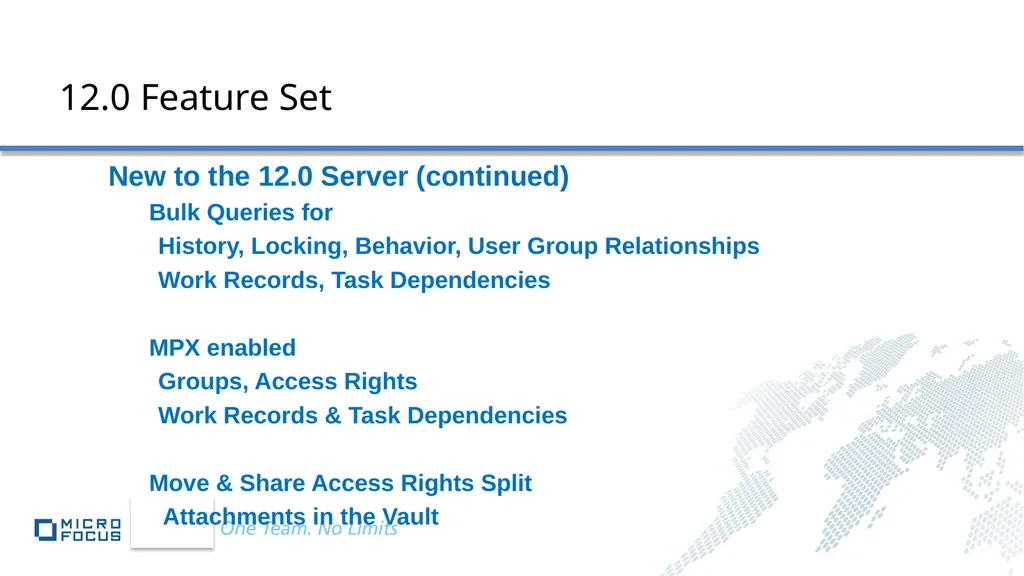
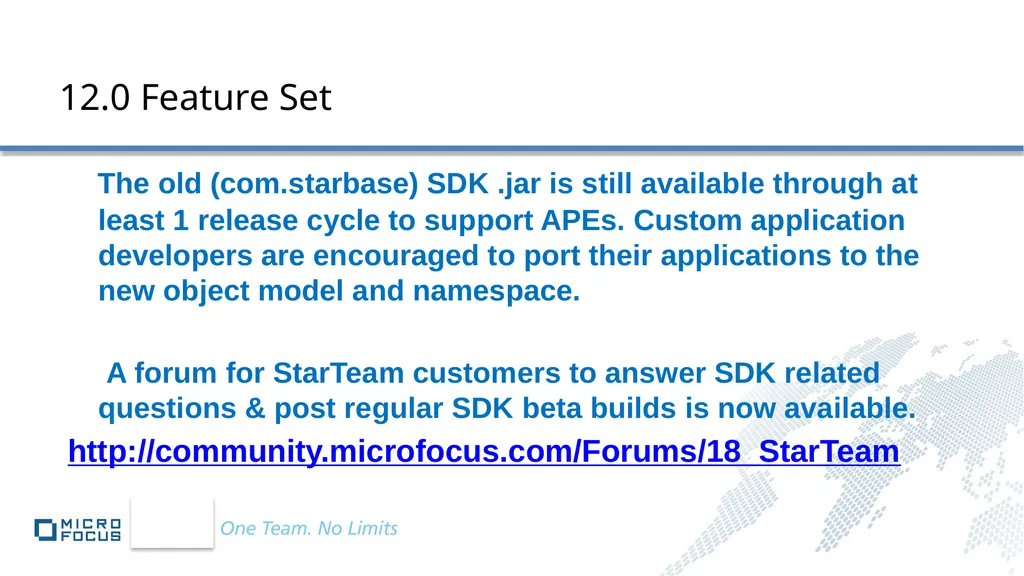
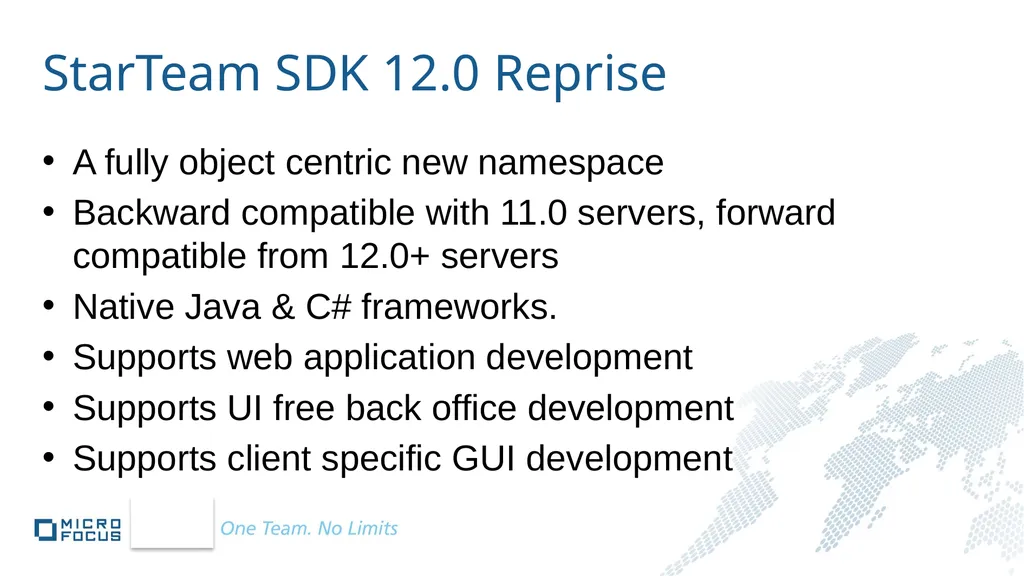
Description
StarTeam SDK Overview Anil Peres-da-Silva Principal Software Engineer, StarTeam Borland (A Micro Focus Company) Java C com.starteam StarTeam com.starteam.viewcomparemerge StarTeam.ViewCompareMerge com.starteam.events StarTeam.Events
Related Topics
Share
Embed code
Download this presentation From Below
"StarTeam SDK Overview Anil Peres-da-Silva" is the property of its rightful owner. Permission is granted to download and print the materials on this website for personal, non-commercial use only, and to display it on your personal computer provided you do not modify the materials and that you retain all copyright notices contained in the materials. By downloading content from our website, you accept the terms of this agreement.
Presentation Transcript
01
StarTeam SDK Overview
Anil Peres-da-Silva Principal Software Engineer, StarTeam Borland (A Micro Focus Company)<br>
Anil Peres-da-Silva Principal Software Engineer, StarTeam Borland (A Micro Focus Company)<br>
02
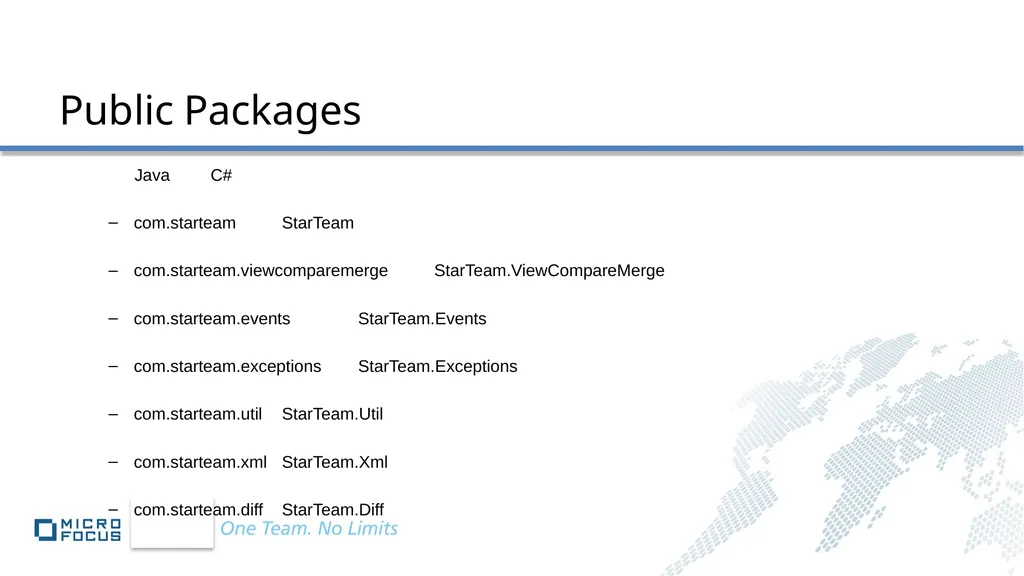
Java C#
com.starteam StarTeam
com.starteam.viewcomparemerge StarTeam.ViewCompareMerge
com.starteam.events StarTeam.Events
com.starteam.exceptions StarTeam.Exceptions
com.starteam.util StarTeam.Util
com.starteam.xml StarTeam.Xml
com.starteam.diff StarTeam.Diff Public Packages<br>
com.starteam StarTeam
com.starteam.viewcomparemerge StarTeam.ViewCompareMerge
com.starteam.events StarTeam.Events
com.starteam.exceptions StarTeam.Exceptions
com.starteam.util StarTeam.Util
com.starteam.xml StarTeam.Xml
com.starteam.diff StarTeam.Diff Public Packages<br>
03
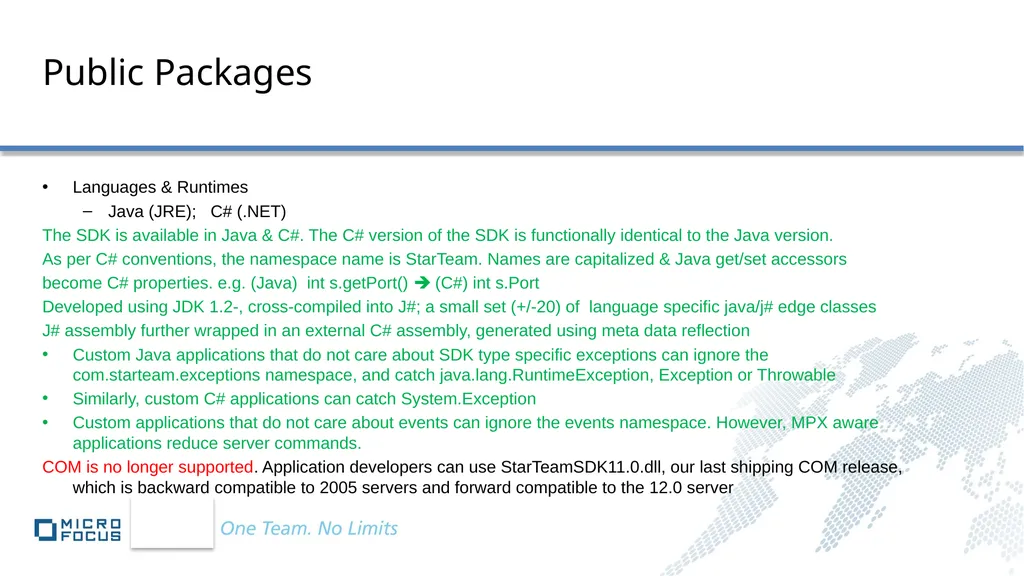
Public Packages Languages & Runtimes
Java (JRE); C# (.NET)
The SDK is available in Java & C#. The C# version of the SDK is functionally identical to the Java version.
As per C# conventions, the namespace name is StarTeam. Names are capitalized & Java get/set accessors
become C# properties. e.g. (Java) int s.getPort() (C#) int s.Port
Developed using JDK 1.2-, cross-compiled into J#; a small set (+/-20) of language specific java/j# edge classes
J# assembly further wrapped in an external C# assembly, generated using meta data reflection
Custom Java applications that do not care about SDK type specific exceptions can ignore the com.starteam.exceptions namespace, and catch java.lang.RuntimeException, Exception or Throwable
Similarly, custom C# applications can catch System.Exception
Custom applications that do not care about events can ignore the events namespace. However, MPX aware applications reduce server commands.
COM is no longer supported. Application developers can use StarTeamSDK11.0.dll, our last shipping COM release, which is backward compatible to 2005 servers and forward compatible to the 12.0 server<br>
Java (JRE); C# (.NET)
The SDK is available in Java & C#. The C# version of the SDK is functionally identical to the Java version.
As per C# conventions, the namespace name is StarTeam. Names are capitalized & Java get/set accessors
become C# properties. e.g. (Java) int s.getPort() (C#) int s.Port
Developed using JDK 1.2-, cross-compiled into J#; a small set (+/-20) of language specific java/j# edge classes
J# assembly further wrapped in an external C# assembly, generated using meta data reflection
Custom Java applications that do not care about SDK type specific exceptions can ignore the com.starteam.exceptions namespace, and catch java.lang.RuntimeException, Exception or Throwable
Similarly, custom C# applications can catch System.Exception
Custom applications that do not care about events can ignore the events namespace. However, MPX aware applications reduce server commands.
COM is no longer supported. Application developers can use StarTeamSDK11.0.dll, our last shipping COM release, which is backward compatible to 2005 servers and forward compatible to the 12.0 server<br>
04
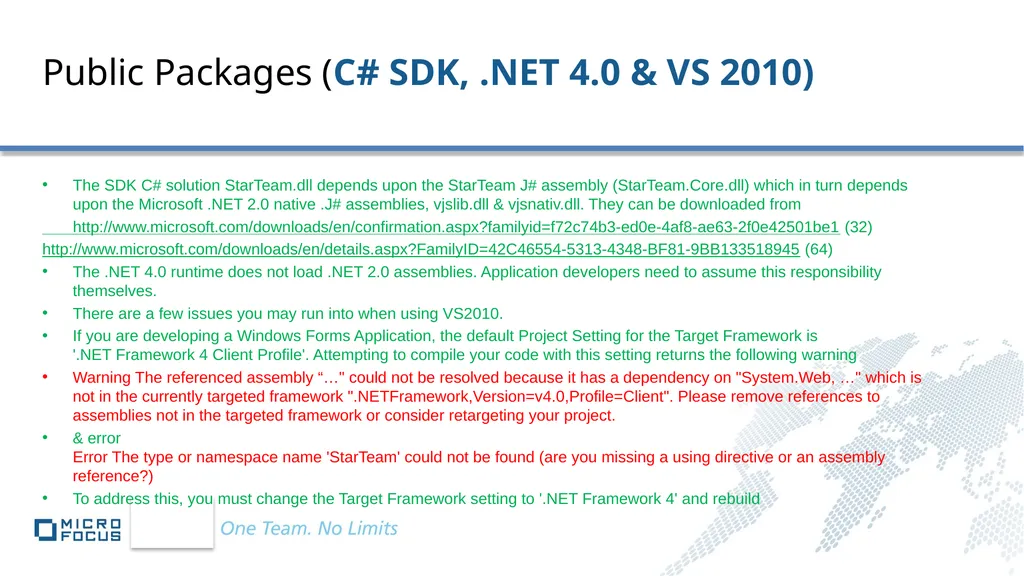
Public Packages (C# SDK, .NET 4.0 & VS 2010) The SDK C# solution StarTeam.dll depends upon the StarTeam J# assembly (StarTeam.Core.dll) which in turn depends upon the Microsoft .NET 2.0 native .J# assemblies, vjslib.dll & vjsnativ.dll. They can be downloaded from
http://www.microsoft.com/downloads/en/confirmation.aspx?familyid=f72c74b3-ed0e-4af8-ae63-2f0e42501be1 (32)
http://www.microsoft.com/downloads/en/details.aspx?FamilyID=42C46554-5313-4348-BF81-9BB133518945 (64)
The .NET 4.0 runtime does not load .NET 2.0 assemblies. Application developers need to assume this responsibility themselves.
There are a few issues you may run into when using VS2010.
If you are developing a Windows Forms Application, the default Project Setting for the Target Framework is '.NET Framework 4 Client Profile'. Attempting to compile your code with this setting returns the following warning
Warning The referenced assembly “…" could not be resolved because it has a dependency on "System.Web, …" which is not in the currently targeted framework ".NETFramework,Version=v4.0,Profile=Client". Please remove references to assemblies not in the targeted framework or consider retargeting your project.
& error Error The type or namespace name 'StarTeam' could not be found (are you missing a using directive or an assembly reference?)
To address this, you must change the Target Framework setting to '.NET Framework 4' and rebuild<br>
http://www.microsoft.com/downloads/en/confirmation.aspx?familyid=f72c74b3-ed0e-4af8-ae63-2f0e42501be1 (32)
http://www.microsoft.com/downloads/en/details.aspx?FamilyID=42C46554-5313-4348-BF81-9BB133518945 (64)
The .NET 4.0 runtime does not load .NET 2.0 assemblies. Application developers need to assume this responsibility themselves.
There are a few issues you may run into when using VS2010.
If you are developing a Windows Forms Application, the default Project Setting for the Target Framework is '.NET Framework 4 Client Profile'. Attempting to compile your code with this setting returns the following warning
Warning The referenced assembly “…" could not be resolved because it has a dependency on "System.Web, …" which is not in the currently targeted framework ".NETFramework,Version=v4.0,Profile=Client". Please remove references to assemblies not in the targeted framework or consider retargeting your project.
& error Error The type or namespace name 'StarTeam' could not be found (are you missing a using directive or an assembly reference?)
To address this, you must change the Target Framework setting to '.NET Framework 4' and rebuild<br>
05
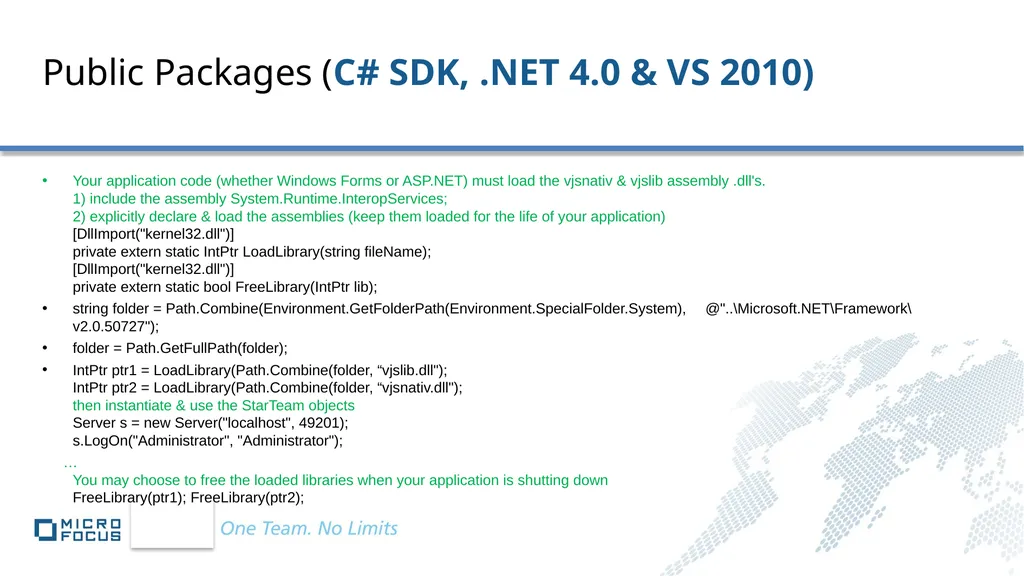
Public Packages (C# SDK, .NET 4.0 & VS 2010) Your application code (whether Windows Forms or ASP.NET) must load the vjsnativ & vjslib assembly .dll's.
1) include the assembly System.Runtime.InteropServices;
2) explicitly declare & load the assemblies (keep them loaded for the life of your application)
[DllImport("kernel32.dll")]
private extern static IntPtr LoadLibrary(string fileName);
[DllImport("kernel32.dll")]
private extern static bool FreeLibrary(IntPtr lib);
string folder = Path.Combine(Environment.GetFolderPath(Environment.SpecialFolder.System), @"..\Microsoft.NET\Framework\v2.0.50727");
folder = Path.GetFullPath(folder);
IntPtr ptr1 = LoadLibrary(Path.Combine(folder, “vjslib.dll"); IntPtr ptr2 = LoadLibrary(Path.Combine(folder, “vjsnativ.dll"); then instantiate & use the StarTeam objects Server s = new Server("localhost", 49201); s.LogOn("Administrator", "Administrator");
… You may choose to free the loaded libraries when your application is shutting down FreeLibrary(ptr1); FreeLibrary(ptr2);<br>
string folder = Path.Combine(Environment.GetFolderPath(Environment.SpecialFolder.System), @"..\Microsoft.NET\Framework\v2.0.50727");
folder = Path.GetFullPath(folder);
IntPtr ptr1 = LoadLibrary(Path.Combine(folder, “vjslib.dll"); IntPtr ptr2 = LoadLibrary(Path.Combine(folder, “vjsnativ.dll"); then instantiate & use the StarTeam objects Server s = new Server("localhost", 49201); s.LogOn("Administrator", "Administrator");
… You may choose to free the loaded libraries when your application is shutting down FreeLibrary(ptr1); FreeLibrary(ptr2);<br>
06
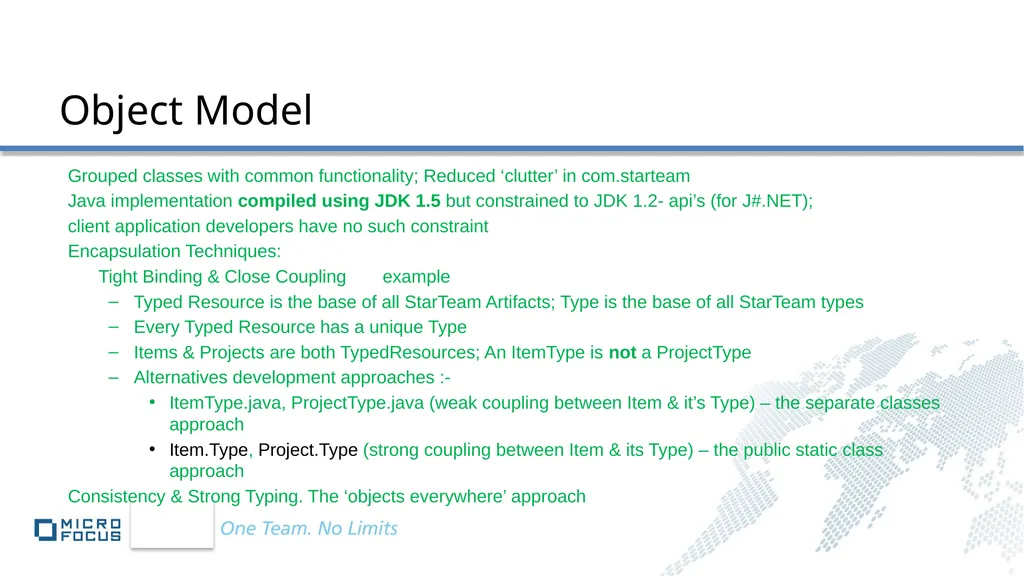
Grouped classes with common functionality; Reduced ‘clutter’ in com.starteam
Java implementation compiled using JDK 1.5 but constrained to JDK 1.2- api’s (for J#.NET);
client application developers have no such constraint
Encapsulation Techniques:
Tight Binding & Close Coupling example
Typed Resource is the base of all StarTeam Artifacts; Type is the base of all StarTeam types
Every Typed Resource has a unique Type
Items & Projects are both TypedResources; An ItemType is not a ProjectType
Alternatives development approaches :-
ItemType.java, ProjectType.java (weak coupling between Item & it’s Type) – the separate classes approach
Item.Type, Project.Type (strong coupling between Item & its Type) – the public static class approach
Consistency & Strong Typing. The ‘objects everywhere’ approach Object Model<br>
Java implementation compiled using JDK 1.5 but constrained to JDK 1.2- api’s (for J#.NET);
client application developers have no such constraint
Encapsulation Techniques:
Tight Binding & Close Coupling example
Typed Resource is the base of all StarTeam Artifacts; Type is the base of all StarTeam types
Every Typed Resource has a unique Type
Items & Projects are both TypedResources; An ItemType is not a ProjectType
Alternatives development approaches :-
ItemType.java, ProjectType.java (weak coupling between Item & it’s Type) – the separate classes approach
Item.Type, Project.Type (strong coupling between Item & its Type) – the public static class approach
Consistency & Strong Typing. The ‘objects everywhere’ approach Object Model<br>
07
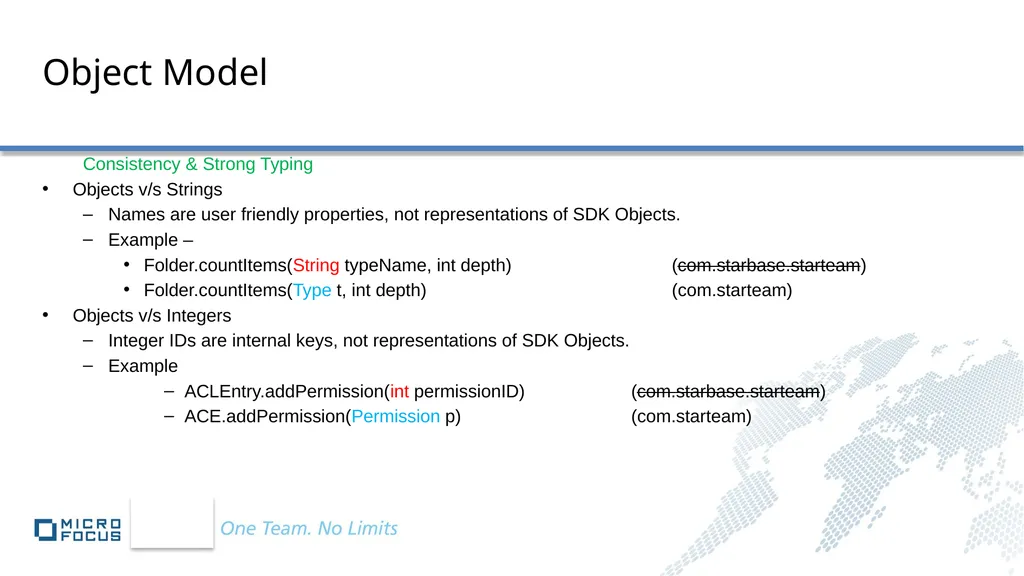
Object Model Consistency & Strong Typing
Objects v/s Strings
Names are user friendly properties, not representations of SDK Objects.
Example –
Folder.countItems(String typeName, int depth) (com.starbase.starteam)
Folder.countItems(Type t, int depth) (com.starteam)
Objects v/s Integers
Integer IDs are internal keys, not representations of SDK Objects.
Example
ACLEntry.addPermission(int permissionID) (com.starbase.starteam)
ACE.addPermission(Permission p) (com.starteam)<br>
Objects v/s Strings
Names are user friendly properties, not representations of SDK Objects.
Example –
Folder.countItems(String typeName, int depth) (com.starbase.starteam)
Folder.countItems(Type t, int depth) (com.starteam)
Objects v/s Integers
Integer IDs are internal keys, not representations of SDK Objects.
Example
ACLEntry.addPermission(int permissionID) (com.starbase.starteam)
ACE.addPermission(Permission p) (com.starteam)<br>
08
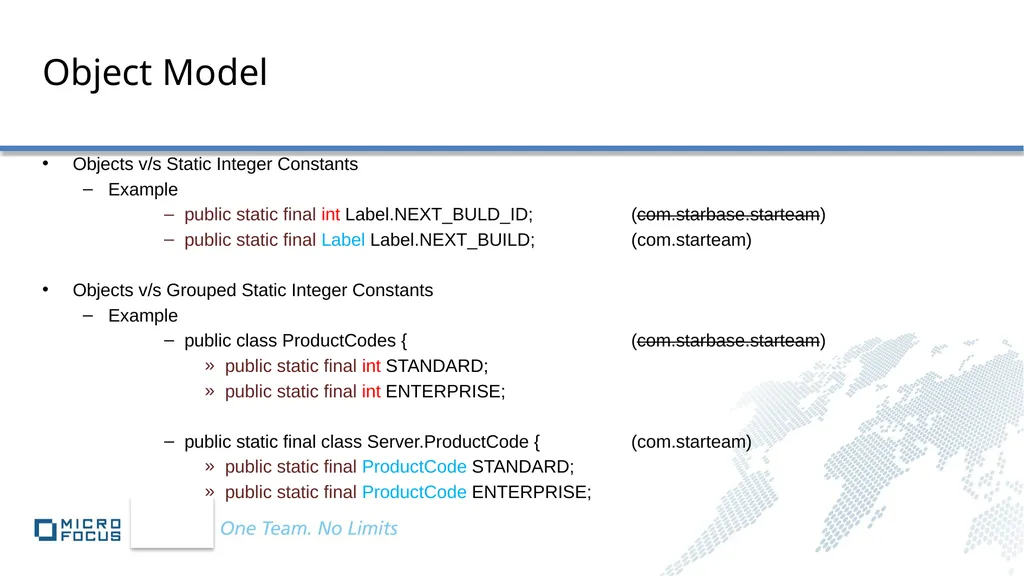
Object Model Objects v/s Static Integer Constants
Example
public static final int Label.NEXT_BULD_ID; (com.starbase.starteam)
public static final Label Label.NEXT_BUILD; (com.starteam)
Objects v/s Grouped Static Integer Constants
Example
public class ProductCodes { (com.starbase.starteam)
public static final int STANDARD;
public static final int ENTERPRISE;
public static final class Server.ProductCode { (com.starteam)
public static final ProductCode STANDARD;
public static final ProductCode ENTERPRISE;<br>
Example
public static final int Label.NEXT_BULD_ID; (com.starbase.starteam)
public static final Label Label.NEXT_BUILD; (com.starteam)
Objects v/s Grouped Static Integer Constants
Example
public class ProductCodes { (com.starbase.starteam)
public static final int STANDARD;
public static final int ENTERPRISE;
public static final class Server.ProductCode { (com.starteam)
public static final ProductCode STANDARD;
public static final ProductCode ENTERPRISE;<br>
09
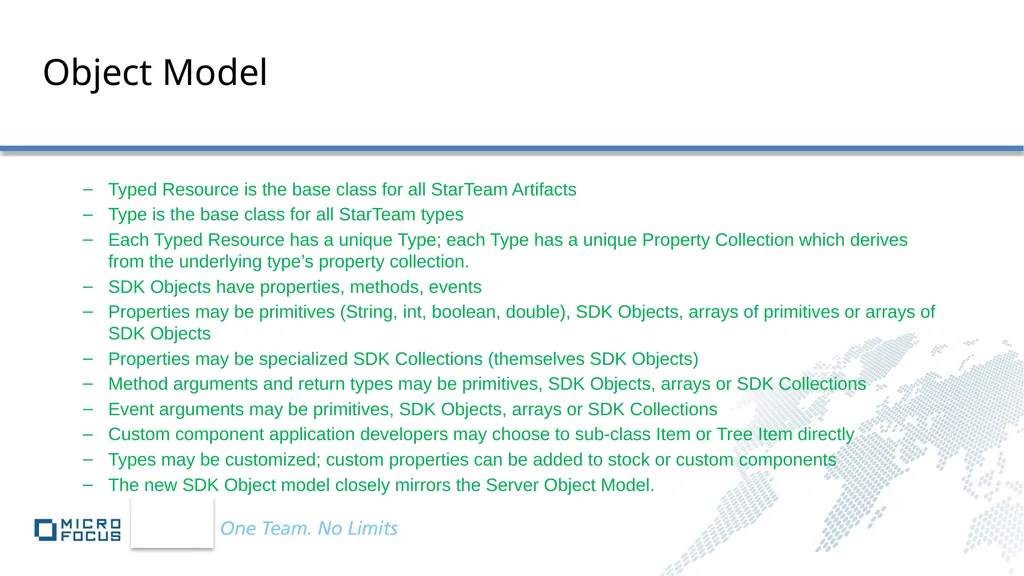
Object Model Typed Resource is the base class for all StarTeam Artifacts
Type is the base class for all StarTeam types
Each Typed Resource has a unique Type; each Type has a unique Property Collection which derives from the underlying type’s property collection.
SDK Objects have properties, methods, events
Properties may be primitives (String, int, boolean, double), SDK Objects, arrays of primitives or arrays of SDK Objects
Properties may be specialized SDK Collections (themselves SDK Objects)
Method arguments and return types may be primitives, SDK Objects, arrays or SDK Collections
Event arguments may be primitives, SDK Objects, arrays or SDK Collections
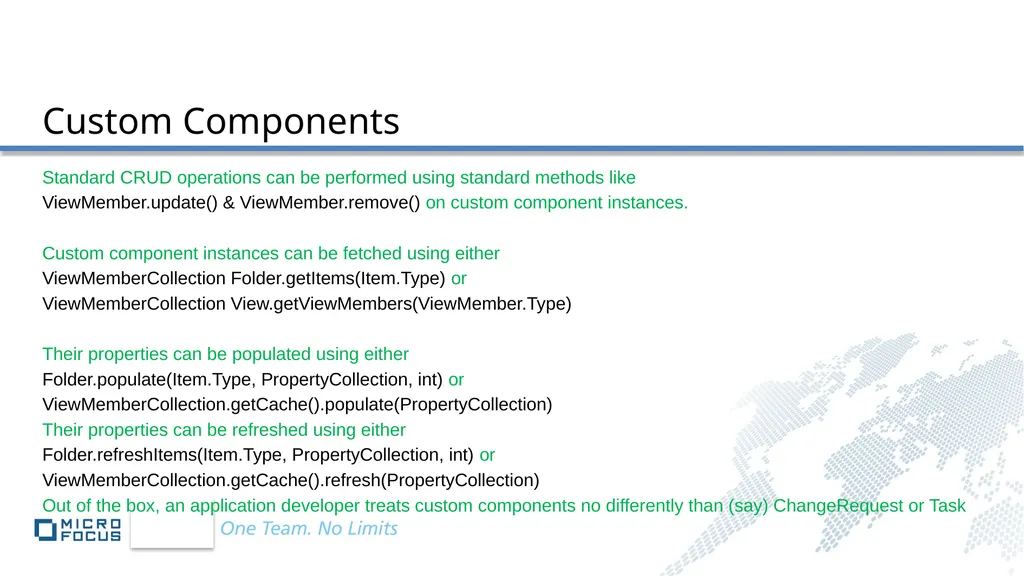
Custom component application developers may choose to sub-class Item or Tree Item directly
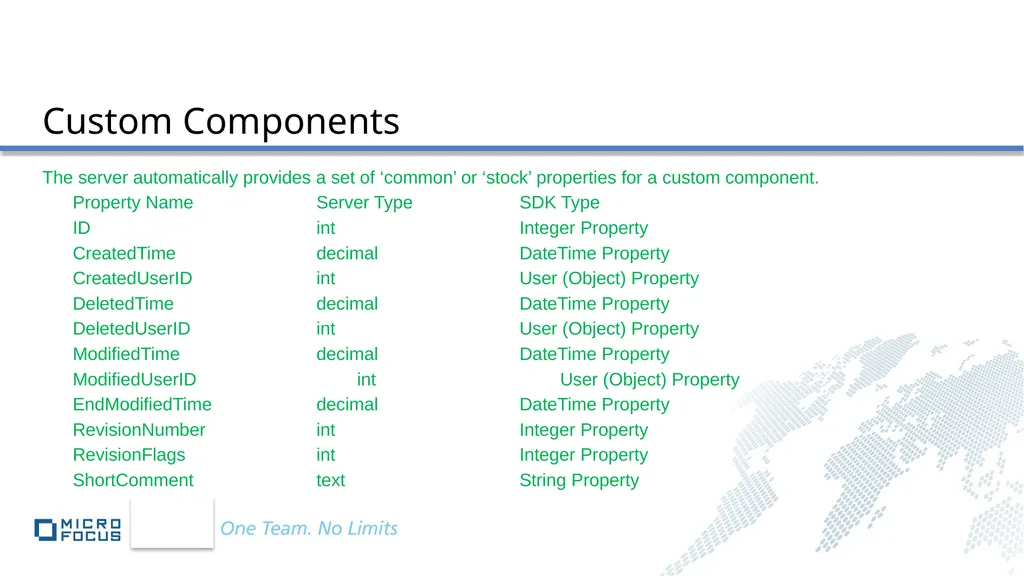
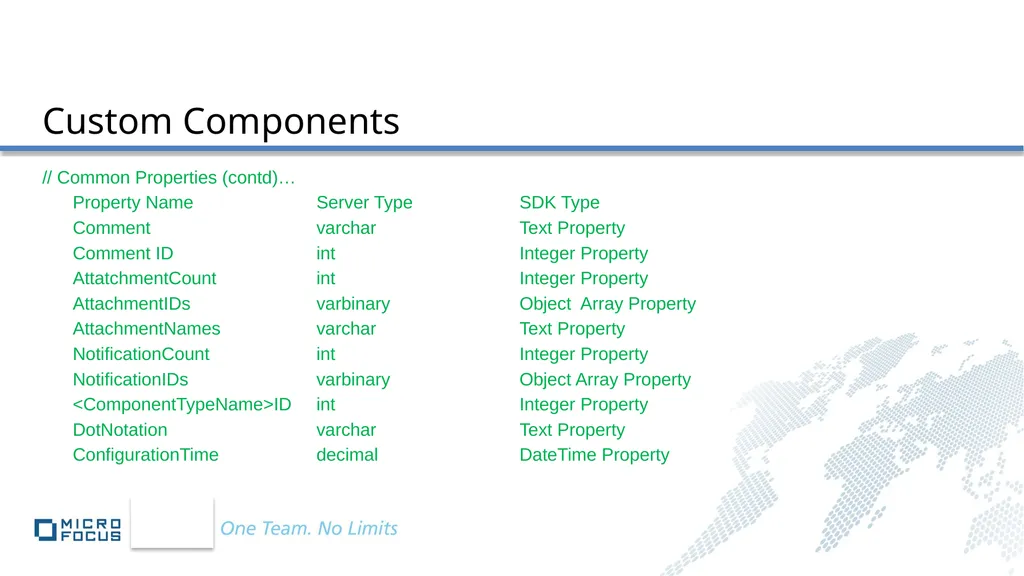
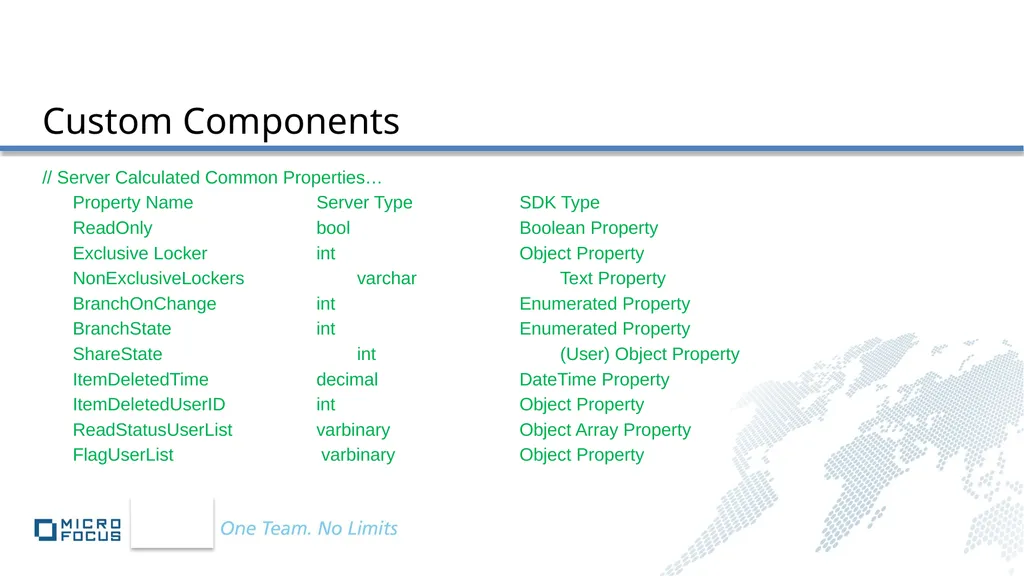
Types may be customized; custom properties can be added to stock or custom components
The new SDK Object model closely mirrors the Server Object Model.<br>
Type is the base class for all StarTeam types
Each Typed Resource has a unique Type; each Type has a unique Property Collection which derives from the underlying type’s property collection.
SDK Objects have properties, methods, events
Properties may be primitives (String, int, boolean, double), SDK Objects, arrays of primitives or arrays of SDK Objects
Properties may be specialized SDK Collections (themselves SDK Objects)
Method arguments and return types may be primitives, SDK Objects, arrays or SDK Collections
Event arguments may be primitives, SDK Objects, arrays or SDK Collections
Custom component application developers may choose to sub-class Item or Tree Item directly
Types may be customized; custom properties can be added to stock or custom components
The new SDK Object model closely mirrors the Server Object Model.<br>
10
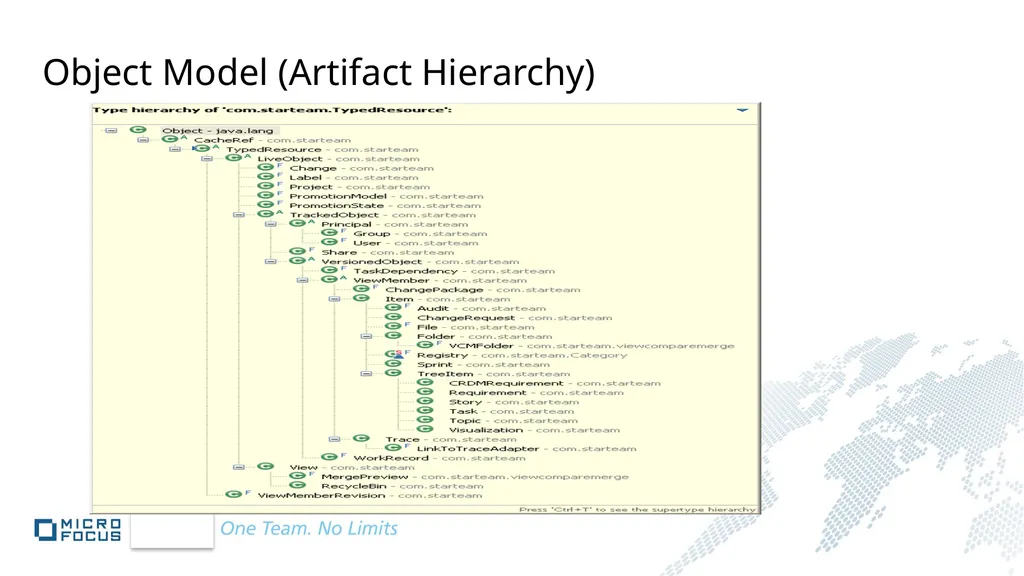
Object Model (Artifact Hierarchy)<br>
11
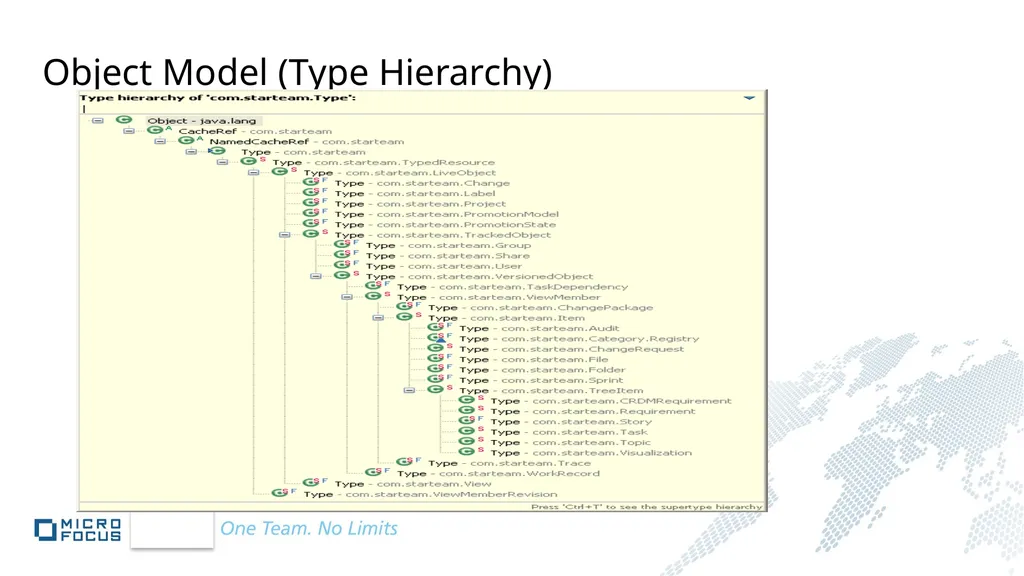
Object Model (Type Hierarchy)<br>
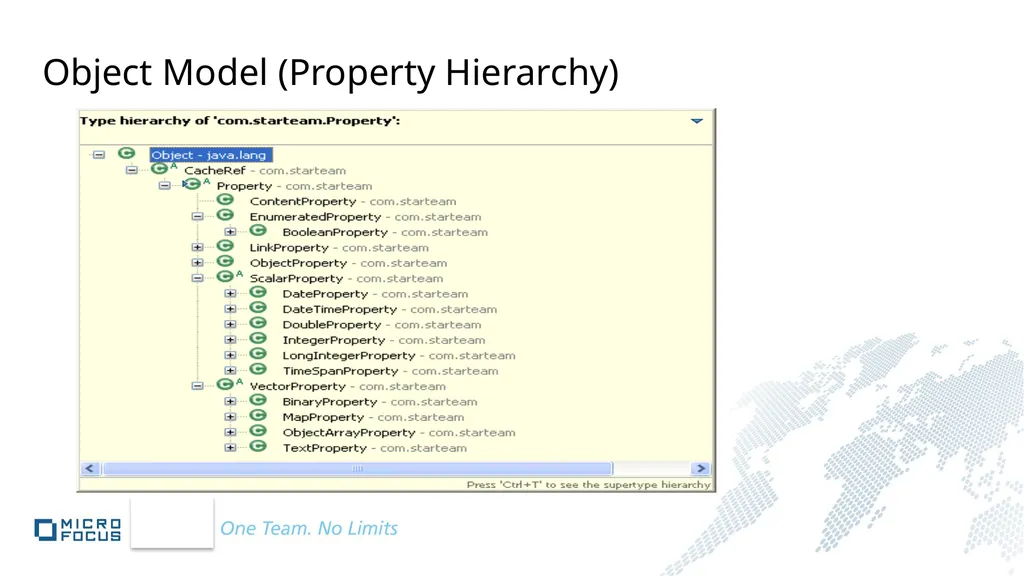
12
Object Model (Property Hierarchy)<br>
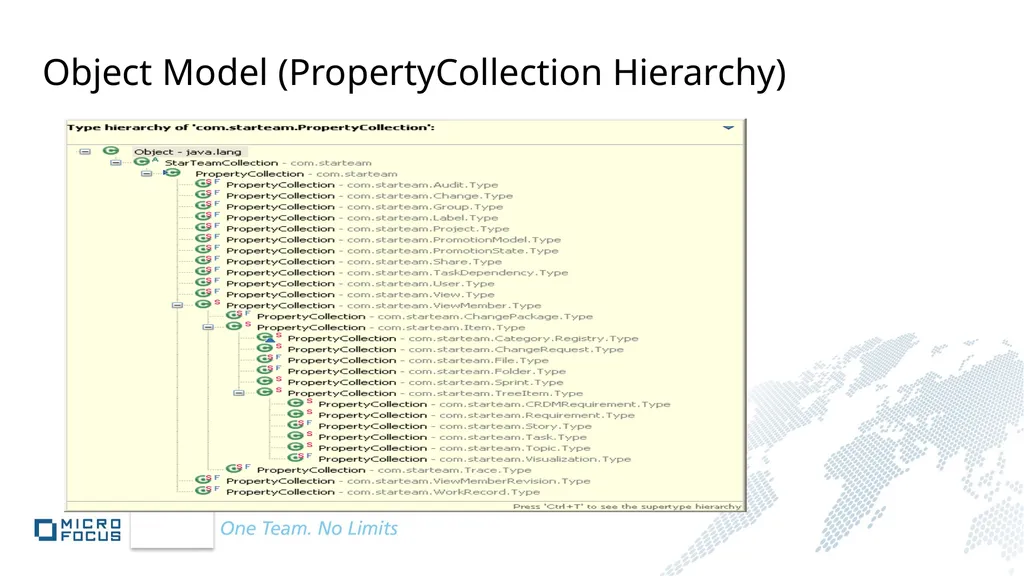
13
Object Model (PropertyCollection Hierarchy)<br>
14
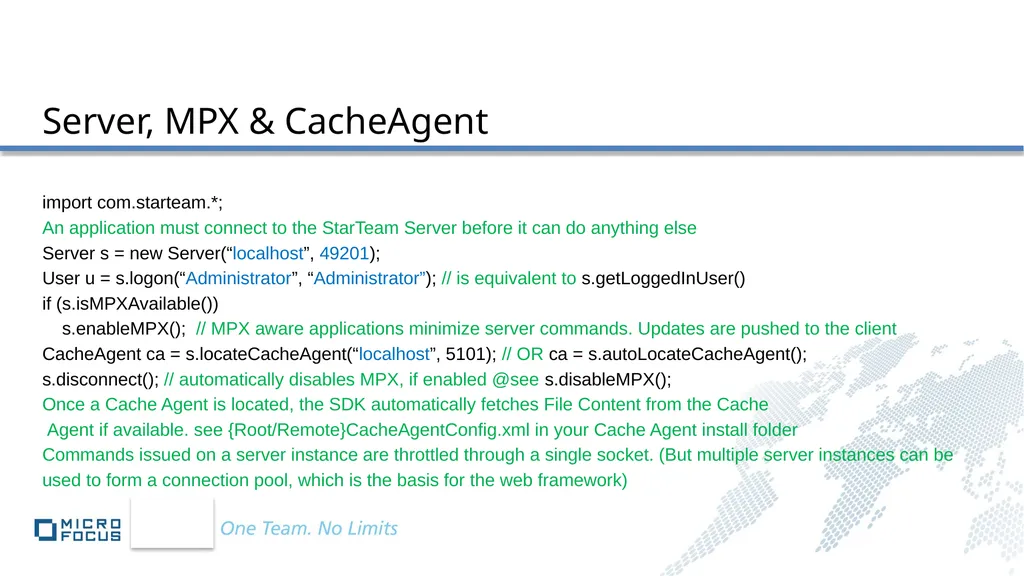
Server, MPX & CacheAgent import com.starteam.*;
An application must connect to the StarTeam Server before it can do anything else
Server s = new Server(“localhost”, 49201);
User u = s.logon(“Administrator”, “Administrator”); // is equivalent to s.getLoggedInUser()
if (s.isMPXAvailable())
s.enableMPX(); // MPX aware applications minimize server commands. Updates are pushed to the client
CacheAgent ca = s.locateCacheAgent(“localhost”, 5101); // OR ca = s.autoLocateCacheAgent();
s.disconnect(); // automatically disables MPX, if enabled @see s.disableMPX();
Once a Cache Agent is located, the SDK automatically fetches File Content from the Cache
Agent if available. see {Root/Remote}CacheAgentConfig.xml in your Cache Agent install folder
Commands issued on a server instance are throttled through a single socket. (But multiple server instances can be
used to form a connection pool, which is the basis for the web framework)<br>
An application must connect to the StarTeam Server before it can do anything else
Server s = new Server(“localhost”, 49201);
User u = s.logon(“Administrator”, “Administrator”); // is equivalent to s.getLoggedInUser()
if (s.isMPXAvailable())
s.enableMPX(); // MPX aware applications minimize server commands. Updates are pushed to the client
CacheAgent ca = s.locateCacheAgent(“localhost”, 5101); // OR ca = s.autoLocateCacheAgent();
s.disconnect(); // automatically disables MPX, if enabled @see s.disableMPX();
Once a Cache Agent is located, the SDK automatically fetches File Content from the Cache
Agent if available. see {Root/Remote}CacheAgentConfig.xml in your Cache Agent install folder
Commands issued on a server instance are throttled through a single socket. (But multiple server instances can be
used to form a connection pool, which is the basis for the web framework)<br>
15
Server, MPX & CacheAgent MPX is a framework for publish/subscribe messaging. The StarTeamMPX Server uses an advanced caching and communication technology that both improves the performance of StarTeam clients and extends the scalability of the StarTeam Server.
StarTeamMPX benefits StarTeam SDK applications in two important ways:
Instant Refresh. An MPX-enabled SDK application can refresh changes from the server with very little overhead. For applications that perform frequent refresh operations, the resulting performance benefits are significant.
Event-Handling. An MPX-enabled SDK application can subscribe to specific server events (for example an Item is added, modified or deleted), and provide event-handlers that are invoked when those events occur.
When MPX is enabled, the SDK establishes a connection to the StarTeamMPX message broker, and subscribes to events for this server.
Even though MPX is enabled through a specific Server object, it is really the communication layer between the SDK and the StarTeam repository that is MPX-enabled. Thus, enabling MPX on a specific Server object also enables MPX for other Server objects in the same runtime that share the same address and port.<br>
StarTeamMPX benefits StarTeam SDK applications in two important ways:
Instant Refresh. An MPX-enabled SDK application can refresh changes from the server with very little overhead. For applications that perform frequent refresh operations, the resulting performance benefits are significant.
Event-Handling. An MPX-enabled SDK application can subscribe to specific server events (for example an Item is added, modified or deleted), and provide event-handlers that are invoked when those events occur.
When MPX is enabled, the SDK establishes a connection to the StarTeamMPX message broker, and subscribes to events for this server.
Even though MPX is enabled through a specific Server object, it is really the communication layer between the SDK and the StarTeam repository that is MPX-enabled. Thus, enabling MPX on a specific Server object also enables MPX for other Server objects in the same runtime that share the same address and port.<br>
16
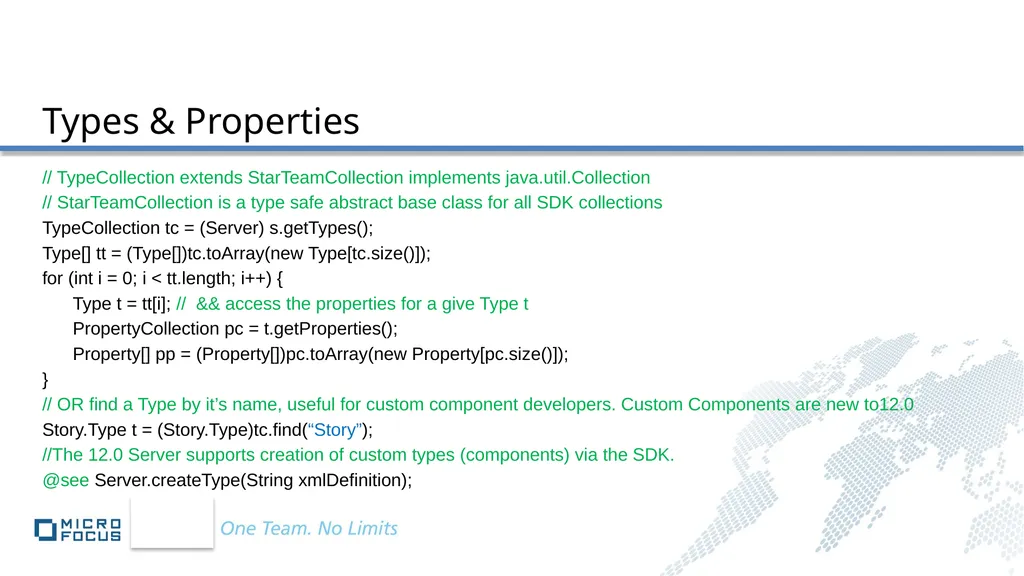
Types & Properties // TypeCollection extends StarTeamCollection implements java.util.Collection
// StarTeamCollection is a type safe abstract base class for all SDK collections
TypeCollection tc = (Server) s.getTypes();
Type[] tt = (Type[])tc.toArray(new Type[tc.size()]);
for (int i = 0; i < tt.length; i++) {
Type t = tt[i]; // && access the properties for a give Type t
PropertyCollection pc = t.getProperties();
Property[] pp = (Property[])pc.toArray(new Property[pc.size()]);
}
// OR find a Type by it’s name, useful for custom component developers. Custom Components are new to12.0
Story.Type t = (Story.Type)tc.find(“Story”);
//The 12.0 Server supports creation of custom types (components) via the SDK.
@see Server.createType(String xmlDefinition);<br>
// StarTeamCollection is a type safe abstract base class for all SDK collections
TypeCollection tc = (Server) s.getTypes();
Type[] tt = (Type[])tc.toArray(new Type[tc.size()]);
for (int i = 0; i < tt.length; i++) {
Type t = tt[i]; // && access the properties for a give Type t
PropertyCollection pc = t.getProperties();
Property[] pp = (Property[])pc.toArray(new Property[pc.size()]);
}
// OR find a Type by it’s name, useful for custom component developers. Custom Components are new to12.0
Story.Type t = (Story.Type)tc.find(“Story”);
//The 12.0 Server supports creation of custom types (components) via the SDK.
@see Server.createType(String xmlDefinition);<br>
17
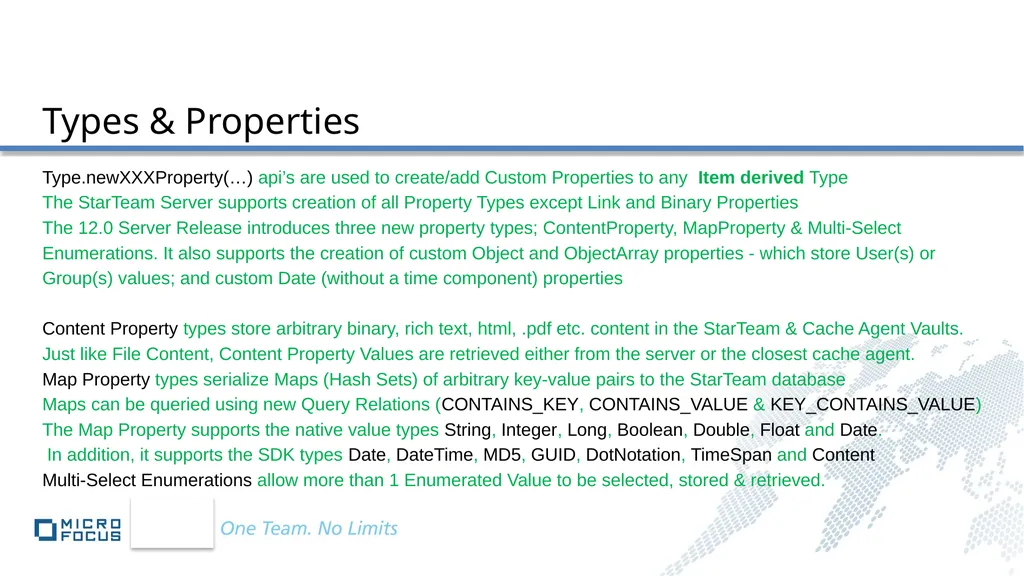
Types & Properties Type.newXXXProperty(…) api’s are used to create/add Custom Properties to any Item derived Type
The StarTeam Server supports creation of all Property Types except Link and Binary Properties
The 12.0 Server Release introduces three new property types; ContentProperty, MapProperty & Multi-Select
Enumerations. It also supports the creation of custom Object and ObjectArray properties - which store User(s) or
Group(s) values; and custom Date (without a time component) properties
Content Property types store arbitrary binary, rich text, html, .pdf etc. content in the StarTeam & Cache Agent Vaults.
Just like File Content, Content Property Values are retrieved either from the server or the closest cache agent.
Map Property types serialize Maps (Hash Sets) of arbitrary key-value pairs to the StarTeam database
Maps can be queried using new Query Relations (CONTAINS_KEY, CONTAINS_VALUE & KEY_CONTAINS_VALUE)
The Map Property supports the native value types String, Integer, Long, Boolean, Double, Float and Date.
In addition, it supports the SDK types Date, DateTime, MD5, GUID, DotNotation, TimeSpan and Content
Multi-Select Enumerations allow more than 1 Enumerated Value to be selected, stored & retrieved.<br>
The StarTeam Server supports creation of all Property Types except Link and Binary Properties
The 12.0 Server Release introduces three new property types; ContentProperty, MapProperty & Multi-Select
Enumerations. It also supports the creation of custom Object and ObjectArray properties - which store User(s) or
Group(s) values; and custom Date (without a time component) properties
Content Property types store arbitrary binary, rich text, html, .pdf etc. content in the StarTeam & Cache Agent Vaults.
Just like File Content, Content Property Values are retrieved either from the server or the closest cache agent.
Map Property types serialize Maps (Hash Sets) of arbitrary key-value pairs to the StarTeam database
Maps can be queried using new Query Relations (CONTAINS_KEY, CONTAINS_VALUE & KEY_CONTAINS_VALUE)
The Map Property supports the native value types String, Integer, Long, Boolean, Double, Float and Date.
In addition, it supports the SDK types Date, DateTime, MD5, GUID, DotNotation, TimeSpan and Content
Multi-Select Enumerations allow more than 1 Enumerated Value to be selected, stored & retrieved.<br>
18
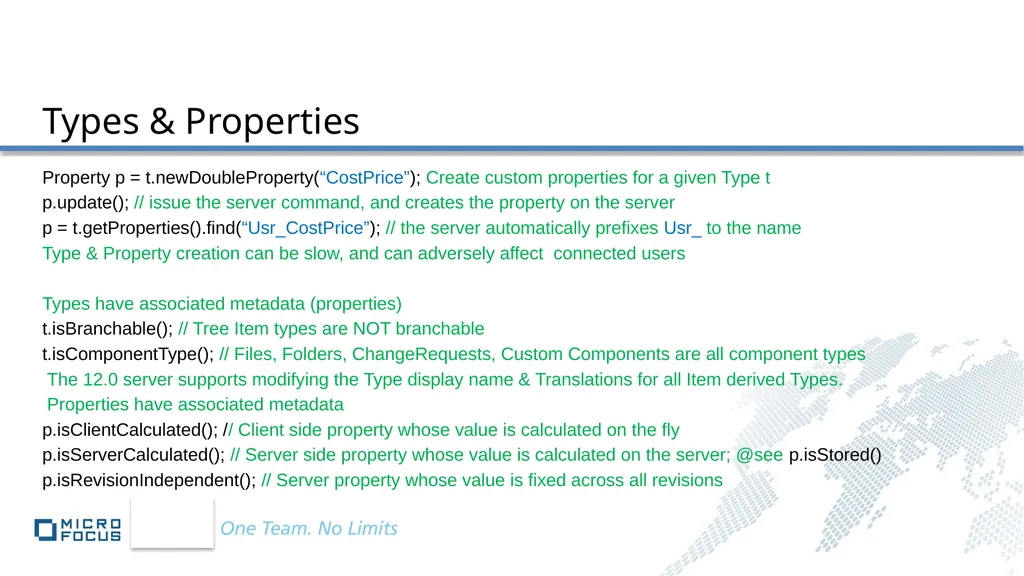
Types & Properties Property p = t.newDoubleProperty(“CostPrice”); Create custom properties for a given Type t
p.update(); // issue the server command, and creates the property on the server
p = t.getProperties().find(“Usr_CostPrice”); // the server automatically prefixes Usr_ to the name
Type & Property creation can be slow, and can adversely affect connected users
Types have associated metadata (properties)
t.isBranchable(); // Tree Item types are NOT branchable
t.isComponentType(); // Files, Folders, ChangeRequests, Custom Components are all component types
The 12.0 server supports modifying the Type display name & Translations for all Item derived Types.
Properties have associated metadata
p.isClientCalculated(); // Client side property whose value is calculated on the fly
p.isServerCalculated(); // Server side property whose value is calculated on the server; @see p.isStored()
p.isRevisionIndependent(); // Server property whose value is fixed across all revisions<br>
p.update(); // issue the server command, and creates the property on the server
p = t.getProperties().find(“Usr_CostPrice”); // the server automatically prefixes Usr_ to the name
Type & Property creation can be slow, and can adversely affect connected users
Types have associated metadata (properties)
t.isBranchable(); // Tree Item types are NOT branchable
t.isComponentType(); // Files, Folders, ChangeRequests, Custom Components are all component types
The 12.0 server supports modifying the Type display name & Translations for all Item derived Types.
Properties have associated metadata
p.isClientCalculated(); // Client side property whose value is calculated on the fly
p.isServerCalculated(); // Server side property whose value is calculated on the server; @see p.isStored()
p.isRevisionIndependent(); // Server property whose value is fixed across all revisions<br>
19
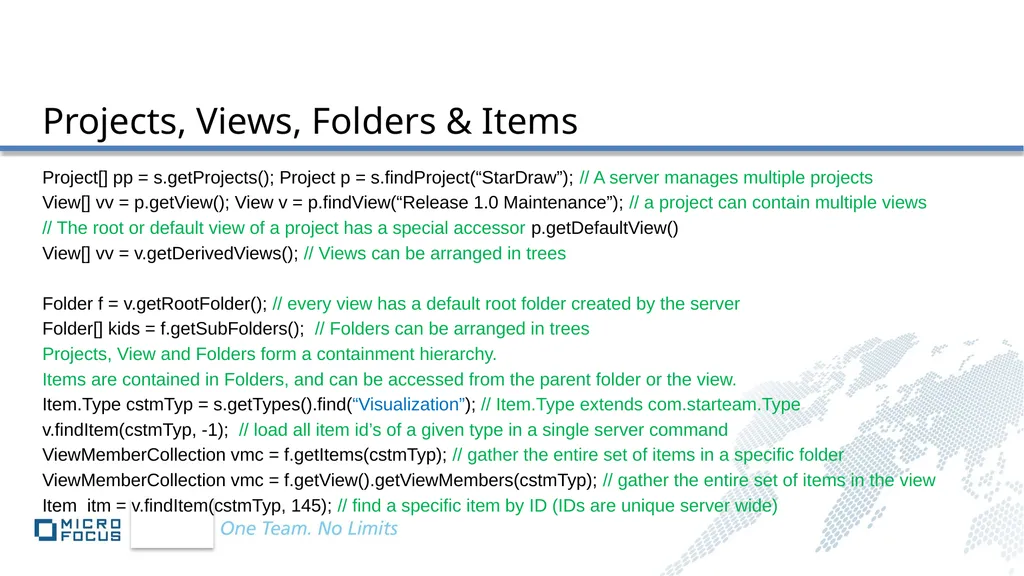
Projects, Views, Folders & Items Project[] pp = s.getProjects(); Project p = s.findProject(“StarDraw”); // A server manages multiple projects
View[] vv = p.getView(); View v = p.findView(“Release 1.0 Maintenance”); // a project can contain multiple views
// The root or default view of a project has a special accessor p.getDefaultView()
View[] vv = v.getDerivedViews(); // Views can be arranged in trees
Folder f = v.getRootFolder(); // every view has a default root folder created by the server
Folder[] kids = f.getSubFolders(); // Folders can be arranged in trees
Projects, View and Folders form a containment hierarchy.
Items are contained in Folders, and can be accessed from the parent folder or the view.
Item.Type cstmTyp = s.getTypes().find(“Visualization”); // Item.Type extends com.starteam.Type
v.findItem(cstmTyp, -1); // load all item id’s of a given type in a single server command
ViewMemberCollection vmc = f.getItems(cstmTyp); // gather the entire set of items in a specific folder
ViewMemberCollection vmc = f.getView().getViewMembers(cstmTyp); // gather the entire set of items in the view
Item itm = v.findItem(cstmTyp, 145); // find a specific item by ID (IDs are unique server wide)<br>
View[] vv = p.getView(); View v = p.findView(“Release 1.0 Maintenance”); // a project can contain multiple views
// The root or default view of a project has a special accessor p.getDefaultView()
View[] vv = v.getDerivedViews(); // Views can be arranged in trees
Folder f = v.getRootFolder(); // every view has a default root folder created by the server
Folder[] kids = f.getSubFolders(); // Folders can be arranged in trees
Projects, View and Folders form a containment hierarchy.
Items are contained in Folders, and can be accessed from the parent folder or the view.
Item.Type cstmTyp = s.getTypes().find(“Visualization”); // Item.Type extends com.starteam.Type
v.findItem(cstmTyp, -1); // load all item id’s of a given type in a single server command
ViewMemberCollection vmc = f.getItems(cstmTyp); // gather the entire set of items in a specific folder
ViewMemberCollection vmc = f.getView().getViewMembers(cstmTyp); // gather the entire set of items in the view
Item itm = v.findItem(cstmTyp, 145); // find a specific item by ID (IDs are unique server wide)<br>
20
ViewMembers are artifacts that reside ‘in a view’, (technically, in the default root folder of the view)
Non-Item View Members do not have a parent folder property
Change Packages & Traces are view members, not items. They do not reside in parent folders.
Stock & Custom Components are Items. Items are View Members that reside in a parent folder in the view. By definition, component instances are contained in their parent folder and contained in their view.
Tree Items are Items that have parent child relationships. An entire tree must reside in a single folder – but different trees may reside in the same or different folders.
By default (i.e. out of the box) Custom Component Types are surfaced as Item or TreeItem instances. Client application developers may choose to extend the SDK object model in their own namespace and have their {Tree}Item derived classes become first class SDK citizens! Items & View Members<br>
Non-Item View Members do not have a parent folder property
Change Packages & Traces are view members, not items. They do not reside in parent folders.
Stock & Custom Components are Items. Items are View Members that reside in a parent folder in the view. By definition, component instances are contained in their parent folder and contained in their view.
Tree Items are Items that have parent child relationships. An entire tree must reside in a single folder – but different trees may reside in the same or different folders.
By default (i.e. out of the box) Custom Component Types are surfaced as Item or TreeItem instances. Client application developers may choose to extend the SDK object model in their own namespace and have their {Tree}Item derived classes become first class SDK citizens! Items & View Members<br>
21
Items & ViewMembers Every view member has a type, which in turn has a collection of properties.
At runtime, the values of the properties of view member instances can be retrieved or changed generically
Object o = itm.getValue(Property); // return the value of this property for this item instance
Object itm.setValue(Property, Object); // set the value of this property, return the previous value
itm.update(); // persists this item in its new state on the server. The in memory item is no longer dirty
Stock component types also have type safe accessors that supplement the generic get/set Value api’s
When an item is updated more than once, the history of all changes can be queried
ViewMemberCollection history = item.getHistory(); // the first entry in the collection is the tip
Item instances may be shared across folders and views. A share tree represents the class of items with the same root
Item shr = itm.shareTo(f); // share this item to a different folder, return the newly created share
The specified folder may be in the same view or a different view of this project,
Items cannot be shared across servers.
Share[] ss = itm.getAllShares(); // returns the share tree of this item, which may be walked recursively<br>
At runtime, the values of the properties of view member instances can be retrieved or changed generically
Object o = itm.getValue(Property); // return the value of this property for this item instance
Object itm.setValue(Property, Object); // set the value of this property, return the previous value
itm.update(); // persists this item in its new state on the server. The in memory item is no longer dirty
Stock component types also have type safe accessors that supplement the generic get/set Value api’s
When an item is updated more than once, the history of all changes can be queried
ViewMemberCollection history = item.getHistory(); // the first entry in the collection is the tip
Item instances may be shared across folders and views. A share tree represents the class of items with the same root
Item shr = itm.shareTo(f); // share this item to a different folder, return the newly created share
The specified folder may be in the same view or a different view of this project,
Items cannot be shared across servers.
Share[] ss = itm.getAllShares(); // returns the share tree of this item, which may be walked recursively<br>
22
Items & ViewMembers for all the stock item types, each generic get/set accessor typically has equivalent type specific accessors
boolean b = ((Boolean)itm.getValue(pc.find(ViewMember.Type.IsReadOnlyProperty.NAME))).booleanValue();
// is equivalent to boolean b = itm.isReadOnly();
// a read-write property example
Requirement.Type rqmtTyp = s.getTypes().REQUIREMENT;
Requirement r = (Requirement)v.findItem(rqmtTyp, 12345);
Requirement.Type.PropertyCollection pc = r.getProperties();
int ambiguities = r.getAmbiguitiesCount(); // is equivalent to…
ambiguities = ((Integer)r.getValue(pc.AMBIGUITIES_COUNT)).intValue();
r.setAmbiguitiesCount(ambiguities); // is equivalent to…
r.setValue(pc.AMBIGUITIES_COUNT, new Integer(ambiguities));
pc.AMBIGUITIES_COUNT is equivalent to pc.find(Requirement.Type.AmbiguitiesCountProperty.NAME)
There is typically more than one way to do the same thing through the SDK. Pick the model that suits you best.<br>
boolean b = ((Boolean)itm.getValue(pc.find(ViewMember.Type.IsReadOnlyProperty.NAME))).booleanValue();
// is equivalent to boolean b = itm.isReadOnly();
// a read-write property example
Requirement.Type rqmtTyp = s.getTypes().REQUIREMENT;
Requirement r = (Requirement)v.findItem(rqmtTyp, 12345);
Requirement.Type.PropertyCollection pc = r.getProperties();
int ambiguities = r.getAmbiguitiesCount(); // is equivalent to…
ambiguities = ((Integer)r.getValue(pc.AMBIGUITIES_COUNT)).intValue();
r.setAmbiguitiesCount(ambiguities); // is equivalent to…
r.setValue(pc.AMBIGUITIES_COUNT, new Integer(ambiguities));
pc.AMBIGUITIES_COUNT is equivalent to pc.find(Requirement.Type.AmbiguitiesCountProperty.NAME)
There is typically more than one way to do the same thing through the SDK. Pick the model that suits you best.<br>
23
Folders & Items Folders are Items. Folders are also containers for items.
A folder can have at most one parent folder, bur multiple child folders. An item can have at most one parent folder.
Related Tree Items, i.e. parents, children, descendants, can be contained in at most one folder.
f.populate(cstmTyp, pc, depth); // ensures that the set of items specified by this type and depth are populated with
the set of properties specified in the property collection. The property values need not be up to date over time.
f.refreshItems(cstmTyp, pc, depth); // ensures that the set of items specified by this type and depth are populated with
the set of properties specified in the property collection and are kept up to date. If MPX is enabled, refresh will not
Issue a server command. Without MPX, a server command to re-fetch properties is triggered, whether or not they are
up to date.
boolean f.isRefreshItemsRequired(cstmTyp, pc, depth); // tests whether property values are up to date.
MPX enabled applications will only return true if an in-memory refresh is required. This method always returns true
for applications that are not MPX enabled.
boolean f.isPopulated(cstmTyp) will return true iff all the items of this type in this folder have all properties populated..<br>
A folder can have at most one parent folder, bur multiple child folders. An item can have at most one parent folder.
Related Tree Items, i.e. parents, children, descendants, can be contained in at most one folder.
f.populate(cstmTyp, pc, depth); // ensures that the set of items specified by this type and depth are populated with
the set of properties specified in the property collection. The property values need not be up to date over time.
f.refreshItems(cstmTyp, pc, depth); // ensures that the set of items specified by this type and depth are populated with
the set of properties specified in the property collection and are kept up to date. If MPX is enabled, refresh will not
Issue a server command. Without MPX, a server command to re-fetch properties is triggered, whether or not they are
up to date.
boolean f.isRefreshItemsRequired(cstmTyp, pc, depth); // tests whether property values are up to date.
MPX enabled applications will only return true if an in-memory refresh is required. This method always returns true
for applications that are not MPX enabled.
boolean f.isPopulated(cstmTyp) will return true iff all the items of this type in this folder have all properties populated..<br>
24
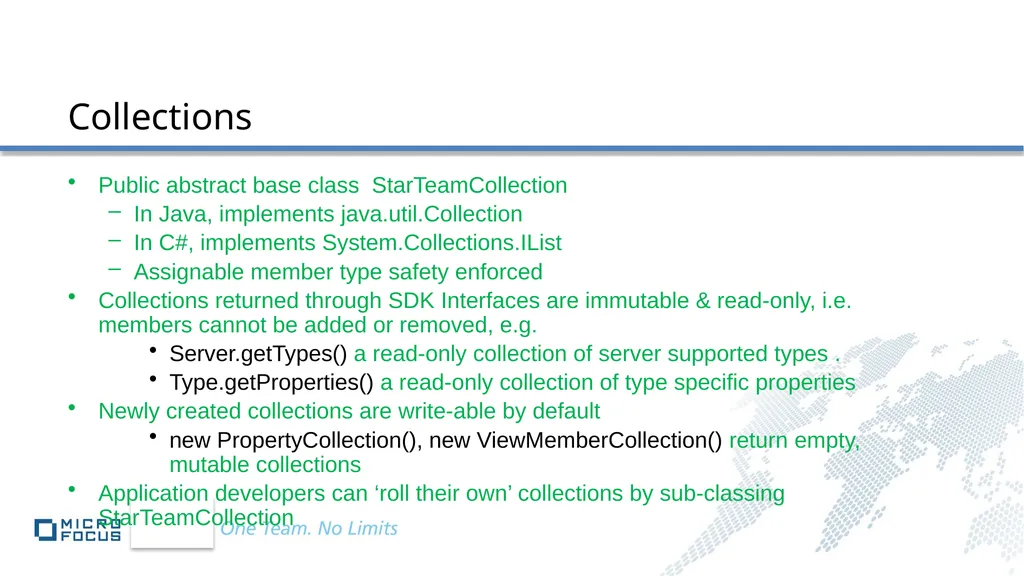
Public abstract base class StarTeamCollection
In Java, implements java.util.Collection
In C#, implements System.Collections.IList
Assignable member type safety enforced
Collections returned through SDK Interfaces are immutable & read-only, i.e. members cannot be added or removed, e.g.
Server.getTypes() a read-only collection of server supported types .
Type.getProperties() a read-only collection of type specific properties
Newly created collections are write-able by default
new PropertyCollection(), new ViewMemberCollection() return empty, mutable collections
Application developers can ‘roll their own’ collections by sub-classing StarTeamCollection Collections<br>
In Java, implements java.util.Collection
In C#, implements System.Collections.IList
Assignable member type safety enforced
Collections returned through SDK Interfaces are immutable & read-only, i.e. members cannot be added or removed, e.g.
Server.getTypes() a read-only collection of server supported types .
Type.getProperties() a read-only collection of type specific properties
Newly created collections are write-able by default
new PropertyCollection(), new ViewMemberCollection() return empty, mutable collections
Application developers can ‘roll their own’ collections by sub-classing StarTeamCollection Collections<br>
25
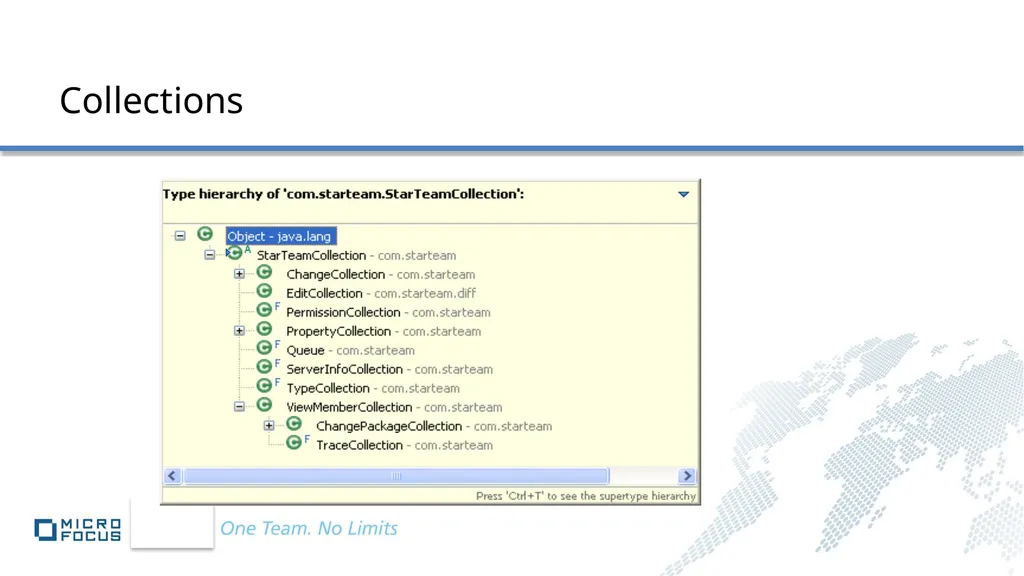
Collections<br>
26
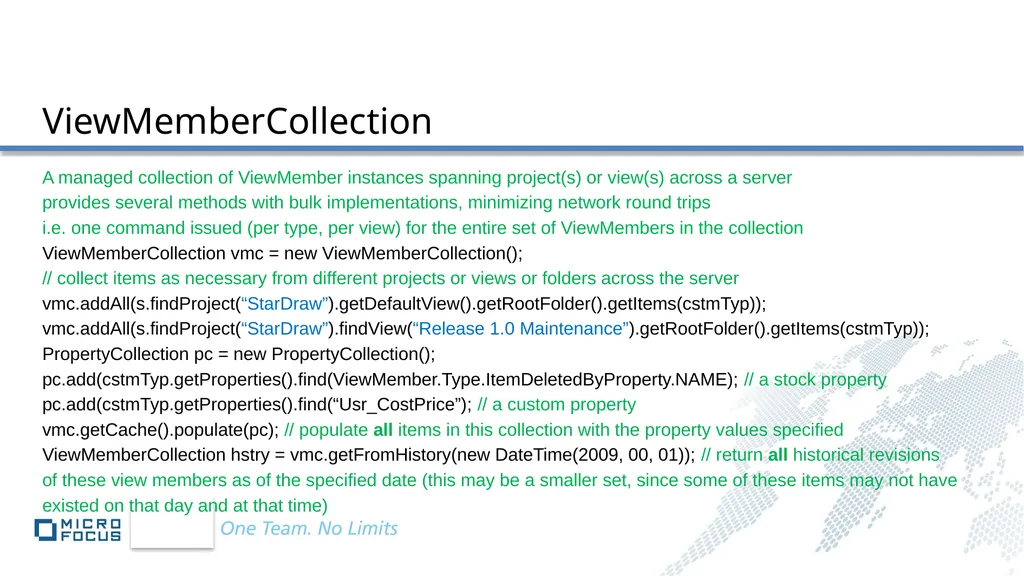
ViewMemberCollection A managed collection of ViewMember instances spanning project(s) or view(s) across a server
provides several methods with bulk implementations, minimizing network round trips
i.e. one command issued (per type, per view) for the entire set of ViewMembers in the collection
ViewMemberCollection vmc = new ViewMemberCollection();
// collect items as necessary from different projects or views or folders across the server
vmc.addAll(s.findProject(“StarDraw”).getDefaultView().getRootFolder().getItems(cstmTyp));
vmc.addAll(s.findProject(“StarDraw”).findView(“Release 1.0 Maintenance”).getRootFolder().getItems(cstmTyp));
PropertyCollection pc = new PropertyCollection();
pc.add(cstmTyp.getProperties().find(ViewMember.Type.ItemDeletedByProperty.NAME); // a stock property
pc.add(cstmTyp.getProperties().find(“Usr_CostPrice”); // a custom property
vmc.getCache().populate(pc); // populate all items in this collection with the property values specified
ViewMemberCollection hstry = vmc.getFromHistory(new DateTime(2009, 00, 01)); // return all historical revisions
of these view members as of the specified date (this may be a smaller set, since some of these items may not have
existed on that day and at that time)<br>
provides several methods with bulk implementations, minimizing network round trips
i.e. one command issued (per type, per view) for the entire set of ViewMembers in the collection
ViewMemberCollection vmc = new ViewMemberCollection();
// collect items as necessary from different projects or views or folders across the server
vmc.addAll(s.findProject(“StarDraw”).getDefaultView().getRootFolder().getItems(cstmTyp));
vmc.addAll(s.findProject(“StarDraw”).findView(“Release 1.0 Maintenance”).getRootFolder().getItems(cstmTyp));
PropertyCollection pc = new PropertyCollection();
pc.add(cstmTyp.getProperties().find(ViewMember.Type.ItemDeletedByProperty.NAME); // a stock property
pc.add(cstmTyp.getProperties().find(“Usr_CostPrice”); // a custom property
vmc.getCache().populate(pc); // populate all items in this collection with the property values specified
ViewMemberCollection hstry = vmc.getFromHistory(new DateTime(2009, 00, 01)); // return all historical revisions
of these view members as of the specified date (this may be a smaller set, since some of these items may not have
existed on that day and at that time)<br>
27
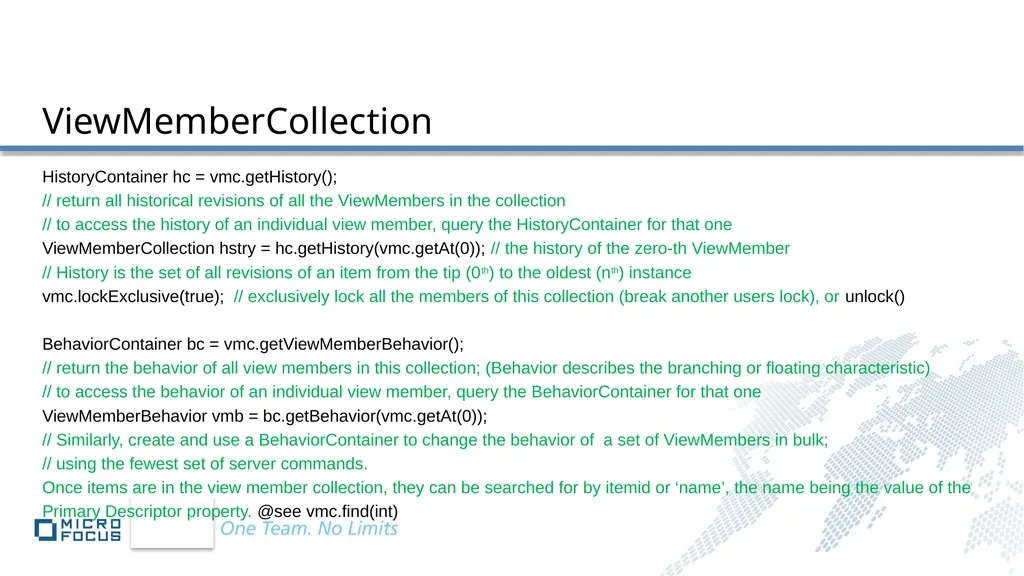
ViewMemberCollection HistoryContainer hc = vmc.getHistory();
// return all historical revisions of all the ViewMembers in the collection
// to access the history of an individual view member, query the HistoryContainer for that one
ViewMemberCollection hstry = hc.getHistory(vmc.getAt(0)); // the history of the zero-th ViewMember
// History is the set of all revisions of an item from the tip (0th) to the oldest (nth) instance
vmc.lockExclusive(true); // exclusively lock all the members of this collection (break another users lock), or unlock()
BehaviorContainer bc = vmc.getViewMemberBehavior();
// return the behavior of all view members in this collection; (Behavior describes the branching or floating characteristic)
// to access the behavior of an individual view member, query the BehaviorContainer for that one
ViewMemberBehavior vmb = bc.getBehavior(vmc.getAt(0));
// Similarly, create and use a BehaviorContainer to change the behavior of a set of ViewMembers in bulk;
// using the fewest set of server commands.
Once items are in the view member collection, they can be searched for by itemid or ‘name’, the name being the value of the
Primary Descriptor property. @see vmc.find(int)<br>
// return all historical revisions of all the ViewMembers in the collection
// to access the history of an individual view member, query the HistoryContainer for that one
ViewMemberCollection hstry = hc.getHistory(vmc.getAt(0)); // the history of the zero-th ViewMember
// History is the set of all revisions of an item from the tip (0th) to the oldest (nth) instance
vmc.lockExclusive(true); // exclusively lock all the members of this collection (break another users lock), or unlock()
BehaviorContainer bc = vmc.getViewMemberBehavior();
// return the behavior of all view members in this collection; (Behavior describes the branching or floating characteristic)
// to access the behavior of an individual view member, query the BehaviorContainer for that one
ViewMemberBehavior vmb = bc.getBehavior(vmc.getAt(0));
// Similarly, create and use a BehaviorContainer to change the behavior of a set of ViewMembers in bulk;
// using the fewest set of server commands.
Once items are in the view member collection, they can be searched for by itemid or ‘name’, the name being the value of the
Primary Descriptor property. @see vmc.find(int)<br>
28
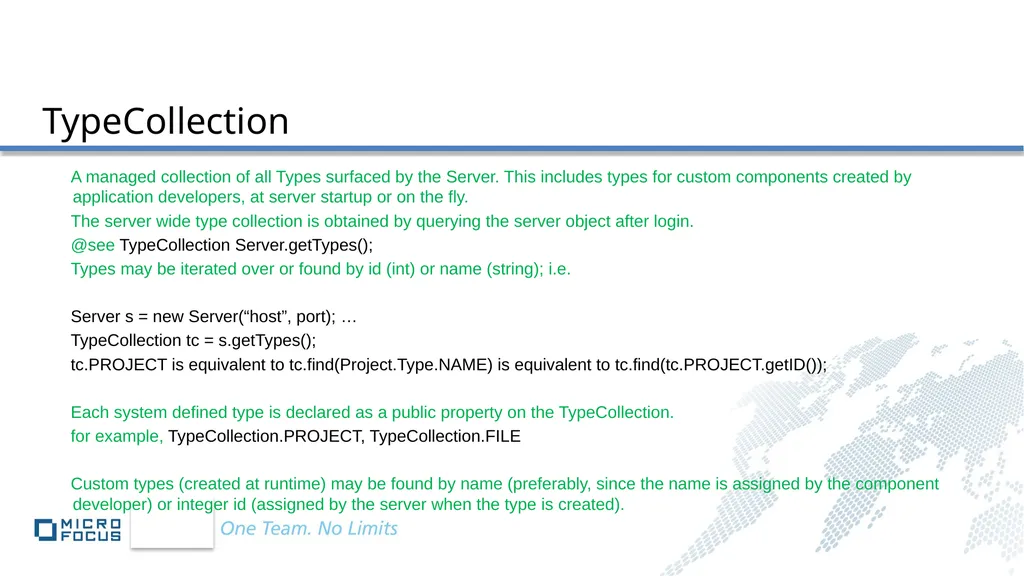
TypeCollection A managed collection of all Types surfaced by the Server. This includes types for custom components created by application developers, at server startup or on the fly.
The server wide type collection is obtained by querying the server object after login.
@see TypeCollection Server.getTypes();
Types may be iterated over or found by id (int) or name (string); i.e.
Server s = new Server(“host”, port); …
TypeCollection tc = s.getTypes();
tc.PROJECT is equivalent to tc.find(Project.Type.NAME) is equivalent to tc.find(tc.PROJECT.getID());
Each system defined type is declared as a public property on the TypeCollection.
for example, TypeCollection.PROJECT, TypeCollection.FILE
Custom types (created at runtime) may be found by name (preferably, since the name is assigned by the component developer) or integer id (assigned by the server when the type is created).<br>
The server wide type collection is obtained by querying the server object after login.
@see TypeCollection Server.getTypes();
Types may be iterated over or found by id (int) or name (string); i.e.
Server s = new Server(“host”, port); …
TypeCollection tc = s.getTypes();
tc.PROJECT is equivalent to tc.find(Project.Type.NAME) is equivalent to tc.find(tc.PROJECT.getID());
Each system defined type is declared as a public property on the TypeCollection.
for example, TypeCollection.PROJECT, TypeCollection.FILE
Custom types (created at runtime) may be found by name (preferably, since the name is assigned by the component developer) or integer id (assigned by the server when the type is created).<br>
29
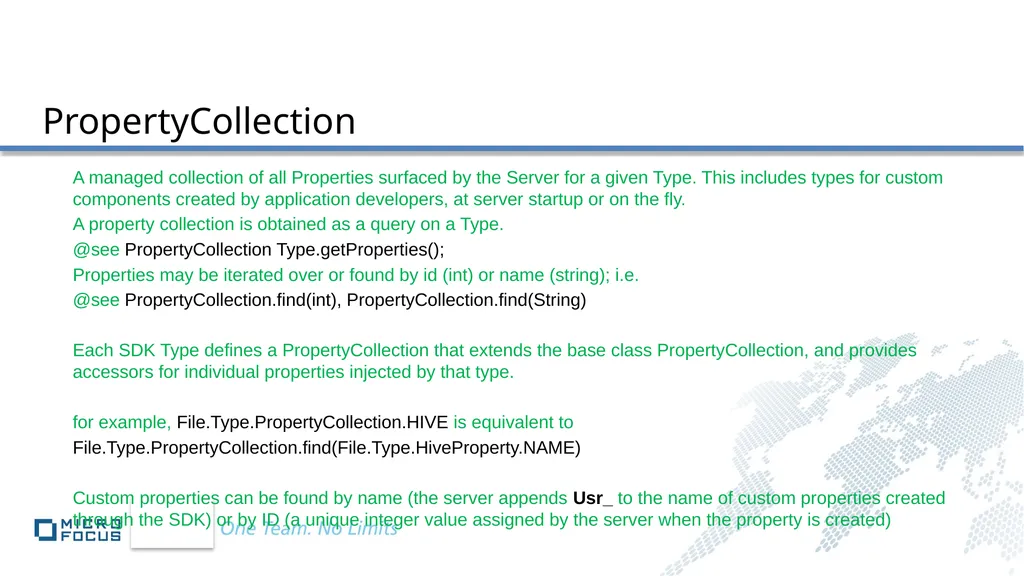
PropertyCollection A managed collection of all Properties surfaced by the Server for a given Type. This includes types for custom components created by application developers, at server startup or on the fly.
A property collection is obtained as a query on a Type.
@see PropertyCollection Type.getProperties();
Properties may be iterated over or found by id (int) or name (string); i.e.
@see PropertyCollection.find(int), PropertyCollection.find(String)
Each SDK Type defines a PropertyCollection that extends the base class PropertyCollection, and provides accessors for individual properties injected by that type.
for example, File.Type.PropertyCollection.HIVE is equivalent to
File.Type.PropertyCollection.find(File.Type.HiveProperty.NAME)
Custom properties can be found by name (the server appends Usr_ to the name of custom properties created through the SDK) or by ID (a unique integer value assigned by the server when the property is created)<br>
A property collection is obtained as a query on a Type.
@see PropertyCollection Type.getProperties();
Properties may be iterated over or found by id (int) or name (string); i.e.
@see PropertyCollection.find(int), PropertyCollection.find(String)
Each SDK Type defines a PropertyCollection that extends the base class PropertyCollection, and provides accessors for individual properties injected by that type.
for example, File.Type.PropertyCollection.HIVE is equivalent to
File.Type.PropertyCollection.find(File.Type.HiveProperty.NAME)
Custom properties can be found by name (the server appends Usr_ to the name of custom properties created through the SDK) or by ID (a unique integer value assigned by the server when the property is created)<br>
30
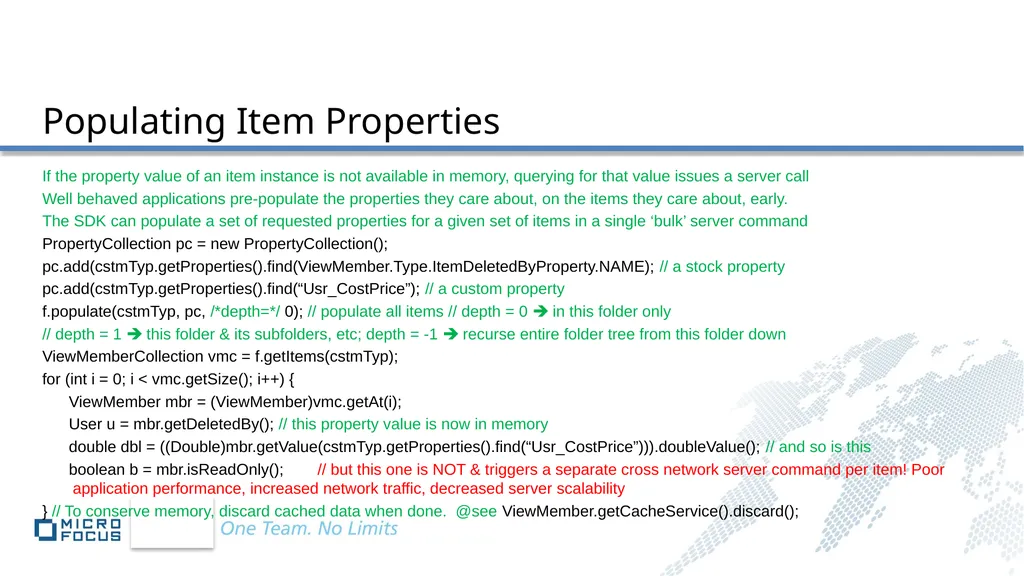
Populating Item Properties If the property value of an item instance is not available in memory, querying for that value issues a server call
Well behaved applications pre-populate the properties they care about, on the items they care about, early.
The SDK can populate a set of requested properties for a given set of items in a single ‘bulk’ server command
PropertyCollection pc = new PropertyCollection();
pc.add(cstmTyp.getProperties().find(ViewMember.Type.ItemDeletedByProperty.NAME); // a stock property
pc.add(cstmTyp.getProperties().find(“Usr_CostPrice”); // a custom property
f.populate(cstmTyp, pc, /*depth=*/ 0); // populate all items // depth = 0 in this folder only
// depth = 1 this folder & its subfolders, etc; depth = -1 recurse entire folder tree from this folder down
ViewMemberCollection vmc = f.getItems(cstmTyp);
for (int i = 0; i < vmc.getSize(); i++) {
ViewMember mbr = (ViewMember)vmc.getAt(i);
User u = mbr.getDeletedBy(); // this property value is now in memory
double dbl = ((Double)mbr.getValue(cstmTyp.getProperties().find(“Usr_CostPrice”))).doubleValue(); // and so is this
boolean b = mbr.isReadOnly(); // but this one is NOT & triggers a separate cross network server command per item! Poor application performance, increased network traffic, decreased server scalability
} // To conserve memory, discard cached data when done. @see ViewMember.getCacheService().discard();<br>
Well behaved applications pre-populate the properties they care about, on the items they care about, early.
The SDK can populate a set of requested properties for a given set of items in a single ‘bulk’ server command
PropertyCollection pc = new PropertyCollection();
pc.add(cstmTyp.getProperties().find(ViewMember.Type.ItemDeletedByProperty.NAME); // a stock property
pc.add(cstmTyp.getProperties().find(“Usr_CostPrice”); // a custom property
f.populate(cstmTyp, pc, /*depth=*/ 0); // populate all items // depth = 0 in this folder only
// depth = 1 this folder & its subfolders, etc; depth = -1 recurse entire folder tree from this folder down
ViewMemberCollection vmc = f.getItems(cstmTyp);
for (int i = 0; i < vmc.getSize(); i++) {
ViewMember mbr = (ViewMember)vmc.getAt(i);
User u = mbr.getDeletedBy(); // this property value is now in memory
double dbl = ((Double)mbr.getValue(cstmTyp.getProperties().find(“Usr_CostPrice”))).doubleValue(); // and so is this
boolean b = mbr.isReadOnly(); // but this one is NOT & triggers a separate cross network server command per item! Poor application performance, increased network traffic, decreased server scalability
} // To conserve memory, discard cached data when done. @see ViewMember.getCacheService().discard();<br>
31
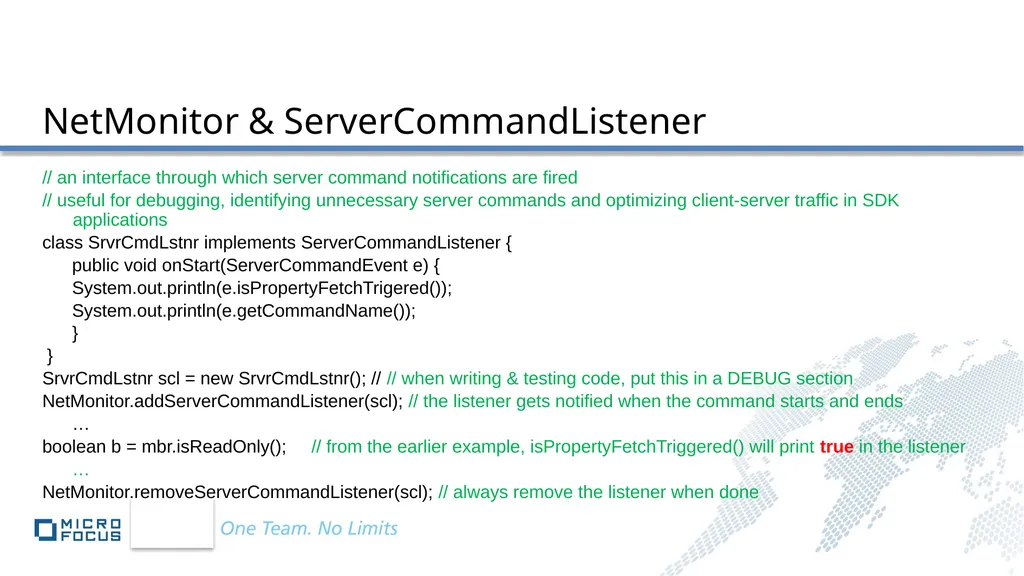
NetMonitor & ServerCommandListener // an interface through which server command notifications are fired
// useful for debugging, identifying unnecessary server commands and optimizing client-server traffic in SDK applications
class SrvrCmdLstnr implements ServerCommandListener {
public void onStart(ServerCommandEvent e) {
System.out.println(e.isPropertyFetchTrigered());
System.out.println(e.getCommandName());
}
}
SrvrCmdLstnr scl = new SrvrCmdLstnr(); // // when writing & testing code, put this in a DEBUG section
NetMonitor.addServerCommandListener(scl); // the listener gets notified when the command starts and ends
…
boolean b = mbr.isReadOnly(); // from the earlier example, isPropertyFetchTriggered() will print true in the listener
…
NetMonitor.removeServerCommandListener(scl); // always remove the listener when done<br>
// useful for debugging, identifying unnecessary server commands and optimizing client-server traffic in SDK applications
class SrvrCmdLstnr implements ServerCommandListener {
public void onStart(ServerCommandEvent e) {
System.out.println(e.isPropertyFetchTrigered());
System.out.println(e.getCommandName());
}
}
SrvrCmdLstnr scl = new SrvrCmdLstnr(); // // when writing & testing code, put this in a DEBUG section
NetMonitor.addServerCommandListener(scl); // the listener gets notified when the command starts and ends
…
boolean b = mbr.isReadOnly(); // from the earlier example, isPropertyFetchTriggered() will print true in the listener
…
NetMonitor.removeServerCommandListener(scl); // always remove the listener when done<br>
32
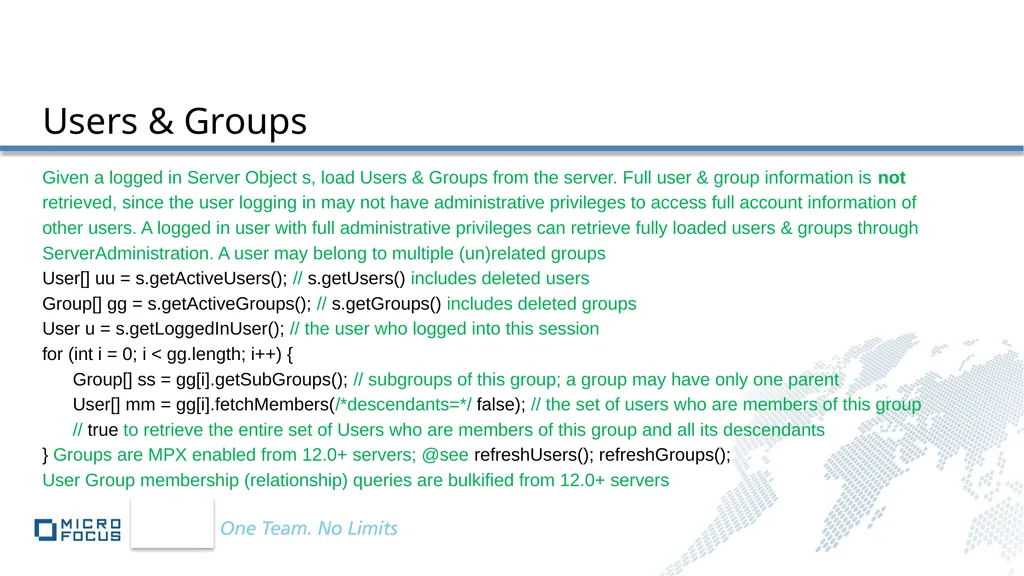
Users & Groups Given a logged in Server Object s, load Users & Groups from the server. Full user & group information is not
retrieved, since the user logging in may not have administrative privileges to access full account information of
other users. A logged in user with full administrative privileges can retrieve fully loaded users & groups through
ServerAdministration. A user may belong to multiple (un)related groups
User[] uu = s.getActiveUsers(); // s.getUsers() includes deleted users
Group[] gg = s.getActiveGroups(); // s.getGroups() includes deleted groups
User u = s.getLoggedInUser(); // the user who logged into this session
for (int i = 0; i < gg.length; i++) {
Group[] ss = gg[i].getSubGroups(); // subgroups of this group; a group may have only one parent
User[] mm = gg[i].fetchMembers(/*descendants=*/ false); // the set of users who are members of this group
// true to retrieve the entire set of Users who are members of this group and all its descendants
} Groups are MPX enabled from 12.0+ servers; @see refreshUsers(); refreshGroups();
User Group membership (relationship) queries are bulkified from 12.0+ servers<br>
retrieved, since the user logging in may not have administrative privileges to access full account information of
other users. A logged in user with full administrative privileges can retrieve fully loaded users & groups through
ServerAdministration. A user may belong to multiple (un)related groups
User[] uu = s.getActiveUsers(); // s.getUsers() includes deleted users
Group[] gg = s.getActiveGroups(); // s.getGroups() includes deleted groups
User u = s.getLoggedInUser(); // the user who logged into this session
for (int i = 0; i < gg.length; i++) {
Group[] ss = gg[i].getSubGroups(); // subgroups of this group; a group may have only one parent
User[] mm = gg[i].fetchMembers(/*descendants=*/ false); // the set of users who are members of this group
// true to retrieve the entire set of Users who are members of this group and all its descendants
} Groups are MPX enabled from 12.0+ servers; @see refreshUsers(); refreshGroups();
User Group membership (relationship) queries are bulkified from 12.0+ servers<br>
33
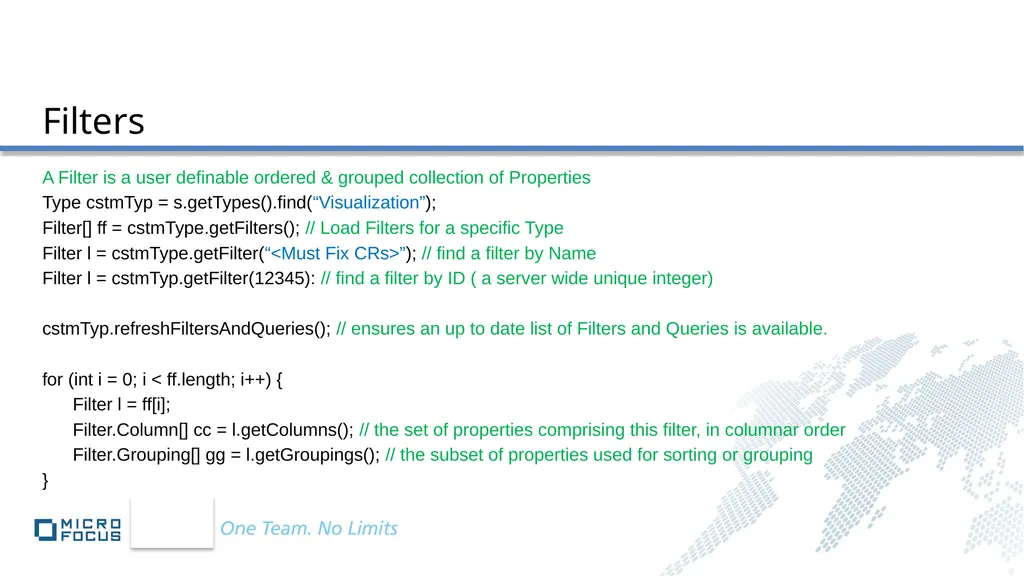
Filters A Filter is a user definable ordered & grouped collection of Properties
Type cstmTyp = s.getTypes().find(“Visualization”);
Filter[] ff = cstmType.getFilters(); // Load Filters for a specific Type
Filter l = cstmType.getFilter(“<Must Fix CRs>”); // find a filter by Name
Filter l = cstmTyp.getFilter(12345): // find a filter by ID ( a server wide unique integer)
cstmTyp.refreshFiltersAndQueries(); // ensures an up to date list of Filters and Queries is available.
for (int i = 0; i < ff.length; i++) {
Filter l = ff[i];
Filter.Column[] cc = l.getColumns(); // the set of properties comprising this filter, in columnar order
Filter.Grouping[] gg = l.getGroupings(); // the subset of properties used for sorting or grouping
}<br>
Type cstmTyp = s.getTypes().find(“Visualization”);
Filter[] ff = cstmType.getFilters(); // Load Filters for a specific Type
Filter l = cstmType.getFilter(“<Must Fix CRs>”); // find a filter by Name
Filter l = cstmTyp.getFilter(12345): // find a filter by ID ( a server wide unique integer)
cstmTyp.refreshFiltersAndQueries(); // ensures an up to date list of Filters and Queries is available.
for (int i = 0; i < ff.length; i++) {
Filter l = ff[i];
Filter.Column[] cc = l.getColumns(); // the set of properties comprising this filter, in columnar order
Filter.Grouping[] gg = l.getGroupings(); // the subset of properties used for sorting or grouping
}<br>
34
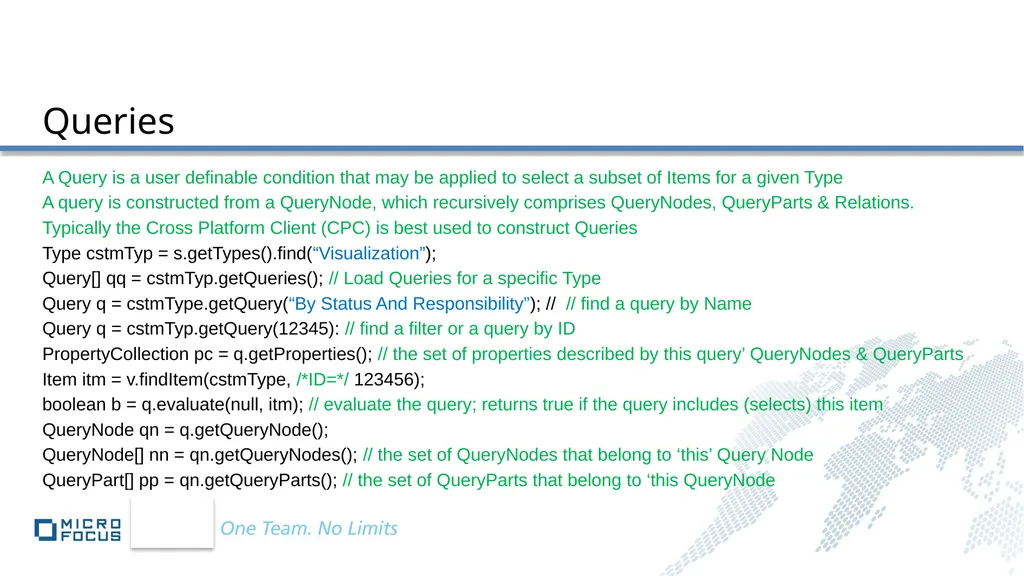
Queries A Query is a user definable condition that may be applied to select a subset of Items for a given Type
A query is constructed from a QueryNode, which recursively comprises QueryNodes, QueryParts & Relations.
Typically the Cross Platform Client (CPC) is best used to construct Queries
Type cstmTyp = s.getTypes().find(“Visualization”);
Query[] qq = cstmTyp.getQueries(); // Load Queries for a specific Type
Query q = cstmType.getQuery(“By Status And Responsibility”); // // find a query by Name
Query q = cstmTyp.getQuery(12345): // find a filter or a query by ID
PropertyCollection pc = q.getProperties(); // the set of properties described by this query’ QueryNodes & QueryParts
Item itm = v.findItem(cstmType, /*ID=*/ 123456);
boolean b = q.evaluate(null, itm); // evaluate the query; returns true if the query includes (selects) this item
QueryNode qn = q.getQueryNode();
QueryNode[] nn = qn.getQueryNodes(); // the set of QueryNodes that belong to ‘this’ Query Node
QueryPart[] pp = qn.getQueryParts(); // the set of QueryParts that belong to ‘this QueryNode<br>
A query is constructed from a QueryNode, which recursively comprises QueryNodes, QueryParts & Relations.
Typically the Cross Platform Client (CPC) is best used to construct Queries
Type cstmTyp = s.getTypes().find(“Visualization”);
Query[] qq = cstmTyp.getQueries(); // Load Queries for a specific Type
Query q = cstmType.getQuery(“By Status And Responsibility”); // // find a query by Name
Query q = cstmTyp.getQuery(12345): // find a filter or a query by ID
PropertyCollection pc = q.getProperties(); // the set of properties described by this query’ QueryNodes & QueryParts
Item itm = v.findItem(cstmType, /*ID=*/ 123456);
boolean b = q.evaluate(null, itm); // evaluate the query; returns true if the query includes (selects) this item
QueryNode qn = q.getQueryNode();
QueryNode[] nn = qn.getQueryNodes(); // the set of QueryNodes that belong to ‘this’ Query Node
QueryPart[] pp = qn.getQueryParts(); // the set of QueryParts that belong to ‘this QueryNode<br>
35
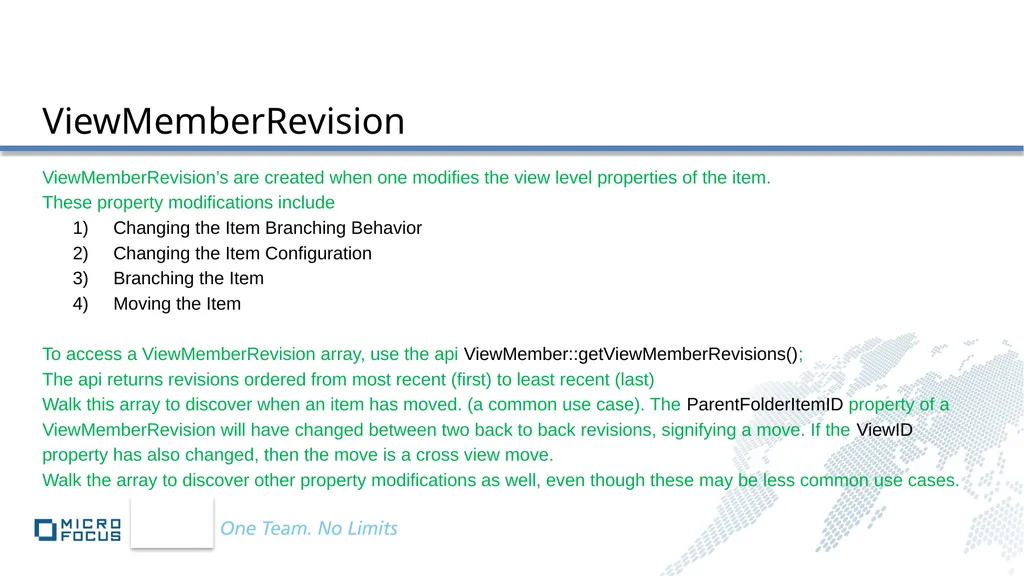
ViewMemberRevision ViewMemberRevision’s are created when one modifies the view level properties of the item.
These property modifications include
1) Changing the Item Branching Behavior
2) Changing the Item Configuration
3) Branching the Item
4) Moving the Item
To access a ViewMemberRevision array, use the api ViewMember::getViewMemberRevisions();
The api returns revisions ordered from most recent (first) to least recent (last)
Walk this array to discover when an item has moved. (a common use case). The ParentFolderItemID property of a
ViewMemberRevision will have changed between two back to back revisions, signifying a move. If the ViewID
property has also changed, then the move is a cross view move.
Walk the array to discover other property modifications as well, even though these may be less common use cases.<br>
These property modifications include
1) Changing the Item Branching Behavior
2) Changing the Item Configuration
3) Branching the Item
4) Moving the Item
To access a ViewMemberRevision array, use the api ViewMember::getViewMemberRevisions();
The api returns revisions ordered from most recent (first) to least recent (last)
Walk this array to discover when an item has moved. (a common use case). The ParentFolderItemID property of a
ViewMemberRevision will have changed between two back to back revisions, signifying a move. If the ViewID
property has also changed, then the move is a cross view move.
Walk the array to discover other property modifications as well, even though these may be less common use cases.<br>
36
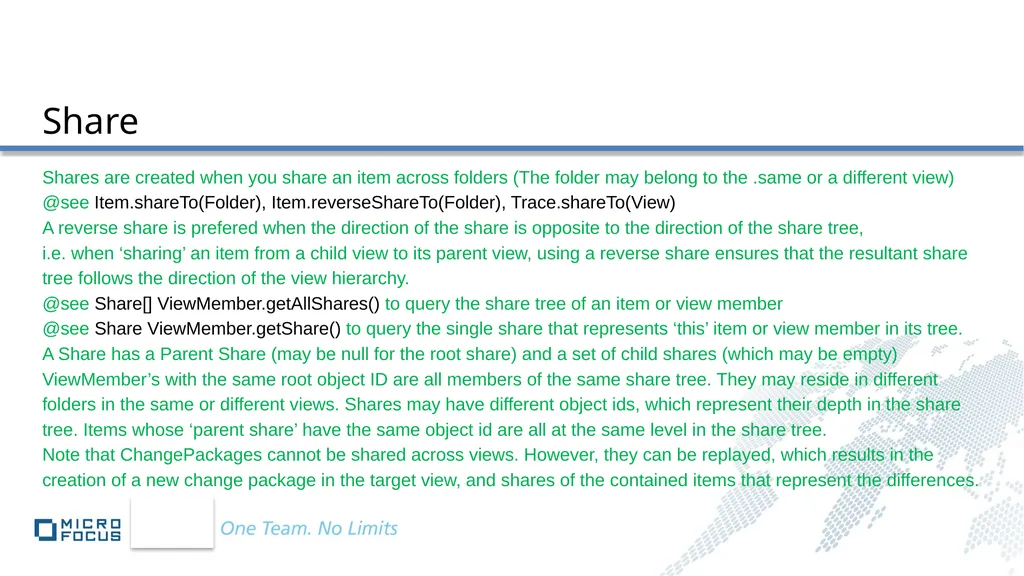
Share Shares are created when you share an item across folders (The folder may belong to the .same or a different view)
@see Item.shareTo(Folder), Item.reverseShareTo(Folder), Trace.shareTo(View)
A reverse share is prefered when the direction of the share is opposite to the direction of the share tree,
i.e. when ‘sharing’ an item from a child view to its parent view, using a reverse share ensures that the resultant share
tree follows the direction of the view hierarchy.
@see Share[] ViewMember.getAllShares() to query the share tree of an item or view member
@see Share ViewMember.getShare() to query the single share that represents ‘this’ item or view member in its tree.
A Share has a Parent Share (may be null for the root share) and a set of child shares (which may be empty)
ViewMember’s with the same root object ID are all members of the same share tree. They may reside in different
folders in the same or different views. Shares may have different object ids, which represent their depth in the share
tree. Items whose ‘parent share’ have the same object id are all at the same level in the share tree.
Note that ChangePackages cannot be shared across views. However, they can be replayed, which results in the
creation of a new change package in the target view, and shares of the contained items that represent the differences.<br>
@see Item.shareTo(Folder), Item.reverseShareTo(Folder), Trace.shareTo(View)
A reverse share is prefered when the direction of the share is opposite to the direction of the share tree,
i.e. when ‘sharing’ an item from a child view to its parent view, using a reverse share ensures that the resultant share
tree follows the direction of the view hierarchy.
@see Share[] ViewMember.getAllShares() to query the share tree of an item or view member
@see Share ViewMember.getShare() to query the single share that represents ‘this’ item or view member in its tree.
A Share has a Parent Share (may be null for the root share) and a set of child shares (which may be empty)
ViewMember’s with the same root object ID are all members of the same share tree. They may reside in different
folders in the same or different views. Shares may have different object ids, which represent their depth in the share
tree. Items whose ‘parent share’ have the same object id are all at the same level in the share tree.
Note that ChangePackages cannot be shared across views. However, they can be replayed, which results in the
creation of a new change package in the target view, and shares of the contained items that represent the differences.<br>
37
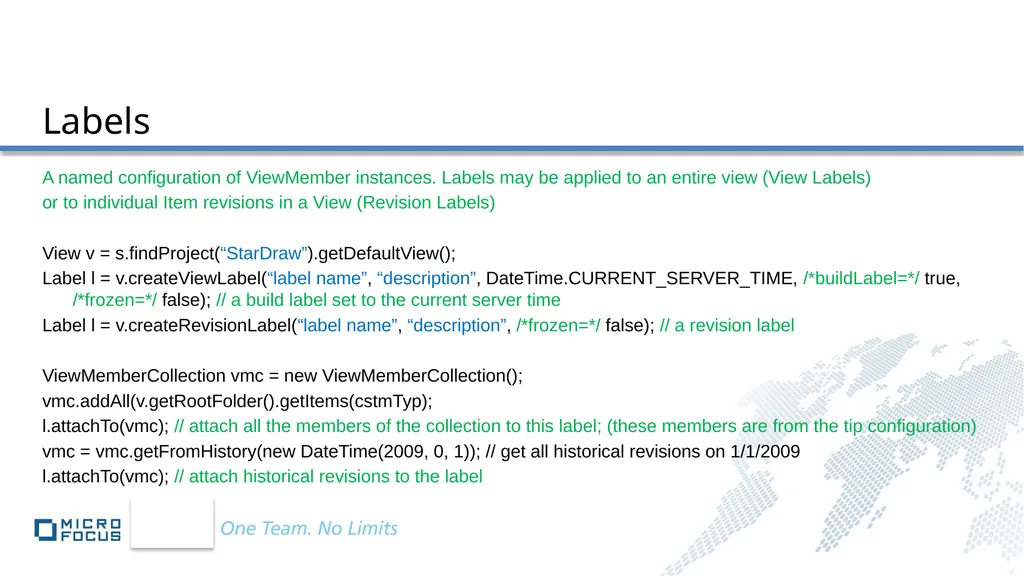
Labels A named configuration of ViewMember instances. Labels may be applied to an entire view (View Labels)
or to individual Item revisions in a View (Revision Labels)
View v = s.findProject(“StarDraw”).getDefaultView();
Label l = v.createViewLabel(“label name”, “description”, DateTime.CURRENT_SERVER_TIME, /*buildLabel=*/ true, /*frozen=*/ false); // a build label set to the current server time
Label l = v.createRevisionLabel(“label name”, “description”, /*frozen=*/ false); // a revision label
ViewMemberCollection vmc = new ViewMemberCollection();
vmc.addAll(v.getRootFolder().getItems(cstmTyp);
l.attachTo(vmc); // attach all the members of the collection to this label; (these members are from the tip configuration)
vmc = vmc.getFromHistory(new DateTime(2009, 0, 1)); // get all historical revisions on 1/1/2009
l.attachTo(vmc); // attach historical revisions to the label<br>
or to individual Item revisions in a View (Revision Labels)
View v = s.findProject(“StarDraw”).getDefaultView();
Label l = v.createViewLabel(“label name”, “description”, DateTime.CURRENT_SERVER_TIME, /*buildLabel=*/ true, /*frozen=*/ false); // a build label set to the current server time
Label l = v.createRevisionLabel(“label name”, “description”, /*frozen=*/ false); // a revision label
ViewMemberCollection vmc = new ViewMemberCollection();
vmc.addAll(v.getRootFolder().getItems(cstmTyp);
l.attachTo(vmc); // attach all the members of the collection to this label; (these members are from the tip configuration)
vmc = vmc.getFromHistory(new DateTime(2009, 0, 1)); // get all historical revisions on 1/1/2009
l.attachTo(vmc); // attach historical revisions to the label<br>
38
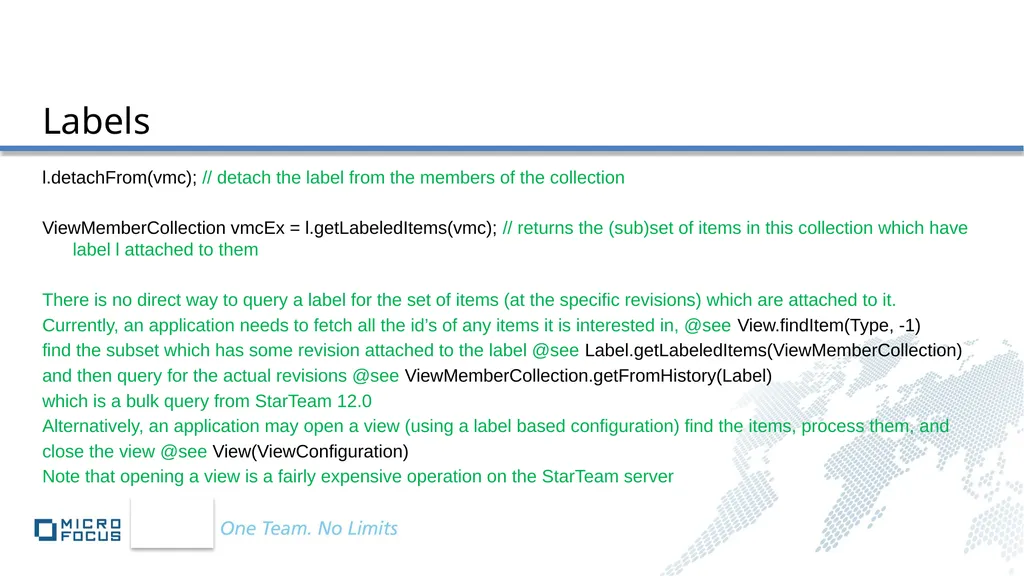
Labels l.detachFrom(vmc); // detach the label from the members of the collection
ViewMemberCollection vmcEx = l.getLabeledItems(vmc); // returns the (sub)set of items in this collection which have label l attached to them
There is no direct way to query a label for the set of items (at the specific revisions) which are attached to it.
Currently, an application needs to fetch all the id’s of any items it is interested in, @see View.findItem(Type, -1)
find the subset which has some revision attached to the label @see Label.getLabeledItems(ViewMemberCollection)
and then query for the actual revisions @see ViewMemberCollection.getFromHistory(Label)
which is a bulk query from StarTeam 12.0
Alternatively, an application may open a view (using a label based configuration) find the items, process them, and
close the view @see View(ViewConfiguration)
Note that opening a view is a fairly expensive operation on the StarTeam server<br>
ViewMemberCollection vmcEx = l.getLabeledItems(vmc); // returns the (sub)set of items in this collection which have label l attached to them
There is no direct way to query a label for the set of items (at the specific revisions) which are attached to it.
Currently, an application needs to fetch all the id’s of any items it is interested in, @see View.findItem(Type, -1)
find the subset which has some revision attached to the label @see Label.getLabeledItems(ViewMemberCollection)
and then query for the actual revisions @see ViewMemberCollection.getFromHistory(Label)
which is a bulk query from StarTeam 12.0
Alternatively, an application may open a view (using a label based configuration) find the items, process them, and
close the view @see View(ViewConfiguration)
Note that opening a view is a fairly expensive operation on the StarTeam server<br>
39
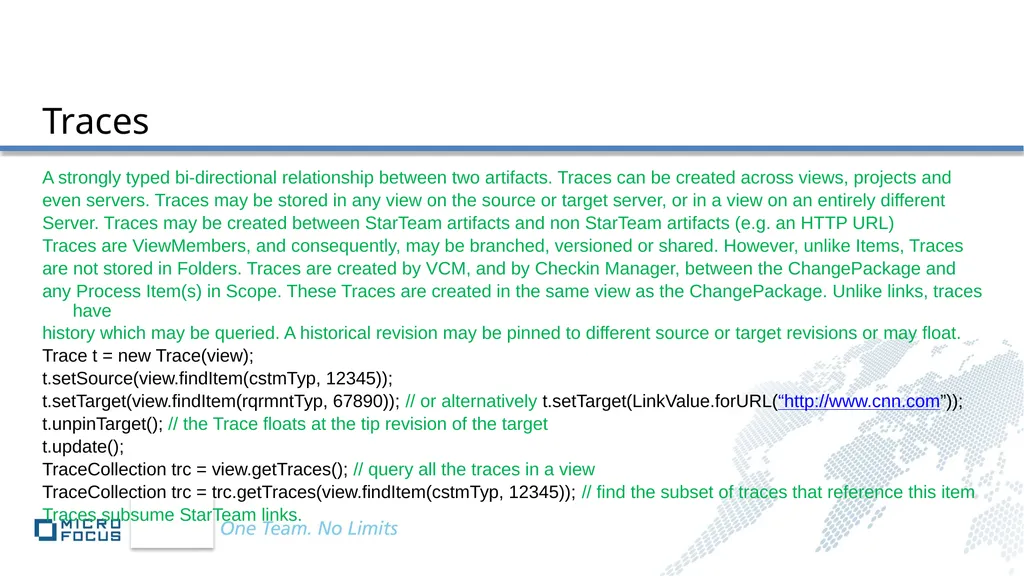
Traces A strongly typed bi-directional relationship between two artifacts. Traces can be created across views, projects and
even servers. Traces may be stored in any view on the source or target server, or in a view on an entirely different
Server. Traces may be created between StarTeam artifacts and non StarTeam artifacts (e.g. an HTTP URL)
Traces are ViewMembers, and consequently, may be branched, versioned or shared. However, unlike Items, Traces
are not stored in Folders. Traces are created by VCM, and by Checkin Manager, between the ChangePackage and
any Process Item(s) in Scope. These Traces are created in the same view as the ChangePackage. Unlike links, traces have
history which may be queried. A historical revision may be pinned to different source or target revisions or may float.
Trace t = new Trace(view);
t.setSource(view.findItem(cstmTyp, 12345));
t.setTarget(view.findItem(rqrmntTyp, 67890)); // or alternatively t.setTarget(LinkValue.forURL(“http://www.cnn.com”));
t.unpinTarget(); // the Trace floats at the tip revision of the target
t.update();
TraceCollection trc = view.getTraces(); // query all the traces in a view
TraceCollection trc = trc.getTraces(view.findItem(cstmTyp, 12345)); // find the subset of traces that reference this item
Traces subsume StarTeam links.<br>
even servers. Traces may be stored in any view on the source or target server, or in a view on an entirely different
Server. Traces may be created between StarTeam artifacts and non StarTeam artifacts (e.g. an HTTP URL)
Traces are ViewMembers, and consequently, may be branched, versioned or shared. However, unlike Items, Traces
are not stored in Folders. Traces are created by VCM, and by Checkin Manager, between the ChangePackage and
any Process Item(s) in Scope. These Traces are created in the same view as the ChangePackage. Unlike links, traces have
history which may be queried. A historical revision may be pinned to different source or target revisions or may float.
Trace t = new Trace(view);
t.setSource(view.findItem(cstmTyp, 12345));
t.setTarget(view.findItem(rqrmntTyp, 67890)); // or alternatively t.setTarget(LinkValue.forURL(“http://www.cnn.com”));
t.unpinTarget(); // the Trace floats at the tip revision of the target
t.update();
TraceCollection trc = view.getTraces(); // query all the traces in a view
TraceCollection trc = trc.getTraces(view.findItem(cstmTyp, 12345)); // find the subset of traces that reference this item
Traces subsume StarTeam links.<br>
40
A set of changes comprising a single logical Change
Committed in a single atomic transaction
Created by a VCM session (Promote, Rebase, replicate) in the target view
For each change, record the source & the target revisions at the transaction commit time
Created by Checkin Manager
Record newly added files & folders, changed, deleted or moved files.
Source & target revision are from the same view, the change records the pre commit and the commit(ted) revisions
ChangePackage APIs query for ChangeCollection, Source View, Target View and Transaction properties. All these properties are read-only.
ChangePacakges may be replayed from one view to another within a project.
ChangePackages provide a valuable audit trail of file checkin changes & deltas Change Packages<br>
Committed in a single atomic transaction
Created by a VCM session (Promote, Rebase, replicate) in the target view
For each change, record the source & the target revisions at the transaction commit time
Created by Checkin Manager
Record newly added files & folders, changed, deleted or moved files.
Source & target revision are from the same view, the change records the pre commit and the commit(ted) revisions
ChangePackage APIs query for ChangeCollection, Source View, Target View and Transaction properties. All these properties are read-only.
ChangePacakges may be replayed from one view to another within a project.
ChangePackages provide a valuable audit trail of file checkin changes & deltas Change Packages<br>
41
Attachments Attachments are named Content values stored by the StarTeam Server per artifact
Each artifact instance has an implicit associated Attachment ‘Property’.
Files & Folders do not subscribe to the Attachment Service. All other ViewMember & Custom Component Types do
The server can store up to 64 attachments per artifact instance.
The 11.0 server stores attachments in a private folder managed by the server.
The 12.0 server stores attachments in the StarTeam vault, keyed by MD5, along with File & Content Values.
(eliminates duplication, orphans can be pruned, fits existing vault back up startegies, etc)
The SDK exposes Attachments as a Content[]. Each Content object has a unique integer ID, a Name & an MD5.
Content[] ViewMember.getAttachments(). The Attachment Content (data payload) itself is fetched by calling the
toBytes(), toFile(), toStream() or toString() api’s on the Content object from the array.
ViewMember.setAttachments(Content[]) saves the Attachments to the server, and updates the internal state with the
new Attachment Names, IDs and MD5s.<br>
Each artifact instance has an implicit associated Attachment ‘Property’.
Files & Folders do not subscribe to the Attachment Service. All other ViewMember & Custom Component Types do
The server can store up to 64 attachments per artifact instance.
The 11.0 server stores attachments in a private folder managed by the server.
The 12.0 server stores attachments in the StarTeam vault, keyed by MD5, along with File & Content Values.
(eliminates duplication, orphans can be pruned, fits existing vault back up startegies, etc)
The SDK exposes Attachments as a Content[]. Each Content object has a unique integer ID, a Name & an MD5.
Content[] ViewMember.getAttachments(). The Attachment Content (data payload) itself is fetched by calling the
toBytes(), toFile(), toStream() or toString() api’s on the Content object from the array.
ViewMember.setAttachments(Content[]) saves the Attachments to the server, and updates the internal state with the
new Attachment Names, IDs and MD5s.<br>
42
Impersonation Enable User Impersonation via a single connected Server Instance (useful for developing web applications, Import
Export algorithms, etc.)
User admin = s.getLoggedInUser(); // the original logged in User
ImpersonateUser iu = new ImpersonateUser(s);
iu.enableImpersonation(); // once enabled, impersonation cannot be disabled
User u = s.logon(“anotherUser”, “password”); // The StarTeam server does NOT support logging off a User
iu.switchContext(u); // subsequent commands are executed in this user context
iu.switchContext(admin); // until you switch back to a different user, OR alternatively, use
iu.setCommandUser(other); // unlike switchContext(), the other user need NOT have been logged in via this server
instance; but subsequent commands are executed in his/her context at the appropriate privilege level
com.starteam.util.DateTime dt = new DateTime(2010, /*January*/ 0, 1);
iu.setCommandTime(dt); // overrides current server time, sets the ‘execution time’ for all subsequent commands
iu.setCommandTime(DateTime.CURRENT_SERVER_TIME); // reset to use server time from here on out<br>
Export algorithms, etc.)
User admin = s.getLoggedInUser(); // the original logged in User
ImpersonateUser iu = new ImpersonateUser(s);
iu.enableImpersonation(); // once enabled, impersonation cannot be disabled
User u = s.logon(“anotherUser”, “password”); // The StarTeam server does NOT support logging off a User
iu.switchContext(u); // subsequent commands are executed in this user context
iu.switchContext(admin); // until you switch back to a different user, OR alternatively, use
iu.setCommandUser(other); // unlike switchContext(), the other user need NOT have been logged in via this server
instance; but subsequent commands are executed in his/her context at the appropriate privilege level
com.starteam.util.DateTime dt = new DateTime(2010, /*January*/ 0, 1);
iu.setCommandTime(dt); // overrides current server time, sets the ‘execution time’ for all subsequent commands
iu.setCommandTime(DateTime.CURRENT_SERVER_TIME); // reset to use server time from here on out<br>
43
Access Rights & Permissions StarTeam supports Server wide, view specific, container (project, view & folder) level & individual item permissions.
Supported permissions are described in Permission & aggregated in PermissionCollection (a StarTeamCollection)
All StarTeam SDK components (including containers like view & folder) implement the ISecurable interface.
Folders, Projects & Views implement the ISecurableContainer interface
Securable Object instances may be assigned a collection of Access Control Entries (ACE’s)
Each ACE is a collection of Permissions that may be assigned to a Securable in the context of a User or Group.
A common misconception is that denying access to a user (or group) is sufficient – that everyone else (or the
Administrator or the Administrators Group) automatically has access to the object. This is the source of most pitfalls
when using the security model.
An ACE must be explicitly granted access to those who require it and denied access to those who do not.
Securable Object instances may be queried for permissions granted to the currently logged in user.
Similarly, Securable Containers may be queried for permissions granted or denied to the currently logged in user
for all objects of a given type.
Against 12.0+ servers, getRights will not issue a server command if MPX is enabled.<br>
Supported permissions are described in Permission & aggregated in PermissionCollection (a StarTeamCollection)
All StarTeam SDK components (including containers like view & folder) implement the ISecurable interface.
Folders, Projects & Views implement the ISecurableContainer interface
Securable Object instances may be assigned a collection of Access Control Entries (ACE’s)
Each ACE is a collection of Permissions that may be assigned to a Securable in the context of a User or Group.
A common misconception is that denying access to a user (or group) is sufficient – that everyone else (or the
Administrator or the Administrators Group) automatically has access to the object. This is the source of most pitfalls
when using the security model.
An ACE must be explicitly granted access to those who require it and denied access to those who do not.
Securable Object instances may be queried for permissions granted to the currently logged in user.
Similarly, Securable Containers may be queried for permissions granted or denied to the currently logged in user
for all objects of a given type.
Against 12.0+ servers, getRights will not issue a server command if MPX is enabled.<br>
44
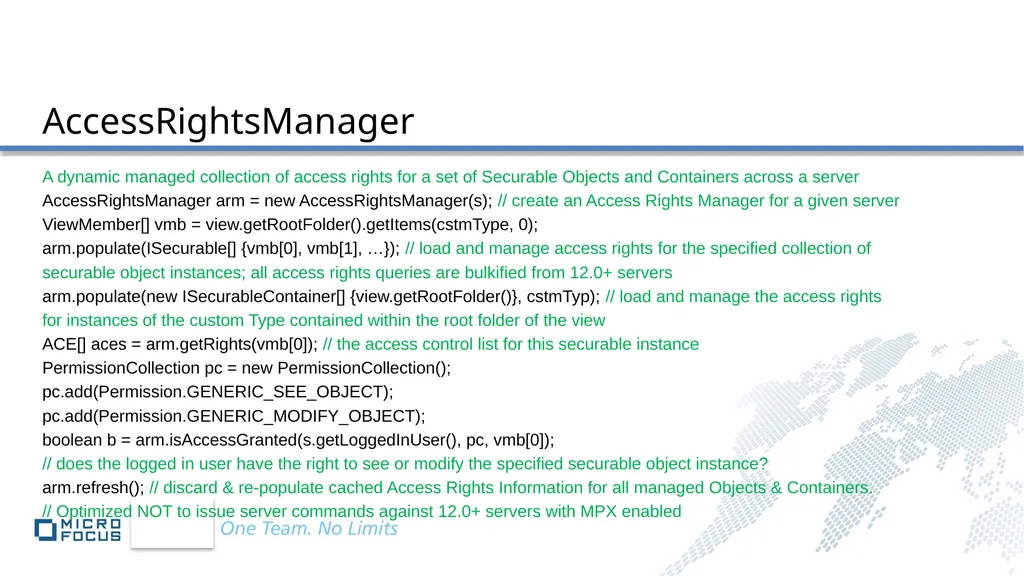
AccessRightsManager A dynamic managed collection of access rights for a set of Securable Objects and Containers across a server
AccessRightsManager arm = new AccessRightsManager(s); // create an Access Rights Manager for a given server
ViewMember[] vmb = view.getRootFolder().getItems(cstmType, 0);
arm.populate(ISecurable[] {vmb[0], vmb[1], …}); // load and manage access rights for the specified collection of
securable object instances; all access rights queries are bulkified from 12.0+ servers
arm.populate(new ISecurableContainer[] {view.getRootFolder()}, cstmTyp); // load and manage the access rights
for instances of the custom Type contained within the root folder of the view
ACE[] aces = arm.getRights(vmb[0]); // the access control list for this securable instance
PermissionCollection pc = new PermissionCollection();
pc.add(Permission.GENERIC_SEE_OBJECT);
pc.add(Permission.GENERIC_MODIFY_OBJECT);
boolean b = arm.isAccessGranted(s.getLoggedInUser(), pc, vmb[0]);
// does the logged in user have the right to see or modify the specified securable object instance?
arm.refresh(); // discard & re-populate cached Access Rights Information for all managed Objects & Containers.
// Optimized NOT to issue server commands against 12.0+ servers with MPX enabled<br>
AccessRightsManager arm = new AccessRightsManager(s); // create an Access Rights Manager for a given server
ViewMember[] vmb = view.getRootFolder().getItems(cstmType, 0);
arm.populate(ISecurable[] {vmb[0], vmb[1], …}); // load and manage access rights for the specified collection of
securable object instances; all access rights queries are bulkified from 12.0+ servers
arm.populate(new ISecurableContainer[] {view.getRootFolder()}, cstmTyp); // load and manage the access rights
for instances of the custom Type contained within the root folder of the view
ACE[] aces = arm.getRights(vmb[0]); // the access control list for this securable instance
PermissionCollection pc = new PermissionCollection();
pc.add(Permission.GENERIC_SEE_OBJECT);
pc.add(Permission.GENERIC_MODIFY_OBJECT);
boolean b = arm.isAccessGranted(s.getLoggedInUser(), pc, vmb[0]);
// does the logged in user have the right to see or modify the specified securable object instance?
arm.refresh(); // discard & re-populate cached Access Rights Information for all managed Objects & Containers.
// Optimized NOT to issue server commands against 12.0+ servers with MPX enabled<br>
45
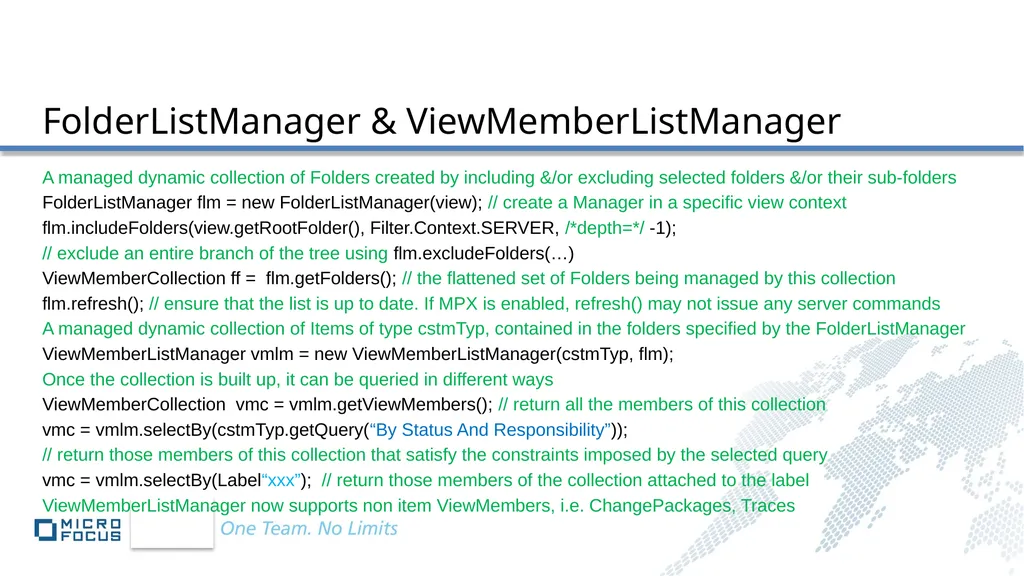
FolderListManager & ViewMemberListManager A managed dynamic collection of Folders created by including &/or excluding selected folders &/or their sub-folders
FolderListManager flm = new FolderListManager(view); // create a Manager in a specific view context
flm.includeFolders(view.getRootFolder(), Filter.Context.SERVER, /*depth=*/ -1);
// exclude an entire branch of the tree using flm.excludeFolders(…)
ViewMemberCollection ff = flm.getFolders(); // the flattened set of Folders being managed by this collection
flm.refresh(); // ensure that the list is up to date. If MPX is enabled, refresh() may not issue any server commands
A managed dynamic collection of Items of type cstmTyp, contained in the folders specified by the FolderListManager
ViewMemberListManager vmlm = new ViewMemberListManager(cstmTyp, flm);
Once the collection is built up, it can be queried in different ways
ViewMemberCollection vmc = vmlm.getViewMembers(); // return all the members of this collection
vmc = vmlm.selectBy(cstmTyp.getQuery(“By Status And Responsibility”));
// return those members of this collection that satisfy the constraints imposed by the selected query
vmc = vmlm.selectBy(Label“xxx”); // return those members of the collection attached to the label
ViewMemberListManager now supports non item ViewMembers, i.e. ChangePackages, Traces<br>
FolderListManager flm = new FolderListManager(view); // create a Manager in a specific view context
flm.includeFolders(view.getRootFolder(), Filter.Context.SERVER, /*depth=*/ -1);
// exclude an entire branch of the tree using flm.excludeFolders(…)
ViewMemberCollection ff = flm.getFolders(); // the flattened set of Folders being managed by this collection
flm.refresh(); // ensure that the list is up to date. If MPX is enabled, refresh() may not issue any server commands
A managed dynamic collection of Items of type cstmTyp, contained in the folders specified by the FolderListManager
ViewMemberListManager vmlm = new ViewMemberListManager(cstmTyp, flm);
Once the collection is built up, it can be queried in different ways
ViewMemberCollection vmc = vmlm.getViewMembers(); // return all the members of this collection
vmc = vmlm.selectBy(cstmTyp.getQuery(“By Status And Responsibility”));
// return those members of this collection that satisfy the constraints imposed by the selected query
vmc = vmlm.selectBy(Label“xxx”); // return those members of the collection attached to the label
ViewMemberListManager now supports non item ViewMembers, i.e. ChangePackages, Traces<br>
46
ViewConfigurationDiffer & ViewPollingAgent ViewConfigurationDiffer is used to compare two configurations of a given view, triggering Item, Folder and
ViewMember Update Events, describing the changes detected between the two configurations.
ViewPollingAgent is used to periodically poll a given view for recent changes, triggering Item, Folder and
ViewMember Update Events describing the changes detected since the last poll.
With this release of the SDK, both ViewConfigurationDiffer and ViewPollingAgent supports event notification
for non item ViewMembers, i.e. ChangePackages and Traces. The two algorithms also support event notification
for custom components. However, both these algorithms are memory intensive.
A lightweight MPX listener, also new to this release of the SDK, may be a preferable alternative.<br>
ViewMember Update Events, describing the changes detected between the two configurations.
ViewPollingAgent is used to periodically poll a given view for recent changes, triggering Item, Folder and
ViewMember Update Events describing the changes detected since the last poll.
With this release of the SDK, both ViewConfigurationDiffer and ViewPollingAgent supports event notification
for non item ViewMembers, i.e. ChangePackages and Traces. The two algorithms also support event notification
for custom components. However, both these algorithms are memory intensive.
A lightweight MPX listener, also new to this release of the SDK, may be a preferable alternative.<br>
47
ViewConfiguration Used to open rolled back (i.e. snapshots from history) views
View v = s.findProject(“StarDraw”).getDefaultView(); // the ‘tip’ or current configuration of the view
Label[] ll = v.getActivelabels();
v = new View(v, ViewConfiguration.createFrom(new DateTime(2009, 00, 01)); // rolled back to Jan 01, 2009
v = new View(v, ViewConfiguration.createFrom(ll[0]); // rolled back to the label; i.e. the exact moment in server history when the label was created
v = new View(v, ViewConfiguration.createTip()); // revert back to the tip or current configuration
Opening a rolled back view is expensive. Resources are allocated on the server and retained in the server cache until
the view is closed. Rolled back views represent snapshots from history. New items cannot be added to a rolled back
view. Existing items cannot be modified or deleted.
Rolled back views are used extensively in View Compare Merge (VCM) to pick a fixed point in time at which the
compare is executed, so as not to be influenced by subsequent changes to the tip.<br>
View v = s.findProject(“StarDraw”).getDefaultView(); // the ‘tip’ or current configuration of the view
Label[] ll = v.getActivelabels();
v = new View(v, ViewConfiguration.createFrom(new DateTime(2009, 00, 01)); // rolled back to Jan 01, 2009
v = new View(v, ViewConfiguration.createFrom(ll[0]); // rolled back to the label; i.e. the exact moment in server history when the label was created
v = new View(v, ViewConfiguration.createTip()); // revert back to the tip or current configuration
Opening a rolled back view is expensive. Resources are allocated on the server and retained in the server cache until
the view is closed. Rolled back views represent snapshots from history. New items cannot be added to a rolled back
view. Existing items cannot be modified or deleted.
Rolled back views are used extensively in View Compare Merge (VCM) to pick a fixed point in time at which the
compare is executed, so as not to be influenced by subsequent changes to the tip.<br>
48
Recycle Bin A recycle bin is a view that provides access to deleted items & deleted folders
In addition to the standard view api’s, the RecycleBin exposes properties which allow applications to control
the classes of active or deleted items that the RecycleBin should surface.
RecycleBin r = view.getRecycleBin();
r.setIncldeActiveItems(true); // Active items are excluded by default
r.setIncludeDeletedItems(true); // Deleted items are included by default
r.setIncludeDeletedFolders(true); // Deleted folders are included by default
r.setDeletedAsOf(new DateTime(2009/00/01)); // include everything deleted since Jan 01, 2009
// now, surface all active & deleted items in the root folder @see Item.isDeleted()
Item[] all = r.getRootFolder().getItems(cstmTyp);
The RecycleBin is extensively used in VCM to identify ItemDifferences like ‘Deleted in {Source | Target}’
Note that deleted items are no longer available once a view has been purged.<br>
In addition to the standard view api’s, the RecycleBin exposes properties which allow applications to control
the classes of active or deleted items that the RecycleBin should surface.
RecycleBin r = view.getRecycleBin();
r.setIncldeActiveItems(true); // Active items are excluded by default
r.setIncludeDeletedItems(true); // Deleted items are included by default
r.setIncludeDeletedFolders(true); // Deleted folders are included by default
r.setDeletedAsOf(new DateTime(2009/00/01)); // include everything deleted since Jan 01, 2009
// now, surface all active & deleted items in the root folder @see Item.isDeleted()
Item[] all = r.getRootFolder().getItems(cstmTyp);
The RecycleBin is extensively used in VCM to identify ItemDifferences like ‘Deleted in {Source | Target}’
Note that deleted items are no longer available once a view has been purged.<br>
49
Application The context of a client application. Creating a Server instance creates a default application instance
Alternatively, create an Application instance, and one or more servers in its context.
Particularly useful for creation and resolution of cross server Traces, federating trace servers, etc.
Application a = new Application(“MicroFocus Team Management”);
Server s1 = a.newServer(“changeRequestServer.mydomain.com”, 49201); s1.logon(…);
Server s2 = a.newServer(“sctmServer.mydomain.com”, 60000) ; s2.logon(…);
Server s3 = a.newServer(“traceServer.mydomain.com”, 2000) ; s3.logon(…);
// find a change request in s1, a test in s2 & create a Trace between the two, store it in s3
Trace t = new Trace(s1.findProject(“FederatedTraces”).getDefaultView());
t.setSource(s1.findProject(“Defects”).getDefaultView().find(s1.getTypes().CHANGE_REQUEST, 1234));
t.setTarget(s2.findProject(“SilkCentral”).getDefaultView().find(s2.getTypes().find(“Test”), 5678));
t.update();<br>
Alternatively, create an Application instance, and one or more servers in its context.
Particularly useful for creation and resolution of cross server Traces, federating trace servers, etc.
Application a = new Application(“MicroFocus Team Management”);
Server s1 = a.newServer(“changeRequestServer.mydomain.com”, 49201); s1.logon(…);
Server s2 = a.newServer(“sctmServer.mydomain.com”, 60000) ; s2.logon(…);
Server s3 = a.newServer(“traceServer.mydomain.com”, 2000) ; s3.logon(…);
// find a change request in s1, a test in s2 & create a Trace between the two, store it in s3
Trace t = new Trace(s1.findProject(“FederatedTraces”).getDefaultView());
t.setSource(s1.findProject(“Defects”).getDefaultView().find(s1.getTypes().CHANGE_REQUEST, 1234));
t.setTarget(s2.findProject(“SilkCentral”).getDefaultView().find(s2.getTypes().find(“Test”), 5678));
t.update();<br>
50
Application Application is also useful for resolving StarTeam Objects to URLs and URLs to Objects
String url = a.toStarTeamURL(t);
// save the url on your desktop, email it to a colleague, etc.
Trace tt = (Trace)a.resolve(url);
assertTrue(t.equals(tt)); // verify that t is tt
StarTeam URL’s are well formed URI’s with a formal grammar. StarTeam URLs use ID or NAME schemes
starteam://localhost:49201/0;ns=Project;scheme=id/0;ns=View;scheme=id/197;ns=File;scheme=id;scope=full
starteam://be5ee3b0-c719-49c6-a1a1-f493764a03f5;id=guid/0;ns=Project;scheme=id/0;ns=View;scheme=id/197;ns=File;scheme=id;scope=full
starteam://localhost:49201/Project_12926ffd7de/Project_12926ffd7de/Folder_ApplicationTest.testResolveURLS_12926ffd7df/Folder_ApplicationTest.testResolveURLS_12926ffd7e0/File_ApplicationTest.testResolveURLS_12926ffd7e1.txt // NAME based URIs are best avoided; they are case sensitive, unwieldy, and not guaranteed to be unique<br>
String url = a.toStarTeamURL(t);
// save the url on your desktop, email it to a colleague, etc.
Trace tt = (Trace)a.resolve(url);
assertTrue(t.equals(tt)); // verify that t is tt
StarTeam URL’s are well formed URI’s with a formal grammar. StarTeam URLs use ID or NAME schemes
starteam://localhost:49201/0;ns=Project;scheme=id/0;ns=View;scheme=id/197;ns=File;scheme=id;scope=full
starteam://be5ee3b0-c719-49c6-a1a1-f493764a03f5;id=guid/0;ns=Project;scheme=id/0;ns=View;scheme=id/197;ns=File;scheme=id;scope=full
starteam://localhost:49201/Project_12926ffd7de/Project_12926ffd7de/Folder_ApplicationTest.testResolveURLS_12926ffd7df/Folder_ApplicationTest.testResolveURLS_12926ffd7e0/File_ApplicationTest.testResolveURLS_12926ffd7e1.txt // NAME based URIs are best avoided; they are case sensitive, unwieldy, and not guaranteed to be unique<br>
51
Workflow StarTeam Workflow specifies a set of type specific rules, states & state transitions, which are described in XML files
in the StarFlow extensions project. The xml files are created using Workflow Designer.
The workflow engine triggers the rules & validates the state transitions when attempting to update an item of the
specified type.
Application developers can turn on the workflow engine using the static api
Workflow.fromStarFlowExtensions(View) which queries the starflow extensions project for the workflow, loads it
up into memory & attaches it to the respective workflow aware types. An application can also directly load workflow
from an .xml file produced by Workflow designer using any of the three fromFile({Server|Project|View}, java.io.File)
api’s. Once enabled, workflow cannot be disabled for the life of the application.
An application may choose to verify that a workflow step will succeed, i.e. an artifact can be updated in a given step
@see Workflow.canUpdate(TypedResource).
If a workflow enabled application attempts to update an artifact but canUpdate() returns false, an SDK Runtime
Exception will be thrown.<br>
in the StarFlow extensions project. The xml files are created using Workflow Designer.
The workflow engine triggers the rules & validates the state transitions when attempting to update an item of the
specified type.
Application developers can turn on the workflow engine using the static api
Workflow.fromStarFlowExtensions(View) which queries the starflow extensions project for the workflow, loads it
up into memory & attaches it to the respective workflow aware types. An application can also directly load workflow
from an .xml file produced by Workflow designer using any of the three fromFile({Server|Project|View}, java.io.File)
api’s. Once enabled, workflow cannot be disabled for the life of the application.
An application may choose to verify that a workflow step will succeed, i.e. an artifact can be updated in a given step
@see Workflow.canUpdate(TypedResource).
If a workflow enabled application attempts to update an artifact but canUpdate() returns false, an SDK Runtime
Exception will be thrown.<br>
52
Events Asynchronous change notification delivered to the client application via standard event listeners
All event objects and event listeners are aggregated in the com.starteam.events namespace
Client applications typically register for Folder, Item, ViewMember or ServerCommand notification
Project, View, Filter, Query & Label notifications are also supported, but may occur less frequently
Applications interested in receiving events create event handlers (implementing the appropriate listener interface)
and register these handlers with the SDK.
import com.starteam.events.*;
import com.starteam.*;
private class ItemEventHandler implements ItemListener {
public void itemAdded(ItemEvent e) {…}
…
}<br>
All event objects and event listeners are aggregated in the com.starteam.events namespace
Client applications typically register for Folder, Item, ViewMember or ServerCommand notification
Project, View, Filter, Query & Label notifications are also supported, but may occur less frequently
Applications interested in receiving events create event handlers (implementing the appropriate listener interface)
and register these handlers with the SDK.
import com.starteam.events.*;
import com.starteam.*;
private class ItemEventHandler implements ItemListener {
public void itemAdded(ItemEvent e) {…}
…
}<br>
53
Events ItemEventHandler ieh = new ItemEventHandler();
assertTrue(view.getServer().isMPXEnabled()); // Item, Folder or ViewMember Events only fire if MPX is enabled
view.addItemListener(ieh);
…
view.removeItemListener(ieh);
FolderUpdateEventHandler fueh = new FolderUpdateEventListener() {…}
// ItemUpdate, FolderUpdate or ViewMemberUpdate Events are not dependent upon MPX
// They are triggered by explicit operations performed by the client application
// for instance, View.refreshFolders(), folder.update(), folder.remove() etc. might each trigger folder update events
view.addFolderUpdateListener(fueh);
…
view.removeFolderUpdateListener(fueh);<br>
assertTrue(view.getServer().isMPXEnabled()); // Item, Folder or ViewMember Events only fire if MPX is enabled
view.addItemListener(ieh);
…
view.removeItemListener(ieh);
FolderUpdateEventHandler fueh = new FolderUpdateEventListener() {…}
// ItemUpdate, FolderUpdate or ViewMemberUpdate Events are not dependent upon MPX
// They are triggered by explicit operations performed by the client application
// for instance, View.refreshFolders(), folder.update(), folder.remove() etc. might each trigger folder update events
view.addFolderUpdateListener(fueh);
…
view.removeFolderUpdateListener(fueh);<br>
54
MPX Events An MPX-enabled SDK application can subscribe to specific server events (for example, an Item is added, modified or deleted), and provide event-handlers that are invoked when those events occur.
The event-handling APIs support SDK applications that, without MPX publish/subscribe services, would be very difficult to write and prohibitively expensive to run.
With MPX, an application simply registers an event handler, and waits for it to be invoked by the SDK.
Event handling is supported in both the Java and C# APIs, using the standard Java or C# listener model.
Listeners are always registered on an SDK object that defines the scope of interest. A given listener can also be registered at different levels of the SDK object hierarchy, providing the application with a great deal of flexibility in defining the scope of interest.
The scope also defines the security context. Event-handlers use the same object model as the rest of the SDK; there is no way for an application to retrieve any data via an event-handler that it would not normally be able to retrieve outside the event-handler in the same security context.
Event handlers are invoked from an event-handling thread that is separate from the main application thread. As a consequence, neither outgoing commands nor incoming events are capable of starving the other.<br>
The event-handling APIs support SDK applications that, without MPX publish/subscribe services, would be very difficult to write and prohibitively expensive to run.
With MPX, an application simply registers an event handler, and waits for it to be invoked by the SDK.
Event handling is supported in both the Java and C# APIs, using the standard Java or C# listener model.
Listeners are always registered on an SDK object that defines the scope of interest. A given listener can also be registered at different levels of the SDK object hierarchy, providing the application with a great deal of flexibility in defining the scope of interest.
The scope also defines the security context. Event-handlers use the same object model as the rest of the SDK; there is no way for an application to retrieve any data via an event-handler that it would not normally be able to retrieve outside the event-handler in the same security context.
Event handlers are invoked from an event-handling thread that is separate from the main application thread. As a consequence, neither outgoing commands nor incoming events are capable of starving the other.<br>
55
MPX Events A new class of Light weight MPX events are fired through a Typed Resource Listener. Register for these events
on the server instance.
Useful for continuous monitoring tools (which may not require views to be left open), significantly reduce server load
If the view is never opened on the server, events are never fired. Conversely if the event is fired, the application
may now open the view, since it has already been opened on the server by some other application…
private class TypedResourceHandler implements TypedResourceListener {
public void resourceAdded(TypedResourceEvent e) { …}
}
TypedResourceHandler trh = new TypedResourceHandler();
View v = s.findProject(“StarDraw”).getDefaultView();
s.addTypedResourceListener(trh, v, new TypeCollection() {s.getTypes().FILE});
v.close(); // do not cache view, folder, file etc. resources either in the client or on the server
… // keep monitoring for changes, do something if a change is detected, perhaps launch an automatic build
// or send a notification message to an administrator
s.removeTypedResourceListener(trh, v);<br>
on the server instance.
Useful for continuous monitoring tools (which may not require views to be left open), significantly reduce server load
If the view is never opened on the server, events are never fired. Conversely if the event is fired, the application
may now open the view, since it has already been opened on the server by some other application…
private class TypedResourceHandler implements TypedResourceListener {
public void resourceAdded(TypedResourceEvent e) { …}
}
TypedResourceHandler trh = new TypedResourceHandler();
View v = s.findProject(“StarDraw”).getDefaultView();
s.addTypedResourceListener(trh, v, new TypeCollection() {s.getTypes().FILE});
v.close(); // do not cache view, folder, file etc. resources either in the client or on the server
… // keep monitoring for changes, do something if a change is detected, perhaps launch an automatic build
// or send a notification message to an administrator
s.removeTypedResourceListener(trh, v);<br>
56
StarTeam Registry (Category) A structured store (hive), similar in function to the Windows registry, new to 12.0+ servers.
The registry consists of categories. A category may contain a set of (sub) categories.
Categories & Sub Categories may be defined to any arbitrary depth.
A category may contain Options.
Options are identified by (String) Keys and (Object) values. Values may be any of the standard programming
language primitives (int, String, double etc) and/or serializable SDK value types like MD5, EnumeratedValue etc.
Category & Option key uniqueness is enforced in the parent category.
Categories are implemented as Folders, Options are implemented using a private SDK component.
Categories & Options may be locked & unlocked. Locking a category automatically locks all its descendant (sub)
categories including all options in the tree. Access to categories andoptions can be managed with Access Rights.
A global System wide registry may be accessed from the Server (@see Server.getRegistry()
Each view may also implement its own registry. (@see View.getRegistry())<br>
The registry consists of categories. A category may contain a set of (sub) categories.
Categories & Sub Categories may be defined to any arbitrary depth.
A category may contain Options.
Options are identified by (String) Keys and (Object) values. Values may be any of the standard programming
language primitives (int, String, double etc) and/or serializable SDK value types like MD5, EnumeratedValue etc.
Category & Option key uniqueness is enforced in the parent category.
Categories are implemented as Folders, Options are implemented using a private SDK component.
Categories & Options may be locked & unlocked. Locking a category automatically locks all its descendant (sub)
categories including all options in the tree. Access to categories andoptions can be managed with Access Rights.
A global System wide registry may be accessed from the Server (@see Server.getRegistry()
Each view may also implement its own registry. (@see View.getRegistry())<br>
57
Components The StarTeam Server manages server side components.
Instances of these components ‘data objects’ are called artifacts.
Components may subscribe to one or more services including
Persistence and Versioning; i.e. artifacts may be accessed via generic queries and transacted updates
Item Configuration; i.e. artifacts may support branching, sharing and/or organization within folders
Minimally, items support locking, label attachment and addressability via links or traces.
Attachments; i.e. non versioned files used to annotate or supplement an artifact
Bookmarks; i.e. users may flag certain artifacts for searching and tracking
Notifications; i.e. subscription services that support email and status notifications to be delivered based on
specific state changes of selected property values.
Artifacts defined by components are automatically registered in the server’s component catalog.<br>
Instances of these components ‘data objects’ are called artifacts.
Components may subscribe to one or more services including
Persistence and Versioning; i.e. artifacts may be accessed via generic queries and transacted updates
Item Configuration; i.e. artifacts may support branching, sharing and/or organization within folders
Minimally, items support locking, label attachment and addressability via links or traces.
Attachments; i.e. non versioned files used to annotate or supplement an artifact
Bookmarks; i.e. users may flag certain artifacts for searching and tracking
Notifications; i.e. subscription services that support email and status notifications to be delivered based on
specific state changes of selected property values.
Artifacts defined by components are automatically registered in the server’s component catalog.<br>
58
Components All StarTeam (stock &/or custom) components have a common set of properties. These include
View Member ID – a server wide, unique ID
Root Object ID – the shared ID for all members of a given reference (share) tree
Object ID – the shared ID for all members of a given branch
Parent Revision Number – for branchable types, the parent revision at which the resource was branched
Dot Notation – a String based annotation describing an object’s position in its share tree
Created By, Modified By, Deleted By – the User who created, modified or deleted this object
Created At, Modified At, Deleted At – the Date and Time that the object was created, modified or deleted.
Revision Number – a sequential counter issued to each revision of a given object (when an object is updated,
i.e. one or more of its property values are changed, a new revision of the object is created)
In addition, each stock component has a fixed, out of the box set of properties that annotate the type.<br>
View Member ID – a server wide, unique ID
Root Object ID – the shared ID for all members of a given reference (share) tree
Object ID – the shared ID for all members of a given branch
Parent Revision Number – for branchable types, the parent revision at which the resource was branched
Dot Notation – a String based annotation describing an object’s position in its share tree
Created By, Modified By, Deleted By – the User who created, modified or deleted this object
Created At, Modified At, Deleted At – the Date and Time that the object was created, modified or deleted.
Revision Number – a sequential counter issued to each revision of a given object (when an object is updated,
i.e. one or more of its property values are changed, a new revision of the object is created)
In addition, each stock component has a fixed, out of the box set of properties that annotate the type.<br>
59
Stock Components Stock components (types) are bundled with StarTeam and shipped with a pre-defined set of properties.
Stock components are customizable. An application can add custom properties to any stock component.
Files and ChangeRequests are Items. Requirements, Tasks and Topics are Tree Items.
Tree Items may form regular top down trees, but not graphs. i.e. a task may have several sub-tasks,
but a task can have only a single parent (task). Items are branchable; Tree Items are not.
Folders are a bit of an anomaly. Folders are branchable containers.
Folders may contain sub folders (tree like behavior) and any/all other item or tree item types.
for example, a given folder can contain 3 sub folders, 5 Files, 2 Change Requests, a tree of 3 Tasks
(parent-child-grandchild), a single stand alone Task and 1 Requirement
Note that a given tree (of Tree Items) cannot span folders, but distinct trees may reside in different folders.
For simplicity, the SDK models Folders and Tree Items as Items.<br>
Stock components are customizable. An application can add custom properties to any stock component.
Files and ChangeRequests are Items. Requirements, Tasks and Topics are Tree Items.
Tree Items may form regular top down trees, but not graphs. i.e. a task may have several sub-tasks,
but a task can have only a single parent (task). Items are branchable; Tree Items are not.
Folders are a bit of an anomaly. Folders are branchable containers.
Folders may contain sub folders (tree like behavior) and any/all other item or tree item types.
for example, a given folder can contain 3 sub folders, 5 Files, 2 Change Requests, a tree of 3 Tasks
(parent-child-grandchild), a single stand alone Task and 1 Requirement
Note that a given tree (of Tree Items) cannot span folders, but distinct trees may reside in different folders.
For simplicity, the SDK models Folders and Tree Items as Items.<br>
60
Stock Components – Files & Folders The file type includes properties like Name, Description, Size, MD5, & HiveID. File content is managed by the server
on a file system called a vault, which is organized by hives. Unlike other StarTeam components, file objects have a
client side representation, namely, physical files in the local file system (workspace) on disk.
Accordingly, files have client side properties such as full (path qualified) name, working file size, MD5 & modified time.
To track differences between the working file on disk and its representation in the StarTeam Vault, the File type has a
Status property, with values like CURRENT (content on disk is identical to that in the vault), MODIFIED (content on
disk is newer than that in the vault) and OUT_OF_DATE (content on disk is older than that in the vault)
The folder type includes properties like Name, Description & Path. Folders too have a client side representation,
namely, working folders on disk. However, non file applications need not surface this client side representation,
treating folders strictly as organizational containers (drawers) of StarTeam components.
The SDK maps the client / server representations of Files & Folders. The StarTeam server itself is completely
unaware of an existing client side representation. The file system is of course unaware of a server representation.<br>
on a file system called a vault, which is organized by hives. Unlike other StarTeam components, file objects have a
client side representation, namely, physical files in the local file system (workspace) on disk.
Accordingly, files have client side properties such as full (path qualified) name, working file size, MD5 & modified time.
To track differences between the working file on disk and its representation in the StarTeam Vault, the File type has a
Status property, with values like CURRENT (content on disk is identical to that in the vault), MODIFIED (content on
disk is newer than that in the vault) and OUT_OF_DATE (content on disk is older than that in the vault)
The folder type includes properties like Name, Description & Path. Folders too have a client side representation,
namely, working folders on disk. However, non file applications need not surface this client side representation,
treating folders strictly as organizational containers (drawers) of StarTeam components.
The SDK maps the client / server representations of Files & Folders. The StarTeam server itself is completely
unaware of an existing client side representation. The file system is of course unaware of a server representation.<br>
61
Stock Components – Change Requests Change Requests, Requirements and Tasks are a class of Process Items. When a set of files is checked in, the
set is associated with a Process Item in a given state. As part of the checkin, the Process Item may be transitioned to
a different state. So for instance, a group of files can be checked in against a Change Request in an Open State
(the Status Property value of the Change Request) and the Status Property value may be moved to a Fixed State.
Currently, Custom Components cannot be used as Process Items.
The Change Request Type includes properties such as
Platform – applicable Operating System Platform
Severity – High, Medium or Low
Responsibility – the User responsible for addressing this request
Synopsis – a brief description of the request
Request Type – Suggestion or Defect<br>
set is associated with a Process Item in a given state. As part of the checkin, the Process Item may be transitioned to
a different state. So for instance, a group of files can be checked in against a Change Request in an Open State
(the Status Property value of the Change Request) and the Status Property value may be moved to a Fixed State.
Currently, Custom Components cannot be used as Process Items.
The Change Request Type includes properties such as
Platform – applicable Operating System Platform
Severity – High, Medium or Low
Responsibility – the User responsible for addressing this request
Synopsis – a brief description of the request
Request Type – Suggestion or Defect<br>
62
Stock Components – Requirements, Tasks & Topics The Requirement Type includes properties like
High & Low Effort Estimates, Expected Effort
Owner – the User who owns this Requirement
Responsible Users – the users responsible for implementing this requirement
Notes
Number of identified Ambiguities
The Task Type includes properties like
Actual Start & Finish Dates, Estimated Start & Finish Dates
Resources – the set of Users assigned to the Task
Successor and Predecessor Task Dependencies & WorkRecords
TaskDependencies & Workrecord queries are bulkified & the types are MPX Enabled for 12.0 servers+.
Threaded Topics include the Recipients property & the text (content) of the topic
Topics can be used as discussion boards
Notification is automatically sent via email or displayed on the toolbar.
Stock components are nothing more than shrink wrapped custom components!<br>
High & Low Effort Estimates, Expected Effort
Owner – the User who owns this Requirement
Responsible Users – the users responsible for implementing this requirement
Notes
Number of identified Ambiguities
The Task Type includes properties like
Actual Start & Finish Dates, Estimated Start & Finish Dates
Resources – the set of Users assigned to the Task
Successor and Predecessor Task Dependencies & WorkRecords
TaskDependencies & Workrecord queries are bulkified & the types are MPX Enabled for 12.0 servers+.
Threaded Topics include the Recipients property & the text (content) of the topic
Topics can be used as discussion boards
Notification is automatically sent via email or displayed on the toolbar.
Stock components are nothing more than shrink wrapped custom components!<br>
63
Custom Components Custom Components can be created & ‘dropped into’ the 12.0 server by the component developer.
The custom component schema is described using a well formed xml definition, published by server engineering
(They may also be created using the SDK api Server.createType(String, boolean).)
Custom Components are either Branchable (Item) types or Tree(Item) types
Item.Type cstmTyp = s.getTypes().find(“MyCustomComponent”); // type metadata for the new component
PropertyCollection prprtys = cstmTyp.getProperties(); // property metadata for this component
ViewMemberCollection vmc = fldr.getItems(cstmTyp); // instances of this custom type in a collection
The SDK knows nothing about Custom Components, except in the most generic way. Out of the box, the
custom component shows up as an SDK Item or TreeItem Type, and can be manipulated using the standard
getValue/setValue accessors. New instance may be created using Item.Type.createItem(Folder)
// TreeItems are Items with two useful additional properties
TreeItem[] kids = itm.getChildren(); // returns a list of the immediate children of this tree item instance
TreeItem prnt = itm.getParent(); // returns the immediate parent of this tree item or NULL if this is a root<br>
The custom component schema is described using a well formed xml definition, published by server engineering
(They may also be created using the SDK api Server.createType(String, boolean).)
Custom Components are either Branchable (Item) types or Tree(Item) types
Item.Type cstmTyp = s.getTypes().find(“MyCustomComponent”); // type metadata for the new component
PropertyCollection prprtys = cstmTyp.getProperties(); // property metadata for this component
ViewMemberCollection vmc = fldr.getItems(cstmTyp); // instances of this custom type in a collection
The SDK knows nothing about Custom Components, except in the most generic way. Out of the box, the
custom component shows up as an SDK Item or TreeItem Type, and can be manipulated using the standard
getValue/setValue accessors. New instance may be created using Item.Type.createItem(Folder)
// TreeItems are Items with two useful additional properties
TreeItem[] kids = itm.getChildren(); // returns a list of the immediate children of this tree item instance
TreeItem prnt = itm.getParent(); // returns the immediate parent of this tree item or NULL if this is a root<br>
64
Custom Components Standard CRUD operations can be performed using standard methods like
ViewMember.update() & ViewMember.remove() on custom component instances.
Custom component instances can be fetched using either
ViewMemberCollection Folder.getItems(Item.Type) or
ViewMemberCollection View.getViewMembers(ViewMember.Type)
Their properties can be populated using either
Folder.populate(Item.Type, PropertyCollection, int) or
ViewMemberCollection.getCache().populate(PropertyCollection)
Their properties can be refreshed using either
Folder.refreshItems(Item.Type, PropertyCollection, int) or
ViewMemberCollection.getCache().refresh(PropertyCollection)
Out of the box, an application developer treats custom components no differently than (say) ChangeRequest or Task<br>
ViewMember.update() & ViewMember.remove() on custom component instances.
Custom component instances can be fetched using either
ViewMemberCollection Folder.getItems(Item.Type) or
ViewMemberCollection View.getViewMembers(ViewMember.Type)
Their properties can be populated using either
Folder.populate(Item.Type, PropertyCollection, int) or
ViewMemberCollection.getCache().populate(PropertyCollection)
Their properties can be refreshed using either
Folder.refreshItems(Item.Type, PropertyCollection, int) or
ViewMemberCollection.getCache().refresh(PropertyCollection)
Out of the box, an application developer treats custom components no differently than (say) ChangeRequest or Task<br>
65
Custom Components The server automatically provides a set of ‘common’ or ‘stock’ properties for a custom component.
Property Name Server Type SDK Type
ID int Integer Property
CreatedTime decimal DateTime Property
CreatedUserID int User (Object) Property
DeletedTime decimal DateTime Property
DeletedUserID int User (Object) Property
ModifiedTime decimal DateTime Property
ModifiedUserID int User (Object) Property
EndModifiedTime decimal DateTime Property
RevisionNumber int Integer Property
RevisionFlags int Integer Property
ShortComment text String Property<br>
Property Name Server Type SDK Type
ID int Integer Property
CreatedTime decimal DateTime Property
CreatedUserID int User (Object) Property
DeletedTime decimal DateTime Property
DeletedUserID int User (Object) Property
ModifiedTime decimal DateTime Property
ModifiedUserID int User (Object) Property
EndModifiedTime decimal DateTime Property
RevisionNumber int Integer Property
RevisionFlags int Integer Property
ShortComment text String Property<br>
66
Custom Components // Common Properties (contd)…
Property Name Server Type SDK Type
Comment varchar Text Property
Comment ID int Integer Property
AttatchmentCount int Integer Property
AttachmentIDs varbinary Object Array Property
AttachmentNames varchar Text Property
NotificationCount int Integer Property
NotificationIDs varbinary Object Array Property
<ComponentTypeName>ID int Integer Property
DotNotation varchar Text Property
ConfigurationTime decimal DateTime Property<br>
Property Name Server Type SDK Type
Comment varchar Text Property
Comment ID int Integer Property
AttatchmentCount int Integer Property
AttachmentIDs varbinary Object Array Property
AttachmentNames varchar Text Property
NotificationCount int Integer Property
NotificationIDs varbinary Object Array Property
<ComponentTypeName>ID int Integer Property
DotNotation varchar Text Property
ConfigurationTime decimal DateTime Property<br>
67
Custom Components // Server Calculated Common Properties…
Property Name Server Type SDK Type
ReadOnly bool Boolean Property
Exclusive Locker int Object Property
NonExclusiveLockers varchar Text Property
BranchOnChange int Enumerated Property
BranchState int Enumerated Property
ShareState int (User) Object Property
ItemDeletedTime decimal DateTime Property
ItemDeletedUserID int Object Property
ReadStatusUserList varbinary Object Array Property
FlagUserList varbinary Object Property<br>
Property Name Server Type SDK Type
ReadOnly bool Boolean Property
Exclusive Locker int Object Property
NonExclusiveLockers varchar Text Property
BranchOnChange int Enumerated Property
BranchState int Enumerated Property
ShareState int (User) Object Property
ItemDeletedTime decimal DateTime Property
ItemDeletedUserID int Object Property
ReadStatusUserList varbinary Object Array Property
FlagUserList varbinary Object Property<br>
68
Custom Components In addition to the common properties,
Branchable Custom Component Types have the following specific additional properties
RootObjectID int Integer Property
ParentObjectID int Integer Property
ParentRevision int Integer Property
PathRevision int Integer Property
ViewID int Integer Property
Tree Item Custom Component Types have a specific property identifying the parent tree item ID
ParentID int Integer Property<br>
Branchable Custom Component Types have the following specific additional properties
RootObjectID int Integer Property
ParentObjectID int Integer Property
ParentRevision int Integer Property
PathRevision int Integer Property
ViewID int Integer Property
Tree Item Custom Component Types have a specific property identifying the parent tree item ID
ParentID int Integer Property<br>
69
Custom Components (Extending the Object Model) Application Developers may choose to extend the SDK Object model, providing class definitions for custom
Components. These definitions belong to the client developers namespace, but are treated as first class SDK citizens!
NOTE: The custom component MUST have been created on the server before client implementation
package com.microfocus.teamDefine;
import com.starteam.*;
public class Visualization extends TreeItem {
private static final String myTypeName = “VISUALIZATION”; // This name MUST match the type name specified // in the component .xml definition
public Visualization(Folder parentFolder) {
super(myTypeName , parentFolder); // this base class constructor must be called
}
public Visualization(Visualization parent) {
super(parent); // and so must this one
}
// add other apis’ as necessary, extend the StarTeam Type Model implement Client Calculated Properties, if any<br>
Components. These definitions belong to the client developers namespace, but are treated as first class SDK citizens!
NOTE: The custom component MUST have been created on the server before client implementation
package com.microfocus.teamDefine;
import com.starteam.*;
public class Visualization extends TreeItem {
private static final String myTypeName = “VISUALIZATION”; // This name MUST match the type name specified // in the component .xml definition
public Visualization(Folder parentFolder) {
super(myTypeName , parentFolder); // this base class constructor must be called
}
public Visualization(Visualization parent) {
super(parent); // and so must this one
}
// add other apis’ as necessary, extend the StarTeam Type Model implement Client Calculated Properties, if any<br>
70
Developing Custom Components The Application Developer may extend the Type Model for the custom components.
(This static class is a member of the component class)
public static class Type extends com.starteam.{Tree}Item.Type {
public static final String NAME = myTypeName; // and assign the type the name
public Type(Server s, Type.MetaData d) {
super(s, d);
}
Add property definitions for custom properties (specified through the xml definition) & client calculated properties
Integer, LongInteger, Double & Text Properties may be sub-classed to create custom client calculated properties
public static class MyClientCalculatedProperty extends IntegerProperty {…}
Any property type definition can be sub-classed for custom properties
public static class MyCustomContentProperty extends ContentProperty {…}<br>
(This static class is a member of the component class)
public static class Type extends com.starteam.{Tree}Item.Type {
public static final String NAME = myTypeName; // and assign the type the name
public Type(Server s, Type.MetaData d) {
super(s, d);
}
Add property definitions for custom properties (specified through the xml definition) & client calculated properties
Integer, LongInteger, Double & Text Properties may be sub-classed to create custom client calculated properties
public static class MyClientCalculatedProperty extends IntegerProperty {…}
Any property type definition can be sub-classed for custom properties
public static class MyCustomContentProperty extends ContentProperty {…}<br>
71
Developing Custom Components The Application Developer may also extend the Property Model for the custom component.
This static class is a member of the type class, which is a static member of the component class
public static class PropertyCollection extends Item.Type.PropertyCollection {
public final MyCustomContentProperty MY_CUSTOM_CONTENT;
protected PropertyCollection(Visualization.Type t, Property[] pp) {
super(t, pp);
setReadOnly(false); // add the client calculated properties, if any
add(new MyClientCalculatedProperty (t);
setReadOnly(true);
MY_CUSTOM_CONTENT = (MyCustomContentProperty)find(MyCustomContentProperty.NAME);
}<br>
This static class is a member of the type class, which is a static member of the component class
public static class PropertyCollection extends Item.Type.PropertyCollection {
public final MyCustomContentProperty MY_CUSTOM_CONTENT;
protected PropertyCollection(Visualization.Type t, Property[] pp) {
super(t, pp);
setReadOnly(false); // add the client calculated properties, if any
add(new MyClientCalculatedProperty (t);
setReadOnly(true);
MY_CUSTOM_CONTENT = (MyCustomContentProperty)find(MyCustomContentProperty.NAME);
}<br>
72
Developing Custom Components Extending the Property Model (continued)
protected PropertyCollection(Visualization.Type t, Property[] pp) {
super(t, pp);
setReadOnly(false); // & add the custom calculated properties
add(new MyClientCalculatedProperty (t));
setReadOnly(true);
}
// override Item.newPropertyCollection
protected com.starteam.PropertyCollection new PropertyCollection(Property[] pp) {
return new PropertyCollection(this, pp);
}
// hook the new property into the model
protected Property getProperty(com.starteam.Property.MetaData pd) {
if (pd.toString().equals(MyCustomContentProperty.NAME)
return new MyCustomContentProperty(this, pd);
return super.getProperty(pd);
}
}
}<br>
protected PropertyCollection(Visualization.Type t, Property[] pp) {
super(t, pp);
setReadOnly(false); // & add the custom calculated properties
add(new MyClientCalculatedProperty (t));
setReadOnly(true);
}
// override Item.newPropertyCollection
protected com.starteam.PropertyCollection new PropertyCollection(Property[] pp) {
return new PropertyCollection(this, pp);
}
// hook the new property into the model
protected Property getProperty(com.starteam.Property.MetaData pd) {
if (pd.toString().equals(MyCustomContentProperty.NAME)
return new MyCustomContentProperty(this, pd);
return super.getProperty(pd);
}
}
}<br>
73
Developing Custom Components Client calculated properties are properties injected into the component instance cache. Their values are calculated
on the client, typically involving client resources or aggregations of server properties
Overide ViewMember::invoke() to hook in client calculated properties
public Object invoke(String method) {
if (Visualization.Type.MyClientCalculatedProperty.NAME.equals(method))
return new Integer(doSomeMath()); // call a method that does some calculation
return super.invoke(method); // or pass it down
}
private int doSomeMath() { return new Random().nextInt(); }
// and the value of a client calculated property can be queried through Item.getValue()
Property clntClcPrprty = myObject.getType().getProperties().MY_CLIENT_CALCULATED;
Integer someMath = myObject.getValue(clntClcPrprty);
// &/or by iterating over the PropertyCollection
PropertyCollection pc = getServer().getTypes().find(Visualization.Type.NAME).getProperties();
for (int i = 0; i < pc.length; i++) { myObject.getValue((Property)pc.get(i)); }<br>
on the client, typically involving client resources or aggregations of server properties
Overide ViewMember::invoke() to hook in client calculated properties
public Object invoke(String method) {
if (Visualization.Type.MyClientCalculatedProperty.NAME.equals(method))
return new Integer(doSomeMath()); // call a method that does some calculation
return super.invoke(method); // or pass it down
}
private int doSomeMath() { return new Random().nextInt(); }
// and the value of a client calculated property can be queried through Item.getValue()
Property clntClcPrprty = myObject.getType().getProperties().MY_CLIENT_CALCULATED;
Integer someMath = myObject.getValue(clntClcPrprty);
// &/or by iterating over the PropertyCollection
PropertyCollection pc = getServer().getTypes().find(Visualization.Type.NAME).getProperties();
for (int i = 0; i < pc.length; i++) { myObject.getValue((Property)pc.get(i)); }<br>
74
Developing Custom Components // Declare the custom component class to the SDK before connecting to the server
s.declareComponentDefinition(Visualization.Type.NAME, Visualization.class);
// and when writing your code, you can now cast to a custom type, and a call to
getValue(ClientCalculatedProperty) calculates & returns a value from a method provided in the custom class
getValue(CustomComponentProperty) returns the value of the property whose definition is in the custom class
i.e. the SDK treats custom component definitions from an enclosing namespace as first class SDK citizens
ViewMemberCollection vmc = fldr.getItems(cstmTyp); // returns instances of this type in a collection
for (int i = 0; i < vmc.size(); i++) {
Visualization itm = (Visualization)vmc.getAt(i); // component instances are returned as Visualization objects
}
// If Visualization is not a Tree Item Component, i.e. Visualization extends Item, then only one constructor is required
public Visualization(Folder parentFolder) {
super(myTypeName , parentFolder); // and this base class constructor must be called
}<br>
s.declareComponentDefinition(Visualization.Type.NAME, Visualization.class);
// and when writing your code, you can now cast to a custom type, and a call to
getValue(ClientCalculatedProperty) calculates & returns a value from a method provided in the custom class
getValue(CustomComponentProperty) returns the value of the property whose definition is in the custom class
i.e. the SDK treats custom component definitions from an enclosing namespace as first class SDK citizens
ViewMemberCollection vmc = fldr.getItems(cstmTyp); // returns instances of this type in a collection
for (int i = 0; i < vmc.size(); i++) {
Visualization itm = (Visualization)vmc.getAt(i); // component instances are returned as Visualization objects
}
// If Visualization is not a Tree Item Component, i.e. Visualization extends Item, then only one constructor is required
public Visualization(Folder parentFolder) {
super(myTypeName , parentFolder); // and this base class constructor must be called
}<br>
75
Developing Custom Components The application developer can work with custom components definitions from any namespace just as if they were
stock components from the SDK namespace
Visualization.Type vsTyp = (Visualization.Type)s.getTypes().find(Visualization.Type.NAME);
Vizualization[] vv = (Visualization[])fldr.getItems(vsTyp).toArray(new Visualization[0]);
Visualization.Type.PropertyCollection pc = (Visualization.Type.PropertyCollection)vsTyp.getProperties();
Property myCstmCntntPrprty = pc.MY_CUSTOM_CONTENT;
MyCustomContentProperty prprty = (MyCustomContentProperty)pc.find(MyCustomContentProperty.NAME);
Content cntnt = vv[0].getValue(prprty);
Visualization vz = vsTyp.createItem(myFolder);
vz..setValue(someproperty, “its value”);
vz.update();<br>
stock components from the SDK namespace
Visualization.Type vsTyp = (Visualization.Type)s.getTypes().find(Visualization.Type.NAME);
Vizualization[] vv = (Visualization[])fldr.getItems(vsTyp).toArray(new Visualization[0]);
Visualization.Type.PropertyCollection pc = (Visualization.Type.PropertyCollection)vsTyp.getProperties();
Property myCstmCntntPrprty = pc.MY_CUSTOM_CONTENT;
MyCustomContentProperty prprty = (MyCustomContentProperty)pc.find(MyCustomContentProperty.NAME);
Content cntnt = vv[0].getValue(prprty);
Visualization vz = vsTyp.createItem(myFolder);
vz..setValue(someproperty, “its value”);
vz.update();<br>
76
Developing Custom Components Property Definitions for Client Calculated Properties – Property IDs MUST BE UNIQUE across the Type
Assign each Client Calculated Property a unique incremented ID based on Property.CLIENT_CALCULATED
static final class CalculatedWeightProperty extends IntegerProperty {
private static final int CALCULATED_WEIGHT_id = com.starteam.Property.CLIENT_CALCULATED + 1;
protected CalculatedWeightProperty(Type owner) {
super(owner, CALCULATED_WEIGHT_id, NAME);
}
public static final String NAME = "Calculated Weight" /*NOI18N*/;
}<br>
Assign each Client Calculated Property a unique incremented ID based on Property.CLIENT_CALCULATED
static final class CalculatedWeightProperty extends IntegerProperty {
private static final int CALCULATED_WEIGHT_id = com.starteam.Property.CLIENT_CALCULATED + 1;
protected CalculatedWeightProperty(Type owner) {
super(owner, CALCULATED_WEIGHT_id, NAME);
}
public static final String NAME = "Calculated Weight" /*NOI18N*/;
}<br>
77
Developing Custom Components Property Definitions for Custom Properties – extend the only protected constructor visible from com.starteam
public static final class MyIntegerProperty extends IntegerProperty {
MyIntegerProperty(com.starteam.Type owner, com.starteam.Property.MetaData data) {
super(owner, data);
}
public static final String NAME = "Usr_MyInteger“ /*NOI18N*/;
}
Note that Enumerated Properties need special code to handle conversions from
com.starteam.EnumeratedValue to equivalent strongly typed class definitions which sub-class
EnumeratedValue @see embedded code in the next slide<br>
public static final class MyIntegerProperty extends IntegerProperty {
MyIntegerProperty(com.starteam.Type owner, com.starteam.Property.MetaData data) {
super(owner, data);
}
public static final String NAME = "Usr_MyInteger“ /*NOI18N*/;
}
Note that Enumerated Properties need special code to handle conversions from
com.starteam.EnumeratedValue to equivalent strongly typed class definitions which sub-class
EnumeratedValue @see embedded code in the next slide<br>
78
Developing Custom Components // An example of sub-classing Enumerated Value
public static final class StarFlowStatus extends EnumeratedValue {
private int m_id;
private StarFlowStatus(int id) { m_id = id;}
public int getID() {return m_id;}
public final static StarFlowStatus ENTERED = new StarFlowStatus(100);
public final static StarFlowStatus NEW = new StarFlowStatus(110);
public static final StarFlowStatus[] ALL = new StarFlowStatus[] {ENTERED, NEW};
public static StarFlowStatus fromValue(EnumeratedValue value) {…}
public static StarFlowStatus fromID(int id) {…}
public boolean equals(Object o) {…}
public int hashCode() {return m_id;}
}<br>
public static final class StarFlowStatus extends EnumeratedValue {
private int m_id;
private StarFlowStatus(int id) { m_id = id;}
public int getID() {return m_id;}
public final static StarFlowStatus ENTERED = new StarFlowStatus(100);
public final static StarFlowStatus NEW = new StarFlowStatus(110);
public static final StarFlowStatus[] ALL = new StarFlowStatus[] {ENTERED, NEW};
public static StarFlowStatus fromValue(EnumeratedValue value) {…}
public static StarFlowStatus fromID(int id) {…}
public boolean equals(Object o) {…}
public int hashCode() {return m_id;}
}<br>
79
Uses a transactional model to add and checkin files, move and/or remove items on the starteam server.
The public api’s build up the internal state of the manager, without executing a server call.
mgr.checkin(file);
mgr.checkin(file, new checkinOptions()); // assign checkin options to file
mgr.checkinFrom(file, new java.io.File(“c://temp/”)); // assign different alternate path to file
mgr.ignore(file); // remove file from consideration for checkin
mgr.remove(item); // remove Item from the server
mgr.moveTo(item, folder); // move Item to Folder on the server Checkin Manager<br>
The public api’s build up the internal state of the manager, without executing a server call.
mgr.checkin(file);
mgr.checkin(file, new checkinOptions()); // assign checkin options to file
mgr.checkinFrom(file, new java.io.File(“c://temp/”)); // assign different alternate path to file
mgr.ignore(file); // remove file from consideration for checkin
mgr.remove(item); // remove Item from the server
mgr.moveTo(item, folder); // move Item to Folder on the server Checkin Manager<br>
80
canCommit() returns false if a subsequent commit() will fail; for instance, if a File is in an UNKNOWN state, and the force checkin flag is off, or if there is nothing to commit
commit() makes the least number of server calls entirely within a transaction. May comprise of several remove(), moveTo() and checkin() operations on the server. If an error occurs, the entire transaction is rolled back.
A successful commit() creates a ChangePackage in the target view. Each change in the change collection maps the previous (pre commit) revision of the item to the committed revision. The source and target revisions of each change are in the same (target) view.
If a Process Item is specified, a Trace links the Change Package to the Process Item.
The resultant Change Package may be replayed as a VCM Promote, Rebase or Replicate.
Optimized to use all available bulk commands Checkin Manager<br>
commit() makes the least number of server calls entirely within a transaction. May comprise of several remove(), moveTo() and checkin() operations on the server. If an error occurs, the entire transaction is rolled back.
A successful commit() creates a ChangePackage in the target view. Each change in the change collection maps the previous (pre commit) revision of the item to the committed revision. The source and target revisions of each change are in the same (target) view.
If a Process Item is specified, a Trace links the Change Package to the Process Item.
The resultant Change Package may be replayed as a VCM Promote, Rebase or Replicate.
Optimized to use all available bulk commands Checkin Manager<br>
81
The various overloads of checkout(…) build up internal state of the manager, without executing a server call
Multiple calls to checkout() for the same file overwrite the in-memory internal state accordingly
mgr.checkout(file);
mgr.checkout(file, new checkoutOptions()); // assign checkout options to file
mgr.checkoutTo(file, new java.io.File(“c://temp/”)); // assign different alternate checkout path to file
mgr.ignore(file); // remove file from consideration for checkout Checkout Manager<br>
Multiple calls to checkout() for the same file overwrite the in-memory internal state accordingly
mgr.checkout(file);
mgr.checkout(file, new checkoutOptions()); // assign checkout options to file
mgr.checkoutTo(file, new java.io.File(“c://temp/”)); // assign different alternate checkout path to file
mgr.ignore(file); // remove file from consideration for checkout Checkout Manager<br>
82
canCommit() returns false if a subsequent commit() will fail;
for instance, if a File is in an UNKNOWN state, and the force checkout flag is off, or if there is nothing to commit
commit() actually executes the checkout. Unlike CheckinManager, this commit() is non-transactional. The result of a partial or aborted checkout can leave local files on the file system in an indeterminate state.
If a network near CacheAgent is available, CheckoutManager will automatically fetch file content from the Cache Agent.
Optimized to use all available bulk commands, and use the least number of server calls. Checkout Manager<br>
for instance, if a File is in an UNKNOWN state, and the force checkout flag is off, or if there is nothing to commit
commit() actually executes the checkout. Unlike CheckinManager, this commit() is non-transactional. The result of a partial or aborted checkout can leave local files on the file system in an indeterminate state.
If a network near CacheAgent is available, CheckoutManager will automatically fetch file content from the Cache Agent.
Optimized to use all available bulk commands, and use the least number of server calls. Checkout Manager<br>
83
The VCM APIs allow an application to compare two views, and merge differences from one to the other.
A typical view compare/merge (VCM) application will perform the following steps:
Construct a VCM session, specifying the merge type and the source and target views. In a compare only session, you may specify two different configurations of the same view.
Set the scope of the session, if necessary. By default, all files and folders are in scope.
Change the default VCM options, if necessary. Options determine whether or not file content will be merged automatically, whether source and target items will be locked, and so on.
Compare the two views.
Examine the resulting differences. Each difference indicates the source and target items, the difference type, and the recommended action. You may accept the default action, or overide it with any other legal action.
Commit the session. This executes the actions specified for each difference, merging changes to the target view. The changes are executed as a single atomic transaction.
When the session is committed, StarTeam creates a ChangePackage in the target view to record the changes. The ChangePackage includes new file and folder revisions; copies of the difference and update reports are included as attachments, as is an exported session file that can be used for future reference. The committed ChangePackage can subsequently be re-opened in a read-only mode, and differences between pre & post committed files can be reviewed, thus providing an audit trail of changes as they propagate through the system. View Compare Merge<br>
A typical view compare/merge (VCM) application will perform the following steps:
Construct a VCM session, specifying the merge type and the source and target views. In a compare only session, you may specify two different configurations of the same view.
Set the scope of the session, if necessary. By default, all files and folders are in scope.
Change the default VCM options, if necessary. Options determine whether or not file content will be merged automatically, whether source and target items will be locked, and so on.
Compare the two views.
Examine the resulting differences. Each difference indicates the source and target items, the difference type, and the recommended action. You may accept the default action, or overide it with any other legal action.
Commit the session. This executes the actions specified for each difference, merging changes to the target view. The changes are executed as a single atomic transaction.
When the session is committed, StarTeam creates a ChangePackage in the target view to record the changes. The ChangePackage includes new file and folder revisions; copies of the difference and update reports are included as attachments, as is an exported session file that can be used for future reference. The committed ChangePackage can subsequently be re-opened in a read-only mode, and differences between pre & post committed files can be reviewed, thus providing an audit trail of changes as they propagate through the system. View Compare Merge<br>
84
An example of using VCM
import com.starteam.*;
import com.starteam.viewcomparemerge.*;
Server s = new Server(“host”, port);
s.logOn(“user”, “password”);
Project p = s.findProject(“StarDraw”);
View v = p.findView(“Release 1.0 Maintenance”);
Session n = new Session(MergeType.Promote, p.getDefaultView(), v);
n.compare(); // defaults to Files & Folders, @see Session.setScope(Scope)
ItemDifference[] ii = n.getDifferences();
// for, ensure that each ItemDifference can be committed
n.commit(); // executes in a transaction, creates a ChangePackage when done
n.close(); // release all resources, close open views, etc. View Compare Merge<br>
import com.starteam.*;
import com.starteam.viewcomparemerge.*;
Server s = new Server(“host”, port);
s.logOn(“user”, “password”);
Project p = s.findProject(“StarDraw”);
View v = p.findView(“Release 1.0 Maintenance”);
Session n = new Session(MergeType.Promote, p.getDefaultView(), v);
n.compare(); // defaults to Files & Folders, @see Session.setScope(Scope)
ItemDifference[] ii = n.getDifferences();
// for, ensure that each ItemDifference can be committed
n.commit(); // executes in a transaction, creates a ChangePackage when done
n.close(); // release all resources, close open views, etc. View Compare Merge<br>
85
A state-ful implementation in the SDK (augments the state-less implementation from earlier releases)
Fully backward compatible with existing commands from stcmd
Automatically supports MPX, Cache Agent, file & object property content
Automatically supports transactions, bulk commands
Refactor existing scripts to benefit from maintaining cross command state e.g.…
connect [username[:password]@]address:port [passwordFromFile passwordFile]
[storePasswordToFile passwordFile] [caseSensitiveFolders | -csf]
[encryption = RC4|RC2_ECB|RC2_CBC|RC2_FCB][compression | -cmp]
[mpx=on|off (default ON) profile=profileName [cacheAgent@address:port (default autoLocate] | =off] [-mode [lock | exlock | unlock]]
set project=projectName [view=viewName | viewHierarchy=viewName:viewName:…] [folderHierarchy=folderName:folderName:....] [-cfgl "label" | -cfgp "promotion state" | -cfgd "date"]
// … run commands e.g. select, checkin, checkout, etc
disconnect
Use the ‘new’ stcmd from a Windows Command Prompt, Unix shell…
Use CommandProcessor directly from ant, hudson, javascript, etc. Command Processor<br>
Fully backward compatible with existing commands from stcmd
Automatically supports MPX, Cache Agent, file & object property content
Automatically supports transactions, bulk commands
Refactor existing scripts to benefit from maintaining cross command state e.g.…
connect [username[:password]@]address:port [passwordFromFile passwordFile]
[storePasswordToFile passwordFile] [caseSensitiveFolders | -csf]
[encryption = RC4|RC2_ECB|RC2_CBC|RC2_FCB][compression | -cmp]
[mpx=on|off (default ON) profile=profileName [cacheAgent@address:port (default autoLocate] | =off] [-mode [lock | exlock | unlock]]
set project=projectName [view=viewName | viewHierarchy=viewName:viewName:…] [folderHierarchy=folderName:folderName:....] [-cfgl "label" | -cfgp "promotion state" | -cfgd "date"]
// … run commands e.g. select, checkin, checkout, etc
disconnect
Use the ‘new’ stcmd from a Windows Command Prompt, Unix shell…
Use CommandProcessor directly from ant, hudson, javascript, etc. Command Processor<br>
86
A new generalized SQL like query syntax
select * | access-rights | {propertyName, propertyName,...} | filter = 'myFilter'
from type {history} {deleted} {at [label “labelName” | promotionstate “promotionStateName” |
datetime “dateTimeValue” pattern “patternValue”]}
{into “outputFilePath” {separator ’fieldSeparator’}}
where
{ {attached-label = 'mylabel‘ | query = 'myquery' } {and}
{folder = 'myfolder' {recurse}
or folder = 'myfolderhierarchy' {recurse}
or folder = . {recurse}}
or ...}}
order by {propertyName, propertyName,...} | orderfilter = 'myOrderFilter'
type {File | Folder | ChangeRequest | Requirement | Task | Topic | ChangePackage | Trace | CustomComponent} Command Processor<br>
select * | access-rights | {propertyName, propertyName,...} | filter = 'myFilter'
from type {history} {deleted} {at [label “labelName” | promotionstate “promotionStateName” |
datetime “dateTimeValue” pattern “patternValue”]}
{into “outputFilePath” {separator ’fieldSeparator’}}
where
{ {attached-label = 'mylabel‘ | query = 'myquery' } {and}
{folder = 'myfolder' {recurse}
or folder = 'myfolderhierarchy' {recurse}
or folder = . {recurse}}
or ...}}
order by {propertyName, propertyName,...} | orderfilter = 'myOrderFilter'
type {File | Folder | ChangeRequest | Requirement | Task | Topic | ChangePackage | Trace | CustomComponent} Command Processor<br>
87
A new generalized SQL like syntax for (transacted) bulk inserts
insert into type
{output * | {propertyName,...} | filter = 'myFilter‘ into “outputFilePath” {separator ’fieldSeparator’}}
( propertyName, propertyName, … )
values
[( value, value, … ) | from ‘inputFilePath’]
type {Folder | ChangeRequest | Requirement | Task | Topic | CustomComponent}
Creates a Checkin Change Package Command Processor<br>
insert into type
{output * | {propertyName,...} | filter = 'myFilter‘ into “outputFilePath” {separator ’fieldSeparator’}}
( propertyName, propertyName, … )
values
[( value, value, … ) | from ‘inputFilePath’]
type {Folder | ChangeRequest | Requirement | Task | Topic | CustomComponent}
Creates a Checkin Change Package Command Processor<br>
88
A new generalized SQL like syntax for (transacted) bulk updates
update type
{ output * | {propertyName,...} | filter = 'myFilter‘ into “outputFilePath” {separator ’fieldSeparator’}}
set
propertyName = value,
propertyName = value,
…
where
{ query = 'myquery' {and}
{folder = 'myfolder' {recurse}
or folder = 'myfolderhierarchy' {recurse}
or folder = . {recurse}}
or ...}}
type {File | Folder | ChangeRequest | Requirement | Task | Topic | ChangePackage | Trace | CustomComponent}
Creates a Checkin Change Package Command Processor<br>
update type
{ output * | {propertyName,...} | filter = 'myFilter‘ into “outputFilePath” {separator ’fieldSeparator’}}
set
propertyName = value,
propertyName = value,
…
where
{ query = 'myquery' {and}
{folder = 'myfolder' {recurse}
or folder = 'myfolderhierarchy' {recurse}
or folder = . {recurse}}
or ...}}
type {File | Folder | ChangeRequest | Requirement | Task | Topic | ChangePackage | Trace | CustomComponent}
Creates a Checkin Change Package Command Processor<br>
89
A new generalized SQL like syntax for (transacted) bulk deletes
delete type { local }
{ output * | {propertyName,...} | filter = 'myFilter‘ into “outputFilePath” {separator ’fieldSeparator’}}
where
{ query = 'myquery' {and}
{folder = 'myfolder' {recurse}
or folder = 'myfolderhierarchy' {recurse}
or folder = . {recurse}}
or ...}}
type {File | Folder | ChangeRequest | Requirement | Task | Topic | CustomComponent}
Creates a Checkin Change Package Command Processor<br>
delete type { local }
{ output * | {propertyName,...} | filter = 'myFilter‘ into “outputFilePath” {separator ’fieldSeparator’}}
where
{ query = 'myquery' {and}
{folder = 'myfolder' {recurse}
or folder = 'myfolderhierarchy' {recurse}
or folder = . {recurse}}
or ...}}
type {File | Folder | ChangeRequest | Requirement | Task | Topic | CustomComponent}
Creates a Checkin Change Package Command Processor<br>
90
A new command for workspace and/or view synchronization
sync workspace|view|both [-o] [-nivf] [-l | -u | -nel] [-vl "labelName"] [-nomove] [-r "comment" | -rf "fileName"]
[[ -active | [-cr | -req | -task ] processItemPath] [-mark]]
The sync{hronize} command is used to catch up with changes in the view and propagate them to the workspace (the user’s working folders on disk), and/or, to catch up with changes in the workspace and propagate them to the view. If only workspace is specified, the users working folders on disk are updated to reflect changes in the view, the view itself is unchanged. If only view is specified, then the view is updated to reflect changes in the workspace, the workspace is left unchanged. If both are specified, then changes are propagated in both directions. In any case, the post-sync state of the workspace & the view are structurally identical.
Operations that occur on synchronization include checkout of out of date &/or missing files and folders;
checkin of new &/or modified files & folders. (checkin operations will produce a checkin change package)
–o forces an overwrite on checkin or checkout, and breaks merge conflicts
-nivf turns on not in view folders, and is only relevant if the view is being updated.
The rest of the parameters are only relevant if the view is being updated, and satisfy process rules Command Processor<br>
sync workspace|view|both [-o] [-nivf] [-l | -u | -nel] [-vl "labelName"] [-nomove] [-r "comment" | -rf "fileName"]
[[ -active | [-cr | -req | -task ] processItemPath] [-mark]]
The sync{hronize} command is used to catch up with changes in the view and propagate them to the workspace (the user’s working folders on disk), and/or, to catch up with changes in the workspace and propagate them to the view. If only workspace is specified, the users working folders on disk are updated to reflect changes in the view, the view itself is unchanged. If only view is specified, then the view is updated to reflect changes in the workspace, the workspace is left unchanged. If both are specified, then changes are propagated in both directions. In any case, the post-sync state of the workspace & the view are structurally identical.
Operations that occur on synchronization include checkout of out of date &/or missing files and folders;
checkin of new &/or modified files & folders. (checkin operations will produce a checkin change package)
–o forces an overwrite on checkin or checkout, and breaks merge conflicts
-nivf turns on not in view folders, and is only relevant if the view is being updated.
The rest of the parameters are only relevant if the view is being updated, and satisfy process rules Command Processor<br>
91
Examples
connect localhost:49201
set project = ‘StarDraw’ view = ‘Release 1.0 Maintenance’
apply-label -is -lbl Web1 files
diff -is -w -vl \"New Step 2\
select * from changerequest into “c:/temp/QueryOutput.txt” separator ;
select Name, Status, ‘File Time Stamp at Check-in’ from file where query = ‘Files to Check In’
select filter = ‘By Status and Responsibility’ from task where folder = ‘Sales Materials’ or folder = ‘Marketing Materials’ recurse
update changerequest set synopsis = ‘foo’ where query = ‘Status = Open’
delete changerequest where query = ‘Status = Open’
disconnect Command Processor<br>
connect localhost:49201
set project = ‘StarDraw’ view = ‘Release 1.0 Maintenance’
apply-label -is -lbl Web1 files
diff -is -w -vl \"New Step 2\
select * from changerequest into “c:/temp/QueryOutput.txt” separator ;
select Name, Status, ‘File Time Stamp at Check-in’ from file where query = ‘Files to Check In’
select filter = ‘By Status and Responsibility’ from task where folder = ‘Sales Materials’ or folder = ‘Marketing Materials’ recurse
update changerequest set synopsis = ‘foo’ where query = ‘Status = Open’
delete changerequest where query = ‘Status = Open’
disconnect Command Processor<br>
92
Artifact Cache A managed collection of typed artifacts & access rights
Tip caches are self refreshing. Baseline (rolled back) caches are invariant (i.e read only) w.r.t. time.
Fully loaded & built up in the context of an Administrator, shared across all users, including those at lesser privileges
Build up the cache using cacheViewMembers(WebCacheView, WebCacheViewMemberType[]); // manage all ViewMembers of the specified type(s) in the view
Query the Cache using the api.
WebCacheViewMember vm = findWebCacheViewMember(WebCacheUser, int);<br>
Tip caches are self refreshing. Baseline (rolled back) caches are invariant (i.e read only) w.r.t. time.
Fully loaded & built up in the context of an Administrator, shared across all users, including those at lesser privileges
Build up the cache using cacheViewMembers(WebCacheView, WebCacheViewMemberType[]); // manage all ViewMembers of the specified type(s) in the view
Query the Cache using the api.
WebCacheViewMember vm = findWebCacheViewMember(WebCacheUser, int);<br>
93
Artifact Cache Manager A managed collection of Artifact Caches.
Manages a single Artifact Cache Manager per server, which contains a Tip Cache and as many historical caches as requested
Register the Cache Manager for a given server
Manages all Tip, i.e. Current Projects, Views, etc in the Tip Cache
Manages a rolled back view (based on label, promotion state or date time) in its own (baseline) cache
Discards historical caches after a specified unused expiration window
Manages web ‘client’ applications that share Artifact Caches
Artifact Cache Manager, Artifact Cache & the WebCache object model provide a thread safe connection pool mechanism for developing scalable multi user web applications
Walk the model starting from the Administrative Context, which returns a WebCacheServer, WebCacheProjects, etc…<br>
Manages a single Artifact Cache Manager per server, which contains a Tip Cache and as many historical caches as requested
Register the Cache Manager for a given server
Manages all Tip, i.e. Current Projects, Views, etc in the Tip Cache
Manages a rolled back view (based on label, promotion state or date time) in its own (baseline) cache
Discards historical caches after a specified unused expiration window
Manages web ‘client’ applications that share Artifact Caches
Artifact Cache Manager, Artifact Cache & the WebCache object model provide a thread safe connection pool mechanism for developing scalable multi user web applications
Walk the model starting from the Administrative Context, which returns a WebCacheServer, WebCacheProjects, etc…<br>
94
Web Cache Artifact Model<br>
95
Web Cache Artifact Model The web artifacts are wrappers around and peers to the core SDK artifacts. There is a 1 to 1 mapping between objects at each level.
The model is complimentary. From the Context, the application developer can seamlessly switch between WebCache objects and their native peer’s and vice versa. (@see ArtifactCacheManager.Context)
The programming metaphor for web and peer objects is identical and could almost be swapped in place.
All server calls are issued through the connection pool
The web cache model forms the basis for the new MicroFocus web applications currently being developed (code name Topaz)
But customers can use the model to develop their own web applications.<br>
The model is complimentary. From the Context, the application developer can seamlessly switch between WebCache objects and their native peer’s and vice versa. (@see ArtifactCacheManager.Context)
The programming metaphor for web and peer objects is identical and could almost be swapped in place.
All server calls are issued through the connection pool
The web cache model forms the basis for the new MicroFocus web applications currently being developed (code name Topaz)
But customers can use the model to develop their own web applications.<br>
96
New SDK namespace, fully revamped, consistent object model
New command line (with rich SQL like extensions)
Workflow support & Checkin Change Packages
New Web Application Development Model
64 bit SDK .jar
The 12.0 SDK is fully backward compatible with the 11.0 server.
The 12.0 Server is fully backward compatible with the 11.0 SDK.
New to the 12.0 Server
Custom Components & the Registry
Content & Map Properties
Multi Select & Hierarchical Enumerations, Date Properties 12.0 Feature Set<br>
New command line (with rich SQL like extensions)
Workflow support & Checkin Change Packages
New Web Application Development Model
64 bit SDK .jar
The 12.0 SDK is fully backward compatible with the 11.0 server.
The 12.0 Server is fully backward compatible with the 11.0 SDK.
New to the 12.0 Server
Custom Components & the Registry
Content & Map Properties
Multi Select & Hierarchical Enumerations, Date Properties 12.0 Feature Set<br>
97
New to the 12.0 Server (continued)
Bulk Queries for
History, Locking, Behavior, User Group Relationships
Work Records, Task Dependencies
MPX enabled
Groups, Access Rights
Work Records & Task Dependencies
Move & Share Access Rights Split
Attachments in the Vault 12.0 Feature Set<br>
Bulk Queries for
History, Locking, Behavior, User Group Relationships
Work Records, Task Dependencies
MPX enabled
Groups, Access Rights
Work Records & Task Dependencies
Move & Share Access Rights Split
Attachments in the Vault 12.0 Feature Set<br>
98
The old (com.starbase) SDK .jar is still available through at least 1 release cycle to support APEs. Custom application developers are encouraged to port their applications to the new object model and namespace.
A forum for StarTeam customers to answer SDK related questions & post regular SDK beta builds is now available.
http://community.microfocus.com/Forums/18_StarTeam 12.0 Feature Set<br>
A forum for StarTeam customers to answer SDK related questions & post regular SDK beta builds is now available.
http://community.microfocus.com/Forums/18_StarTeam 12.0 Feature Set<br>
99
StarTeam SDK 12.0 Reprise A fully object centric new namespace
Backward compatible with 11.0 servers, forward compatible from 12.0+ servers
Native Java & C# frameworks.
Supports web application development
Supports UI free back office development
Supports client specific GUI development<br>
Backward compatible with 11.0 servers, forward compatible from 12.0+ servers
Native Java & C# frameworks.
Supports web application development
Supports UI free back office development
Supports client specific GUI development<br>