
Step-by-Step Guide for Dual Enrollment Steps 1-3:
DP
Published · 32 slides · 0 views
1 / 1
Description
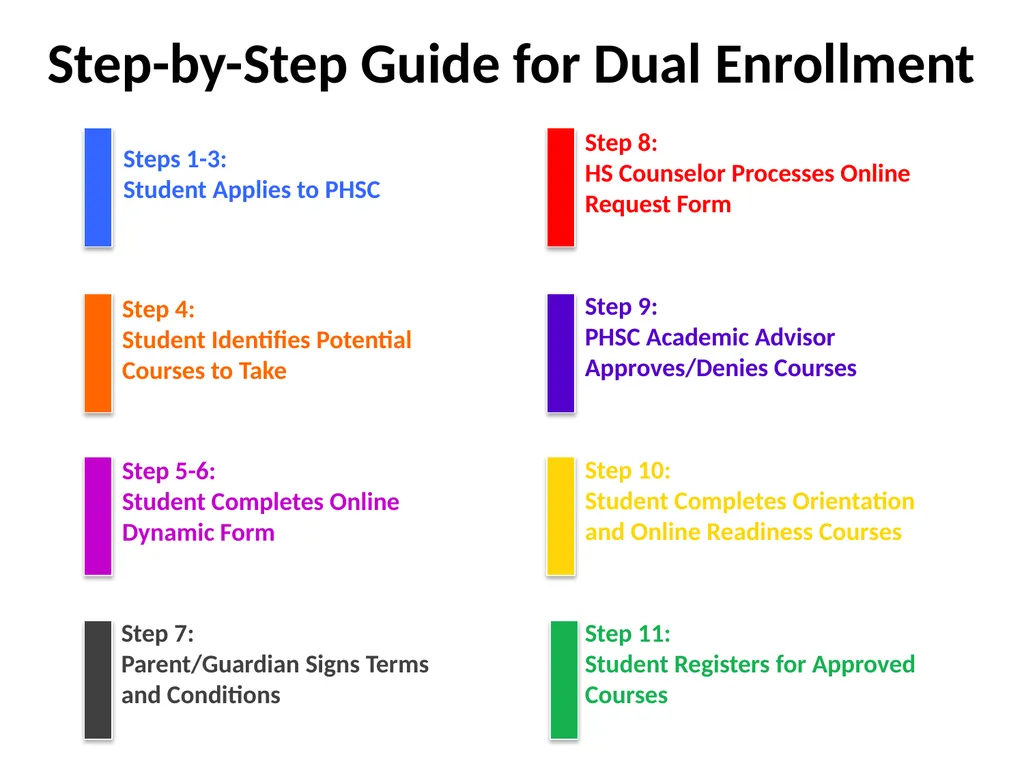
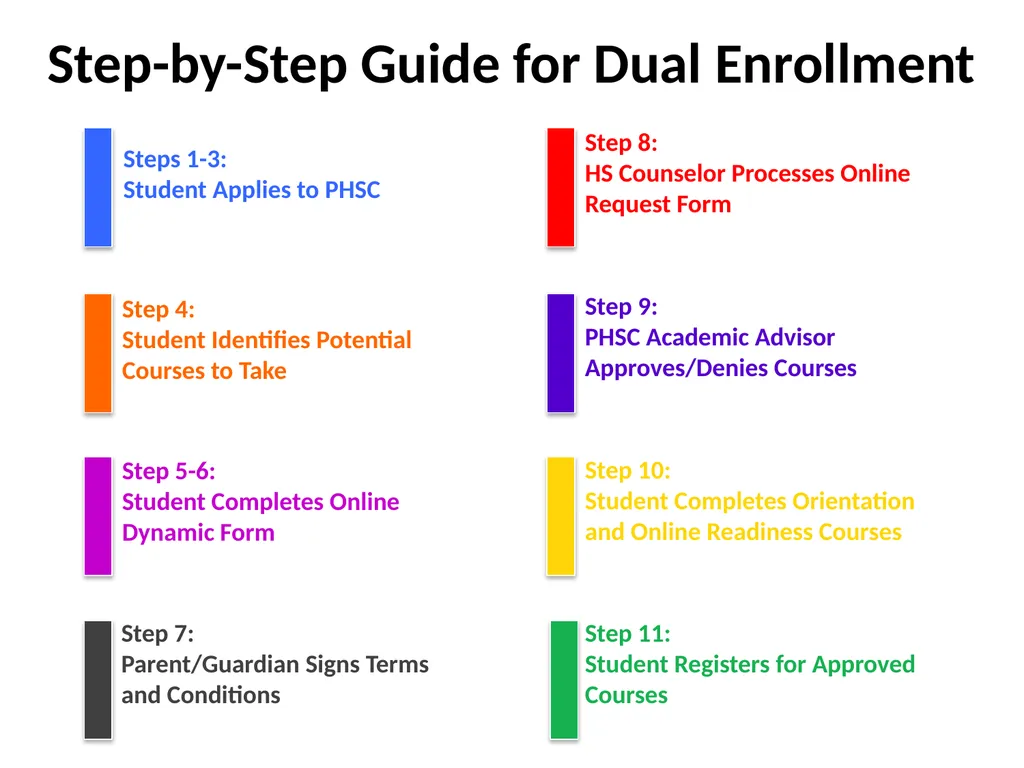
Step-by-Step Guide for Dual Enrollment Steps 1-3: Student Applies to PHSC Step 4: Student Identifies Potential Courses to Take Step 5-6: Student Completes Online Dynamic Form Step 7: ParentGuardian Signs Terms and Conditions Step 8: HS
Related Topics
Download this presentation From Below
"Step-by-Step Guide for Dual Enrollment Steps 1-3:" is the property of its rightful owner. Permission is granted to download and print the materials on this website for personal, non-commercial use only, and to display it on your personal computer provided you do not modify the materials and that you retain all copyright notices contained in the materials. By downloading content from our website, you accept the terms of this agreement.
Share
Embed code
Presentation Transcript
01
Step-by-Step Guide for Dual Enrollment Steps 1-3:
Student Applies to PHSC Step 4:
Student Identifies Potential Courses to Take Step 5-6:
Student Completes Online Dynamic Form Step 7:
Parent/Guardian Signs Terms and Conditions Step 8:
HS Counselor Processes Online Request Form Step 9:
PHSC Academic Advisor Approves/Denies Courses Step 10:
Student Completes Orientation and Online Readiness Courses Step 11:
Student Registers for Approved Courses<br>
Student Applies to PHSC Step 4:
Student Identifies Potential Courses to Take Step 5-6:
Student Completes Online Dynamic Form Step 7:
Parent/Guardian Signs Terms and Conditions Step 8:
HS Counselor Processes Online Request Form Step 9:
PHSC Academic Advisor Approves/Denies Courses Step 10:
Student Completes Orientation and Online Readiness Courses Step 11:
Student Registers for Approved Courses<br>
02
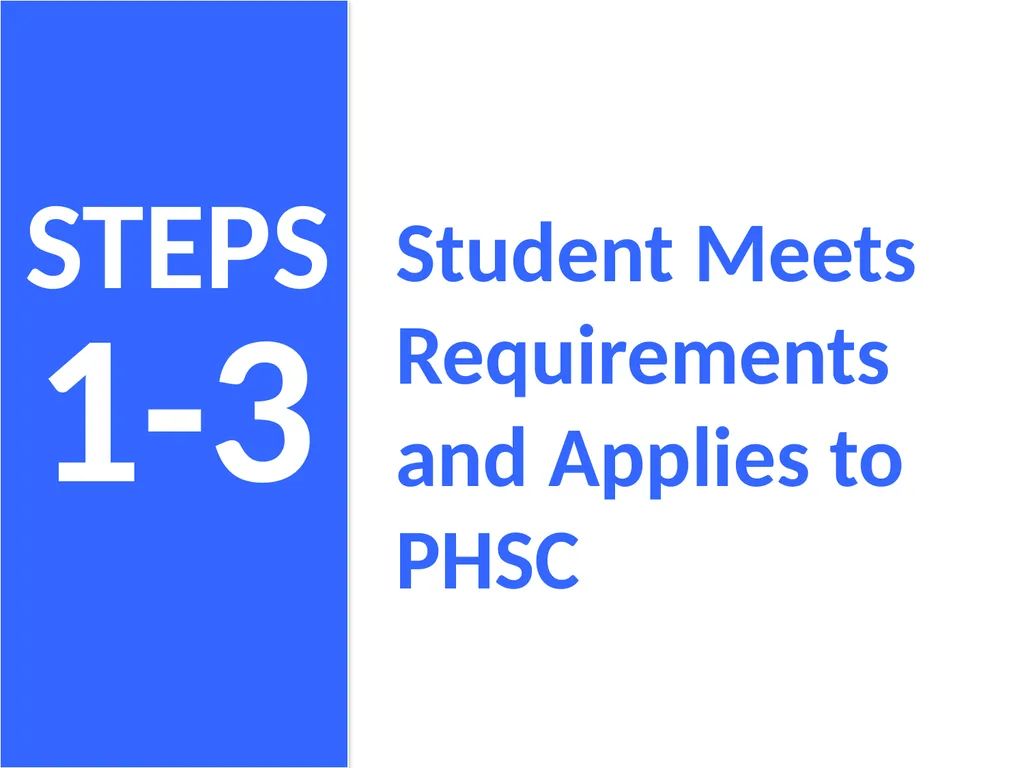
1-3 STEPS Student Meets Requirements and Applies to PHSC<br>
03
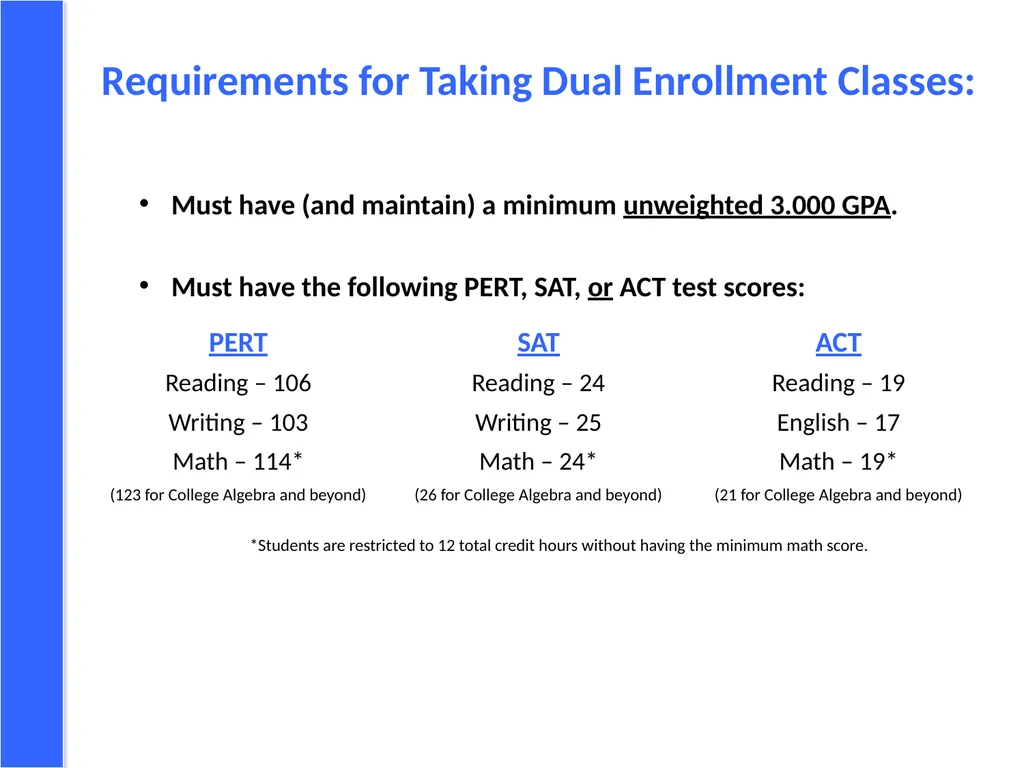
Requirements for Taking Dual Enrollment Classes: Must have (and maintain) a minimum unweighted 3.000 GPA.
Must have the following PERT, SAT, or ACT test scores:
*Students are restricted to 12 total credit hours without having the minimum math score. PERT
Reading – 106
Writing – 103
Math – 114*
(123 for College Algebra and beyond) SAT
Reading – 24
Writing – 25
Math – 24*
(26 for College Algebra and beyond) ACT
Reading – 19
English – 17
Math – 19*
(21 for College Algebra and beyond)<br>
Must have the following PERT, SAT, or ACT test scores:
*Students are restricted to 12 total credit hours without having the minimum math score. PERT
Reading – 106
Writing – 103
Math – 114*
(123 for College Algebra and beyond) SAT
Reading – 24
Writing – 25
Math – 24*
(26 for College Algebra and beyond) ACT
Reading – 19
English – 17
Math – 19*
(21 for College Algebra and beyond)<br>
04
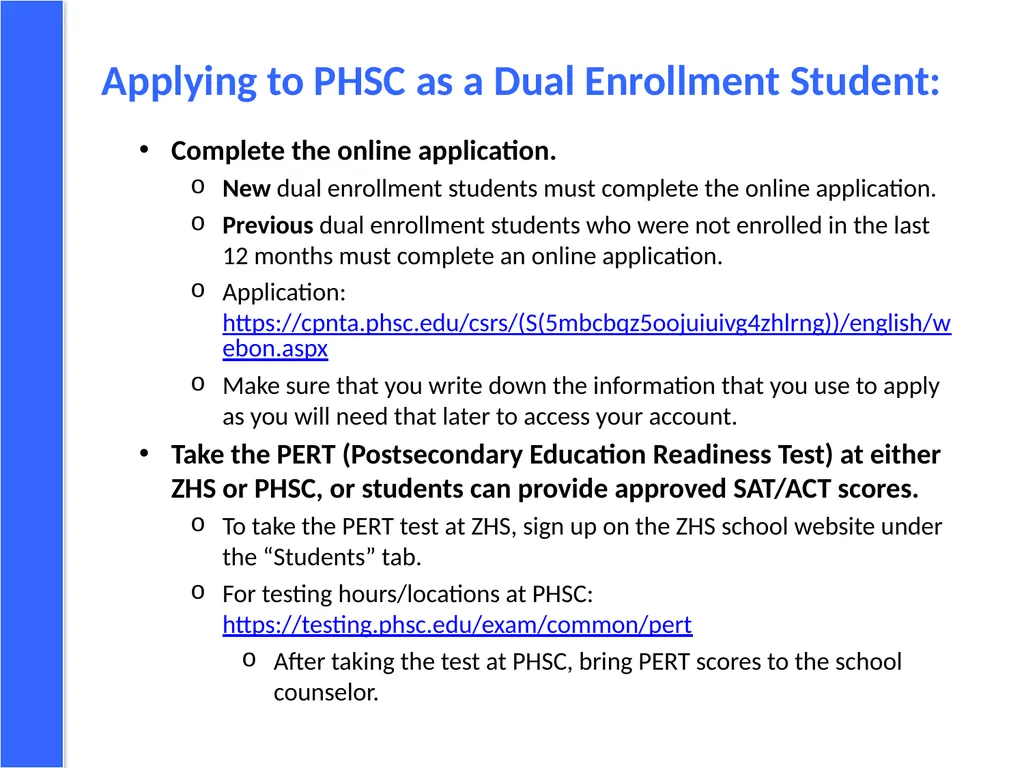
Applying to PHSC as a Dual Enrollment Student: Complete the online application.
New dual enrollment students must complete the online application.
Previous dual enrollment students who were not enrolled in the last 12 months must complete an online application.
Application: https://cpnta.phsc.edu/csrs/(S(5mbcbqz5oojuiuivg4zhlrng))/english/webon.aspx
Make sure that you write down the information that you use to apply as you will need that later to access your account.
Take the PERT (Postsecondary Education Readiness Test) at either ZHS or PHSC, or students can provide approved SAT/ACT scores.
To take the PERT test at ZHS, sign up on the ZHS school website under the “Students” tab.
For testing hours/locations at PHSC: https://testing.phsc.edu/exam/common/pert
After taking the test at PHSC, bring PERT scores to the school counselor.<br>
New dual enrollment students must complete the online application.
Previous dual enrollment students who were not enrolled in the last 12 months must complete an online application.
Application: https://cpnta.phsc.edu/csrs/(S(5mbcbqz5oojuiuivg4zhlrng))/english/webon.aspx
Make sure that you write down the information that you use to apply as you will need that later to access your account.
Take the PERT (Postsecondary Education Readiness Test) at either ZHS or PHSC, or students can provide approved SAT/ACT scores.
To take the PERT test at ZHS, sign up on the ZHS school website under the “Students” tab.
For testing hours/locations at PHSC: https://testing.phsc.edu/exam/common/pert
After taking the test at PHSC, bring PERT scores to the school counselor.<br>
05
4 STEP Student Identifies Potential DE Courses<br>
06
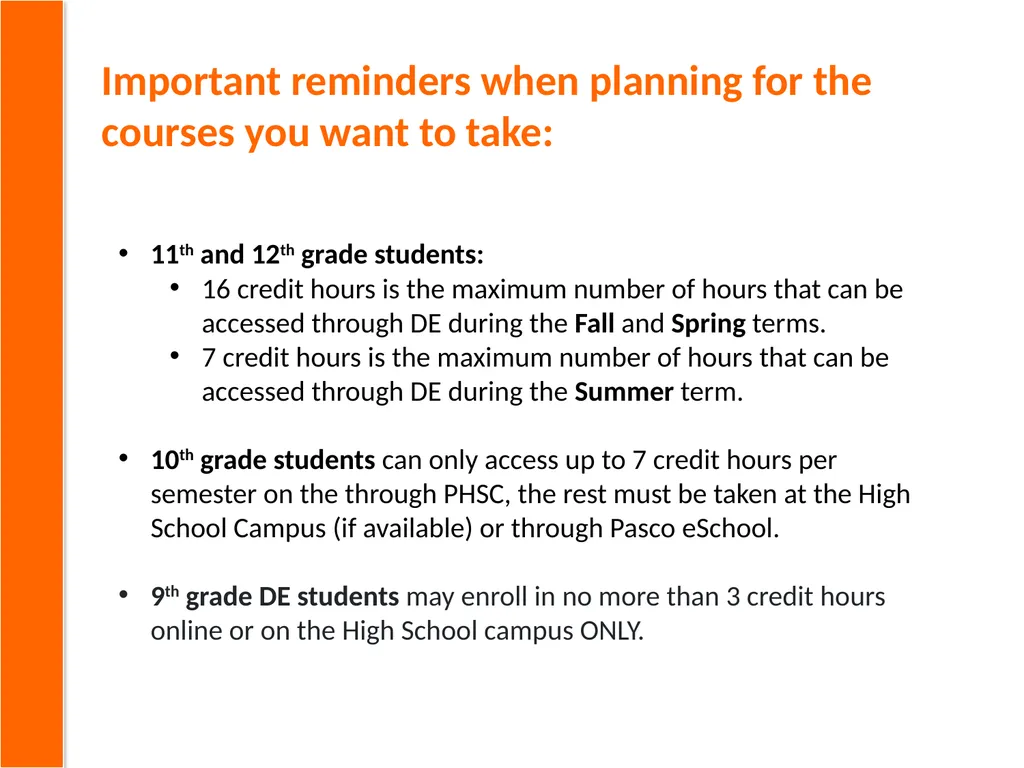
Important reminders when planning for the courses you want to take: 11th and 12th grade students:
16 credit hours is the maximum number of hours that can be accessed through DE during the Fall and Spring terms.
7 credit hours is the maximum number of hours that can be accessed through DE during the Summer term.
10th grade students can only access up to 7 credit hours per semester on the through PHSC, the rest must be taken at the High School Campus (if available) or through Pasco eSchool.
9th grade DE students may enroll in no more than 3 credit hours online or on the High School campus ONLY.<br>
16 credit hours is the maximum number of hours that can be accessed through DE during the Fall and Spring terms.
7 credit hours is the maximum number of hours that can be accessed through DE during the Summer term.
10th grade students can only access up to 7 credit hours per semester on the through PHSC, the rest must be taken at the High School Campus (if available) or through Pasco eSchool.
9th grade DE students may enroll in no more than 3 credit hours online or on the High School campus ONLY.<br>
07
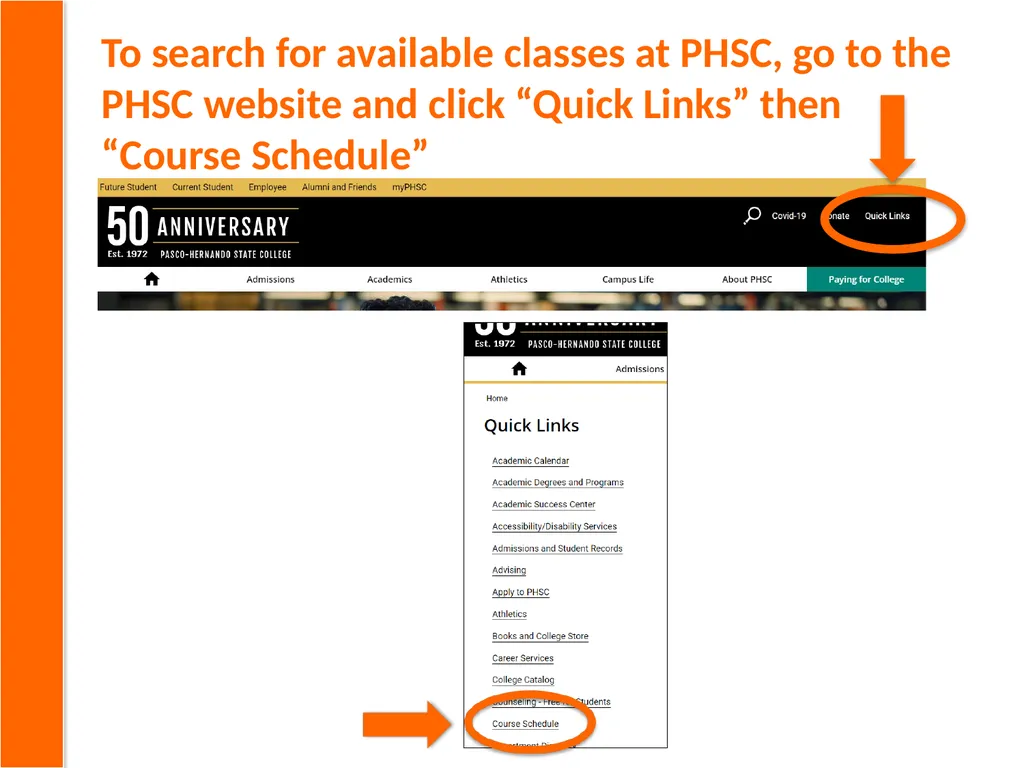
To search for available classes at PHSC, go to the PHSC website and click “Quick Links” then “Course Schedule”<br>
08
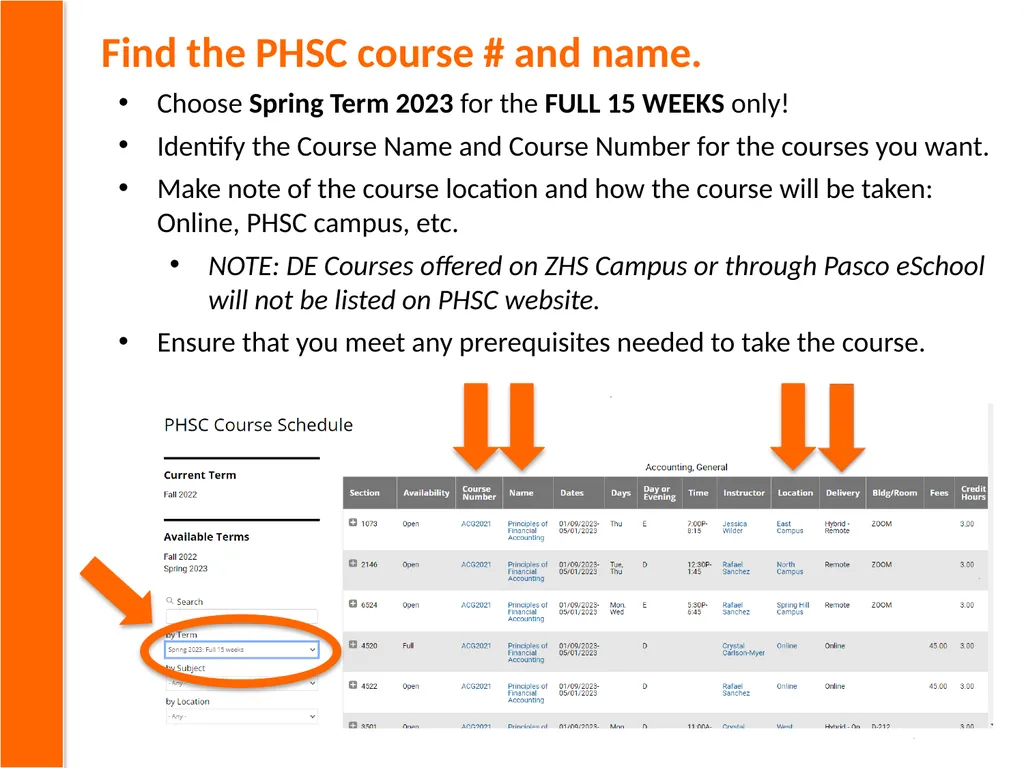
Find the PHSC course # and name. Choose Spring Term 2023 for the FULL 15 WEEKS only!
Identify the Course Name and Course Number for the courses you want.
Make note of the course location and how the course will be taken: Online, PHSC campus, etc.
NOTE: DE Courses offered on ZHS Campus or through Pasco eSchool will not be listed on PHSC website.
Ensure that you meet any prerequisites needed to take the course.<br>
Identify the Course Name and Course Number for the courses you want.
Make note of the course location and how the course will be taken: Online, PHSC campus, etc.
NOTE: DE Courses offered on ZHS Campus or through Pasco eSchool will not be listed on PHSC website.
Ensure that you meet any prerequisites needed to take the course.<br>
09
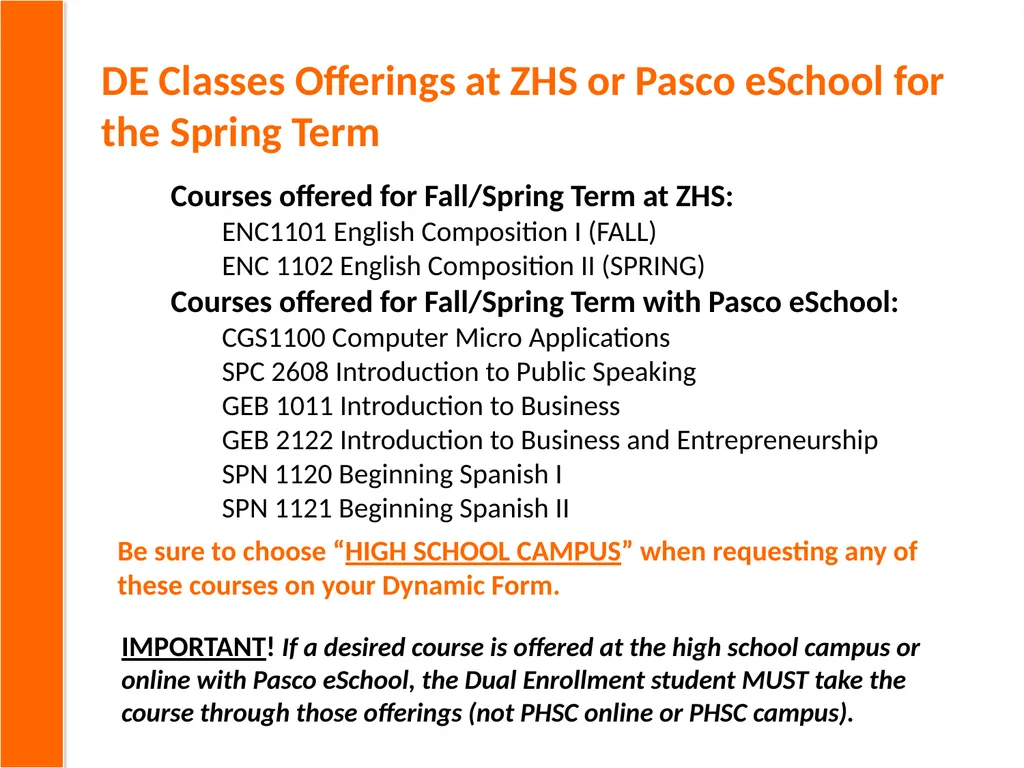
DE Classes Offerings at ZHS or Pasco eSchool for the Spring Term Courses offered for Fall/Spring Term at ZHS:
ENC1101 English Composition I (FALL)
ENC 1102 English Composition II (SPRING)
Courses offered for Fall/Spring Term with Pasco eSchool:
CGS1100 Computer Micro Applications
SPC 2608 Introduction to Public Speaking
GEB 1011 Introduction to Business
GEB 2122 Introduction to Business and Entrepreneurship
SPN 1120 Beginning Spanish I
SPN 1121 Beginning Spanish II IMPORTANT! If a desired course is offered at the high school campus or online with Pasco eSchool, the Dual Enrollment student MUST take the course through those offerings (not PHSC online or PHSC campus). Be sure to choose “HIGH SCHOOL CAMPUS” when requesting any of these courses on your Dynamic Form.<br>
ENC1101 English Composition I (FALL)
ENC 1102 English Composition II (SPRING)
Courses offered for Fall/Spring Term with Pasco eSchool:
CGS1100 Computer Micro Applications
SPC 2608 Introduction to Public Speaking
GEB 1011 Introduction to Business
GEB 2122 Introduction to Business and Entrepreneurship
SPN 1120 Beginning Spanish I
SPN 1121 Beginning Spanish II IMPORTANT! If a desired course is offered at the high school campus or online with Pasco eSchool, the Dual Enrollment student MUST take the course through those offerings (not PHSC online or PHSC campus). Be sure to choose “HIGH SCHOOL CAMPUS” when requesting any of these courses on your Dynamic Form.<br>
10
5-6 STEPS Student Completes the Dual Enrollment Online Request Form (Dynamic Form)<br>
11
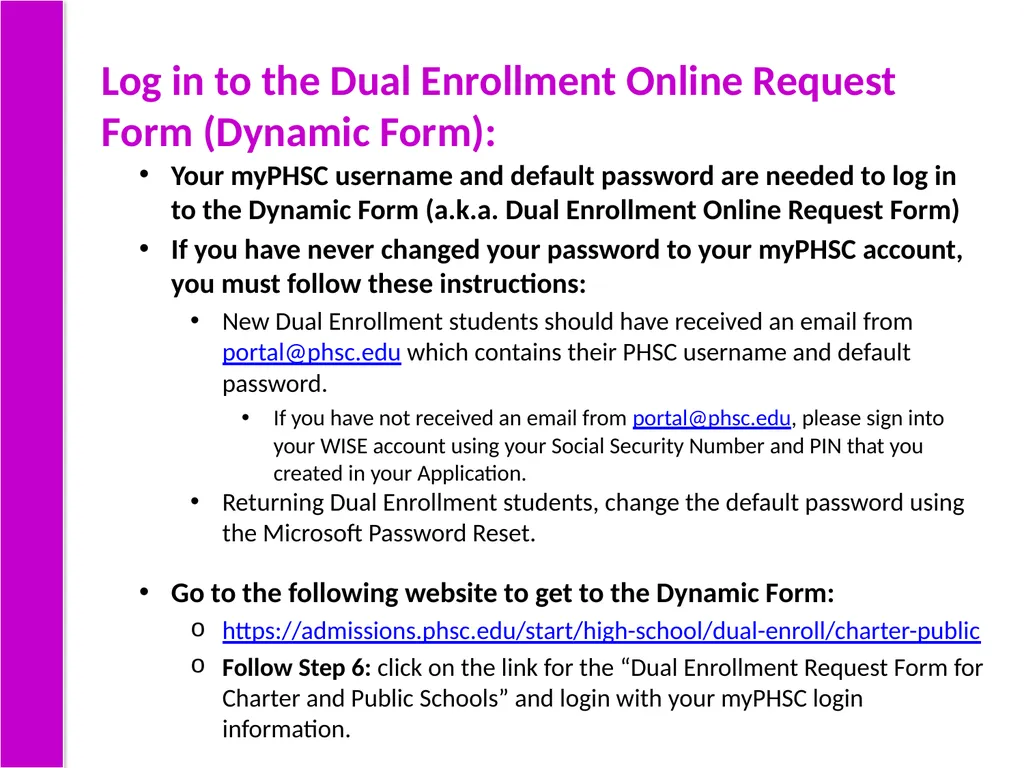
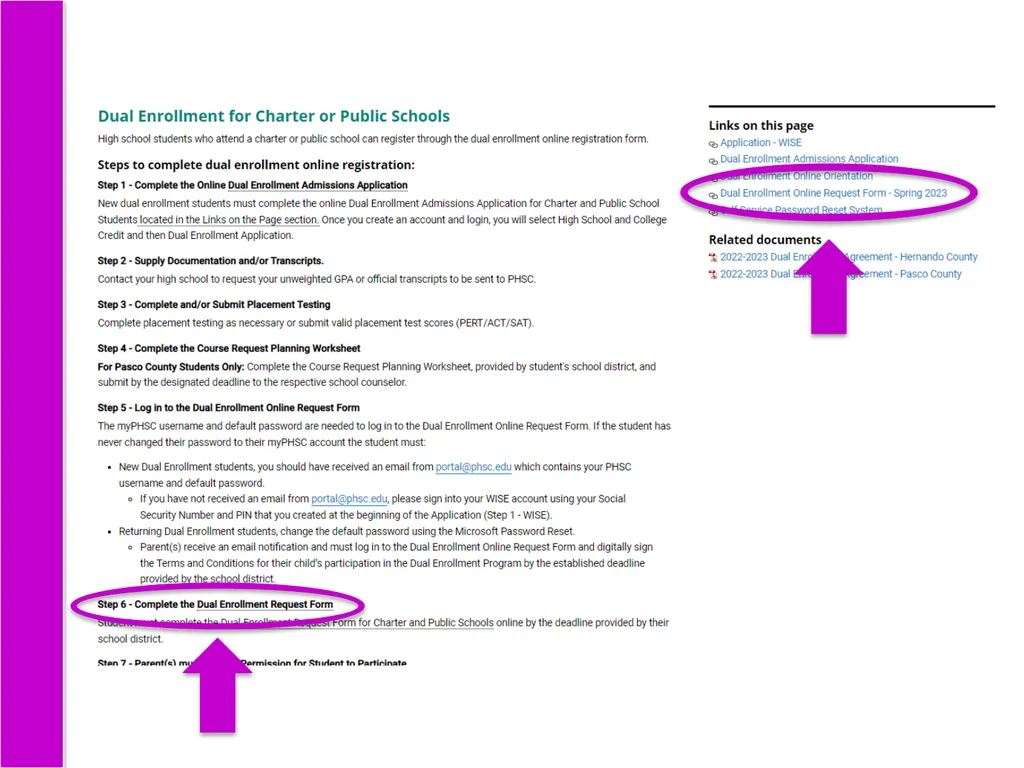
Log in to the Dual Enrollment Online Request Form (Dynamic Form): Your myPHSC username and default password are needed to log in to the Dynamic Form (a.k.a. Dual Enrollment Online Request Form)
If you have never changed your password to your myPHSC account, you must follow these instructions:
New Dual Enrollment students should have received an email from portal@phsc.edu which contains their PHSC username and default password.
If you have not received an email from portal@phsc.edu, please sign into your WISE account using your Social Security Number and PIN that you created in your Application.
Returning Dual Enrollment students, change the default password using the Microsoft Password Reset.
Go to the following website to get to the Dynamic Form:
https://admissions.phsc.edu/start/high-school/dual-enroll/charter-public
Follow Step 6: click on the link for the “Dual Enrollment Request Form for Charter and Public Schools” and login with your myPHSC login information.<br>
If you have never changed your password to your myPHSC account, you must follow these instructions:
New Dual Enrollment students should have received an email from portal@phsc.edu which contains their PHSC username and default password.
If you have not received an email from portal@phsc.edu, please sign into your WISE account using your Social Security Number and PIN that you created in your Application.
Returning Dual Enrollment students, change the default password using the Microsoft Password Reset.
Go to the following website to get to the Dynamic Form:
https://admissions.phsc.edu/start/high-school/dual-enroll/charter-public
Follow Step 6: click on the link for the “Dual Enrollment Request Form for Charter and Public Schools” and login with your myPHSC login information.<br>
12
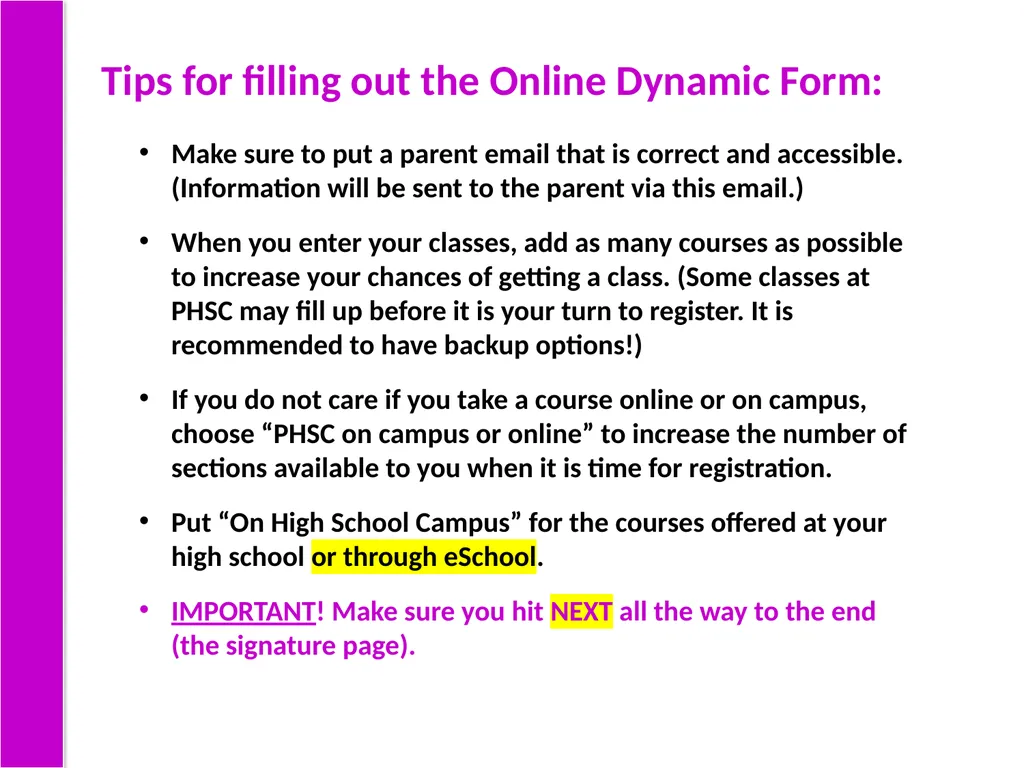
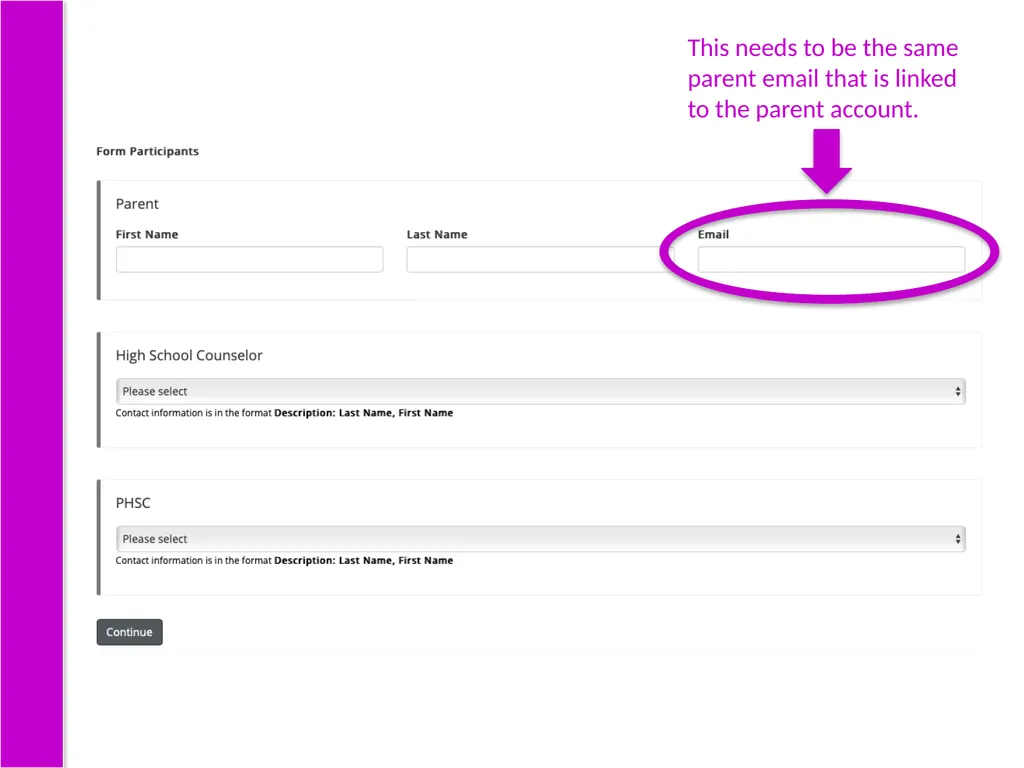
Tips for filling out the Online Dynamic Form: Make sure to put a parent email that is correct and accessible. (Information will be sent to the parent via this email.)
When you enter your classes, add as many courses as possible to increase your chances of getting a class. (Some classes at PHSC may fill up before it is your turn to register. It is recommended to have backup options!)
If you do not care if you take a course online or on campus, choose “PHSC on campus or online” to increase the number of sections available to you when it is time for registration.
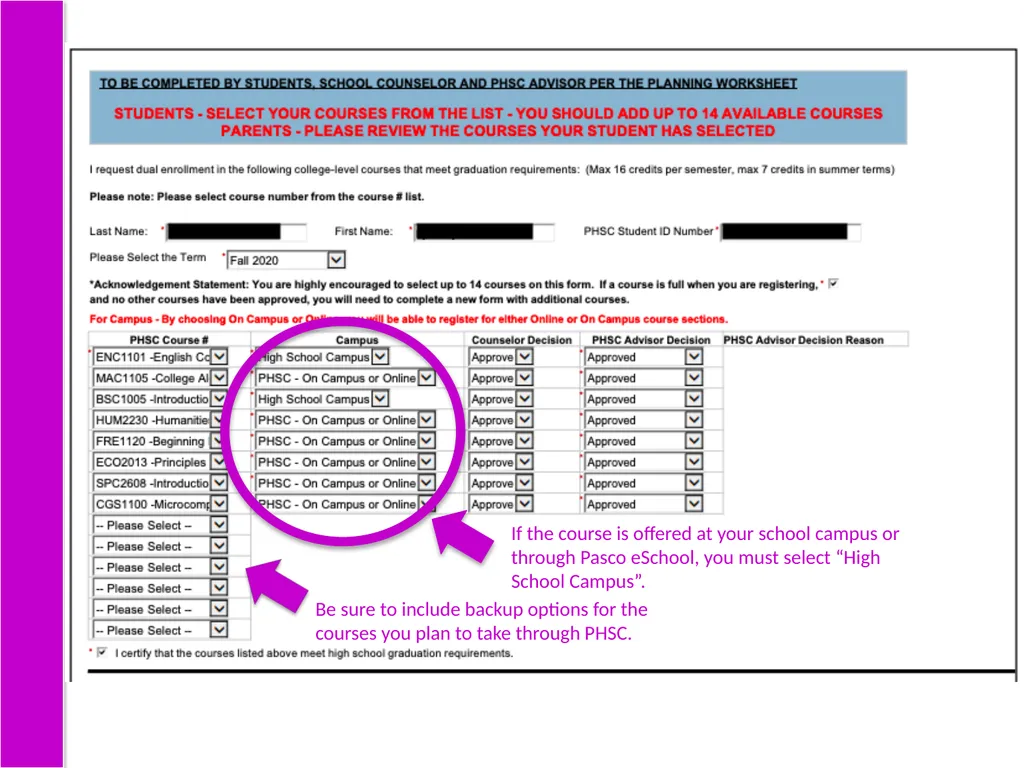
Put “On High School Campus” for the courses offered at your high school or through eSchool.
IMPORTANT! Make sure you hit NEXT all the way to the end (the signature page).<br>
When you enter your classes, add as many courses as possible to increase your chances of getting a class. (Some classes at PHSC may fill up before it is your turn to register. It is recommended to have backup options!)
If you do not care if you take a course online or on campus, choose “PHSC on campus or online” to increase the number of sections available to you when it is time for registration.
Put “On High School Campus” for the courses offered at your high school or through eSchool.
IMPORTANT! Make sure you hit NEXT all the way to the end (the signature page).<br>
13
This needs to be the same parent email that is linked to the parent account.<br>
14
If the course is offered at your school campus or through Pasco eSchool, you must select “High School Campus”. Be sure to include backup options for the courses you plan to take through PHSC.<br>
15
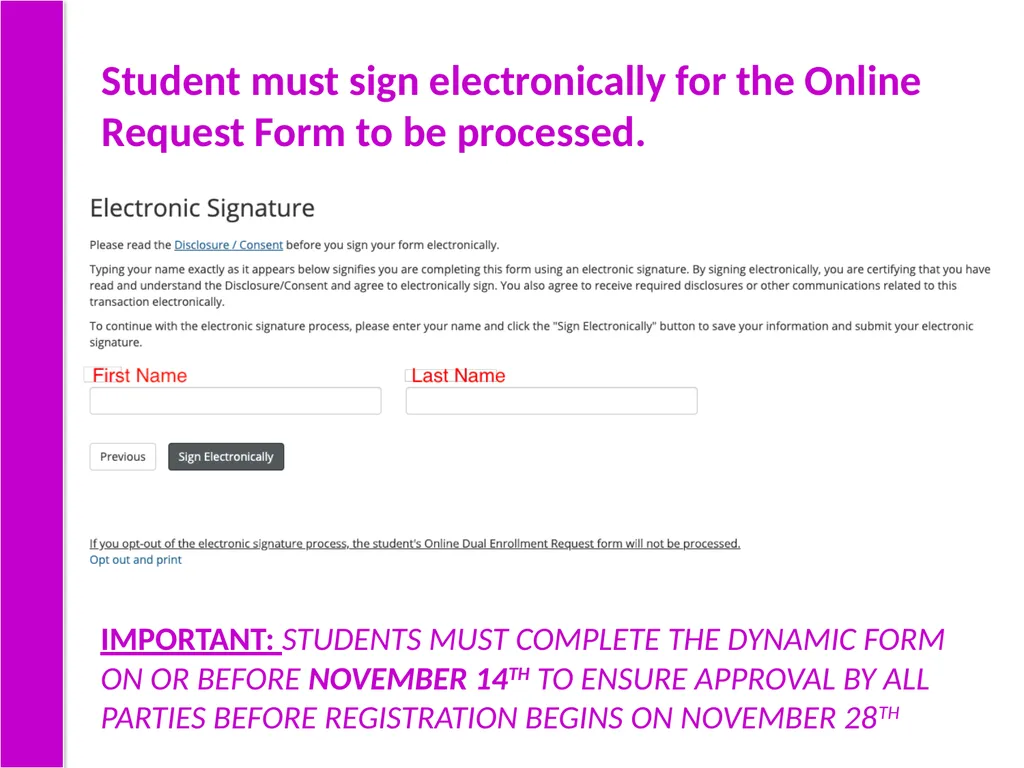
Student must sign electronically for the Online Request Form to be processed. IMPORTANT: STUDENTS MUST COMPLETE THE DYNAMIC FORM ON OR BEFORE NOVEMBER 14TH TO ENSURE APPROVAL BY ALL PARTIES BEFORE REGISTRATION BEGINS ON NOVEMBER 28TH<br>
16
7 STEP Parent/Guardian Signs Terms and Conditions<br>
17
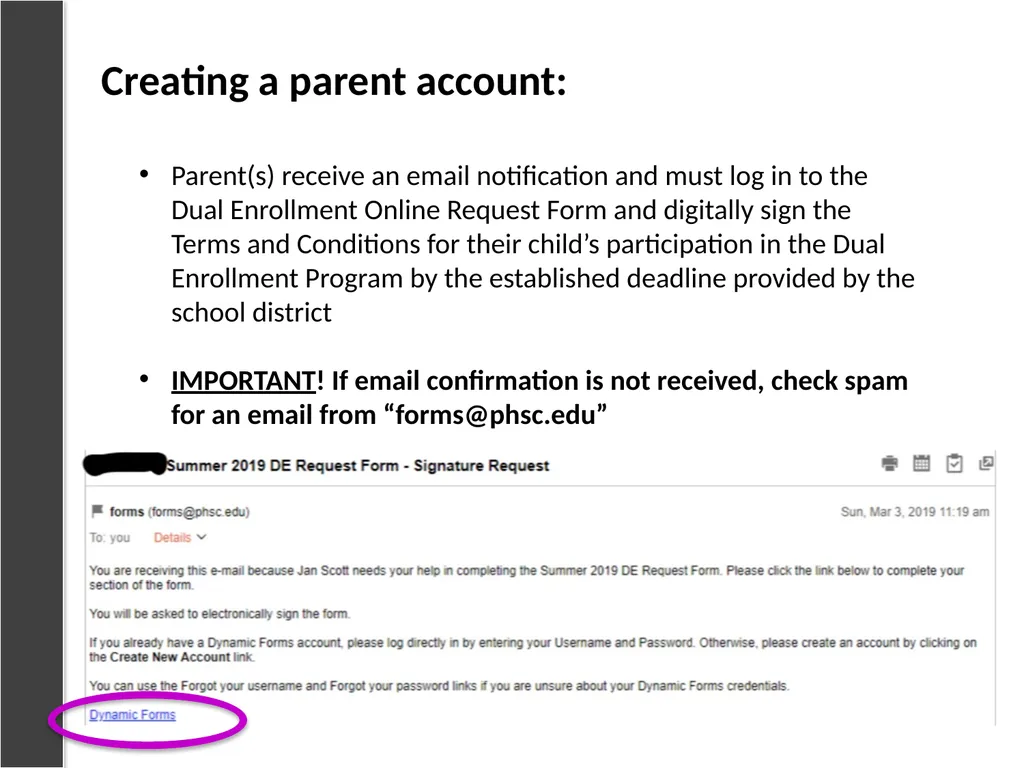
Parent(s) receive an email notification and must log in to the Dual Enrollment Online Request Form and digitally sign the Terms and Conditions for their child’s participation in the Dual Enrollment Program by the established deadline provided by the school district
IMPORTANT! If email confirmation is not received, check spam for an email from “forms@phsc.edu” Creating a parent account:<br>
IMPORTANT! If email confirmation is not received, check spam for an email from “forms@phsc.edu” Creating a parent account:<br>
18
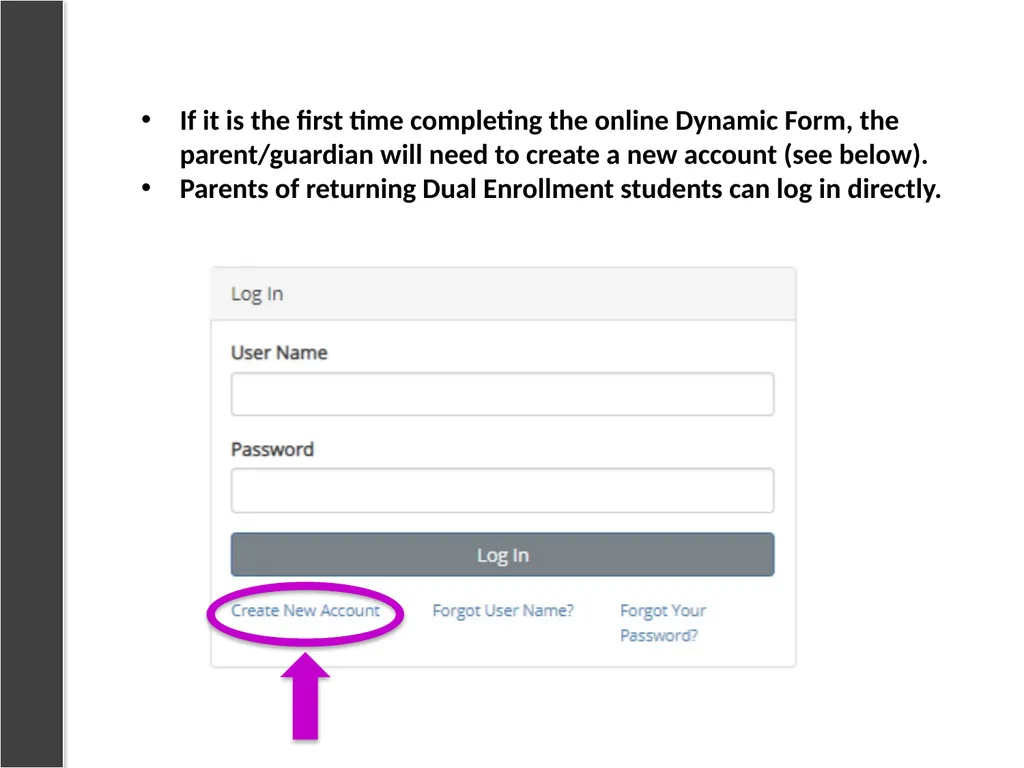
If it is the first time completing the online Dynamic Form, the parent/guardian will need to create a new account (see below).
Parents of returning Dual Enrollment students can log in directly.<br>
Parents of returning Dual Enrollment students can log in directly.<br>
19
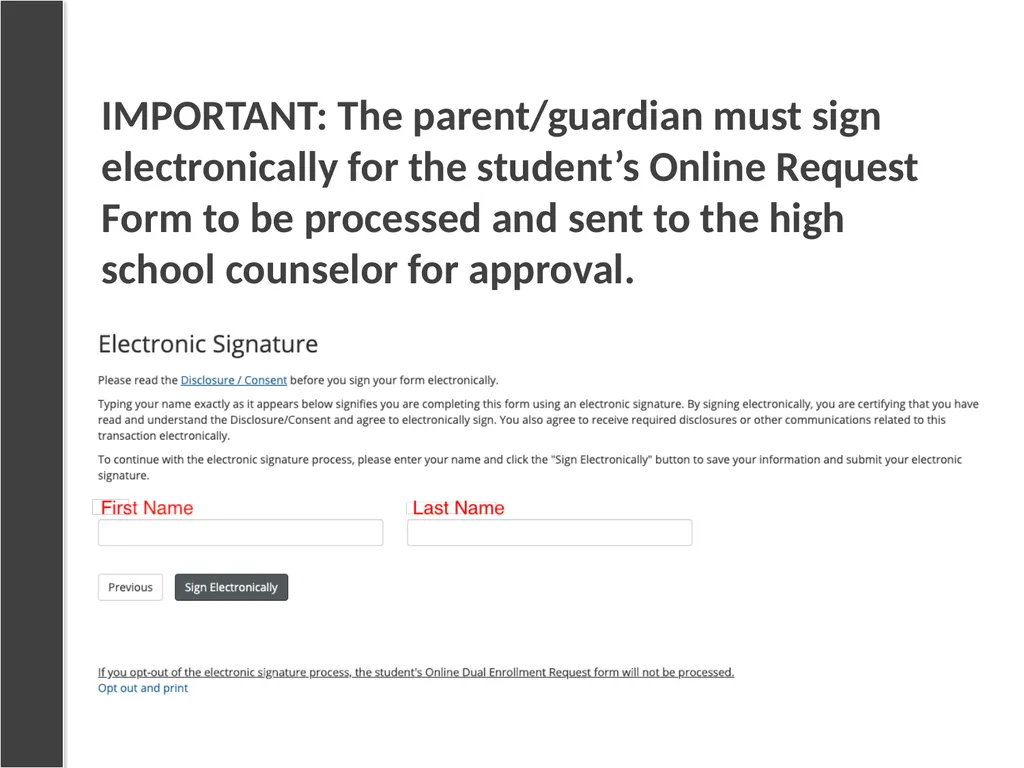
IMPORTANT: The parent/guardian must sign electronically for the student’s Online Request Form to be processed and sent to the high school counselor for approval.<br>
20
8 STEP HS Counselor Processes Online Request Form<br>
21
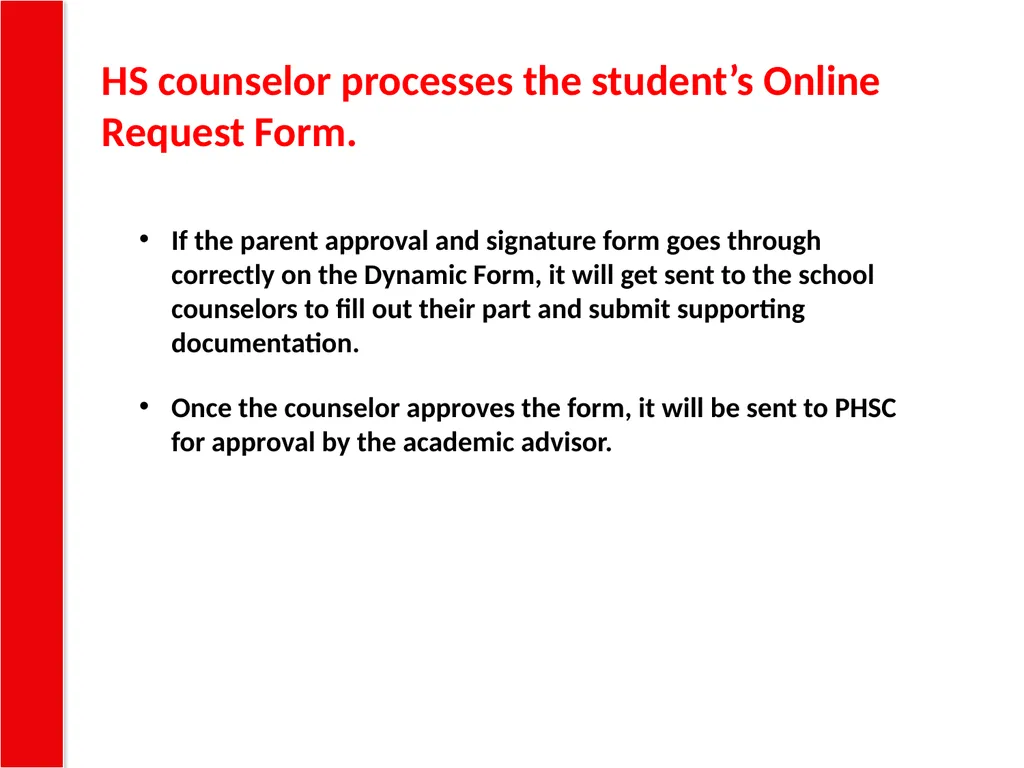
If the parent approval and signature form goes through correctly on the Dynamic Form, it will get sent to the school counselors to fill out their part and submit supporting documentation.
Once the counselor approves the form, it will be sent to PHSC for approval by the academic advisor. HS counselor processes the student’s Online Request Form.<br>
Once the counselor approves the form, it will be sent to PHSC for approval by the academic advisor. HS counselor processes the student’s Online Request Form.<br>
22
9 STEP PHSC Advisor Approves or Denies Courses<br>
23
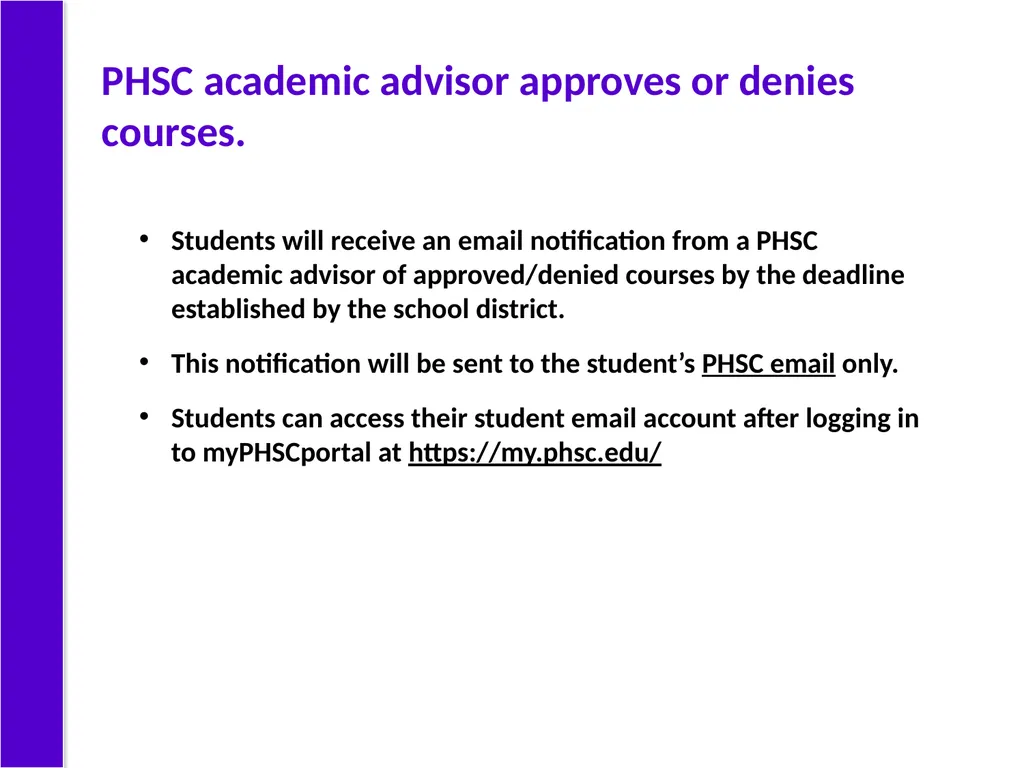
Students will receive an email notification from a PHSC academic advisor of approved/denied courses by the deadline established by the school district.
This notification will be sent to the student’s PHSC email only.
Students can access their student email account after logging in to myPHSCportal at https://my.phsc.edu/ PHSC academic advisor approves or denies courses.<br>
This notification will be sent to the student’s PHSC email only.
Students can access their student email account after logging in to myPHSCportal at https://my.phsc.edu/ PHSC academic advisor approves or denies courses.<br>
24
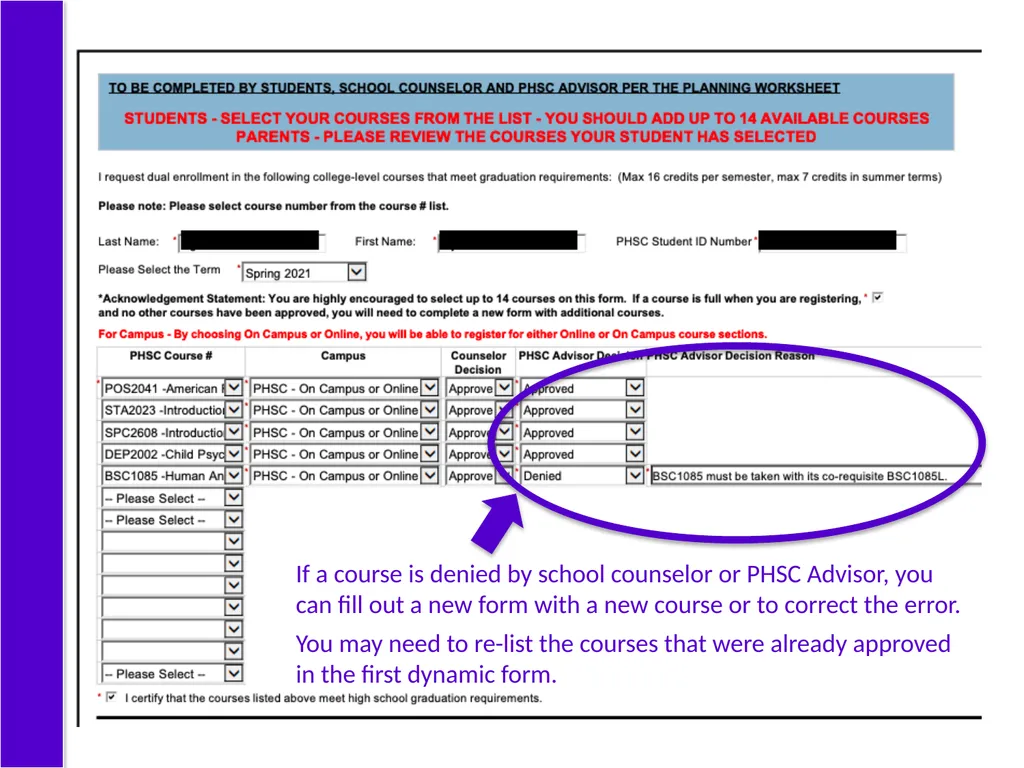
If a course is denied by school counselor or PHSC Advisor, you can fill out a new form with a new course or to correct the error.
You may need to re-list the courses that were already approved in the first dynamic form.<br>
You may need to re-list the courses that were already approved in the first dynamic form.<br>
25
10 STEP Student Completes DE Online Orientation<br>
26
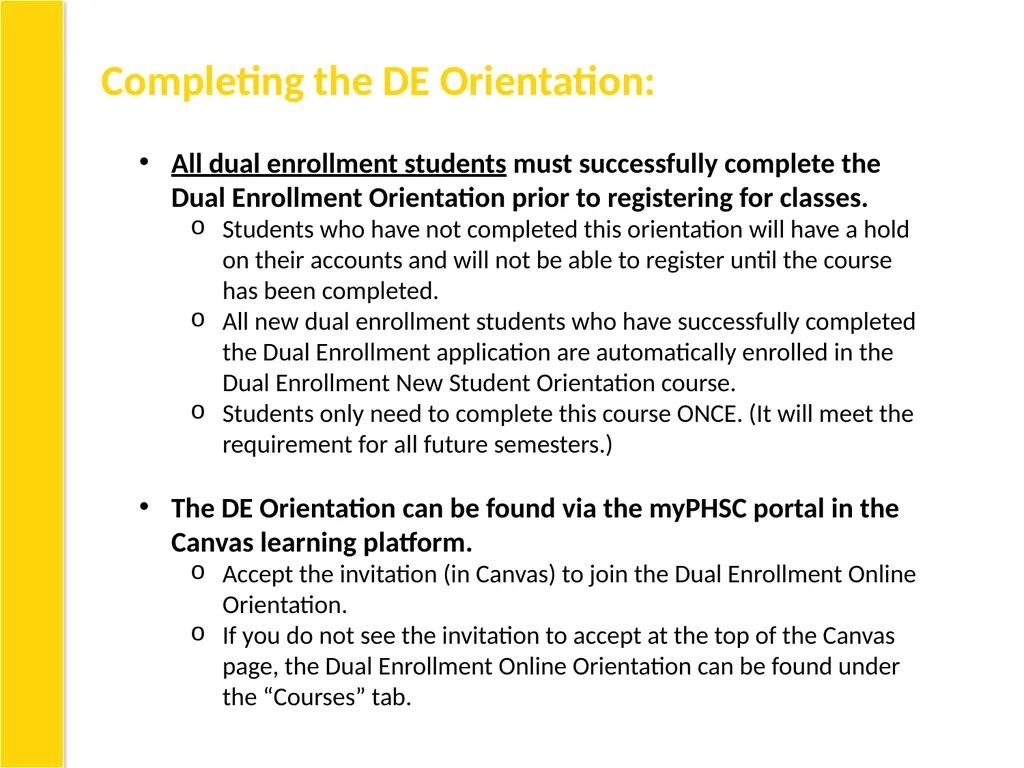
Completing the DE Orientation: All dual enrollment students must successfully complete the Dual Enrollment Orientation prior to registering for classes.
Students who have not completed this orientation will have a hold on their accounts and will not be able to register until the course has been completed.
All new dual enrollment students who have successfully completed the Dual Enrollment application are automatically enrolled in the Dual Enrollment New Student Orientation course.
Students only need to complete this course ONCE. (It will meet the requirement for all future semesters.)
The DE Orientation can be found via the myPHSC portal in the Canvas learning platform.
Accept the invitation (in Canvas) to join the Dual Enrollment Online Orientation.
If you do not see the invitation to accept at the top of the Canvas page, the Dual Enrollment Online Orientation can be found under the “Courses” tab.<br>
Students who have not completed this orientation will have a hold on their accounts and will not be able to register until the course has been completed.
All new dual enrollment students who have successfully completed the Dual Enrollment application are automatically enrolled in the Dual Enrollment New Student Orientation course.
Students only need to complete this course ONCE. (It will meet the requirement for all future semesters.)
The DE Orientation can be found via the myPHSC portal in the Canvas learning platform.
Accept the invitation (in Canvas) to join the Dual Enrollment Online Orientation.
If you do not see the invitation to accept at the top of the Canvas page, the Dual Enrollment Online Orientation can be found under the “Courses” tab.<br>
27
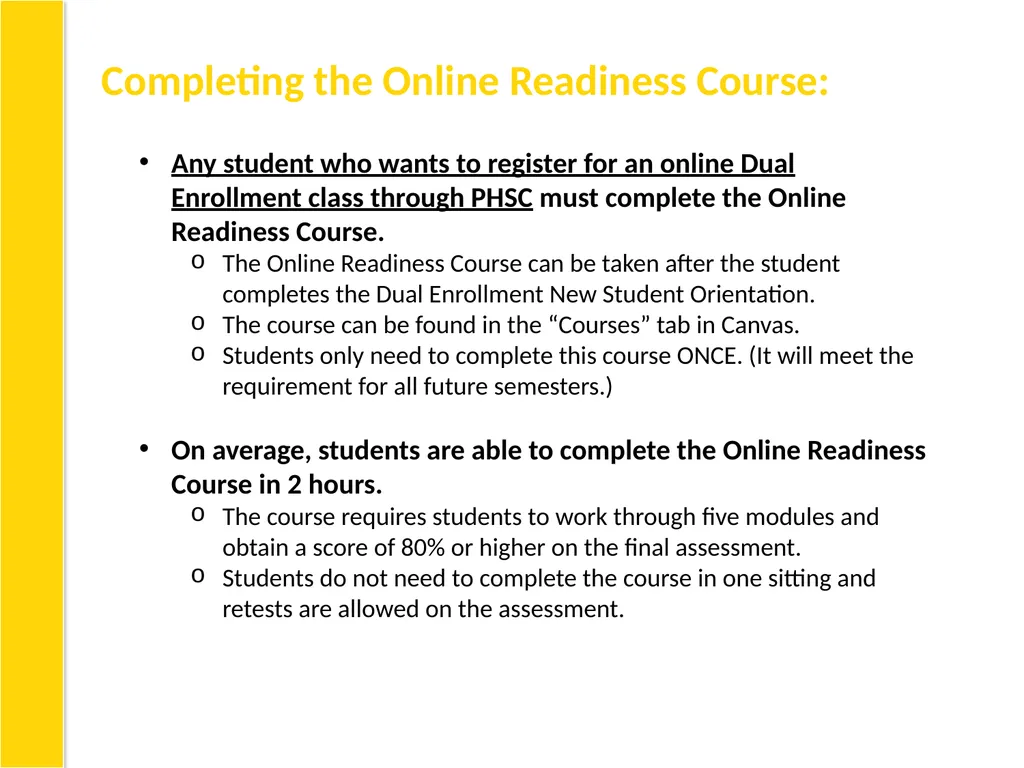
Completing the Online Readiness Course: Any student who wants to register for an online Dual Enrollment class through PHSC must complete the Online Readiness Course.
The Online Readiness Course can be taken after the student completes the Dual Enrollment New Student Orientation.
The course can be found in the “Courses” tab in Canvas.
Students only need to complete this course ONCE. (It will meet the requirement for all future semesters.)
On average, students are able to complete the Online Readiness Course in 2 hours.
The course requires students to work through five modules and obtain a score of 80% or higher on the final assessment.
Students do not need to complete the course in one sitting and retests are allowed on the assessment.<br>
The Online Readiness Course can be taken after the student completes the Dual Enrollment New Student Orientation.
The course can be found in the “Courses” tab in Canvas.
Students only need to complete this course ONCE. (It will meet the requirement for all future semesters.)
On average, students are able to complete the Online Readiness Course in 2 hours.
The course requires students to work through five modules and obtain a score of 80% or higher on the final assessment.
Students do not need to complete the course in one sitting and retests are allowed on the assessment.<br>
28
11 STEP Student Registers for Approved Courses<br>
29
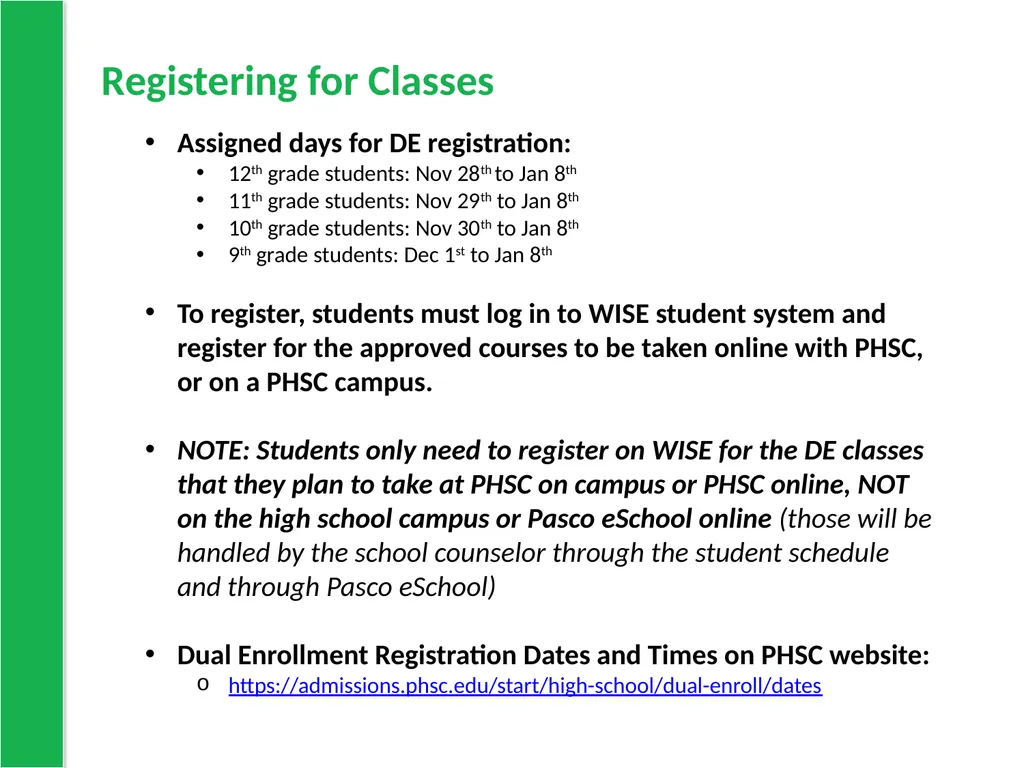
Registering for Classes Assigned days for DE registration:
12th grade students: Nov 28th to Jan 8th
11th grade students: Nov 29th to Jan 8th
10th grade students: Nov 30th to Jan 8th
9th grade students: Dec 1st to Jan 8th
To register, students must log in to WISE student system and register for the approved courses to be taken online with PHSC, or on a PHSC campus.
NOTE: Students only need to register on WISE for the DE classes that they plan to take at PHSC on campus or PHSC online, NOT on the high school campus or Pasco eSchool online (those will be handled by the school counselor through the student schedule and through Pasco eSchool)
Dual Enrollment Registration Dates and Times on PHSC website:
https://admissions.phsc.edu/start/high-school/dual-enroll/dates<br>
12th grade students: Nov 28th to Jan 8th
11th grade students: Nov 29th to Jan 8th
10th grade students: Nov 30th to Jan 8th
9th grade students: Dec 1st to Jan 8th
To register, students must log in to WISE student system and register for the approved courses to be taken online with PHSC, or on a PHSC campus.
NOTE: Students only need to register on WISE for the DE classes that they plan to take at PHSC on campus or PHSC online, NOT on the high school campus or Pasco eSchool online (those will be handled by the school counselor through the student schedule and through Pasco eSchool)
Dual Enrollment Registration Dates and Times on PHSC website:
https://admissions.phsc.edu/start/high-school/dual-enroll/dates<br>
30
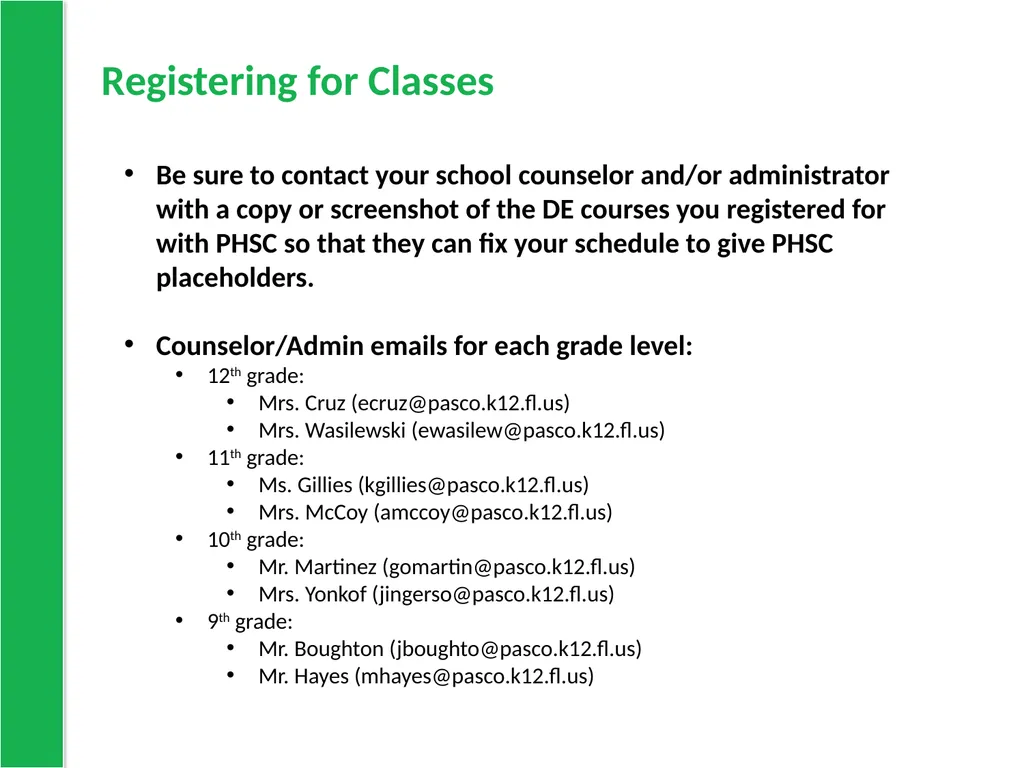
Registering for Classes Be sure to contact your school counselor and/or administrator with a copy or screenshot of the DE courses you registered for with PHSC so that they can fix your schedule to give PHSC placeholders.
Counselor/Admin emails for each grade level:
12th grade:
Mrs. Cruz (ecruz@pasco.k12.fl.us)
Mrs. Wasilewski (ewasilew@pasco.k12.fl.us)
11th grade:
Ms. Gillies (kgillies@pasco.k12.fl.us)
Mrs. McCoy (amccoy@pasco.k12.fl.us)
10th grade:
Mr. Martinez (gomartin@pasco.k12.fl.us)
Mrs. Yonkof (jingerso@pasco.k12.fl.us)
9th grade:
Mr. Boughton (jboughto@pasco.k12.fl.us)
Mr. Hayes (mhayes@pasco.k12.fl.us)<br>
Counselor/Admin emails for each grade level:
12th grade:
Mrs. Cruz (ecruz@pasco.k12.fl.us)
Mrs. Wasilewski (ewasilew@pasco.k12.fl.us)
11th grade:
Ms. Gillies (kgillies@pasco.k12.fl.us)
Mrs. McCoy (amccoy@pasco.k12.fl.us)
10th grade:
Mr. Martinez (gomartin@pasco.k12.fl.us)
Mrs. Yonkof (jingerso@pasco.k12.fl.us)
9th grade:
Mr. Boughton (jboughto@pasco.k12.fl.us)
Mr. Hayes (mhayes@pasco.k12.fl.us)<br>
31
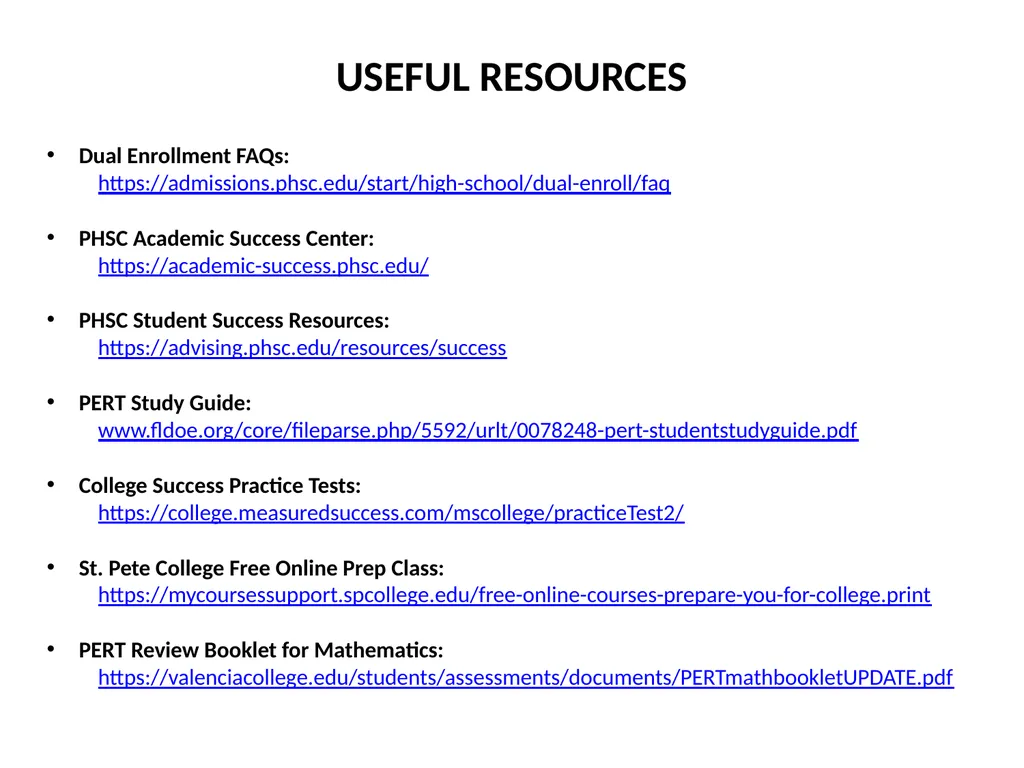
Dual Enrollment FAQs:
https://admissions.phsc.edu/start/high-school/dual-enroll/faq
PHSC Academic Success Center:
https://academic-success.phsc.edu/
PHSC Student Success Resources:
https://advising.phsc.edu/resources/success
PERT Study Guide:
www.fldoe.org/core/fileparse.php/5592/urlt/0078248-pert-studentstudyguide.pdf
College Success Practice Tests:
https://college.measuredsuccess.com/mscollege/practiceTest2/
St. Pete College Free Online Prep Class:
https://mycoursessupport.spcollege.edu/free-online-courses-prepare-you-for-college.print
PERT Review Booklet for Mathematics:
https://valenciacollege.edu/students/assessments/documents/PERTmathbookletUPDATE.pdf USEFUL RESOURCES<br>
https://admissions.phsc.edu/start/high-school/dual-enroll/faq
PHSC Academic Success Center:
https://academic-success.phsc.edu/
PHSC Student Success Resources:
https://advising.phsc.edu/resources/success
PERT Study Guide:
www.fldoe.org/core/fileparse.php/5592/urlt/0078248-pert-studentstudyguide.pdf
College Success Practice Tests:
https://college.measuredsuccess.com/mscollege/practiceTest2/
St. Pete College Free Online Prep Class:
https://mycoursessupport.spcollege.edu/free-online-courses-prepare-you-for-college.print
PERT Review Booklet for Mathematics:
https://valenciacollege.edu/students/assessments/documents/PERTmathbookletUPDATE.pdf USEFUL RESOURCES<br>