Strings in JavaScript Eric Roberts and Jerry Cain CS 106J May 1, 2017 Once upon a time . . . Early Character Encodings The idea of using codes to represent letters dates from before the time of Herman Hollerith, as described in Chapter 6.
"Strings in JavaScript Eric Roberts and Jerry Cain" is the property of its rightful owner. Permission is granted to
download and print the materials on this website for personal, non-commercial use only, and to display it
on your personal computer provided you do not modify the materials and that you retain all copyright
notices contained in the materials. By downloading content from our website, you accept the terms of this
agreement.
Presentation Transcript
01
Strings in JavaScript Eric Roberts and Jerry Cain
CS 106J
May 1, 2017<br>
02
Once upon a time . . .<br>
03
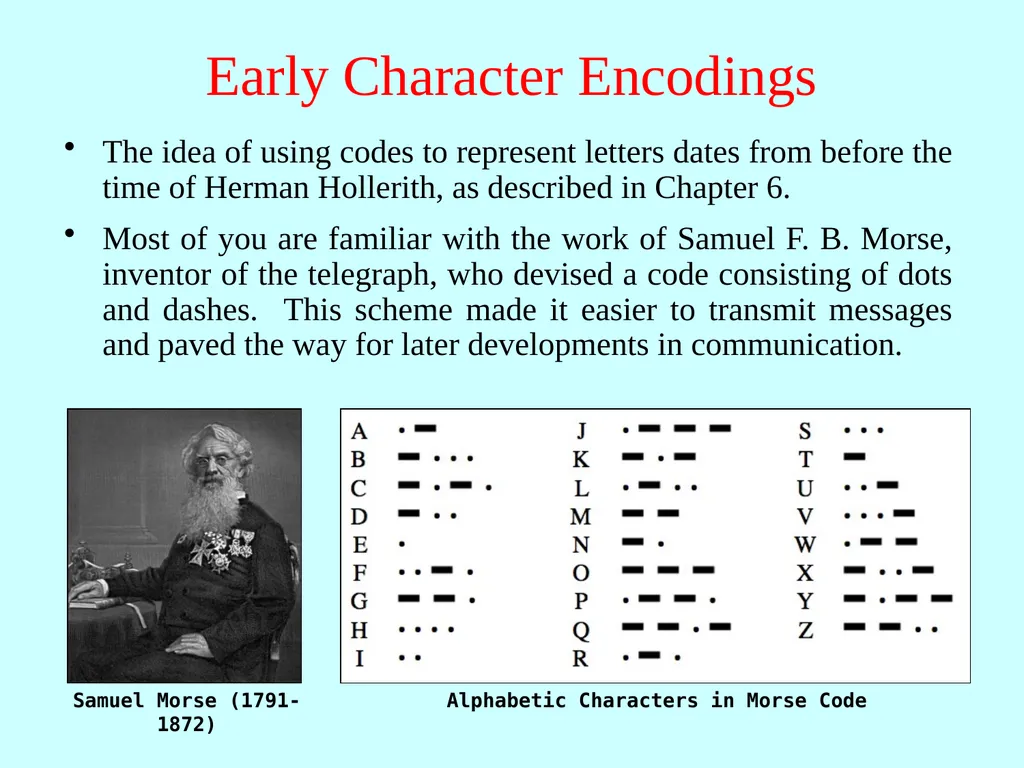
Early Character Encodings The idea of using codes to represent letters dates from before the time of Herman Hollerith, as described in Chapter 6.
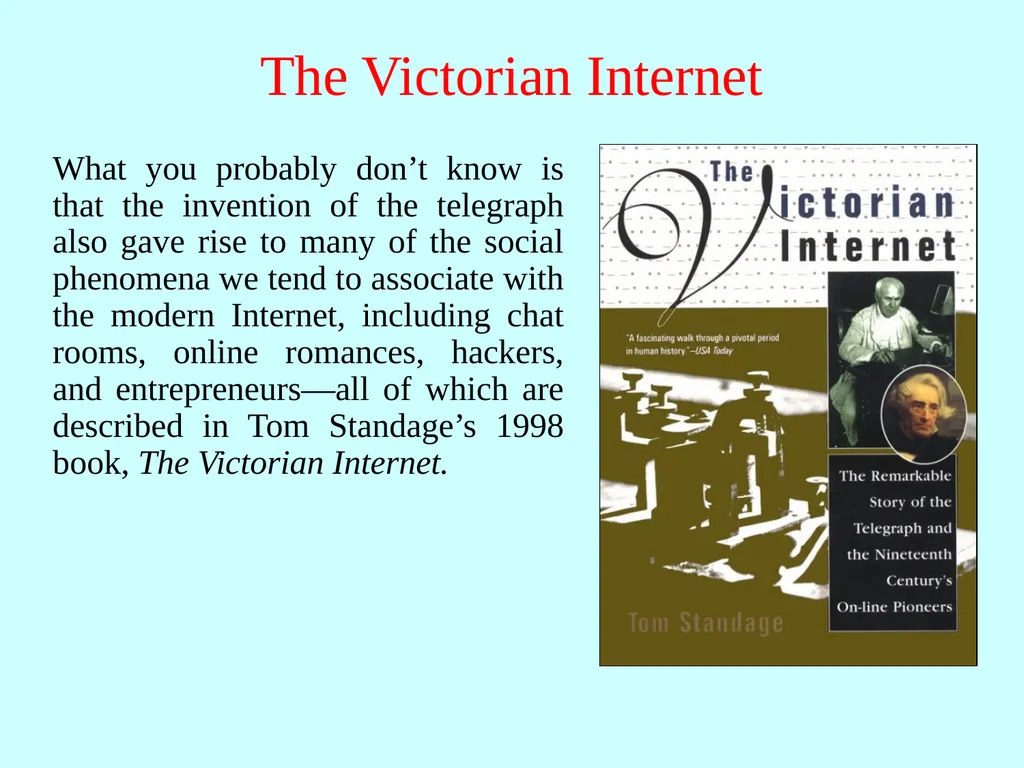
Most of you are familiar with the work of Samuel F. B. Morse, inventor of the telegraph, who devised a code consisting of dots and dashes. This scheme made it easier to transmit messages and paved the way for later developments in communication.<br>
04
The Victorian Internet What you probably don’t know is that the invention of the telegraph also gave rise to many of the social phenomena we tend to associate with the modern Internet, including chat rooms, online romances, hackers, and entrepreneurs—all of which are described in Tom Standage’s 1998 book, The Victorian Internet.<br>
05
Strings in JavaScript<br>
06
Review: Strings as an Abstract Idea Characters are most often used in programming when they are combined to form collections of consecutive characters called strings.
As you will discover when you have a chance to look more closely at the internal structure of memory, strings are stored internally as a sequence of characters in sequential memory addresses.
The internal representation, however, is really just an implementation detail. For most applications, it is best to think of a string as an abstract conceptual unit rather than as the characters it contains.
JavaScript emphasizes the abstract view by defining a built-in string type that defines high-level operations on string values.<br>
07
Using Methods in the String Class JavaScript defines many useful methods that operate on strings. Before trying to use those methods individually, it is important to understand how those methods work at a more general level.
Because strings are objects, JavaScript uses the receiver syntax to call string methods. Thus, if str is a string, you would apply the method name using str.name(arguments).
None of the methods in JavaScript’s String class change the value of the string used as the receiver. What happens instead is that these methods return a new string on which the desired changes have been performed.
Classes that prohibit clients from changing an object’s state are said to be immutable. Immutable classes have many advantages and play an important role in programming.<br>
08
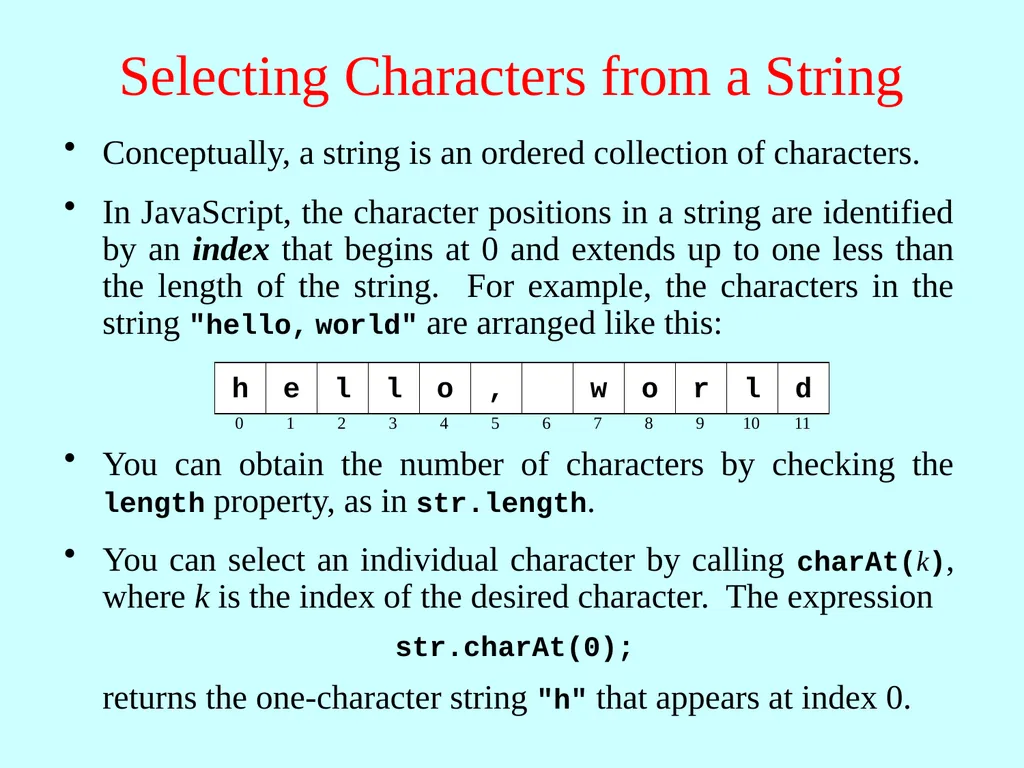
Selecting Characters from a String Conceptually, a string is an ordered collection of characters. You can obtain the number of characters by checking the length property, as in str.length.<br>
09
Concatenation One of the most useful operations available for strings is concatenation, which consists of combining two strings end to end with no intervening characters.
As you know from earlier in the quarter, concatenation is built into JavaScript in the form of the + operator.
It is also important to recall that JavaScript interprets the + operator as concatenation only if at least one of the operands is a string. If both operands are numbers, the + operator signifies addition.<br>
10
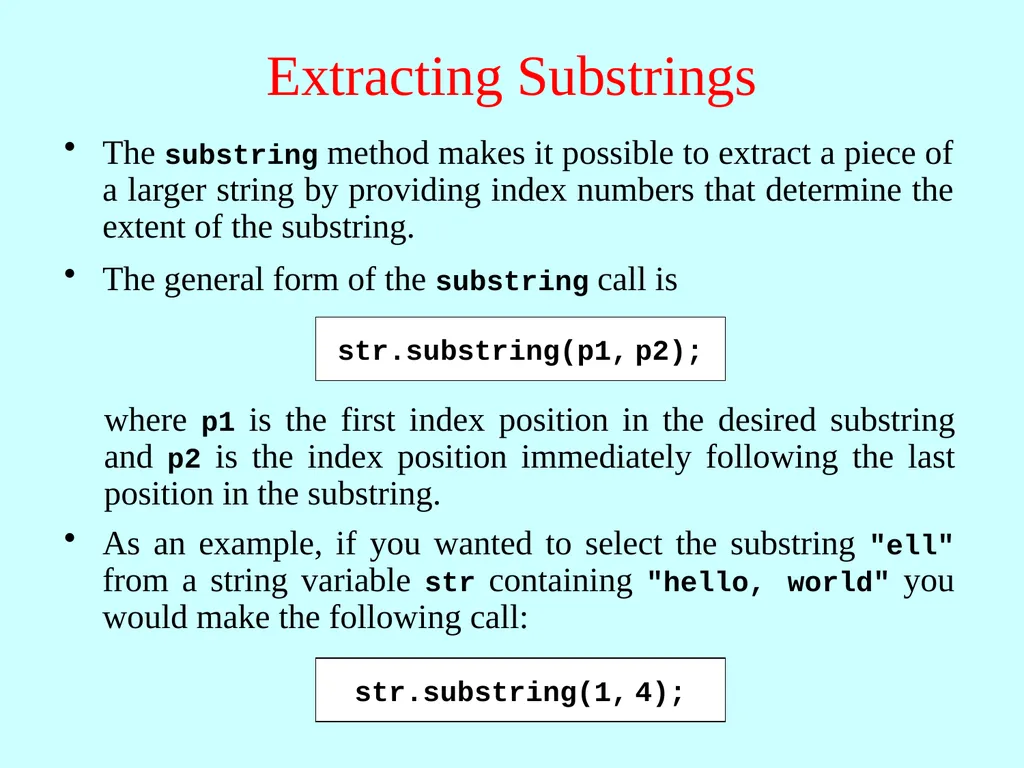
Extracting Substrings The substring method makes it possible to extract a piece of a larger string by providing index numbers that determine the extent of the substring.<br>
11
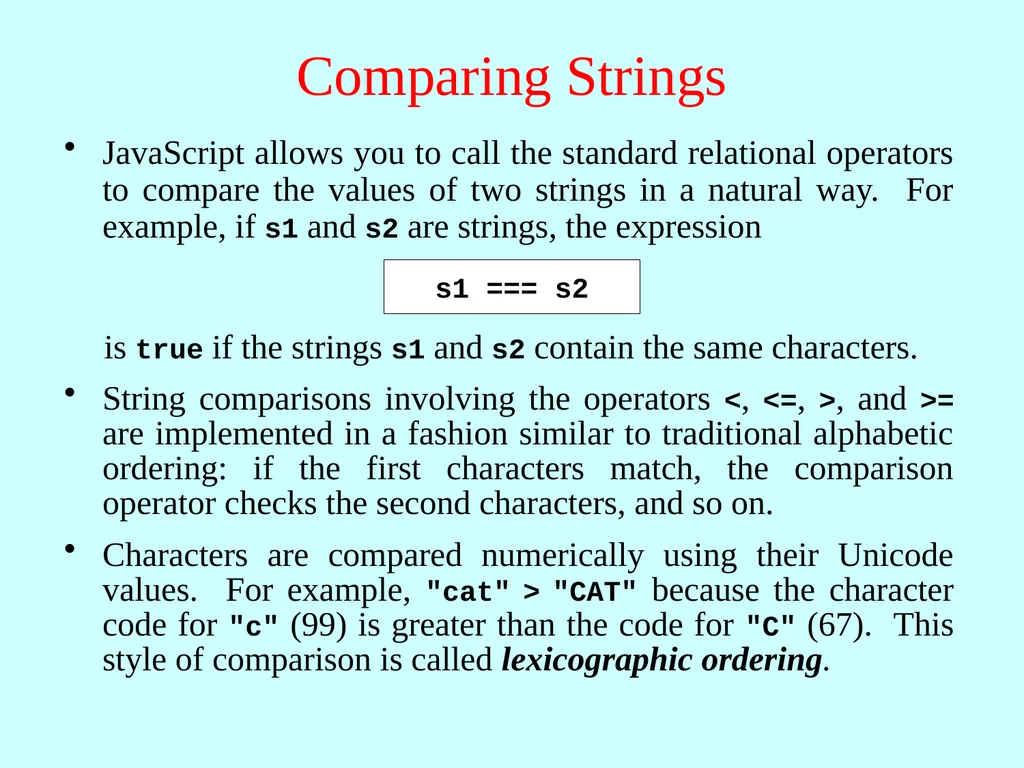
Comparing Strings JavaScript allows you to call the standard relational operators to compare the values of two strings in a natural way. For example, if s1 and s2 are strings, the expression is true if the strings s1 and s2 contain the same characters. s1 === s2 String comparisons involving the operators <, <=, >, and >= are implemented in a fashion similar to traditional alphabetic ordering: if the first characters match, the comparison operator checks the second characters, and so on.
Characters are compared numerically using their Unicode values. For example, "cat" > "CAT" because the character code for "c" (99) is greater than the code for "C" (67). This style of comparison is called lexicographic ordering.<br>
12
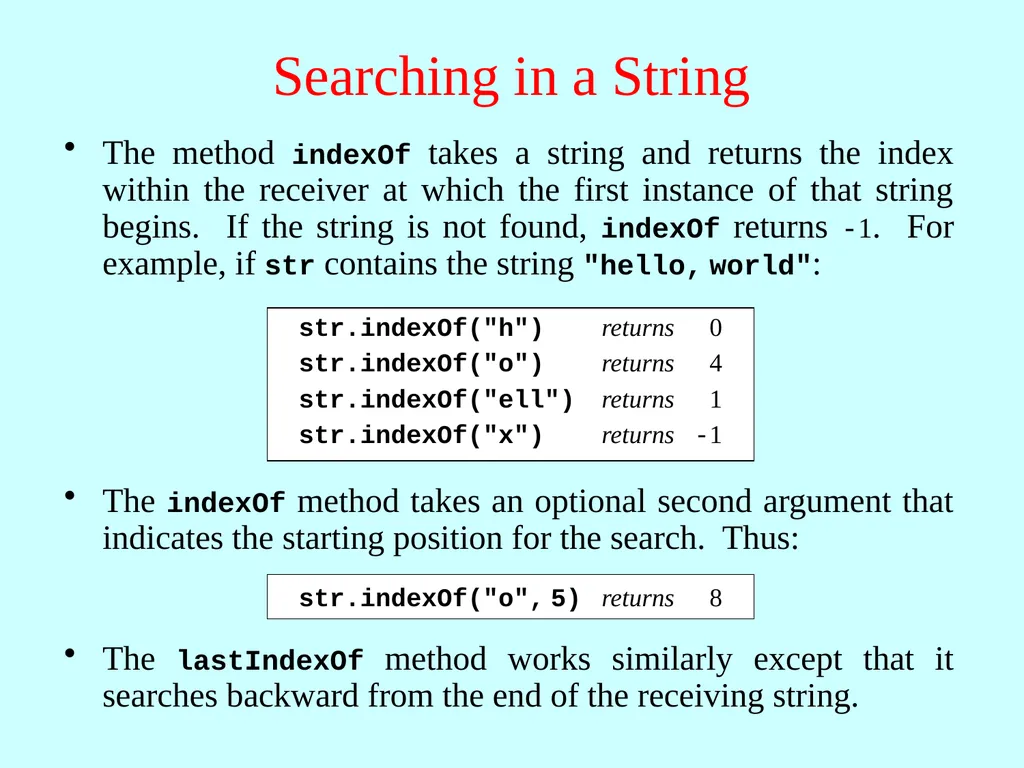
Searching in a String The method indexOf takes a string and returns the index within the receiver at which the first instance of that string begins. If the string is not found, indexOf returns -1. For example, if str contains the string "hello, world": The lastIndexOf method works similarly except that it searches backward from the end of the receiving string.<br>
13
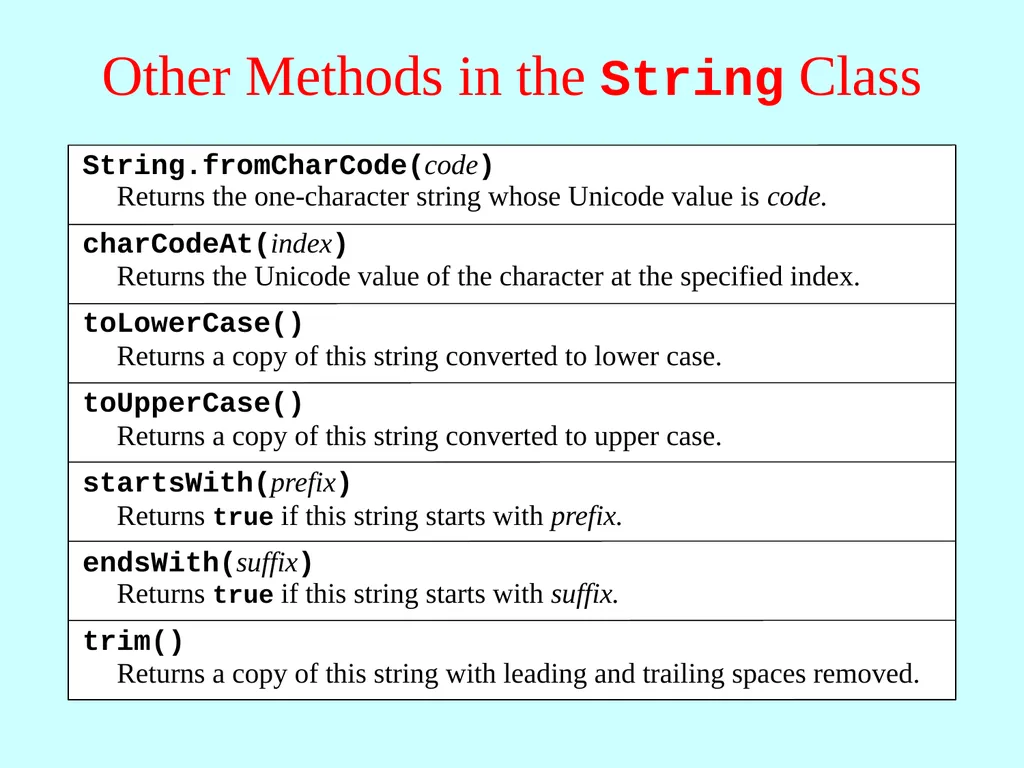
Other Methods in the String Class<br>
14
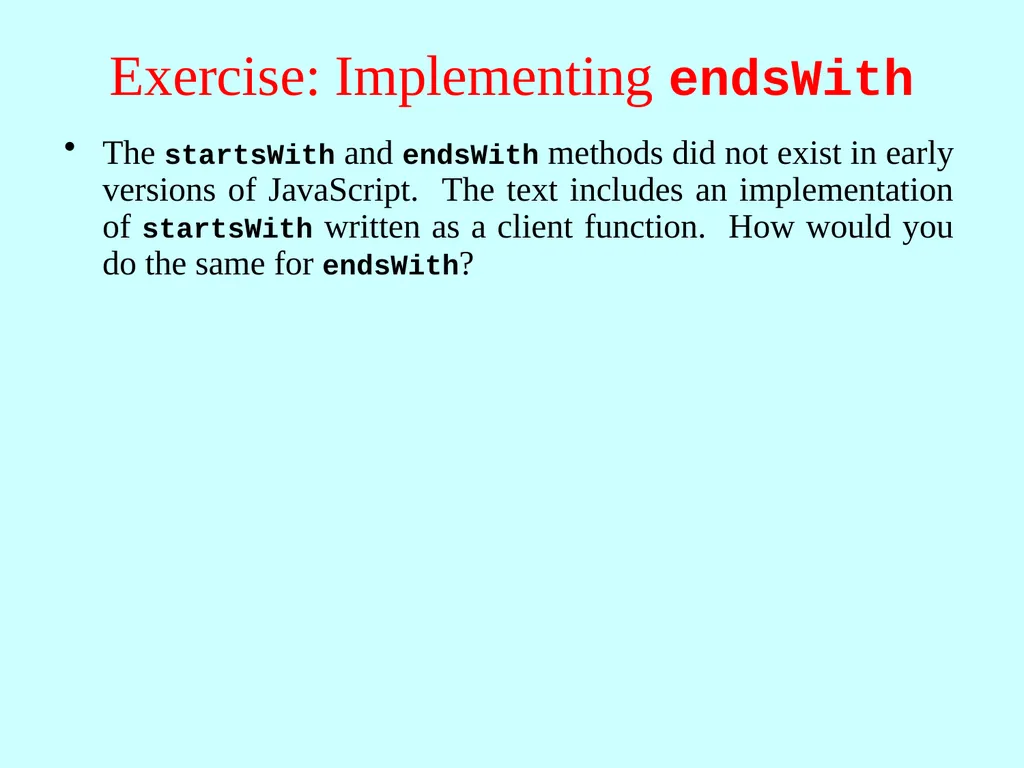
Exercise: Implementing endsWith The startsWith and endsWith methods did not exist in early versions of JavaScript. The text includes an implementation of startsWith written as a client function. How would you do the same for endsWith?<br>
15
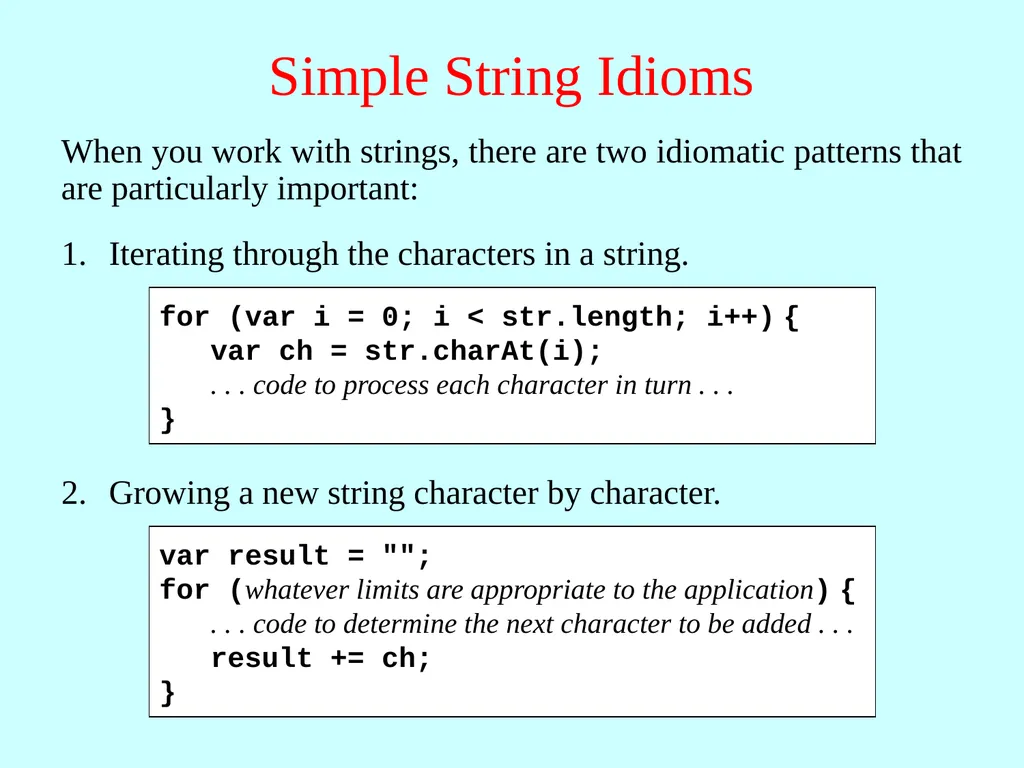
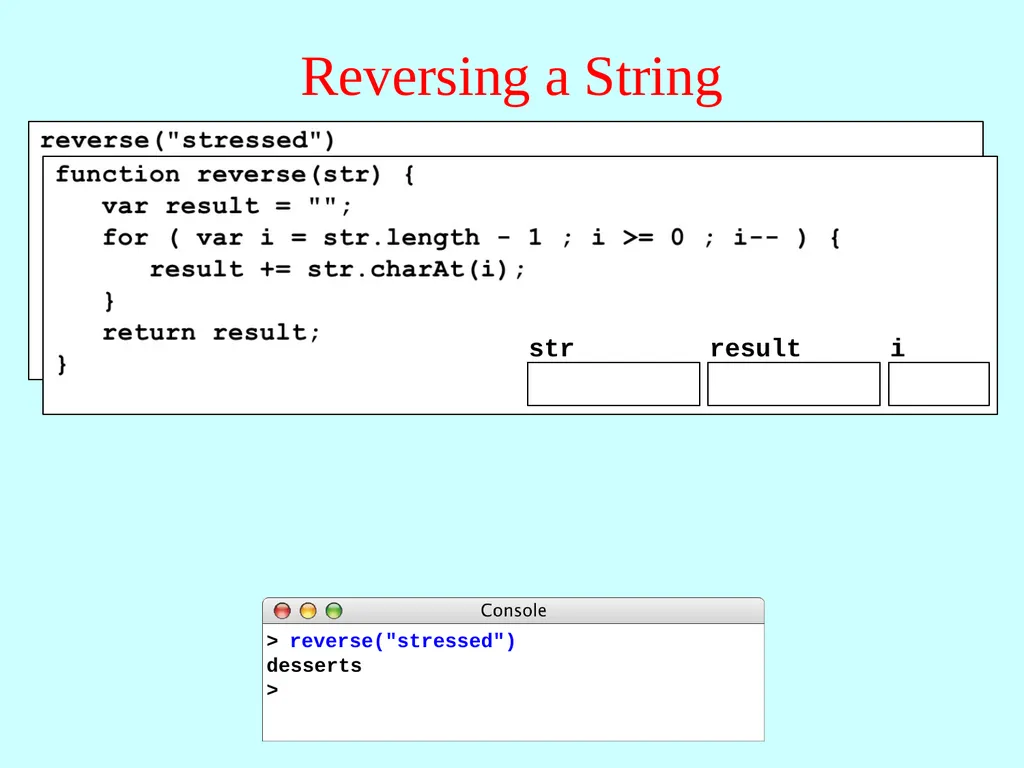
Simple String Idioms When you work with strings, there are two idiomatic patterns that are particularly important:<br>
Exercise: Implementing toUpperCase Suppose that the toUpperCase method did not exist. How would you implement a toUpperCase function that returns the same result?<br>
18
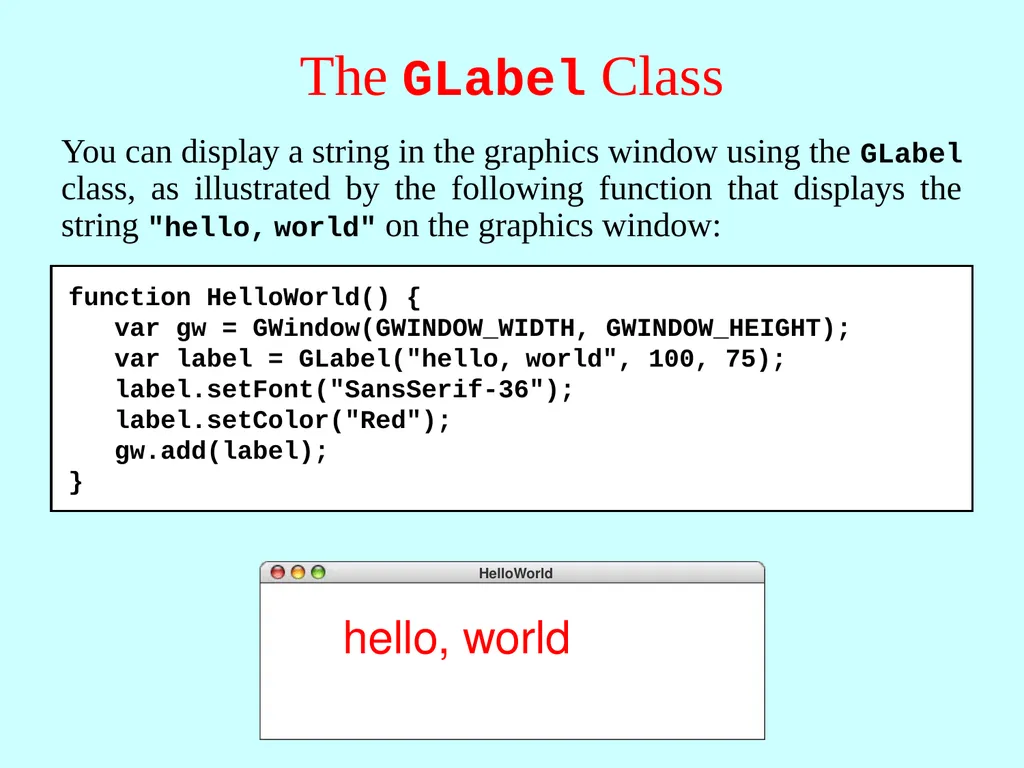
The GLabel Class You can display a string in the graphics window using the GLabel class, as illustrated by the following function that displays the string "hello, world" on the graphics window: hello, world function HelloWorld() {
var gw = GWindow(GWINDOW_WIDTH, GWINDOW_HEIGHT);
var label = GLabel("hello, world", 100, 75);
label.setFont("SansSerif-36");
label.setColor("Red");
gw.add(label);
}<br>
19
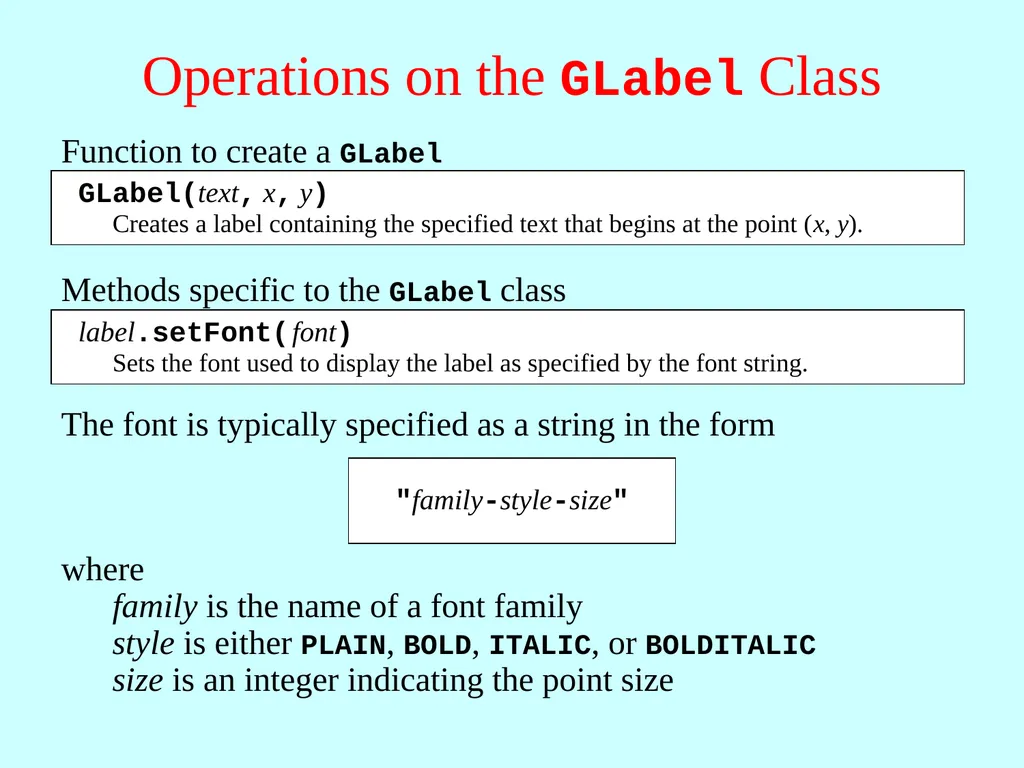
Operations on the GLabel Class Function to create a GLabel<br>
20
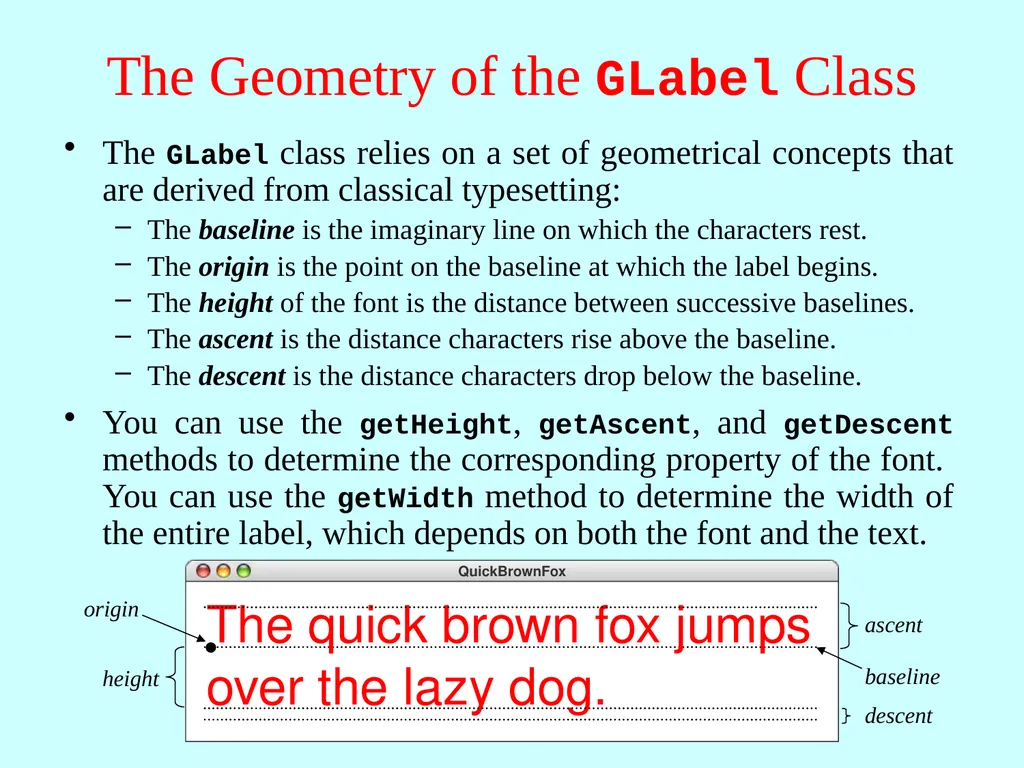
The Geometry of the GLabel Class The GLabel class relies on a set of geometrical concepts that are derived from classical typesetting:
The baseline is the imaginary line on which the characters rest.
The origin is the point on the baseline at which the label begins.
The height of the font is the distance between successive baselines.
The ascent is the distance characters rise above the baseline.
The descent is the distance characters drop below the baseline. You can use the getHeight, getAscent, and getDescent methods to determine the corresponding property of the font. You can use the getWidth method to determine the width of the entire label, which depends on both the font and the text. QuickBrownFox The quick brown fox jumps
over the lazy dog. baseline<br>