03
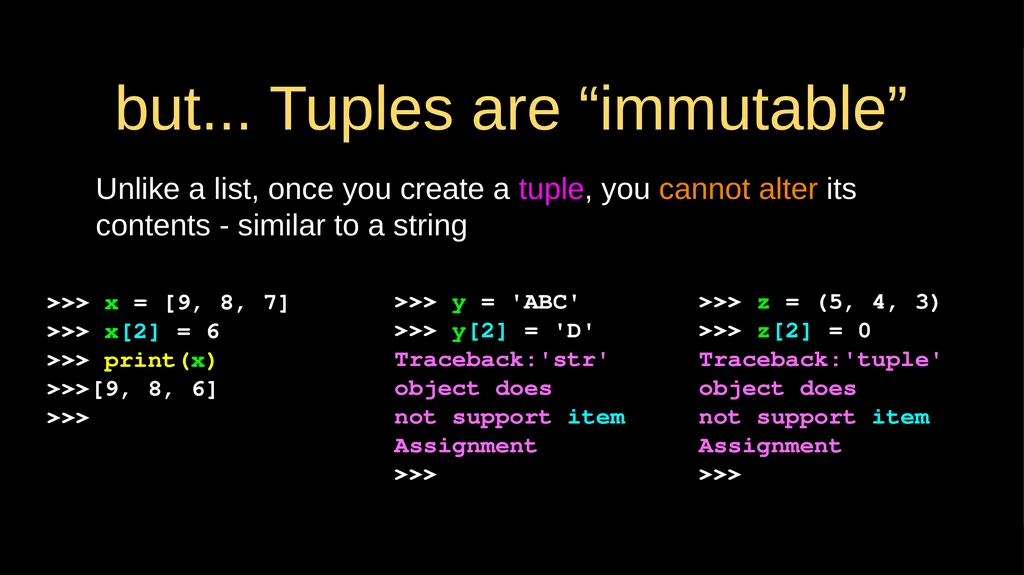
but... Tuples are “immutable” Unlike a list, once you create a tuple, you cannot alter its contents - similar to a string >>> x = [9, 8, 7]
>>> x[2] = 6
>>> print(x)
>>>[9, 8, 6]
>>> >>> y = 'ABC'
>>> y[2] = 'D'
Traceback:'str' object does
not support item
Assignment
>>> >>> z = (5, 4, 3)
>>> z[2] = 0
Traceback:'tuple' object does
not support item
Assignment
>>><br>
04
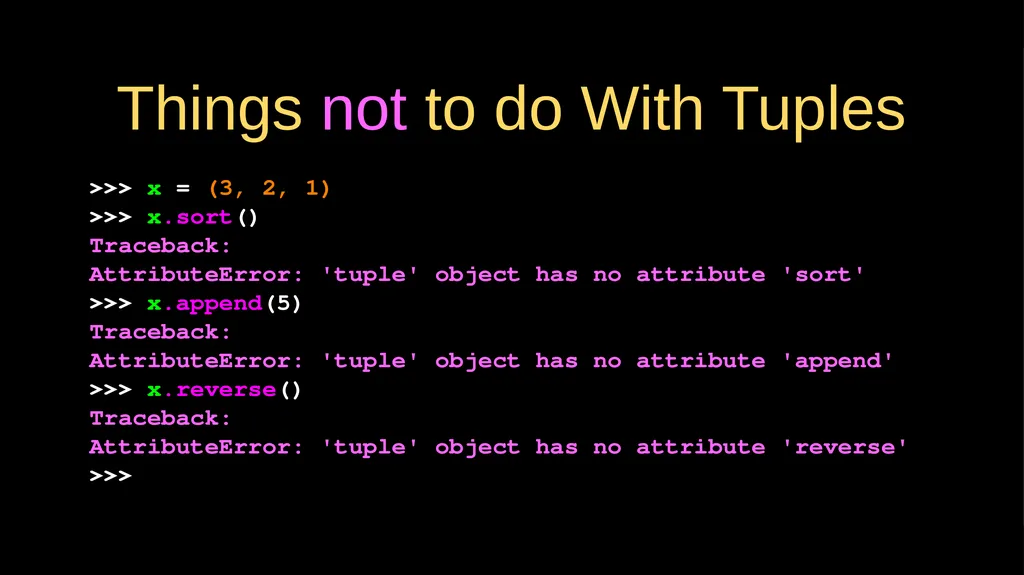
Things not to do With Tuples >>> x = (3, 2, 1)
>>> x.sort()
Traceback:
AttributeError: 'tuple' object has no attribute 'sort'
>>> x.append(5)
Traceback:
AttributeError: 'tuple' object has no attribute 'append'
>>> x.reverse()
Traceback:
AttributeError: 'tuple' object has no attribute 'reverse'
>>><br>
05
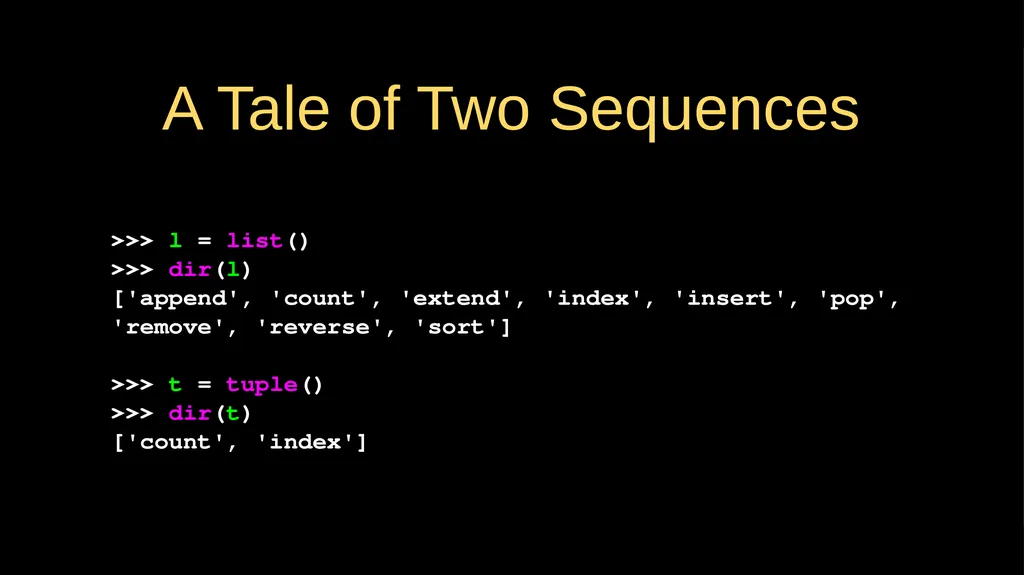
A Tale of Two Sequences >>> l = list()
>>> dir(l)
['append', 'count', 'extend', 'index', 'insert', 'pop', 'remove', 'reverse', 'sort']
>>> t = tuple()
>>> dir(t)
['count', 'index']<br>
06
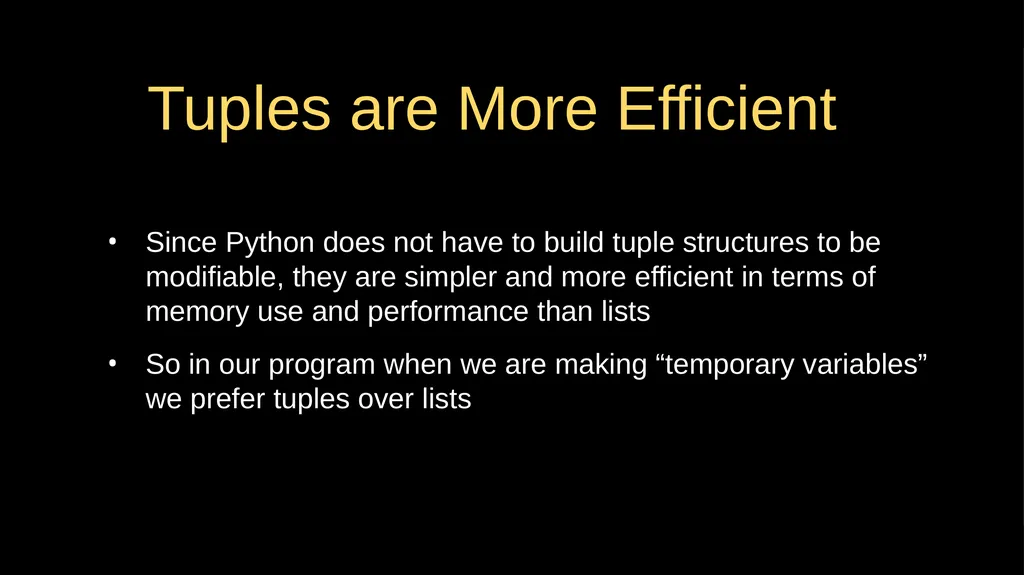
Tuples are More Efficient Since Python does not have to build tuple structures to be modifiable, they are simpler and more efficient in terms of memory use and performance than lists
So in our program when we are making “temporary variables” we prefer tuples over lists<br>
07
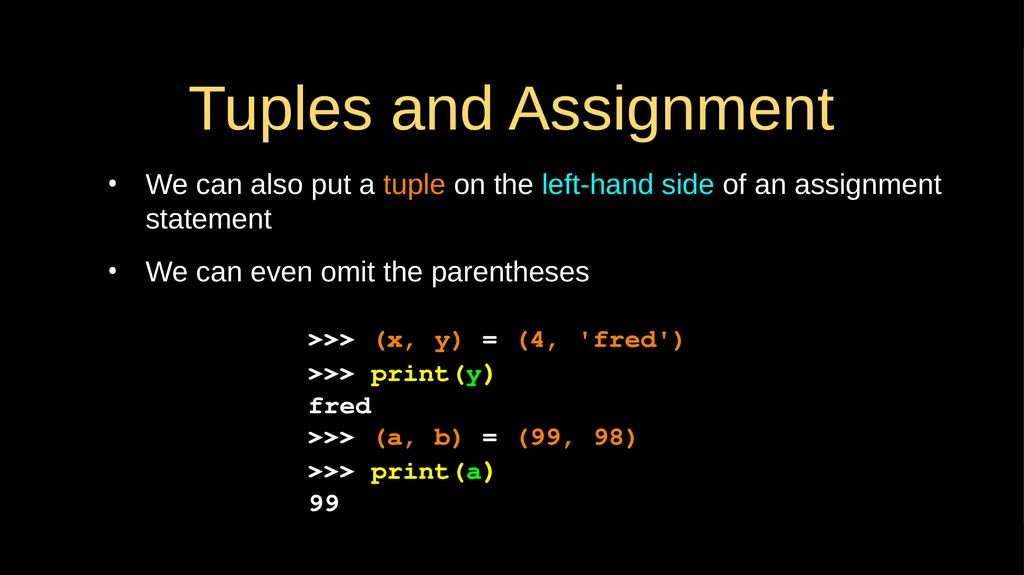
Tuples and Assignment We can also put a tuple on the left-hand side of an assignment statement
We can even omit the parentheses >>> (x, y) = (4, 'fred')
>>> print(y)
fred
>>> (a, b) = (99, 98)
>>> print(a)
99<br>
08
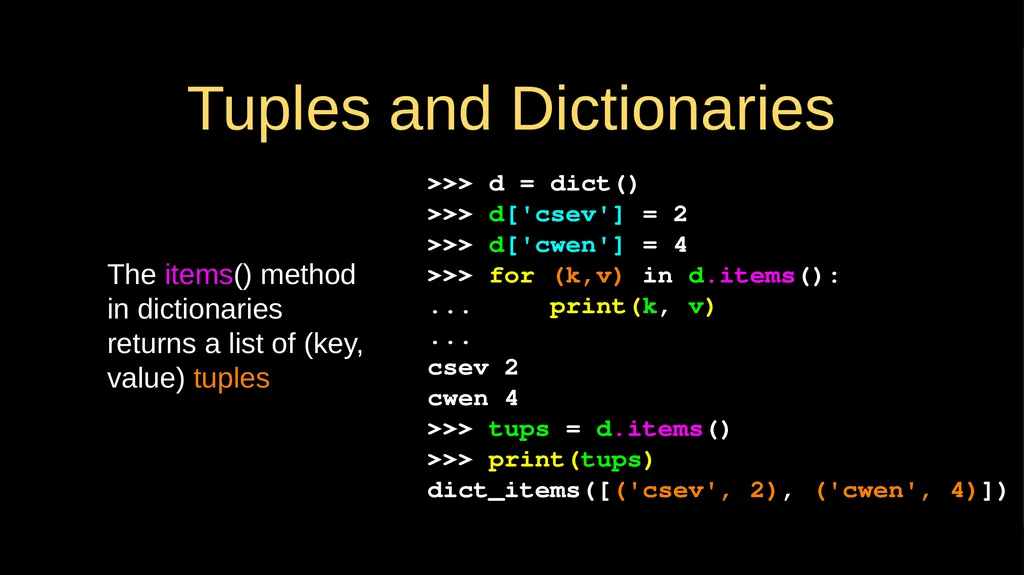
Tuples and Dictionaries The items() method in dictionaries returns a list of (key, value) tuples >>> d = dict()
>>> d['csev'] = 2
>>> d['cwen'] = 4
>>> for (k,v) in d.items():
... print(k, v)
...
csev 2
cwen 4
>>> tups = d.items()
>>> print(tups)
dict_items([('csev', 2), ('cwen', 4)])<br>
09
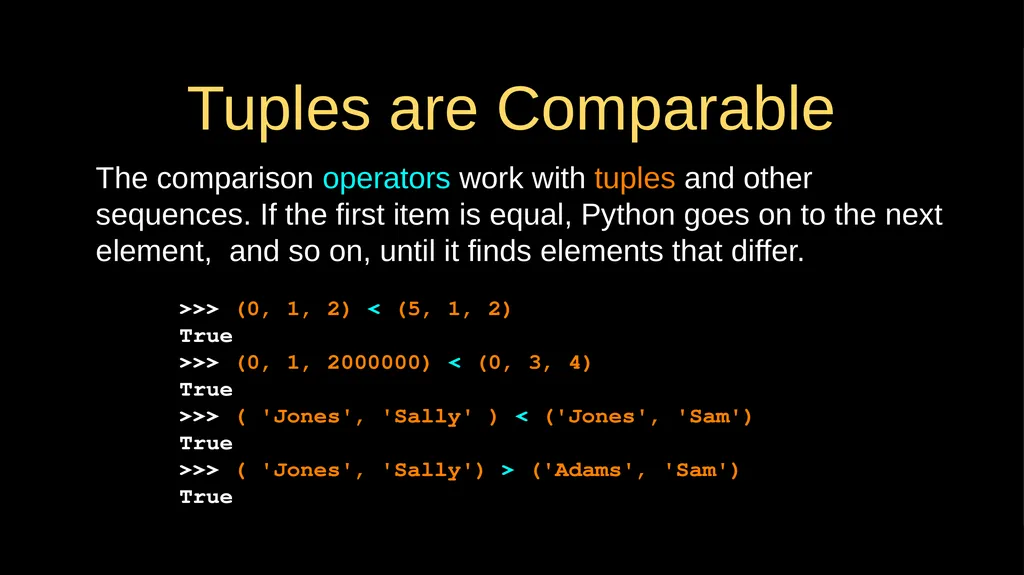
Tuples are Comparable The comparison operators work with tuples and other sequences. If the first item is equal, Python goes on to the next element, and so on, until it finds elements that differ. >>> (0, 1, 2) < (5, 1, 2)
True
>>> (0, 1, 2000000) < (0, 3, 4)
True
>>> ( 'Jones', 'Sally' ) < ('Jones', 'Sam')
True
>>> ( 'Jones', 'Sally') > ('Adams', 'Sam')
True<br>
10
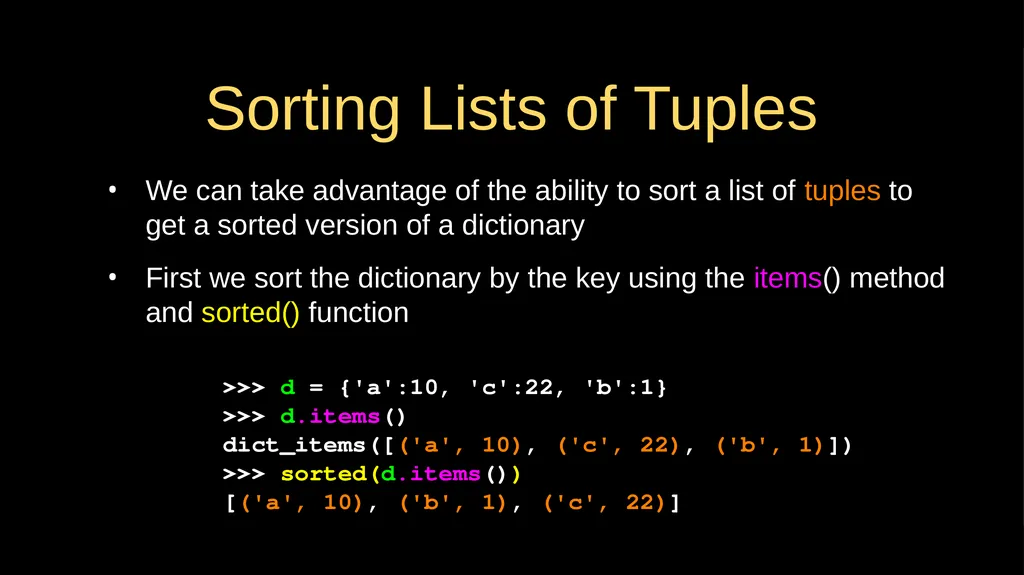
Sorting Lists of Tuples We can take advantage of the ability to sort a list of tuples to get a sorted version of a dictionary
First we sort the dictionary by the key using the items() method and sorted() function >>> d = {'a':10, 'c':22, 'b':1}
>>> d.items()
dict_items([('a', 10), ('c', 22), ('b', 1)])
>>> sorted(d.items())
[('a', 10), ('b', 1), ('c', 22)]<br>
11
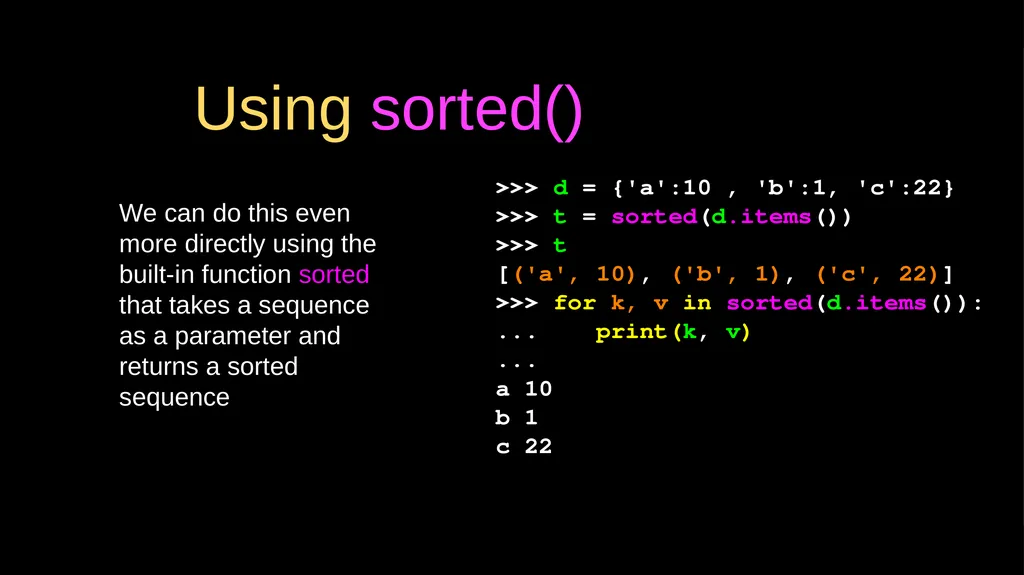
Using sorted() We can do this even more directly using the built-in function sorted that takes a sequence as a parameter and returns a sorted sequence >>> d = {'a':10 , 'b':1, 'c':22}
>>> t = sorted(d.items())
>>> t
[('a', 10), ('b', 1), ('c', 22)]
>>> for k, v in sorted(d.items()):
... print(k, v)
...
a 10
b 1
c 22<br>
12
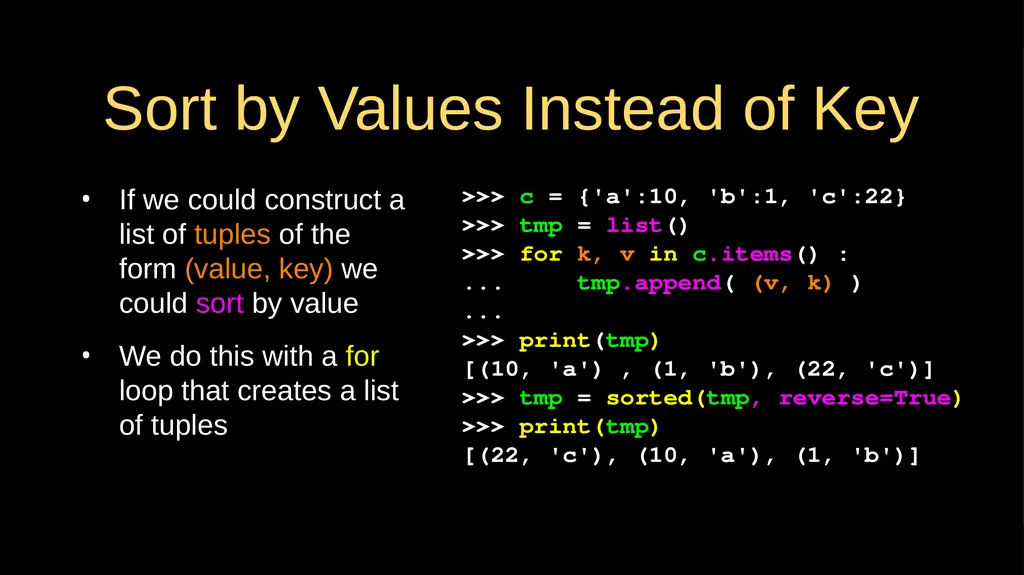
Sort by Values Instead of Key If we could construct a list of tuples of the form (value, key) we could sort by value
We do this with a for loop that creates a list of tuples >>> c = {'a':10, 'b':1, 'c':22}
>>> tmp = list()
>>> for k, v in c.items() :
... tmp.append( (v, k) )
...
>>> print(tmp)
[(10, 'a') , (1, 'b'), (22, 'c')]
>>> tmp = sorted(tmp, reverse=True)
>>> print(tmp)
[(22, 'c'), (10, 'a'), (1, 'b')]<br>
13
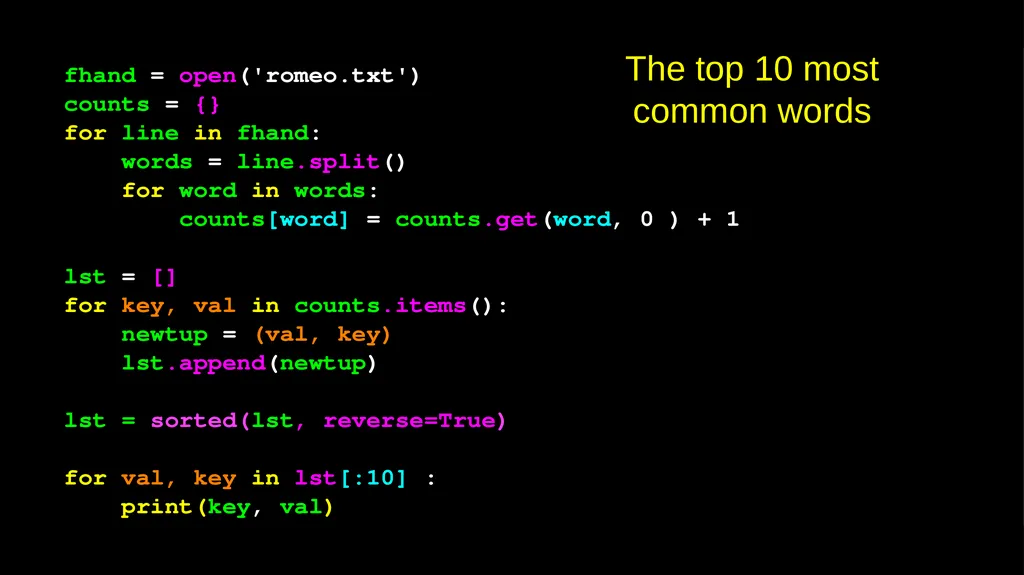
fhand = open('romeo.txt')
counts = {}
for line in fhand:
words = line.split()
for word in words:
counts[word] = counts.get(word, 0 ) + 1
lst = []
for key, val in counts.items():
newtup = (val, key)
lst.append(newtup)
lst = sorted(lst, reverse=True)
for val, key in lst[:10] :
print(key, val) The top 10 most common words<br>
14
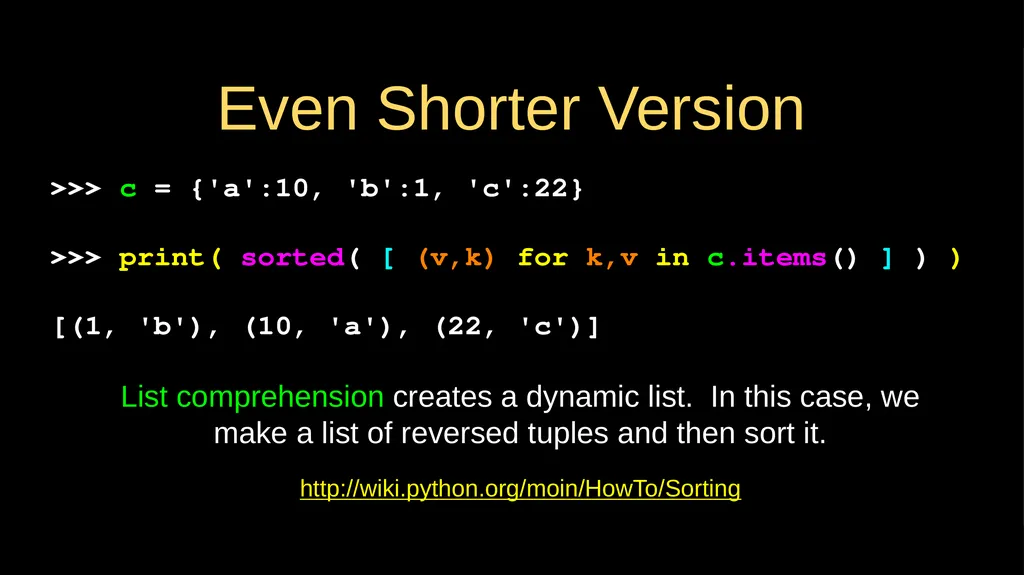
Even Shorter Version http://wiki.python.org/moin/HowTo/Sorting >>> c = {'a':10, 'b':1, 'c':22}
>>> print( sorted( [ (v,k) for k,v in c.items() ] ) )
[(1, 'b'), (10, 'a'), (22, 'c')] List comprehension creates a dynamic list. In this case, we make a list of reversed tuples and then sort it.<br>
15
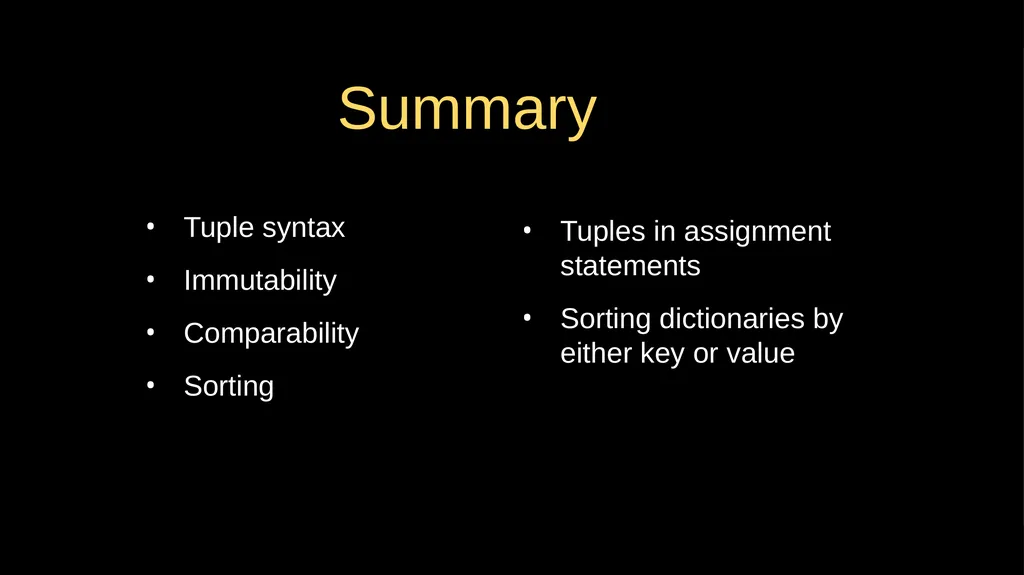
Summary Tuple syntax
Immutability
Comparability
Sorting Tuples in assignment statements
Sorting dictionaries by either key or value<br>
16
Acknowledgements / Contributions These slides are Copyright 2010- Charles R. Severance (www.dr-chuck.com) of the University of Michigan School of Information and open.umich.edu and made available under a Creative Commons Attribution 4.0 License. Please maintain this last slide in all copies of the document to comply with the attribution requirements of the license. If you make a change, feel free to add your name and organization to the list of contributors on this page as you republish the materials.
Initial Development: Charles Severance, University of Michigan School of Information
… Insert new Contributors and Translators here ...<br>