
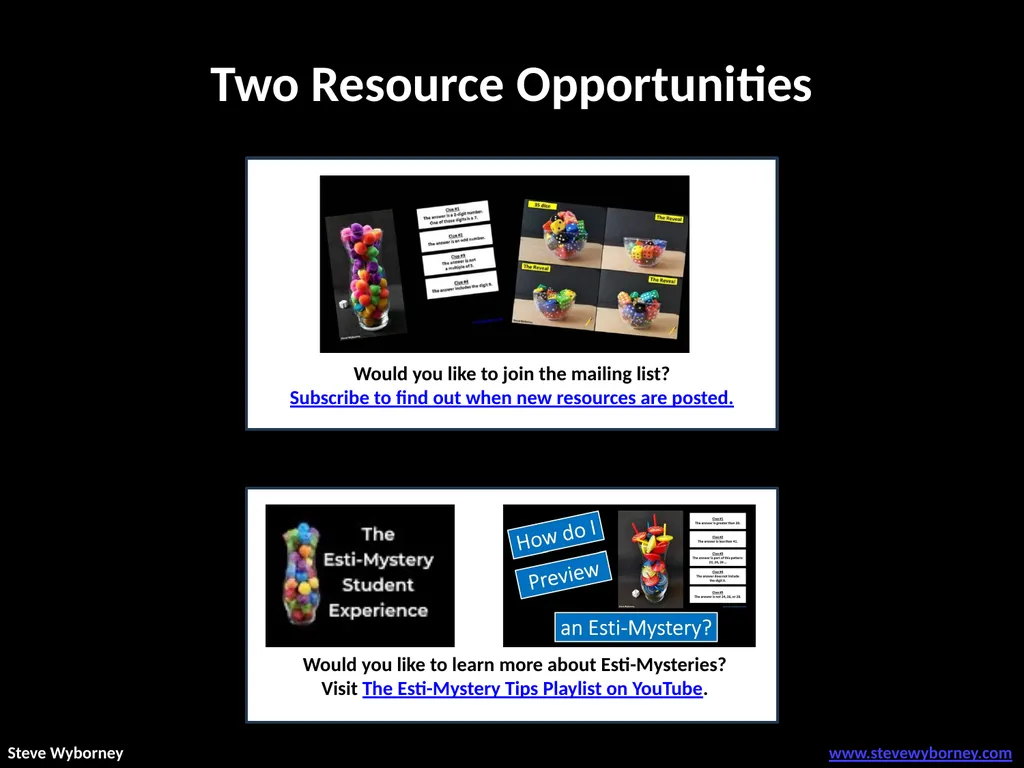
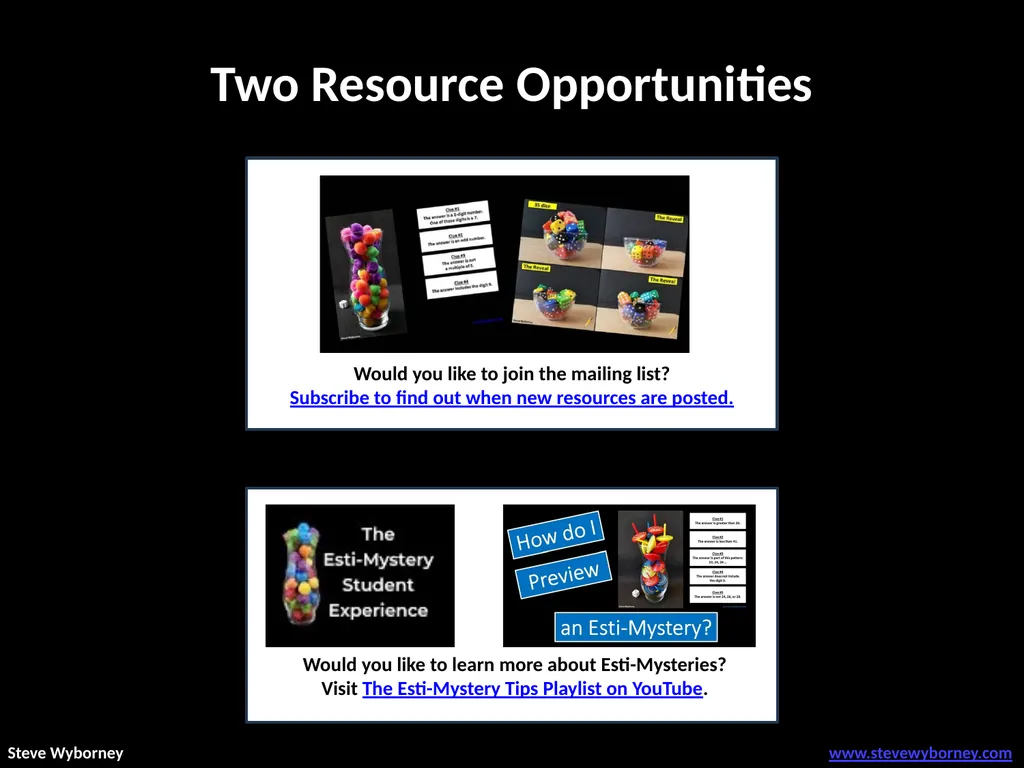
Two Resource Opportunities Would you like to learn
FD
Published · 20 slides · 0 views
1 / 1





Description
Two Resource Opportunities Would you like to learn more about Esti-Mysteries? Visit The Esti-Mystery Tips Playlist on YouTube. www.stevewyborney.com Steve Wyborney I see 3 versions of this Esti-Mystery. Which one should I use?
Related Topics
Share
Embed code
Download this presentation From Below
"Two Resource Opportunities Would you like to learn" is the property of its rightful owner. Permission is granted to download and print the materials on this website for personal, non-commercial use only, and to display it on your personal computer provided you do not modify the materials and that you retain all copyright notices contained in the materials. By downloading content from our website, you accept the terms of this agreement.
Presentation Transcript
01
Two Resource Opportunities Would you like to learn more about Esti-Mysteries?
Visit The Esti-Mystery Tips Playlist on YouTube. www.stevewyborney.com Steve Wyborney<br>
Visit The Esti-Mystery Tips Playlist on YouTube. www.stevewyborney.com Steve Wyborney<br>
02
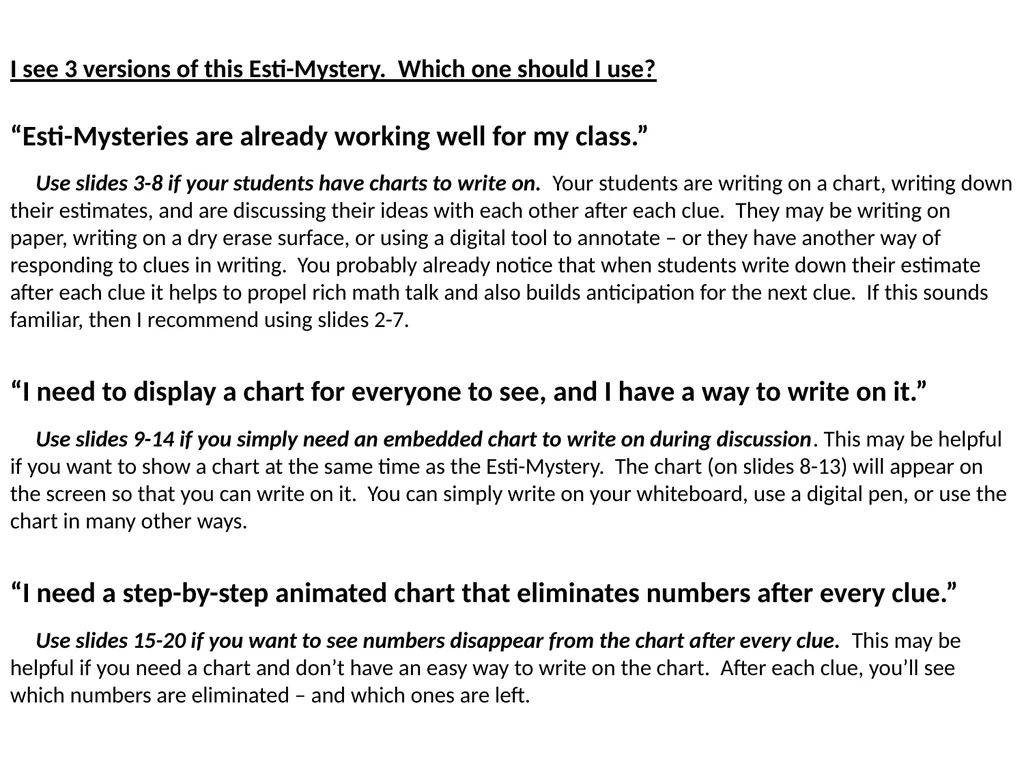
I see 3 versions of this Esti-Mystery. Which one should I use?
“Esti-Mysteries are already working well for my class.”
Use slides 3-8 if your students have charts to write on. Your students are writing on a chart, writing down their estimates, and are discussing their ideas with each other after each clue. They may be writing on paper, writing on a dry erase surface, or using a digital tool to annotate – or they have another way of responding to clues in writing. You probably already notice that when students write down their estimate after each clue it helps to propel rich math talk and also builds anticipation for the next clue. If this sounds familiar, then I recommend using slides 2-7.
“I need to display a chart for everyone to see, and I have a way to write on it.”
Use slides 9-14 if you simply need an embedded chart to write on during discussion. This may be helpful if you want to show a chart at the same time as the Esti-Mystery. The chart (on slides 8-13) will appear on the screen so that you can write on it. You can simply write on your whiteboard, use a digital pen, or use the chart in many other ways.
“I need a step-by-step animated chart that eliminates numbers after every clue.”
Use slides 15-20 if you want to see numbers disappear from the chart after every clue. This may be helpful if you need a chart and don’t have an easy way to write on the chart. After each clue, you’ll see which numbers are eliminated – and which ones are left.<br>
“Esti-Mysteries are already working well for my class.”
Use slides 3-8 if your students have charts to write on. Your students are writing on a chart, writing down their estimates, and are discussing their ideas with each other after each clue. They may be writing on paper, writing on a dry erase surface, or using a digital tool to annotate – or they have another way of responding to clues in writing. You probably already notice that when students write down their estimate after each clue it helps to propel rich math talk and also builds anticipation for the next clue. If this sounds familiar, then I recommend using slides 2-7.
“I need to display a chart for everyone to see, and I have a way to write on it.”
Use slides 9-14 if you simply need an embedded chart to write on during discussion. This may be helpful if you want to show a chart at the same time as the Esti-Mystery. The chart (on slides 8-13) will appear on the screen so that you can write on it. You can simply write on your whiteboard, use a digital pen, or use the chart in many other ways.
“I need a step-by-step animated chart that eliminates numbers after every clue.”
Use slides 15-20 if you want to see numbers disappear from the chart after every clue. This may be helpful if you need a chart and don’t have an easy way to write on the chart. After each clue, you’ll see which numbers are eliminated – and which ones are left.<br>
03
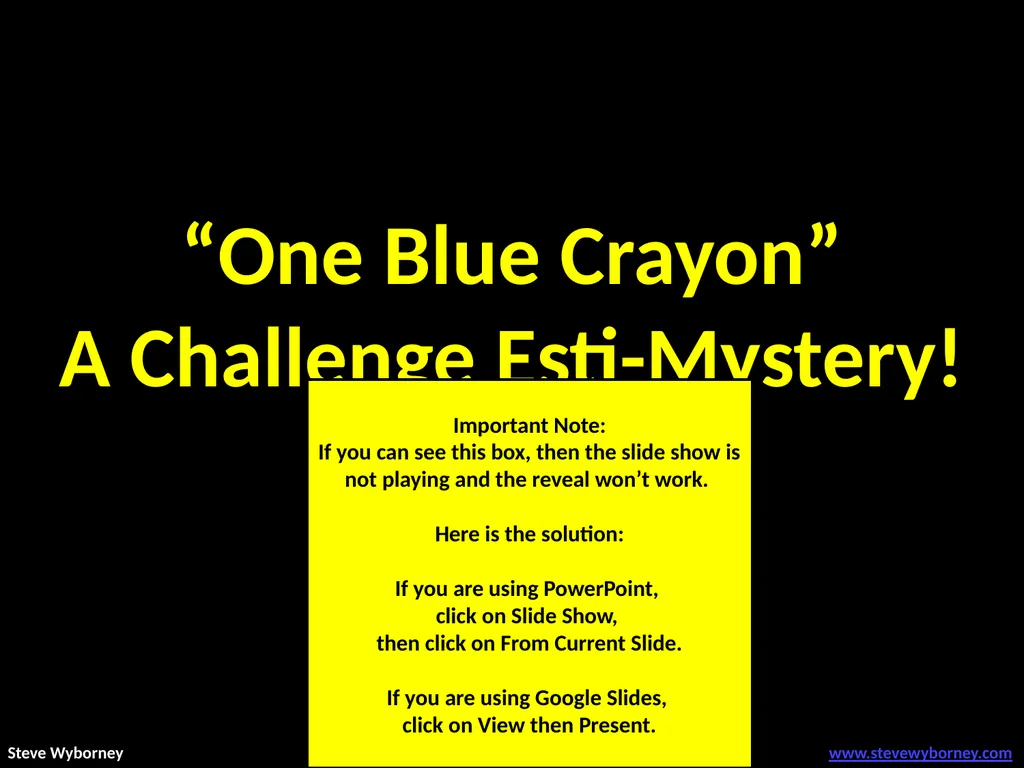
“One Blue Crayon”
A Challenge Esti-Mystery! Important Note:
If you can see this box, then the slide show is not playing and the reveal won’t work.
Here is the solution:
If you are using PowerPoint,
click on Slide Show,
then click on From Current Slide.
If you are using Google Slides,
click on View then Present. www.stevewyborney.com Steve Wyborney<br>
A Challenge Esti-Mystery! Important Note:
If you can see this box, then the slide show is not playing and the reveal won’t work.
Here is the solution:
If you are using PowerPoint,
click on Slide Show,
then click on From Current Slide.
If you are using Google Slides,
click on View then Present. www.stevewyborney.com Steve Wyborney<br>
04
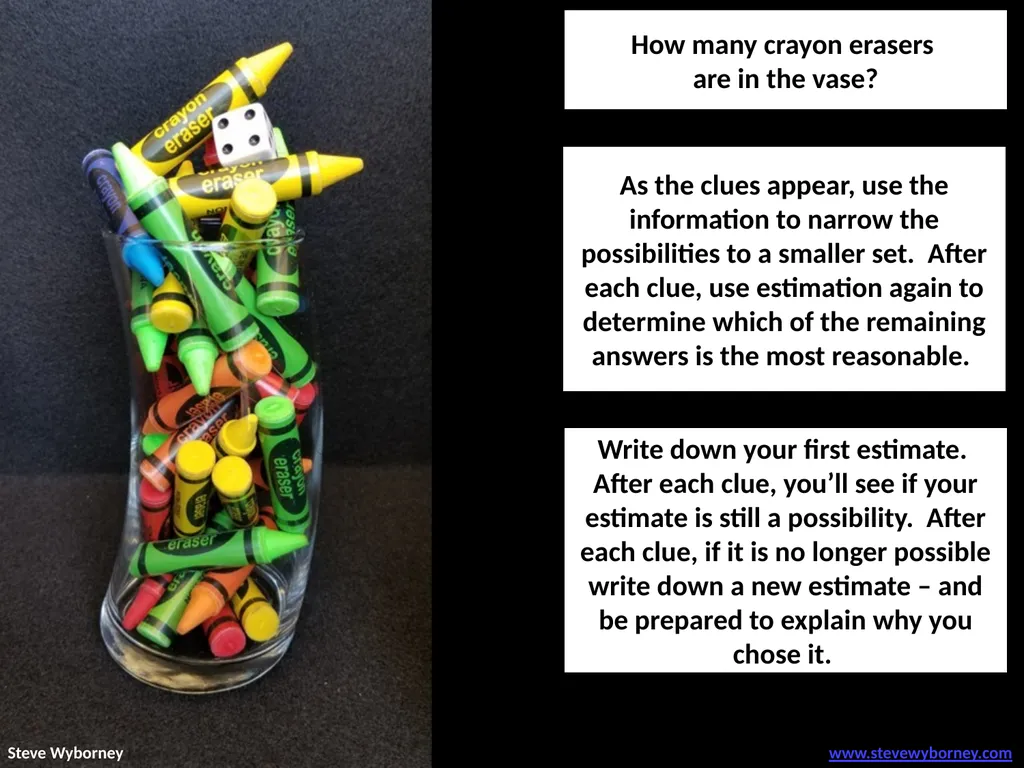
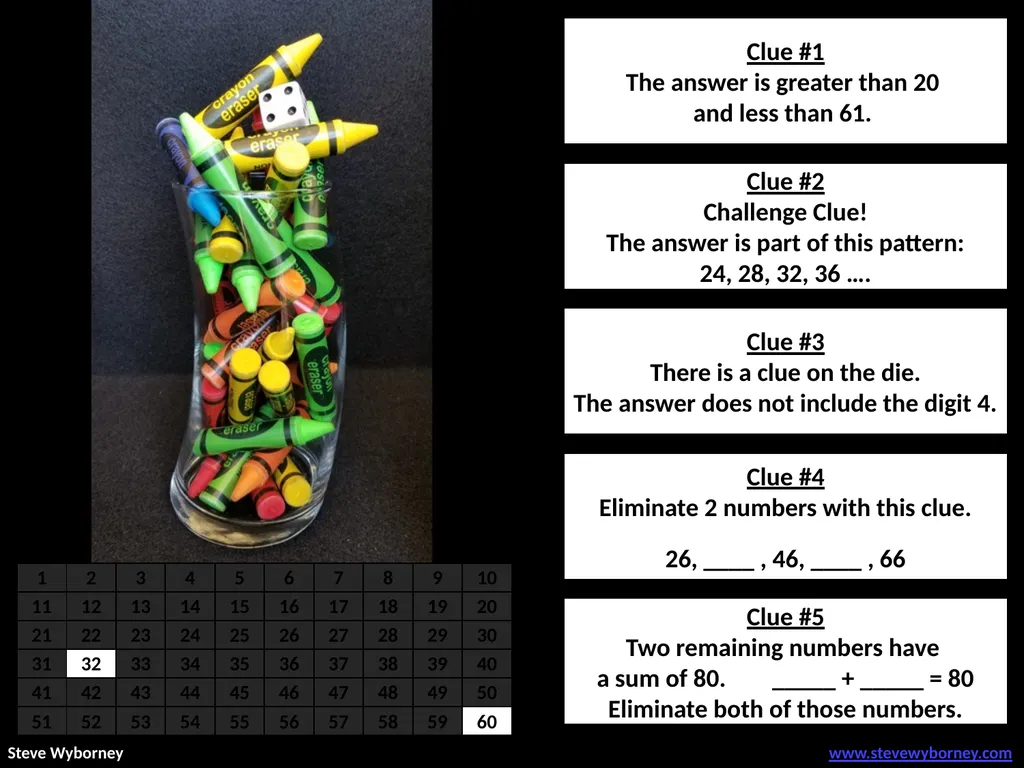
As the clues appear, use the information to narrow the possibilities to a smaller set. After each clue, use estimation again to determine which of the remaining answers is the most reasonable. How many crayon erasers
are in the vase? Write down your first estimate. After each clue, you’ll see if your estimate is still a possibility. After each clue, if it is no longer possible write down a new estimate – and be prepared to explain why you chose it. www.stevewyborney.com Steve Wyborney<br>
are in the vase? Write down your first estimate. After each clue, you’ll see if your estimate is still a possibility. After each clue, if it is no longer possible write down a new estimate – and be prepared to explain why you chose it. www.stevewyborney.com Steve Wyborney<br>
05
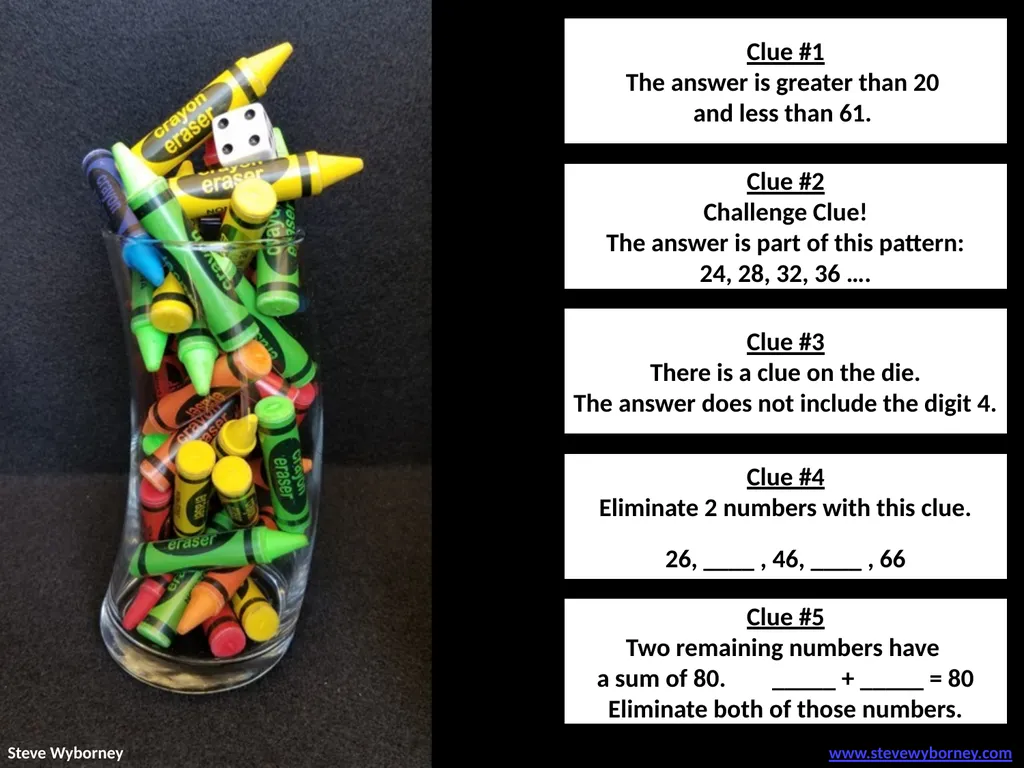
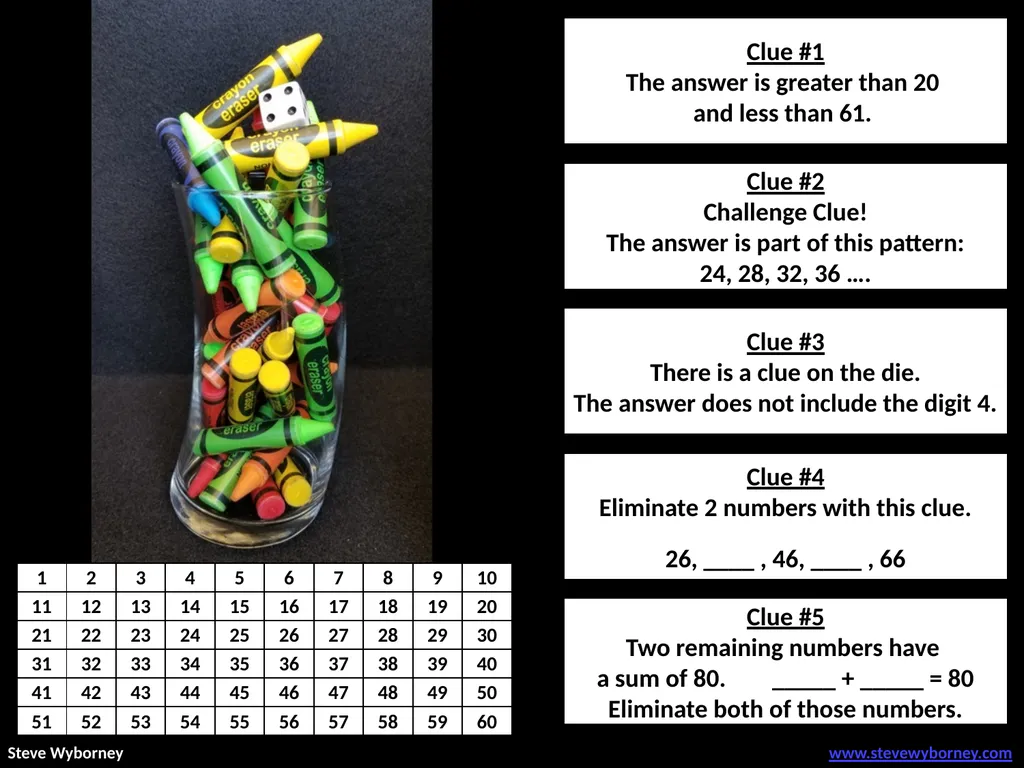
Clue #1 Clue #2 Clue #3 Clue #4 Clue #5 Clue #1
The answer is greater than 20
and less than 61. Clue #2
Challenge Clue!
The answer is part of this pattern:
24, 28, 32, 36 …. Clue #3
There is a clue on the die.
The answer does not include the digit 4. Clue #4
Eliminate 2 numbers with this clue.
26, ____ , 46, ____ , 66 Clue #5
Two remaining numbers have
a sum of 80. _____ + _____ = 80
Eliminate both of those numbers. www.stevewyborney.com Steve Wyborney<br>
The answer is greater than 20
and less than 61. Clue #2
Challenge Clue!
The answer is part of this pattern:
24, 28, 32, 36 …. Clue #3
There is a clue on the die.
The answer does not include the digit 4. Clue #4
Eliminate 2 numbers with this clue.
26, ____ , 46, ____ , 66 Clue #5
Two remaining numbers have
a sum of 80. _____ + _____ = 80
Eliminate both of those numbers. www.stevewyborney.com Steve Wyborney<br>
06
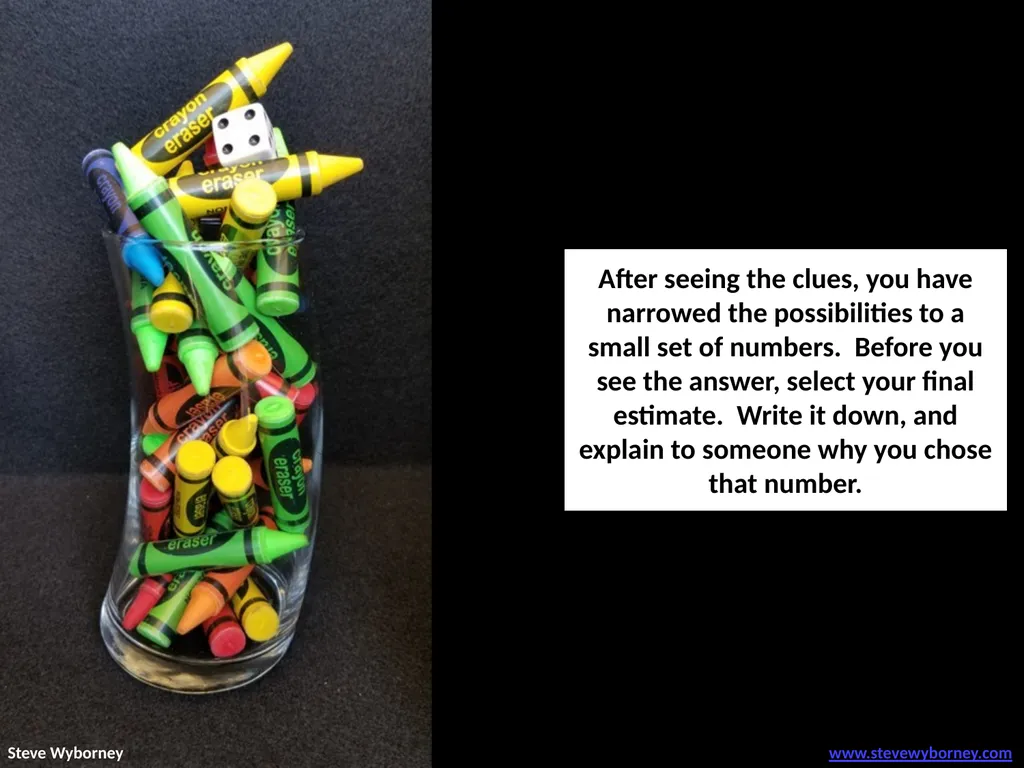
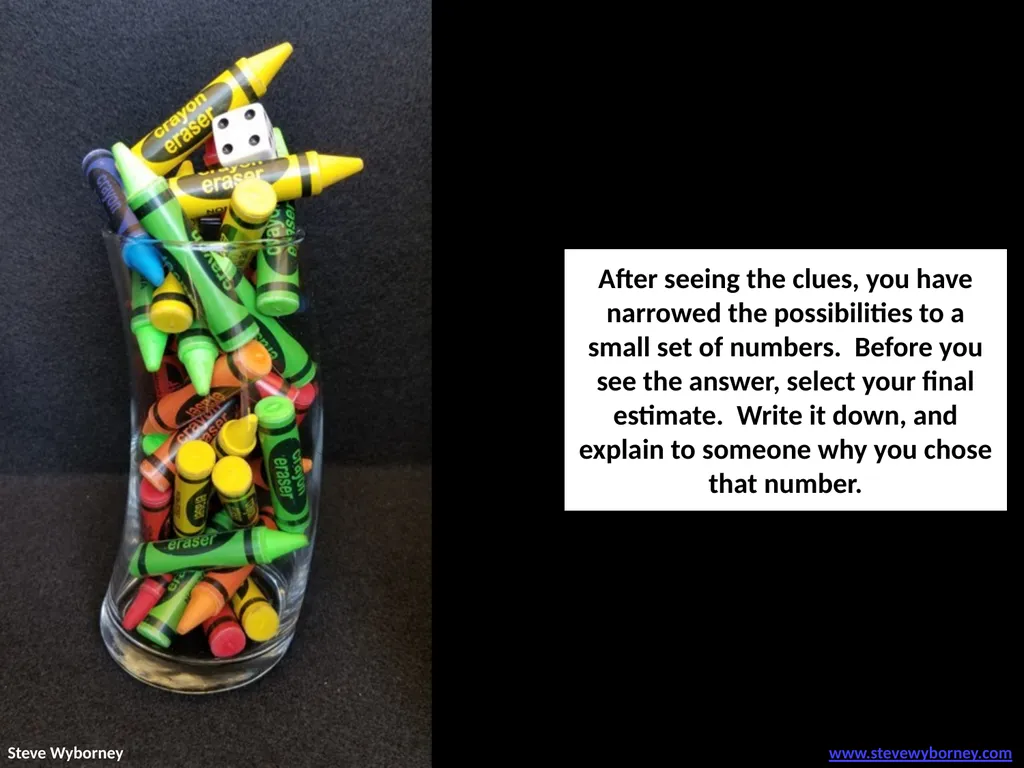
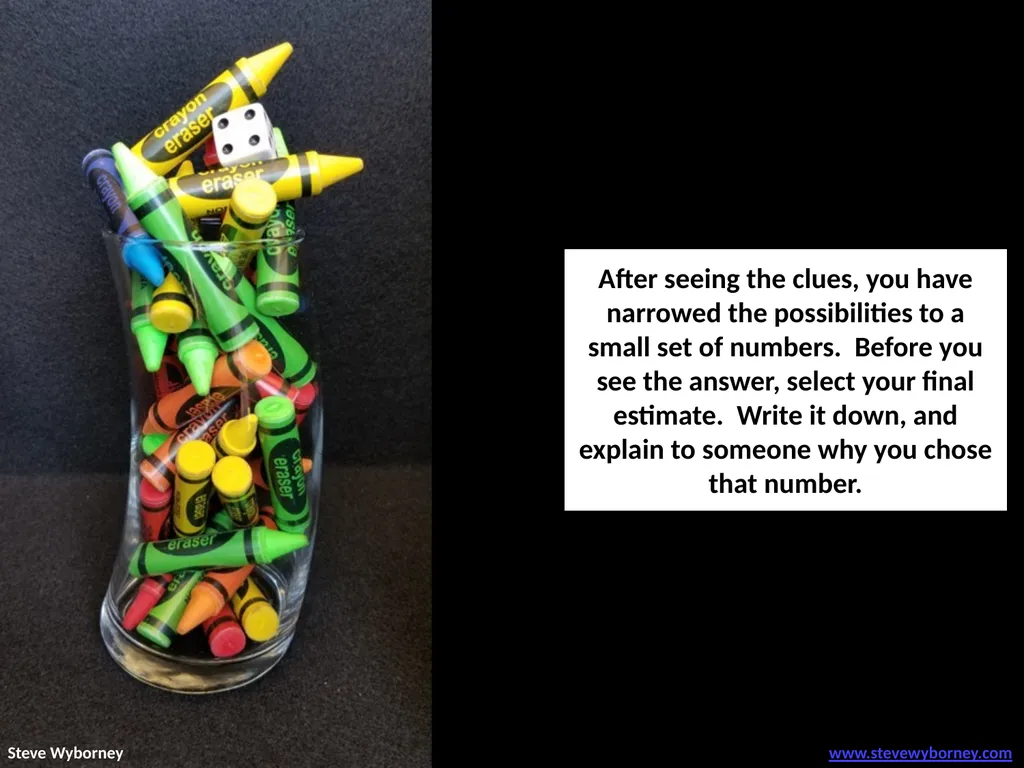
After seeing the clues, you have narrowed the possibilities to a small set of numbers. Before you see the answer, select your final estimate. Write it down, and explain to someone why you chose that number. www.stevewyborney.com Steve Wyborney<br>
07
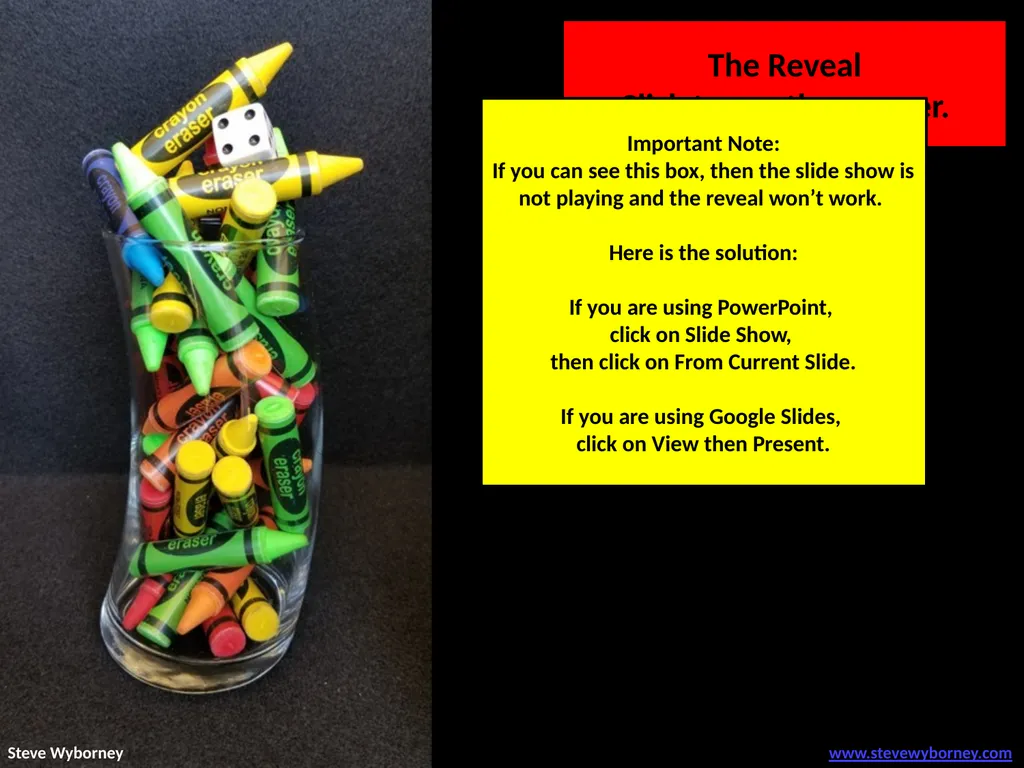
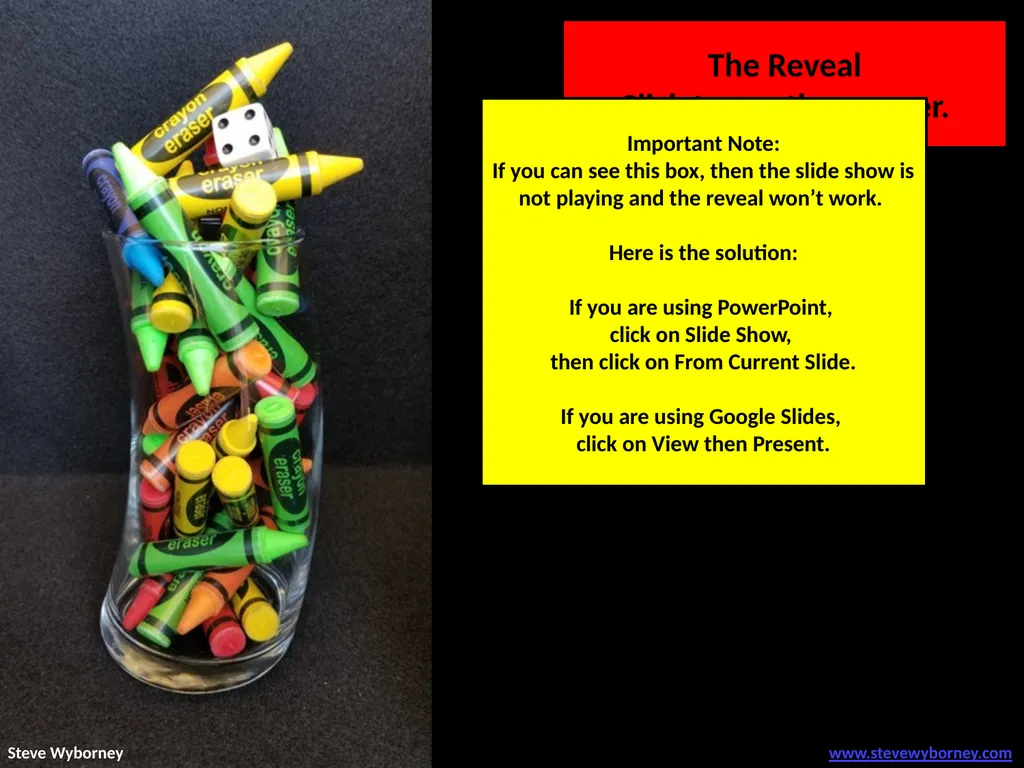
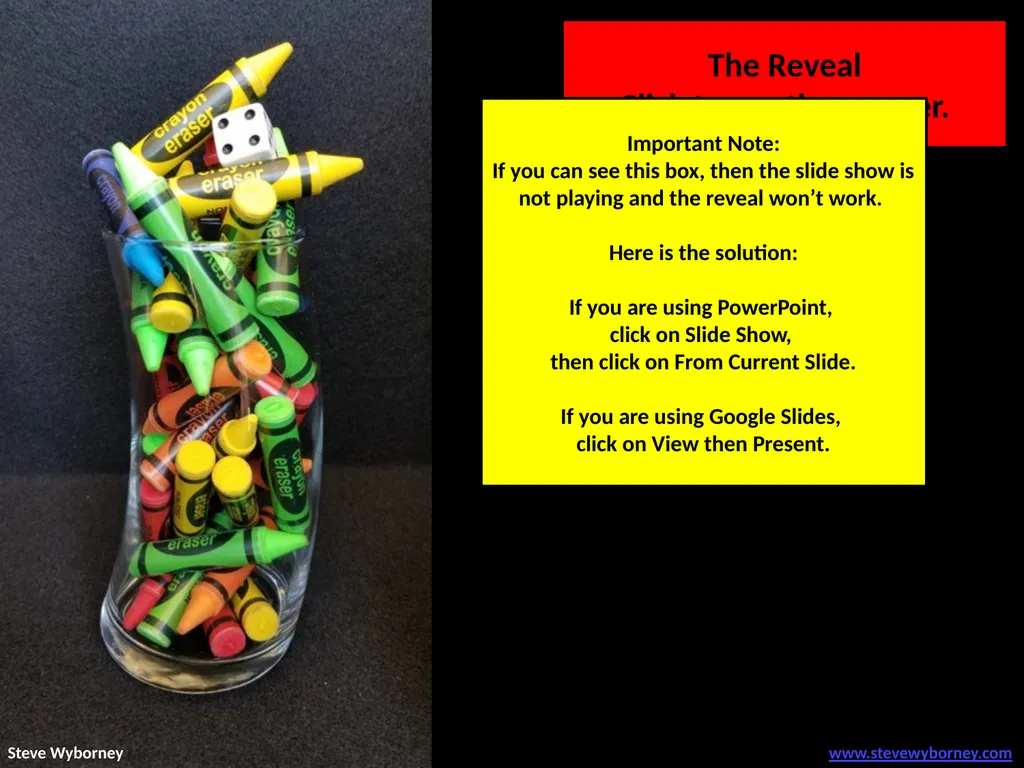
32 crayon erasers The Reveal
Click to see the answer. Important Note:
If you can see this box, then the slide show is not playing and the reveal won’t work.
Here is the solution:
If you are using PowerPoint,
click on Slide Show,
then click on From Current Slide.
If you are using Google Slides,
click on View then Present. www.stevewyborney.com Steve Wyborney<br>
Click to see the answer. Important Note:
If you can see this box, then the slide show is not playing and the reveal won’t work.
Here is the solution:
If you are using PowerPoint,
click on Slide Show,
then click on From Current Slide.
If you are using Google Slides,
click on View then Present. www.stevewyborney.com Steve Wyborney<br>
08
2021-2022
150 New Esti-Mysteries 2022-2023
170 New Esti-Mysteries The Multiplication Advantage!
Ask your school to purchase a copy
for every student in your class. 2023-2024
100 New Esti-Mysteries 2024-2025
110 New Esti-Mysteries Steve Wyborney’s
Math Courses
Online courses
Digital Download Bundles 2025-2026
125 New Esti-Mysteries Leaping Numbers
Season 1
November 2024 Leaping Numbers
Season 2
February 2025 The Original
Leaping Numbers
February 2024<br>
150 New Esti-Mysteries 2022-2023
170 New Esti-Mysteries The Multiplication Advantage!
Ask your school to purchase a copy
for every student in your class. 2023-2024
100 New Esti-Mysteries 2024-2025
110 New Esti-Mysteries Steve Wyborney’s
Math Courses
Online courses
Digital Download Bundles 2025-2026
125 New Esti-Mysteries Leaping Numbers
Season 1
November 2024 Leaping Numbers
Season 2
February 2025 The Original
Leaping Numbers
February 2024<br>
09
“One Blue Crayon”
A Challenge Esti-Mystery! Important Note:
If you can see this box, then the slide show is not playing and the reveal won’t work.
Here is the solution:
If you are using PowerPoint,
click on Slide Show,
then click on From Current Slide.
If you are using Google Slides,
click on View then Present. www.stevewyborney.com Steve Wyborney<br>
A Challenge Esti-Mystery! Important Note:
If you can see this box, then the slide show is not playing and the reveal won’t work.
Here is the solution:
If you are using PowerPoint,
click on Slide Show,
then click on From Current Slide.
If you are using Google Slides,
click on View then Present. www.stevewyborney.com Steve Wyborney<br>
10
As the clues appear, use the information to narrow the possibilities to a smaller set. After each clue, use estimation again to determine which of the remaining answers is the most reasonable. How many crayon erasers
are in the vase? Write down your first estimate. After each clue, you’ll see if your estimate is still a possibility. After each clue, if it is no longer possible write down a new estimate – and be prepared to explain why you chose it. www.stevewyborney.com Steve Wyborney<br>
are in the vase? Write down your first estimate. After each clue, you’ll see if your estimate is still a possibility. After each clue, if it is no longer possible write down a new estimate – and be prepared to explain why you chose it. www.stevewyborney.com Steve Wyborney<br>
11
Clue #1 Clue #2 Clue #3 Clue #4 Clue #5 Clue #1
The answer is greater than 20
and less than 61. Clue #2
Challenge Clue!
The answer is part of this pattern:
24, 28, 32, 36 …. Clue #3
There is a clue on the die.
The answer does not include the digit 4. Clue #4
Eliminate 2 numbers with this clue.
26, ____ , 46, ____ , 66 Clue #5
Two remaining numbers have
a sum of 80. _____ + _____ = 80
Eliminate both of those numbers. www.stevewyborney.com Steve Wyborney<br>
The answer is greater than 20
and less than 61. Clue #2
Challenge Clue!
The answer is part of this pattern:
24, 28, 32, 36 …. Clue #3
There is a clue on the die.
The answer does not include the digit 4. Clue #4
Eliminate 2 numbers with this clue.
26, ____ , 46, ____ , 66 Clue #5
Two remaining numbers have
a sum of 80. _____ + _____ = 80
Eliminate both of those numbers. www.stevewyborney.com Steve Wyborney<br>
12
After seeing the clues, you have narrowed the possibilities to a small set of numbers. Before you see the answer, select your final estimate. Write it down, and explain to someone why you chose that number. www.stevewyborney.com Steve Wyborney<br>
13
32 crayon erasers The Reveal
Click to see the answer. Important Note:
If you can see this box, then the slide show is not playing and the reveal won’t work.
Here is the solution:
If you are using PowerPoint,
click on Slide Show,
then click on From Current Slide.
If you are using Google Slides,
click on View then Present. www.stevewyborney.com Steve Wyborney<br>
Click to see the answer. Important Note:
If you can see this box, then the slide show is not playing and the reveal won’t work.
Here is the solution:
If you are using PowerPoint,
click on Slide Show,
then click on From Current Slide.
If you are using Google Slides,
click on View then Present. www.stevewyborney.com Steve Wyborney<br>
14
2021-2022
150 New Esti-Mysteries 2022-2023
170 New Esti-Mysteries The Multiplication Advantage!
Ask your school to purchase a copy
for every student in your class. 2023-2024
100 New Esti-Mysteries 2024-2025
110 New Esti-Mysteries Steve Wyborney’s
Math Courses
Online courses
Digital Download Bundles 2025-2026
125 New Esti-Mysteries Leaping Numbers
Season 1
November 2024 Leaping Numbers
Season 2
February 2025 The Original
Leaping Numbers
February 2024<br>
150 New Esti-Mysteries 2022-2023
170 New Esti-Mysteries The Multiplication Advantage!
Ask your school to purchase a copy
for every student in your class. 2023-2024
100 New Esti-Mysteries 2024-2025
110 New Esti-Mysteries Steve Wyborney’s
Math Courses
Online courses
Digital Download Bundles 2025-2026
125 New Esti-Mysteries Leaping Numbers
Season 1
November 2024 Leaping Numbers
Season 2
February 2025 The Original
Leaping Numbers
February 2024<br>
15
“One Blue Crayon”
A Challenge Esti-Mystery! Important Note:
If you can see this box, then the slide show is not playing and the reveal won’t work.
Here is the solution:
If you are using PowerPoint,
click on Slide Show,
then click on From Current Slide.
If you are using Google Slides,
click on View then Present. www.stevewyborney.com Steve Wyborney<br>
A Challenge Esti-Mystery! Important Note:
If you can see this box, then the slide show is not playing and the reveal won’t work.
Here is the solution:
If you are using PowerPoint,
click on Slide Show,
then click on From Current Slide.
If you are using Google Slides,
click on View then Present. www.stevewyborney.com Steve Wyborney<br>
16
As the clues appear, use the information to narrow the possibilities to a smaller set. After each clue, use estimation again to determine which of the remaining answers is the most reasonable. How many crayon erasers
are in the vase? Write down your first estimate. After each clue, you’ll see if your estimate is still a possibility. After each clue, if it is no longer possible write down a new estimate – and be prepared to explain why you chose it. www.stevewyborney.com Steve Wyborney<br>
are in the vase? Write down your first estimate. After each clue, you’ll see if your estimate is still a possibility. After each clue, if it is no longer possible write down a new estimate – and be prepared to explain why you chose it. www.stevewyborney.com Steve Wyborney<br>
17
Clue #1 Clue #2 Clue #3 Clue #4 Clue #5 Clue #1
The answer is greater than 20
and less than 61. Clue #2
Challenge Clue!
The answer is part of this pattern:
24, 28, 32, 36 …. Clue #3
There is a clue on the die.
The answer does not include the digit 4. Clue #4
Eliminate 2 numbers with this clue.
26, ____ , 46, ____ , 66 Clue #5
Two remaining numbers have
a sum of 80. _____ + _____ = 80
Eliminate both of those numbers. www.stevewyborney.com Steve Wyborney<br>
The answer is greater than 20
and less than 61. Clue #2
Challenge Clue!
The answer is part of this pattern:
24, 28, 32, 36 …. Clue #3
There is a clue on the die.
The answer does not include the digit 4. Clue #4
Eliminate 2 numbers with this clue.
26, ____ , 46, ____ , 66 Clue #5
Two remaining numbers have
a sum of 80. _____ + _____ = 80
Eliminate both of those numbers. www.stevewyborney.com Steve Wyborney<br>
18
After seeing the clues, you have narrowed the possibilities to a small set of numbers. Before you see the answer, select your final estimate. Write it down, and explain to someone why you chose that number. www.stevewyborney.com Steve Wyborney<br>
19
32 crayon erasers The Reveal
Click to see the answer. Important Note:
If you can see this box, then the slide show is not playing and the reveal won’t work.
Here is the solution:
If you are using PowerPoint,
click on Slide Show,
then click on From Current Slide.
If you are using Google Slides,
click on View then Present. www.stevewyborney.com Steve Wyborney<br>
Click to see the answer. Important Note:
If you can see this box, then the slide show is not playing and the reveal won’t work.
Here is the solution:
If you are using PowerPoint,
click on Slide Show,
then click on From Current Slide.
If you are using Google Slides,
click on View then Present. www.stevewyborney.com Steve Wyborney<br>
20
2021-2022
150 New Esti-Mysteries 2022-2023
170 New Esti-Mysteries The Multiplication Advantage!
Ask your school to purchase a copy
for every student in your class. 2023-2024
100 New Esti-Mysteries 2024-2025
110 New Esti-Mysteries Steve Wyborney’s
Math Courses
Online courses
Digital Download Bundles 2025-2026
125 New Esti-Mysteries Leaping Numbers
Season 1
November 2024 Leaping Numbers
Season 2
February 2025 The Original
Leaping Numbers
February 2024<br>
150 New Esti-Mysteries 2022-2023
170 New Esti-Mysteries The Multiplication Advantage!
Ask your school to purchase a copy
for every student in your class. 2023-2024
100 New Esti-Mysteries 2024-2025
110 New Esti-Mysteries Steve Wyborney’s
Math Courses
Online courses
Digital Download Bundles 2025-2026
125 New Esti-Mysteries Leaping Numbers
Season 1
November 2024 Leaping Numbers
Season 2
February 2025 The Original
Leaping Numbers
February 2024<br>