
Unit - I Introduction to Computer Developed by Mr.
LD
Published · 49 slides · 0 views
1 / 1
Description
Unit - I Introduction to Computer Developed by Mr. Sandeep G. Shukla What is Computer? A computer is a device that accepts information (in the form of digitalized data) and manipulates it for some result based on a program or sequence of
Related Topics
Share
Embed code
Download this presentation From Below
"Unit - I Introduction to Computer Developed by Mr." is the property of its rightful owner. Permission is granted to download and print the materials on this website for personal, non-commercial use only, and to display it on your personal computer provided you do not modify the materials and that you retain all copyright notices contained in the materials. By downloading content from our website, you accept the terms of this agreement.
Presentation Transcript
01
Unit - I
Introduction to Computer Developed by Mr. Sandeep G. Shukla<br>
02
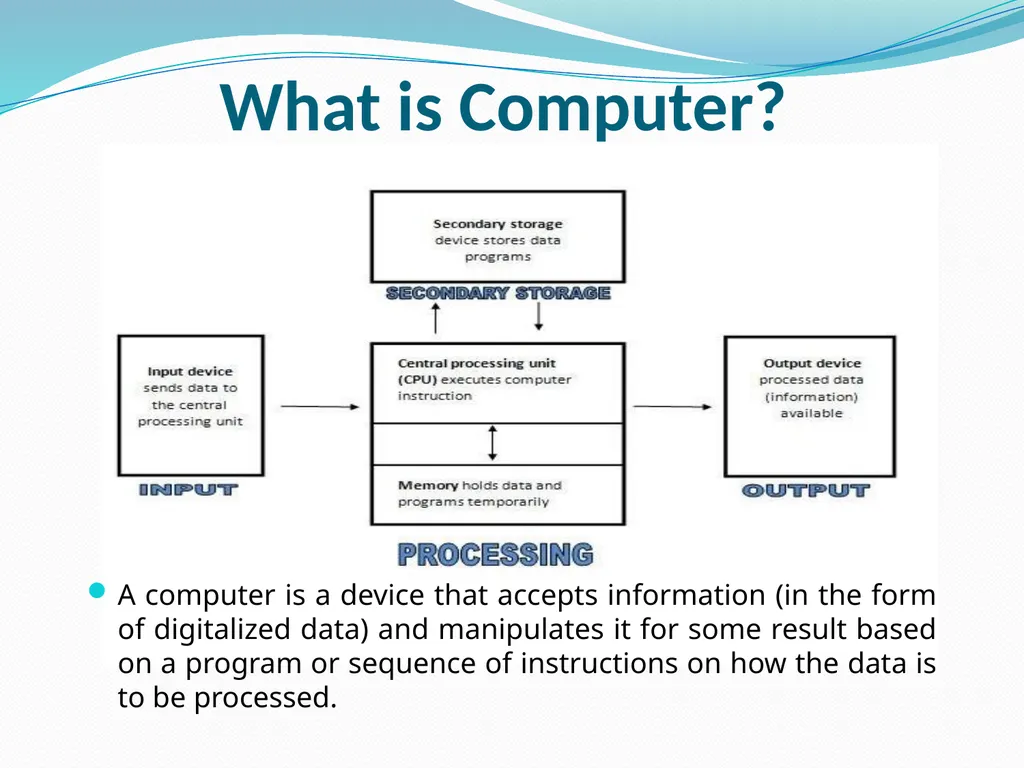
What is Computer? A computer is a device that accepts information (in the form of digitalized data) and manipulates it for some result based on a program or sequence of instructions on how the data is to be processed.<br>
03
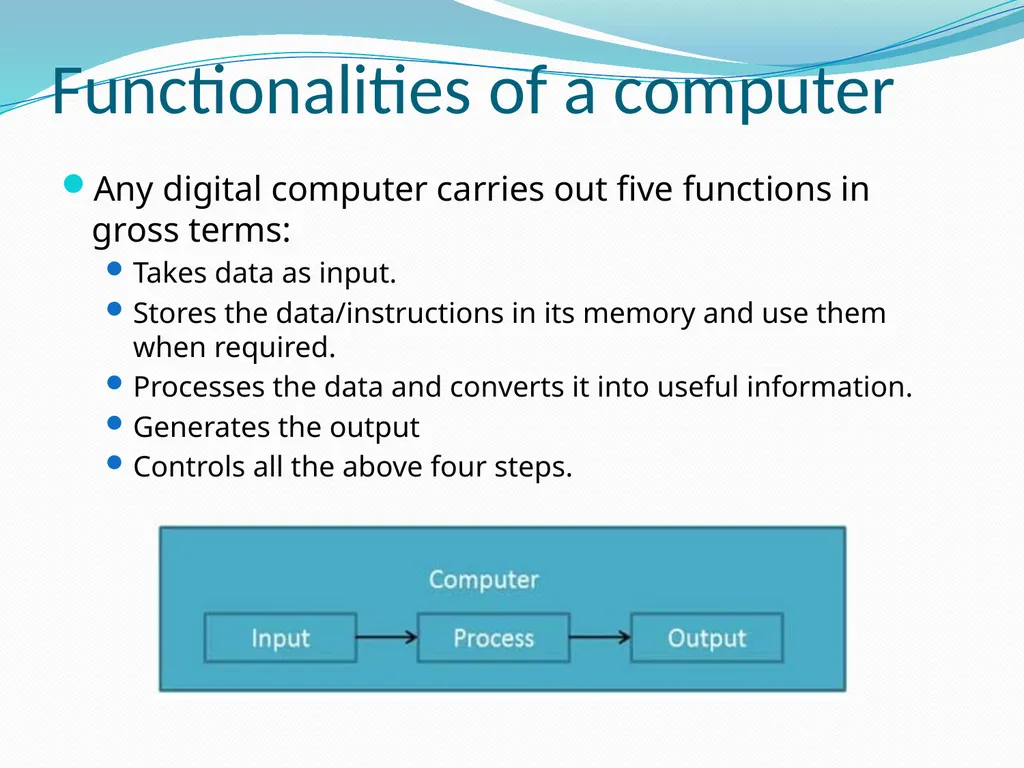
Functionalities of a computer Any digital computer carries out five functions in gross terms:
Takes data as input.
Stores the data/instructions in its memory and use them when required.
Processes the data and converts it into useful information.
Generates the output
Controls all the above four steps.<br>
Takes data as input.
Stores the data/instructions in its memory and use them when required.
Processes the data and converts it into useful information.
Generates the output
Controls all the above four steps.<br>
04
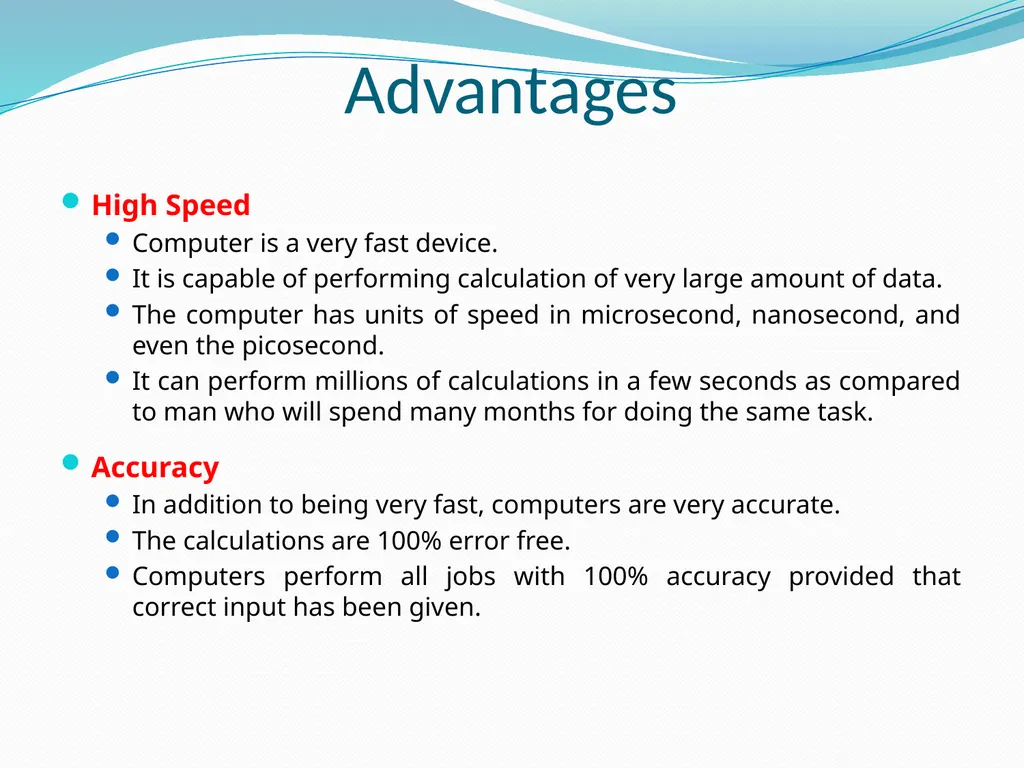
Advantages High Speed
Computer is a very fast device.
It is capable of performing calculation of very large amount of data.
The computer has units of speed in microsecond, nanosecond, and even the picosecond.
It can perform millions of calculations in a few seconds as compared to man who will spend many months for doing the same task.
Accuracy
In addition to being very fast, computers are very accurate.
The calculations are 100% error free.
Computers perform all jobs with 100% accuracy provided that correct input has been given.<br>
Computer is a very fast device.
It is capable of performing calculation of very large amount of data.
The computer has units of speed in microsecond, nanosecond, and even the picosecond.
It can perform millions of calculations in a few seconds as compared to man who will spend many months for doing the same task.
Accuracy
In addition to being very fast, computers are very accurate.
The calculations are 100% error free.
Computers perform all jobs with 100% accuracy provided that correct input has been given.<br>
05
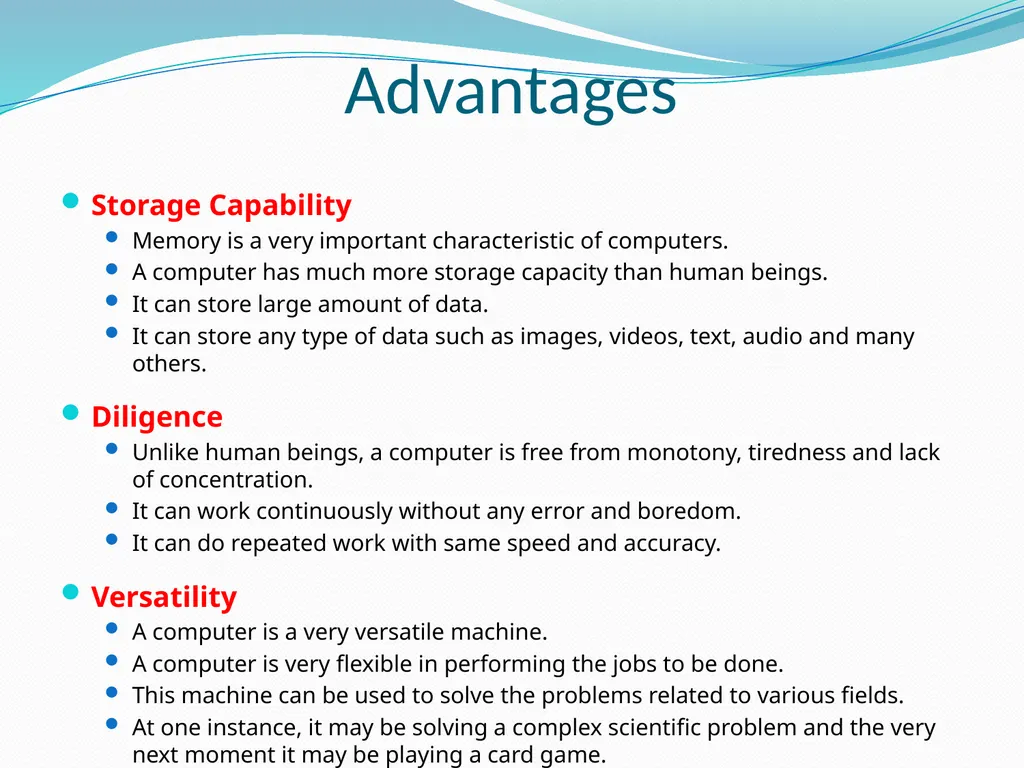
Advantages Storage Capability
Memory is a very important characteristic of computers.
A computer has much more storage capacity than human beings.
It can store large amount of data.
It can store any type of data such as images, videos, text, audio and many others.
Diligence
Unlike human beings, a computer is free from monotony, tiredness and lack of concentration.
It can work continuously without any error and boredom.
It can do repeated work with same speed and accuracy.
Versatility
A computer is a very versatile machine.
A computer is very flexible in performing the jobs to be done.
This machine can be used to solve the problems related to various fields.
At one instance, it may be solving a complex scientific problem and the very next moment it may be playing a card game.<br>
Memory is a very important characteristic of computers.
A computer has much more storage capacity than human beings.
It can store large amount of data.
It can store any type of data such as images, videos, text, audio and many others.
Diligence
Unlike human beings, a computer is free from monotony, tiredness and lack of concentration.
It can work continuously without any error and boredom.
It can do repeated work with same speed and accuracy.
Versatility
A computer is a very versatile machine.
A computer is very flexible in performing the jobs to be done.
This machine can be used to solve the problems related to various fields.
At one instance, it may be solving a complex scientific problem and the very next moment it may be playing a card game.<br>
06
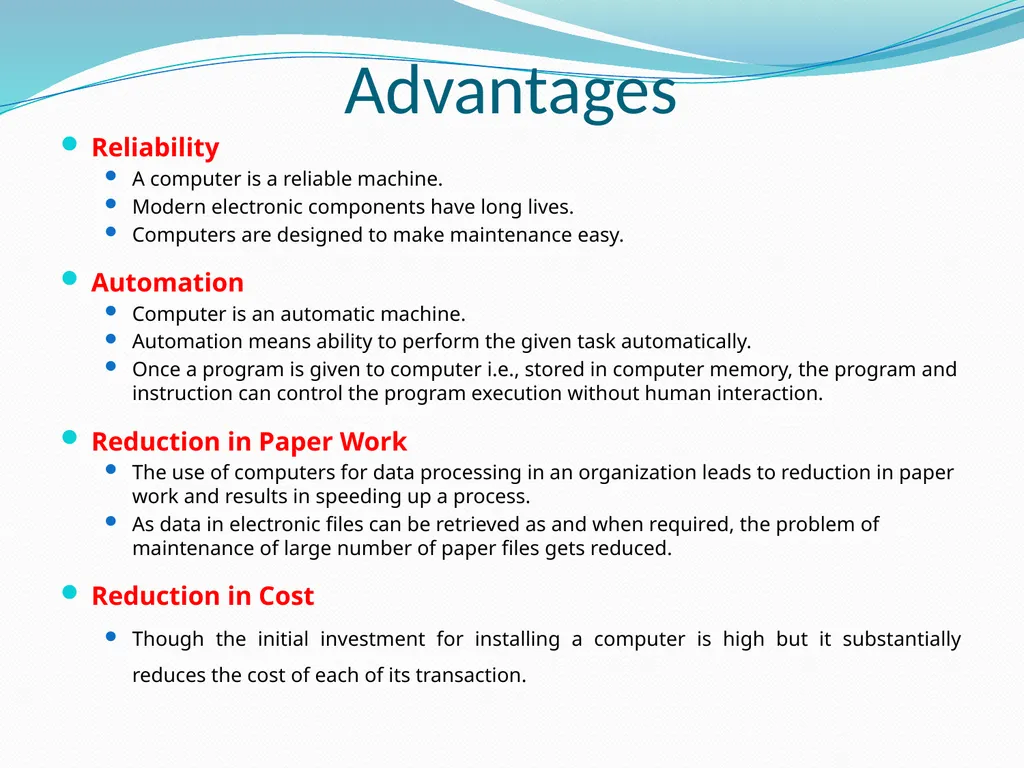
Advantages Reliability
A computer is a reliable machine.
Modern electronic components have long lives.
Computers are designed to make maintenance easy.
Automation
Computer is an automatic machine.
Automation means ability to perform the given task automatically.
Once a program is given to computer i.e., stored in computer memory, the program and instruction can control the program execution without human interaction.
Reduction in Paper Work
The use of computers for data processing in an organization leads to reduction in paper work and results in speeding up a process.
As data in electronic files can be retrieved as and when required, the problem of maintenance of large number of paper files gets reduced.
Reduction in Cost
Though the initial investment for installing a computer is high but it substantially reduces the cost of each of its transaction.<br>
A computer is a reliable machine.
Modern electronic components have long lives.
Computers are designed to make maintenance easy.
Automation
Computer is an automatic machine.
Automation means ability to perform the given task automatically.
Once a program is given to computer i.e., stored in computer memory, the program and instruction can control the program execution without human interaction.
Reduction in Paper Work
The use of computers for data processing in an organization leads to reduction in paper work and results in speeding up a process.
As data in electronic files can be retrieved as and when required, the problem of maintenance of large number of paper files gets reduced.
Reduction in Cost
Though the initial investment for installing a computer is high but it substantially reduces the cost of each of its transaction.<br>
07
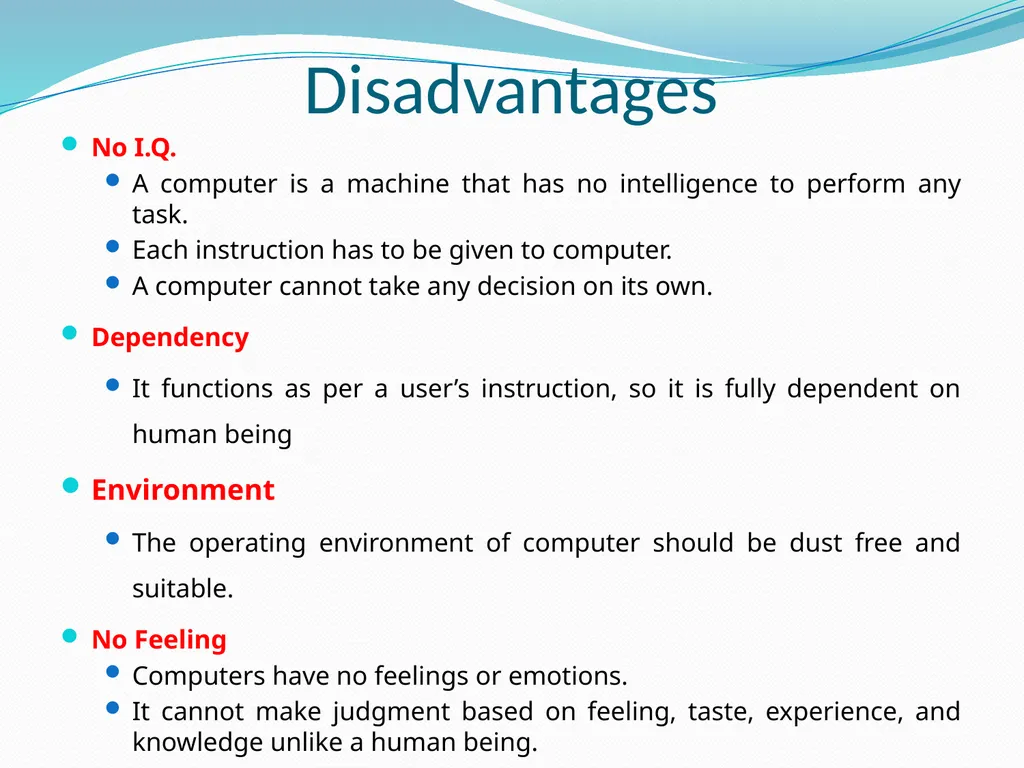
Disadvantages No I.Q.
A computer is a machine that has no intelligence to perform any task.
Each instruction has to be given to computer.
A computer cannot take any decision on its own.
Dependency
It functions as per a user’s instruction, so it is fully dependent on human being
Environment
The operating environment of computer should be dust free and suitable.
No Feeling
Computers have no feelings or emotions.
It cannot make judgment based on feeling, taste, experience, and knowledge unlike a human being.<br>
A computer is a machine that has no intelligence to perform any task.
Each instruction has to be given to computer.
A computer cannot take any decision on its own.
Dependency
It functions as per a user’s instruction, so it is fully dependent on human being
Environment
The operating environment of computer should be dust free and suitable.
No Feeling
Computers have no feelings or emotions.
It cannot make judgment based on feeling, taste, experience, and knowledge unlike a human being.<br>
08
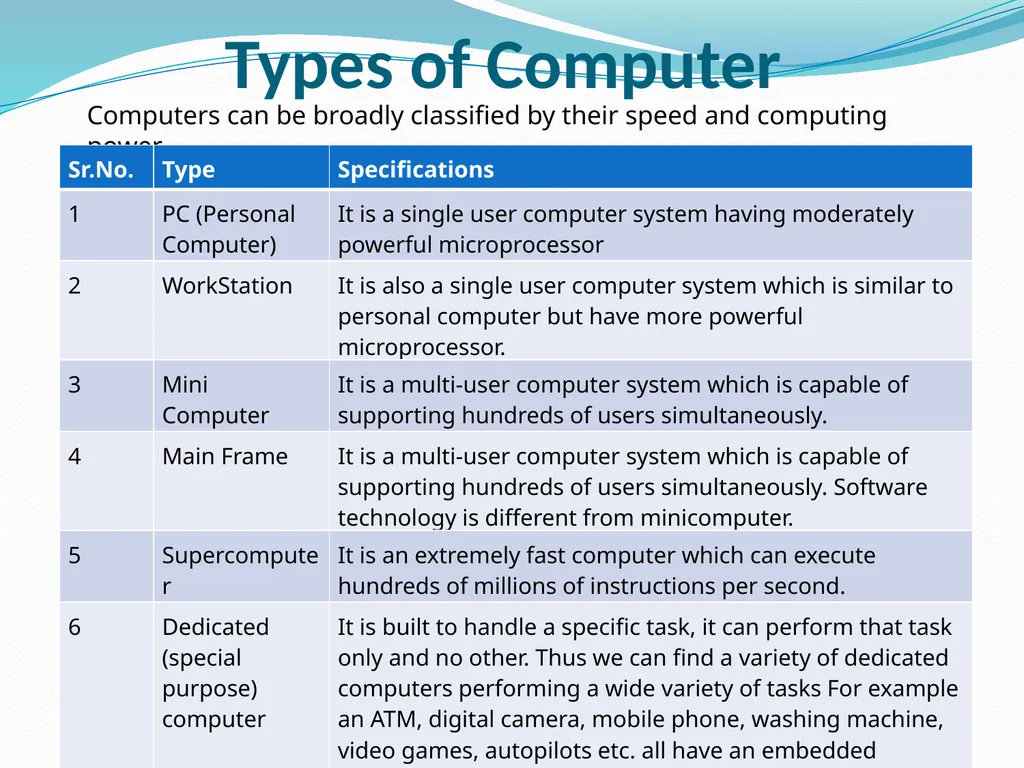
Types of Computer Computers can be broadly classified by their speed and computing power.<br>
09
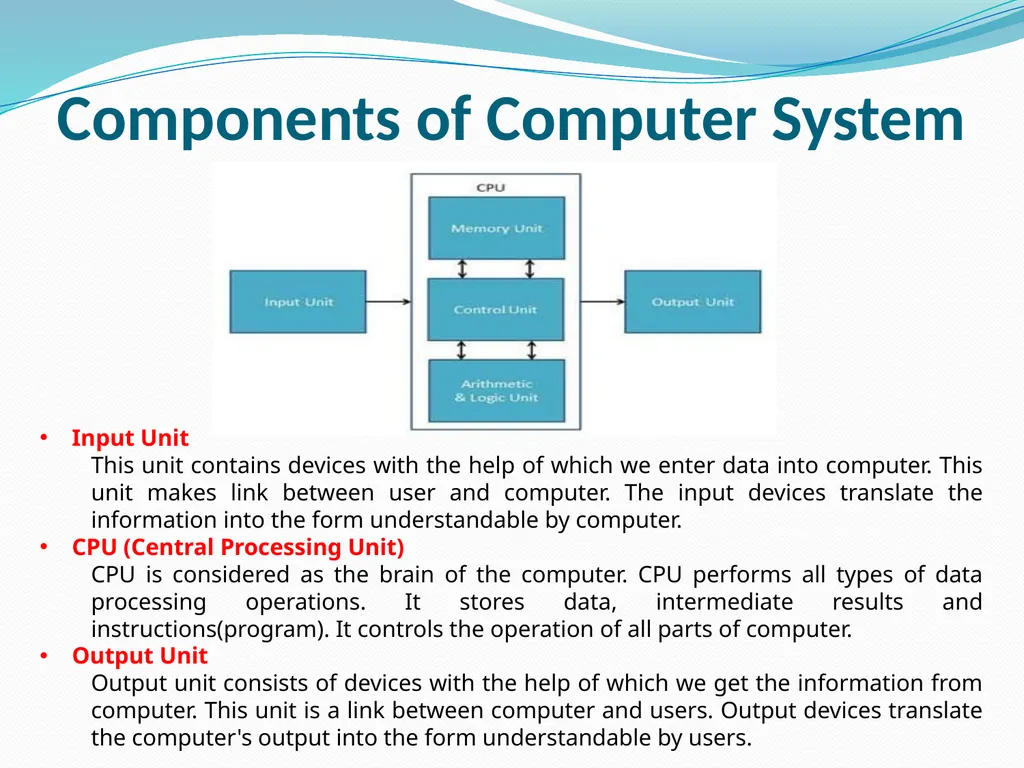
Components of Computer System Input Unit
This unit contains devices with the help of which we enter data into computer. This unit makes link between user and computer. The input devices translate the information into the form understandable by computer.
CPU (Central Processing Unit)
CPU is considered as the brain of the computer. CPU performs all types of data processing operations. It stores data, intermediate results and instructions(program). It controls the operation of all parts of computer.
Output Unit
Output unit consists of devices with the help of which we get the information from computer. This unit is a link between computer and users. Output devices translate the computer's output into the form understandable by users.<br>
This unit contains devices with the help of which we enter data into computer. This unit makes link between user and computer. The input devices translate the information into the form understandable by computer.
CPU (Central Processing Unit)
CPU is considered as the brain of the computer. CPU performs all types of data processing operations. It stores data, intermediate results and instructions(program). It controls the operation of all parts of computer.
Output Unit
Output unit consists of devices with the help of which we get the information from computer. This unit is a link between computer and users. Output devices translate the computer's output into the form understandable by users.<br>
10
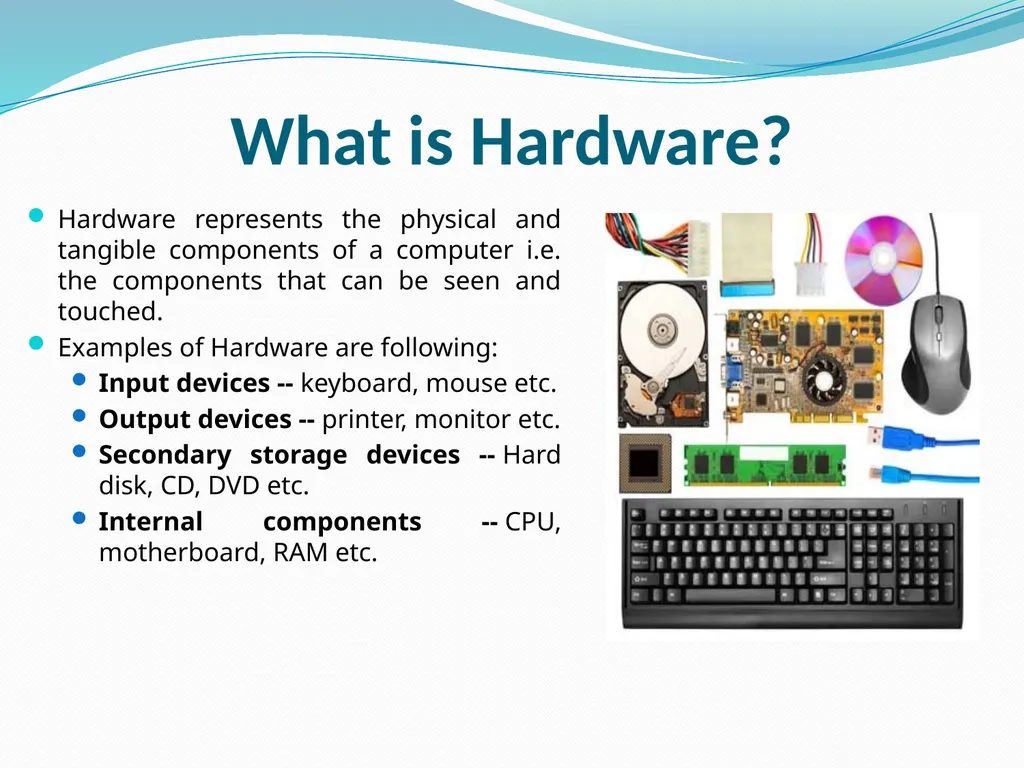
What is Hardware? Hardware represents the physical and tangible components of a computer i.e. the components that can be seen and touched.
Examples of Hardware are following:
Input devices -- keyboard, mouse etc.
Output devices -- printer, monitor etc.
Secondary storage devices -- Hard disk, CD, DVD etc.
Internal components -- CPU, motherboard, RAM etc.<br>
Examples of Hardware are following:
Input devices -- keyboard, mouse etc.
Output devices -- printer, monitor etc.
Secondary storage devices -- Hard disk, CD, DVD etc.
Internal components -- CPU, motherboard, RAM etc.<br>
11
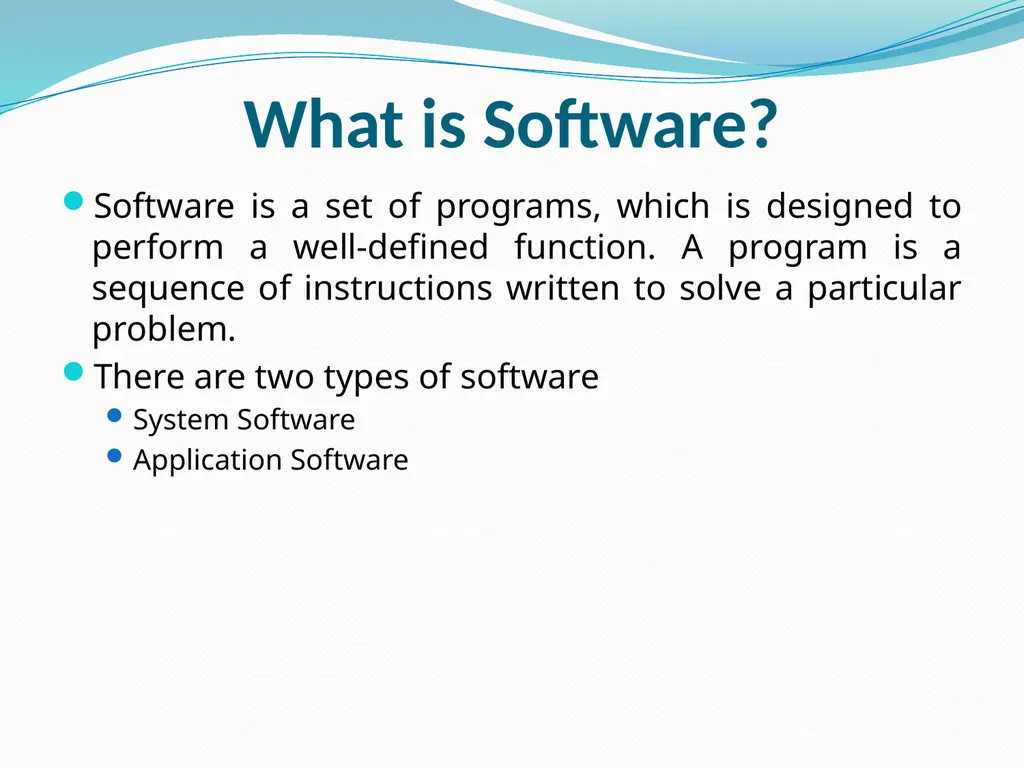
What is Software? Software is a set of programs, which is designed to perform a well-defined function. A program is a sequence of instructions written to solve a particular problem.
There are two types of software
System Software
Application Software<br>
There are two types of software
System Software
Application Software<br>
12
System Software The system software is collection of programs designed to operate, control, and extend the processing capabilities of the computer itself. System software are generally prepared by computer manufactures. These software products comprise of programs written in low-level languages which interact with the hardware at a very basic level. System software serves as the interface between hardware and the end users.
Some examples of system software are Operating System, Compilers, Interpreter, Assemblers etc.<br>
Some examples of system software are Operating System, Compilers, Interpreter, Assemblers etc.<br>
13
Application Software Application software products are designed to satisfy a particular need of a particular environment. All software applications prepared in the computer lab can come under the category of Application software.
Application software may consist of a single program, such as a Microsoft's notepad for writing and editing simple text. It may also consist of a collection of programs, often called a software package, which work together to accomplish a task, such as a spreadsheet package.
Examples of Application software are following:
Payroll Software
Student Record Software
Inventory Management Software
Income Tax Software
Railways Reservation Software
Microsoft Office Suite Software
Microsoft Word
Microsoft Excel
Microsoft Powerpoint<br>
Application software may consist of a single program, such as a Microsoft's notepad for writing and editing simple text. It may also consist of a collection of programs, often called a software package, which work together to accomplish a task, such as a spreadsheet package.
Examples of Application software are following:
Payroll Software
Student Record Software
Inventory Management Software
Income Tax Software
Railways Reservation Software
Microsoft Office Suite Software
Microsoft Word
Microsoft Excel
Microsoft Powerpoint<br>
14
Relationship between Hardware and Software Hardware and software are mutually dependent on each other. Both of them must work together to make a computer produce a useful output.
Software cannot be utilized without supporting hardware.
Hardware without set of programs to operate upon cannot be utilized and is useless.
To get a particular job done on the computer, relevant software should be loaded into the hardware
Hardware is a one-time expense.
Software development is very expensive and is a continuing expense.
Different software applications can be loaded on a hardware to run different jobs.
A software acts as an interface between the user and the hardware.
If hardware is the 'heart' of a computer system, then software is its 'soul'. Both are complimentary to each other.<br>
Software cannot be utilized without supporting hardware.
Hardware without set of programs to operate upon cannot be utilized and is useless.
To get a particular job done on the computer, relevant software should be loaded into the hardware
Hardware is a one-time expense.
Software development is very expensive and is a continuing expense.
Different software applications can be loaded on a hardware to run different jobs.
A software acts as an interface between the user and the hardware.
If hardware is the 'heart' of a computer system, then software is its 'soul'. Both are complimentary to each other.<br>
15
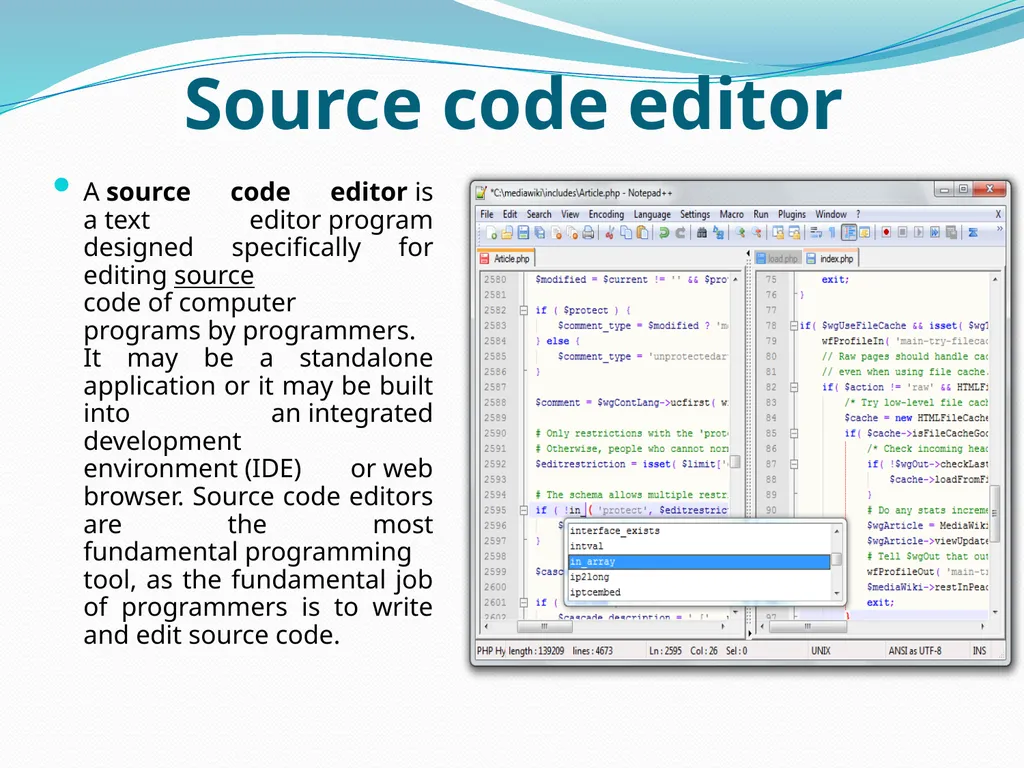
Source code editor A source code editor is a text editor program designed specifically for editing source code of computer programs by programmers. It may be a standalone application or it may be built into an integrated development environment (IDE) or web browser. Source code editors are the most fundamental programming tool, as the fundamental job of programmers is to write and edit source code.<br>
16
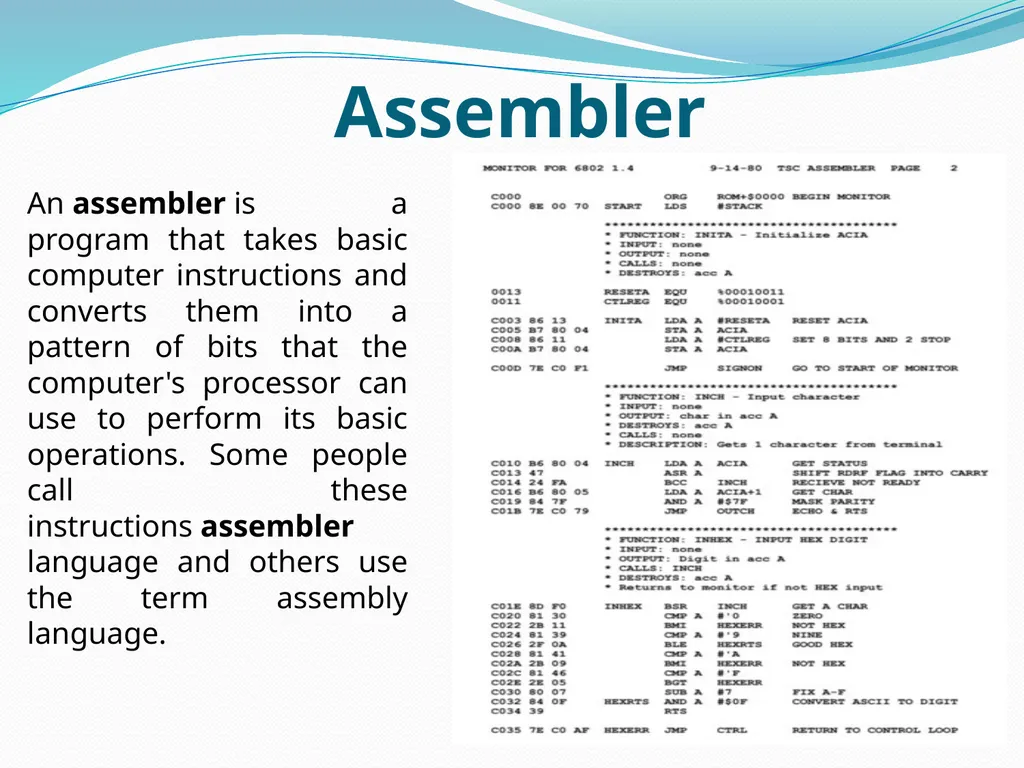
Assembler An assembler is a program that takes basic computer instructions and converts them into a pattern of bits that the computer's processor can use to perform its basic operations. Some people call these instructions assembler language and others use the term assembly language.<br>
17
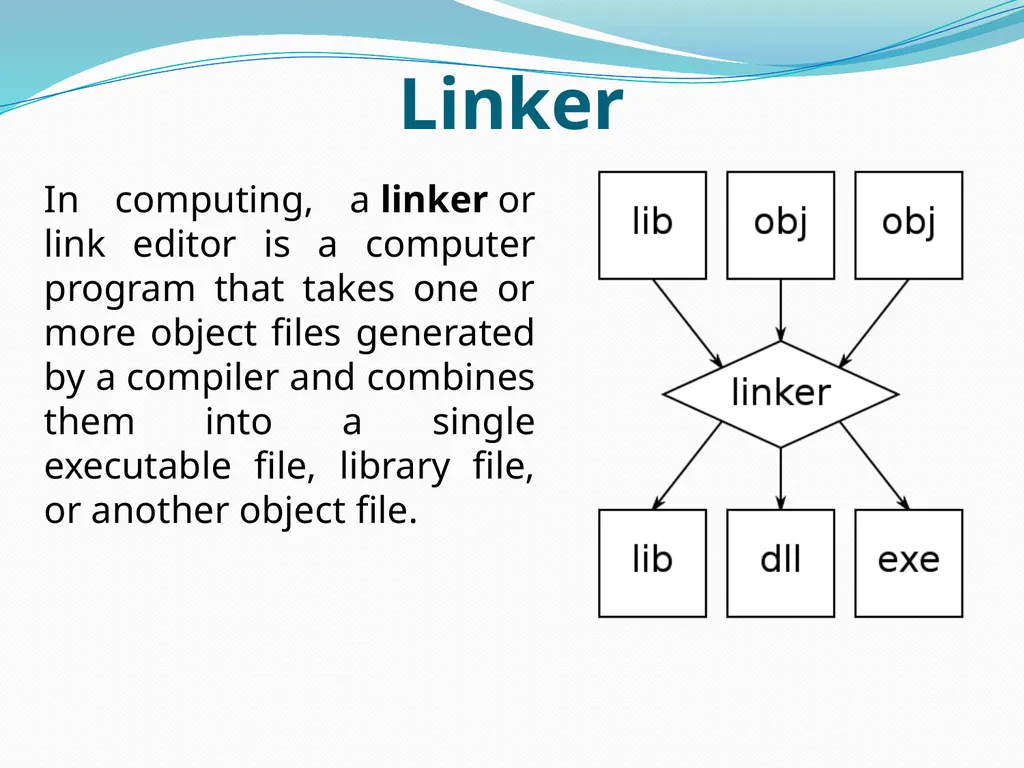
Linker In computing, a linker or link editor is a computer program that takes one or more object files generated by a compiler and combines them into a single executable file, library file, or another object file.<br>
18
Loader In computing, a loader is the part of an operating system that is responsible for loading programs and libraries. It is one of the essential stages in the process of starting a program, as it places programs into memory and prepares them for execution. Loading a program involves reading the contents of the executable file containing the program instructions into memory, and then carrying out other required preparatory tasks to prepare the executable for running. Once loading is complete, the operating system starts the program by passing control to the loaded program code.<br>
19
Problem solving using computers Solving problems is the core of computer science. Programmers must first understand how a human solves a problem, then understand how to translate this "algorithm" into something a computer can do, and finally how to "write" the specific syntax (required by a computer) to get the job done. It is sometimes the case that a machine will solve a problem in a completely different way than a human.
Computer Programmers are problem solvers. In order to solve a problem on a computer you must:
Know how to represent the information (data) describing the problem.
Determine the steps to transform the information from one representation into another.<br>
Computer Programmers are problem solvers. In order to solve a problem on a computer you must:
Know how to represent the information (data) describing the problem.
Determine the steps to transform the information from one representation into another.<br>
20
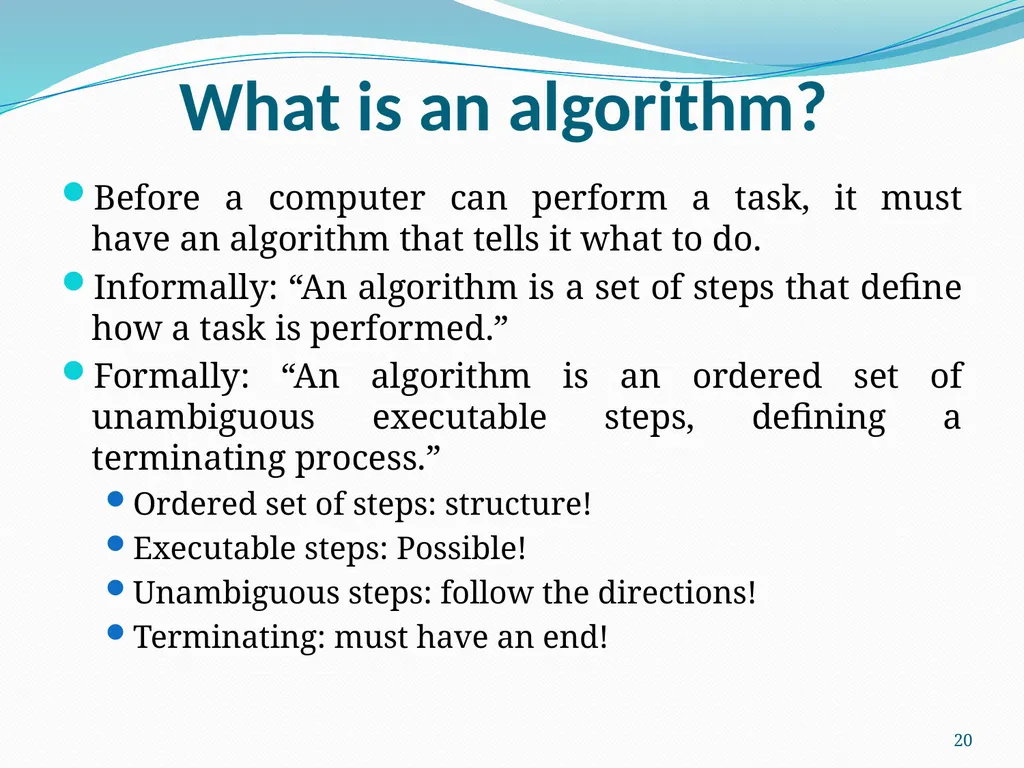
What is an algorithm? Before a computer can perform a task, it must
have an algorithm that tells it what to do.
Informally: “An algorithm is a set of steps that define how a task is performed.”
Formally: “An algorithm is an ordered set of unambiguous executable steps, defining a terminating process.”
Ordered set of steps: structure!
Executable steps: Possible!
Unambiguous steps: follow the directions!
Terminating: must have an end! 20<br>
Informally: “An algorithm is a set of steps that define how a task is performed.”
Formally: “An algorithm is an ordered set of unambiguous executable steps, defining a terminating process.”
Ordered set of steps: structure!
Executable steps: Possible!
Unambiguous steps: follow the directions!
Terminating: must have an end! 20<br>
21
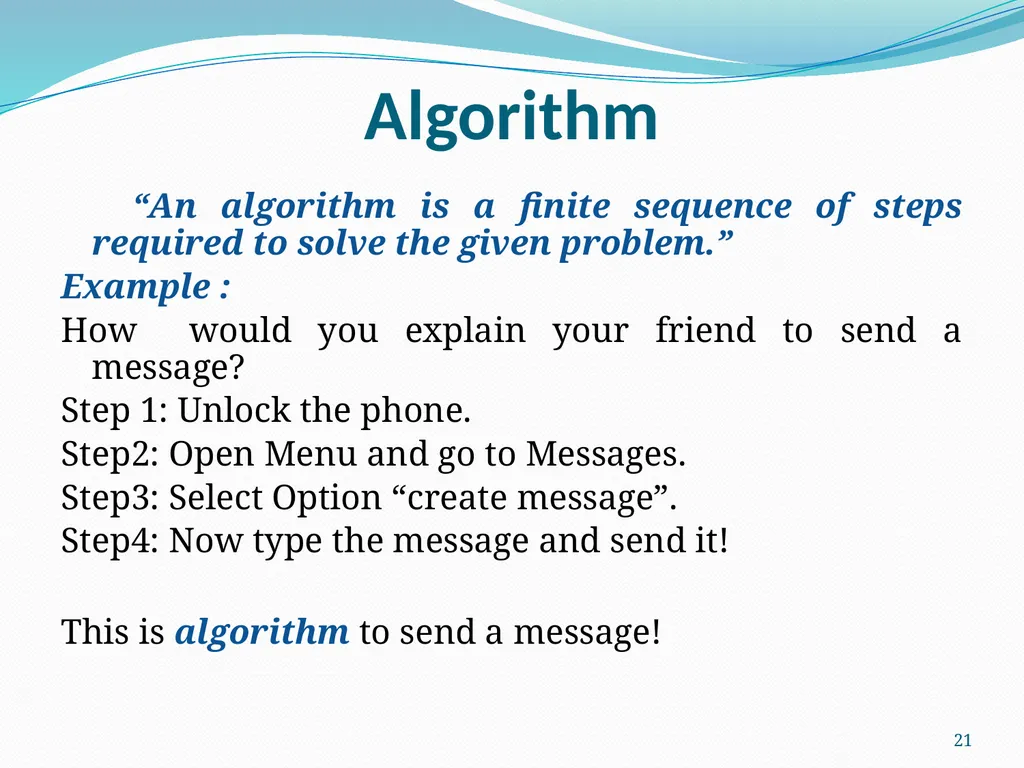
Algorithm “An algorithm is a finite sequence of steps required to solve the given problem.”
Example :
How would you explain your friend to send a message?
Step 1: Unlock the phone.
Step2: Open Menu and go to Messages.
Step3: Select Option “create message”.
Step4: Now type the message and send it!
This is algorithm to send a message! 21<br>
Example :
How would you explain your friend to send a message?
Step 1: Unlock the phone.
Step2: Open Menu and go to Messages.
Step3: Select Option “create message”.
Step4: Now type the message and send it!
This is algorithm to send a message! 21<br>
22
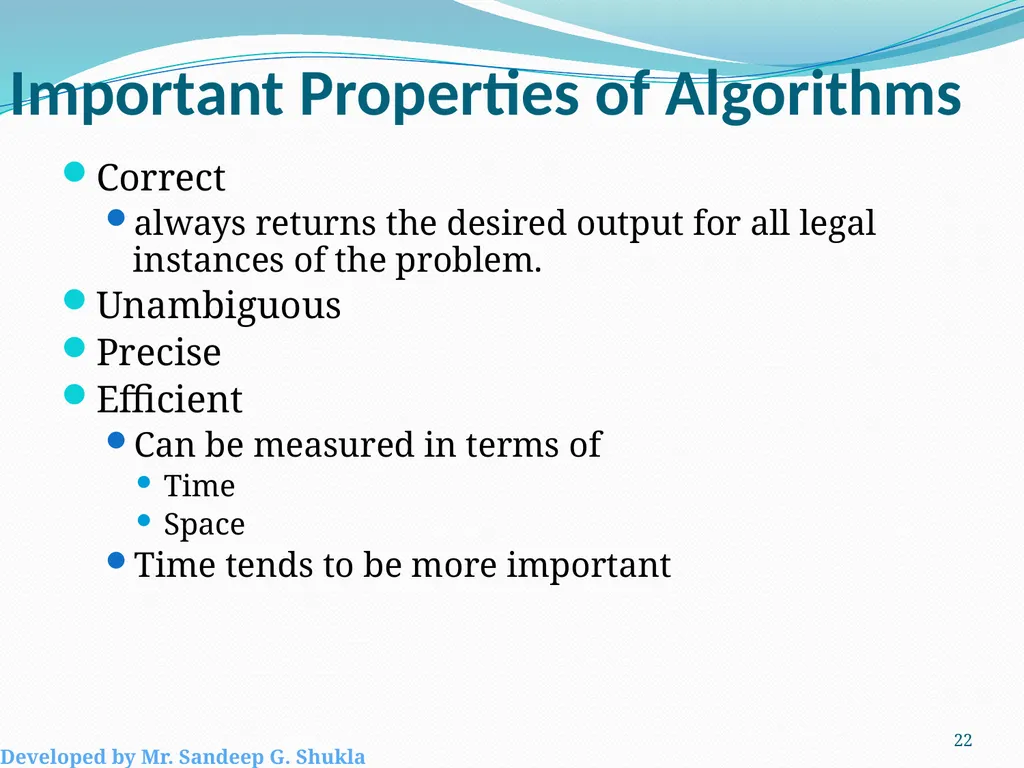
Important Properties of Algorithms Correct
always returns the desired output for all legal instances of the problem.
Unambiguous
Precise
Efficient
Can be measured in terms of
Time
Space
Time tends to be more important 22 Developed by Mr. Sandeep G. Shukla<br>
always returns the desired output for all legal instances of the problem.
Unambiguous
Precise
Efficient
Can be measured in terms of
Time
Space
Time tends to be more important 22 Developed by Mr. Sandeep G. Shukla<br>
23
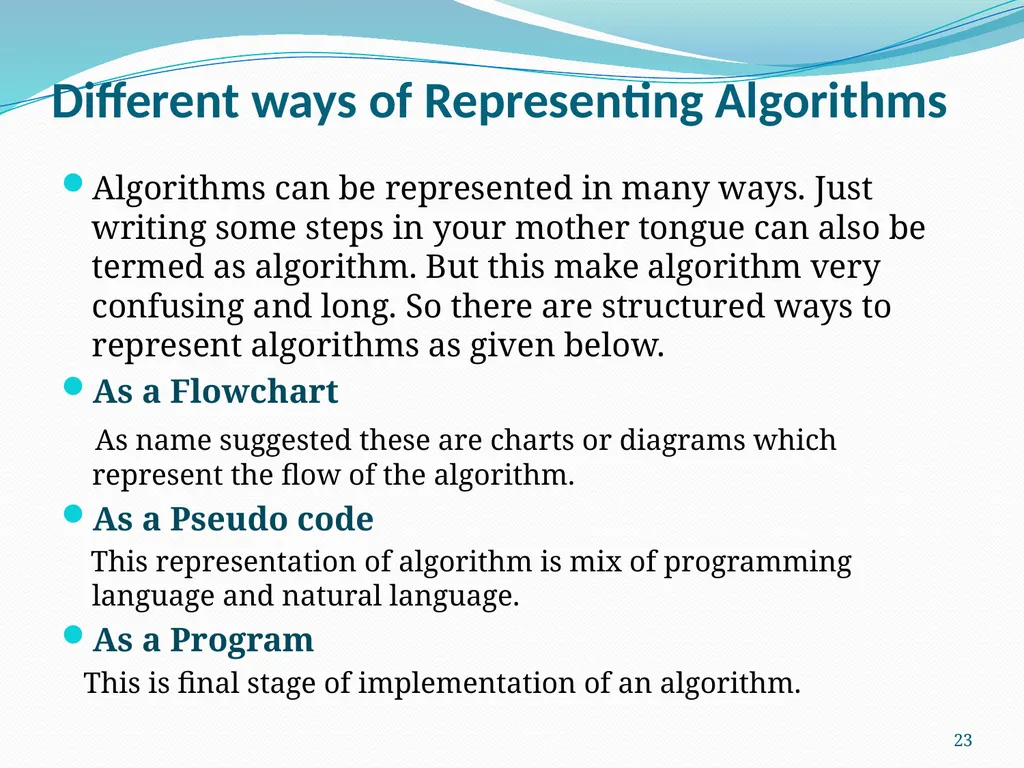
Different ways of Representing Algorithms Algorithms can be represented in many ways. Just writing some steps in your mother tongue can also be termed as algorithm. But this make algorithm very confusing and long. So there are structured ways to represent algorithms as given below.
As a Flowchart
As name suggested these are charts or diagrams which represent the flow of the algorithm.
As a Pseudo code
This representation of algorithm is mix of programming language and natural language.
As a Program
This is final stage of implementation of an algorithm. 23<br>
As a Flowchart
As name suggested these are charts or diagrams which represent the flow of the algorithm.
As a Pseudo code
This representation of algorithm is mix of programming language and natural language.
As a Program
This is final stage of implementation of an algorithm. 23<br>
24
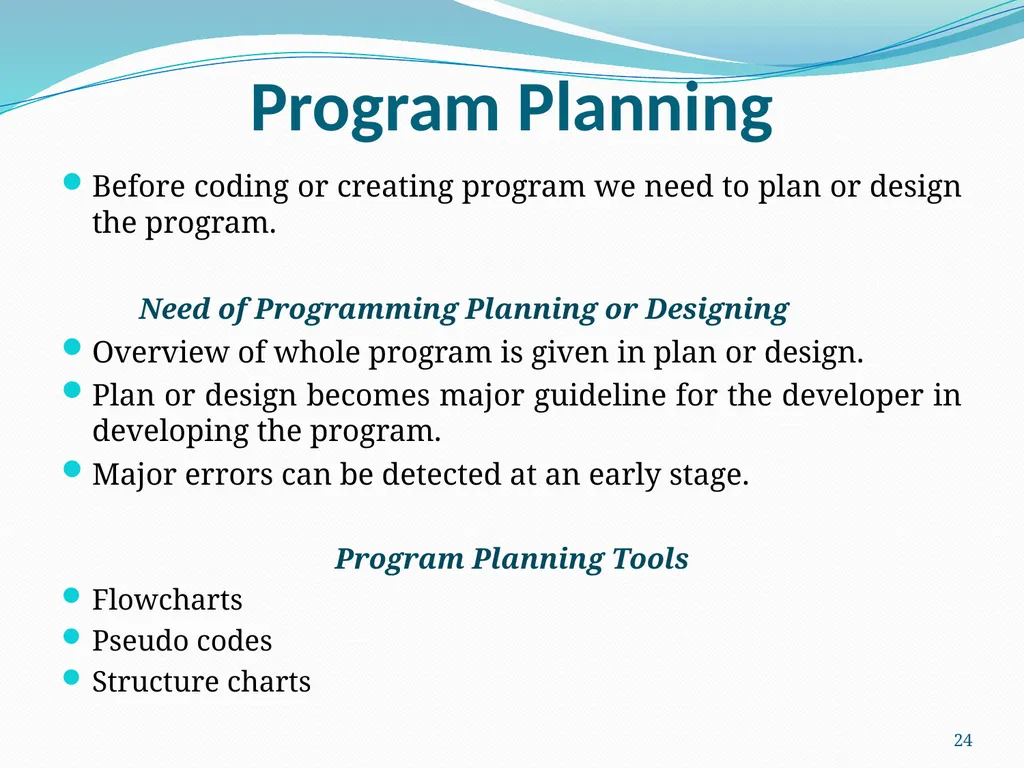
Program Planning Before coding or creating program we need to plan or design the program.
Need of Programming Planning or Designing
Overview of whole program is given in plan or design.
Plan or design becomes major guideline for the developer in developing the program.
Major errors can be detected at an early stage.
Program Planning Tools
Flowcharts
Pseudo codes
Structure charts 24<br>
Need of Programming Planning or Designing
Overview of whole program is given in plan or design.
Plan or design becomes major guideline for the developer in developing the program.
Major errors can be detected at an early stage.
Program Planning Tools
Flowcharts
Pseudo codes
Structure charts 24<br>
25
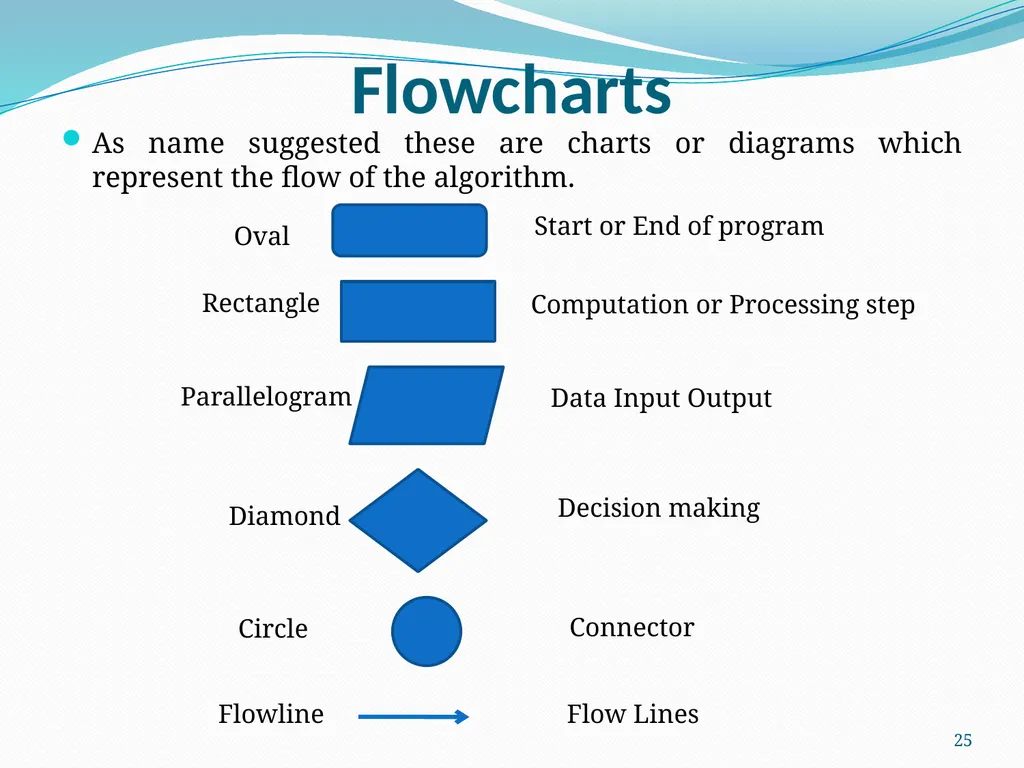
Flowcharts As name suggested these are charts or diagrams which represent the flow of the algorithm. Start or End of program Computation or Processing step Data Input Output Decision making Connector Flow Lines 25 Oval Rectangle Parallelogram Circle Diamond Flowline<br>
26
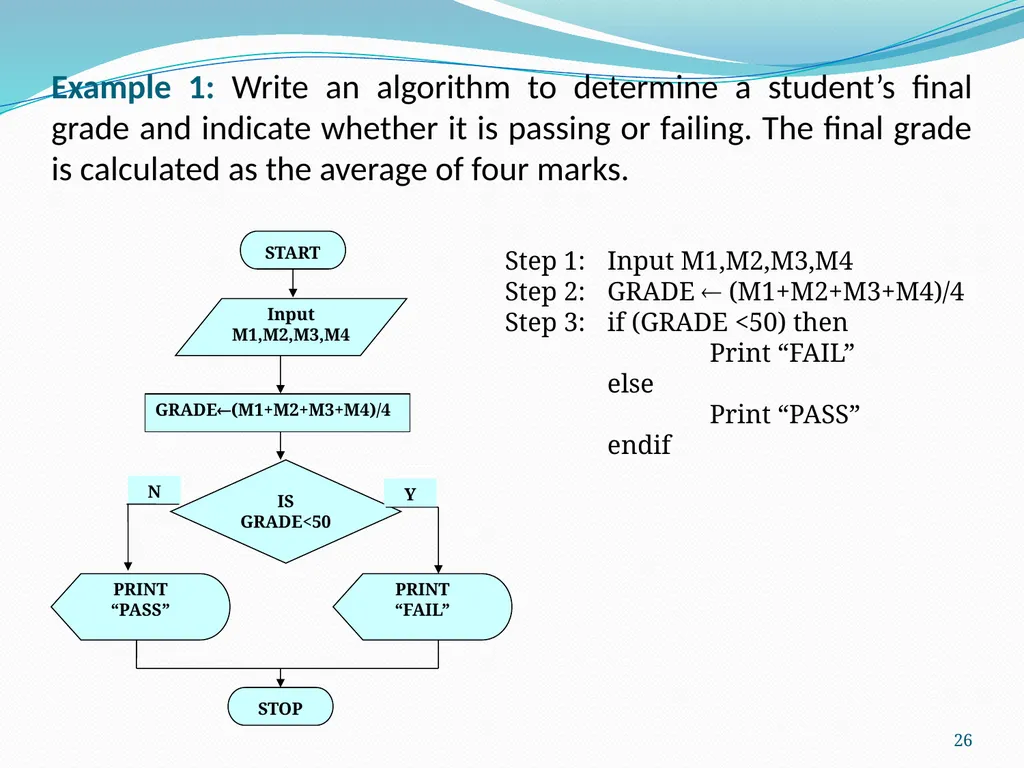
Example 1: Write an algorithm to determine a student’s final grade and indicate whether it is passing or failing. The final grade is calculated as the average of four marks. PRINT
“PASS” Step 1: Input M1,M2,M3,M4
Step 2: GRADE (M1+M2+M3+M4)/4
Step 3: if (GRADE <50) then
Print “FAIL”
else
Print “PASS”
endif 26<br>
“PASS” Step 1: Input M1,M2,M3,M4
Step 2: GRADE (M1+M2+M3+M4)/4
Step 3: if (GRADE <50) then
Print “FAIL”
else
Print “PASS”
endif 26<br>
27
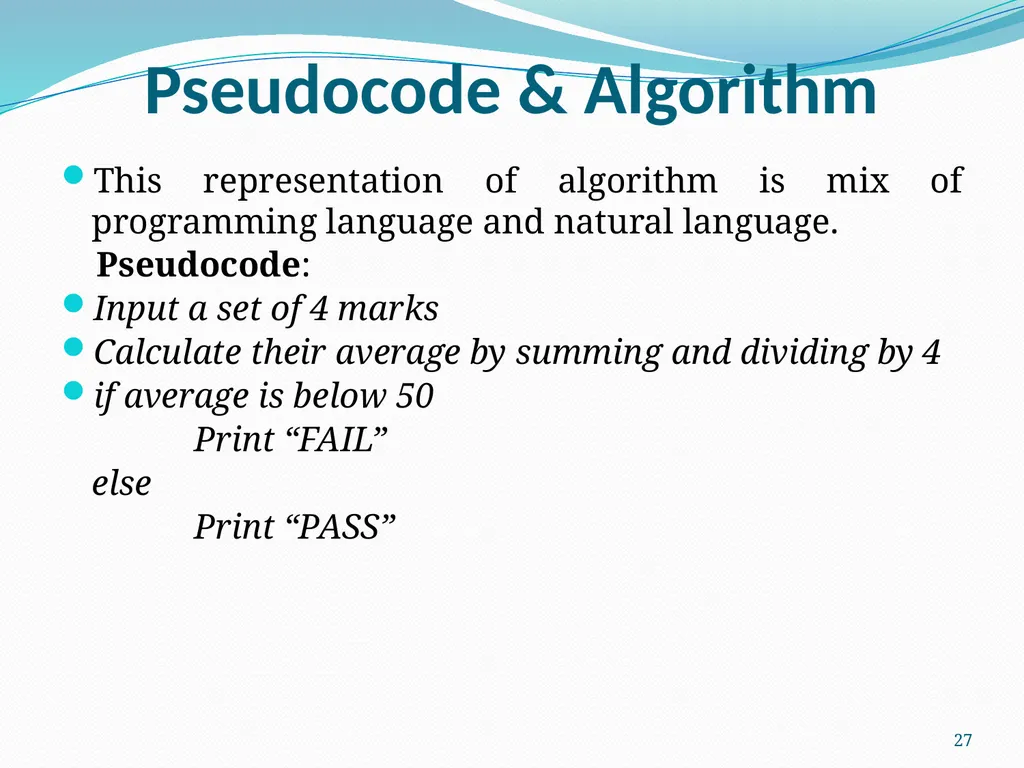
Pseudocode & Algorithm This representation of algorithm is mix of programming language and natural language.
Pseudocode:
Input a set of 4 marks
Calculate their average by summing and dividing by 4
if average is below 50
Print “FAIL”
else
Print “PASS” 27<br>
Pseudocode:
Input a set of 4 marks
Calculate their average by summing and dividing by 4
if average is below 50
Print “FAIL”
else
Print “PASS” 27<br>
28
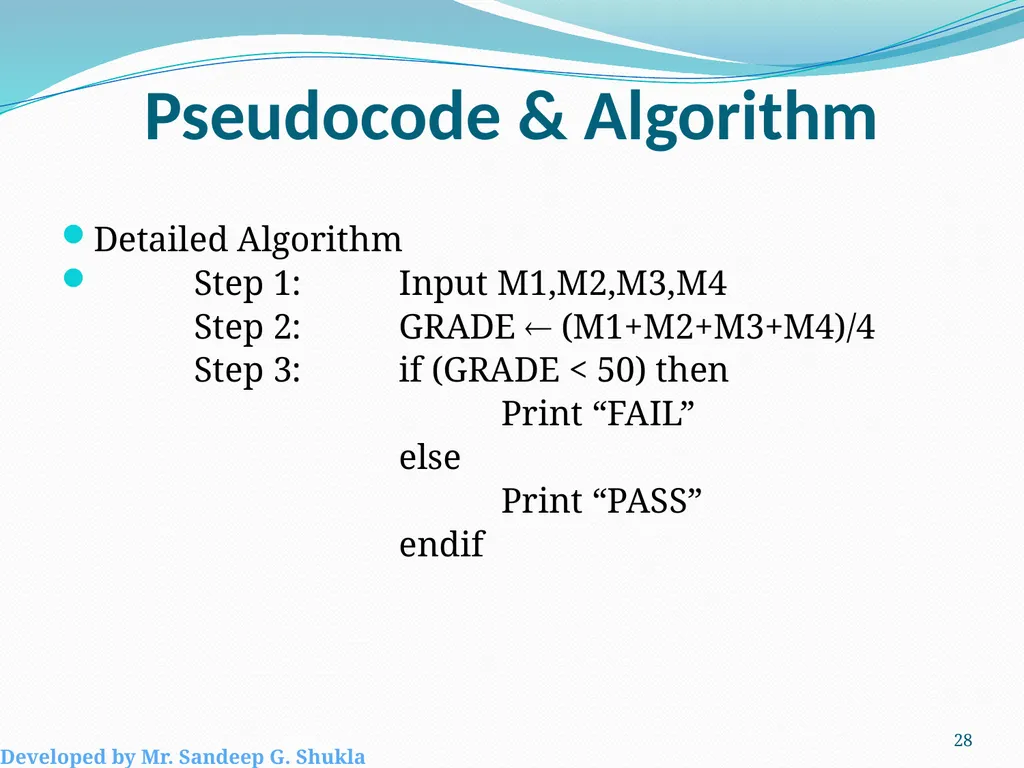
Pseudocode & Algorithm Detailed Algorithm
Step 1: Input M1,M2,M3,M4
Step 2: GRADE (M1+M2+M3+M4)/4
Step 3: if (GRADE < 50) then
Print “FAIL”
else
Print “PASS”
endif 28 Developed by Mr. Sandeep G. Shukla<br>
Step 1: Input M1,M2,M3,M4
Step 2: GRADE (M1+M2+M3+M4)/4
Step 3: if (GRADE < 50) then
Print “FAIL”
else
Print “PASS”
endif 28 Developed by Mr. Sandeep G. Shukla<br>
29
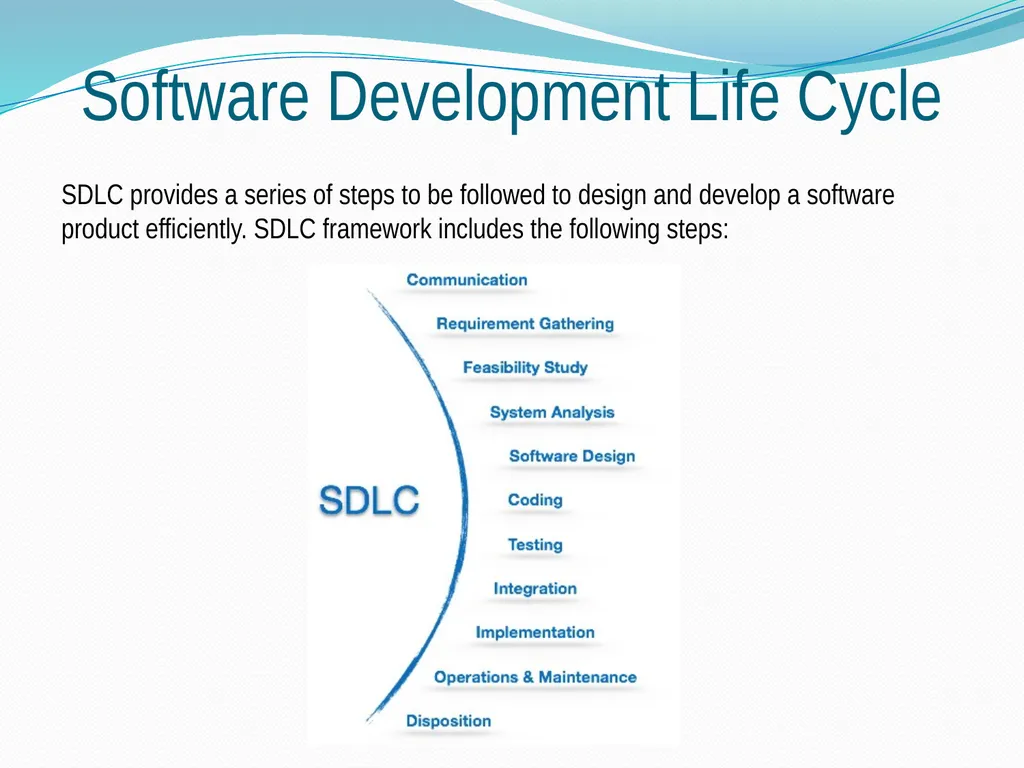
Software Development Life Cycle SDLC provides a series of steps to be followed to design and develop a software product efficiently. SDLC framework includes the following steps:<br>
30
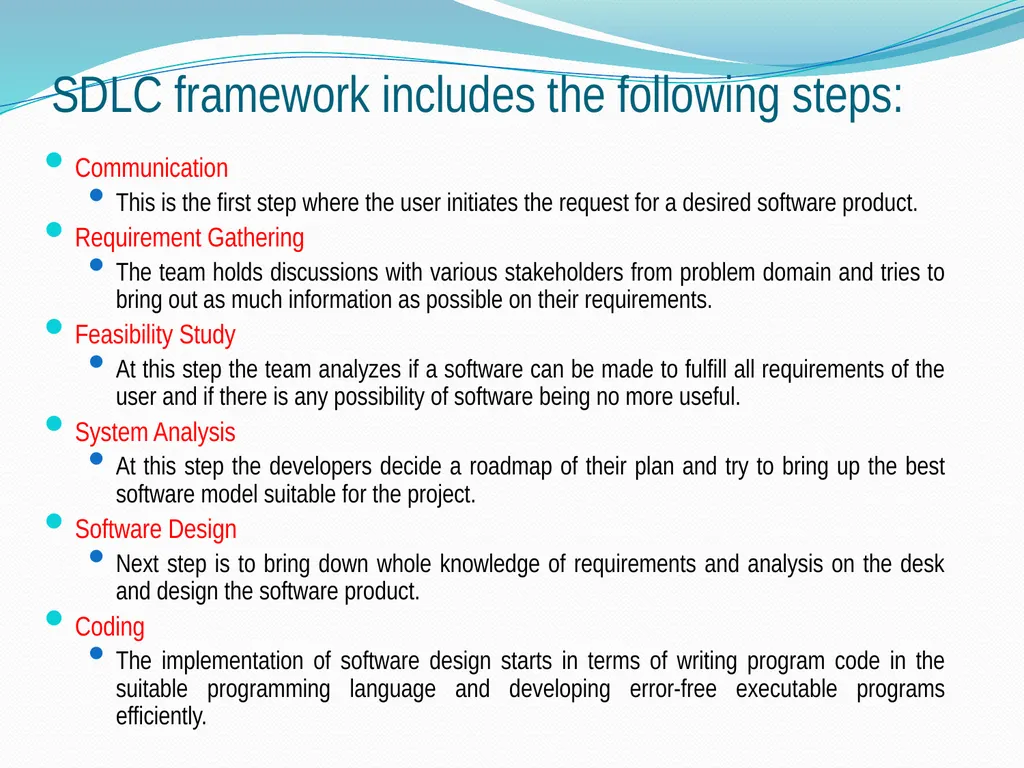
Communication
This is the first step where the user initiates the request for a desired software product.
Requirement Gathering
The team holds discussions with various stakeholders from problem domain and tries to bring out as much information as possible on their requirements.
Feasibility Study
At this step the team analyzes if a software can be made to fulfill all requirements of the user and if there is any possibility of software being no more useful.
System Analysis
At this step the developers decide a roadmap of their plan and try to bring up the best software model suitable for the project.
Software Design
Next step is to bring down whole knowledge of requirements and analysis on the desk and design the software product.
Coding
The implementation of software design starts in terms of writing program code in the suitable programming language and developing error-free executable programs efficiently. SDLC framework includes the following steps:<br>
This is the first step where the user initiates the request for a desired software product.
Requirement Gathering
The team holds discussions with various stakeholders from problem domain and tries to bring out as much information as possible on their requirements.
Feasibility Study
At this step the team analyzes if a software can be made to fulfill all requirements of the user and if there is any possibility of software being no more useful.
System Analysis
At this step the developers decide a roadmap of their plan and try to bring up the best software model suitable for the project.
Software Design
Next step is to bring down whole knowledge of requirements and analysis on the desk and design the software product.
Coding
The implementation of software design starts in terms of writing program code in the suitable programming language and developing error-free executable programs efficiently. SDLC framework includes the following steps:<br>
31
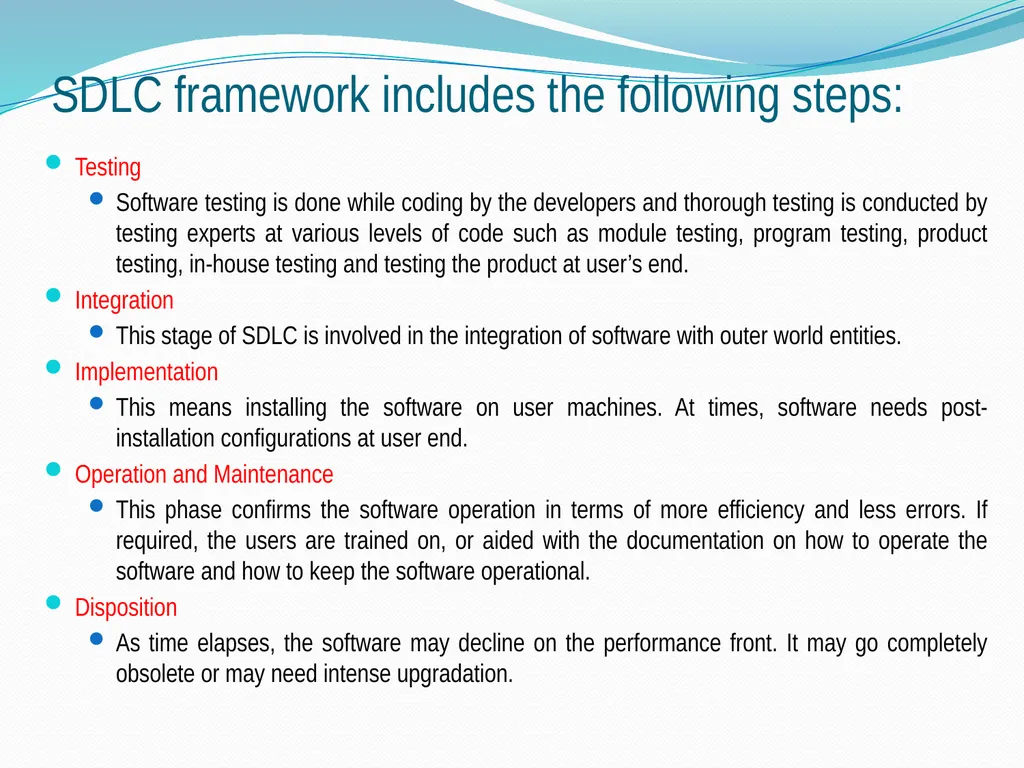
Testing
Software testing is done while coding by the developers and thorough testing is conducted by testing experts at various levels of code such as module testing, program testing, product testing, in-house testing and testing the product at user’s end.
Integration
This stage of SDLC is involved in the integration of software with outer world entities.
Implementation
This means installing the software on user machines. At times, software needs post-installation configurations at user end.
Operation and Maintenance
This phase confirms the software operation in terms of more efficiency and less errors. If required, the users are trained on, or aided with the documentation on how to operate the software and how to keep the software operational.
Disposition
As time elapses, the software may decline on the performance front. It may go completely obsolete or may need intense upgradation. SDLC framework includes the following steps:<br>
Software testing is done while coding by the developers and thorough testing is conducted by testing experts at various levels of code such as module testing, program testing, product testing, in-house testing and testing the product at user’s end.
Integration
This stage of SDLC is involved in the integration of software with outer world entities.
Implementation
This means installing the software on user machines. At times, software needs post-installation configurations at user end.
Operation and Maintenance
This phase confirms the software operation in terms of more efficiency and less errors. If required, the users are trained on, or aided with the documentation on how to operate the software and how to keep the software operational.
Disposition
As time elapses, the software may decline on the performance front. It may go completely obsolete or may need intense upgradation. SDLC framework includes the following steps:<br>
32
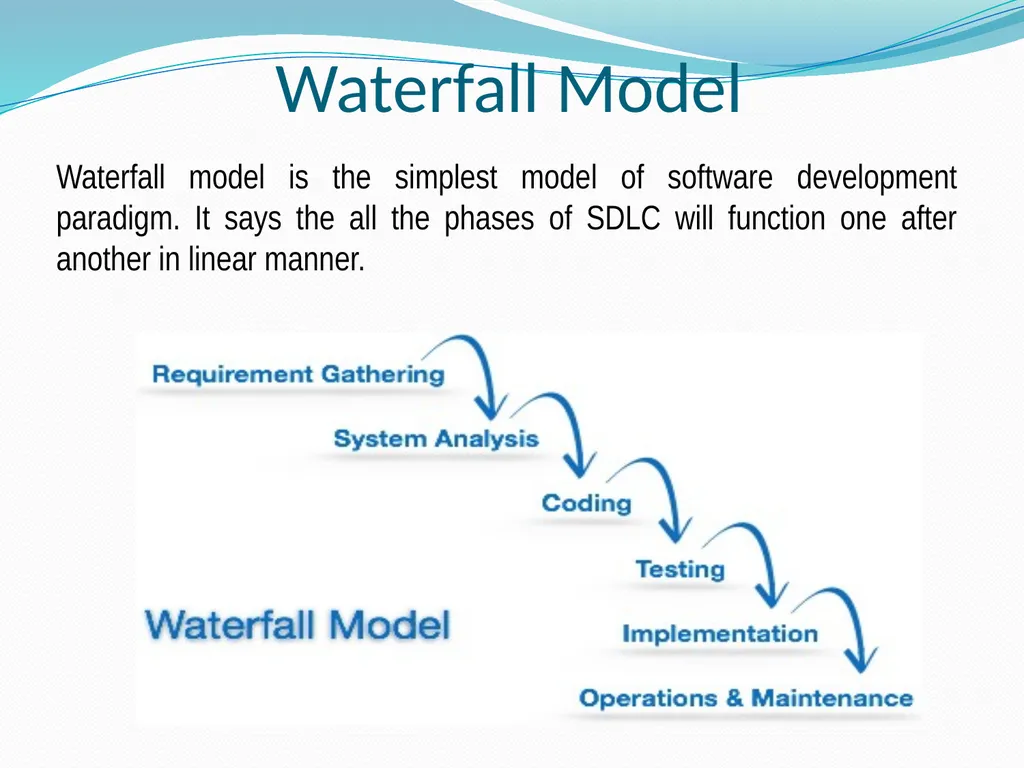
Waterfall Model Waterfall model is the simplest model of software development paradigm. It says the all the phases of SDLC will function one after another in linear manner.<br>
33
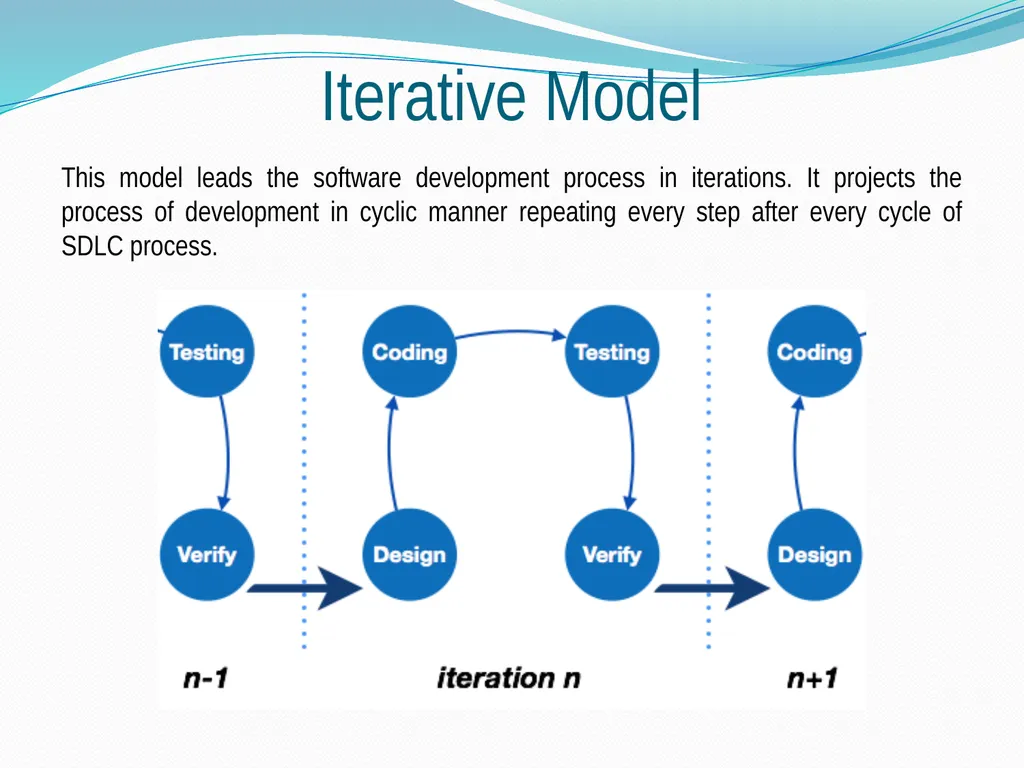
Iterative Model This model leads the software development process in iterations. It projects the process of development in cyclic manner repeating every step after every cycle of SDLC process.<br>
34
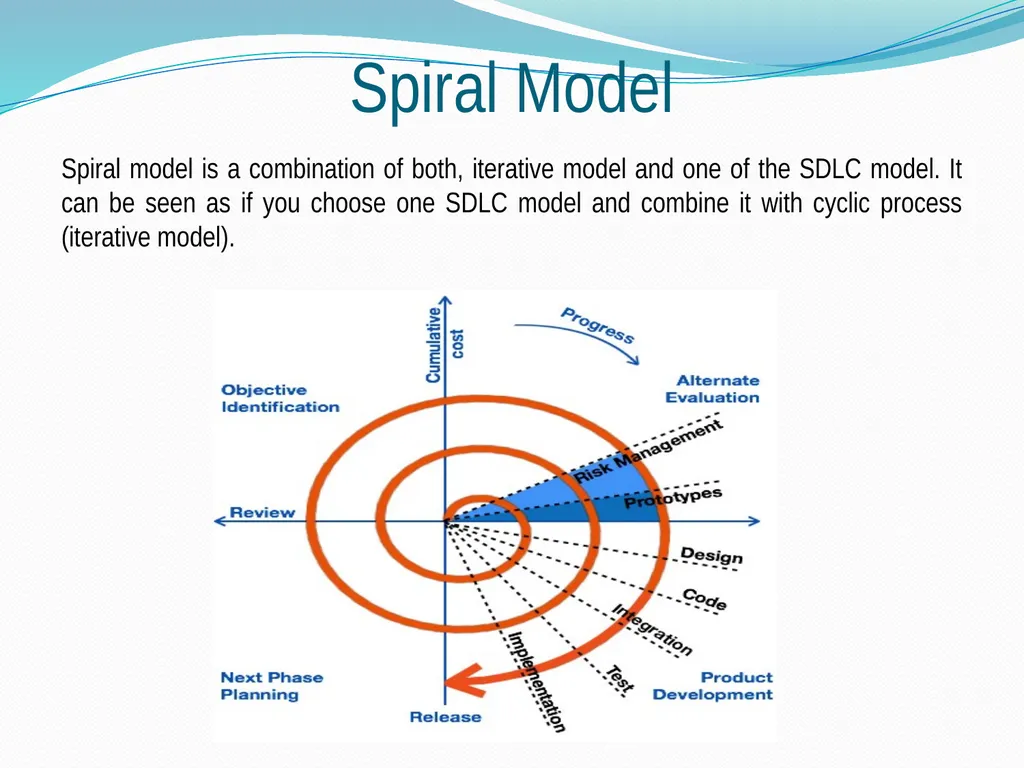
Spiral Model Spiral model is a combination of both, iterative model and one of the SDLC model. It can be seen as if you choose one SDLC model and combine it with cyclic process (iterative model).<br>
35
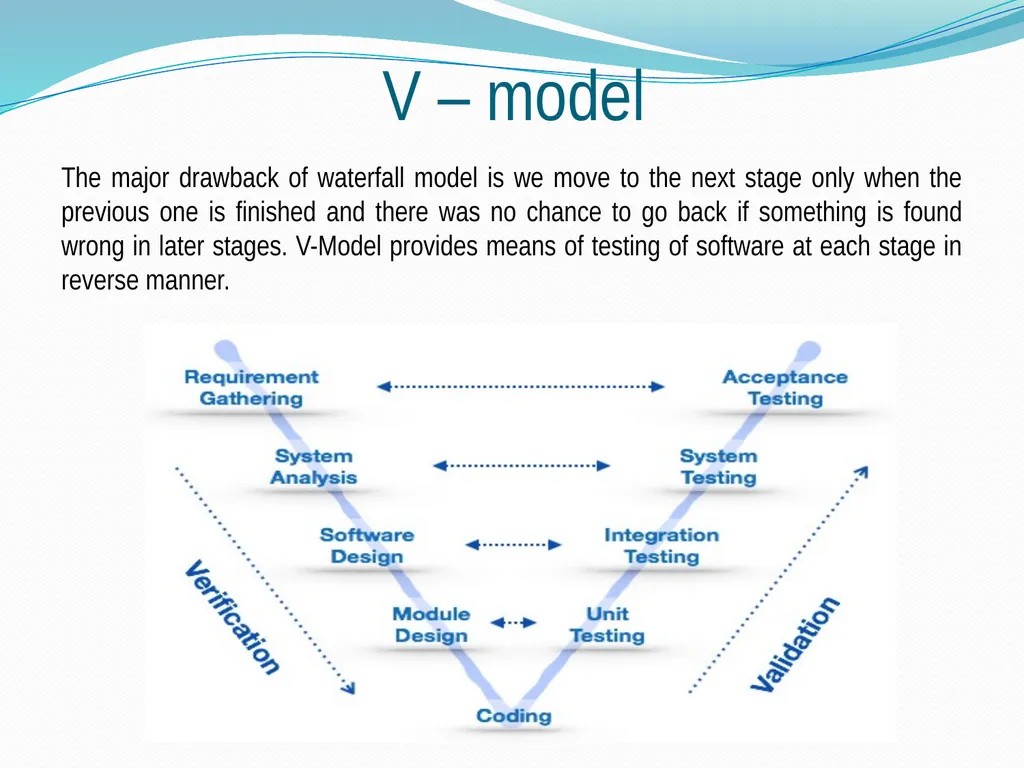
V – model The major drawback of waterfall model is we move to the next stage only when the previous one is finished and there was no chance to go back if something is found wrong in later stages. V-Model provides means of testing of software at each stage in reverse manner.<br>
36
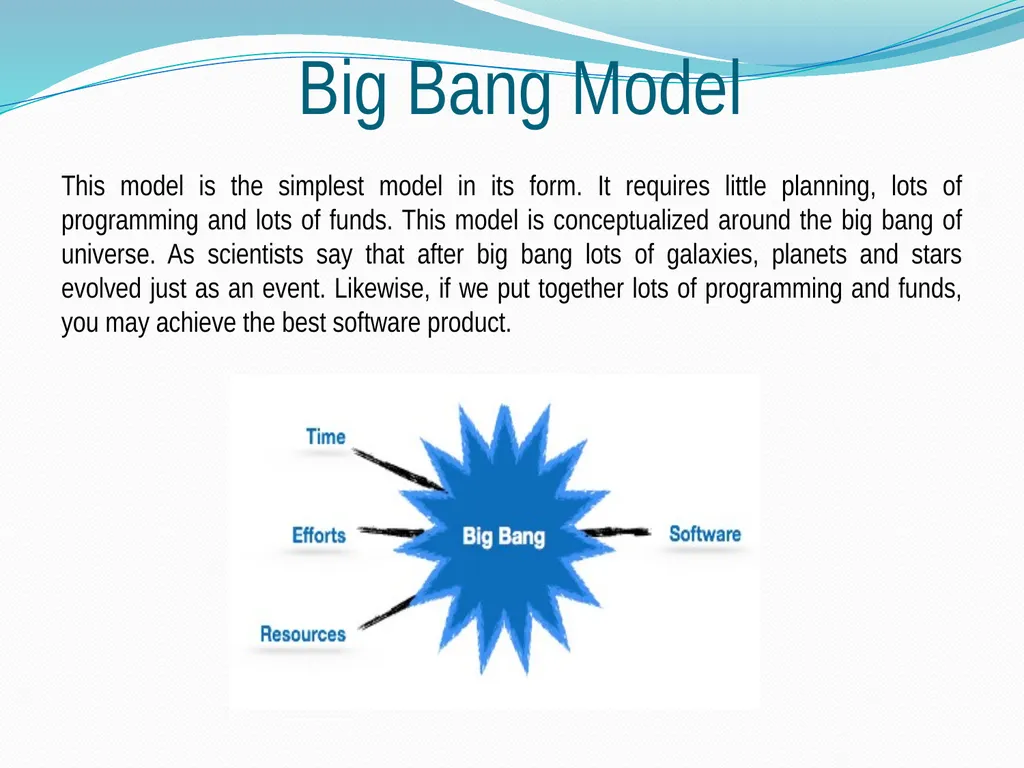
Big Bang Model This model is the simplest model in its form. It requires little planning, lots of programming and lots of funds. This model is conceptualized around the big bang of universe. As scientists say that after big bang lots of galaxies, planets and stars evolved just as an event. Likewise, if we put together lots of programming and funds, you may achieve the best software product.<br>
37
What is Open Source? The meaning of open source something we can modify and design it can accessible publicly all over the word.
All open source software developers under GNU General Public License. The GNU General Public License is a free.
Now a days, computer software development has the main field of engineering under computer discipline and open source has its own values.
All open source software found at www.sourceforge.org.<br>
All open source software developers under GNU General Public License. The GNU General Public License is a free.
Now a days, computer software development has the main field of engineering under computer discipline and open source has its own values.
All open source software found at www.sourceforge.org.<br>
38
Open Source Software Open source software is software, whose source code is freely available for development, modification or enhancement by anyone alternately.
Open source software can maintain by community peoples. We can say, as it is output part of the research community and distributed under licenses that develop/compiled with the Open Source Definition (OSD).
Open Source Initiative (OSI) is a global non-profit organization that supports and promotes the open source development in a world.
Most popular and important open source software :
Eclipse, OpenOffice, OpenSCAD, 7-Zip, Perl, PHP, Ruby, Blender-3D, Android, Linux, Ubantu, Mozila firefox.<br>
Open source software can maintain by community peoples. We can say, as it is output part of the research community and distributed under licenses that develop/compiled with the Open Source Definition (OSD).
Open Source Initiative (OSI) is a global non-profit organization that supports and promotes the open source development in a world.
Most popular and important open source software :
Eclipse, OpenOffice, OpenSCAD, 7-Zip, Perl, PHP, Ruby, Blender-3D, Android, Linux, Ubantu, Mozila firefox.<br>
39
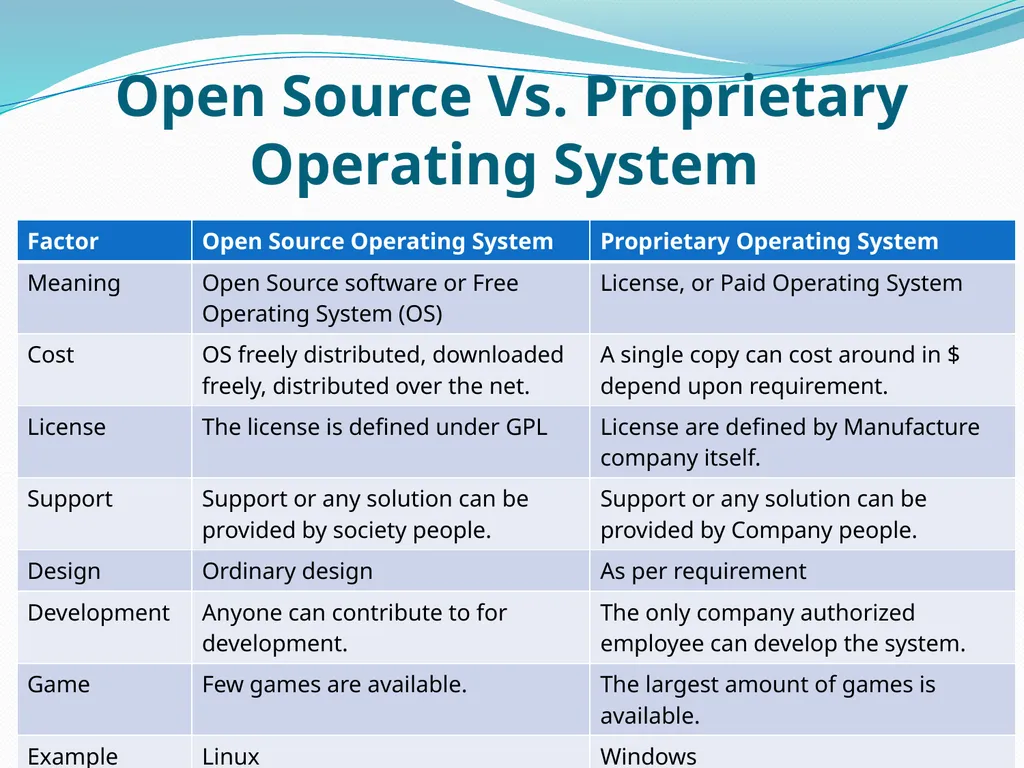
Open Source Vs. Proprietary Operating System<br>
40
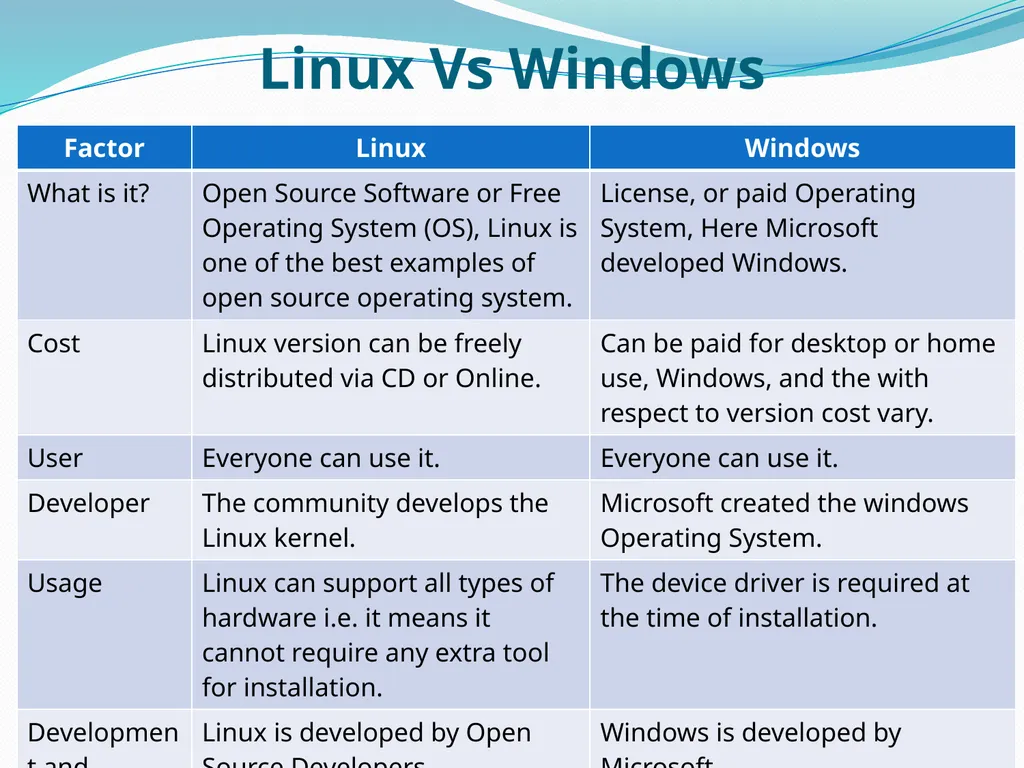
Linux Vs Windows<br>
41
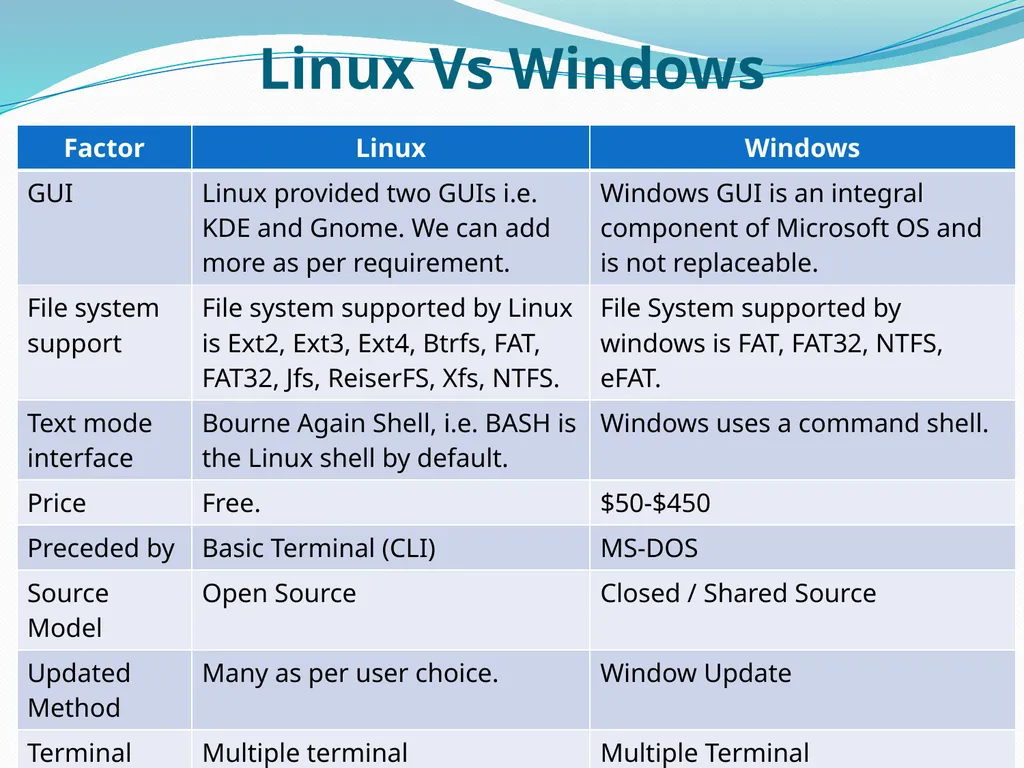
Linux Vs Windows<br>
42
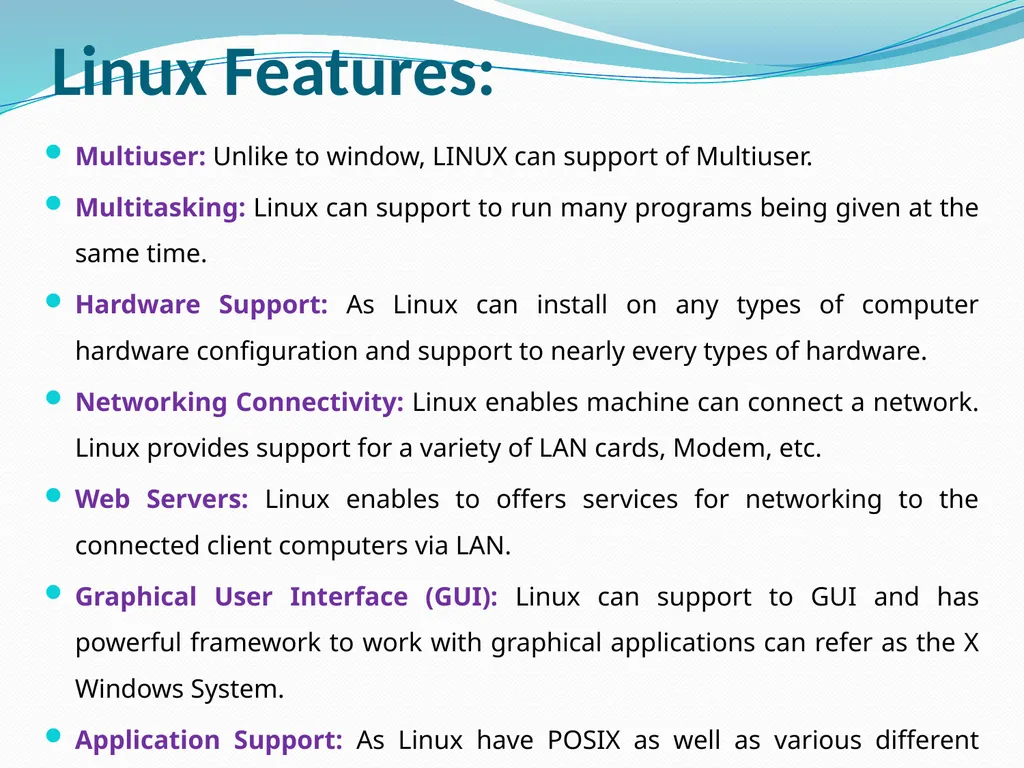
Linux Features: Multiuser: Unlike to window, LINUX can support of Multiuser.
Multitasking: Linux can support to run many programs being given at the same time.
Hardware Support: As Linux can install on any types of computer hardware configuration and support to nearly every types of hardware.
Networking Connectivity: Linux enables machine can connect a network. Linux provides support for a variety of LAN cards, Modem, etc.
Web Servers: Linux enables to offers services for networking to the connected client computers via LAN.
Graphical User Interface (GUI): Linux can support to GUI and has powerful framework to work with graphical applications can refer as the X Windows System.
Application Support: As Linux have POSIX as well as various different APIs.<br>
Multitasking: Linux can support to run many programs being given at the same time.
Hardware Support: As Linux can install on any types of computer hardware configuration and support to nearly every types of hardware.
Networking Connectivity: Linux enables machine can connect a network. Linux provides support for a variety of LAN cards, Modem, etc.
Web Servers: Linux enables to offers services for networking to the connected client computers via LAN.
Graphical User Interface (GUI): Linux can support to GUI and has powerful framework to work with graphical applications can refer as the X Windows System.
Application Support: As Linux have POSIX as well as various different APIs.<br>
43
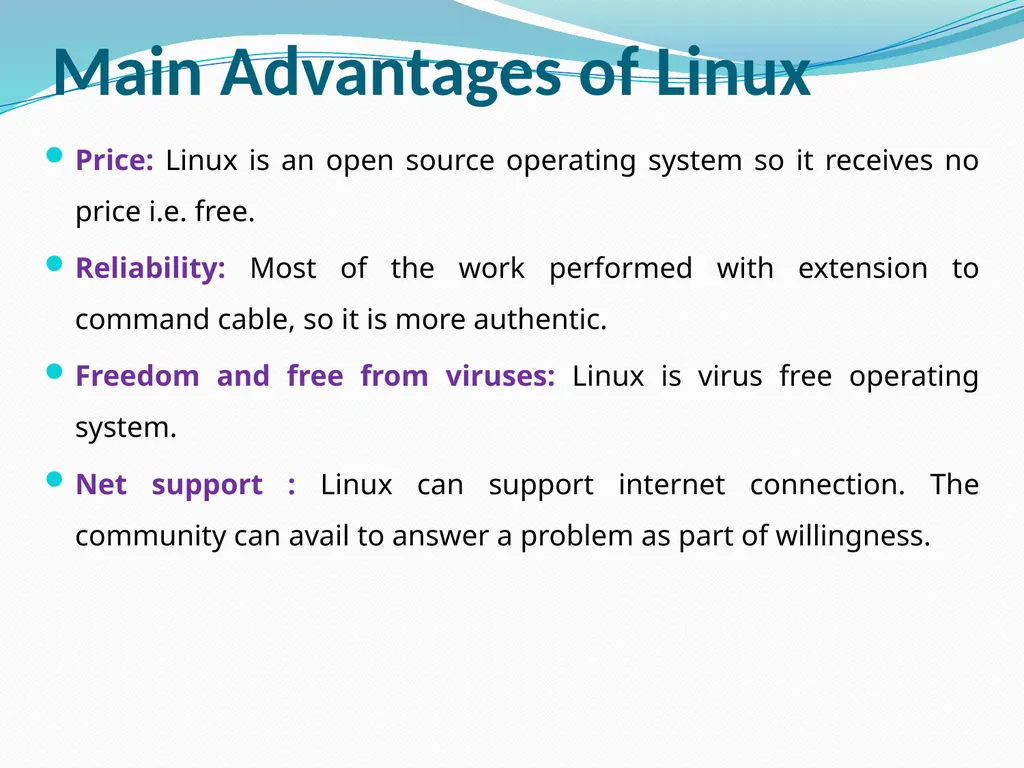
Main Advantages of Linux Price: Linux is an open source operating system so it receives no price i.e. free.
Reliability: Most of the work performed with extension to command cable, so it is more authentic.
Freedom and free from viruses: Linux is virus free operating system.
Net support : Linux can support internet connection. The community can avail to answer a problem as part of willingness.<br>
Reliability: Most of the work performed with extension to command cable, so it is more authentic.
Freedom and free from viruses: Linux is virus free operating system.
Net support : Linux can support internet connection. The community can avail to answer a problem as part of willingness.<br>
44
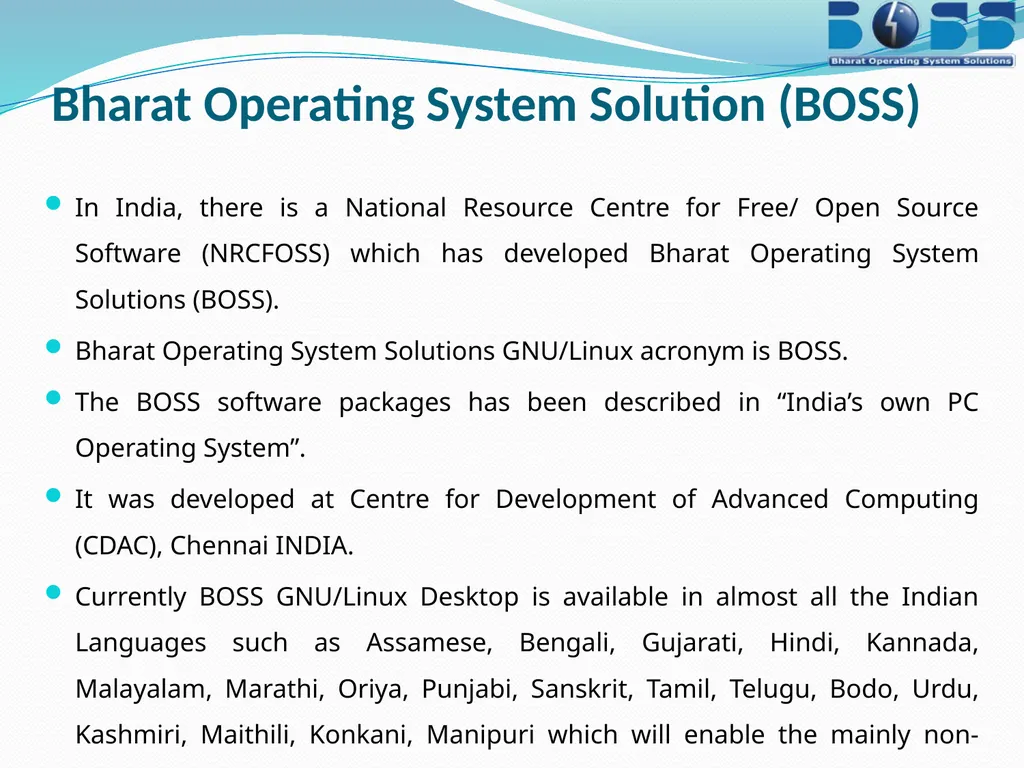
Bharat Operating System Solution (BOSS) In India, there is a National Resource Centre for Free/ Open Source Software (NRCFOSS) which has developed Bharat Operating System Solutions (BOSS).
Bharat Operating System Solutions GNU/Linux acronym is BOSS.
The BOSS software packages has been described in “India’s own PC Operating System”.
It was developed at Centre for Development of Advanced Computing (CDAC), Chennai INDIA.
Currently BOSS GNU/Linux Desktop is available in almost all the Indian Languages such as Assamese, Bengali, Gujarati, Hindi, Kannada, Malayalam, Marathi, Oriya, Punjabi, Sanskrit, Tamil, Telugu, Bodo, Urdu, Kashmiri, Maithili, Konkani, Manipuri which will enable the mainly non-English peoples or users can utilize the computer more effectively.<br>
Bharat Operating System Solutions GNU/Linux acronym is BOSS.
The BOSS software packages has been described in “India’s own PC Operating System”.
It was developed at Centre for Development of Advanced Computing (CDAC), Chennai INDIA.
Currently BOSS GNU/Linux Desktop is available in almost all the Indian Languages such as Assamese, Bengali, Gujarati, Hindi, Kannada, Malayalam, Marathi, Oriya, Punjabi, Sanskrit, Tamil, Telugu, Bodo, Urdu, Kashmiri, Maithili, Konkani, Manipuri which will enable the mainly non-English peoples or users can utilize the computer more effectively.<br>
45
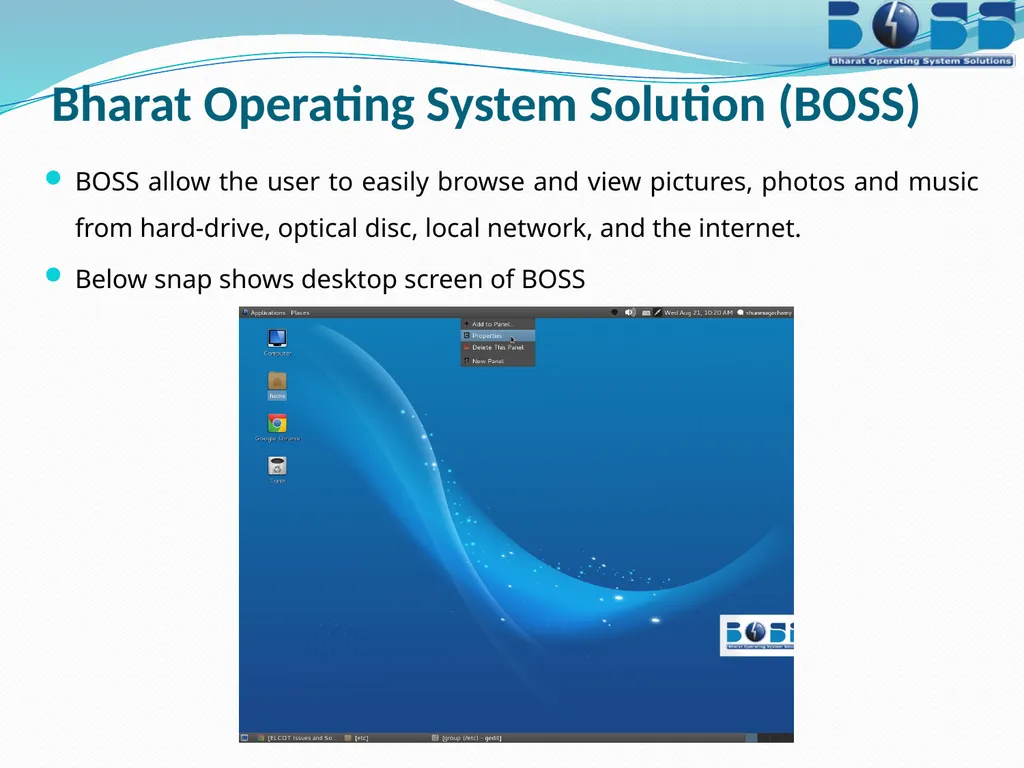
Bharat Operating System Solution (BOSS) BOSS allow the user to easily browse and view pictures, photos and music from hard-drive, optical disc, local network, and the internet.
Below snap shows desktop screen of BOSS<br>
Below snap shows desktop screen of BOSS<br>
46
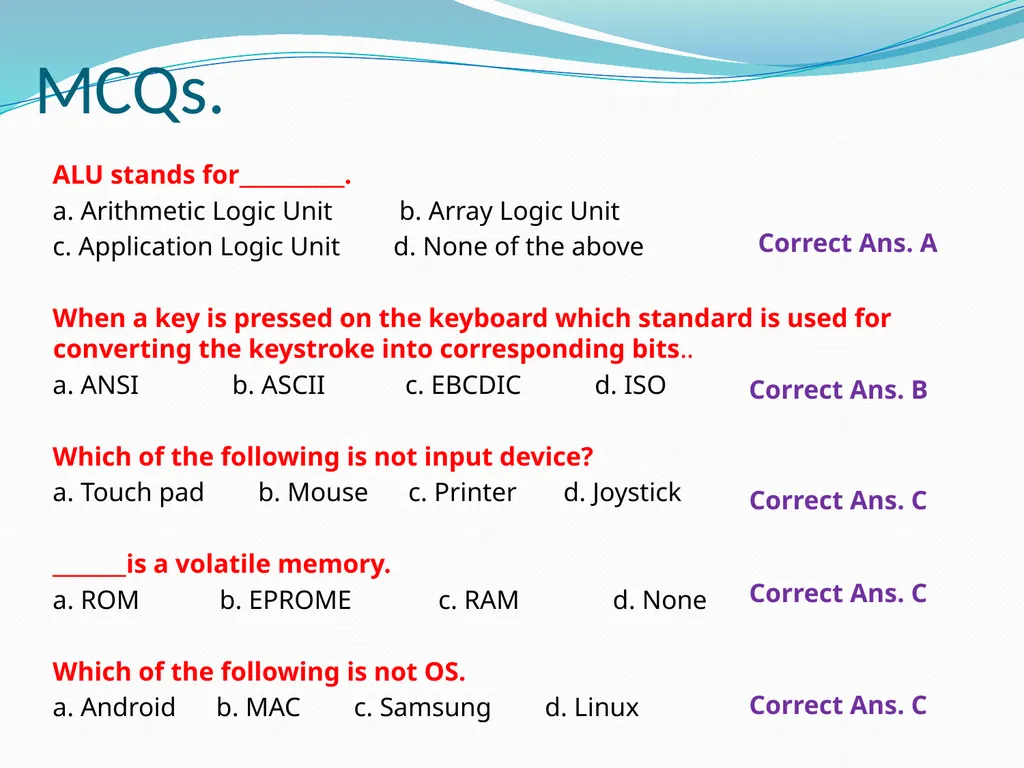
MCQs. ALU stands for__________.
a. Arithmetic Logic Unit b. Array Logic Unit
c. Application Logic Unit d. None of the above
When a key is pressed on the keyboard which standard is used for converting the keystroke into corresponding bits..
a. ANSI b. ASCII c. EBCDIC d. ISO
Which of the following is not input device?
a. Touch pad b. Mouse c. Printer d. Joystick
_______is a volatile memory.
a. ROM b. EPROME c. RAM d. None
Which of the following is not OS.
a. Android b. MAC c. Samsung d. Linux Correct Ans. A Correct Ans. B Correct Ans. C Correct Ans. C Correct Ans. C<br>
a. Arithmetic Logic Unit b. Array Logic Unit
c. Application Logic Unit d. None of the above
When a key is pressed on the keyboard which standard is used for converting the keystroke into corresponding bits..
a. ANSI b. ASCII c. EBCDIC d. ISO
Which of the following is not input device?
a. Touch pad b. Mouse c. Printer d. Joystick
_______is a volatile memory.
a. ROM b. EPROME c. RAM d. None
Which of the following is not OS.
a. Android b. MAC c. Samsung d. Linux Correct Ans. A Correct Ans. B Correct Ans. C Correct Ans. C Correct Ans. C<br>
47
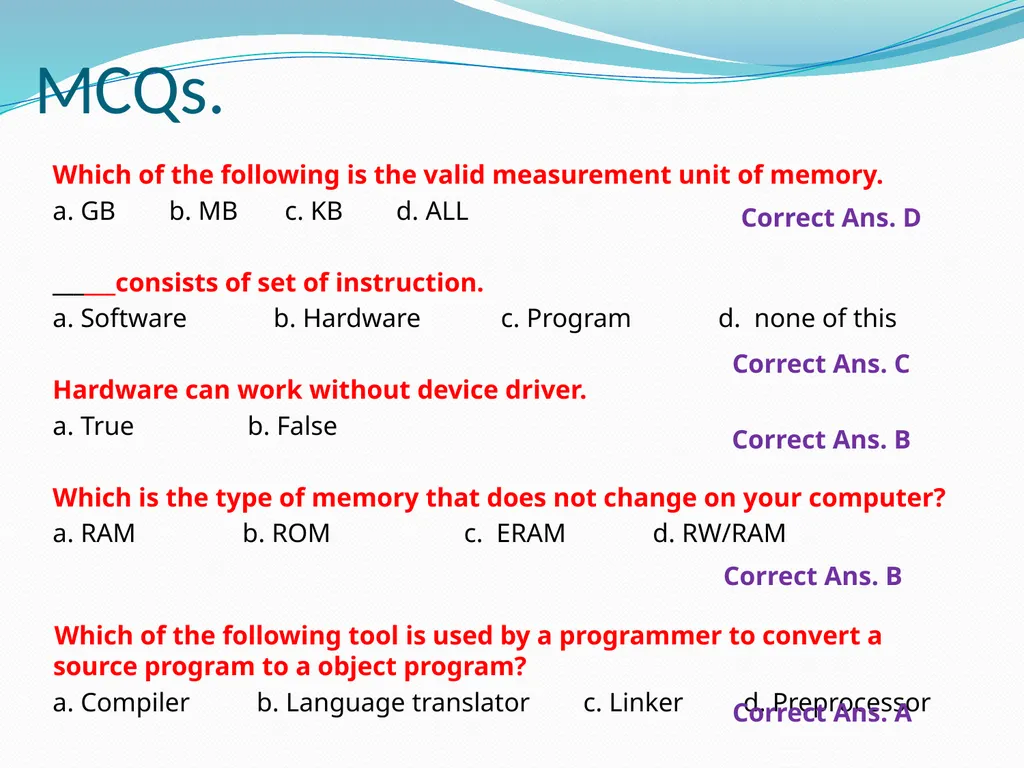
MCQs. Which of the following is the valid measurement unit of memory.
a. GB b. MB c. KB d. ALL
______consists of set of instruction.
a. Software b. Hardware c. Program d. none of this
Hardware can work without device driver.
a. True b. False
Which is the type of memory that does not change on your computer?
a. RAM b. ROM c. ERAM d. RW/RAM
Which of the following tool is used by a programmer to convert a source program to a object program?
a. Compiler b. Language translator c. Linker d. Preprocessor Correct Ans. D Correct Ans. C Correct Ans. B Correct Ans. B Correct Ans. A<br>
a. GB b. MB c. KB d. ALL
______consists of set of instruction.
a. Software b. Hardware c. Program d. none of this
Hardware can work without device driver.
a. True b. False
Which is the type of memory that does not change on your computer?
a. RAM b. ROM c. ERAM d. RW/RAM
Which of the following tool is used by a programmer to convert a source program to a object program?
a. Compiler b. Language translator c. Linker d. Preprocessor Correct Ans. D Correct Ans. C Correct Ans. B Correct Ans. B Correct Ans. A<br>
48
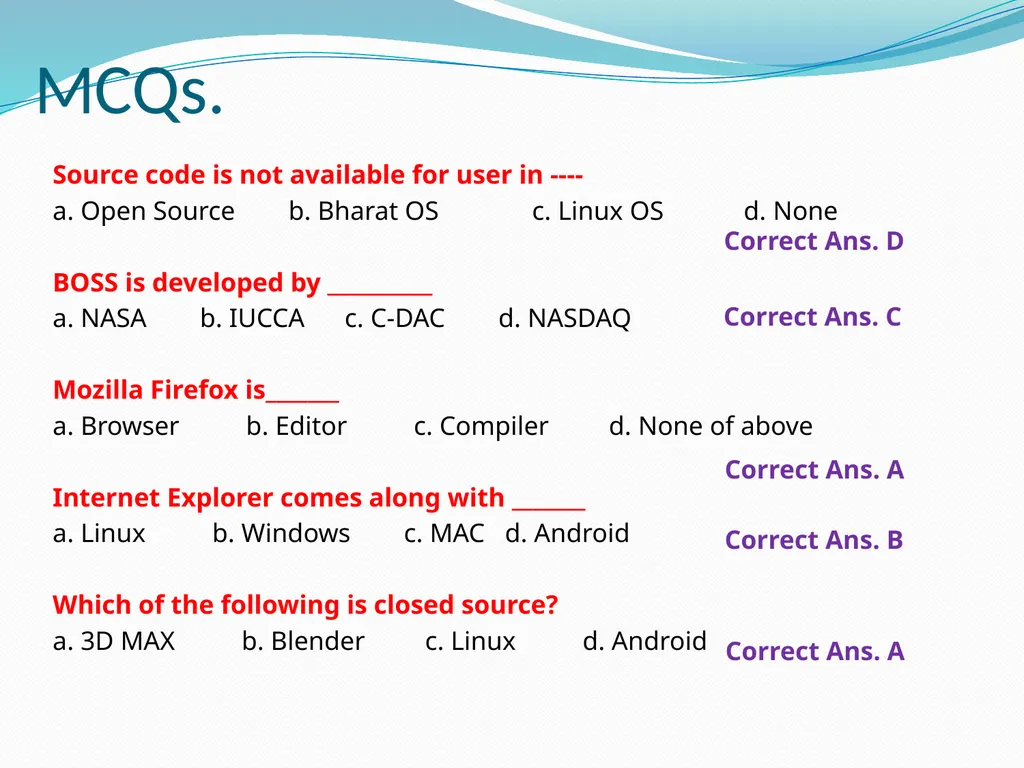
MCQs. Source code is not available for user in ----
a. Open Source b. Bharat OS c. Linux OS d. None
BOSS is developed by __________
a. NASA b. IUCCA c. C-DAC d. NASDAQ
Mozilla Firefox is_______
a. Browser b. Editor c. Compiler d. None of above
Internet Explorer comes along with _______
a. Linux b. Windows c. MAC d. Android
Which of the following is closed source?
a. 3D MAX b. Blender c. Linux d. Android Correct Ans. D Correct Ans. C Correct Ans. A Correct Ans. B Correct Ans. A<br>
a. Open Source b. Bharat OS c. Linux OS d. None
BOSS is developed by __________
a. NASA b. IUCCA c. C-DAC d. NASDAQ
Mozilla Firefox is_______
a. Browser b. Editor c. Compiler d. None of above
Internet Explorer comes along with _______
a. Linux b. Windows c. MAC d. Android
Which of the following is closed source?
a. 3D MAX b. Blender c. Linux d. Android Correct Ans. D Correct Ans. C Correct Ans. A Correct Ans. B Correct Ans. A<br>
49
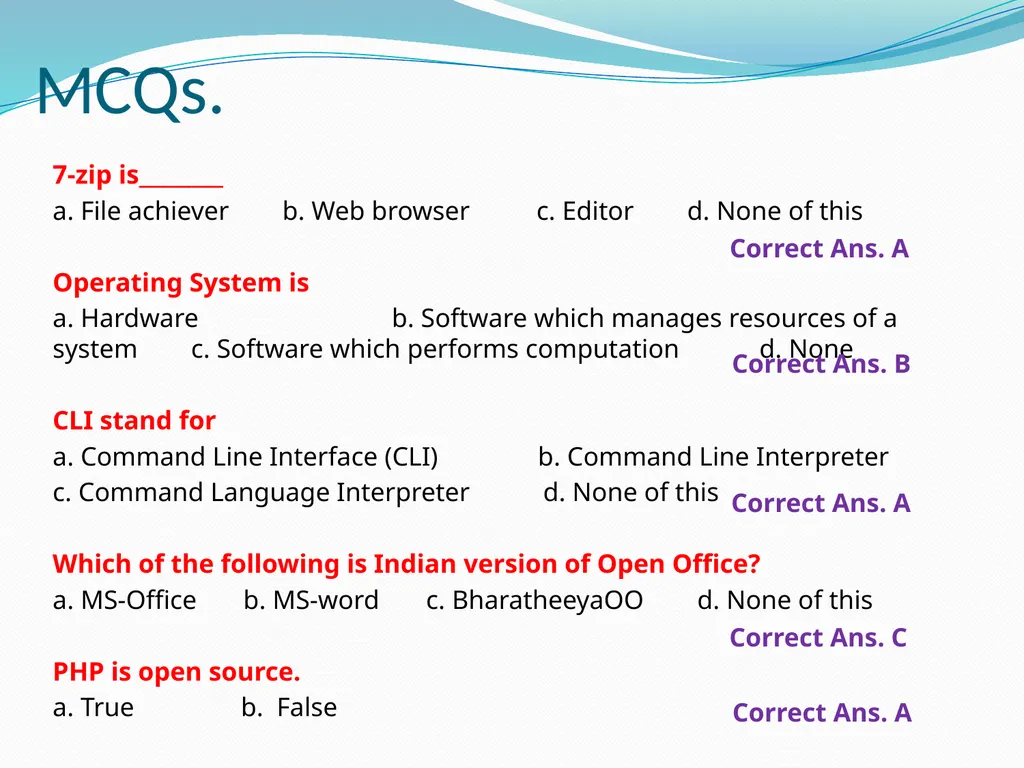
MCQs. 7-zip is________
a. File achiever b. Web browser c. Editor d. None of this
Operating System is
a. Hardware b. Software which manages resources of a system c. Software which performs computation d. None
CLI stand for
a. Command Line Interface (CLI) b. Command Line Interpreter
c. Command Language Interpreter d. None of this
Which of the following is Indian version of Open Office?
a. MS-Office b. MS-word c. BharatheeyaOO d. None of this
PHP is open source.
a. True b. False Correct Ans. A Correct Ans. B Correct Ans. A Correct Ans. C Correct Ans. A<br>
a. File achiever b. Web browser c. Editor d. None of this
Operating System is
a. Hardware b. Software which manages resources of a system c. Software which performs computation d. None
CLI stand for
a. Command Line Interface (CLI) b. Command Line Interpreter
c. Command Language Interpreter d. None of this
Which of the following is Indian version of Open Office?
a. MS-Office b. MS-word c. BharatheeyaOO d. None of this
PHP is open source.
a. True b. False Correct Ans. A Correct Ans. B Correct Ans. A Correct Ans. C Correct Ans. A<br>
50
End of Chapter<br>