
1.1 1 1.1 Systems architecture J277/01: COMPUTER
CS
Published · 242 slides · 0 views

1 / 1


Description
1.1 1 1.1 Systems architecture J27701: COMPUTER SYSTEMS CPU 2 Sub-topic 1.1.1 Architecture of the CPU The main part of the computer, consisting of the registers, ALU and control unit. Central Processing Unit 1.1 Systems architecture
Related Topics
Share
Embed code
Download this presentation From Below
"1.1 1 1.1 Systems architecture J277/01: COMPUTER" is the property of its rightful owner. Permission is granted to download and print the materials on this website for personal, non-commercial use only, and to display it on your personal computer provided you do not modify the materials and that you retain all copyright notices contained in the materials. By downloading content from our website, you accept the terms of this agreement.
Presentation Transcript
01
1.1 1<br>
02
1.1 Systems architecture J277/01: COMPUTER SYSTEMS CPU 2 Sub-topic 1.1.1 Architecture of the CPU “The main part of the computer, consisting of the registers, ALU and control unit.” Central Processing Unit<br>
03
1.1 Systems architecture J277/01: COMPUTER SYSTEMS Fetch-decode-execute cycle 3 Sub-topic 1.1.1 Architecture of the CPU “The complete process of retrieving an instruction from storage, decoding it and carrying it out. Also known as the instruction cycle.”<br>
04
1.1 Systems architecture J277/01: COMPUTER SYSTEMS ALU 4 Sub-topic 1.1.1 Architecture of the CPU “Performs calculations (e.g., x = 2 + 3) and logical comparisons (e.g., IF x > 3) in the CPU.” Arithmetic Logic Unit<br>
05
1.1 Systems architecture J277/01: COMPUTER SYSTEMS CU 5 Sub-topic 1.1.1 Architecture of the CPU “Decodes instructions. Sends signals to control how data moves around the CPU.” Control Unit<br>
06
1.1 Systems architecture J277/01: COMPUTER SYSTEMS Cache 6 Sub-topic 1.1.1 Architecture of the CPU “Memory in the processor that provides fast access to frequently used instructions and data.”<br>
07
1.1 Systems architecture J277/01: COMPUTER SYSTEMS Register 7 Sub-topic 1.1.1 Architecture of the CPU “Tiny areas of extremely fast memory located in the CPU, normally designed for a specific purpose where data or control information is stored temporarily – e.g., MAR, MDR, etc.”<br>
08
1.1 Systems architecture J277/01: COMPUTER SYSTEMS Von Neumann architecture 8 Sub-topic 1.1.1 Architecture of the CPU “Traditional computer architecture that forms the basis of most digital computer systems. Instructions are fetched, decoded and executed one at a time.”<br>
09
1.1 Systems architecture J277/01: COMPUTER SYSTEMS MAR 9 Sub-topic 1.1.1 Architecture of the CPU “Holds the address of data ready to be used by the memory data register or the address of an instruction passed from the program counter. Step two of the fetch-decode-execute cycle.” Memory Address Register<br>
10
1.1 Systems architecture J277/01: COMPUTER SYSTEMS MDR 10 Sub-topic 1.1.1 Architecture of the CPU “Holds data fetched from or to be written to memory.
Step three of the fetch-decode-execute cycle.” Memory Data Register<br>
11
1.1 Systems architecture J277/01: COMPUTER SYSTEMS Program counter 11 Sub-topic 1.1.1 Architecture of the CPU “Holds the address of the next instruction to be executed.
Step one of the fetch-decode-execute cycle.”<br>
12
1.1 Systems architecture J277/01: COMPUTER SYSTEMS Accumulator 12 Sub-topic 1.1.1 Architecture of the CPU “Holds the result of calculations.”<br>
13
1.1 Systems architecture J277/01: COMPUTER SYSTEMS Clock speed 13 Sub-topic 1.1.2 CPU performance “Measured in hertz, the clock speed is the frequency at which the internal clock generates pulses. The higher the clock rate, the faster the computer may work. The clock is the electronic unit that synchronises related components by generating pulses at a constant rate.”<br>
14
1.1 Systems architecture J277/01: COMPUTER SYSTEMS Cache size 14 Sub-topic 1.1.2 CPU performance “The larger the cache, the more data that can be stored without having to go back to main memory (RAM) – this has a significant impact on processing speed.”<br>
15
1.1 Systems architecture J277/01: COMPUTER SYSTEMS Cores 15 Sub-topic 1.1.2 CPU performance “Part of a multi-core processor, a single component with two or more independent CPUs
that facilitate the fetch-decode-execute cycle.”<br>
16
1.1 Systems architecture J277/01: COMPUTER SYSTEMS Embedded system 16 Sub-topic 1.1.3 Embedded systems “A computer built to solve a highly specific problem. Not easy to change. For example, the operating system placed inside a washing machine, microwave or set of traffic lights.”<br>
17
1.2 17<br>
18
1.2 Memory and storage J277/01: COMPUTER SYSTEMS Primary storage 18 Sub-topic 1.2.1 Primary storage (Memory) “Comprised of random-access memory (RAM) and read-only memory (ROM).
It holds data and instructions that the CPU can access more quickly and easily
than from secondary storage devices.”<br>
19
1.2 Memory and storage J277/01: COMPUTER SYSTEMS RAM 19 Sub-topic 1.2.1 Primary storage (Memory) “Volatile (data is lost when the computer is powered off). Read-and-write.
Purpose: Temporary storage of currently executing instructions and data –
e.g., applications and the operating system.” Random-Access Memory<br>
20
1.2 Memory and storage J277/01: COMPUTER SYSTEMS ROM 20 Sub-topic 1.2.1 Primary storage (Memory) “Non-volatile (data is retained when the computer is powered off). Read-only.
Purpose: Stores startup instructions, otherwise known as the bootstrap.” Read-Only Memory<br>
21
1.2 Memory and storage J277/01: COMPUTER SYSTEMS Virtual memory 21 Sub-topic 1.2.1 Primary storage (Memory) “Using part of the hard disk as if it were random-access memory.
Allows more applications to be open than physical memory can hold.”<br>
22
1.2 Memory and storage J277/01: COMPUTER SYSTEMS Secondary storage 22 Sub-topic 1.2.2 Secondary storage “Permanent storage of instructions and data not currently in use by the processor. Stores the operating system, applications and data. Read-and-write and non-volatile.”<br>
23
1.2 Memory and storage J277/01: COMPUTER SYSTEMS Optical storage 23 Sub-topic 1.2.2 Secondary storage “CD-R, CD-RW, DVD-R, DVD-RW. Use: Music, films and archive files. Low capacity.
Slow access speed. High portability. Prone to scratches. Low cost.”<br>
24
1.2 Memory and storage J277/01: COMPUTER SYSTEMS Magnetic storage 24 Sub-topic 1.2.2 Secondary storage “Hard disk drive. Use: Operating system and applications. High capacity. Medium data access speed. Low portability (except for portable drives). Reliable but not durable. Medium cost.”<br>
25
1.2 Memory and storage J277/01: COMPUTER SYSTEMS Solid-state storage 25 Sub-topic 1.2.2 Secondary storage “Memory cards and solid-state hard drives (SSD). Use: Digital cameras and smartphones. Medium capacity. High portability. Reliable and durable. No moving parts.
Fast data access speed. High cost.”<br>
26
1.2 Memory and storage J277/01: COMPUTER SYSTEMS Storage capacity 26 Sub-topic 1.2.2 Secondary storage “The amount of data a storage device can store.”<br>
27
1.2 Memory and storage J277/01: COMPUTER SYSTEMS Storage speed 27 Sub-topic 1.2.2 Secondary storage “The read/write access speed of a storage device.”<br>
28
1.2 Memory and storage J277/01: COMPUTER SYSTEMS Storage portability 28 Sub-topic 1.2.2 Secondary storage “How easy it is to transport a storage device – e.g., solid-state and optical storage are highly portable, whereas magnetic storage is designed to stay in place.”<br>
29
1.2 Memory and storage J277/01: COMPUTER SYSTEMS Storage durability 29 Sub-topic 1.2.2 Secondary storage “How resistant a storage device is to damage and wear.
Devices with low durability are likely to fail earlier.”<br>
30
1.2 Memory and storage J277/01: COMPUTER SYSTEMS Storage reliability 30 Sub-topic 1.2.2 Secondary storage “A relative measure of confidence that a storage device will function correctly
and allow you to write, read, delete and modify data.”<br>
31
1.2 Memory and storage J277/01: COMPUTER SYSTEMS Storage cost 31 Sub-topic 1.2.2 Secondary storage “The relative price of a storage device – e.g., per megabyte of data.”<br>
32
1.2 Memory and storage J277/01: COMPUTER SYSTEMS Bit 32 Sub-topic 1.2.3 Units “The smallest unit of storage, represented by either a binary 1 or 0.”<br>
33
1.2 Memory and storage J277/01: COMPUTER SYSTEMS Nibble 33 Sub-topic 1.2.3 Units “Half a byte. Four bits.”<br>
34
1.2 Memory and storage J277/01: COMPUTER SYSTEMS Byte 34 Sub-topic 1.2.3 Units “A collection of eight bits.”<br>
35
1.2 Memory and storage J277/01: COMPUTER SYSTEMS Kilobyte 35 Sub-topic 1.2.3 Units “One kilobyte (KB) is 1024 bytes. For the purpose of calculations in an exam,
you can treat a kilobyte as 1000 bytes.”<br>
36
1.2 Memory and storage J277/01: COMPUTER SYSTEMS Megabyte 36 Sub-topic 1.2.3 Units “One megabyte (MB) is 1024 kilobytes (KB). For the purpose of calculations in an exam,
you can treat a megabyte as 1000 KB.”<br>
37
1.2 Memory and storage J277/01: COMPUTER SYSTEMS Gigabyte 37 Sub-topic 1.2.3 Units “One gigabyte (GB) is 1024 megabytes (MB). For the purpose of calculations in an exam,
you can treat a gigabyte as 1000 MB.”<br>
38
1.2 Memory and storage J277/01: COMPUTER SYSTEMS Terabyte 38 Sub-topic 1.2.3 Units “One terabyte (TB) is 1024 gigabytes (GB). For the purpose of calculations in an exam,
you can treat a terabyte as 1000 GB.”<br>
39
1.2 Memory and storage J277/01: COMPUTER SYSTEMS Petabyte 39 Sub-topic 1.2.3 Units “One petabyte (PB) is 1024 terabytes (TB). For the purpose of calculations in an exam,
you can treat a petabyte as 1000 TB.”<br>
40
1.2 Memory and storage J277/01: COMPUTER SYSTEMS Denary numbers 40 Sub-topic 1.2.4 Data storage (Numbers) “A numerical system of notation that uses 10 as its base.
The ten decimal base digits are 0 – 9.”<br>
41
1.2 Memory and storage J277/01: COMPUTER SYSTEMS Binary numbers 41 Sub-topic 1.2.4 Data storage (Numbers) “Binary describes a numbering scheme with only two possible values for each digit, 0 and 1.
In computing, binary refers to any digital encoding system with exactly two possible states – e.g., in memory, storage, processing and communications, 0 and 1 are sometimes called
low and high, respectively.”<br>
42
1.2 Memory and storage J277/01: COMPUTER SYSTEMS Binary arithmetic 42 Sub-topic 1.2.4 Data storage (Numbers) “The process of adding two or more positive 8-bit binary numbers (0 – 255).”<br>
43
1.2 Memory and storage J277/01: COMPUTER SYSTEMS Overflow 43 Sub-topic 1.2.4 Data storage (Numbers) “The generation of a number that is too large to be represented
by the device intended to store it.”<br>
44
1.2 Memory and storage J277/01: COMPUTER SYSTEMS Hexadecimal 44 Sub-topic 1.2.4 Data storage (Numbers) “A numerical system of notation that uses 16 rather than 10 as its base.
The 16 hex base digits are 0 – 9 and the letters A – F.”<br>
45
1.2 Memory and storage J277/01: COMPUTER SYSTEMS Binary shifts 45 Sub-topic 1.2.4 Data storage (Numbers) “Allows you to easily multiply or divide a base-2 binary number.
A left shift multiplies the number by 2, while a right shift divides it by 2.<br>
46
1.2 Memory and storage J277/01: COMPUTER SYSTEMS Character set 46 Sub-topic 1.2.4 Data storage (Characters) “A set of symbols represented by a computer. These symbols, called characters, can include letters, digits, spaces, punctuation marks and control characters.”<br>
47
1.2 Memory and storage J277/01: COMPUTER SYSTEMS ASCII 47 Sub-topic 1.2.4 Data storage (Characters) “A character set devised for early telecommunication systems but proved to be ideal for computer systems. Uses 7 bits, providing 32 control codes and 96 displayable characters.
The eighth bit is often used for error checking.” America Standard Code for Information Interchange<br>
48
1.2 Memory and storage J277/01: COMPUTER SYSTEMS Unicode 48 Sub-topic 1.2.4 Data storage (Characters) “Standard character set that replaces the use of multiple different character sets.
Incorporates characters from almost all global languages. A 16-bit extension of ASCII.”<br>
49
1.2 Memory and storage J277/01: COMPUTER SYSTEMS Pixels 49 Sub-topic 1.2.4 Data storage (Images) “The smallest unit of a digital image or graphic that can be displayed on a digital device.
A pixel is represented by a dot or square on a computer display.”<br>
50
1.2 Memory and storage J277/01: COMPUTER SYSTEMS Metadata 50 Sub-topic 1.2.4 Data storage (Images) “A collection of data that describes and provides information about other data.”<br>
51
1.2 Memory and storage J277/01: COMPUTER SYSTEMS Colour depth 51 Sub-topic 1.2.4 Data storage (Images) “Also known as bit depth. Either the number of bits used to indicate a) the colour of a single pixel in a bitmap image or video frame buffer or b) each colour component of a single pixel.”<br>
52
1.2 Memory and storage J277/01: COMPUTER SYSTEMS Resolution 52 Sub-topic 1.2.4 Data storage (Images) “The number of pixels (individual points of colour) in a display, expressed in terms of
the number of pixels on the horizontal and vertical axes.”<br>
53
1.2 Memory and storage J277/01: COMPUTER SYSTEMS Image quality 53 Sub-topic 1.2.4 Data storage (Images) “The overall detail of an image, affected by colour depth and resolution.”<br>
54
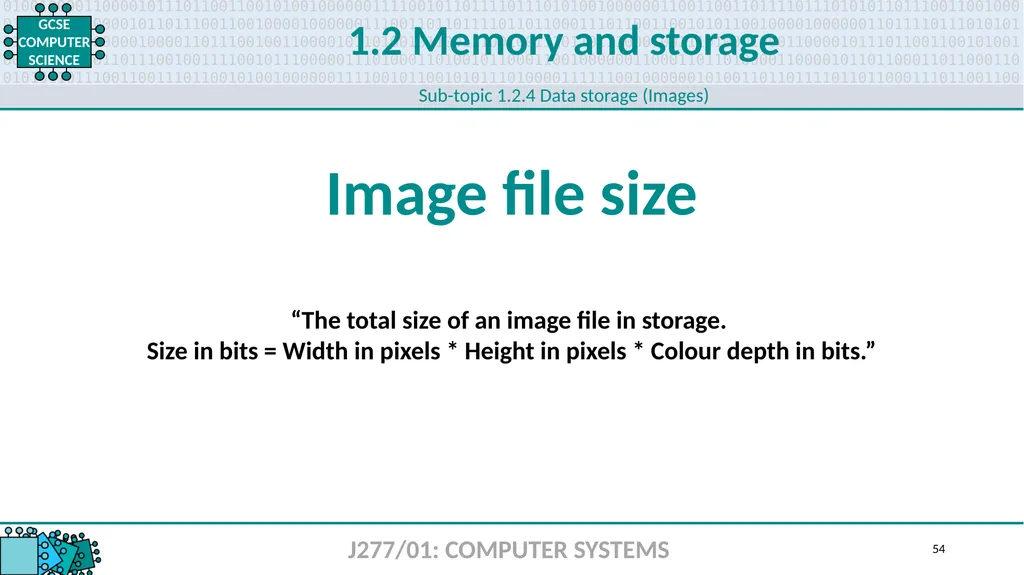
1.2 Memory and storage J277/01: COMPUTER SYSTEMS Image file size 54 Sub-topic 1.2.4 Data storage (Images) “The total size of an image file in storage.
Size in bits = Width in pixels * Height in pixels * Colour depth in bits.”<br>
55
1.2 Memory and storage J277/01: COMPUTER SYSTEMS Sample rate 55 Sub-topic 1.2.4 Data storage (Sound) “The number of samples taken per second, measured in hertz (Hz).”<br>
56
1.2 Memory and storage J277/01: COMPUTER SYSTEMS Sample duration 56 Sub-topic 1.2.4 Data storage (Sound) “How many seconds of audio a sound file contains.”<br>
57
1.2 Memory and storage J277/01: COMPUTER SYSTEMS Sample bit depth 57 Sub-topic 1.2.4 Data storage (Sound) “The number of bits available to store each sample (e.g., 16-bit).”<br>
58
1.2 Memory and storage J277/01: COMPUTER SYSTEMS Playback quality 58 Sub-topic 1.2.4 Data storage (Sound) “The finished quality of the digital sound file – this is affected by the sample rate
and bit depth. The higher the number, the better the quality and the larger the file size.
CD quality is 44,100 samples per second.”<br>
59
1.2 Memory and storage J277/01: COMPUTER SYSTEMS Sound file size 59 Sub-topic 1.2.4 Data storage (Sound) “The total size of a sound file in storage.
Size in bits = Sampling rate * Sample resolution * Number of seconds.”<br>
60
1.2 Memory and storage J277/01: COMPUTER SYSTEMS Compression 60 Sub-topic 1.2.5 Compression “The process of reducing the size of a file.”<br>
61
1.2 Memory and storage J277/01: COMPUTER SYSTEMS Lossy compression 61 Sub-topic 1.2.5 Compression “A compression method that generally involves a loss of quality
where experience tells us that it will be least noticed.”<br>
62
1.2 Memory and storage J277/01: COMPUTER SYSTEMS Lossless compression 62 Sub-topic 1.2.5 Compression “A compression method that allows a file to be recreated in its original quality.”<br>
63
1.3 63<br>
64
1.3 Computer networks, connections and protocols J277/01: COMPUTER SYSTEMS LAN 64 Sub-topic 1.3.1 Networks and topologies “Small geographic area. All hardware is owned by the organisation using it. Wired with UTP
or fibre optic cable or wireless using routers and Wi-Fi access points.” Local Area Network<br>
65
1.3 Computer networks, connections and protocols J277/01: COMPUTER SYSTEMS WAN 65 Sub-topic 1.3.1 Networks and topologies “Large geographic area. Infrastructure is hired from telecommunication companies who own and manage it. Connected with telephone lines, fibre optic cables or satellite links.” Wide Area Network<br>
66
1.3 Computer networks, connections and protocols J277/01: COMPUTER SYSTEMS Client-server network 66 Sub-topic 1.3.1 Networks and topologies “A client makes requests to the server for data and connections. A server controls access
and security to one shared file store. A server manages access to the internet, shared printers and email services, as well as running data backups.”<br>
67
1.3 Computer networks, connections and protocols J277/01: COMPUTER SYSTEMS Peer-to-peer network 67 Sub-topic 1.3.1 Networks and topologies “All computers are equal and serve their own files to each other. Each computer is responsible for its own security and backups and usually has its own printer.”<br>
68
1.3 Computer networks, connections and protocols J277/01: COMPUTER SYSTEMS Wireless access point 68 Sub-topic 1.3.1 Networks and topologies “Hardware that allows a Wi-Fi-enabled device to connect to a network.”<br>
69
1.3 Computer networks, connections and protocols J277/01: COMPUTER SYSTEMS Router 69 Sub-topic 1.3.1 Networks and topologies “A router sends data between networks. It is needed to connect a local area network to
a wide area network. It uses the IP address on a device to route traffic to other routers.”<br>
70
1.3 Computer networks, connections and protocols J277/01: COMPUTER SYSTEMS Switch 70 Sub-topic 1.3.1 Networks and topologies “A switch sends data between computers on a local area network.
It uses the NIC address on a device to route traffic.”<br>
71
1.3 Computer networks, connections and protocols J277/01: COMPUTER SYSTEMS NIC 71 Sub-topic 1.3.1 Networks and topologies “Hardware that connects a computer to a network.” Network Interface Card/Controller<br>
72
1.3 Computer networks, connections and protocols J277/01: COMPUTER SYSTEMS Transmission media 72 Sub-topic 1.3.1 Networks and topologies “Physical media that can be used to transmit data –
e.g., twisted copper cable, fibre optic, etc.”<br>
73
1.3 Computer networks, connections and protocols J277/01: COMPUTER SYSTEMS The internet 73 Sub-topic 1.3.1 Networks and topologies “A worldwide collection of interconnected computer networks.
An example of a WAN – the largest in existence.”<br>
74
1.3 Computer networks, connections and protocols J277/01: COMPUTER SYSTEMS DNS 74 Sub-topic 1.3.1 Networks and topologies “The internet equivalent of the phone book. Maintains a directory of domain names and translates them to Internet Protocol (IP) addresses – this is necessary because, although domain names are easy to remember, computers access websites using IP addresses.” Domain Name System<br>
75
1.3 Computer networks, connections and protocols J277/01: COMPUTER SYSTEMS Hosting 75 Sub-topic 1.3.1 Networks and topologies “Websites stored on dedicated servers. Used for websites that need to be available 24/7,
be accessed by thousands of users at a time, be well-protected from hackers
and have an IP address that doesn’t change.”<br>
76
1.3 Computer networks, connections and protocols J277/01: COMPUTER SYSTEMS The cloud 76 Sub-topic 1.3.1 Networks and topologies “Remote servers that store data to be accessed over the internet. Access anytime, anywhere from any device. Automatic backups. Collaborate on files easily.”<br>
77
1.3 Computer networks, connections and protocols J277/01: COMPUTER SYSTEMS Web server 77 Sub-topic 1.3.1 Networks and topologies “A program that uses HTTP (Hypertext Transfer Protocol) to deliver web pages to users.
Page requests are forwarded by a computer’s HTTP client. Dedicated computers and
appliances may also be referred to as web servers.”<br>
78
1.3 Computer networks, connections and protocols J277/01: COMPUTER SYSTEMS Client 78 Sub-topic 1.3.1 Networks and topologies “A device that requests and/or uses services from a remote/connected server.”<br>
79
1.3 Computer networks, connections and protocols J277/01: COMPUTER SYSTEMS Network topology 79 Sub-topic 1.3.1 Networks and topologies “The physical or logical arrangement of connected devices on a network –
e.g., computers, switches, routers, printers, servers, etc.”<br>
80
1.3 Computer networks, connections and protocols J277/01: COMPUTER SYSTEMS Star topology 80 Sub-topic 1.3.1 Networks and topologies “Computers connected to a central switch. If one computer fails, no others are affected.
If the switch fails, all connections are affected.”<br>
81
1.3 Computer networks, connections and protocols J277/01: COMPUTER SYSTEMS Mesh topology 81 Sub-topic 1.3.1 Networks and topologies “Switches/routers connected so there is more than one route to the destination –
e.g., the internet. More resilient to faults but more cable is required.”<br>
82
1.3 Computer networks, connections and protocols J277/01: COMPUTER SYSTEMS Wired connection 82 Sub-topic 1.3.2 Wired and wireless networks, protocols and layers “Any computer network that predominantly connects hardware via physical cables –
e.g., copper, fibre optic, etc.”<br>
83
1.3 Computer networks, connections and protocols J277/01: COMPUTER SYSTEMS Ethernet 83 Sub-topic 1.3.2 Wired and wireless networks, protocols and layers “A standard for networking local area networks using protocols. Frames are used to transmit data. A frame contains the source and destination addresses, the data and error-checking bits. Uses twisted pair and fibre optic cables. A switch is used to connect computers.”<br>
84
1.3 Computer networks, connections and protocols J277/01: COMPUTER SYSTEMS Wireless connection 84 Sub-topic 1.3.2 Wired and wireless networks, protocols and layers “Any computer network that predominantly connects hardware via Wi-Fi,
eliminating much of the need for physical cabling.”<br>
85
1.3 Computer networks, connections and protocols J277/01: COMPUTER SYSTEMS Wi-Fi 85 Sub-topic 1.3.2 Wired and wireless networks, protocols and layers “Wireless connection to a network. Requires a wireless access point or router.
Data is sent on a specific frequency. Each frequency is called a channel.”<br>
86
1.3 Computer networks, connections and protocols J277/01: COMPUTER SYSTEMS Bluetooth 86 Sub-topic 1.3.2 Wired and wireless networks, protocols and layers “A method of exchanging data wirelessly over short distances – much shorter than Wi-Fi. Examples of typical Bluetooth use could be, headphones, car mobiles etc.”<br>
87
1.3 Computer networks, connections and protocols J277/01: COMPUTER SYSTEMS Encryption 87 Sub-topic 1.3.2 Wired and wireless networks, protocols and layers “Encoding readable data (plain text) into unreadable data (ciphertext).
Only the intended recipient can decode the data using a special key.
Protects sensitive communications against hacking.”<br>
88
1.3 Computer networks, connections and protocols J277/01: COMPUTER SYSTEMS IP address 88 Sub-topic 1.3.2 Wired and wireless networks, protocols and layers Internet Protocol Address: “A unique string of numbers separated by full stops.
Identifies each computer using IP to communicate via a network.” Internet Protocol Address<br>
89
1.3 Computer networks, connections and protocols J277/01: COMPUTER SYSTEMS MAC address 89 Sub-topic 1.3.2 Wired and wireless networks, protocols and layers “Used as a unique identifier for most network technologies including Ethernet and Wi-Fi.” Media Access Control Address<br>
90
1.3 Computer networks, connections and protocols J277/01: COMPUTER SYSTEMS Standards 90 Sub-topic 1.3.2 Wired and wireless networks, protocols and layers “Various rules for different areas of computing. Standards allow hardware and software
from different manufacturers to interact with each other.”<br>
91
1.3 Computer networks, connections and protocols J277/01: COMPUTER SYSTEMS Protocol 91 Sub-topic 1.3.2 Wired and wireless networks, protocols and layers “A set of rules that allow two devices to communicate.”<br>
92
1.3 Computer networks, connections and protocols J277/01: COMPUTER SYSTEMS TCP/IP 92 Sub-topic 1.3.2 Wired and wireless networks, protocols and layers “TCP provides error-free transmission between two routers.
IP routes packets across a wide area network.” Transmission Control Protocol/Internet Protocol<br>
93
1.3 Computer networks, connections and protocols J277/01: COMPUTER SYSTEMS HTTP 93 Sub-topic 1.3.2 Wired and wireless networks, protocols and layers “A client-server method of requesting and delivering HTML web pages.
Used when the information on a web page is not sensitive or personal.” Hypertext Transfer Protocol<br>
94
1.3 Computer networks, connections and protocols J277/01: COMPUTER SYSTEMS HTTPS 94 Sub-topic 1.3.2 Wired and wireless networks, protocols and layers “Encryption and authentication for requesting and delivering HTML web pages. Used in websites that are sending and/or receiving sensitive data (e.g., passwords, bank details).” Hypertext Transfer Protocol Secure<br>
95
1.3 Computer networks, connections and protocols J277/01: COMPUTER SYSTEMS FTP 95 Sub-topic 1.3.2 Wired and wireless networks, protocols and layers “Used for sending files between computers, usually on a wide area network.” File Transfer Protocol<br>
96
1.3 Computer networks, connections and protocols J277/01: COMPUTER SYSTEMS POP 96 Sub-topic 1.3.2 Wired and wireless networks, protocols and layers “Used by email clients to retrieve email from an email server.” Post Office Protocol<br>
97
1.3 Computer networks, connections and protocols J277/01: COMPUTER SYSTEMS IMAP 97 Sub-topic 1.3.2 Wired and wireless networks, protocols and layers “Used by mail clients to manage remote mailboxes and retrieve email from a mail server.” Internet Message Access Protocol<br>
98
1.3 Computer networks, connections and protocols J277/01: COMPUTER SYSTEMS SMTP 98 Sub-topic 1.3.2 Wired and wireless networks, protocols and layers “Sends email to a mail server.” Simple Mail Transfer Protocol<br>
99
1.3 Computer networks, connections and protocols J277/01: COMPUTER SYSTEMS Protocol layering 99 Sub-topic 1.3.2 Wired and wireless networks, protocols and layers “The concept of protocol rules being built up in layers – the layered protocol stack
facilitates the various rules being executed in a defined order.”<br>
100
1.4 100<br>
101
1.4 Network security J277/01: COMPUTER SYSTEMS Malware 101 Sub-topic 1.4.1 Threats to computer systems and networks “A broad term that covers all software written to facilitate loss of data,
encryption of data, fraud and identity theft.”<br>
102
1.4 Network security J277/01: COMPUTER SYSTEMS Social engineering 102 Sub-topic 1.4.1 Threats to computer systems and networks “Most vulnerabilities are caused by humans – not locking computers,
using unsecure passwords, not following company network policy or
implementing it poorly, not installing protection software, not being vigilant
with suspicious emails/files and not encrypting sensitive data.”<br>
103
1.4 Network security J277/01: COMPUTER SYSTEMS Phishing 103 Sub-topic 1.4.1 Threats to computer systems and networks “Sending emails purporting to be from reputable companies to entice people
into revealing personal information.”<br>
104
1.4 Network security J277/01: COMPUTER SYSTEMS Brute-force attack 104 Sub-topic 1.4.1 Threats to computer systems and networks “A trial-and-error method of attempting to guess passwords.
Automated software is used to generate a large number of guesses.”<br>
105
1.4 Network security J277/01: COMPUTER SYSTEMS Denial-of-service attack 105 Sub-topic 1.4.1 Threats to computer systems and networks “Flooding a server with so much traffic that it cannot process legitimate requests.”<br>
106
1.4 Network security J277/01: COMPUTER SYSTEMS Data interception and theft 106 Sub-topic 1.4.1 Threats to computer systems and networks “Stealing computer-based information.”<br>
107
1.4 Network security J277/01: COMPUTER SYSTEMS SQL injection 107 Sub-topic 1.4.1 Threats to computer systems and networks “A hacking technique used to view or change data in a database by
inserting SQL code into a form instead of data.”<br>
108
1.4 Network security J277/01: COMPUTER SYSTEMS Penetration testing 108 Sub-topic 1.4.2 Identifying and preventing vulnerabilities “Designed to test the security of a system and identify vulnerabilities.”<br>
109
1.4 Network security J277/01: COMPUTER SYSTEMS Anti-malware software 109 Sub-topic 1.4.2 Identifying and preventing vulnerabilities “Protects against many types of malware including viruses, worms, trojans,
rootkits, spyware, key loggers, ransomware and adware.”<br>
110
1.4 Network security J277/01: COMPUTER SYSTEMS Firewall 110 Sub-topic 1.4.2 Identifying and preventing vulnerabilities “Network software or hardware designed to prevent external users from
gaining unauthorised access to a computer system.”<br>
111
1.4 Network security J277/01: COMPUTER SYSTEMS User access level 111 Sub-topic 1.4.2 Identifying and preventing vulnerabilities “The degree of system access that a specific type of user is allowed. On a network,
most users will have restricted access, whereas a system administrator or network technician will be allowed much greater access with fewer restrictions.”<br>
112
1.4 Network security J277/01: COMPUTER SYSTEMS Password 112 Sub-topic 1.4.2 Identifying and preventing vulnerabilities “A secret word or phrase used to gain access to a computer, program, interface or system.”<br>
113
1.4 Network security J277/01: COMPUTER SYSTEMS Physical security 113 Sub-topic 1.4.2 Identifying and preventing vulnerabilities “Any form of physical security intended to protect data and systems –
e.g., alarms, locks, security patrols, etc.”<br>
114
1.5 114<br>
115
1.5 Systems software J277/01: COMPUTER SYSTEMS System software 115 Sub-topic 1.5.1 Operating systems “Software that manages the computer. Usually supplied with the computer.”<br>
116
1.5 Systems software J277/01: COMPUTER SYSTEMS Operating system 116 Sub-topic 1.5.1 Operating systems “Specialised software that communicates with computer hardware to allow other programs to run. The most common operating systems are Windows, Linux, Unix, MacOS and iOS.”<br>
117
1.5 Systems software J277/01: COMPUTER SYSTEMS User interface 117 Sub-topic 1.5.1 Operating systems “Allows a user to interact with a computer – e.g., input devices and software.”<br>
118
1.5 Systems software J277/01: COMPUTER SYSTEMS Memory management 118 Sub-topic 1.5.1 Operating systems “The process of the operating system deciding what should be in memory at any given time. Responsible for loading data and programs into and out of memory when required.”<br>
119
1.5 Systems software J277/01: COMPUTER SYSTEMS Multitasking 119 Sub-topic 1.5.1 Operating systems “Running multiple applications simultaneously by giving each one a slice of processor time.”<br>
120
1.5 Systems software J277/01: COMPUTER SYSTEMS Peripheral management 120 Sub-topic 1.5.1 Operating systems “The management of connected input/output devices such as a mouse,
keyboard, webcam, speaker, scanner, printer, etc.”<br>
121
1.5 Systems software J277/01: COMPUTER SYSTEMS Driver 121 Sub-topic 1.5.1 Operating systems “Translates operating system commands into hardware-specific commands –
e.g., a printer driver tells the printer how to print a document.”<br>
122
1.5 Systems software J277/01: COMPUTER SYSTEMS User management 122 Sub-topic 1.5.1 Operating systems “Allows different people to log into the same computer with a username and password. Remembers personal settings. Manages file access rights.”<br>
123
1.5 Systems software J277/01: COMPUTER SYSTEMS File management 123 Sub-topic 1.5.1 Operating systems “Access permissions for files (read and write). Opening files in programs. Moving, deleting
and renaming files. Presenting a folder structure to the user.”<br>
124
1.5 Systems software J277/01: COMPUTER SYSTEMS Utility software 124 Sub-topic 1.5.2 Utility software “A program that performs a specific task relating to the operation of the computer –
e.g., backup, virus scan, compression, defragmentation.”<br>
125
1.5 Systems software J277/01: COMPUTER SYSTEMS Encryption software 125 Sub-topic 1.5.2 Utility software “Turns plaintext data into unreadable ciphertext data using a key.
Protects data from being read by hackers.”<br>
126
1.5 Systems software J277/01: COMPUTER SYSTEMS Defragmentation software 126 Sub-topic 1.5.2 Utility software “Files being deleted over time creates gaps on a hard disk. New files fill the gaps but
may need more space than the gap provides, resulting in file fragments being
spread across the disk. Defragmentation puts file fragments and free space back together
in contiguous space, improving access speeds.”<br>
127
1.5 Systems software J277/01: COMPUTER SYSTEMS Data compression software 127 Sub-topic 1.5.2 Utility software “Reduces the size of a file so it takes up less disk space and is quicker to download over
the internet. Compressed files must be extracted before they can be read.”<br>
128
1.6 128<br>
129
1.6 Ethical, legal, cultural and environmental concerns J277/01: COMPUTER SYSTEMS Ethical issues 129 Sub-topic 1.6.1 Ethical, legal, cultural and environmental impact “Ethical issues introduced by the increasing use of computer science and
its related technologies – e.g., job losses, AI/machine learning, digital divide,
privacy, responsibility for web content. ”<br>
130
1.6 Ethical, legal, cultural and environmental concerns J277/01: COMPUTER SYSTEMS Legal issues 130 Sub-topic 1.6.1 Ethical, legal, cultural and environmental impact “Legal issues introduced by the increasing use of computer science and
its related technologies – e.g., digital content ownership, hacking, piracy.”<br>
131
1.6 Ethical, legal, cultural and environmental concerns J277/01: COMPUTER SYSTEMS Cultural issues 131 Sub-topic 1.6.1 Ethical, legal, cultural and environmental impact “Cultural issues introduced by the increasing use of computer science and
its related technologies – e.g., censorship, network restrictions, cyberbullying.”<br>
132
1.6 Ethical, legal, cultural and environmental concerns J277/01: COMPUTER SYSTEMS Environmental issues 132 Sub-topic 1.6.1 Ethical, legal, cultural and environmental impact “Environmental issues introduced by the increasing use of computer science and
its related technologies – e.g., fossil fuels, energy usage, hazardous materials.”<br>
133
1.6 Ethical, legal, cultural and environmental concerns J277/01: COMPUTER SYSTEMS Privacy issues 133 Sub-topic 1.6.1 Ethical, legal, cultural and environmental impact “Privacy issues introduced by the increasing use of computer science and
its related technologies – e.g., always-on, voice-activated devices; CCTV;
social media; GPS tracking.”<br>
134
1.6 Ethical, legal, cultural and environmental concerns J277/01: COMPUTER SYSTEMS The Data Protection Act 2018 134 Sub-topic 1.6.1 Ethical, legal, cultural and environmental impact “Legislation that protects individuals from the unreasonable use of their personal data. Updated in 2018 to cover the requirements of the General Data Protection Regulation (GDPR).”<br>
135
1.6 Ethical, legal, cultural and environmental concerns J277/01: COMPUTER SYSTEMS Computer Misuse Act 1990 135 Sub-topic 1.6.1 Ethical, legal, cultural and environmental impact “Legislation that defines electronic vandalism, unauthorised access to
computer systems and theft of information.”<br>
136
1.6 Ethical, legal, cultural and environmental concerns J277/01: COMPUTER SYSTEMS Copyright Designs
and Patents Act 1998 136 Sub-topic 1.6.1 Ethical, legal, cultural and environmental impact “Legislation that gives creators of literary, dramatic, musical and artistic works
the right to control how their material can be used.”<br>
137
1.6 Ethical, legal, cultural and environmental concerns J277/01: COMPUTER SYSTEMS Software licences 137 Sub-topic 1.6.1 Ethical, legal, cultural and environmental impact “A set of binding legal terms that often come with a commercial software application and dictate how you can use it – e.g., personal use, company use, etc.<br>
138
1.6 Ethical, legal, cultural and environmental concerns J277/01: COMPUTER SYSTEMS Open source 138 Sub-topic 1.6.1 Ethical, legal, cultural and environmental impact “Users can modify and distribute the software. Can be installed on
any number of computers. Support provided by the community. Users have
access to the source code. May not be fully tested.”<br>
139
1.6 Ethical, legal, cultural and environmental concerns J277/01: COMPUTER SYSTEMS Proprietary 139 Sub-topic 1.6.1 Ethical, legal, cultural and environmental impact “Users cannot modify the software. Copyright protected. Usually paid for.
Licensed per user or per computer. Support provided by developers. Users do not
have access to the source code. Fully tested and supported by developers.”<br>
140
2.1 140<br>
141
2.1 Algorithms J277/02: COMPUTATIONAL THINKING, ALGORITHMS AND PROGRAMMING Computational thinking 141 Sub-topic 2.1.1 Computational thinking “The thought processes behind formulating a problem and expressing its solution(s)
so that a human or machine can effectively carry it out.”<br>
142
2.1 Algorithms J277/02: COMPUTATIONAL THINKING, ALGORITHMS AND PROGRAMMING Abstraction 142 Sub-topic 2.1.1 Computational thinking “The process of separating ideas from specific instances of those ideas at work.
Computational structures are defined by their meanings while hiding away the details of
how they work. Abstraction tries to factor out details from a common pattern so
programmers can work close to the level of human thought, leaving out details that
matter in practice but are immaterial to the problem being solved.”<br>
143
2.1 Algorithms J277/02: COMPUTATIONAL THINKING, ALGORITHMS AND PROGRAMMING Decomposition 143 Sub-topic 2.1.1 Computational thinking “The process by which a complex problem or system is broken down into parts
that are easier to conceive, understand, program and maintain.”<br>
144
2.1 Algorithms J277/02: COMPUTATIONAL THINKING, ALGORITHMS AND PROGRAMMING Algorithmic thinking 144 Sub-topic 2.1.1 Computational thinking “A way of getting to a solution by identifying the steps required.”<br>
145
2.1 Algorithms J277/02: COMPUTATIONAL THINKING, ALGORITHMS AND PROGRAMMING Problem inputs 145 Sub-topic 2.1.2 Designing, creating and refining algorithms “Any information or data that is fed into a system.”<br>
146
2.1 Algorithms J277/02: COMPUTATIONAL THINKING, ALGORITHMS AND PROGRAMMING Problem processes 146 Sub-topic 2.1.2 Designing, creating and refining algorithms “Anything that happens to data while a system is running – e.g., calculations.”<br>
147
2.1 Algorithms J277/02: COMPUTATIONAL THINKING, ALGORITHMS AND PROGRAMMING Problem outputs 147 Sub-topic 2.1.2 Designing, creating and refining algorithms “Any information or data that leaves a system.”<br>
148
2.1 Algorithms J277/02: COMPUTATIONAL THINKING, ALGORITHMS AND PROGRAMMING Structure diagram 148 Sub-topic 2.1.2 Designing, creating and refining algorithms “A diagram that looks like an upside-down tree with one node at the top (root)
and many below. Used when designing solutions to problems to help break
a large problem down into a number of smaller parts.”<br>
149
2.1 Algorithms J277/02: COMPUTATIONAL THINKING, ALGORITHMS AND PROGRAMMING Pseudocode 149 Sub-topic 2.1.2 Designing, creating and refining algorithms “A language-independent description of the steps of an algorithm.
Intended for humans to express and design algorithms before coding.”<br>
150
2.1 Algorithms J277/02: COMPUTATIONAL THINKING, ALGORITHMS AND PROGRAMMING Flowchart 150 Sub-topic 2.1.2 Designing, creating and refining algorithms “A method of designing algorithms using symbols before coding.”<br>
151
2.1 Algorithms J277/02: COMPUTATIONAL THINKING, ALGORITHMS AND PROGRAMMING Trace table 151 Sub-topic 2.1.2 Designing, creating and refining algorithms “A technique used to test algorithms and ensure that no logical errors occur while
the algorithm is being processed. The table usually has a column for each variable.
Each row shows how the various values change as the algorithm runs.”<br>
152
2.1 Algorithms J277/02: COMPUTATIONAL THINKING, ALGORITHMS AND PROGRAMMING Searching algorithms 152 Sub-topic 2.1.3 Searching and sorting algorithms “An algorithm that attempts to find a specific value in a data set.”<br>
153
2.1 Algorithms J277/02: COMPUTATIONAL THINKING, ALGORITHMS AND PROGRAMMING Binary search 153 Sub-topic 2.1.3 Searching and sorting algorithms “Efficient search method that only works if a file’s records are arranged in sequence. Involves accessing the middle record in the file, determining whether the target record has been found and, if not, whether the target record is before or after the mid-point. The process is repeated on the part of the file where the target record is expected to be until it is found.”<br>
154
2.1 Algorithms J277/02: COMPUTATIONAL THINKING, ALGORITHMS AND PROGRAMMING Linear search 154 Sub-topic 2.1.3 Searching and sorting algorithms “Examining each entry in a file in turn until the target record is found or the end of the file
is reached. Unless the file is arranged in a useful order, a serial search must be used.”<br>
155
2.1 Algorithms J277/02: COMPUTATIONAL THINKING, ALGORITHMS AND PROGRAMMING Sorting algorithm 155 Sub-topic 2.1.3 Searching and sorting algorithms “An algorithm that attempts to sort an unordered set of values.”<br>
156
2.1 Algorithms J277/02: COMPUTATIONAL THINKING, ALGORITHMS AND PROGRAMMING Bubble sort 156 Sub-topic 2.1.3 Searching and sorting algorithms “Simple and popular with inexperienced programmers but inefficient for sorting large
amounts of data, as the length of time it takes to execute correlates to the square of the number of items – e.g., if a list of 10 items takes 1ms to sort, 100 items will take 100ms.”<br>
157
2.1 Algorithms J277/02: COMPUTATIONAL THINKING, ALGORITHMS AND PROGRAMMING Merge sort 157 Sub-topic 2.1.3 Searching and sorting algorithms “Divide-and-conquer algorithm created by John von Neumann. First, the list is divided into the smallest unit, known as an element. Each element is compared with the adjacent list with a view to sorting the records and merging the two lists back together.”<br>
158
2.1 Algorithms J277/02: COMPUTATIONAL THINKING, ALGORITHMS AND PROGRAMMING Insertion sort 158 Sub-topic 2.1.3 Searching and sorting algorithms “A simple sorting algorithm that builds the final sorted array/list one item at a time.
Less efficient with large lists than advanced algorithms like quicksort, heapsort or merge sort.”<br>
159
2.2 159<br>
160
2.2 Programming fundamentals J277/02: COMPUTATIONAL THINKING, ALGORITHMS AND PROGRAMMING Variable 160 Sub-topic 2.2.1 Programming fundamentals “A value that can change depending on conditions or information passed to the program.”<br>
161
2.2 Programming fundamentals J277/02: COMPUTATIONAL THINKING, ALGORITHMS AND PROGRAMMING Constant 161 Sub-topic 2.2.1 Programming fundamentals “A value that cannot be altered by the program during normal execution.”<br>
162
2.2 Programming fundamentals J277/02: COMPUTATIONAL THINKING, ALGORITHMS AND PROGRAMMING Operator 162 Sub-topic 2.2.1 Programming fundamentals “Tells a program how to manipulate or interpret values. Categories of operators
you need to know about are arithmetic, Boolean and comparison.”<br>
163
2.2 Programming fundamentals J277/02: COMPUTATIONAL THINKING, ALGORITHMS AND PROGRAMMING Assignment 163 Sub-topic 2.2.1 Programming fundamentals “Giving a variable or constant a value (e.g., counter = 0).”<br>
164
2.2 Programming fundamentals J277/02: COMPUTATIONAL THINKING, ALGORITHMS AND PROGRAMMING Programming construct 164 Sub-topic 2.2.1 Programming fundamentals “Lines/blocks of code that perform a certain function.
The three basic programming constructs are sequence, selection and iteration.”<br>
165
2.2 Programming fundamentals J277/02: COMPUTATIONAL THINKING, ALGORITHMS AND PROGRAMMING Sequence 165 Sub-topic 2.2.1 Programming fundamentals “One of the three basic programming constructs.
Instructions that are carried one after the other in order.”<br>
166
2.2 Programming fundamentals J277/02: COMPUTATIONAL THINKING, ALGORITHMS AND PROGRAMMING Selection 166 Sub-topic 2.2.1 Programming fundamentals “One of the three basic programming constructs. Instructions that can evaluate a
Boolean expression and branch off to one or more alternative paths.”<br>
167
2.2 Programming fundamentals J277/02: COMPUTATIONAL THINKING, ALGORITHMS AND PROGRAMMING Count-controlled iteration 167 Sub-topic 2.2.1 Programming fundamentals “An iteration that loops a fixed number of times. A count is kept in a variable called an index
or counter. When the index reaches a certain value (the loop bound) the loop will end.
Count-controlled repetition is often called definite repetition because
the number of repetitions is known before the loop begins executing.”<br>
168
2.2 Programming fundamentals J277/02: COMPUTATIONAL THINKING, ALGORITHMS AND PROGRAMMING Condition-controlled iteration 168 Sub-topic 2.2.1 Programming fundamentals “A way for computer programs to repeat one or more steps depending on conditions set either a) initially by the programmer or b) by the program during execution.”<br>
169
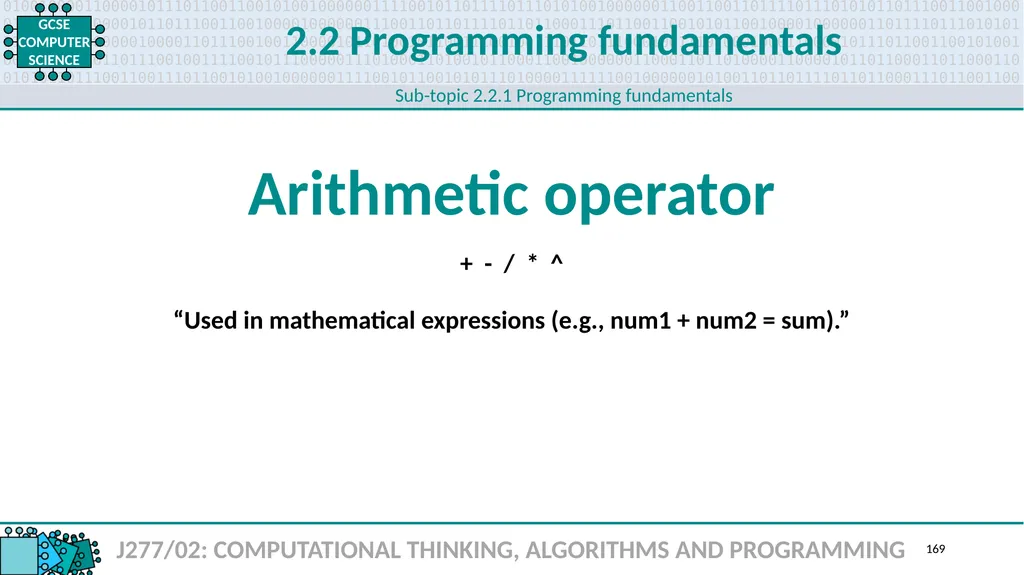
2.2 Programming fundamentals J277/02: COMPUTATIONAL THINKING, ALGORITHMS AND PROGRAMMING Arithmetic operator 169 Sub-topic 2.2.1 Programming fundamentals “Used in mathematical expressions (e.g., num1 + num2 = sum).” + - / * ^<br>
170
2.2 Programming fundamentals J277/02: COMPUTATIONAL THINKING, ALGORITHMS AND PROGRAMMING Boolean operator: AND 170 Sub-topic 2.2.1 Programming fundamentals “A logical operator used within a program.
Only returns TRUE if both values being compared are TRUE.”<br>
171
2.2 Programming fundamentals J277/02: COMPUTATIONAL THINKING, ALGORITHMS AND PROGRAMMING Boolean operator: OR 171 Sub-topic 2.2.1 Programming fundamentals “A logical operator used within a program.
Returns TRUE as long as either value being compared is TRUE.”<br>
172
2.2 Programming fundamentals J277/02: COMPUTATIONAL THINKING, ALGORITHMS AND PROGRAMMING Boolean operator: NOT 172 Sub-topic 2.2.1 Programming fundamentals “A logical operator used within a program.
Returns FALSE if the input is TRUE and returns TRUE if the input is FALSE.”<br>
173
2.2 Programming fundamentals J277/02: COMPUTATIONAL THINKING, ALGORITHMS AND PROGRAMMING Comparison operator: == 173 Sub-topic 2.2.1 Programming fundamentals “Equal to.”<br>
174
2.2 Programming fundamentals J277/02: COMPUTATIONAL THINKING, ALGORITHMS AND PROGRAMMING Comparison operator: != 174 Sub-topic 2.2.1 Programming fundamentals “Not equal to.”<br>
175
2.2 Programming fundamentals J277/02: COMPUTATIONAL THINKING, ALGORITHMS AND PROGRAMMING Comparison operator: < 175 Sub-topic 2.2.1 Programming fundamentals “Less than.”<br>
176
2.2 Programming fundamentals J277/02: COMPUTATIONAL THINKING, ALGORITHMS AND PROGRAMMING Comparison operator: <= 176 Sub-topic 2.2.1 Programming fundamentals “Less than or equal to.”<br>
177
2.2 Programming fundamentals J277/02: COMPUTATIONAL THINKING, ALGORITHMS AND PROGRAMMING Comparison operator: > 177 Sub-topic 2.2.1 Programming fundamentals “Greater than.”<br>
178
2.2 Programming fundamentals J277/02: COMPUTATIONAL THINKING, ALGORITHMS AND PROGRAMMING Comparison operator: >= 178 Sub-topic 2.2.1 Programming fundamentals “Greater than or equal to.”<br>
179
2.2 Programming fundamentals J277/02: COMPUTATIONAL THINKING, ALGORITHMS AND PROGRAMMING Arithmetic operator: + 179 Sub-topic 2.2.1 Programming fundamentals “Addition.”<br>
180
2.2 Programming fundamentals J277/02: COMPUTATIONAL THINKING, ALGORITHMS AND PROGRAMMING Arithmetic operator: - 180 Sub-topic 2.2.1 Programming fundamentals “Subtraction.”<br>
181
2.2 Programming fundamentals J277/02: COMPUTATIONAL THINKING, ALGORITHMS AND PROGRAMMING Arithmetic operator: * 181 Sub-topic 2.2.1 Programming fundamentals “Multiplication.”<br>
182
2.2 Programming fundamentals J277/02: COMPUTATIONAL THINKING, ALGORITHMS AND PROGRAMMING Arithmetic operator: / 182 Sub-topic 2.2.1 Programming fundamentals “Real division.”<br>
183
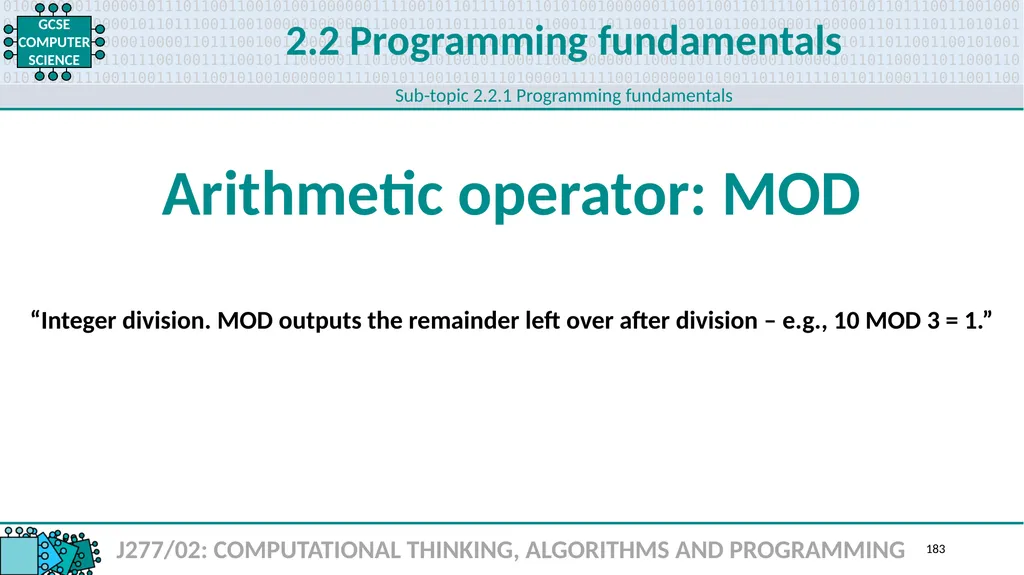
2.2 Programming fundamentals J277/02: COMPUTATIONAL THINKING, ALGORITHMS AND PROGRAMMING Arithmetic operator: MOD 183 Sub-topic 2.2.1 Programming fundamentals “Integer division. MOD outputs the remainder left over after division – e.g., 10 MOD 3 = 1.”<br>
184
2.2 Programming fundamentals J277/02: COMPUTATIONAL THINKING, ALGORITHMS AND PROGRAMMING Arithmetic operator: DIV 184 Sub-topic 2.2.1 Programming fundamentals “Integer division: DIV outputs the number of times a number fits into another number –
e.g., 10 DIV 3 = 3.”<br>
185
2.2 Programming fundamentals J277/02: COMPUTATIONAL THINKING, ALGORITHMS AND PROGRAMMING Arithmetic operator: ^ 185 Sub-topic 2.2.1 Programming fundamentals “Exponent.”<br>
186
2.2 Programming fundamentals J277/02: COMPUTATIONAL THINKING, ALGORITHMS AND PROGRAMMING Data type 186 Sub-topic 2.2.2 Data types “The basic data types provided as building blocks by a programming language.
Most languages allow for more complicated, composite types to be constructed from basic types recursively – e.g., char, integer, float, Boolean. As an extension, a string data type
is constructed behind the scenes of many char data types.”<br>
187
2.2 Programming fundamentals J277/02: COMPUTATIONAL THINKING, ALGORITHMS AND PROGRAMMING Integer 187 Sub-topic 2.2.2 Data types “A data type used to store positive and negative whole numbers.”<br>
188
2.2 Programming fundamentals J277/02: COMPUTATIONAL THINKING, ALGORITHMS AND PROGRAMMING Real 188 Sub-topic 2.2.2 Data types “A data type used to store an approximation of a real number in a way that can
support a trade-off between range and precision. Typically, a number is represented approximately to a fixed number of significant digits and scaled using an exponent.”<br>
189
2.2 Programming fundamentals J277/02: COMPUTATIONAL THINKING, ALGORITHMS AND PROGRAMMING Boolean 189 Sub-topic 2.2.2 Data types “Used to store logical conditions – e.g., TRUE/FALSE, ON/OFF, YES/NO, etc.”<br>
190
2.2 Programming fundamentals J277/02: COMPUTATIONAL THINKING, ALGORITHMS AND PROGRAMMING Character 190 Sub-topic 2.2.2 Data types “A single alphanumeric symbol.”<br>
191
2.2 Programming fundamentals J277/02: COMPUTATIONAL THINKING, ALGORITHMS AND PROGRAMMING String 191 Sub-topic 2.2.2 Data types “A sequence of alphanumeric characters and/or symbols – e.g., a word or sentence.”<br>
192
2.2 Programming fundamentals J277/02: COMPUTATIONAL THINKING, ALGORITHMS AND PROGRAMMING Casting 192 Sub-topic 2.2.2 Data types “Converting a variable from one data type to another. For example, a variable entered as a string needs to be an integer for calculation – age = INPUT(“Enter your age: “) age = INT(age).”<br>
193
2.2 Programming fundamentals J277/02: COMPUTATIONAL THINKING, ALGORITHMS AND PROGRAMMING String manipulation 193 Sub-topic 2.2.3 Additional programming techniques “Commands and techniques that allow you to alter and extract information from textual strings – e.g., .length .substring(x, i) .left(i) .right(i) .upper .lower ASC(…) CHR(…).”<br>
194
2.2 Programming fundamentals J277/02: COMPUTATIONAL THINKING, ALGORITHMS AND PROGRAMMING File handling: Open 194 Sub-topic 2.2.3 Additional programming techniques “File handling is the process of dealing with input to and from files.
Files first have to be opened, creating a handle to the file and allowing reading and writing.”<br>
195
2.2 Programming fundamentals J277/02: COMPUTATIONAL THINKING, ALGORITHMS AND PROGRAMMING File handling: Read 195 Sub-topic 2.2.3 Additional programming techniques “Once a file has been opened, it is possible to use commands to
read its contents and return them to a program.”<br>
196
2.2 Programming fundamentals J277/02: COMPUTATIONAL THINKING, ALGORITHMS AND PROGRAMMING File handling: Write 196 Sub-topic 2.2.3 Additional programming techniques “Once a file has be opened it is possible to use commands to
write data to the file from a program.”<br>
197
2.2 Programming fundamentals J277/02: COMPUTATIONAL THINKING, ALGORITHMS AND PROGRAMMING File handling: Close 197 Sub-topic 2.2.3 Additional programming techniques “When a file is no longer in use, closing it releases the file handle
and breaks the connection between the file and a program.”<br>
198
2.2 Programming fundamentals J277/02: COMPUTATIONAL THINKING, ALGORITHMS AND PROGRAMMING Record 198 Sub-topic 2.2.3 Additional programming techniques “A data structure consisting of a collection of elements, typically in fixed number
and sequence and indexed by name. Elements of records may be called fields.
The record is a data type that describes such values and variables.
Most modern languages allow programmers to define new record types, as well as
specifying the data type of each field and an identifier by which it can be accessed.”<br>
199
2.2 Programming fundamentals J277/02: COMPUTATIONAL THINKING, ALGORITHMS AND PROGRAMMING SQL 199 Sub-topic 2.2.3 Additional programming techniques “The language and syntax used to write and run database queries.”<br>
200
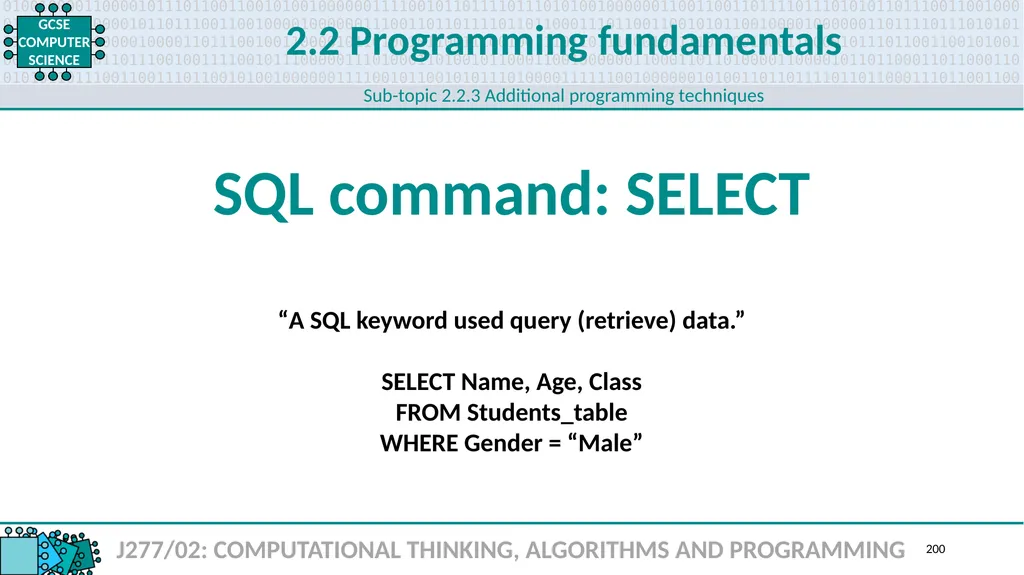
2.2 Programming fundamentals J277/02: COMPUTATIONAL THINKING, ALGORITHMS AND PROGRAMMING SQL command: SELECT 200 Sub-topic 2.2.3 Additional programming techniques “A SQL keyword used query (retrieve) data.”
SELECT Name, Age, Class
FROM Students_table
WHERE Gender = “Male”<br>
SELECT Name, Age, Class
FROM Students_table
WHERE Gender = “Male”<br>
201
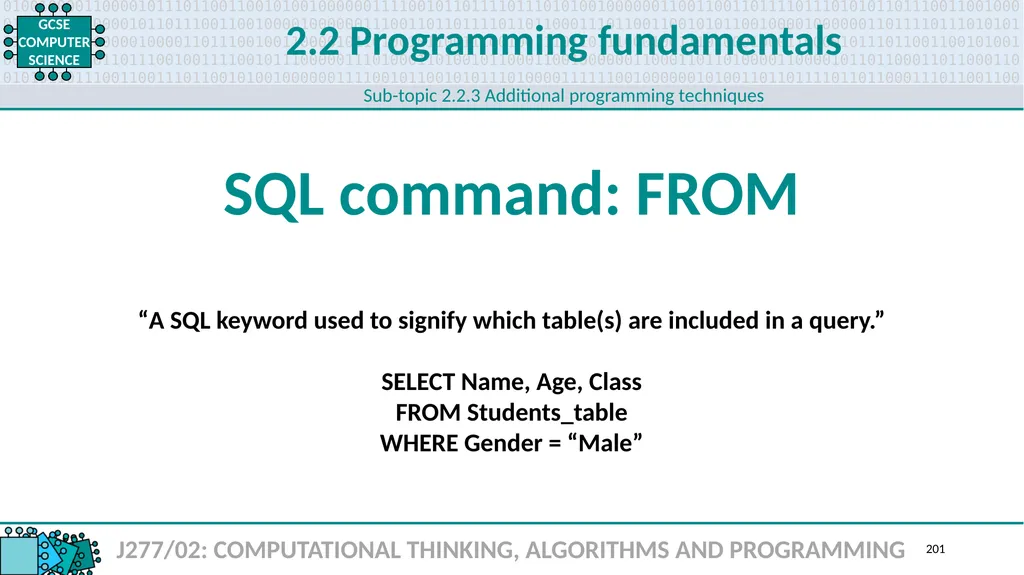
2.2 Programming fundamentals J277/02: COMPUTATIONAL THINKING, ALGORITHMS AND PROGRAMMING SQL command: FROM 201 Sub-topic 2.2.3 Additional programming techniques “A SQL keyword used to signify which table(s) are included in a query.”
SELECT Name, Age, Class
FROM Students_table
WHERE Gender = “Male”<br>
SELECT Name, Age, Class
FROM Students_table
WHERE Gender = “Male”<br>
202
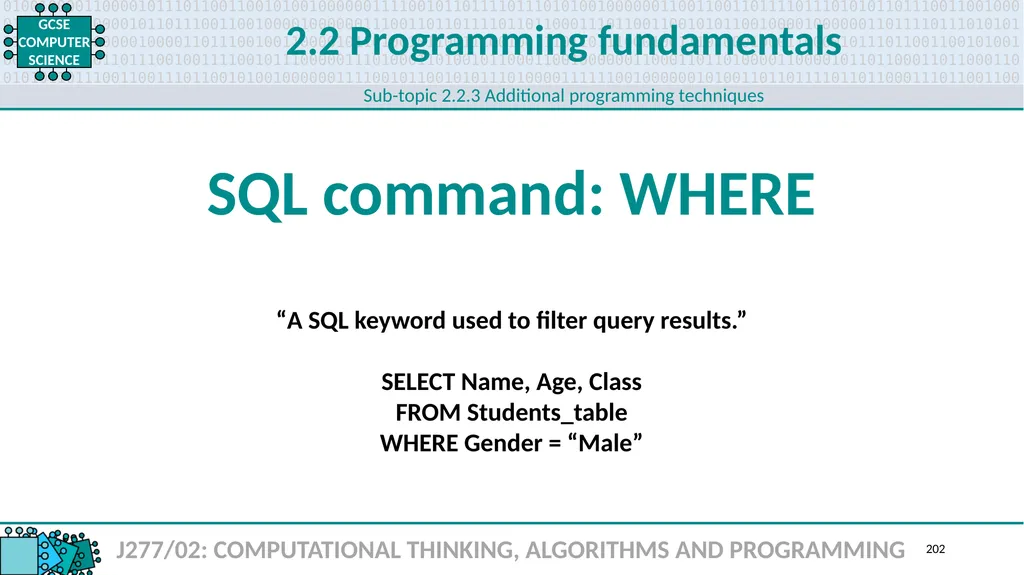
2.2 Programming fundamentals J277/02: COMPUTATIONAL THINKING, ALGORITHMS AND PROGRAMMING SQL command: WHERE 202 Sub-topic 2.2.3 Additional programming techniques “A SQL keyword used to filter query results.”
SELECT Name, Age, Class
FROM Students_table
WHERE Gender = “Male”<br>
SELECT Name, Age, Class
FROM Students_table
WHERE Gender = “Male”<br>
203
2.2 Programming fundamentals J277/02: COMPUTATIONAL THINKING, ALGORITHMS AND PROGRAMMING Array 203 Sub-topic 2.2.3 Additional programming techniques “A set of data items of the same type grouped together using a single identifier.
Each item is addressed by its variable name and a subscript.”<br>
204
2.2 Programming fundamentals J277/02: COMPUTATIONAL THINKING, ALGORITHMS AND PROGRAMMING Sub-programs 204 Sub-topic 2.2.3 Additional programming techniques “A block of code given a unique identifiable name within a program.
Supports code reuse and good programming technique.”<br>
205
2.2 Programming fundamentals J277/02: COMPUTATIONAL THINKING, ALGORITHMS AND PROGRAMMING Procedure 205 Sub-topic 2.2.3 Additional programming techniques “A block of code within a program that is given a unique, identifiable name.
Can take upwards of zero parameters when it is called. Should be designed and
written to perform a task or action that is clearly indicated by its name.”<br>
206
2.2 Programming fundamentals J277/02: COMPUTATIONAL THINKING, ALGORITHMS AND PROGRAMMING Function 206 Sub-topic 2.2.3 Additional programming techniques “A block of code within a program that is given a unique identifiable name.
Can take upwards of zero parameters when it is called and should return a value. Should be designed and written to perform a task or action that is clearly indicated by its name.”<br>
207
2.2 Programming fundamentals J277/02: COMPUTATIONAL THINKING, ALGORITHMS AND PROGRAMMING Random number generation 207 Sub-topic 2.2.3 Additional programming techniques “Most programming languages have built-in functions or libraries that allow you to
easily generate random numbers. Creating truly random numbers is actually
rather difficult for a computer, and these algorithms are quite complex.”<br>
208
2.3 208<br>
209
2.3 Producing robust programs J277/02: COMPUTATIONAL THINKING, ALGORITHMS AND PROGRAMMING Defensive design 209 Sub-topic 2.3.1 Defensive design “The practice of planning for contingencies in the design stage of a project.”<br>
210
2.3 Producing robust programs J277/02: COMPUTATIONAL THINKING, ALGORITHMS AND PROGRAMMING Anticipating misuse 210 Sub-topic 2.3.1 Defensive design “Considering how an end user might accidentally or deliberately break a program
and writing additional code to handle these situations.”<br>
211
2.3 Producing robust programs J277/02: COMPUTATIONAL THINKING, ALGORITHMS AND PROGRAMMING Authentication 211 Sub-topic 2.3.1 Defensive design “Verifying a user’s identity before they can use a system. Strong passwords
over a certain length with symbols and mixed-case letters are advised.”<br>
212
2.3 Producing robust programs J277/02: COMPUTATIONAL THINKING, ALGORITHMS AND PROGRAMMING Input validation 212 Sub-topic 2.3.1 Defensive design “Ensuring data input by a user meets specific criteria before processing.
Range check (e.g., 1 – 31); type check (e.g., a number, not a symbol); presence check
(e.g., data has been input); format check (e.g., a postcode is written LLN(N) NLL). ”<br>
213
2.3 Producing robust programs J277/02: COMPUTATIONAL THINKING, ALGORITHMS AND PROGRAMMING Maintainability 213 Sub-topic 2.3.1 Defensive design “Techniques and methods that make code easier to debug, update and maintain.”<br>
214
2.3 Producing robust programs J277/02: COMPUTATIONAL THINKING, ALGORITHMS AND PROGRAMMING Naming conventions 214 Sub-topic 2.3.1 Defensive design “Many programmers use defined naming conventions for variables, contents and procedures. Camel case is a popular one used in the industry where the first word of an identifier uses all lower case and all subsequent words start with a capital letter – e.g., studentsFirstName.”<br>
215
2.3 Producing robust programs J277/02: COMPUTATIONAL THINKING, ALGORITHMS AND PROGRAMMING Indentation 215 Sub-topic 2.3.1 Defensive design “Makes it easier to see where structures begin and end. Conditions, iterations
and code inside procedures and functions should be indented.”<br>
216
2.3 Producing robust programs J277/02: COMPUTATIONAL THINKING, ALGORITHMS AND PROGRAMMING Commenting 216 Sub-topic 2.3.1 Defensive design “Used to explains sections of code. Ignored by the compiler.”<br>
217
2.3 Producing robust programs J277/02: COMPUTATIONAL THINKING, ALGORITHMS AND PROGRAMMING Testing 217 Sub-topic 2.3.2 Testing “Assessing the performance and functionality of a program under various conditions
to make sure it works. Programmers need to consider all the devices the program
could be used on and what might cause it to crash.”<br>
218
2.3 Producing robust programs J277/02: COMPUTATIONAL THINKING, ALGORITHMS AND PROGRAMMING Iterative testing 218 Sub-topic 2.3.2 Testing “Each module of a program is tested as it is developed.”<br>
219
2.3 Producing robust programs J277/02: COMPUTATIONAL THINKING, ALGORITHMS AND PROGRAMMING Final/terminal testing 219 Sub-topic 2.3.2 Testing “Checking that all the modules of a program work together as expected
and the program meets the expectations of users with real data.”<br>
220
2.3 Producing robust programs J277/02: COMPUTATIONAL THINKING, ALGORITHMS AND PROGRAMMING Syntax error 220 Sub-topic 2.3.2 Testing “Rules of the language have been broken, so the program will not run.
Variables not being declared before use. Incompatible variable types (e.g., sum = A);
using assignments incorrectly (e.g., 2 + 2 = x); keywords misspelt (e.g., PRNT(“Hello”)).”<br>
221
2.3 Producing robust programs J277/02: COMPUTATIONAL THINKING, ALGORITHMS AND PROGRAMMING Logical error 221 Sub-topic 2.3.2 Testing “The program runs but does not give the expected output.
Division by zero. Infinite loop. Memory full. File not found.”<br>
222
2.3 Producing robust programs J277/02: COMPUTATIONAL THINKING, ALGORITHMS AND PROGRAMMING Test data 222 Sub-topic 2.3.2 Testing “Values used to test a program – normal, boundary and erroneous.”<br>
223
2.3 Producing robust programs J277/02: COMPUTATIONAL THINKING, ALGORITHMS AND PROGRAMMING Test data: Normal 223 Sub-topic 2.3.2 Testing “Data supplied to a program that is expected. Using a program written to
average student test scores as an example, if allowed scores are 0 – 100,
normal test data would include all the numbers within that range.”<br>
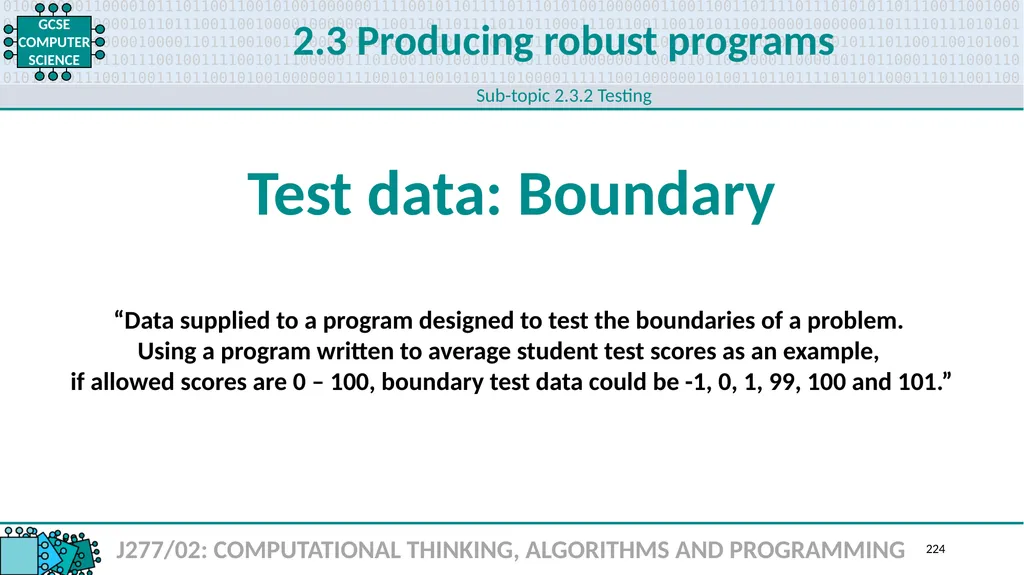
224
2.3 Producing robust programs J277/02: COMPUTATIONAL THINKING, ALGORITHMS AND PROGRAMMING Test data: Boundary 224 Sub-topic 2.3.2 Testing “Data supplied to a program designed to test the boundaries of a problem.
Using a program written to average student test scores as an example,
if allowed scores are 0 – 100, boundary test data could be -1, 0, 1, 99, 100 and 101.”<br>
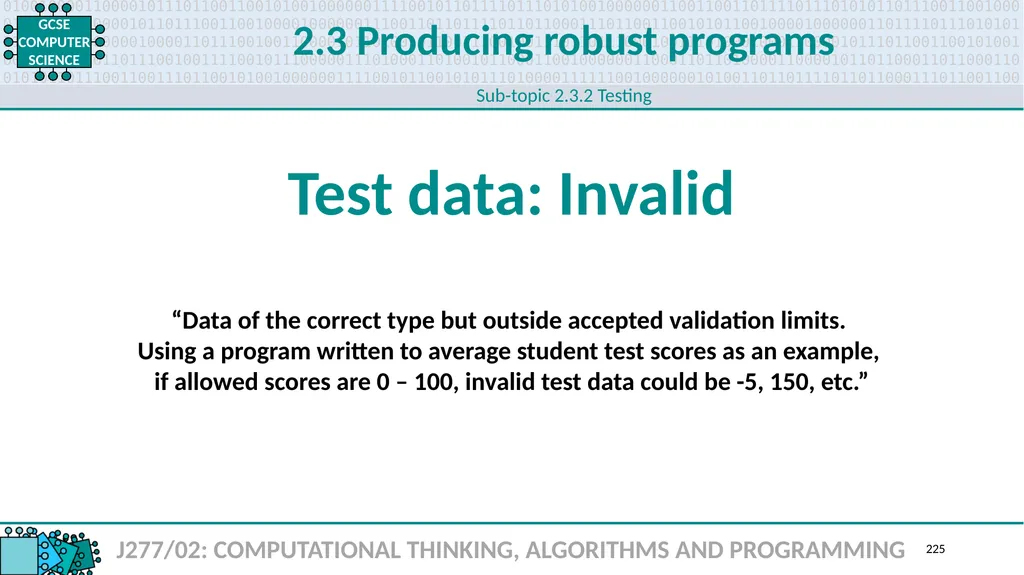
225
2.3 Producing robust programs J277/02: COMPUTATIONAL THINKING, ALGORITHMS AND PROGRAMMING Test data: Invalid 225 Sub-topic 2.3.2 Testing “Data of the correct type but outside accepted validation limits.
Using a program written to average student test scores as an example, if allowed scores are 0 – 100, invalid test data could be -5, 150, etc.”<br>
Using a program written to average student test scores as an example, if allowed scores are 0 – 100, invalid test data could be -5, 150, etc.”<br>
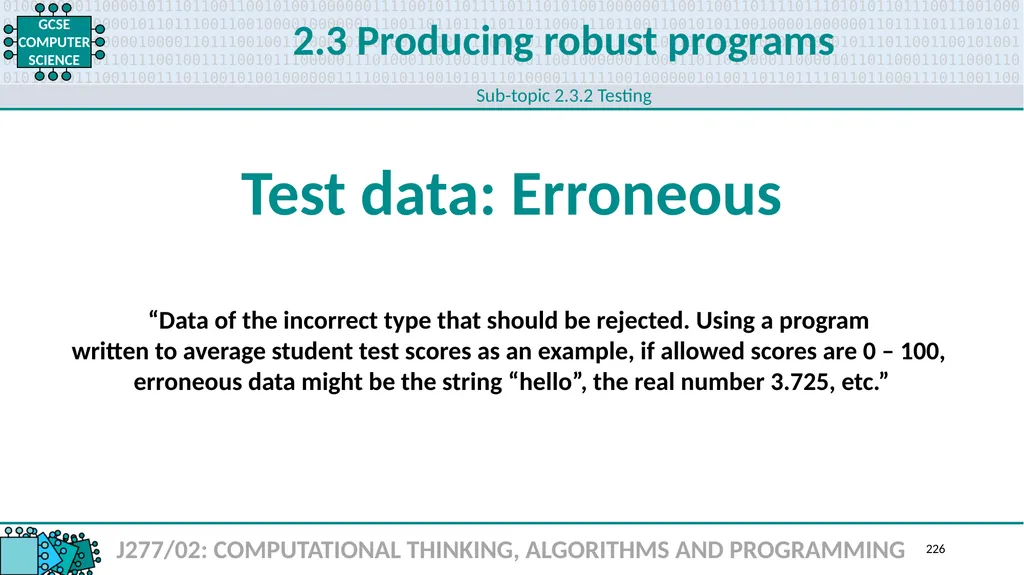
226
2.3 Producing robust programs J277/02: COMPUTATIONAL THINKING, ALGORITHMS AND PROGRAMMING Test data: Erroneous 226 Sub-topic 2.3.2 Testing “Data of the incorrect type that should be rejected. Using a program
written to average student test scores as an example, if allowed scores are 0 – 100,
erroneous data might be the string “hello”, the real number 3.725, etc.”<br>
227
2.4 227<br>
228
2.4 Boolean logic J277/02: COMPUTATIONAL THINKING, ALGORITHMS AND PROGRAMMING Logic diagram 228 Sub-topic 2.4.1 Boolean logic “A method of expression Boolean logic in a diagram using a set of standard symbols that represent the various logic gates – AND, NOT, OR, NAND, etc.”<br>
229
2.4 Boolean logic J277/02: COMPUTATIONAL THINKING, ALGORITHMS AND PROGRAMMING Logic gate 229 Sub-topic 2.4.1 Boolean logic “A symbol in a logic diagram that represents a single gate – e.g., AND, OR, NOT.”<br>
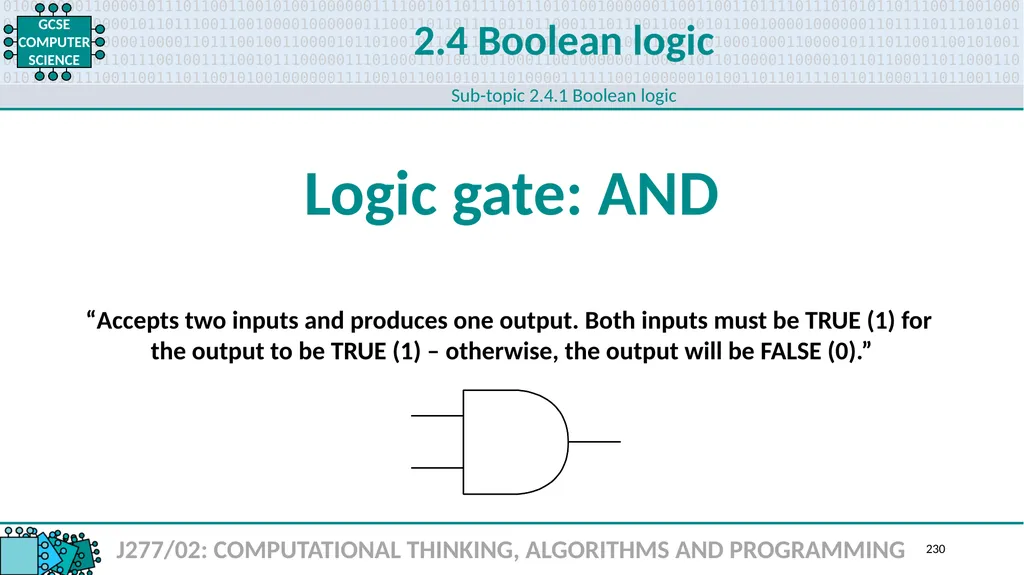
230
2.4 Boolean logic J277/02: COMPUTATIONAL THINKING, ALGORITHMS AND PROGRAMMING Logic gate: AND 230 Sub-topic 2.4.1 Boolean logic “Accepts two inputs and produces one output. Both inputs must be TRUE (1) for
the output to be TRUE (1) – otherwise, the output will be FALSE (0).”<br>
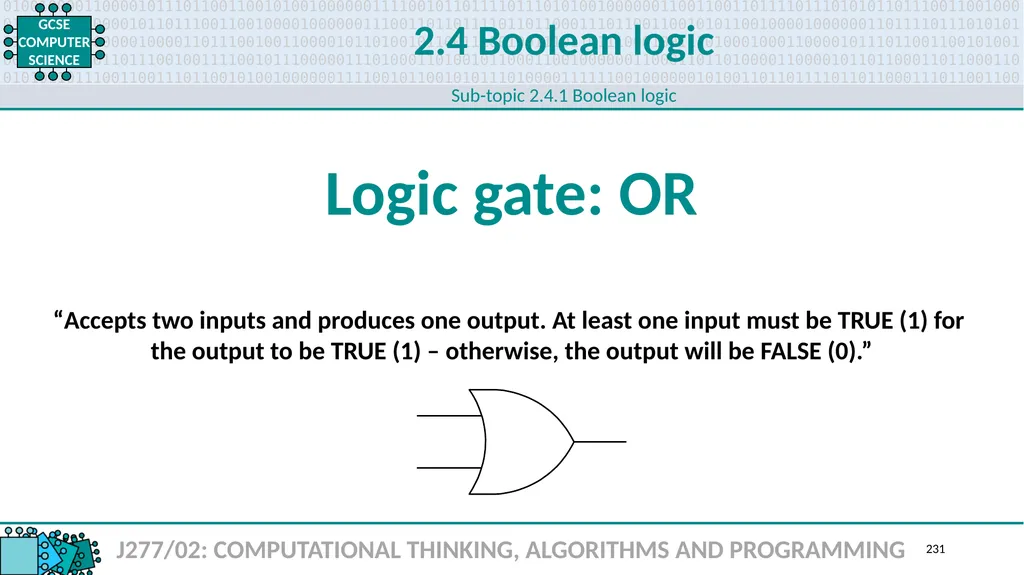
231
2.4 Boolean logic J277/02: COMPUTATIONAL THINKING, ALGORITHMS AND PROGRAMMING Logic gate: OR 231 Sub-topic 2.4.1 Boolean logic “Accepts two inputs and produces one output. At least one input must be TRUE (1) for
the output to be TRUE (1) – otherwise, the output will be FALSE (0).”<br>
232
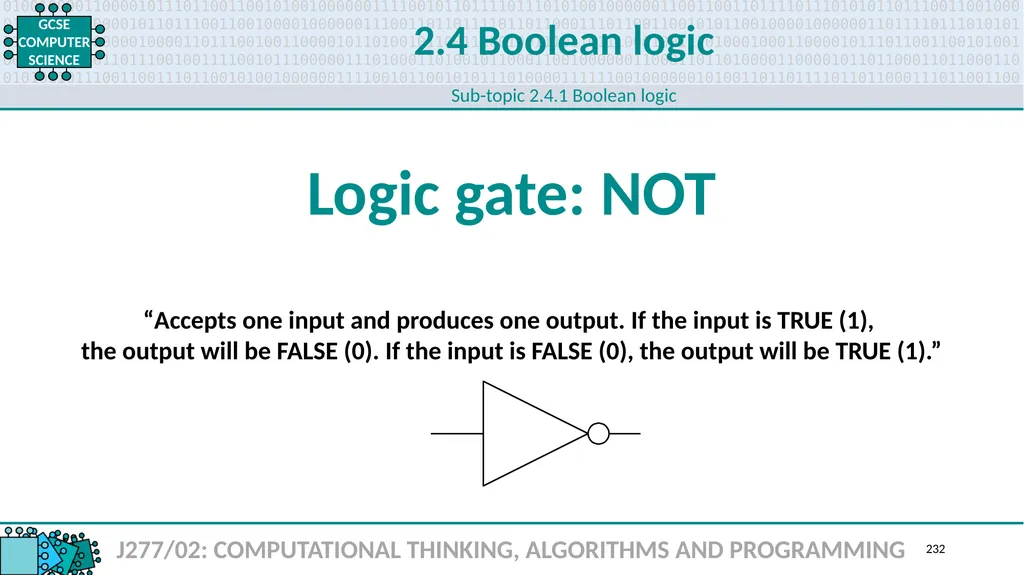
2.4 Boolean logic J277/02: COMPUTATIONAL THINKING, ALGORITHMS AND PROGRAMMING Logic gate: NOT 232 Sub-topic 2.4.1 Boolean logic “Accepts one input and produces one output. If the input is TRUE (1),
the output will be FALSE (0). If the input is FALSE (0), the output will be TRUE (1).”<br>
233
2.4 Boolean logic J277/02: COMPUTATIONAL THINKING, ALGORITHMS AND PROGRAMMING Truth table 233 Sub-topic 2.4.1 Boolean logic “A notation used in Boolean algebra to define the output of a logic gate
or logic circuit for all possible combinations of inputs.”<br>
234
2.5 234<br>
235
2.5 Programming languages and IDEs J277/02: COMPUTATIONAL THINKING, ALGORITHMS AND PROGRAMMING High-level language 235 Sub-topic 2.5.1 Languages “Designed to allow the expression of a computer program in a way that reflects the problem being solved rather than the details of how the solution is produced. One-to-many.”<br>
236
2.5 Programming languages and IDEs J277/02: COMPUTATIONAL THINKING, ALGORITHMS AND PROGRAMMING Low-level language 236 Sub-topic 2.5.1 Languages “Close to machine code and closely related to the design of the machine. One-to-one.”<br>
237
2.5 Programming languages and IDEs J277/02: COMPUTATIONAL THINKING, ALGORITHMS AND PROGRAMMING Translator 237 Sub-topic 2.5.1 Languages “Takes a program written in one programming language and converts it to another.”<br>
238
2.5 Programming languages and IDEs J277/02: COMPUTATIONAL THINKING, ALGORITHMS AND PROGRAMMING Compiler 238 Sub-topic 2.5.1 Languages “Translates high-level language source code into a computer’s machine code.”<br>
239
2.5 Programming languages and IDEs J277/02: COMPUTATIONAL THINKING, ALGORITHMS AND PROGRAMMING Interpreter 239 Sub-topic 2.5.1 Languages “Translates and executes a program one statement at a time.”<br>
240
2.5 Programming languages and IDEs J277/02: COMPUTATIONAL THINKING, ALGORITHMS AND PROGRAMMING IDE 240 Sub-topic 2.5.2 The Integrated Development Environment (IDE) “A software application that provides comprehensive facilities for software development. Normally consists of a source code editor, build automation tools and a debugger.” Integrated Development Environment<br>
241
2.5 Programming languages and IDEs J277/02: COMPUTATIONAL THINKING, ALGORITHMS AND PROGRAMMING IDE: Error diagnostics 241 Sub-topic 2.5.2 The Integrated Development Environment (IDE) “IDE tools that provide detailed feedback on errors in code.”<br>
242
2.5 Programming languages and IDEs J277/02: COMPUTATIONAL THINKING, ALGORITHMS AND PROGRAMMING IDE: Run-time environment 242 Sub-topic 2.5.2 The Integrated Development Environment (IDE) “A configuration of hardware and software. Includes the CPU type, operating system and any runtime engines or system software required by a particular category of application.”<br>