Basics of Electronics Voltage What is Electronics? 2 What is Electronics? Electronics is a field of science in which we study about electric currents generated due to the movement of electric charges that flow in circuits that store and
"Basics of Electronics – Voltage What is" is the property of its rightful owner. Permission is granted to
download and print the materials on this website for personal, non-commercial use only, and to display it
on your personal computer provided you do not modify the materials and that you retain all copyright
notices contained in the materials. By downloading content from our website, you accept the terms of this
agreement.
Presentation Transcript
01
Basics of Electronics – Voltage<br>
02
What is Electronics? 2<br>
03
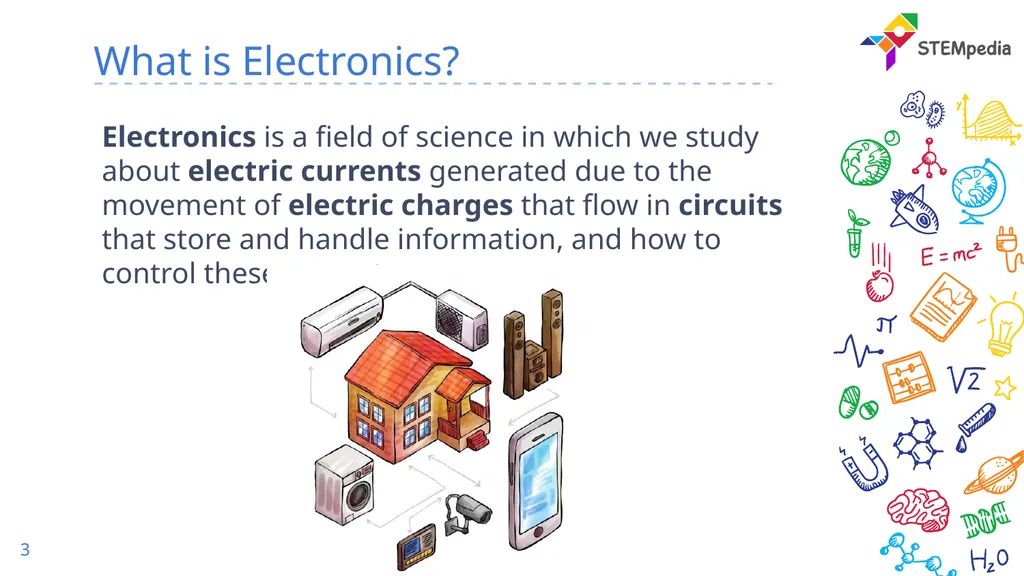
What is Electronics? Electronics is a field of science in which we study about electric currents generated due to the movement of electric charges that flow in circuits that store and handle information, and how to control these currents. 3<br>
04
Name 10 electronic device you know 4<br>
05
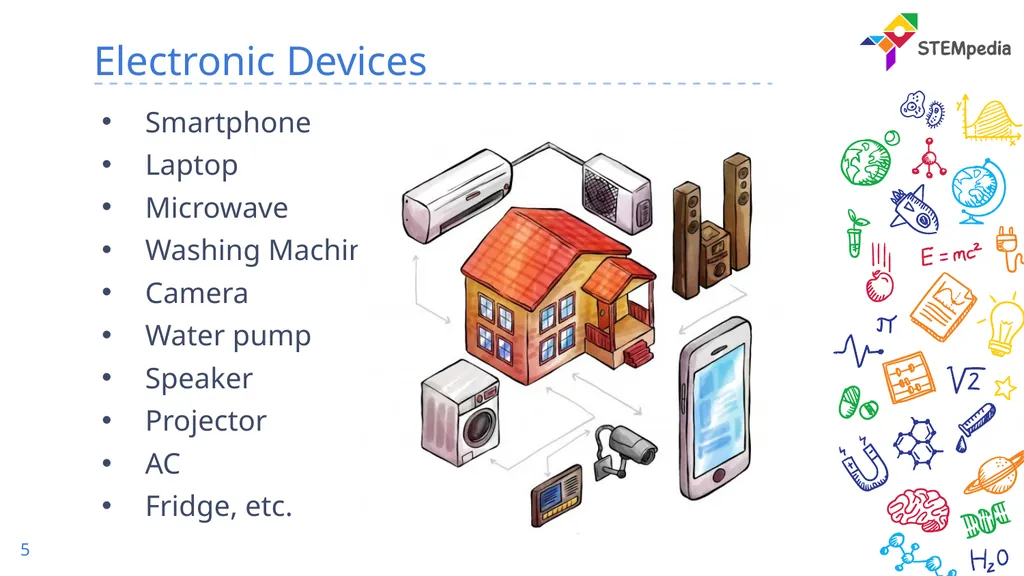
Electronic Devices Smartphone
Laptop
Microwave
Washing Machine
Camera
Water pump
Speaker
Projector
AC
Fridge, etc. 5<br>
06
Basics of Electronics 6<br>
07
Atom 7 An atom is the smallest constituent unit of ordinary matter.
It has
Protons – positively charged particle
Electron – negatively charged particle which is free
Neutrons – no charge
Movement of electrons, or the charge, create electricity.<br>
08
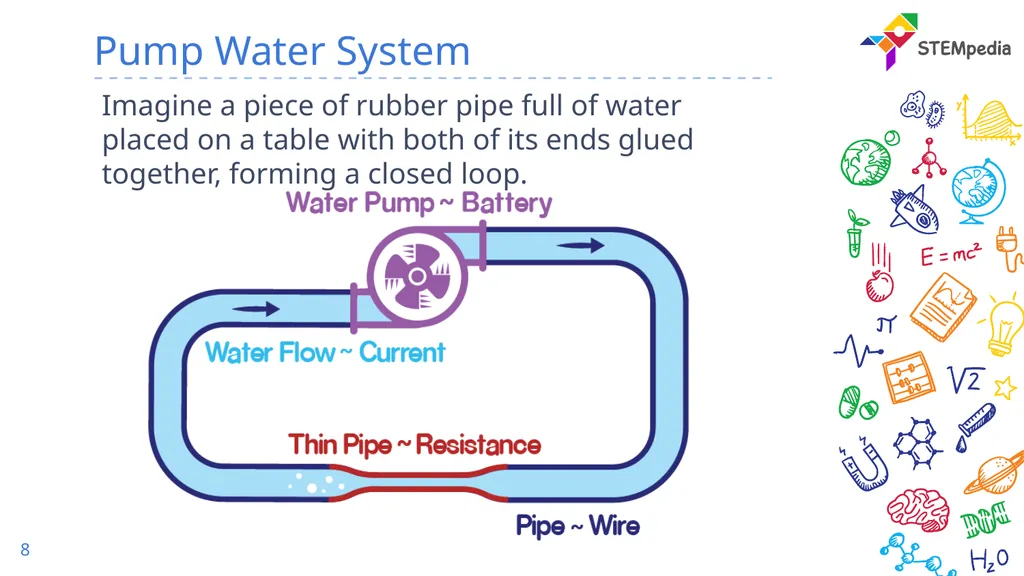
Pump Water System 8 Imagine a piece of rubber pipe full of water placed on a table with both of its ends glued together, forming a closed loop.<br>
09
Pump Water System 9 When the pipe is lying on a flat surface, will the water inside it flow? It won’t.
To cause the water to flow, we will have to connect a pump.
This pump will pull water from one side and push it from the other, resulting in circulation or flow of water in the pipe.
It creates a pressure difference between two points in the pipe which causes the water to flow.<br>
10
Electronic Circuit 10<br>
11
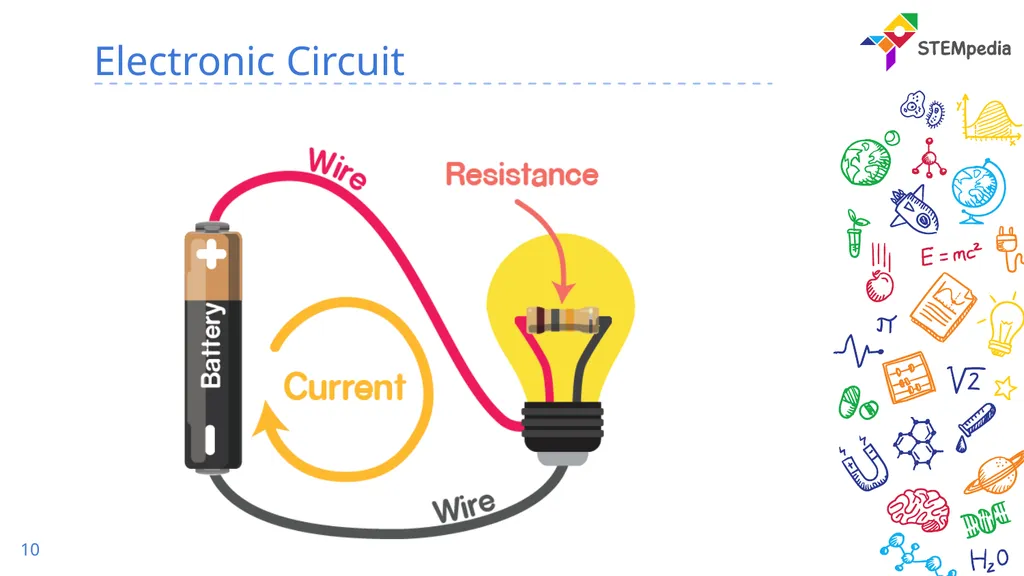
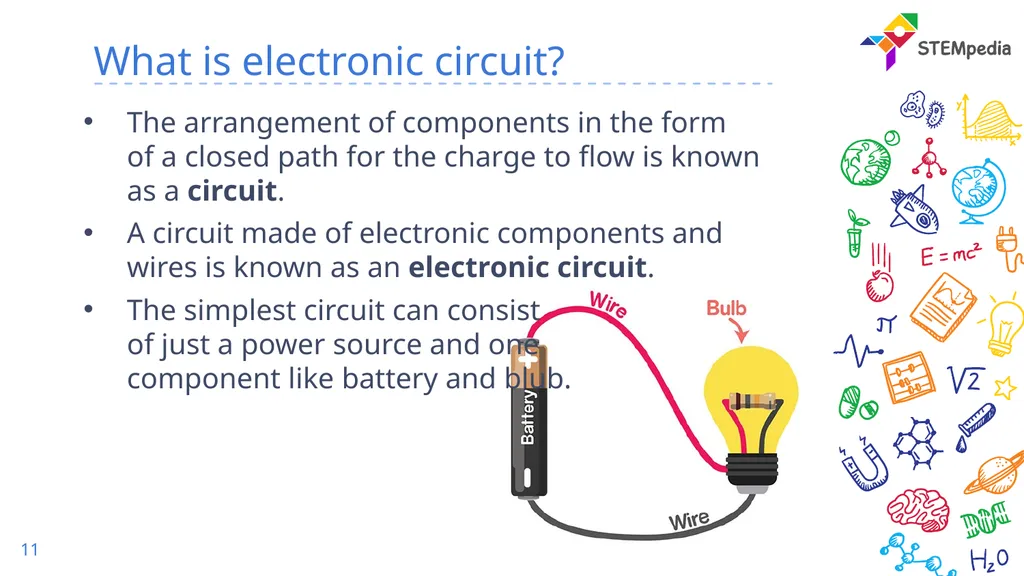
What is electronic circuit? The arrangement of components in the form of a closed path for the charge to flow is known as a circuit.
A circuit made of electronic components and wires is known as an electronic circuit.
The simplest circuit can consist of just a power source and one component like battery and blub. 11<br>
12
Voltage 12 Pump pulls water from one of its sides and pushes it from the other, resulting in circulation or flow of water in the pipe.
Voltage is nothing but a type of force that a power source creates at its two ends. This force makes the charge flow around the circuit.
In electronics,
water would be analogous to charge,
the pipe would be analogous to a wire,
the pump to a battery,
the pressure difference to voltage
the complete pump-pipe system to an electronic circuit.<br>
13
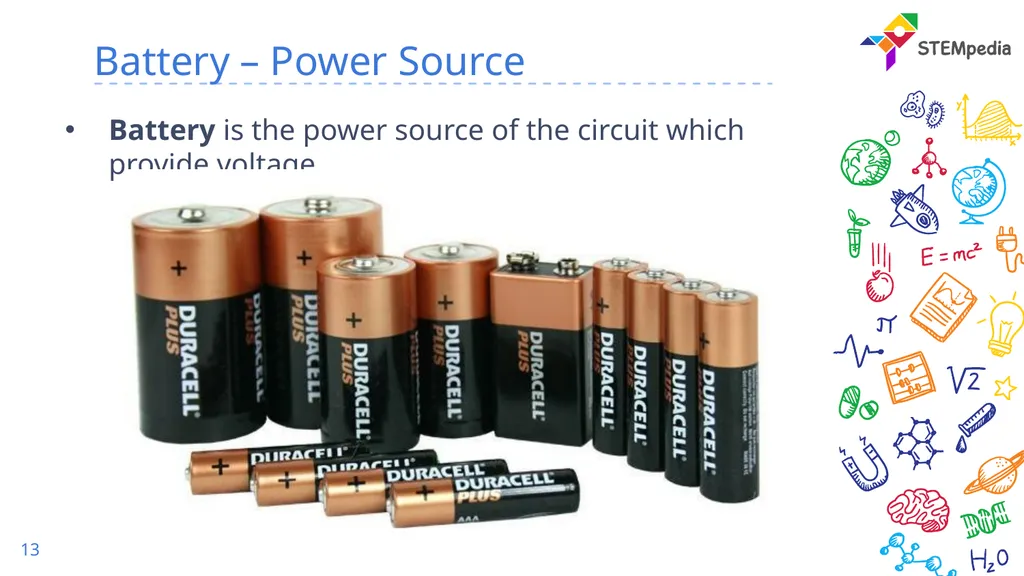
Battery – Power Source 13 Battery is the power source of the circuit which provide voltage.<br>
14
Polarity 14 Polarity is the property of having two poles that have opposite physical properties:
Positive
Negative
Polarity is important because it decides the direction in which the charge in the circuit will flow.
If the polarity is reversed the direction of flow of charges is also reversed.
The positive pole or the positive terminal is said to have a higher voltage as compared to the negative terminal in a battery.<br>
15
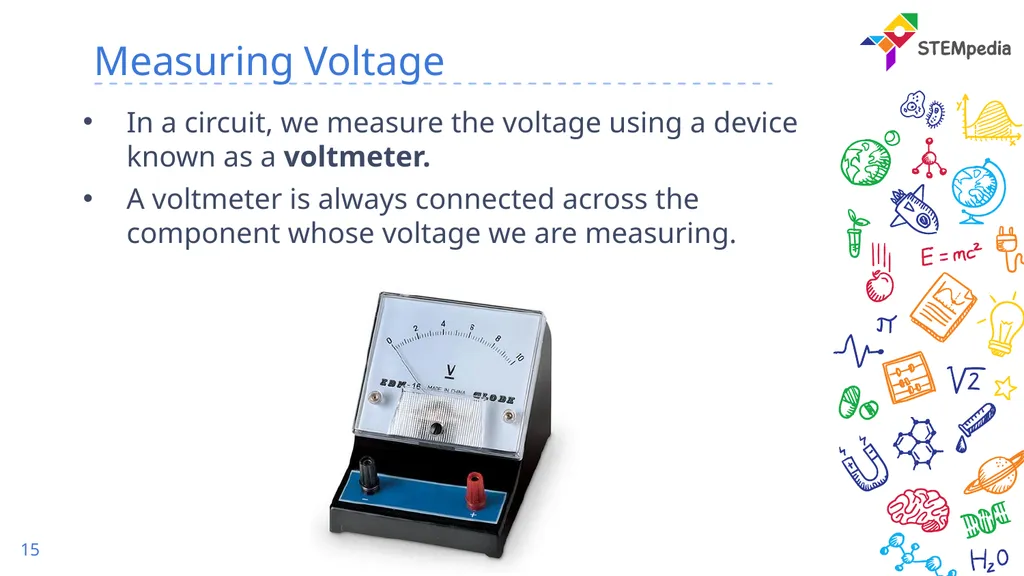
Measuring Voltage 15 In a circuit, we measure the voltage using a device known as a voltmeter.
A voltmeter is always connected across the component whose voltage we are measuring.<br>
16
Activity :
Measuring Voltage 16<br>
17
Activity – Measuring Voltage 17 We will use evive to measure the voltage.
evive can measure voltage from -30V to 30V range.<br>
18
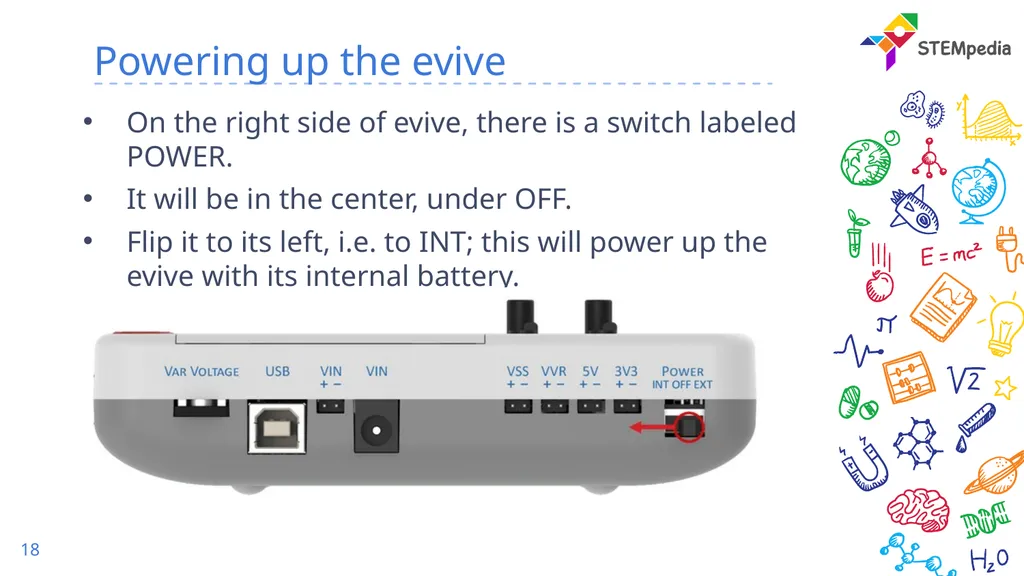
Powering up the evive 18 On the right side of evive, there is a switch labeled POWER.
It will be in the center, under OFF.
Flip it to its left, i.e. to INT; this will power up the evive with its internal battery.<br>
19
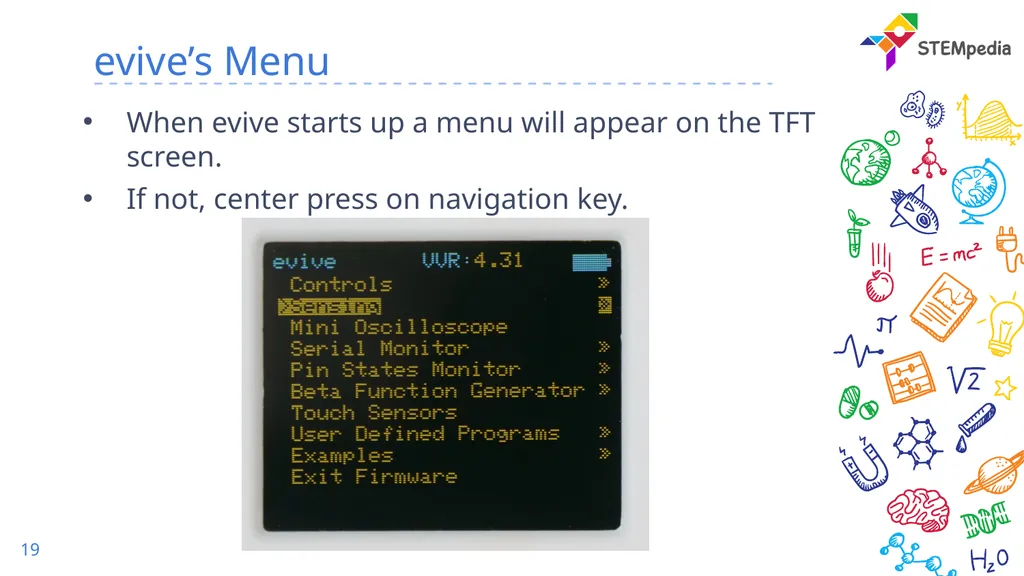
evive’s Menu 19 When evive starts up a menu will appear on the TFT screen.
If not, center press on navigation key.<br>
20
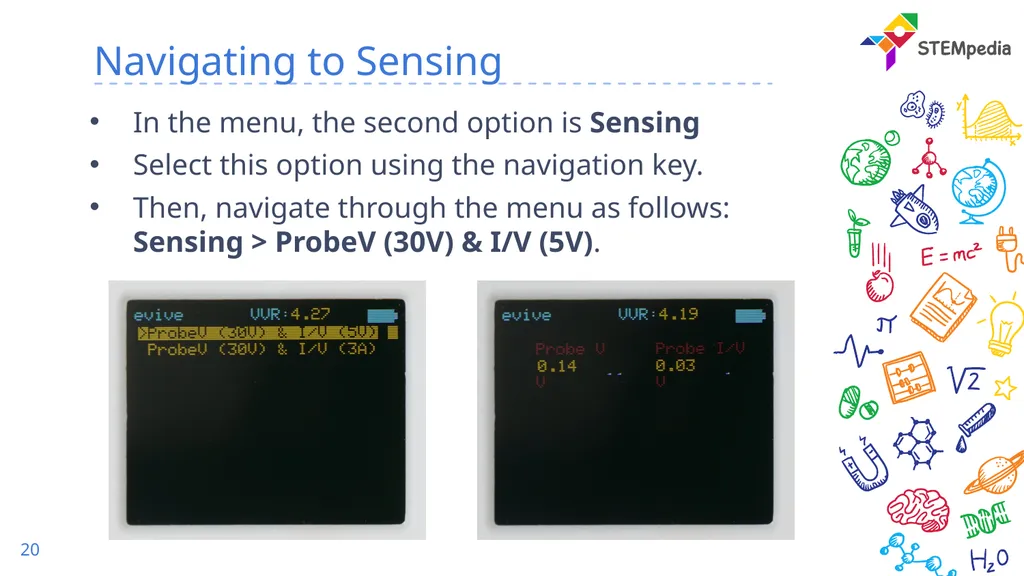
Navigating to Sensing 20 In the menu, the second option is Sensing
Select this option using the navigation key.
Then, navigate through the menu as follows: Sensing > ProbeV (30V) & I/V (5V).<br>
21
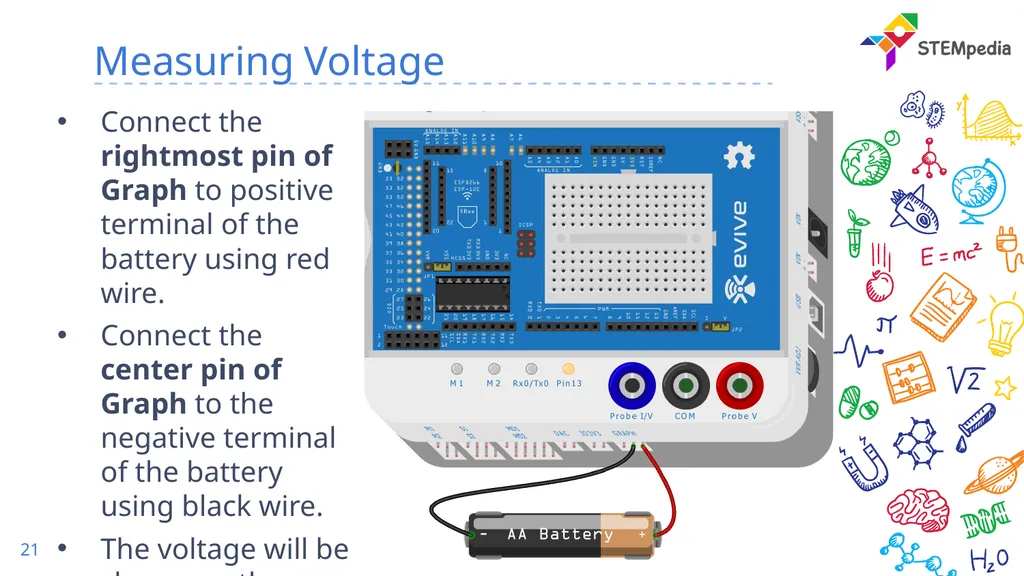
Measuring Voltage 21 Connect the rightmost pin of Graph to positive terminal of the battery using red wire.
Connect the center pin of Graph to the negative terminal of the battery using black wire.
The voltage will be shown on the evive display.<br>