BLS Assist Medic Unit Operations Lifepak 15 This presentation is part of a series designed to help familiarize PWC BLS providers with medic unit operations. This information will be a refresher for many providers, but consider that
"BLS Assist & Medic Unit Operations Lifepak 15 This" is the property of its rightful owner. Permission is granted to
download and print the materials on this website for personal, non-commercial use only, and to display it
on your personal computer provided you do not modify the materials and that you retain all copyright
notices contained in the materials. By downloading content from our website, you accept the terms of this
agreement.
Presentation Transcript
01
BLS Assist & Medic Unit Operations Lifepak 15<br>
02
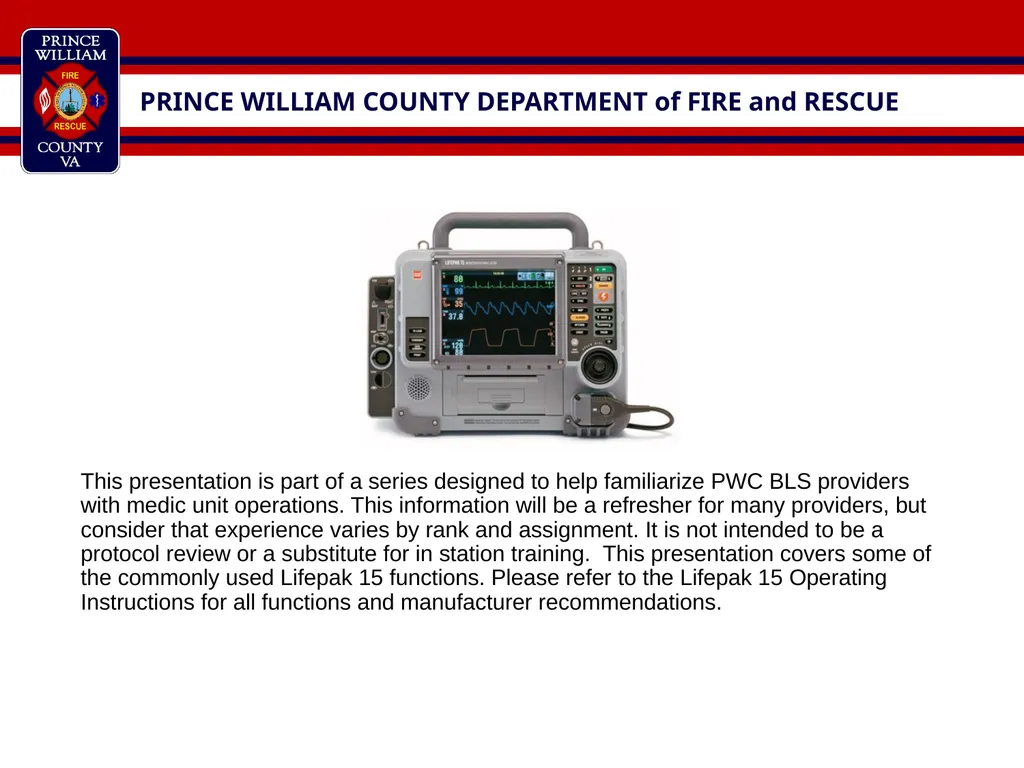
This presentation is part of a series designed to help familiarize PWC BLS providers with medic unit operations. This information will be a refresher for many providers, but consider that experience varies by rank and assignment. It is not intended to be a protocol review or a substitute for in station training. This presentation covers some of the commonly used Lifepak 15 functions. Please refer to the Lifepak 15 Operating Instructions for all functions and manufacturer recommendations.<br>
03
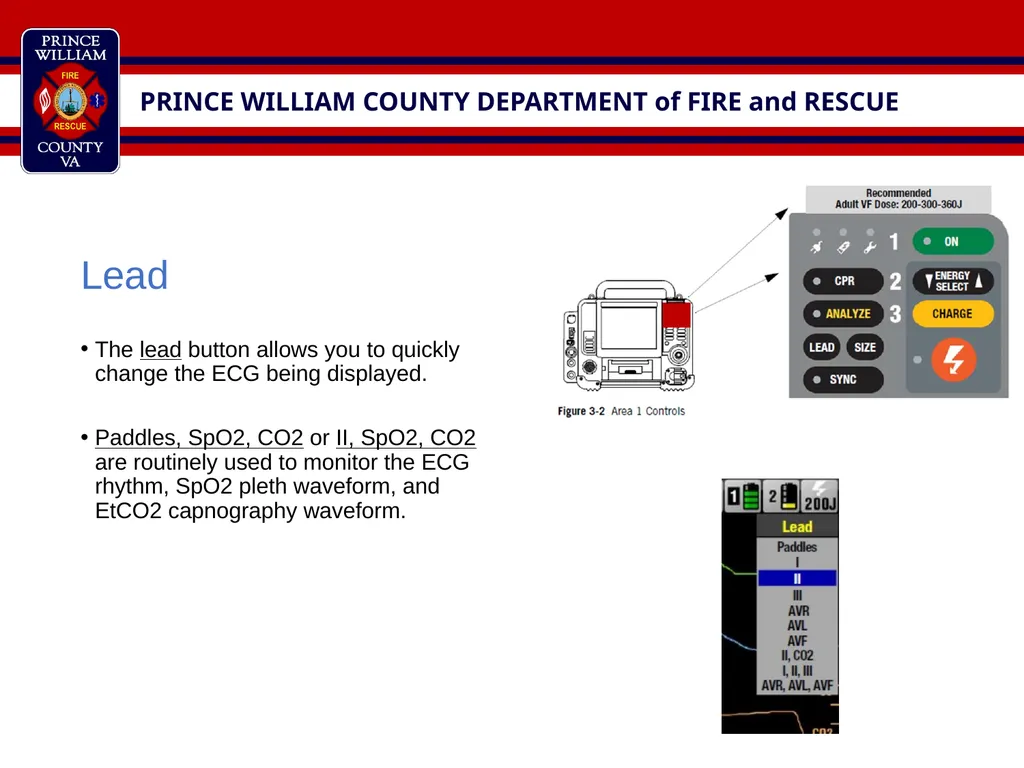
Lead
The lead button allows you to quickly change the ECG being displayed.
Paddles, SpO2, CO2 or II, SpO2, CO2 are routinely used to monitor the ECG rhythm, SpO2 pleth waveform, and EtCO2 capnography waveform.<br>
04
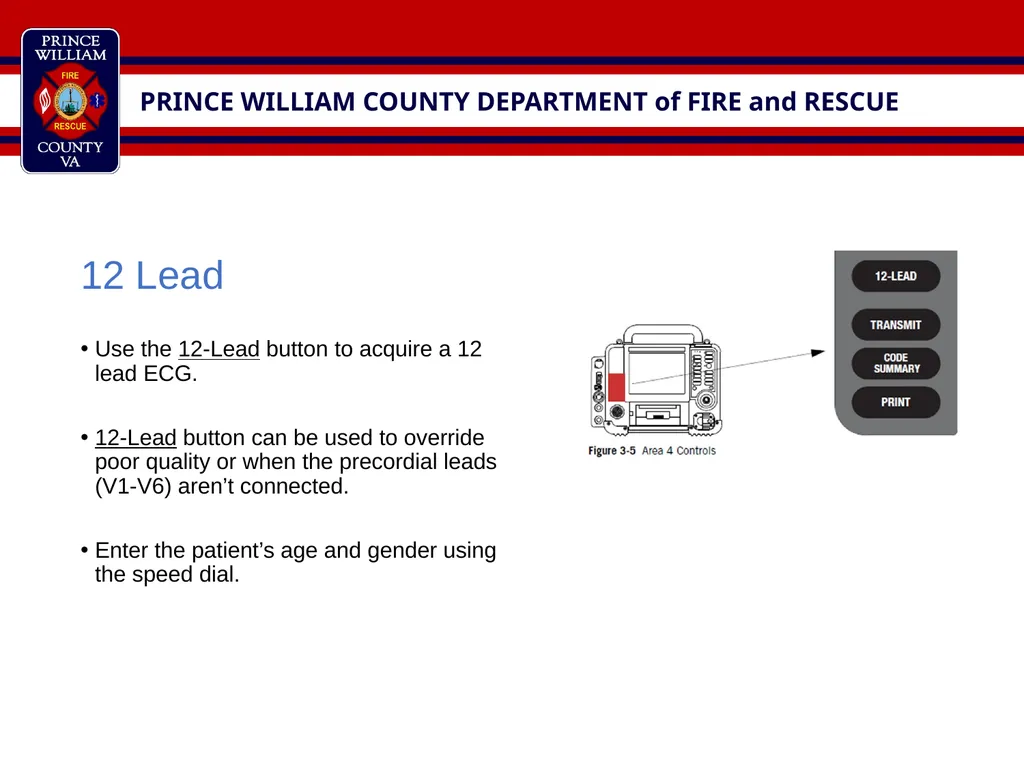
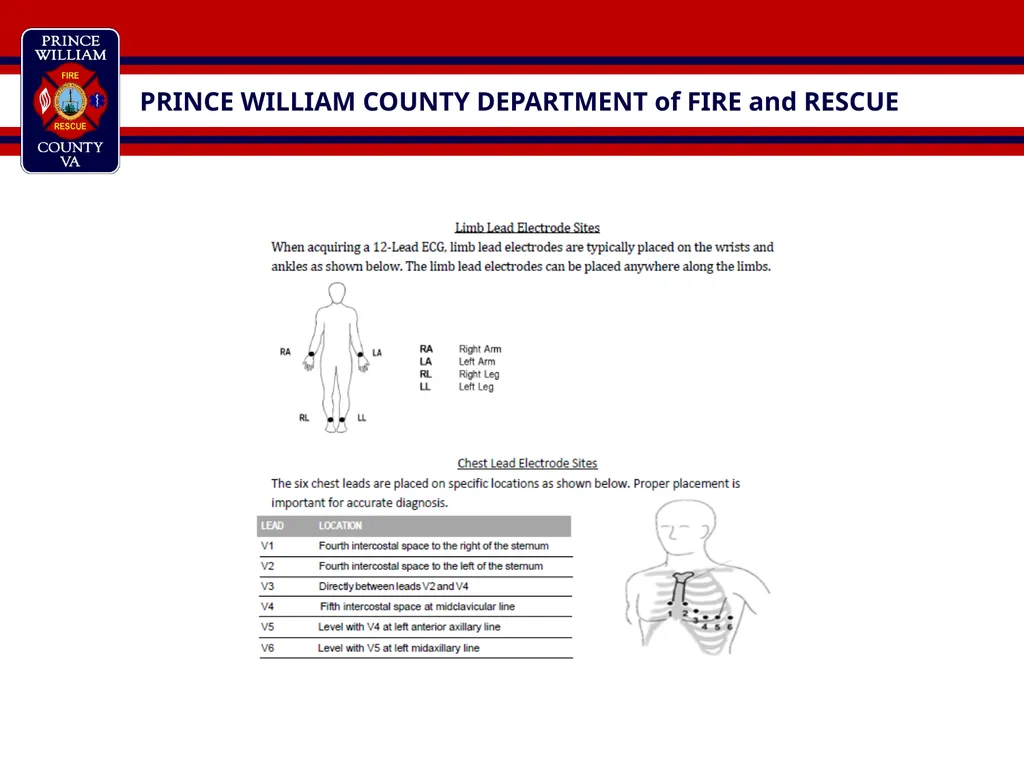
12 Lead
Use the 12-Lead button to acquire a 12 lead ECG.
12-Lead button can be used to override poor quality or when the precordial leads (V1-V6) aren’t connected.
Enter the patient’s age and gender using the speed dial.<br>
05
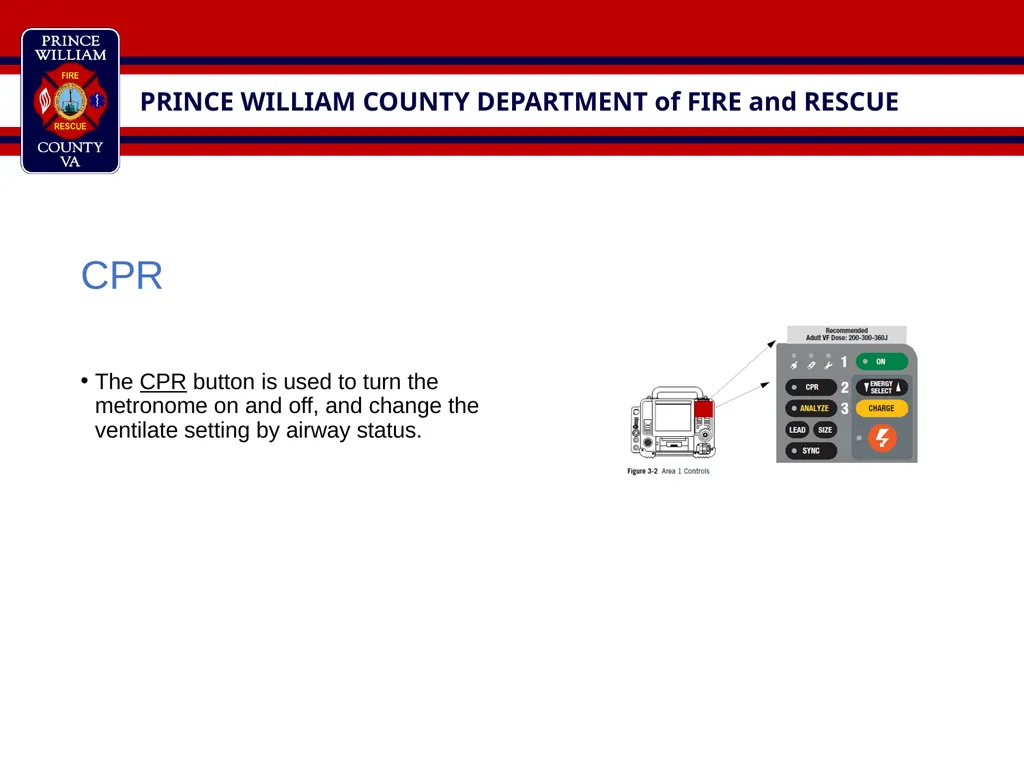
CPR
The CPR button is used to turn the metronome on and off, and change the ventilate setting by airway status.<br>
06
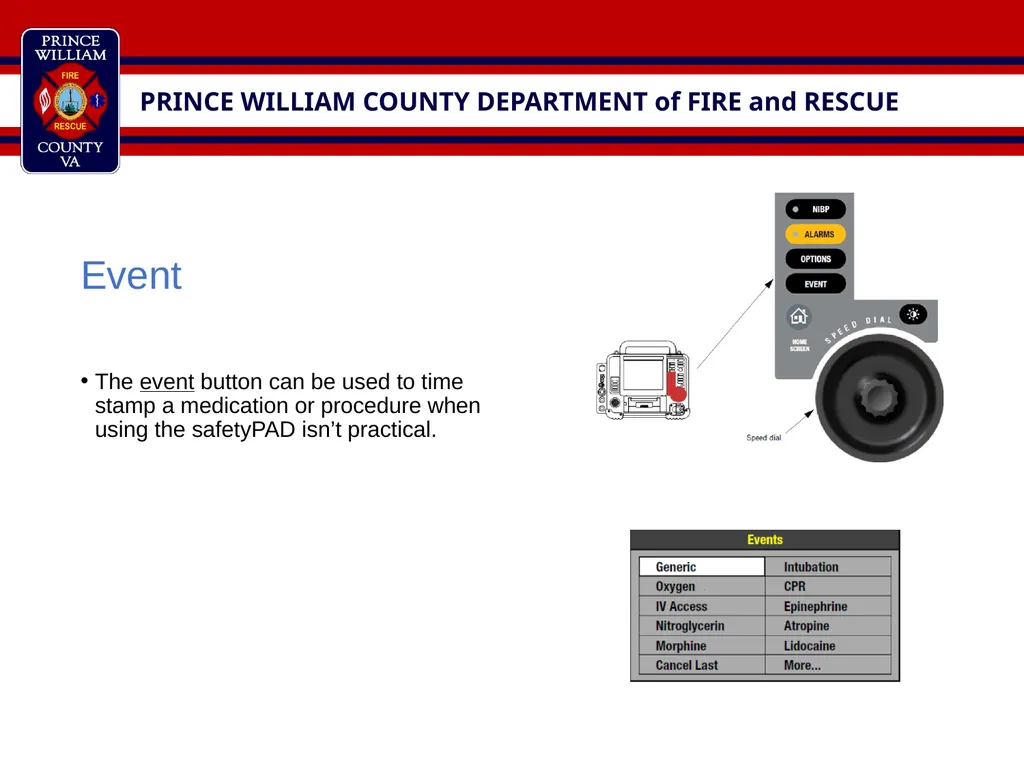
Event
The event button can be used to time stamp a medication or procedure when using the safetyPAD isn’t practical.<br>
07
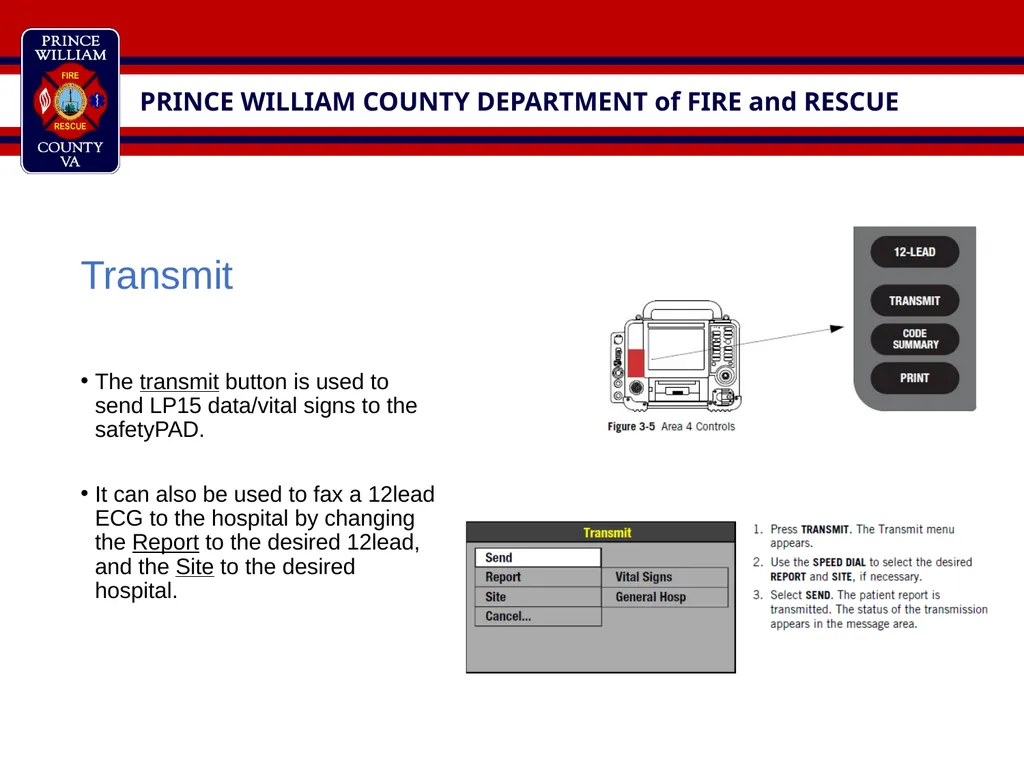
Transmit
The transmit button is used to send LP15 data/vital signs to the safetyPAD.
It can also be used to fax a 12lead ECG to the hospital by changing the Report to the desired 12lead, and the Site to the desired hospital.<br>
08
Options
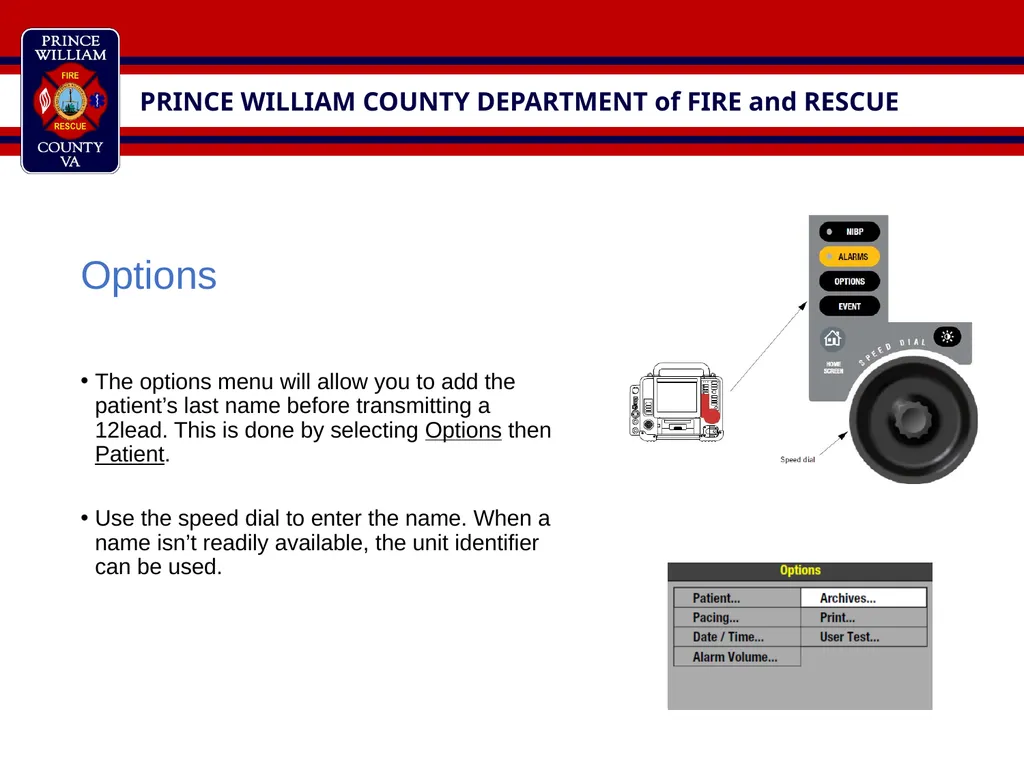
The options menu will allow you to add the patient’s last name before transmitting a 12lead. This is done by selecting Options then Patient.
Use the speed dial to enter the name. When a name isn’t readily available, the unit identifier can be used.<br>
09
Archives
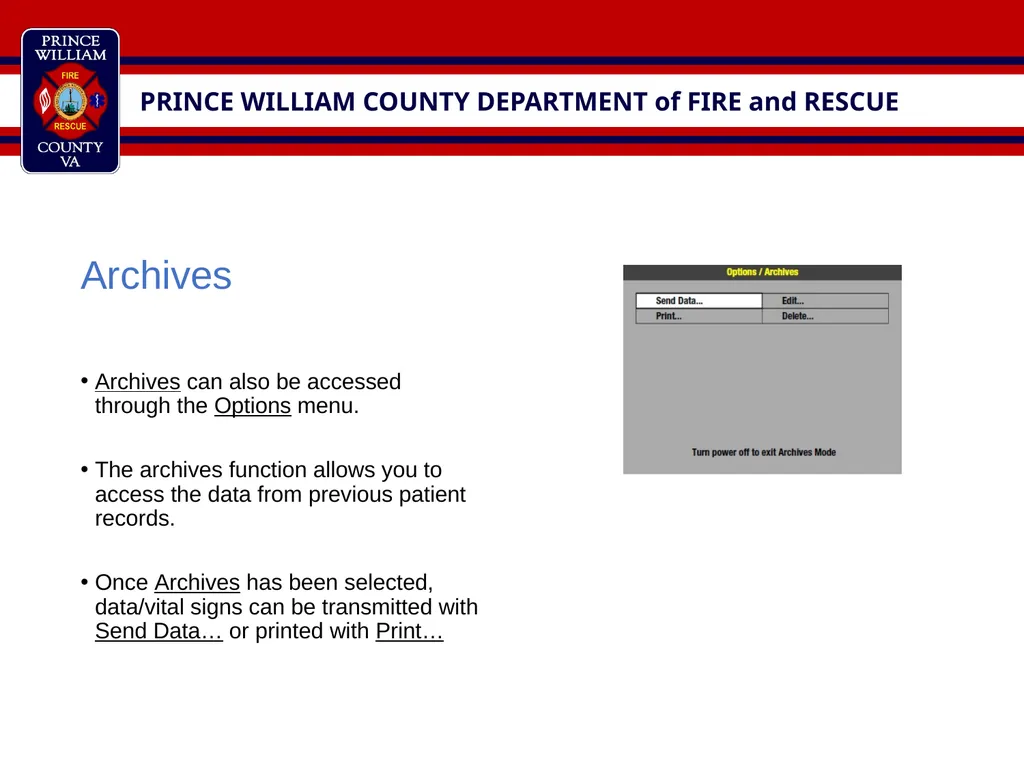
Archives can also be accessed through the Options menu.
The archives function allows you to access the data from previous patient records.
Once Archives has been selected, data/vital signs can be transmitted with Send Data… or printed with Print…<br>
10
Archives - Transmit
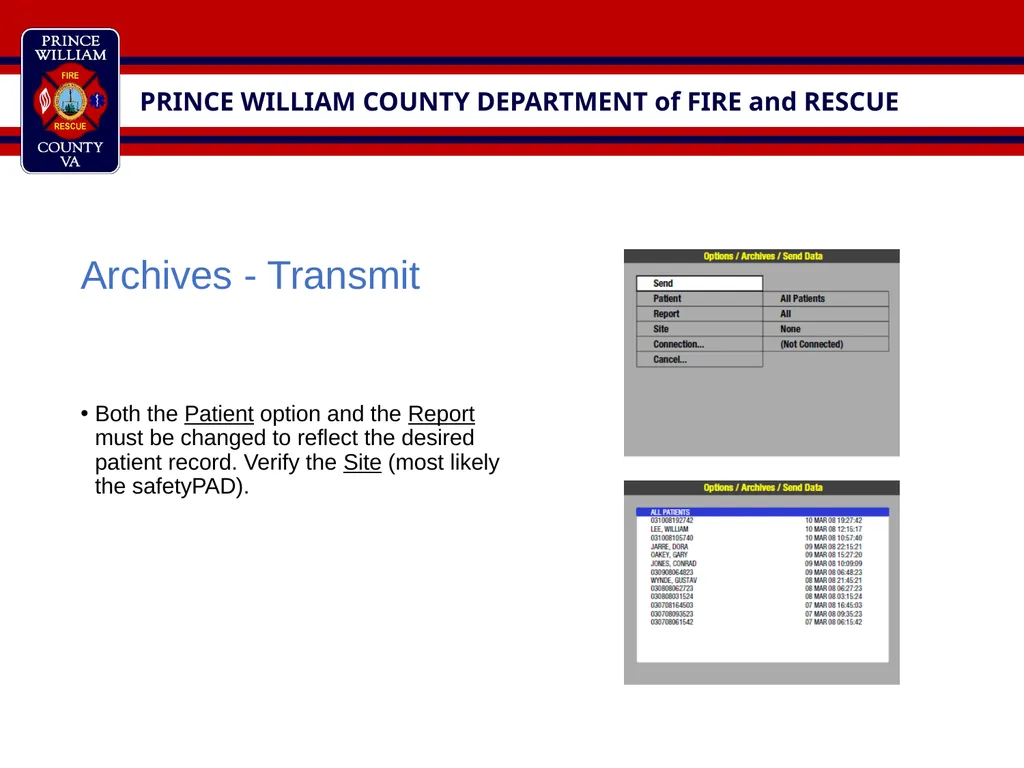
Both the Patient option and the Report must be changed to reflect the desired patient record. Verify the Site (most likely the safetyPAD).<br>
11
Archives - Print
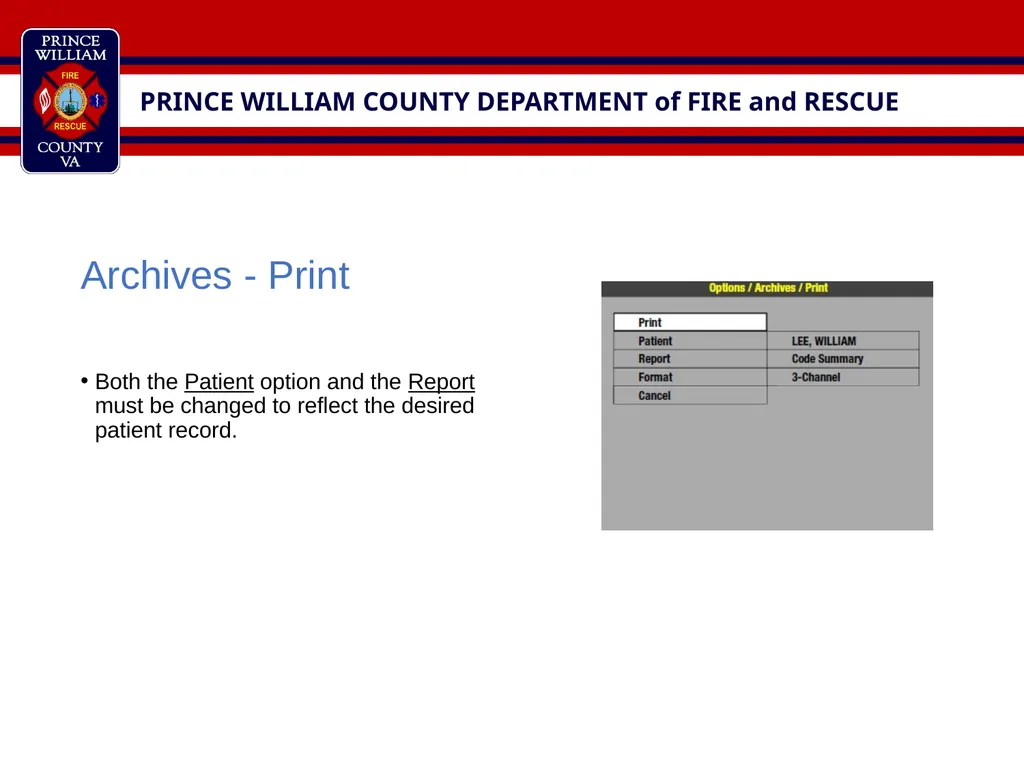
Both the Patient option and the Report must be changed to reflect the desired patient record.<br>
12
AED and Manual Modes
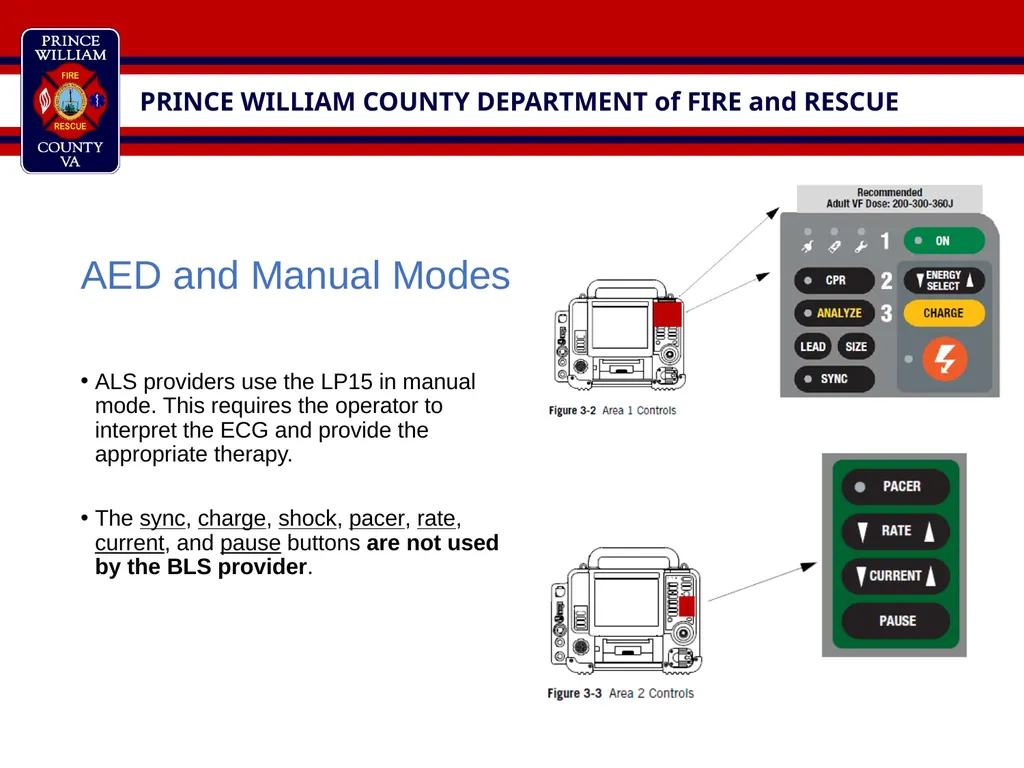
ALS providers use the LP15 in manual mode. This requires the operator to interpret the ECG and provide the appropriate therapy.
The sync, charge, shock, pacer, rate, current, and pause buttons are not used by the BLS provider.<br>
13
AED and Manual Modes
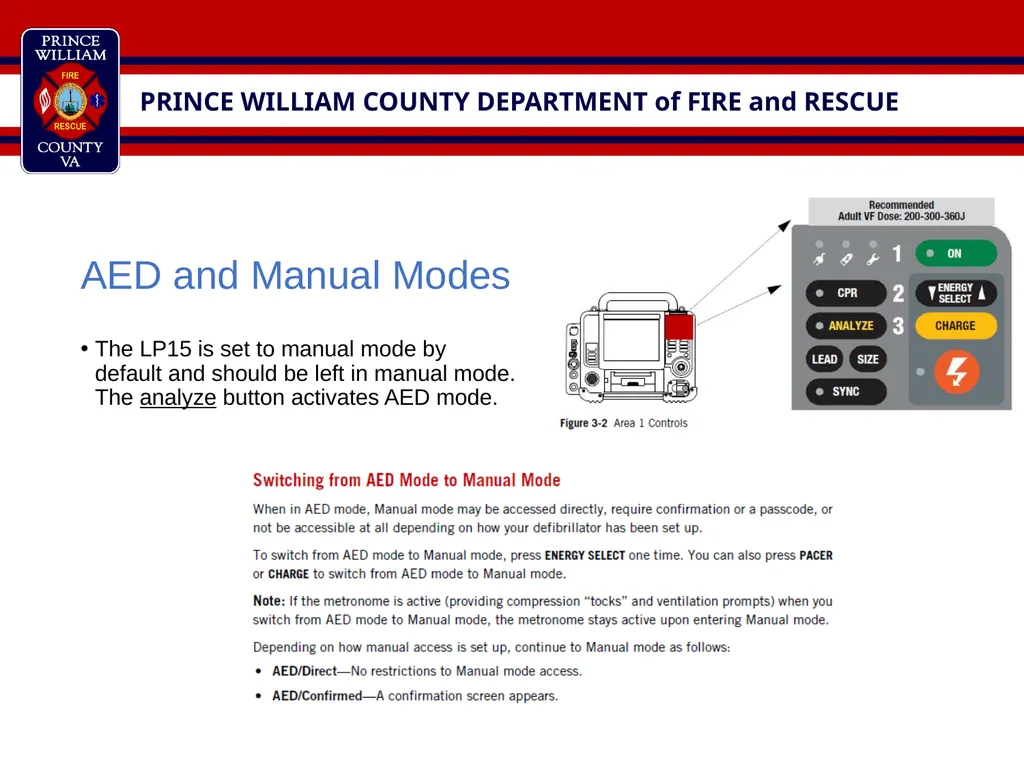
The LP15 is set to manual mode by default and should be left in manual mode. The analyze button activates AED mode.<br>
14
Blood Pressure
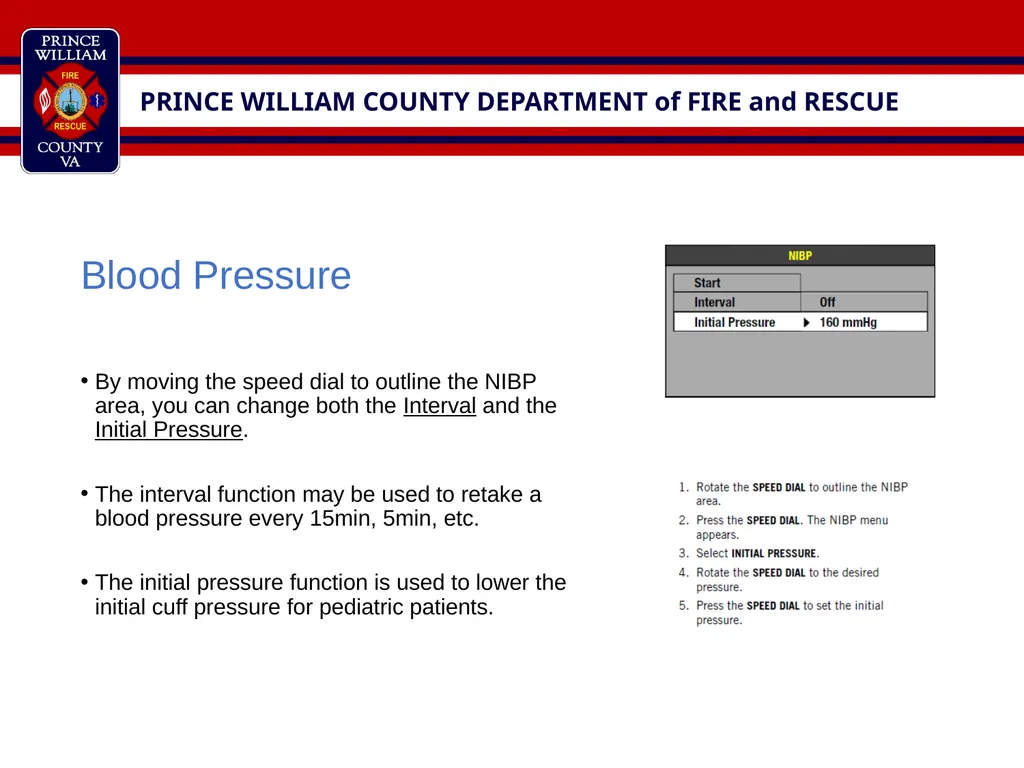
By moving the speed dial to outline the NIBP area, you can change both the Interval and the Initial Pressure.
The interval function may be used to retake a blood pressure every 15min, 5min, etc.
The initial pressure function is used to lower the initial cuff pressure for pediatric patients.<br>
15
Service Requests
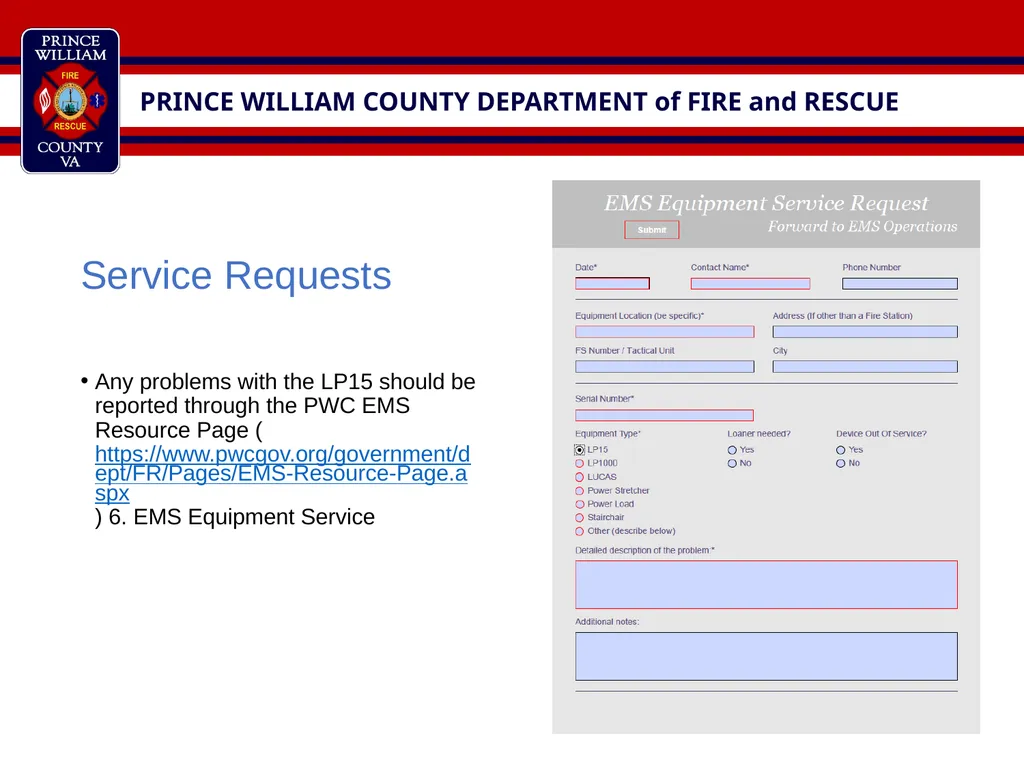
Any problems with the LP15 should be reported through the PWC EMS Resource Page (https://www.pwcgov.org/government/dept/FR/Pages/EMS-Resource-Page.aspx) 6. EMS Equipment Service<br>
16
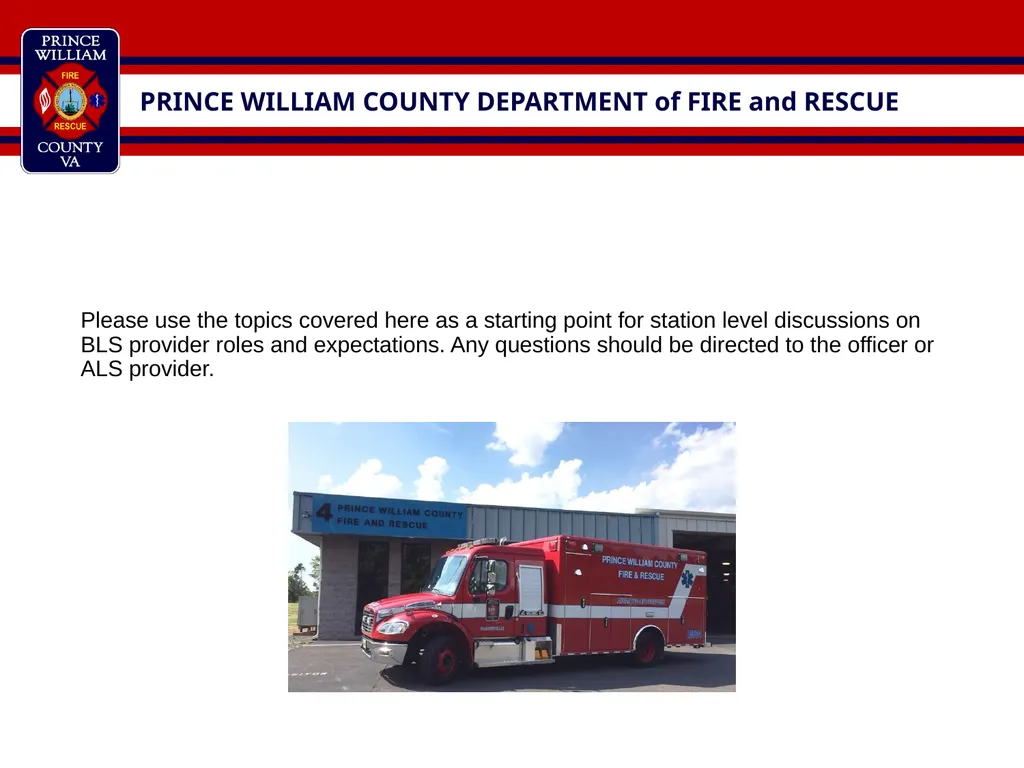
Please use the topics covered here as a starting point for station level discussions on BLS provider roles and expectations. Any questions should be directed to the officer or ALS provider.<br>