
CMSC201 Computer Science I for Majors Lecture 03 –
KL
Published · 56 slides · 0 views
1 / 1
Description
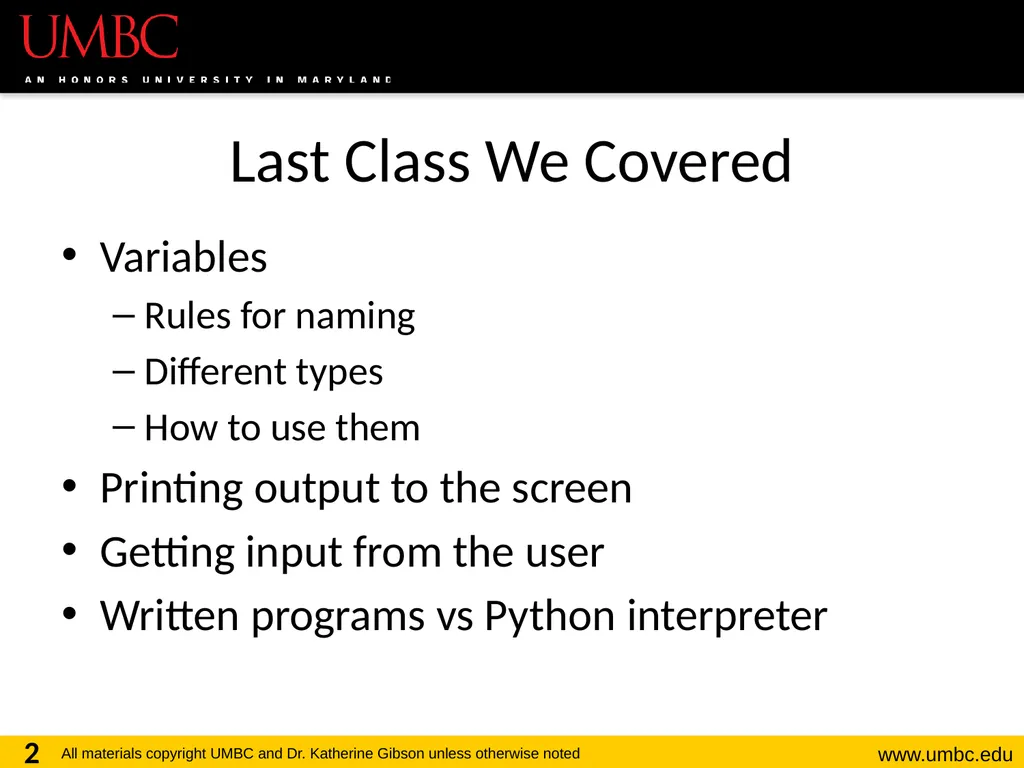
CMSC201 Computer Science I for Majors Lecture 03 Operators Last Class We Covered Variables Rules for naming Different types How to use them Printing output to the screen Getting input from the user Written programs vs Python interpreter 2
Related Topics
Share
Embed code
Download this presentation From Below
"CMSC201 Computer Science I for Majors Lecture 03 –" is the property of its rightful owner. Permission is granted to download and print the materials on this website for personal, non-commercial use only, and to display it on your personal computer provided you do not modify the materials and that you retain all copyright notices contained in the materials. By downloading content from our website, you accept the terms of this agreement.
Presentation Transcript
01
CMSC201
Computer Science I for Majors
Lecture 03 – Operators<br>
02
Last Class We Covered Variables
Rules for naming
Different types
How to use them
Printing output to the screen
Getting input from the user
Written programs vs Python interpreter 2<br>
Rules for naming
Different types
How to use them
Printing output to the screen
Getting input from the user
Written programs vs Python interpreter 2<br>
03
3 Any Questions from Last Time?<br>
04
Today’s Objectives To learn Python’s operators
Arithmetic operators
Including mod and integer division
Assignment operators
Comparison operators
Boolean operators
To understand the order of operations 4<br>
Arithmetic operators
Including mod and integer division
Assignment operators
Comparison operators
Boolean operators
To understand the order of operations 4<br>
05
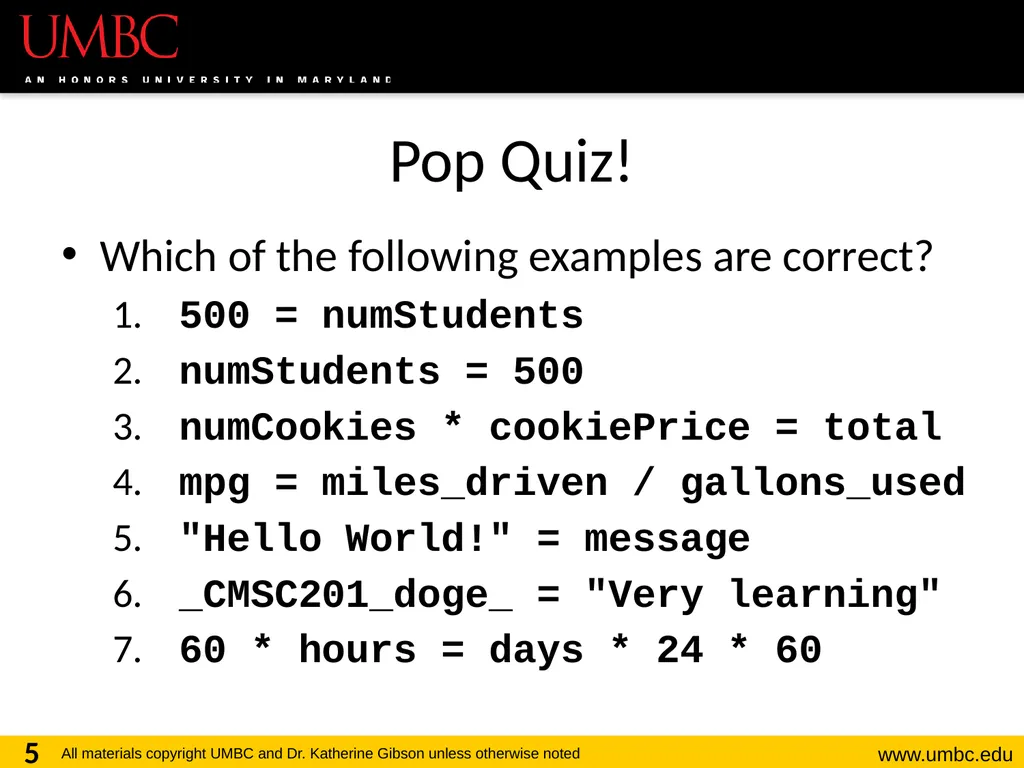
Pop Quiz! Which of the following examples are correct?
500 = numStudents
numStudents = 500
numCookies * cookiePrice = total
mpg = miles_driven / gallons_used
"Hello World!" = message
_CMSC201_doge_ = "Very learning"
60 * hours = days * 24 * 60 5<br>
500 = numStudents
numStudents = 500
numCookies * cookiePrice = total
mpg = miles_driven / gallons_used
"Hello World!" = message
_CMSC201_doge_ = "Very learning"
60 * hours = days * 24 * 60 5<br>
06
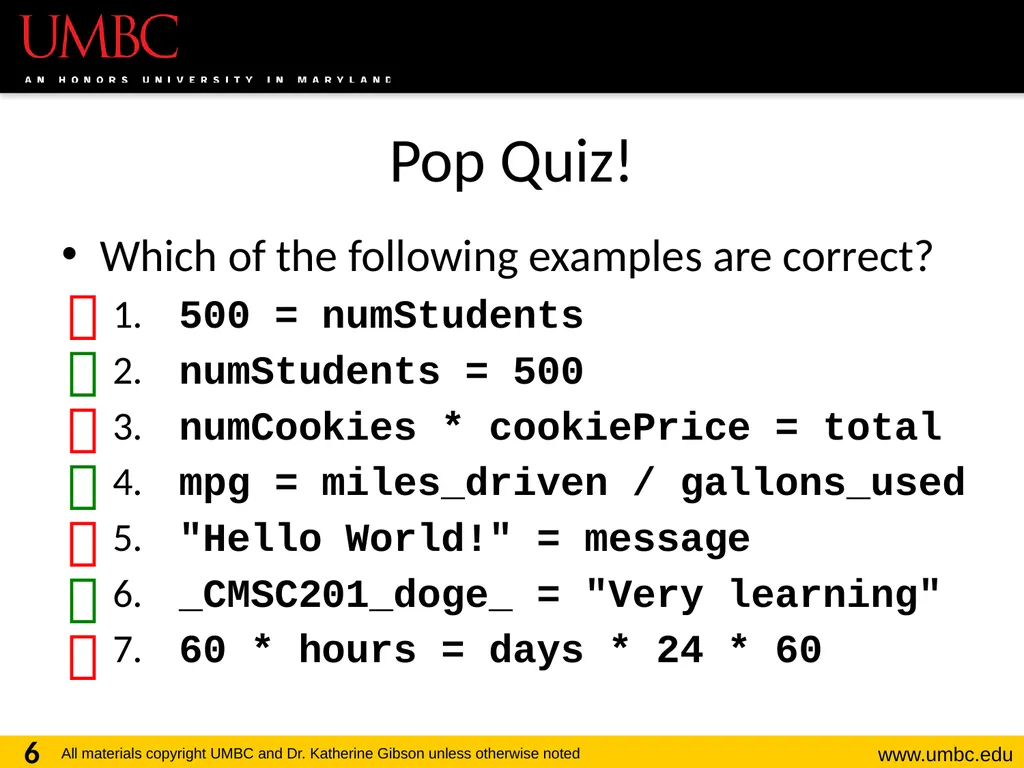
Pop Quiz! Which of the following examples are correct?
500 = numStudents
numStudents = 500
numCookies * cookiePrice = total
mpg = miles_driven / gallons_used
"Hello World!" = message
_CMSC201_doge_ = "Very learning"
60 * hours = days * 24 * 60 6<br>
500 = numStudents
numStudents = 500
numCookies * cookiePrice = total
mpg = miles_driven / gallons_used
"Hello World!" = message
_CMSC201_doge_ = "Very learning"
60 * hours = days * 24 * 60 6<br>
07
7 Python’s Operators<br>
08
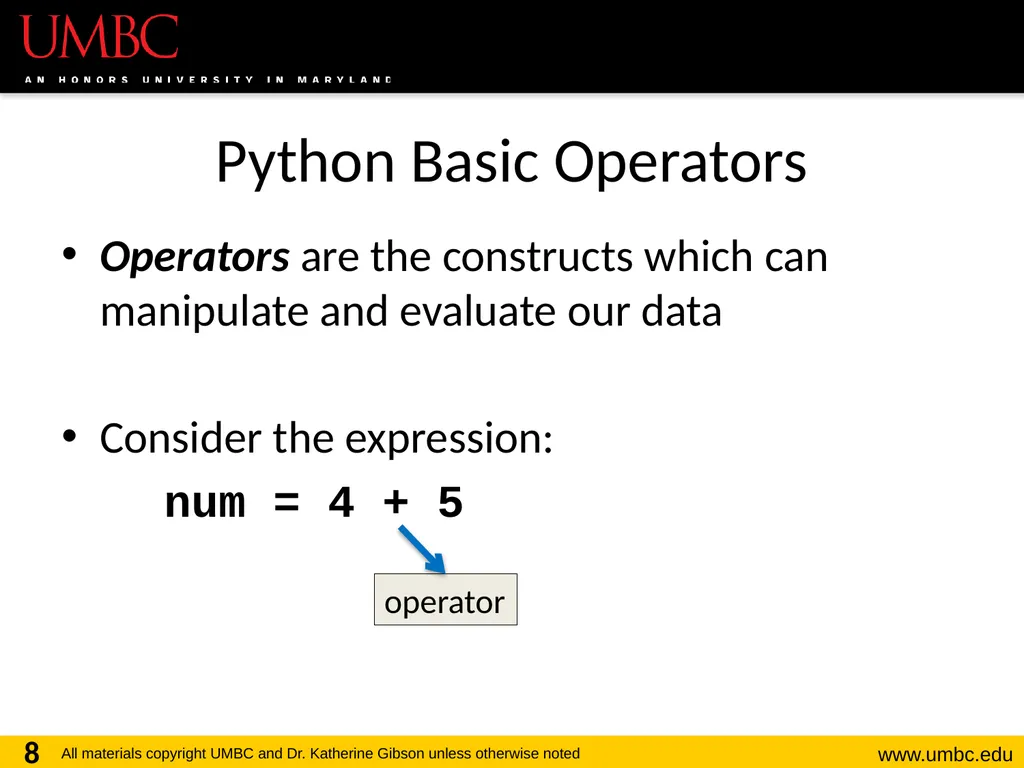
Python Basic Operators Operators are the constructs which can manipulate and evaluate our data
Consider the expression:
num = 4 + 5 8 operator<br>
Consider the expression:
num = 4 + 5 8 operator<br>
09
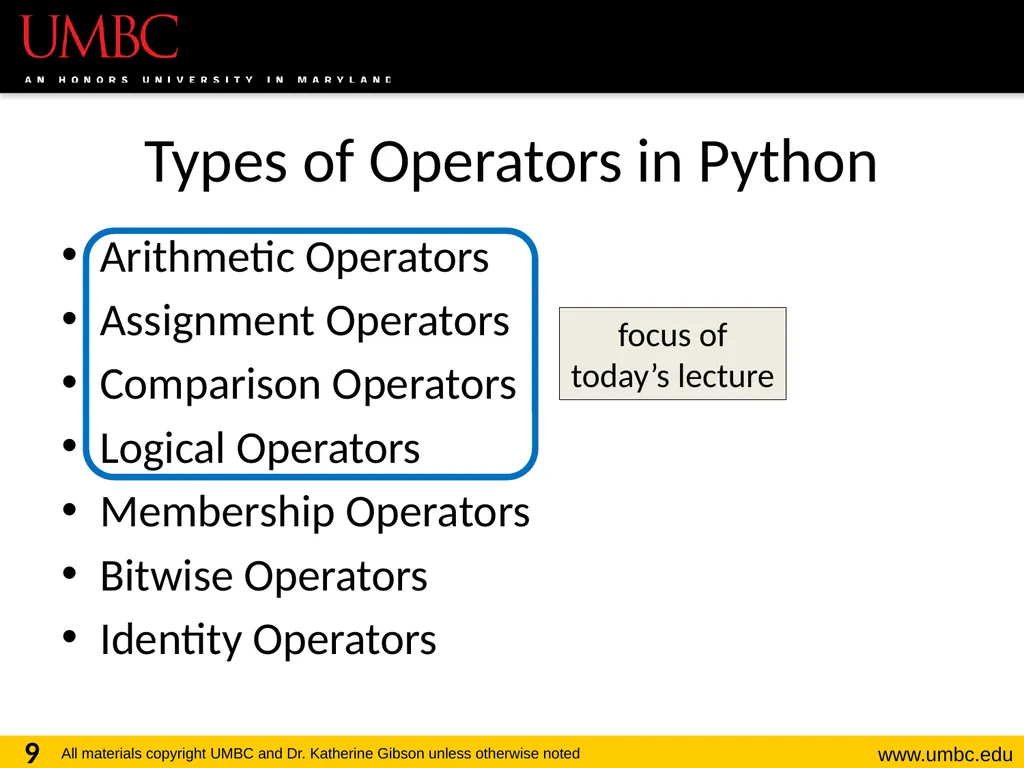
Types of Operators in Python Arithmetic Operators
Assignment Operators
Comparison Operators
Logical Operators
Membership Operators
Bitwise Operators
Identity Operators 9 focus of today’s lecture<br>
Assignment Operators
Comparison Operators
Logical Operators
Membership Operators
Bitwise Operators
Identity Operators 9 focus of today’s lecture<br>
10
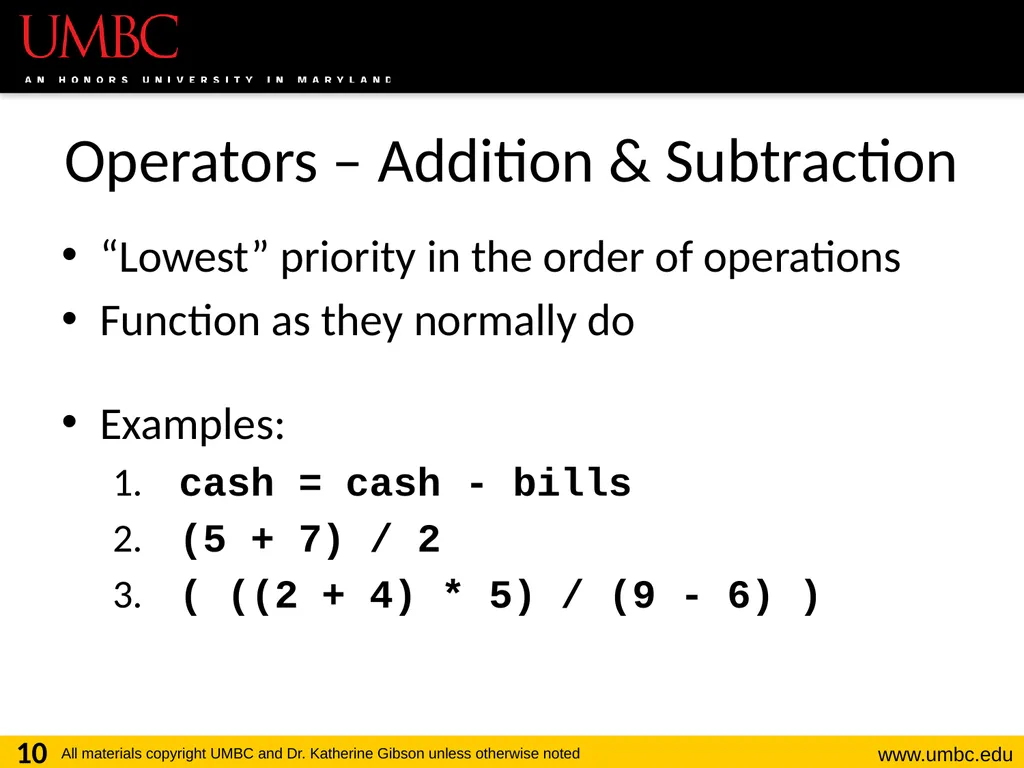
Operators – Addition & Subtraction “Lowest” priority in the order of operations
Function as they normally do
Examples:
cash = cash - bills
(5 + 7) / 2
( ((2 + 4) * 5) / (9 - 6) ) 10<br>
Function as they normally do
Examples:
cash = cash - bills
(5 + 7) / 2
( ((2 + 4) * 5) / (9 - 6) ) 10<br>
11
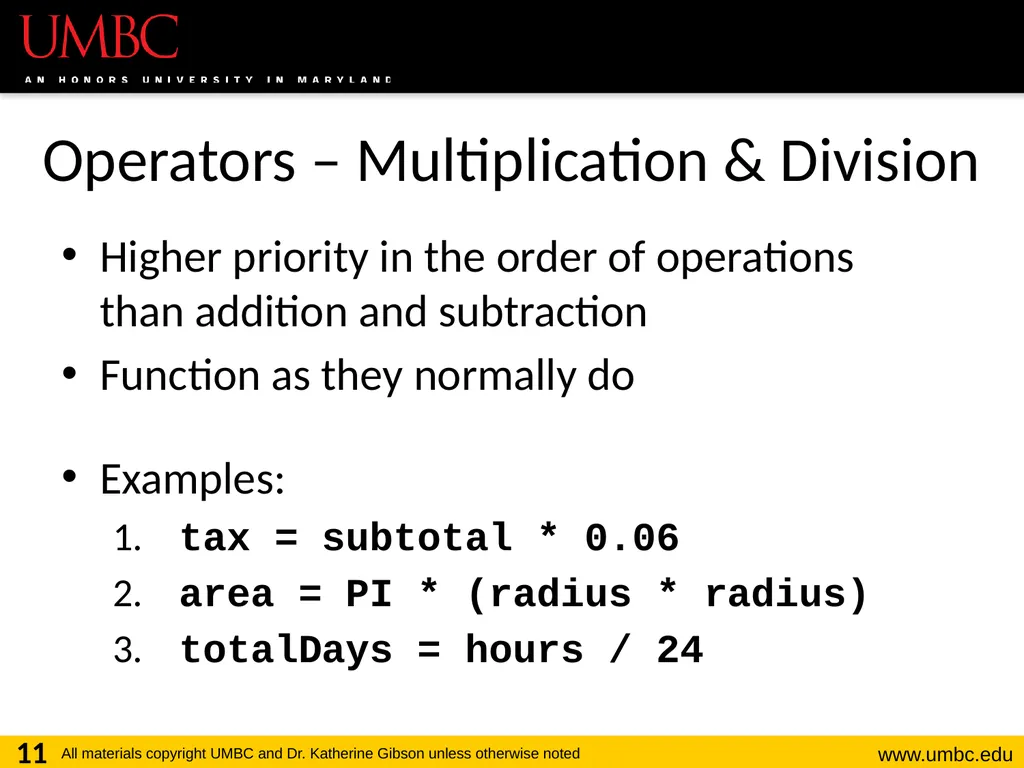
Operators – Multiplication & Division Higher priority in the order of operations
than addition and subtraction
Function as they normally do
Examples:
tax = subtotal * 0.06
area = PI * (radius * radius)
totalDays = hours / 24 11<br>
Function as they normally do
Examples:
tax = subtotal * 0.06
area = PI * (radius * radius)
totalDays = hours / 24 11<br>
12
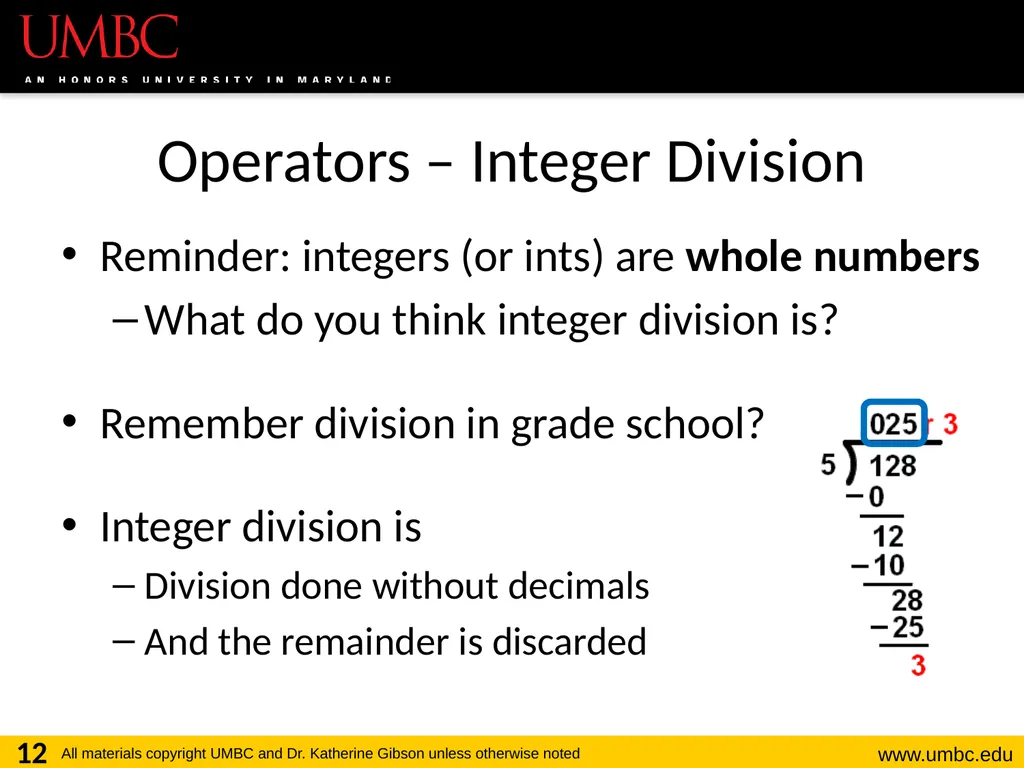
Operators – Integer Division Reminder: integers (or ints) are whole numbers
What do you think integer division is?
Remember division in grade school?
Integer division is
Division done without decimals
And the remainder is discarded 12<br>
What do you think integer division is?
Remember division in grade school?
Integer division is
Division done without decimals
And the remainder is discarded 12<br>
13
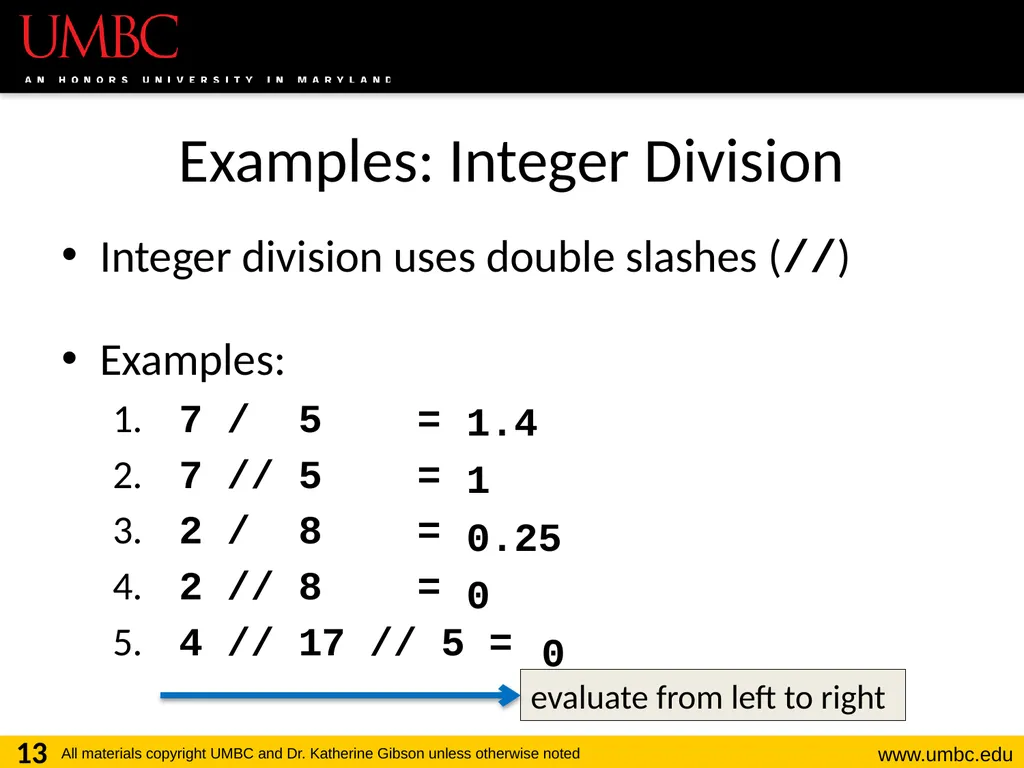
Examples: Integer Division Integer division uses double slashes (//)
Examples:
7 / 5 =
7 // 5 =
2 / 8 =
2 // 8 =
4 // 17 // 5 = 13 1.4
1
0.25
0
0 evaluate from left to right<br>
Examples:
7 / 5 =
7 // 5 =
2 / 8 =
2 // 8 =
4 // 17 // 5 = 13 1.4
1
0.25
0
0 evaluate from left to right<br>
14
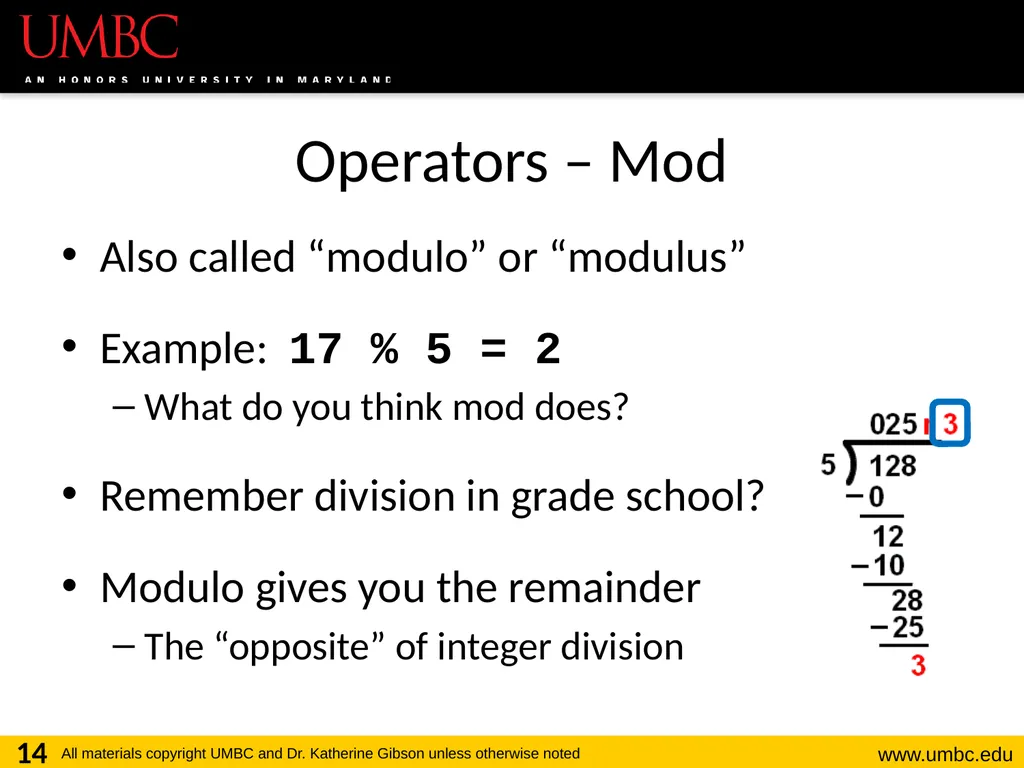
Operators – Mod Also called “modulo” or “modulus”
Example: 17 % 5 = 2
What do you think mod does?
Remember division in grade school?
Modulo gives you the remainder
The “opposite” of integer division 14<br>
Example: 17 % 5 = 2
What do you think mod does?
Remember division in grade school?
Modulo gives you the remainder
The “opposite” of integer division 14<br>
15
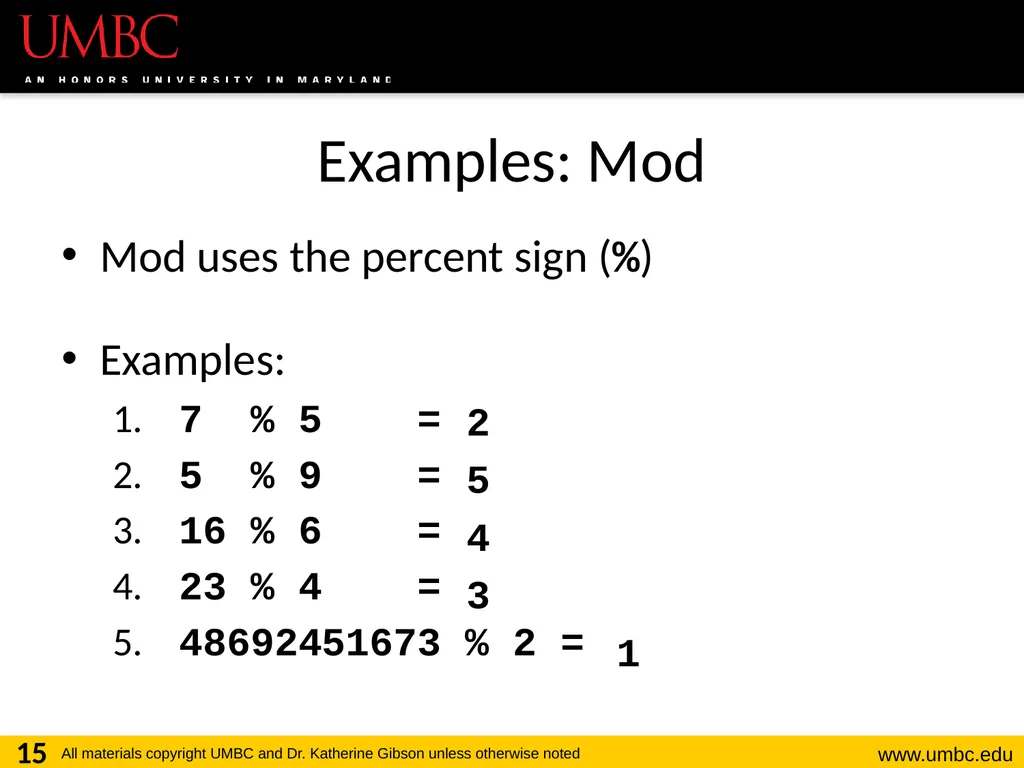
Examples: Mod Mod uses the percent sign (%)
Examples:
7 % 5 =
5 % 9 =
16 % 6 =
23 % 4 =
48692451673 % 2 = 15 2
5
4
3
1<br>
Examples:
7 % 5 =
5 % 9 =
16 % 6 =
23 % 4 =
48692451673 % 2 = 15 2
5
4
3
1<br>
16
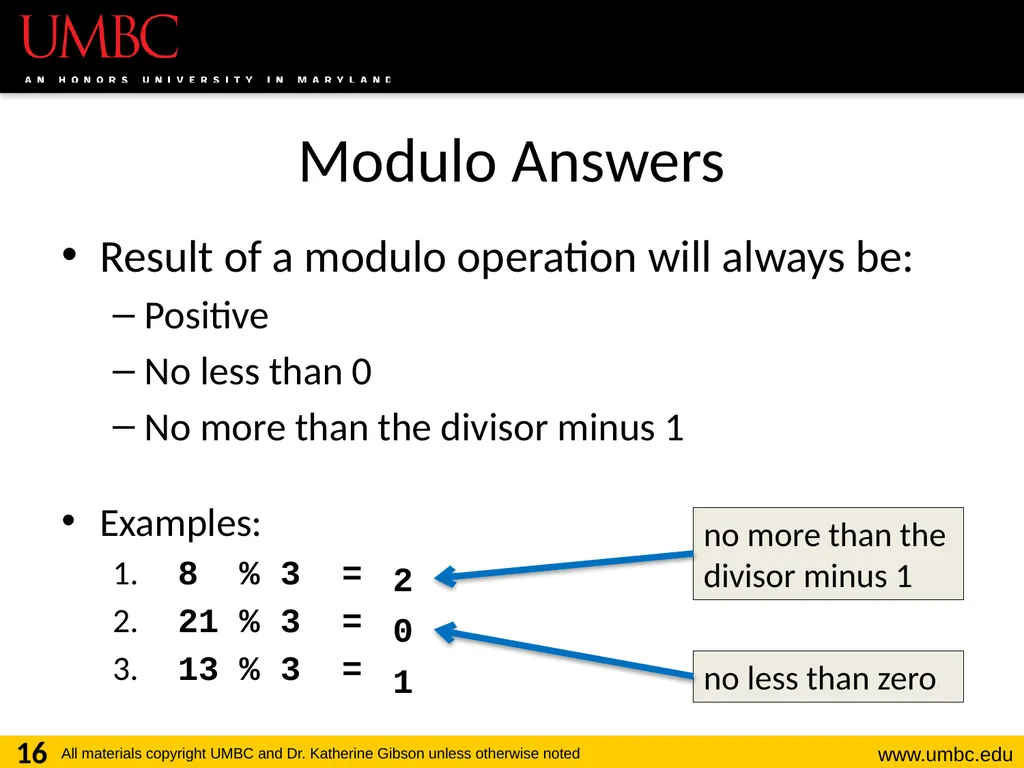
Modulo Answers Result of a modulo operation will always be:
Positive
No less than 0
No more than the divisor minus 1
Examples:
8 % 3 =
21 % 3 =
13 % 3 = 16 2
0
1 no less than zero no more than the divisor minus 1<br>
Positive
No less than 0
No more than the divisor minus 1
Examples:
8 % 3 =
21 % 3 =
13 % 3 = 16 2
0
1 no less than zero no more than the divisor minus 1<br>
17
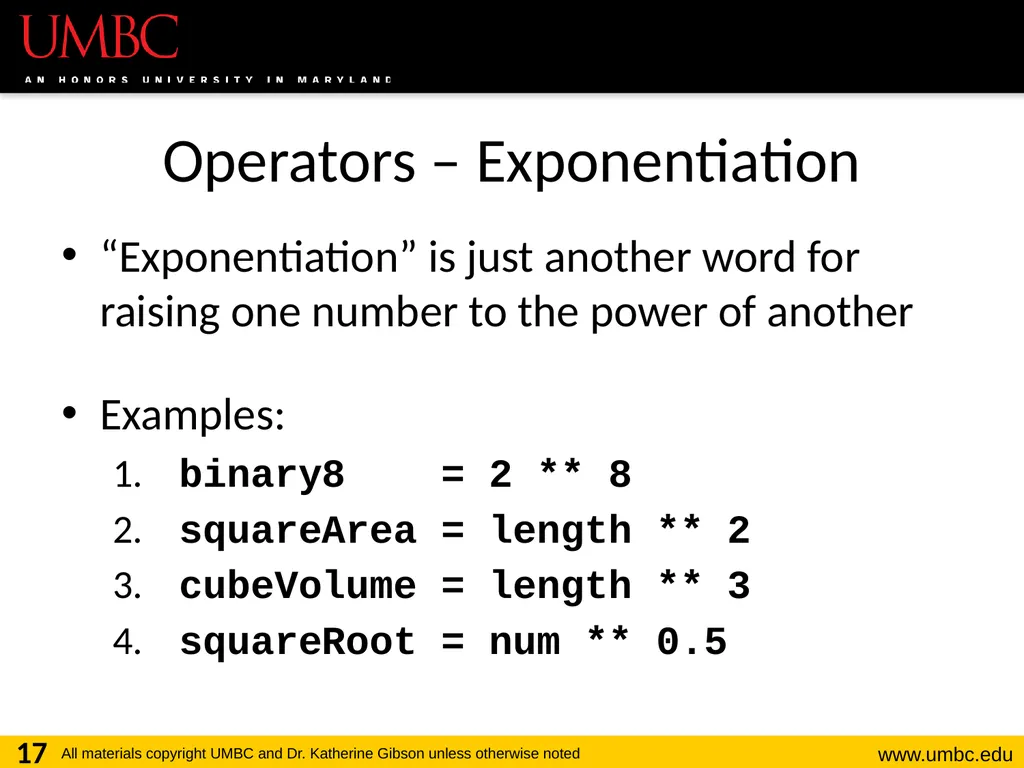
Operators – Exponentiation “Exponentiation” is just another word for raising one number to the power of another
Examples:
binary8 = 2 ** 8
squareArea = length ** 2
cubeVolume = length ** 3
squareRoot = num ** 0.5 17<br>
Examples:
binary8 = 2 ** 8
squareArea = length ** 2
cubeVolume = length ** 3
squareRoot = num ** 0.5 17<br>
18
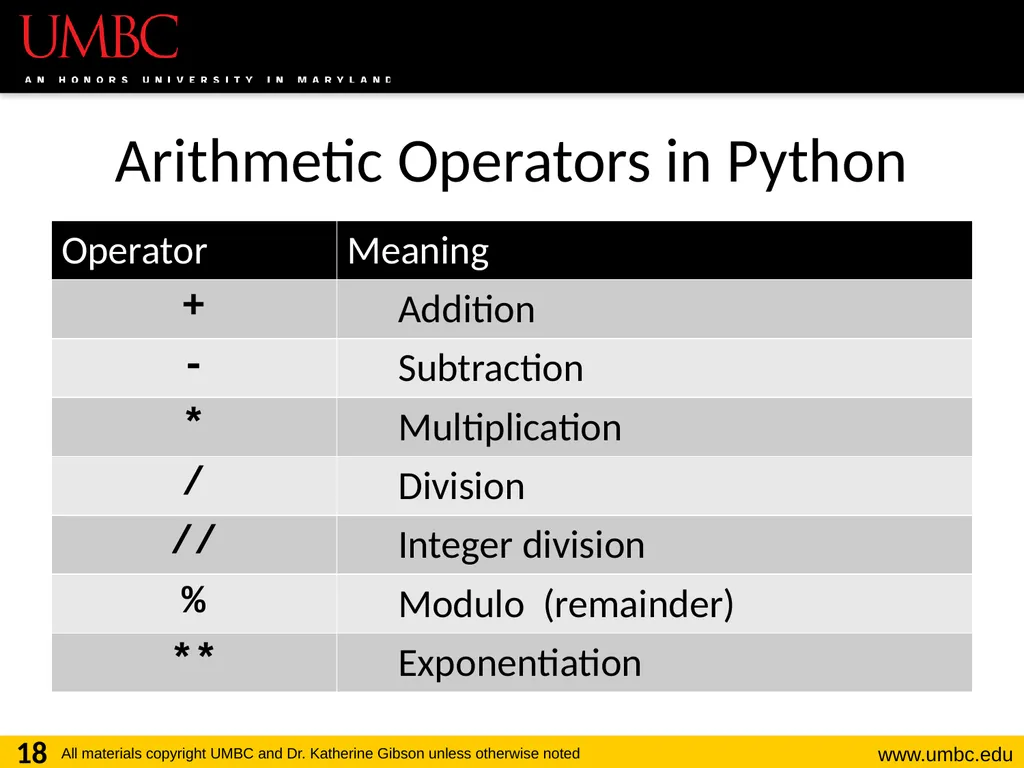
Arithmetic Operators in Python 18<br>
19
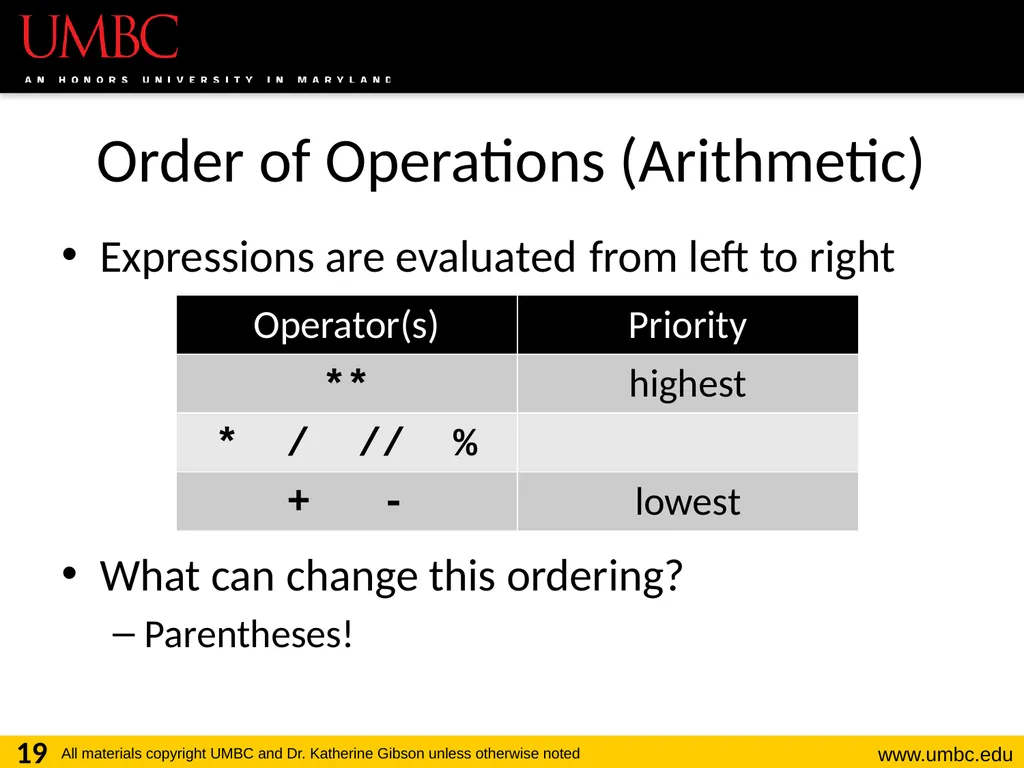
Order of Operations (Arithmetic) Expressions are evaluated in what direction?
What can change this ordering?
Parentheses! 19 from left to right **
* / // %
+ -<br>
What can change this ordering?
Parentheses! 19 from left to right **
* / // %
+ -<br>
20
20 Floating Point Errors<br>
21
Division: Floats and Integers Floats (decimals) and integers (whole numbers) behave in two different ways in Python
And in many other programming languages
Biggest difference is how their division works
Python 3 automatically performs decimal division
For both integers and floats
Have to explicitly call integer division 21<br>
And in many other programming languages
Biggest difference is how their division works
Python 3 automatically performs decimal division
For both integers and floats
Have to explicitly call integer division 21<br>
22
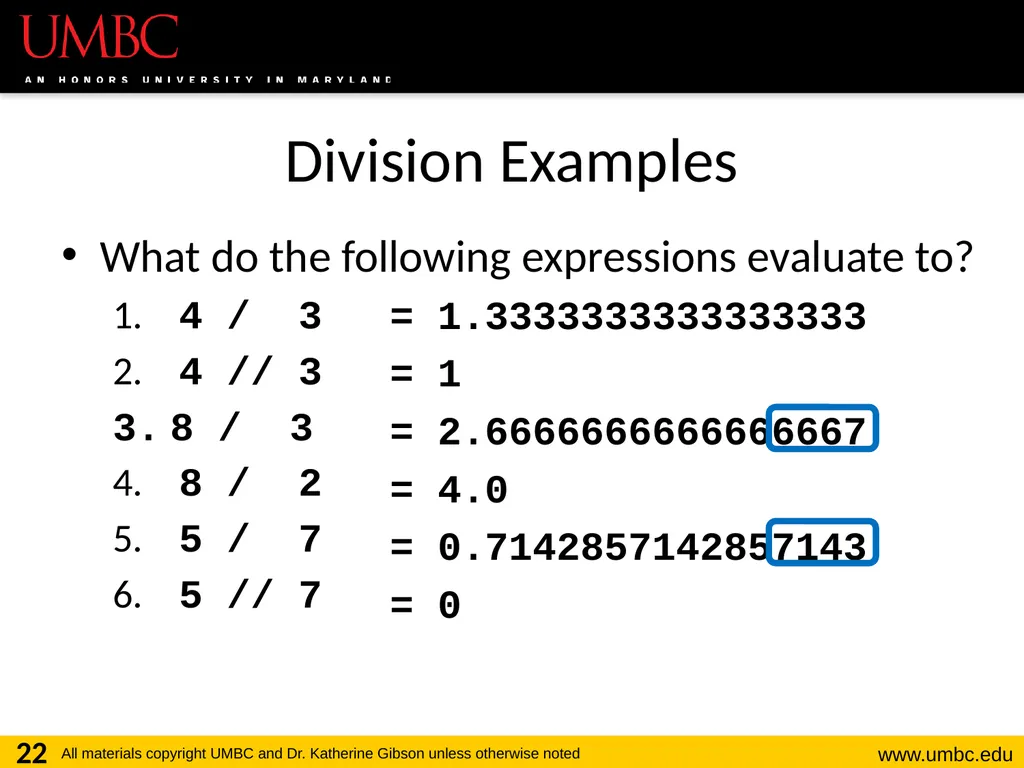
Division Examples What do the following expressions evaluate to?
4 / 3
4 // 3
8 / 3
8 / 2
5 / 7
5 // 7 22 = 1.3333333333333333
= 1
= 2.6666666666666667
= 4.0
= 0.7142857142857143
= 0<br>
4 / 3
4 // 3
8 / 3
8 / 2
5 / 7
5 // 7 22 = 1.3333333333333333
= 1
= 2.6666666666666667
= 4.0
= 0.7142857142857143
= 0<br>
23
Rounding Errors Sometimes we need to approximate the representation of numbers
0.66666666666666666666666667…
3.14159265358979323846264338328…
We know that this can lead to incorrect answers when doing calculations later
Something similar happens when numbers are stored in a computer’s memory 23<br>
0.66666666666666666666666667…
3.14159265358979323846264338328…
We know that this can lead to incorrect answers when doing calculations later
Something similar happens when numbers are stored in a computer’s memory 23<br>
24
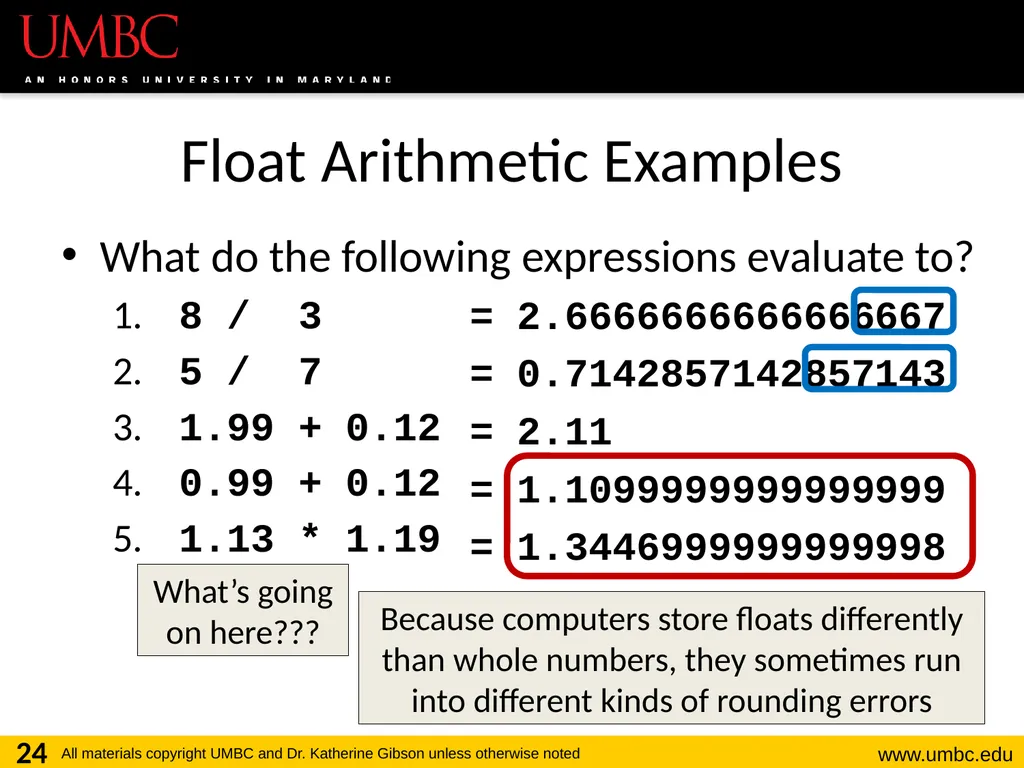
Float Arithmetic Examples What do the following expressions evaluate to?
8 / 3
5 / 7
1.99 + 0.12
0.99 + 0.12
1.13 * 1.19 24 = 2.6666666666666667
= 0.7142857142857143
= 2.11
= 1.1099999999999999
= 1.3446999999999998 Because computers store floats differently than whole numbers, they sometimes run into different kinds of rounding errors What’s going on here???<br>
8 / 3
5 / 7
1.99 + 0.12
0.99 + 0.12
1.13 * 1.19 24 = 2.6666666666666667
= 0.7142857142857143
= 2.11
= 1.1099999999999999
= 1.3446999999999998 Because computers store floats differently than whole numbers, they sometimes run into different kinds of rounding errors What’s going on here???<br>
25
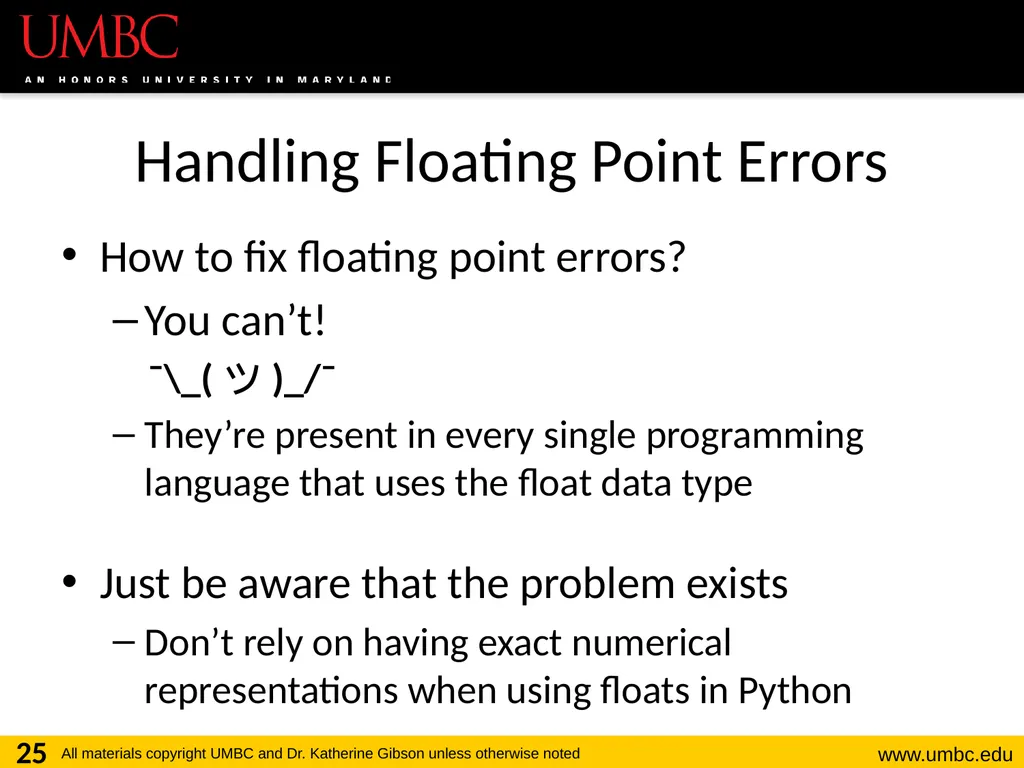
Handling Floating Point Errors How to fix floating point errors?
You can’t!
¯\_(ツ)_/¯
They’re present in every single programming language that uses the float data type
Just be aware that the problem exists
Don’t rely on having exact numerical representations when using floats in Python 25<br>
You can’t!
¯\_(ツ)_/¯
They’re present in every single programming language that uses the float data type
Just be aware that the problem exists
Don’t rely on having exact numerical representations when using floats in Python 25<br>
26
26 Assignment Operators<br>
27
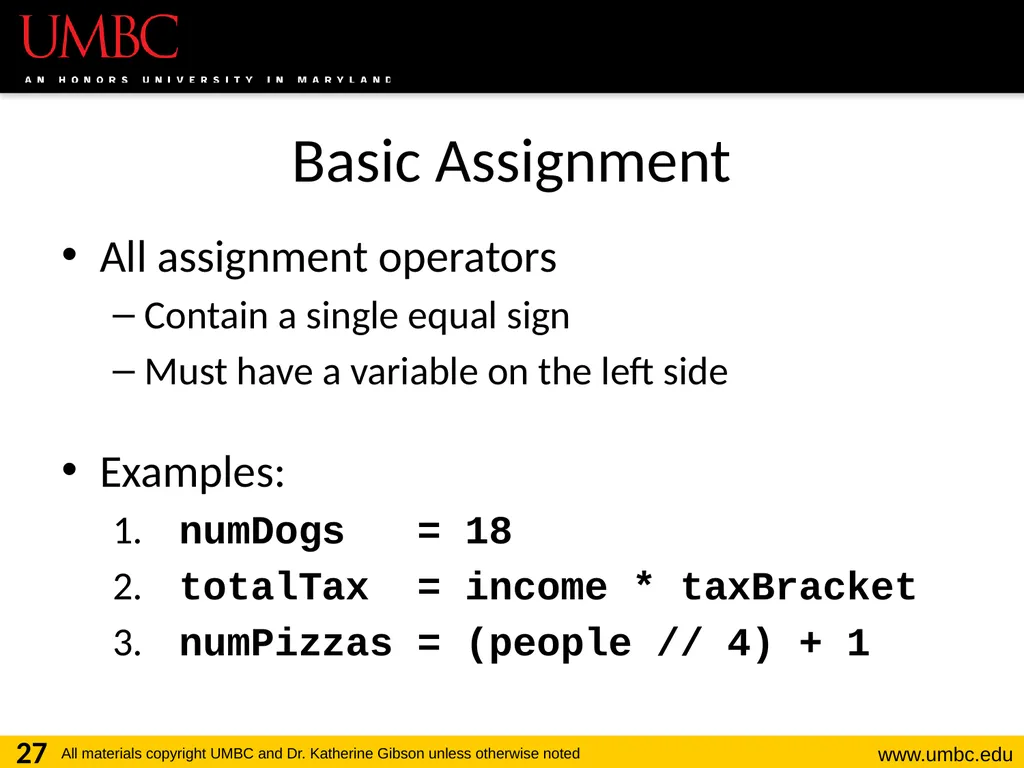
Basic Assignment All assignment operators
Contain a single equal sign
Must have a variable on the left side
Examples:
numDogs = 18
totalTax = income * taxBracket
numPizzas = (people // 4) + 1 27<br>
Contain a single equal sign
Must have a variable on the left side
Examples:
numDogs = 18
totalTax = income * taxBracket
numPizzas = (people // 4) + 1 27<br>
28
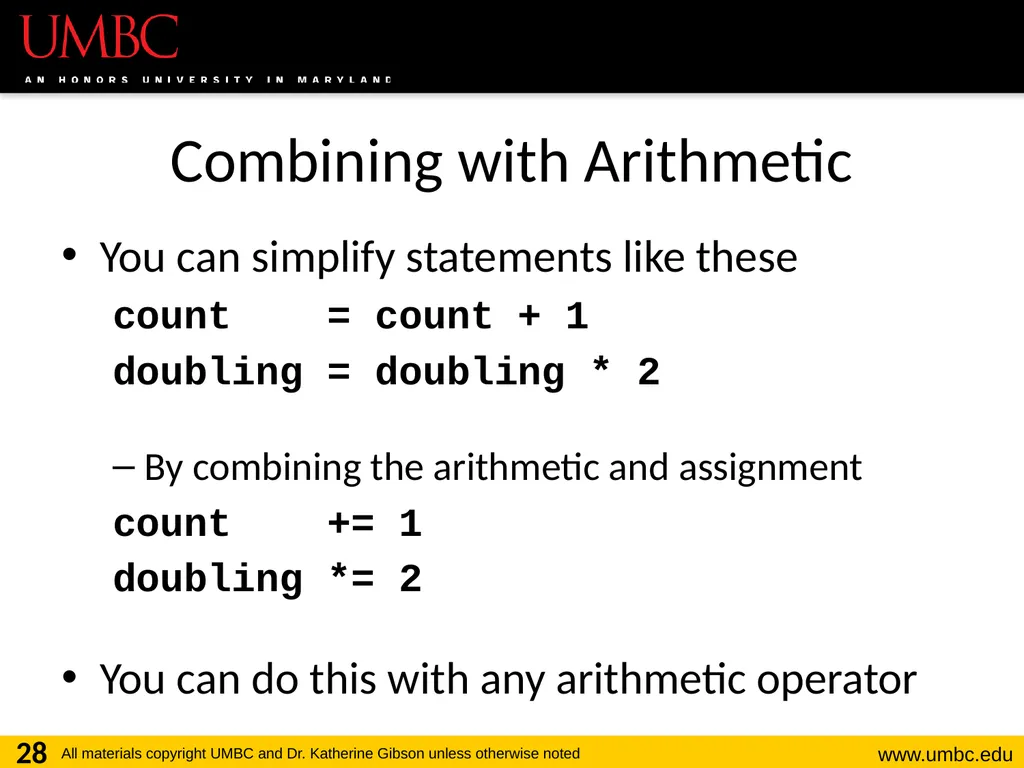
Combining with Arithmetic You can simplify statements like these
count = count + 1
doubling = doubling * 2
By combining the arithmetic and assignment
count += 1
doubling *= 2
You can do this with any arithmetic operator 28<br>
count = count + 1
doubling = doubling * 2
By combining the arithmetic and assignment
count += 1
doubling *= 2
You can do this with any arithmetic operator 28<br>
29
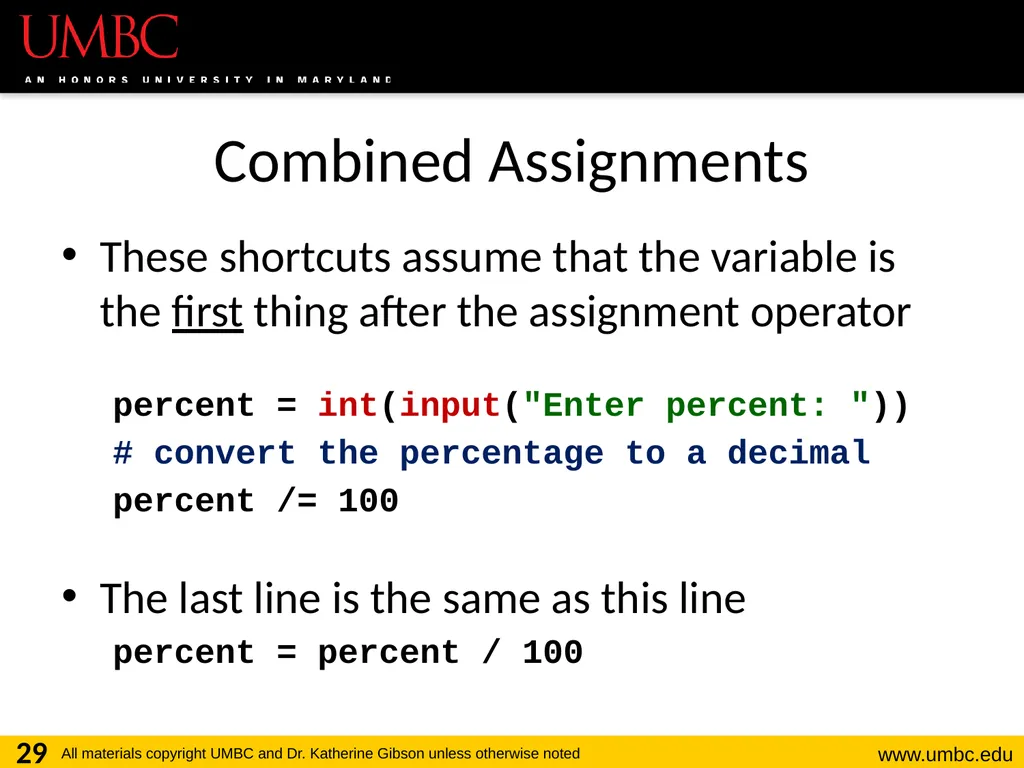
Combined Assignments These shortcuts assume that the variable is the first thing after the assignment operator
percent = int(input("Enter percent: "))
# convert the percentage to a decimal
percent /= 100
The last line is the same as this line
percent = percent / 100 29<br>
percent = int(input("Enter percent: "))
# convert the percentage to a decimal
percent /= 100
The last line is the same as this line
percent = percent / 100 29<br>
30
30 Comparison Operators<br>
31
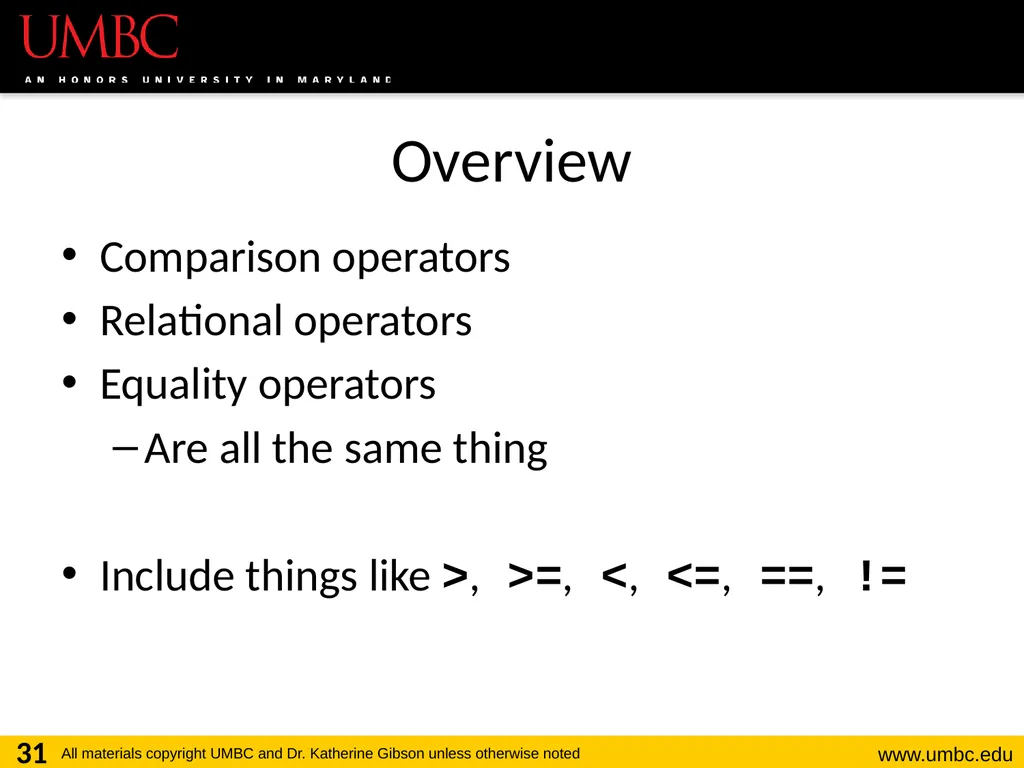
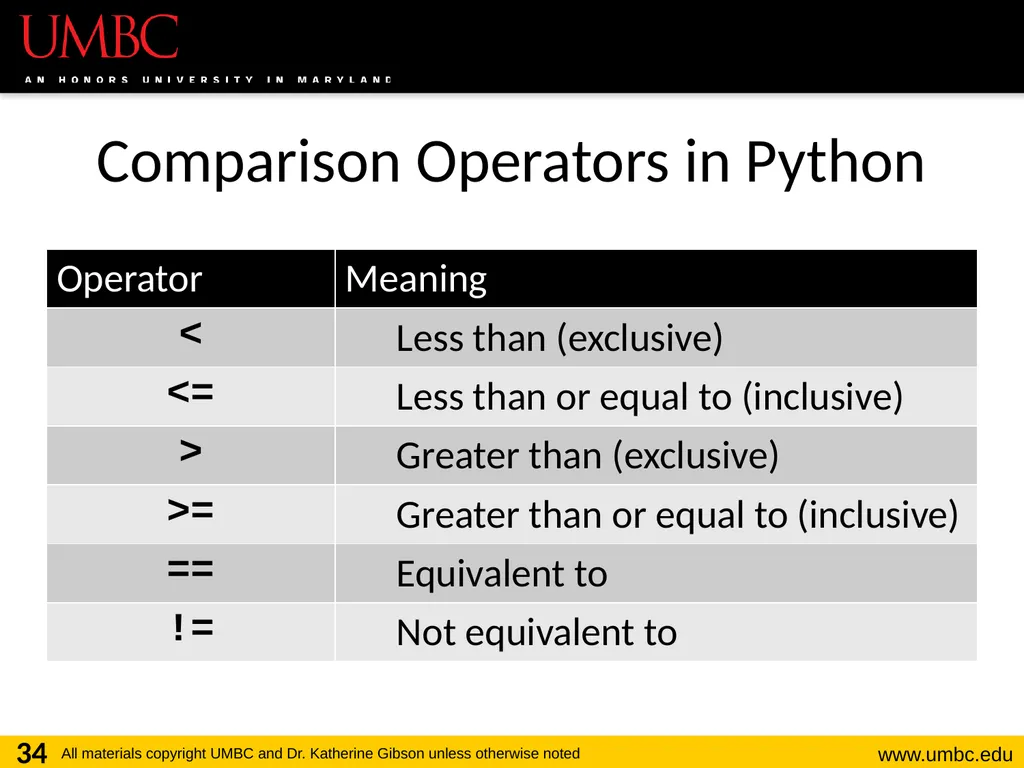
Overview Comparison operators
Relational operators
Equality operators
Are all the same thing
Include things like >, >=, <, <=, ==, != 31<br>
Relational operators
Equality operators
Are all the same thing
Include things like >, >=, <, <=, ==, != 31<br>
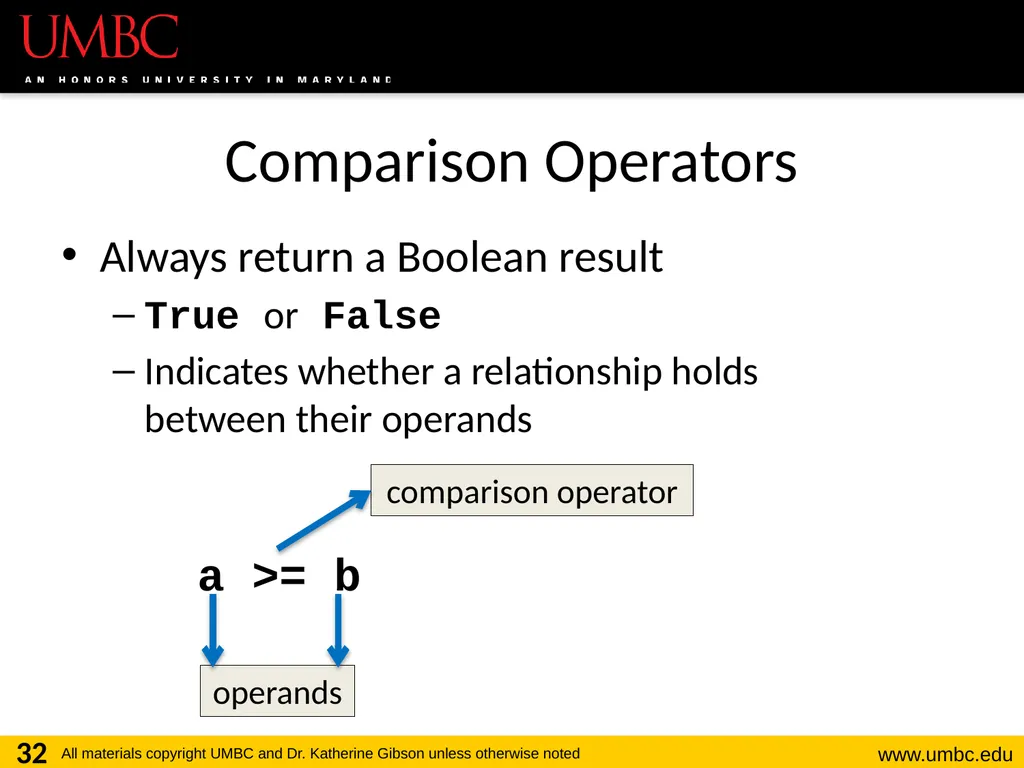
32
Comparison Operators Always return a Boolean result
True or False
Indicates whether a relationship holds between their operands 32 operands a >= b comparison operator<br>
True or False
Indicates whether a relationship holds between their operands 32 operands a >= b comparison operator<br>
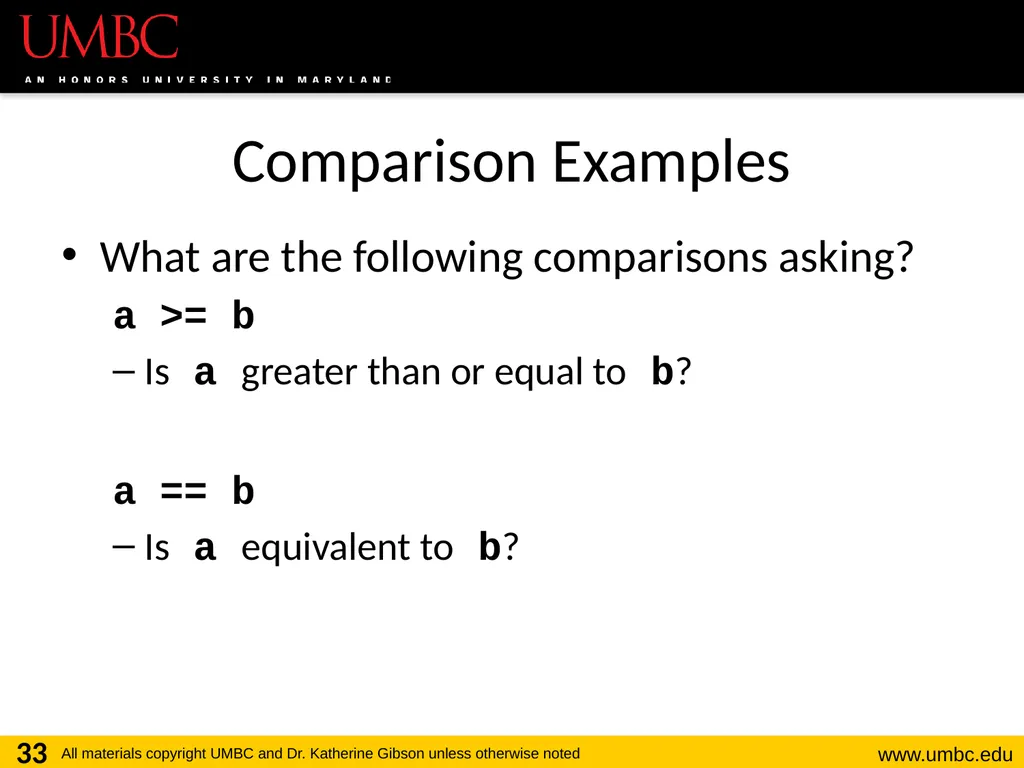
33
Comparison Examples What are the following comparisons asking?
a >= b
Is a greater than or equal to b?
a == b
Is a equivalent to b? 33<br>
a >= b
Is a greater than or equal to b?
a == b
Is a equivalent to b? 33<br>
34
Comparison Operators in Python 34<br>
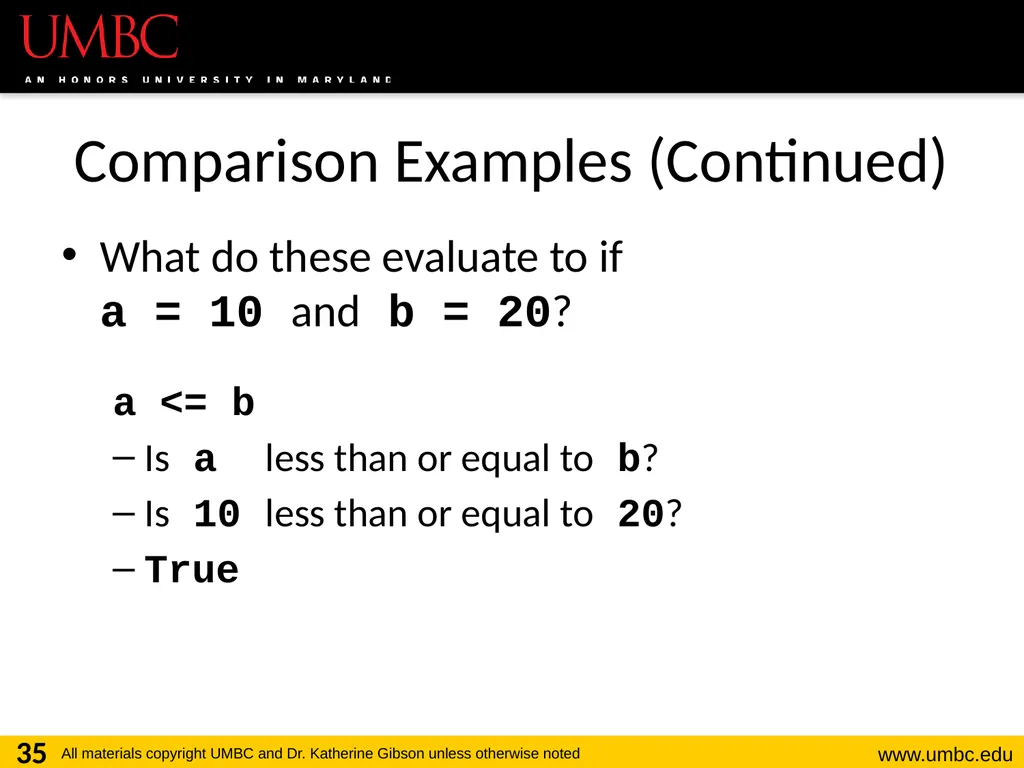
35
Comparison Examples (Continued) What do these evaluate to if
a = 10 and b = 20?
a <= b
Is a less than or equal to b?
Is 10 less than or equal to 20?
True 35<br>
a <= b
Is a less than or equal to b?
Is 10 less than or equal to 20?
True 35<br>
36
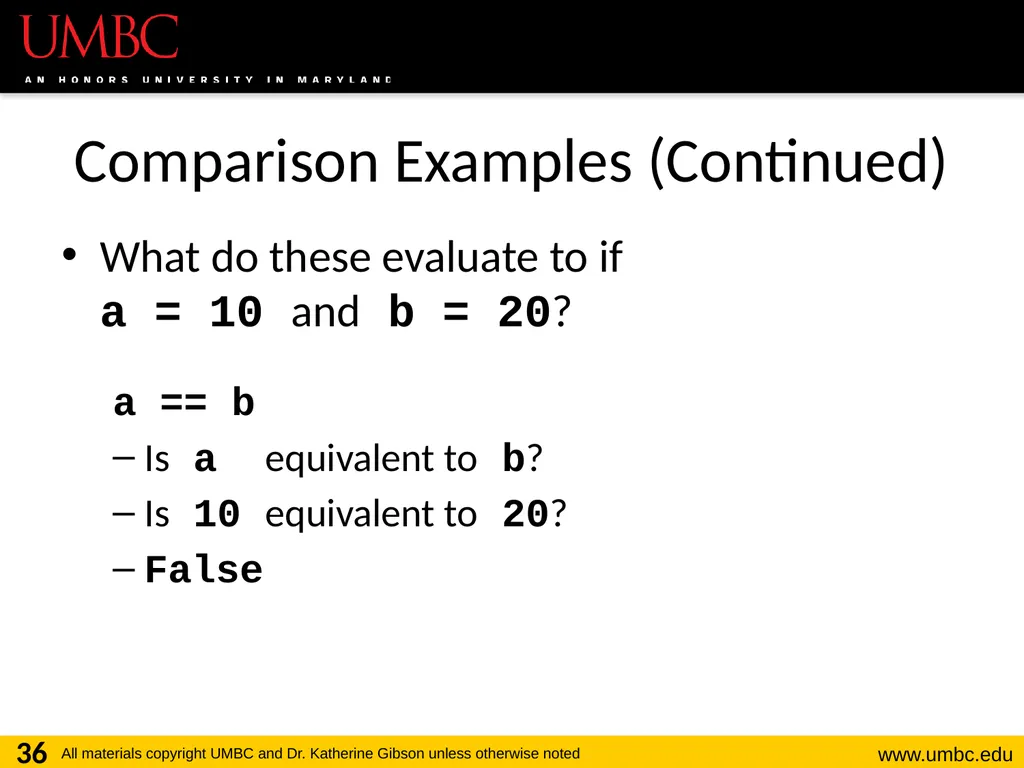
Comparison Examples (Continued) What do these evaluate to if
a = 10 and b = 20?
a == b
Is a equivalent to b?
Is 10 equivalent to 20?
False 36<br>
a == b
Is a equivalent to b?
Is 10 equivalent to 20?
False 36<br>
37
Comparison vs Assignment A common mistake is to use the assignment operator (=) in place of the relational (==)
This is a very common mistake to make!
This type of mistake will trigger an error in Python, but you may still make it on paper! 37<br>
This is a very common mistake to make!
This type of mistake will trigger an error in Python, but you may still make it on paper! 37<br>
38
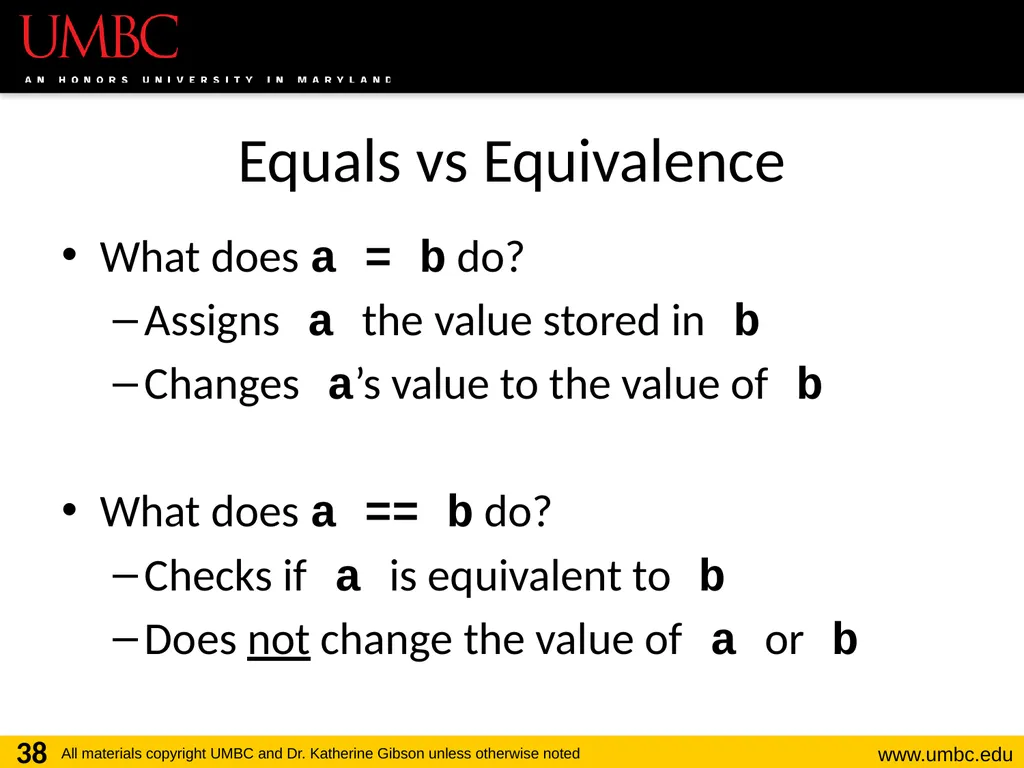
Equals vs Equivalence What does a = b do?
Assigns a the value stored in b
Changes a’s value to the value of b
What does a == b do?
Checks if a is equivalent to b
Does not change the value of a or b 38<br>
Assigns a the value stored in b
Changes a’s value to the value of b
What does a == b do?
Checks if a is equivalent to b
Does not change the value of a or b 38<br>
39
39 Evaluating to Boolean Values<br>
40
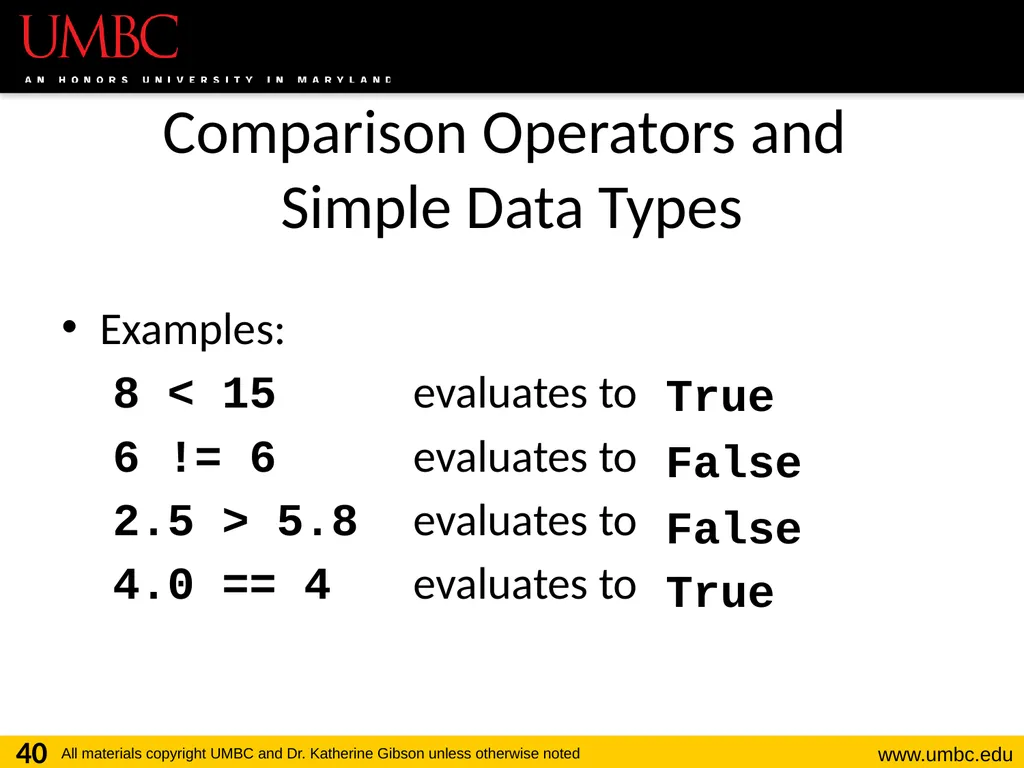
Comparison Operators and
Simple Data Types Examples:
8 < 15 evaluates to
6 != 6 evaluates to
2.5 > 5.8 evaluates to
4.0 == 4 evaluates to 40 True False False True<br>
8 < 15 evaluates to
6 != 6 evaluates to
2.5 > 5.8 evaluates to
4.0 == 4 evaluates to 40 True False False True<br>
41
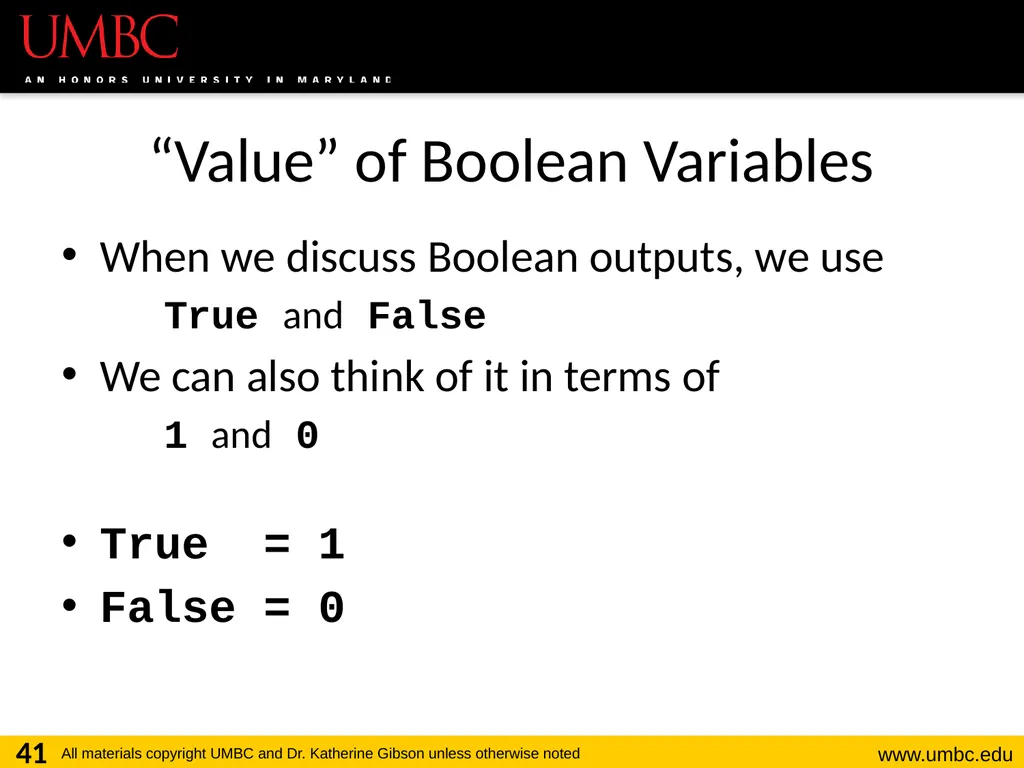
“Value” of Boolean Variables When we discuss Boolean outputs, we use
True and False
We can also think of it in terms of
1 and 0
True = 1
False = 0 41<br>
True and False
We can also think of it in terms of
1 and 0
True = 1
False = 0 41<br>
42
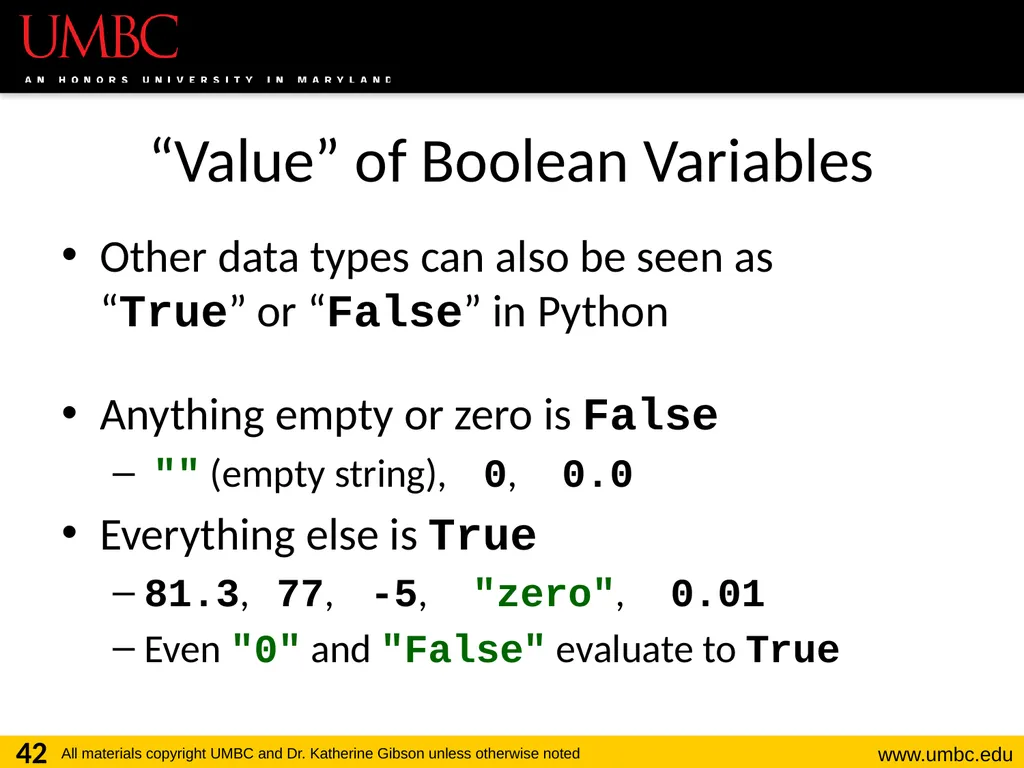
“Value” of Boolean Variables Other data types can also be seen as
“True” or “False” in Python
Anything empty or zero is False
"" (empty string), 0, 0.0
Everything else is True
81.3, 77, -5, "zero", 0.01
Even "0" and "False" evaluate to True 42<br>
Anything empty or zero is False
"" (empty string), 0, 0.0
Everything else is True
81.3, 77, -5, "zero", 0.01
Even "0" and "False" evaluate to True 42<br>
43
43 Logical Operators<br>
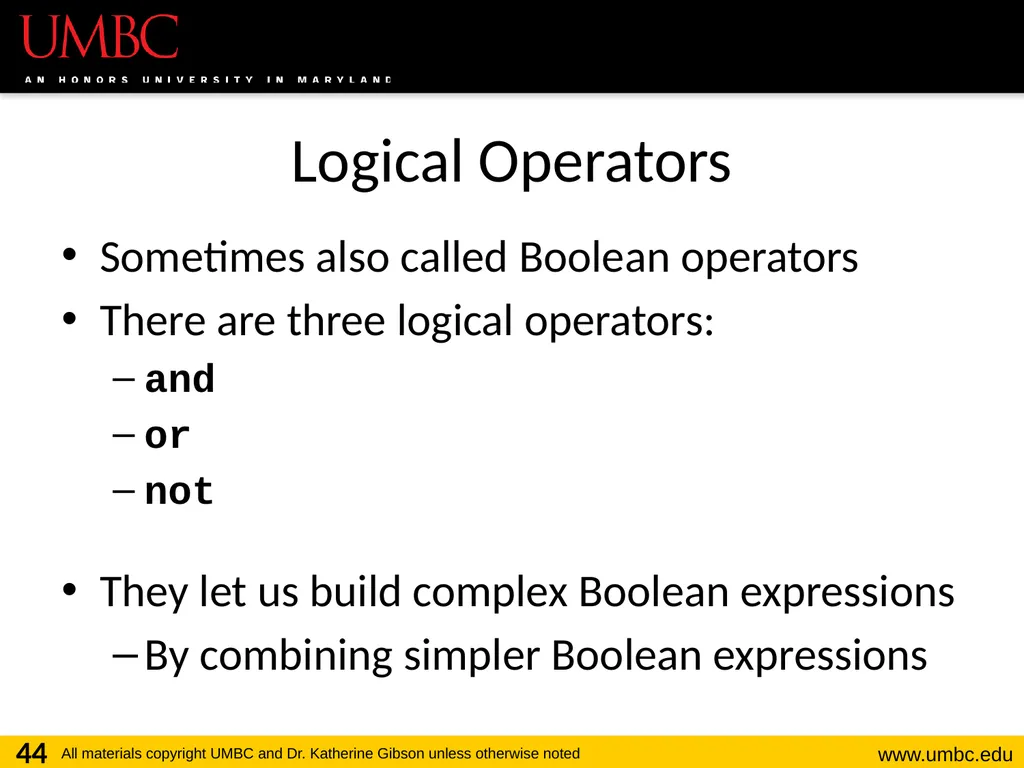
44
Logical Operators Sometimes also called Boolean operators
There are three logical operators:
and
or
not
They let us build complex Boolean expressions
By combining simpler Boolean expressions 44<br>
There are three logical operators:
and
or
not
They let us build complex Boolean expressions
By combining simpler Boolean expressions 44<br>
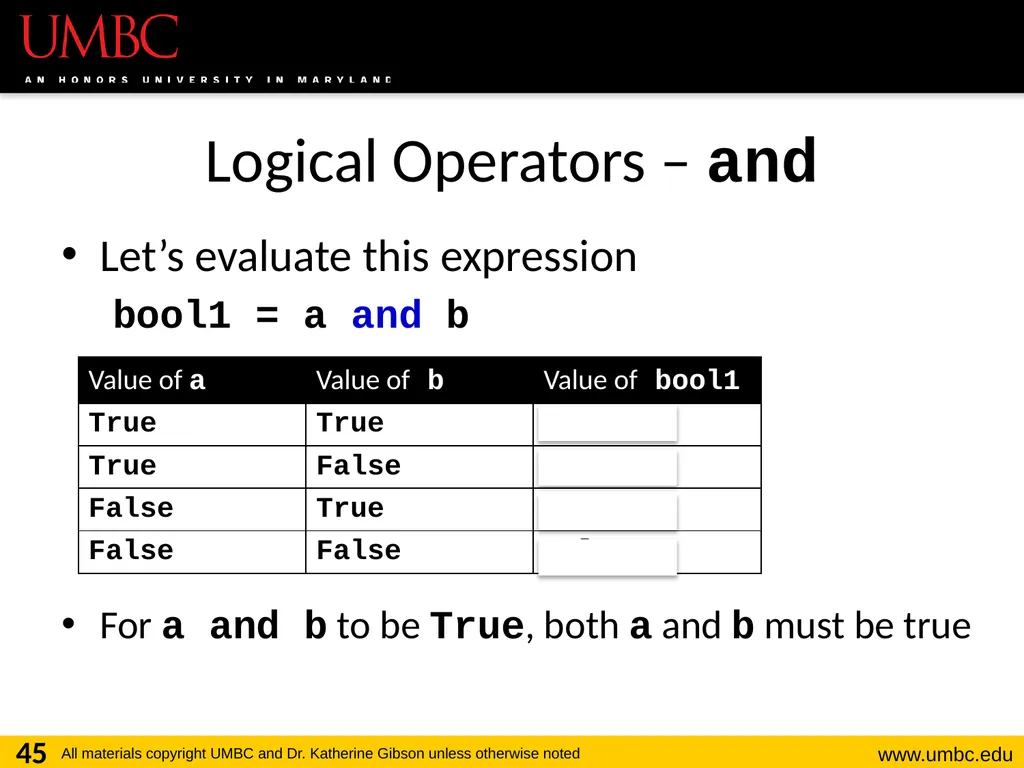
45
Logical Operators – and Let’s evaluate this expression
bool1 = a and b
For a and b to be True, both a and b must be true 45<br>
bool1 = a and b
For a and b to be True, both a and b must be true 45<br>
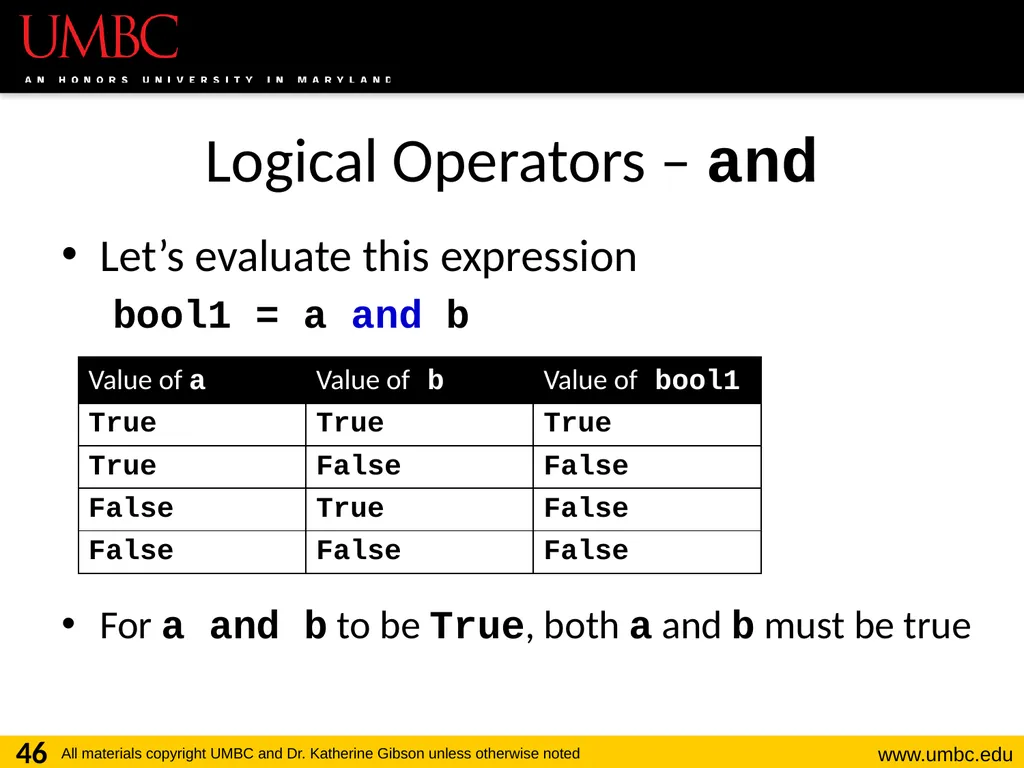
46
Logical Operators – and Let’s evaluate this expression
bool1 = a and b
For a and b to be True, both a and b must be true 46<br>
bool1 = a and b
For a and b to be True, both a and b must be true 46<br>
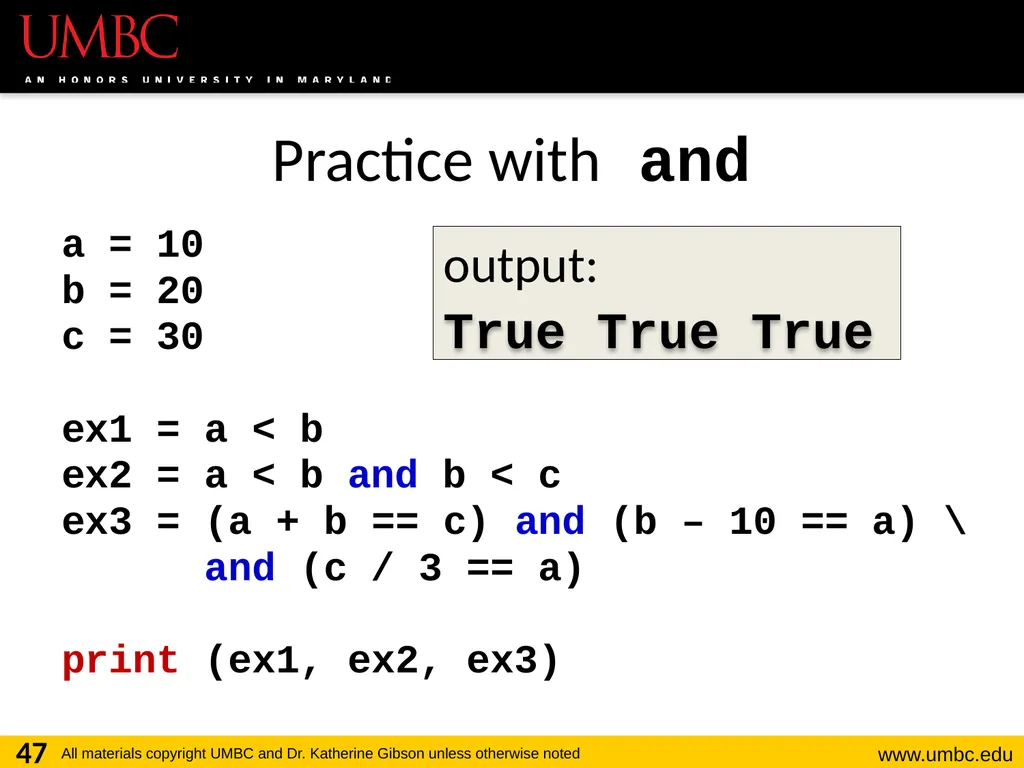
47
Practice with and a = 10
b = 20
c = 30
ex1 = a < b
ex2 = a < b and b < c
ex3 = (a + b == c) and (b – 10 == a) \
and (c / 3 == a)
print (ex1, ex2, ex3) 47 output: True True True<br>
b = 20
c = 30
ex1 = a < b
ex2 = a < b and b < c
ex3 = (a + b == c) and (b – 10 == a) \
and (c / 3 == a)
print (ex1, ex2, ex3) 47 output: True True True<br>
48
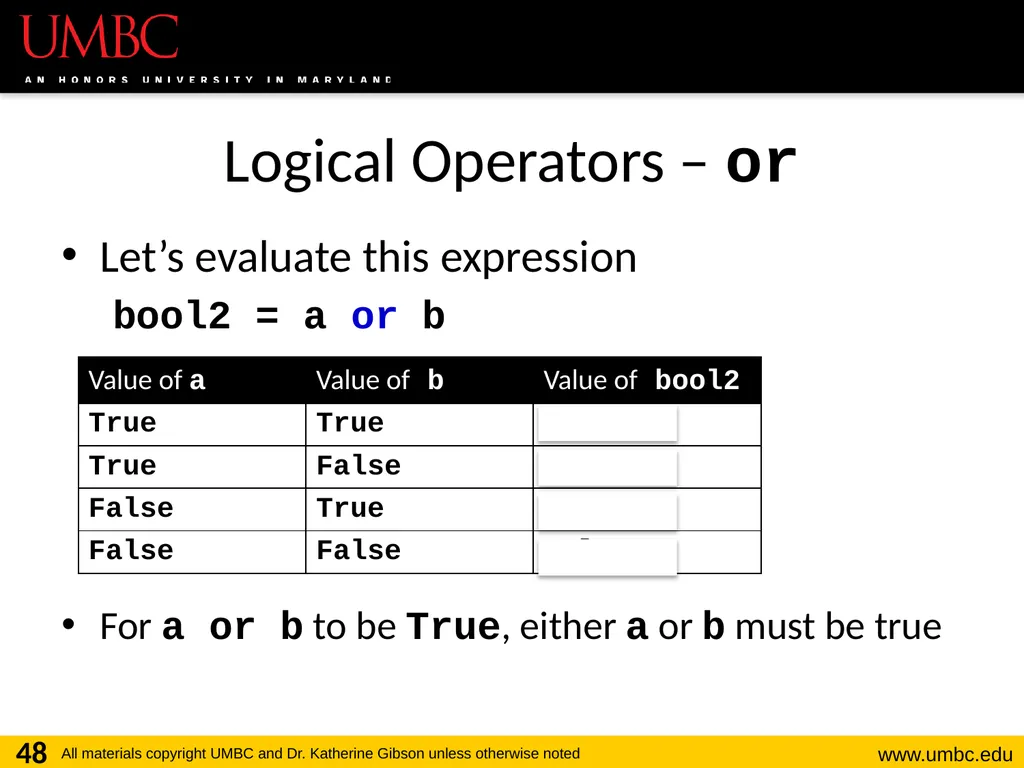
Logical Operators – or Let’s evaluate this expression
bool2 = a or b
For a or b to be True, either a or b must be true 48<br>
bool2 = a or b
For a or b to be True, either a or b must be true 48<br>
49
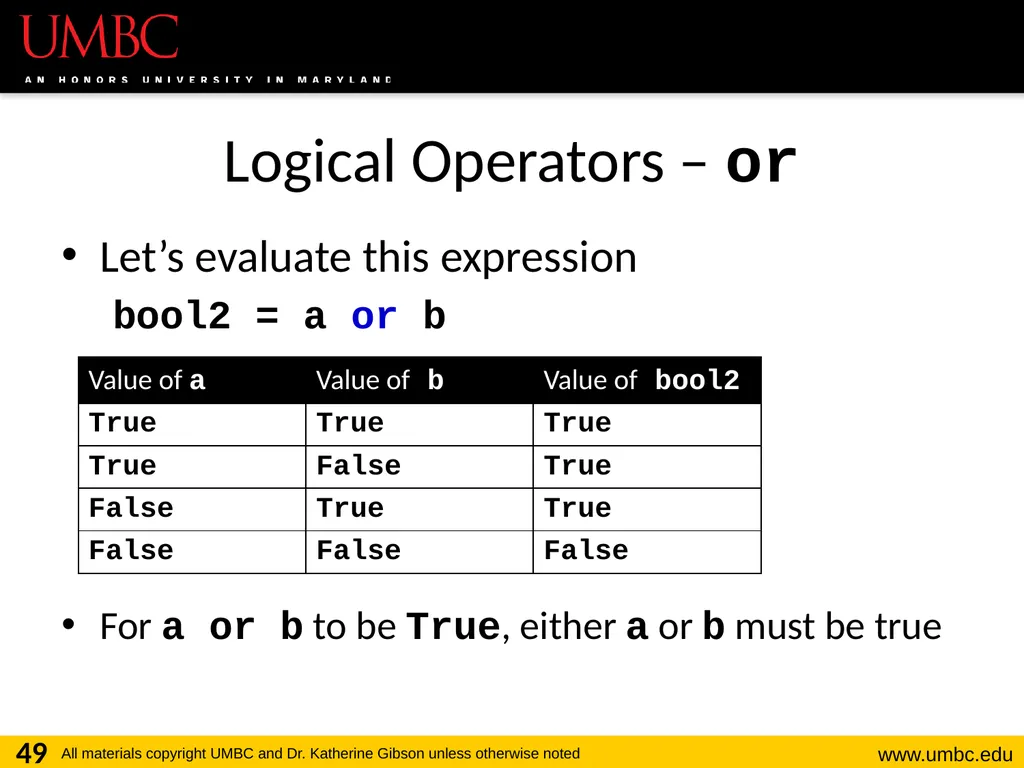
Logical Operators – or Let’s evaluate this expression
bool2 = a or b
For a or b to be True, either a or b must be true 49<br>
bool2 = a or b
For a or b to be True, either a or b must be true 49<br>
50
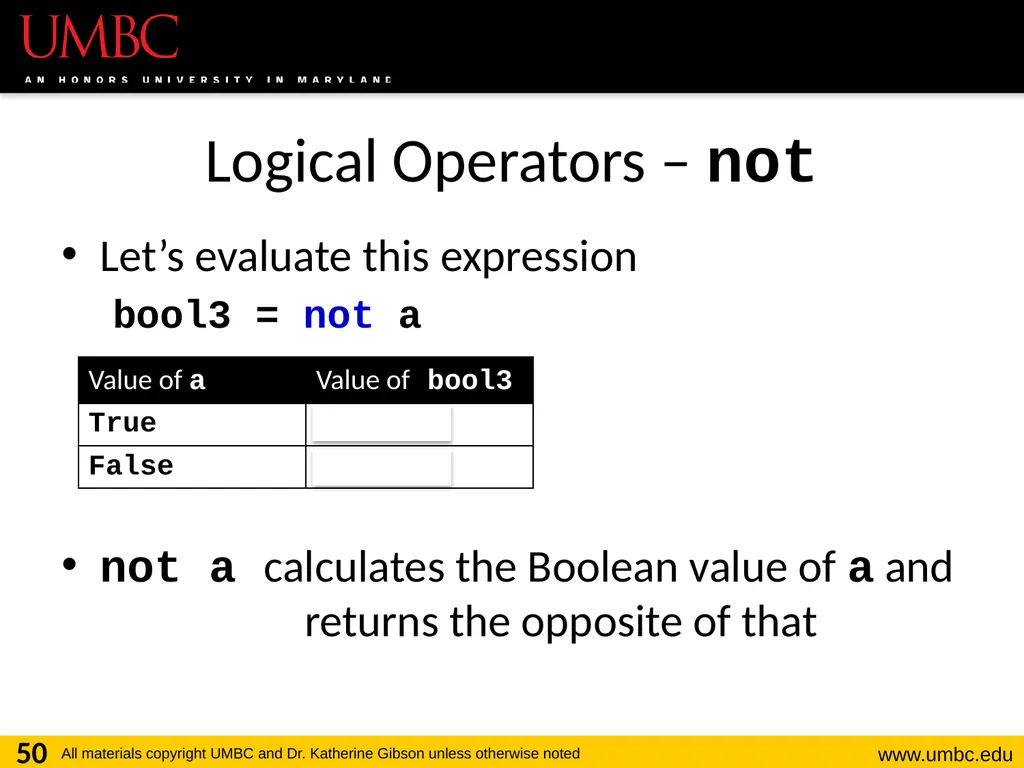
Logical Operators – not Let’s evaluate this expression
bool3 = not a
not a calculates the Boolean value of a and returns the opposite of that 50<br>
bool3 = not a
not a calculates the Boolean value of a and returns the opposite of that 50<br>
51
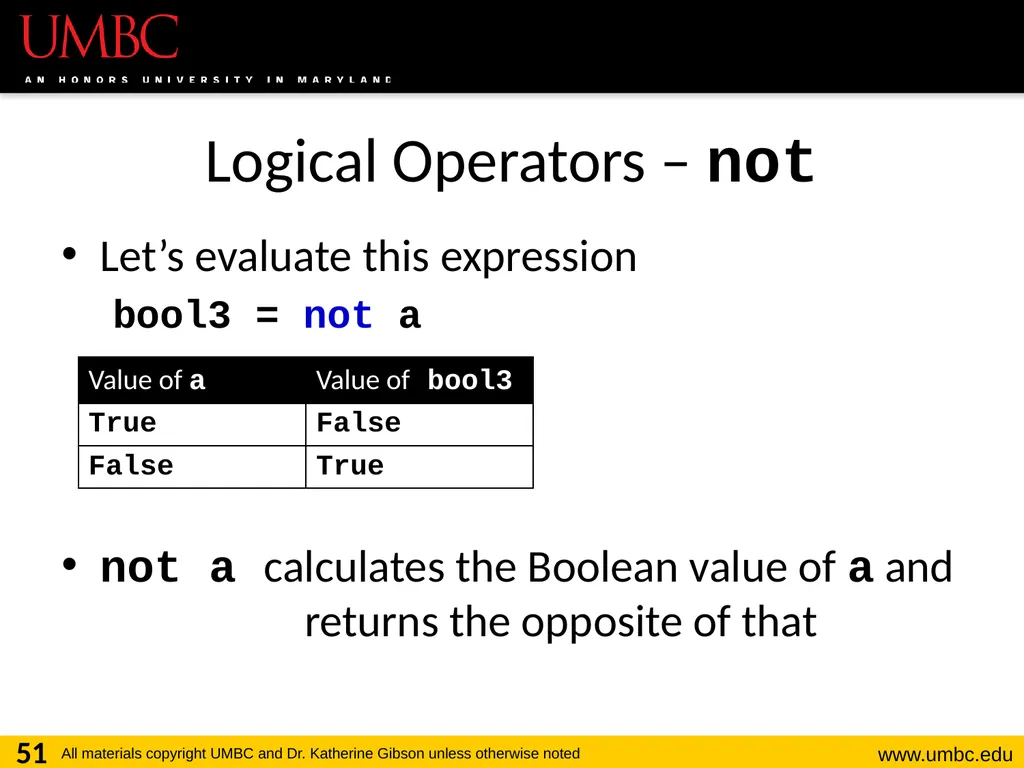
Logical Operators – not Let’s evaluate this expression
bool3 = not a
not a calculates the Boolean value of a and returns the opposite of that 51<br>
bool3 = not a
not a calculates the Boolean value of a and returns the opposite of that 51<br>
52
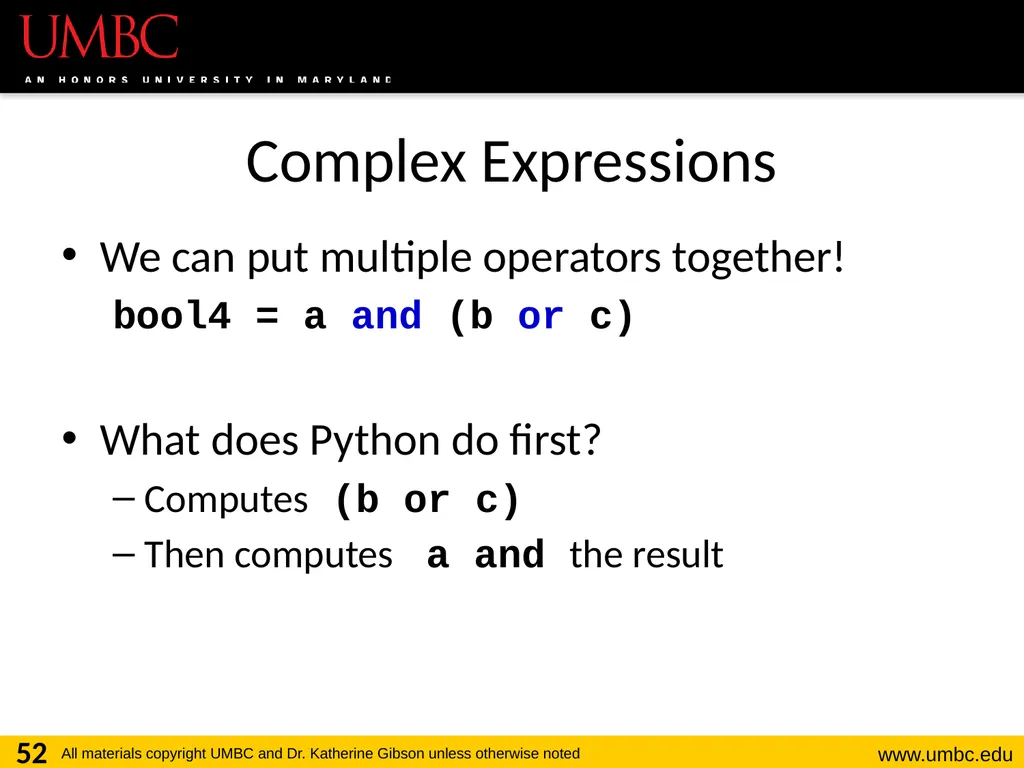
Complex Expressions We can put multiple operators together!
bool4 = a and (b or c)
What does Python do first?
Computes (b or c)
Then computes a and the result 52<br>
bool4 = a and (b or c)
What does Python do first?
Computes (b or c)
Then computes a and the result 52<br>
53
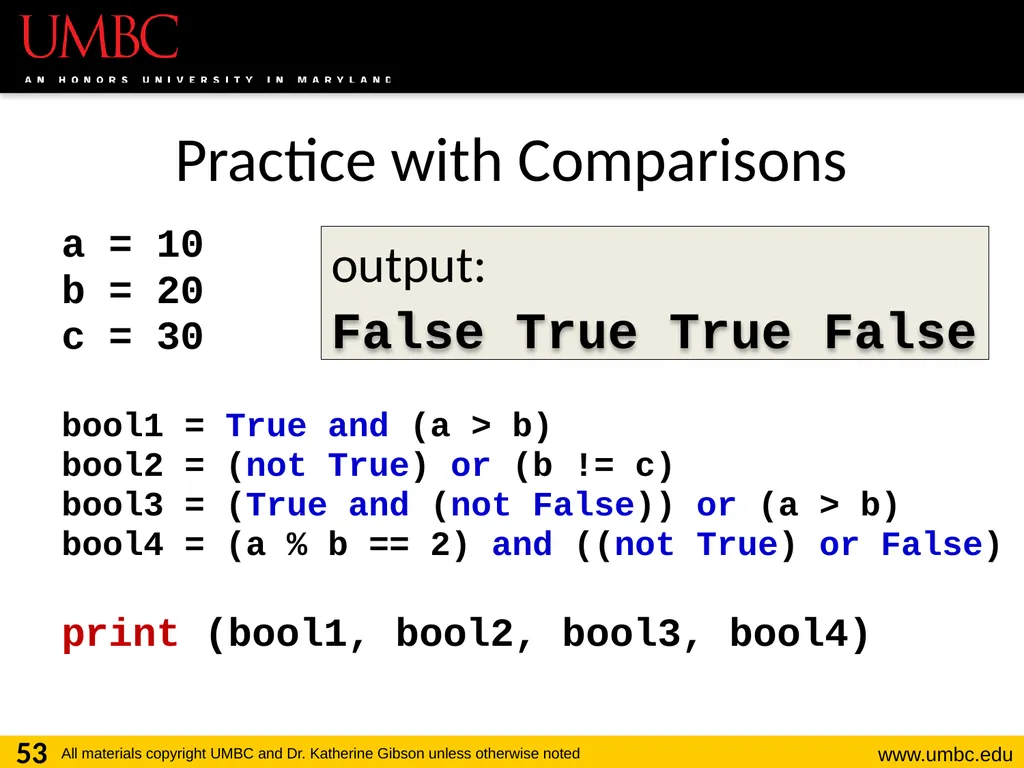
Practice with Comparisons a = 10
b = 20
c = 30
bool1 = True and (a > b)
bool2 = (not True) or (b != c)
bool3 = (True and (not False)) or (a > b)
bool4 = (a % b == 2) and ((not True) or False)
print (bool1, bool2, bool3, bool4) 53 output: False True False True<br>
b = 20
c = 30
bool1 = True and (a > b)
bool2 = (not True) or (b != c)
bool3 = (True and (not False)) or (a > b)
bool4 = (a % b == 2) and ((not True) or False)
print (bool1, bool2, bool3, bool4) 53 output: False True False True<br>
54
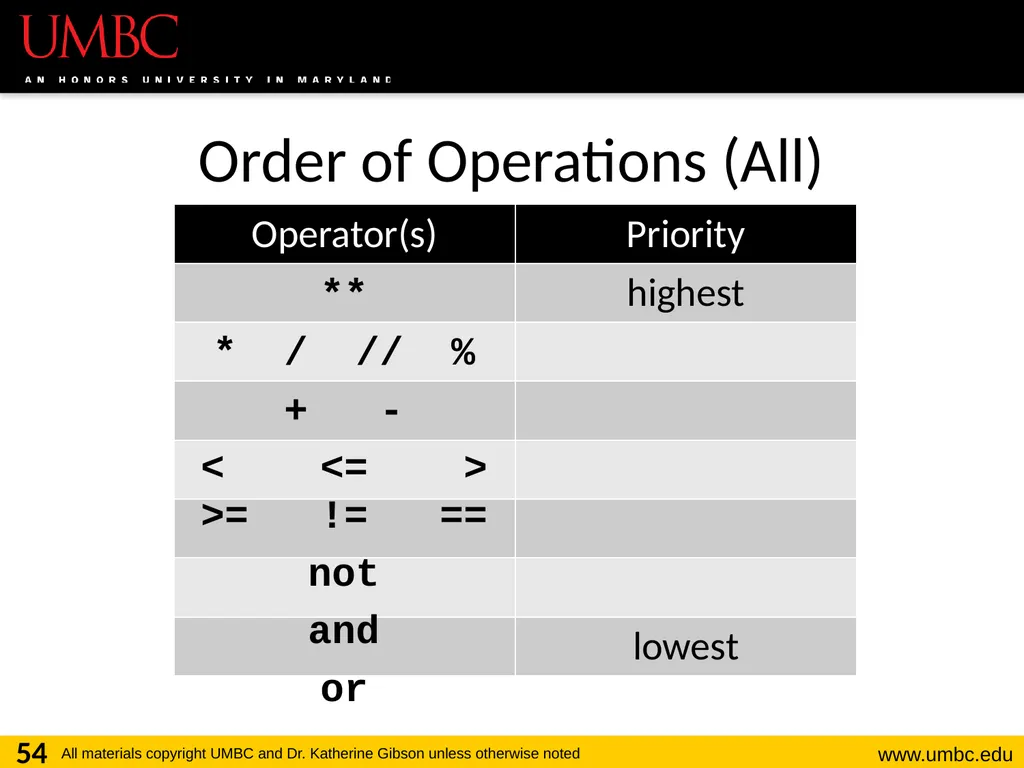
Order of Operations (All) 54 **
* / // %
+ -
< <= > >= != ==
not
and
or<br>
* / // %
+ -
< <= > >= != ==
not
and
or<br>
55
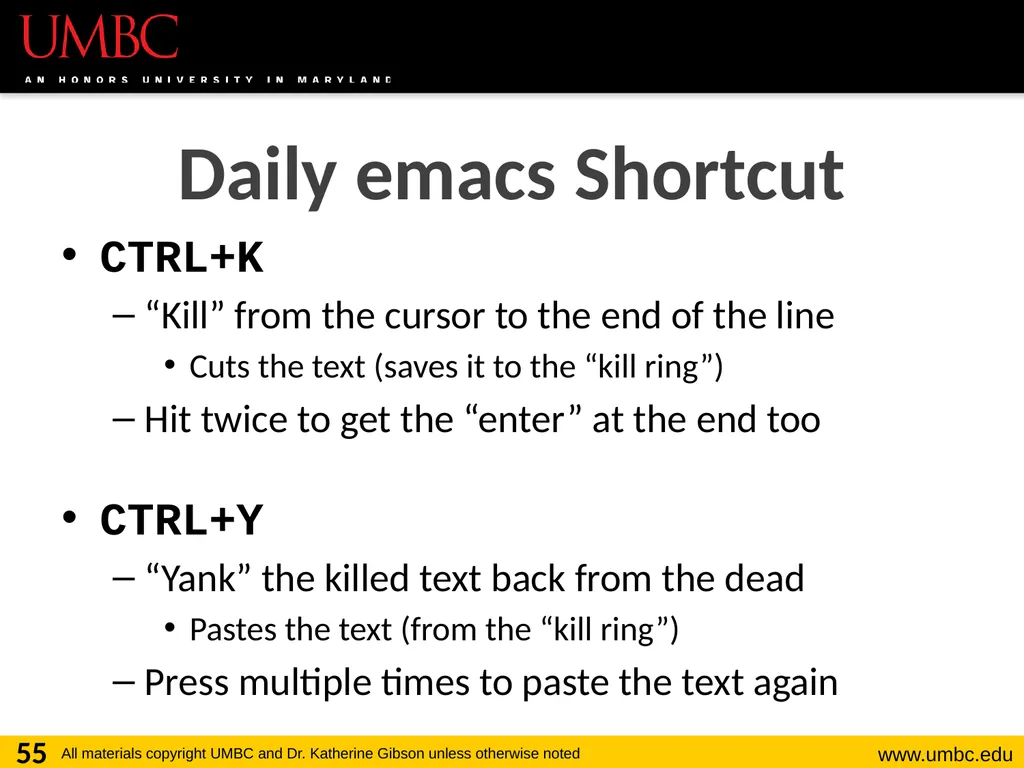
CTRL+K
“Kill” from the cursor to the end of the line
Cuts the text (saves it to the “kill ring”)
Hit twice to get the “enter” at the end too
CTRL+Y
“Yank” the killed text back from the dead
Pastes the text (from the “kill ring”)
Press multiple times to paste the text again 55 Daily emacs Shortcut<br>
“Kill” from the cursor to the end of the line
Cuts the text (saves it to the “kill ring”)
Hit twice to get the “enter” at the end too
CTRL+Y
“Yank” the killed text back from the dead
Pastes the text (from the “kill ring”)
Press multiple times to paste the text again 55 Daily emacs Shortcut<br>
56
Announcements Your discussions start this week!
Go to your scheduled location and time
HW 1 is due Friday, Sept 14th at 8:59:59 PM
You must first complete the Syllabus and Course Website Quiz to see it 56<br>
Go to your scheduled location and time
HW 1 is due Friday, Sept 14th at 8:59:59 PM
You must first complete the Syllabus and Course Website Quiz to see it 56<br>