Commands: CP and MV Unix/Linux Command CP CP is
Description: Commands: CP and MV UnixLinux Command CP CP is the command used in Unix and Linux to copy your files or directories. (http:www.rapidtables.comcodelinuxcp.htm) Examples of the CP command: cp -u .txt newdir Copies any file with the
Related Topics
Download Presentation
"Commands: CP and MV Unix/Linux Command CP CP is" is the property of its rightful owner. Permission is granted to download and print the materials on this website for personal, non-commercial use only, and to display it on your personal computer provided you do not modify the materials and that you retain all copyright notices contained in the materials. By downloading content from our website, you accept the terms of this agreement.
Presentation Transcript
slide1. Commands: CP and MV<br>
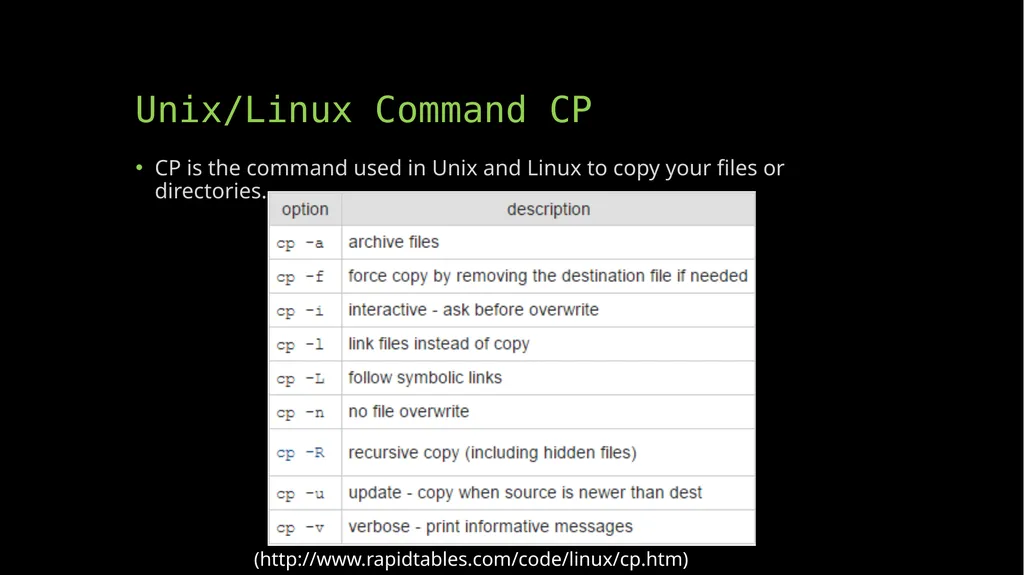
slide2. Unix/Linux Command CP CP is the command used in Unix and Linux to copy your files or directories. (http://www.rapidtables.com/code/linux/cp.htm)<br>
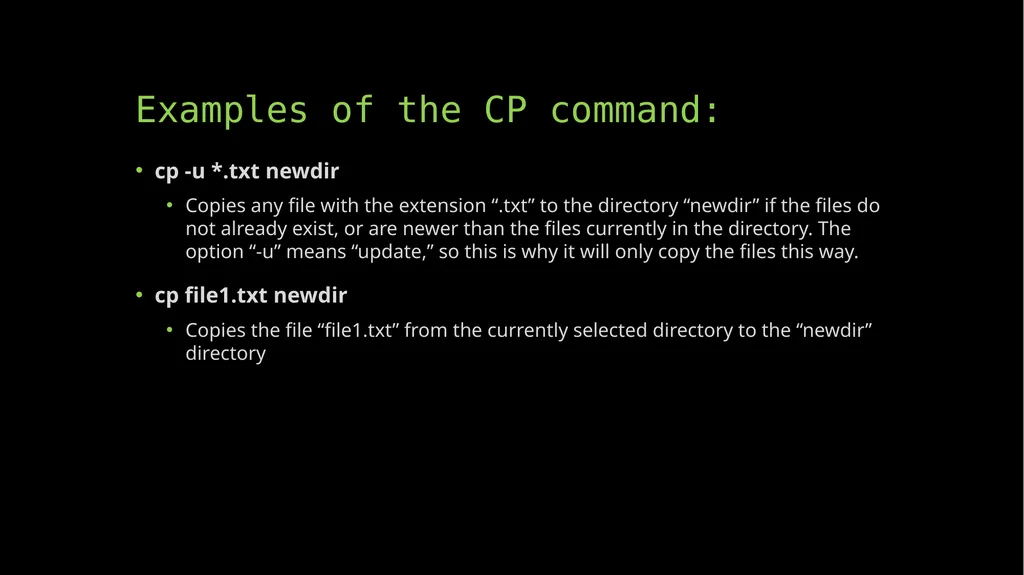
slide3. Examples of the CP command: cp -u *.txt newdir
Copies any file with the extension “.txt” to the directory “newdir” if the files do not already exist, or are newer than the files currently in the directory. The option “-u” means “update,” so this is why it will only copy the files this way.
cp file1.txt newdir
Copies the file “file1.txt” from the currently selected directory to the “newdir” directory<br>
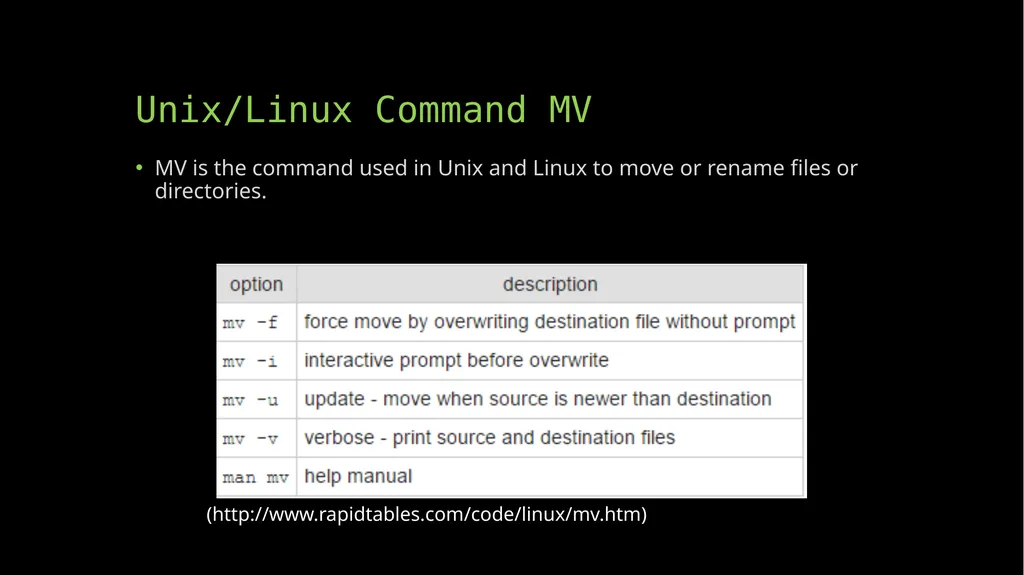
slide4. Unix/Linux Command MV MV is the command used in Unix and Linux to move or rename files or directories. (http://www.rapidtables.com/code/linux/mv.htm)<br>
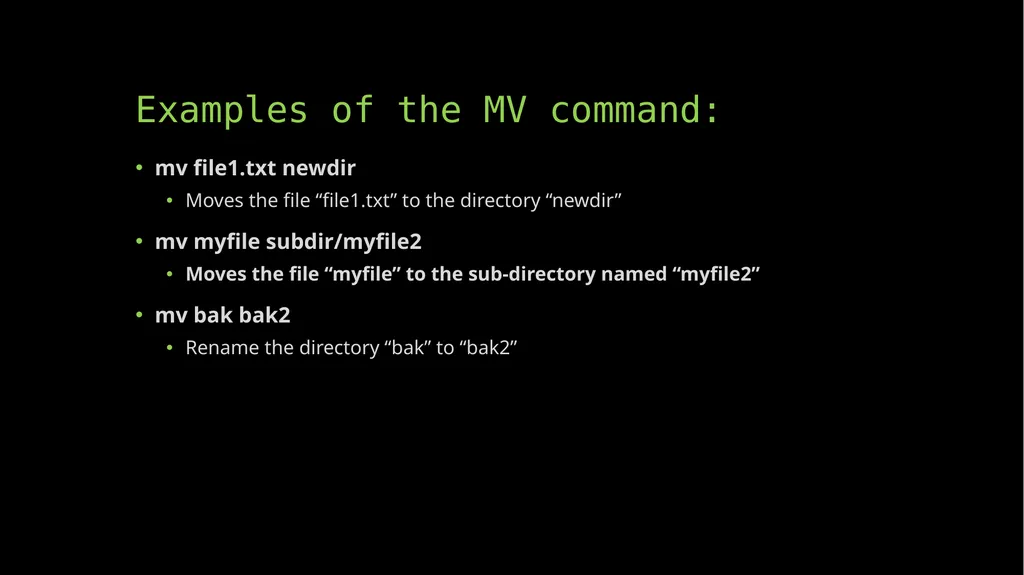
slide5. Examples of the MV command: mv file1.txt newdir
Moves the file “file1.txt” to the directory “newdir”
mv myfile subdir/myfile2
Moves the file “myfile” to the sub-directory named “myfile2”
mv bak bak2
Rename the directory “bak” to “bak2”<br>
slide2. Unix/Linux Command CP CP is the command used in Unix and Linux to copy your files or directories. (http://www.rapidtables.com/code/linux/cp.htm)<br>
slide3. Examples of the CP command: cp -u *.txt newdir
Copies any file with the extension “.txt” to the directory “newdir” if the files do not already exist, or are newer than the files currently in the directory. The option “-u” means “update,” so this is why it will only copy the files this way.
cp file1.txt newdir
Copies the file “file1.txt” from the currently selected directory to the “newdir” directory<br>
slide4. Unix/Linux Command MV MV is the command used in Unix and Linux to move or rename files or directories. (http://www.rapidtables.com/code/linux/mv.htm)<br>
slide5. Examples of the MV command: mv file1.txt newdir
Moves the file “file1.txt” to the directory “newdir”
mv myfile subdir/myfile2
Moves the file “myfile” to the sub-directory named “myfile2”
mv bak bak2
Rename the directory “bak” to “bak2”<br>