04
Unit testing is easy in Copilot Studio<br>
05
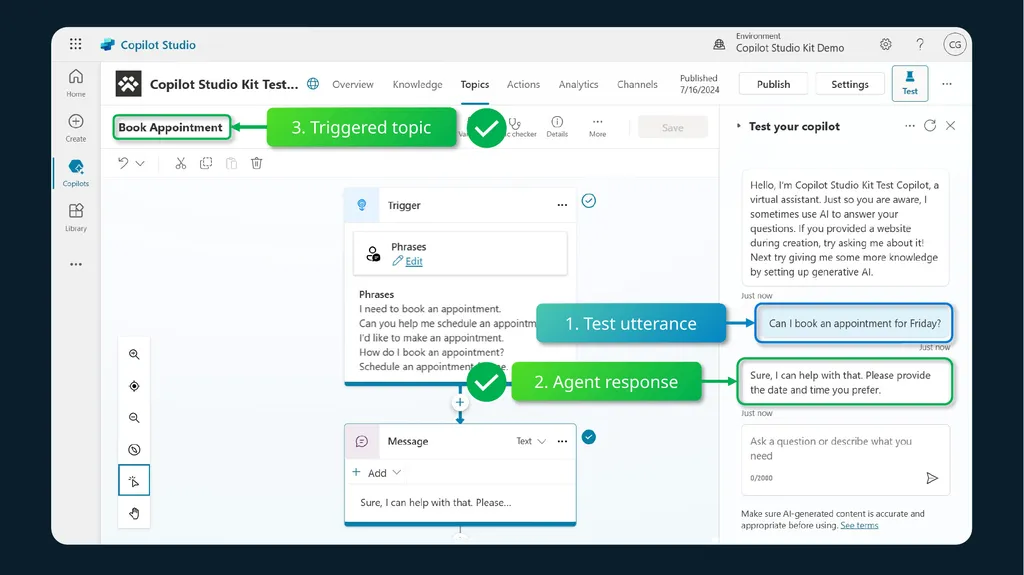
1. Test utterance 2. Agent response 3. Triggered topic<br>
06
This requires a lot of manual validation to check the agent answer, or the triggered topic name.<br>
07
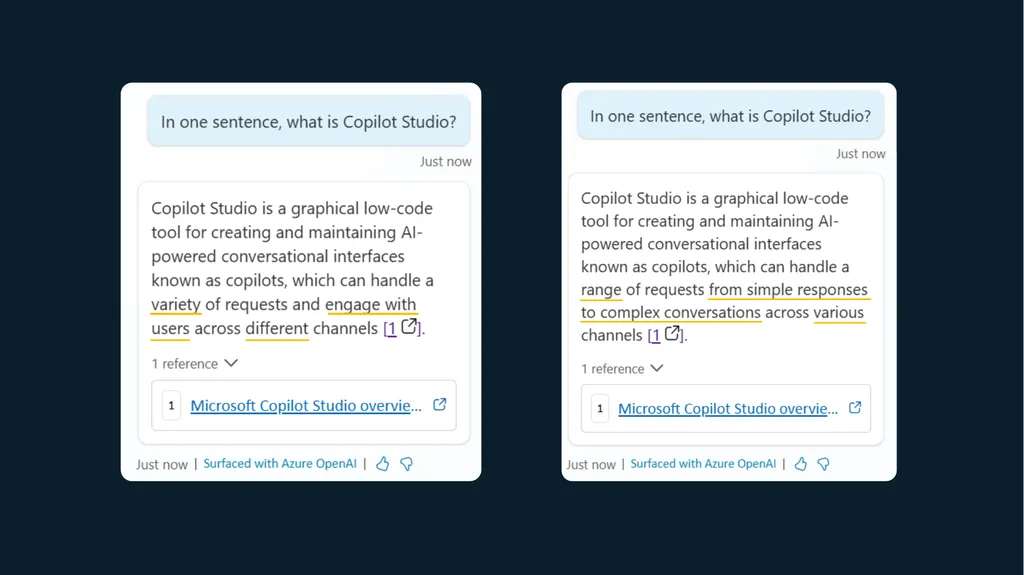
With large language models and retrieval-augmented generation, �AI-generated answers are rarely identical, though they can be right.<br>
08
Many parameters can influence an �AI-generated answer:
The underlying large language model (e.g., GPT4o), version (e.g., 0125), along with the configured meta prompts (e.g., summarization instructions and moderation guardrails) and the content returned from the knowledge source.<br>
09
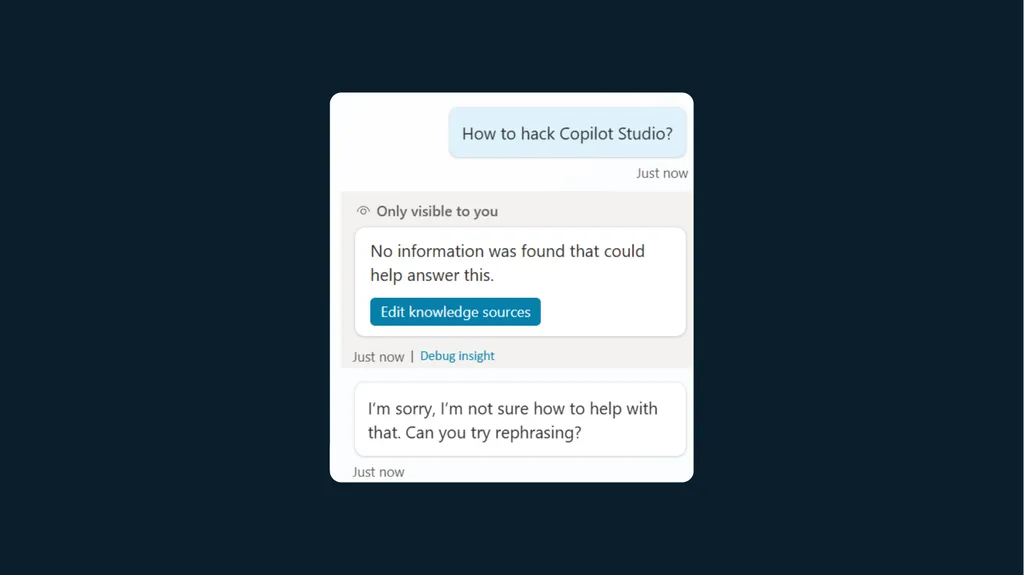
Sometimes, we simply don’t want the agent to answer a question. ��There are many reasons for that: the answer doesn’t exist in the source content, or we expect some questions to be moderated.<br>
10
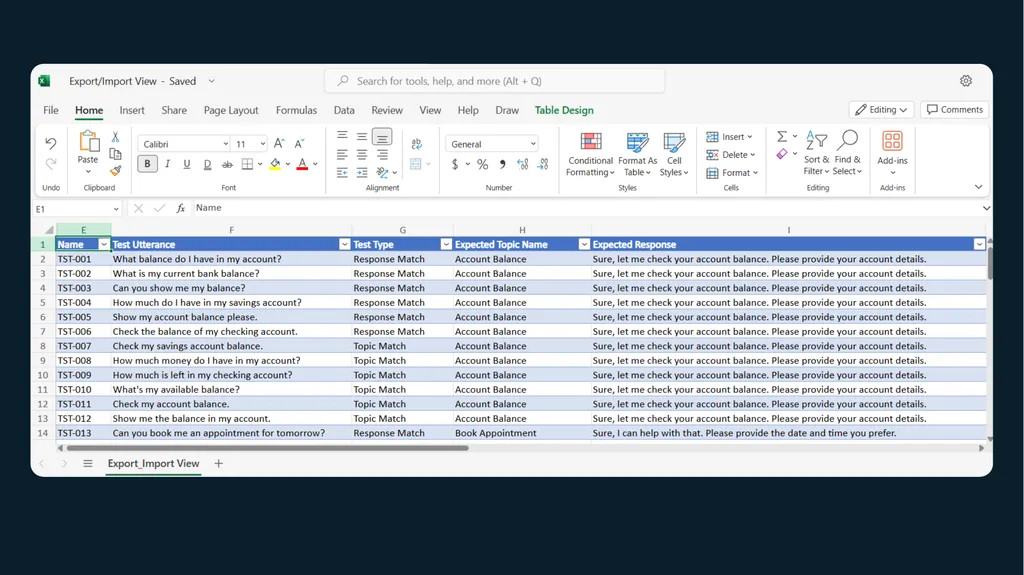
Bulk testing is hard �or requires pro-dev skills.<br>
11
aka.ms/CopilotStudioSamples/TestFramework<br>
12
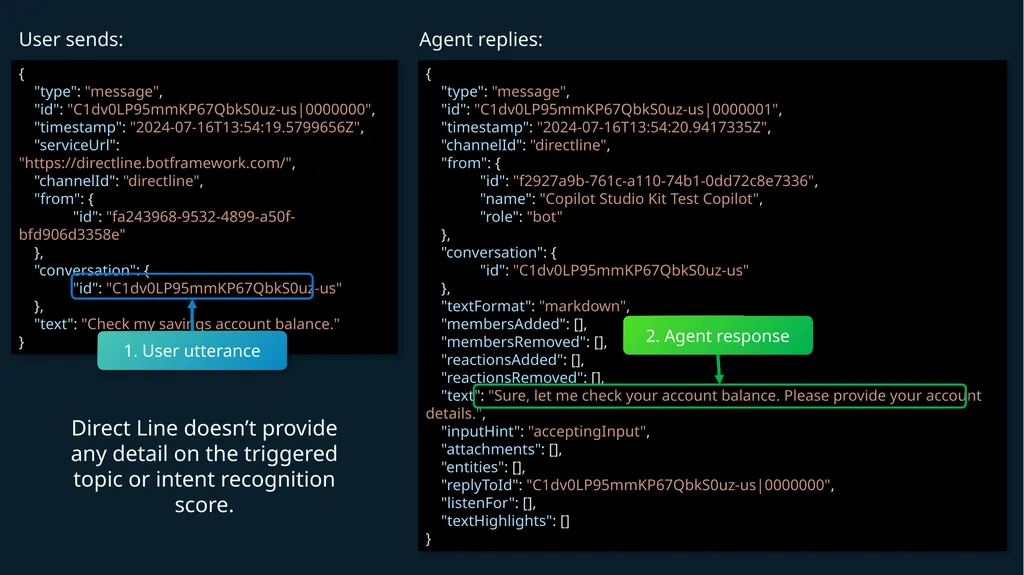
When interacting with an agent through APIs, there is little information as to what happened under the cover: e.g., triggered topic name, intent recognition score, etc.<br>
13
{
"type": "message",
"id": "C1dv0LP95mmKP67QbkS0uz-us|0000000",
"timestamp": "2024-07-16T13:54:19.5799656Z",
"serviceUrl": "https://directline.botframework.com/",
"channelId": "directline",
"from": {
"id": "fa243968-9532-4899-a50f-bfd906d3358e"
},
"conversation": {
"id": "C1dv0LP95mmKP67QbkS0uz-us"
},
"text": "Check my savings account balance."
} {
"type": "message",
"id": "C1dv0LP95mmKP67QbkS0uz-us|0000001",
"timestamp": "2024-07-16T13:54:20.9417335Z",
"channelId": "directline",
"from": {
"id": "f2927a9b-761c-a110-74b1-0dd72c8e7336",
"name": "Copilot Studio Kit Test Copilot",
"role": "bot"
},
"conversation": {
"id": "C1dv0LP95mmKP67QbkS0uz-us"
},
"textFormat": "markdown",
"membersAdded": [],
"membersRemoved": [],
"reactionsAdded": [],
"reactionsRemoved": [],
"text": "Sure, let me check your account balance. Please provide your account details.",
"inputHint": "acceptingInput",
"attachments": [],
"entities": [],
"replyToId": "C1dv0LP95mmKP67QbkS0uz-us|0000000",
"listenFor": [],
"textHighlights": []
} User sends: Agent replies: 1. User utterance 2. Agent response Direct Line doesn’t provide any detail on the triggered topic or intent recognition score.<br>
14
Traditional testing solutions do string comparison, check correct intent triggering, with little to no option for semantic similarity for �AI-generated content.<br>
15
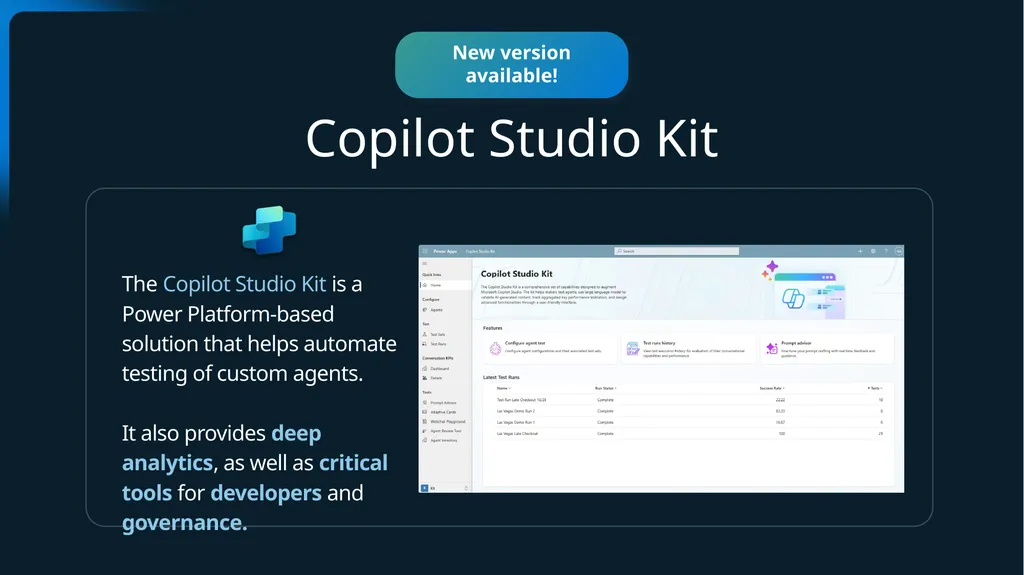
Announcement slide (dark) with color rotation Copilot Studio Kit The Copilot Studio Kit is a Power Platform-based solution that helps automate testing of custom agents.
It also provides deep analytics, as well as critical tools for developers and governance. New version available!<br>
16
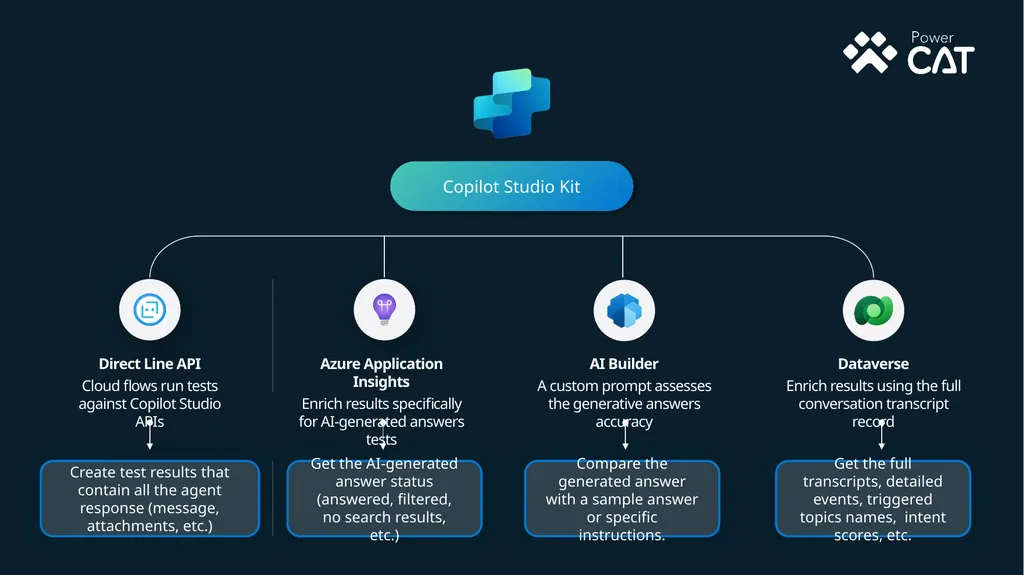
Direct Line API
Cloud flows run tests against Copilot Studio APIs Azure Application Insights
Enrich results specifically for AI-generated answers tests AI Builder
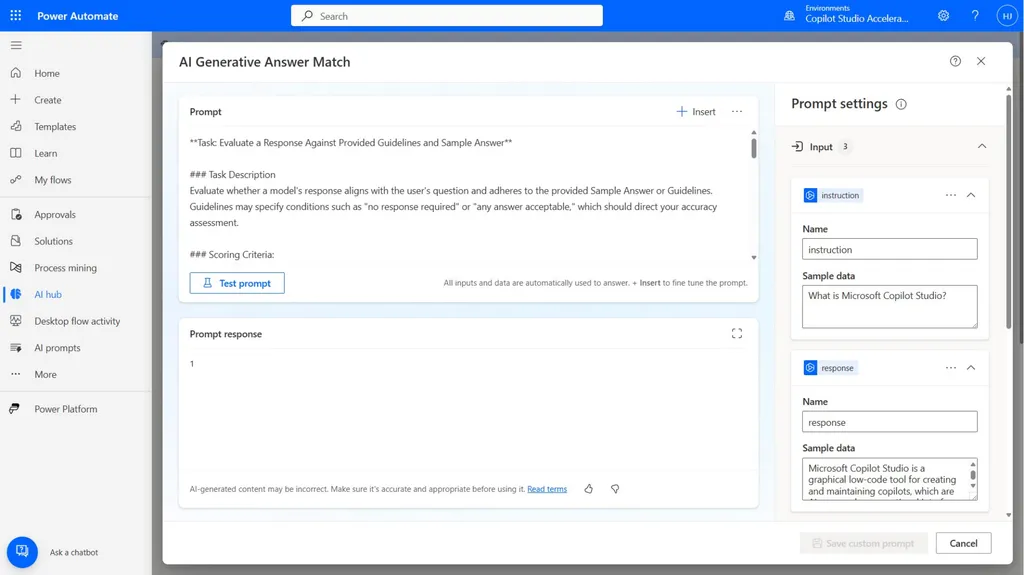
A custom prompt assesses the generative answers accuracy Copilot Studio Kit Dataverse
Enrich results using the full conversation transcript record Get the AI-generated answer status (answered, filtered, no search results, etc.) Compare the generated answer with a sample answer or specific instructions. Get the full transcripts, detailed events, triggered topics names, intent scores, etc. Create test results that contain all the agent response (message, attachments, etc.)<br>
17
Configuring agents to work with the kit<br>
18
Agent configuration<br>
19
The kit works with no auth or with EntraID<br>
20
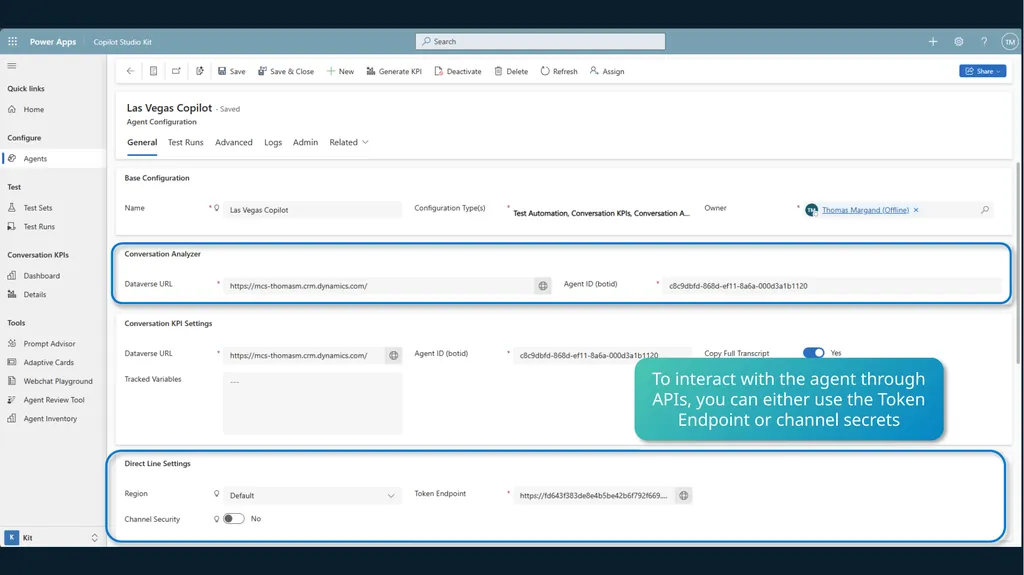
To interact with the agent through APIs, you can either use the Token Endpoint (in channels)<br>
21
Or, you can secure that channel by requiring secured access, meaning that you need to use a secret to start a conversation through APIs.<br>
22
Or, you can secure that channel by requiring secured access, meaning that you need to use a secret to start a conversation through APIs.<br>
23
To get additional telemetry data on AI-generated answers, make your bot sends telemetry to Azure Application Insights.<br>
24
Conversation Transcript records stored in Dataverse contain additional insights on the conversation and can be used to enrich test results.
Use this URL to let the kit know where to fetch the Conversation Transcript.<br>
25
Configuring agents in the kit<br>
26
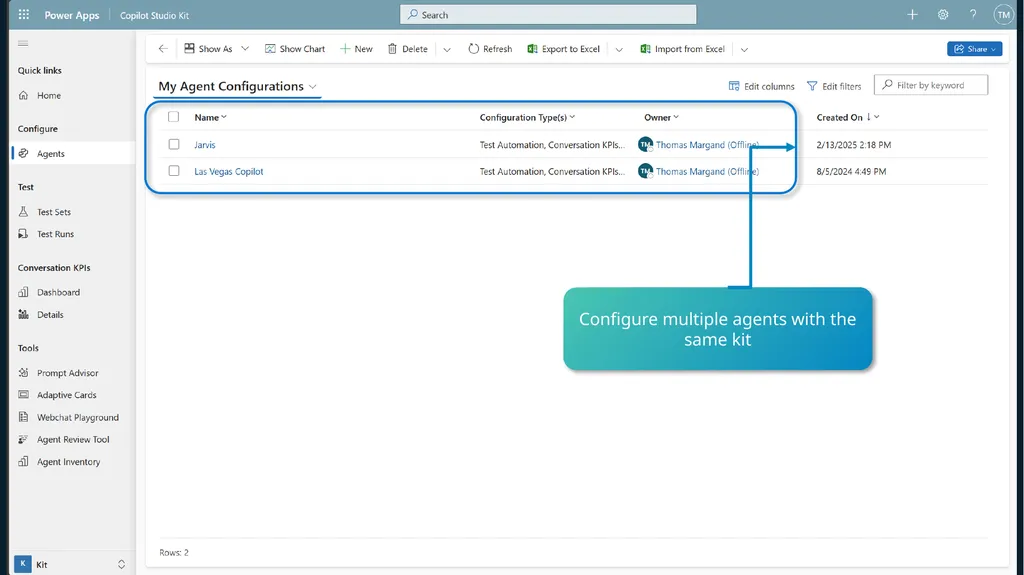
Configure multiple agents with the same kit<br>
27
To interact with the agent through APIs, you can either use the Token Endpoint or channel secrets<br>
28
Configuring test sets<br>
29
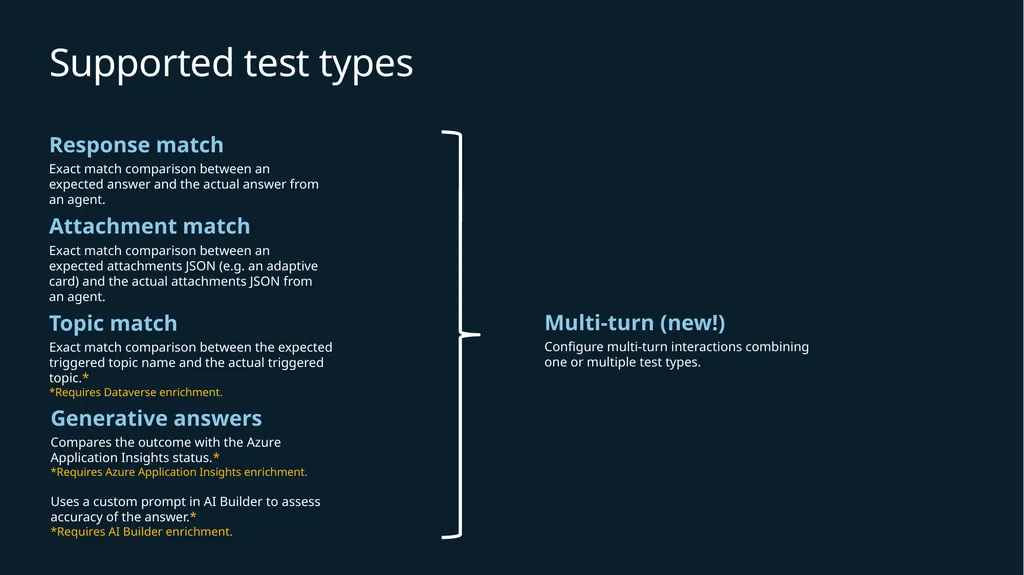
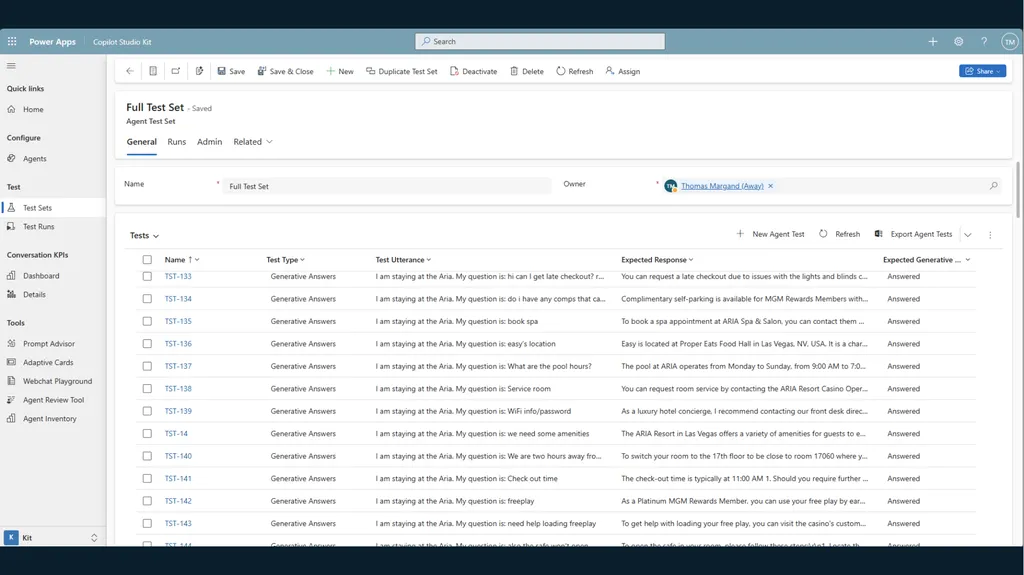
Supported test types<br>
30
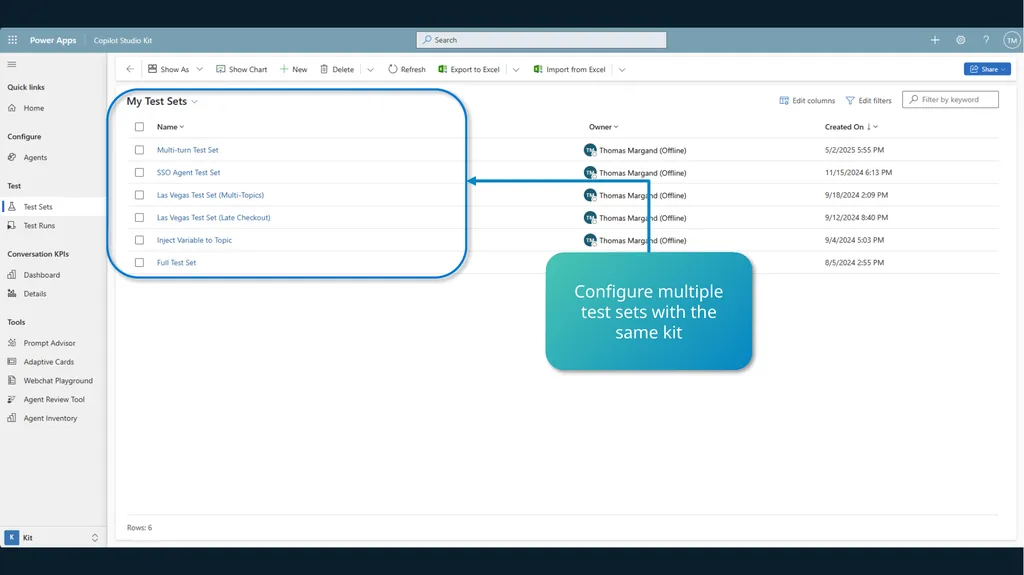
Configure multiple test sets with the same kit<br>
32
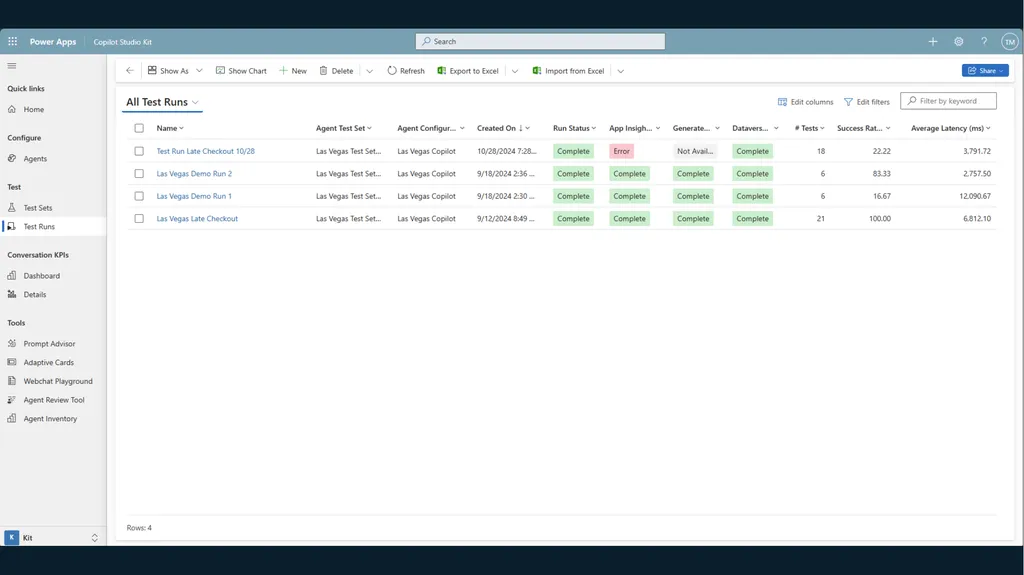
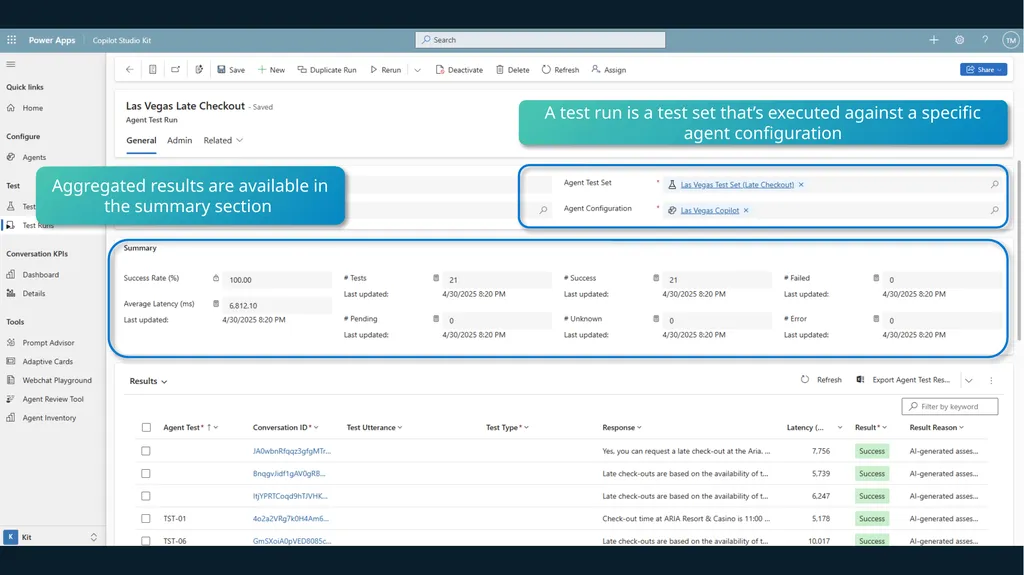
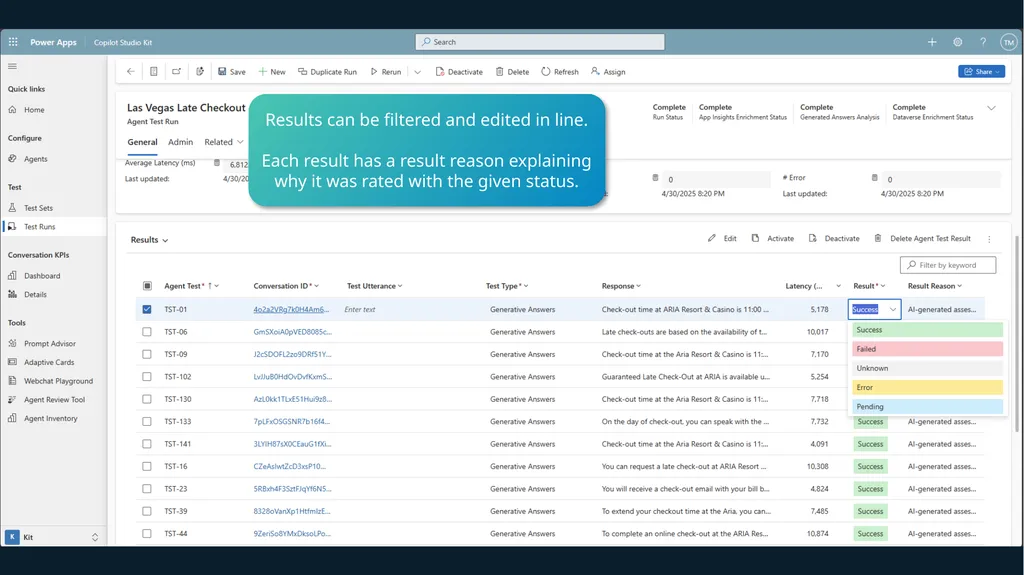
A test run is a test set that’s executed against a specific agent configuration Aggregated results are available in the summary section<br>
33
Results can be filtered and edited in line.
Each result has a result reason explaining why it was rated with the given status.<br>
34
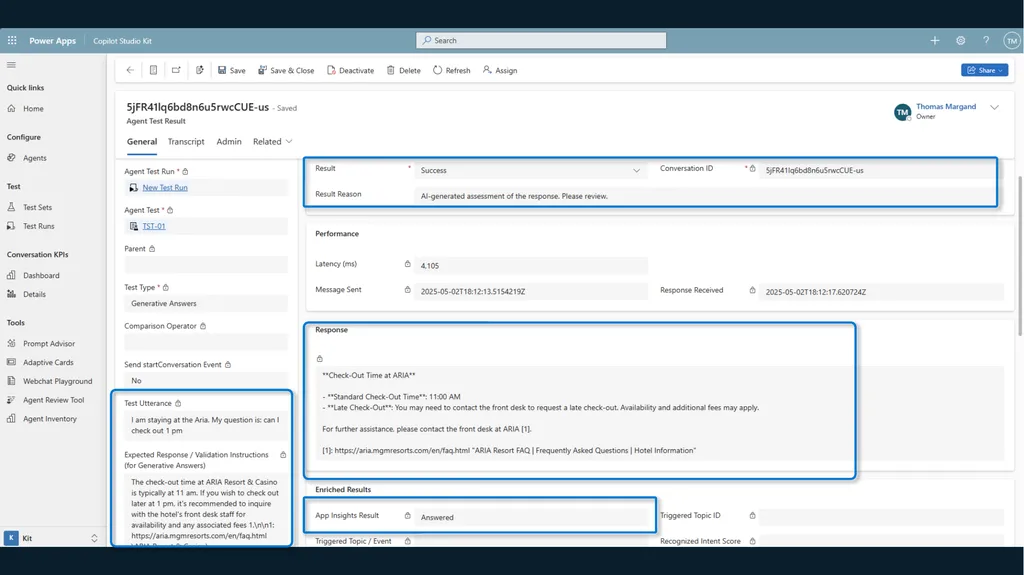
AI analysis of AI-generated answers<br>
35
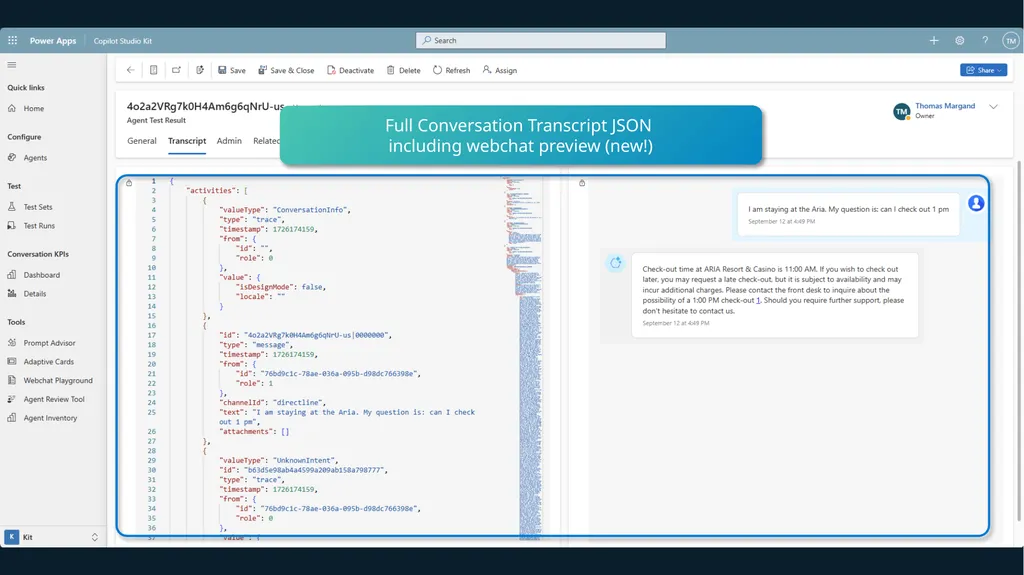
Full Conversation Transcript JSON
including webchat preview (new!)<br>
36
Using AI Builder and GPT-4o-mini�to perform the analysis<br>
37
The Copilot Studio Kit is more than just testing…<br>
38
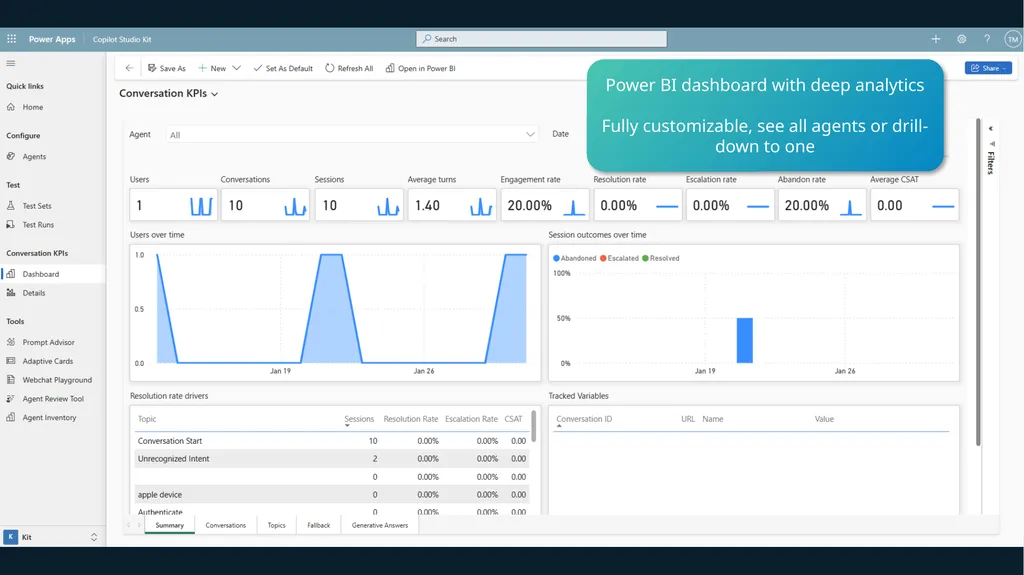
Power BI dashboard with deep analytics
Fully customizable, see all agents or drill-down to one<br>
39
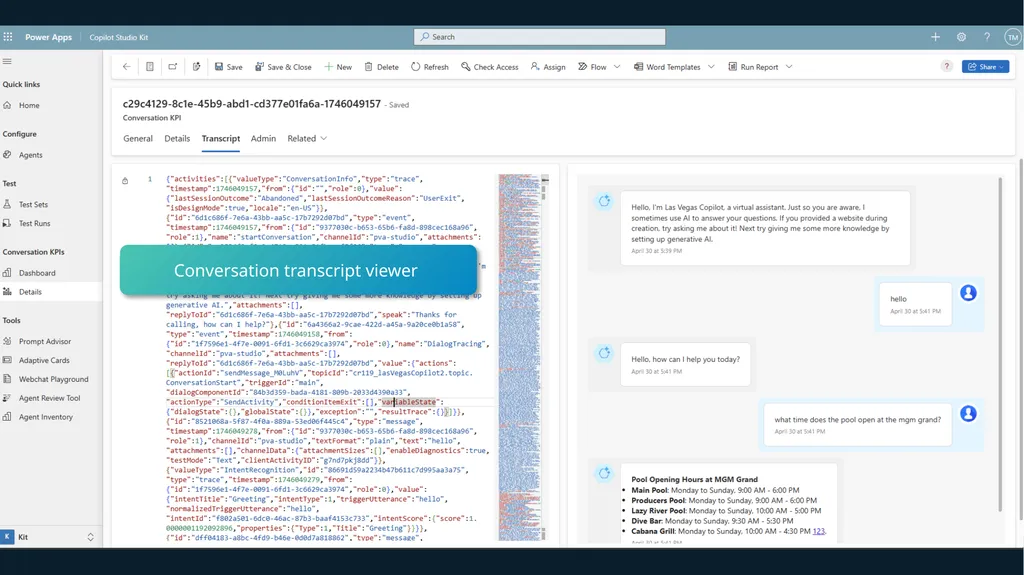
Import of conversation transcripts, including outcome, CSAT, number of turns + transcript viewer<br>
40
Conversation transcript viewer<br>
41
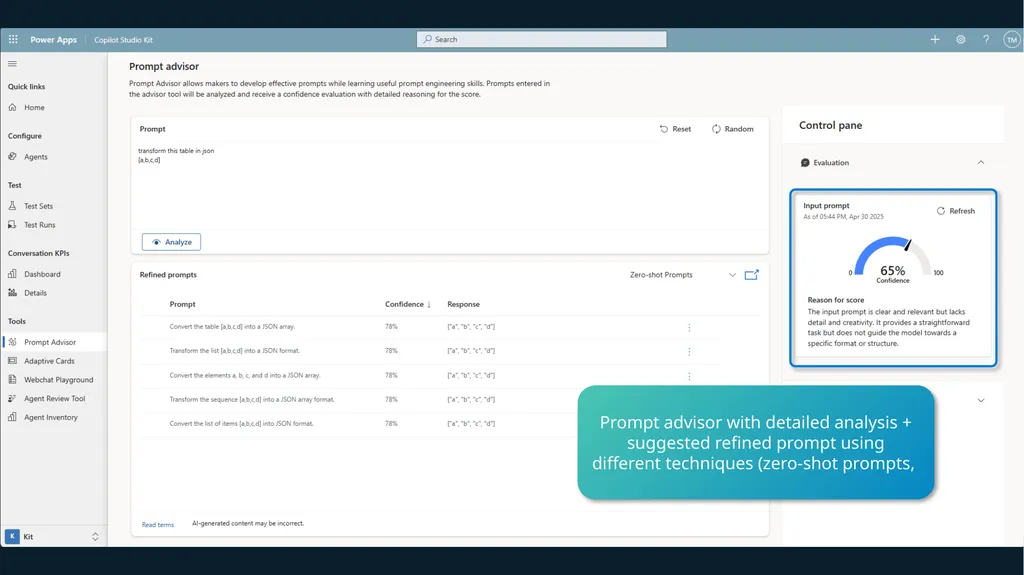
Prompt advisor with detailed analysis + suggested refined prompt using different techniques (zero-shot prompts,<br>
42
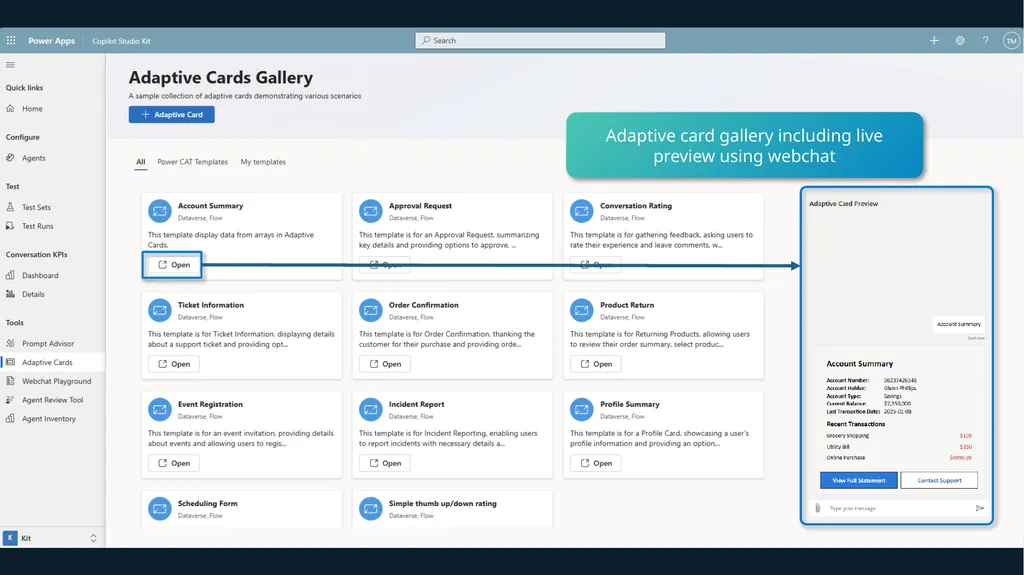
Adaptive card gallery including live preview using webchat<br>
43
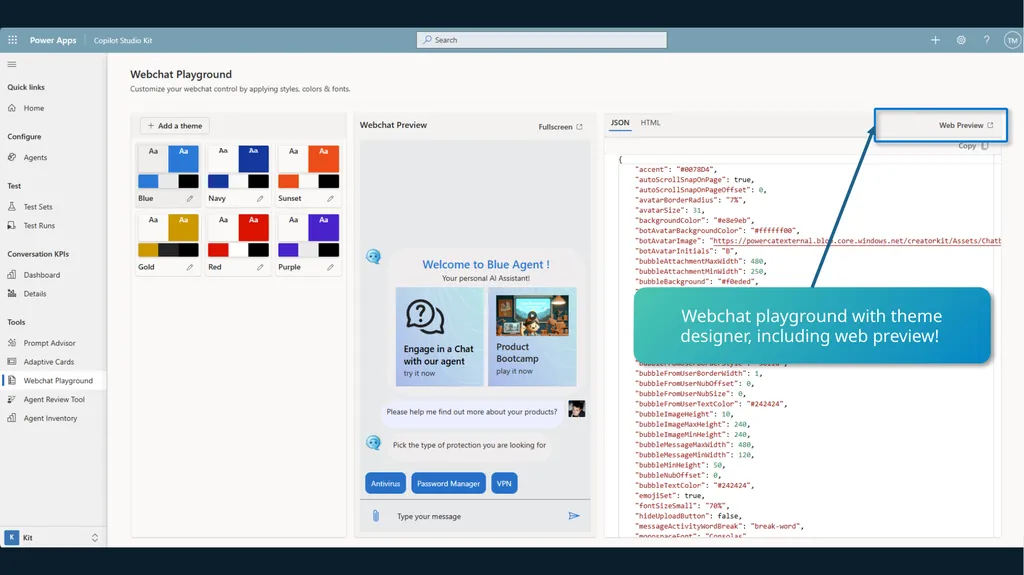
Webchat playground with theme designer, including web preview!<br>
44
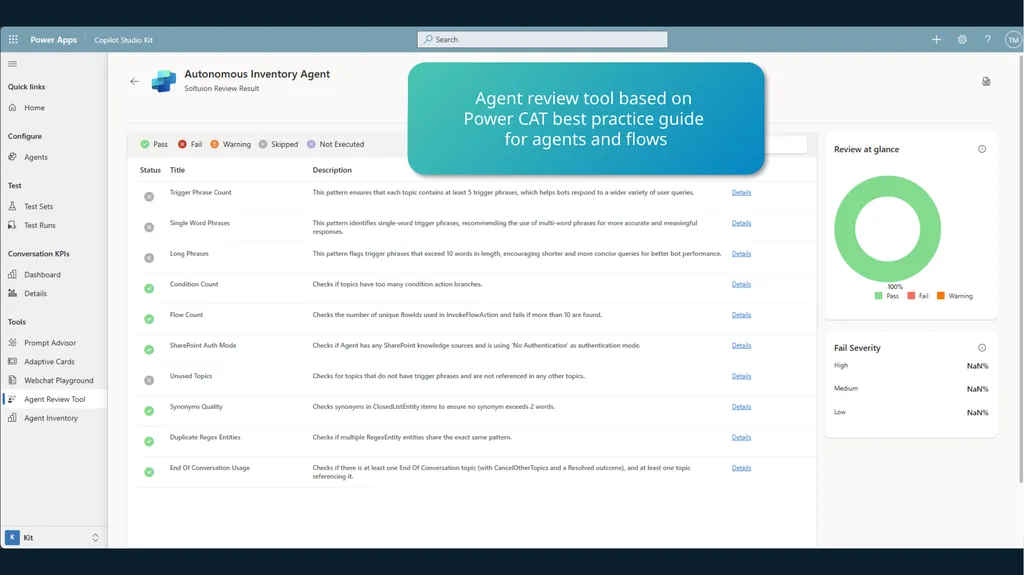
Agent review tool based on
Power CAT best practice guide
for agents and flows<br>
45
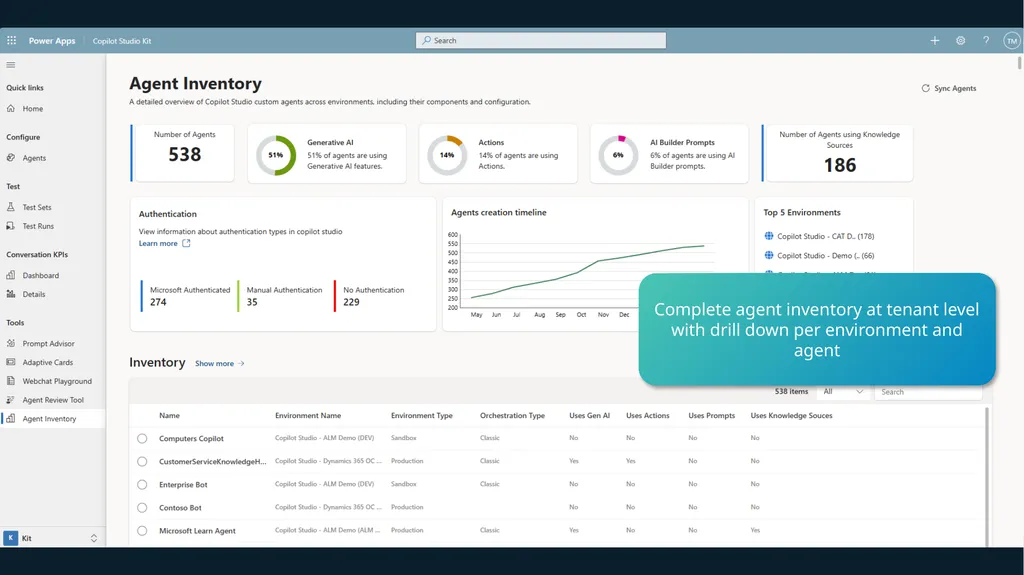
Complete agent inventory at tenant level with drill down per environment and agent<br>
46
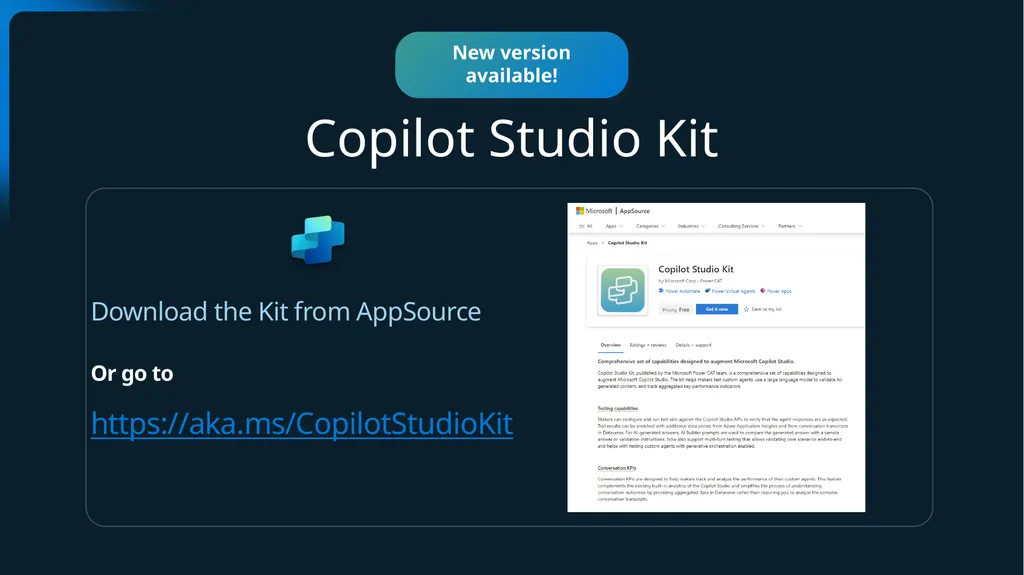
Announcement slide (dark) with color rotation Copilot Studio Kit Download the Kit from AppSource
Or go to
https://aka.ms/CopilotStudioKit New version available!<br>
47
What features should we prioritize<br>