03
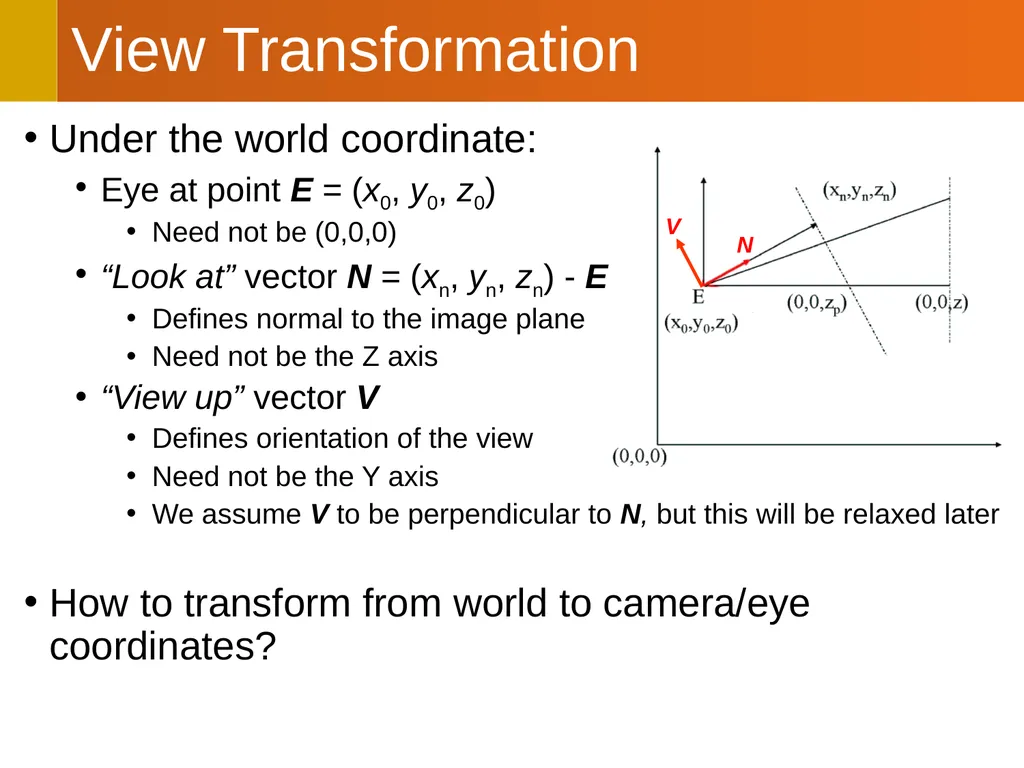
Under the world coordinate:
Eye at point E = (x0, y0, z0)
Need not be (0,0,0)
“Look at” vector N = (xn, yn, zn) - E
Defines normal to the image plane
Need not be the Z axis
“View up” vector V
Defines orientation of the view
Need not be the Y axis
We assume V to be perpendicular to N, but this will be relaxed later
How to transform from world to camera/eye coordinates? View Transformation N V<br>
04
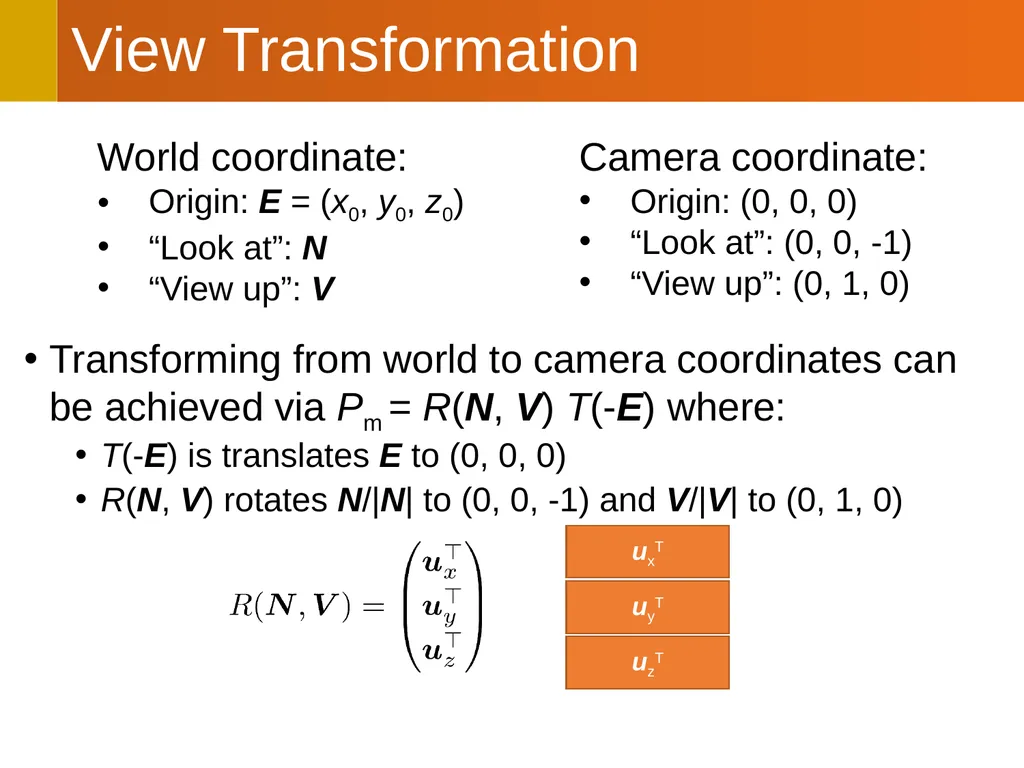
Transforming from world to camera coordinates can be achieved via Pm = R(N, V) T(-E) where:
T(-E) is translates E to (0, 0, 0)
R(N, V) rotates N/|N| to (0, 0, -1) and V/|V| to (0, 1, 0) View Transformation<br>
05
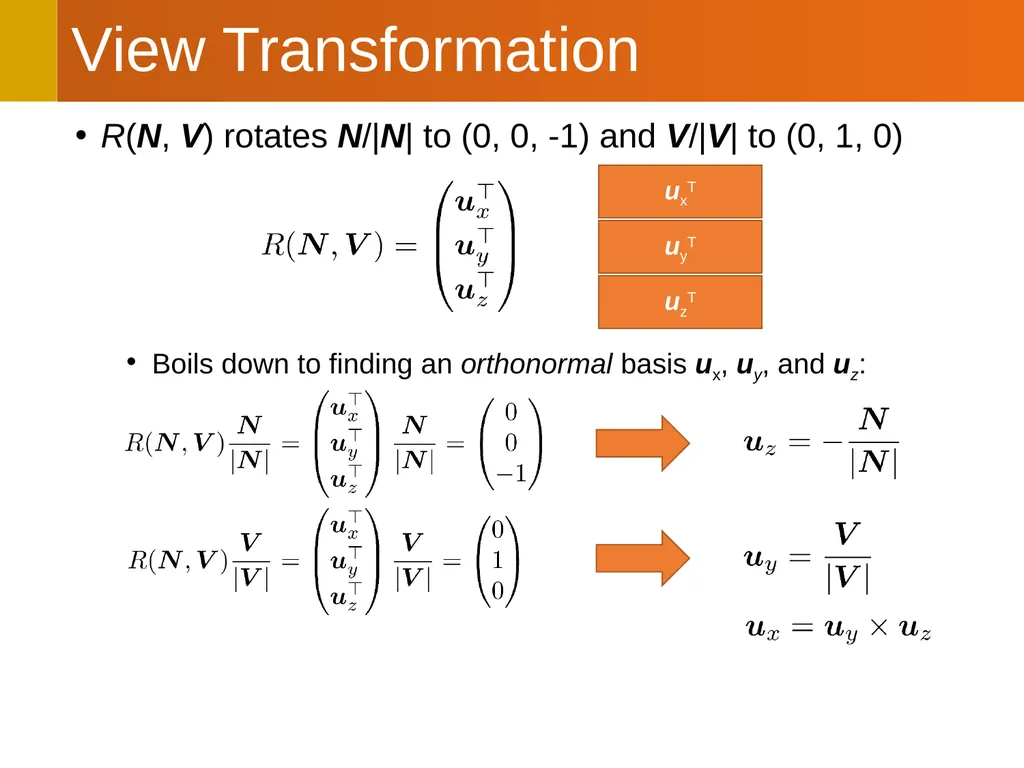
R(N, V) rotates N/|N| to (0, 0, -1) and V/|V| to (0, 1, 0)
Boils down to finding an orthonormal basis ux, uy, and uz: View Transformation<br>
06
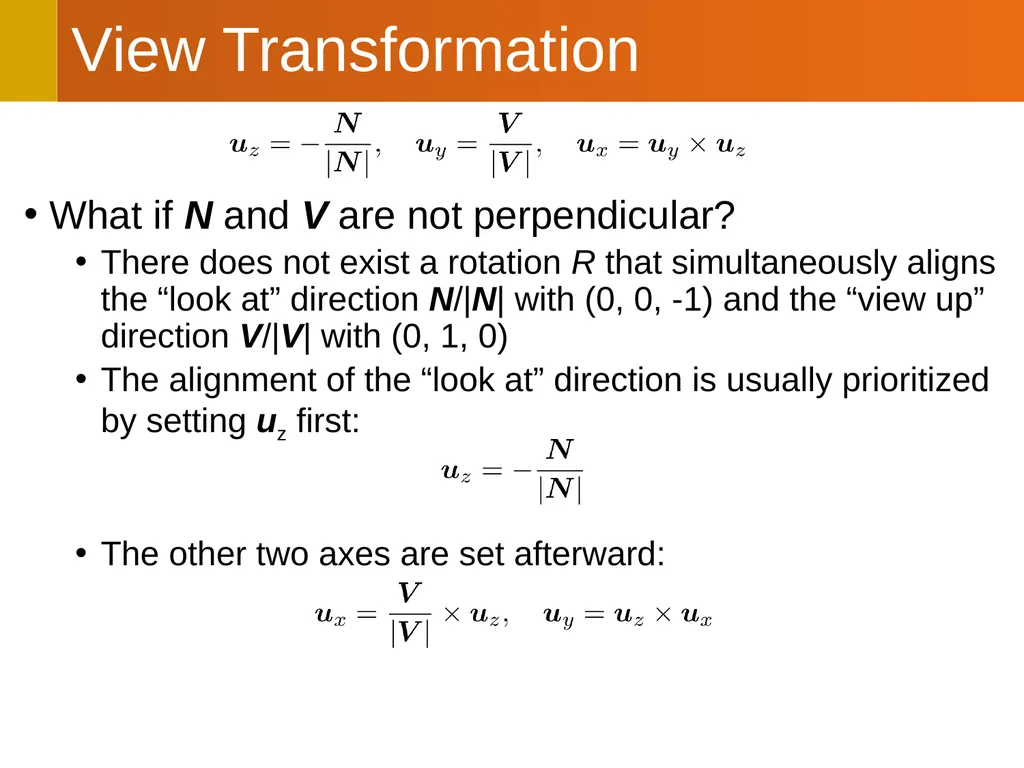
What if N and V are not perpendicular?
There does not exist a rotation R that simultaneously aligns the “look at” direction N/|N| with (0, 0, -1) and the “view up” direction V/|V| with (0, 1, 0)
The alignment of the “look at” direction is usually prioritized by setting uz first:
The other two axes are set afterward: View Transformation<br>
07
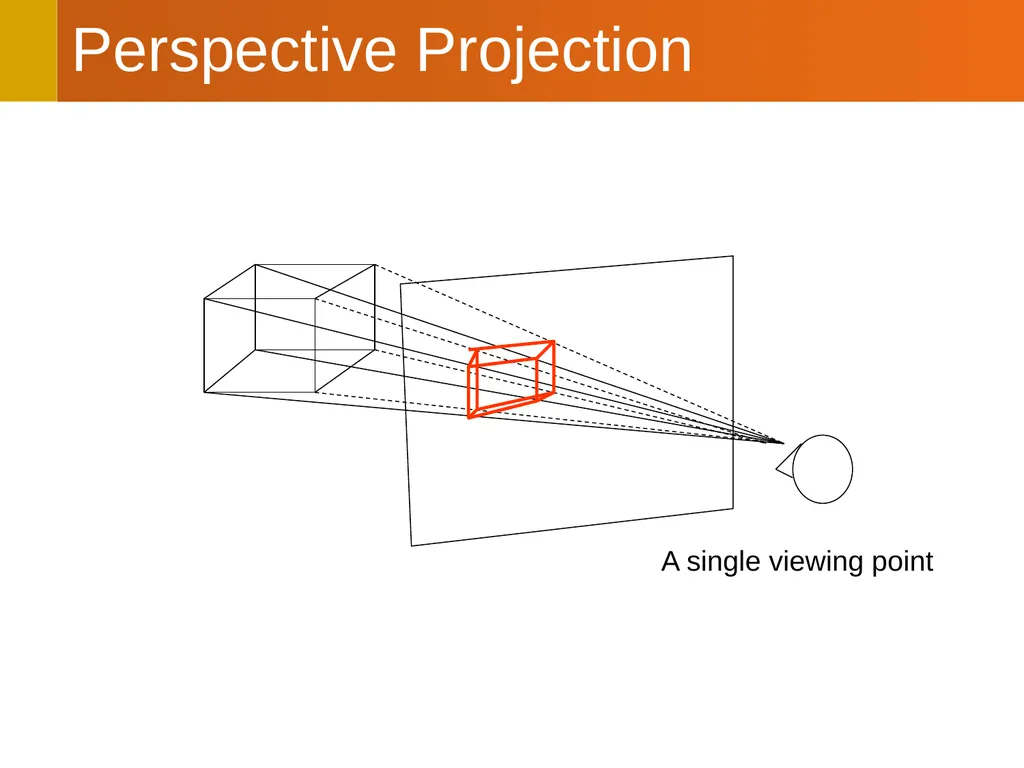
Perspective Projection A single viewing point<br>
08
Perspective Projection Eye (E): (0, 0 ,0)
“View up” direction: (0, 1, 0)
“Look at” direction: (0, 0, -1)
The image plane is located at z = -n (where n > 0)
View Direction
Mimics eye movement after head is fixed
Tilt-shift lens effect<br>
09
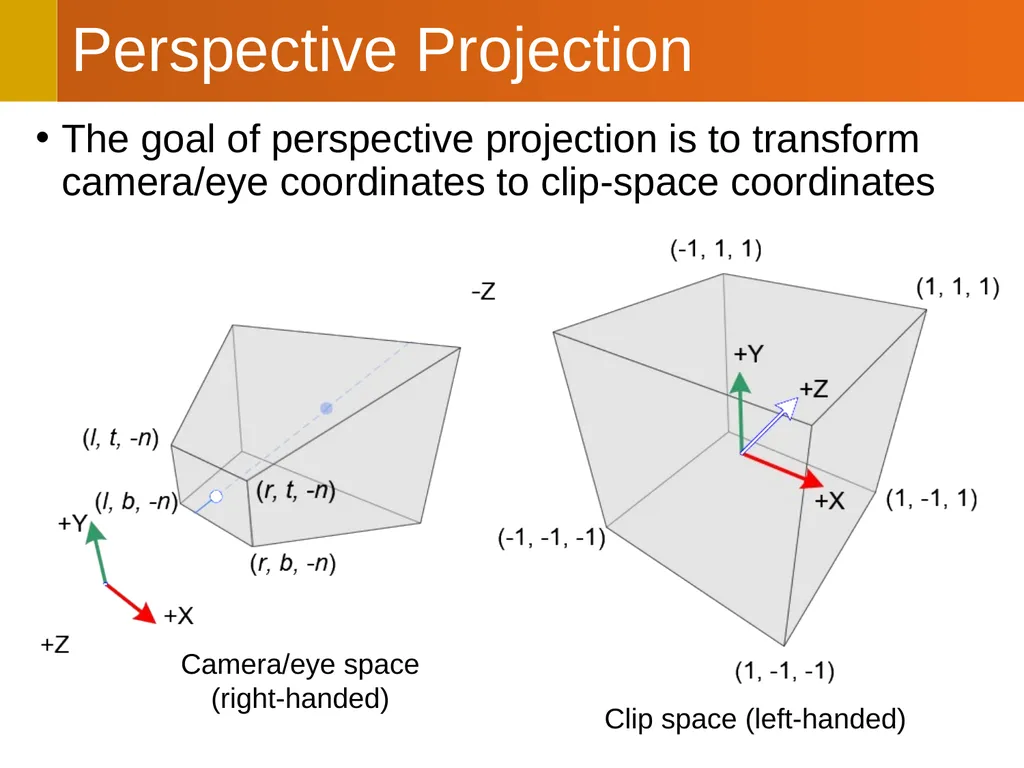
Perspective Projection The goal of perspective projection is to transform camera/eye coordinates to clip-space coordinates Camera/eye space�(right-handed) Clip space (left-handed)<br>
10
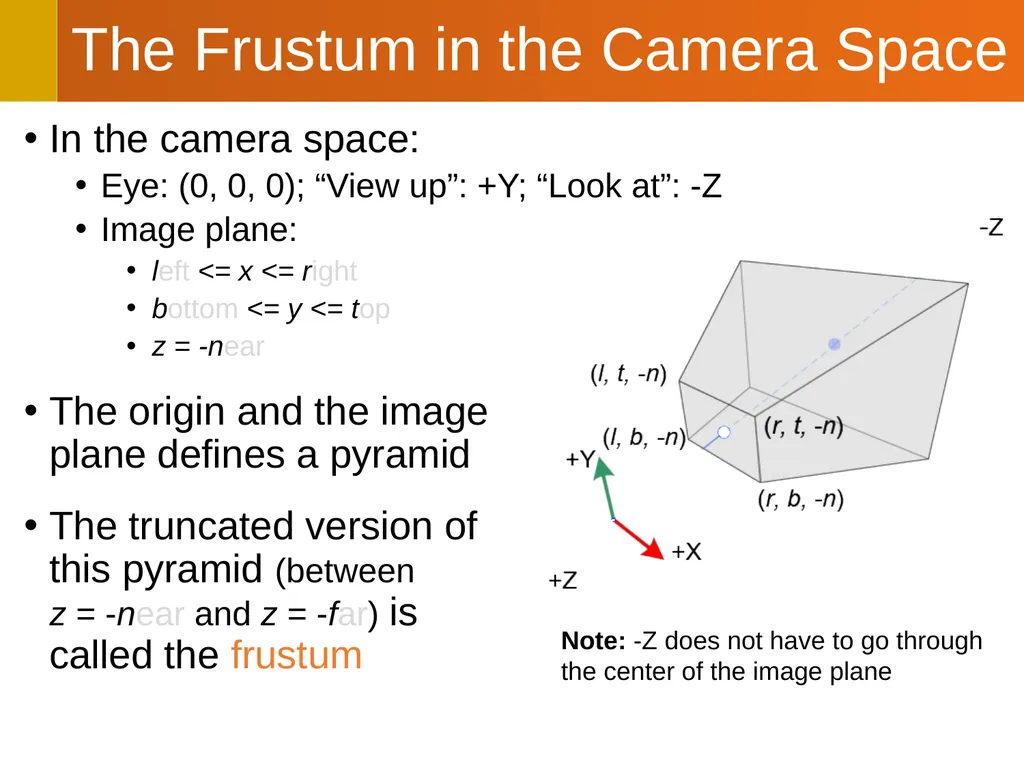
In the camera space:
Eye: (0, 0, 0); “View up”: +Y; “Look at”: -Z
Image plane:
left <= x <= right
bottom <= y <= top
z = -near
The origin and the image�plane defines a pyramid
The truncated version of�this pyramid (between�z = -near and z = -far) is�called the frustum The Frustum in the Camera Space Note: -Z does not have to go through�the center of the image plane<br>
11
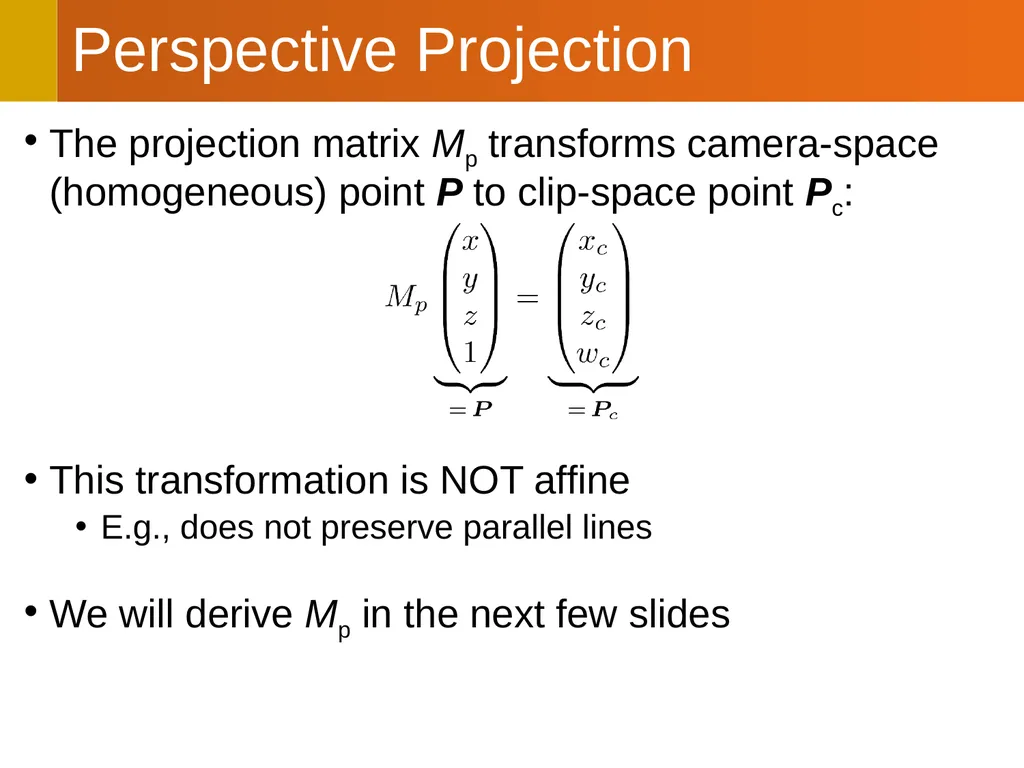
The projection matrix Mp transforms camera-space (homogeneous) point P to clip-space point Pc:
This transformation is NOT affine
E.g., does not preserve parallel lines
We will derive Mp in the next few slides Perspective Projection<br>
12
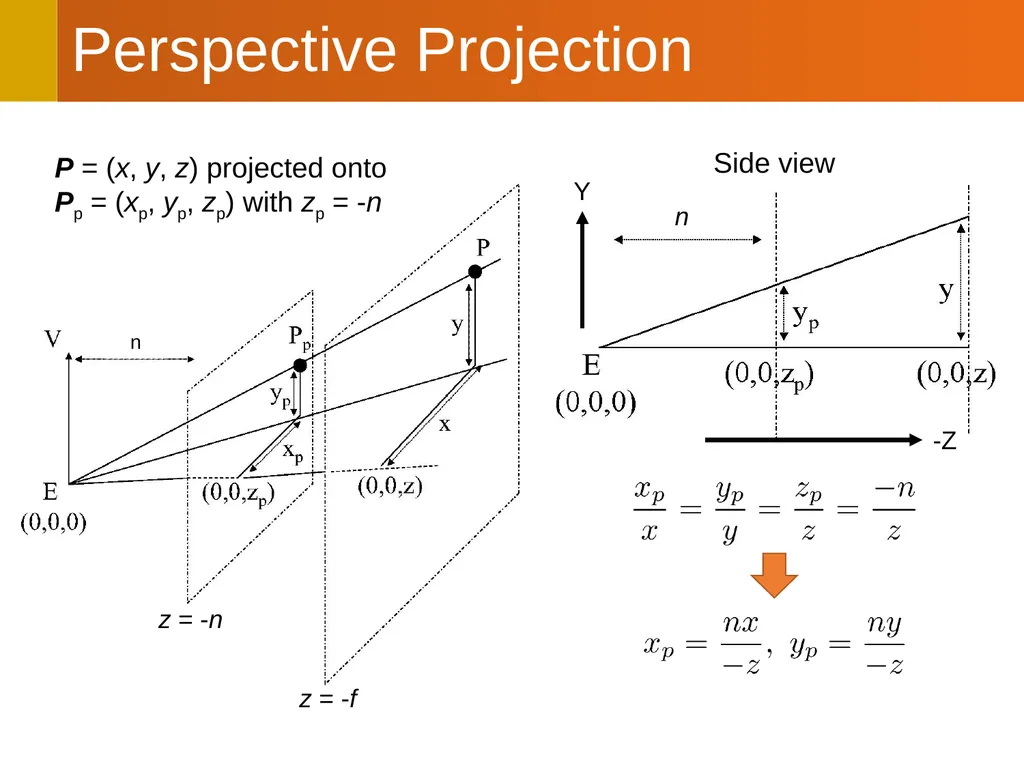
Perspective Projection n Side view -Z Y P = (x, y, z) projected onto�Pp = (xp, yp, zp) with zp = -n n z = -n z = -f<br>
13
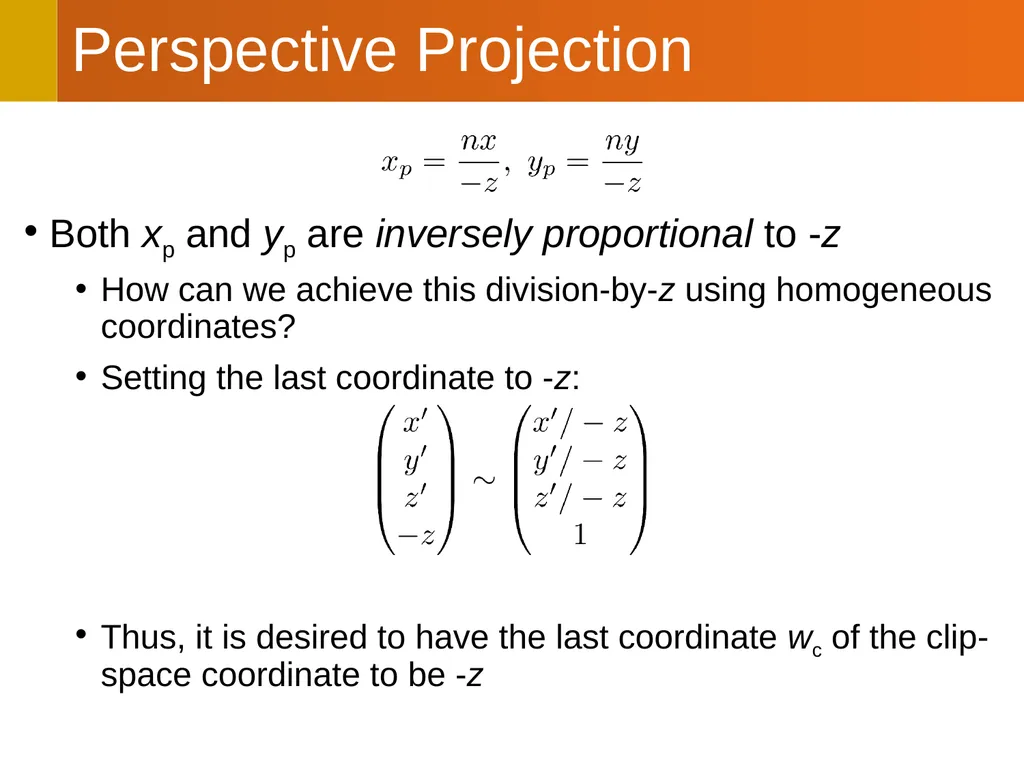
Both xp and yp are inversely proportional to -z
How can we achieve this division-by-z using homogeneous coordinates?
Setting the last coordinate to -z:
Thus, it is desired to have the last coordinate wc of the clip-space coordinate to be -z Perspective Projection<br>
14
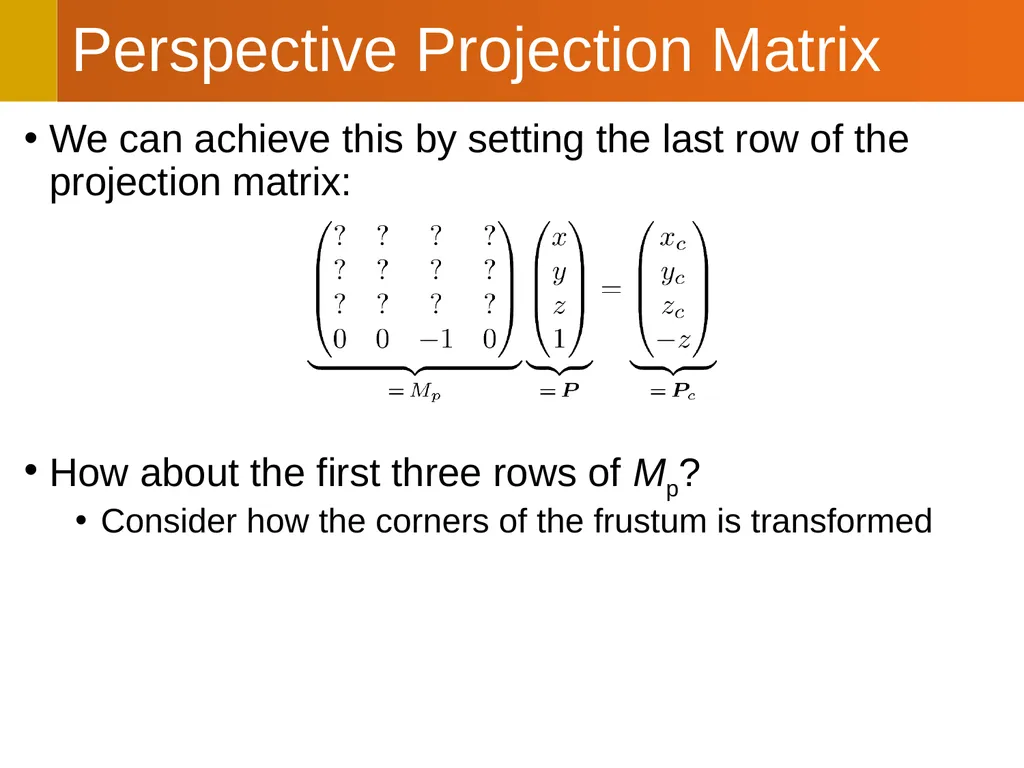
We can achieve this by setting the last row of the projection matrix:
How about the first three rows of Mp?
Consider how the corners of the frustum is transformed Perspective Projection Matrix<br>
15
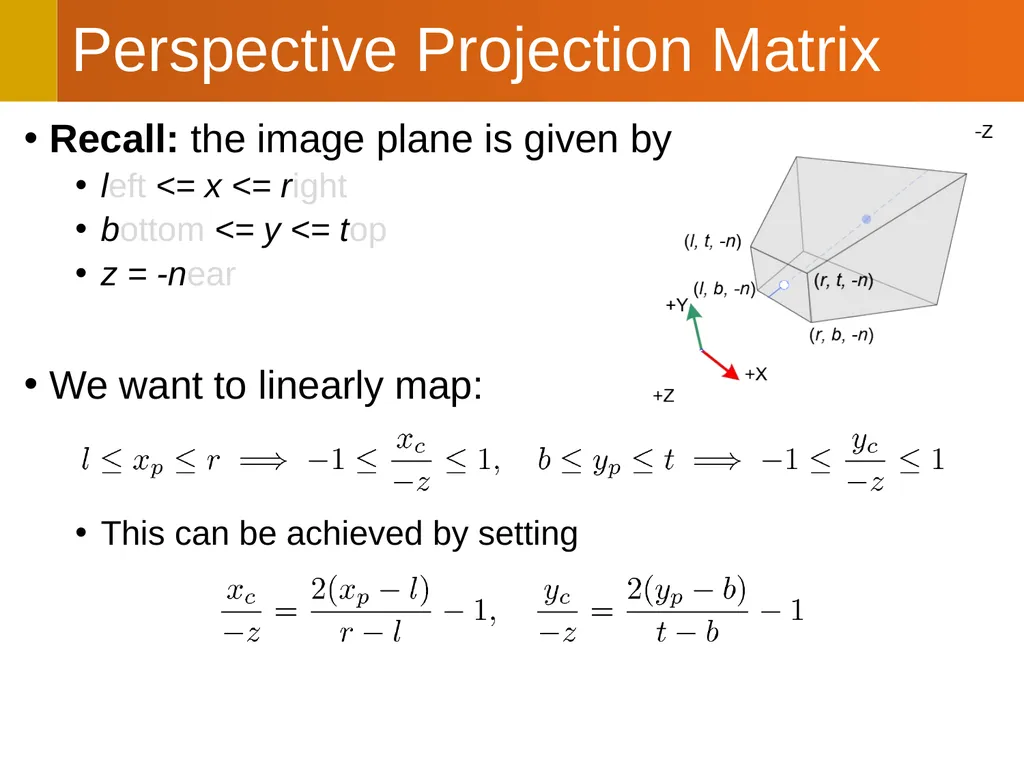
Recall: the image plane is given by
left <= x <= right
bottom <= y <= top
z = -near
We want to linearly map:
This can be achieved by setting Perspective Projection Matrix<br>
16
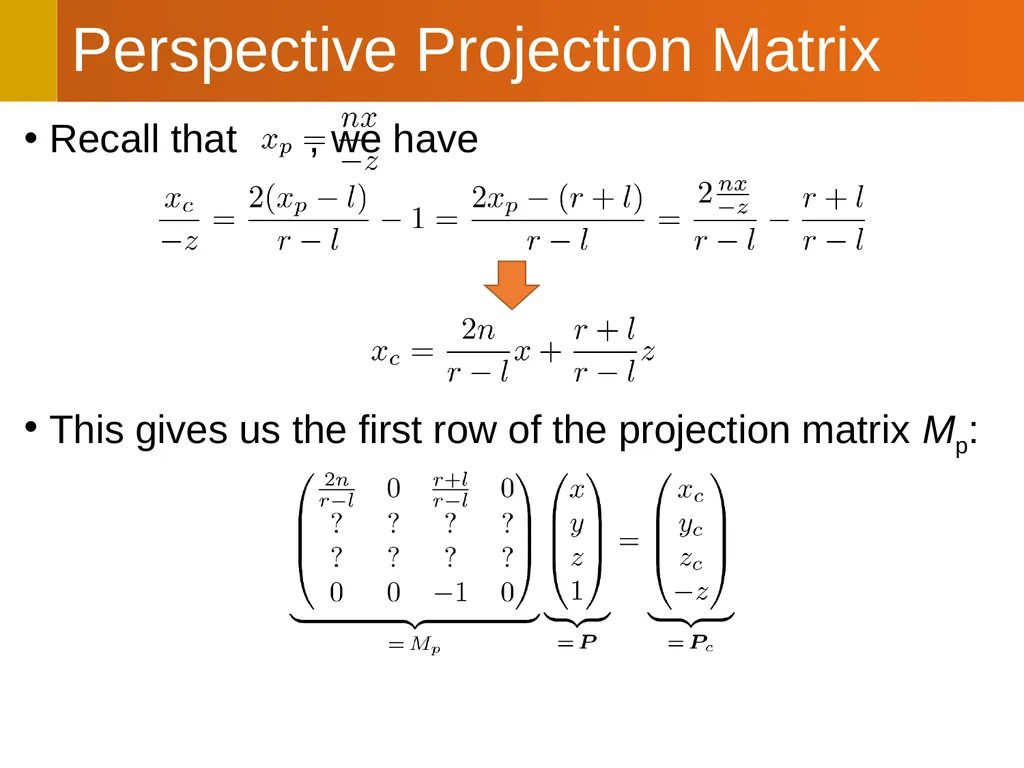
Recall that , we have
This gives us the first row of the projection matrix Mp: Perspective Projection Matrix<br>
17
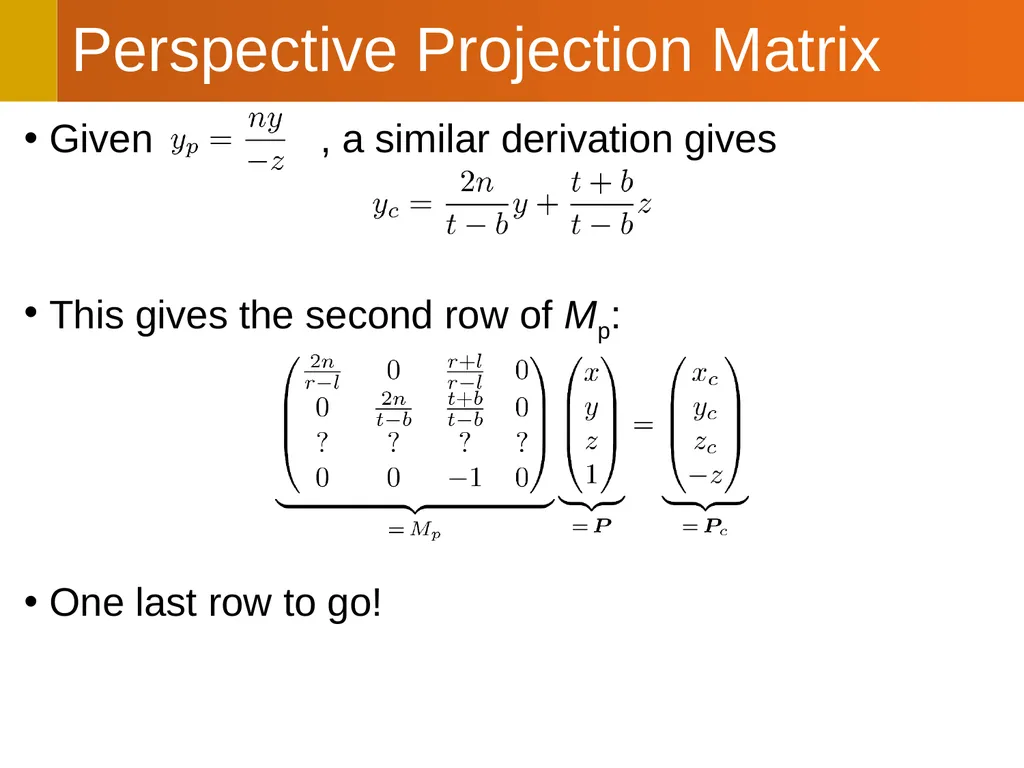
Given , a similar derivation gives
This gives the second row of Mp:
One last row to go! Perspective Projection Matrix<br>
18
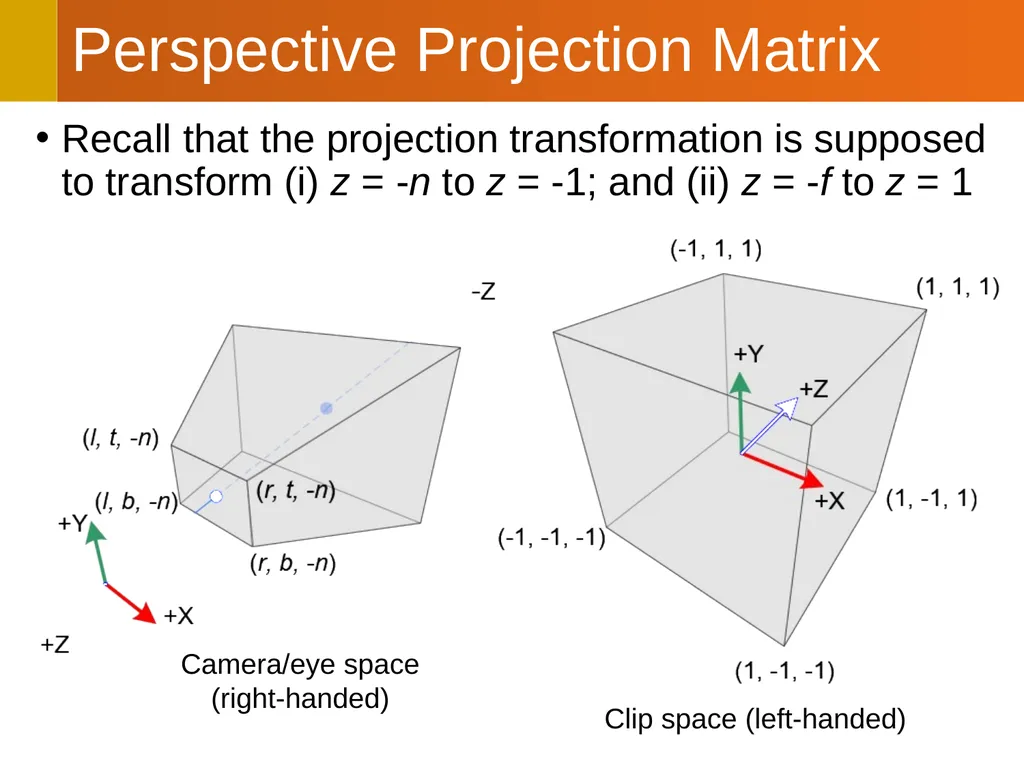
Perspective Projection Matrix Recall that the projection transformation is supposed to transform (i) z = -n to z = -1; and (ii) z = -f to z = 1 Camera/eye space�(right-handed) Clip space (left-handed)<br>
19
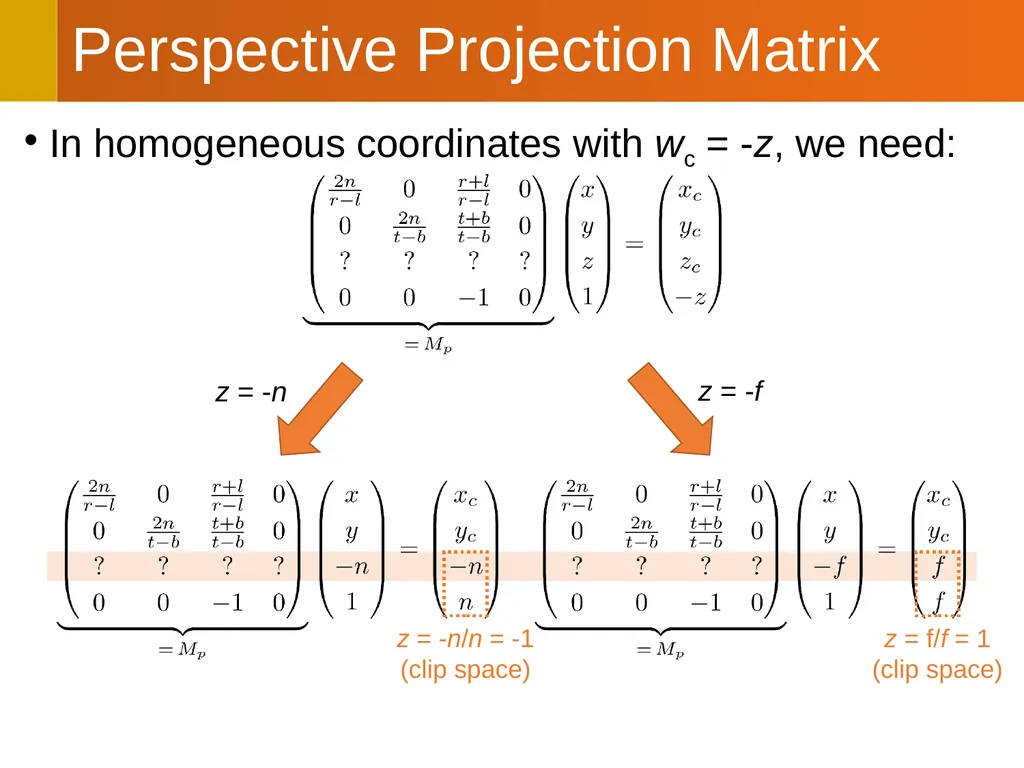
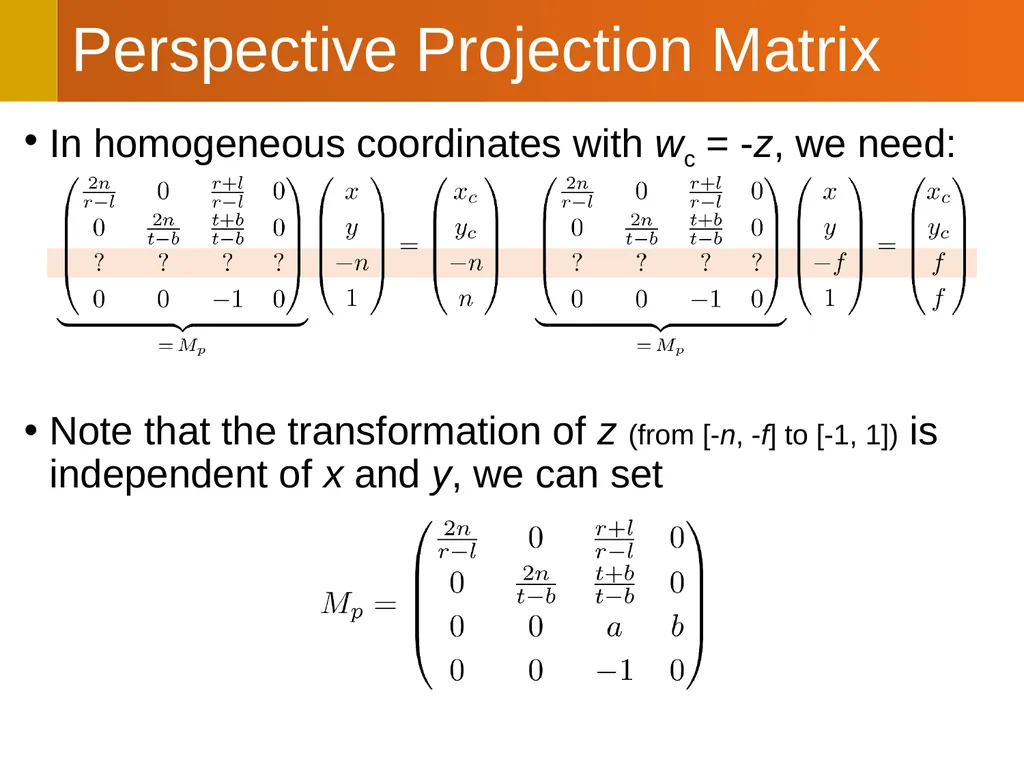
In homogeneous coordinates with wc = -z, we need: Perspective Projection Matrix z = -n z = -f z = -n/n = -1�(clip space) z = f/f = 1�(clip space)<br>
20
In homogeneous coordinates with wc = -z, we need:
Note that the transformation of z (from [-n, -f] to [-1, 1]) is independent of x and y, we can set Perspective Projection Matrix<br>
21
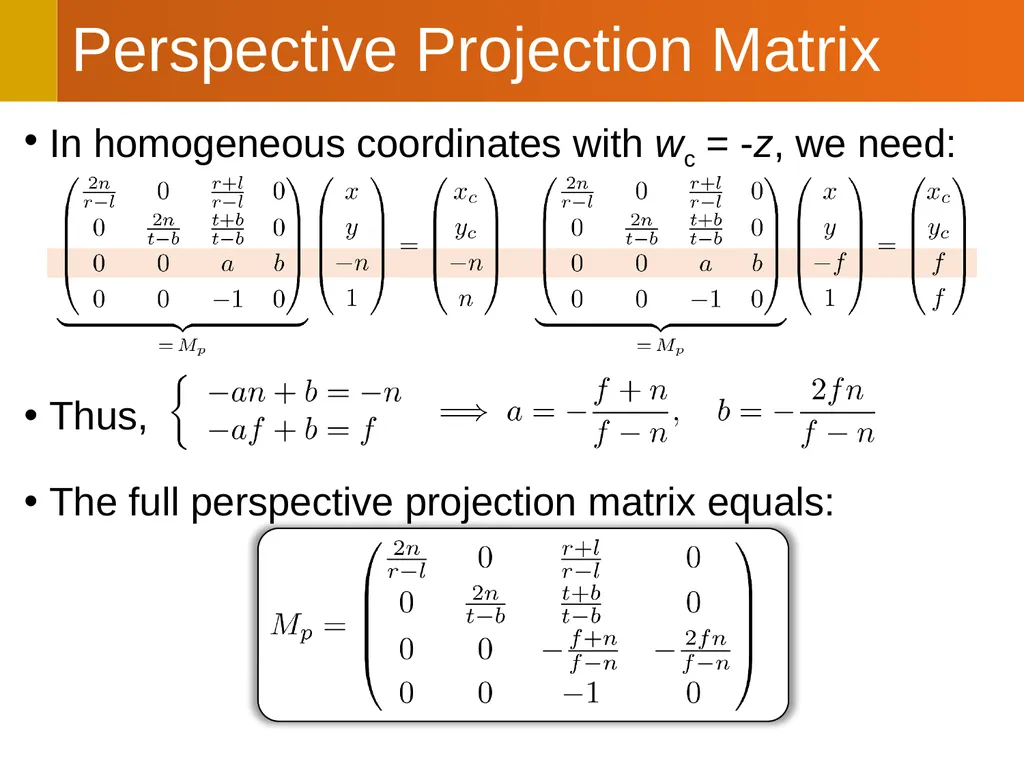
In homogeneous coordinates with wc = -z, we need:
Thus,
The full perspective projection matrix equals: Perspective Projection Matrix<br>
22
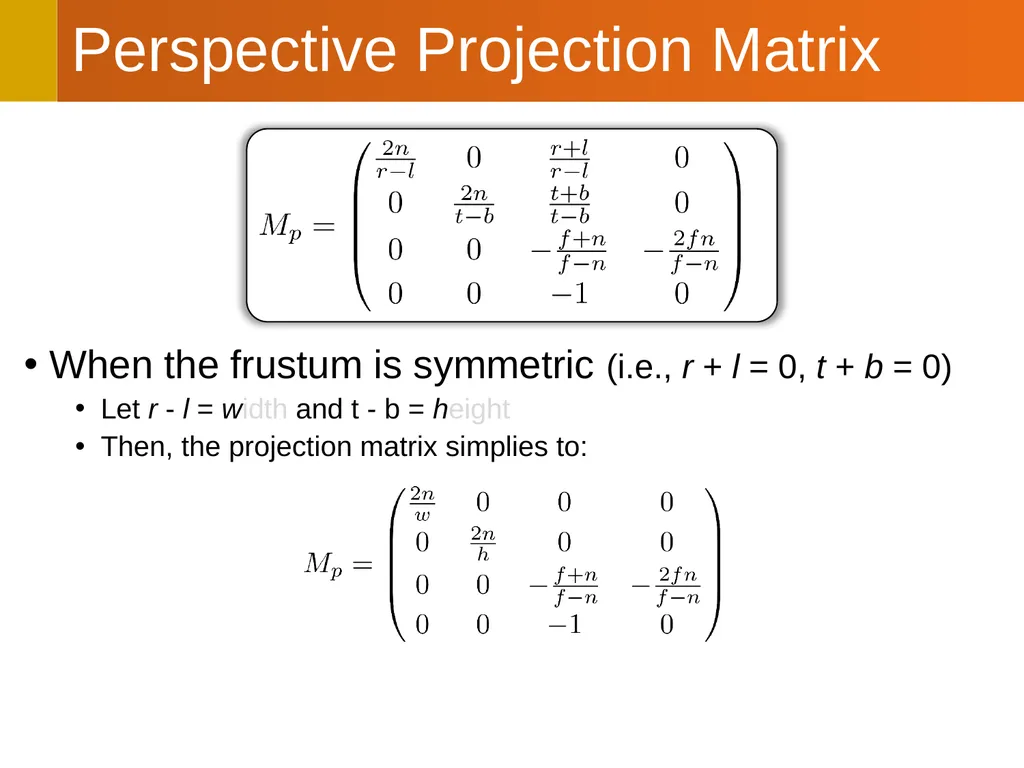
When the frustum is symmetric (i.e., r + l = 0, t + b = 0)
Let r - l = width and t - b = height
Then, the projection matrix simplies to: Perspective Projection Matrix<br>
23
All points outside the frustum are ignored
Each point inside clip-space coordinate (x’, y’, z’)
Has its projection on the image plane at (x’, y')
This coordinate can be simply scaled and translated to get the corresponding screen/window coordinate
Multiple 3D points can have identical screen/window coordinates
In other words, when multiple objects occlude each other, their projections on the image plane would overlap
How can we resolve the occlusion
i.e., by deciding which object occludes which? From Clip Space to Frame Buffer<br>
24
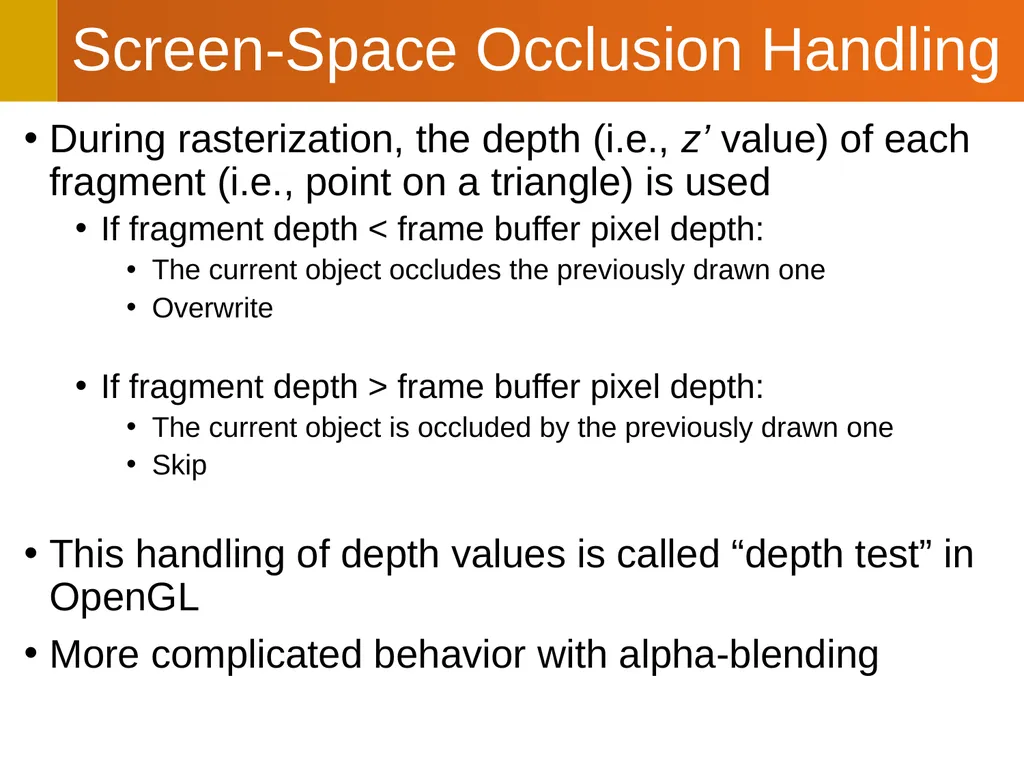
During rasterization, the depth (i.e., z’ value) of each fragment (i.e., point on a triangle) is used
If fragment depth < frame buffer pixel depth:
The current object occludes the previously drawn one
Overwrite
If fragment depth > frame buffer pixel depth:
The current object is occluded by the previously drawn one
Skip
This handling of depth values is called “depth test” in OpenGL
More complicated behavior with alpha-blending Screen-Space Occlusion Handling<br>
25
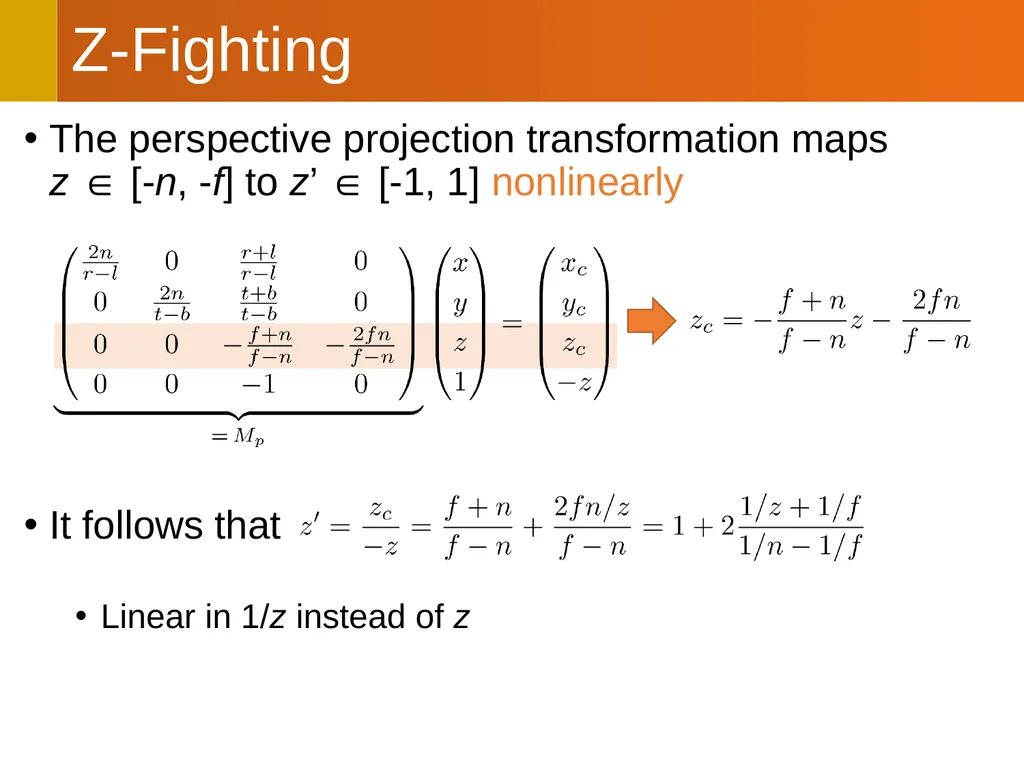
The perspective projection transformation maps�z ∈ [-n, -f] to z’ ∈ [-1, 1] nonlinearly
It follows that
Linear in 1/z instead of z Z-Fighting<br>
27
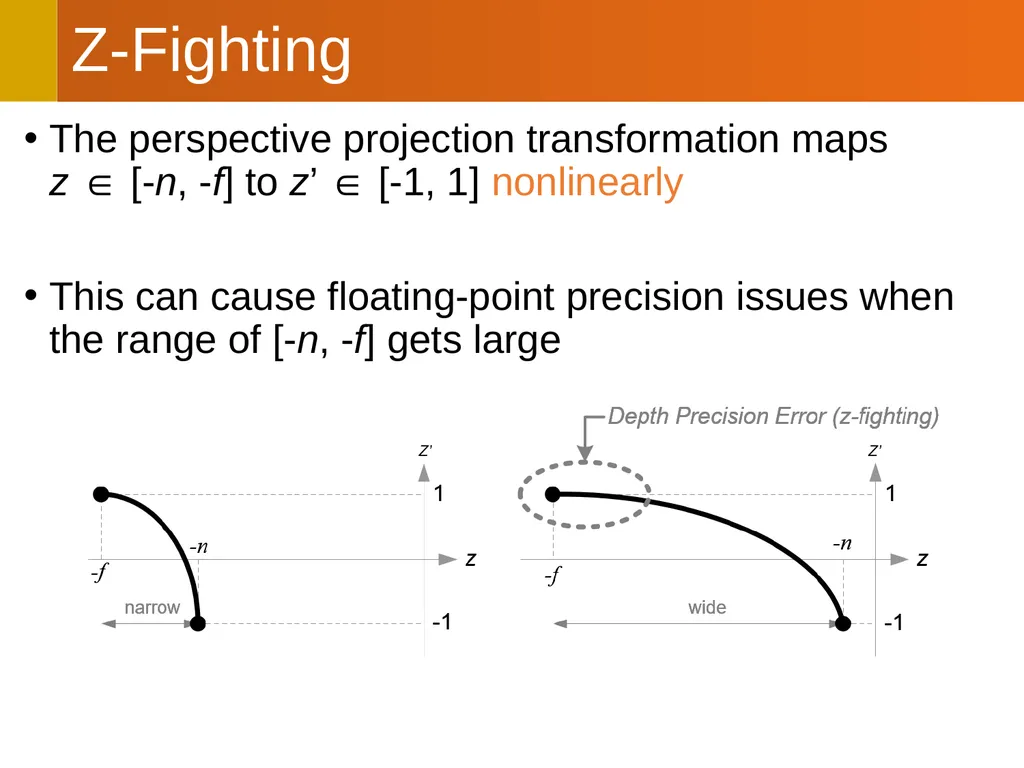
The perspective projection transformation maps�z ∈ [-n, -f] to z’ ∈ [-1, 1] nonlinearly
This can cause floating-point precision issues when the range of [-n, -f] gets large Z-Fighting<br>
28
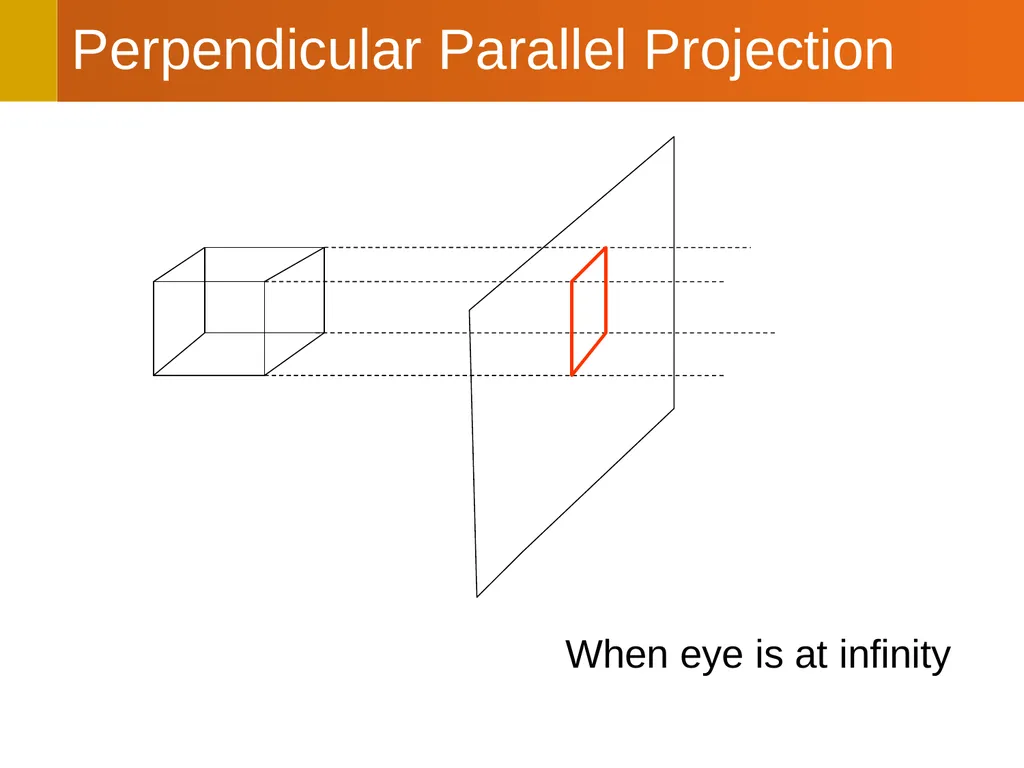
Perpendicular Parallel Projection When eye is at infinity<br>