
Data Wrangling Key ideas: regular expressions,
MS
Published · 59 slides · 0 views
1 / 1



Description
Data Wrangling Key ideas: regular expressions, sedawkgrep So far: Relational Data 2 classwikitable sortable - !Appearances !Team !Wins !Losses !Winningbr percentage !Season(s) -aligncenter Sort08628alignleft
Related Topics
Share
Embed code
Download this presentation From Below
"Data Wrangling Key ideas: regular expressions," is the property of its rightful owner. Permission is granted to download and print the materials on this website for personal, non-commercial use only, and to display it on your personal computer provided you do not modify the materials and that you retain all copyright notices contained in the materials. By downloading content from our website, you accept the terms of this agreement.
Presentation Transcript
01
Data Wrangling Key ideas: regular expressions, sed/awk/grep<br>
02
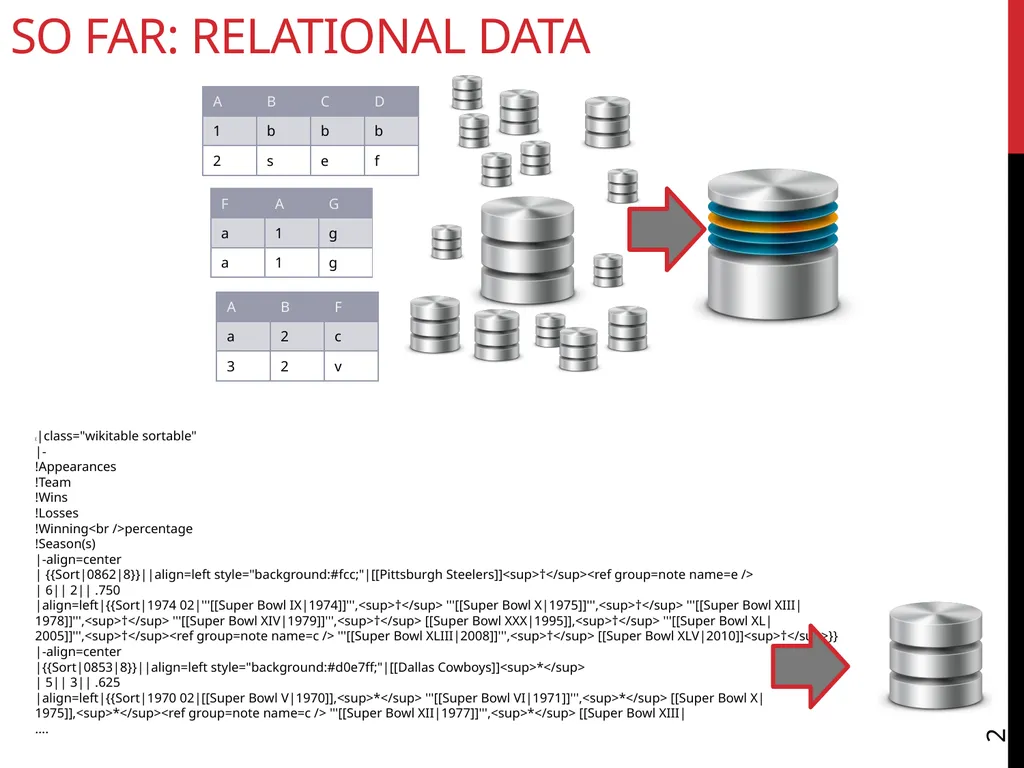
So far: Relational Data 2 {|class="wikitable sortable"
|-
!Appearances
!Team
!Wins
!Losses
!Winning<br />percentage
!Season(s)
|-align=center
| {{Sort|0862|8}}||align=left style="background:#fcc;"|[[Pittsburgh Steelers]]<sup>†</sup><ref group=note name=e />
| 6|| 2|| .750
|align=left|{{Sort|1974 02|'''[[Super Bowl IX|1974]]''',<sup>†</sup> '''[[Super Bowl X|1975]]''',<sup>†</sup> '''[[Super Bowl XIII|1978]]''',<sup>†</sup> '''[[Super Bowl XIV|1979]]''',<sup>†</sup> [[Super Bowl XXX|1995]],<sup>†</sup> '''[[Super Bowl XL|2005]]''',<sup>†</sup><ref group=note name=c /> '''[[Super Bowl XLIII|2008]]''',<sup>†</sup> [[Super Bowl XLV|2010]]<sup>†</sup>}}
|-align=center
|{{Sort|0853|8}}||align=left style="background:#d0e7ff;"|[[Dallas Cowboys]]<sup>*</sup>
| 5|| 3|| .625
|align=left|{{Sort|1970 02|[[Super Bowl V|1970]],<sup>*</sup> '''[[Super Bowl VI|1971]]''',<sup>*</sup> [[Super Bowl X|1975]],<sup>*</sup><ref group=note name=c /> '''[[Super Bowl XII|1977]]''',<sup>*</sup> [[Super Bowl XIII|
….<br>
|-
!Appearances
!Team
!Wins
!Losses
!Winning<br />percentage
!Season(s)
|-align=center
| {{Sort|0862|8}}||align=left style="background:#fcc;"|[[Pittsburgh Steelers]]<sup>†</sup><ref group=note name=e />
| 6|| 2|| .750
|align=left|{{Sort|1974 02|'''[[Super Bowl IX|1974]]''',<sup>†</sup> '''[[Super Bowl X|1975]]''',<sup>†</sup> '''[[Super Bowl XIII|1978]]''',<sup>†</sup> '''[[Super Bowl XIV|1979]]''',<sup>†</sup> [[Super Bowl XXX|1995]],<sup>†</sup> '''[[Super Bowl XL|2005]]''',<sup>†</sup><ref group=note name=c /> '''[[Super Bowl XLIII|2008]]''',<sup>†</sup> [[Super Bowl XLV|2010]]<sup>†</sup>}}
|-align=center
|{{Sort|0853|8}}||align=left style="background:#d0e7ff;"|[[Dallas Cowboys]]<sup>*</sup>
| 5|| 3|| .625
|align=left|{{Sort|1970 02|[[Super Bowl V|1970]],<sup>*</sup> '''[[Super Bowl VI|1971]]''',<sup>*</sup> [[Super Bowl X|1975]],<sup>*</sup><ref group=note name=c /> '''[[Super Bowl XII|1977]]''',<sup>*</sup> [[Super Bowl XIII|
….<br>
03
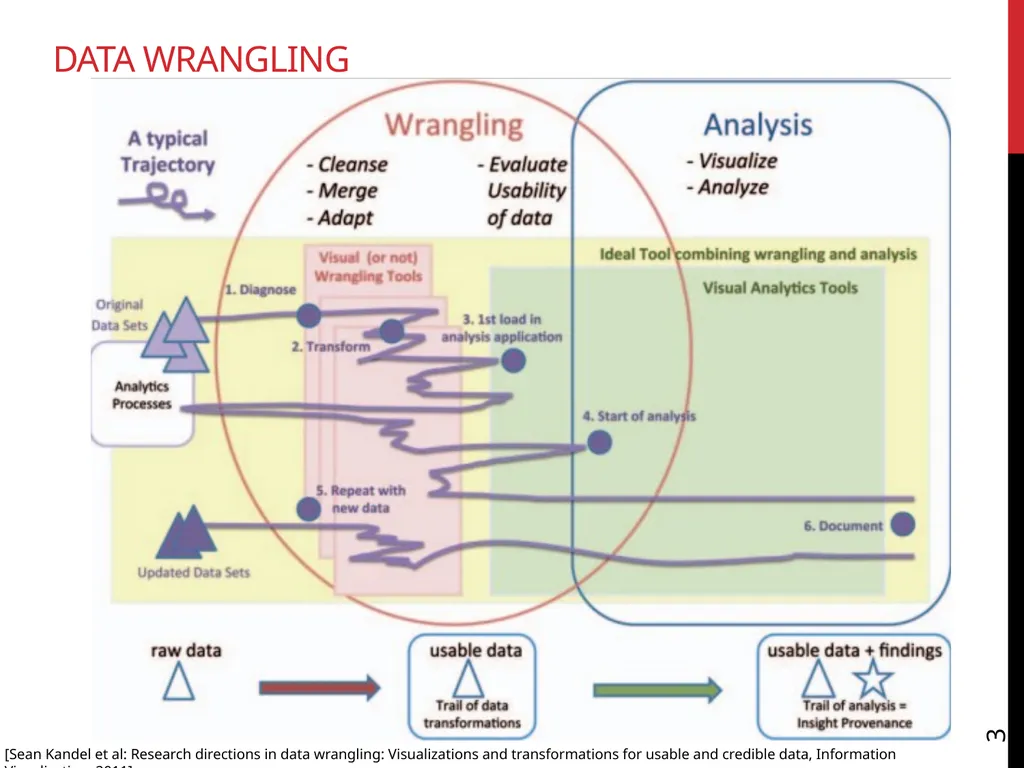
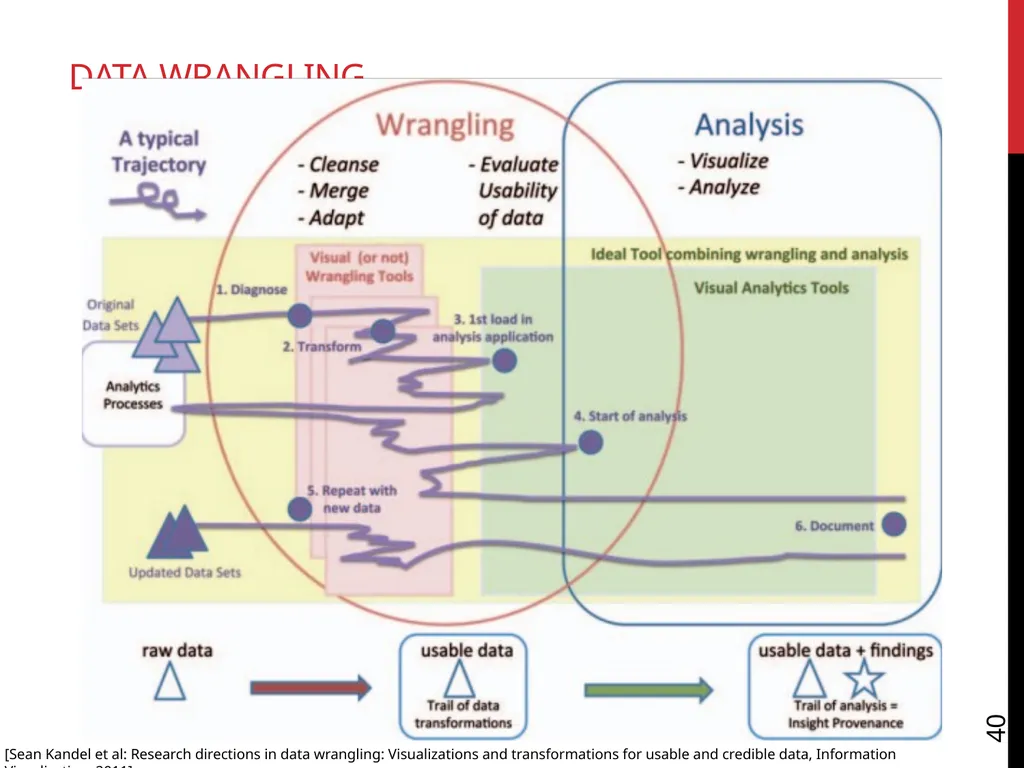
Data Wrangling 3 [Sean Kandel et al: Research directions in data wrangling: Visualizations and transformations for usable and credible data, Information Visualization, 2011]<br>
04
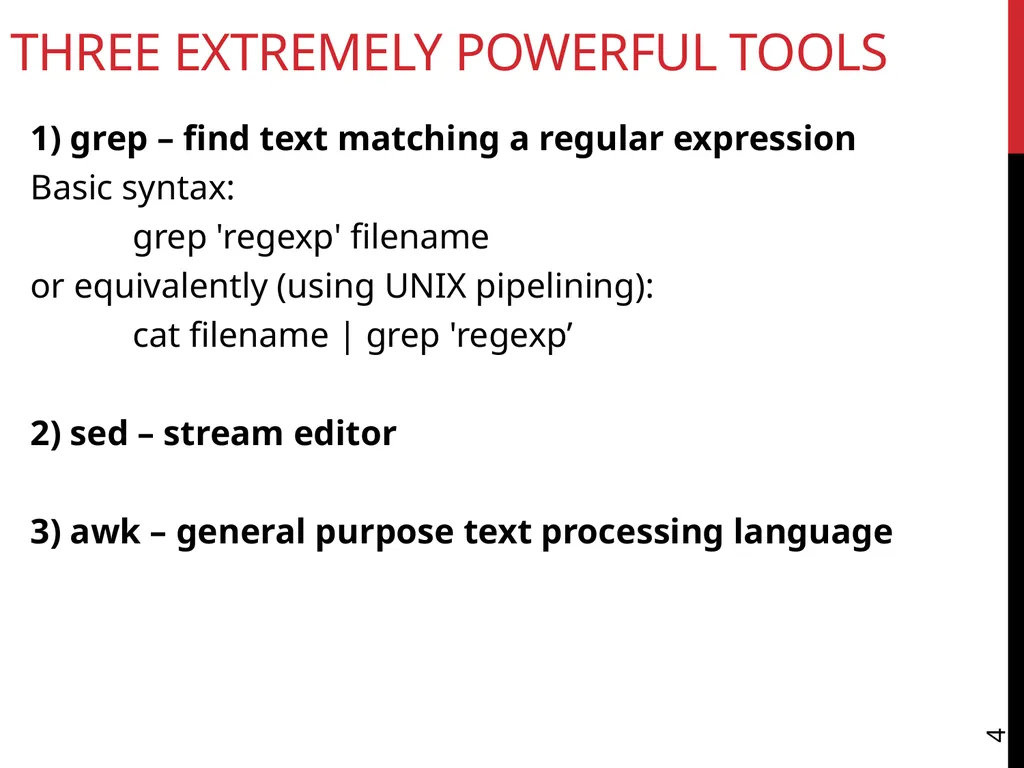
Three Extremely Powerful Tools 4 1) grep – find text matching a regular expression
Basic syntax:
grep 'regexp' filename
or equivalently (using UNIX pipelining):
cat filename | grep 'regexp’
2) sed – stream editor
3) awk – general purpose text processing language<br>
Basic syntax:
grep 'regexp' filename
or equivalently (using UNIX pipelining):
cat filename | grep 'regexp’
2) sed – stream editor
3) awk – general purpose text processing language<br>
05
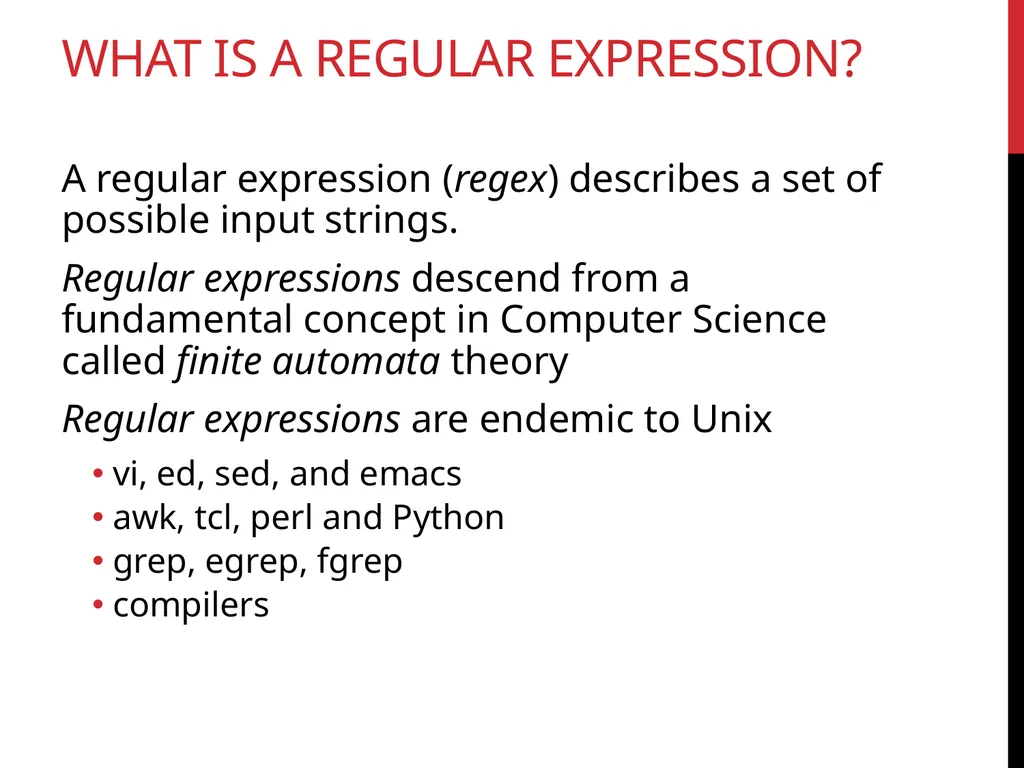
What Is a Regular Expression? A regular expression (regex) describes a set of possible input strings.
Regular expressions descend from a fundamental concept in Computer Science called finite automata theory
Regular expressions are endemic to Unix
vi, ed, sed, and emacs
awk, tcl, perl and Python
grep, egrep, fgrep
compilers<br>
Regular expressions descend from a fundamental concept in Computer Science called finite automata theory
Regular expressions are endemic to Unix
vi, ed, sed, and emacs
awk, tcl, perl and Python
grep, egrep, fgrep
compilers<br>
06
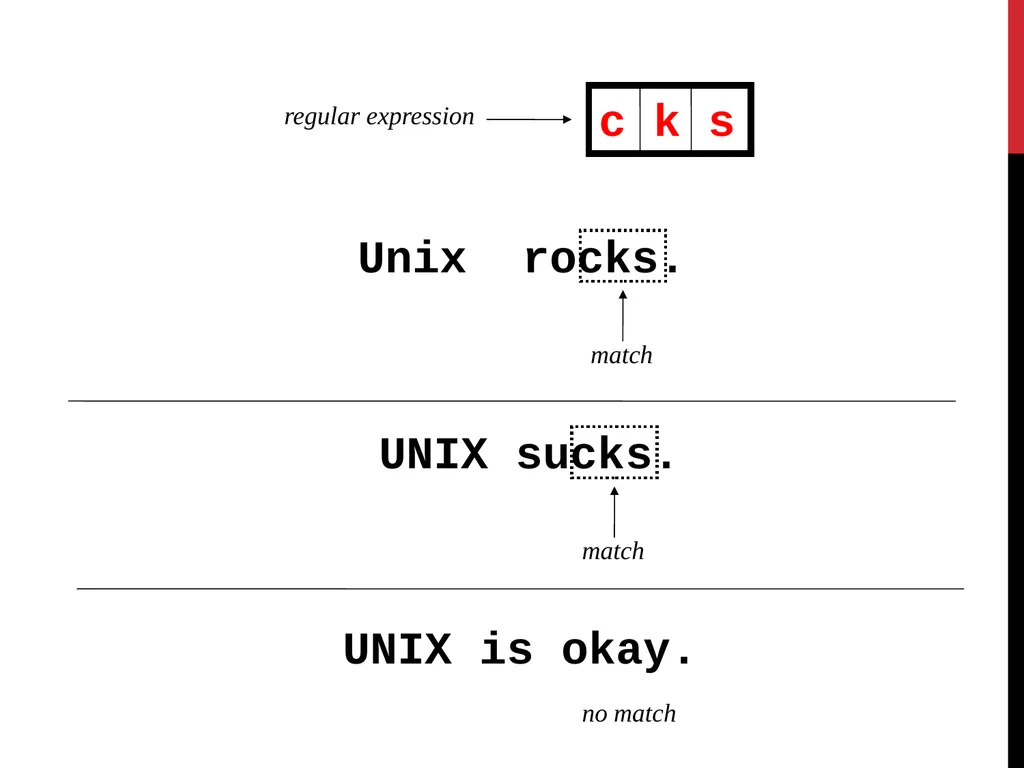
Regular Expressions The simplest regular expressions are a string of literal characters to match.
The string matches the regular expression if it contains the substring.<br>
The string matches the regular expression if it contains the substring.<br>
07
Unix rocks. match UNIX sucks. match UNIX is okay. no match regular expression c k s<br>
08
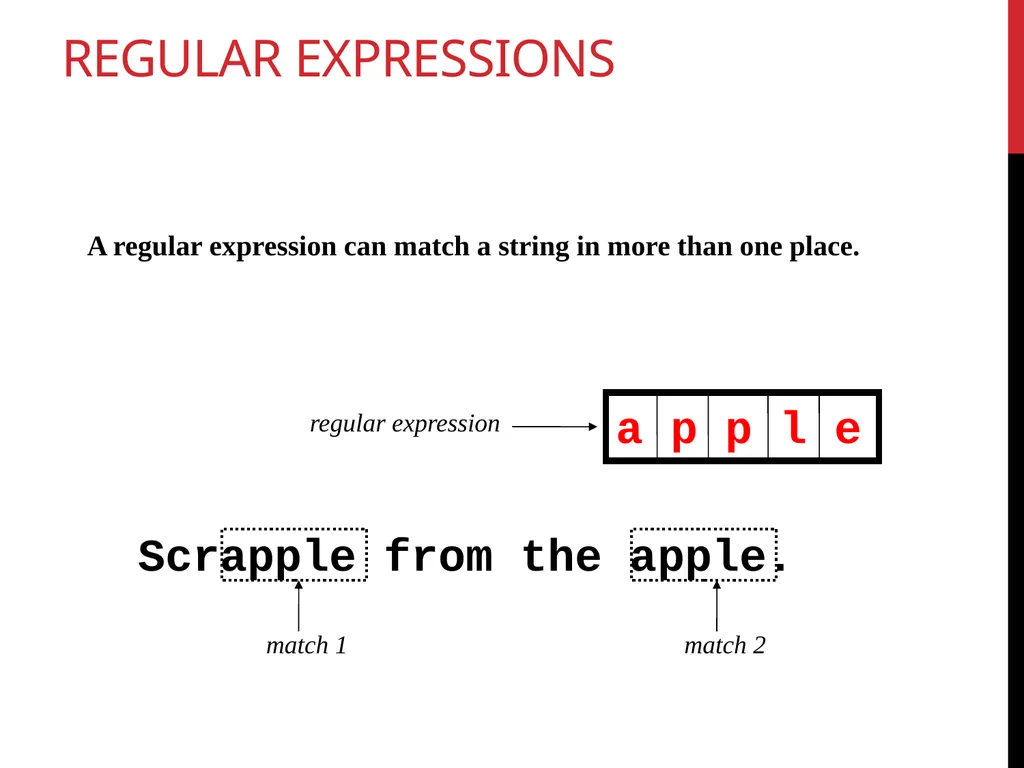
Regular Expressions A regular expression can match a string in more than one place. Scrapple from the apple. match 1 match 2 regular expression a p p l e<br>
09
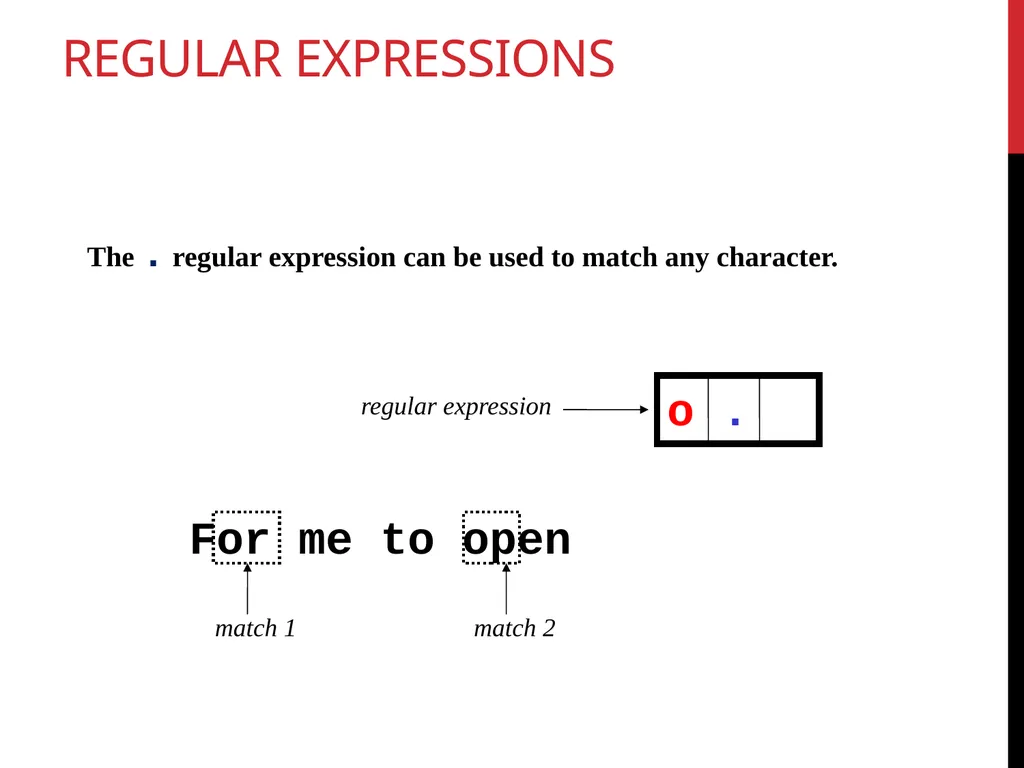
Regular Expressions The . regular expression can be used to match any character. For me to open match 1 match 2 regular expression o .<br>
10
Repetition The * is used to define zero or more occurrences of the single regular expression preceding it.
+ Matches one or more occurrences<br>
+ Matches one or more occurrences<br>
11
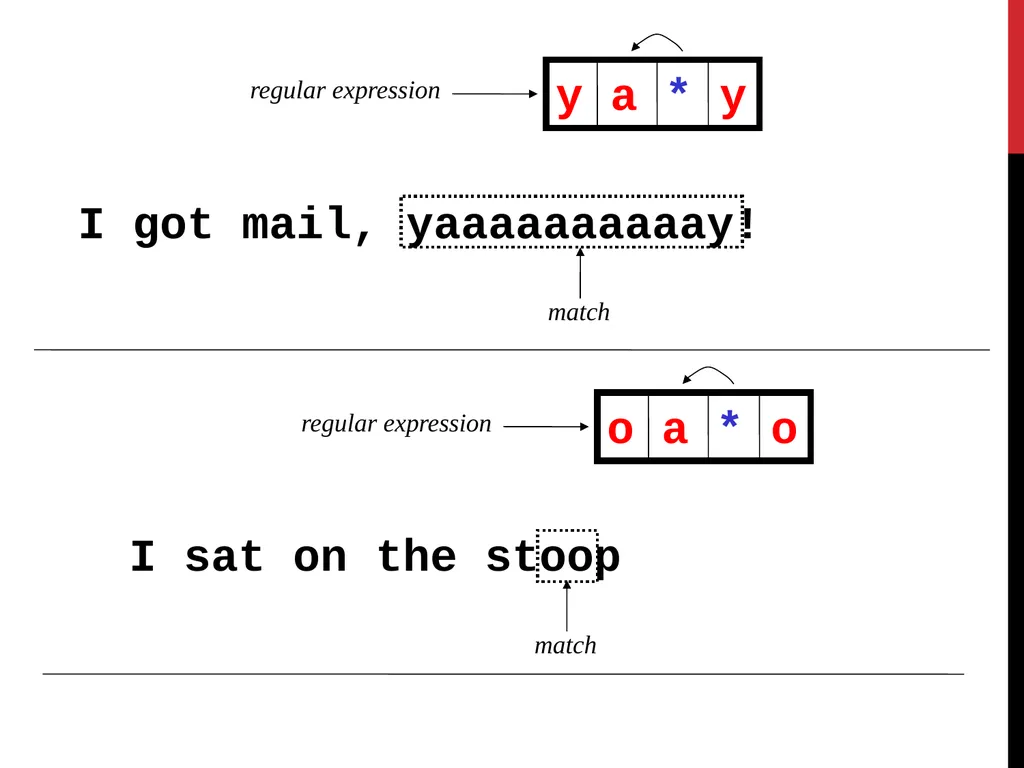
I got mail, yaaaaaaaaaay! match regular expression y a * y I sat on the stoop match regular expression o a * o<br>
12
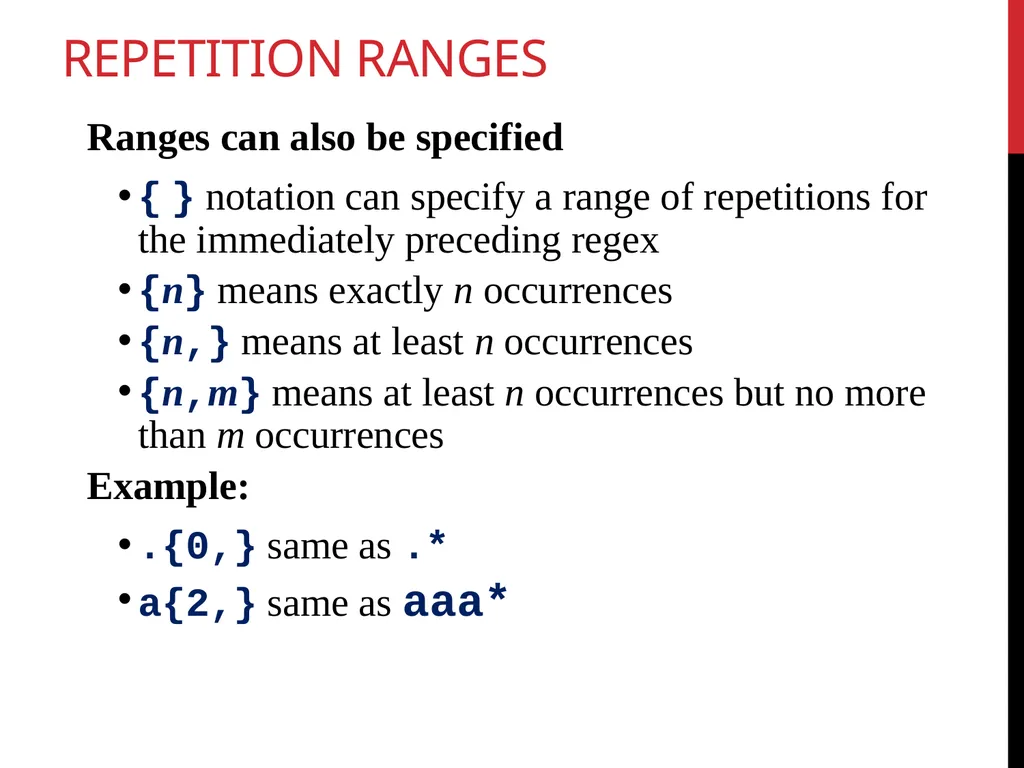
Repetition Ranges Ranges can also be specified
{ } notation can specify a range of repetitions for the immediately preceding regex
{n} means exactly n occurrences
{n,} means at least n occurrences
{n,m} means at least n occurrences but no more than m occurrences
Example:
.{0,} same as .*
a{2,} same as aaa*<br>
{ } notation can specify a range of repetitions for the immediately preceding regex
{n} means exactly n occurrences
{n,} means at least n occurrences
{n,m} means at least n occurrences but no more than m occurrences
Example:
.{0,} same as .*
a{2,} same as aaa*<br>
13
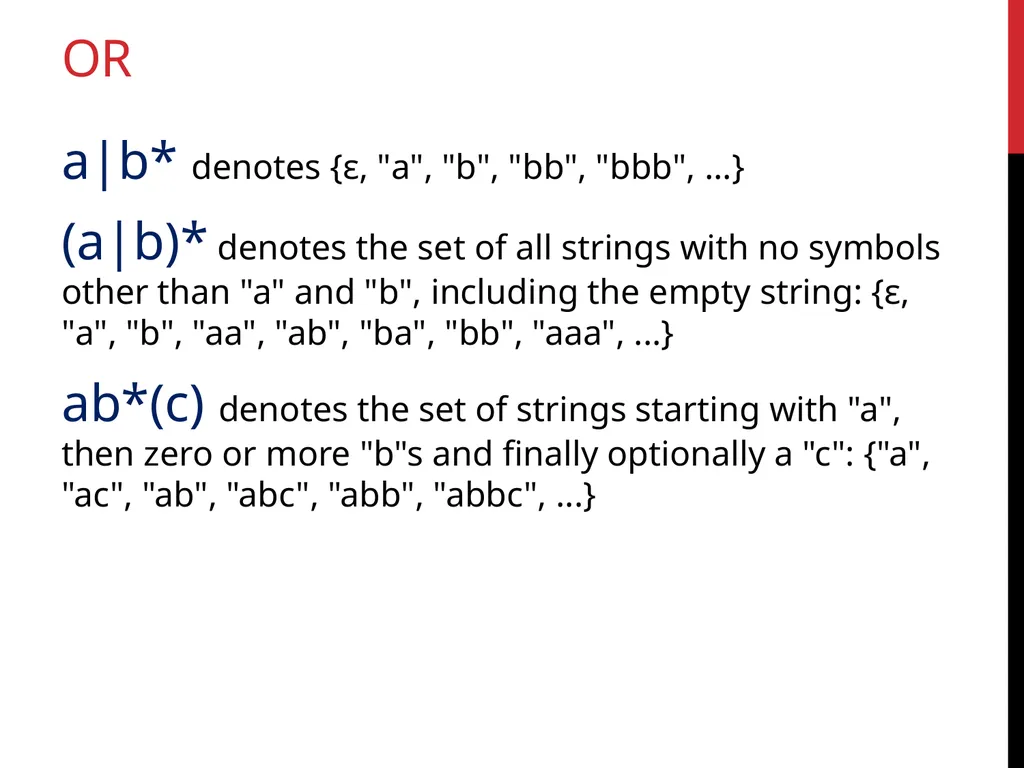
Or a|b* denotes {ε, "a", "b", "bb", "bbb", ...}
(a|b)* denotes the set of all strings with no symbols other than "a" and "b", including the empty string: {ε, "a", "b", "aa", "ab", "ba", "bb", "aaa", ...}
ab*(c) denotes the set of strings starting with "a", then zero or more "b"s and finally optionally a "c": {"a", "ac", "ab", "abc", "abb", "abbc", ...}<br>
(a|b)* denotes the set of all strings with no symbols other than "a" and "b", including the empty string: {ε, "a", "b", "aa", "ab", "ba", "bb", "aaa", ...}
ab*(c) denotes the set of strings starting with "a", then zero or more "b"s and finally optionally a "c": {"a", "ac", "ab", "abc", "abb", "abbc", ...}<br>
14
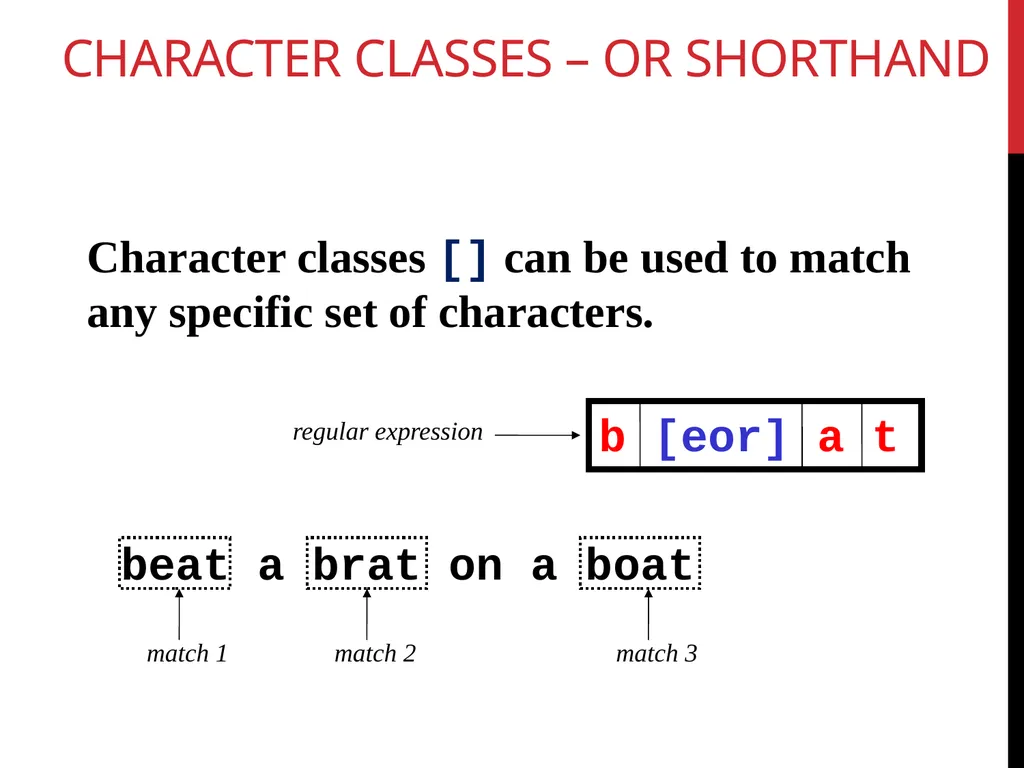
Character Classes – or shorthand Character classes [] can be used to match any specific set of characters. beat a brat on a boat match 1 match 2 regular expression b [eor] a t match 3<br>
15
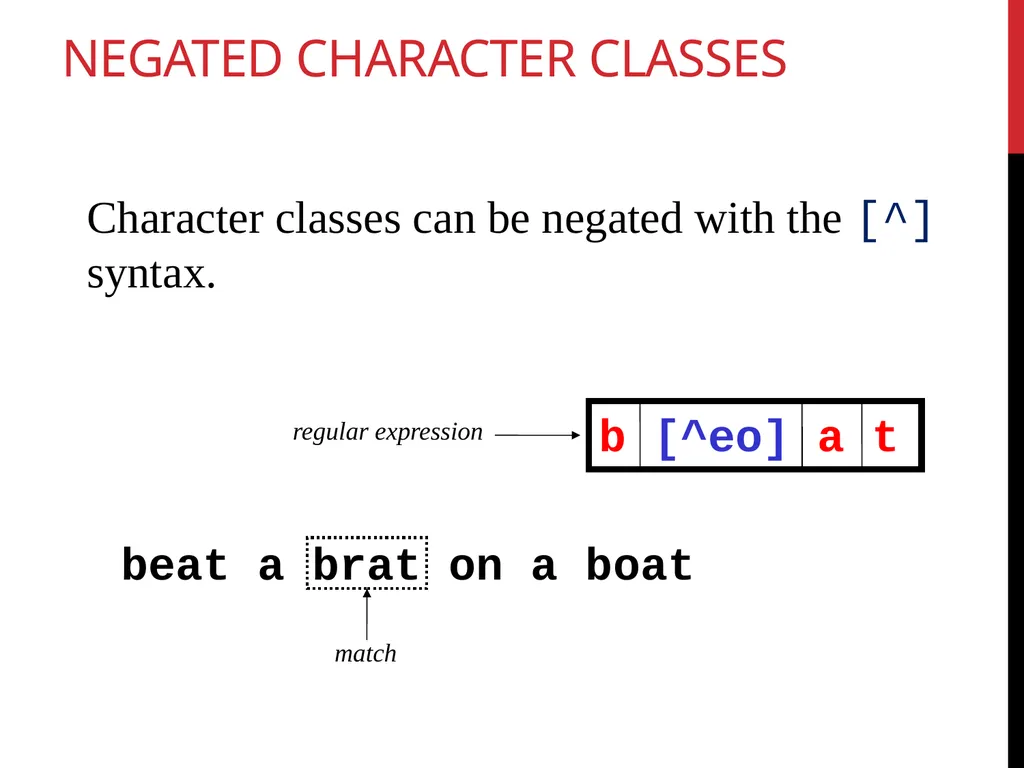
Negated Character Classes Character classes can be negated with the [^] syntax. beat a brat on a boat match regular expression b [^eo] a t<br>
16
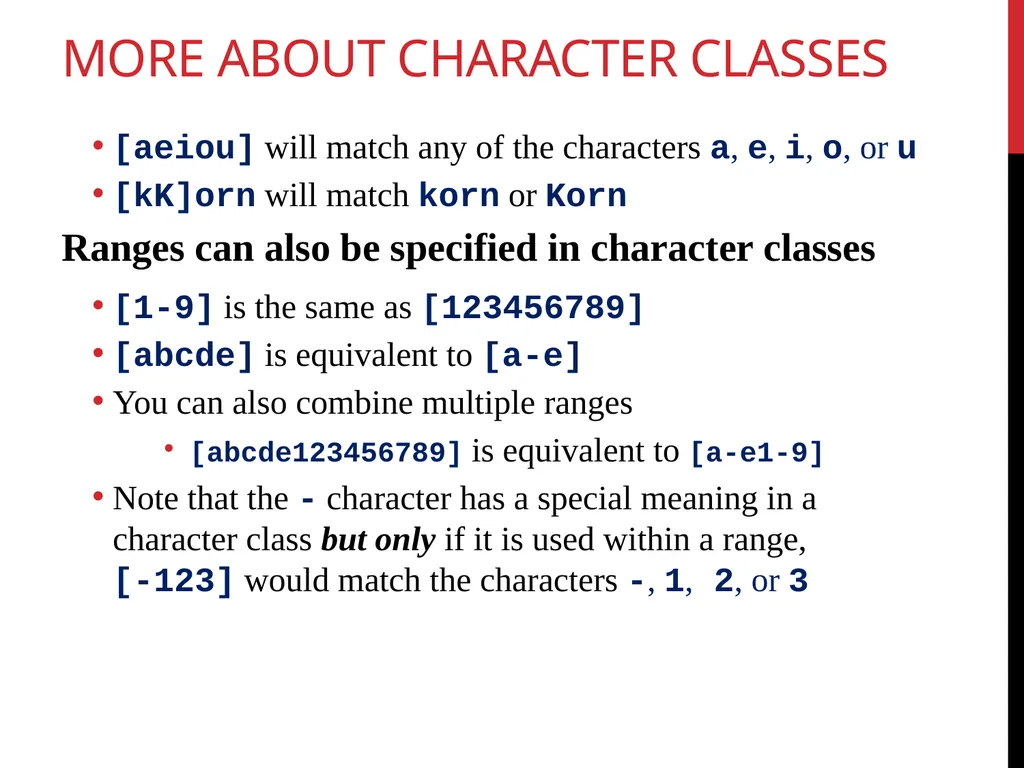
More About Character Classes [aeiou] will match any of the characters a, e, i, o, or u
[kK]orn will match korn or Korn
Ranges can also be specified in character classes
[1-9] is the same as [123456789]
[abcde] is equivalent to [a-e]
You can also combine multiple ranges
[abcde123456789] is equivalent to [a-e1-9]
Note that the - character has a special meaning in a character class but only if it is used within a range, [-123] would match the characters -, 1, 2, or 3<br>
[kK]orn will match korn or Korn
Ranges can also be specified in character classes
[1-9] is the same as [123456789]
[abcde] is equivalent to [a-e]
You can also combine multiple ranges
[abcde123456789] is equivalent to [a-e1-9]
Note that the - character has a special meaning in a character class but only if it is used within a range, [-123] would match the characters -, 1, 2, or 3<br>
17
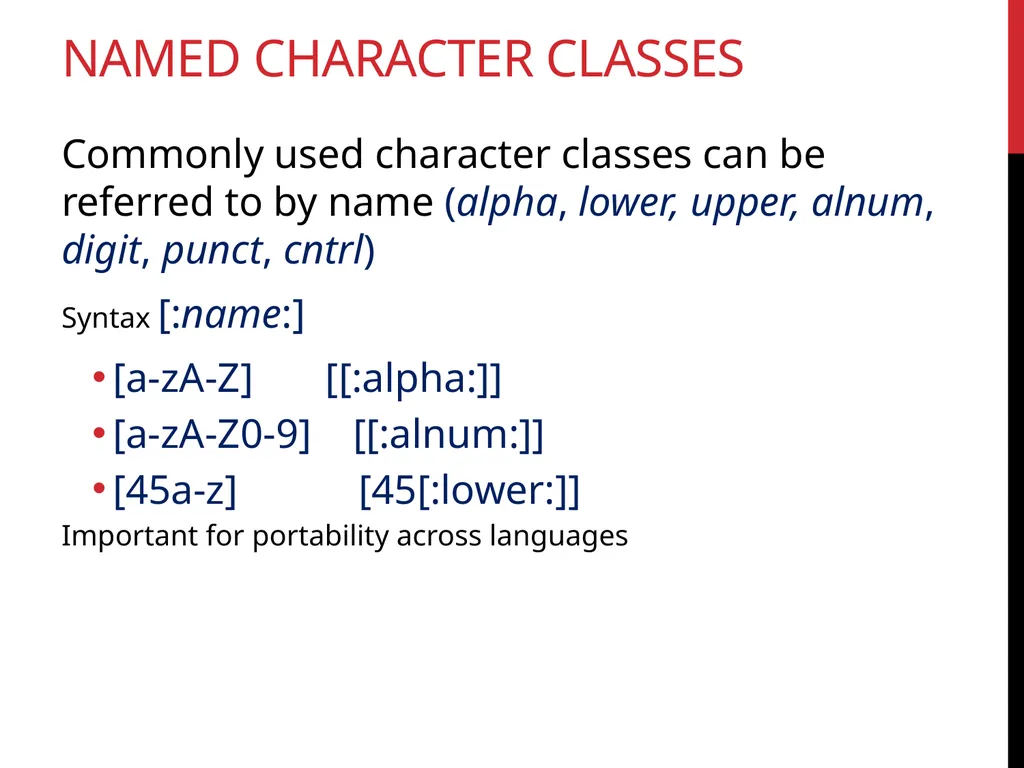
Named Character Classes Commonly used character classes can be referred to by name (alpha, lower, upper, alnum, digit, punct, cntrl)
Syntax [:name:]
[a-zA-Z] [[:alpha:]]
[a-zA-Z0-9] [[:alnum:]]
[45a-z] [45[:lower:]]
Important for portability across languages<br>
Syntax [:name:]
[a-zA-Z] [[:alpha:]]
[a-zA-Z0-9] [[:alnum:]]
[45a-z] [45[:lower:]]
Important for portability across languages<br>
18
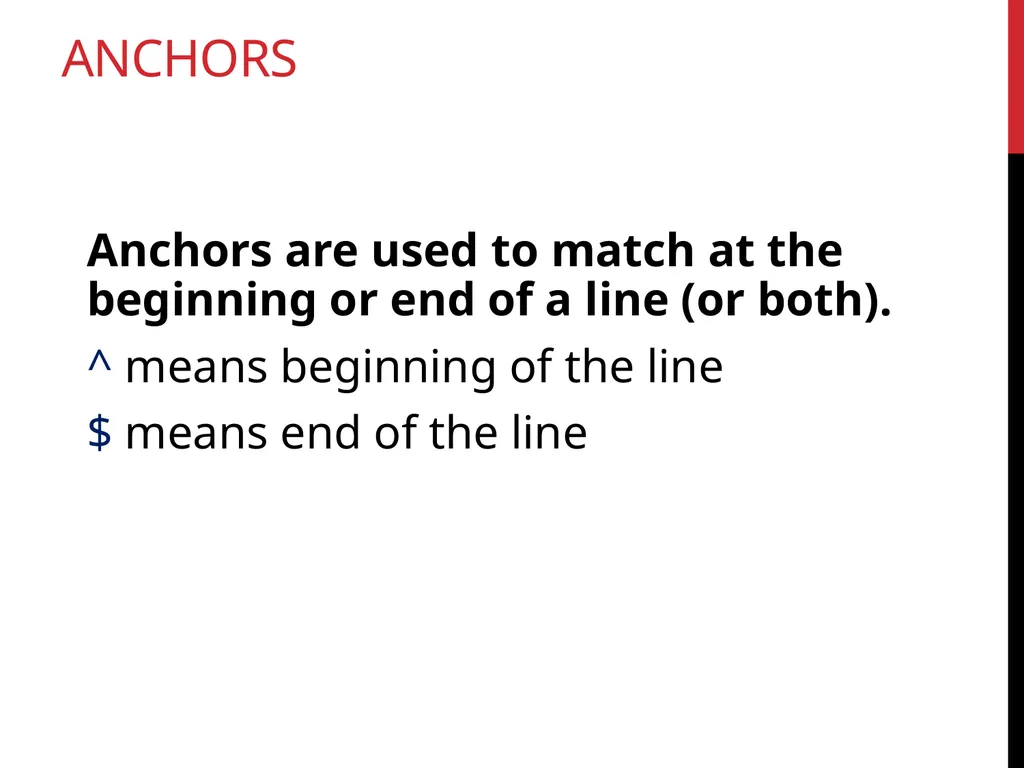
Anchors Anchors are used to match at the beginning or end of a line (or both).
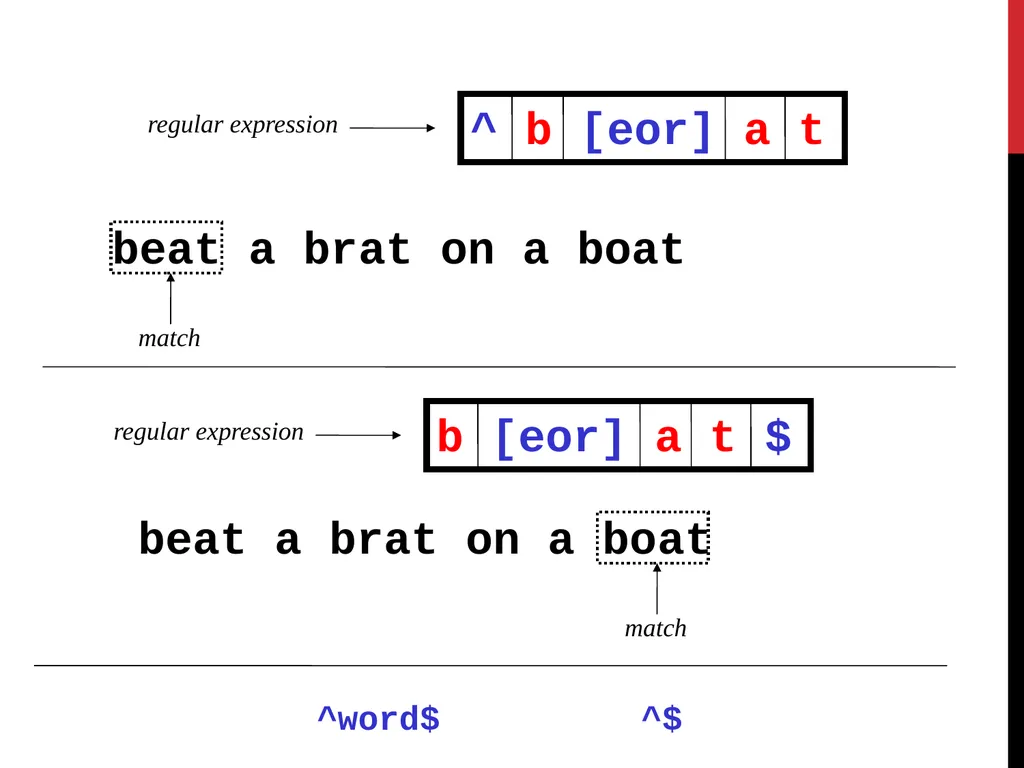
^ means beginning of the line
$ means end of the line<br>
^ means beginning of the line
$ means end of the line<br>
19
beat a brat on a boat match regular expression ^ b [eor] a t regular expression b [eor] a t $ beat a brat on a boat match ^$ ^word$<br>
20
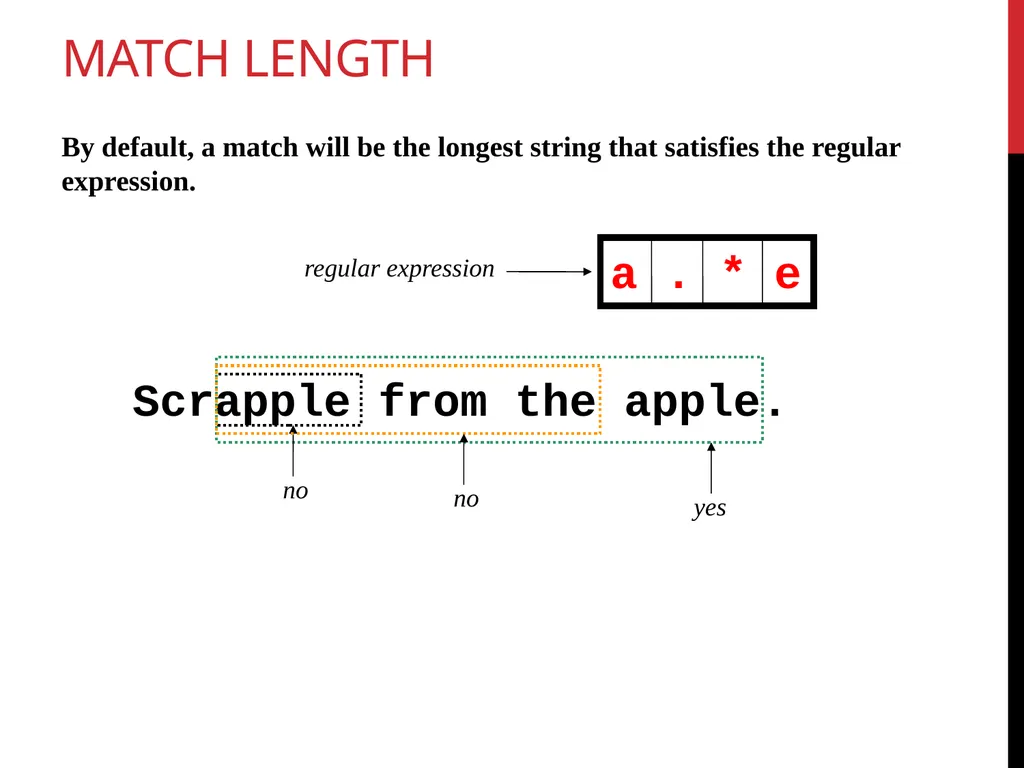
Match length Scrapple from the apple. no yes regular expression a . * e By default, a match will be the longest string that satisfies the regular expression. no<br>
21
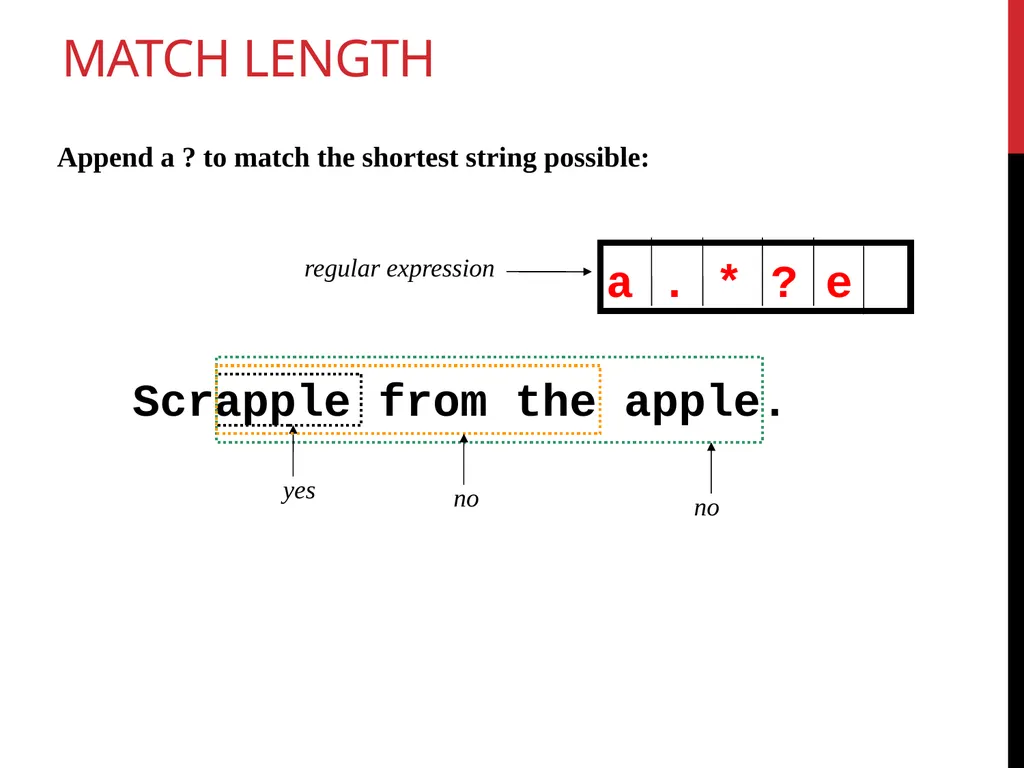
Match length Scrapple from the apple. yes no regular expression a . * ? e no Append a ? to match the shortest string possible:<br>
22
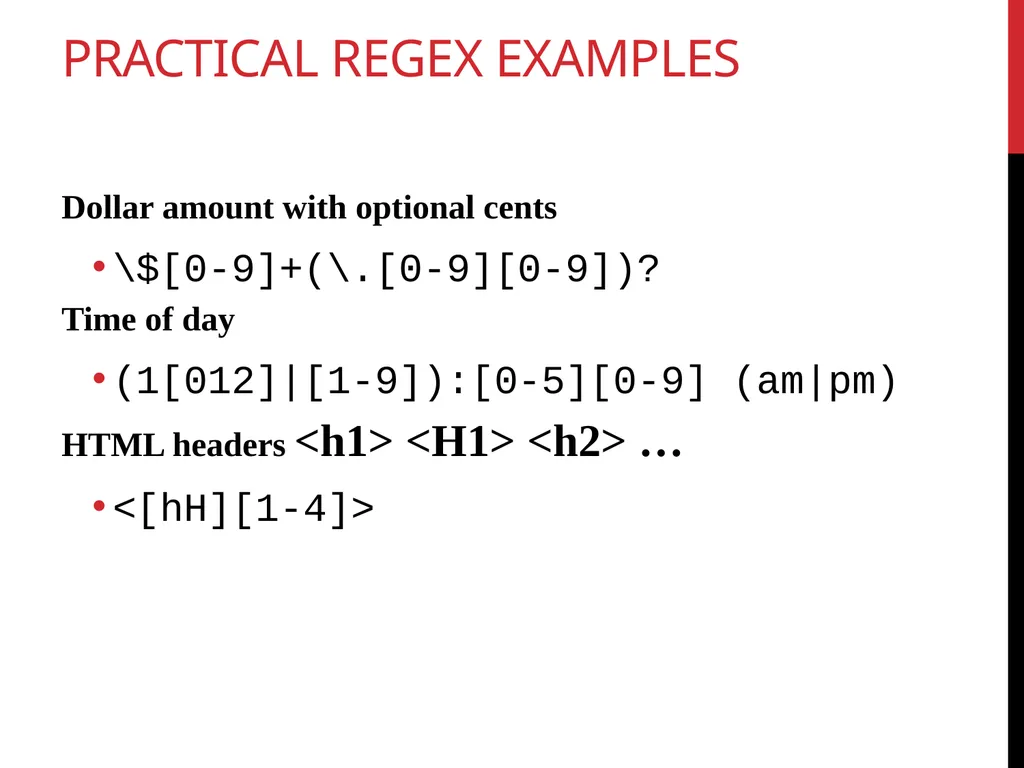
Practical Regex Examples Dollar amount with optional cents
\$[0-9]+(\.[0-9][0-9])?
Time of day
(1[012]|[1-9]):[0-5][0-9] (am|pm)
HTML headers <h1> <H1> <h2> …
<[hH][1-4]><br>
\$[0-9]+(\.[0-9][0-9])?
Time of day
(1[012]|[1-9]):[0-5][0-9] (am|pm)
HTML headers <h1> <H1> <h2> …
<[hH][1-4]><br>
23
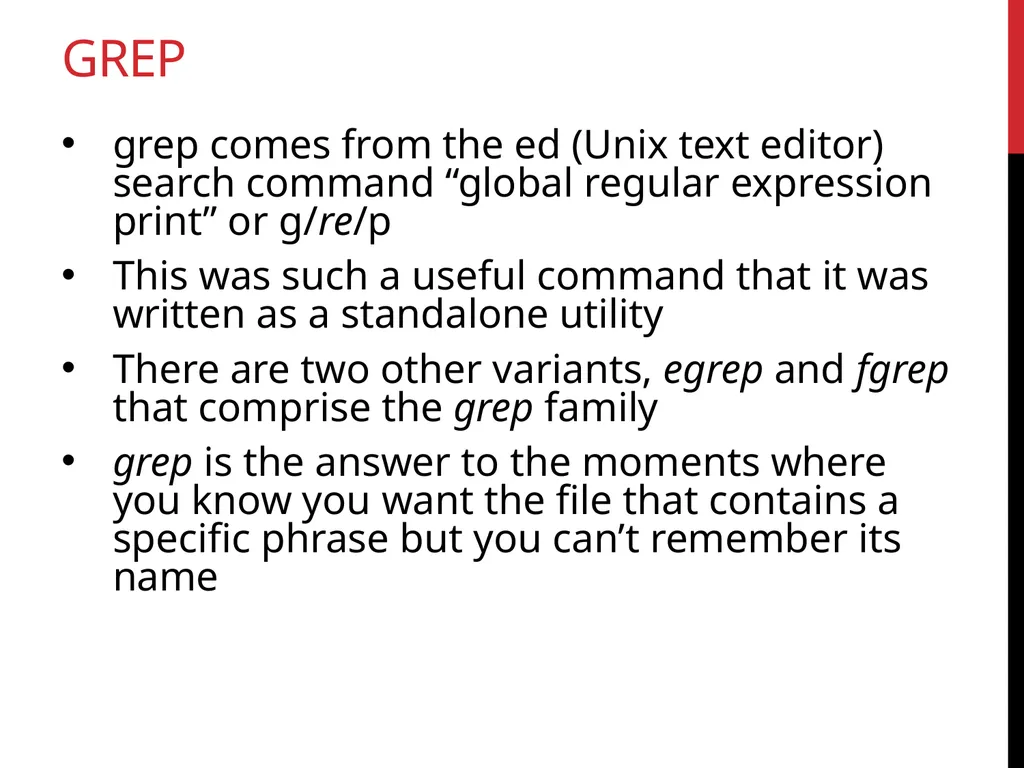
grep grep comes from the ed (Unix text editor) search command “global regular expression print” or g/re/p
This was such a useful command that it was written as a standalone utility
There are two other variants, egrep and fgrep that comprise the grep family
grep is the answer to the moments where you know you want the file that contains a specific phrase but you can’t remember its name<br>
This was such a useful command that it was written as a standalone utility
There are two other variants, egrep and fgrep that comprise the grep family
grep is the answer to the moments where you know you want the file that contains a specific phrase but you can’t remember its name<br>
24
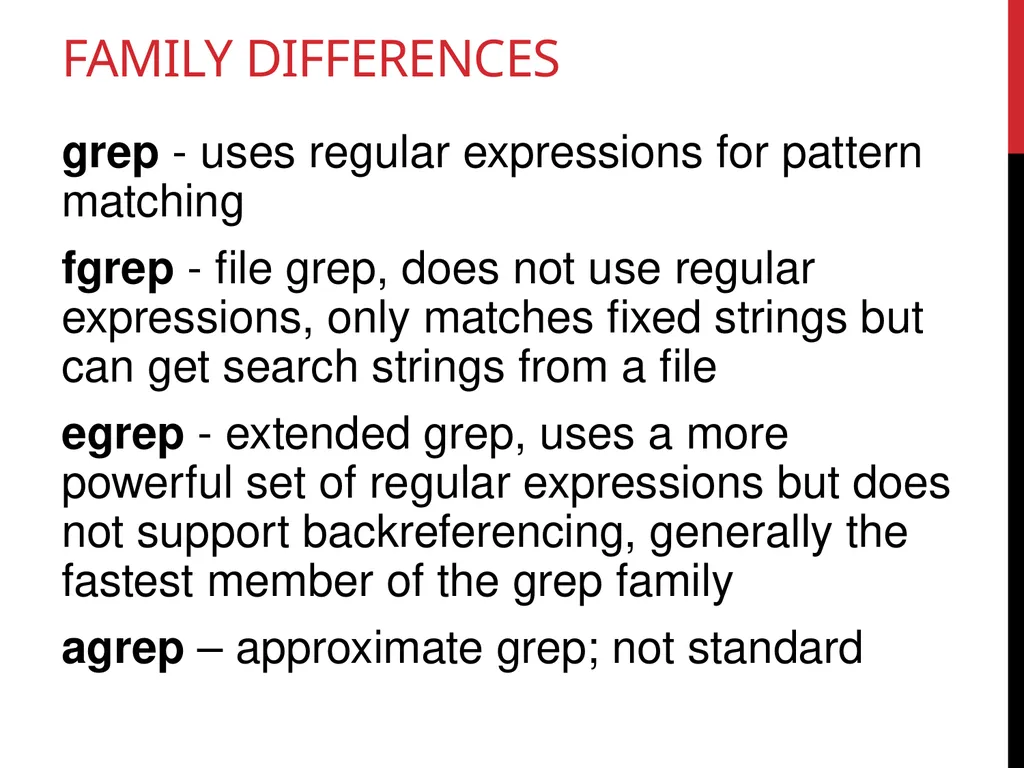
Family Differences grep - uses regular expressions for pattern matching
fgrep - file grep, does not use regular expressions, only matches fixed strings but can get search strings from a file
egrep - extended grep, uses a more powerful set of regular expressions but does not support backreferencing, generally the fastest member of the grep family
agrep – approximate grep; not standard<br>
fgrep - file grep, does not use regular expressions, only matches fixed strings but can get search strings from a file
egrep - extended grep, uses a more powerful set of regular expressions but does not support backreferencing, generally the fastest member of the grep family
agrep – approximate grep; not standard<br>
25
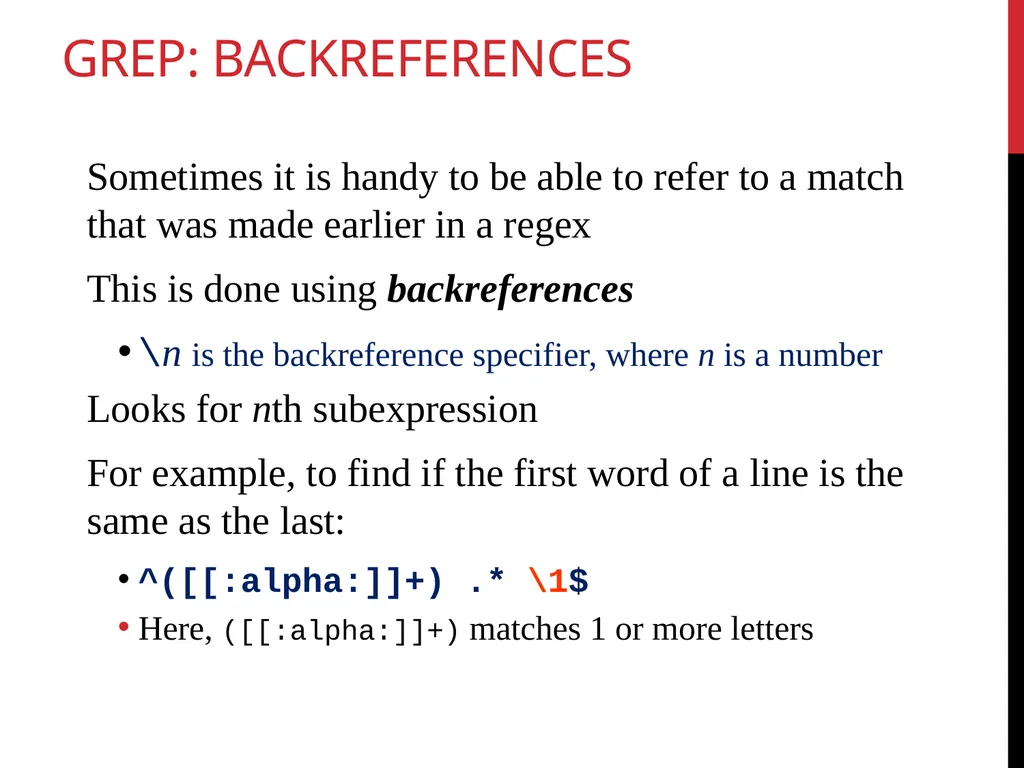
Grep: Backreferences Sometimes it is handy to be able to refer to a match that was made earlier in a regex
This is done using backreferences
\n is the backreference specifier, where n is a number
Looks for nth subexpression
For example, to find if the first word of a line is the same as the last:
^([[:alpha:]]+) .* \1$
Here, ([[:alpha:]]+) matches 1 or more letters<br>
This is done using backreferences
\n is the backreference specifier, where n is a number
Looks for nth subexpression
For example, to find if the first word of a line is the same as the last:
^([[:alpha:]]+) .* \1$
Here, ([[:alpha:]]+) matches 1 or more letters<br>
26
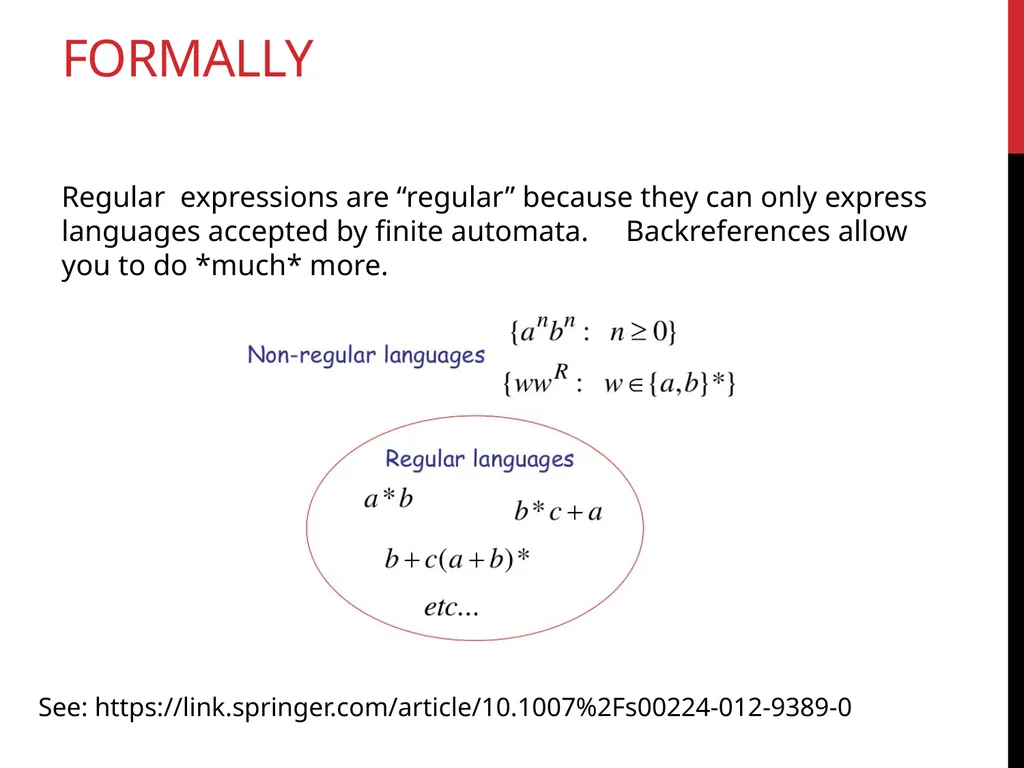
Formally Regular expressions are “regular” because they can only express languages accepted by finite automata. Backreferences allow you to do *much* more. See: https://link.springer.com/article/10.1007%2Fs00224-012-9389-0<br>
27
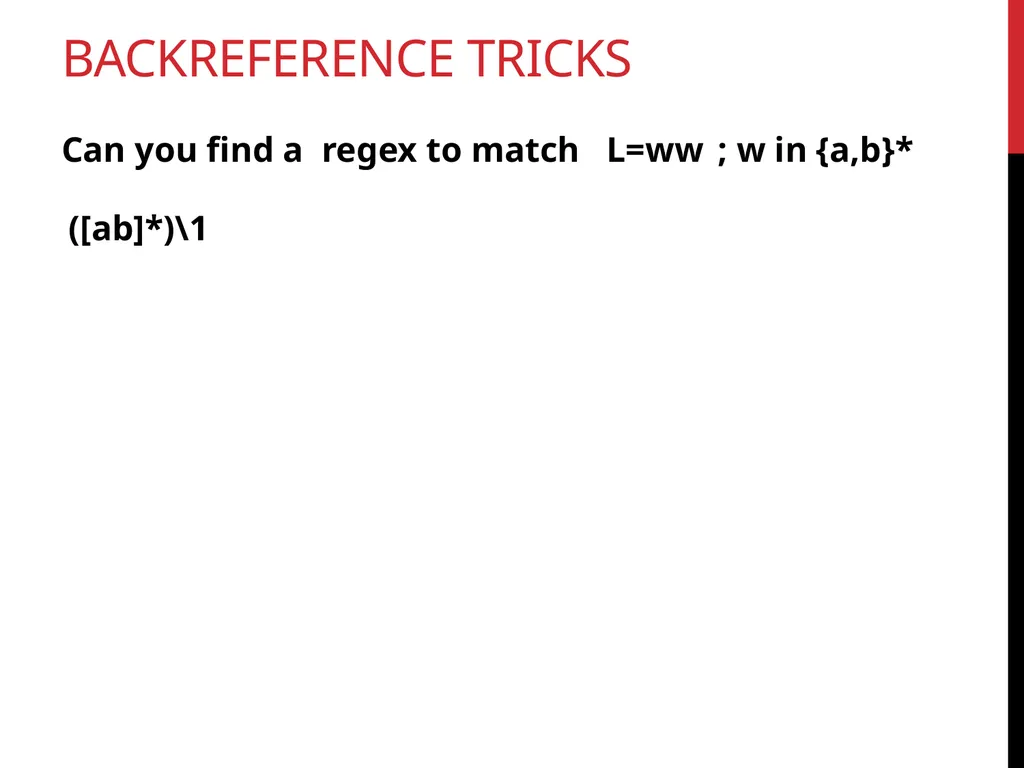
Backreference Tricks Can you find a regex to match L=ww ; w in {a,b}* ([ab]*)\1<br>
28
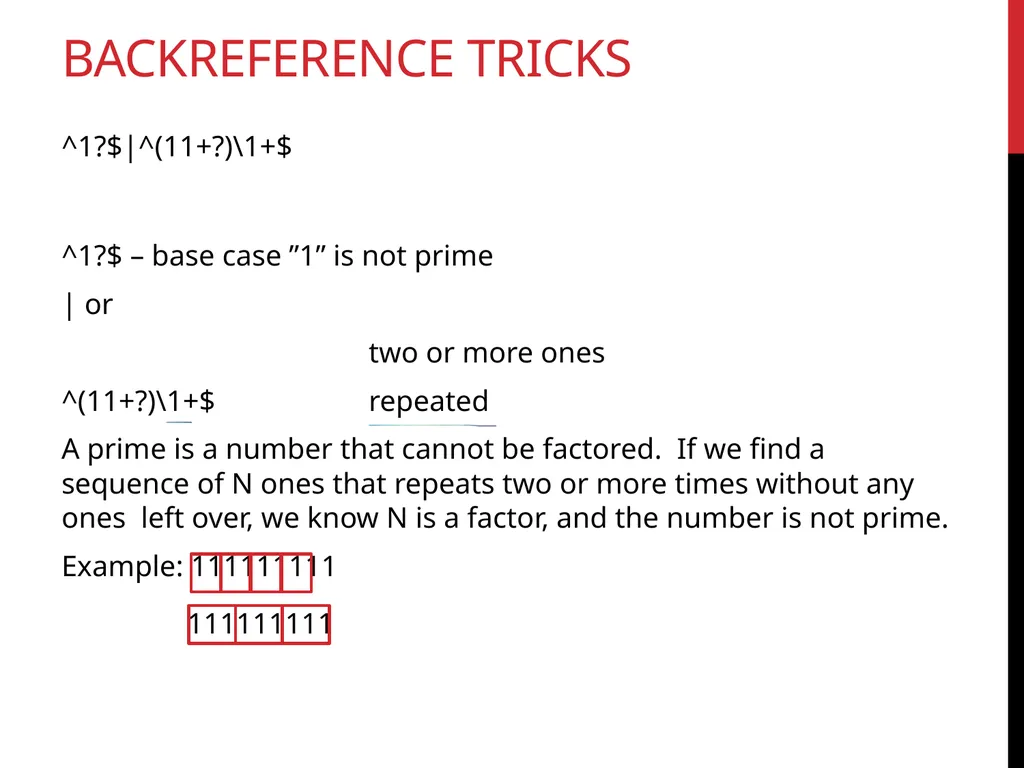
Backreference Tricks ^1?$|^(11+?)\1+$ ^1?$ – base case ”1” is not prime
| or
two or more ones
^(11+?)\1+$ repeated
A prime is a number that cannot be factored. If we find a sequence of N ones that repeats two or more times without any ones left over, we know N is a factor, and the number is not prime.
Example: 111111111 111111111<br>
| or
two or more ones
^(11+?)\1+$ repeated
A prime is a number that cannot be factored. If we find a sequence of N ones that repeats two or more times without any ones left over, we know N is a factor, and the number is not prime.
Example: 111111111 111111111<br>
29
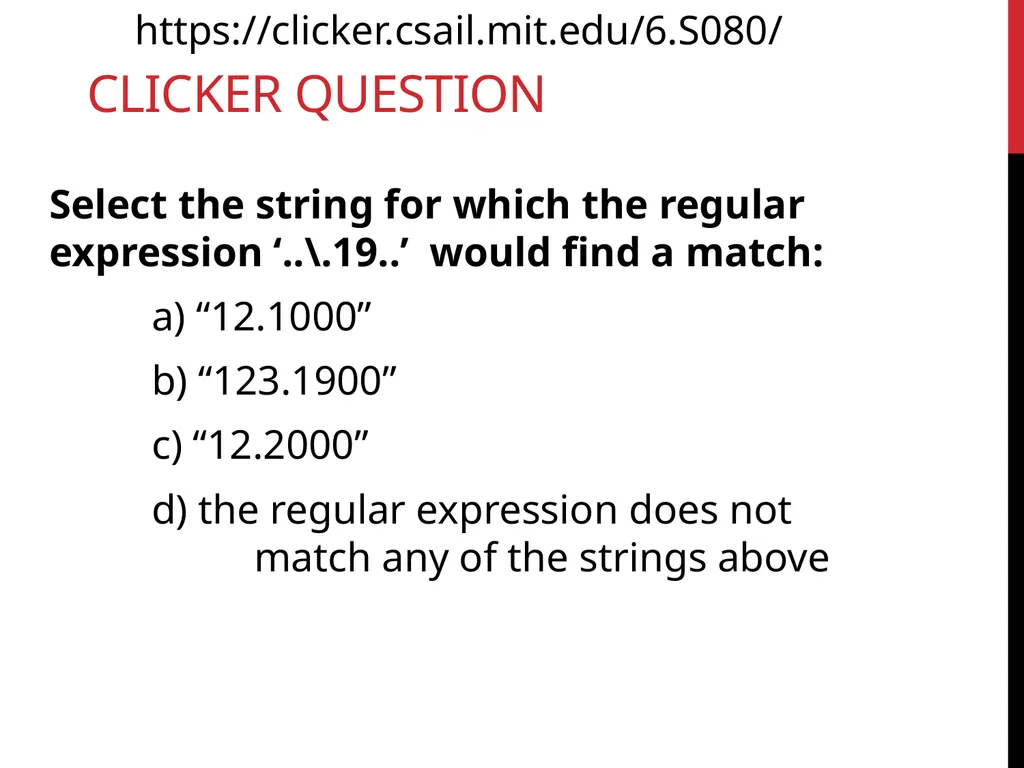
Clicker Question Select the string for which the regular expression ‘..\.19..’ would find a match:
a) “12.1000”
b) “123.1900”
c) “12.2000”
d) the regular expression does not match any of the strings above https://clicker.csail.mit.edu/6.S080/<br>
a) “12.1000”
b) “123.1900”
c) “12.2000”
d) the regular expression does not match any of the strings above https://clicker.csail.mit.edu/6.S080/<br>
30
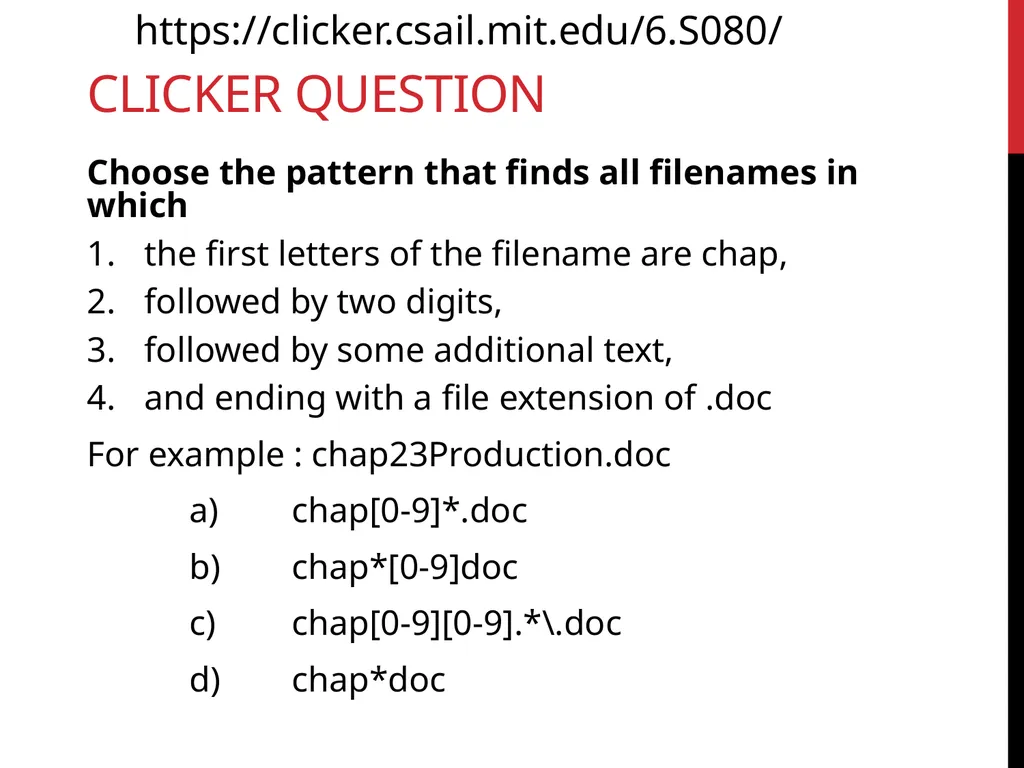
Clicker Question Choose the pattern that finds all filenames in which
the first letters of the filename are chap,
followed by two digits,
followed by some additional text,
and ending with a file extension of .doc
For example : chap23Production.doc
a) chap[0-9]*.doc
b) chap*[0-9]doc
c) chap[0-9][0-9].*\.doc
d) chap*doc https://clicker.csail.mit.edu/6.S080/<br>
the first letters of the filename are chap,
followed by two digits,
followed by some additional text,
and ending with a file extension of .doc
For example : chap23Production.doc
a) chap[0-9]*.doc
b) chap*[0-9]doc
c) chap[0-9][0-9].*\.doc
d) chap*doc https://clicker.csail.mit.edu/6.S080/<br>
31
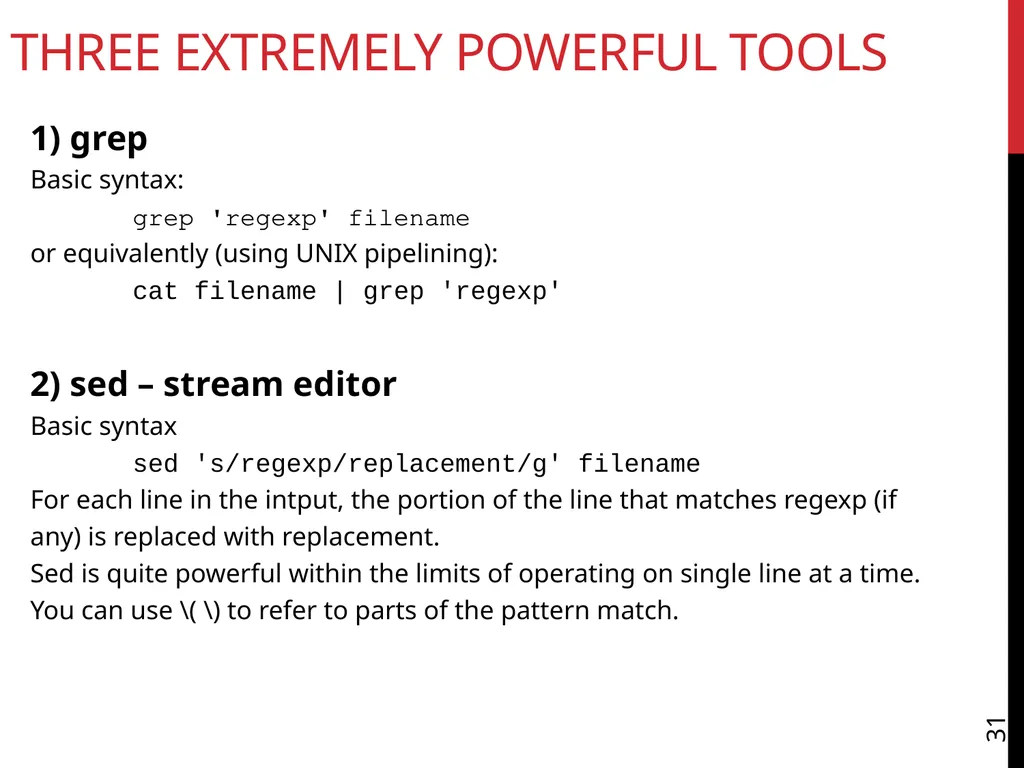
Three Extremely Powerful Tools 31 1) grep
Basic syntax:
grep 'regexp' filename
or equivalently (using UNIX pipelining):
cat filename | grep 'regexp' 2) sed – stream editor
Basic syntax
sed 's/regexp/replacement/g' filename
For each line in the intput, the portion of the line that matches regexp (if any) is replaced with replacement.
Sed is quite powerful within the limits of operating on single line at a time.
You can use \( \) to refer to parts of the pattern match.<br>
Basic syntax:
grep 'regexp' filename
or equivalently (using UNIX pipelining):
cat filename | grep 'regexp' 2) sed – stream editor
Basic syntax
sed 's/regexp/replacement/g' filename
For each line in the intput, the portion of the line that matches regexp (if any) is replaced with replacement.
Sed is quite powerful within the limits of operating on single line at a time.
You can use \( \) to refer to parts of the pattern match.<br>
32
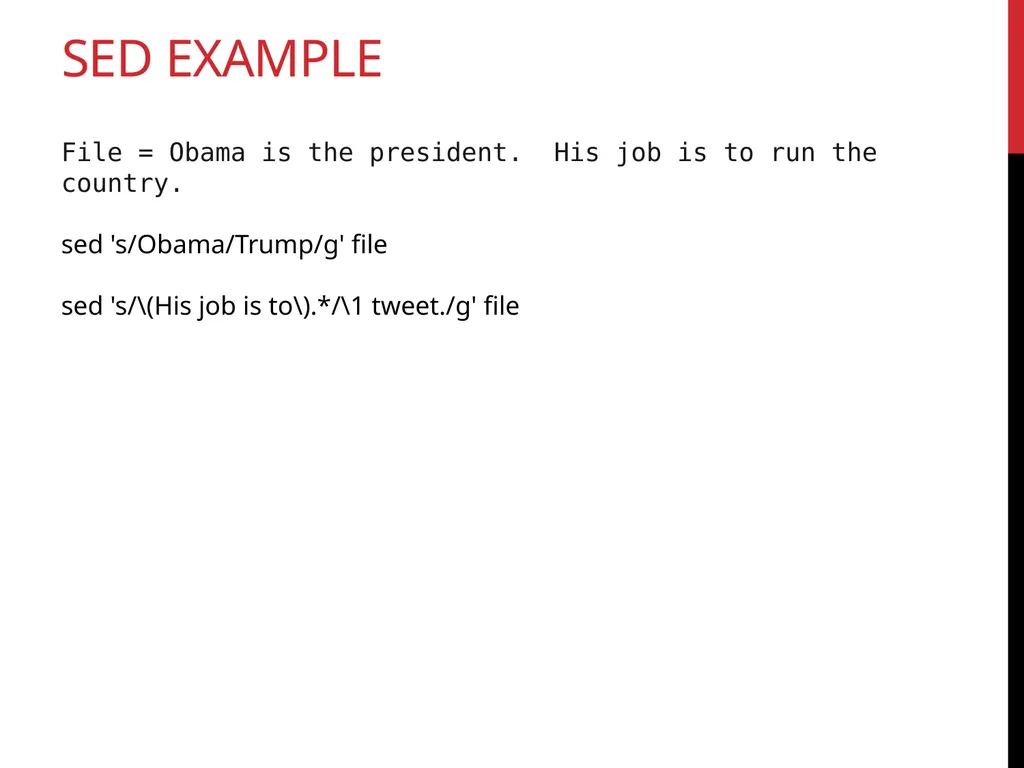
Sed Example File = Obama is the president. His job is to run the country.
sed 's/Obama/Trump/g' file
sed 's/\(His job is to\).*/\1 tweet./g' file<br>
sed 's/Obama/Trump/g' file
sed 's/\(His job is to\).*/\1 tweet./g' file<br>
33
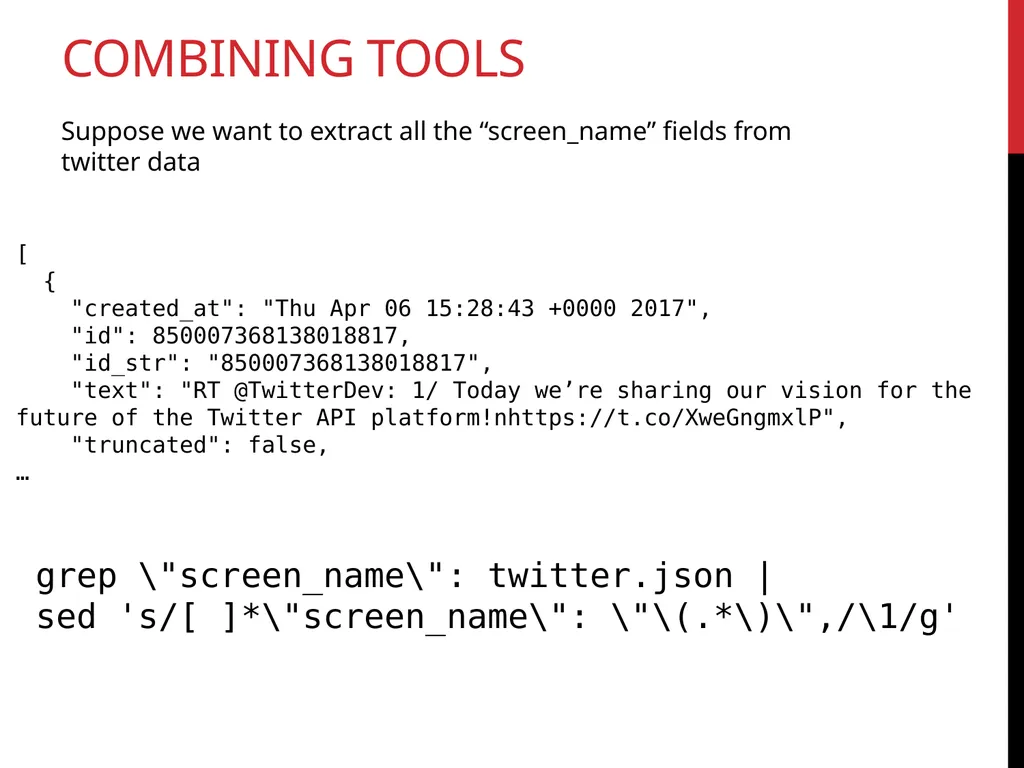
Combining Tools grep \"screen_name\": twitter.json |
sed 's/[ ]*\"screen_name\": \"\(.*\)\",/\1/g' Suppose we want to extract all the “screen_name” fields from twitter data [
{
"created_at": "Thu Apr 06 15:28:43 +0000 2017",
"id": 850007368138018817,
"id_str": "850007368138018817",
"text": "RT @TwitterDev: 1/ Today we’re sharing our vision for the future of the Twitter API platform!nhttps://t.co/XweGngmxlP",
"truncated": false,
…<br>
sed 's/[ ]*\"screen_name\": \"\(.*\)\",/\1/g' Suppose we want to extract all the “screen_name” fields from twitter data [
{
"created_at": "Thu Apr 06 15:28:43 +0000 2017",
"id": 850007368138018817,
"id_str": "850007368138018817",
"text": "RT @TwitterDev: 1/ Today we’re sharing our vision for the future of the Twitter API platform!nhttps://t.co/XweGngmxlP",
"truncated": false,
…<br>
34
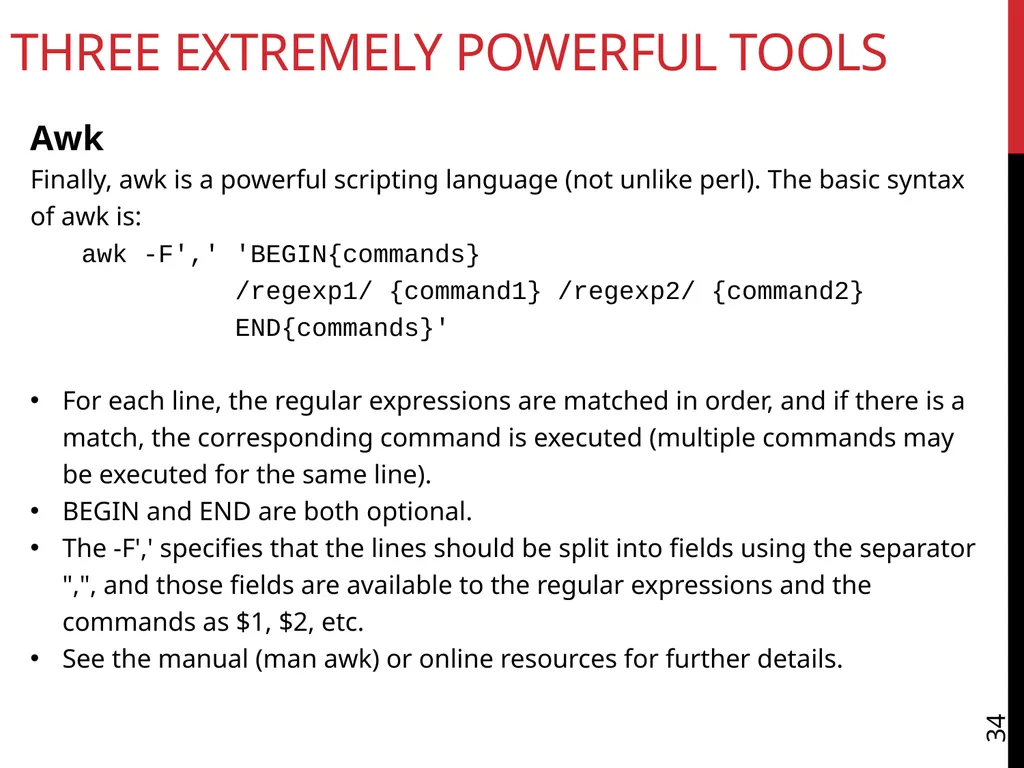
Three Extremely Powerful Tools 34 Awk
Finally, awk is a powerful scripting language (not unlike perl). The basic syntax of awk is:
awk -F',' 'BEGIN{commands}
/regexp1/ {command1} /regexp2/ {command2}
END{commands}'
For each line, the regular expressions are matched in order, and if there is a match, the corresponding command is executed (multiple commands may be executed for the same line).
BEGIN and END are both optional.
The -F',' specifies that the lines should be split into fields using the separator ",", and those fields are available to the regular expressions and the commands as $1, $2, etc.
See the manual (man awk) or online resources for further details.<br>
Finally, awk is a powerful scripting language (not unlike perl). The basic syntax of awk is:
awk -F',' 'BEGIN{commands}
/regexp1/ {command1} /regexp2/ {command2}
END{commands}'
For each line, the regular expressions are matched in order, and if there is a match, the corresponding command is executed (multiple commands may be executed for the same line).
BEGIN and END are both optional.
The -F',' specifies that the lines should be split into fields using the separator ",", and those fields are available to the regular expressions and the commands as $1, $2, etc.
See the manual (man awk) or online resources for further details.<br>
35
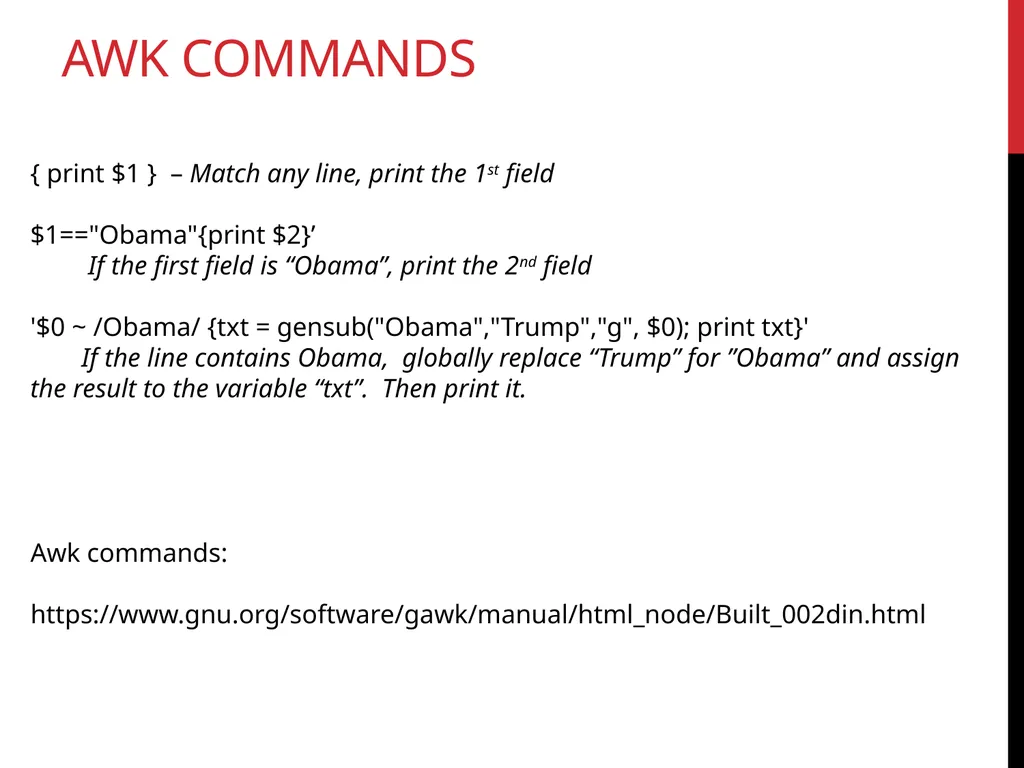
AwK commands { print $1 } – Match any line, print the 1st field
$1=="Obama"{print $2}’
If the first field is “Obama”, print the 2nd field
'$0 ~ /Obama/ {txt = gensub("Obama","Trump","g", $0); print txt}'
If the line contains Obama, globally replace “Trump” for ”Obama” and assign the result to the variable “txt”. Then print it. Awk commands:
https://www.gnu.org/software/gawk/manual/html_node/Built_002din.html<br>
$1=="Obama"{print $2}’
If the first field is “Obama”, print the 2nd field
'$0 ~ /Obama/ {txt = gensub("Obama","Trump","g", $0); print txt}'
If the line contains Obama, globally replace “Trump” for ”Obama” and assign the result to the variable “txt”. Then print it. Awk commands:
https://www.gnu.org/software/gawk/manual/html_node/Built_002din.html<br>
36
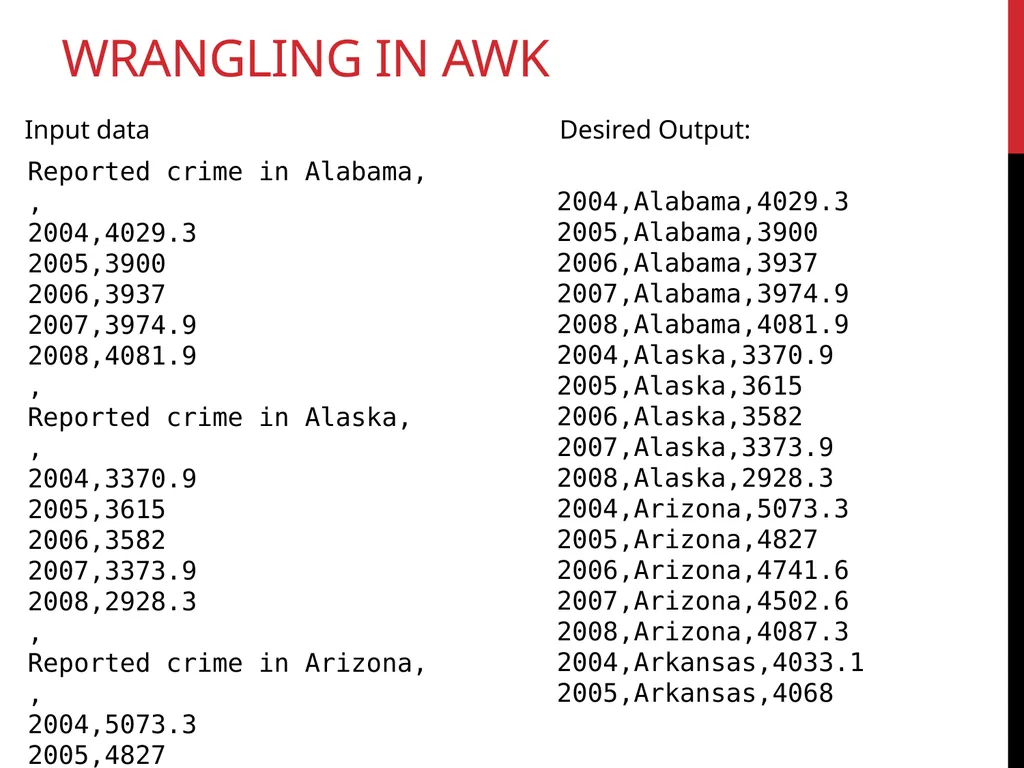
Wrangling in Awk Reported crime in Alabama,
,
2004,4029.3
2005,3900
2006,3937
2007,3974.9
2008,4081.9
,
Reported crime in Alaska,
,
2004,3370.9
2005,3615
2006,3582
2007,3373.9
2008,2928.3
,
Reported crime in Arizona,
,
2004,5073.3
2005,4827
2006,4741.6
2007,4502.6
2008,4087.3
,
Reported crime in Arkansas,
,
2004,4033.1
2005,4068
2006,4021.6
2007,3945.5
2008,3843.7
,
Reported crime in California,
,
2004,3423.9
2005,3321
2006,3175.2
2007,3032.6
2008,2940.3
,
Reported crime in Colorado,
,
2004,3918.5
2005,4041
2006,3441.8
2007,2991.3
2008,2856.7
, Input data 2004,Alabama,4029.3
2005,Alabama,3900
2006,Alabama,3937
2007,Alabama,3974.9
2008,Alabama,4081.9
2004,Alaska,3370.9
2005,Alaska,3615
2006,Alaska,3582
2007,Alaska,3373.9
2008,Alaska,2928.3
2004,Arizona,5073.3
2005,Arizona,4827
2006,Arizona,4741.6
2007,Arizona,4502.6
2008,Arizona,4087.3
2004,Arkansas,4033.1
2005,Arkansas,4068 Desired Output:<br>
,
2004,4029.3
2005,3900
2006,3937
2007,3974.9
2008,4081.9
,
Reported crime in Alaska,
,
2004,3370.9
2005,3615
2006,3582
2007,3373.9
2008,2928.3
,
Reported crime in Arizona,
,
2004,5073.3
2005,4827
2006,4741.6
2007,4502.6
2008,4087.3
,
Reported crime in Arkansas,
,
2004,4033.1
2005,4068
2006,4021.6
2007,3945.5
2008,3843.7
,
Reported crime in California,
,
2004,3423.9
2005,3321
2006,3175.2
2007,3032.6
2008,2940.3
,
Reported crime in Colorado,
,
2004,3918.5
2005,4041
2006,3441.8
2007,2991.3
2008,2856.7
, Input data 2004,Alabama,4029.3
2005,Alabama,3900
2006,Alabama,3937
2007,Alabama,3974.9
2008,Alabama,4081.9
2004,Alaska,3370.9
2005,Alaska,3615
2006,Alaska,3582
2007,Alaska,3373.9
2008,Alaska,2928.3
2004,Arizona,5073.3
2005,Arizona,4827
2006,Arizona,4741.6
2007,Arizona,4502.6
2008,Arizona,4087.3
2004,Arkansas,4033.1
2005,Arkansas,4068 Desired Output:<br>
37
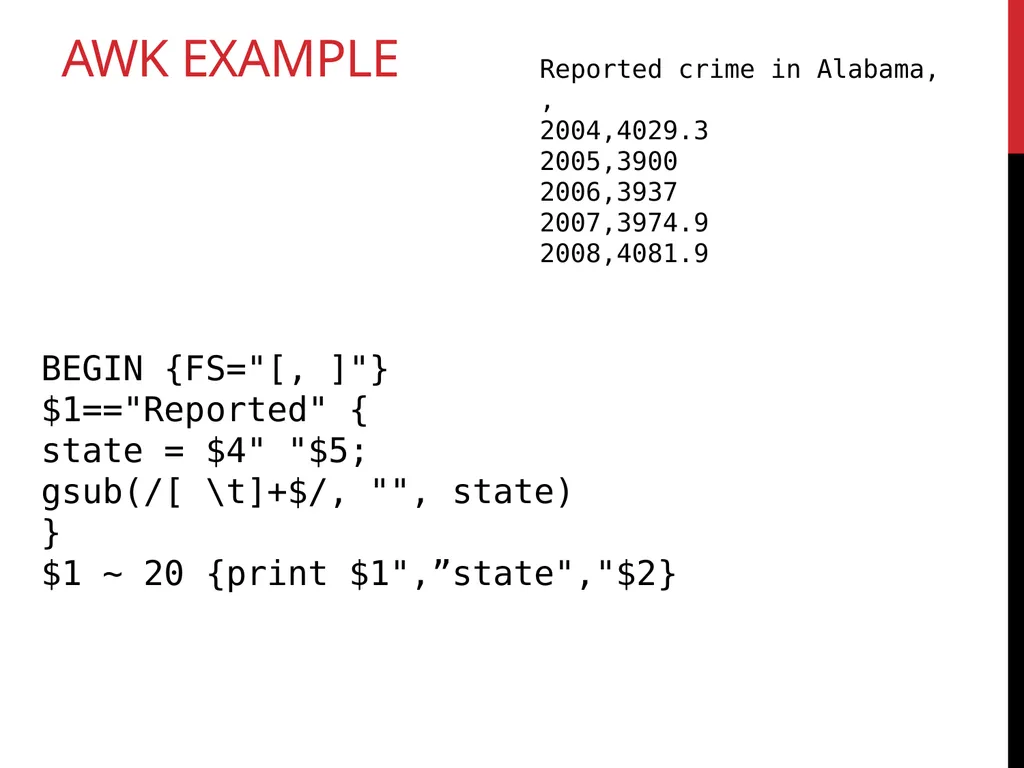
Awk Example BEGIN {FS="[, ]"}
$1=="Reported" {
state = $4" "$5;
gsub(/[ \t]+$/, "", state)
}
$1 ~ 20 {print $1",”state","$2} Reported crime in Alabama,
,
2004,4029.3
2005,3900
2006,3937
2007,3974.9
2008,4081.9<br>
$1=="Reported" {
state = $4" "$5;
gsub(/[ \t]+$/, "", state)
}
$1 ~ 20 {print $1",”state","$2} Reported crime in Alabama,
,
2004,4029.3
2005,3900
2006,3937
2007,3974.9
2008,4081.9<br>
38
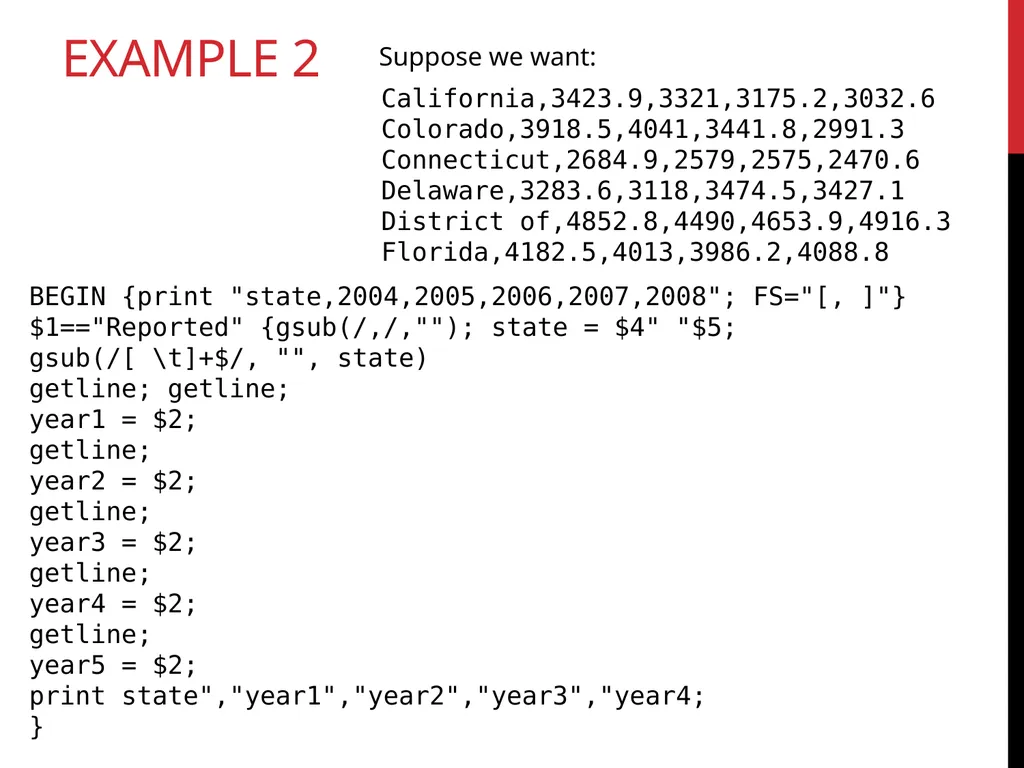
Example 2 Suppose we want: California,3423.9,3321,3175.2,3032.6
Colorado,3918.5,4041,3441.8,2991.3
Connecticut,2684.9,2579,2575,2470.6
Delaware,3283.6,3118,3474.5,3427.1
District of,4852.8,4490,4653.9,4916.3
Florida,4182.5,4013,3986.2,4088.8 BEGIN {print "state,2004,2005,2006,2007,2008"; FS="[, ]"}
$1=="Reported" {gsub(/,/,""); state = $4" "$5;
gsub(/[ \t]+$/, "", state)
getline; getline;
year1 = $2;
getline;
year2 = $2;
getline;
year3 = $2;
getline;
year4 = $2;
getline;
year5 = $2;
print state","year1","year2","year3","year4;
}<br>
Colorado,3918.5,4041,3441.8,2991.3
Connecticut,2684.9,2579,2575,2470.6
Delaware,3283.6,3118,3474.5,3427.1
District of,4852.8,4490,4653.9,4916.3
Florida,4182.5,4013,3986.2,4088.8 BEGIN {print "state,2004,2005,2006,2007,2008"; FS="[, ]"}
$1=="Reported" {gsub(/,/,""); state = $4" "$5;
gsub(/[ \t]+$/, "", state)
getline; getline;
year1 = $2;
getline;
year2 = $2;
getline;
year3 = $2;
getline;
year4 = $2;
getline;
year5 = $2;
print state","year1","year2","year3","year4;
}<br>
39
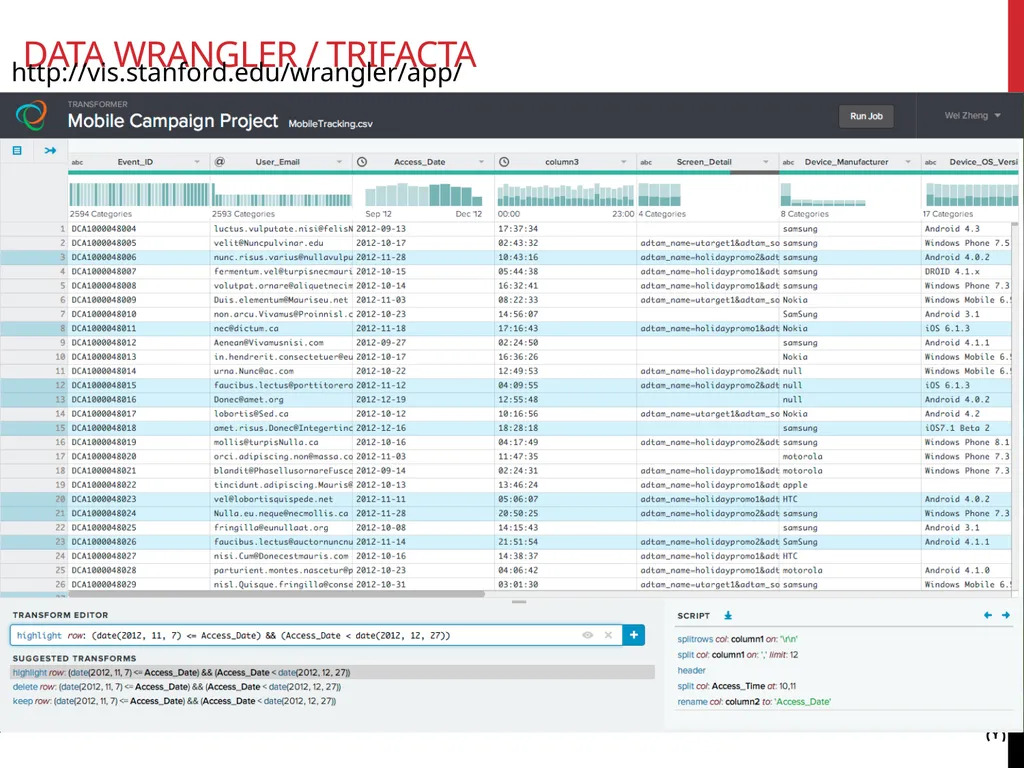
Data Wrangler / Trifacta 39 http://vis.stanford.edu/wrangler/app/<br>
40
Data Wrangling 40 [Sean Kandel et al: Research directions in data wrangling: Visualizations and transformations for usable and credible data, Information Visualization, 2011]<br>
41
Tokenization and stemming working with Text<br>
42
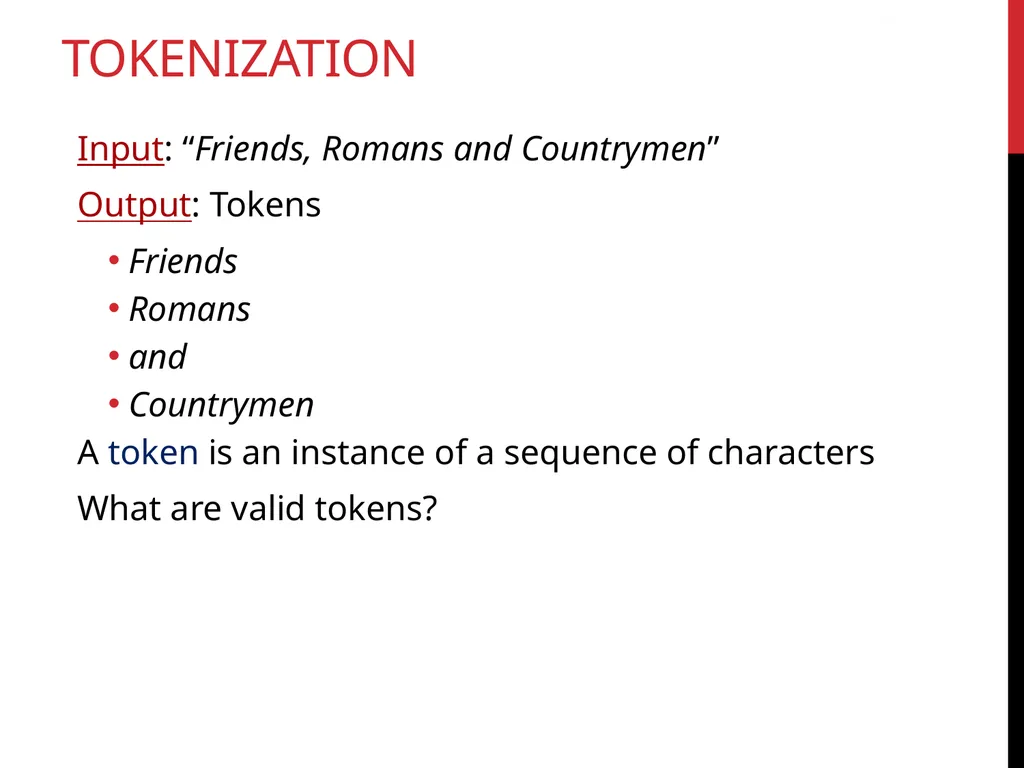
tokenization Input: “Friends, Romans and Countrymen”
Output: Tokens
Friends
Romans
and
Countrymen
A token is an instance of a sequence of characters
What are valid tokens? Sec. 2.2.1<br>
Output: Tokens
Friends
Romans
and
Countrymen
A token is an instance of a sequence of characters
What are valid tokens? Sec. 2.2.1<br>
43
Why tokenize? Often useful to think of text as a bag of words, or as a table of words and their frequencies
Need a standard way to define a word, and correct for differences in formatting, etc.
Very common in information retrieval (IR) / keyword search
Typical goal: find similar documents based on their words or n-grams (length n word groups)<br>
Need a standard way to define a word, and correct for differences in formatting, etc.
Very common in information retrieval (IR) / keyword search
Typical goal: find similar documents based on their words or n-grams (length n word groups)<br>
44
Issues in tokenization:
Finland’s capital → Finland? Finlands? Finland’s?
Hewlett-Packard → Hewlett and Packard as two tokens?
state-of-the-art: break up hyphenated sequence.
co-education
lowercase, lower-case, lower case ?
It can be effective to get the user to put in possible hyphens
San Francisco: one token or two?
How do you decide it is one token? Sec. 2.2.1 Tokenization ISSUES<br>
Finland’s capital → Finland? Finlands? Finland’s?
Hewlett-Packard → Hewlett and Packard as two tokens?
state-of-the-art: break up hyphenated sequence.
co-education
lowercase, lower-case, lower case ?
It can be effective to get the user to put in possible hyphens
San Francisco: one token or two?
How do you decide it is one token? Sec. 2.2.1 Tokenization ISSUES<br>
45
3/20/91 Mar. 12, 1991 20/3/91
55 B.C.
B-52
My PGP key is 324a3df234cb23e
(800) 234-2333
Often have embedded spaces
Older IR systems may not index numbers
But often very useful: think about things like looking up error codes/stacktraces on the web
(One answer is using n-grams: Lecture 3)
Will often index “meta-data” separately
Creation date, format, etc. Sec. 2.2.1 Tokenization ISSUES<br>
55 B.C.
B-52
My PGP key is 324a3df234cb23e
(800) 234-2333
Often have embedded spaces
Older IR systems may not index numbers
But often very useful: think about things like looking up error codes/stacktraces on the web
(One answer is using n-grams: Lecture 3)
Will often index “meta-data” separately
Creation date, format, etc. Sec. 2.2.1 Tokenization ISSUES<br>
46
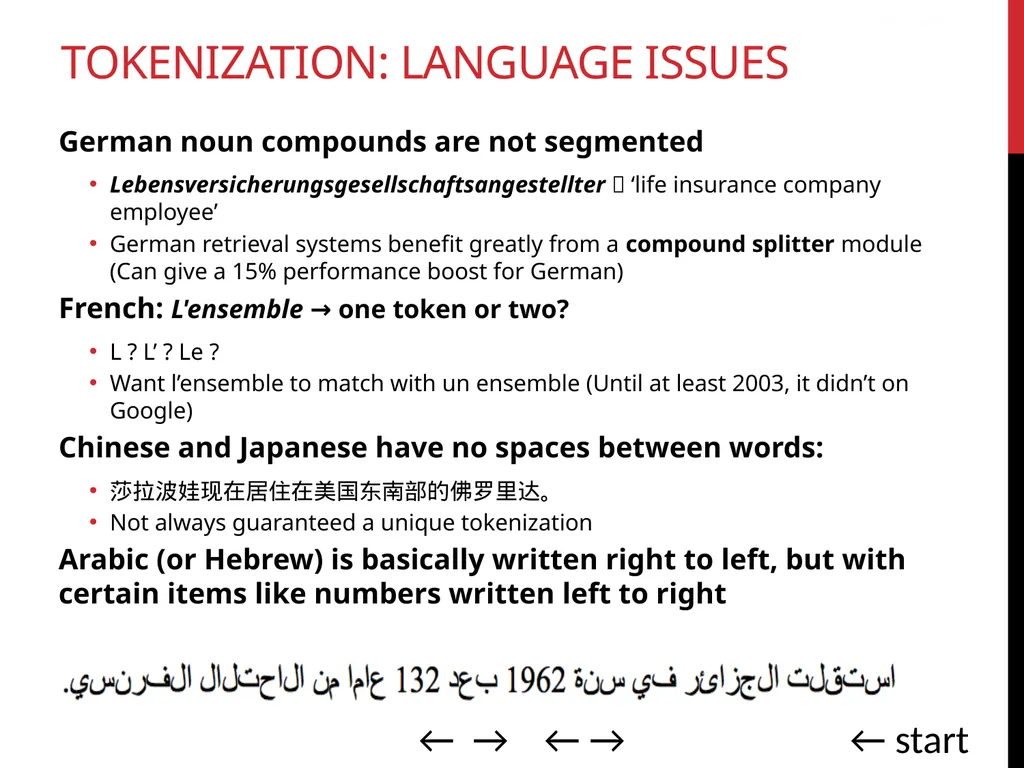
German noun compounds are not segmented
Lebensversicherungsgesellschaftsangestellter ‘life insurance company employee’
German retrieval systems benefit greatly from a compound splitter module (Can give a 15% performance boost for German)
French: L'ensemble → one token or two?
L ? L’ ? Le ?
Want l’ensemble to match with un ensemble (Until at least 2003, it didn’t on Google)
Chinese and Japanese have no spaces between words:
莎拉波娃现在居住在美国东南部的佛罗里达。
Not always guaranteed a unique tokenization
Arabic (or Hebrew) is basically written right to left, but with certain items like numbers written left to right Sec. 2.2.1 ← → ← → ← start Tokenization: language issues<br>
Lebensversicherungsgesellschaftsangestellter ‘life insurance company employee’
German retrieval systems benefit greatly from a compound splitter module (Can give a 15% performance boost for German)
French: L'ensemble → one token or two?
L ? L’ ? Le ?
Want l’ensemble to match with un ensemble (Until at least 2003, it didn’t on Google)
Chinese and Japanese have no spaces between words:
莎拉波娃现在居住在美国东南部的佛罗里达。
Not always guaranteed a unique tokenization
Arabic (or Hebrew) is basically written right to left, but with certain items like numbers written left to right Sec. 2.2.1 ← → ← → ← start Tokenization: language issues<br>
47
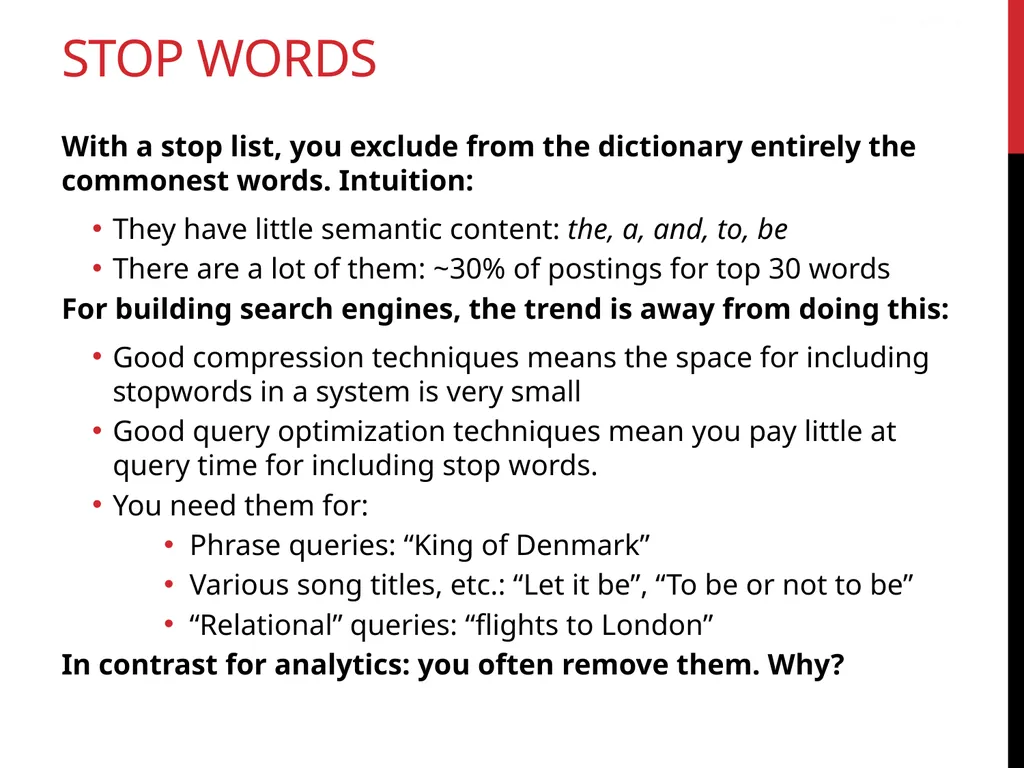
Stop words With a stop list, you exclude from the dictionary entirely the commonest words. Intuition:
They have little semantic content: the, a, and, to, be
There are a lot of them: ~30% of postings for top 30 words
For building search engines, the trend is away from doing this:
Good compression techniques means the space for including stopwords in a system is very small
Good query optimization techniques mean you pay little at query time for including stop words.
You need them for:
Phrase queries: “King of Denmark”
Various song titles, etc.: “Let it be”, “To be or not to be”
“Relational” queries: “flights to London”
In contrast for analytics: you often remove them. Why? Sec. 2.2.2<br>
They have little semantic content: the, a, and, to, be
There are a lot of them: ~30% of postings for top 30 words
For building search engines, the trend is away from doing this:
Good compression techniques means the space for including stopwords in a system is very small
Good query optimization techniques mean you pay little at query time for including stop words.
You need them for:
Phrase queries: “King of Denmark”
Various song titles, etc.: “Let it be”, “To be or not to be”
“Relational” queries: “flights to London”
In contrast for analytics: you often remove them. Why? Sec. 2.2.2<br>
48
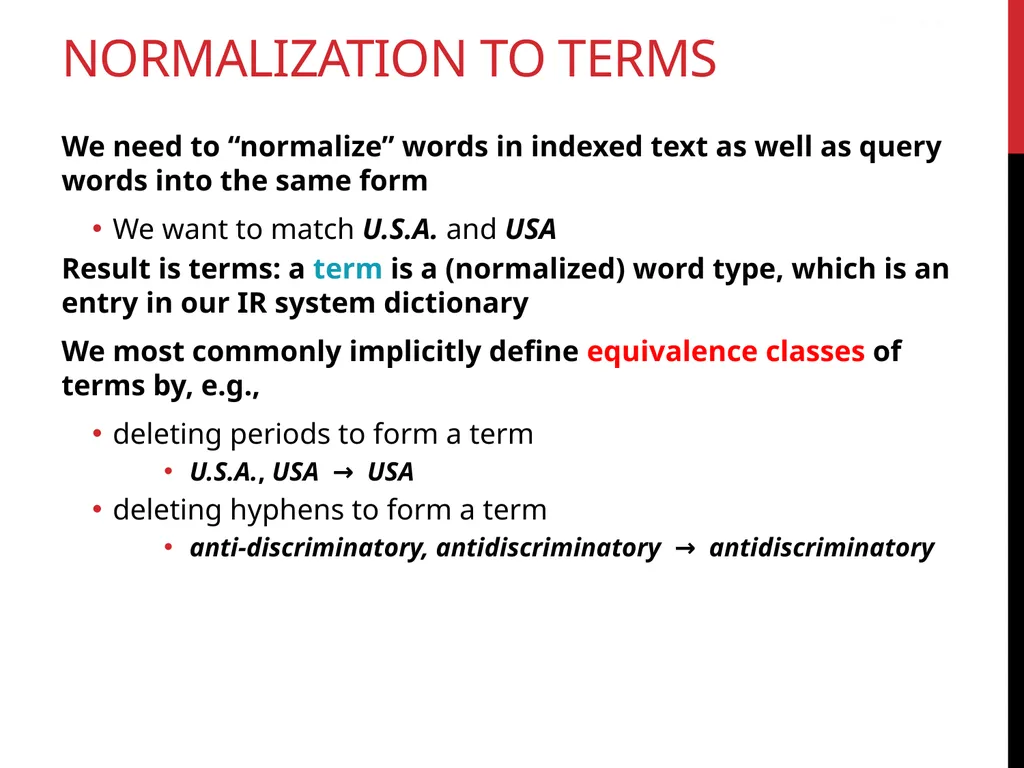
Normalization to terms We need to “normalize” words in indexed text as well as query words into the same form
We want to match U.S.A. and USA
Result is terms: a term is a (normalized) word type, which is an entry in our IR system dictionary
We most commonly implicitly define equivalence classes of terms by, e.g.,
deleting periods to form a term
U.S.A., USA → USA
deleting hyphens to form a term
anti-discriminatory, antidiscriminatory → antidiscriminatory Sec. 2.2.3<br>
We want to match U.S.A. and USA
Result is terms: a term is a (normalized) word type, which is an entry in our IR system dictionary
We most commonly implicitly define equivalence classes of terms by, e.g.,
deleting periods to form a term
U.S.A., USA → USA
deleting hyphens to form a term
anti-discriminatory, antidiscriminatory → antidiscriminatory Sec. 2.2.3<br>
49
Accents: e.g., French résumé vs. resume.
Umlauts: e.g., German: Tuebingen vs. Tübingen
Should be equivalent
Most important criterion:
How are your users like to write their queries for these words?
Even in languages that standardly have accents, users often may not type them
Often best to normalize to a de-accented term
Tuebingen, Tübingen, Tubingen → Tubingen Sec. 2.2.3 Normalization: other languages<br>
Umlauts: e.g., German: Tuebingen vs. Tübingen
Should be equivalent
Most important criterion:
How are your users like to write their queries for these words?
Even in languages that standardly have accents, users often may not type them
Often best to normalize to a de-accented term
Tuebingen, Tübingen, Tubingen → Tubingen Sec. 2.2.3 Normalization: other languages<br>
50
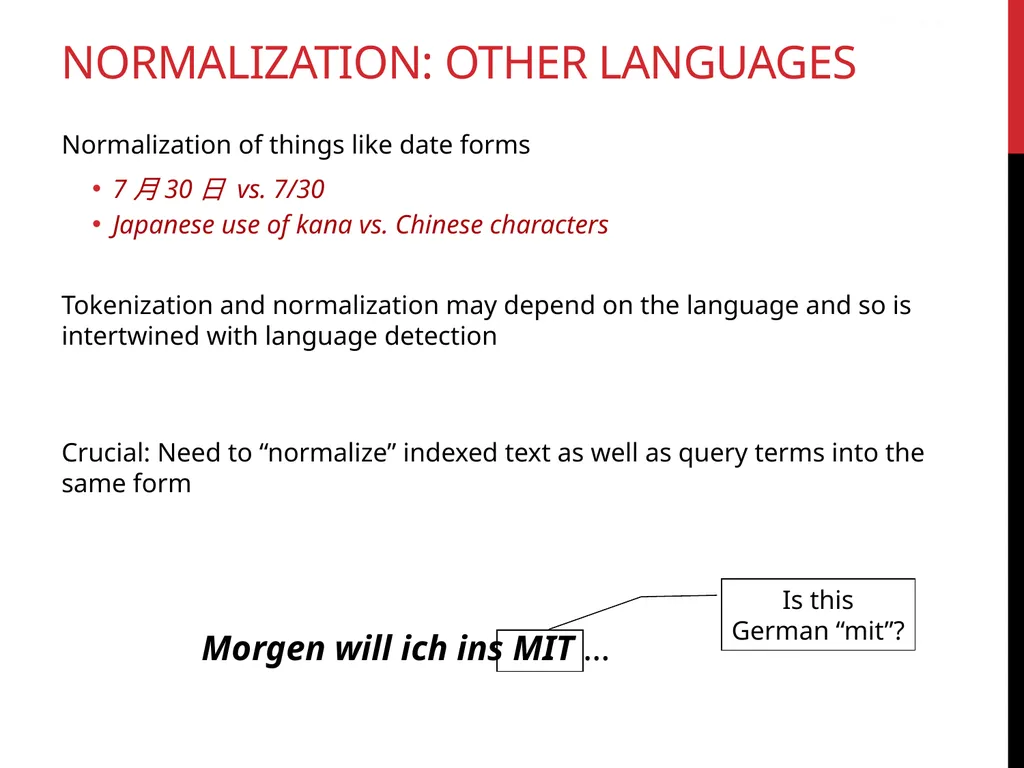
Normalization of things like date forms
7月30日 vs. 7/30
Japanese use of kana vs. Chinese characters
Tokenization and normalization may depend on the language and so is intertwined with language detection
Crucial: Need to “normalize” indexed text as well as query terms into the same form Morgen will ich ins MIT … Sec. 2.2.3 normalization: other languages<br>
7月30日 vs. 7/30
Japanese use of kana vs. Chinese characters
Tokenization and normalization may depend on the language and so is intertwined with language detection
Crucial: Need to “normalize” indexed text as well as query terms into the same form Morgen will ich ins MIT … Sec. 2.2.3 normalization: other languages<br>
51
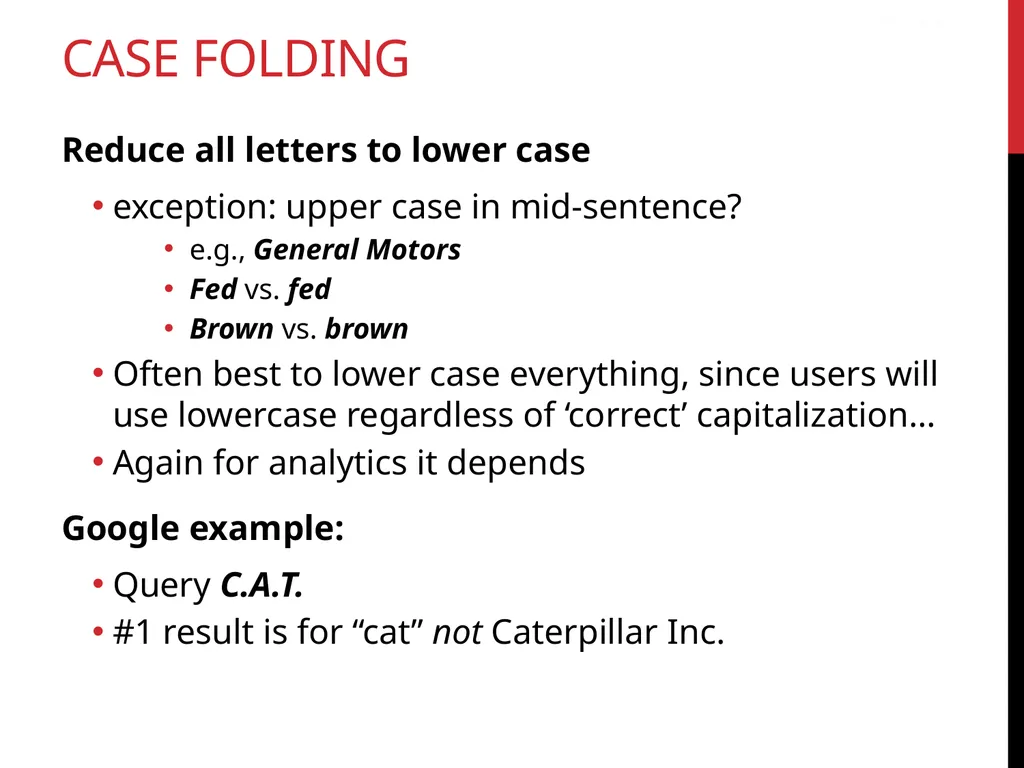
Case folding Reduce all letters to lower case
exception: upper case in mid-sentence?
e.g., General Motors
Fed vs. fed
Brown vs. brown
Often best to lower case everything, since users will use lowercase regardless of ‘correct’ capitalization…
Again for analytics it depends
Google example:
Query C.A.T.
#1 result is for “cat” not Caterpillar Inc. Sec. 2.2.3<br>
exception: upper case in mid-sentence?
e.g., General Motors
Fed vs. fed
Brown vs. brown
Often best to lower case everything, since users will use lowercase regardless of ‘correct’ capitalization…
Again for analytics it depends
Google example:
Query C.A.T.
#1 result is for “cat” not Caterpillar Inc. Sec. 2.2.3<br>
52
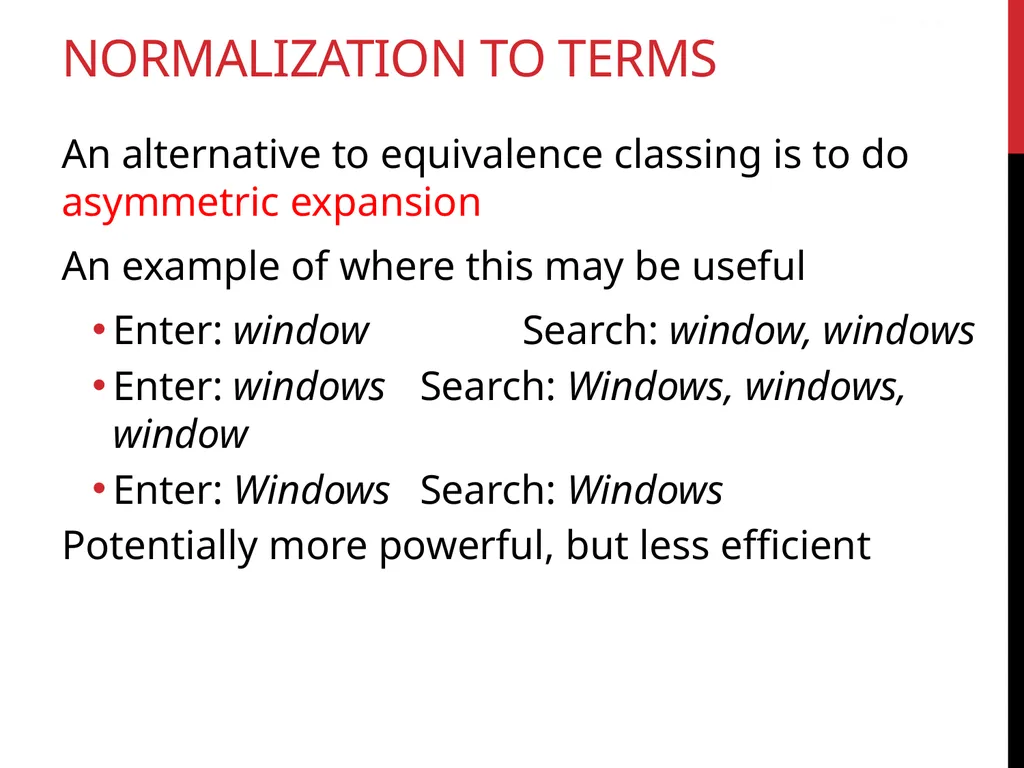
Normalization to terms An alternative to equivalence classing is to do asymmetric expansion
An example of where this may be useful
Enter: window Search: window, windows
Enter: windows Search: Windows, windows, window
Enter: Windows Search: Windows
Potentially more powerful, but less efficient Sec. 2.2.3<br>
An example of where this may be useful
Enter: window Search: window, windows
Enter: windows Search: Windows, windows, window
Enter: Windows Search: Windows
Potentially more powerful, but less efficient Sec. 2.2.3<br>
53
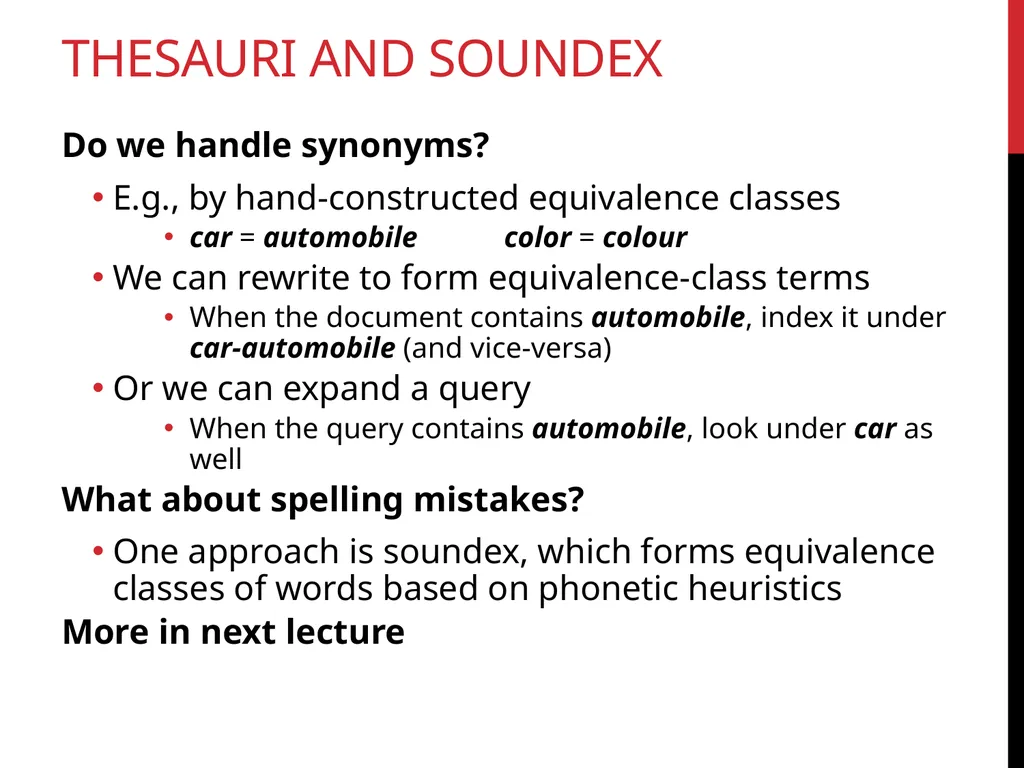
Thesauri and soundex Do we handle synonyms?
E.g., by hand-constructed equivalence classes
car = automobile color = colour
We can rewrite to form equivalence-class terms
When the document contains automobile, index it under car-automobile (and vice-versa)
Or we can expand a query
When the query contains automobile, look under car as well
What about spelling mistakes?
One approach is soundex, which forms equivalence classes of words based on phonetic heuristics
More in next lecture<br>
E.g., by hand-constructed equivalence classes
car = automobile color = colour
We can rewrite to form equivalence-class terms
When the document contains automobile, index it under car-automobile (and vice-versa)
Or we can expand a query
When the query contains automobile, look under car as well
What about spelling mistakes?
One approach is soundex, which forms equivalence classes of words based on phonetic heuristics
More in next lecture<br>
54
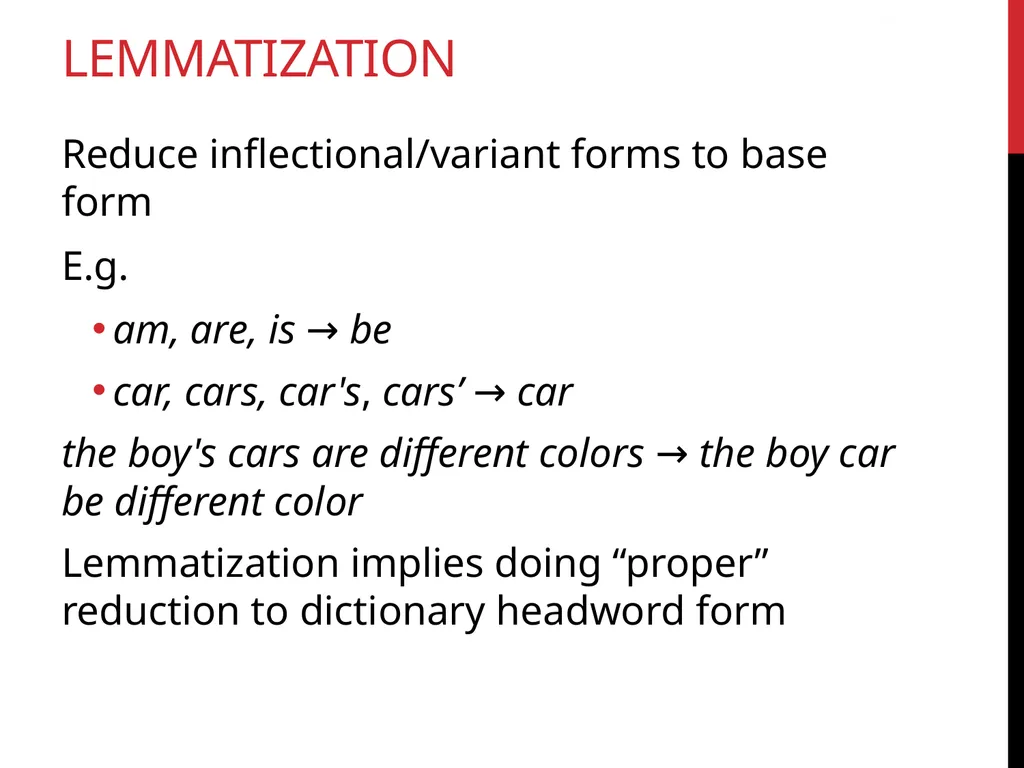
lemmatization Reduce inflectional/variant forms to base form
E.g.
am, are, is → be
car, cars, car's, cars’ → car
the boy's cars are different colors → the boy car be different color
Lemmatization implies doing “proper” reduction to dictionary headword form Sec. 2.2.4<br>
E.g.
am, are, is → be
car, cars, car's, cars’ → car
the boy's cars are different colors → the boy car be different color
Lemmatization implies doing “proper” reduction to dictionary headword form Sec. 2.2.4<br>
55
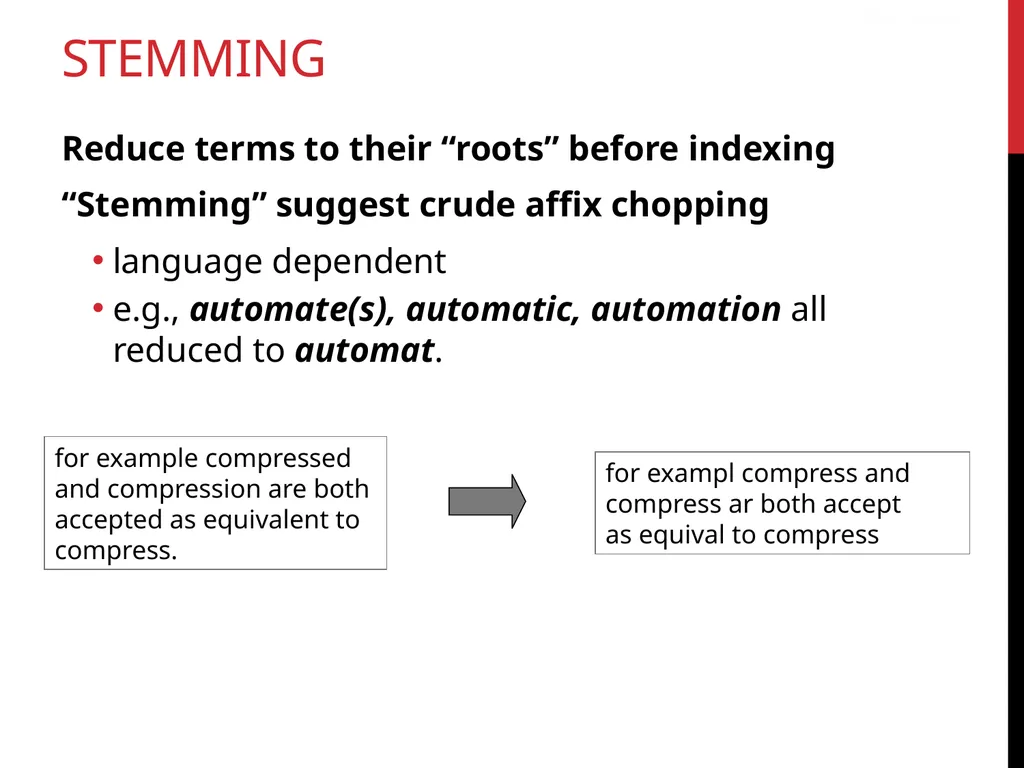
STEMMING Reduce terms to their “roots” before indexing
“Stemming” suggest crude affix chopping
language dependent
e.g., automate(s), automatic, automation all reduced to automat. for example compressed
and compression are both
accepted as equivalent to
compress. Sec. 2.2.4 for exampl compress and
compress ar both accept
as equival to compress<br>
“Stemming” suggest crude affix chopping
language dependent
e.g., automate(s), automatic, automation all reduced to automat. for example compressed
and compression are both
accepted as equivalent to
compress. Sec. 2.2.4 for exampl compress and
compress ar both accept
as equival to compress<br>
56
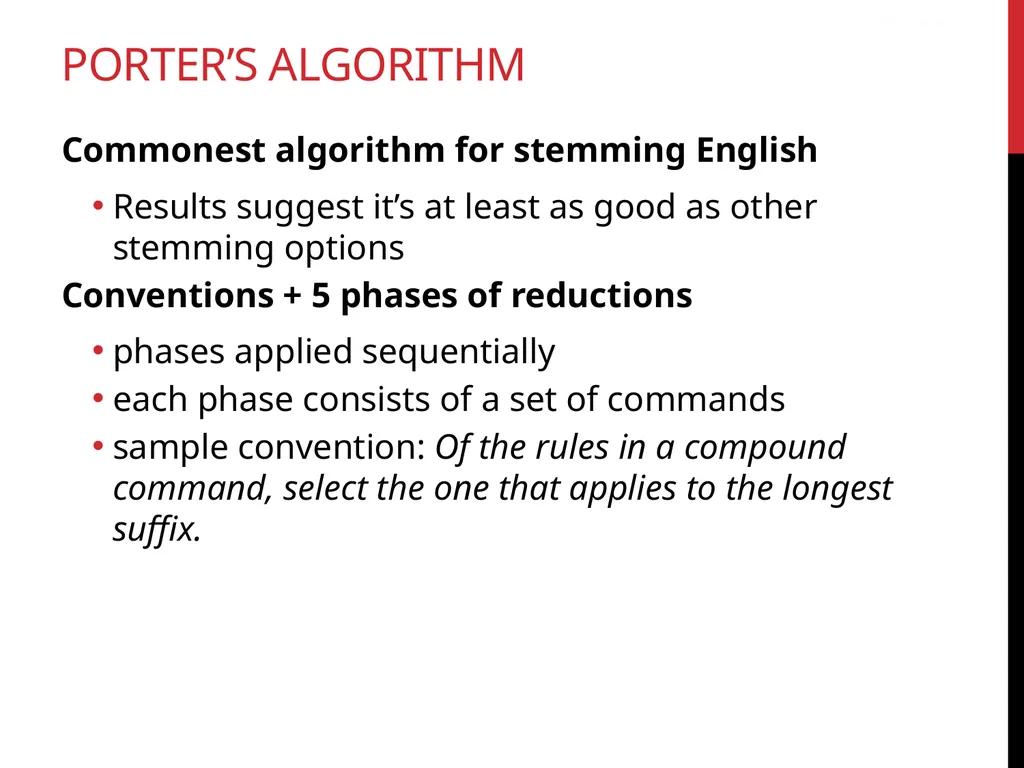
Commonest algorithm for stemming English
Results suggest it’s at least as good as other stemming options
Conventions + 5 phases of reductions
phases applied sequentially
each phase consists of a set of commands
sample convention: Of the rules in a compound command, select the one that applies to the longest suffix. Sec. 2.2.4 Porter’s algorithm<br>
Results suggest it’s at least as good as other stemming options
Conventions + 5 phases of reductions
phases applied sequentially
each phase consists of a set of commands
sample convention: Of the rules in a compound command, select the one that applies to the longest suffix. Sec. 2.2.4 Porter’s algorithm<br>
57
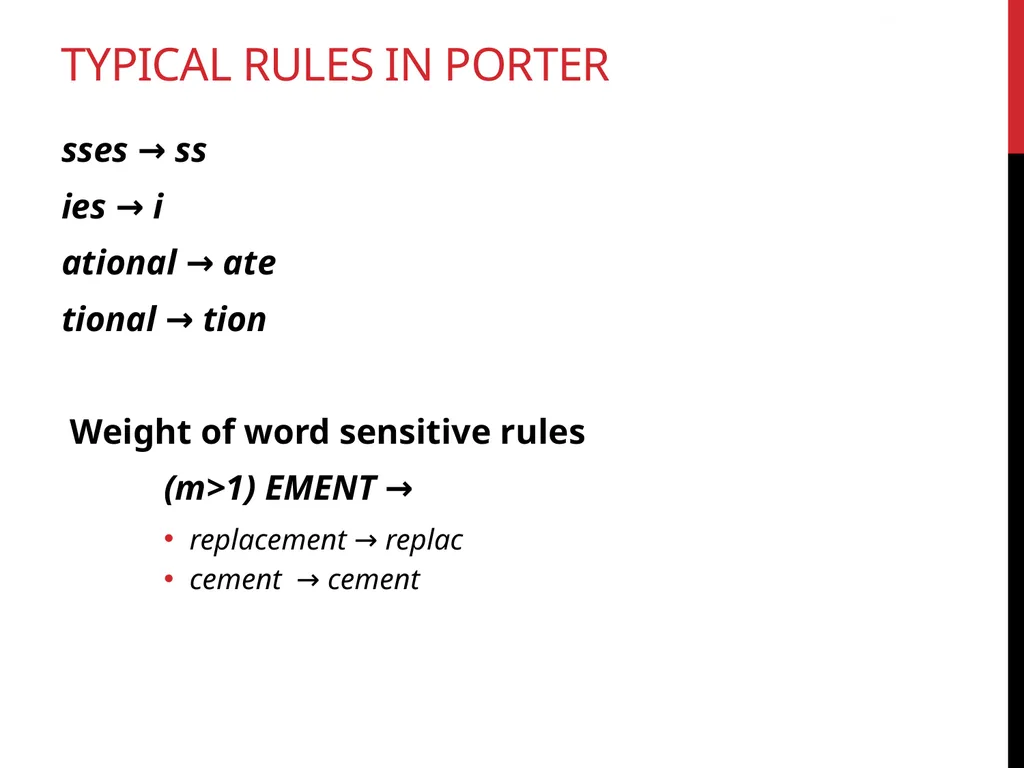
sses → ss
ies → i
ational → ate
tional → tion
Weight of word sensitive rules
(m>1) EMENT →
replacement → replac
cement → cement Sec. 2.2.4 Typical rules in porter<br>
ies → i
ational → ate
tional → tion
Weight of word sensitive rules
(m>1) EMENT →
replacement → replac
cement → cement Sec. 2.2.4 Typical rules in porter<br>
58
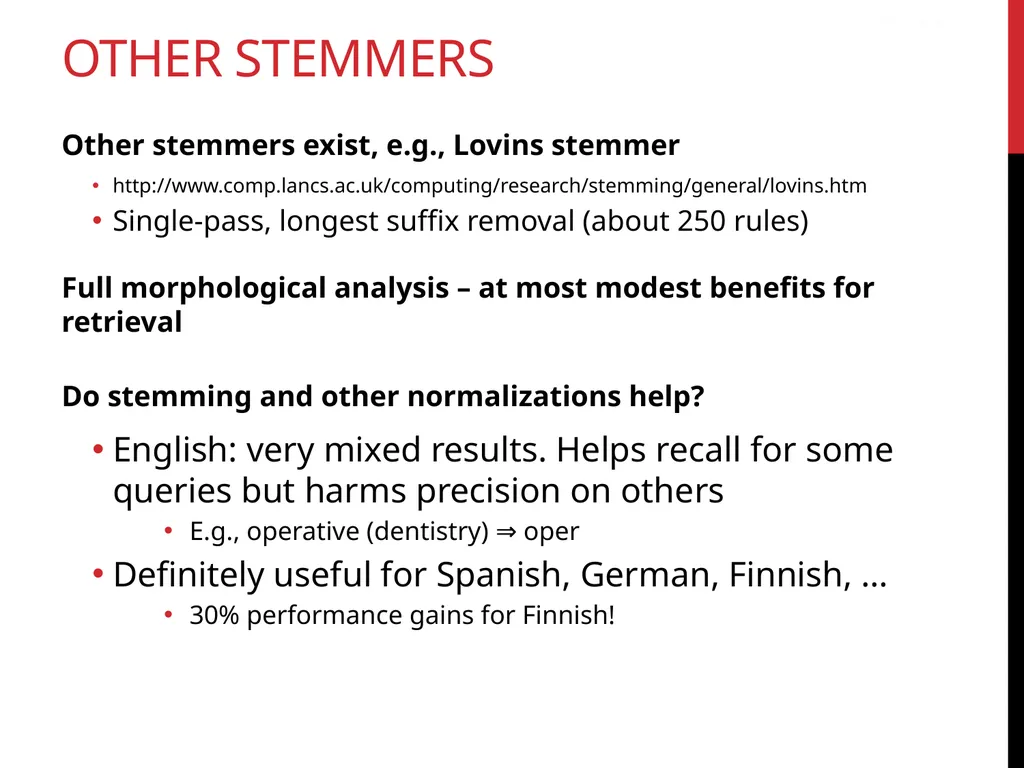
Other stemmers Other stemmers exist, e.g., Lovins stemmer
http://www.comp.lancs.ac.uk/computing/research/stemming/general/lovins.htm
Single-pass, longest suffix removal (about 250 rules)
Full morphological analysis – at most modest benefits for retrieval
Do stemming and other normalizations help?
English: very mixed results. Helps recall for some queries but harms precision on others
E.g., operative (dentistry) ⇒ oper
Definitely useful for Spanish, German, Finnish, …
30% performance gains for Finnish! Sec. 2.2.4<br>
http://www.comp.lancs.ac.uk/computing/research/stemming/general/lovins.htm
Single-pass, longest suffix removal (about 250 rules)
Full morphological analysis – at most modest benefits for retrieval
Do stemming and other normalizations help?
English: very mixed results. Helps recall for some queries but harms precision on others
E.g., operative (dentistry) ⇒ oper
Definitely useful for Spanish, German, Finnish, …
30% performance gains for Finnish! Sec. 2.2.4<br>
59
Other stemmers Many of the above features embody transformations that are
Language-specific and
Often, application-specific
These are “plug-in” addenda to the indexing process
Both open source and commercial plug-ins are available for handling these Sec. 2.2.4<br>
Language-specific and
Often, application-specific
These are “plug-in” addenda to the indexing process
Both open source and commercial plug-ins are available for handling these Sec. 2.2.4<br>