Follow the checklist below: Ensure this box is filled out completely 1. All dates should match Scouts BSA History Report 2. Check all Scouting Levels that apply (YN) Ensure these dates are from the Scouts History Report Date Earned: Ensure
"Follow the checklist below: Ensure this box is" is the property of its rightful owner. Permission is granted to
download and print the materials on this website for personal, non-commercial use only, and to display it
on your personal computer provided you do not modify the materials and that you retain all copyright
notices contained in the materials. By downloading content from our website, you accept the terms of this
agreement.
Presentation Transcript
01
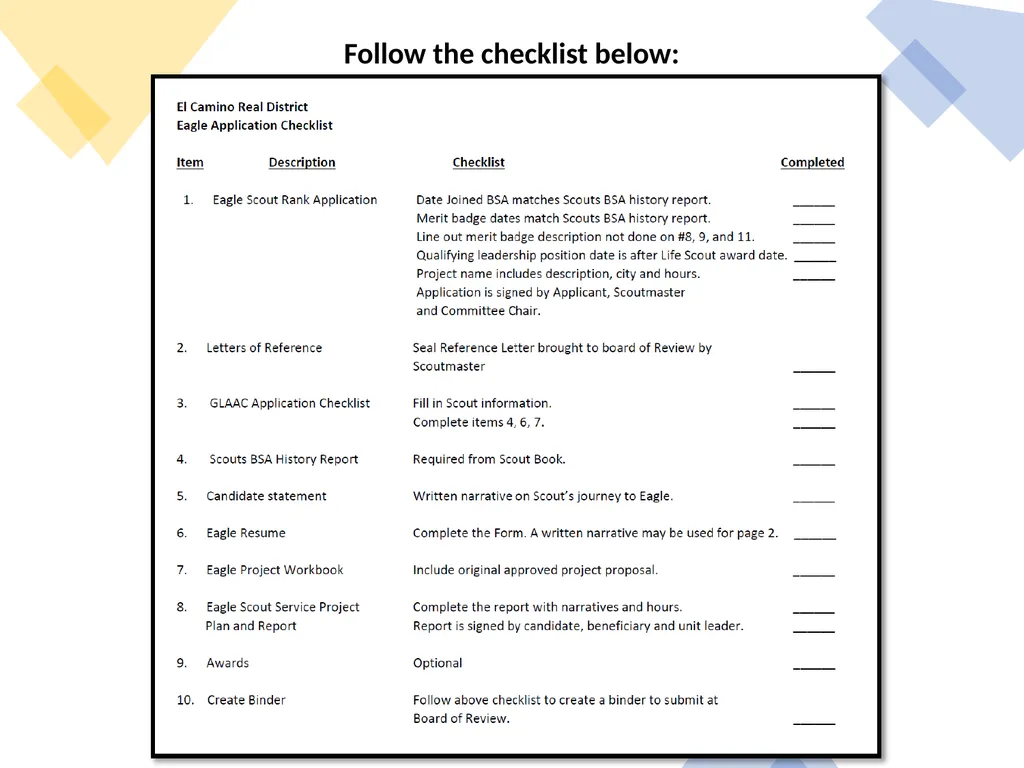
Follow the checklist below:<br>
02
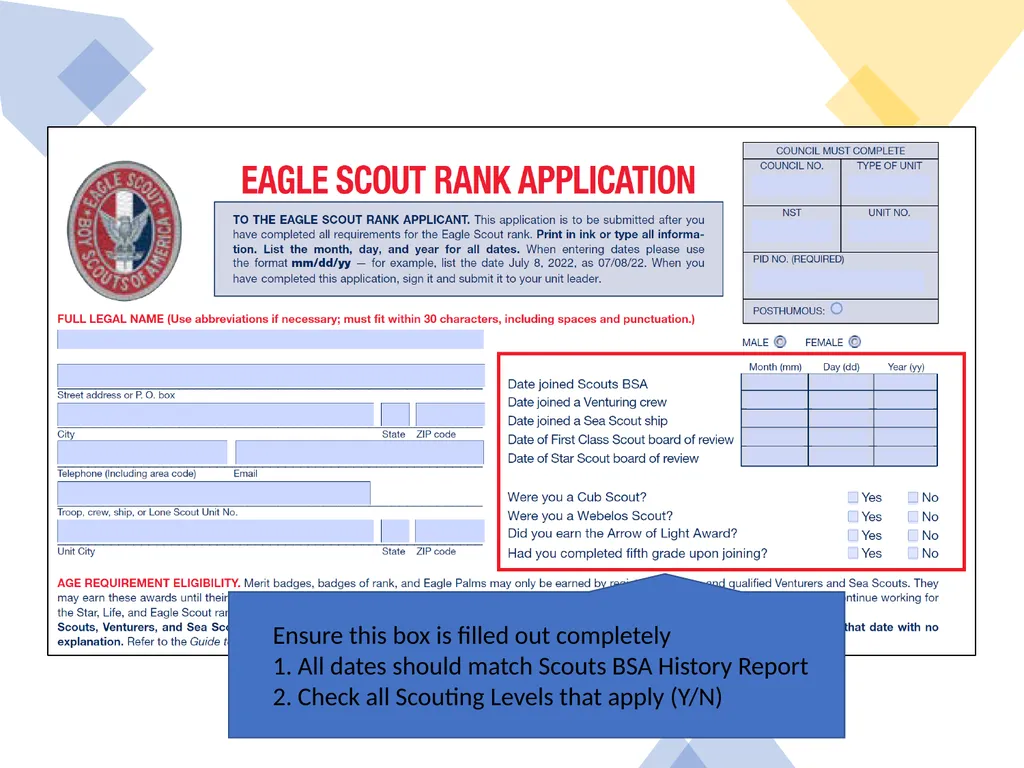
Ensure this box is filled out completely
1. All dates should match Scouts BSA History Report
2. Check all Scouting Levels that apply (Y/N)<br>
03
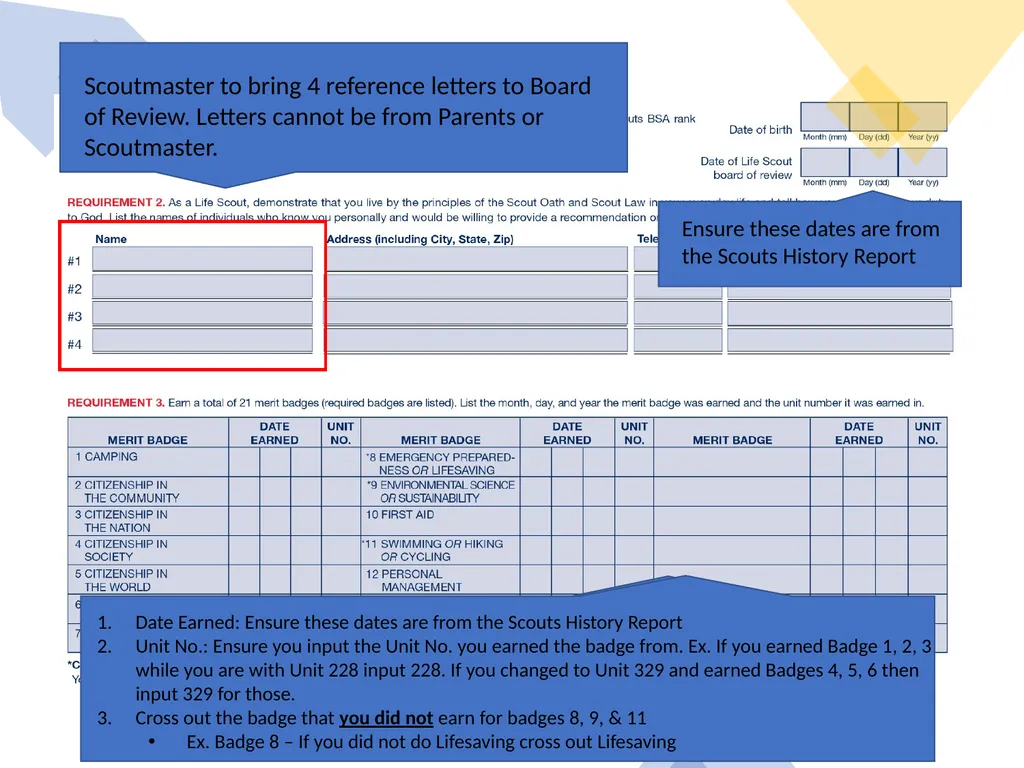
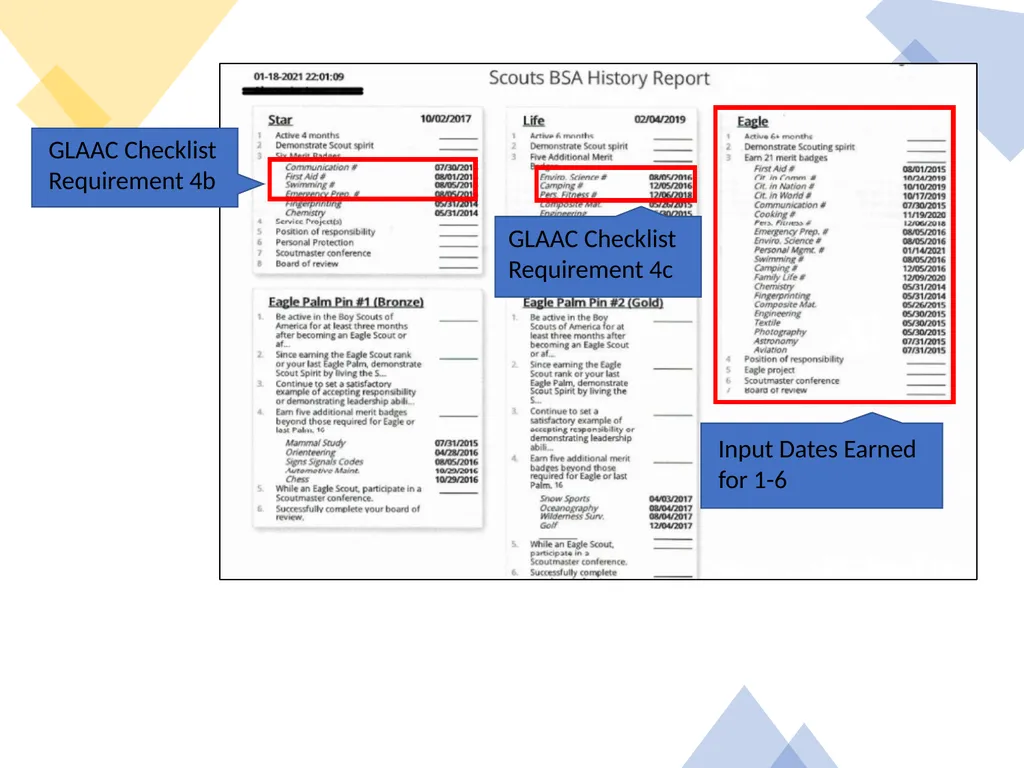
Ensure these dates are from the Scouts History Report Date Earned: Ensure these dates are from the Scouts History Report
Unit No.: Ensure you input the Unit No. you earned the badge from. Ex. If you earned Badge 1, 2, 3 while you are with Unit 228 input 228. If you changed to Unit 329 and earned Badges 4, 5, 6 then input 329 for those.
Cross out the badge that you did not earn for badges 8, 9, & 11
Ex. Badge 8 – If you did not do Lifesaving cross out Lifesaving Scoutmaster to bring 4 reference letters to Board of Review. Letters cannot be from Parents or Scoutmaster.<br>
04
Eagle Scout Board of Review
Reference Letters
Four reference letters must be requested.
Can be requested from Teachers, Employers, Coaches, or Religious Group Leader. Scoutmaster and Parents are not allowed
Must be returned to Troop or District (not the Scout)
Should be on paper and returned in a sealed envelope
Reference letters are seen only by the members of the Board
Board may be held as soon as all paperwork has been turned in<br>
05
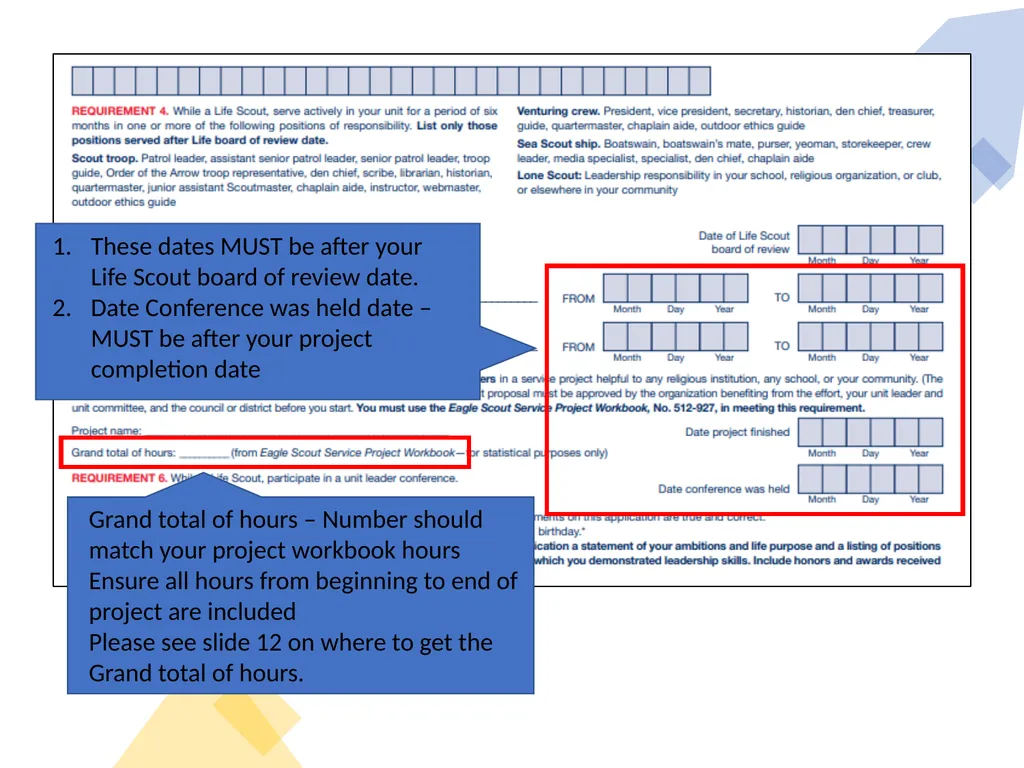
These dates MUST be after your Life Scout board of review date.
Date Conference was held date – MUST be after your project completion date Grand total of hours – Number should match your project workbook hours
Ensure all hours from beginning to end of project are included
Please see slide 12 on where to get the Grand total of hours.<br>
06
Ensure all signature lines are signed and dated<br>
07
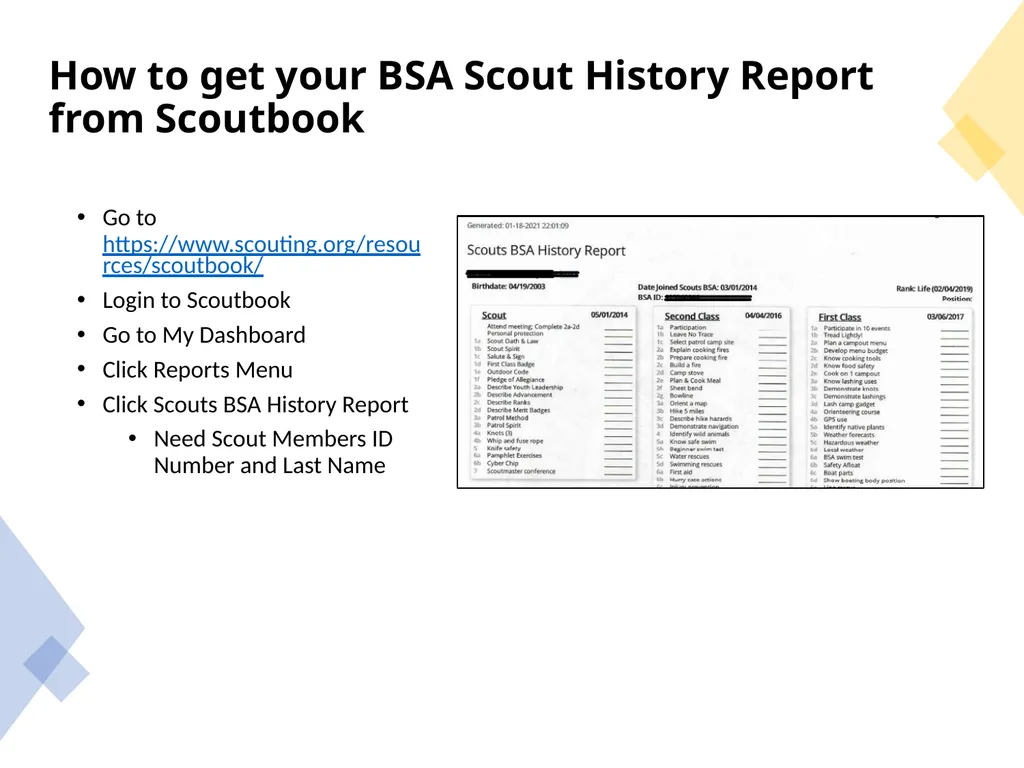
How to get your BSA Scout History Report from Scoutbook Go to https://www.scouting.org/resources/scoutbook/
Login to Scoutbook
Go to My Dashboard
Click Reports Menu
Click Scouts BSA History Report
Need Scout Members ID Number and Last Name<br>
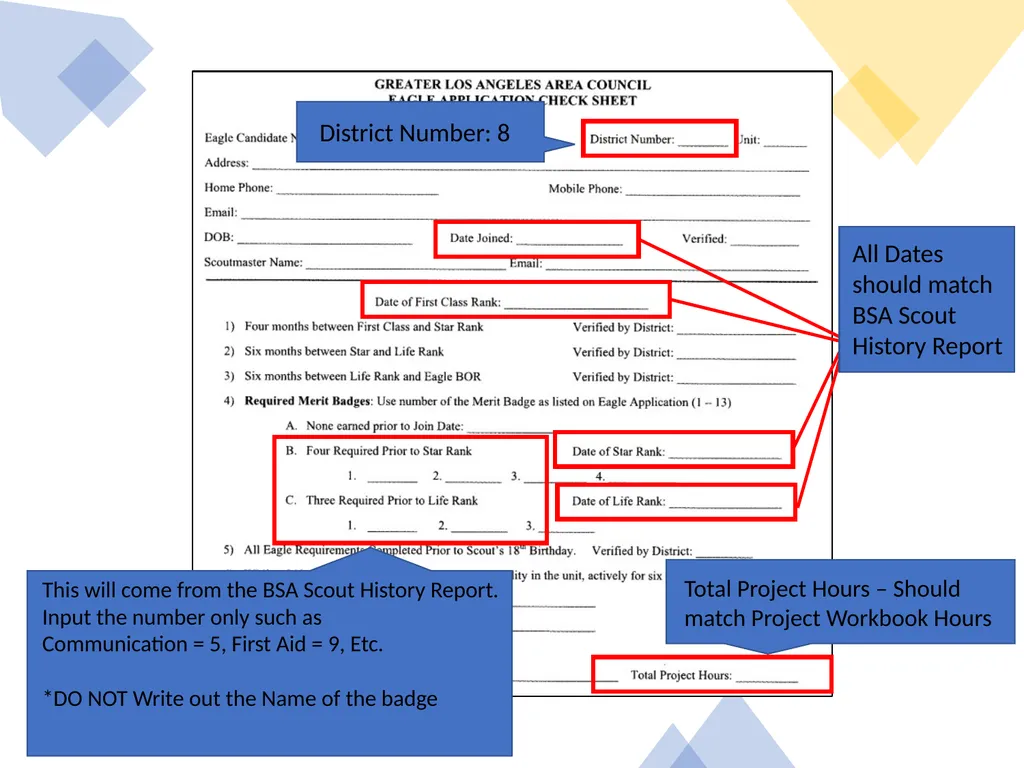
All Dates should match BSA Scout History Report Total Project Hours – Should match Project Workbook Hours District Number: 8 This will come from the BSA Scout History Report.
Input the number only such as
Communication = 5, First Aid = 9, Etc.
*DO NOT Write out the Name of the badge<br>
10
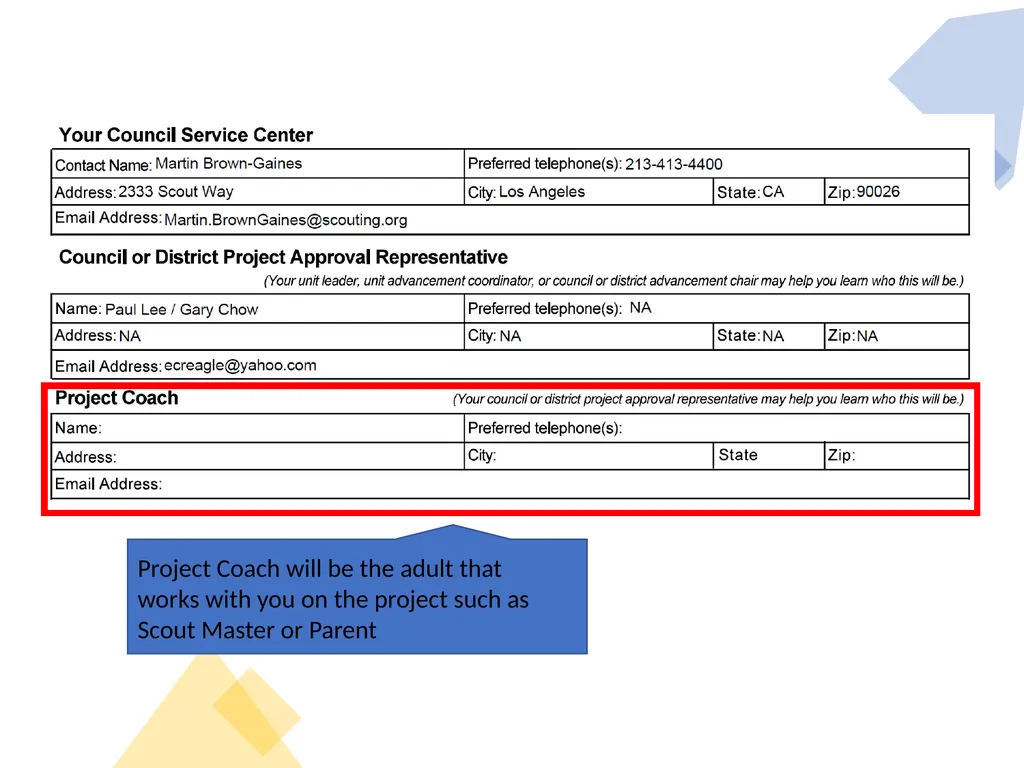
Project Coach will be the adult that works with you on the project such as Scout Master or Parent<br>
11
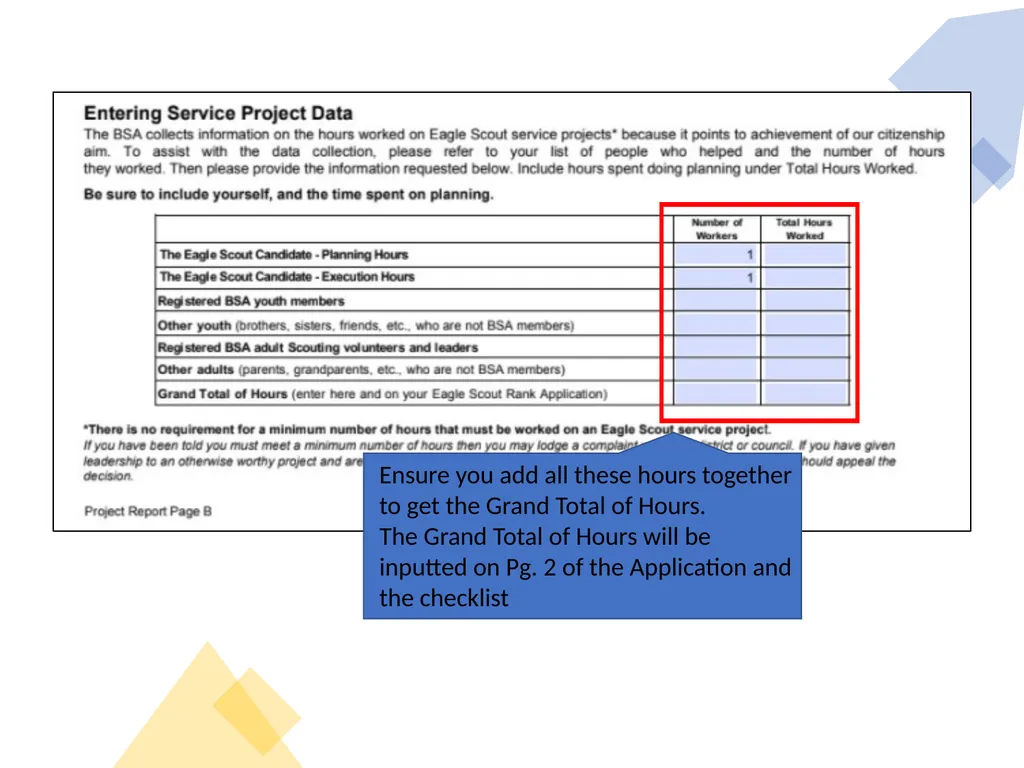
Ensure you add all these hours together to get the Grand Total of Hours.
The Grand Total of Hours will be inputted on Pg. 2 of the Application and the checklist<br>