
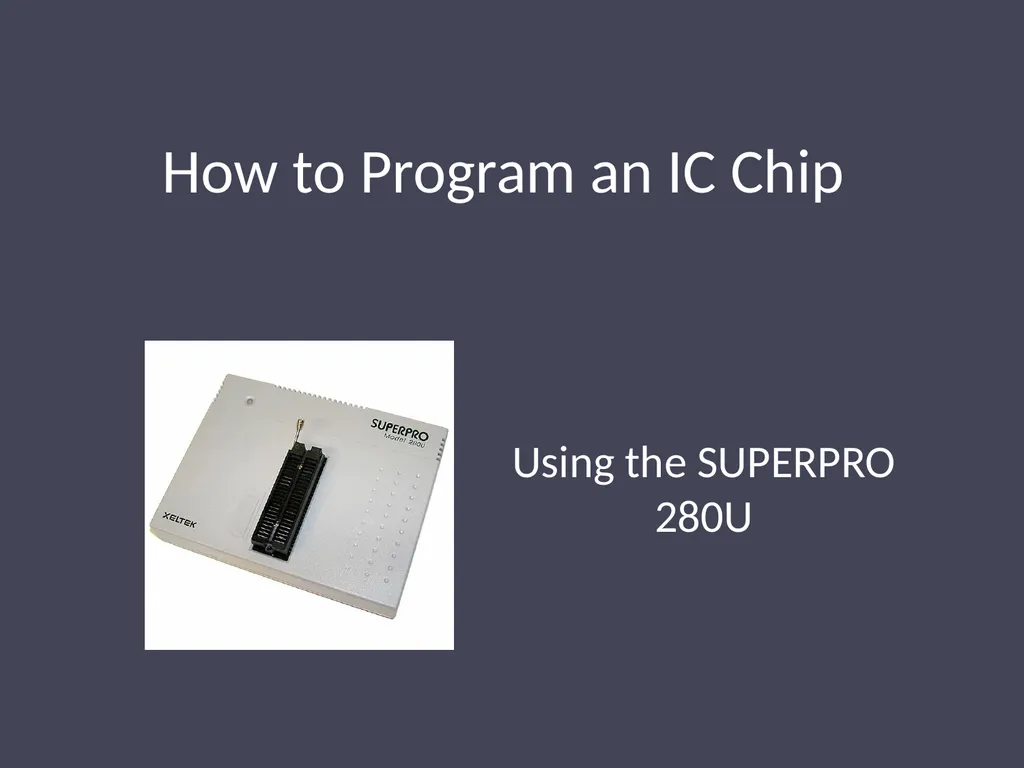
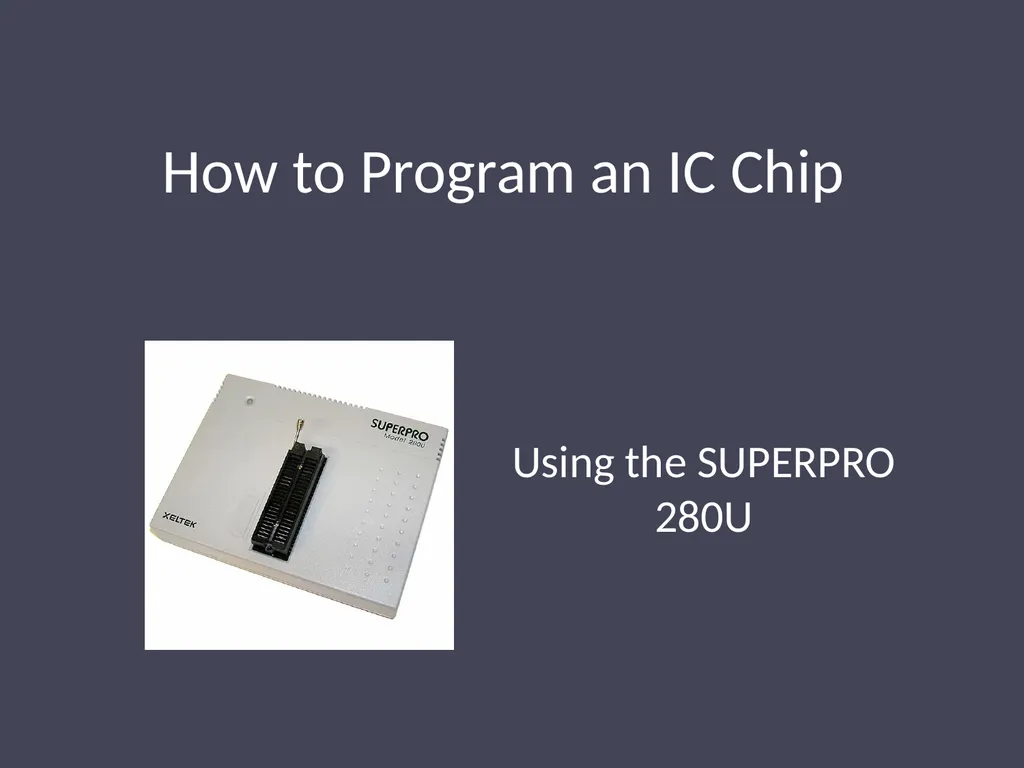
How to Program an IC Chip Using the SUPERPRO 280U
Description: How to Program an IC Chip Using the SUPERPRO 280U The instructions vary slightly between different chips Follow red instructions if you are using the 2532 or the 2532A. Follow green instructions if you are using the 27C64. Follow blue
Related Topics
Download Presentation
"How to Program an IC Chip Using the SUPERPRO 280U" is the property of its rightful owner. Permission is granted to download and print the materials on this website for personal, non-commercial use only, and to display it on your personal computer provided you do not modify the materials and that you retain all copyright notices contained in the materials. By downloading content from our website, you accept the terms of this agreement.
Presentation Transcript
slide1. How to Program an IC Chip Using the SUPERPRO 280U<br>
slide2. The instructions vary slightly between different chips Follow red instructions if you are using the 2532 or the 2532A.
Follow green instructions if you are using the 27C64.
Follow blue instructions if you are using the 28C64.
Follow purple instructions if you are using the GAL16V8.
Follow white instructions for all chips.<br>
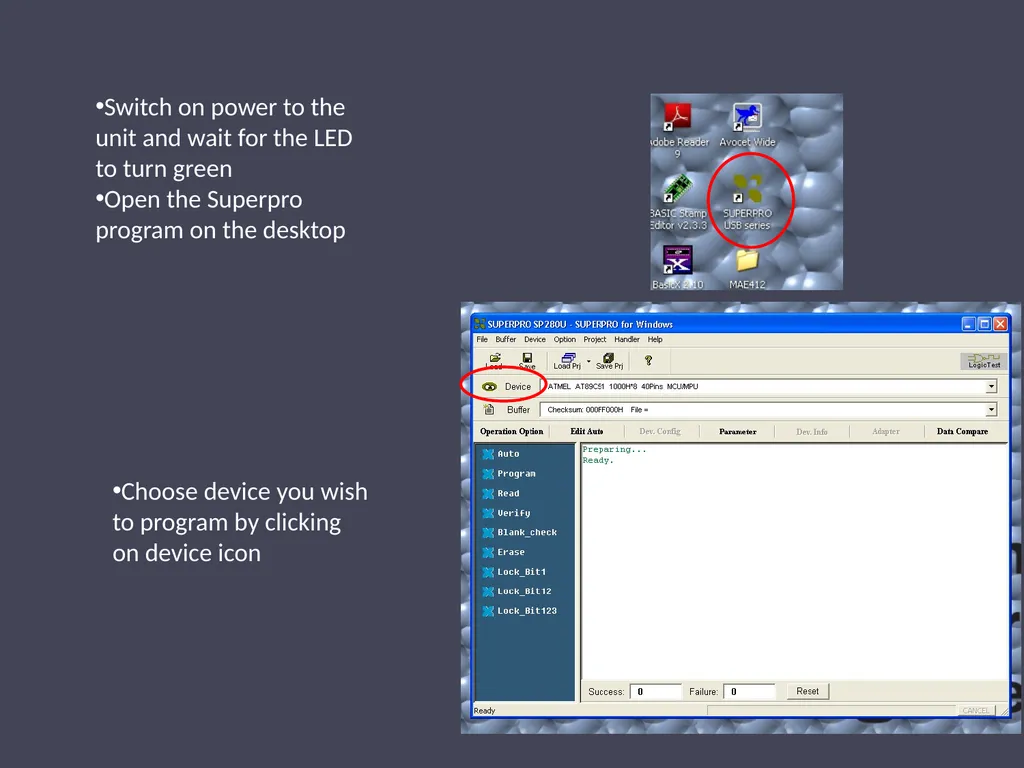
slide3. Switch on power to the unit and wait for the LED to turn green
Open the Superpro program on the desktop Choose device you wish to program by clicking on device icon<br>
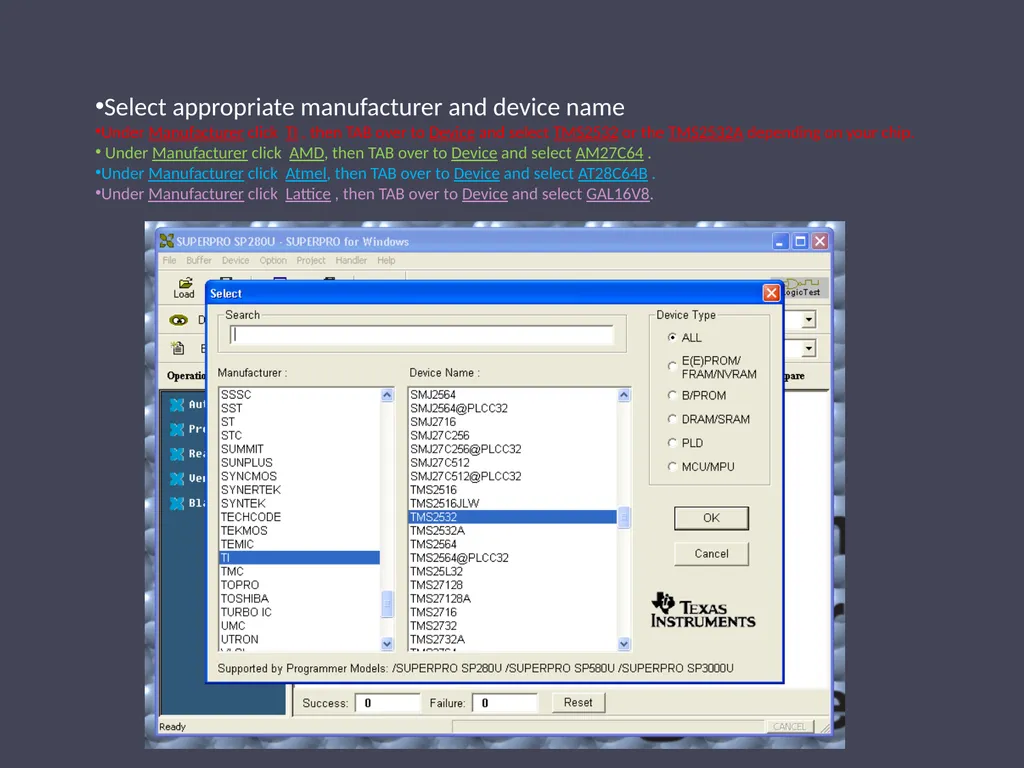
slide4. Select appropriate manufacturer and device name
Under Manufacturer click TI , then TAB over to Device and select TMS2532 or the TMS2532A depending on your chip.
Under Manufacturer click AMD, then TAB over to Device and select AM27C64 .
Under Manufacturer click Atmel, then TAB over to Device and select AT28C64B .
Under Manufacturer click Lattice , then TAB over to Device and select GAL16V8.<br>
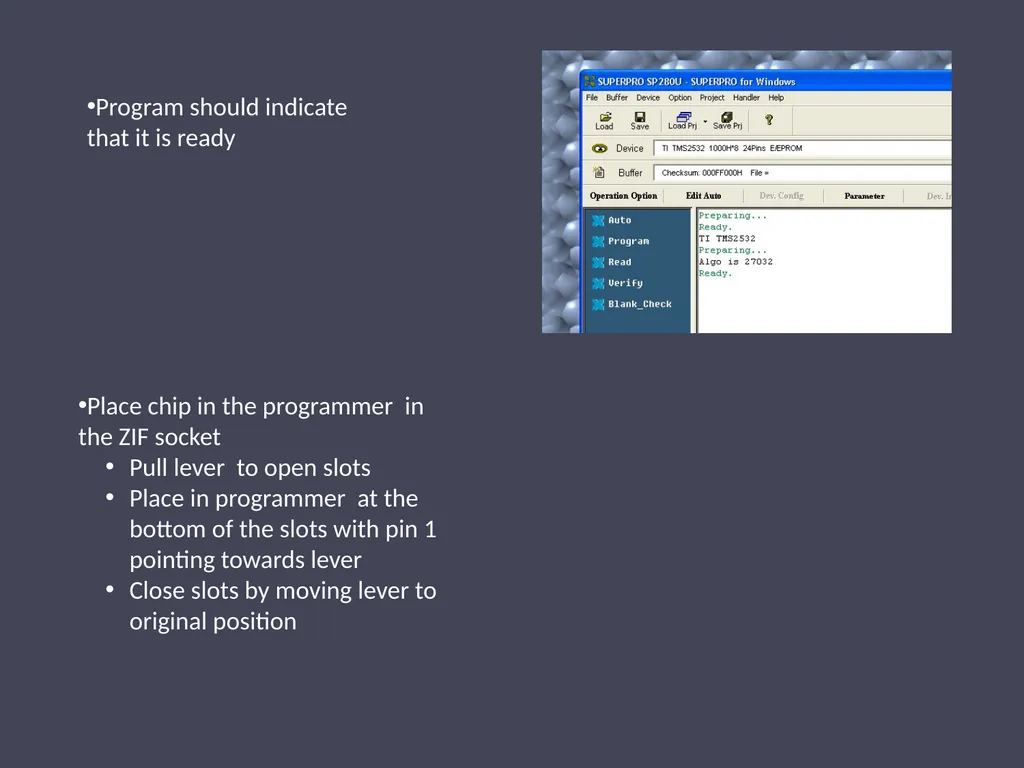
slide5. Program should indicate that it is ready Place chip in the programmer in the ZIF socket
Pull lever to open slots
Place in programmer at the bottom of the slots with pin 1 pointing towards lever
Close slots by moving lever to original position<br>
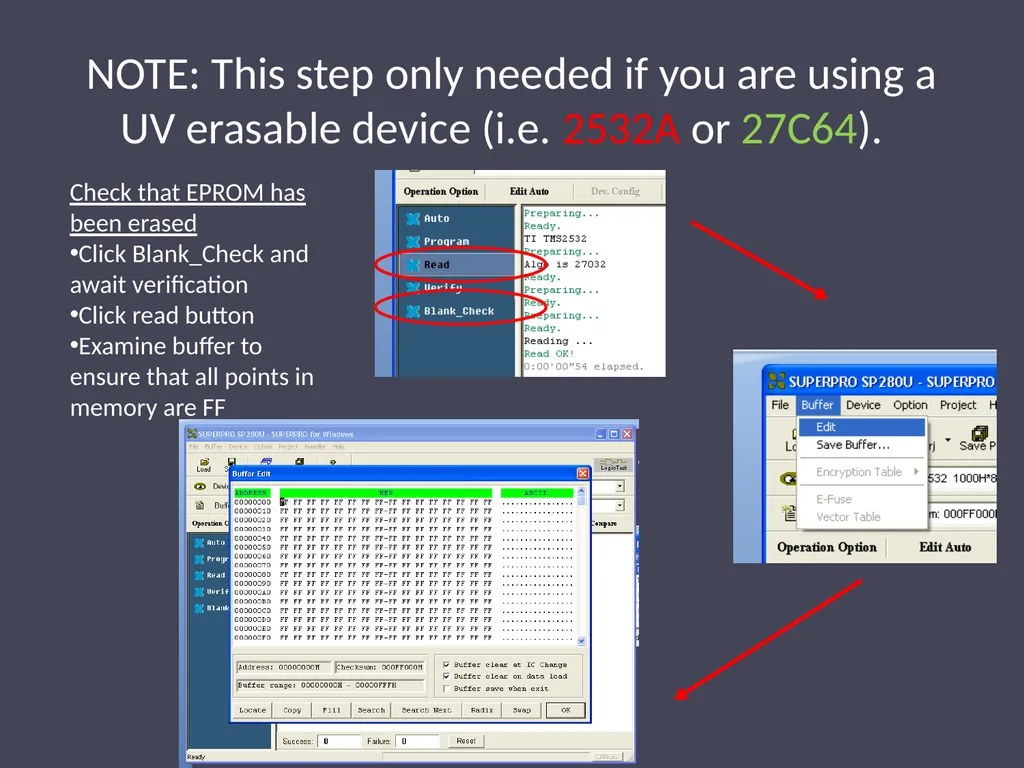
slide6. NOTE: This step only needed if you are using a UV erasable device (i.e. 2532A or 27C64). Check that EPROM has been erased
Click Blank_Check and await verification
Click read button
Examine buffer to ensure that all points in memory are FF<br>
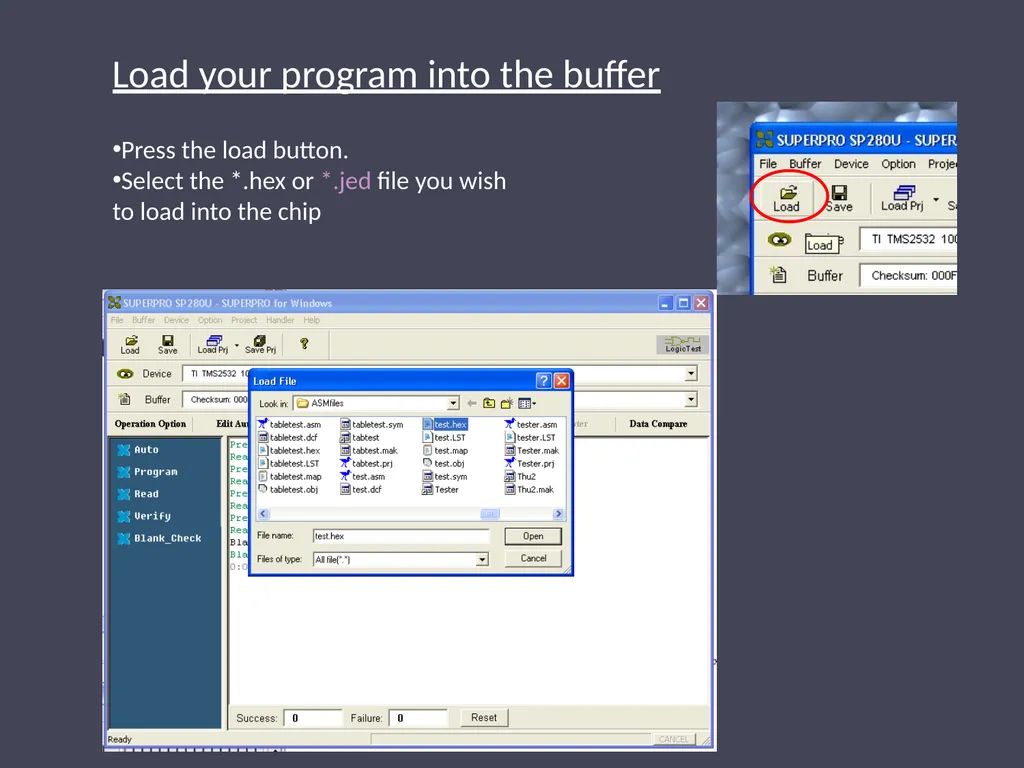
slide7. Press the load button.
Select the *.hex or *.jed file you wish to load into the chip Load your program into the buffer<br>
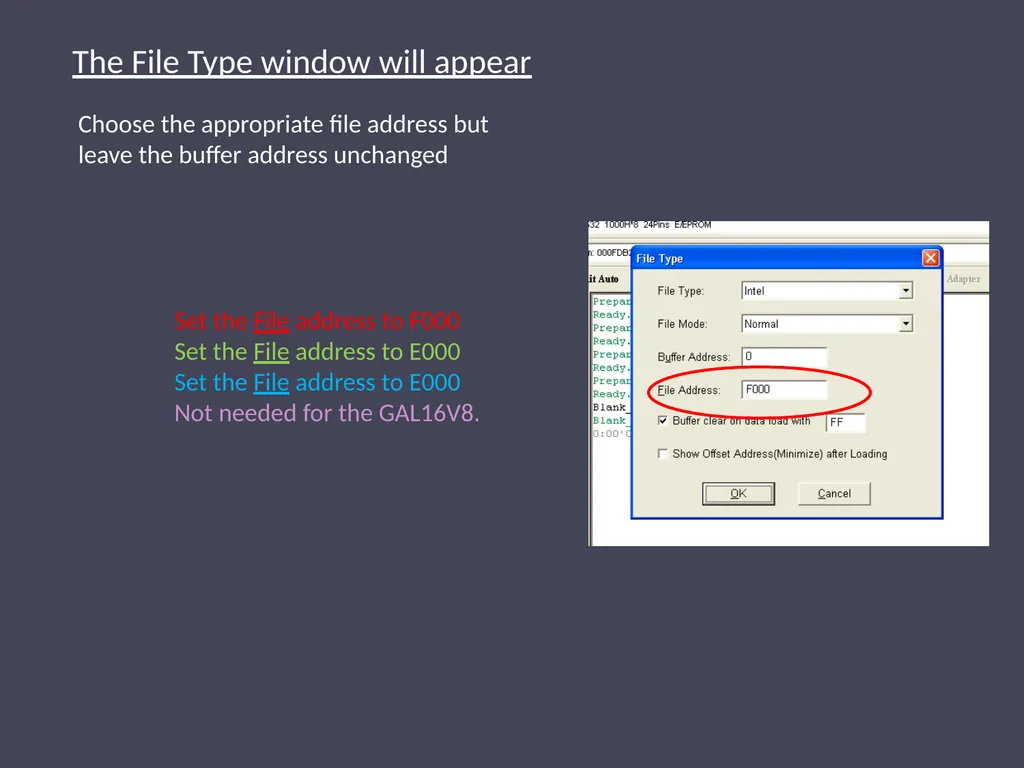
slide8. Choose the appropriate file address but leave the buffer address unchanged The File Type window will appear Set the File address to F000 Set the File address to E000 Set the File address to E000 Not needed for the GAL16V8.<br>
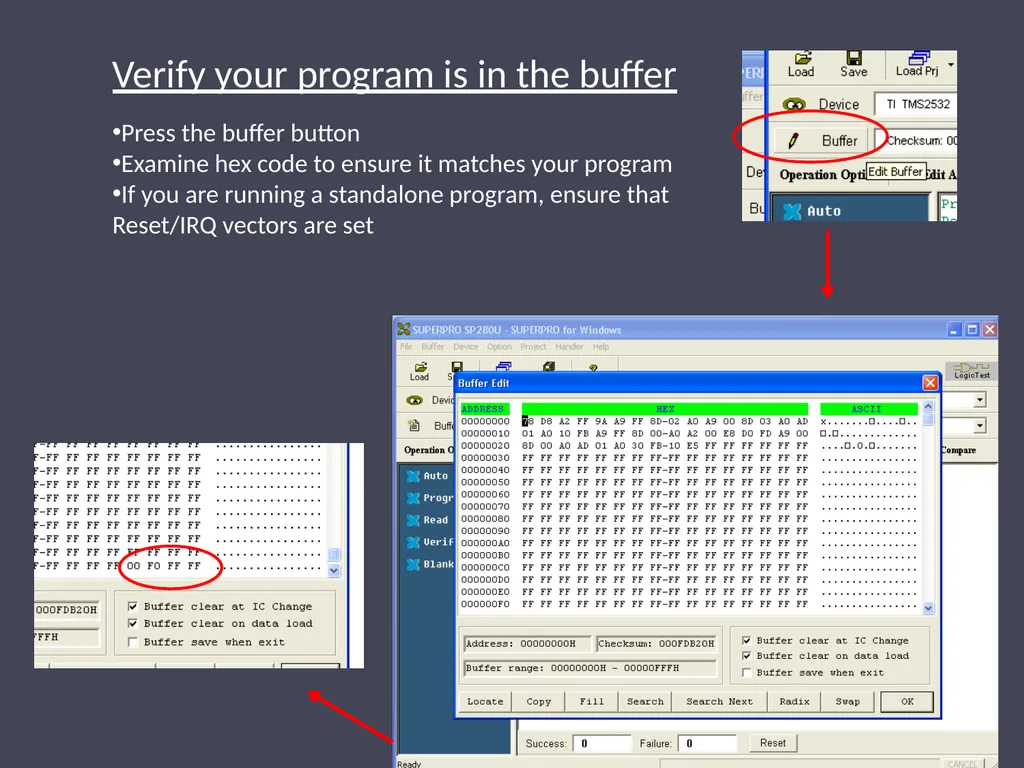
slide9. Press the buffer button
Examine hex code to ensure it matches your program
If you are running a standalone program, ensure that Reset/IRQ vectors are set Verify your program is in the buffer<br>
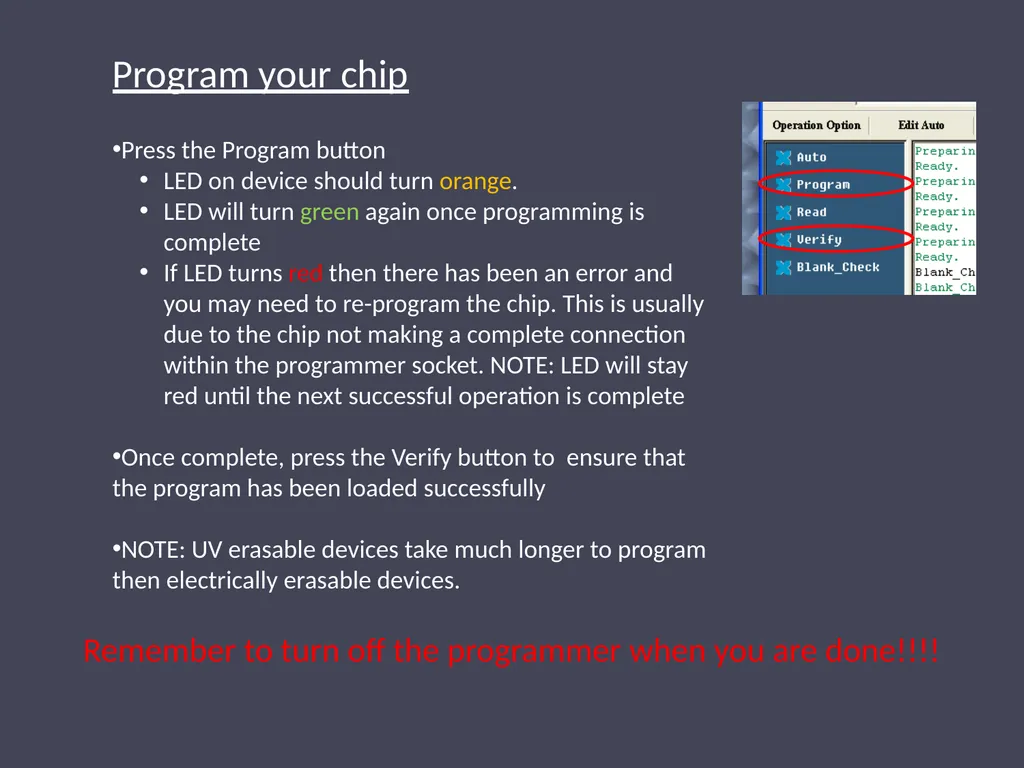
slide10. Press the Program button
LED on device should turn orange.
LED will turn green again once programming is complete
If LED turns red then there has been an error and you may need to re-program the chip. This is usually due to the chip not making a complete connection within the programmer socket. NOTE: LED will stay red until the next successful operation is complete
Once complete, press the Verify button to ensure that the program has been loaded successfully
NOTE: UV erasable devices take much longer to program then electrically erasable devices. Program your chip Remember to turn off the programmer when you are done!!!!<br>
slide2. The instructions vary slightly between different chips Follow red instructions if you are using the 2532 or the 2532A.
Follow green instructions if you are using the 27C64.
Follow blue instructions if you are using the 28C64.
Follow purple instructions if you are using the GAL16V8.
Follow white instructions for all chips.<br>
slide3. Switch on power to the unit and wait for the LED to turn green
Open the Superpro program on the desktop Choose device you wish to program by clicking on device icon<br>
slide4. Select appropriate manufacturer and device name
Under Manufacturer click TI , then TAB over to Device and select TMS2532 or the TMS2532A depending on your chip.
Under Manufacturer click AMD, then TAB over to Device and select AM27C64 .
Under Manufacturer click Atmel, then TAB over to Device and select AT28C64B .
Under Manufacturer click Lattice , then TAB over to Device and select GAL16V8.<br>
slide5. Program should indicate that it is ready Place chip in the programmer in the ZIF socket
Pull lever to open slots
Place in programmer at the bottom of the slots with pin 1 pointing towards lever
Close slots by moving lever to original position<br>
slide6. NOTE: This step only needed if you are using a UV erasable device (i.e. 2532A or 27C64). Check that EPROM has been erased
Click Blank_Check and await verification
Click read button
Examine buffer to ensure that all points in memory are FF<br>
slide7. Press the load button.
Select the *.hex or *.jed file you wish to load into the chip Load your program into the buffer<br>
slide8. Choose the appropriate file address but leave the buffer address unchanged The File Type window will appear Set the File address to F000 Set the File address to E000 Set the File address to E000 Not needed for the GAL16V8.<br>
slide9. Press the buffer button
Examine hex code to ensure it matches your program
If you are running a standalone program, ensure that Reset/IRQ vectors are set Verify your program is in the buffer<br>
slide10. Press the Program button
LED on device should turn orange.
LED will turn green again once programming is complete
If LED turns red then there has been an error and you may need to re-program the chip. This is usually due to the chip not making a complete connection within the programmer socket. NOTE: LED will stay red until the next successful operation is complete
Once complete, press the Verify button to ensure that the program has been loaded successfully
NOTE: UV erasable devices take much longer to program then electrically erasable devices. Program your chip Remember to turn off the programmer when you are done!!!!<br>