
Instructions for use This resource is not a
JO
Published · 51 slides · 0 views
1 / 1
Description
Instructions for use This resource is not a teaching and learning program. It should be used in conjunction with Shakespeare retold Year 10, Term 3. Classroom teachers are encouraged to add and adapt slides as required to meet the needs
Related Topics
Share
Embed code
Download this presentation From Below
"Instructions for use This resource is not a" is the property of its rightful owner. Permission is granted to download and print the materials on this website for personal, non-commercial use only, and to display it on your personal computer provided you do not modify the materials and that you retain all copyright notices contained in the materials. By downloading content from our website, you accept the terms of this agreement.
Presentation Transcript
01
Instructions for use This resource is not a teaching and learning program. It should be used in conjunction with ‘Shakespeare retold’ – Year 10, Term 3.
Classroom teachers are encouraged to add and adapt slides as required to meet the needs of their students.
Save a copy of the file to make changes to the slide deck. Go to File > Download a Copy (this downloads a copy to the computer to edit in the PowerPoint app).
To convert the PowerPoint to Google Slides:
Upload the file into Google Drive and open it.
Go to File > Save as Google Slides.
(Note – conversion may cause formatting changes in the slides.) 1<br>
Classroom teachers are encouraged to add and adapt slides as required to meet the needs of their students.
Save a copy of the file to make changes to the slide deck. Go to File > Download a Copy (this downloads a copy to the computer to edit in the PowerPoint app).
To convert the PowerPoint to Google Slides:
Upload the file into Google Drive and open it.
Go to File > Save as Google Slides.
(Note – conversion may cause formatting changes in the slides.) 1<br>
02
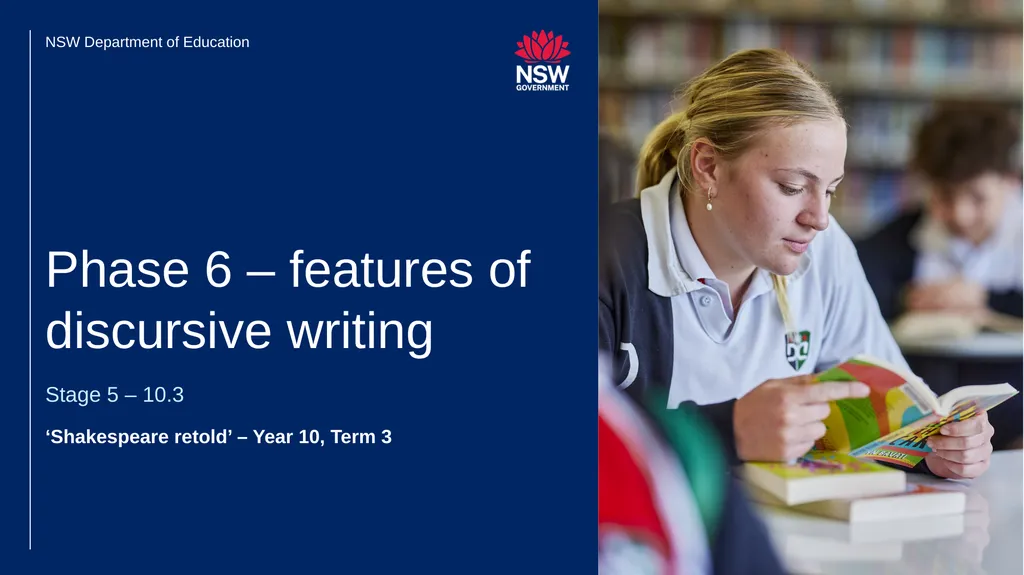
‘Shakespeare retold’ – Year 10, Term 3 Stage 5 – 10.3 Phase 6 – features of discursive writing NSW Department of Education<br>
03
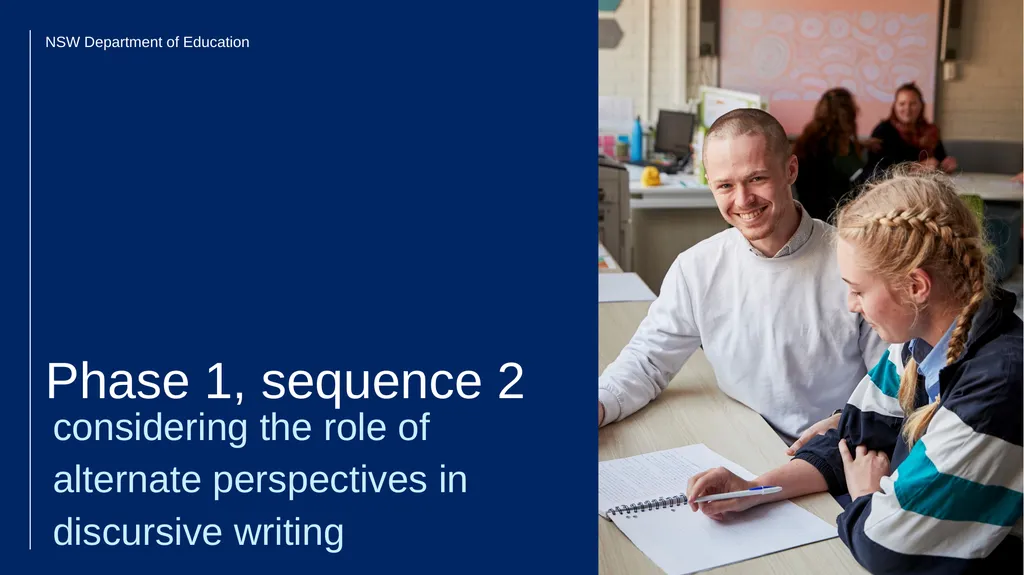
considering the role of alternate perspectives in discursive writing Phase 1, sequence 2 NSW Department of Education<br>
04
4 Learning intentions
We are learning to:
understand what makes a text discursive
understand how to use cohesive devices to compose comparative and contrasting sentences.
Success criteria
I will know I am successful when I can:
[These could be co-constructed with the class or used as per the notes]. Clarifying what we are going to learn and why Learning intentions and success criteria (1)<br>
We are learning to:
understand what makes a text discursive
understand how to use cohesive devices to compose comparative and contrasting sentences.
Success criteria
I will know I am successful when I can:
[These could be co-constructed with the class or used as per the notes]. Clarifying what we are going to learn and why Learning intentions and success criteria (1)<br>
05
5 What does it mean to write discursively? Class brainstorm<br>
06
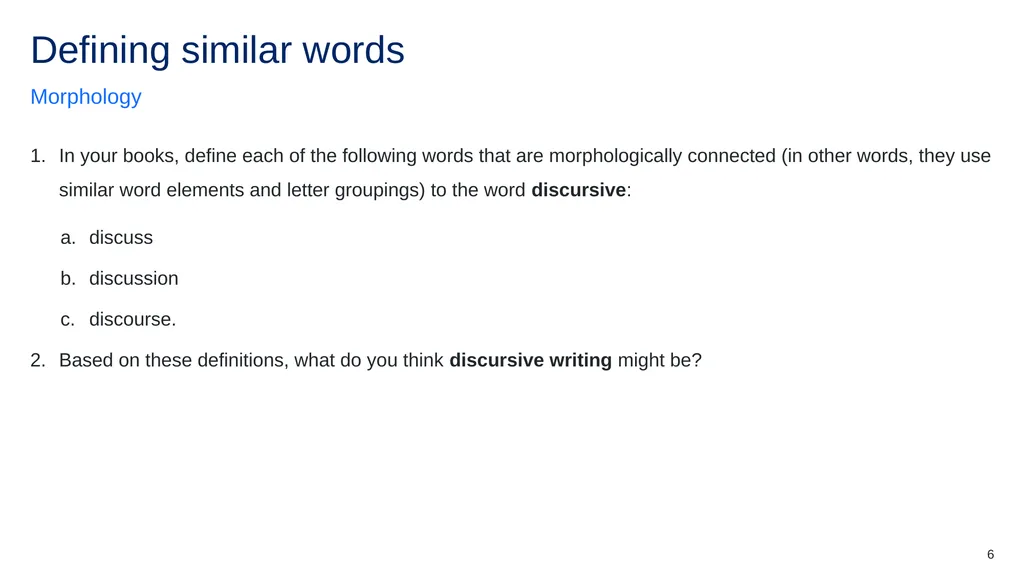
6 In your books, define each of the following words that are morphologically connected (in other words, they use similar word elements and letter groupings) to the word discursive:
discuss
discussion
discourse.
Based on these definitions, what do you think discursive writing might be? Morphology Defining similar words<br>
discuss
discussion
discourse.
Based on these definitions, what do you think discursive writing might be? Morphology Defining similar words<br>
07
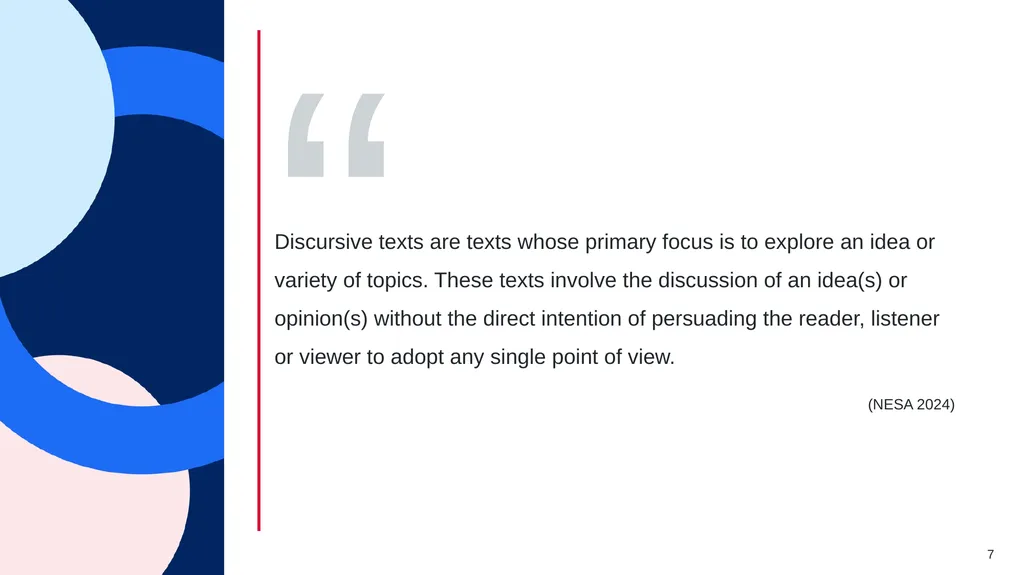
Definition of discursive texts 7 (NESA 2024) Discursive texts are texts whose primary focus is to explore an idea or variety of topics. These texts involve the discussion of an idea(s) or opinion(s) without the direct intention of persuading the reader, listener or viewer to adopt any single point of view. “<br>
08
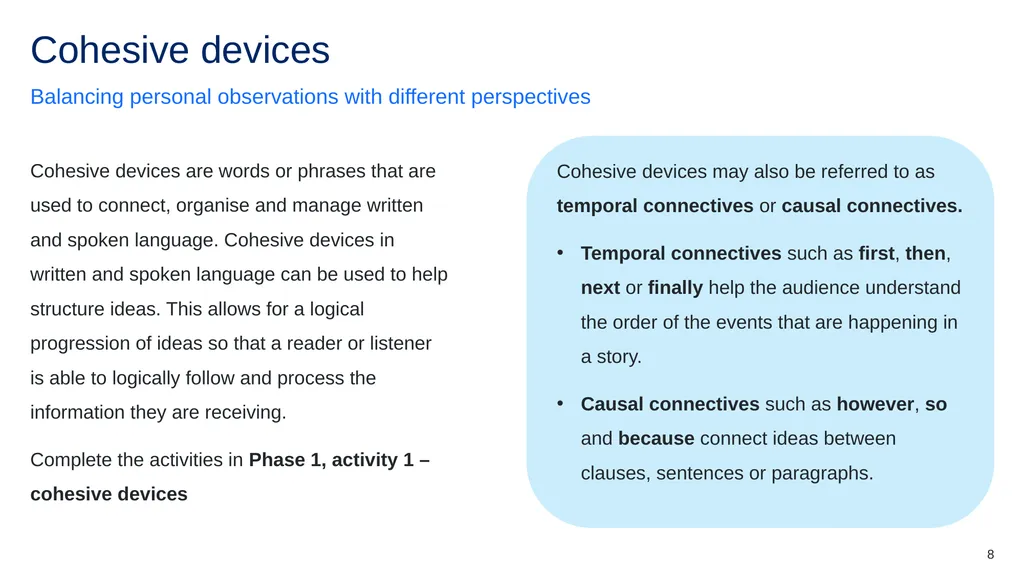
8 Cohesive devices may also be referred to as temporal connectives or causal connectives.
Temporal connectives such as first, then, next or finally help the audience understand the order of the events that are happening in a story.
Causal connectives such as however, so and because connect ideas between clauses, sentences or paragraphs. Cohesive devices are words or phrases that are used to connect, organise and manage written and spoken language. Cohesive devices in written and spoken language can be used to help structure ideas. This allows for a logical progression of ideas so that a reader or listener is able to logically follow and process the information they are receiving.
Complete the activities in Phase 1, activity 1 – cohesive devices Balancing personal observations with different perspectives Cohesive devices<br>
Temporal connectives such as first, then, next or finally help the audience understand the order of the events that are happening in a story.
Causal connectives such as however, so and because connect ideas between clauses, sentences or paragraphs. Cohesive devices are words or phrases that are used to connect, organise and manage written and spoken language. Cohesive devices in written and spoken language can be used to help structure ideas. This allows for a logical progression of ideas so that a reader or listener is able to logically follow and process the information they are receiving.
Complete the activities in Phase 1, activity 1 – cohesive devices Balancing personal observations with different perspectives Cohesive devices<br>
09
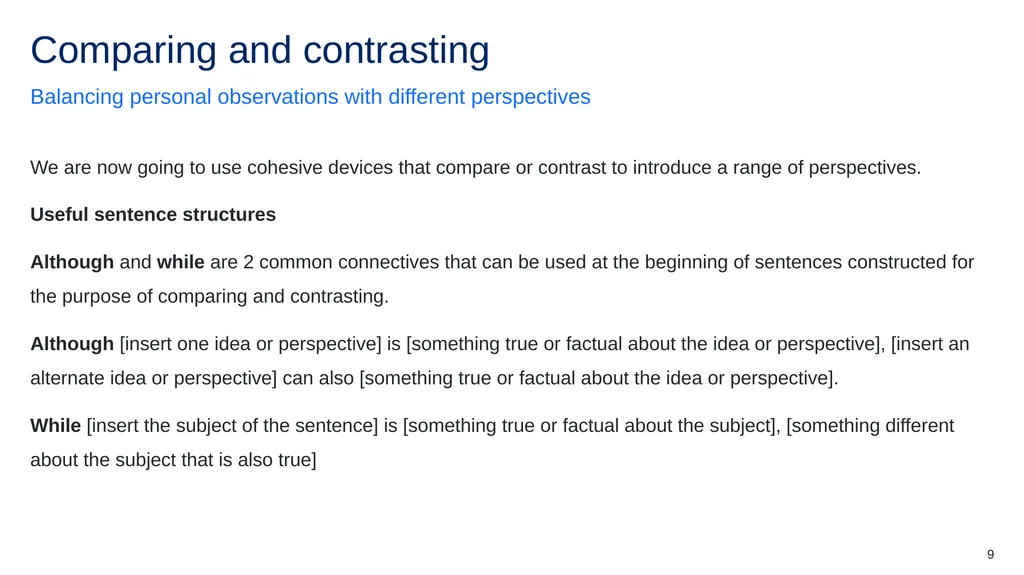
9 We are now going to use cohesive devices that compare or contrast to introduce a range of perspectives.
Useful sentence structures
Although and while are 2 common connectives that can be used at the beginning of sentences constructed for the purpose of comparing and contrasting.
Although [insert one idea or perspective] is [something true or factual about the idea or perspective], [insert an alternate idea or perspective] can also [something true or factual about the idea or perspective].
While [insert the subject of the sentence] is [something true or factual about the subject], [something different about the subject that is also true] Balancing personal observations with different perspectives Comparing and contrasting<br>
Useful sentence structures
Although and while are 2 common connectives that can be used at the beginning of sentences constructed for the purpose of comparing and contrasting.
Although [insert one idea or perspective] is [something true or factual about the idea or perspective], [insert an alternate idea or perspective] can also [something true or factual about the idea or perspective].
While [insert the subject of the sentence] is [something true or factual about the subject], [something different about the subject that is also true] Balancing personal observations with different perspectives Comparing and contrasting<br>
10
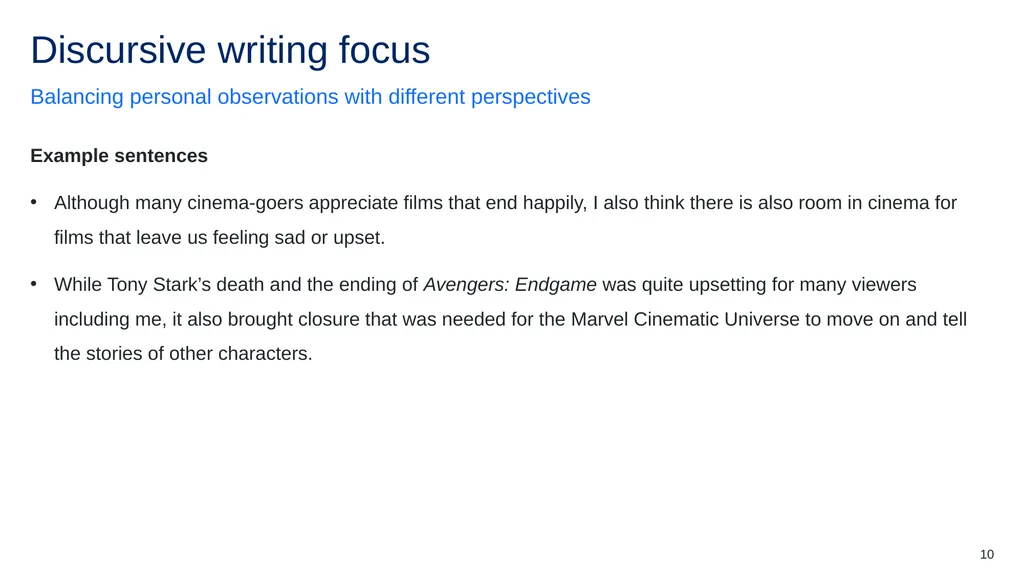
10 Example sentences
Although many cinema-goers appreciate films that end happily, I also think there is also room in cinema for films that leave us feeling sad or upset.
While Tony Stark’s death and the ending of Avengers: Endgame was quite upsetting for many viewers including me, it also brought closure that was needed for the Marvel Cinematic Universe to move on and tell the stories of other characters. Balancing personal observations with different perspectives Discursive writing focus<br>
Although many cinema-goers appreciate films that end happily, I also think there is also room in cinema for films that leave us feeling sad or upset.
While Tony Stark’s death and the ending of Avengers: Endgame was quite upsetting for many viewers including me, it also brought closure that was needed for the Marvel Cinematic Universe to move on and tell the stories of other characters. Balancing personal observations with different perspectives Discursive writing focus<br>
11
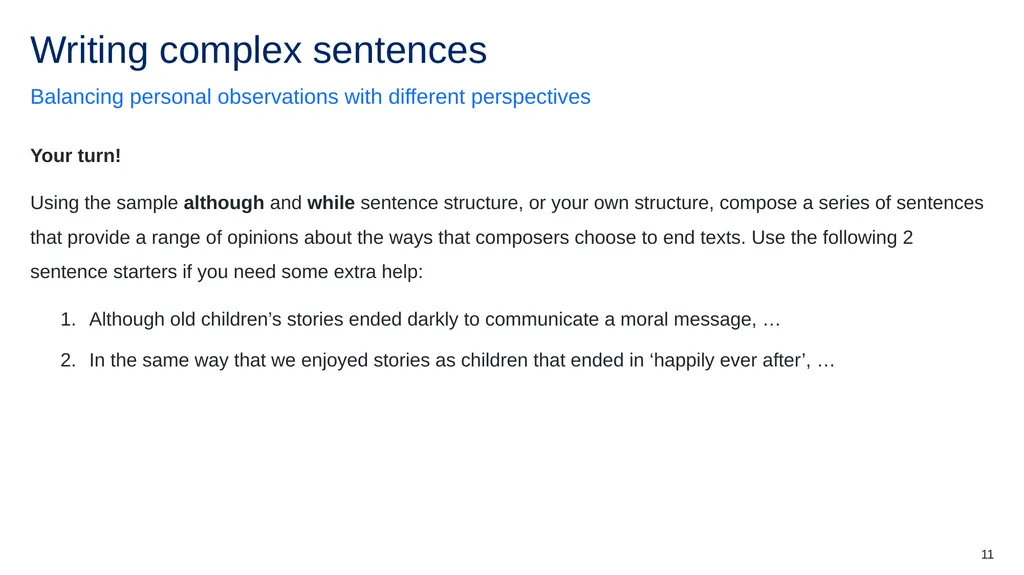
11 Your turn!
Using the sample although and while sentence structure, or your own structure, compose a series of sentences that provide a range of opinions about the ways that composers choose to end texts. Use the following 2 sentence starters if you need some extra help:
Although old children’s stories ended darkly to communicate a moral message, …
In the same way that we enjoyed stories as children that ended in ‘happily ever after’, … Balancing personal observations with different perspectives Writing complex sentences<br>
Using the sample although and while sentence structure, or your own structure, compose a series of sentences that provide a range of opinions about the ways that composers choose to end texts. Use the following 2 sentence starters if you need some extra help:
Although old children’s stories ended darkly to communicate a moral message, …
In the same way that we enjoyed stories as children that ended in ‘happily ever after’, … Balancing personal observations with different perspectives Writing complex sentences<br>
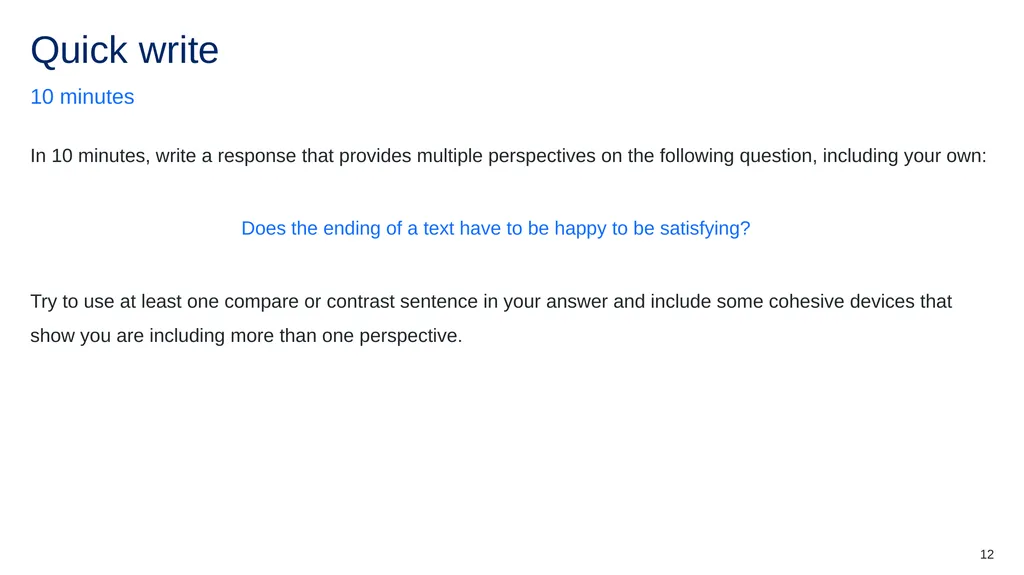
12
12 In 10 minutes, write a response that provides multiple perspectives on the following question, including your own:
Does the ending of a text have to be happy to be satisfying?
Try to use at least one compare or contrast sentence in your answer and include some cohesive devices that show you are including more than one perspective. 10 minutes Quick write<br>
Does the ending of a text have to be happy to be satisfying?
Try to use at least one compare or contrast sentence in your answer and include some cohesive devices that show you are including more than one perspective. 10 minutes Quick write<br>
13
Core formative task 1 – delivering an anecdote Phase 2, sequence 7 Using anecdotes Phase 2, sequence 6<br>
14
14 Learning intention
We are learning to:
understand how to use an anecdote to develop an engaging voice.
Success criteria
I will know I am successful when:
[These could be co-constructed with the class or used as per the notes] Clarifying what we are going to learn and why Learning intentions and success criteria (2)<br>
We are learning to:
understand how to use an anecdote to develop an engaging voice.
Success criteria
I will know I am successful when:
[These could be co-constructed with the class or used as per the notes] Clarifying what we are going to learn and why Learning intentions and success criteria (2)<br>
15
15 An anecdote is a short, often amusing or interesting story about a real person or event, usually based on personal experience or observation. These brief narratives can provide insight into human behaviour, events or situations in a memorable and engaging way.
Anecdotes are typically used to illustrate a point, convey an idea or simply entertain. They are commonly shared in casual conversations, speeches or texts to add detail, description and a personal perspective to a particular topic. Revisiting the personal nature of the discursive writing style Defining anecdotes<br>
Anecdotes are typically used to illustrate a point, convey an idea or simply entertain. They are commonly shared in casual conversations, speeches or texts to add detail, description and a personal perspective to a particular topic. Revisiting the personal nature of the discursive writing style Defining anecdotes<br>
16
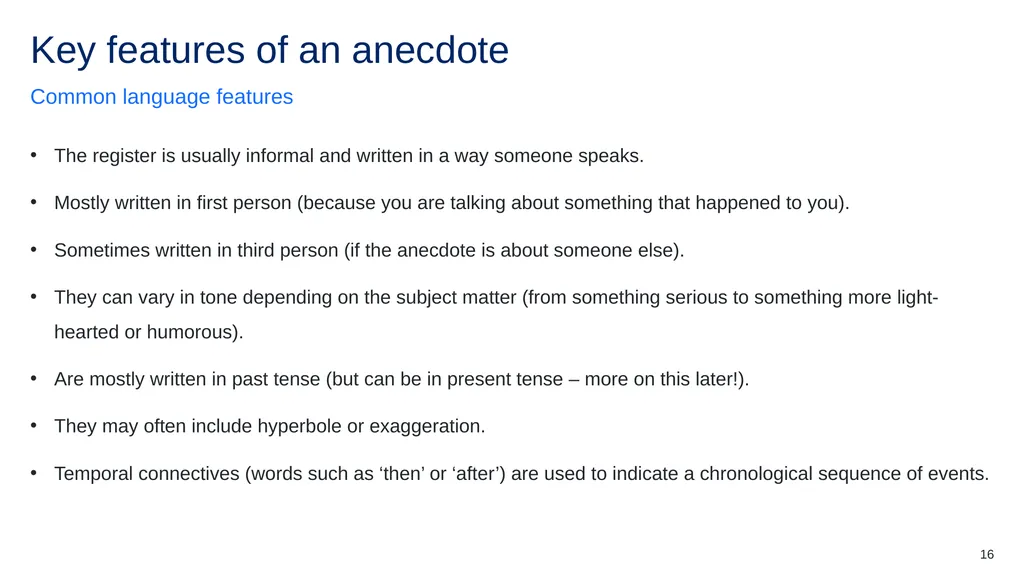
16 The register is usually informal and written in a way someone speaks.
Mostly written in first person (because you are talking about something that happened to you).
Sometimes written in third person (if the anecdote is about someone else).
They can vary in tone depending on the subject matter (from something serious to something more light-hearted or humorous).
Are mostly written in past tense (but can be in present tense – more on this later!).
They may often include hyperbole or exaggeration.
Temporal connectives (words such as ‘then’ or ‘after’) are used to indicate a chronological sequence of events. Common language features Key features of an anecdote (1)<br>
Mostly written in first person (because you are talking about something that happened to you).
Sometimes written in third person (if the anecdote is about someone else).
They can vary in tone depending on the subject matter (from something serious to something more light-hearted or humorous).
Are mostly written in past tense (but can be in present tense – more on this later!).
They may often include hyperbole or exaggeration.
Temporal connectives (words such as ‘then’ or ‘after’) are used to indicate a chronological sequence of events. Common language features Key features of an anecdote (1)<br>
17
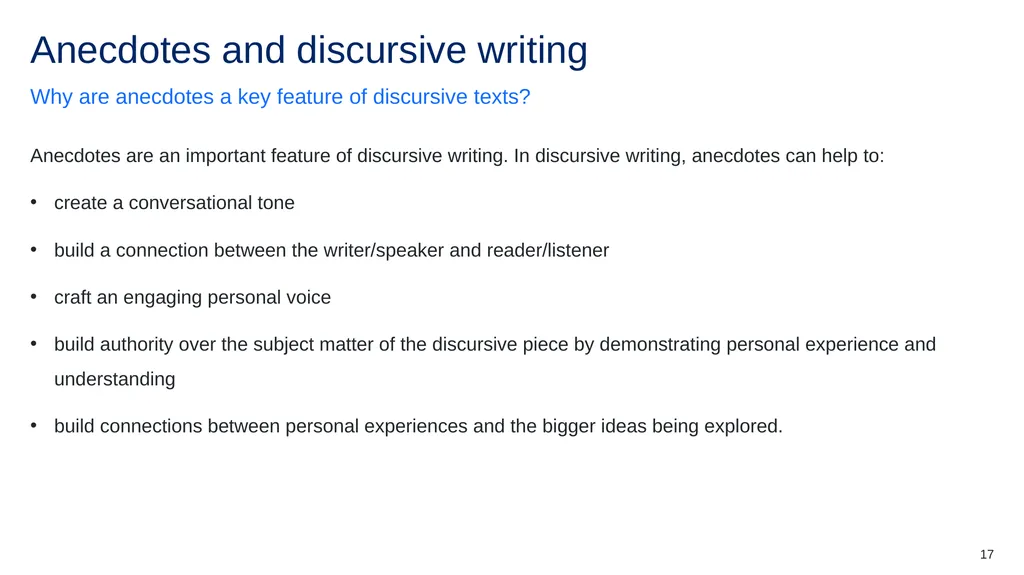
17 Anecdotes are an important feature of discursive writing. In discursive writing, anecdotes can help to:
create a conversational tone
build a connection between the writer/speaker and reader/listener
craft an engaging personal voice
build authority over the subject matter of the discursive piece by demonstrating personal experience and understanding
build connections between personal experiences and the bigger ideas being explored. Why are anecdotes a key feature of discursive texts? Anecdotes and discursive writing<br>
create a conversational tone
build a connection between the writer/speaker and reader/listener
craft an engaging personal voice
build authority over the subject matter of the discursive piece by demonstrating personal experience and understanding
build connections between personal experiences and the bigger ideas being explored. Why are anecdotes a key feature of discursive texts? Anecdotes and discursive writing<br>
18
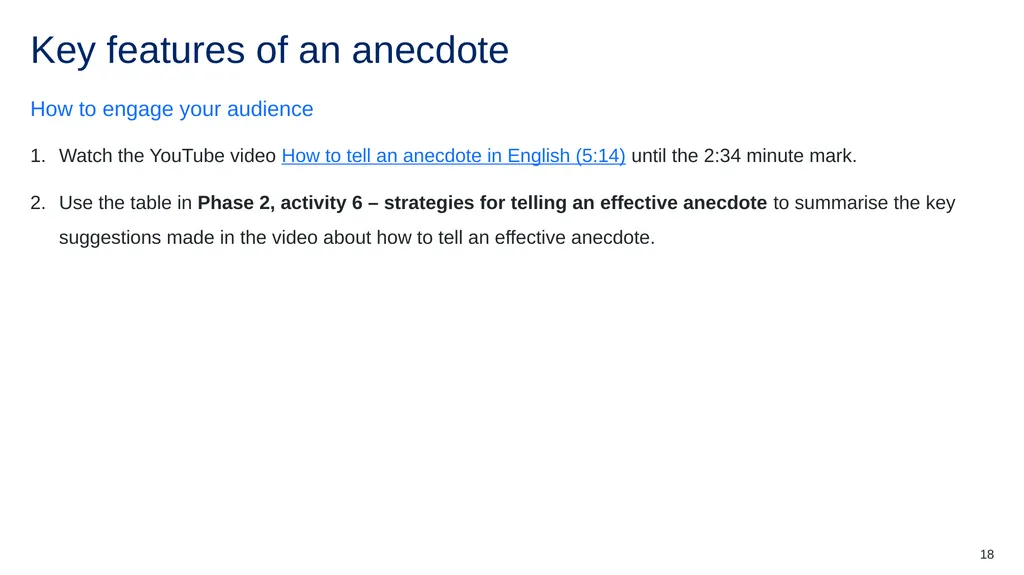
18 Watch the YouTube video How to tell an anecdote in English (5:14) until the 2:34 minute mark.
Use the table in Phase 2, activity 6 – strategies for telling an effective anecdote to summarise the key suggestions made in the video about how to tell an effective anecdote. How to engage your audience Key features of an anecdote (2)<br>
Use the table in Phase 2, activity 6 – strategies for telling an effective anecdote to summarise the key suggestions made in the video about how to tell an effective anecdote. How to engage your audience Key features of an anecdote (2)<br>
19
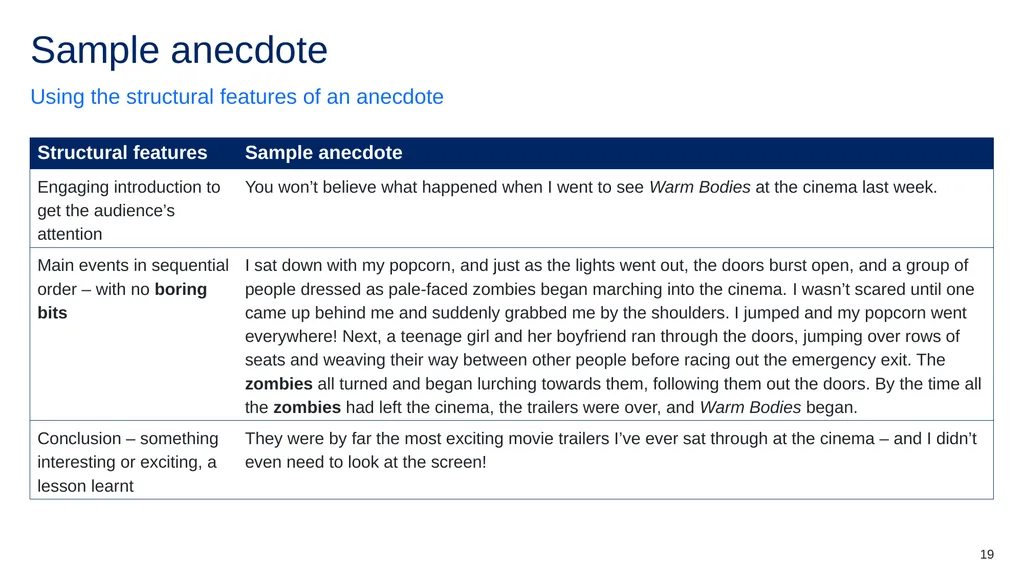
19 Using the structural features of an anecdote Sample anecdote (1)<br>
20
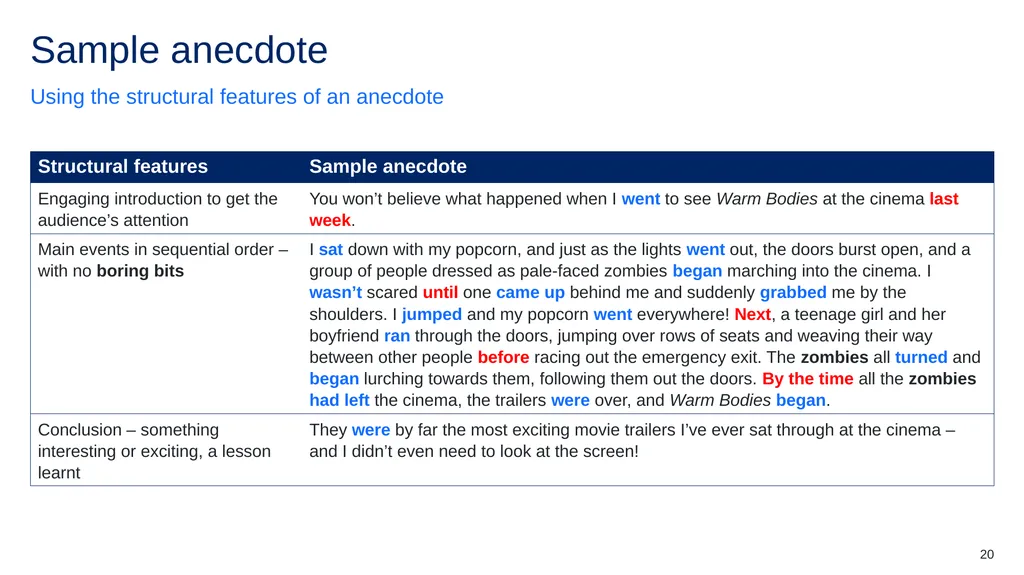
20 Using the structural features of an anecdote Sample anecdote (2)<br>
21
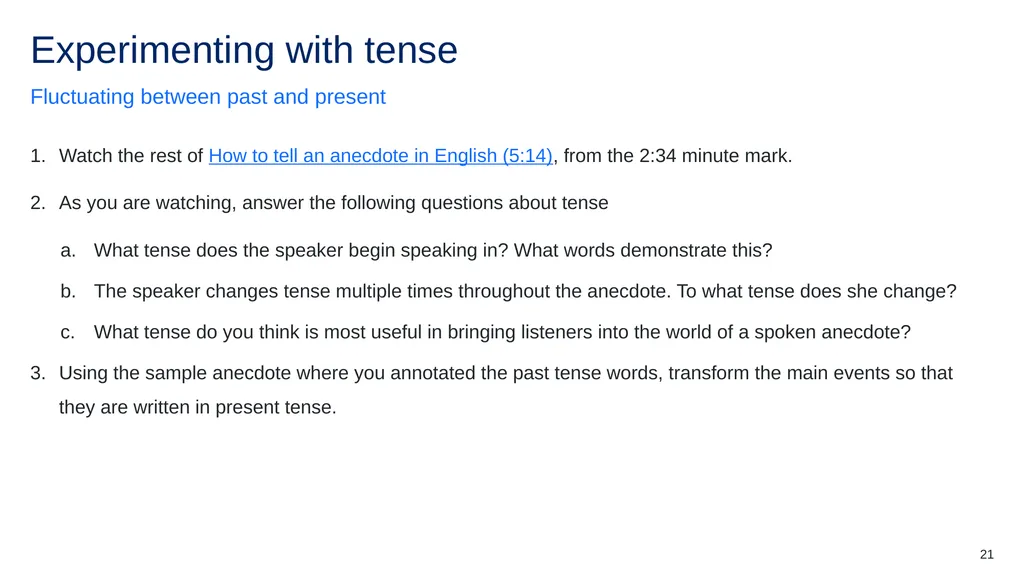
21 Watch the rest of How to tell an anecdote in English (5:14), from the 2:34 minute mark.
As you are watching, answer the following questions about tense
What tense does the speaker begin speaking in? What words demonstrate this?
The speaker changes tense multiple times throughout the anecdote. To what tense does she change?
What tense do you think is most useful in bringing listeners into the world of a spoken anecdote?
Using the sample anecdote where you annotated the past tense words, transform the main events so that they are written in present tense. Fluctuating between past and present Experimenting with tense<br>
As you are watching, answer the following questions about tense
What tense does the speaker begin speaking in? What words demonstrate this?
The speaker changes tense multiple times throughout the anecdote. To what tense does she change?
What tense do you think is most useful in bringing listeners into the world of a spoken anecdote?
Using the sample anecdote where you annotated the past tense words, transform the main events so that they are written in present tense. Fluctuating between past and present Experimenting with tense<br>
22
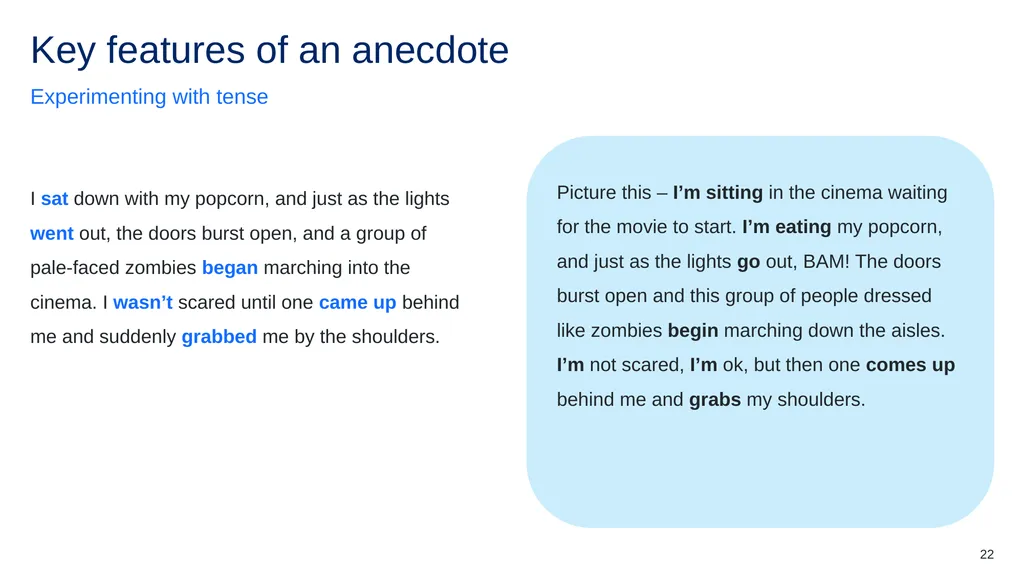
22 Picture this – I’m sitting in the cinema waiting for the movie to start. I’m eating my popcorn, and just as the lights go out, BAM! The doors burst open and this group of people dressed like zombies begin marching down the aisles. I’m not scared, I’m ok, but then one comes up behind me and grabs my shoulders. I sat down with my popcorn, and just as the lights went out, the doors burst open, and a group of pale-faced zombies began marching into the cinema. I wasn’t scared until one came up behind me and suddenly grabbed me by the shoulders. Experimenting with tense Key features of an anecdote (3)<br>
23
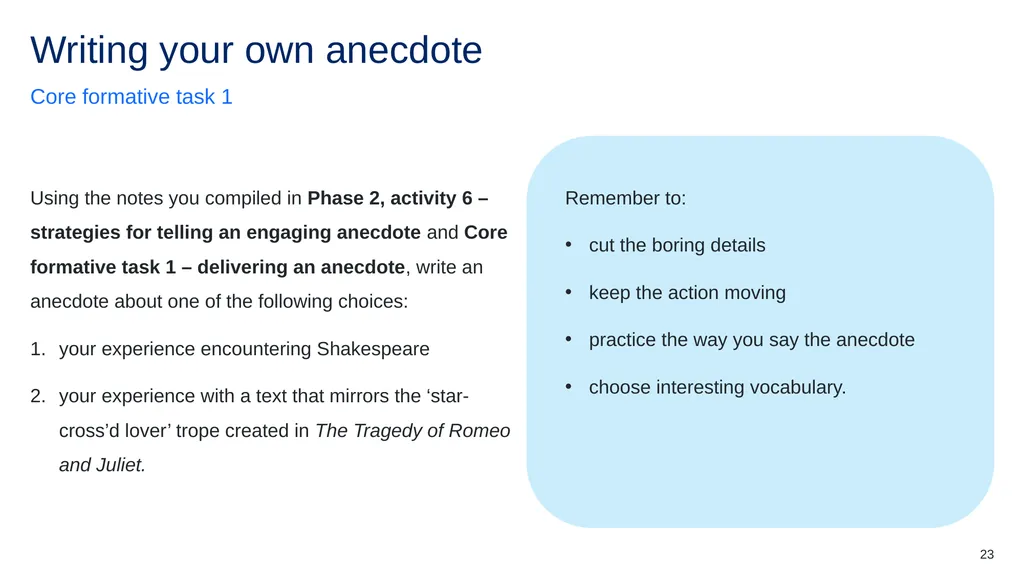
23 Remember to:
cut the boring details
keep the action moving
practice the way you say the anecdote
choose interesting vocabulary. Using the notes you compiled in Phase 2, activity 6 – strategies for telling an engaging anecdote and Core formative task 1 – delivering an anecdote, write an anecdote about one of the following choices:
your experience encountering Shakespeare
your experience with a text that mirrors the ‘star-cross’d lover’ trope created in The Tragedy of Romeo and Juliet. Core formative task 1 Writing your own anecdote<br>
cut the boring details
keep the action moving
practice the way you say the anecdote
choose interesting vocabulary. Using the notes you compiled in Phase 2, activity 6 – strategies for telling an engaging anecdote and Core formative task 1 – delivering an anecdote, write an anecdote about one of the following choices:
your experience encountering Shakespeare
your experience with a text that mirrors the ‘star-cross’d lover’ trope created in The Tragedy of Romeo and Juliet. Core formative task 1 Writing your own anecdote<br>
24
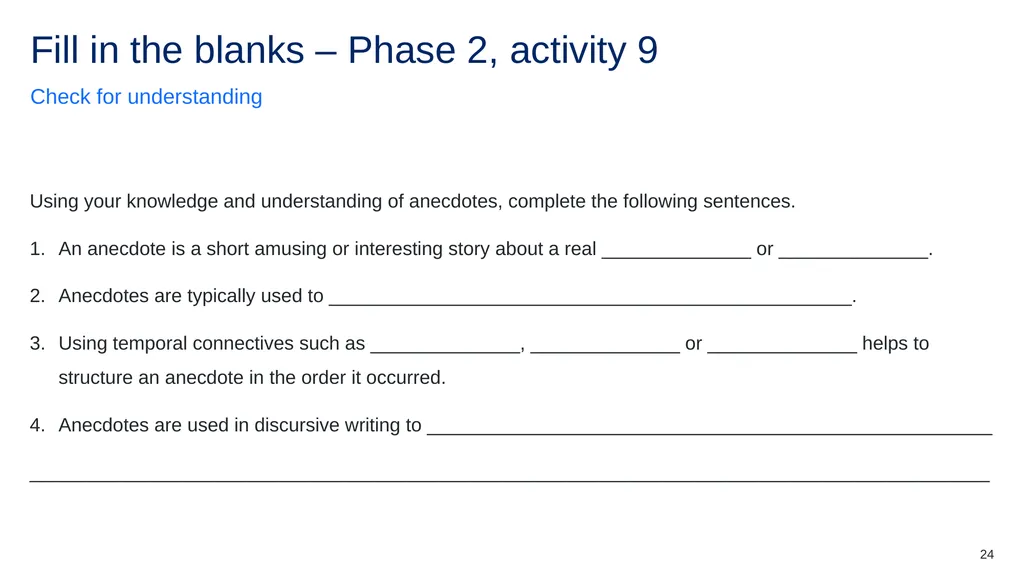
24 Using your knowledge and understanding of anecdotes, complete the following sentences.
An anecdote is a short amusing or interesting story about a real ______________ or ______________.
Anecdotes are typically used to _________________________________________________.
Using temporal connectives such as ______________, ______________ or ______________ helps to structure an anecdote in the order it occurred.
Anecdotes are used in discursive writing to _____________________________________________________
__________________________________________________________________________________________ Check for understanding Fill in the blanks – Phase 2, activity 9<br>
An anecdote is a short amusing or interesting story about a real ______________ or ______________.
Anecdotes are typically used to _________________________________________________.
Using temporal connectives such as ______________, ______________ or ______________ helps to structure an anecdote in the order it occurred.
Anecdotes are used in discursive writing to _____________________________________________________
__________________________________________________________________________________________ Check for understanding Fill in the blanks – Phase 2, activity 9<br>
25
understanding the literary value of the balcony scene Phase 3, sequence 10<br>
26
26 Learning intention
We are learning to:
use humour to create an authentic personal voice.
Success criteria
I will know I am successful when:
[These could be co-constructed with the class or used as per the notes]. Clarifying what we are going to learn and why Learning intentions and success criteria (3)<br>
We are learning to:
use humour to create an authentic personal voice.
Success criteria
I will know I am successful when:
[These could be co-constructed with the class or used as per the notes]. Clarifying what we are going to learn and why Learning intentions and success criteria (3)<br>
27
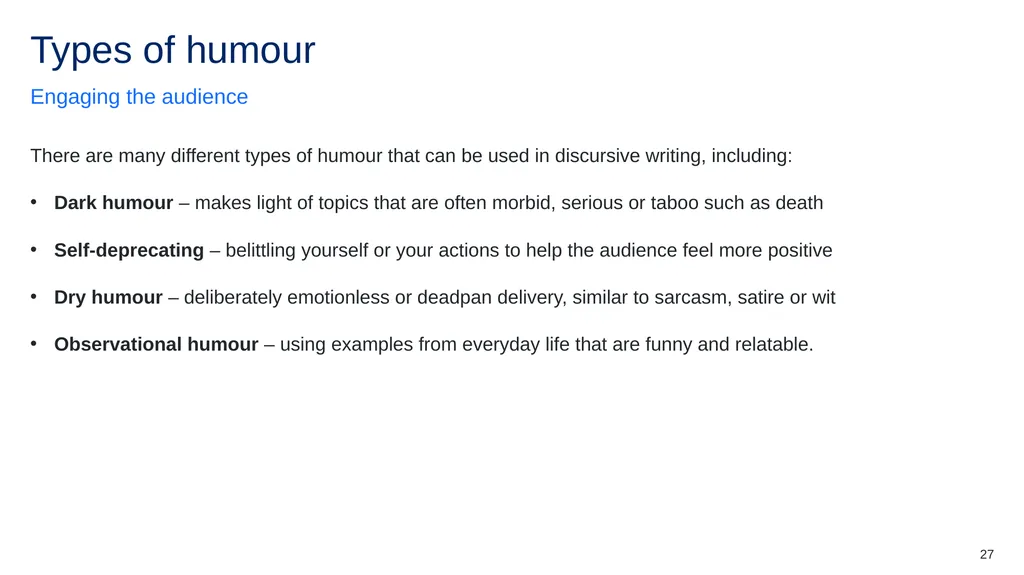
27 There are many different types of humour that can be used in discursive writing, including:
Dark humour – makes light of topics that are often morbid, serious or taboo such as death
Self-deprecating – belittling yourself or your actions to help the audience feel more positive
Dry humour – deliberately emotionless or deadpan delivery, similar to sarcasm, satire or wit
Observational humour – using examples from everyday life that are funny and relatable. Engaging the audience Types of humour<br>
Dark humour – makes light of topics that are often morbid, serious or taboo such as death
Self-deprecating – belittling yourself or your actions to help the audience feel more positive
Dry humour – deliberately emotionless or deadpan delivery, similar to sarcasm, satire or wit
Observational humour – using examples from everyday life that are funny and relatable. Engaging the audience Types of humour<br>
28
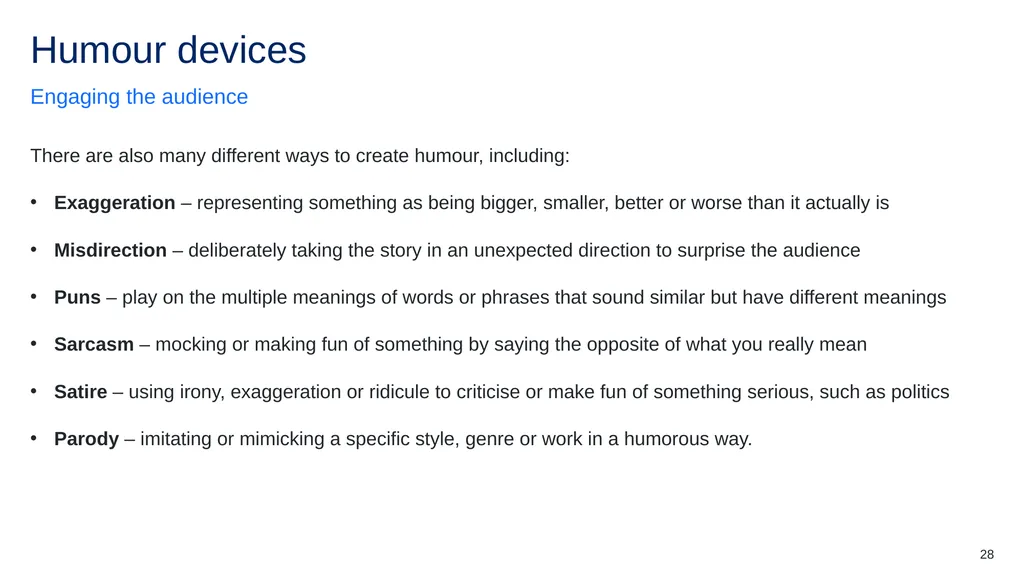
28 There are also many different ways to create humour, including:
Exaggeration – representing something as being bigger, smaller, better or worse than it actually is
Misdirection – deliberately taking the story in an unexpected direction to surprise the audience
Puns – play on the multiple meanings of words or phrases that sound similar but have different meanings
Sarcasm – mocking or making fun of something by saying the opposite of what you really mean
Satire – using irony, exaggeration or ridicule to criticise or make fun of something serious, such as politics
Parody – imitating or mimicking a specific style, genre or work in a humorous way. Engaging the audience Humour devices<br>
Exaggeration – representing something as being bigger, smaller, better or worse than it actually is
Misdirection – deliberately taking the story in an unexpected direction to surprise the audience
Puns – play on the multiple meanings of words or phrases that sound similar but have different meanings
Sarcasm – mocking or making fun of something by saying the opposite of what you really mean
Satire – using irony, exaggeration or ridicule to criticise or make fun of something serious, such as politics
Parody – imitating or mimicking a specific style, genre or work in a humorous way. Engaging the audience Humour devices<br>
29
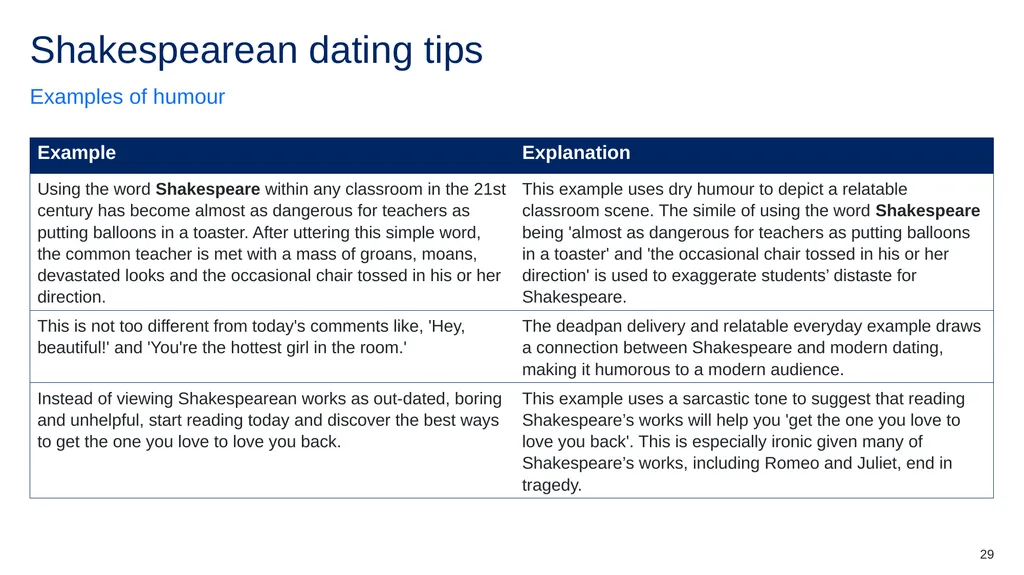
29 Examples of humour Shakespearean dating tips<br>
30
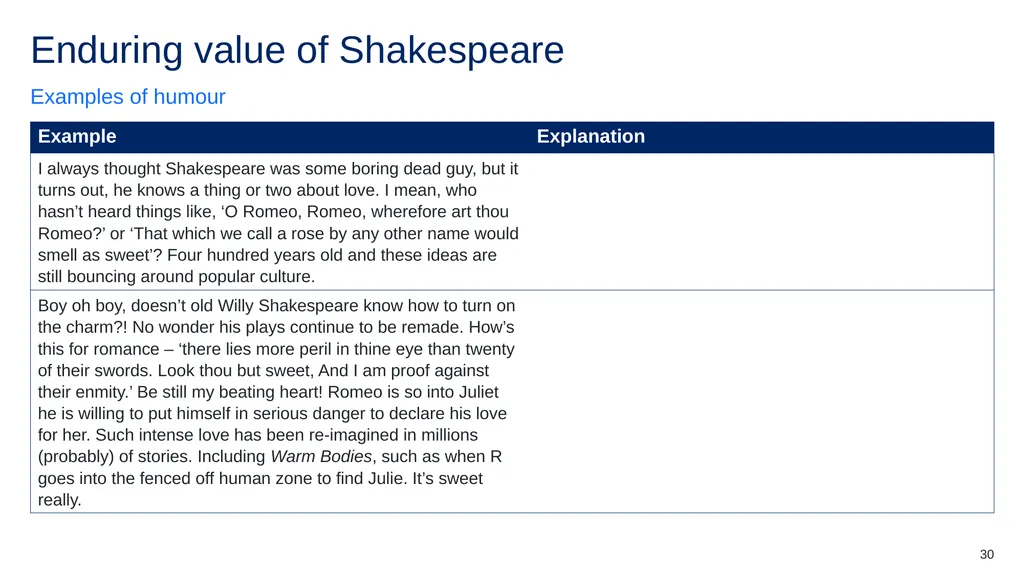
30 Examples of humour Enduring value of Shakespeare<br>
31
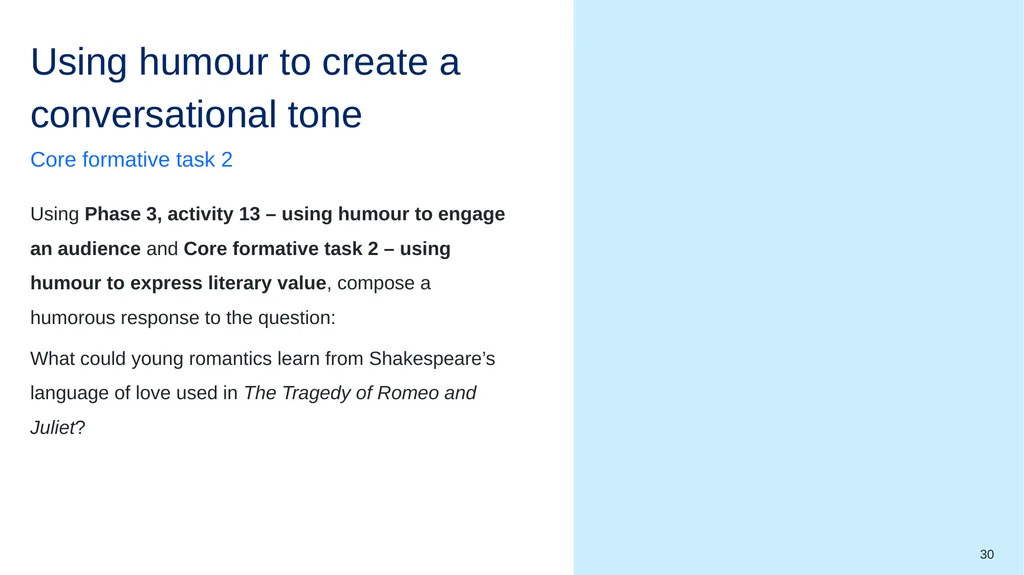
30 Remember to embed:
first-person pronouns and inclusive language for personal voice
second-person pronouns to directly address the audience
anecdote
temporal connectives
causal connectives
precise vocabulary
rhetorical questions
conversational tone Using Phase 3, activity 13 – using humour to engage an audience and Core formative task 2 – using humour to express literary value, compose a humorous response to the question:
What could young romantics learn from Shakespeare’s language of love used in The Tragedy of Romeo and Juliet? Core formative task 2 Using humour to create a conversational tone<br>
first-person pronouns and inclusive language for personal voice
second-person pronouns to directly address the audience
anecdote
temporal connectives
causal connectives
precise vocabulary
rhetorical questions
conversational tone Using Phase 3, activity 13 – using humour to engage an audience and Core formative task 2 – using humour to express literary value, compose a humorous response to the question:
What could young romantics learn from Shakespeare’s language of love used in The Tragedy of Romeo and Juliet? Core formative task 2 Using humour to create a conversational tone<br>
32
Engaging critically with the deaths of the protagonists Phase 3, sequence 12<br>
33
33 Learning intentions
We are learning to:
understand how modality is used in different types of texts.
Success criteria
I will know I am successful when:
[These could be co-constructed with the class or used as per the notes]. Clarifying what we are going to learn and why Learning intentions and success criteria (4)<br>
We are learning to:
understand how modality is used in different types of texts.
Success criteria
I will know I am successful when:
[These could be co-constructed with the class or used as per the notes]. Clarifying what we are going to learn and why Learning intentions and success criteria (4)<br>
34
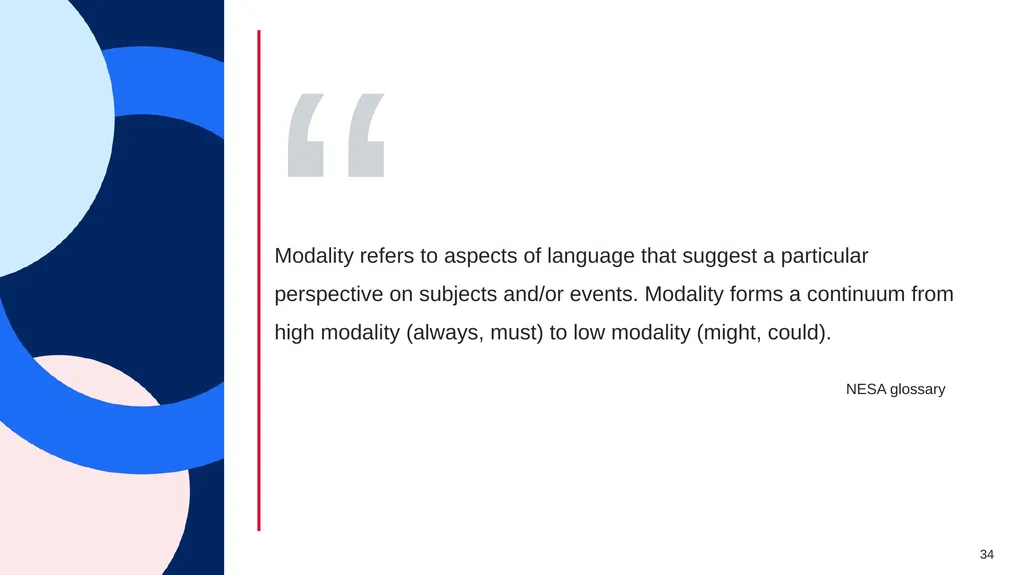
34 NESA glossary Modality refers to aspects of language that suggest a particular perspective on subjects and/or events. Modality forms a continuum from high modality (always, must) to low modality (might, could). “ Definition of modality<br>
35
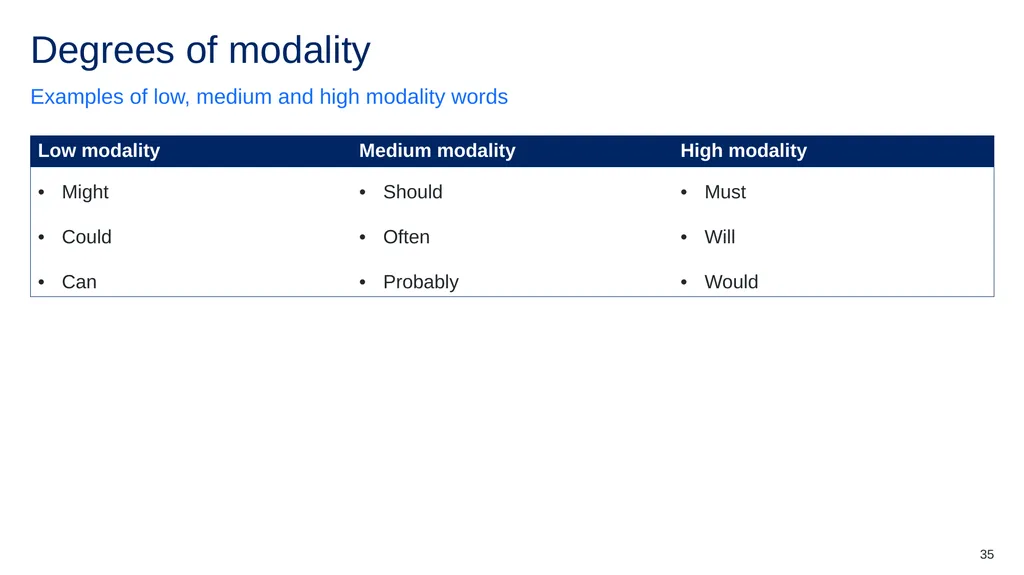
35 Examples of low, medium and high modality words Degrees of modality<br>
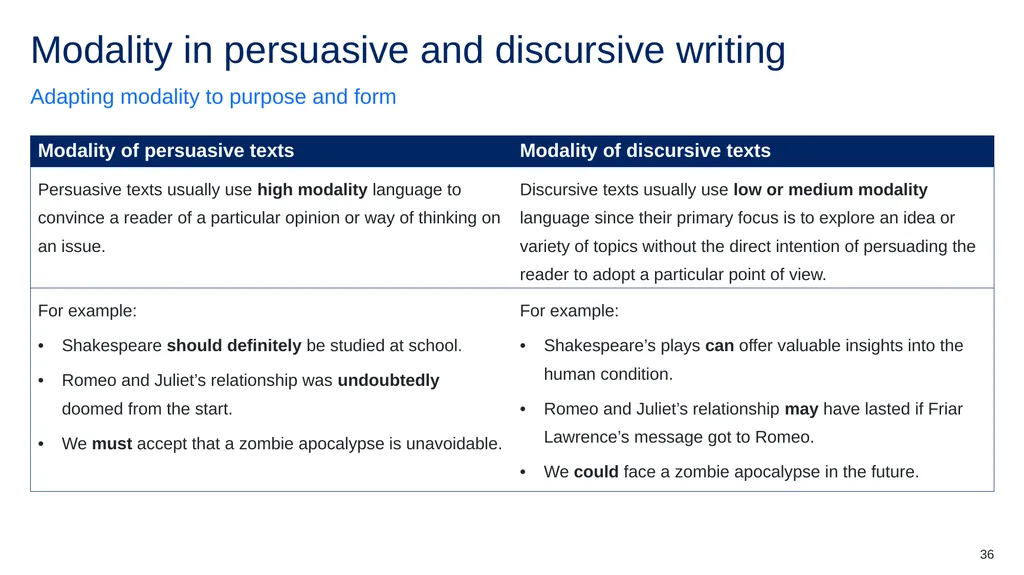
36
36 Adapting modality to purpose and form Modality in persuasive and discursive writing<br>
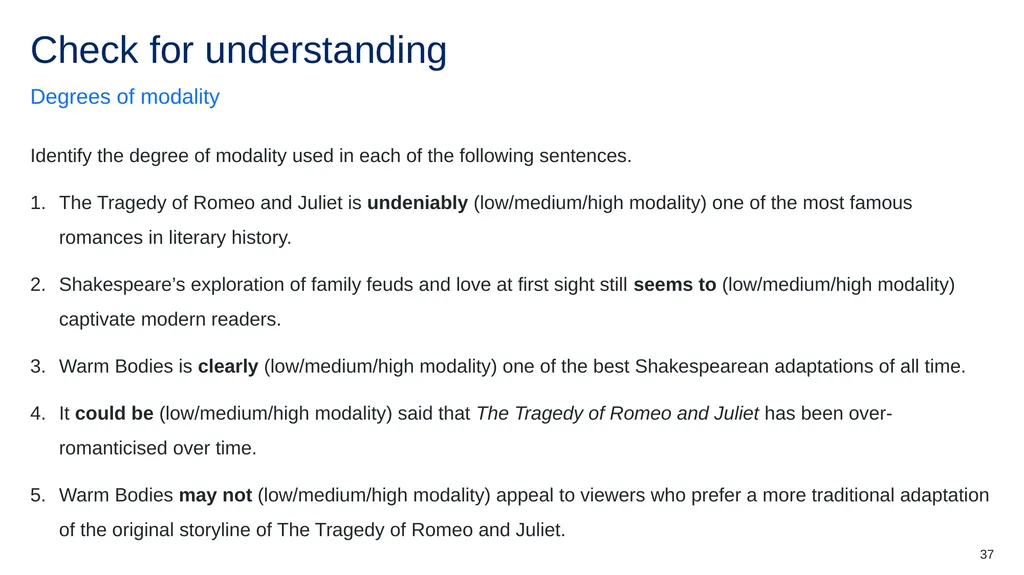
37
37 Identify the degree of modality used in each of the following sentences.
The Tragedy of Romeo and Juliet is undeniably (low/medium/high modality) one of the most famous romances in literary history.
Shakespeare’s exploration of family feuds and love at first sight still seems to (low/medium/high modality) captivate modern readers.
Warm Bodies is clearly (low/medium/high modality) one of the best Shakespearean adaptations of all time.
It could be (low/medium/high modality) said that The Tragedy of Romeo and Juliet has been over-romanticised over time.
Warm Bodies may not (low/medium/high modality) appeal to viewers who prefer a more traditional adaptation of the original storyline of The Tragedy of Romeo and Juliet. Degrees of modality Check for understanding<br>
The Tragedy of Romeo and Juliet is undeniably (low/medium/high modality) one of the most famous romances in literary history.
Shakespeare’s exploration of family feuds and love at first sight still seems to (low/medium/high modality) captivate modern readers.
Warm Bodies is clearly (low/medium/high modality) one of the best Shakespearean adaptations of all time.
It could be (low/medium/high modality) said that The Tragedy of Romeo and Juliet has been over-romanticised over time.
Warm Bodies may not (low/medium/high modality) appeal to viewers who prefer a more traditional adaptation of the original storyline of The Tragedy of Romeo and Juliet. Degrees of modality Check for understanding<br>
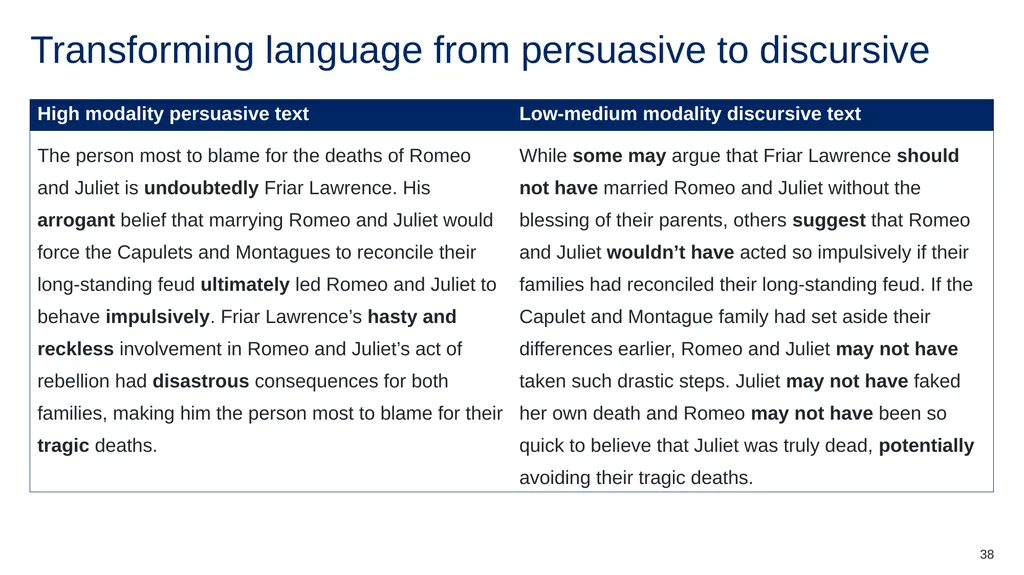
38
38 Transforming language from persuasive to discursive<br>
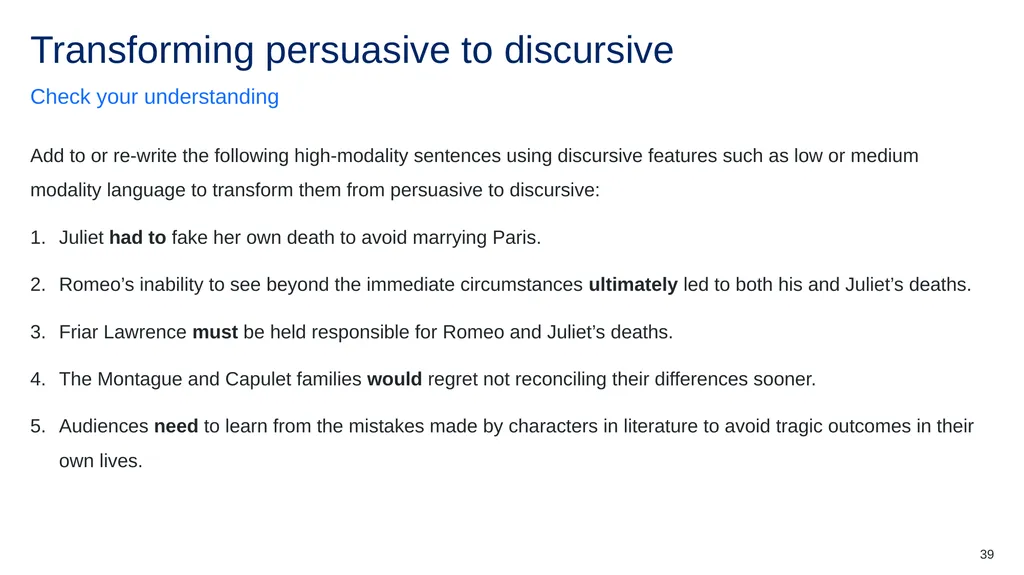
39
39 Add to or re-write the following high-modality sentences using discursive features such as low or medium modality language to transform them from persuasive to discursive:
Juliet had to fake her own death to avoid marrying Paris.
Romeo’s inability to see beyond the immediate circumstances ultimately led to both his and Juliet’s deaths.
Friar Lawrence must be held responsible for Romeo and Juliet’s deaths.
The Montague and Capulet families would regret not reconciling their differences sooner.
Audiences need to learn from the mistakes made by characters in literature to avoid tragic outcomes in their own lives. Check your understanding Transforming persuasive to discursive<br>
Juliet had to fake her own death to avoid marrying Paris.
Romeo’s inability to see beyond the immediate circumstances ultimately led to both his and Juliet’s deaths.
Friar Lawrence must be held responsible for Romeo and Juliet’s deaths.
The Montague and Capulet families would regret not reconciling their differences sooner.
Audiences need to learn from the mistakes made by characters in literature to avoid tragic outcomes in their own lives. Check your understanding Transforming persuasive to discursive<br>
40
Effective discursive writing (1)<br>
41
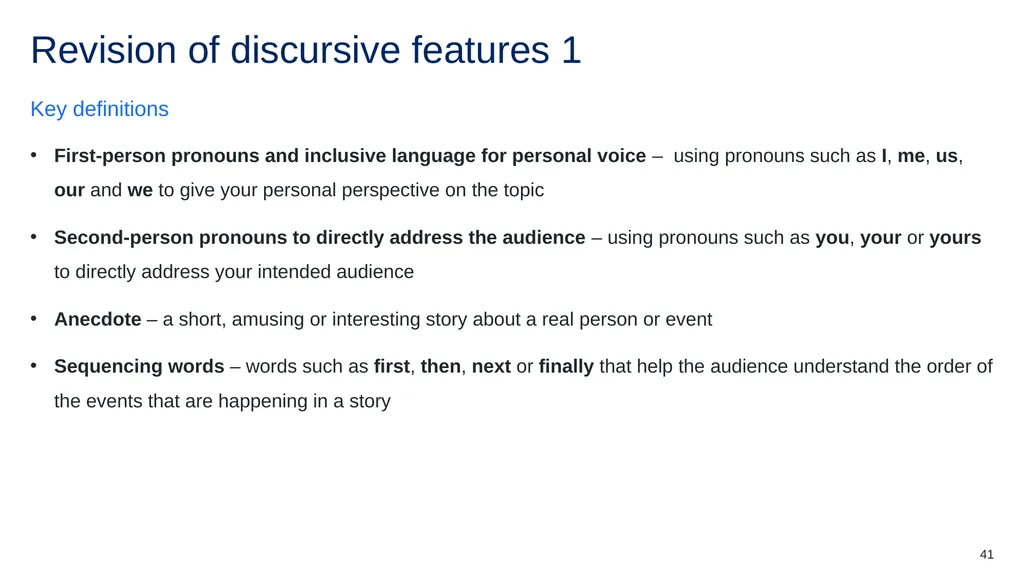
41 First-person pronouns and inclusive language for personal voice – using pronouns such as I, me, us, our and we to give your personal perspective on the topic
Second-person pronouns to directly address the audience – using pronouns such as you, your or yours to directly address your intended audience
Anecdote – a short, amusing or interesting story about a real person or event
Sequencing words – words such as first, then, next or finally that help the audience understand the order of the events that are happening in a story Key definitions Revision of discursive features 1<br>
Second-person pronouns to directly address the audience – using pronouns such as you, your or yours to directly address your intended audience
Anecdote – a short, amusing or interesting story about a real person or event
Sequencing words – words such as first, then, next or finally that help the audience understand the order of the events that are happening in a story Key definitions Revision of discursive features 1<br>
42
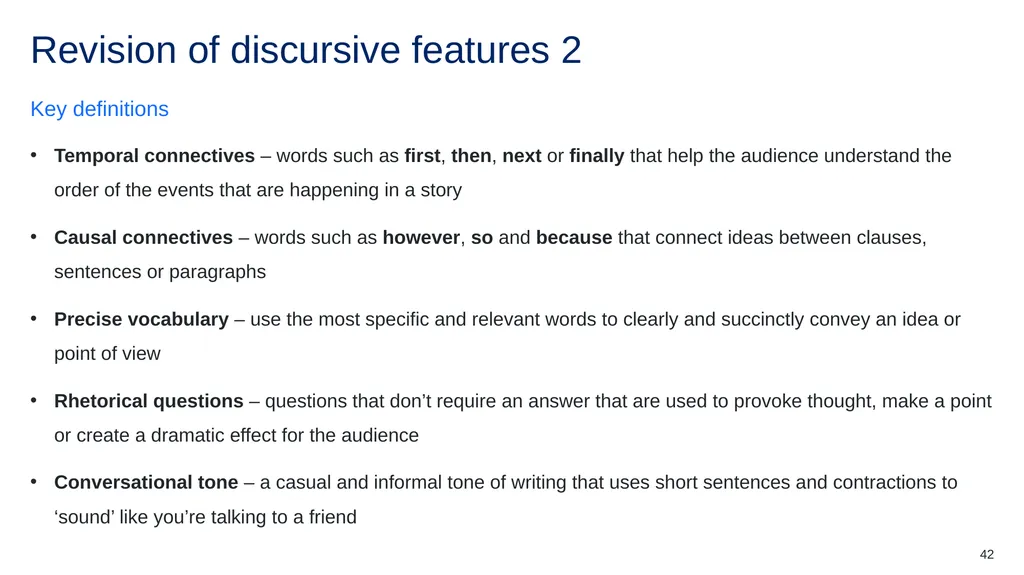
42 Temporal connectives – words such as first, then, next or finally that help the audience understand the order of the events that are happening in a story
Causal connectives – words such as however, so and because that connect ideas between clauses, sentences or paragraphs
Precise vocabulary – use the most specific and relevant words to clearly and succinctly convey an idea or point of view
Rhetorical questions – questions that don’t require an answer that are used to provoke thought, make a point or create a dramatic effect for the audience
Conversational tone – a casual and informal tone of writing that uses short sentences and contractions to ‘sound’ like you’re talking to a friend Key definitions Revision of discursive features 2<br>
Causal connectives – words such as however, so and because that connect ideas between clauses, sentences or paragraphs
Precise vocabulary – use the most specific and relevant words to clearly and succinctly convey an idea or point of view
Rhetorical questions – questions that don’t require an answer that are used to provoke thought, make a point or create a dramatic effect for the audience
Conversational tone – a casual and informal tone of writing that uses short sentences and contractions to ‘sound’ like you’re talking to a friend Key definitions Revision of discursive features 2<br>
43
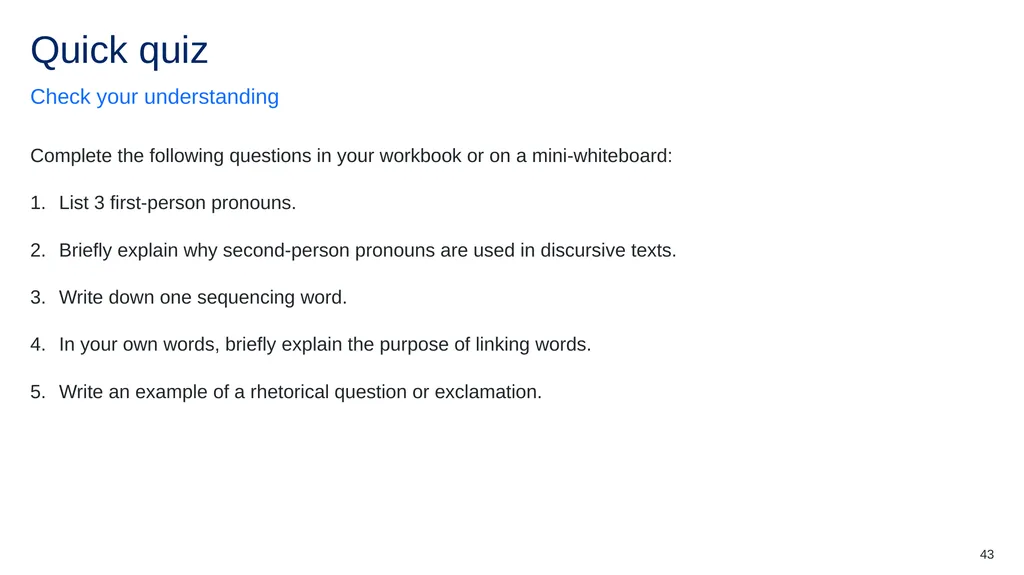
43 Complete the following questions in your workbook or on a mini-whiteboard:
List 3 first-person pronouns.
Briefly explain why second-person pronouns are used in discursive texts.
Write down one sequencing word.
In your own words, briefly explain the purpose of linking words.
Write an example of a rhetorical question or exclamation. Check your understanding Quick quiz<br>
List 3 first-person pronouns.
Briefly explain why second-person pronouns are used in discursive texts.
Write down one sequencing word.
In your own words, briefly explain the purpose of linking words.
Write an example of a rhetorical question or exclamation. Check your understanding Quick quiz<br>
44
Annotated examples of discursive writing<br>
45
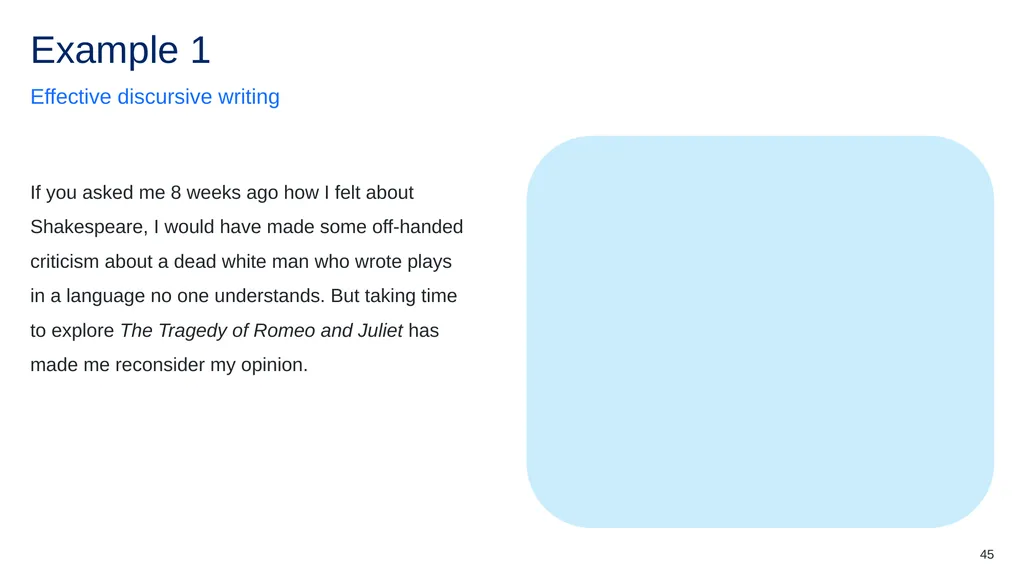
45 The use of the second-person pronoun, ‘you’ and first-person pronouns ‘me’ and ‘I’ in this brief anecdote directly addresses – and includes – the audience, establishing a friendly, conversational tone. If you asked me 8 weeks ago how I felt about Shakespeare, I would have made some off-handed criticism about a dead white man who wrote plays in a language no one understands. But taking time to explore The Tragedy of Romeo and Juliet has made me reconsider my opinion. Effective discursive writing Example 1<br>
46
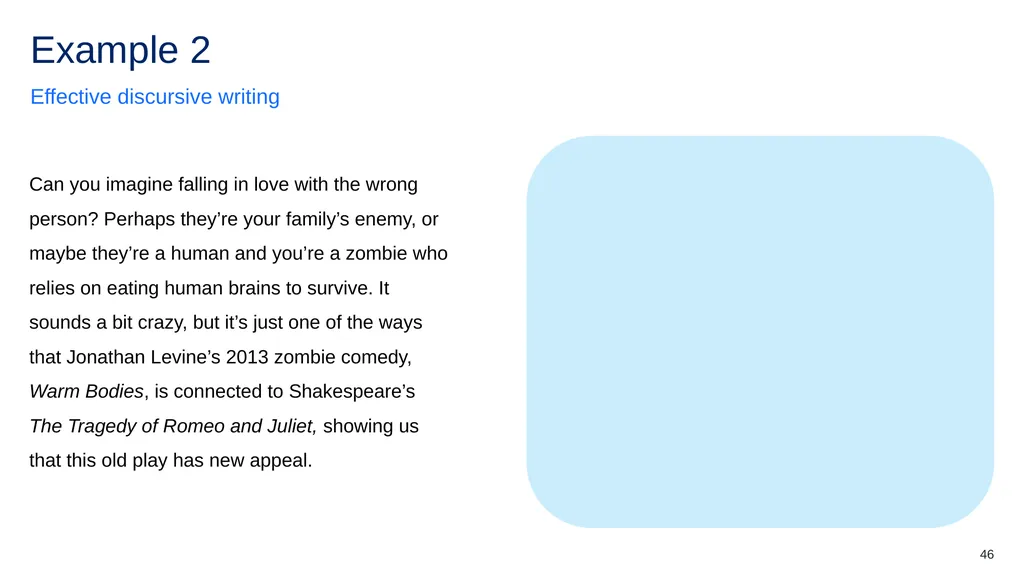
46 This example uses a rhetorical question and informal language and contractions such as ‘it sounds a bit crazy’ and ‘they’re a human and you’re a zombie’ to establish a conversational tone. Can you imagine falling in love with the wrong person? Perhaps they’re your family’s enemy, or maybe they’re a human and you’re a zombie who relies on eating human brains to survive. It sounds a bit crazy, but it’s just one of the ways that Jonathan Levine’s 2013 zombie comedy, Warm Bodies, is connected to Shakespeare’s The Tragedy of Romeo and Juliet, showing us that this old play has new appeal. Effective discursive writing Example 2<br>
47
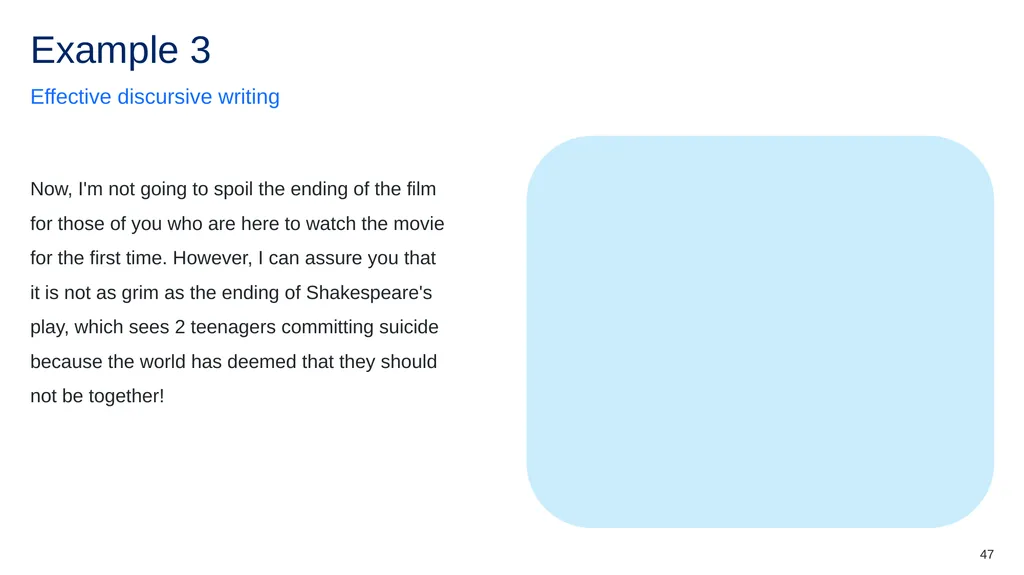
47 This example uses first- and second-person pronouns, ‘I’m’ and ‘you’ to create a strong personal voice and maintain a conversational tone. The linking words, ‘now’ and ‘however’ help connect ideas and keep the audience engaged. Finally, the exclamation is used to emphasise the tragedy of the play’s ending – evoking a response from the audience. Now, I'm not going to spoil the ending of the film for those of you who are here to watch the movie for the first time. However, I can assure you that it is not as grim as the ending of Shakespeare's play, which sees 2 teenagers committing suicide because the world has deemed that they should not be together! Effective discursive writing Example 3<br>
48
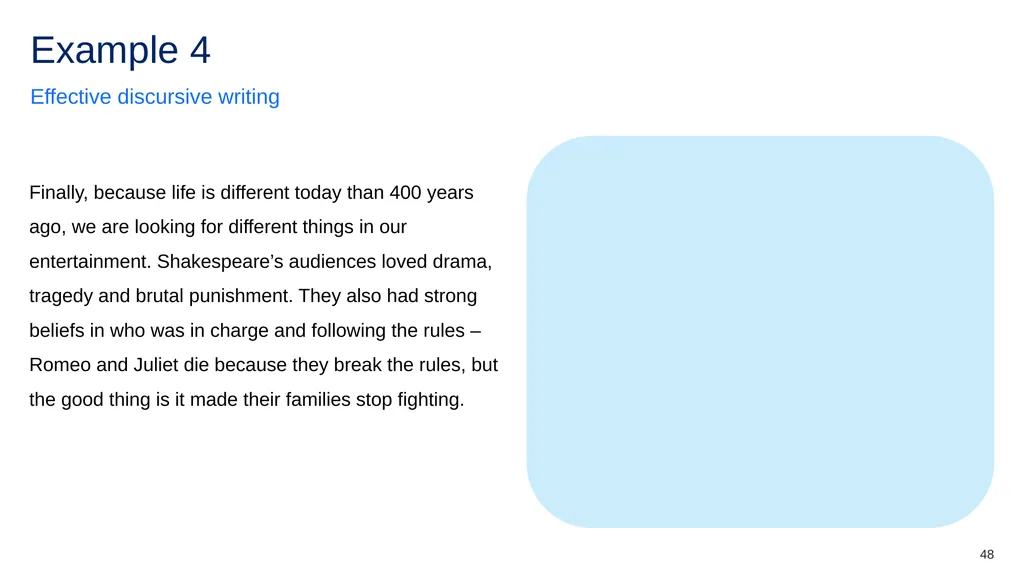
48 In this example, the sequencing word, ‘finally’ and linking word, ‘because’ are used to help the audience connect and sequence ideas about Shakespeare and his audience. An en dash is also used to add extra information about why Romeo and Juliet die in the end. Finally, because life is different today than 400 years ago, we are looking for different things in our entertainment. Shakespeare’s audiences loved drama, tragedy and brutal punishment. They also had strong beliefs in who was in charge and following the rules – Romeo and Juliet die because they break the rules, but the good thing is it made their families stop fighting. Effective discursive writing Example 4<br>
49
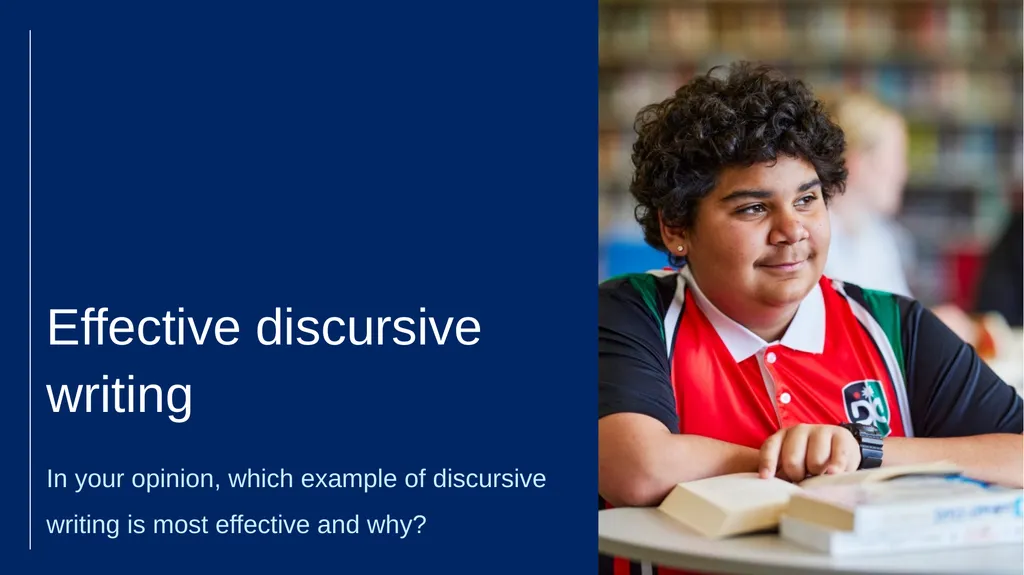
In your opinion, which example of discursive writing is most effective and why? Effective discursive writing (2)<br>
50
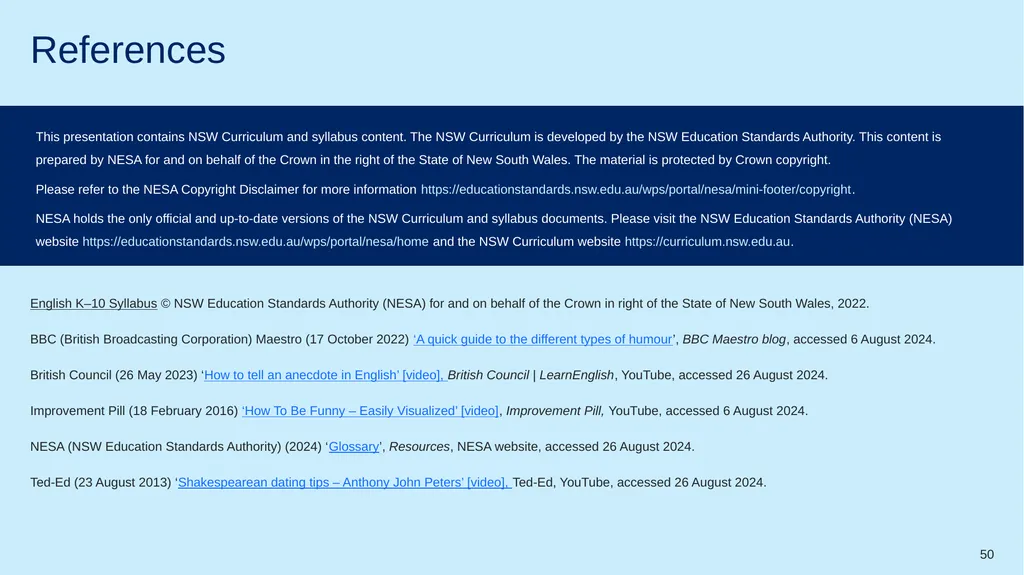
50 English K–10 Syllabus © NSW Education Standards Authority (NESA) for and on behalf of the Crown in right of the State of New South Wales, 2022.
BBC (British Broadcasting Corporation) Maestro (17 October 2022) ‘A quick guide to the different types of humour’, BBC Maestro blog, accessed 6 August 2024.
British Council (26 May 2023) ‘How to tell an anecdote in English’ [video], British Council | LearnEnglish, YouTube, accessed 26 August 2024.
Improvement Pill (18 February 2016) ‘How To Be Funny – Easily Visualized’ [video], Improvement Pill, YouTube, accessed 6 August 2024.
NESA (NSW Education Standards Authority) (2024) ‘Glossary’, Resources, NESA website, accessed 26 August 2024.
Ted-Ed (23 August 2013) ‘Shakespearean dating tips – Anthony John Peters’ [video], Ted-Ed, YouTube, accessed 26 August 2024. This presentation contains NSW Curriculum and syllabus content. The NSW Curriculum is developed by the NSW Education Standards Authority. This content is prepared by NESA for and on behalf of the Crown in the right of the State of New South Wales. The material is protected by Crown copyright.
Please refer to the NESA Copyright Disclaimer for more information https://educationstandards.nsw.edu.au/wps/portal/nesa/mini-footer/copyright.
NESA holds the only official and up-to-date versions of the NSW Curriculum and syllabus documents. Please visit the NSW Education Standards Authority (NESA) website https://educationstandards.nsw.edu.au/wps/portal/nesa/home and the NSW Curriculum website https://curriculum.nsw.edu.au. References<br>
BBC (British Broadcasting Corporation) Maestro (17 October 2022) ‘A quick guide to the different types of humour’, BBC Maestro blog, accessed 6 August 2024.
British Council (26 May 2023) ‘How to tell an anecdote in English’ [video], British Council | LearnEnglish, YouTube, accessed 26 August 2024.
Improvement Pill (18 February 2016) ‘How To Be Funny – Easily Visualized’ [video], Improvement Pill, YouTube, accessed 6 August 2024.
NESA (NSW Education Standards Authority) (2024) ‘Glossary’, Resources, NESA website, accessed 26 August 2024.
Ted-Ed (23 August 2013) ‘Shakespearean dating tips – Anthony John Peters’ [video], Ted-Ed, YouTube, accessed 26 August 2024. This presentation contains NSW Curriculum and syllabus content. The NSW Curriculum is developed by the NSW Education Standards Authority. This content is prepared by NESA for and on behalf of the Crown in the right of the State of New South Wales. The material is protected by Crown copyright.
Please refer to the NESA Copyright Disclaimer for more information https://educationstandards.nsw.edu.au/wps/portal/nesa/mini-footer/copyright.
NESA holds the only official and up-to-date versions of the NSW Curriculum and syllabus documents. Please visit the NSW Education Standards Authority (NESA) website https://educationstandards.nsw.edu.au/wps/portal/nesa/home and the NSW Curriculum website https://curriculum.nsw.edu.au. References<br>
51
The copyright material published in this resource is subject to the Copyright Act 1968 (Cth) and is owned by the NSW Department of Education or, where indicated, by a party other than the NSW Department of Education (third-party material).
Copyright material available in this resource and owned by the NSW Department of Education is licensed under a Creative Commons Attribution 4.0 International (CC BY 4.0) license.
This license allows you to share and adapt the material for any purpose, even commercially.
Attribution should be given to © State of New South Wales (Department of Education), 2024.
Material in this resource not available under a Creative Commons license:
the NSW Department of Education logo, other logos and trademark-protected material
Material owned by a third party that has been reproduced with permission. You will need to obtain permission from the third party to reuse its material.
Links to third-party material and websites
Please note that the provided (reading/viewing material/list/links/texts) are a suggestion only and implies no endorsement, by the New South Wales Department of Education, of any author, publisher, or book title. School principals and teachers are best placed to assess the suitability of resources that would complement the curriculum and reflect the needs and interests of their students.
If you use the links provided in this document to access a third-party’s website, you acknowledge that the terms of use, including licence terms set out on the third-party’s website apply to the use which may be made of the materials on that third-party website or where permitted by the Copyright Act 1968 (Cth). The department accepts no responsibility for content on third-party websites. © State of New South Wales (Department of Education), 2024 Copyright<br>
Copyright material available in this resource and owned by the NSW Department of Education is licensed under a Creative Commons Attribution 4.0 International (CC BY 4.0) license.
This license allows you to share and adapt the material for any purpose, even commercially.
Attribution should be given to © State of New South Wales (Department of Education), 2024.
Material in this resource not available under a Creative Commons license:
the NSW Department of Education logo, other logos and trademark-protected material
Material owned by a third party that has been reproduced with permission. You will need to obtain permission from the third party to reuse its material.
Links to third-party material and websites
Please note that the provided (reading/viewing material/list/links/texts) are a suggestion only and implies no endorsement, by the New South Wales Department of Education, of any author, publisher, or book title. School principals and teachers are best placed to assess the suitability of resources that would complement the curriculum and reflect the needs and interests of their students.
If you use the links provided in this document to access a third-party’s website, you acknowledge that the terms of use, including licence terms set out on the third-party’s website apply to the use which may be made of the materials on that third-party website or where permitted by the Copyright Act 1968 (Cth). The department accepts no responsibility for content on third-party websites. © State of New South Wales (Department of Education), 2024 Copyright<br>