
Introduction to Python About python Development
LO
Published · 38 slides · 0 views
1 / 1
Description
Introduction to Python About python Development started in the 1980s by Guido van Rossum. Only became popular in the last 25 years or so. Python is a general-purpose language. Interpreted, very-high-level programming language. Considered
Related Topics
Share
Embed code
Download this presentation From Below
"Introduction to Python About python Development" is the property of its rightful owner. Permission is granted to download and print the materials on this website for personal, non-commercial use only, and to display it on your personal computer provided you do not modify the materials and that you retain all copyright notices contained in the materials. By downloading content from our website, you accept the terms of this agreement.
Presentation Transcript
01
Introduction to Python<br>
02
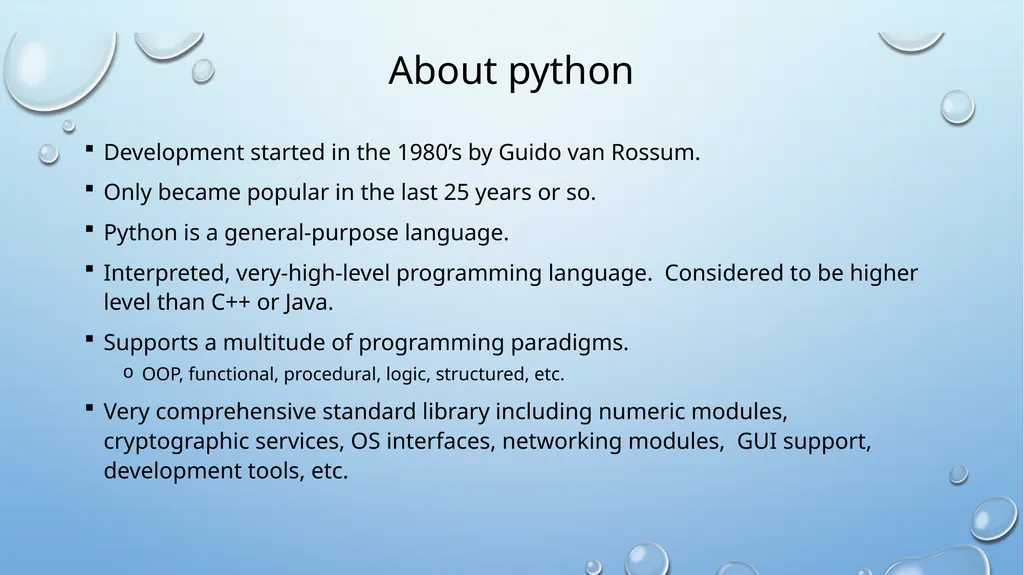
About python Development started in the 1980’s by Guido van Rossum.
Only became popular in the last 25 years or so.
Python is a general-purpose language.
Interpreted, very-high-level programming language. Considered to be higher level than C++ or Java.
Supports a multitude of programming paradigms.
OOP, functional, procedural, logic, structured, etc.
Very comprehensive standard library including numeric modules, cryptographic services, OS interfaces, networking modules, GUI support, development tools, etc.<br>
Only became popular in the last 25 years or so.
Python is a general-purpose language.
Interpreted, very-high-level programming language. Considered to be higher level than C++ or Java.
Supports a multitude of programming paradigms.
OOP, functional, procedural, logic, structured, etc.
Very comprehensive standard library including numeric modules, cryptographic services, OS interfaces, networking modules, GUI support, development tools, etc.<br>
03
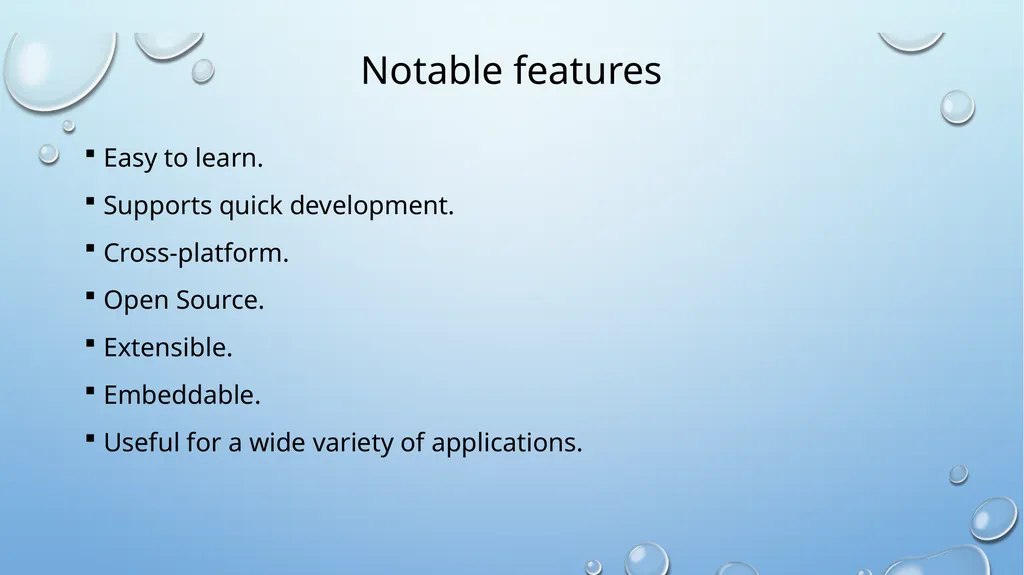
Notable features Easy to learn.
Supports quick development.
Cross-platform.
Open Source.
Extensible.
Embeddable.
Useful for a wide variety of applications.<br>
Supports quick development.
Cross-platform.
Open Source.
Extensible.
Embeddable.
Useful for a wide variety of applications.<br>
04
Getting started Before you can begin, you need to have an environment to run Python programs (and write Python programs).
In this class, we are going to use Python3 on linprog as our environment - all programming assignments will be graded in this environment.
On linprog, command ‘python3’ can run Python programs or give an interactive Python environment. The Python version is 3.13.5.
If you choose another Python environment or IDE as your development and testing environment, you must setup your python environment with Python 3.13.5 to avoid version related problems.
On all platforms, you can install a Linux virtual machine and Python 3.13.5 to emulate linprog.
If you are going to have your own development environment other than linprog, please do it now (Do not put this off until your first assignment is due!).<br>
In this class, we are going to use Python3 on linprog as our environment - all programming assignments will be graded in this environment.
On linprog, command ‘python3’ can run Python programs or give an interactive Python environment. The Python version is 3.13.5.
If you choose another Python environment or IDE as your development and testing environment, you must setup your python environment with Python 3.13.5 to avoid version related problems.
On all platforms, you can install a Linux virtual machine and Python 3.13.5 to emulate linprog.
If you are going to have your own development environment other than linprog, please do it now (Do not put this off until your first assignment is due!).<br>
05
Getting started Besides the environment to run Python program, you also need a tool to write Python programs.
Any program that allows you to create text files can do the job.
Notepad++ on window; Editor on Mac; Vim, Emacs, Pico on Linux machines.
By this time, you should already have your favorite text editor or IDE.
There are also IDEs for Python available such as Pycharm that you can try.
As long as you can create and test Python programs, whatever you use to do it is OK. But it is important that your final submissions are tested on linprog using the ‘python3’ command before they are submitted.<br>
Any program that allows you to create text files can do the job.
Notepad++ on window; Editor on Mac; Vim, Emacs, Pico on Linux machines.
By this time, you should already have your favorite text editor or IDE.
There are also IDEs for Python available such as Pycharm that you can try.
As long as you can create and test Python programs, whatever you use to do it is OK. But it is important that your final submissions are tested on linprog using the ‘python3’ command before they are submitted.<br>
06
Python Interpreter The standard implementation of Python is interpreted.
The interpreter translates Python code into bytecode, and this bytecode is executed by the Python VM (similar to Java).
Main differences between interpreted languages and compiled language:
The timing when the source code is converted into the executable format: interpreted - during execution .vs. compiled – before execution.
How the source code is converted: interpreted - done every time the code is executed .vs. compiled – done once.
Interpreted languages incur significant (time) overheads in program execution but are more flexible and programmer friendly.
Example: If there is an error in execution, Python will tell you which line causes the error.<br>
The interpreter translates Python code into bytecode, and this bytecode is executed by the Python VM (similar to Java).
Main differences between interpreted languages and compiled language:
The timing when the source code is converted into the executable format: interpreted - during execution .vs. compiled – before execution.
How the source code is converted: interpreted - done every time the code is executed .vs. compiled – done once.
Interpreted languages incur significant (time) overheads in program execution but are more flexible and programmer friendly.
Example: If there is an error in execution, Python will tell you which line causes the error.<br>
07
Python Interpreter Two modes:
Normal mode: Python files (.py) are provided to the interpreter for execution.
Interactive mode: read-eval-print loop (REPL) executes statements piecewise.<br>
Normal mode: Python files (.py) are provided to the interpreter for execution.
Interactive mode: read-eval-print loop (REPL) executes statements piecewise.<br>
08
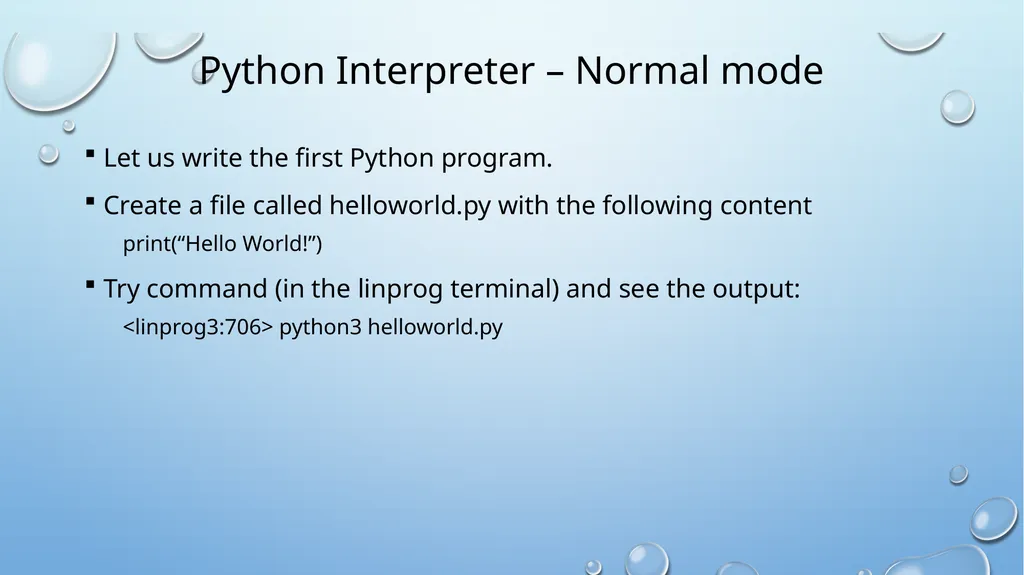
Python Interpreter – Normal mode Let us write the first Python program.
Create a file called helloworld.py with the following content
print(“Hello World!”)
Try command (in the linprog terminal) and see the output:
<linprog3:706> python3 helloworld.py<br>
Create a file called helloworld.py with the following content
print(“Hello World!”)
Try command (in the linprog terminal) and see the output:
<linprog3:706> python3 helloworld.py<br>
09
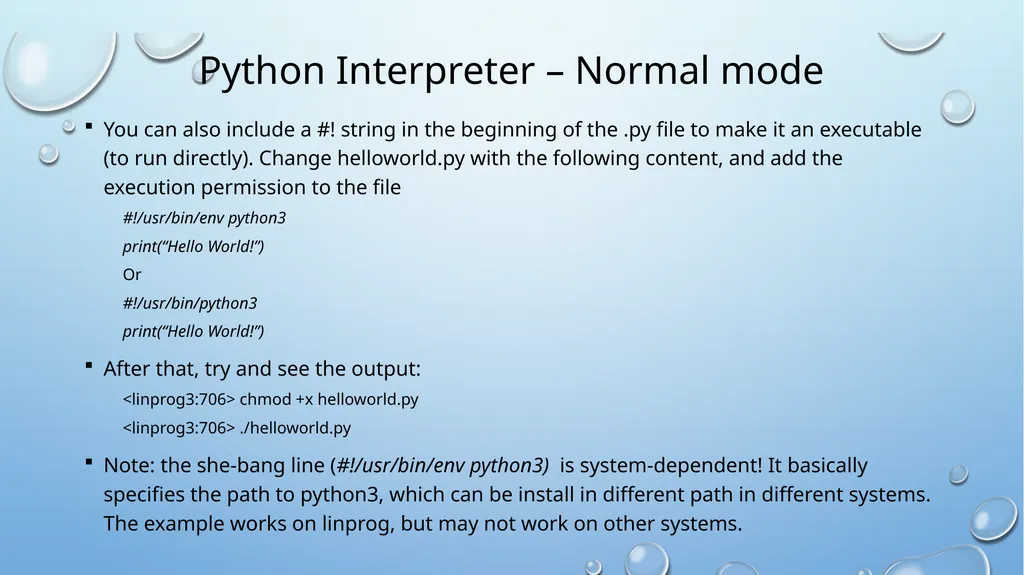
Python Interpreter – Normal mode You can also include a #! string in the beginning of the .py file to make it an executable (to run directly). Change helloworld.py with the following content, and add the execution permission to the file
#!/usr/bin/env python3
print(“Hello World!”)
Or
#!/usr/bin/python3
print(“Hello World!”)
After that, try and see the output:
<linprog3:706> chmod +x helloworld.py
<linprog3:706> ./helloworld.py
Note: the she-bang line (#!/usr/bin/env python3) is system-dependent! It basically specifies the path to python3, which can be install in different path in different systems. The example works on linprog, but may not work on other systems.<br>
#!/usr/bin/env python3
print(“Hello World!”)
Or
#!/usr/bin/python3
print(“Hello World!”)
After that, try and see the output:
<linprog3:706> chmod +x helloworld.py
<linprog3:706> ./helloworld.py
Note: the she-bang line (#!/usr/bin/env python3) is system-dependent! It basically specifies the path to python3, which can be install in different path in different systems. The example works on linprog, but may not work on other systems.<br>
10
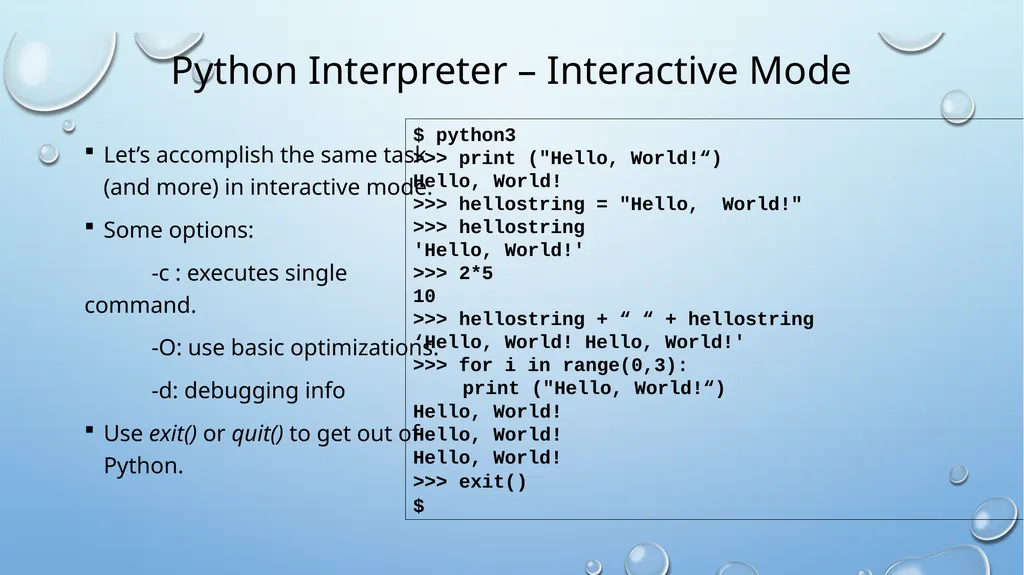
Python Interpreter – Interactive Mode Let’s accomplish the same task (and more) in interactive mode.
Some options:
-c : executes single command.
-O: use basic optimizations.
-d: debugging info
Use exit() or quit() to get out of Python. $ python3
>>> print ("Hello, World!“)
Hello, World!
>>> hellostring = "Hello, World!"
>>> hellostring
'Hello, World!'
>>> 2*5
10
>>> hellostring + “ “ + hellostring
‘Hello, World! Hello, World!'
>>> for i in range(0,3):
print ("Hello, World!“)
Hello, World!
Hello, World!
Hello, World!
>>> exit()
$<br>
Some options:
-c : executes single command.
-O: use basic optimizations.
-d: debugging info
Use exit() or quit() to get out of Python. $ python3
>>> print ("Hello, World!“)
Hello, World!
>>> hellostring = "Hello, World!"
>>> hellostring
'Hello, World!'
>>> 2*5
10
>>> hellostring + “ “ + hellostring
‘Hello, World! Hello, World!'
>>> for i in range(0,3):
print ("Hello, World!“)
Hello, World!
Hello, World!
Hello, World!
>>> exit()
$<br>
11
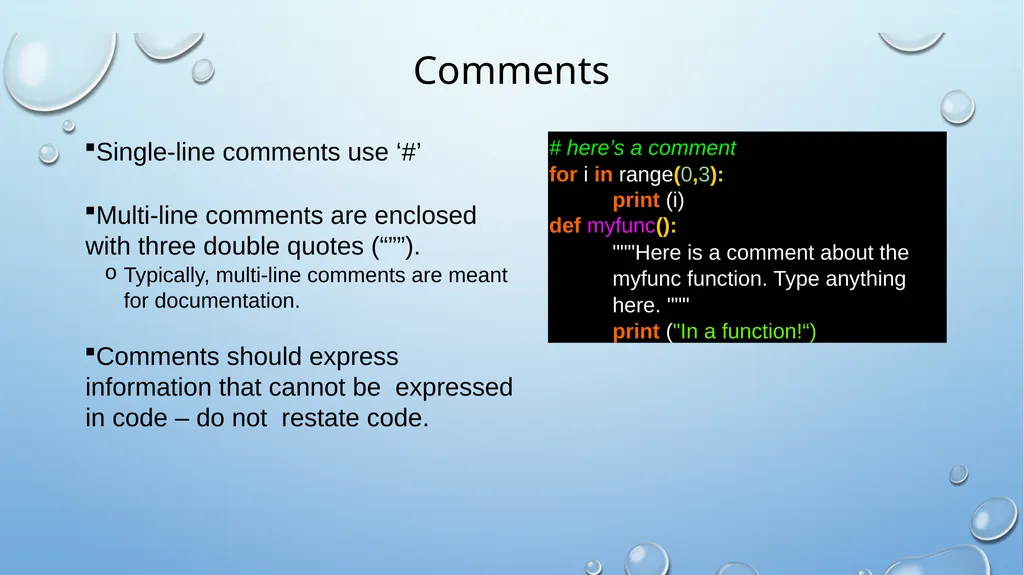
Comments Single-line comments use ‘#’
Multi-line comments are enclosed with three double quotes (“””).
Typically, multi-line comments are meant for documentation.
Comments should express information that cannot be expressed in code – do not restate code. # here’s a comment
for i in range(0,3):
print (i)
def myfunc():
"""Here is a comment about the
myfunc function. Type anything
here. """
print ("In a function!“)<br>
Multi-line comments are enclosed with three double quotes (“””).
Typically, multi-line comments are meant for documentation.
Comments should express information that cannot be expressed in code – do not restate code. # here’s a comment
for i in range(0,3):
print (i)
def myfunc():
"""Here is a comment about the
myfunc function. Type anything
here. """
print ("In a function!“)<br>
12
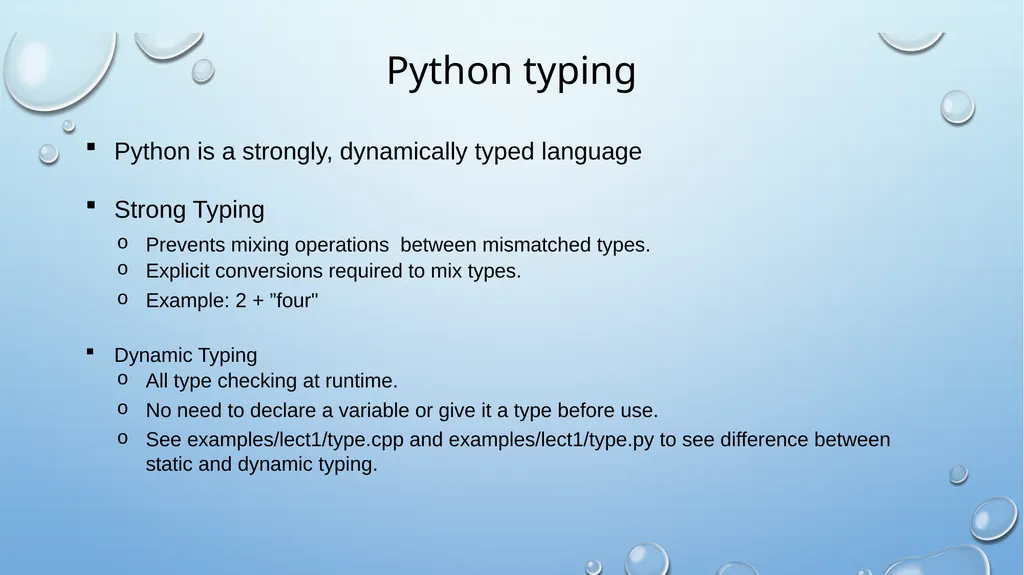
Python typing Python is a strongly, dynamically typed language
Strong Typing
Prevents mixing operations between mismatched types.
Explicit conversions required to mix types.
Example: 2 + ”four"
Dynamic Typing
All type checking at runtime.
No need to declare a variable or give it a type before use.
See examples/lect1/type.cpp and examples/lect1/type.py to see difference between static and dynamic typing.<br>
Strong Typing
Prevents mixing operations between mismatched types.
Explicit conversions required to mix types.
Example: 2 + ”four"
Dynamic Typing
All type checking at runtime.
No need to declare a variable or give it a type before use.
See examples/lect1/type.cpp and examples/lect1/type.py to see difference between static and dynamic typing.<br>
13
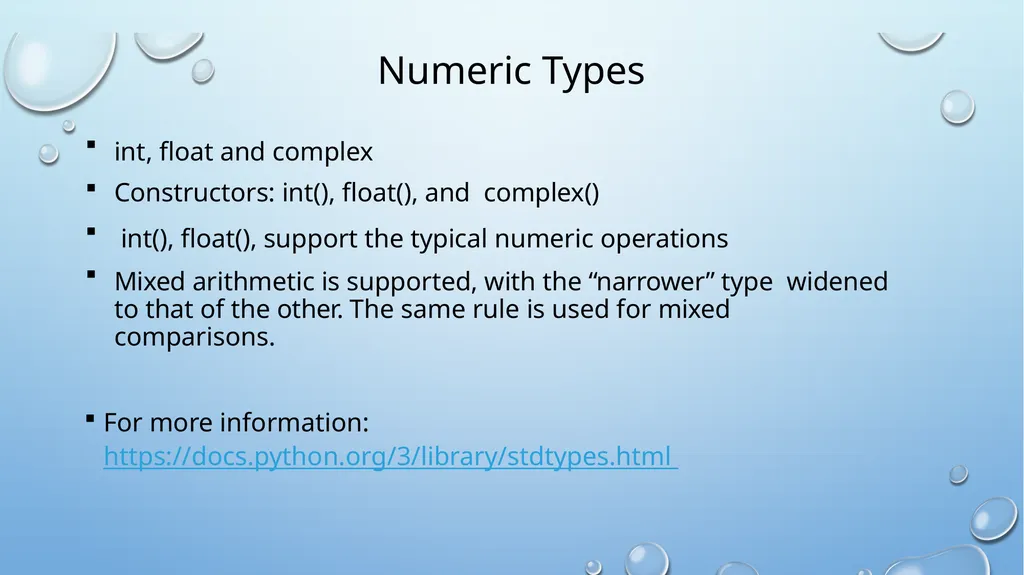
Numeric Types int, float and complex
Constructors: int(), float(), and complex()
int(), float(), support the typical numeric operations
Mixed arithmetic is supported, with the “narrower” type widened to that of the other. The same rule is used for mixed comparisons.
For more information: https://docs.python.org/3/library/stdtypes.html<br>
Constructors: int(), float(), and complex()
int(), float(), support the typical numeric operations
Mixed arithmetic is supported, with the “narrower” type widened to that of the other. The same rule is used for mixed comparisons.
For more information: https://docs.python.org/3/library/stdtypes.html<br>
14
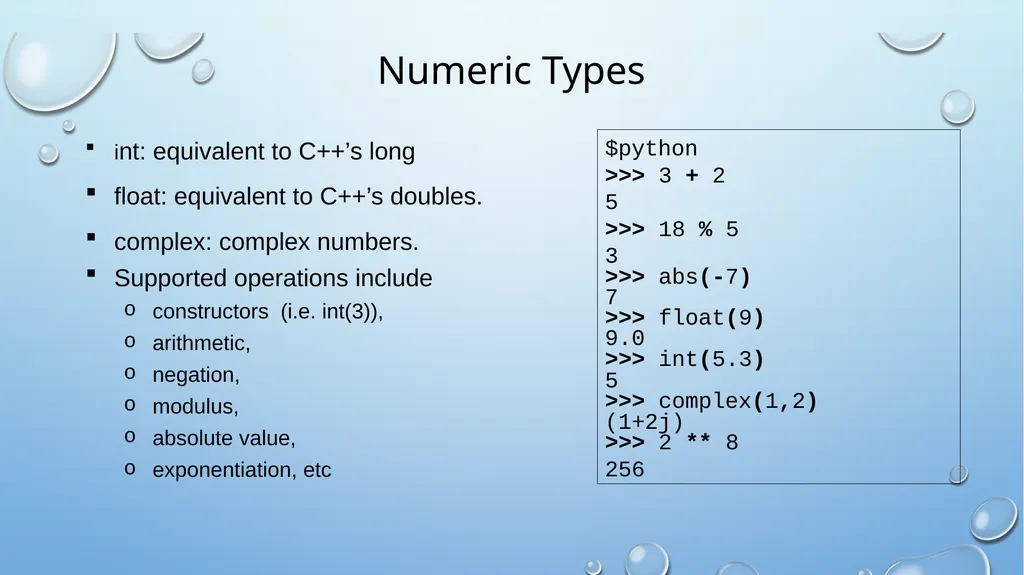
Numeric Types int: equivalent to C++’s long
float: equivalent to C++’s doubles.
complex: complex numbers.
Supported operations include
constructors (i.e. int(3)),
arithmetic,
negation,
modulus,
absolute value,
exponentiation, etc $python
>>> 3 + 2
5
>>> 18 % 5
3
>>> abs(-7)
7
>>> float(9)
9.0
>>> int(5.3)
5
>>> complex(1,2)
(1+2j)
>>> 2 ** 8
256<br>
float: equivalent to C++’s doubles.
complex: complex numbers.
Supported operations include
constructors (i.e. int(3)),
arithmetic,
negation,
modulus,
absolute value,
exponentiation, etc $python
>>> 3 + 2
5
>>> 18 % 5
3
>>> abs(-7)
7
>>> float(9)
9.0
>>> int(5.3)
5
>>> complex(1,2)
(1+2j)
>>> 2 ** 8
256<br>
15
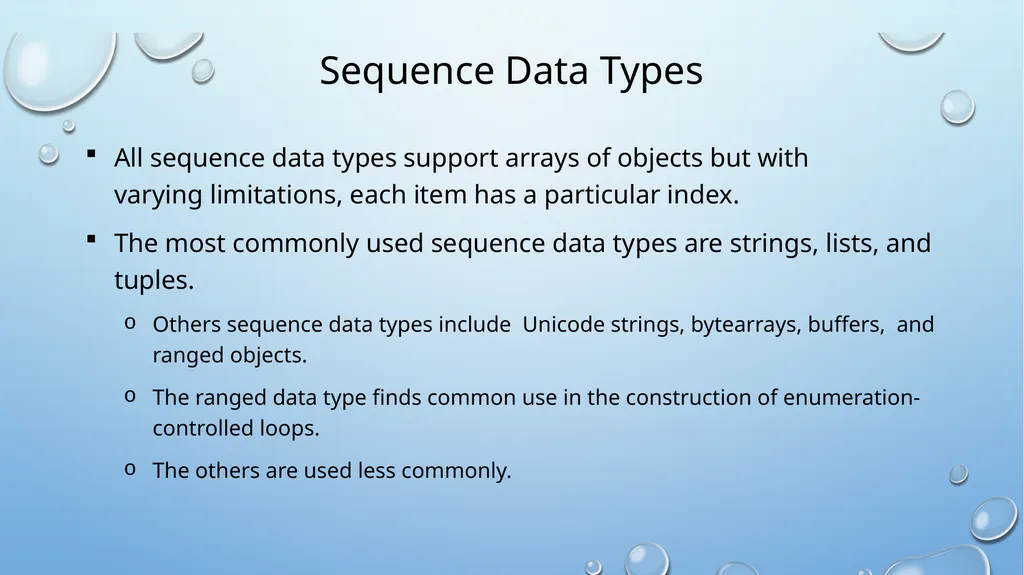
Sequence Data Types All sequence data types support arrays of objects but with varying limitations, each item has a particular index.
The most commonly used sequence data types are strings, lists, and tuples.
Others sequence data types include Unicode strings, bytearrays, buffers, and ranged objects.
The ranged data type finds common use in the construction of enumeration-controlled loops.
The others are used less commonly.<br>
The most commonly used sequence data types are strings, lists, and tuples.
Others sequence data types include Unicode strings, bytearrays, buffers, and ranged objects.
The ranged data type finds common use in the construction of enumeration-controlled loops.
The others are used less commonly.<br>
16
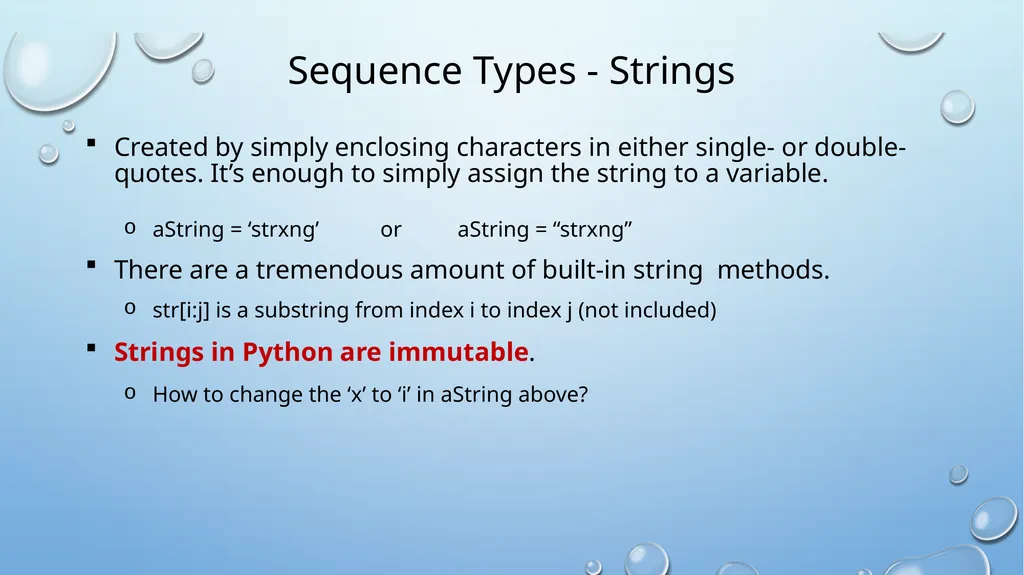
Sequence Types - Strings Created by simply enclosing characters in either single- or double-quotes. It’s enough to simply assign the string to a variable.
aString = ‘strxng’ or aString = “strxng”
There are a tremendous amount of built-in string methods.
str[i:j] is a substring from index i to index j (not included)
Strings in Python are immutable.
How to change the ‘x’ to ‘i’ in aString above?<br>
aString = ‘strxng’ or aString = “strxng”
There are a tremendous amount of built-in string methods.
str[i:j] is a substring from index i to index j (not included)
Strings in Python are immutable.
How to change the ‘x’ to ‘i’ in aString above?<br>
17
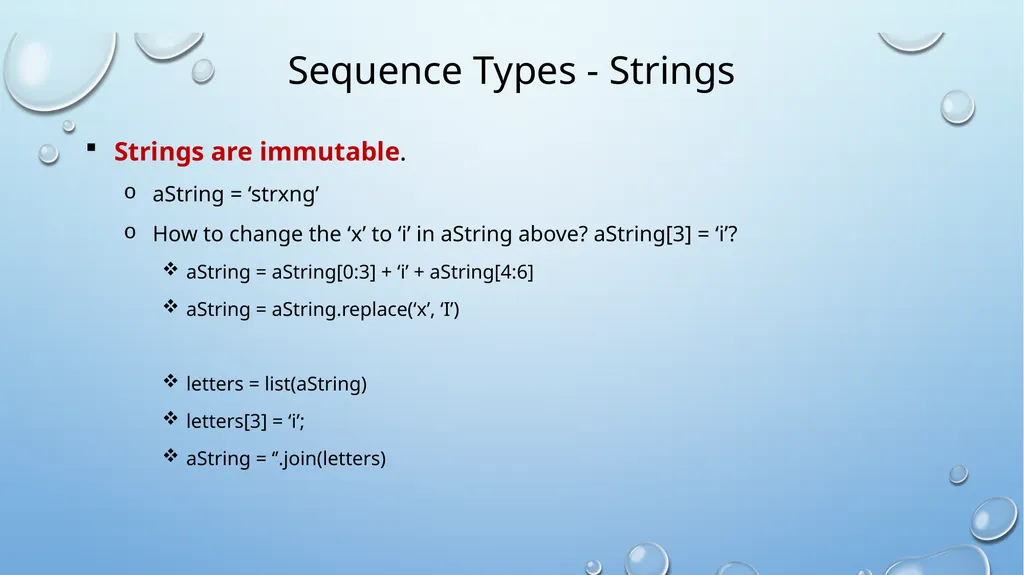
Sequence Types - Strings Strings are immutable.
aString = ‘strxng’
How to change the ‘x’ to ‘i’ in aString above? aString[3] = ‘i’?
aString = aString[0:3] + ‘i’ + aString[4:6]
aString = aString.replace(‘x’, ‘I’)
letters = list(aString)
letters[3] = ‘i’;
aString = ‘’.join(letters)<br>
aString = ‘strxng’
How to change the ‘x’ to ‘i’ in aString above? aString[3] = ‘i’?
aString = aString[0:3] + ‘i’ + aString[4:6]
aString = aString.replace(‘x’, ‘I’)
letters = list(aString)
letters[3] = ‘i’;
aString = ‘’.join(letters)<br>
18
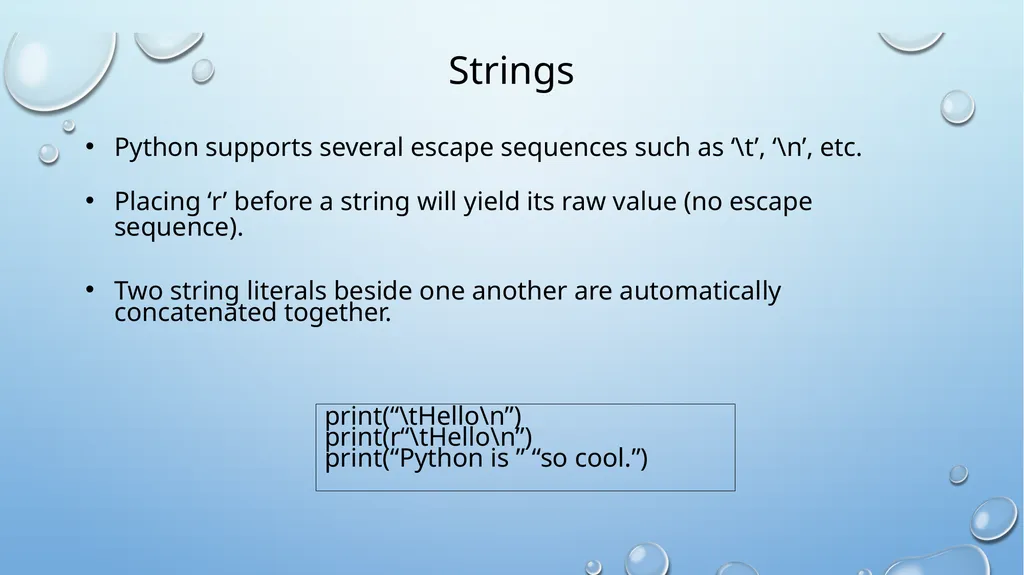
Strings Python supports several escape sequences such as ‘\t’, ‘\n’, etc.
Placing ‘r’ before a string will yield its raw value (no escape sequence).
Two string literals beside one another are automatically concatenated together. print(“\tHello\n”)
print(r“\tHello\n”)
print(“Python is ” “so cool.”)<br>
Placing ‘r’ before a string will yield its raw value (no escape sequence).
Two string literals beside one another are automatically concatenated together. print(“\tHello\n”)
print(r“\tHello\n”)
print(“Python is ” “so cool.”)<br>
19
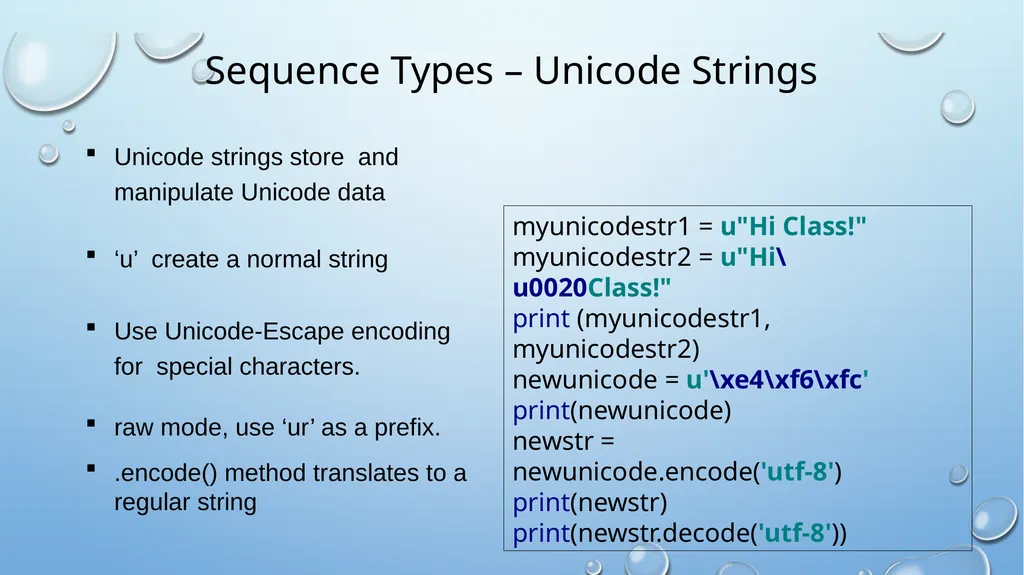
Sequence Types – Unicode Strings Unicode strings store and manipulate Unicode data
‘u’ create a normal string
Use Unicode-Escape encoding for special characters.
raw mode, use ‘ur’ as a prefix.
.encode() method translates to a regular string myunicodestr1 = u"Hi Class!" myunicodestr2 = u"Hi\u0020Class!" print (myunicodestr1, myunicodestr2) newunicode = u'\xe4\xf6\xfc' print(newunicode) newstr = newunicode.encode('utf-8') print(newstr) print(newstr.decode('utf-8'))<br>
‘u’ create a normal string
Use Unicode-Escape encoding for special characters.
raw mode, use ‘ur’ as a prefix.
.encode() method translates to a regular string myunicodestr1 = u"Hi Class!" myunicodestr2 = u"Hi\u0020Class!" print (myunicodestr1, myunicodestr2) newunicode = u'\xe4\xf6\xfc' print(newunicode) newstr = newunicode.encode('utf-8') print(newstr) print(newstr.decode('utf-8'))<br>
20
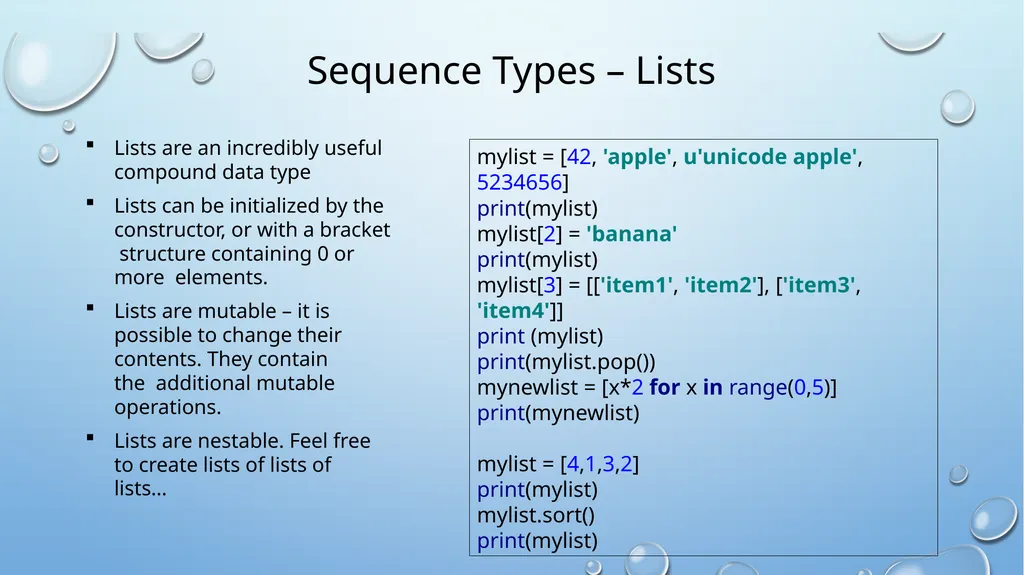
Sequence Types – Lists Lists are an incredibly useful compound data type
Lists can be initialized by the constructor, or with a bracket structure containing 0 or more elements.
Lists are mutable – it is possible to change their contents. They contain the additional mutable operations.
Lists are nestable. Feel free to create lists of lists of lists… mylist = [42, 'apple', u'unicode apple', 5234656] print(mylist) mylist[2] = 'banana' print(mylist) mylist[3] = [['item1', 'item2'], ['item3', 'item4']] print (mylist) print(mylist.pop()) mynewlist = [x*2 for x in range(0,5)] print(mynewlist) mylist = [4,1,3,2] print(mylist) mylist.sort() print(mylist)<br>
Lists can be initialized by the constructor, or with a bracket structure containing 0 or more elements.
Lists are mutable – it is possible to change their contents. They contain the additional mutable operations.
Lists are nestable. Feel free to create lists of lists of lists… mylist = [42, 'apple', u'unicode apple', 5234656] print(mylist) mylist[2] = 'banana' print(mylist) mylist[3] = [['item1', 'item2'], ['item3', 'item4']] print (mylist) print(mylist.pop()) mynewlist = [x*2 for x in range(0,5)] print(mynewlist) mylist = [4,1,3,2] print(mylist) mylist.sort() print(mylist)<br>
21
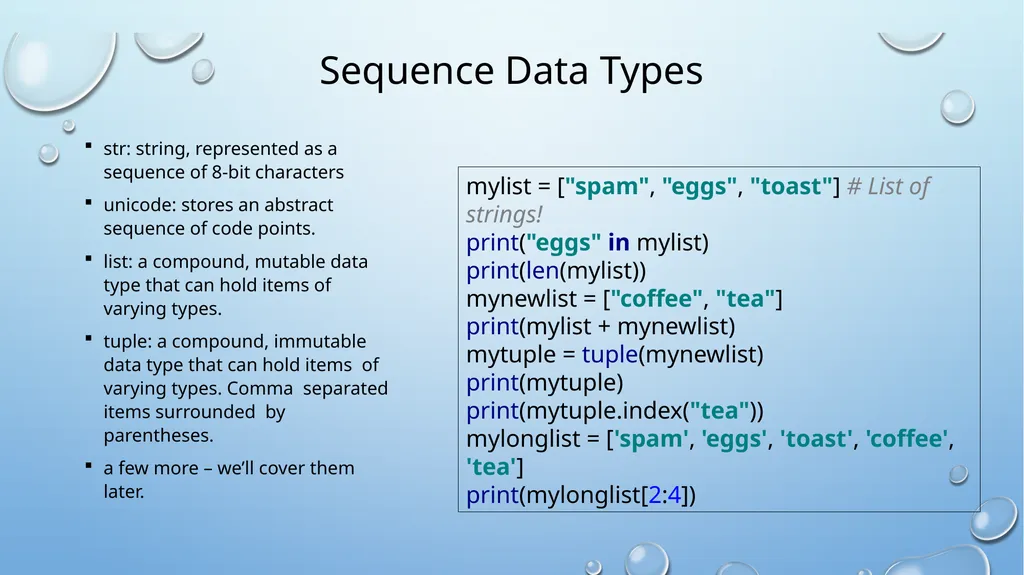
Sequence Data Types str: string, represented as a sequence of 8-bit characters
unicode: stores an abstract sequence of code points.
list: a compound, mutable data type that can hold items of varying types.
tuple: a compound, immutable data type that can hold items of varying types. Comma separated items surrounded by parentheses.
a few more – we’ll cover them later. mylist = ["spam", "eggs", "toast"] # List of strings! print("eggs" in mylist) print(len(mylist)) mynewlist = ["coffee", "tea"] print(mylist + mynewlist) mytuple = tuple(mynewlist) print(mytuple) print(mytuple.index("tea")) mylonglist = ['spam', 'eggs', 'toast', 'coffee', 'tea'] print(mylonglist[2:4])<br>
unicode: stores an abstract sequence of code points.
list: a compound, mutable data type that can hold items of varying types.
tuple: a compound, immutable data type that can hold items of varying types. Comma separated items surrounded by parentheses.
a few more – we’ll cover them later. mylist = ["spam", "eggs", "toast"] # List of strings! print("eggs" in mylist) print(len(mylist)) mynewlist = ["coffee", "tea"] print(mylist + mynewlist) mytuple = tuple(mynewlist) print(mytuple) print(mytuple.index("tea")) mylonglist = ['spam', 'eggs', 'toast', 'coffee', 'tea'] print(mylonglist[2:4])<br>
22
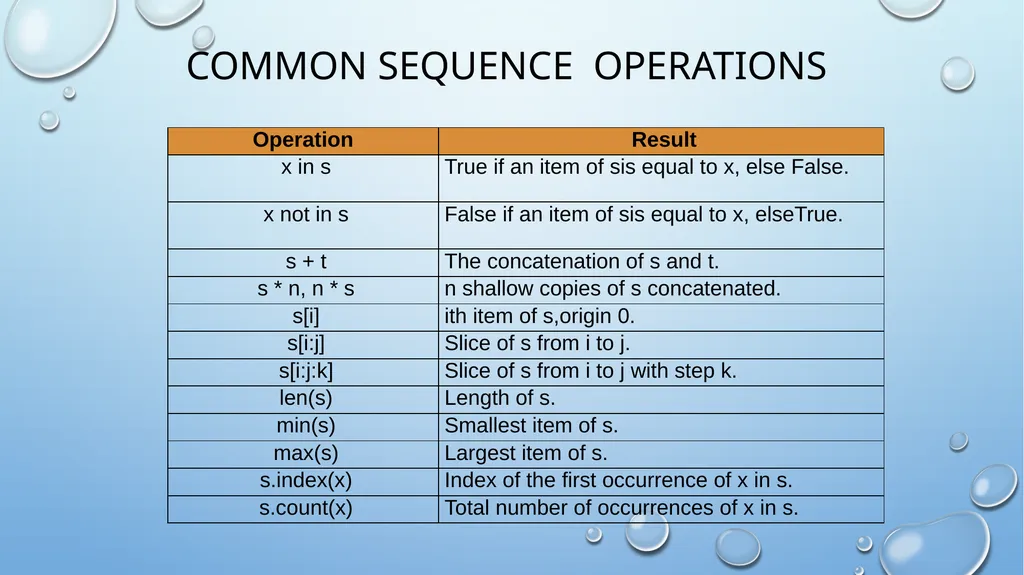
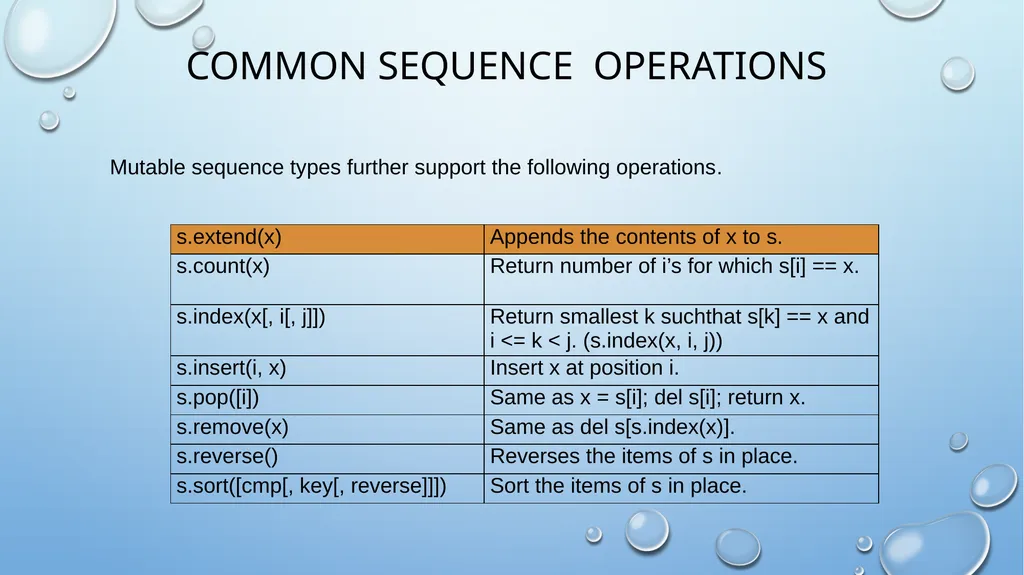
COMMON SEQUENCE OPERATIONS<br>
23
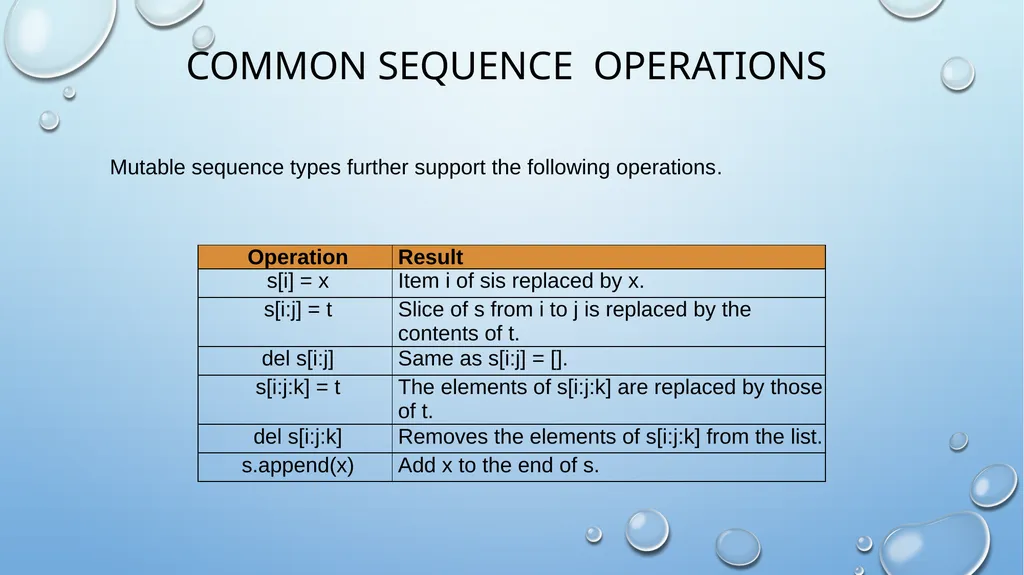
COMMON SEQUENCE OPERATIONS Mutable sequence types further support the following operations.<br>
24
COMMON SEQUENCE OPERATIONS Mutable sequence types further support the following operations.<br>
25
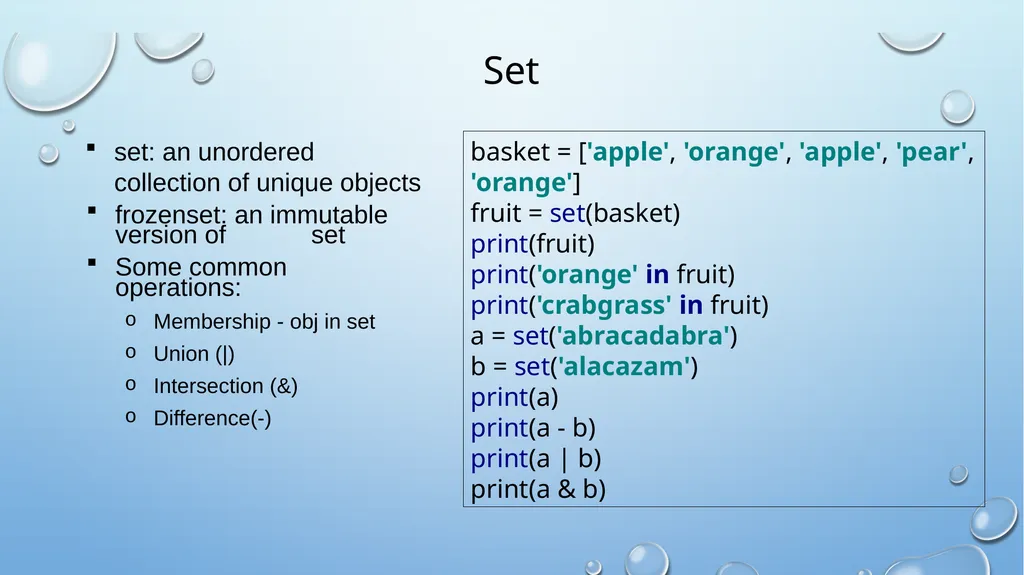
Set set: an unordered collection of unique objects
frozenset: an immutable version of set
Some common operations:
Membership - obj in set
Union (|)
Intersection (&)
Difference(-) basket = ['apple', 'orange', 'apple', 'pear', 'orange'] fruit = set(basket) print(fruit) print('orange' in fruit) print('crabgrass' in fruit) a = set('abracadabra') b = set('alacazam') print(a) print(a - b) print(a | b)
print(a & b)<br>
frozenset: an immutable version of set
Some common operations:
Membership - obj in set
Union (|)
Intersection (&)
Difference(-) basket = ['apple', 'orange', 'apple', 'pear', 'orange'] fruit = set(basket) print(fruit) print('orange' in fruit) print('crabgrass' in fruit) a = set('abracadabra') b = set('alacazam') print(a) print(a - b) print(a | b)
print(a & b)<br>
26
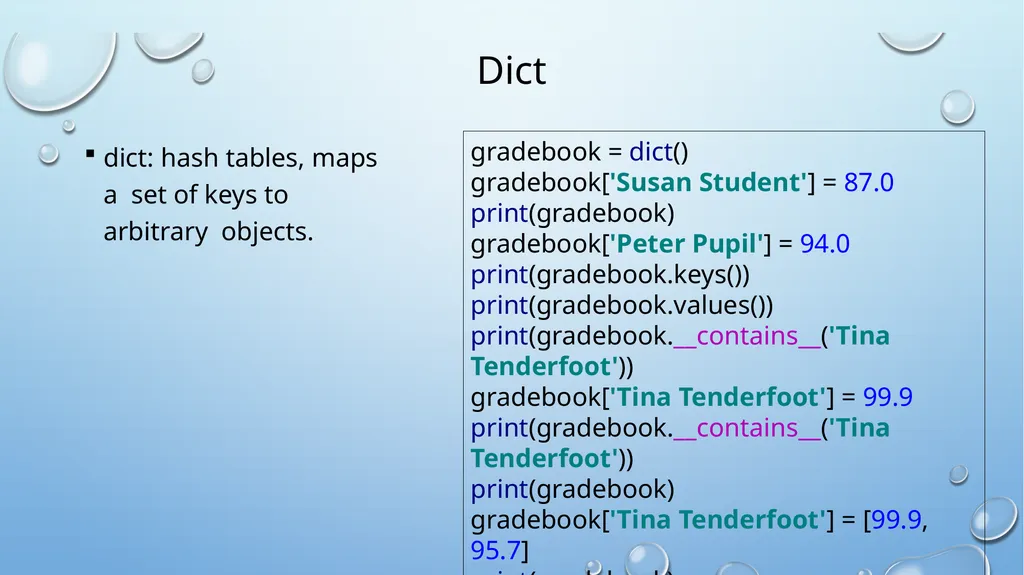
Dict dict: hash tables, maps a set of keys to arbitrary objects. gradebook = dict()
gradebook['Susan Student'] = 87.0
print(gradebook)
gradebook['Peter Pupil'] = 94.0
print(gradebook.keys())
print(gradebook.values())
print(gradebook.__contains__('Tina Tenderfoot'))
gradebook['Tina Tenderfoot'] = 99.9
print(gradebook.__contains__('Tina Tenderfoot'))
print(gradebook)
gradebook['Tina Tenderfoot'] = [99.9, 95.7]
print(gradebook)<br>
27
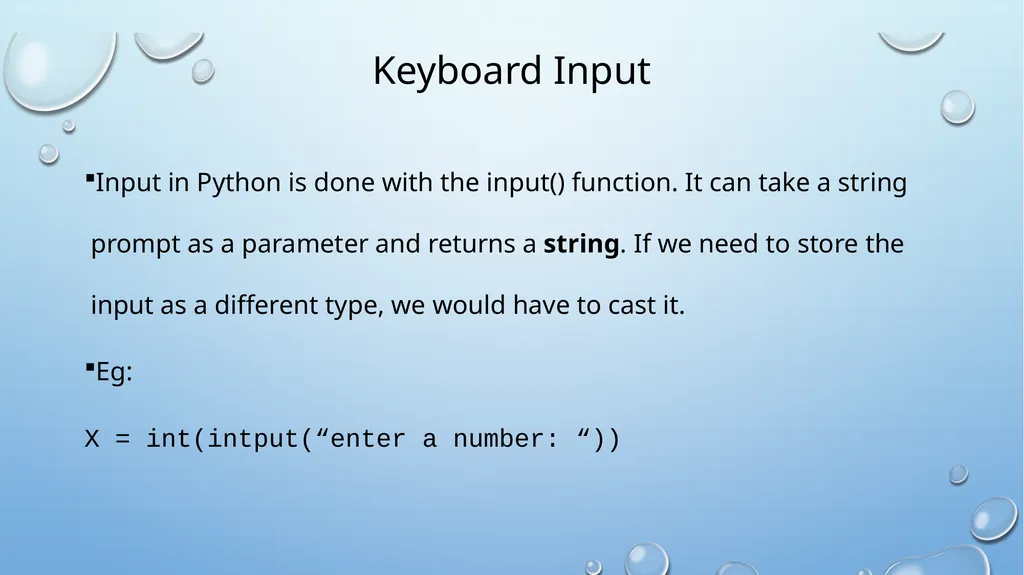
Keyboard Input Input in Python is done with the input() function. It can take a string prompt as a parameter and returns a string. If we need to store the input as a different type, we would have to cast it.
Eg:
X = int(intput(“enter a number: “))<br>
Eg:
X = int(intput(“enter a number: “))<br>
28
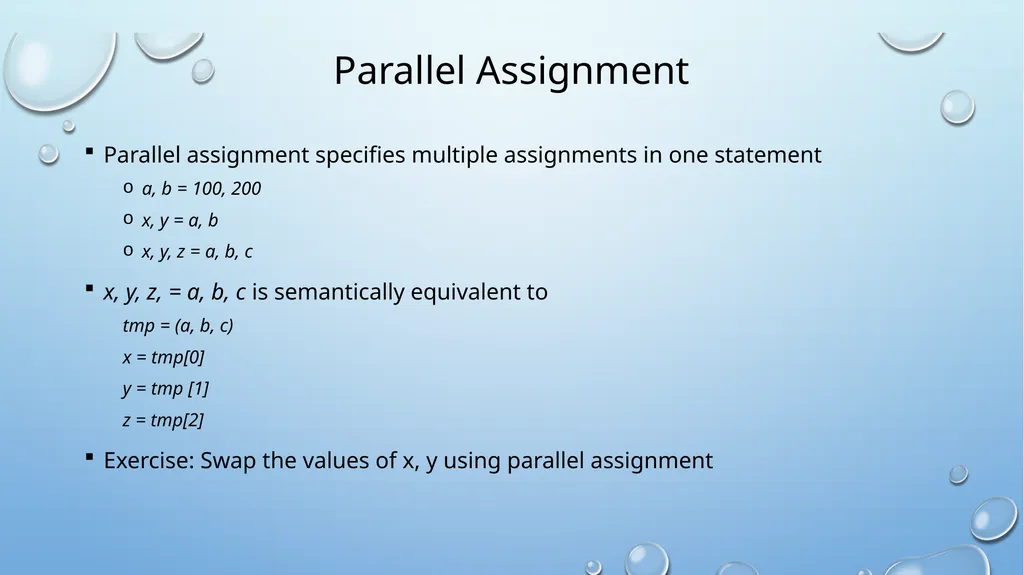
Parallel Assignment Parallel assignment specifies multiple assignments in one statement
a, b = 100, 200
x, y = a, b
x, y, z = a, b, c
x, y, z, = a, b, c is semantically equivalent to
tmp = (a, b, c)
x = tmp[0]
y = tmp [1]
z = tmp[2]
Exercise: Swap the values of x, y using parallel assignment<br>
a, b = 100, 200
x, y = a, b
x, y, z = a, b, c
x, y, z, = a, b, c is semantically equivalent to
tmp = (a, b, c)
x = tmp[0]
y = tmp [1]
z = tmp[2]
Exercise: Swap the values of x, y using parallel assignment<br>
29
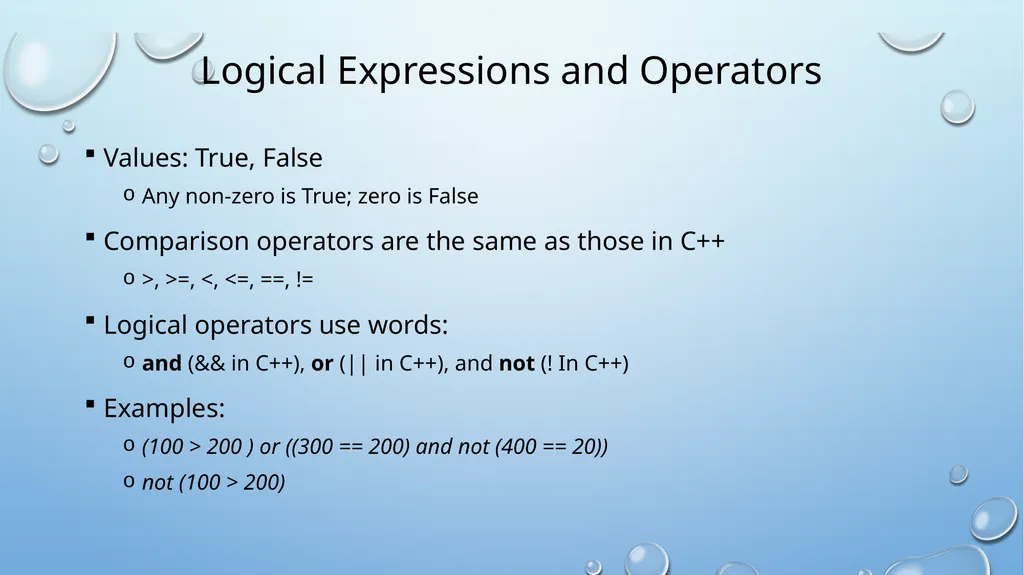
Logical Expressions and Operators Values: True, False
Any non-zero is True; zero is False
Comparison operators are the same as those in C++
>, >=, <, <=, ==, !=
Logical operators use words:
and (&& in C++), or (|| in C++), and not (! In C++)
Examples:
(100 > 200 ) or ((300 == 200) and not (400 == 20))
not (100 > 200)<br>
Any non-zero is True; zero is False
Comparison operators are the same as those in C++
>, >=, <, <=, ==, !=
Logical operators use words:
and (&& in C++), or (|| in C++), and not (! In C++)
Examples:
(100 > 200 ) or ((300 == 200) and not (400 == 20))
not (100 > 200)<br>
30
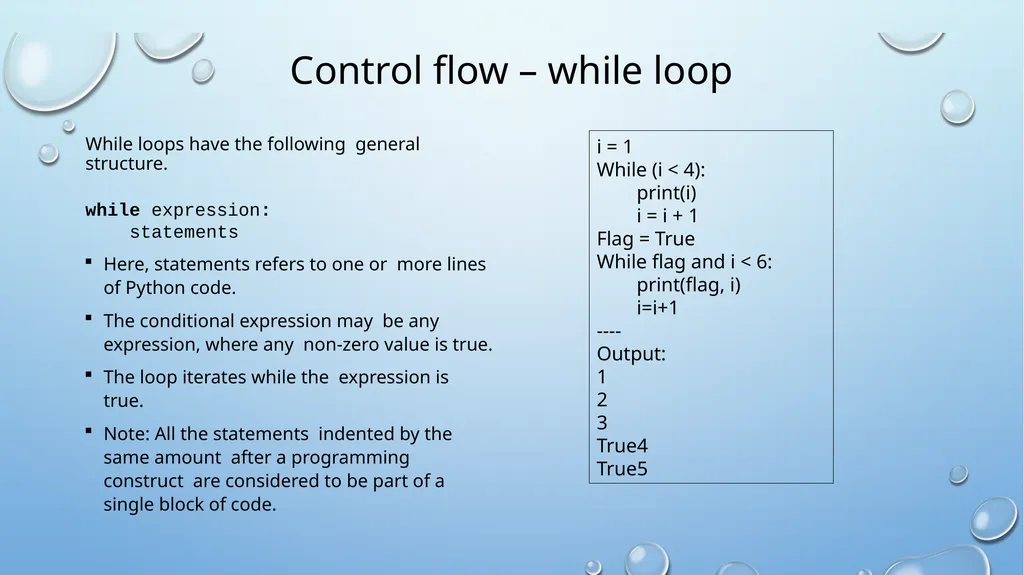
Control flow – while loop While loops have the following general structure.
while expression:
statements
Here, statements refers to one or more lines of Python code.
The conditional expression may be any expression, where any non-zero value is true.
The loop iterates while the expression is true.
Note: All the statements indented by the same amount after a programming construct are considered to be part of a single block of code. i = 1
While (i < 4):
print(i)
i = i + 1
Flag = True
While flag and i < 6:
print(flag, i)
i=i+1
----
Output:
1
2
3
True4
True5<br>
while expression:
statements
Here, statements refers to one or more lines of Python code.
The conditional expression may be any expression, where any non-zero value is true.
The loop iterates while the expression is true.
Note: All the statements indented by the same amount after a programming construct are considered to be part of a single block of code. i = 1
While (i < 4):
print(i)
i = i + 1
Flag = True
While flag and i < 6:
print(flag, i)
i=i+1
----
Output:
1
2
3
True4
True5<br>
31
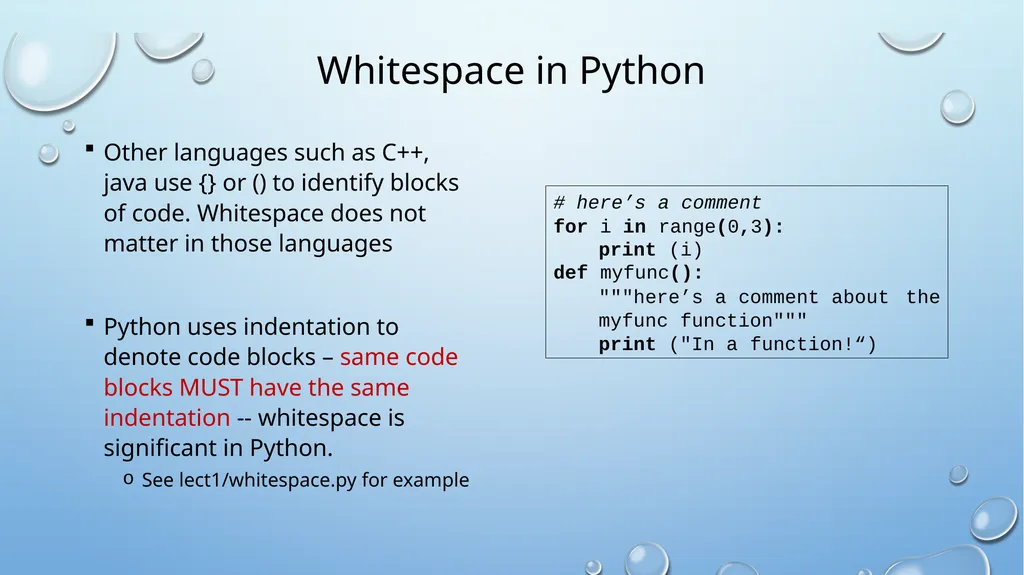
Whitespace in Python Other languages such as C++, java use {} or () to identify blocks of code. Whitespace does not matter in those languages
Python uses indentation to denote code blocks – same code blocks MUST have the same indentation -- whitespace is significant in Python.
See lect1/whitespace.py for example # here’s a comment
for i in range(0,3):
print (i)
def myfunc():
"""here’s a comment about the
myfunc function"""
print ("In a function!“)<br>
Python uses indentation to denote code blocks – same code blocks MUST have the same indentation -- whitespace is significant in Python.
See lect1/whitespace.py for example # here’s a comment
for i in range(0,3):
print (i)
def myfunc():
"""here’s a comment about the
myfunc function"""
print ("In a function!“)<br>
32
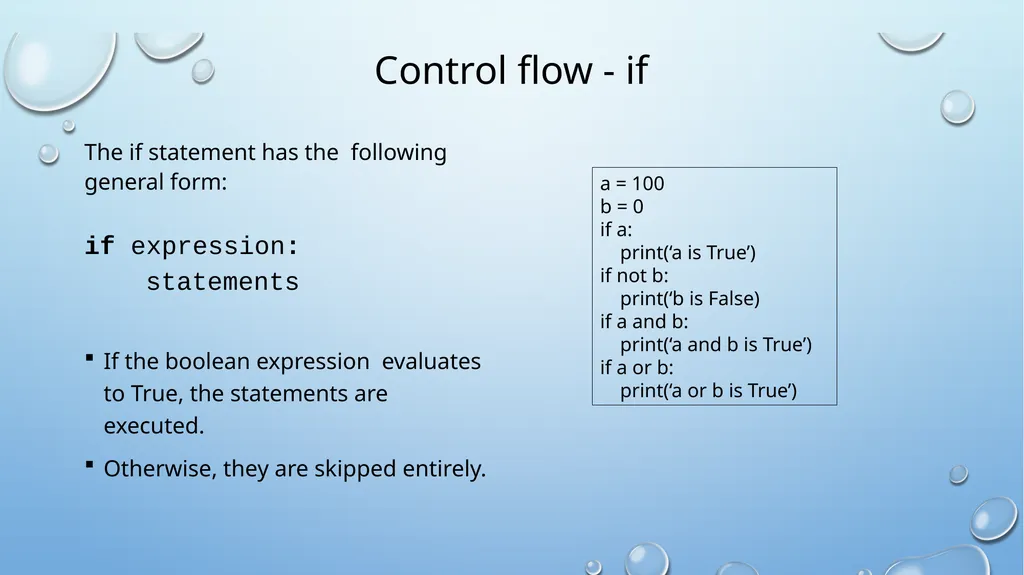
Control flow - if The if statement has the following general form:
if expression:
statements
If the boolean expression evaluates to True, the statements are executed.
Otherwise, they are skipped entirely. a = 100
b = 0
if a:
print(‘a is True’)
if not b:
print(‘b is False)
if a and b:
print(‘a and b is True’)
if a or b:
print(‘a or b is True’)<br>
if expression:
statements
If the boolean expression evaluates to True, the statements are executed.
Otherwise, they are skipped entirely. a = 100
b = 0
if a:
print(‘a is True’)
if not b:
print(‘b is False)
if a and b:
print(‘a and b is True’)
if a or b:
print(‘a or b is True’)<br>
33
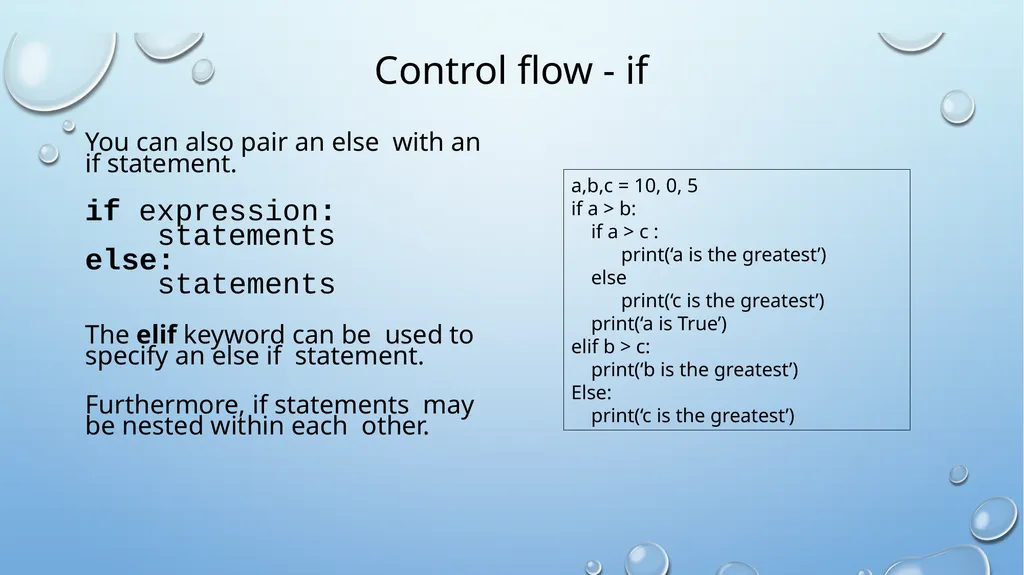
Control flow - if You can also pair an else with an if statement.
if expression:
statements
else:
statements
The elif keyword can be used to specify an else if statement.
Furthermore, if statements may be nested within each other. a,b,c = 10, 0, 5
if a > b:
if a > c :
print(‘a is the greatest’)
else
print(‘c is the greatest’)
print(‘a is True’)
elif b > c:
print(‘b is the greatest’)
Else:
print(‘c is the greatest’)<br>
if expression:
statements
else:
statements
The elif keyword can be used to specify an else if statement.
Furthermore, if statements may be nested within each other. a,b,c = 10, 0, 5
if a > b:
if a > c :
print(‘a is the greatest’)
else
print(‘c is the greatest’)
print(‘a is True’)
elif b > c:
print(‘b is the greatest’)
Else:
print(‘c is the greatest’)<br>
34
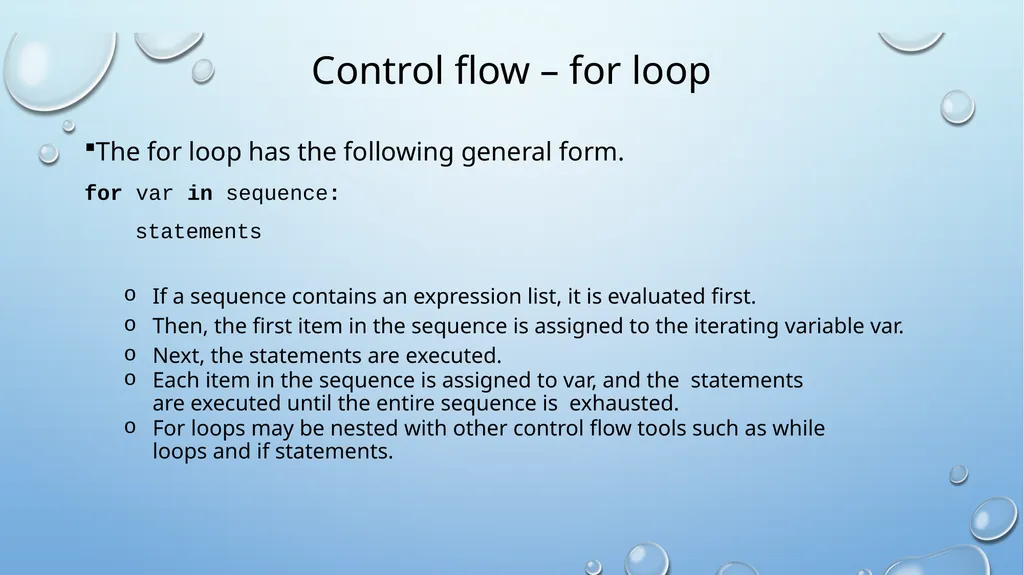
Control flow – for loop The for loop has the following general form.
for var in sequence:
statements
If a sequence contains an expression list, it is evaluated first.
Then, the first item in the sequence is assigned to the iterating variable var.
Next, the statements are executed.
Each item in the sequence is assigned to var, and the statements are executed until the entire sequence is exhausted.
For loops may be nested with other control flow tools such as while loops and if statements.<br>
for var in sequence:
statements
If a sequence contains an expression list, it is evaluated first.
Then, the first item in the sequence is assigned to the iterating variable var.
Next, the statements are executed.
Each item in the sequence is assigned to var, and the statements are executed until the entire sequence is exhausted.
For loops may be nested with other control flow tools such as while loops and if statements.<br>
35
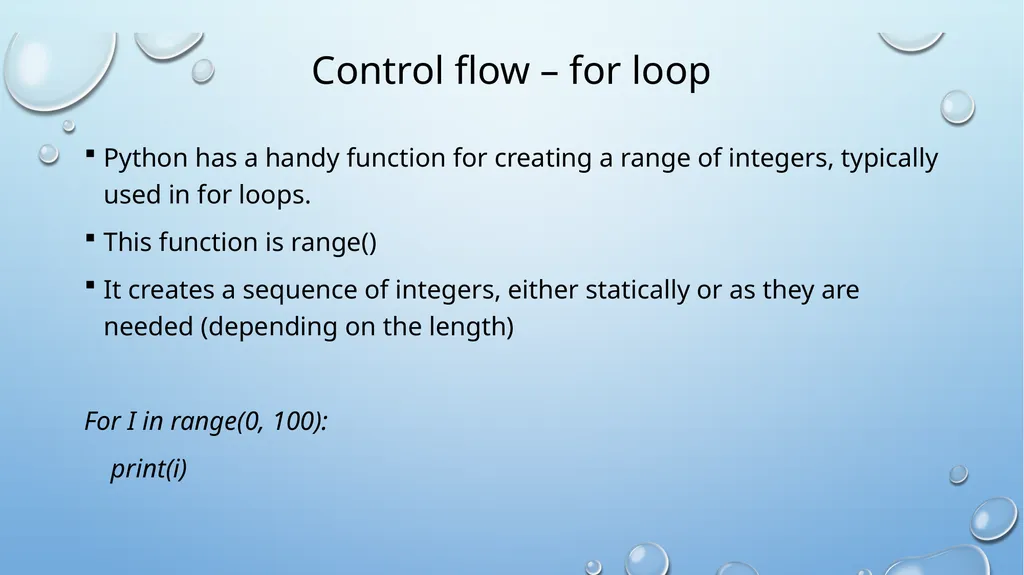
Control flow – for loop Python has a handy function for creating a range of integers, typically used in for loops.
This function is range()
It creates a sequence of integers, either statically or as they are needed (depending on the length)
For I in range(0, 100):
print(i)<br>
This function is range()
It creates a sequence of integers, either statically or as they are needed (depending on the length)
For I in range(0, 100):
print(i)<br>
36
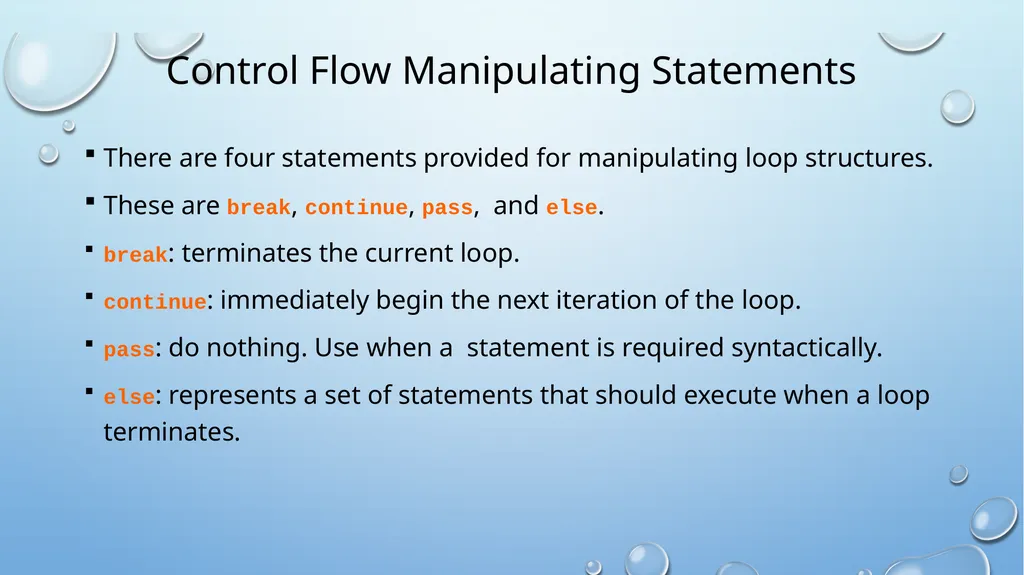
Control Flow Manipulating Statements There are four statements provided for manipulating loop structures.
These are break, continue, pass, and else.
break: terminates the current loop.
continue: immediately begin the next iteration of the loop.
pass: do nothing. Use when a statement is required syntactically.
else: represents a set of statements that should execute when a loop terminates.<br>
These are break, continue, pass, and else.
break: terminates the current loop.
continue: immediately begin the next iteration of the loop.
pass: do nothing. Use when a statement is required syntactically.
else: represents a set of statements that should execute when a loop terminates.<br>
37
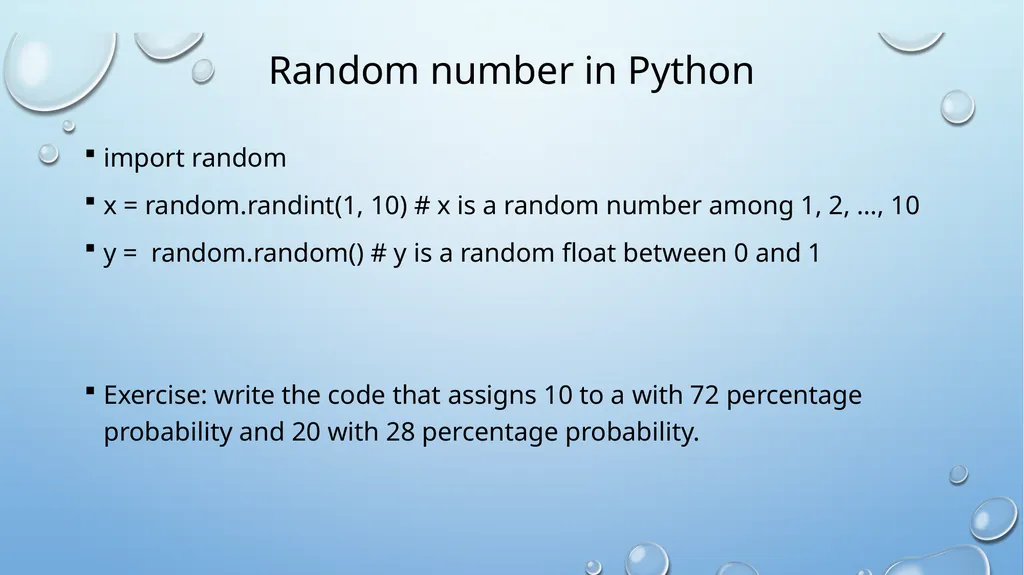
Random number in Python import random
x = random.randint(1, 10) # x is a random number among 1, 2, …, 10
y = random.random() # y is a random float between 0 and 1
Exercise: write the code that assigns 10 to a with 72 percentage probability and 20 with 28 percentage probability.<br>
x = random.randint(1, 10) # x is a random number among 1, 2, …, 10
y = random.random() # y is a random float between 0 and 1
Exercise: write the code that assigns 10 to a with 72 percentage probability and 20 with 28 percentage probability.<br>
38
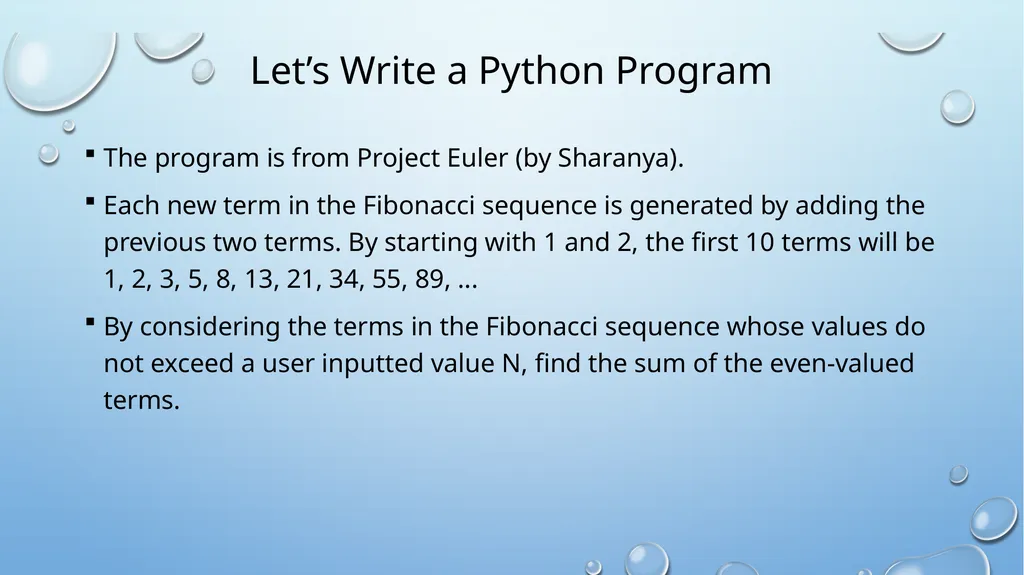
Let’s Write a Python Program The program is from Project Euler (by Sharanya).
Each new term in the Fibonacci sequence is generated by adding the previous two terms. By starting with 1 and 2, the first 10 terms will be 1, 2, 3, 5, 8, 13, 21, 34, 55, 89, ...
By considering the terms in the Fibonacci sequence whose values do not exceed a user inputted value N, find the sum of the even-valued terms.<br>
Each new term in the Fibonacci sequence is generated by adding the previous two terms. By starting with 1 and 2, the first 10 terms will be 1, 2, 3, 5, 8, 13, 21, 34, 55, 89, ...
By considering the terms in the Fibonacci sequence whose values do not exceed a user inputted value N, find the sum of the even-valued terms.<br>