MIKE 11 Time Series Editor © DHI TIME SERIES
Description: MIKE 11 Time Series Editor DHI TIME SERIES EDITOR Editor and Database of Time Series Data DHI TIME SERIES EDITOR .DFS0 File Extension How? MIKE Zero - File - New - File - MIKE Zero - Time Series (.dfs0) DHI Pop up dialog box
Related Topics
Download Presentation
"MIKE 11 Time Series Editor © DHI TIME SERIES" is the property of its rightful owner. Permission is granted to download and print the materials on this website for personal, non-commercial use only, and to display it on your personal computer provided you do not modify the materials and that you retain all copyright notices contained in the materials. By downloading content from our website, you accept the terms of this agreement.
Presentation Transcript
slide1. MIKE 11 Time Series Editor © DHI<br>
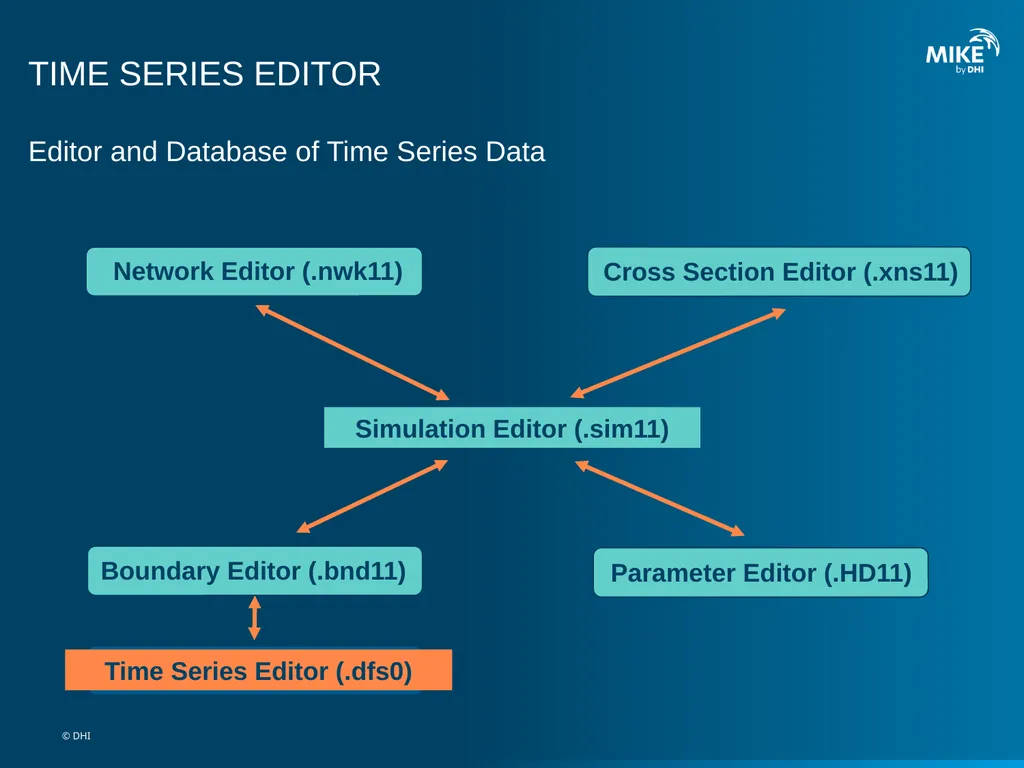
slide2. TIME SERIES EDITOR Editor and Database of Time Series Data © DHI<br>
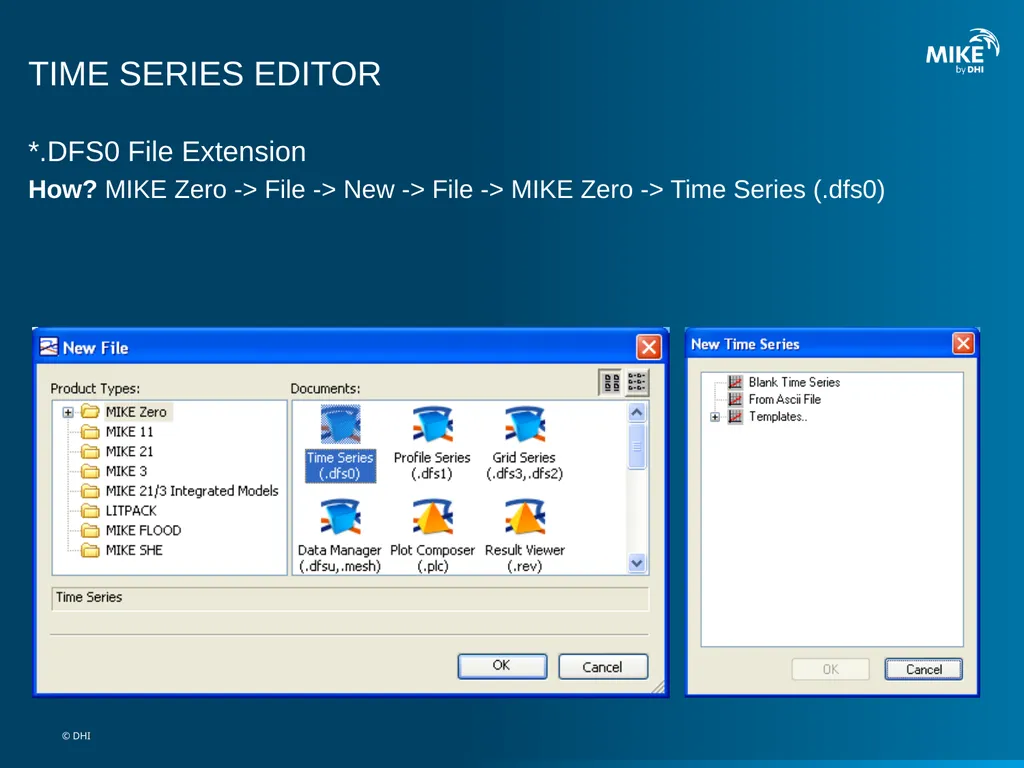
slide3. TIME SERIES EDITOR *.DFS0 File Extension
How? MIKE Zero -> File -> New -> File -> MIKE Zero -> Time Series (.dfs0) © DHI<br>
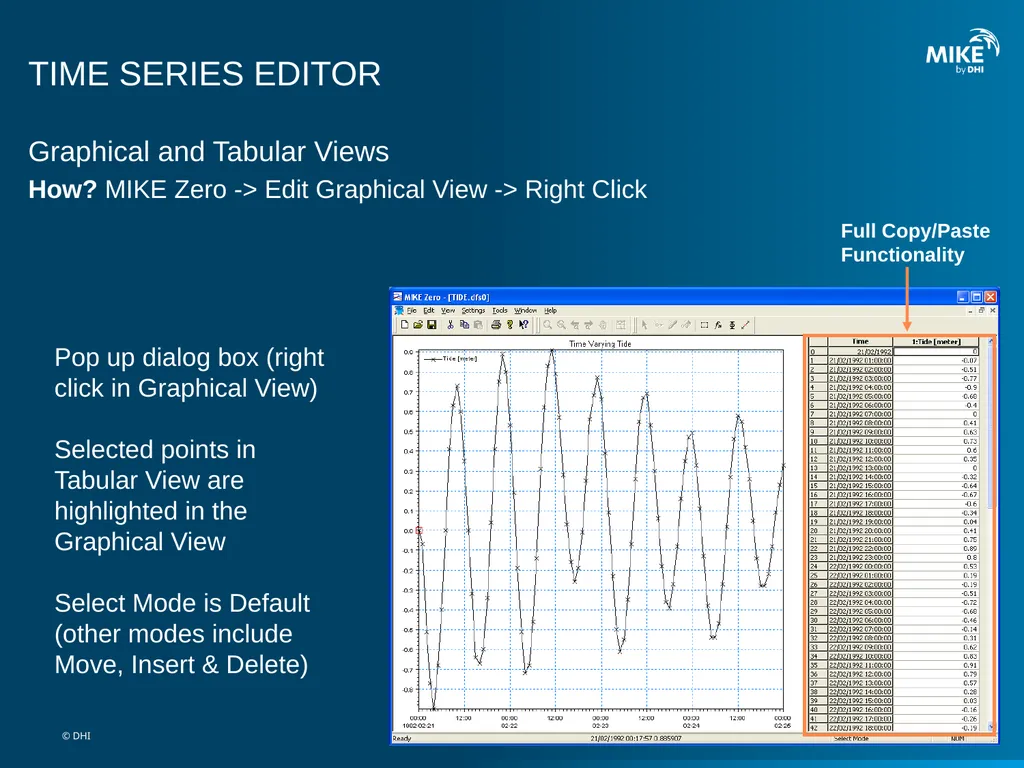
slide4. Pop up dialog box (right click in Graphical View)Selected points in Tabular View are highlighted in the Graphical View
Select Mode is Default (other modes include Move, Insert & Delete) Full Copy/PasteFunctionality TIME SERIES EDITOR Graphical and Tabular Views
How? MIKE Zero -> Edit Graphical View -> Right Click © DHI<br>
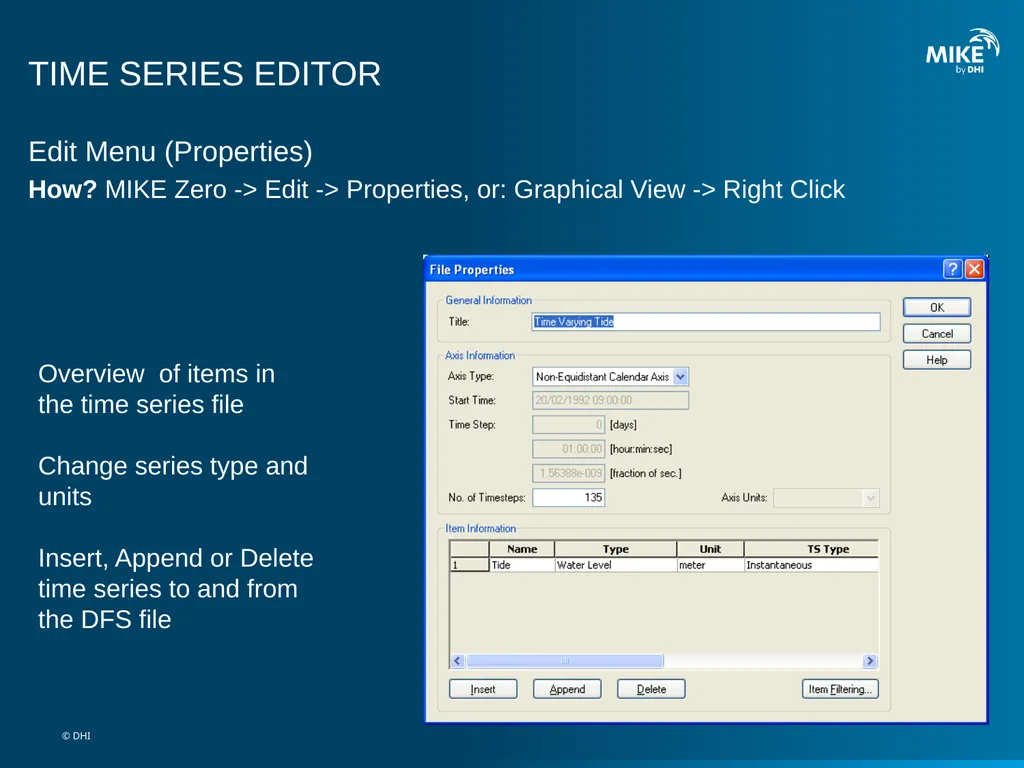
slide5. Overview of items in the time series file
Change series type and unitsInsert, Append or Delete time series to and from the DFS file TIME SERIES EDITOR Edit Menu (Properties)
How? MIKE Zero -> Edit -> Properties, or: Graphical View -> Right Click © DHI<br>
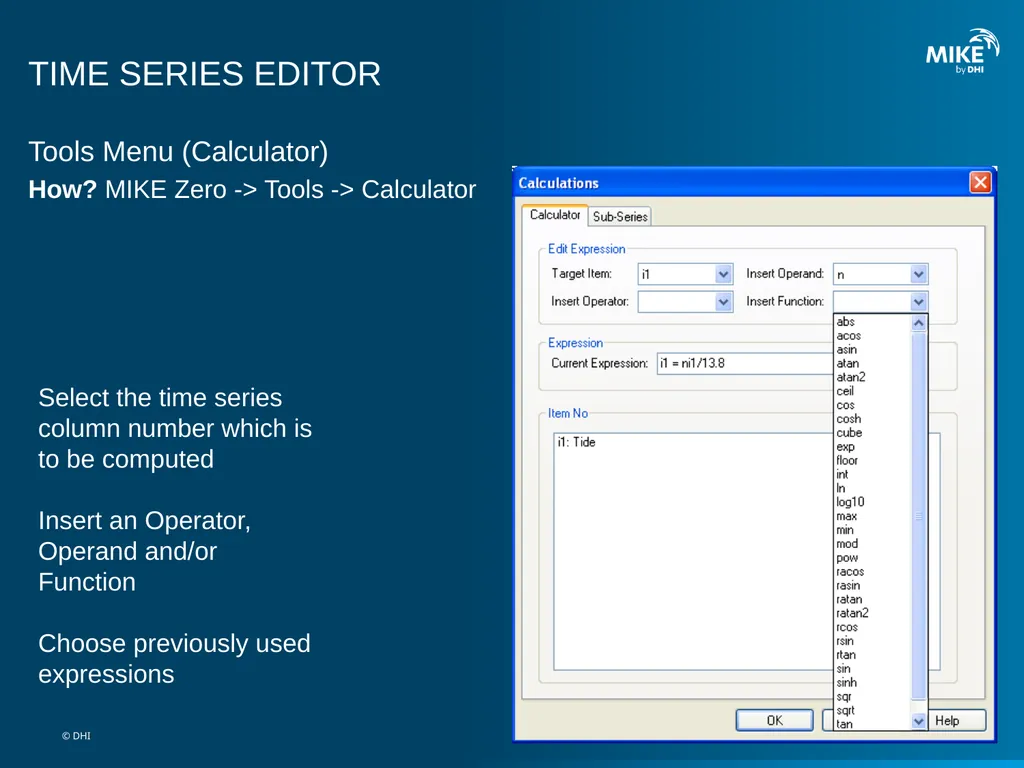
slide6. Select the time series column number which is to be computed
Insert an Operator, Operand and/or FunctionChoose previously used expressions TIME SERIES EDITOR Tools Menu (Calculator)
How? MIKE Zero -> Tools -> Calculator © DHI<br>
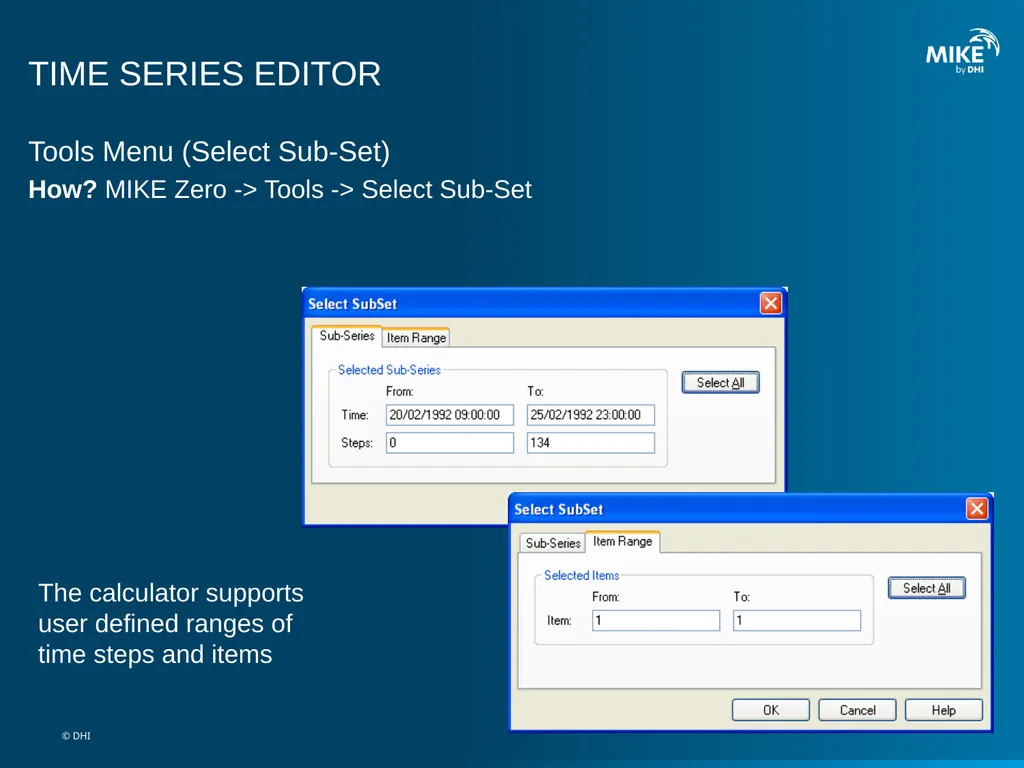
slide7. TIME SERIES EDITOR Tools Menu (Select Sub-Set)
How? MIKE Zero -> Tools -> Select Sub-Set The calculator supports user defined ranges of time steps and items © DHI<br>
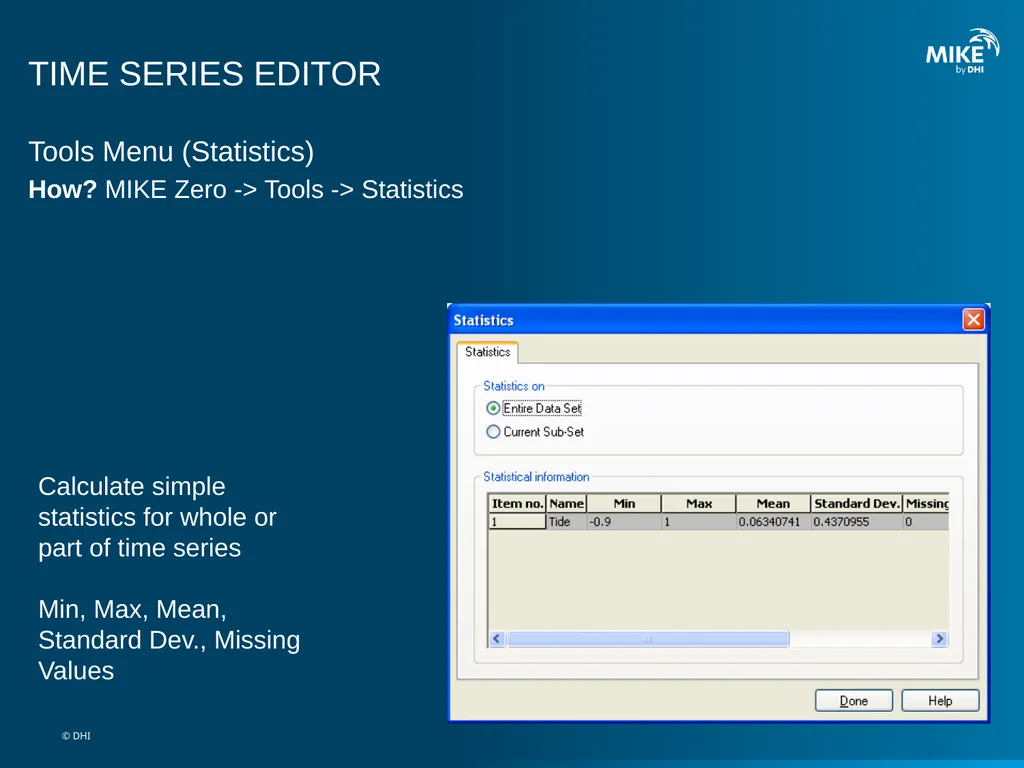
slide8. TIME SERIES EDITOR Tools Menu (Statistics)
How? MIKE Zero -> Tools -> Statistics Calculate simple statistics for whole or part of time seriesMin, Max, Mean, Standard Dev., Missing Values © DHI<br>
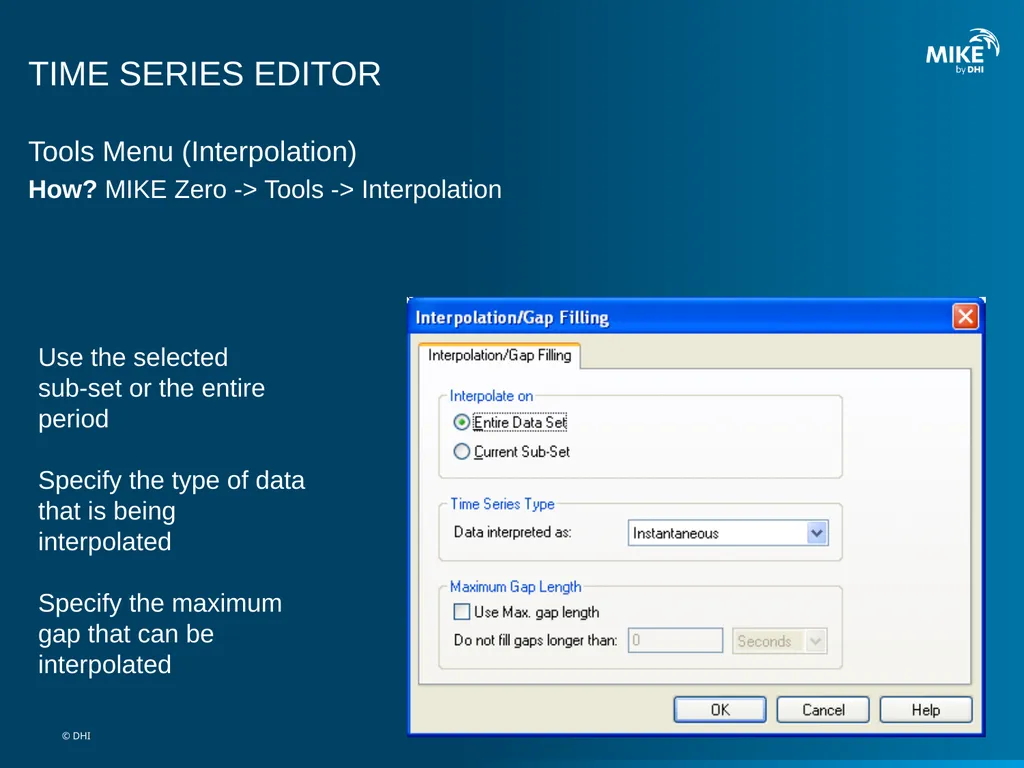
slide9. TIME SERIES EDITOR Tools Menu (Interpolation)
How? MIKE Zero -> Tools -> Interpolation Use the selectedsub-set or the entire periodSpecify the type of data that is being interpolated
Specify the maximum gap that can be interpolated © DHI<br>
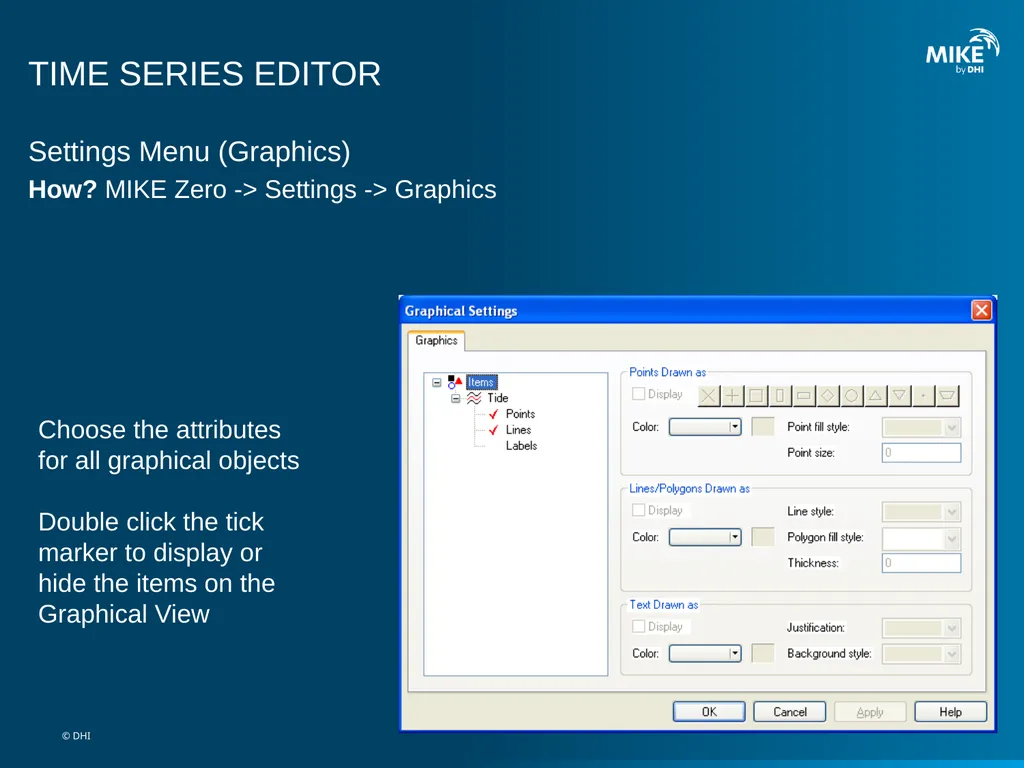
slide10. TIME SERIES EDITOR Settings Menu (Graphics)
How? MIKE Zero -> Settings -> Graphics Choose the attributes for all graphical objects
Double click the tick marker to display or hide the items on the Graphical View © DHI<br>
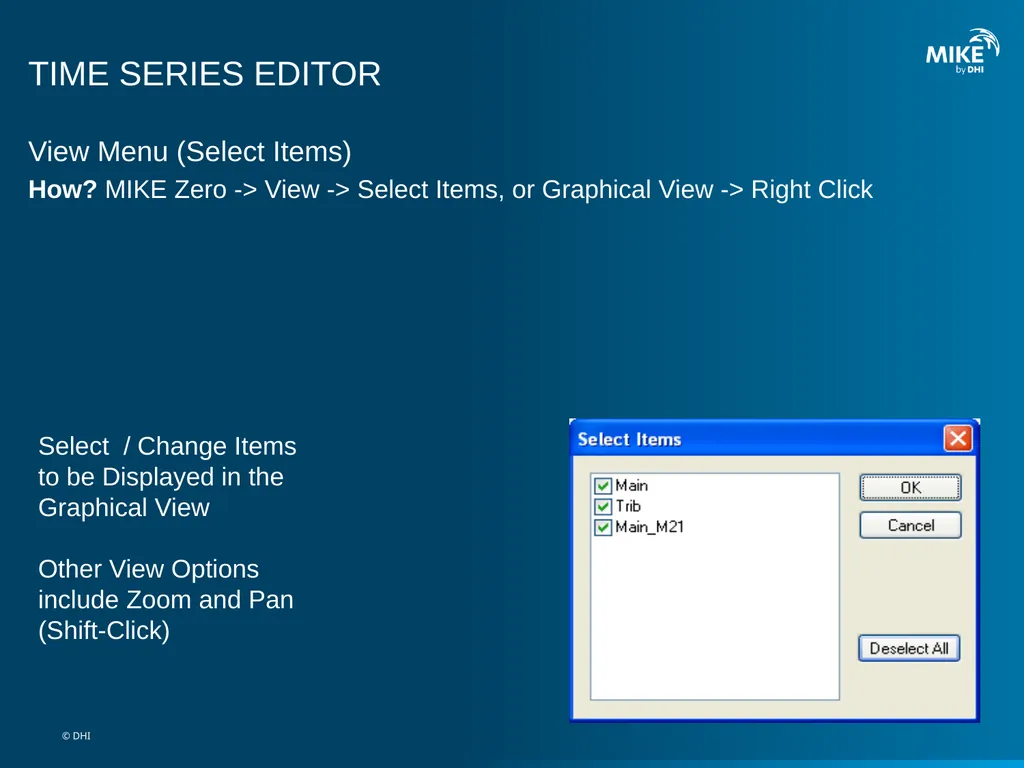
slide11. TIME SERIES EDITOR View Menu (Select Items)
How? MIKE Zero -> View -> Select Items, or Graphical View -> Right Click Select / Change Items to be Displayed in the Graphical View
Other View Options include Zoom and Pan (Shift-Click) © DHI<br>
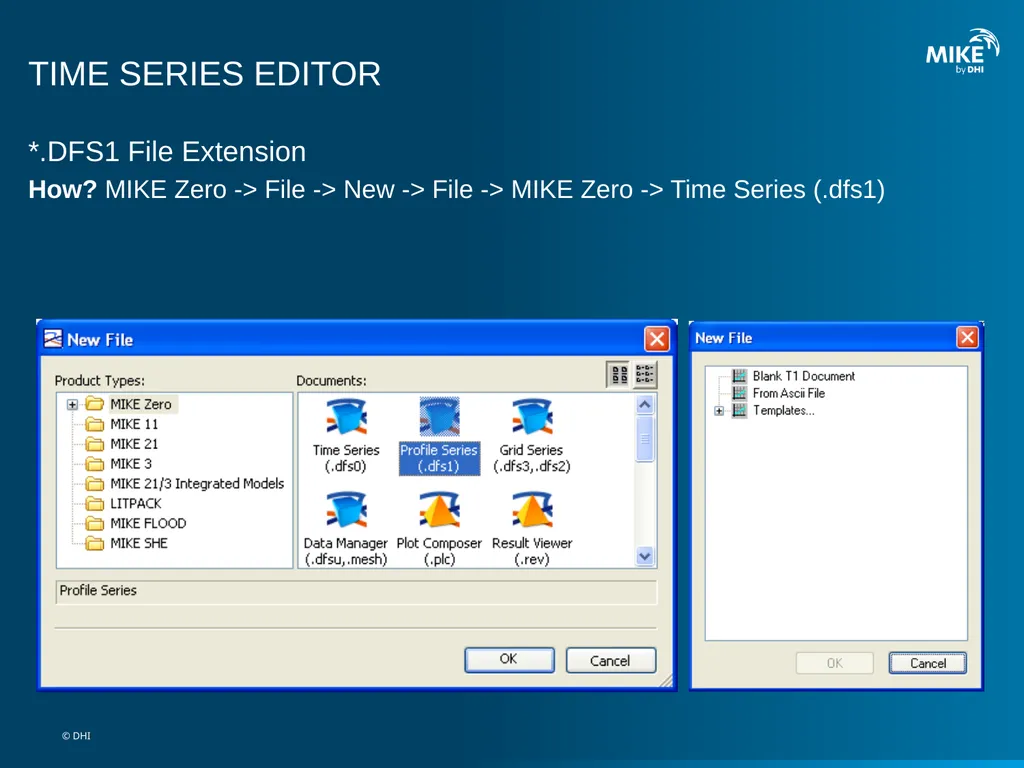
slide12. TIME SERIES EDITOR *.DFS1 File Extension
How? MIKE Zero -> File -> New -> File -> MIKE Zero -> Time Series (.dfs1) © DHI<br>
slide2. TIME SERIES EDITOR Editor and Database of Time Series Data © DHI<br>
slide3. TIME SERIES EDITOR *.DFS0 File Extension
How? MIKE Zero -> File -> New -> File -> MIKE Zero -> Time Series (.dfs0) © DHI<br>
slide4. Pop up dialog box (right click in Graphical View)Selected points in Tabular View are highlighted in the Graphical View
Select Mode is Default (other modes include Move, Insert & Delete) Full Copy/PasteFunctionality TIME SERIES EDITOR Graphical and Tabular Views
How? MIKE Zero -> Edit Graphical View -> Right Click © DHI<br>
slide5. Overview of items in the time series file
Change series type and unitsInsert, Append or Delete time series to and from the DFS file TIME SERIES EDITOR Edit Menu (Properties)
How? MIKE Zero -> Edit -> Properties, or: Graphical View -> Right Click © DHI<br>
slide6. Select the time series column number which is to be computed
Insert an Operator, Operand and/or FunctionChoose previously used expressions TIME SERIES EDITOR Tools Menu (Calculator)
How? MIKE Zero -> Tools -> Calculator © DHI<br>
slide7. TIME SERIES EDITOR Tools Menu (Select Sub-Set)
How? MIKE Zero -> Tools -> Select Sub-Set The calculator supports user defined ranges of time steps and items © DHI<br>
slide8. TIME SERIES EDITOR Tools Menu (Statistics)
How? MIKE Zero -> Tools -> Statistics Calculate simple statistics for whole or part of time seriesMin, Max, Mean, Standard Dev., Missing Values © DHI<br>
slide9. TIME SERIES EDITOR Tools Menu (Interpolation)
How? MIKE Zero -> Tools -> Interpolation Use the selectedsub-set or the entire periodSpecify the type of data that is being interpolated
Specify the maximum gap that can be interpolated © DHI<br>
slide10. TIME SERIES EDITOR Settings Menu (Graphics)
How? MIKE Zero -> Settings -> Graphics Choose the attributes for all graphical objects
Double click the tick marker to display or hide the items on the Graphical View © DHI<br>
slide11. TIME SERIES EDITOR View Menu (Select Items)
How? MIKE Zero -> View -> Select Items, or Graphical View -> Right Click Select / Change Items to be Displayed in the Graphical View
Other View Options include Zoom and Pan (Shift-Click) © DHI<br>
slide12. TIME SERIES EDITOR *.DFS1 File Extension
How? MIKE Zero -> File -> New -> File -> MIKE Zero -> Time Series (.dfs1) © DHI<br>