
Presentation on DECISION MAKING INTRODUCTION
SB
Published · 67 slides · 0 views
1 / 1
Description
Presentation on DECISION MAKING INTRODUCTION Decision making is a key managerial responsibility Decision making is a choice amongst alternatives Steps involved: Defining the problem Setting the objectives Collecting data Analyzing
Related Topics
Share
Embed code
Download this presentation From Below
"Presentation on DECISION MAKING INTRODUCTION" is the property of its rightful owner. Permission is granted to download and print the materials on this website for personal, non-commercial use only, and to display it on your personal computer provided you do not modify the materials and that you retain all copyright notices contained in the materials. By downloading content from our website, you accept the terms of this agreement.
Presentation Transcript
01
Presentation on DECISION MAKING<br>
02
INTRODUCTION Decision making is a key managerial responsibility
Decision making is a choice amongst alternatives
Steps involved:
Defining the problem
Setting the objectives
Collecting data
Analyzing data/Generating alternatives
Evaluate and select the best alternative<br>
Decision making is a choice amongst alternatives
Steps involved:
Defining the problem
Setting the objectives
Collecting data
Analyzing data/Generating alternatives
Evaluate and select the best alternative<br>
03
TYPES OF DECISIONS Based on Simon’s idea decisions can be:
Structured decisions which are for routine and typically repetitive problems for which standard solution method exists
Unstructured decisions which are for fuzzy, complex problems for which there are no cut-and-dried solution methods
Semi structured decisions which are for problems having some structured elements and some unstructured elements<br>
Structured decisions which are for routine and typically repetitive problems for which standard solution method exists
Unstructured decisions which are for fuzzy, complex problems for which there are no cut-and-dried solution methods
Semi structured decisions which are for problems having some structured elements and some unstructured elements<br>
04
DECISION TABLE Possible for only structured/programmed decisions
It is a non-graphical way of representing the steps involved in making a decision
It is usually easier to construct a decision tree first from the description of how a decision is made and then create the decision table
It consists of some conditions, rules and actions<br>
It is a non-graphical way of representing the steps involved in making a decision
It is usually easier to construct a decision tree first from the description of how a decision is made and then create the decision table
It consists of some conditions, rules and actions<br>
05
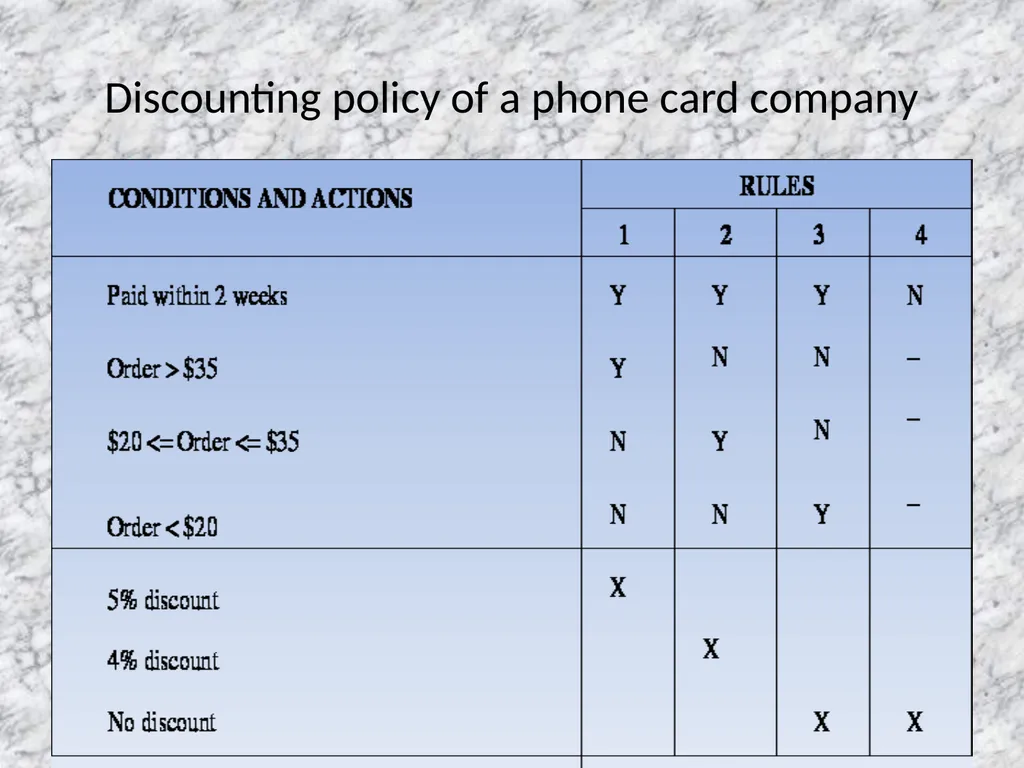
Conditions – these are created from each decision question. Only one possible answer from each question is selected for use in the table. Each answer corresponds to one of each pair of branches in the tree.
Actions – these are the final outcomes of the decision process and are the branch ends or outcomes of the decision tree
Rules – these give the combinations of conditions that lead to the final actions. Y (for Yes) and N (for No) characters in the table normally indicate which combinations of conditions are allowed<br>
Actions – these are the final outcomes of the decision process and are the branch ends or outcomes of the decision tree
Rules – these give the combinations of conditions that lead to the final actions. Y (for Yes) and N (for No) characters in the table normally indicate which combinations of conditions are allowed<br>
06
Discounting policy of a phone card company<br>
07
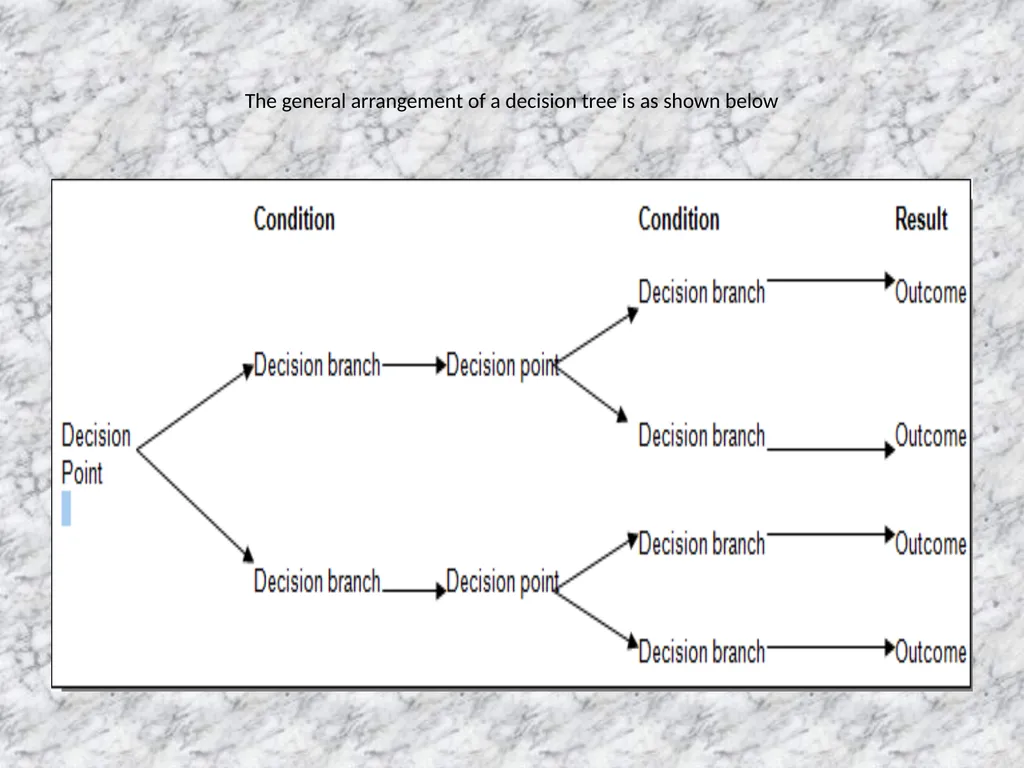
DECISION TREES A decision tree is a graphical way of representing the steps involved in making a decision.
A user can look at a decision tree that describes a decision process they use and identify any errors in the diagram.
Each horizontal ‘branch’ of the tree represents the result of a decision or a series of decisions.
The ‘roots’ where the branches join are the decision points – each point represents a separate decision, a question that much be answered.
Decision points typically have two or three branches.
At the ends of the branches are the outcomes of the decision process<br>
A user can look at a decision tree that describes a decision process they use and identify any errors in the diagram.
Each horizontal ‘branch’ of the tree represents the result of a decision or a series of decisions.
The ‘roots’ where the branches join are the decision points – each point represents a separate decision, a question that much be answered.
Decision points typically have two or three branches.
At the ends of the branches are the outcomes of the decision process<br>
08
The general arrangement of a decision tree is as shown below<br>
09
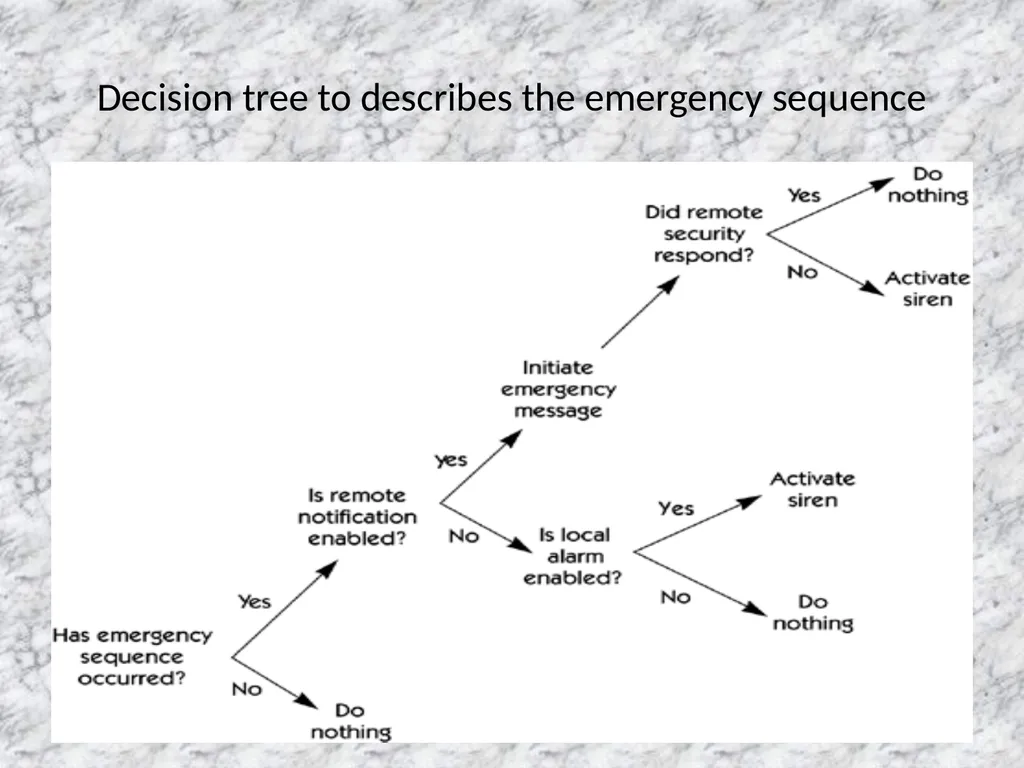
Decision tree to describes the emergency sequence<br>
10
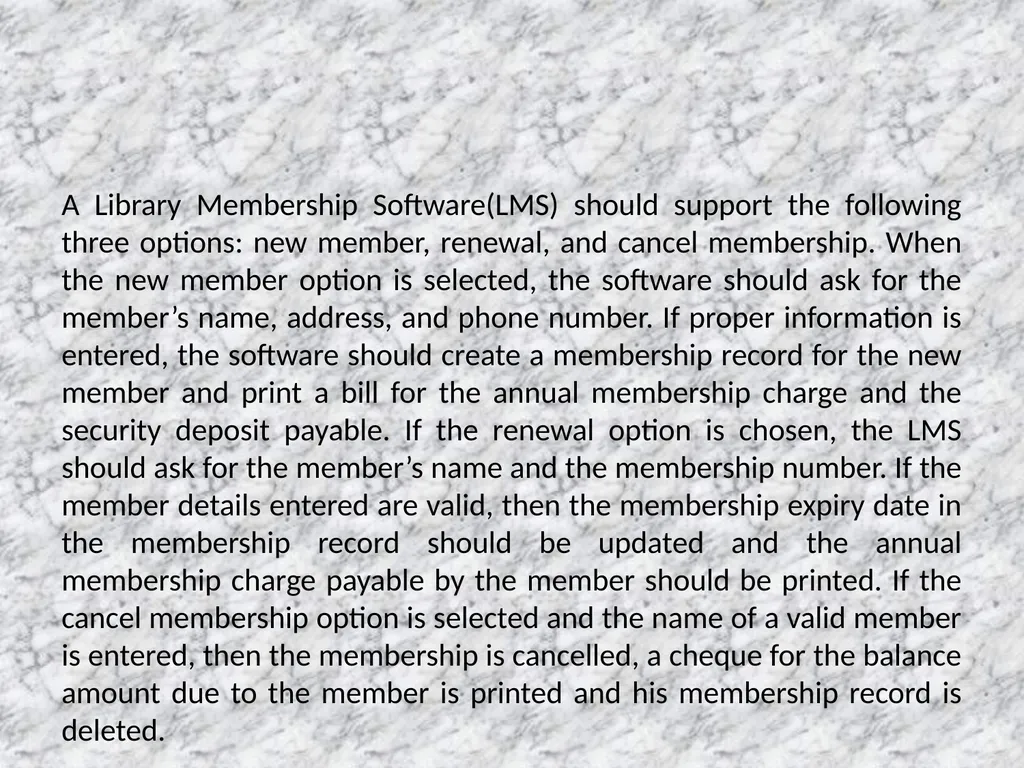
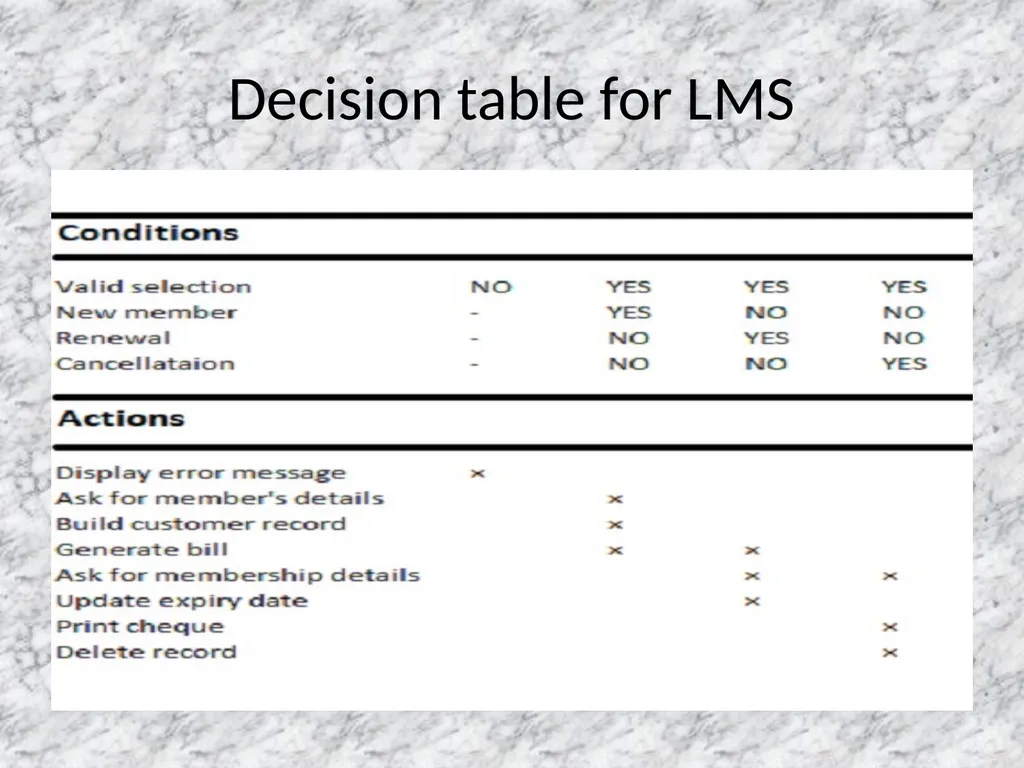
A Library Membership Software(LMS) should support the following three options: new member, renewal, and cancel membership. When the new member option is selected, the software should ask for the member’s name, address, and phone number. If proper information is entered, the software should create a membership record for the new member and print a bill for the annual membership charge and the security deposit payable. If the renewal option is chosen, the LMS should ask for the member’s name and the membership number. If the member details entered are valid, then the membership expiry date in the membership record should be updated and the annual membership charge payable by the member should be printed. If the cancel membership option is selected and the name of a valid member is entered, then the membership is cancelled, a cheque for the balance amount due to the member is printed and his membership record is deleted.<br>
11
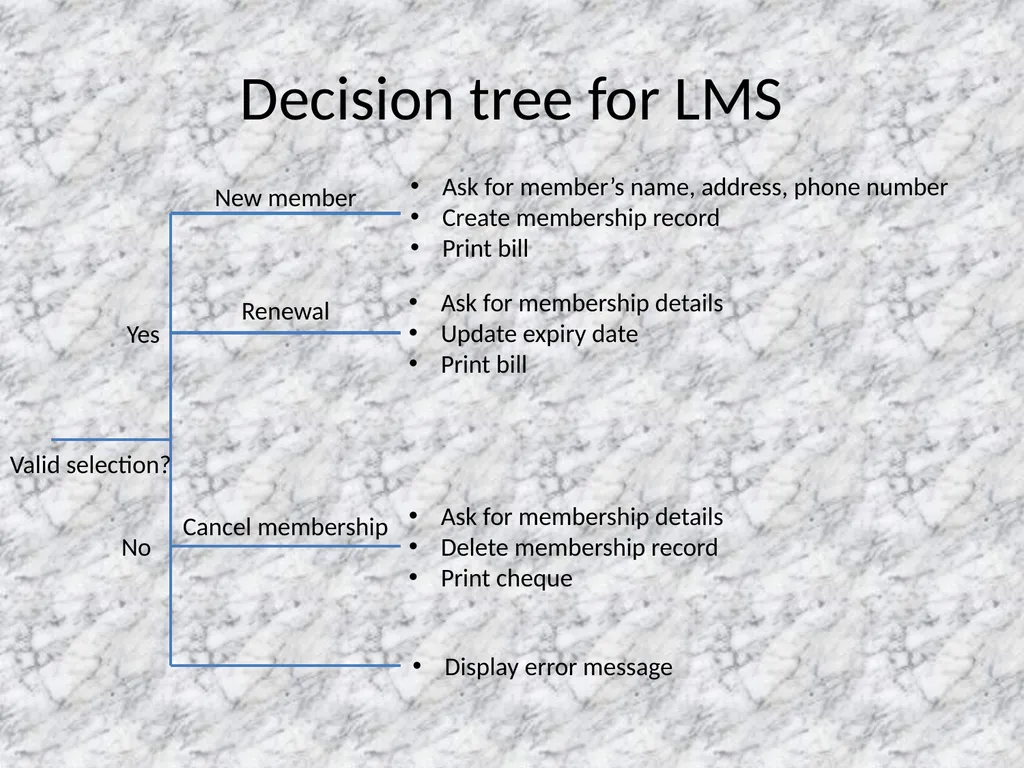
Decision tree for LMS Valid selection? Yes No New member Renewal Cancel membership Ask for member’s name, address, phone number
Create membership record
Print bill Display error message Ask for membership details
Update expiry date
Print bill Ask for membership details
Delete membership record
Print cheque<br>
Create membership record
Print bill Display error message Ask for membership details
Update expiry date
Print bill Ask for membership details
Delete membership record
Print cheque<br>
12
Decision table for LMS<br>
13
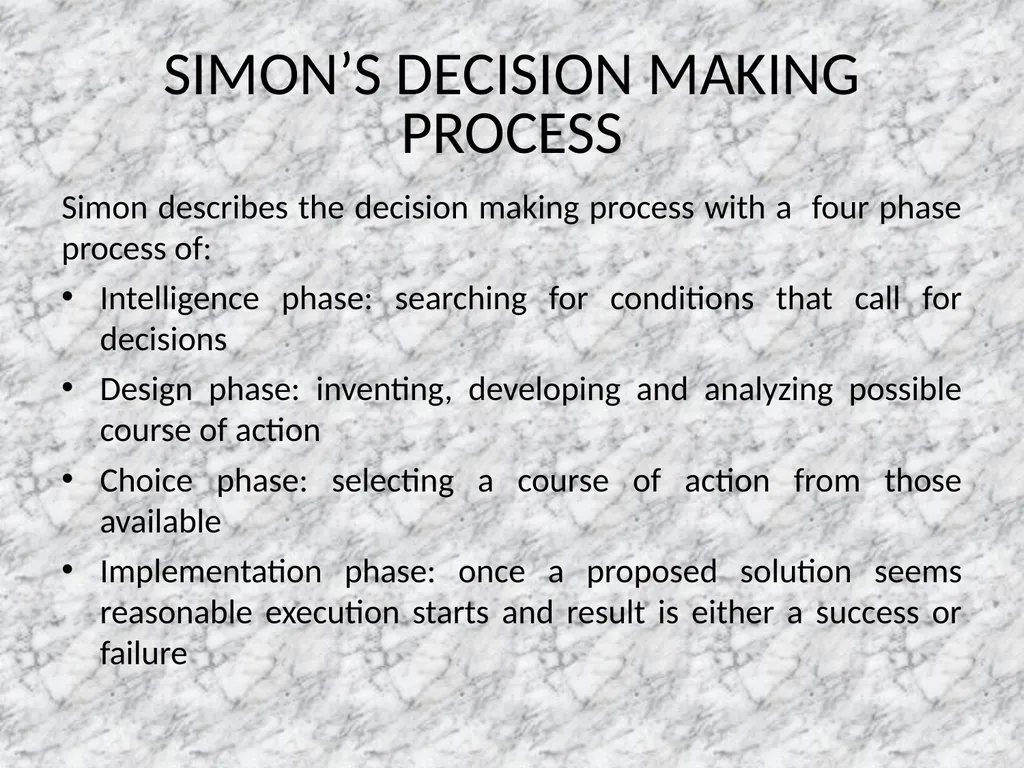
SIMON’S DECISION MAKING PROCESS Simon describes the decision making process with a four phase process of:
Intelligence phase: searching for conditions that call for decisions
Design phase: inventing, developing and analyzing possible course of action
Choice phase: selecting a course of action from those available
Implementation phase: once a proposed solution seems reasonable execution starts and result is either a success or failure<br>
Intelligence phase: searching for conditions that call for decisions
Design phase: inventing, developing and analyzing possible course of action
Choice phase: selecting a course of action from those available
Implementation phase: once a proposed solution seems reasonable execution starts and result is either a success or failure<br>
14
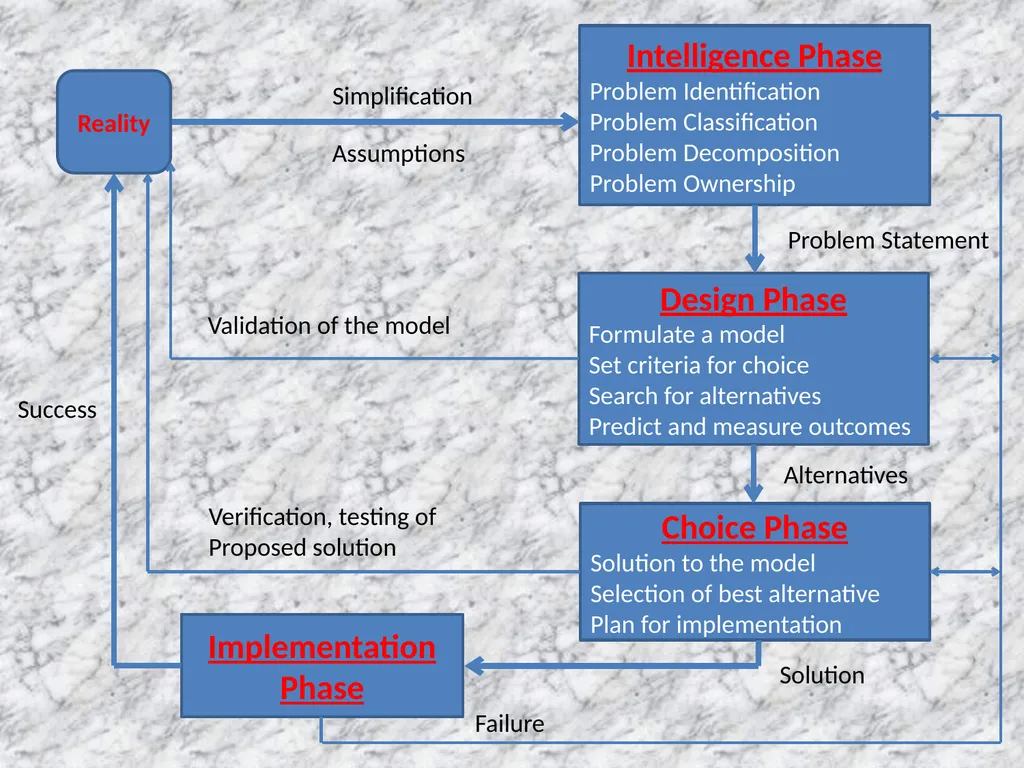
Intelligence Phase
Problem Identification
Problem Classification
Problem Decomposition
Problem Ownership Design Phase
Formulate a model
Set criteria for choice
Search for alternatives
Predict and measure outcomes Choice Phase
Solution to the model
Selection of best alternative
Plan for implementation Implementation Phase Failure Problem Statement Alternatives Solution Reality Success Validation of the model Verification, testing of
Proposed solution Simplification Assumptions<br>
Problem Identification
Problem Classification
Problem Decomposition
Problem Ownership Design Phase
Formulate a model
Set criteria for choice
Search for alternatives
Predict and measure outcomes Choice Phase
Solution to the model
Selection of best alternative
Plan for implementation Implementation Phase Failure Problem Statement Alternatives Solution Reality Success Validation of the model Verification, testing of
Proposed solution Simplification Assumptions<br>
15
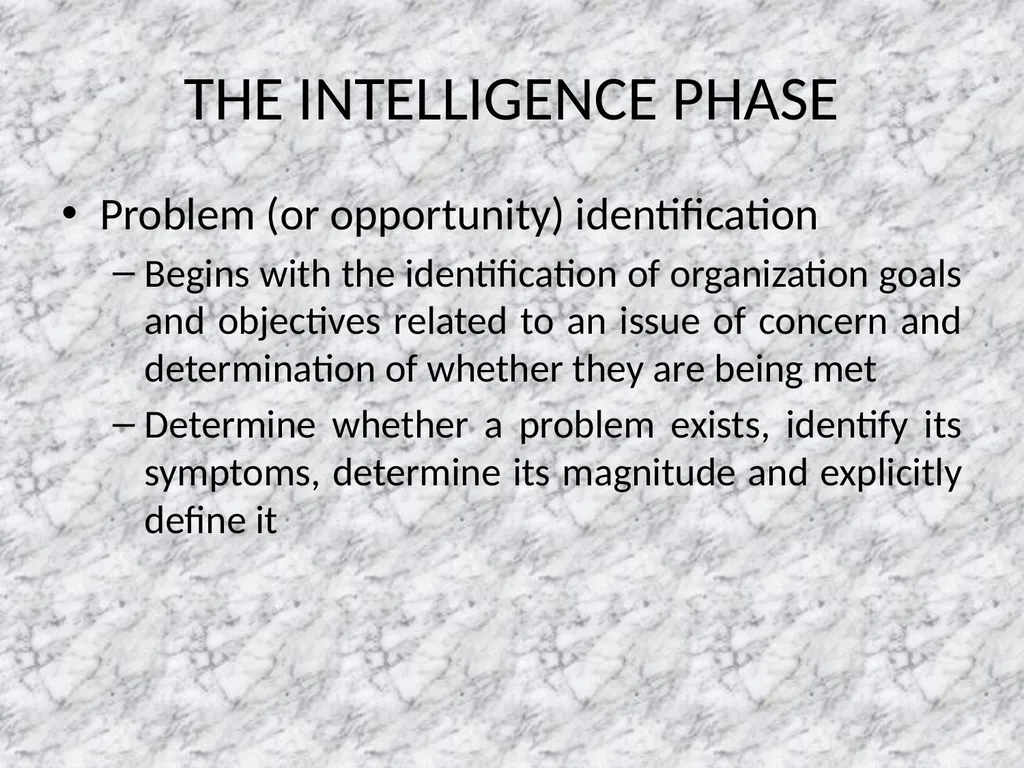
THE INTELLIGENCE PHASE Problem (or opportunity) identification
Begins with the identification of organization goals and objectives related to an issue of concern and determination of whether they are being met
Determine whether a problem exists, identify its symptoms, determine its magnitude and explicitly define it<br>
Begins with the identification of organization goals and objectives related to an issue of concern and determination of whether they are being met
Determine whether a problem exists, identify its symptoms, determine its magnitude and explicitly define it<br>
16
Problem classification
It is the conceptualization of a problem in an attempt to place it in a definable category
It helps in leading to a standard solution approach
Ex.
Classifying according to the degree of structuredness evident in the problem<br>
It is the conceptualization of a problem in an attempt to place it in a definable category
It helps in leading to a standard solution approach
Ex.
Classifying according to the degree of structuredness evident in the problem<br>
17
Problem decomposition
Many complex problems can be divided into sub-problems
Solving these simpler sub-problems helps in solving the complex problem
Problem ownership
It is important to understand whether the problem is a controllable or uncontrollable factor and if organization has the ability to solve it<br>
Many complex problems can be divided into sub-problems
Solving these simpler sub-problems helps in solving the complex problem
Problem ownership
It is important to understand whether the problem is a controllable or uncontrollable factor and if organization has the ability to solve it<br>
18
THE DESIGN PHASE The design phase involves finding and analyzing possible course of action
These include understanding the problem and testing solutions for feasibility
A model of the decision making problem is constructed, tested and validated<br>
These include understanding the problem and testing solutions for feasibility
A model of the decision making problem is constructed, tested and validated<br>
19
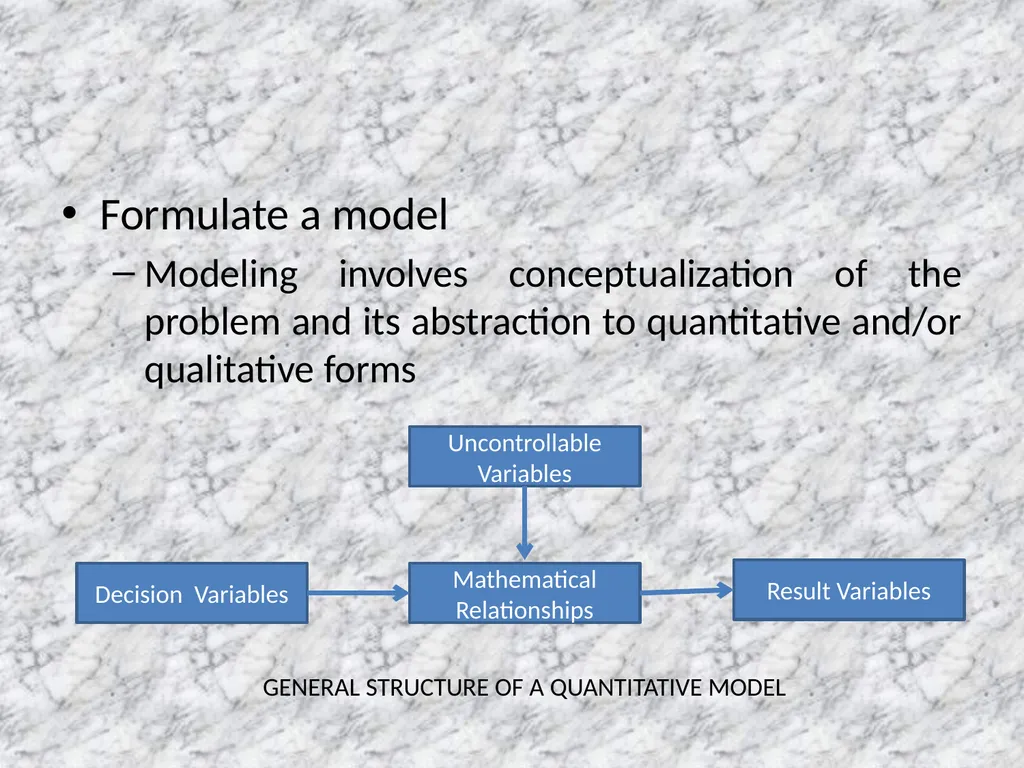
Formulate a model
Modeling involves conceptualization of the problem and its abstraction to quantitative and/or qualitative forms Uncontrollable Variables Decision Variables Mathematical Relationships Result Variables GENERAL STRUCTURE OF A QUANTITATIVE MODEL<br>
Modeling involves conceptualization of the problem and its abstraction to quantitative and/or qualitative forms Uncontrollable Variables Decision Variables Mathematical Relationships Result Variables GENERAL STRUCTURE OF A QUANTITATIVE MODEL<br>
20
Set criteria for choice
Selection of a principle of choice describes the acceptability of a solution approach
Search for alternatives
Generating alternatives is a lengthy process that involves searching and creativity
It takes time and costs money
It is important to decide when to stop generating alternatives<br>
Selection of a principle of choice describes the acceptability of a solution approach
Search for alternatives
Generating alternatives is a lengthy process that involves searching and creativity
It takes time and costs money
It is important to decide when to stop generating alternatives<br>
21
Predict and measure outcomes
To evaluate and compare alternatives, it is necessary to predict the future outcome f each proposed alternative
It is done under three broad categories:
Decision making under certainty
Decision making under risk
Decision making under uncertainty<br>
To evaluate and compare alternatives, it is necessary to predict the future outcome f each proposed alternative
It is done under three broad categories:
Decision making under certainty
Decision making under risk
Decision making under uncertainty<br>
22
THE CHOICE PHASE The choice phase is the one in which the actual decision is made, i.e., the commitment to follow a certain course of action is made. The boundary between the design and choice phase is unclear as one can jump frequently between this two phases. It includes,
Solution to the model
Selection of best alternative(s)
Plan for implementation<br>
Solution to the model
Selection of best alternative(s)
Plan for implementation<br>
23
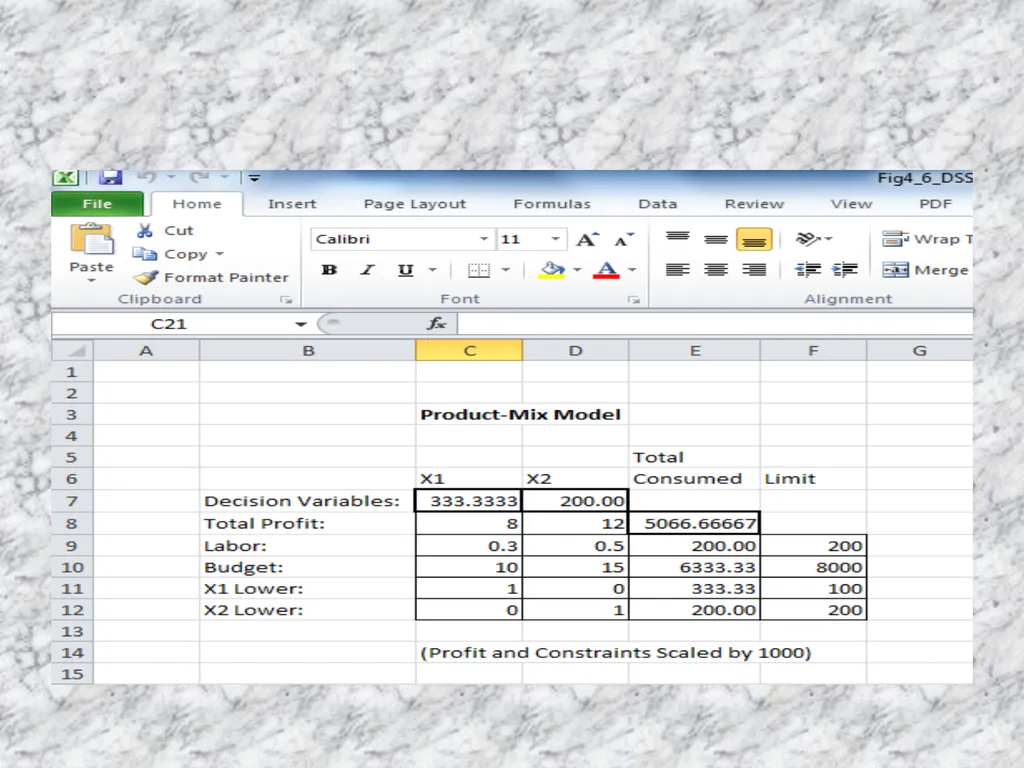
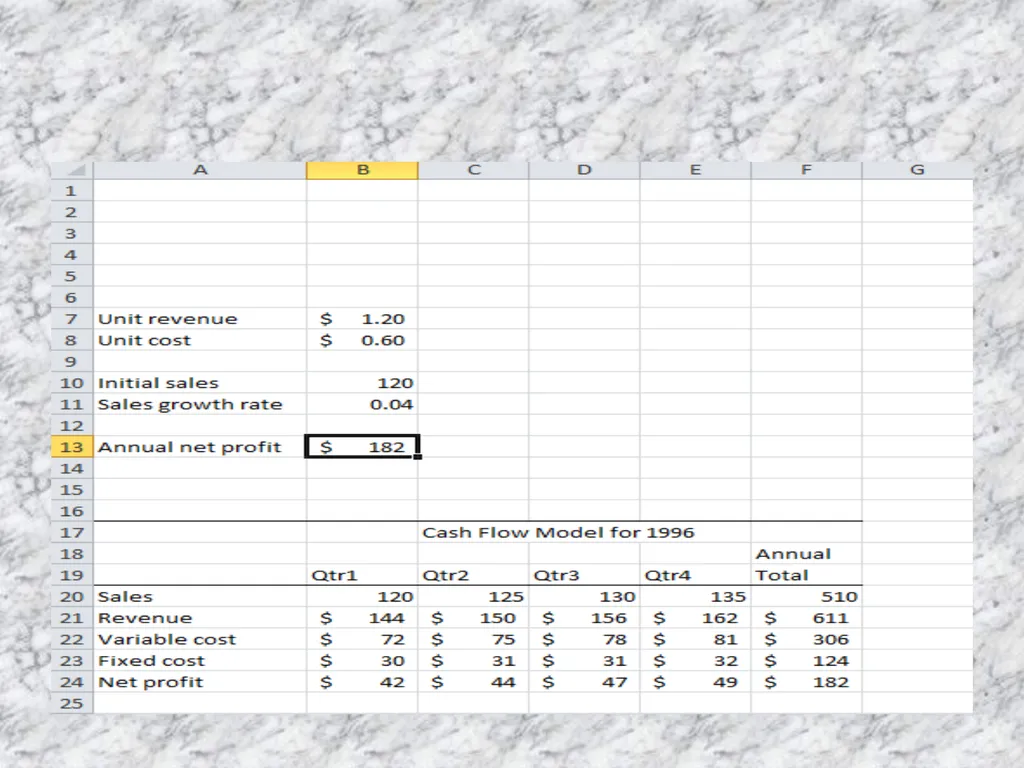
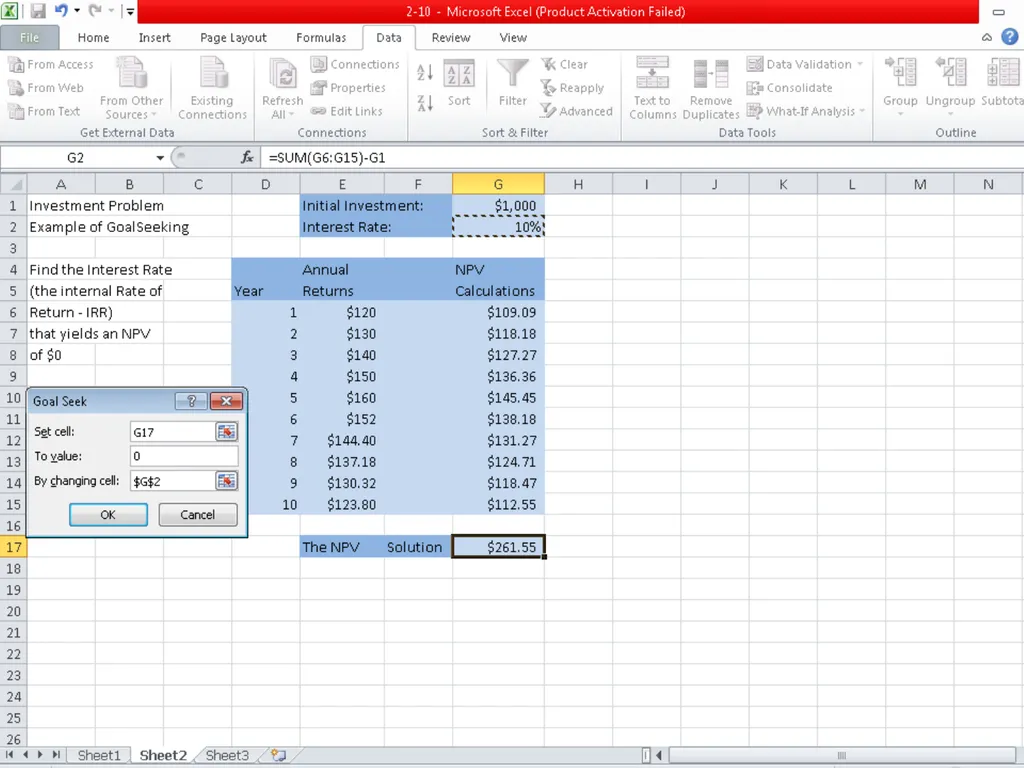
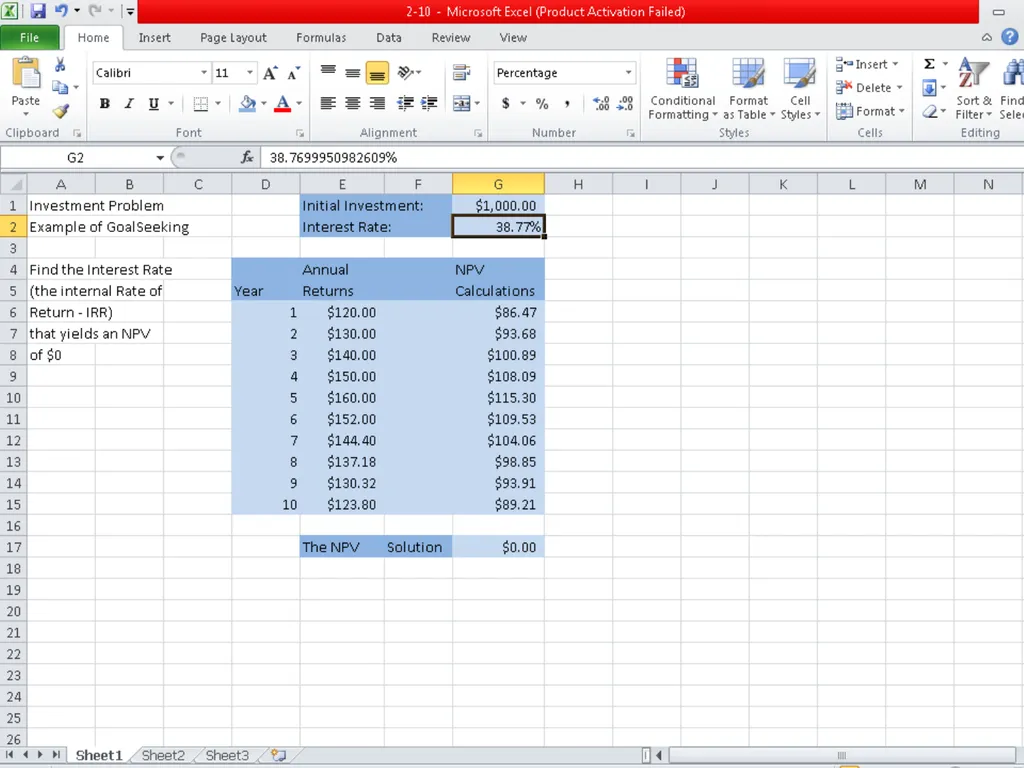
GOAL SEEKING ANALYSIS<br>
24
THE IMPLEMENTATION PHASE The implementation phase is the final stage of the decision making process
It is concerned with implementing and monitoring
The role of the system is feedback and assessment<br>
It is concerned with implementing and monitoring
The role of the system is feedback and assessment<br>
25
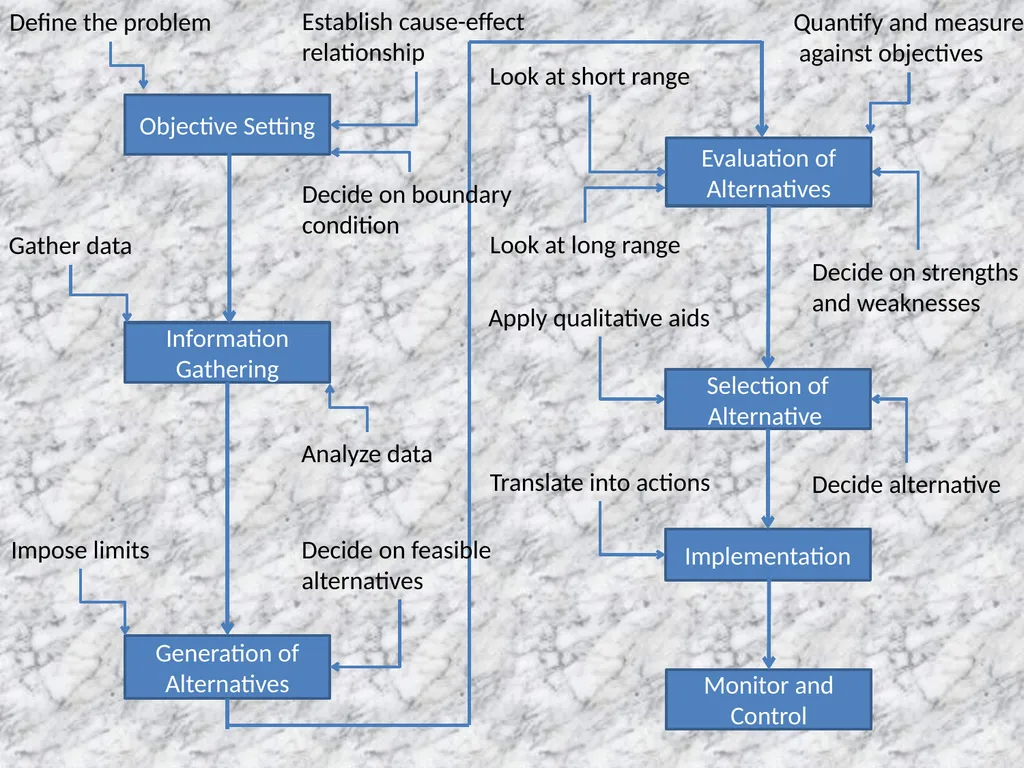
Objective Setting Information Gathering Generation of Alternatives Evaluation of Alternatives Selection of Alternative Implementation Monitor and Control Define the problem Establish cause-effect
relationship Impose limits Look at short range Look at long range Apply qualitative aids Translate into actions Analyze data Decide on boundary
condition Gather data Decide on feasible
alternatives Quantify and measure
against objectives Decide on strengths
and weaknesses Decide alternative<br>
relationship Impose limits Look at short range Look at long range Apply qualitative aids Translate into actions Analyze data Decide on boundary
condition Gather data Decide on feasible
alternatives Quantify and measure
against objectives Decide on strengths
and weaknesses Decide alternative<br>
26
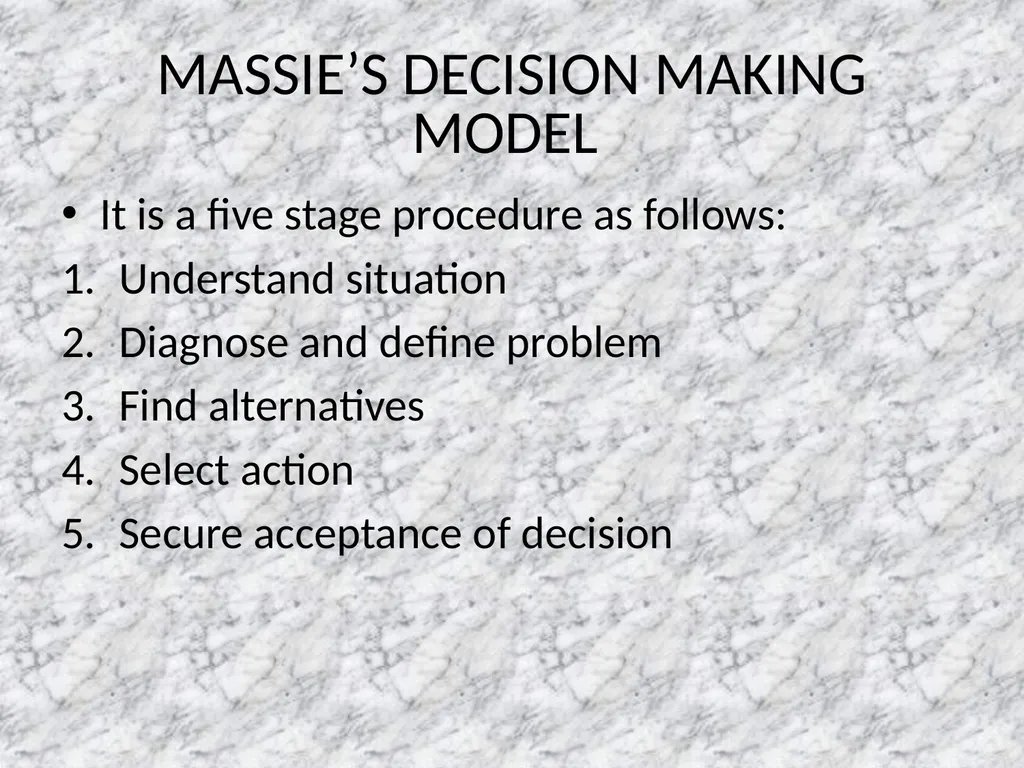
MASSIE’S DECISION MAKING MODEL It is a five stage procedure as follows:
Understand situation
Diagnose and define problem
Find alternatives
Select action
Secure acceptance of decision<br>
Understand situation
Diagnose and define problem
Find alternatives
Select action
Secure acceptance of decision<br>
27
DSS DSS is a computer based support system for processing data to aid the management in decision making.<br>
28
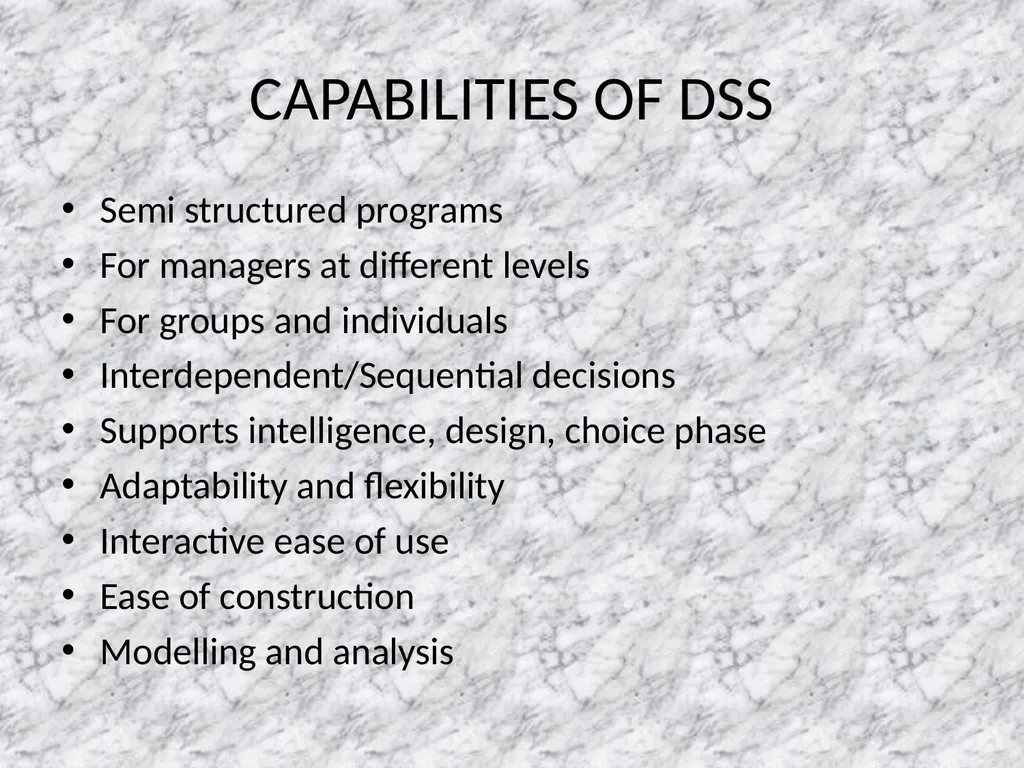
CAPABILITIES OF DSS Semi structured programs
For managers at different levels
For groups and individuals
Interdependent/Sequential decisions
Supports intelligence, design, choice phase
Adaptability and flexibility
Interactive ease of use
Ease of construction
Modelling and analysis<br>
For managers at different levels
For groups and individuals
Interdependent/Sequential decisions
Supports intelligence, design, choice phase
Adaptability and flexibility
Interactive ease of use
Ease of construction
Modelling and analysis<br>
29
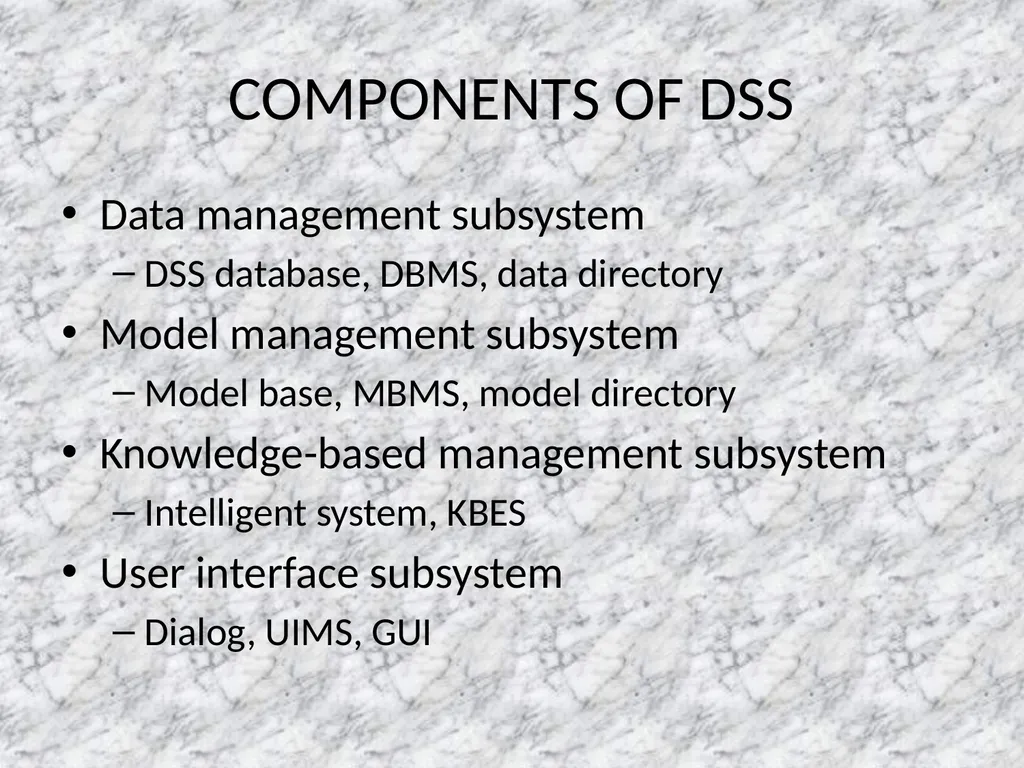
COMPONENTS OF DSS Data management subsystem
DSS database, DBMS, data directory
Model management subsystem
Model base, MBMS, model directory
Knowledge-based management subsystem
Intelligent system, KBES
User interface subsystem
Dialog, UIMS, GUI<br>
DSS database, DBMS, data directory
Model management subsystem
Model base, MBMS, model directory
Knowledge-based management subsystem
Intelligent system, KBES
User interface subsystem
Dialog, UIMS, GUI<br>
30
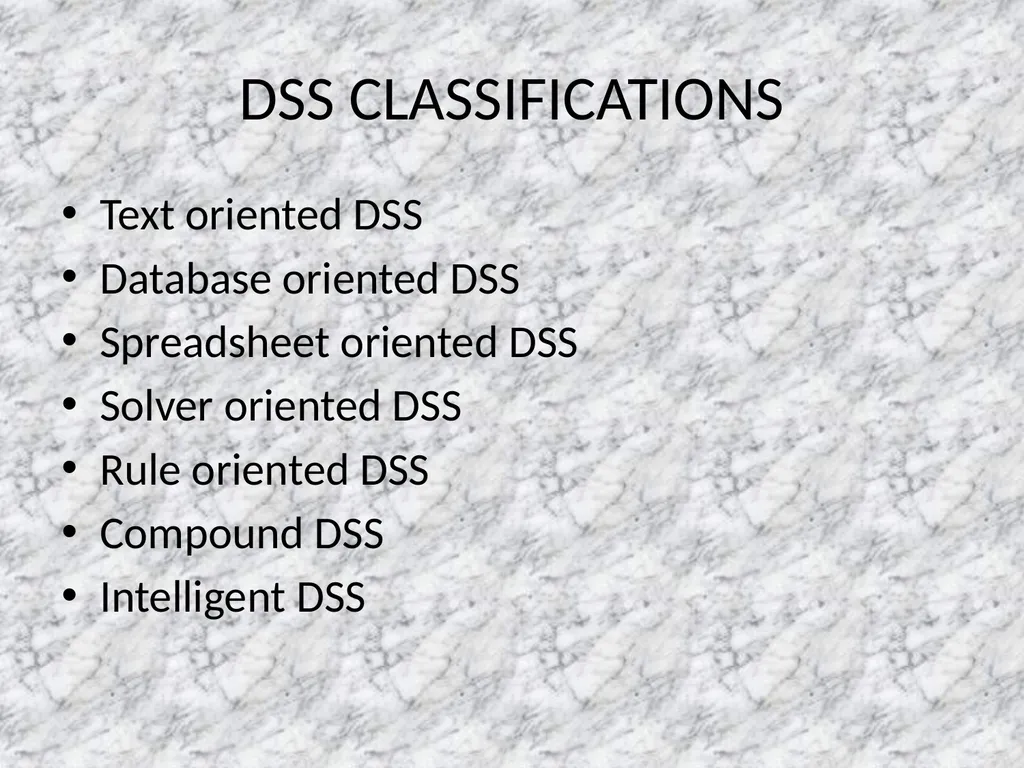
DSS CLASSIFICATIONS Text oriented DSS
Database oriented DSS
Spreadsheet oriented DSS
Solver oriented DSS
Rule oriented DSS
Compound DSS
Intelligent DSS<br>
Database oriented DSS
Spreadsheet oriented DSS
Solver oriented DSS
Rule oriented DSS
Compound DSS
Intelligent DSS<br>
31
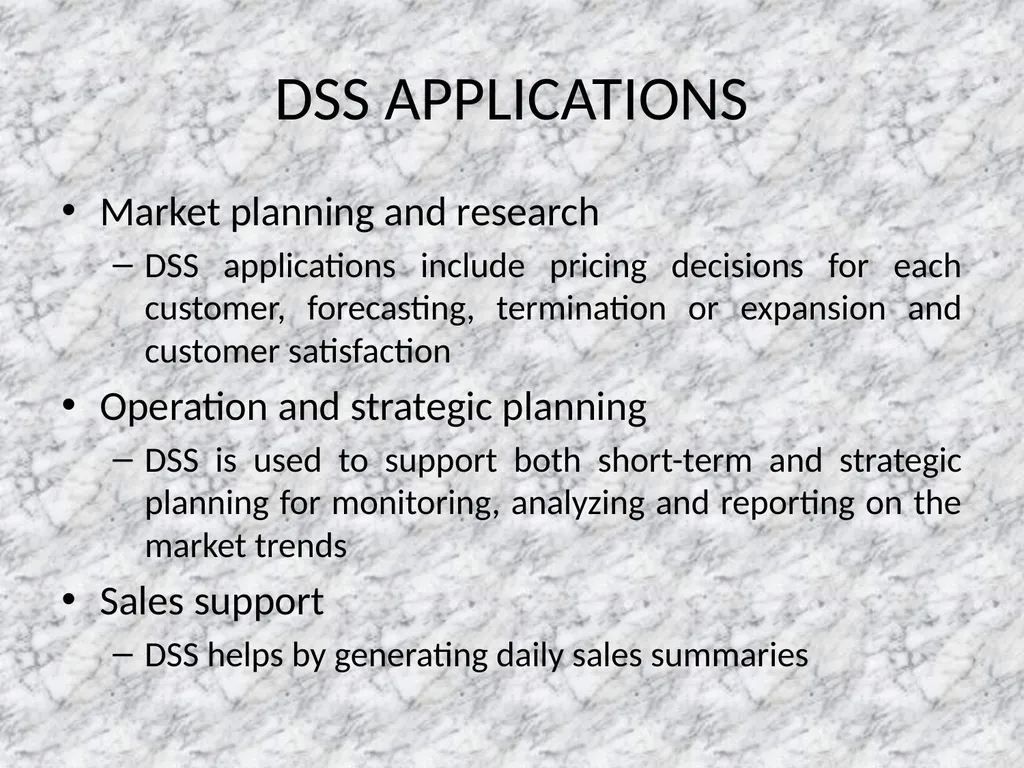
DSS APPLICATIONS Market planning and research
DSS applications include pricing decisions for each customer, forecasting, termination or expansion and customer satisfaction
Operation and strategic planning
DSS is used to support both short-term and strategic planning for monitoring, analyzing and reporting on the market trends
Sales support
DSS helps by generating daily sales summaries<br>
DSS applications include pricing decisions for each customer, forecasting, termination or expansion and customer satisfaction
Operation and strategic planning
DSS is used to support both short-term and strategic planning for monitoring, analyzing and reporting on the market trends
Sales support
DSS helps by generating daily sales summaries<br>
32
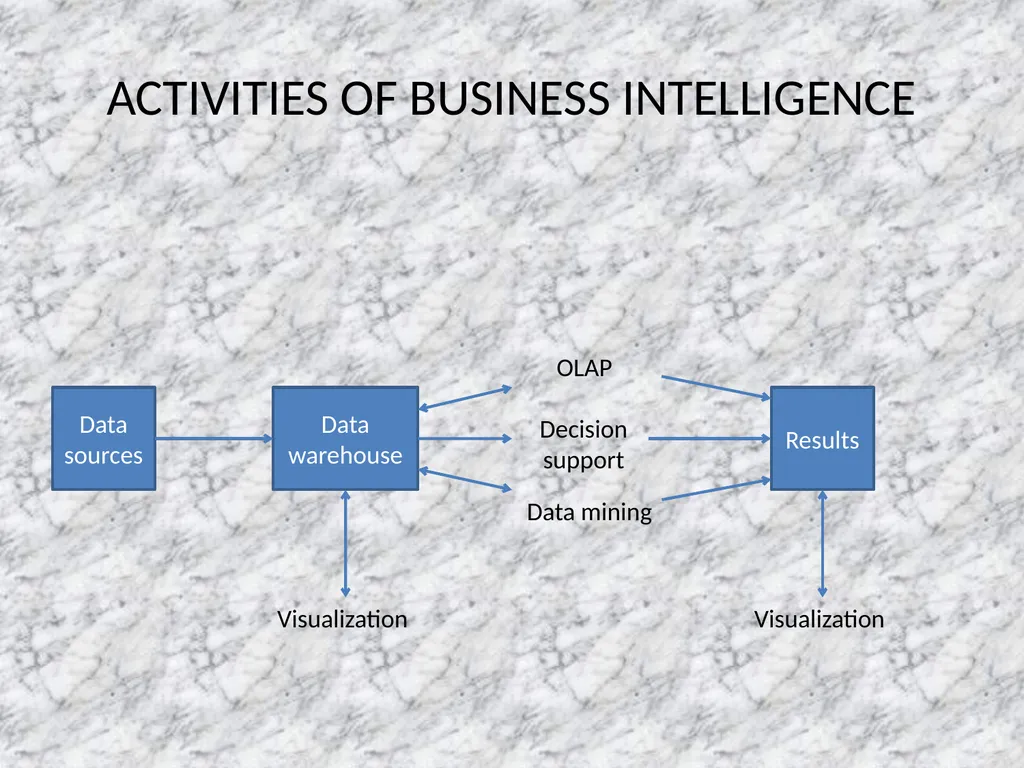
ACTIVITIES OF BUSINESS INTELLIGENCE Data sources Data warehouse Results Visualization OLAP Decision
support Data mining Visualization<br>
support Data mining Visualization<br>
33
CHARACTERISTICS OF GROUP WORK A group performs a task, sometimes decision making, sometimes not
Group members may be located in different places
Group members may work at different times
Group members may work for the same or for different organizations
The group can be permanent or temporary
The group can be at any managerial level or span levels<br>
Group members may be located in different places
Group members may work at different times
Group members may work for the same or for different organizations
The group can be permanent or temporary
The group can be at any managerial level or span levels<br>
34
There can be synergy or conflict in group work
There can be gains/losses in productivity from group work
The task might have to be accomplished very quickly
It may be impossible for all members to meet in one place
Some of the data needed may be located in sources external to the organization
The expertise of non-team members may be needed<br>
There can be gains/losses in productivity from group work
The task might have to be accomplished very quickly
It may be impossible for all members to meet in one place
Some of the data needed may be located in sources external to the organization
The expertise of non-team members may be needed<br>
35
COMMUNICATION SUPPORT Communication is a vital element for decision support
Without communication there is no collaboration
Groups of decision makers must communicate, collaborate and negotiate in their work
Effective e-commerce is possible only via modern communication technologies
Modern information technologies provide inexpensive, fast, capable and reliable means of supporting communication
Collaborative technologies like EMS(electronic meeting systems) and electronic conferencing systems and services helps in connecting decision makers<br>
Without communication there is no collaboration
Groups of decision makers must communicate, collaborate and negotiate in their work
Effective e-commerce is possible only via modern communication technologies
Modern information technologies provide inexpensive, fast, capable and reliable means of supporting communication
Collaborative technologies like EMS(electronic meeting systems) and electronic conferencing systems and services helps in connecting decision makers<br>
36
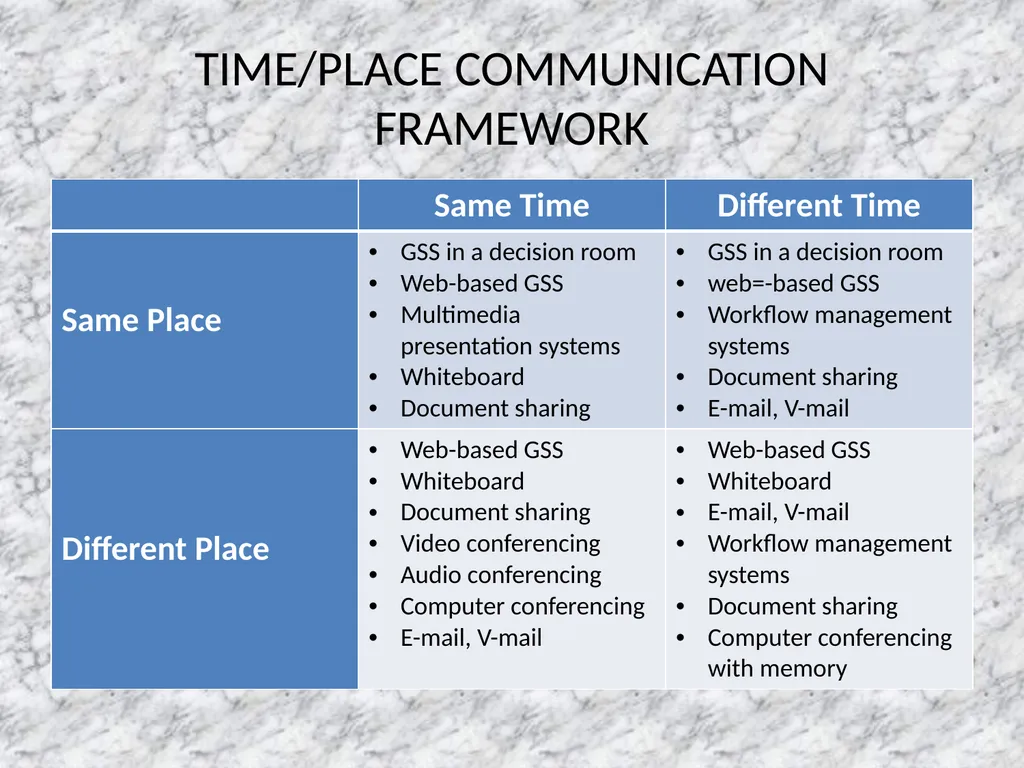
TIME/PLACE COMMUNICATION FRAMEWORK<br>
37
KNOWLEDGE MANAGEMENT It is a process that helps organizations identify, select, organize, disseminate and transfer important information and expertise that are part of the organizational memory that typically resides within the organization in an unstructured manner
This enables effective and efficient problem solving, dynamic learning, strategic planning and decision making
It thus focuses on identifying knowledge, explicating it in a way so that it can be shared in a formal manner and thus reusing it<br>
This enables effective and efficient problem solving, dynamic learning, strategic planning and decision making
It thus focuses on identifying knowledge, explicating it in a way so that it can be shared in a formal manner and thus reusing it<br>
38
IMPORTANCE OF MANAGING KNOWLEDGE Intellectual capital is a firm’s only appreciable asset. Most assets depreciate with time.
Knowledge work is increasing
Employees with the most intellectual capital have become volunteers
Many managers ignore intellectual capital and lose out on the benefits of its capture and use
Employees with the most intellectual capital are often the least appreciated
Many current investment in intellectual capital are misfocussed<br>
Knowledge work is increasing
Employees with the most intellectual capital have become volunteers
Many managers ignore intellectual capital and lose out on the benefits of its capture and use
Employees with the most intellectual capital are often the least appreciated
Many current investment in intellectual capital are misfocussed<br>
39
FEATURES OF KNOWLEDGE MANAGEMENT SYSTEM Creating a knowledge culture
Capturing knowledge
Knowledge generation
Knowledge explication(and digitization)
Knowledge sharing and reuse
Knowledge renewal<br>
Capturing knowledge
Knowledge generation
Knowledge explication(and digitization)
Knowledge sharing and reuse
Knowledge renewal<br>
40
Knowledge management system processes are designed to manage
Knowledge creation through learning
Knowledge capture and explication
Knowledge sharing and communication
Knowledge access
Knowledge use and reuse
Knowledge archiving<br>
Knowledge creation through learning
Knowledge capture and explication
Knowledge sharing and communication
Knowledge access
Knowledge use and reuse
Knowledge archiving<br>
41
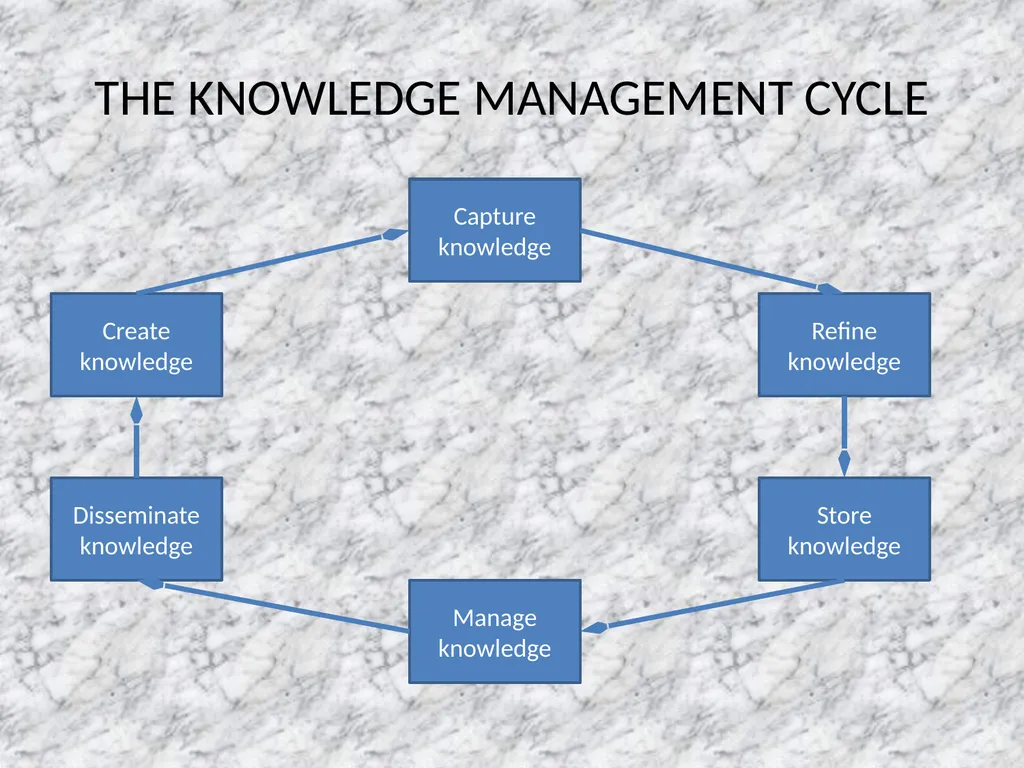
THE KNOWLEDGE MANAGEMENT CYCLE Create
knowledge Capture
knowledge Refine
knowledge Store
knowledge Manage
knowledge Disseminate
knowledge<br>
knowledge Capture
knowledge Refine
knowledge Store
knowledge Manage
knowledge Disseminate
knowledge<br>
42
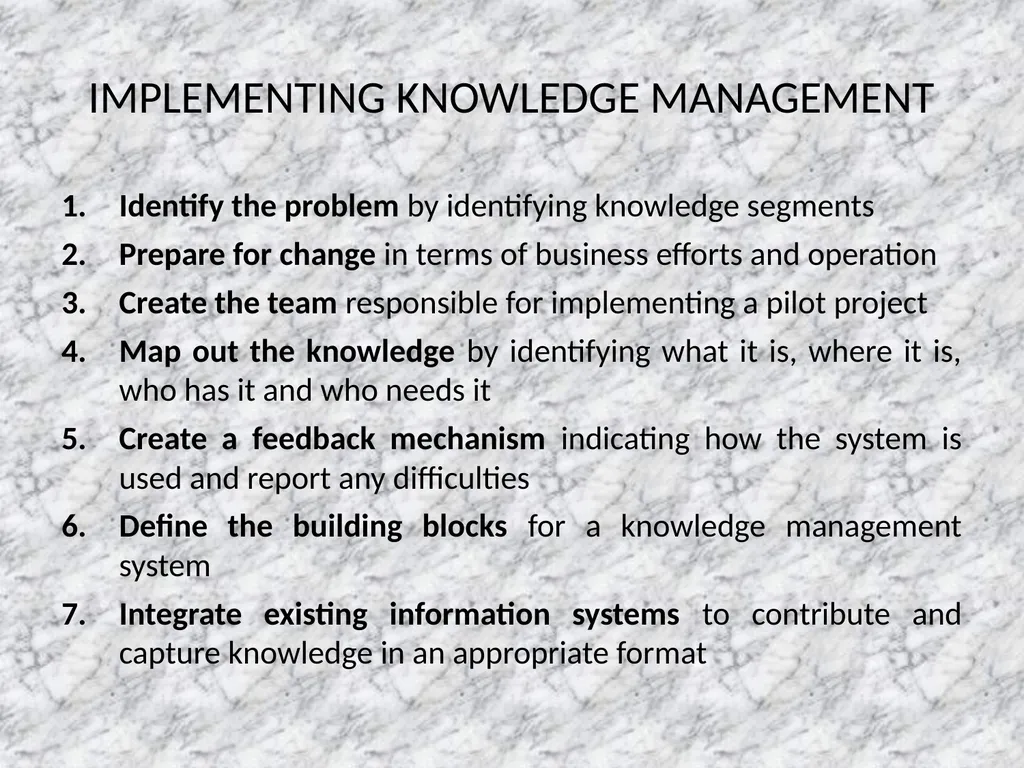
IMPLEMENTING KNOWLEDGE MANAGEMENT Identify the problem by identifying knowledge segments
Prepare for change in terms of business efforts and operation
Create the team responsible for implementing a pilot project
Map out the knowledge by identifying what it is, where it is, who has it and who needs it
Create a feedback mechanism indicating how the system is used and report any difficulties
Define the building blocks for a knowledge management system
Integrate existing information systems to contribute and capture knowledge in an appropriate format<br>
Prepare for change in terms of business efforts and operation
Create the team responsible for implementing a pilot project
Map out the knowledge by identifying what it is, where it is, who has it and who needs it
Create a feedback mechanism indicating how the system is used and report any difficulties
Define the building blocks for a knowledge management system
Integrate existing information systems to contribute and capture knowledge in an appropriate format<br>
43
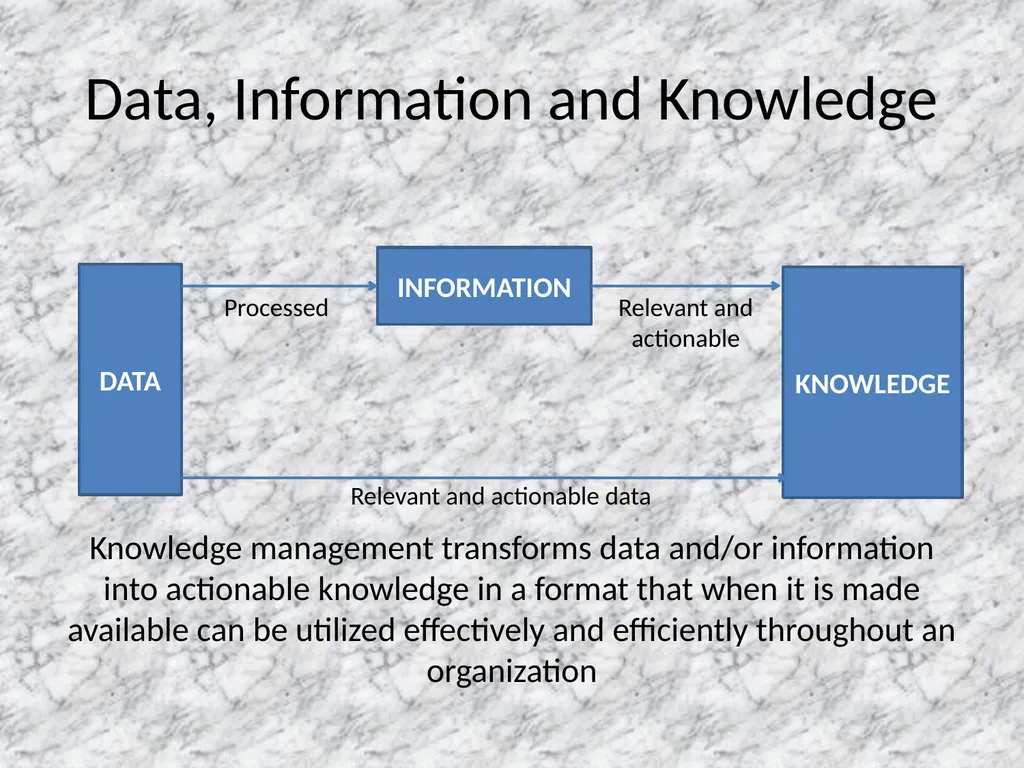
Data, Information and Knowledge DATA INFORMATION KNOWLEDGE Processed Relevant and
actionable Relevant and actionable data Knowledge management transforms data and/or information into actionable knowledge in a format that when it is made available can be utilized effectively and efficiently throughout an organization<br>
actionable Relevant and actionable data Knowledge management transforms data and/or information into actionable knowledge in a format that when it is made available can be utilized effectively and efficiently throughout an organization<br>
44
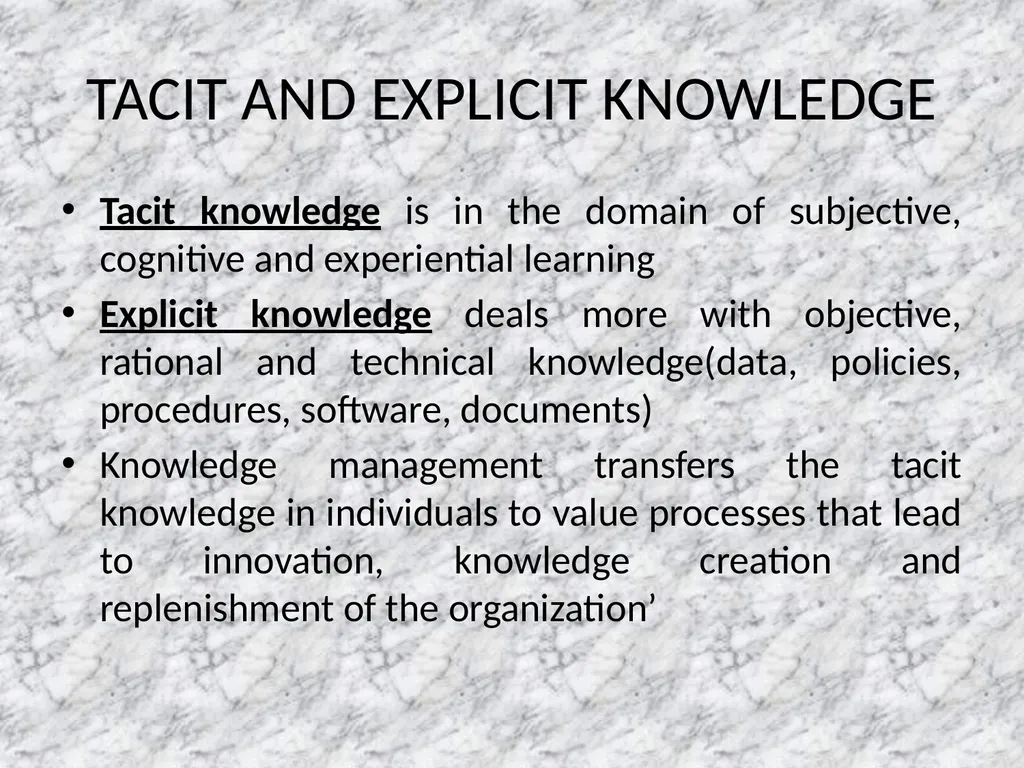
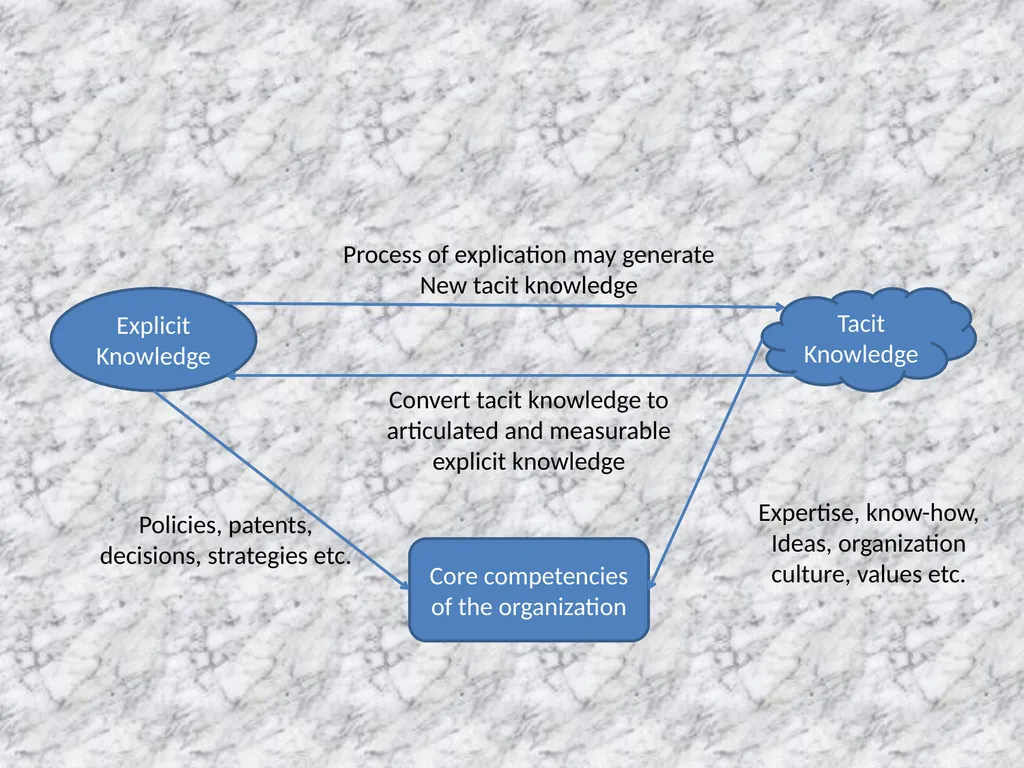
TACIT AND EXPLICIT KNOWLEDGE Tacit knowledge is in the domain of subjective, cognitive and experiential learning
Explicit knowledge deals more with objective, rational and technical knowledge(data, policies, procedures, software, documents)
Knowledge management transfers the tacit knowledge in individuals to value processes that lead to innovation, knowledge creation and replenishment of the organization’<br>
Explicit knowledge deals more with objective, rational and technical knowledge(data, policies, procedures, software, documents)
Knowledge management transfers the tacit knowledge in individuals to value processes that lead to innovation, knowledge creation and replenishment of the organization’<br>
45
Explicit
Knowledge Tacit
Knowledge Core competencies
of the organization Process of explication may generate
New tacit knowledge Convert tacit knowledge to
articulated and measurable
explicit knowledge Policies, patents,
decisions, strategies etc. Expertise, know-how,
Ideas, organization
culture, values etc.<br>
Knowledge Tacit
Knowledge Core competencies
of the organization Process of explication may generate
New tacit knowledge Convert tacit knowledge to
articulated and measurable
explicit knowledge Policies, patents,
decisions, strategies etc. Expertise, know-how,
Ideas, organization
culture, values etc.<br>
46
MSS Modeling is a key element in most DSS and a necessity in a model-based DSS
Management support systems(MSS) are collections of computerized technologies used to support managerial tasks in general and decision making in particular
MSS refers to application of any technology, either as an independent tool or in combination with other information technologies<br>
Management support systems(MSS) are collections of computerized technologies used to support managerial tasks in general and decision making in particular
MSS refers to application of any technology, either as an independent tool or in combination with other information technologies<br>
47
IMPLEMENTING MSS MSS technology implementation is complex because these systems are not merely information systems that collect, manipulate and distribute information; rather they are linked to tasks that may significantly change the manner in which organizations operate
MSS implementation is an ongoing process that occurs during the entire development of the system, through the feasibility study, system analysis and design, programming, training, conversion and installation<br>
MSS implementation is an ongoing process that occurs during the entire development of the system, through the feasibility study, system analysis and design, programming, training, conversion and installation<br>
48
ISSUES OF IMPLEMENTATION Technical factors
Technical issues can be classified in two categories:
Technical constraints which results mainly from the limitations of available technology. It disappears when new technology are developed
Technical problems which are not result of the technology but are caused by other factors such as scarcity of resources. It can be solved by increasing the available resources<br>
Technical issues can be classified in two categories:
Technical constraints which results mainly from the limitations of available technology. It disappears when new technology are developed
Technical problems which are not result of the technology but are caused by other factors such as scarcity of resources. It can be solved by increasing the available resources<br>
49
Behavioral factors
The way people perceive these systems and how they behave in accepting them
User resistance is a major behavioral factor
Reasons that employees resist new systems:
Change in job content
Loss of status
Change in interpersonal relationships
Loss of power
Change in decision making approach
Uncertainty/unfamiliarity/misinformation
Job security<br>
The way people perceive these systems and how they behave in accepting them
User resistance is a major behavioral factor
Reasons that employees resist new systems:
Change in job content
Loss of status
Change in interpersonal relationships
Loss of power
Change in decision making approach
Uncertainty/unfamiliarity/misinformation
Job security<br>
50
Process factors
Top management support for continuous financial support to maintain the systems
Management and user commitment
Institutionalization through which an MSS becomes incorporated
User involvement
Participation in the system development process by users is a necessary condition<br>
Top management support for continuous financial support to maintain the systems
Management and user commitment
Institutionalization through which an MSS becomes incorporated
User involvement
Participation in the system development process by users is a necessary condition<br>
51
Organizational factors
Competence skills of the MSS team
Adequacy of resources
Organizational politics
Values and ethics
Prime concerns are goals of the project, process and possible impact on other systems
External environment
Includes legal, social, economic, political etc.<br>
Competence skills of the MSS team
Adequacy of resources
Organizational politics
Values and ethics
Prime concerns are goals of the project, process and possible impact on other systems
External environment
Includes legal, social, economic, political etc.<br>
52
IMPLEMENTATION STRATEGIES FOR DSS Implementation strategies for DSS can be divided into four major categories:
Divide the project into manageable pieces
Keep the solution simple
Develop a satisfactory support base
Meet user needs and institutionalize the system<br>
Divide the project into manageable pieces
Keep the solution simple
Develop a satisfactory support base
Meet user needs and institutionalize the system<br>
53
EXPERT SYSTEM IMPLEMENTATION QUALITY OF THE SYSTEM
The ES should be developed to fulfill a recognized need
The ES should be easy to use even by a novice
The ES should be able to increase the expertise of the user
The ES should have explorative capabilities<br>
The ES should be developed to fulfill a recognized need
The ES should be easy to use even by a novice
The ES should be able to increase the expertise of the user
The ES should have explorative capabilities<br>
54
The program should be capable to respond to simple questions
The system should be capable of learning new knowledge (i.e., the system should be able to ask questions to gain additional information)
The program knowledge should be easily modified (i.e., add, delete, and changed)<br>
The system should be capable of learning new knowledge (i.e., the system should be able to ask questions to gain additional information)
The program knowledge should be easily modified (i.e., add, delete, and changed)<br>
55
COOPERATION OF THE EXPERTS
For an ES to be successfully implemented it must give good advice. Such advice depends, most of all, on the cooperation of the domain expert
CONDITIONS THAT JUSTIFY THE NEEDS FOR A PARTICULAR ES
An expert is not always available or is expensive
Decisions must be made under pressure or missing even a single factor could be disastrous<br>
For an ES to be successfully implemented it must give good advice. Such advice depends, most of all, on the cooperation of the domain expert
CONDITIONS THAT JUSTIFY THE NEEDS FOR A PARTICULAR ES
An expert is not always available or is expensive
Decisions must be made under pressure or missing even a single factor could be disastrous<br>
56
There is rapid employee turnover, resulting in a constant need to train new workers. Such training is costly and time-consuming
A huge amount of data must be shifted through<br>
A huge amount of data must be shifted through<br>
57
SYSTEM INTEGRATION Integration of computer based systems means that the systems are merged into one facility rather than having separate hardware, software, and communications for each independent systems.
Integration can be at the development tools level or at the application system level<br>
Integration can be at the development tools level or at the application system level<br>
58
TYPES OF INTEGRATION There are two general types:
Functional integration implies that different support functions are provided as a single system. A user can access the appropriate facilities through a single, consistent interface and can switch from one task to another and back again
Physical integration refers to packaging of the hardware, software, and communication features required to accomplish functional integration<br>
Functional integration implies that different support functions are provided as a single system. A user can access the appropriate facilities through a single, consistent interface and can switch from one task to another and back again
Physical integration refers to packaging of the hardware, software, and communication features required to accomplish functional integration<br>
59
WHY INTEGRATE? Enhancements of basic tools
Increasing the capabilities of the application
Benefits that each technology provides to the other
Improvements in both the process and the outcome
It results in combining the strengths of each individual technique<br>
Increasing the capabilities of the application
Benefits that each technology provides to the other
Improvements in both the process and the outcome
It results in combining the strengths of each individual technique<br>
60
PROBLEMS AND ISSUES IN INTEGRATION Need for integration
Justification and cost-benefit analysis
Architecture of integration
People problems
Finding appropriate builders
Attitudes of employees in the information system department
Development progress
Organizational impacts
Data structure issues
Data issues
Connectivity<br>
Justification and cost-benefit analysis
Architecture of integration
People problems
Finding appropriate builders
Attitudes of employees in the information system department
Development progress
Organizational impacts
Data structure issues
Data issues
Connectivity<br>
61
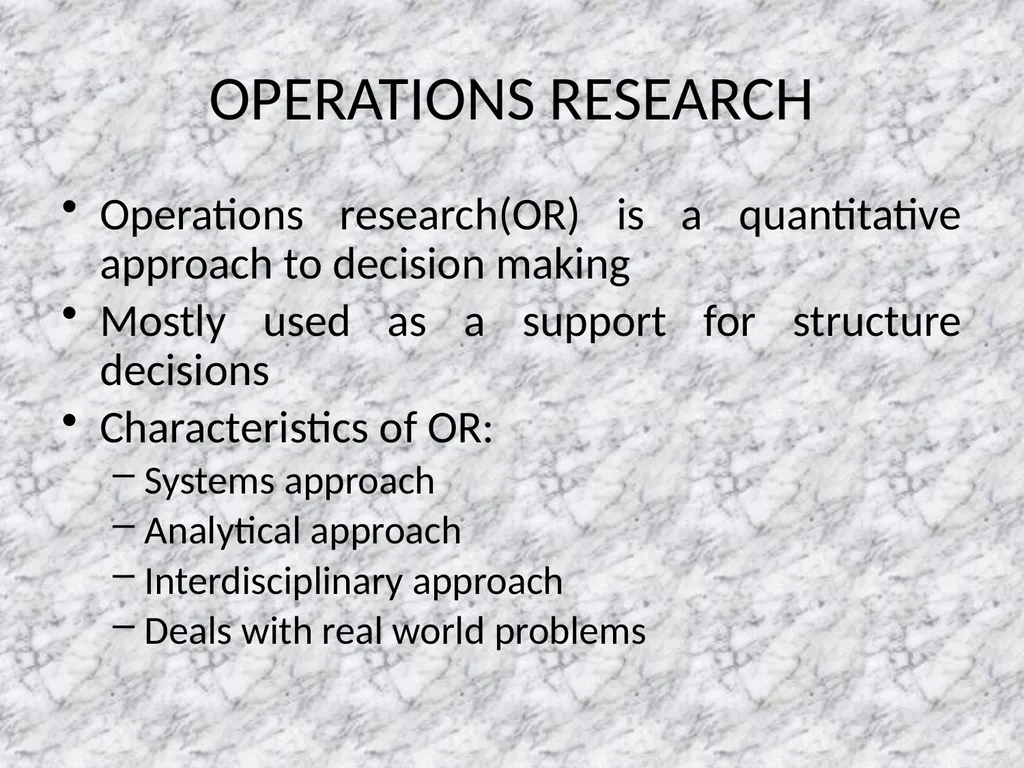
OPERATIONS RESEARCH Operations research(OR) is a quantitative approach to decision making
Mostly used as a support for structure decisions
Characteristics of OR:
Systems approach
Analytical approach
Interdisciplinary approach
Deals with real world problems<br>
Mostly used as a support for structure decisions
Characteristics of OR:
Systems approach
Analytical approach
Interdisciplinary approach
Deals with real world problems<br>
62
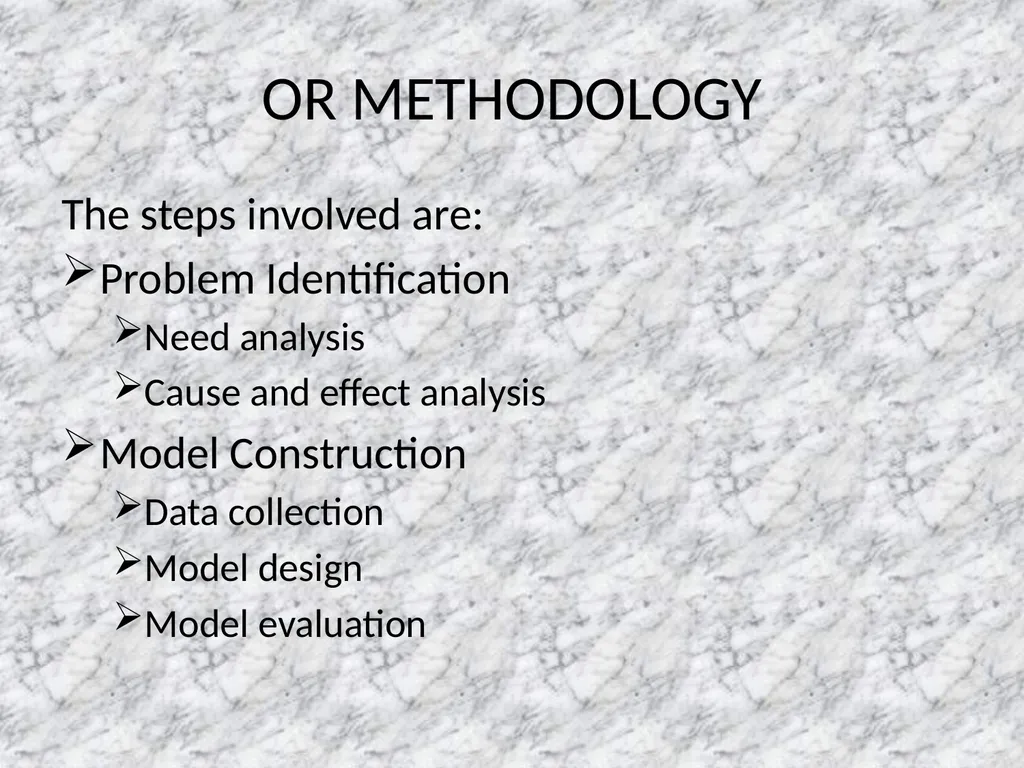
OR METHODOLOGY The steps involved are:
Problem Identification
Need analysis
Cause and effect analysis
Model Construction
Data collection
Model design
Model evaluation<br>
Problem Identification
Need analysis
Cause and effect analysis
Model Construction
Data collection
Model design
Model evaluation<br>
63
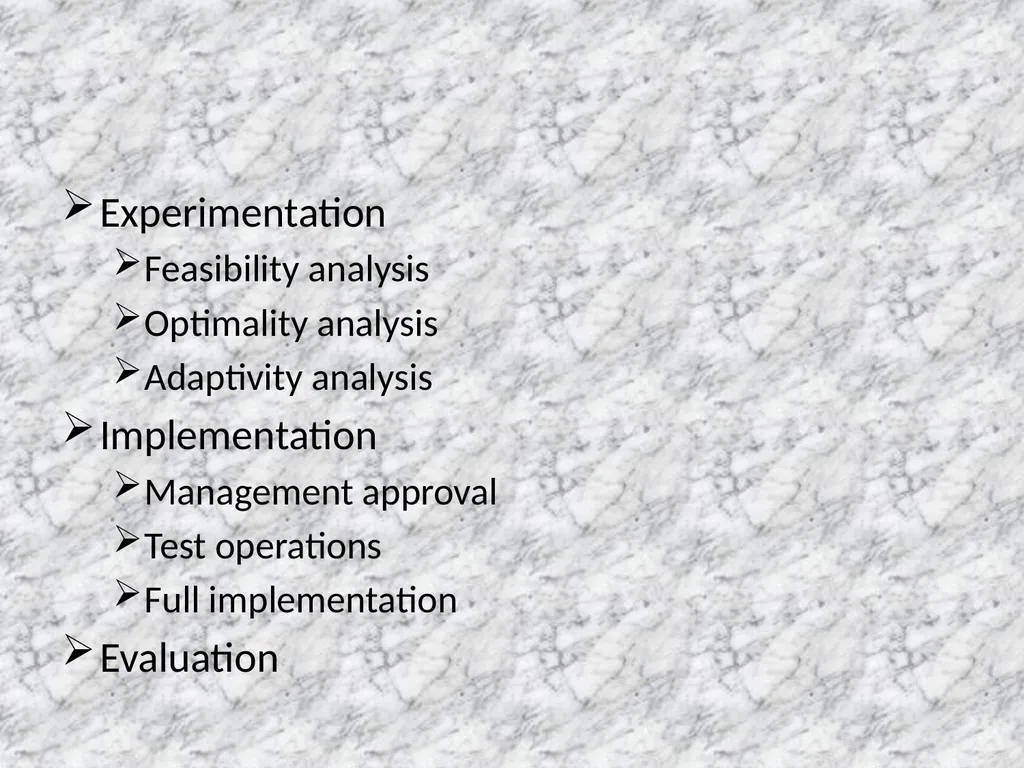
Experimentation
Feasibility analysis
Optimality analysis
Adaptivity analysis
Implementation
Management approval
Test operations
Full implementation
Evaluation<br>
Feasibility analysis
Optimality analysis
Adaptivity analysis
Implementation
Management approval
Test operations
Full implementation
Evaluation<br>
64
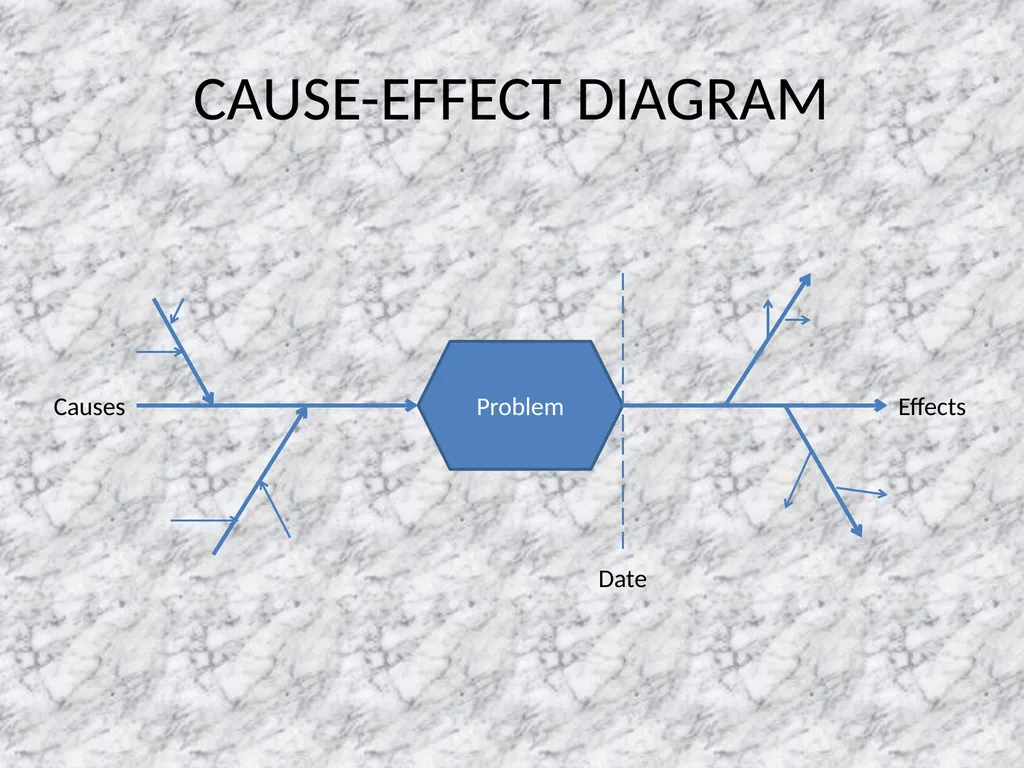
CAUSE-EFFECT DIAGRAM Problem Causes Date Effects<br>