Reading Files Chapter 7 Python for Everybody www.py4e.com Software Input and Output Devices Central Processing Unit Main Memory Secondary Memory It is time to go find some Data to mess with! What Next? if x 3: print From
"Reading Files Chapter 7 Python for Everybody" is the property of its rightful owner. Permission is granted to
download and print the materials on this website for personal, non-commercial use only, and to display it
on your personal computer provided you do not modify the materials and that you retain all copyright
notices contained in the materials. By downloading content from our website, you accept the terms of this
agreement.
Share
Embed code
Presentation Transcript
01
Reading Files Chapter 7 Python for Everybody
www.py4e.com<br>
02
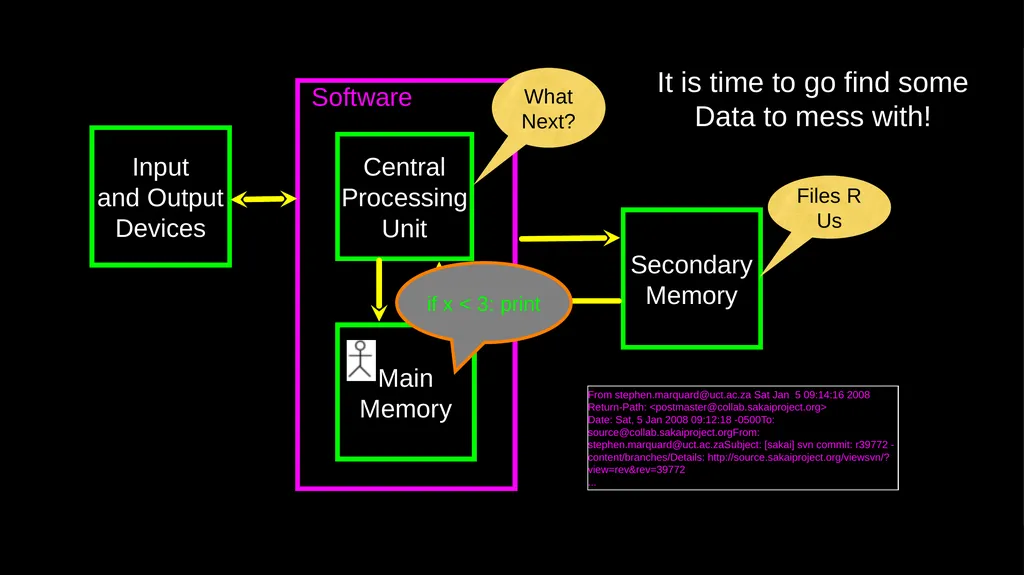
Software Input
and Output
Devices Central
Processing
Unit Main
Memory Secondary
Memory It is time to go find some Data to mess with! What
Next? if x < 3: print From stephen.marquard@uct.ac.za Sat Jan 5 09:14:16 2008
Return-Path: <postmaster@collab.sakaiproject.org>
Date: Sat, 5 Jan 2008 09:12:18 -0500To: source@collab.sakaiproject.orgFrom: stephen.marquard@uct.ac.zaSubject: [sakai] svn commit: r39772 - content/branches/Details: http://source.sakaiproject.org/viewsvn/?view=rev&rev=39772
... Files R Us<br>
03
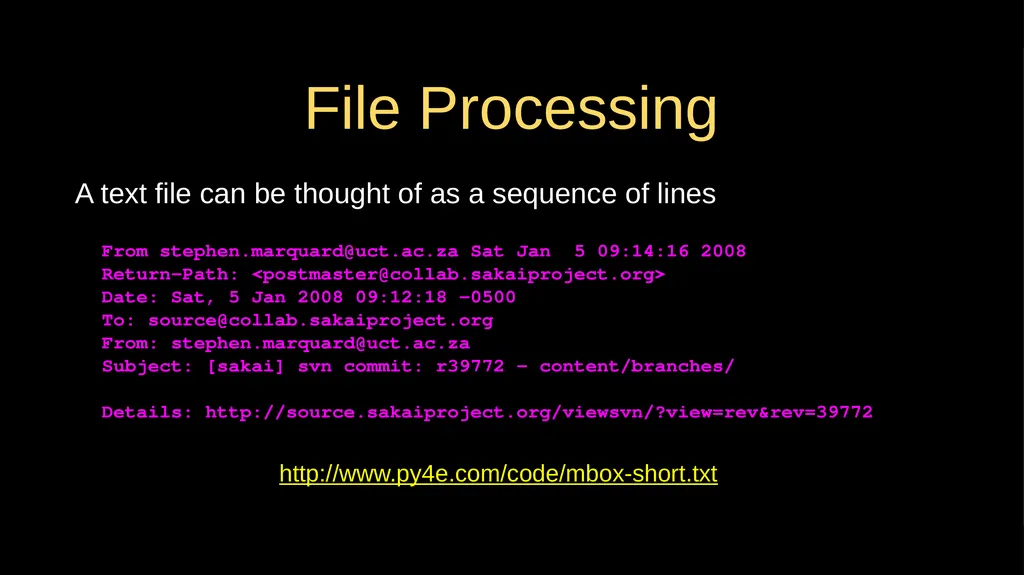
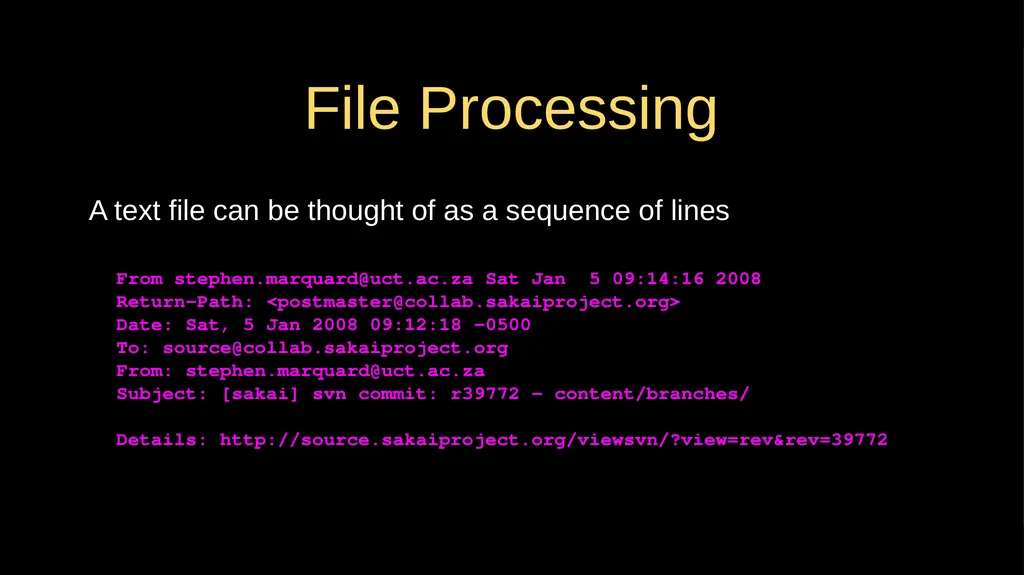
File Processing A text file can be thought of as a sequence of lines From stephen.marquard@uct.ac.za Sat Jan 5 09:14:16 2008
Return-Path: <postmaster@collab.sakaiproject.org>
Date: Sat, 5 Jan 2008 09:12:18 -0500
To: source@collab.sakaiproject.org
From: stephen.marquard@uct.ac.za
Subject: [sakai] svn commit: r39772 - content/branches/
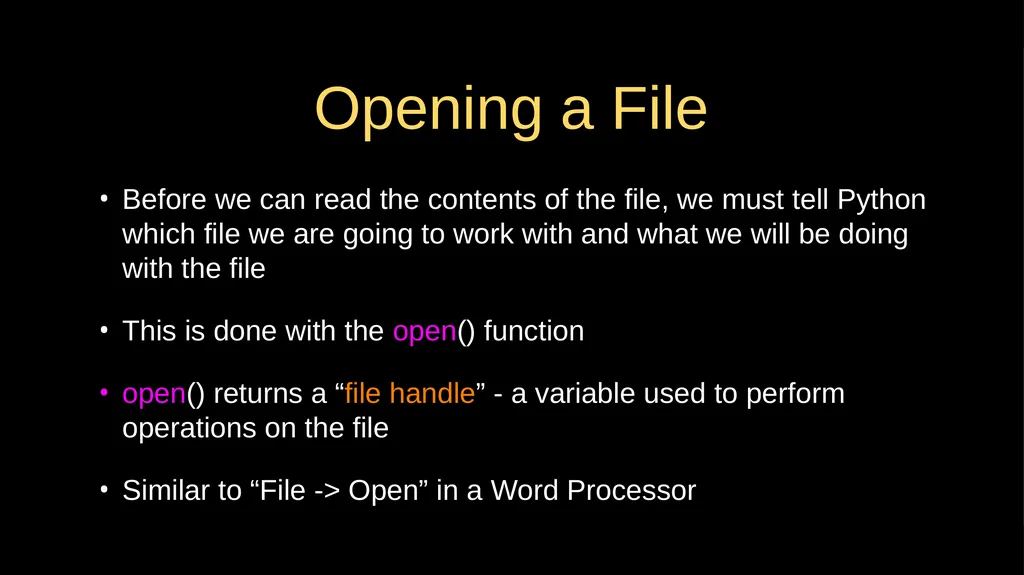
Opening a File Before we can read the contents of the file, we must tell Python which file we are going to work with and what we will be doing with the file
This is done with the open() function
open() returns a “file handle” - a variable used to perform operations on the file
Similar to “File -> Open” in a Word Processor<br>
05
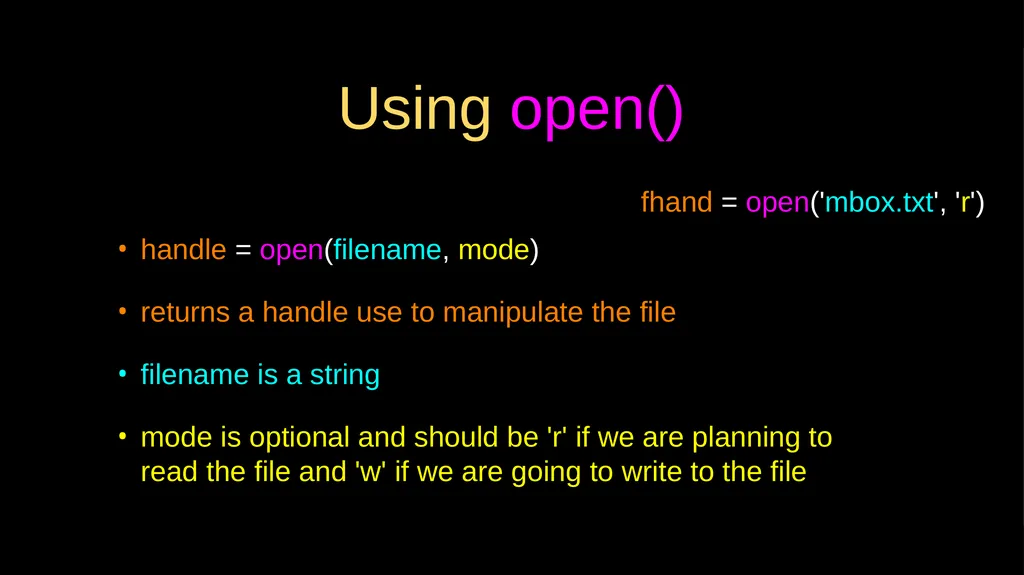
Using open() handle = open(filename, mode)
returns a handle use to manipulate the file
filename is a string
mode is optional and should be 'r' if we are planning to read the file and 'w' if we are going to write to the file fhand = open('mbox.txt', 'r')<br>
06
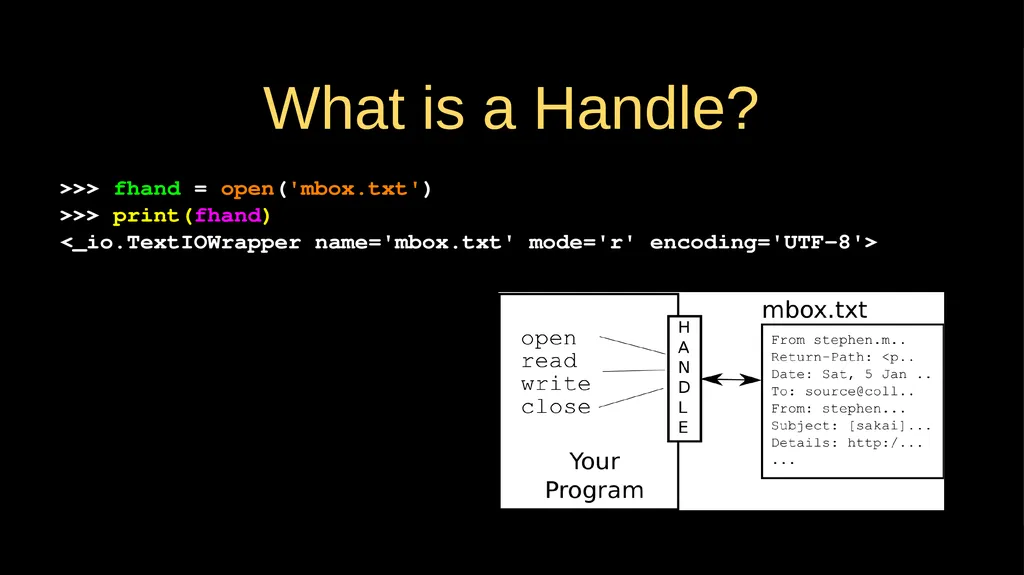
What is a Handle? >>> fhand = open('mbox.txt')
>>> print(fhand)
<_io.TextIOWrapper name='mbox.txt' mode='r' encoding='UTF-8'><br>
07
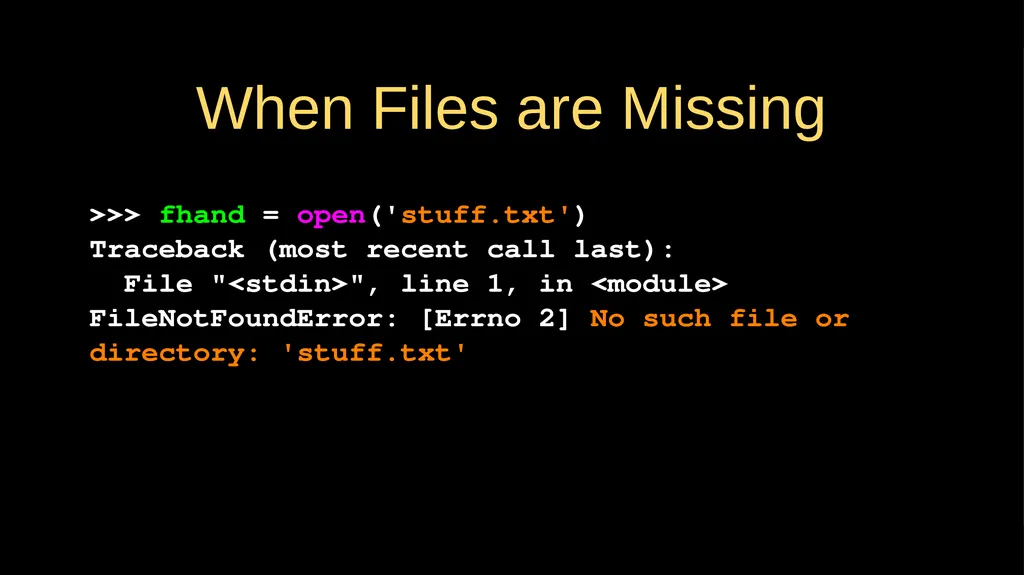
When Files are Missing >>> fhand = open('stuff.txt')
Traceback (most recent call last):
File "<stdin>", line 1, in <module>
FileNotFoundError: [Errno 2] No such file or directory: 'stuff.txt'<br>
08
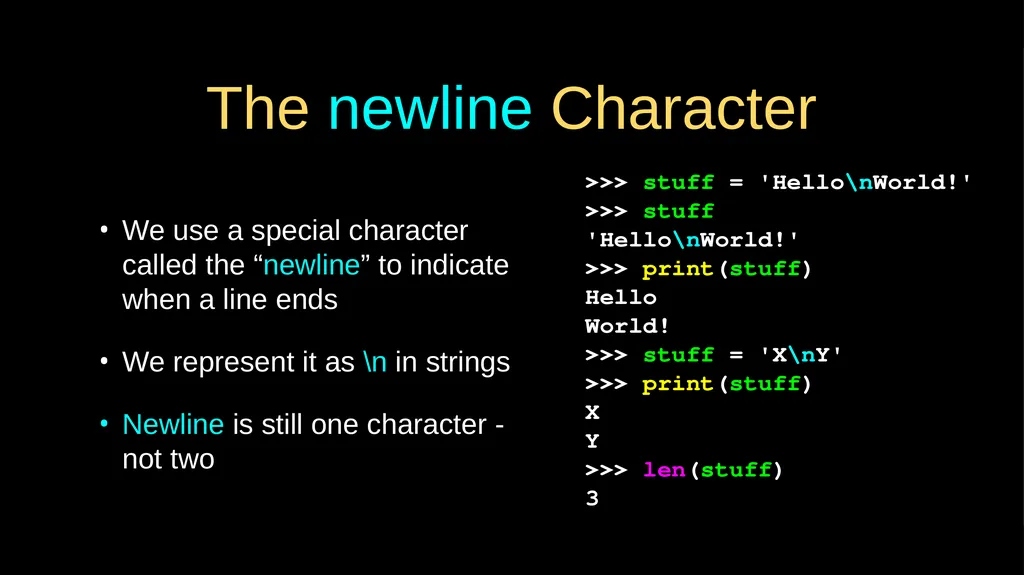
The newline Character We use a special character called the “newline” to indicate when a line ends
We represent it as \n in strings
Newline is still one character - not two >>> stuff = 'Hello\nWorld!'
>>> stuff
'Hello\nWorld!'
>>> print(stuff)
Hello
World!
>>> stuff = 'X\nY'
>>> print(stuff)
X
Y
>>> len(stuff)
3<br>
09
File Processing A text file can be thought of as a sequence of lines From stephen.marquard@uct.ac.za Sat Jan 5 09:14:16 2008
Return-Path: <postmaster@collab.sakaiproject.org>
Date: Sat, 5 Jan 2008 09:12:18 -0500
To: source@collab.sakaiproject.org
From: stephen.marquard@uct.ac.za
Subject: [sakai] svn commit: r39772 - content/branches/
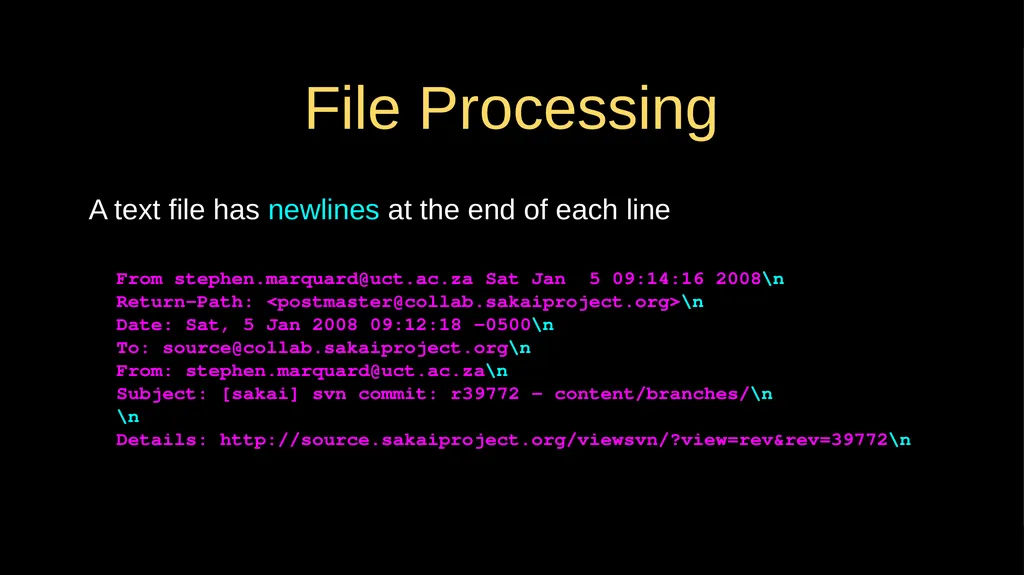
File Processing A text file has newlines at the end of each line From stephen.marquard@uct.ac.za Sat Jan 5 09:14:16 2008\n
Return-Path: <postmaster@collab.sakaiproject.org>\n
Date: Sat, 5 Jan 2008 09:12:18 -0500\n
To: source@collab.sakaiproject.org\n
From: stephen.marquard@uct.ac.za\n
Subject: [sakai] svn commit: r39772 - content/branches/\n
\n
Details: http://source.sakaiproject.org/viewsvn/?view=rev&rev=39772\n<br>
11
Reading Files in Python<br>
12
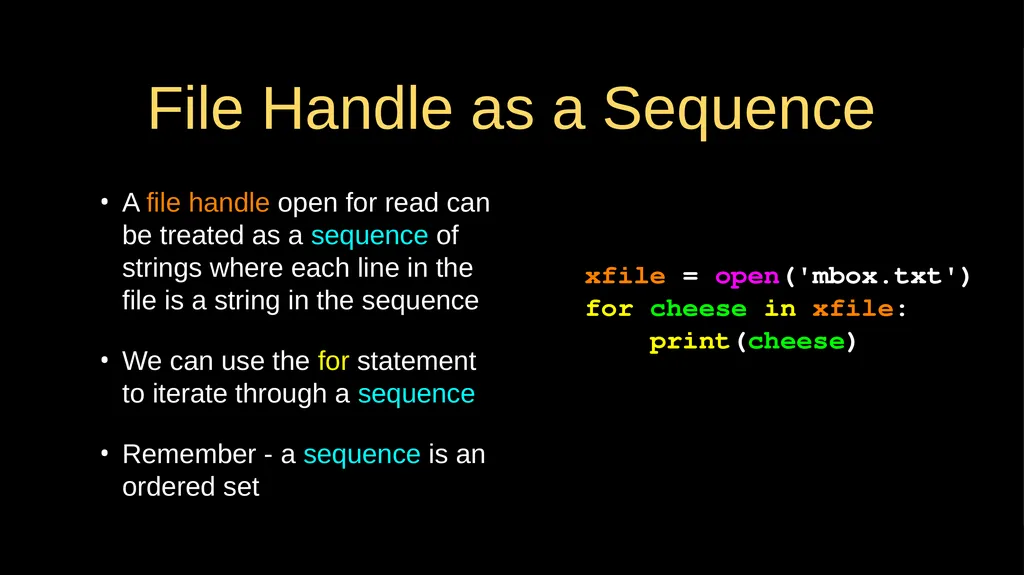
File Handle as a Sequence A file handle open for read can be treated as a sequence of strings where each line in the file is a string in the sequence
We can use the for statement to iterate through a sequence
Remember - a sequence is an ordered set xfile = open('mbox.txt')
for cheese in xfile:
print(cheese)<br>
13
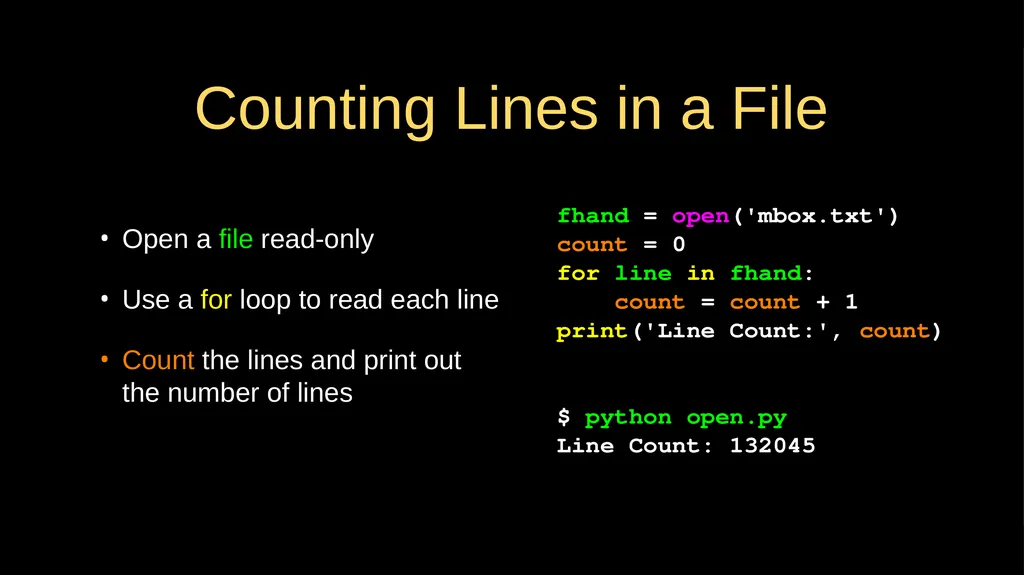
Counting Lines in a File Open a file read-only
Use a for loop to read each line
Count the lines and print out the number of lines fhand = open('mbox.txt')
count = 0
for line in fhand:
count = count + 1
print('Line Count:', count)
$ python open.py
Line Count: 132045<br>
14
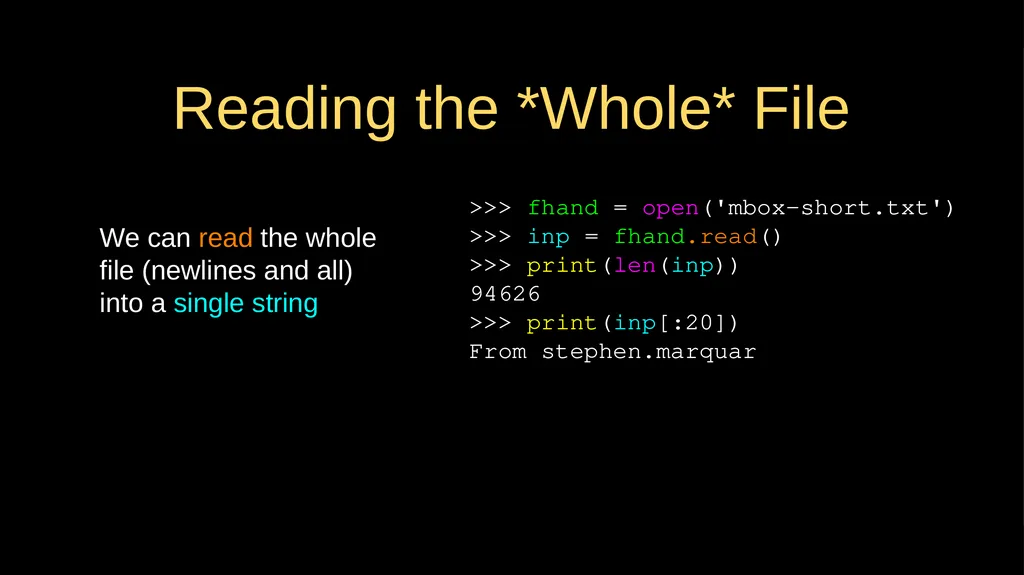
Reading the *Whole* File We can read the whole file (newlines and all) into a single string >>> fhand = open('mbox-short.txt')
>>> inp = fhand.read()
>>> print(len(inp))
94626
>>> print(inp[:20])
From stephen.marquar<br>
15
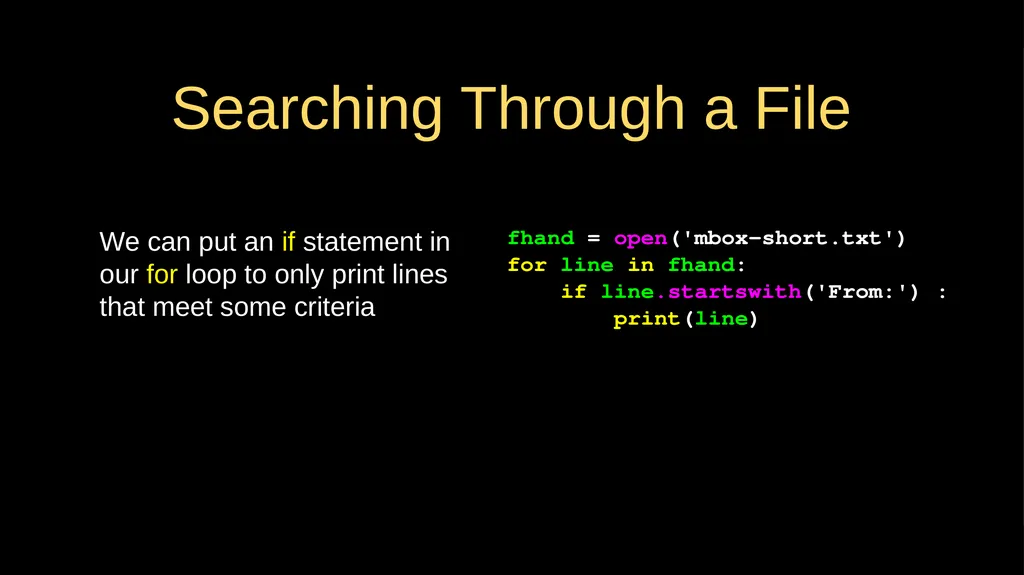
Searching Through a File We can put an if statement in our for loop to only print lines that meet some criteria fhand = open('mbox-short.txt')
for line in fhand:
if line.startswith('From:') :
print(line)<br>
16
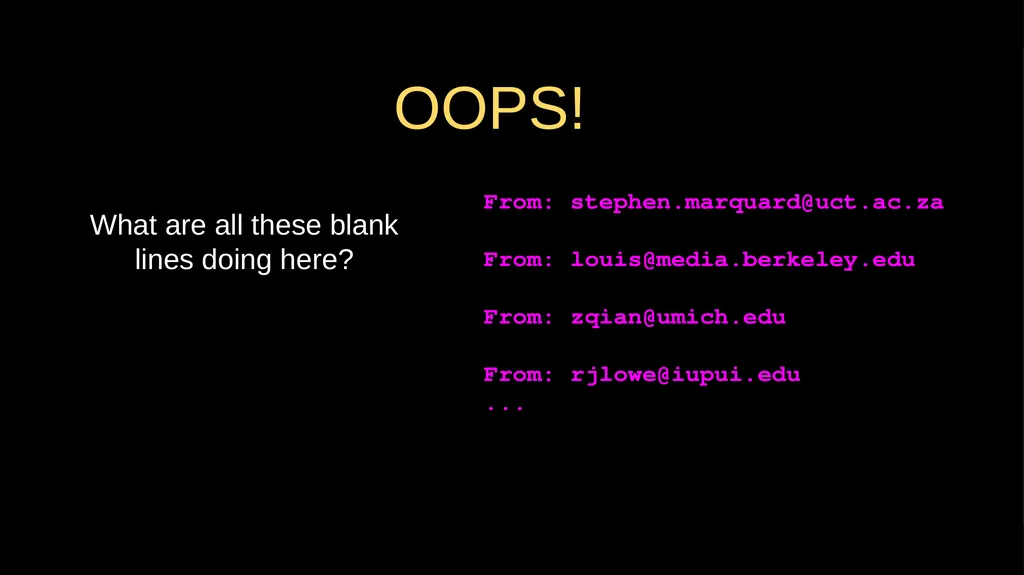
OOPS! What are all these blank lines doing here? From: stephen.marquard@uct.ac.za
From: louis@media.berkeley.edu
From: zqian@umich.edu
From: rjlowe@iupui.edu
...<br>
17
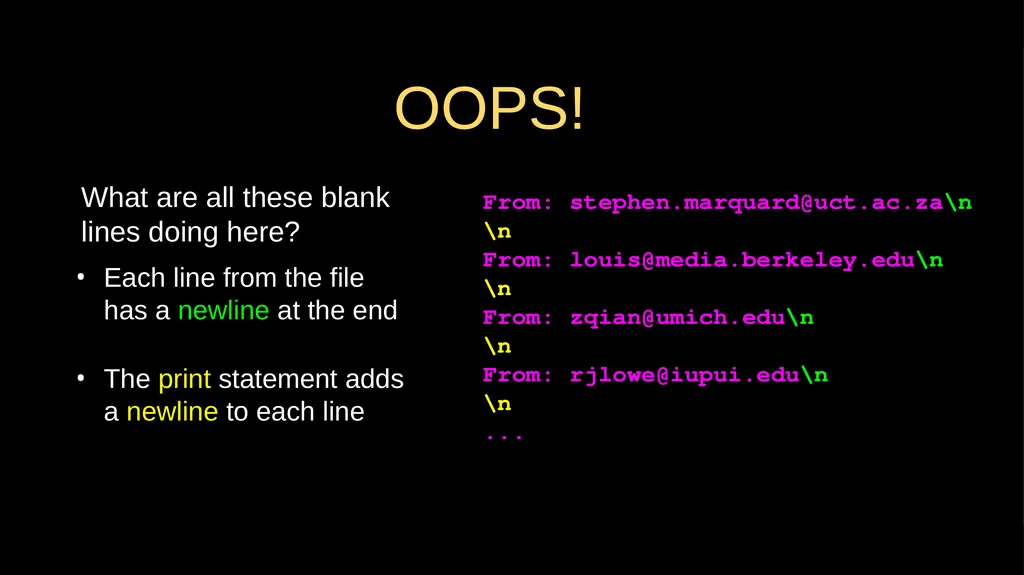
Each line from the file has a newline at the end
The print statement adds a newline to each line What are all these blank lines doing here? From: stephen.marquard@uct.ac.za\n
\n
From: louis@media.berkeley.edu\n
\n
From: zqian@umich.edu\n
\n
From: rjlowe@iupui.edu\n
\n
... OOPS!<br>
18
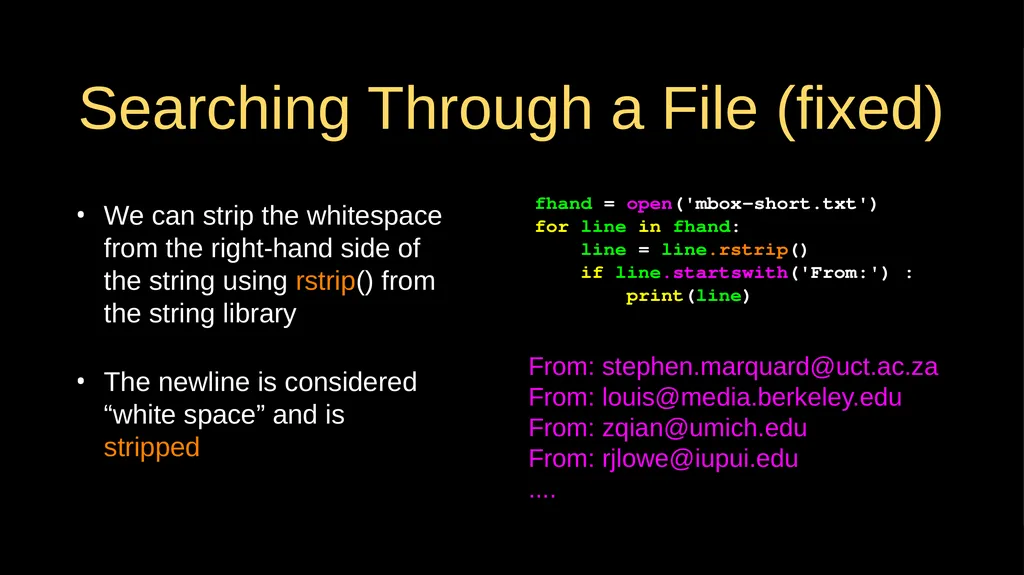
Searching Through a File (fixed) We can strip the whitespace from the right-hand side of the string using rstrip() from the string library
The newline is considered “white space” and is stripped fhand = open('mbox-short.txt')
for line in fhand:
line = line.rstrip()
if line.startswith('From:') :
print(line) From: stephen.marquard@uct.ac.za
From: louis@media.berkeley.edu
From: zqian@umich.edu
From: rjlowe@iupui.edu
....<br>
19
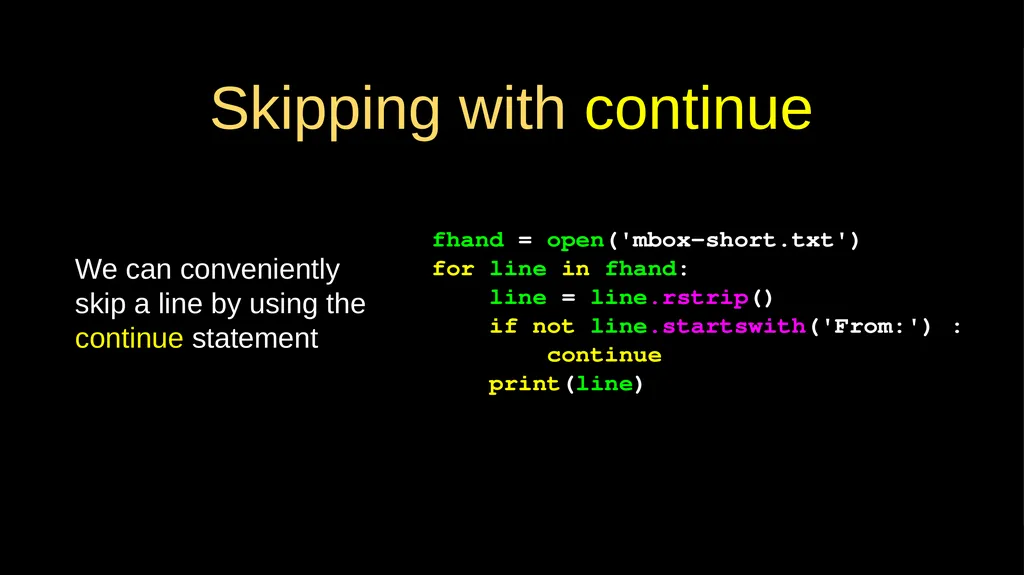
Skipping with continue We can conveniently skip a line by using the continue statement fhand = open('mbox-short.txt')
for line in fhand:
line = line.rstrip()
if not line.startswith('From:') :
continue
print(line)<br>
20
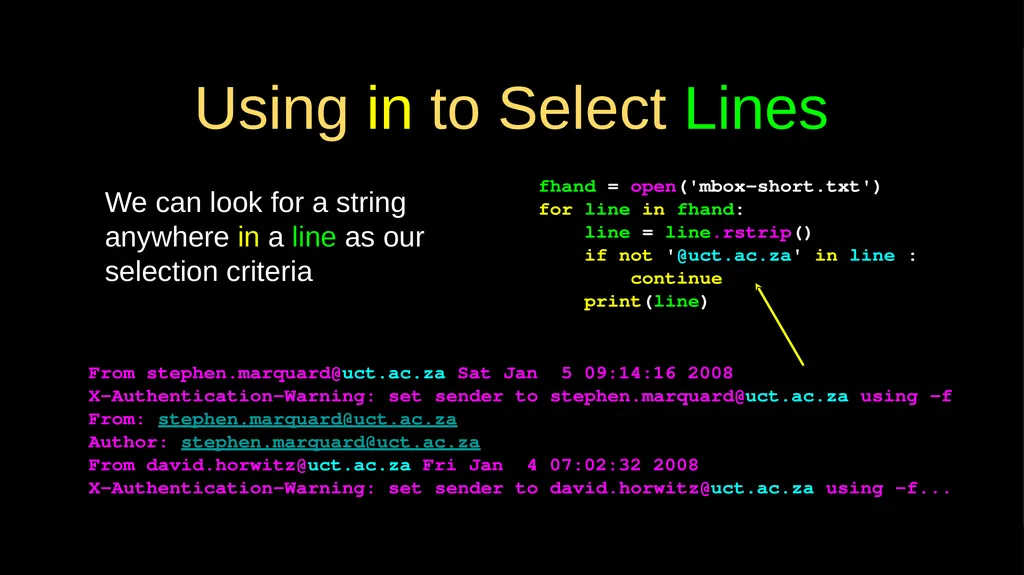
Using in to Select Lines We can look for a string anywhere in a line as our selection criteria fhand = open('mbox-short.txt')
for line in fhand:
line = line.rstrip()
if not '@uct.ac.za' in line :
continue
print(line) From stephen.marquard@uct.ac.za Sat Jan 5 09:14:16 2008
X-Authentication-Warning: set sender to stephen.marquard@uct.ac.za using –f
From: stephen.marquard@uct.ac.za
Author: stephen.marquard@uct.ac.za
From david.horwitz@uct.ac.za Fri Jan 4 07:02:32 2008
X-Authentication-Warning: set sender to david.horwitz@uct.ac.za using -f...<br>
21
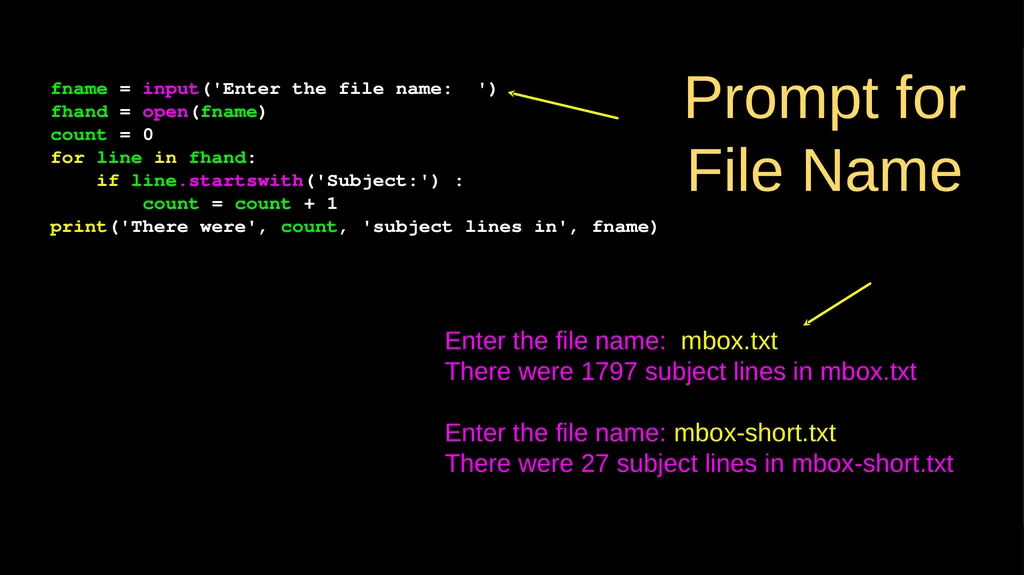
Prompt for File Name fname = input('Enter the file name: ')
fhand = open(fname)
count = 0
for line in fhand:
if line.startswith('Subject:') :
count = count + 1
print('There were', count, 'subject lines in', fname) Enter the file name: mbox.txt
There were 1797 subject lines in mbox.txt
Enter the file name: mbox-short.txt
There were 27 subject lines in mbox-short.txt<br>
22
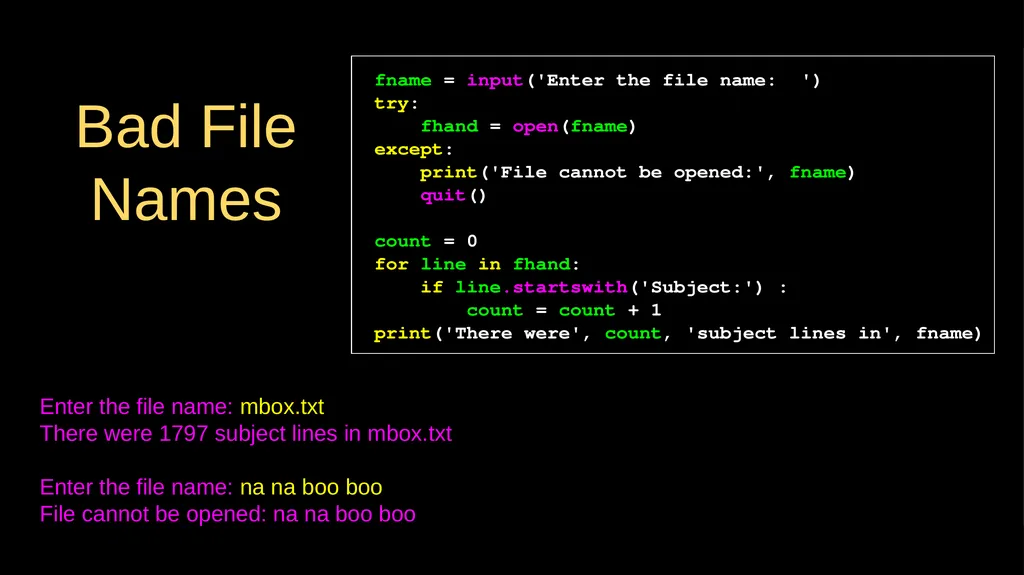
Bad File Names fname = input('Enter the file name: ')
try:
fhand = open(fname)
except:
print('File cannot be opened:', fname)
quit()
count = 0
for line in fhand:
if line.startswith('Subject:') :
count = count + 1
print('There were', count, 'subject lines in', fname) Enter the file name: mbox.txt
There were 1797 subject lines in mbox.txt
Enter the file name: na na boo boo
File cannot be opened: na na boo boo<br>
23
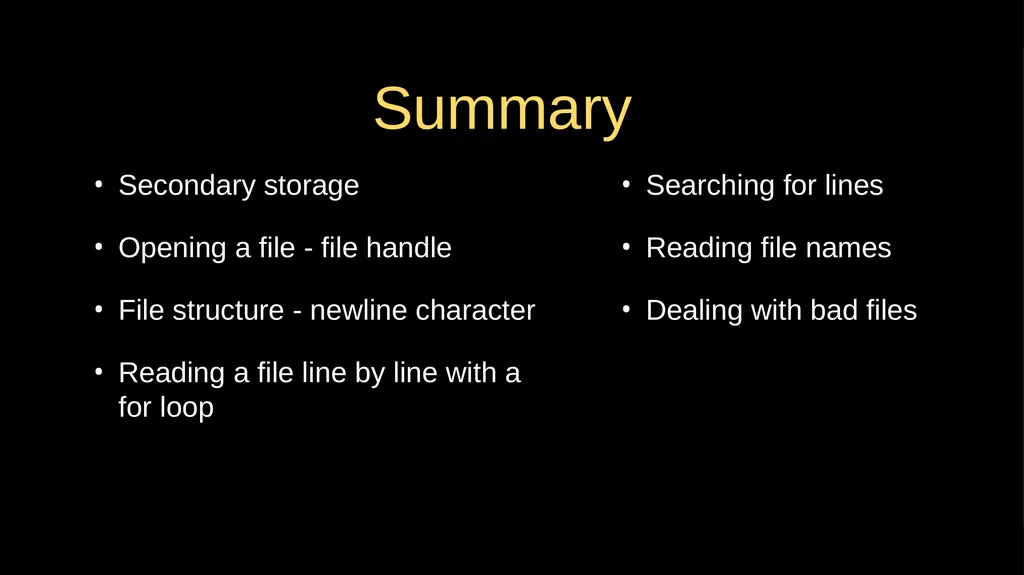
Summary Secondary storage
Opening a file - file handle
File structure - newline character
Reading a file line by line with a for loop Searching for lines
Reading file names
Dealing with bad files<br>
24
Acknowledgements / Contributions These slides are Copyright 2010- Charles R. Severance (www.dr-chuck.com) of the University of Michigan School of Information and open.umich.edu and made available under a Creative Commons Attribution 4.0 License. Please maintain this last slide in all copies of the document to comply with the attribution requirements of the license. If you make a change, feel free to add your name and organization to the list of contributors on this page as you republish the materials.
Initial Development: Charles Severance, University of Michigan School of Information
… Insert new Contributors and Translators here ...<br>