Schedule Assistant Course Registration Tips SCHEDULE ASSISTANT VIDEO Open Schedule Assistant - my.fsu.edu Set the Filters Tip 1 Setting Filters Course Status Open Classes Only Campuses Tallahassee Academic Careers Undergraduate Term Summer
"Schedule Assistant Course Registration Tips" is the property of its rightful owner. Permission is granted to
download and print the materials on this website for personal, non-commercial use only, and to display it
on your personal computer provided you do not modify the materials and that you retain all copyright
notices contained in the materials. By downloading content from our website, you accept the terms of this
agreement.
Presentation Transcript
01
Schedule Assistant Course Registration Tips<br>
02
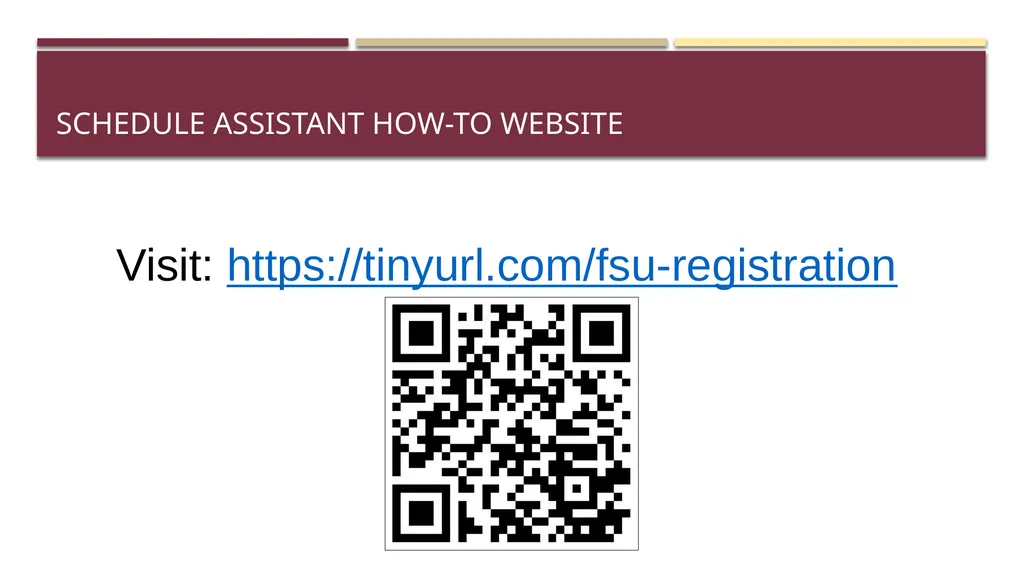
SCHEDULE ASSISTANT VIDEO<br>
03
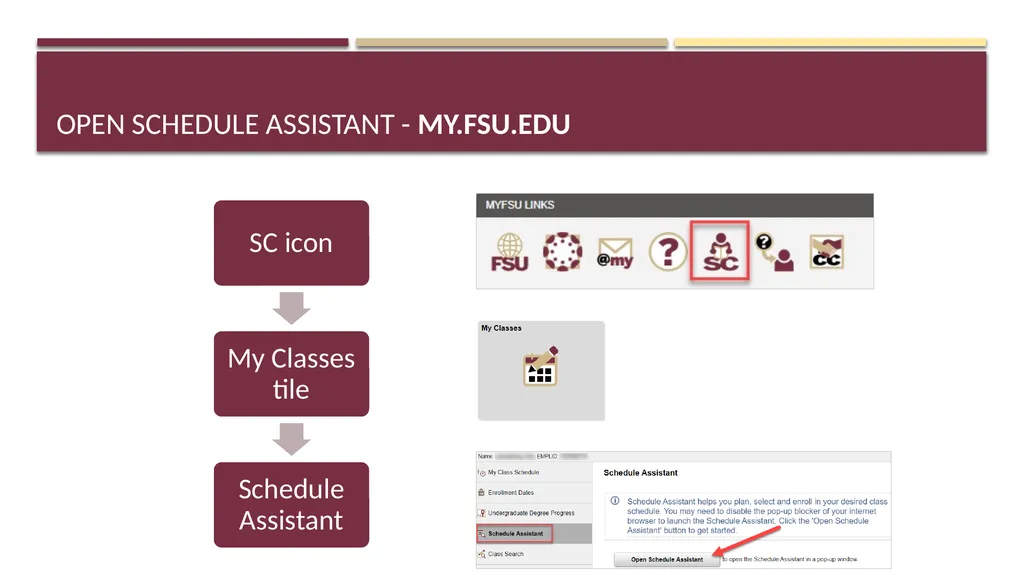
Open Schedule Assistant - my.fsu.edu<br>
04
Set the Filters Tip #1<br>
05
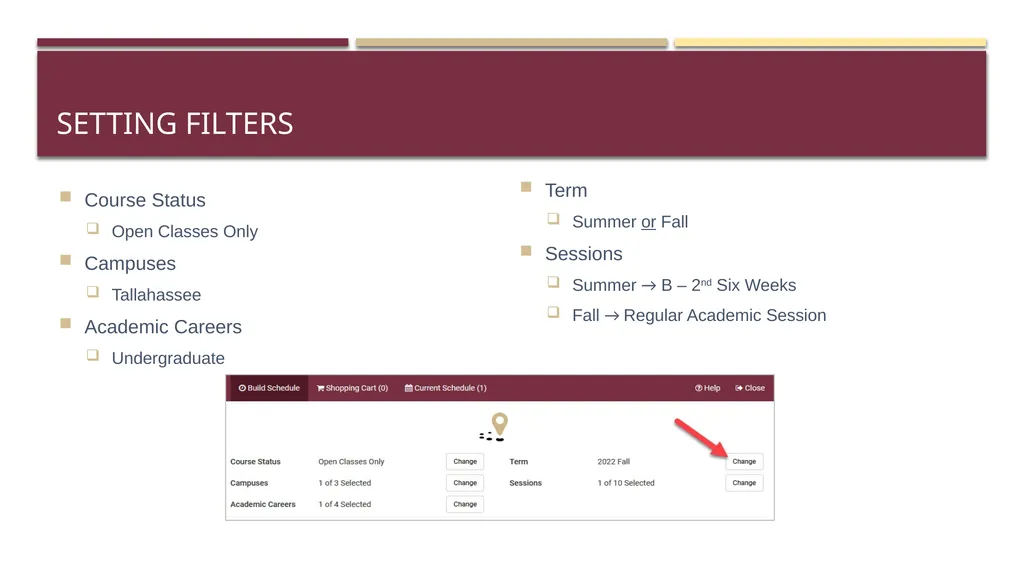
Setting Filters Course Status
Open Classes Only
Campuses
Tallahassee
Academic Careers
Undergraduate Term
Summer or Fall
Sessions
Summer → B – 2nd Six Weeks
Fall → Regular Academic Session<br>
06
Search for Courses Tip #2<br>
07
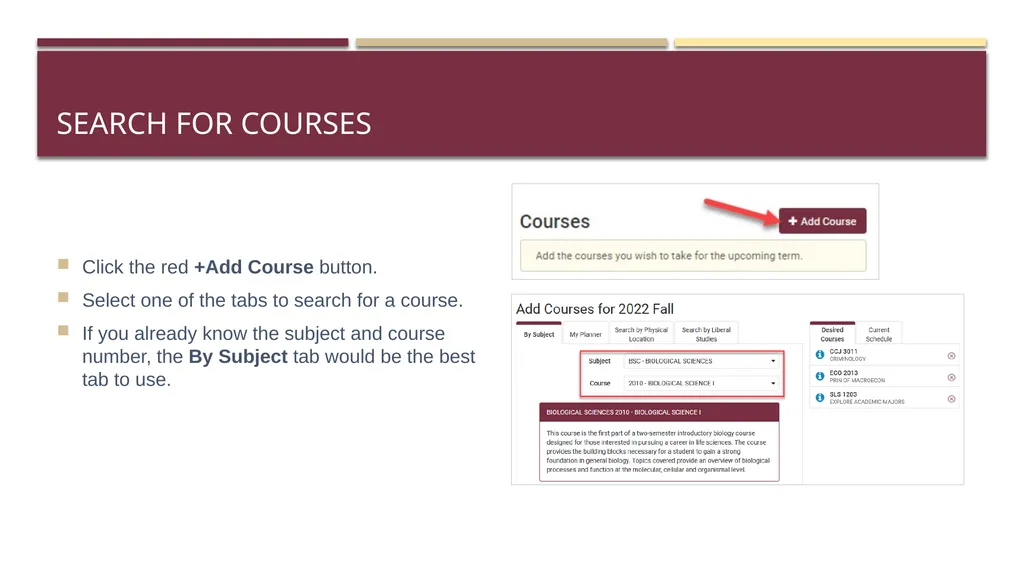
Search for Courses Click the red +Add Course button.
Select one of the tabs to search for a course.
If you already know the subject and course number, the By Subject tab would be the best tab to use.<br>
08
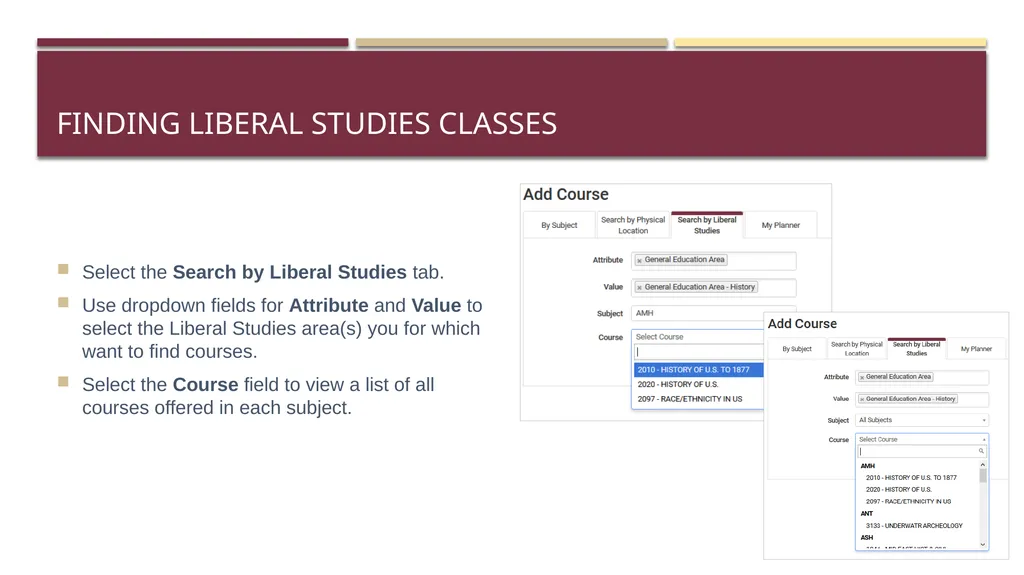
Finding Liberal Studies Classes Select the Search by Liberal Studies tab.
Use dropdown fields for Attribute and Value to select the Liberal Studies area(s) you for which want to find courses.
Select the Course field to view a list of all courses offered in each subject.<br>
09
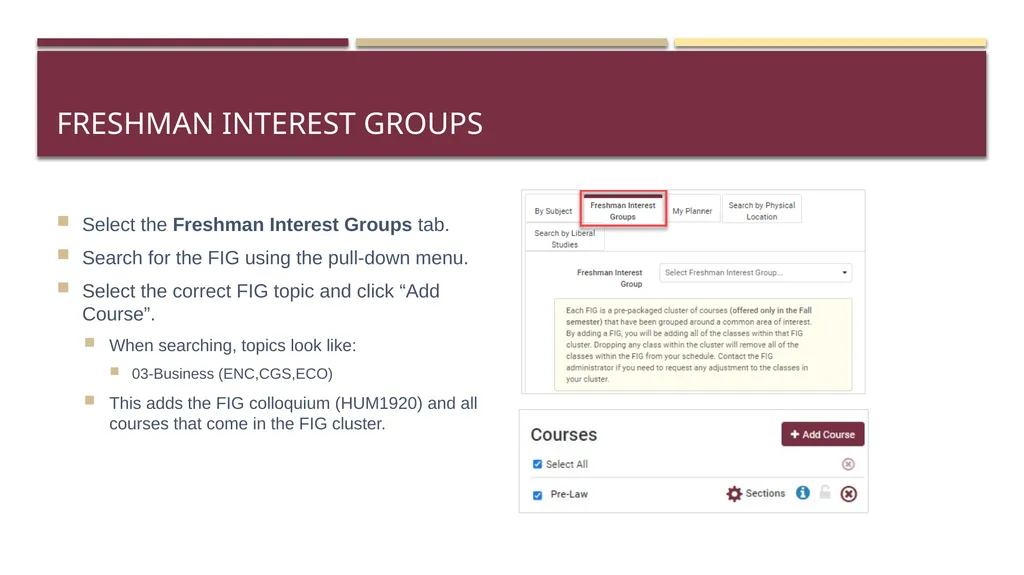
Freshman Interest Groups Select the Freshman Interest Groups tab.
Search for the FIG using the pull-down menu.
Select the correct FIG topic and click “Add Course”.
When searching, topics look like:
03-Business (ENC,CGS,ECO)
This adds the FIG colloquium (HUM1920) and all courses that come in the FIG cluster.<br>
10
Review Class Sections Tip #3<br>
11
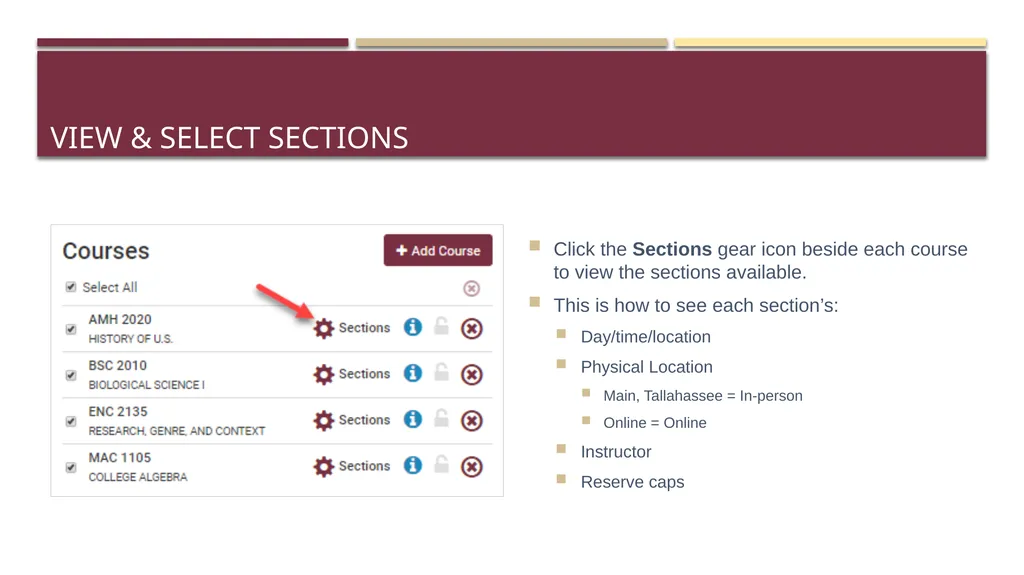
View & Select Sections Click the Sections gear icon beside each course to view the sections available.
This is how to see each section’s:
Day/time/location
Physical Location
Main, Tallahassee = In-person
Online = Online
Instructor
Reserve caps<br>
12
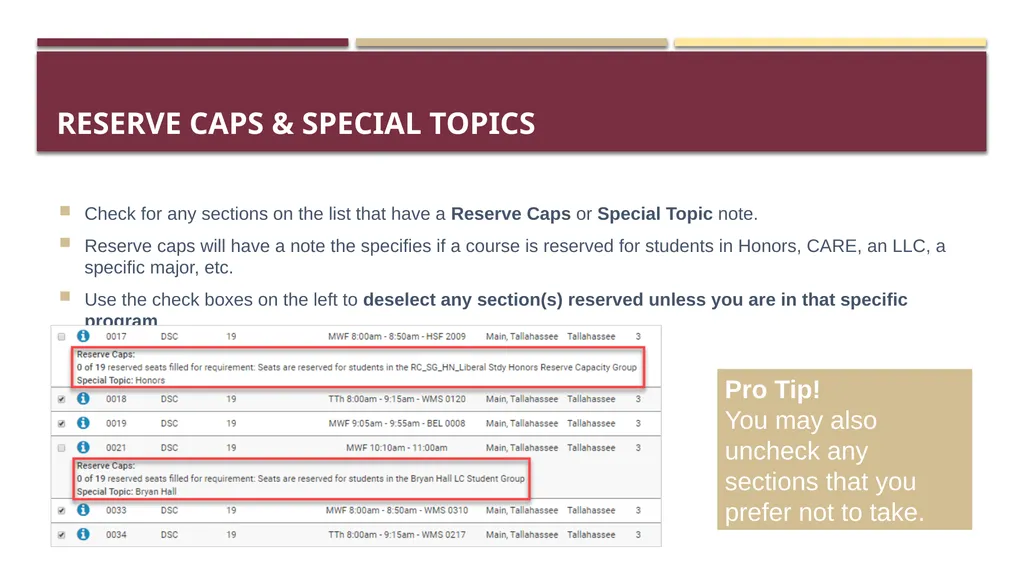
Reserve Caps & Special Topics Check for any sections on the list that have a Reserve Caps or Special Topic note.
Reserve caps will have a note the specifies if a course is reserved for students in Honors, CARE, an LLC, a specific major, etc.
Use the check boxes on the left to deselect any section(s) reserved unless you are in that specific program. Pro Tip!
You may also uncheck any sections that you prefer not to take.<br>
13
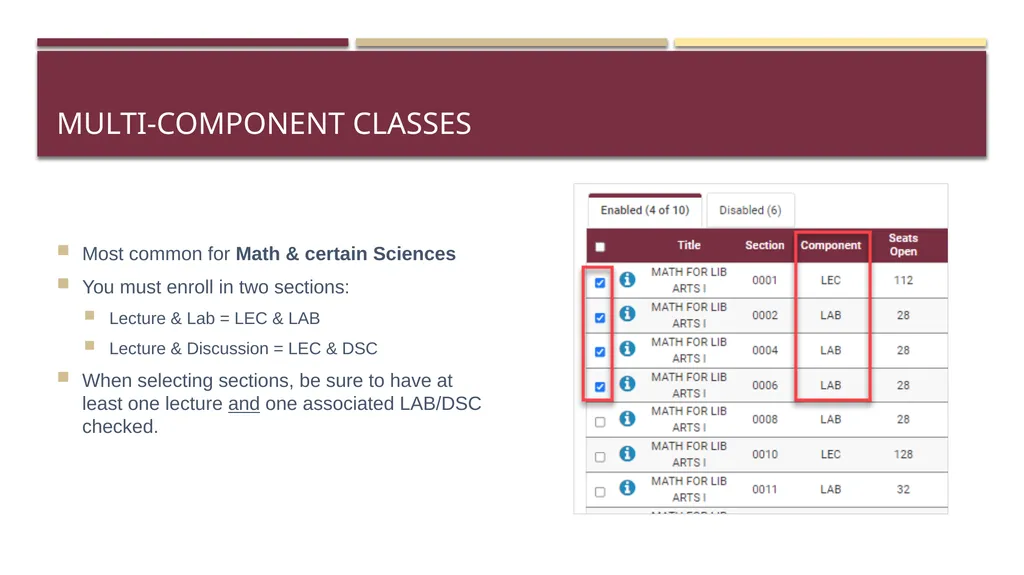
Multi-Component Classes Most common for Math & certain Sciences
You must enroll in two sections:
Lecture & Lab = LEC & LAB
Lecture & Discussion = LEC & DSC
When selecting sections, be sure to have at least one lecture and one associated LAB/DSC checked.<br>
14
Pro Tips!<br>
15
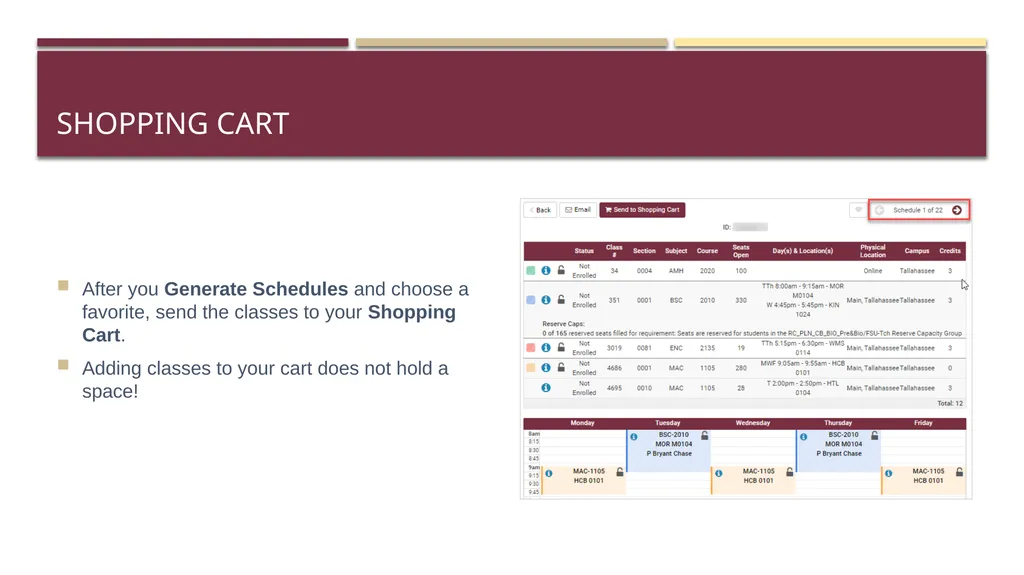
Shopping Cart After you Generate Schedules and choose a favorite, send the classes to your Shopping Cart.
Adding classes to your cart does not hold a space!<br>
16
English & Math Classes Students may not drop these without permission of their academic dean.
English Composition - ENC1101 & ENC2135
Lower-level Math - MGF1106, MGF1107, MAC1105, & MAC1140
Need a different section than the one you chose? Use the Swap to switch from one section of a class to another.
Need to drop it all together? Contact the Office of Undergraduate Studies at undergradstudies@fsu.edu<br>
17
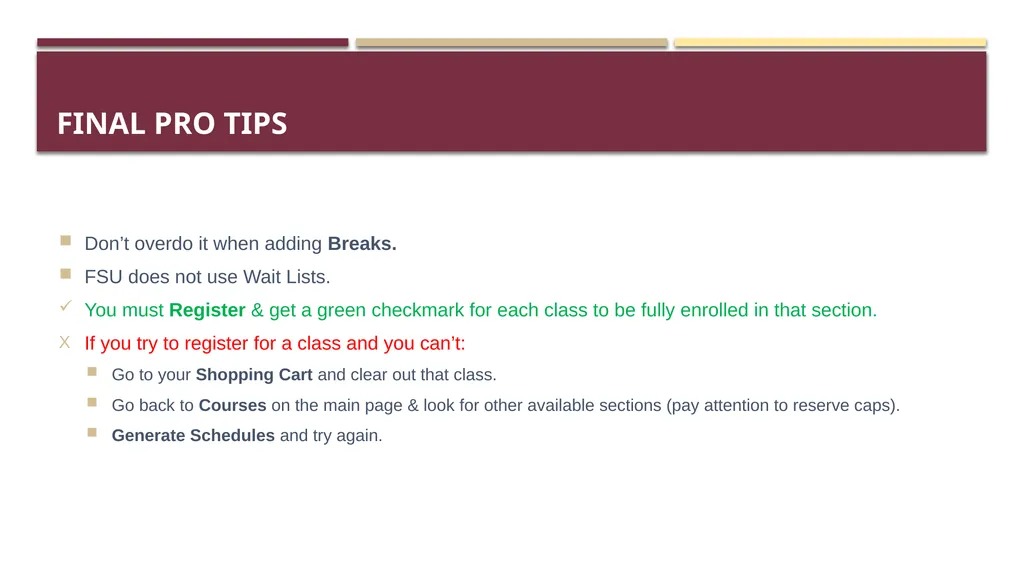
Final Pro Tips Don’t overdo it when adding Breaks.
FSU does not use Wait Lists.
You must Register & get a green checkmark for each class to be fully enrolled in that section.
If you try to register for a class and you can’t:
Go to your Shopping Cart and clear out that class.
Go back to Courses on the main page & look for other available sections (pay attention to reserve caps).
Generate Schedules and try again.<br>