01
See notes for each of the slides in the NOTES VIEW.
This material is divided into sections. Use only what is appropriate for the location of your presentation.
You should TRANSLATE from English to your local language.
You should ADD YOUR OWN CASES where appropriate.
Where official directions are offered, you must follow the manufacturer instructions (ON LABEL USAGE ONLY).
All materials are property of Dentsply Sirona or their original copyright holders.
DO NOT PUBLISH or transfer any slides, images or videos to any other person, institution or company. DS PrimeTaper Images<br>
04
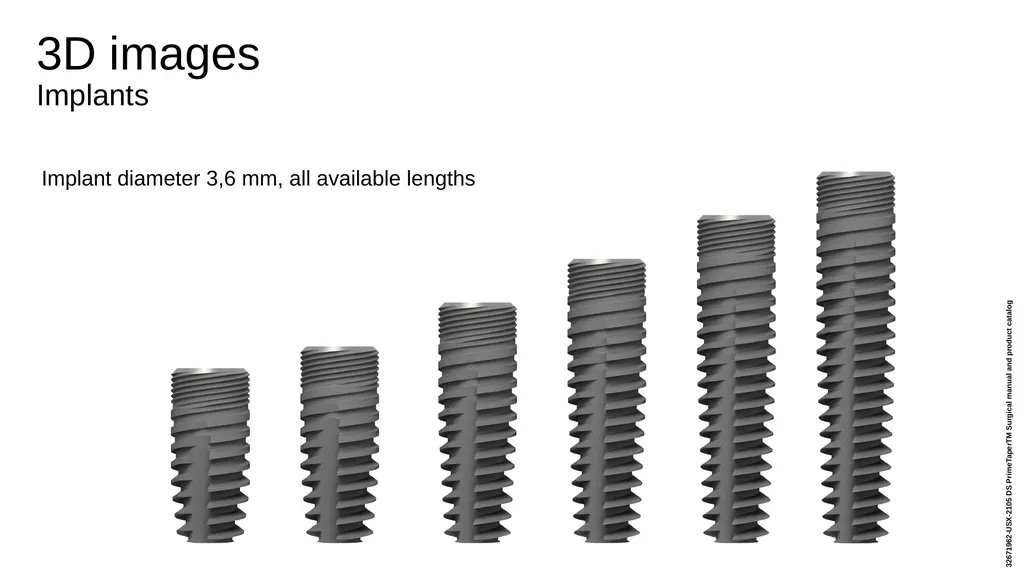
3D images�Implants Implant diameter 3,6 mm, all available lengths 32671962-USX-2105 DS PrimeTaperTM Surgical manual and product catalog<br>
05
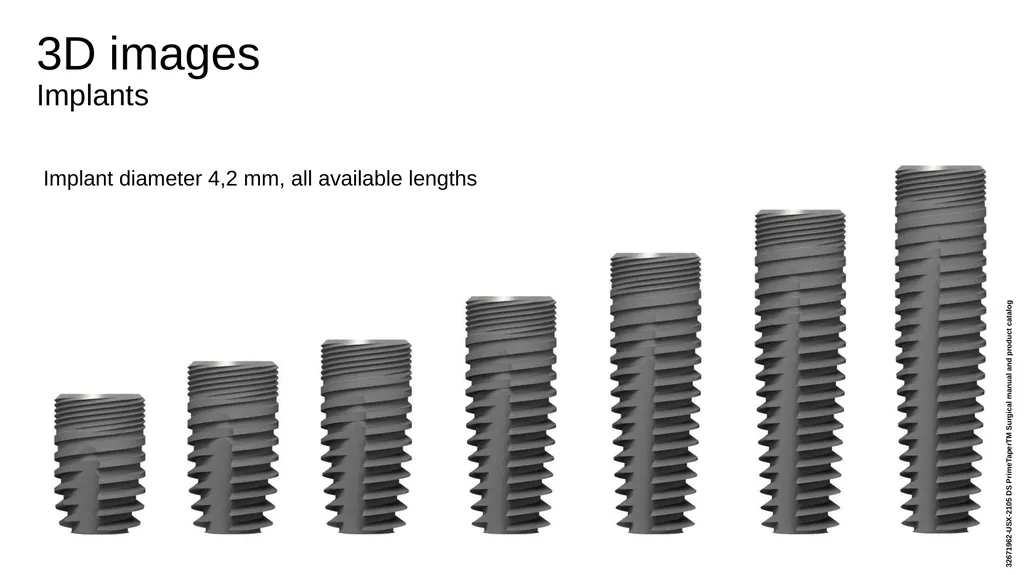
3D images�Implants Implant diameter 4,2 mm, all available lengths 32671962-USX-2105 DS PrimeTaperTM Surgical manual and product catalog<br>
06
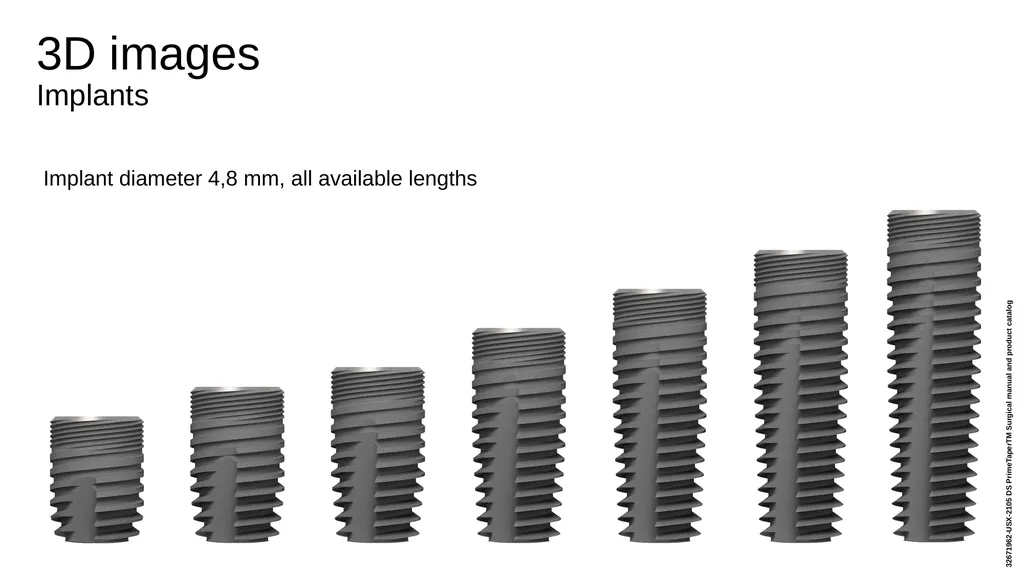
3D images�Implants Implant diameter 4,8 mm, all available lengths 32671962-USX-2105 DS PrimeTaperTM Surgical manual and product catalog<br>
07
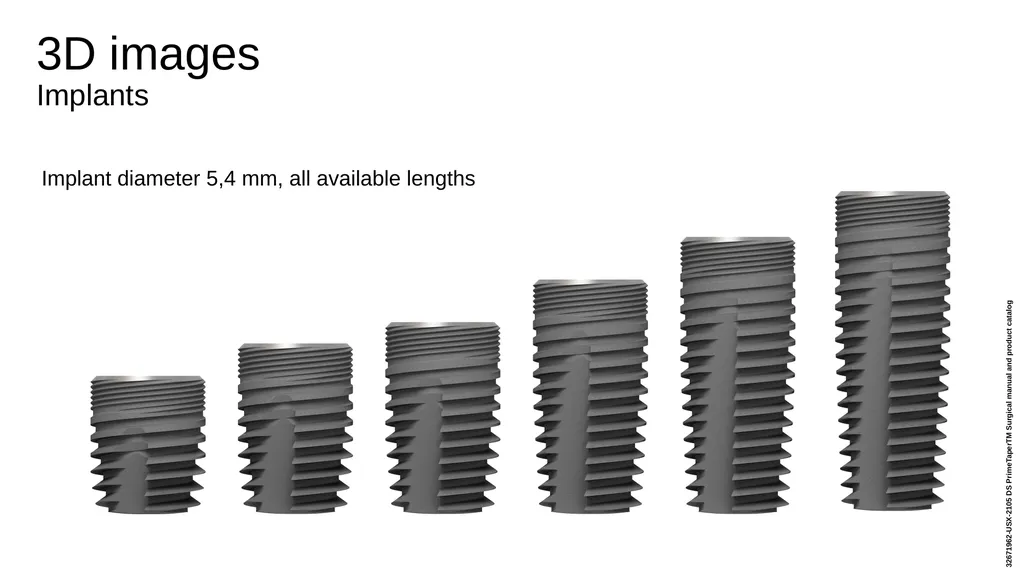
3D images�Implants Implant diameter 5,4 mm, all available lengths 32671962-USX-2105 DS PrimeTaperTM Surgical manual and product catalog<br>
08
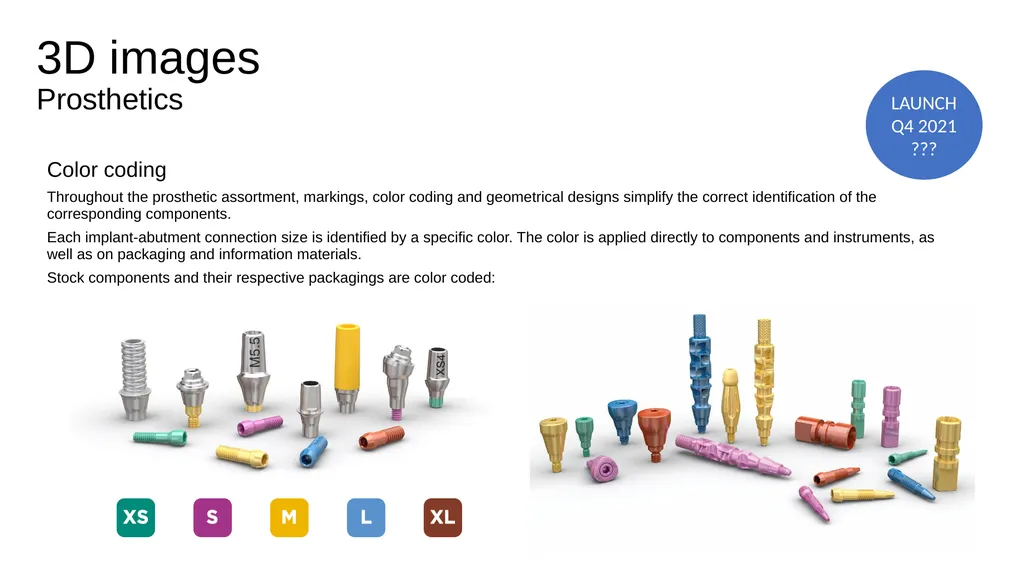
3D images�Prosthetics Color coding
Throughout the prosthetic assortment, markings, color coding and geometrical designs simplify the correct identification of the corresponding components.
Each implant-abutment connection size is identified by a specific color. The color is applied directly to components and instruments, as well as on packaging and information materials.
Stock components and their respective packagings are color coded: LAUNCH Q4 2021�???<br>
09
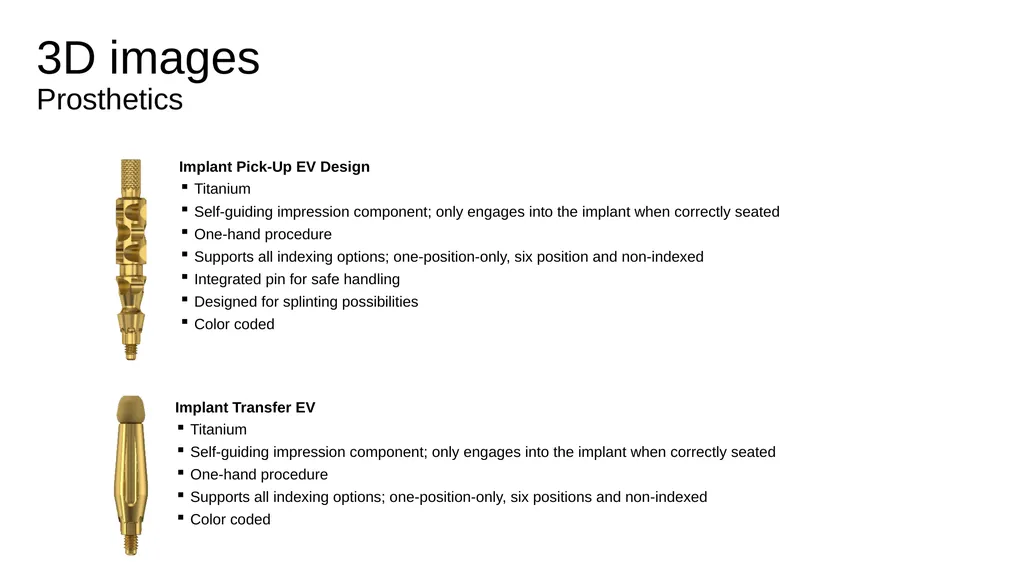
3D images�Prosthetics Implant Pick-Up EV Design
Titanium
Self-guiding impression component; only engages into the implant when correctly seated
One-hand procedure
Supports all indexing options; one-position-only, six position and non-indexed
Integrated pin for safe handling
Designed for splinting possibilities
Color coded Implant Transfer EV
Titanium
Self-guiding impression component; only engages into the implant when correctly seated
One-hand procedure
Supports all indexing options; one-position-only, six positions and non-indexed
Color coded<br>
10
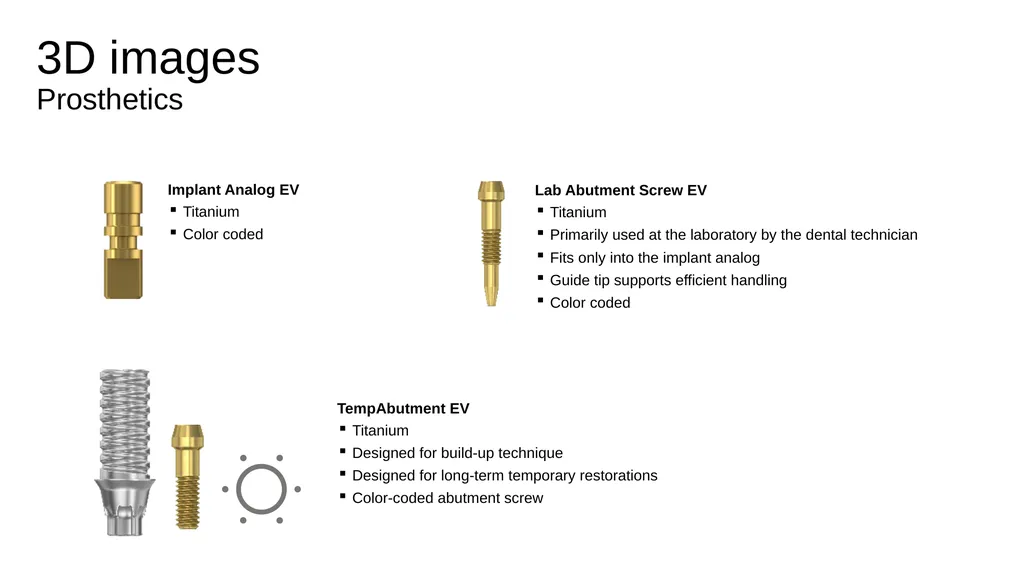
3D images�Prosthetics Implant Analog EV
Titanium
Color coded Lab Abutment Screw EV
Titanium
Primarily used at the laboratory by the dental technician
Fits only into the implant analog
Guide tip supports efficient handling
Color coded TempAbutment EV
Titanium
Designed for build-up technique
Designed for long-term temporary restorations
Color-coded abutment screw<br>
11
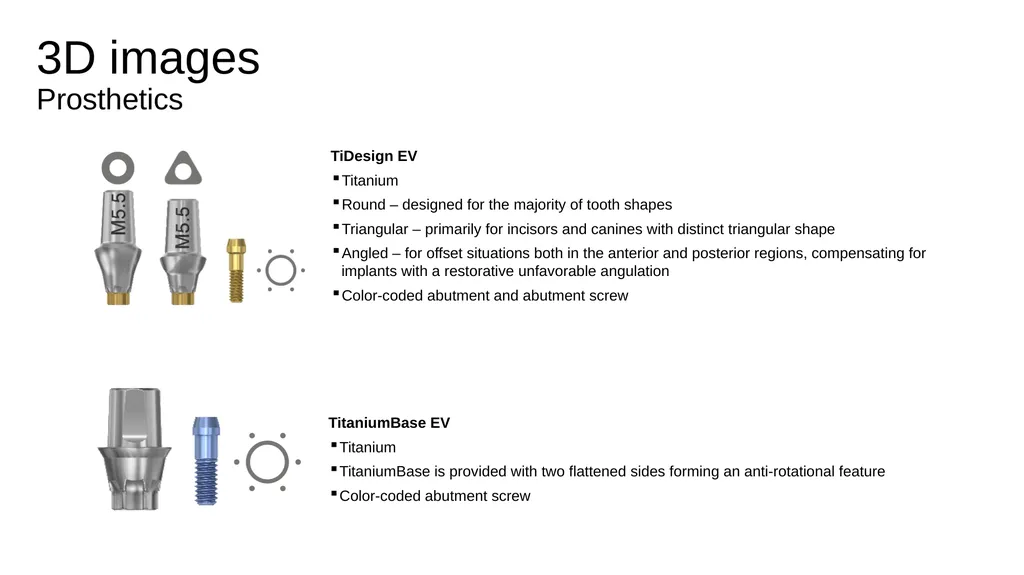
3D images�Prosthetics TiDesign EV
Titanium
Round – designed for the majority of tooth shapes
Triangular – primarily for incisors and canines with distinct triangular shape
Angled – for offset situations both in the anterior and posterior regions, compensating for implants with a restorative unfavorable angulation
Color-coded abutment and abutment screw TitaniumBase EV
Titanium
TitaniumBase is provided with two flattened sides forming an anti-rotational feature
Color-coded abutment screw<br>
12
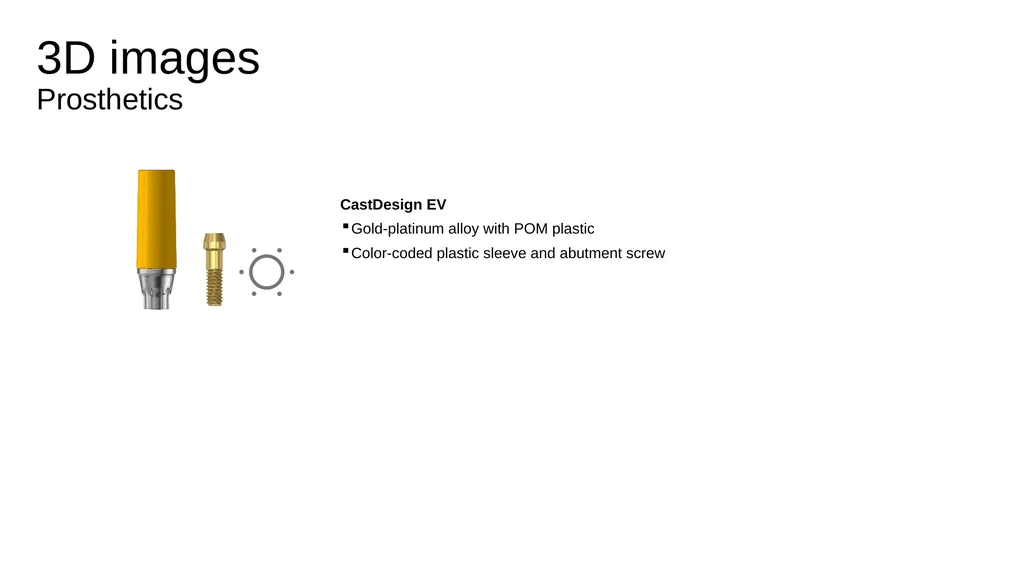
3D images�Prosthetics CastDesign EV
Gold-platinum alloy with POM plastic
Color-coded plastic sleeve and abutment screw<br>
13
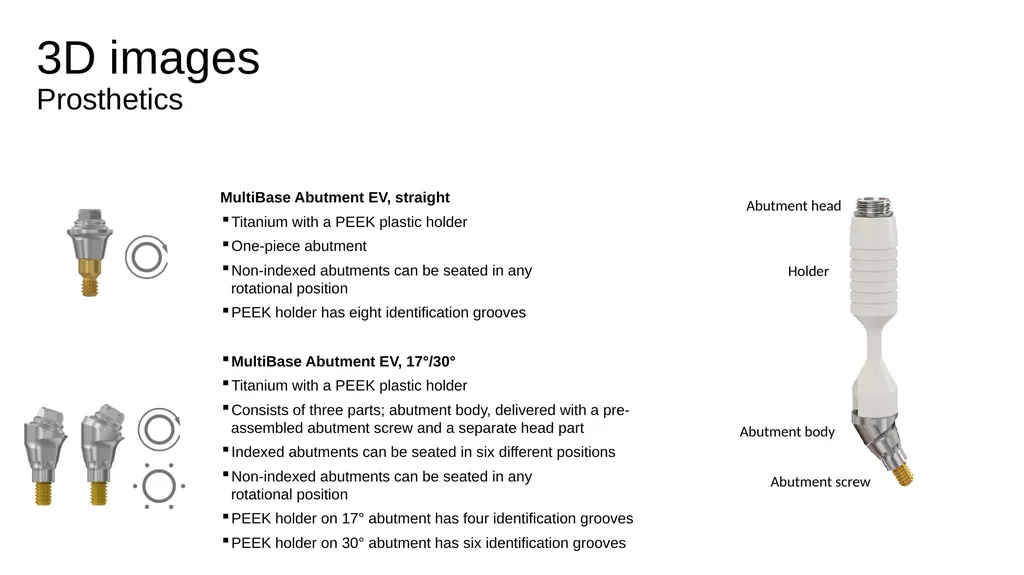
3D images�Prosthetics MultiBase Abutment EV, straight
Titanium with a PEEK plastic holder
One-piece abutment
Non-indexed abutments can be seated in any rotational position
PEEK holder has eight identification grooves
MultiBase Abutment EV, 17°/30°
Titanium with a PEEK plastic holder
Consists of three parts; abutment body, delivered with a pre-assembled abutment screw and a separate head part
Indexed abutments can be seated in six different positions
Non-indexed abutments can be seated in any rotational position
PEEK holder on 17° abutment has four identification grooves
PEEK holder on 30° abutment has six identification grooves<br>
14
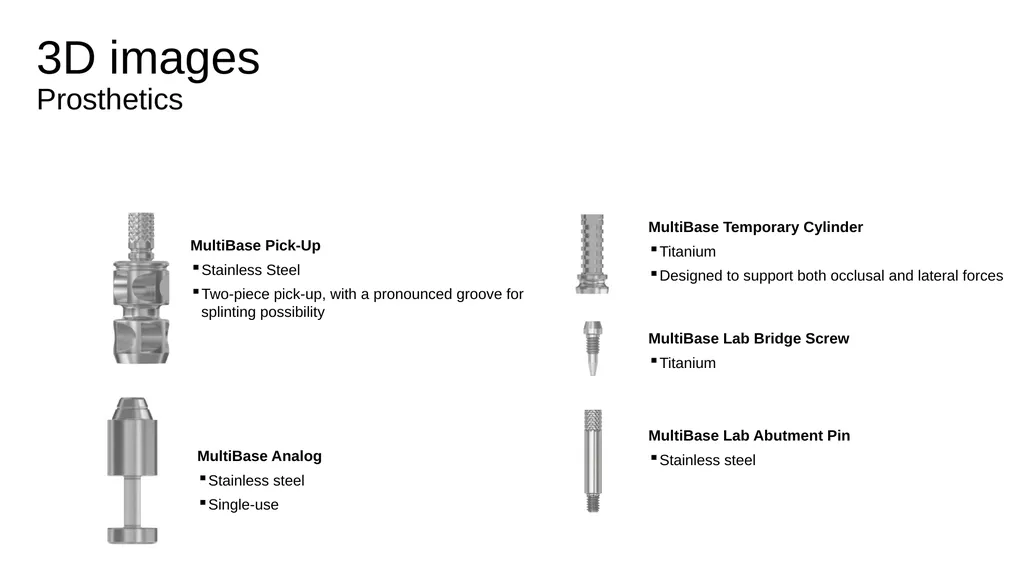
3D images�Prosthetics MultiBase Pick-Up
Stainless Steel
Two-piece pick-up, with a pronounced groove for splinting possibility MultiBase Analog
Stainless steel
Single-use MultiBase Temporary Cylinder
Titanium
Designed to support both occlusal and lateral forces
MultiBase Lab Bridge Screw
Titanium
MultiBase Lab Abutment Pin
Stainless steel<br>
15
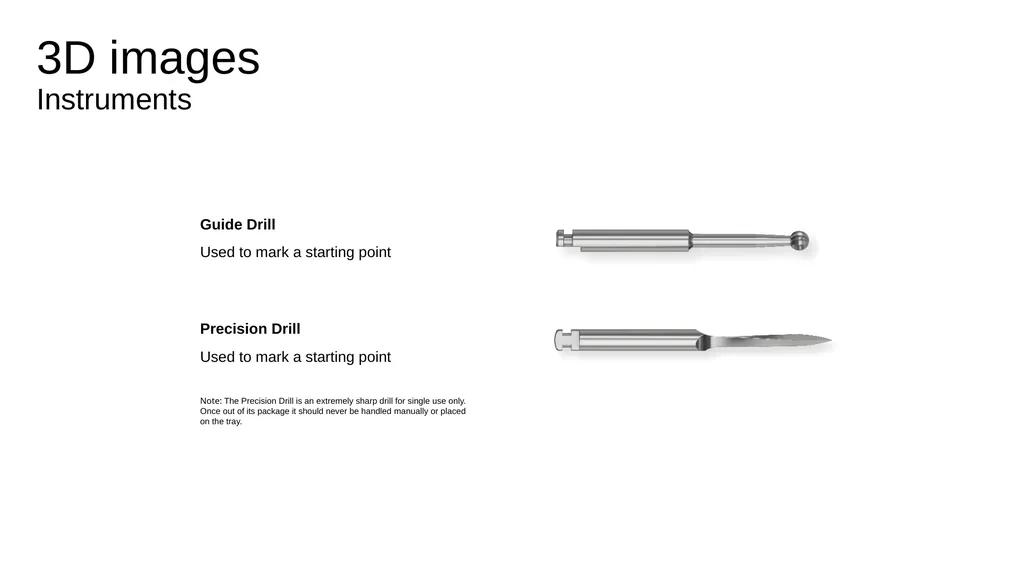
3D images�Instruments Guide Drill
Used to mark a starting point
Precision Drill
Used to mark a starting point
Note: The Precision Drill is an extremely sharp drill for single use only. �Once out of its package it should never be handled manually or placed �on the tray.<br>
16
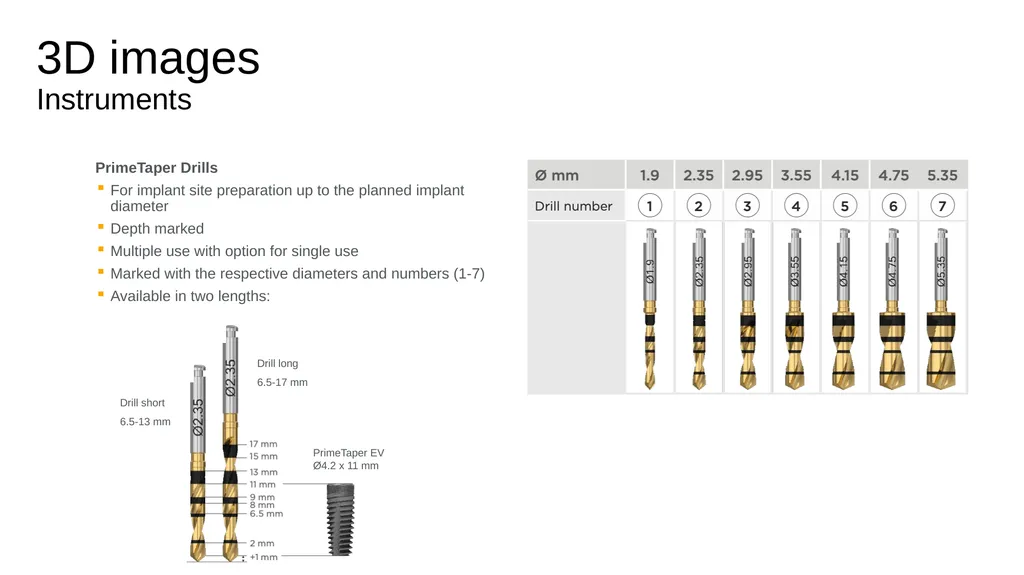
3D images�Instruments PrimeTaper Drills
For implant site preparation up to the planned implant diameter
Depth marked
Multiple use with option for single use
Marked with the respective diameters and numbers (1-7)
Available in two lengths: Drill short
6.5-13 mm Drill long
6.5-17 mm PrimeTaper EV Ø4.2 x 11 mm<br>
17
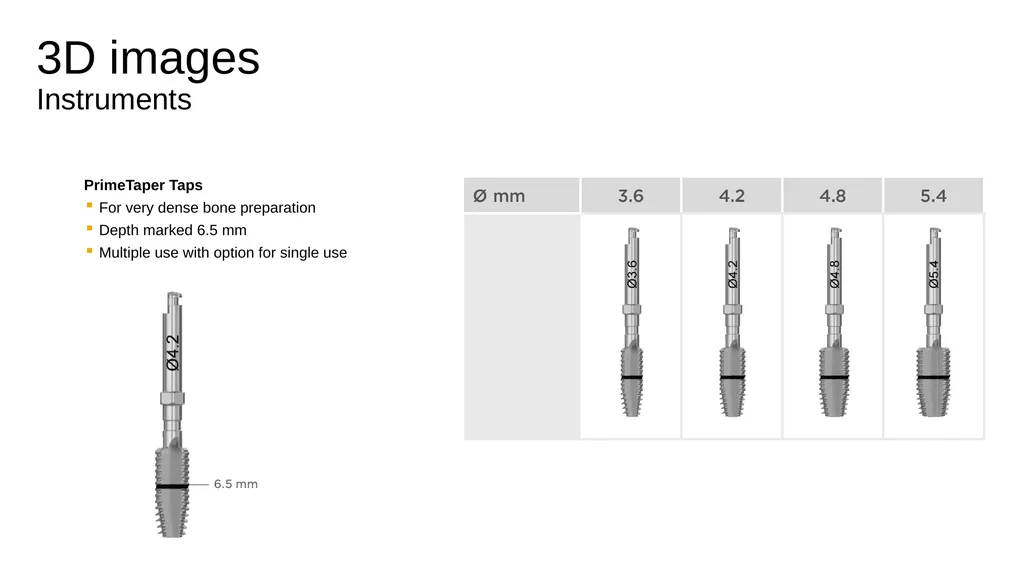
3D images�Instruments PrimeTaper Taps
For very dense bone preparation
Depth marked 6.5 mm
Multiple use with option for single use<br>
18
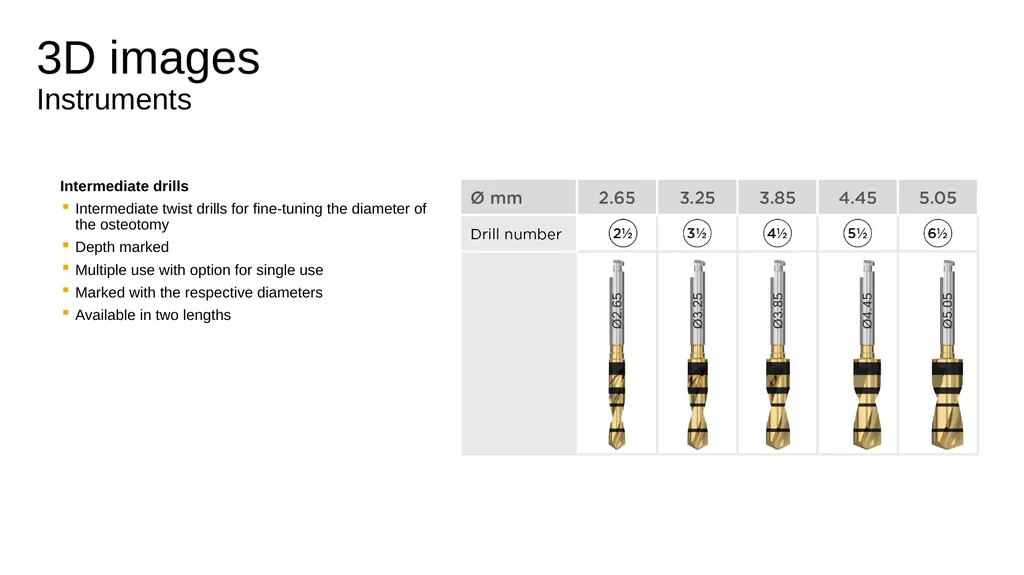
3D images�Instruments Intermediate drills
Intermediate twist drills for fine-tuning the diameter of the osteotomy
Depth marked
Multiple use with option for single use
Marked with the respective diameters
Available in two lengths<br>
19
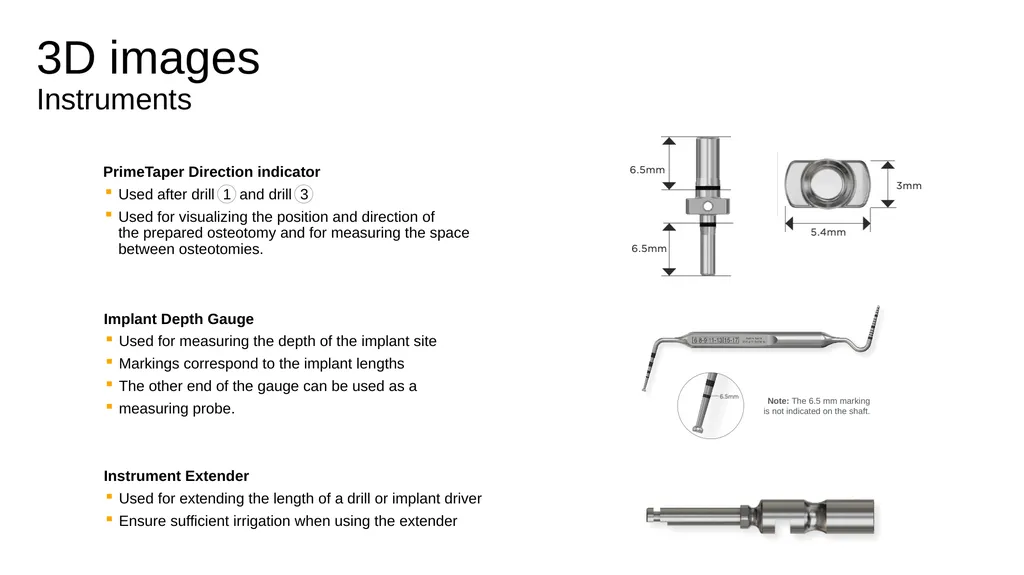
3D images�Instruments PrimeTaper Direction indicator
Used after drill 1 and drill 3
Used for visualizing the position and direction of �the prepared osteotomy and for measuring the space between osteotomies. Implant Depth Gauge
Used for measuring the depth of the implant site
Markings correspond to the implant lengths
The other end of the gauge can be used as a
measuring probe. Note: The 6.5 mm marking is not indicated on the shaft. Instrument Extender
Used for extending the length of a drill or implant driver
Ensure sufficient irrigation when using the extender<br>
20
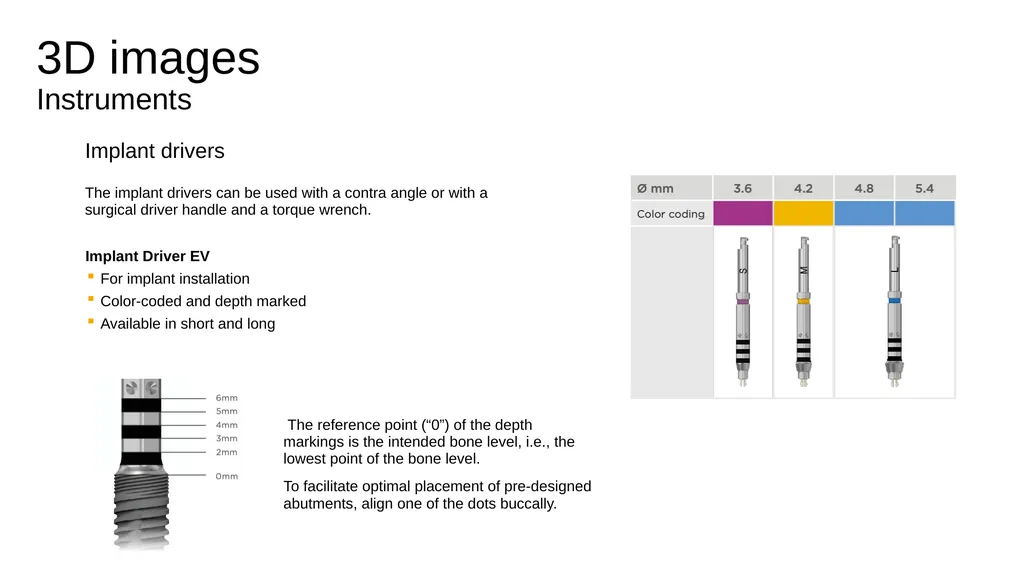
3D images�Instruments Implant drivers
The implant drivers can be used with a contra angle or with a surgical driver handle and a torque wrench. Implant Driver EV
For implant installation
Color-coded and depth marked
Available in short and long The reference point (“0”) of the depth markings is the intended bone level, i.e., the lowest point of the bone level.
To facilitate optimal placement of pre-designed abutments, align one of the dots buccally.<br>
21
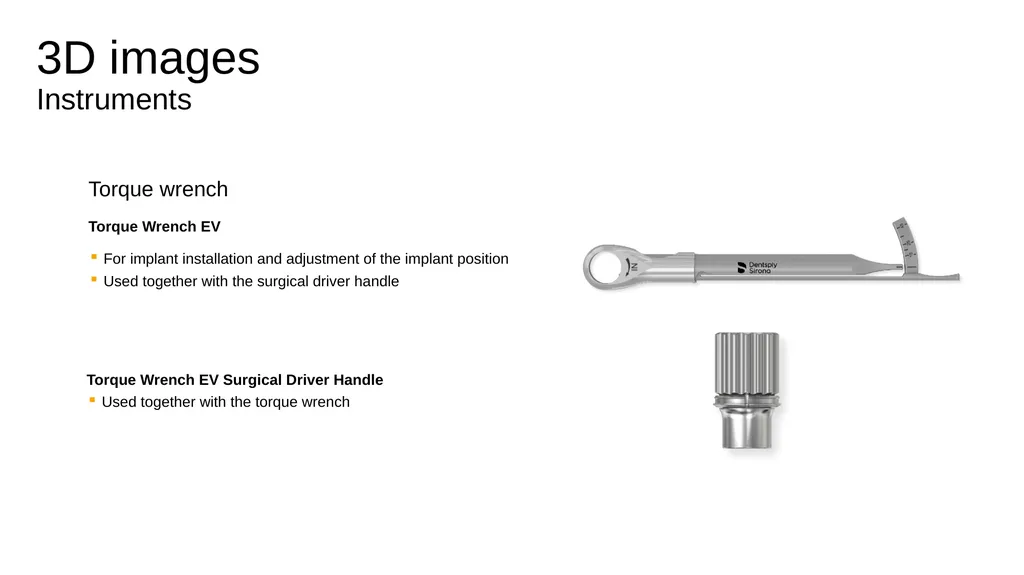
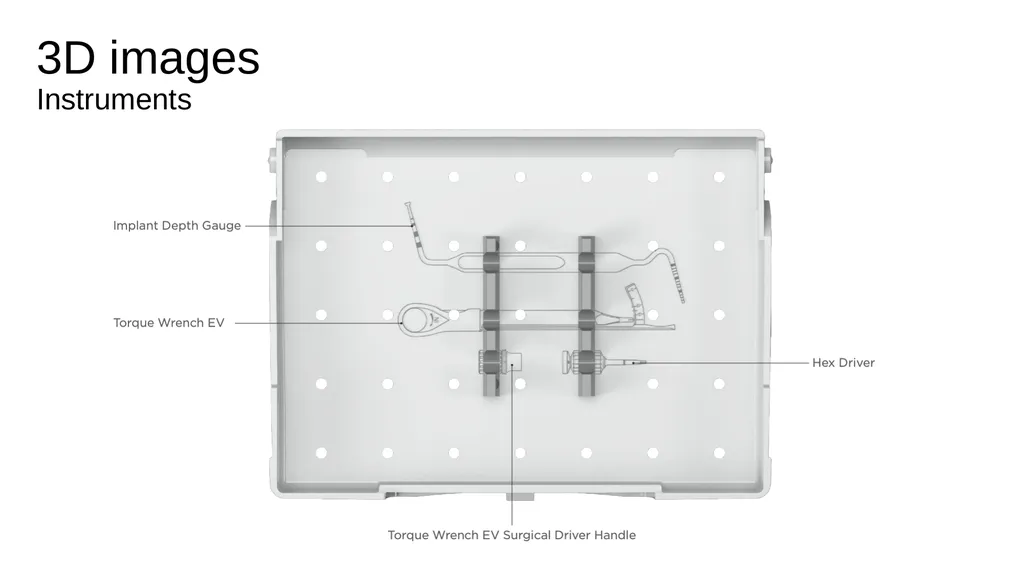
3D images�Instruments Torque wrench
Torque Wrench EV
For implant installation and adjustment of the implant position
Used together with the surgical driver handle Torque Wrench EV Surgical Driver Handle
Used together with the torque wrench<br>
22
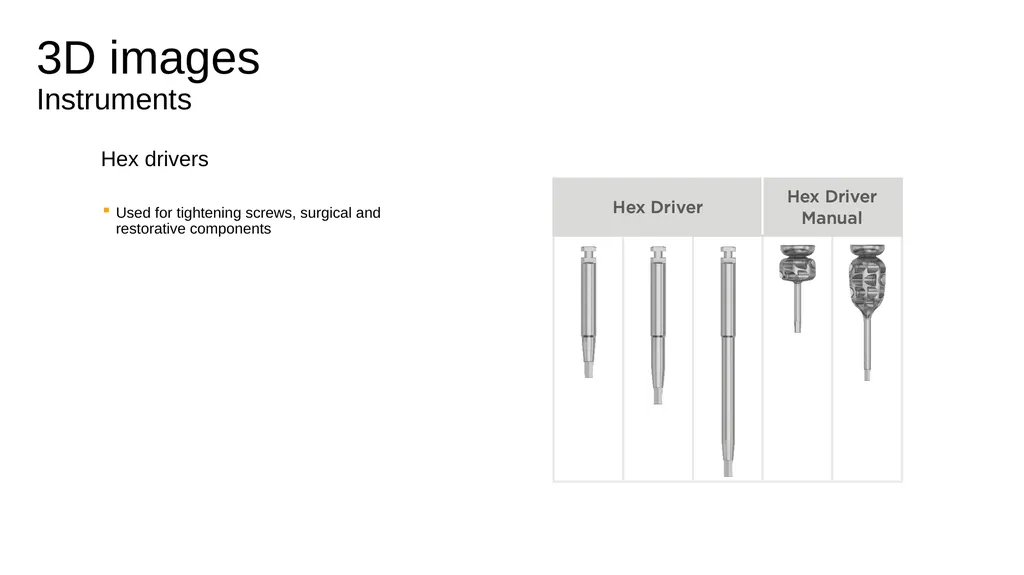
3D images�Instruments Hex drivers
Used for tightening screws, surgical and �restorative components<br>
23
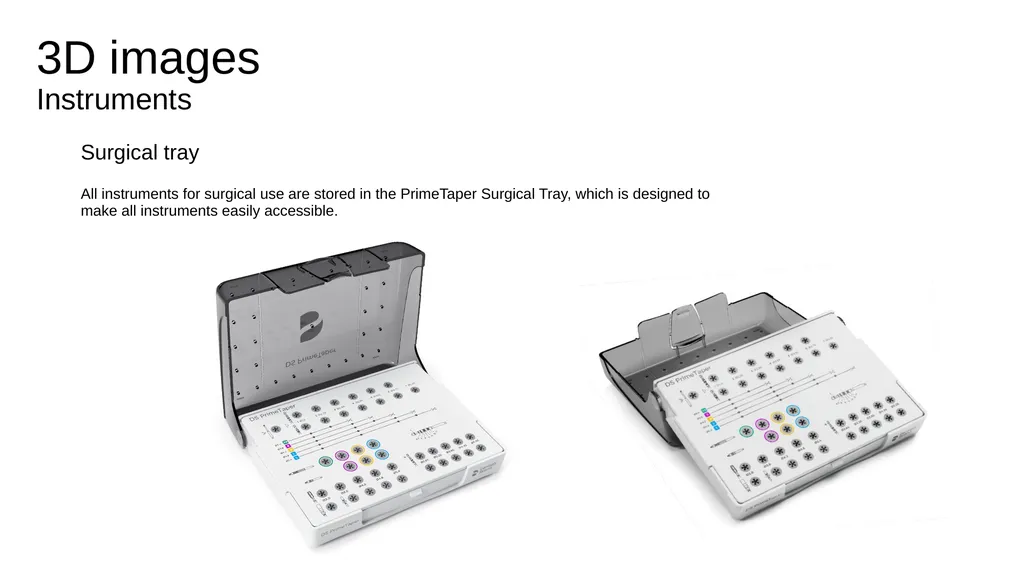
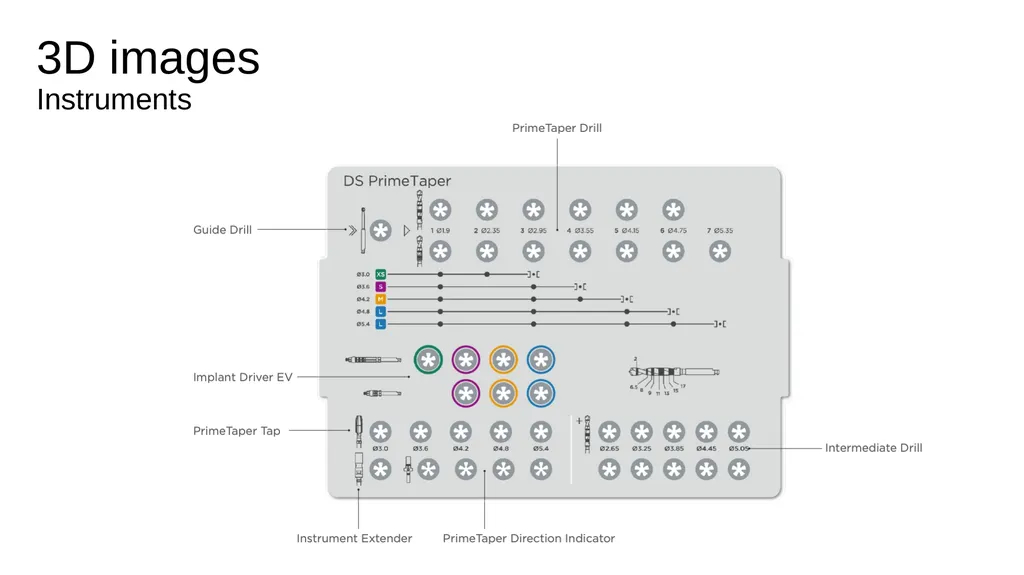
3D images�Instruments Surgical tray
All instruments for surgical use are stored in the PrimeTaper Surgical Tray, which is designed to make all instruments easily accessible.<br>
24
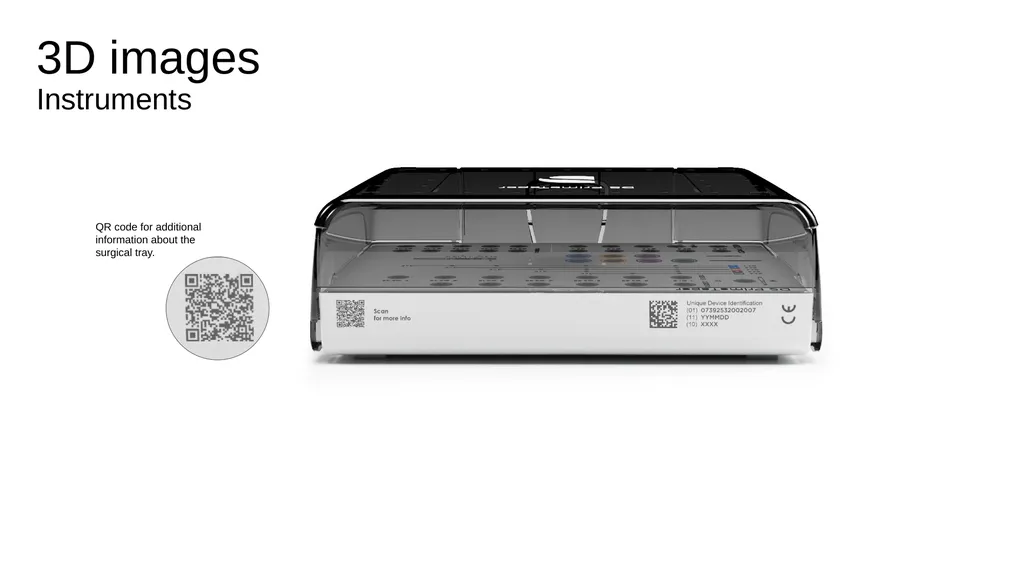
3D images�Instruments QR code for additional information about the surgical tray.<br>
25
3D images�Instruments<br>
26
3D images�Instruments<br>