Teacher slide Objectives: Students will understand why planning is important, and have a chance to record their Post-16 intentions You need: Access to Unifrog via any devices The recommended time for this resource is 20 minutes P16
"Teacher slide Objectives: Students will understand" is the property of its rightful owner. Permission is granted to
download and print the materials on this website for personal, non-commercial use only, and to display it
on your personal computer provided you do not modify the materials and that you retain all copyright
notices contained in the materials. By downloading content from our website, you accept the terms of this
agreement.
Share
Embed code
Presentation Transcript
01
Teacher slide Objectives: Students will understand why planning is important, and have a chance to record their Post-16 intentions
You need: Access to Unifrog via any devices
The recommended time for this resource is 20 minutes<br>
02
P16 intentions
Lesson version<br>
03
Starter for 10 Log into Unifrog, and go to the Know-how library.
Read Getting prepared: 5 things to put in place in Key Stage 4 (ages 14-16), and watch the short video.<br>
04
Talk it through What are the five things to put in place while you’re planning for post-16?
Name three Unifrog tools that will help you to plan for your future goals
How can you find out which qualifications you need for your dream career/industry?
Which Unifrog tool contains guides on improving your revision skills?
How will you communicate your Post-16 plans to your tutors?<br>
05
Post-16 intentions Why planning is important:
The better your plan is for the future, the more likely you are to achieve it
A big challenge (getting onto your intended career path) is much less scary when it’s broken down into smaller pieces
By telling the right people about your plans (in this instance, your tutors and teachers) you can use their knowledge, experience and contacts to help you along in your journey<br>
06
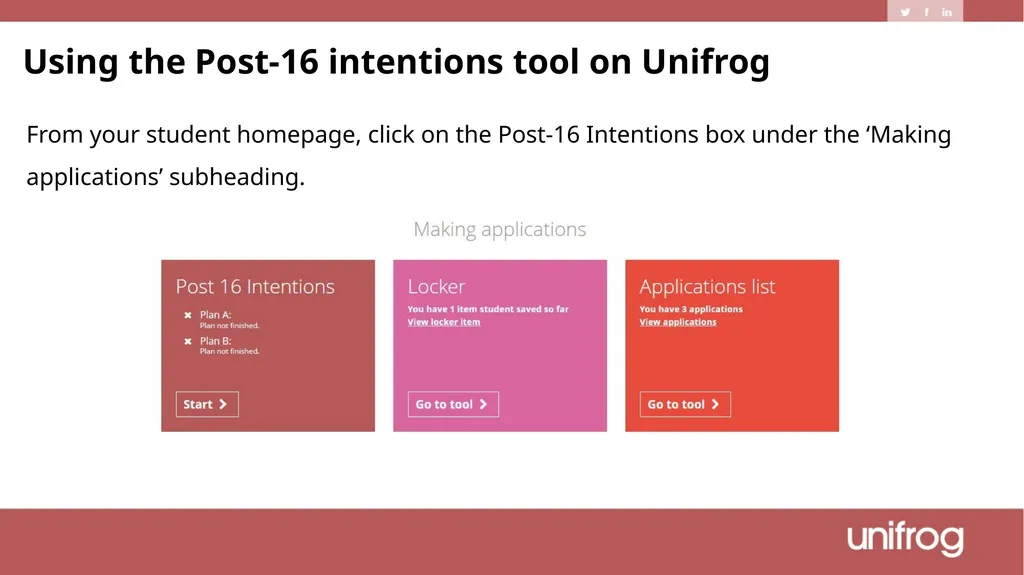
Using the Post-16 intentions tool on Unifrog From your student homepage, click on the Post-16 Intentions box under the ‘Making applications’ subheading.<br>
07
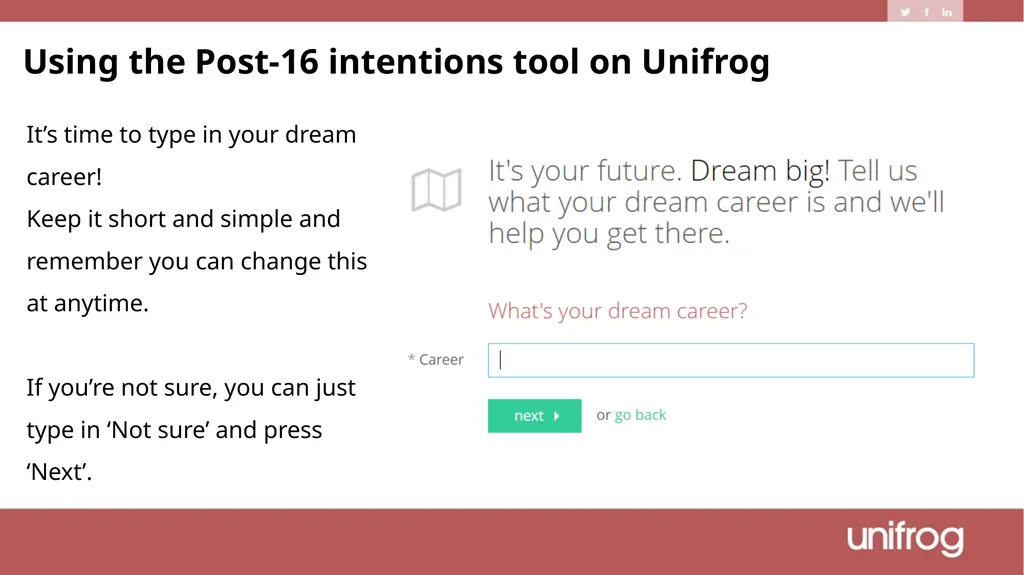
Using the Post-16 intentions tool on Unifrog It’s time to type in your dream career!
Keep it short and simple and remember you can change this at anytime.
If you’re not sure, you can just type in ‘Not sure’ and press ‘Next’.<br>
08
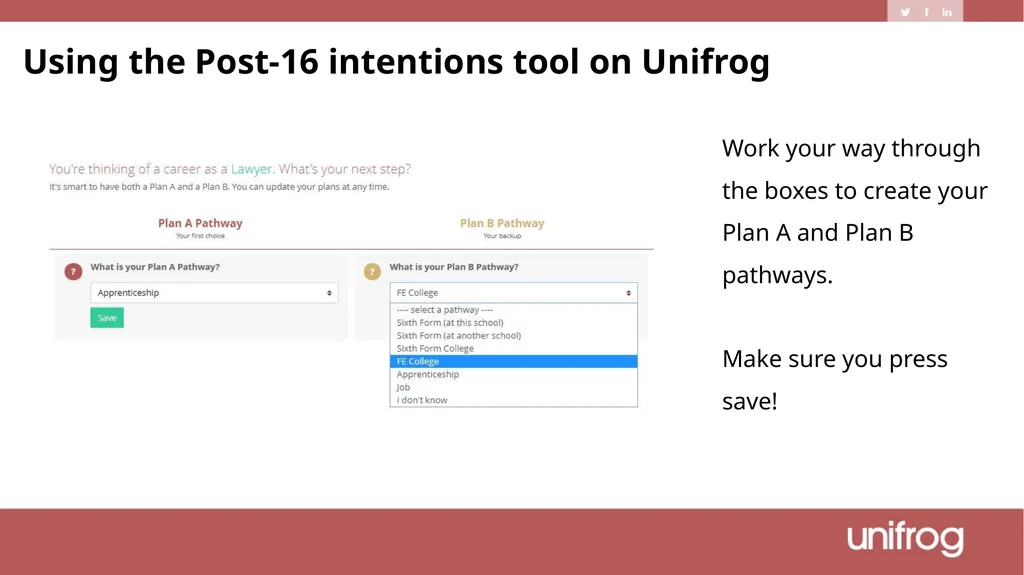
Work your way through the boxes to create your Plan A and Plan B pathways.
Make sure you press save! Using the Post-16 intentions tool on Unifrog<br>
09
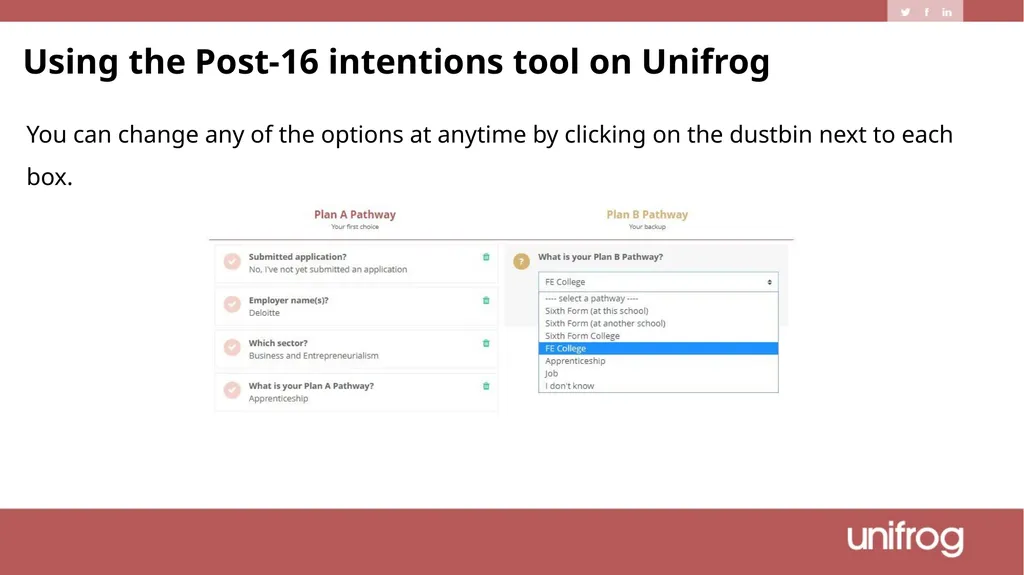
You can change any of the options at anytime by clicking on the dustbin next to each box. Using the Post-16 intentions tool on Unifrog<br>
10
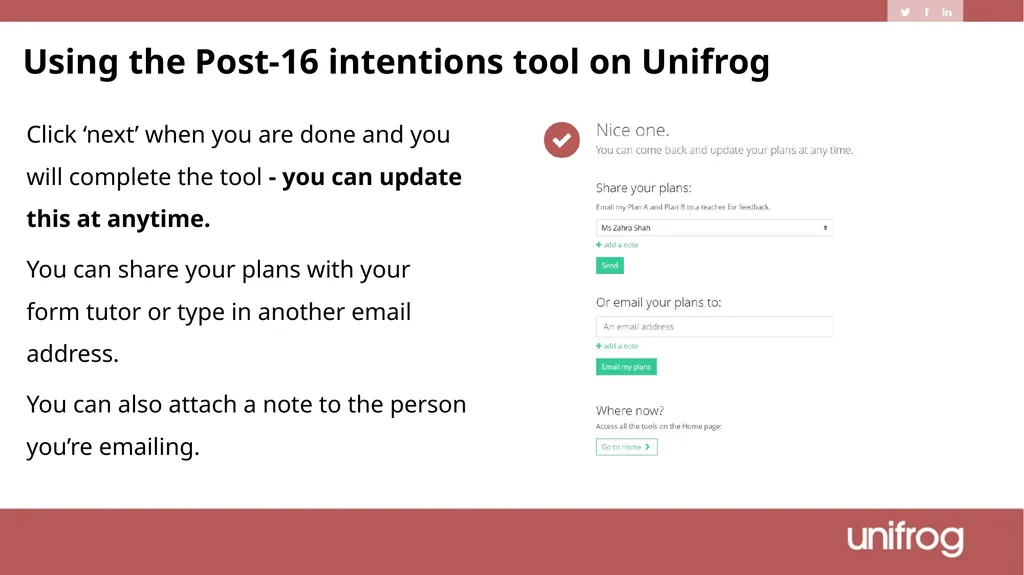
Click ‘next’ when you are done and you will complete the tool - you can update this at anytime.
You can share your plans with your form tutor or type in another email address.
You can also attach a note to the person you’re emailing. Using the Post-16 intentions tool on Unifrog<br>
11
Spend some time researching your ideal career, using as many Unifrog tools as you can
Record your Post-16 intentions using Unifrog
Keep this updated whenever your thoughts or plans change – your teachers can use this information to make sure you’re accessing the best opportunities! Next steps<br>