04
Functions of the MO team Strategic and operational Medicines Management service:
Medicines commissioning: formulary, pathways and services
Medicines finance
QIPP – prescribing efficiencies
Medicines safety and quality
Primary care support including query support<br>
05
Primary care functions include Interface liaison with secondary care
APC attendance and input in local formulary
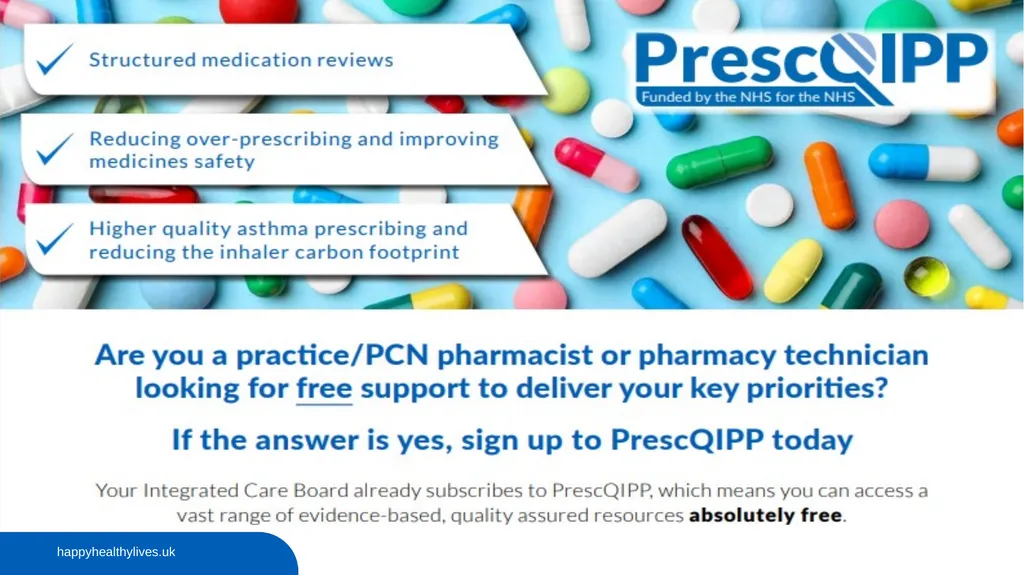
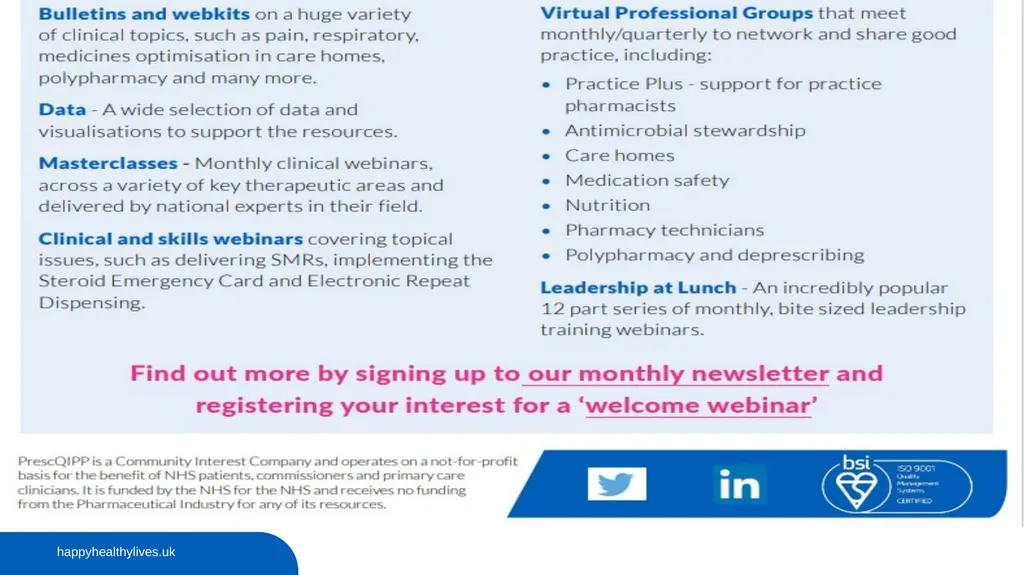
Prescribing data analysis – ePACT2, PrescQIPP®
Practice support – SOPs, audits, medicines safety
Monitoring interventions – MHRA alerts, high risk drugs e.g. DOACs
QIPP, Prescribing Incentive Scheme, financial planning
Proactive Advice: Newsletters, OptimiseRx®
Reactive Advice: Queries including Medicines Information (MI) provision
PrescQIPP link
NMP governance<br>
06
QIPP and Prescribing Indicators QIPP (Quality, Innovation, Productivity and Prevention) is a large scale transformational programme for the NHS, involving all NHS staff, clinicians, patients and the voluntary sector.
It improves the quality of care the NHS delivers while making billions of pounds of efficiency savings, which is reinvested in front line care
The Medicines Optimisation prescribing indicators have been developed to contribute to the required QIPP savings. They can be used to identify areas for cost and quality improvements in which the Medicines Optimisation Team can support practices in making changes in chosen areas. They are reviewed and updated or changed as appropriate.
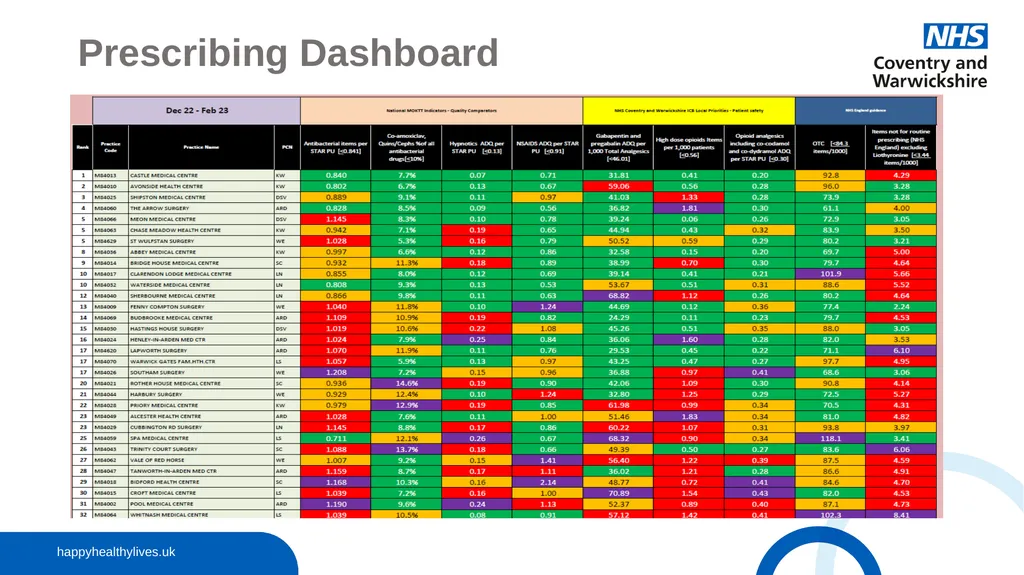
The indicators can be found in the monthly practice prescribing dashboard.
They can be divided into 2 groups, national and local priorities.
Each indicator includes a description along with the target and the practice figures, and the ICB and locality averages.
Most indicators account for variation in practice list size and demography.<br>
07
Prescribing Dashboard<br>
08
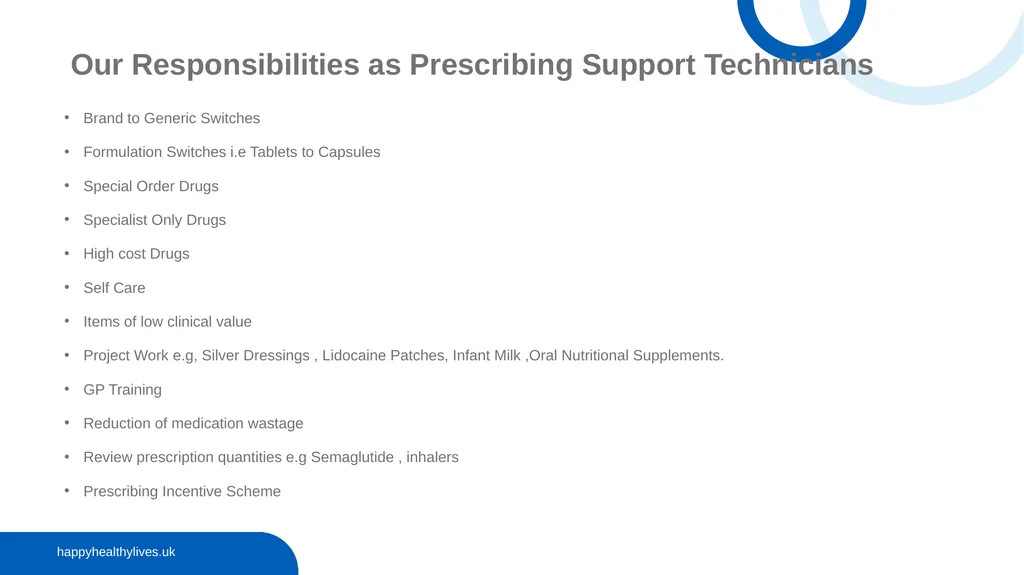
Brand to Generic Switches
Formulation Switches i.e Tablets to Capsules
Special Order Drugs
Specialist Only Drugs
High cost Drugs
Self Care
Items of low clinical value
Project Work e.g, Silver Dressings , Lidocaine Patches, Infant Milk ,Oral Nutritional Supplements.
GP Training
Reduction of medication wastage
Review prescription quantities e.g Semaglutide , inhalers
Prescribing Incentive Scheme Our Responsibilities as Prescribing Support Technicians<br>
09
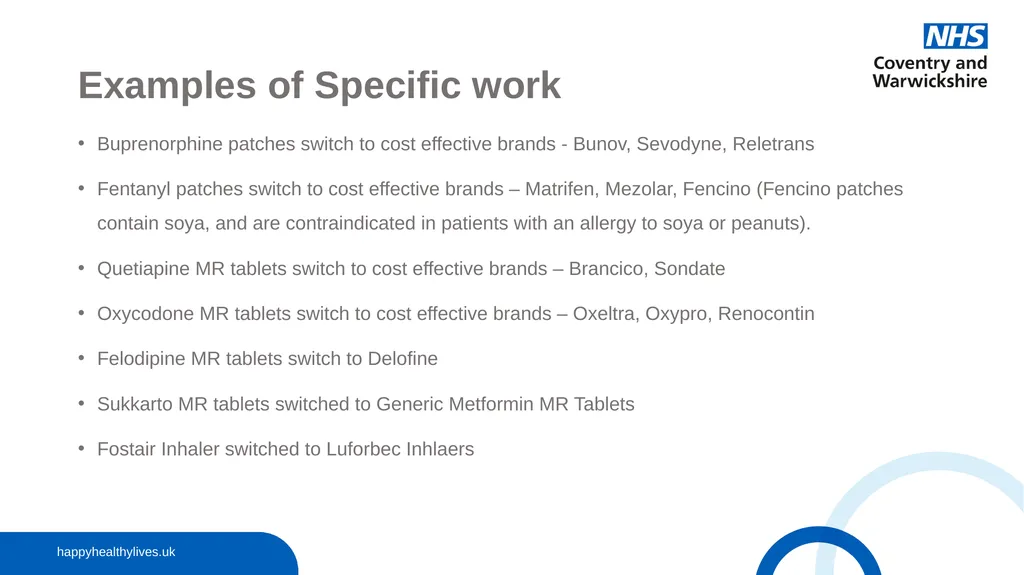
Examples of Specific work Buprenorphine patches switch to cost effective brands - Bunov, Sevodyne, Reletrans
Fentanyl patches switch to cost effective brands – Matrifen, Mezolar, Fencino (Fencino patches contain soya, and are contraindicated in patients with an allergy to soya or peanuts).
Quetiapine MR tablets switch to cost effective brands – Brancico, Sondate
Oxycodone MR tablets switch to cost effective brands – Oxeltra, Oxypro, Renocontin
Felodipine MR tablets switch to Delofine
Sukkarto MR tablets switched to Generic Metformin MR Tablets
Fostair Inhaler switched to Luforbec Inhlaers<br>
10
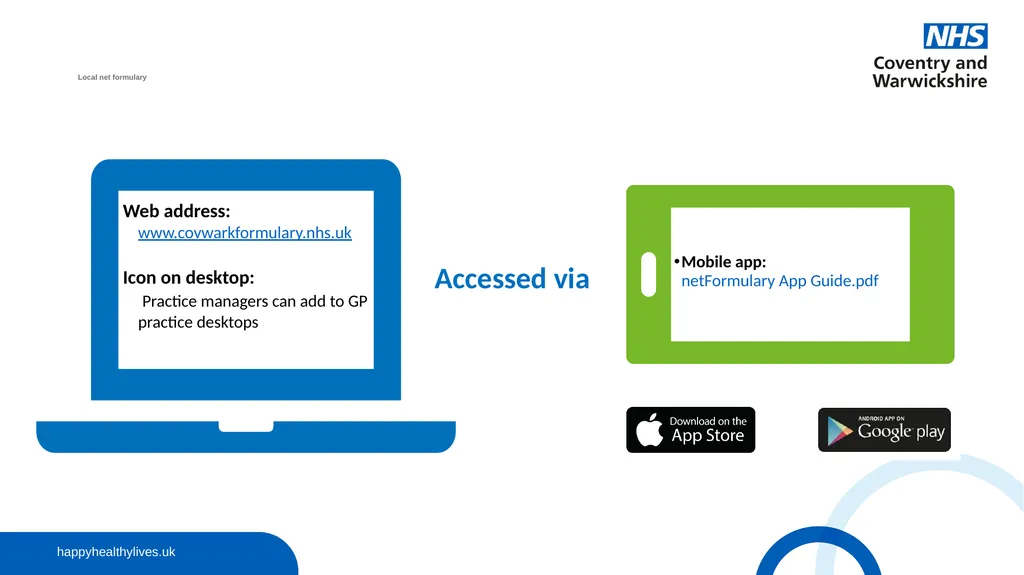
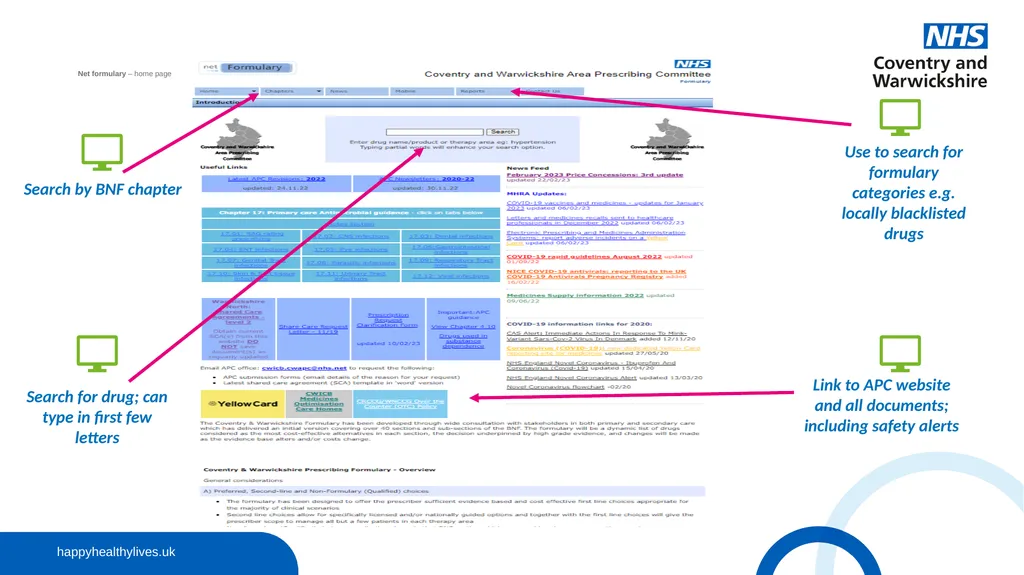
Local net formulary�Local nLocal net formulary�e Web address: www.covwarkformulary.nhs.uk
Icon on desktop: Practice managers can add to GP practice desktops Accessed via Mobile app: netFormulary App Guide.pdf<br>
11
Formularies are lists of medicines which have been locally approved for use which prescribers are encouraged to adhere.
There are so many medicines available, many of them closely related with little to choose between them. The construction of a formulary allows prescribers in a practice to focus their prescribing and to develop good knowledge of a limited range of medicines. A formulary also allows the CCG to promote the most cost-effective choice of medicines in each area.
Patients also receive a consistent choice of drugs from partners within a practice and this can add to their confidence in the prescribing process.
Locally we have formularies covering the main chapters of the BNF, infant formula, wound care, incontinence and stoma appliances. Formularies<br>
12
Net formulary – home page ��Local nLocal net formulary�e Search for drug; can type in first few letters Use to search for formulary categories e.g. locally blacklisted drugs Link to APC website and all documents; including safety alerts Search by BNF chapter<br>
13
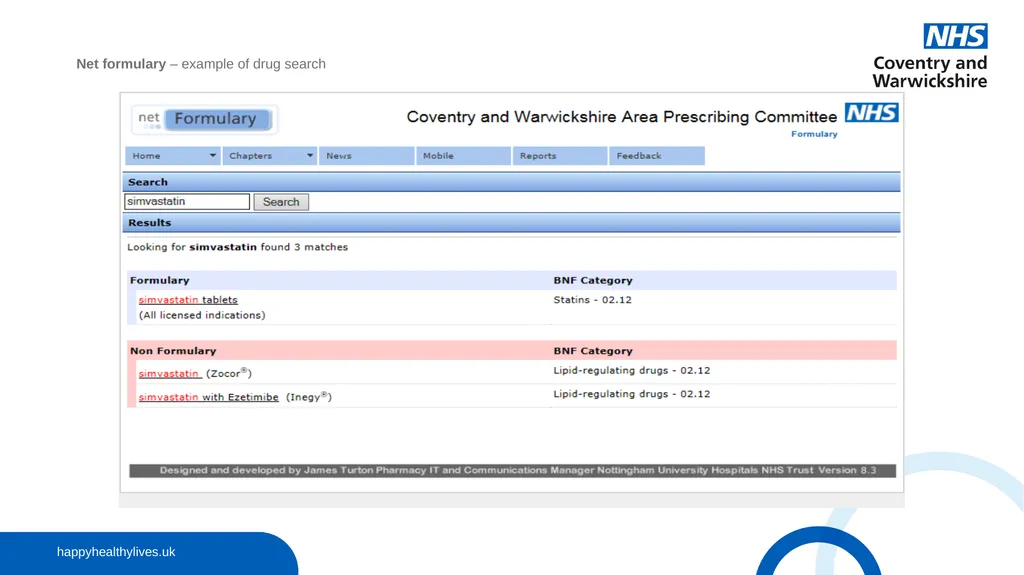
Net formulary – example of drug search �Net formulary – example of drug search<br>
14
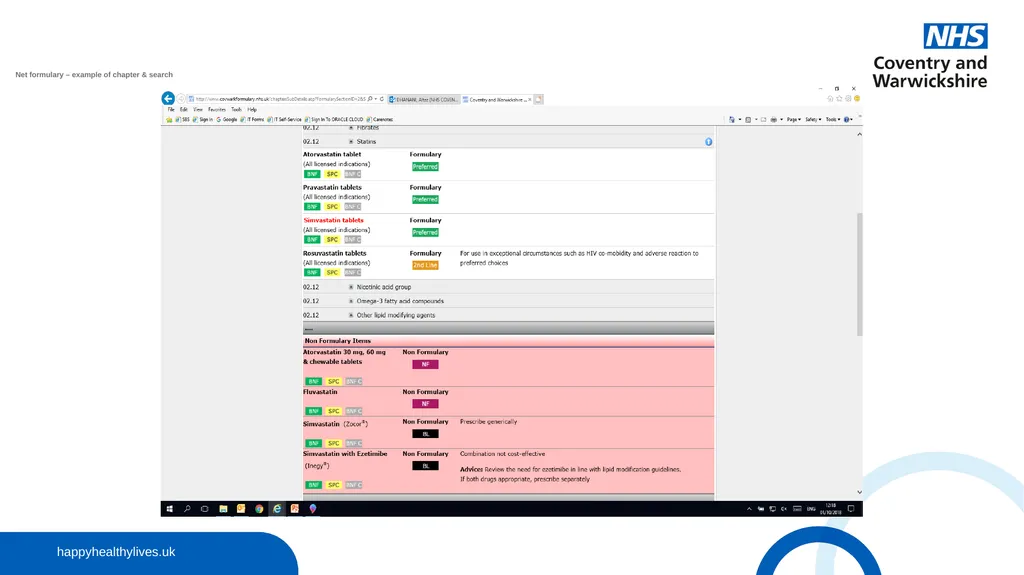
Net formulary – example of chapter & search��Net formulary – example of chapter and search<br>
15
There are a number of drugs which should only be prescribed by the hospital, this is because these are very specialist drugs which require oversight and monitoring from a hospital clinician.
It would not be clinically appropriate for a GP to prescribe these drugs.
The list of locally agreed specialist only drugs can be found by using Coventry and Warwickshire Area prescribing Committee (Net Formulary).
If your practice has any problems in getting the initiating hospital to take back the prescribing of a hospital only drug do not hesitate to get in touch with the Medicines Optimisation Team for support.
A GP should not be initiating a specialist only drug.
There can be added as a Hospital Only Medication to the patients record. Specialist Only<br>
16
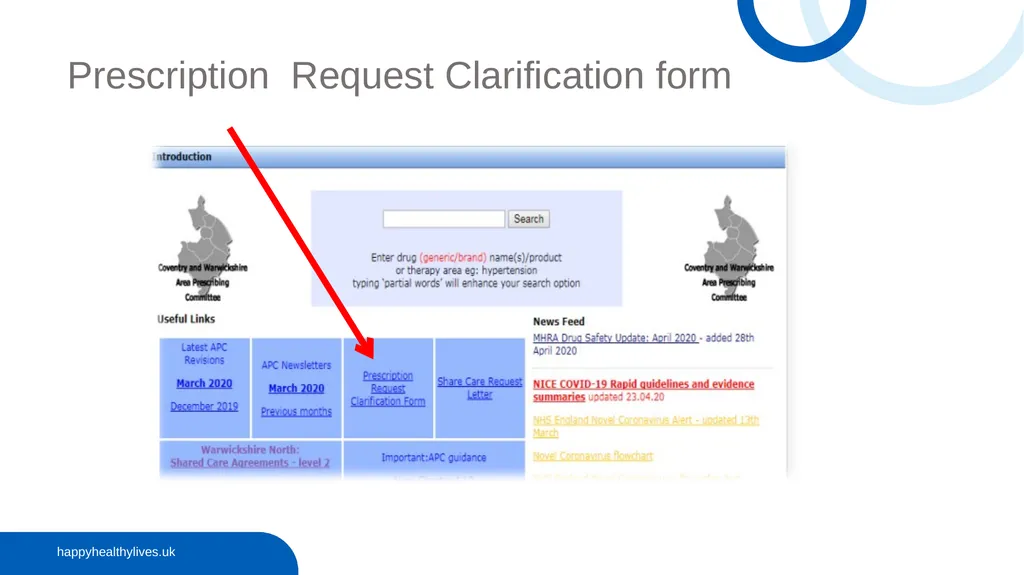
Prescription Request Clarification form<br>
17
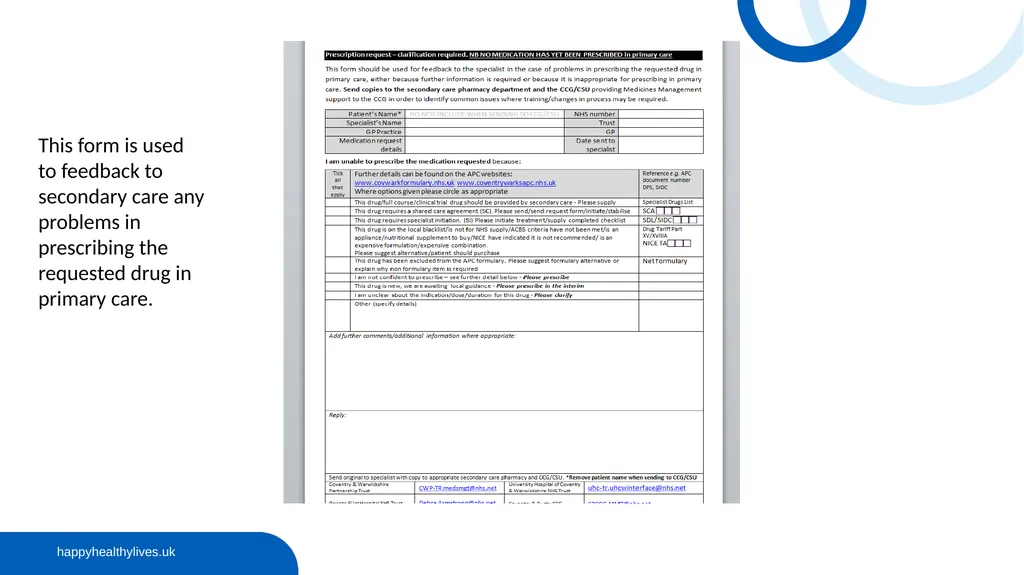
This form is used to feedback to secondary care any problems in prescribing the requested drug in primary care.<br>
18
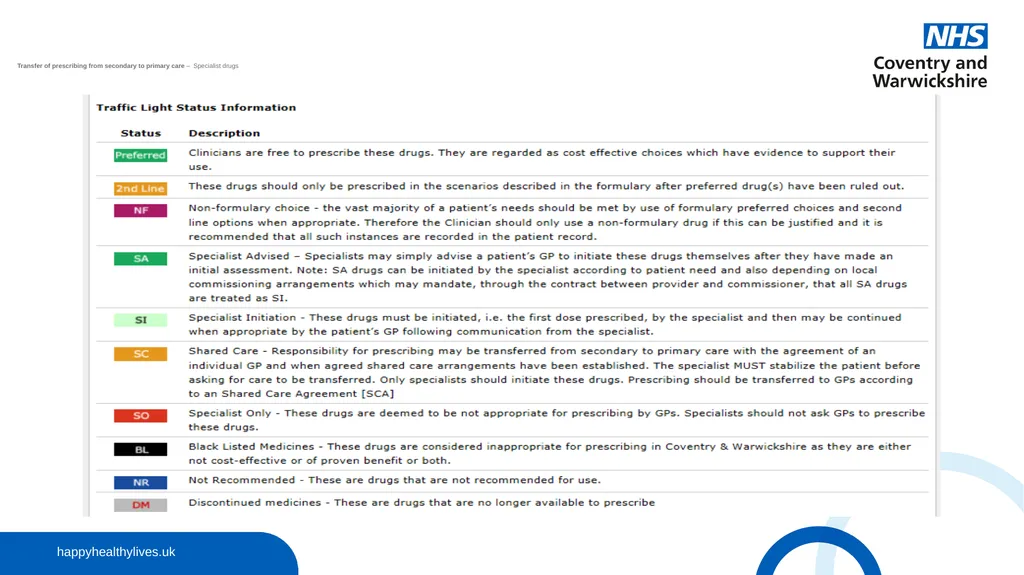
Transfer of prescribing from secondary to primary care – Specialist drugs���Net formulary – example of chapter and search<br>
19
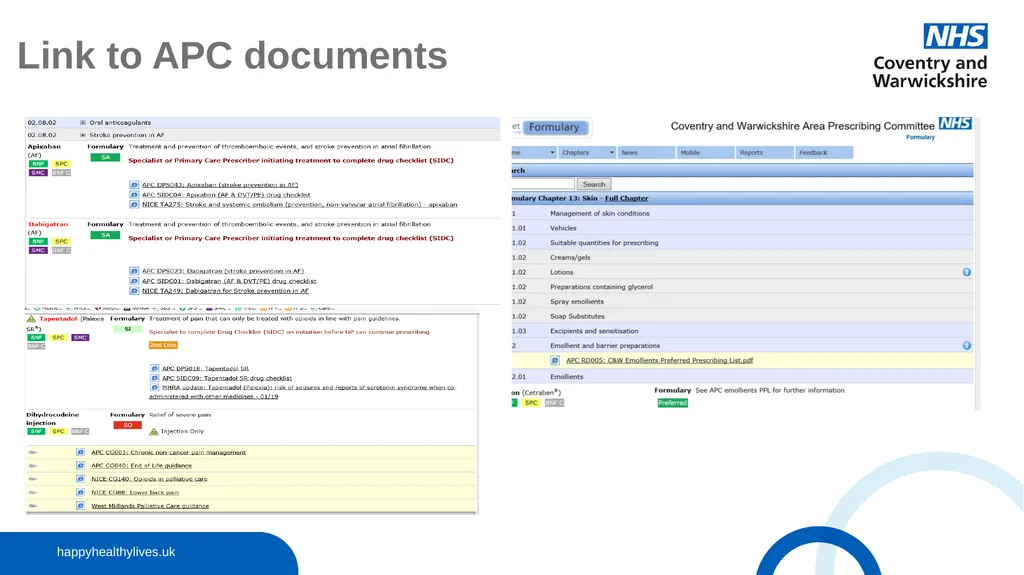
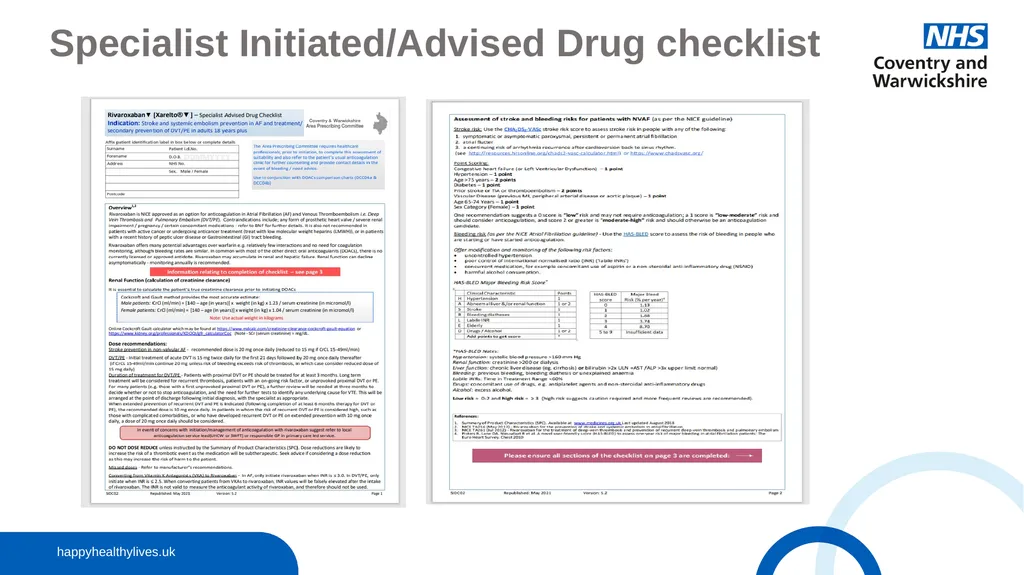
APC documents��SCA – Shared Care Agreement�SIDC – Specialist Initiated/Advised Drug Checklist�DPS – Drug Positioning Statement�DCC – Drug Comparison Chart�CG – Clinical Guideline�RD – Resource Document�PPL – Preferred Prescribing List�APC Resource documents: The APC approves these documents as appropriate for use within the health economy by those clinicians, or group of clinicians that choose to.<br>
20
Link to APC documents<br>
21
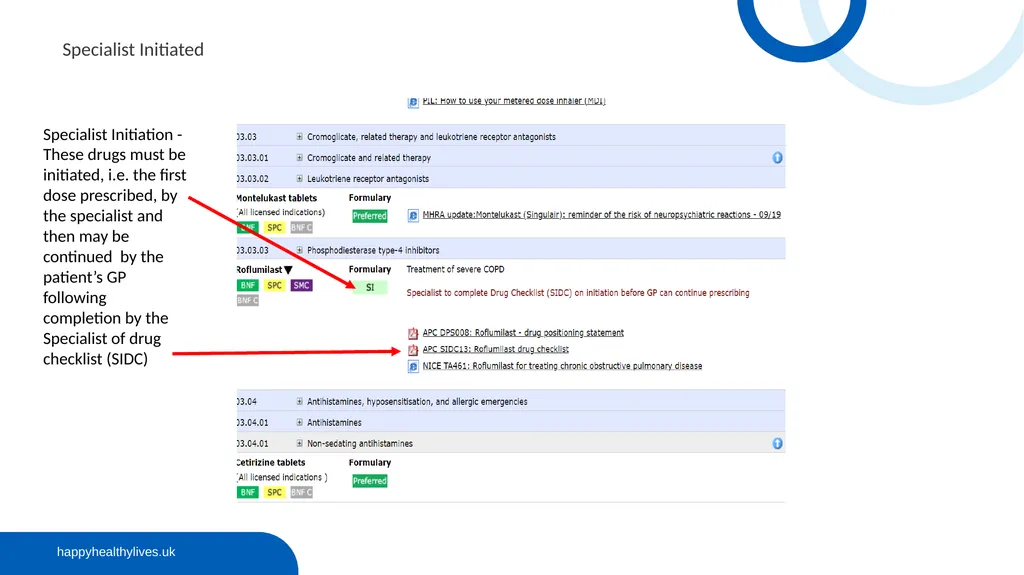
Specialist Initiation - These drugs must be initiated, i.e. the first dose prescribed, by the specialist and then may be continued by the patient’s GP following completion by the Specialist of drug checklist (SIDC) Specialist Initiated<br>
22
Specialist Initiated/Advised Drug checklist<br>
23
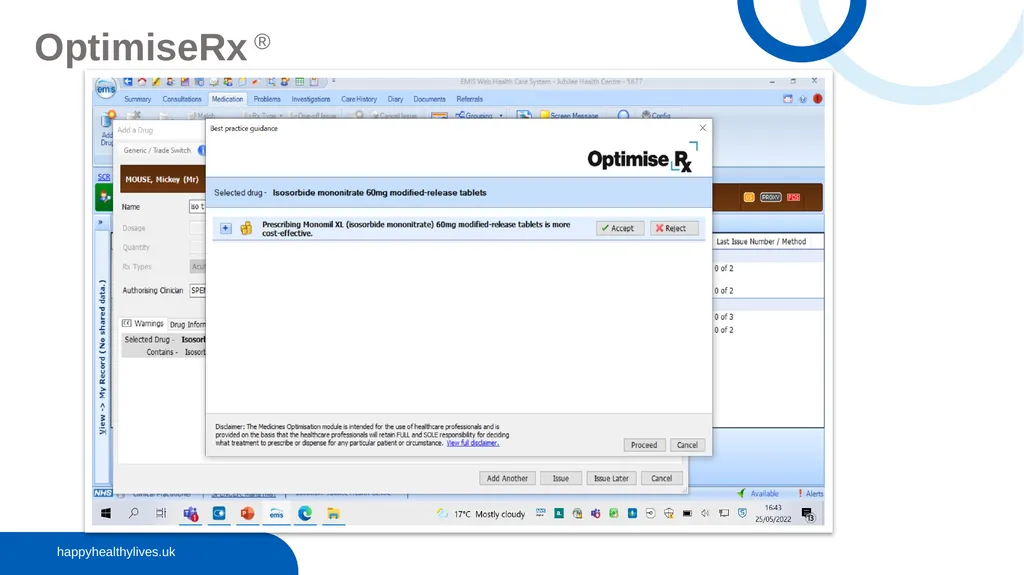
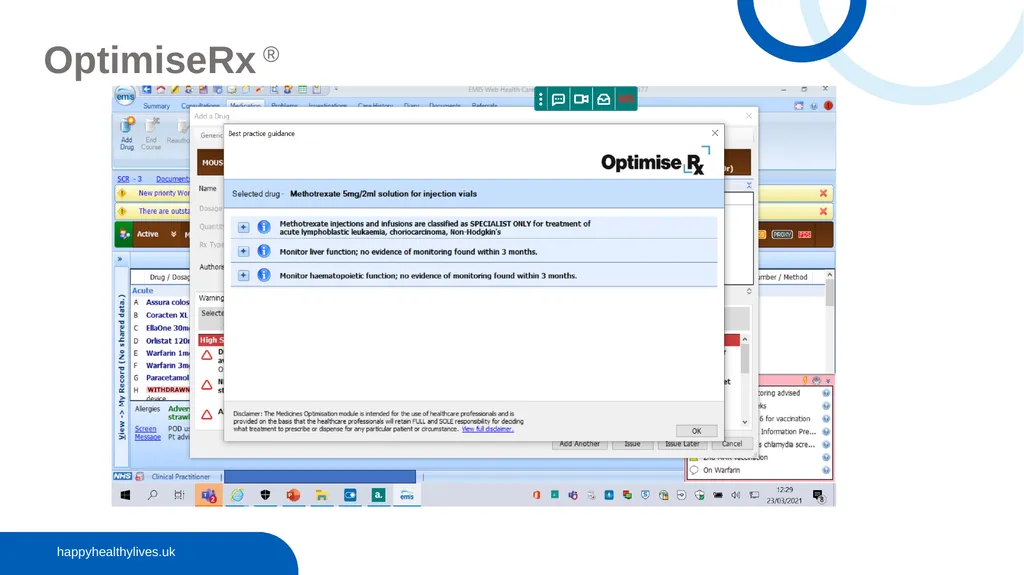
OptimiseRx ® Optimise Rx® is software which is integrated within GP clinical systems and pops up at the point of prescribing, making recommendations that the prescriber may accept or decline
Messages may be cost saving i.e. changing to a more cost effective alternative, a quality focussed information message e.g. specialist only (SO) drug or a best practice message e.g. according to national guidance
The system links to the patient record so messages should be more patient specific and therefore more acceptable.
All messages should be opened fully, and read carefully and cost saving messages should be accepted wherever appropriate.
If a message/switch is rejected a box will appear in which you can type your reason for rejection. Where a message/switch is rejected on patient specific grounds e.g. previous intolerance, this information should be entered on the patient record
If you have any queries regarding messages e.g. inappropriate messages, please email the MO Team
Permissions cannot be set within practices for OptimiseRx®; ALL users see the messages so it is important that practices have policies and procedures for non-clinical staff on its use.<br>
26
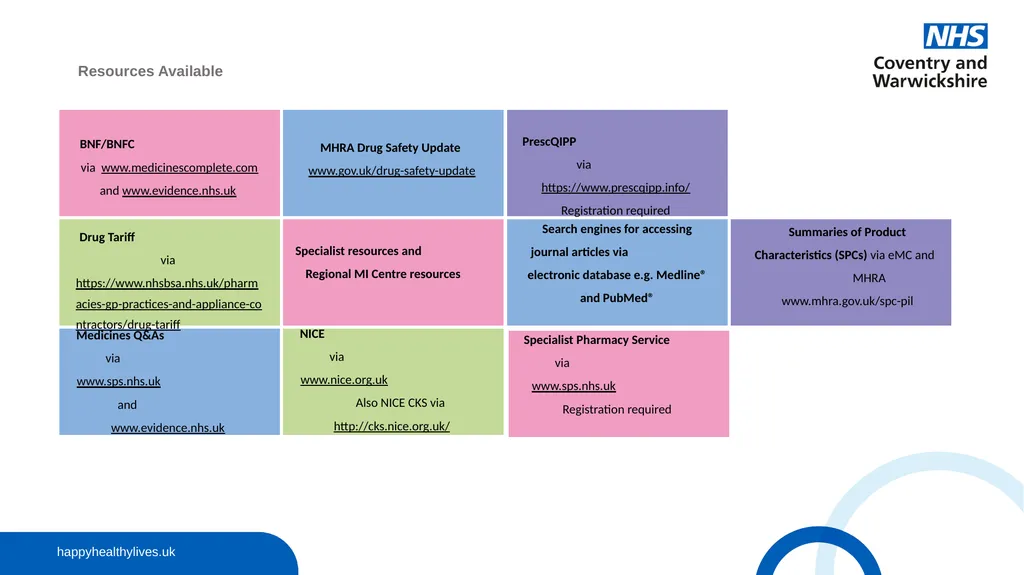
Resources Available Summaries of Product Characteristics (SPCs) via eMC and MHRA www.mhra.gov.uk/spc-pil<br>
27
Thank you
The Medicines Optimisation (MO) Team: d Formulary Pharmacist Office email: cwicb.mot@nhs.net<br>