
Why Program? Chapter 1 Python for Everybody
BR
Published · 45 slides · 0 views
1 / 1

Description
Why Program? Chapter 1 Python for Everybody www.py4e.com Computers Want to be Helpful... Computers are built for one purpose - to do things for us But we need to speak their language to describe what we want done Users have it easy -
Related Topics
Share
Embed code
Download this presentation From Below
"Why Program? Chapter 1 Python for Everybody" is the property of its rightful owner. Permission is granted to download and print the materials on this website for personal, non-commercial use only, and to display it on your personal computer provided you do not modify the materials and that you retain all copyright notices contained in the materials. By downloading content from our website, you accept the terms of this agreement.
Presentation Transcript
01
Why Program? Chapter 1 Python for Everybody
www.py4e.com<br>
www.py4e.com<br>
02
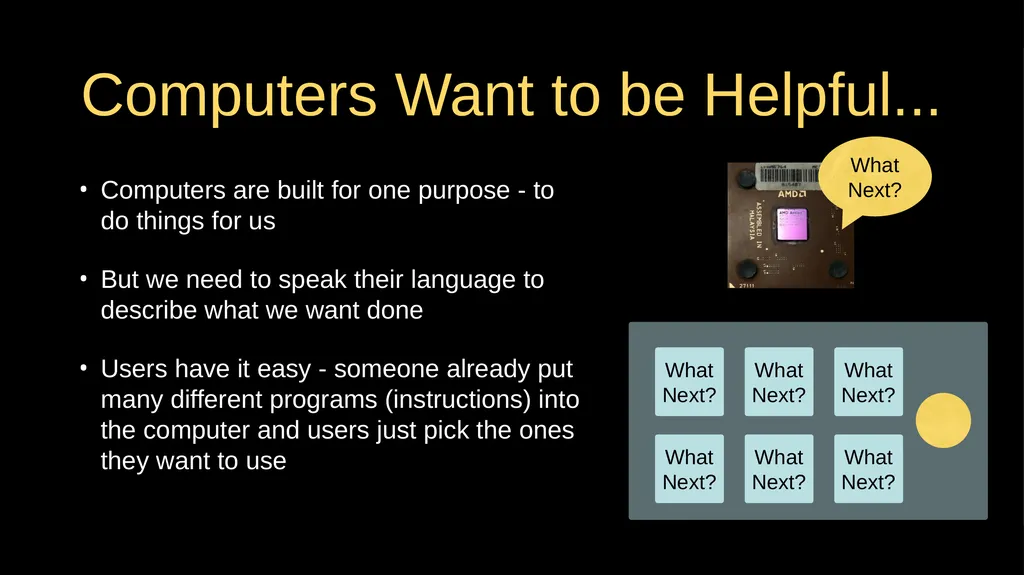
Computers Want to be Helpful... Computers are built for one purpose - to do things for us
But we need to speak their language to describe what we want done
Users have it easy - someone already put many different programs (instructions) into the computer and users just pick the ones they want to use What
Next? What
Next? What
Next? What
Next? What
Next? What
Next? What
Next?<br>
But we need to speak their language to describe what we want done
Users have it easy - someone already put many different programs (instructions) into the computer and users just pick the ones they want to use What
Next? What
Next? What
Next? What
Next? What
Next? What
Next? What
Next?<br>
03
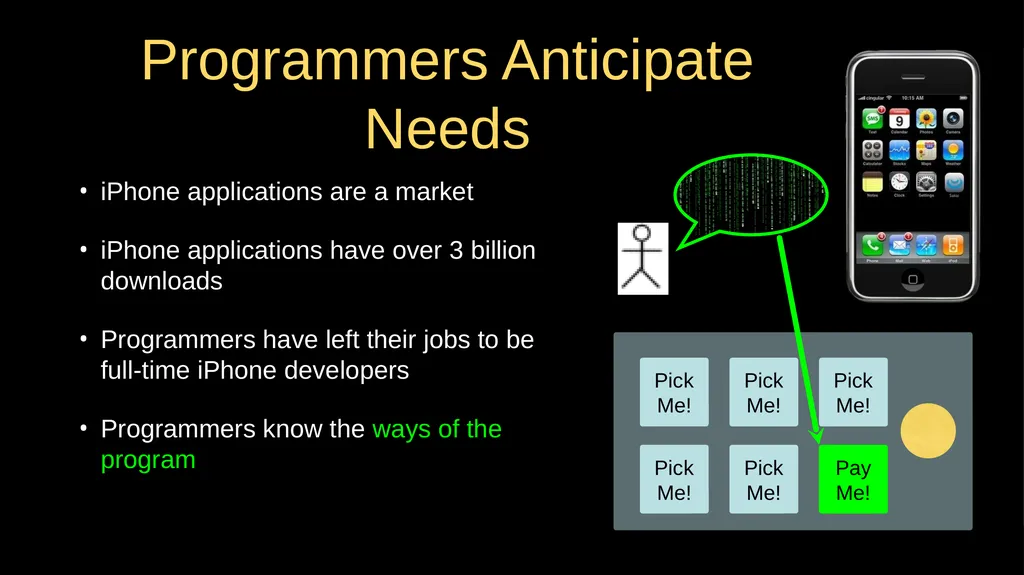
Programmers Anticipate Needs iPhone applications are a market
iPhone applications have over 3 billion downloads
Programmers have left their jobs to be full-time iPhone developers
Programmers know the ways of the program Pick
Me! Pick
Me! Pick
Me! Pick
Me! Pay
Me! Pick
Me!<br>
iPhone applications have over 3 billion downloads
Programmers have left their jobs to be full-time iPhone developers
Programmers know the ways of the program Pick
Me! Pick
Me! Pick
Me! Pick
Me! Pay
Me! Pick
Me!<br>
04
Users vs. Programmers Users see computers as a set of tools - word processor, spreadsheet, map, to-do list, etc.
Programmers learn the computer “ways” and the computer language
Programmers have some tools that allow them to build new tools
Programmers sometimes write tools for lots of users and sometimes programmers write little “helpers” for themselves to automate a task<br>
Programmers learn the computer “ways” and the computer language
Programmers have some tools that allow them to build new tools
Programmers sometimes write tools for lots of users and sometimes programmers write little “helpers” for themselves to automate a task<br>
05
Why be a Programmer? To get some task done - we are the user and programmer
- Clean up survey data
To produce something for others to use - a programming job
- Fix a performance problem in the Sakai software
- Add a guestbook to a web site<br>
- Clean up survey data
To produce something for others to use - a programming job
- Fix a performance problem in the Sakai software
- Add a guestbook to a web site<br>
06
Computer
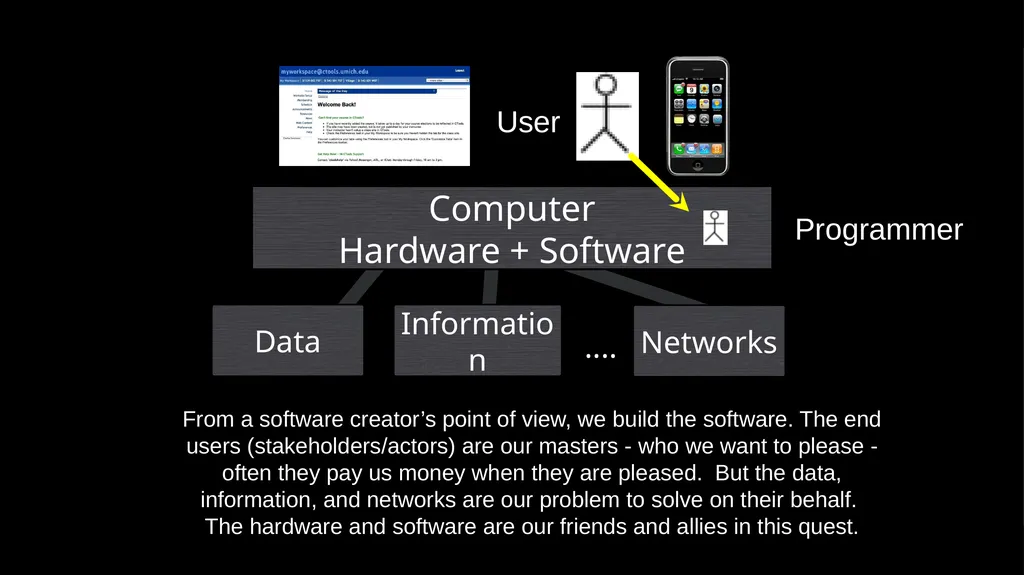
Hardware + Software Networks .... From a software creator’s point of view, we build the software. The end users (stakeholders/actors) are our masters - who we want to please - often they pay us money when they are pleased. But the data, information, and networks are our problem to solve on their behalf. The hardware and software are our friends and allies in this quest. Information Data User Programmer<br>
Hardware + Software Networks .... From a software creator’s point of view, we build the software. The end users (stakeholders/actors) are our masters - who we want to please - often they pay us money when they are pleased. But the data, information, and networks are our problem to solve on their behalf. The hardware and software are our friends and allies in this quest. Information Data User Programmer<br>
07
What is Code? Software? A Program? A sequence of stored instructions
- It is a little piece of our intelligence in the computer
- We figure something out and then we encode it and then give it to someone else to save them the time and energy of figuring it out
A piece of creative art - particularly when we do a good job on user experience<br>
- It is a little piece of our intelligence in the computer
- We figure something out and then we encode it and then give it to someone else to save them the time and energy of figuring it out
A piece of creative art - particularly when we do a good job on user experience<br>
08
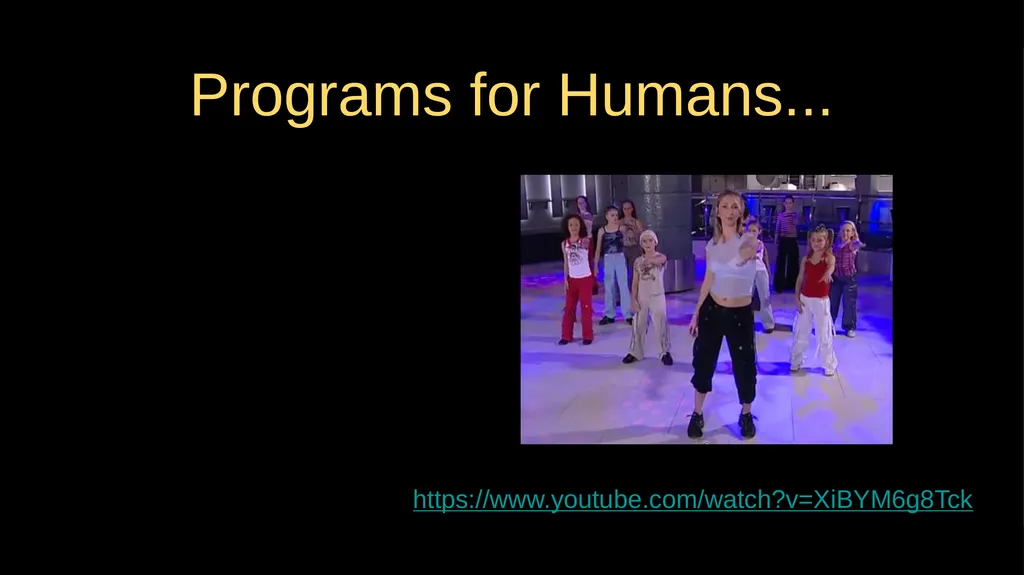
Programs for Humans... https://www.youtube.com/watch?v=XiBYM6g8Tck<br>
09
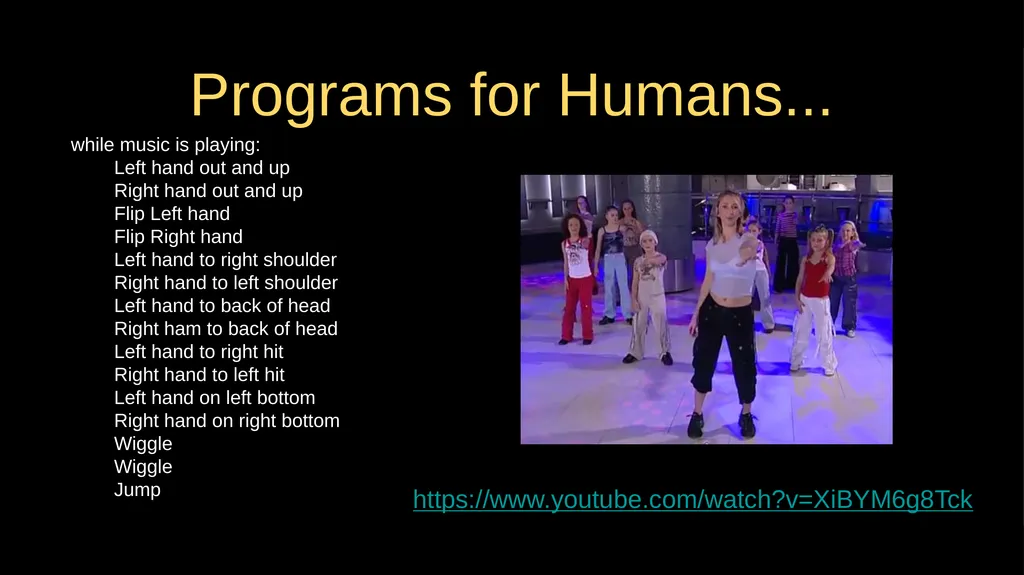
Programs for Humans... while music is playing:
Left hand out and up
Right hand out and up
Flip Left hand
Flip Right hand
Left hand to right shoulder
Right hand to left shoulder
Left hand to back of head
Right ham to back of head
Left hand to right hit
Right hand to left hit
Left hand on left bottom
Right hand on right bottom
Wiggle
Wiggle
Jump https://www.youtube.com/watch?v=XiBYM6g8Tck<br>
Left hand out and up
Right hand out and up
Flip Left hand
Flip Right hand
Left hand to right shoulder
Right hand to left shoulder
Left hand to back of head
Right ham to back of head
Left hand to right hit
Right hand to left hit
Left hand on left bottom
Right hand on right bottom
Wiggle
Wiggle
Jump https://www.youtube.com/watch?v=XiBYM6g8Tck<br>
10
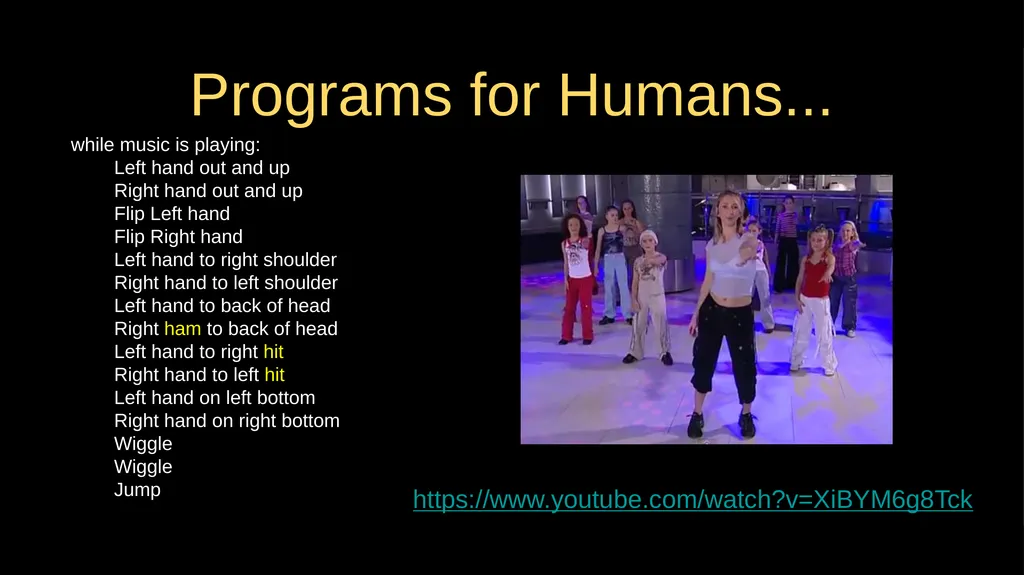
Programs for Humans... while music is playing:
Left hand out and up
Right hand out and up
Flip Left hand
Flip Right hand
Left hand to right shoulder
Right hand to left shoulder
Left hand to back of head
Right ham to back of head
Left hand to right hit
Right hand to left hit
Left hand on left bottom
Right hand on right bottom
Wiggle
Wiggle
Jump https://www.youtube.com/watch?v=XiBYM6g8Tck<br>
Left hand out and up
Right hand out and up
Flip Left hand
Flip Right hand
Left hand to right shoulder
Right hand to left shoulder
Left hand to back of head
Right ham to back of head
Left hand to right hit
Right hand to left hit
Left hand on left bottom
Right hand on right bottom
Wiggle
Wiggle
Jump https://www.youtube.com/watch?v=XiBYM6g8Tck<br>
11
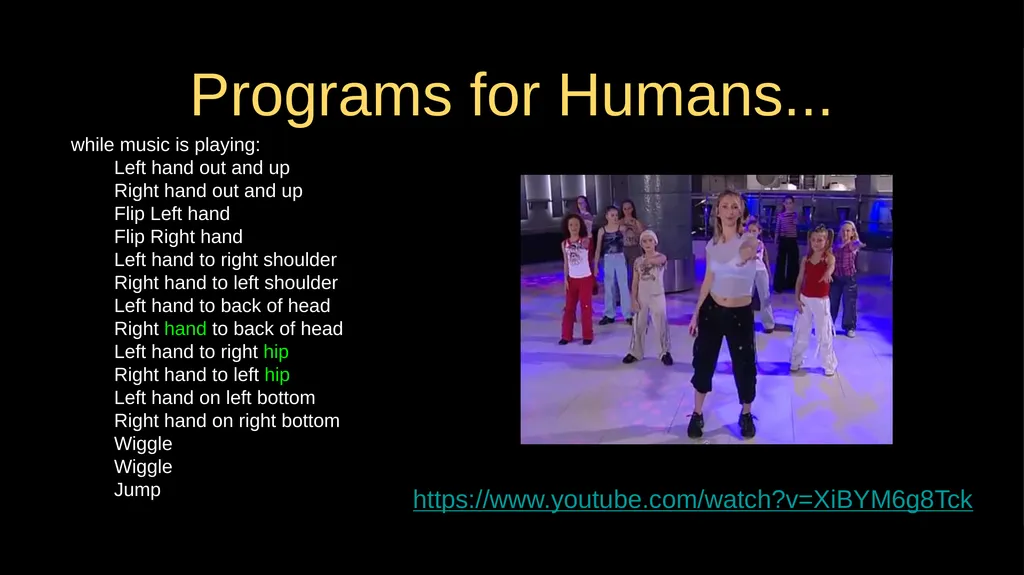
Programs for Humans... while music is playing:
Left hand out and up
Right hand out and up
Flip Left hand
Flip Right hand
Left hand to right shoulder
Right hand to left shoulder
Left hand to back of head
Right hand to back of head
Left hand to right hip
Right hand to left hip
Left hand on left bottom
Right hand on right bottom
Wiggle
Wiggle
Jump https://www.youtube.com/watch?v=XiBYM6g8Tck<br>
Left hand out and up
Right hand out and up
Flip Left hand
Flip Right hand
Left hand to right shoulder
Right hand to left shoulder
Left hand to back of head
Right hand to back of head
Left hand to right hip
Right hand to left hip
Left hand on left bottom
Right hand on right bottom
Wiggle
Wiggle
Jump https://www.youtube.com/watch?v=XiBYM6g8Tck<br>
12
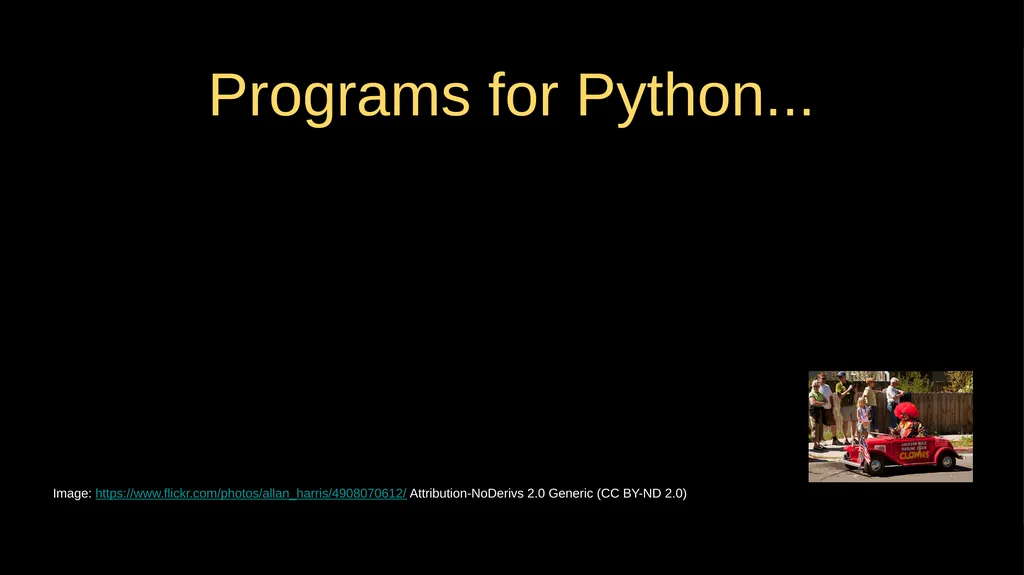
the clown ran after the car and the car ran into the tent and the tent fell down on the clown and the car Programs for Python... Image: https://www.flickr.com/photos/allan_harris/4908070612/ Attribution-NoDerivs 2.0 Generic (CC BY-ND 2.0)<br>
13
Programs for Python... Image: https://www.flickr.com/photos/allan_harris/4908070612/ Attribution-NoDerivs 2.0 Generic (CC BY-ND 2.0)<br>
14
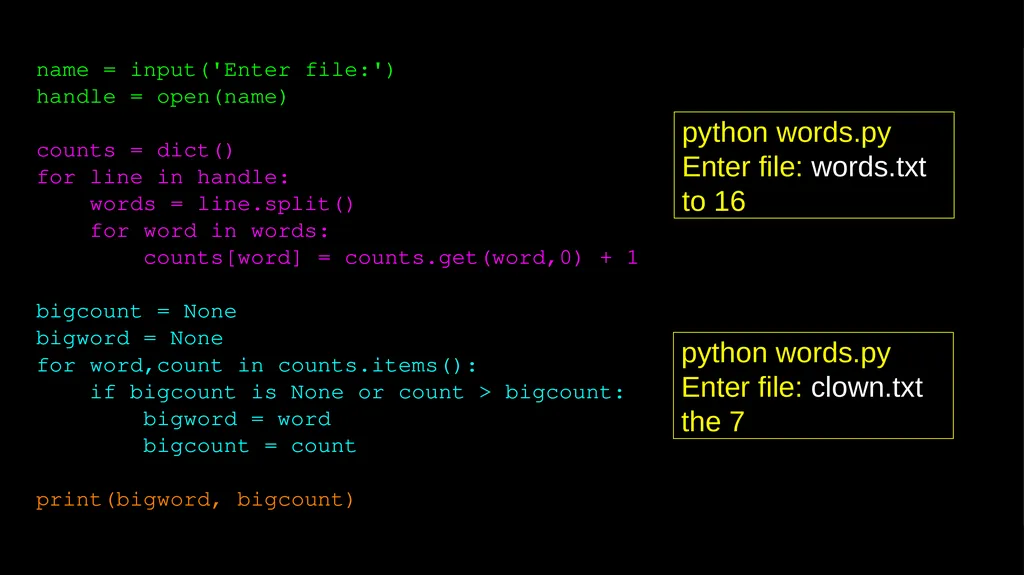
name = input('Enter file:')
handle = open(name)
counts = dict()
for line in handle:
words = line.split()
for word in words:
counts[word] = counts.get(word,0) + 1
bigcount = None
bigword = None
for word,count in counts.items():
if bigcount is None or count > bigcount:
bigword = word
bigcount = count
print(bigword, bigcount) python words.py
Enter file: words.txt
to 16 python words.py
Enter file: clown.txt
the 7<br>
handle = open(name)
counts = dict()
for line in handle:
words = line.split()
for word in words:
counts[word] = counts.get(word,0) + 1
bigcount = None
bigword = None
for word,count in counts.items():
if bigcount is None or count > bigcount:
bigword = word
bigcount = count
print(bigword, bigcount) python words.py
Enter file: words.txt
to 16 python words.py
Enter file: clown.txt
the 7<br>
15
Hardware Architecture<br>
16
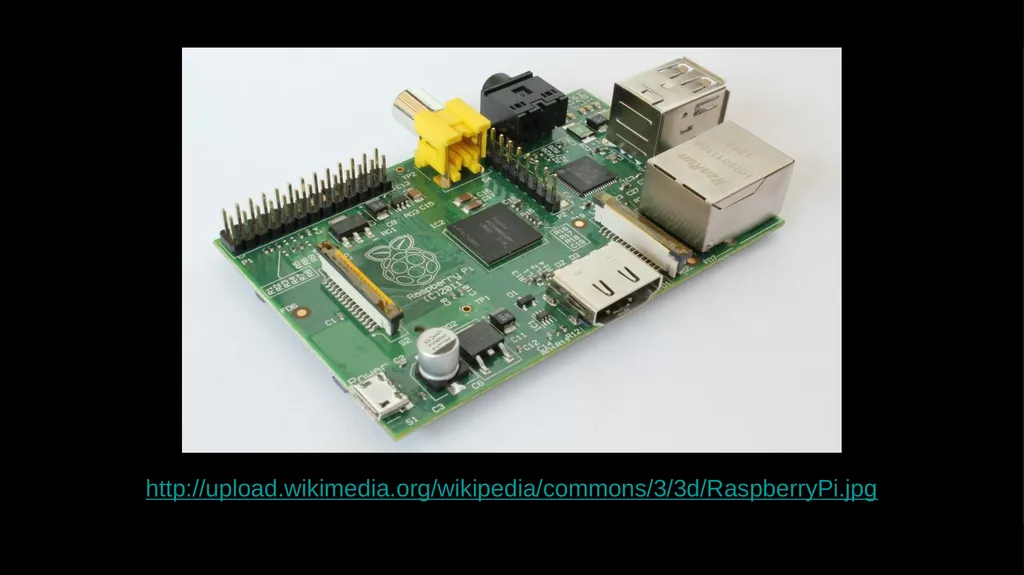
http://upload.wikimedia.org/wikipedia/commons/3/3d/RaspberryPi.jpg<br>
17
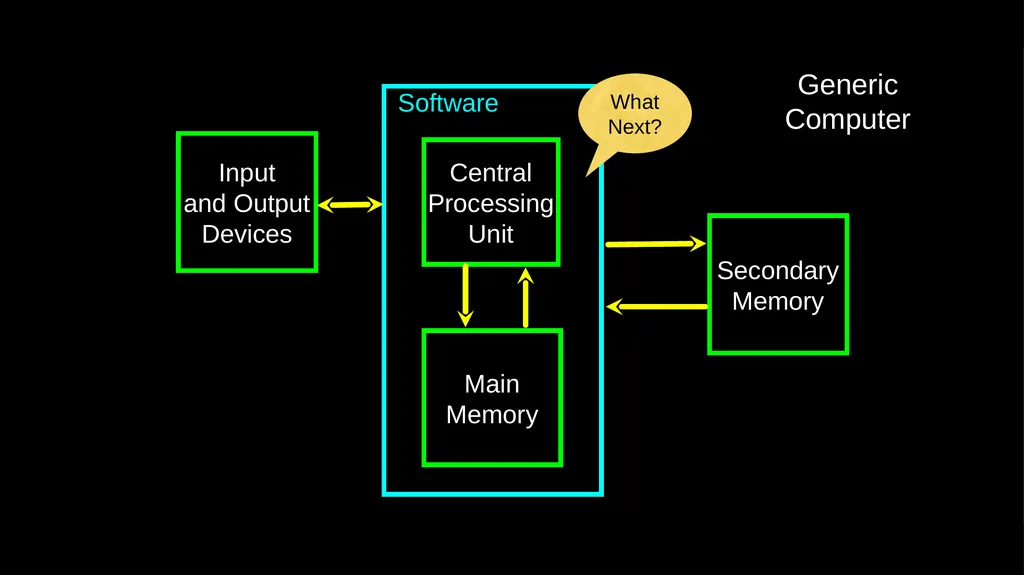
Software Input
and Output
Devices Central
Processing
Unit Main
Memory Secondary
Memory Generic
Computer What
Next?<br>
and Output
Devices Central
Processing
Unit Main
Memory Secondary
Memory Generic
Computer What
Next?<br>
18
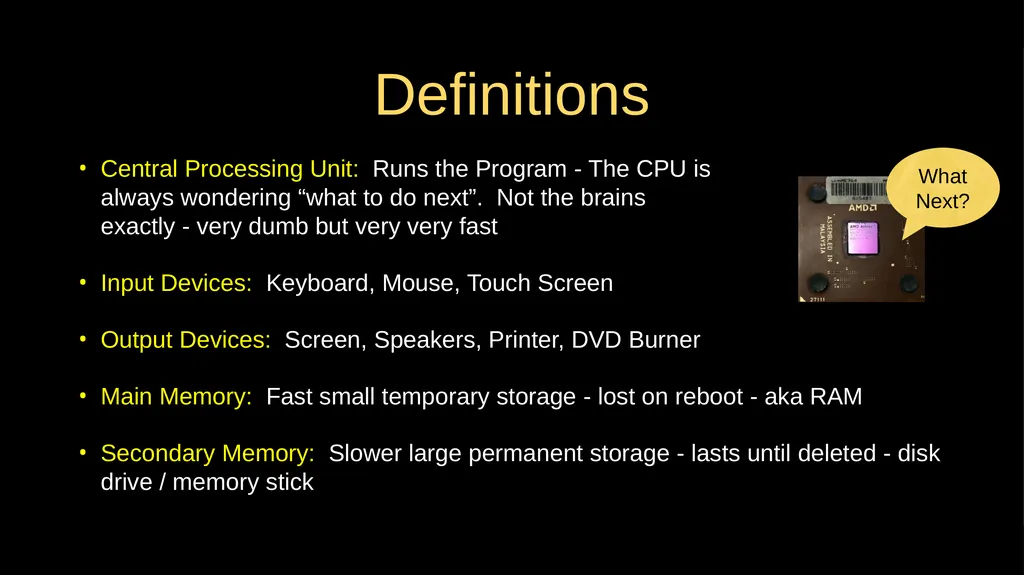
Definitions Central Processing Unit: Runs the Program - The CPU is
always wondering “what to do next”. Not the brains
exactly - very dumb but very very fast
Input Devices: Keyboard, Mouse, Touch Screen
Output Devices: Screen, Speakers, Printer, DVD Burner
Main Memory: Fast small temporary storage - lost on reboot - aka RAM
Secondary Memory: Slower large permanent storage - lasts until deleted - disk drive / memory stick What
Next?<br>
Input Devices: Keyboard, Mouse, Touch Screen
Output Devices: Screen, Speakers, Printer, DVD Burner
Main Memory: Fast small temporary storage - lost on reboot - aka RAM
Secondary Memory: Slower large permanent storage - lasts until deleted - disk drive / memory stick What
Next?<br>
19
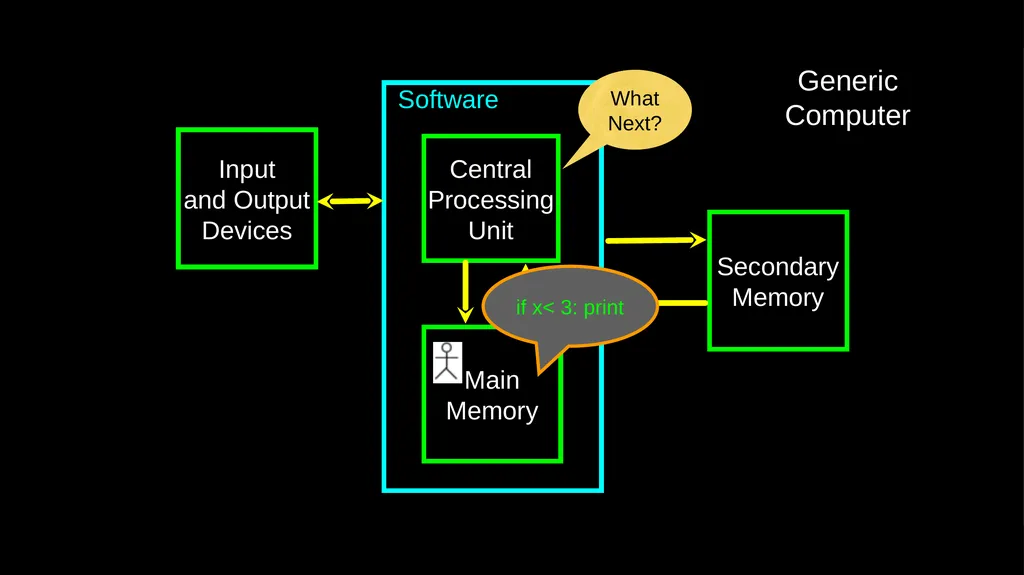
Software Input
and Output
Devices Central
Processing
Unit Main
Memory Secondary
Memory Generic
Computer What
Next? if x< 3: print<br>
and Output
Devices Central
Processing
Unit Main
Memory Secondary
Memory Generic
Computer What
Next? if x< 3: print<br>
20
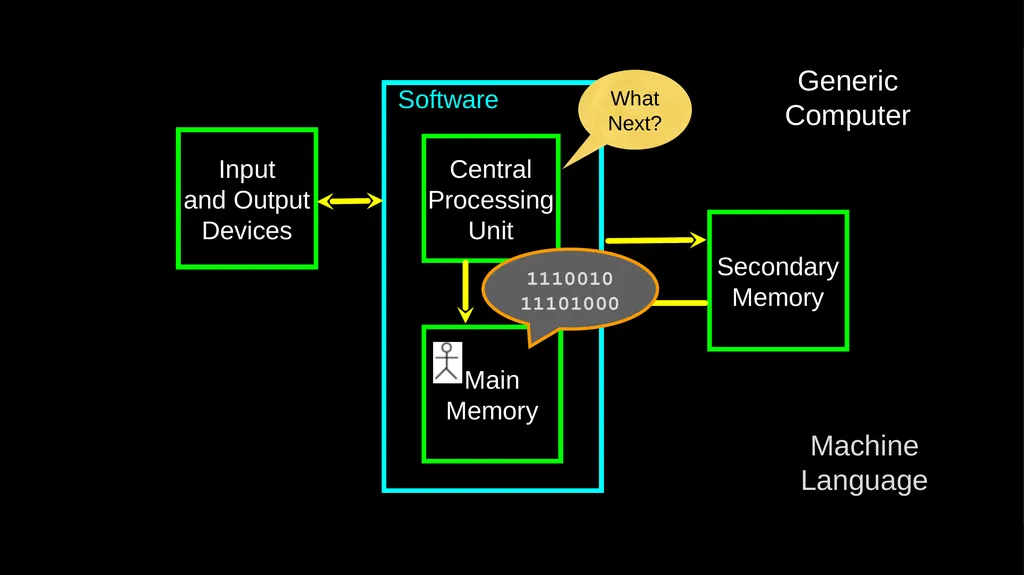
Software Input
and Output
Devices Central
Processing
Unit Main
Memory Secondary
Memory Generic
Computer What
Next? Machine
Language 1110010
11101000<br>
and Output
Devices Central
Processing
Unit Main
Memory Secondary
Memory Generic
Computer What
Next? Machine
Language 1110010
11101000<br>
21
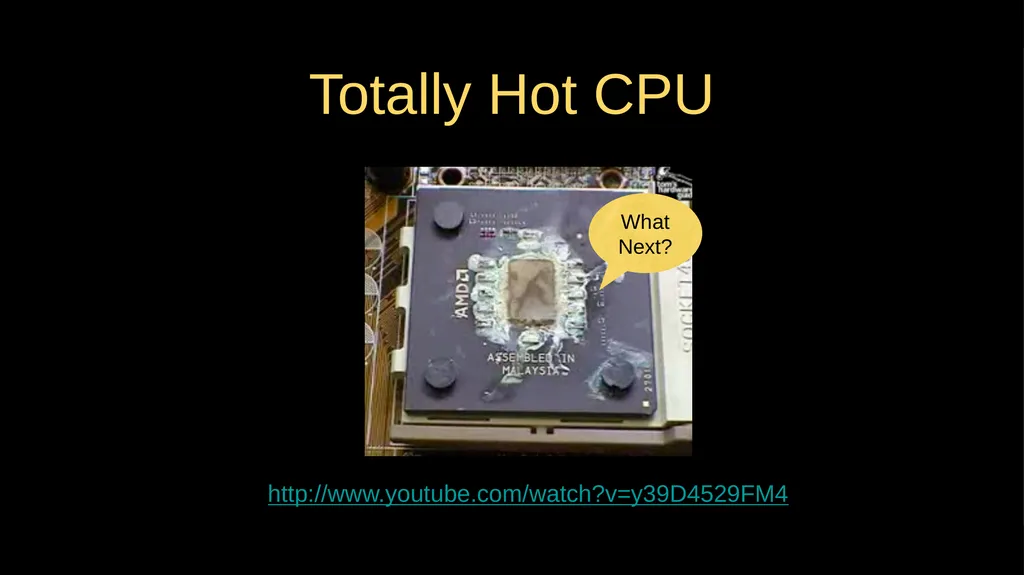
Totally Hot CPU http://www.youtube.com/watch?v=y39D4529FM4 What
Next?<br>
Next?<br>
22
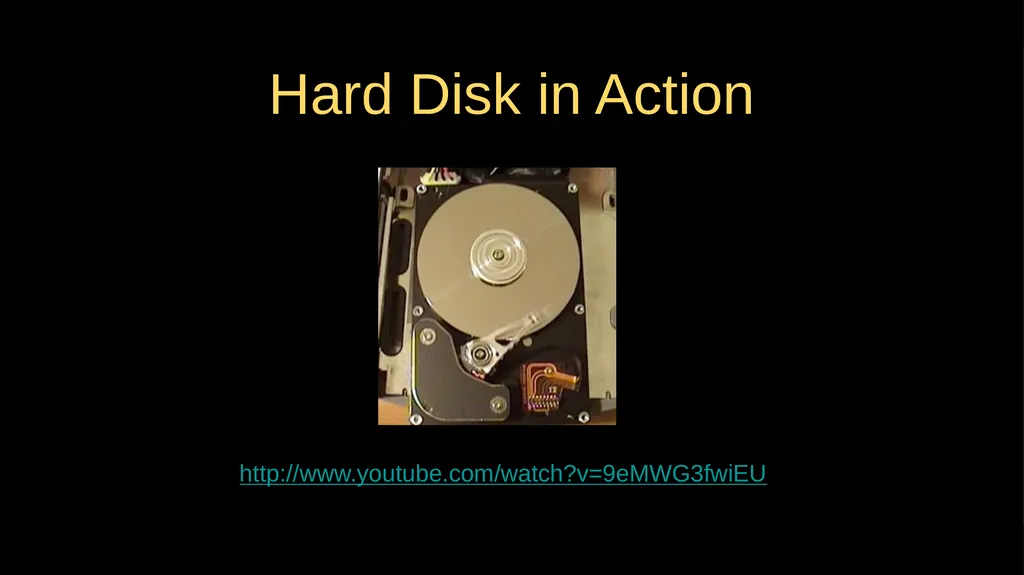
Hard Disk in Action http://www.youtube.com/watch?v=9eMWG3fwiEU<br>
23
Python as a Language<br>
24
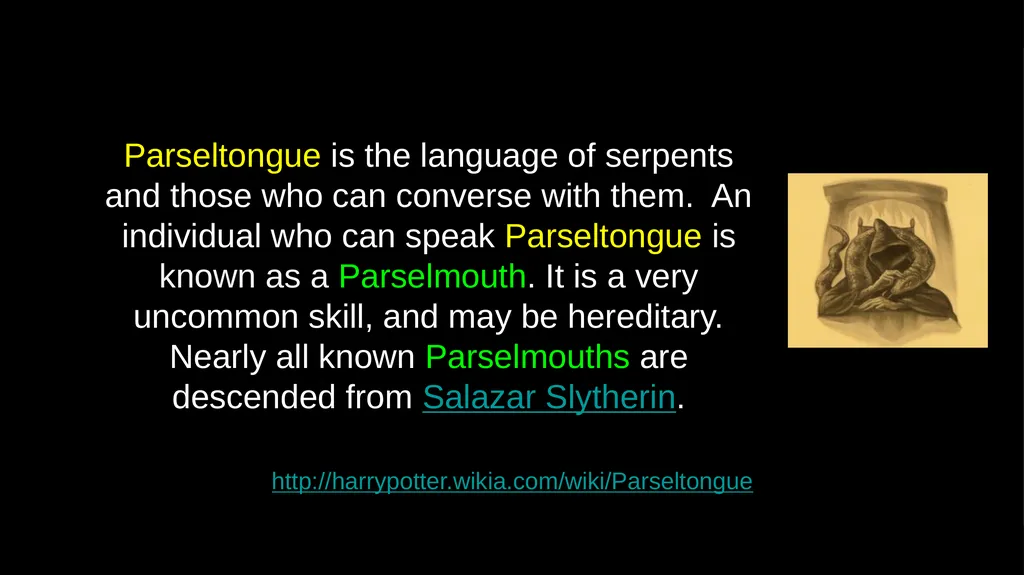
http://harrypotter.wikia.com/wiki/Parseltongue Parseltongue is the language of serpents and those who can converse with them. An individual who can speak Parseltongue is known as a Parselmouth. It is a very uncommon skill, and may be hereditary. Nearly all known Parselmouths are descended from Salazar Slytherin.<br>
25
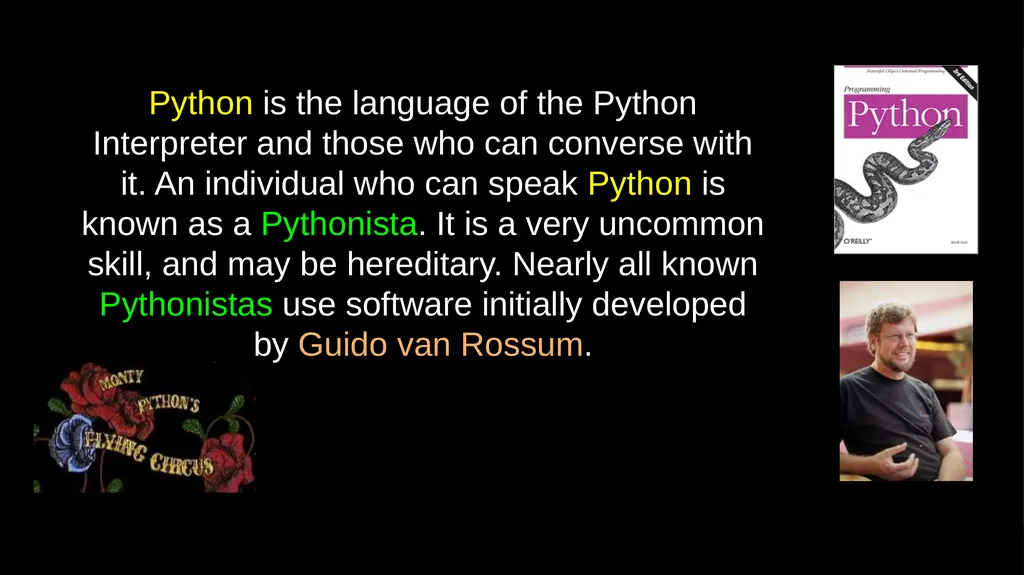
Python is the language of the Python Interpreter and those who can converse with it. An individual who can speak Python is known as a Pythonista. It is a very uncommon skill, and may be hereditary. Nearly all known Pythonistas use software initially developed by Guido van Rossum.<br>
26
Early Learner: Syntax Errors We need to learn the Python language so we can communicate our instructions to Python. In the beginning we will make lots of mistakes and speak gibberish like small children.
When you make a mistake, the computer does not think you are “cute”. It says “syntax error” - given that it knows the language and you are just learning it. It seems like Python is cruel and unfeeling.
You must remember that you are intelligent and can learn. The computer is simple and very fast, but cannot learn. So it is easier for you to learn Python than for the computer to learn English...<br>
When you make a mistake, the computer does not think you are “cute”. It says “syntax error” - given that it knows the language and you are just learning it. It seems like Python is cruel and unfeeling.
You must remember that you are intelligent and can learn. The computer is simple and very fast, but cannot learn. So it is easier for you to learn Python than for the computer to learn English...<br>
27
Talking to Python<br>
28
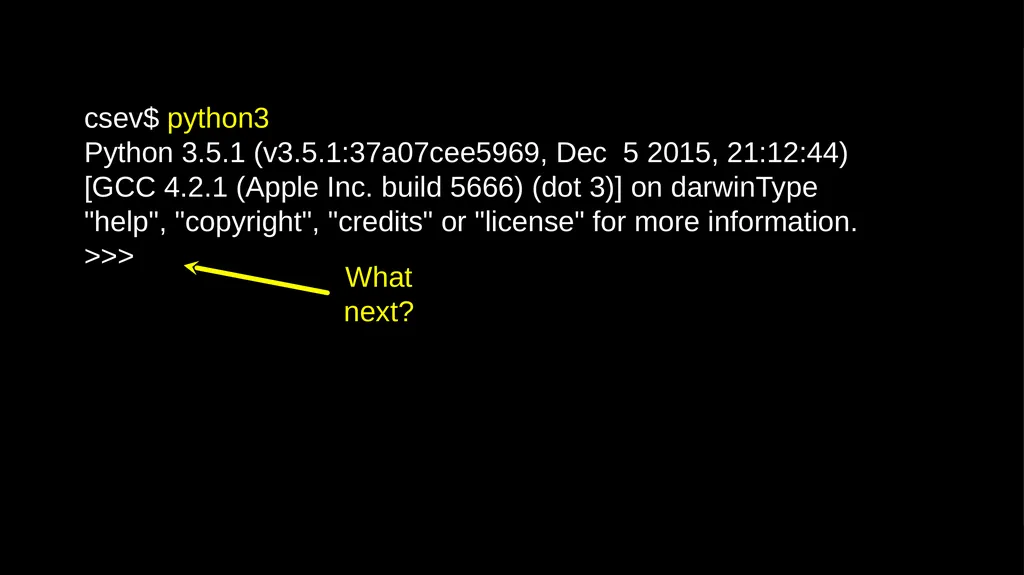
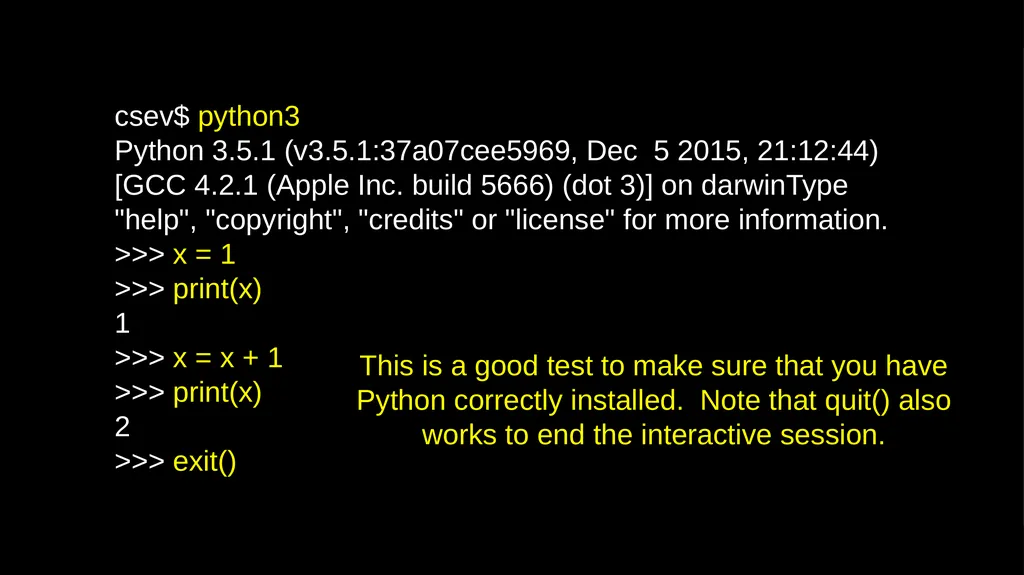
csev$ python3
Python 3.5.1 (v3.5.1:37a07cee5969, Dec 5 2015, 21:12:44) [GCC 4.2.1 (Apple Inc. build 5666) (dot 3)] on darwinType "help", "copyright", "credits" or "license" for more information.
>>><br>
Python 3.5.1 (v3.5.1:37a07cee5969, Dec 5 2015, 21:12:44) [GCC 4.2.1 (Apple Inc. build 5666) (dot 3)] on darwinType "help", "copyright", "credits" or "license" for more information.
>>><br>
29
csev$ python3
Python 3.5.1 (v3.5.1:37a07cee5969, Dec 5 2015, 21:12:44) [GCC 4.2.1 (Apple Inc. build 5666) (dot 3)] on darwinType "help", "copyright", "credits" or "license" for more information.
>>> x = 1
>>> print(x)
1
>>> x = x + 1
>>> print(x)
2
>>> exit() This is a good test to make sure that you have Python correctly installed. Note that quit() also works to end the interactive session.<br>
Python 3.5.1 (v3.5.1:37a07cee5969, Dec 5 2015, 21:12:44) [GCC 4.2.1 (Apple Inc. build 5666) (dot 3)] on darwinType "help", "copyright", "credits" or "license" for more information.
>>> x = 1
>>> print(x)
1
>>> x = x + 1
>>> print(x)
2
>>> exit() This is a good test to make sure that you have Python correctly installed. Note that quit() also works to end the interactive session.<br>
30
What Do We Say?<br>
31
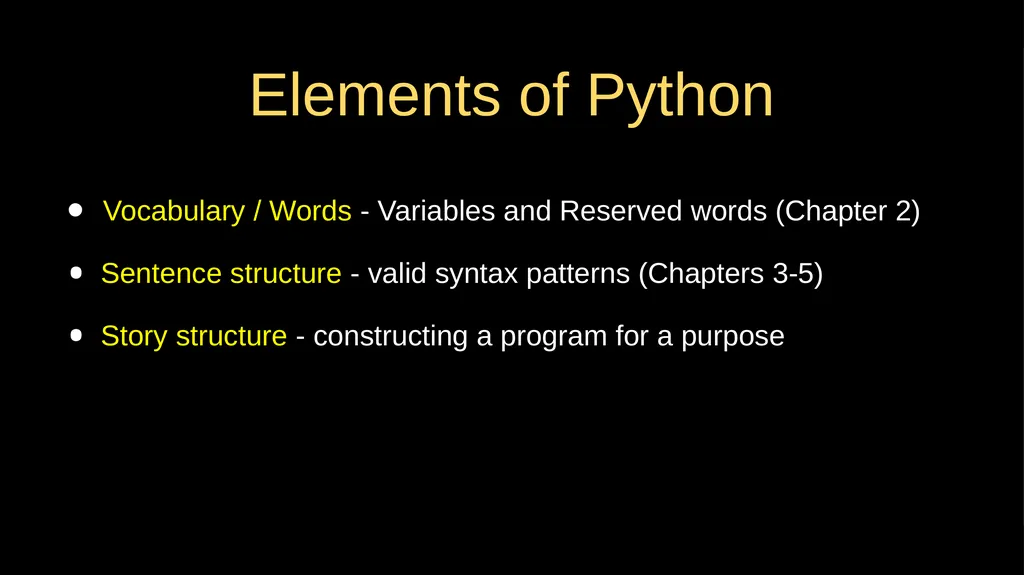
Elements of Python Vocabulary / Words - Variables and Reserved words (Chapter 2)
Sentence structure - valid syntax patterns (Chapters 3-5)
Story structure - constructing a program for a purpose<br>
Sentence structure - valid syntax patterns (Chapters 3-5)
Story structure - constructing a program for a purpose<br>
32
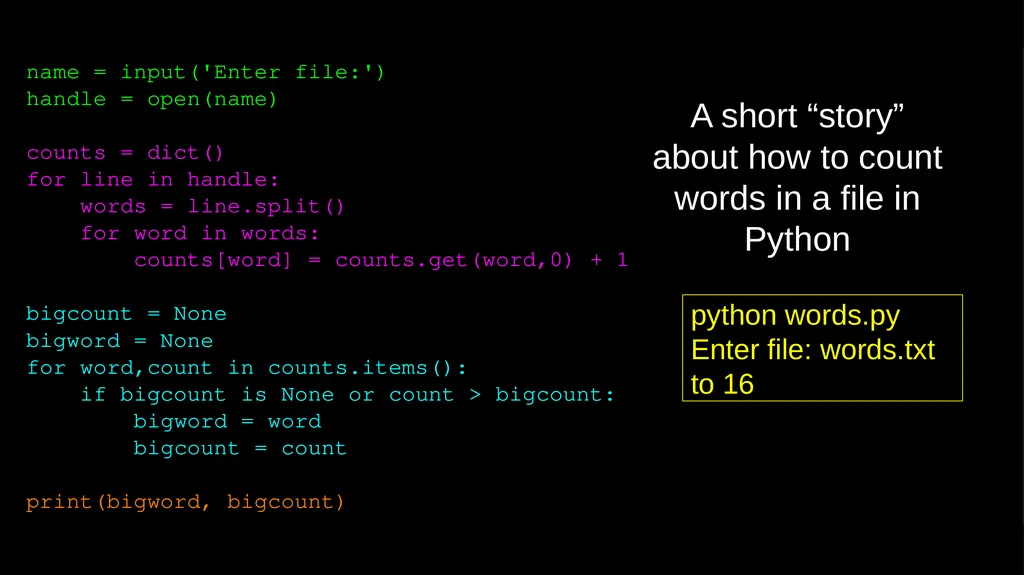
name = input('Enter file:')
handle = open(name)
counts = dict()
for line in handle:
words = line.split()
for word in words:
counts[word] = counts.get(word,0) + 1
bigcount = None
bigword = None
for word,count in counts.items():
if bigcount is None or count > bigcount:
bigword = word
bigcount = count
print(bigword, bigcount) python words.py
Enter file: words.txt
to 16 A short “story” about how to count words in a file in Python<br>
handle = open(name)
counts = dict()
for line in handle:
words = line.split()
for word in words:
counts[word] = counts.get(word,0) + 1
bigcount = None
bigword = None
for word,count in counts.items():
if bigcount is None or count > bigcount:
bigword = word
bigcount = count
print(bigword, bigcount) python words.py
Enter file: words.txt
to 16 A short “story” about how to count words in a file in Python<br>
33
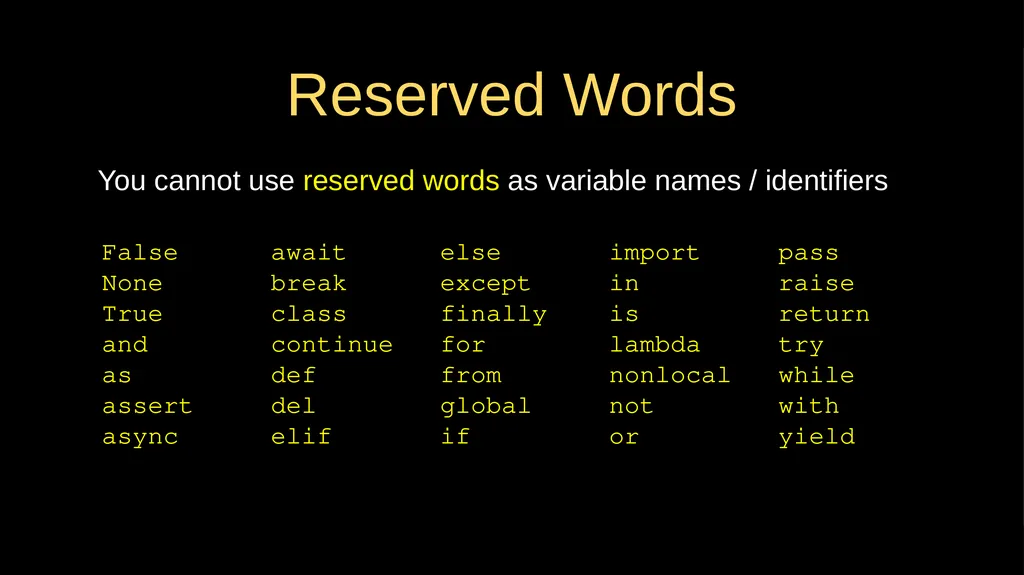
Reserved Words You cannot use reserved words as variable names / identifiers False await else import pass
None break except in raise
True class finally is return
and continue for lambda try
as def from nonlocal while
assert del global not with
async elif if or yield<br>
None break except in raise
True class finally is return
and continue for lambda try
as def from nonlocal while
assert del global not with
async elif if or yield<br>
34
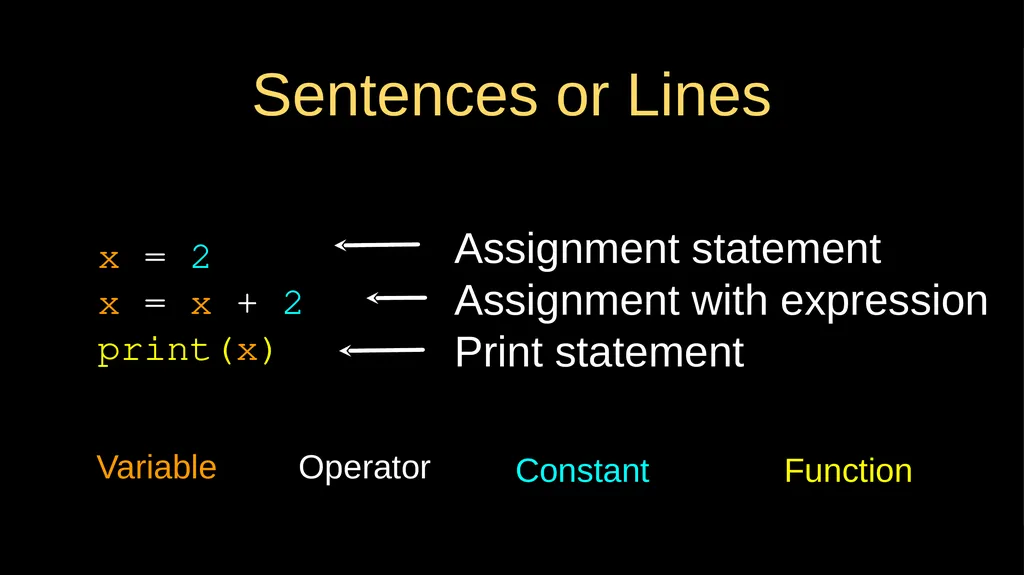
Sentences or Lines x = 2
x = x + 2
print(x) Variable Operator Constant Function Assignment statement
Assignment with expression
Print statement<br>
x = x + 2
print(x) Variable Operator Constant Function Assignment statement
Assignment with expression
Print statement<br>
35
Programming Paragraphs<br>
36
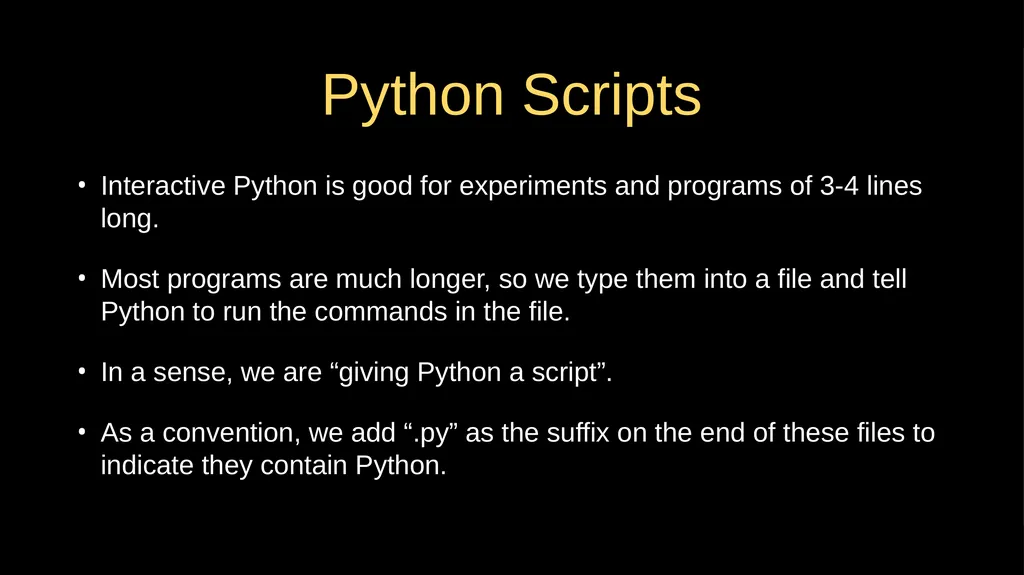
Python Scripts Interactive Python is good for experiments and programs of 3-4 lines long.
Most programs are much longer, so we type them into a file and tell Python to run the commands in the file.
In a sense, we are “giving Python a script”.
As a convention, we add “.py” as the suffix on the end of these files to indicate they contain Python.<br>
Most programs are much longer, so we type them into a file and tell Python to run the commands in the file.
In a sense, we are “giving Python a script”.
As a convention, we add “.py” as the suffix on the end of these files to indicate they contain Python.<br>
37
Interactive versus Script Interactive
- You type directly to Python one line at a time and it responds
Script
- You enter a sequence of statements (lines) into a file using a text editor and tell Python to execute the statements in the file<br>
- You type directly to Python one line at a time and it responds
Script
- You enter a sequence of statements (lines) into a file using a text editor and tell Python to execute the statements in the file<br>
38
Program Steps or Program Flow Like a recipe or installation instructions, a program is a sequence of steps to be done in order.
Some steps are conditional - they may be skipped.
Sometimes a step or group of steps is to be repeated.
Sometimes we store a set of steps to be used over and over as needed several places throughout the program (Chapter 4).<br>
Some steps are conditional - they may be skipped.
Sometimes a step or group of steps is to be repeated.
Sometimes we store a set of steps to be used over and over as needed several places throughout the program (Chapter 4).<br>
39
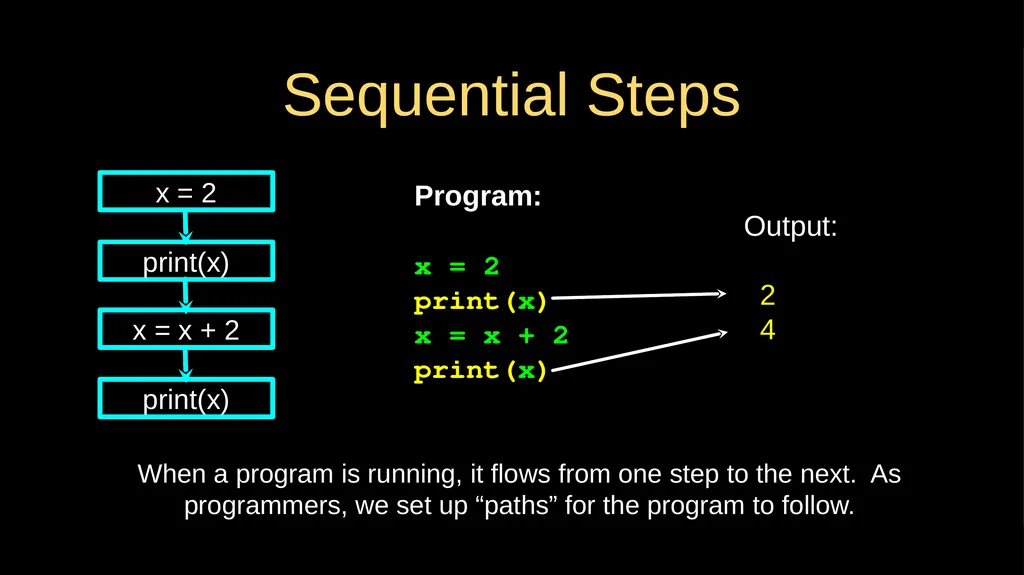
Sequential Steps Program:
x = 2
print(x)
x = x + 2
print(x) Output:
2
4 x = 2 print(x) x = x + 2 print(x) When a program is running, it flows from one step to the next. As programmers, we set up “paths” for the program to follow.<br>
x = 2
print(x)
x = x + 2
print(x) Output:
2
4 x = 2 print(x) x = x + 2 print(x) When a program is running, it flows from one step to the next. As programmers, we set up “paths” for the program to follow.<br>
40
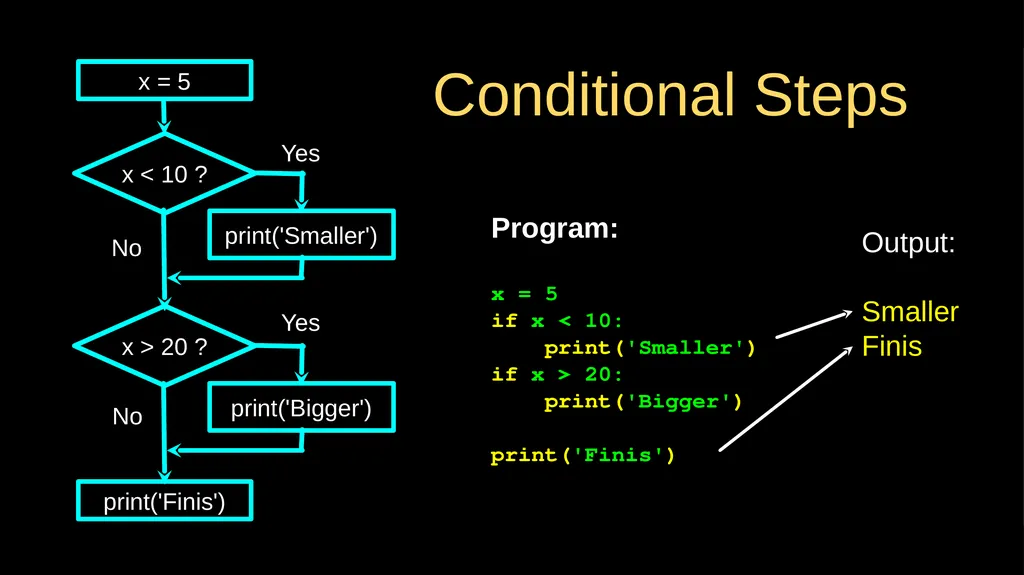
Conditional Steps Output:
Smaller
Finis Program:
x = 5
if x < 10:
print('Smaller')
if x > 20:
print('Bigger')
print('Finis') x = 5 x < 10 ? print('Smaller') x > 20 ? print('Bigger') print('Finis') Yes No No Yes<br>
Smaller
Finis Program:
x = 5
if x < 10:
print('Smaller')
if x > 20:
print('Bigger')
print('Finis') x = 5 x < 10 ? print('Smaller') x > 20 ? print('Bigger') print('Finis') Yes No No Yes<br>
41
Repeated Steps Output:
5
4
3
2
1
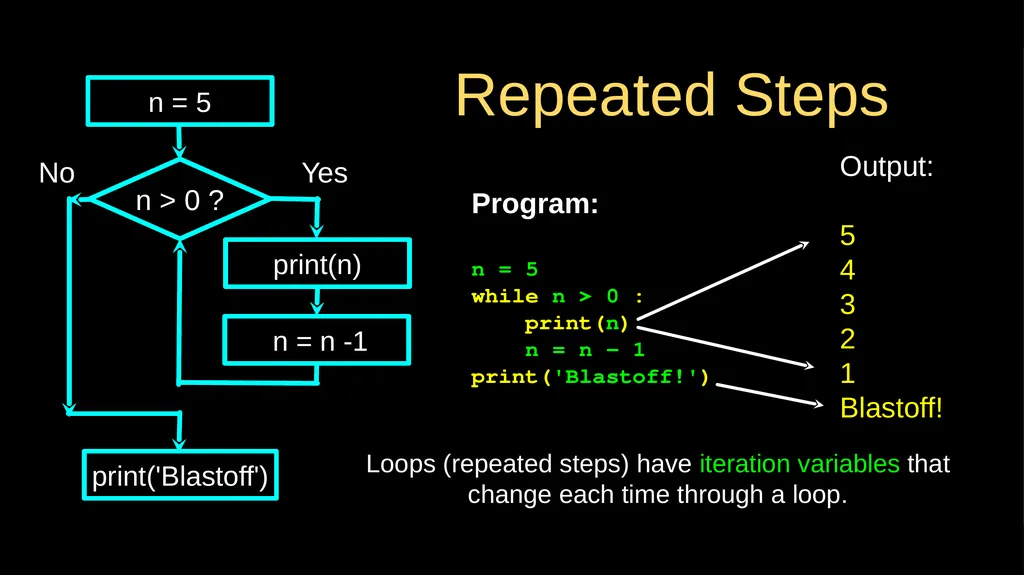
Blastoff! Program:
n = 5
while n > 0 :
print(n)
n = n – 1
print('Blastoff!') n > 0 ? Loops (repeated steps) have iteration variables that change each time through a loop. No print('Blastoff') Yes n = 5 print(n) n = n -1<br>
5
4
3
2
1
Blastoff! Program:
n = 5
while n > 0 :
print(n)
n = n – 1
print('Blastoff!') n > 0 ? Loops (repeated steps) have iteration variables that change each time through a loop. No print('Blastoff') Yes n = 5 print(n) n = n -1<br>
42
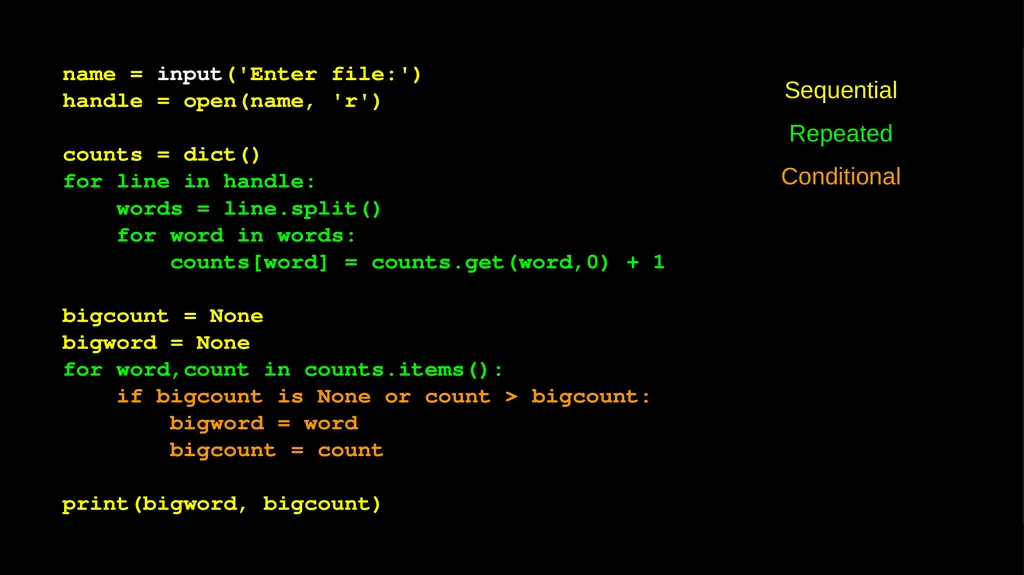
name = input('Enter file:')
handle = open(name, 'r')
counts = dict()
for line in handle:
words = line.split()
for word in words:
counts[word] = counts.get(word,0) + 1
bigcount = None
bigword = None
for word,count in counts.items():
if bigcount is None or count > bigcount:
bigword = word
bigcount = count
print(bigword, bigcount) Sequential
Repeated
Conditional<br>
handle = open(name, 'r')
counts = dict()
for line in handle:
words = line.split()
for word in words:
counts[word] = counts.get(word,0) + 1
bigcount = None
bigword = None
for word,count in counts.items():
if bigcount is None or count > bigcount:
bigword = word
bigcount = count
print(bigword, bigcount) Sequential
Repeated
Conditional<br>
43
name = input('Enter file:')
handle = open(name, 'r')
counts = dict()
for line in handle:
words = line.split()
for word in words:
counts[word] = counts.get(word,0) + 1
bigcount = None
bigword = None
for word,count in counts.items():
if bigcount is None or count > bigcount:
bigword = word
bigcount = count
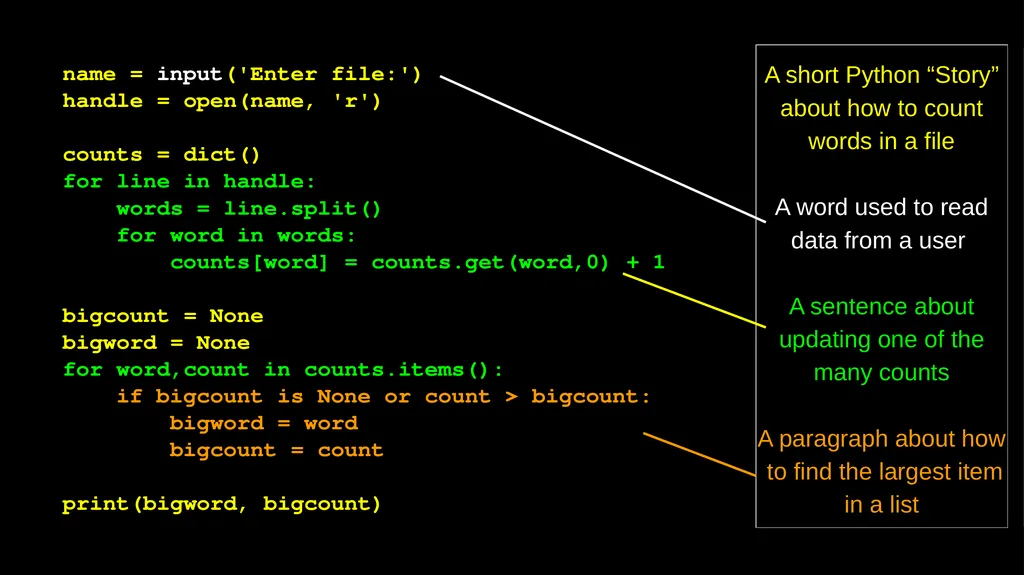
print(bigword, bigcount) A short Python “Story” about how to count words in a file
A word used to read data from a user
A sentence about updating one of the many counts
A paragraph about how to find the largest item in a list<br>
handle = open(name, 'r')
counts = dict()
for line in handle:
words = line.split()
for word in words:
counts[word] = counts.get(word,0) + 1
bigcount = None
bigword = None
for word,count in counts.items():
if bigcount is None or count > bigcount:
bigword = word
bigcount = count
print(bigword, bigcount) A short Python “Story” about how to count words in a file
A word used to read data from a user
A sentence about updating one of the many counts
A paragraph about how to find the largest item in a list<br>
44
Summary This is a quick overview of Chapter 1
We will revisit these concepts throughout the course
Focus on the big picture<br>
We will revisit these concepts throughout the course
Focus on the big picture<br>
45
Acknowledgements / Contributions These slides are Copyright 2010- Charles R. Severance (www.dr-chuck.com) of the University of Michigan School of Information and made available under a Creative Commons Attribution 4.0 License. Please maintain this last slide in all copies of the document to comply with the attribution requirements of the license. If you make a change, feel free to add your name and organization to the list of contributors on this page as you republish the materials.
Initial Development: Charles Severance, University of Michigan School of Information
… Insert new Contributors and Translators here Continue…<br>
Initial Development: Charles Severance, University of Michigan School of Information
… Insert new Contributors and Translators here Continue…<br>