04
Listen Folks, We’re Gonna Get Nerdy Like, really fricken nerdy about how this stuff all works<br>
05
Agenda History of the first, and still best, cloud service: Windows Update
How the client orchestrates the whole process
What actually happens when a device scans?
How are update selected for a given device
Autopatch Deployment Service (maybe)
Scan Demo<br>
06
The Before Times XP and its predecessors has no meaningful patching mechanism
Windows 98: Windows Update as a web app
Critical Update Notification Utility
Windows ME/2000: Automatic Updates
Windows XP (2001): BITS, mandatory reboots
NIMDA hit in 2001 and things got real
Engineering effort from Longhorn borrowed to build "XP Springboard"
Vista (2006) introduces the Windows Update Agent
Users can postpone the restart!
GPO Configurations<br>
07
Windows Update Was Cloud Before It Was Cool Before Azure, before AWS, there was Windows Update
20+ years old
Serving nearly 2 billion devices around the world
Billions of updates
It never, ever goes down
Ok … maybe like twice<br>
08
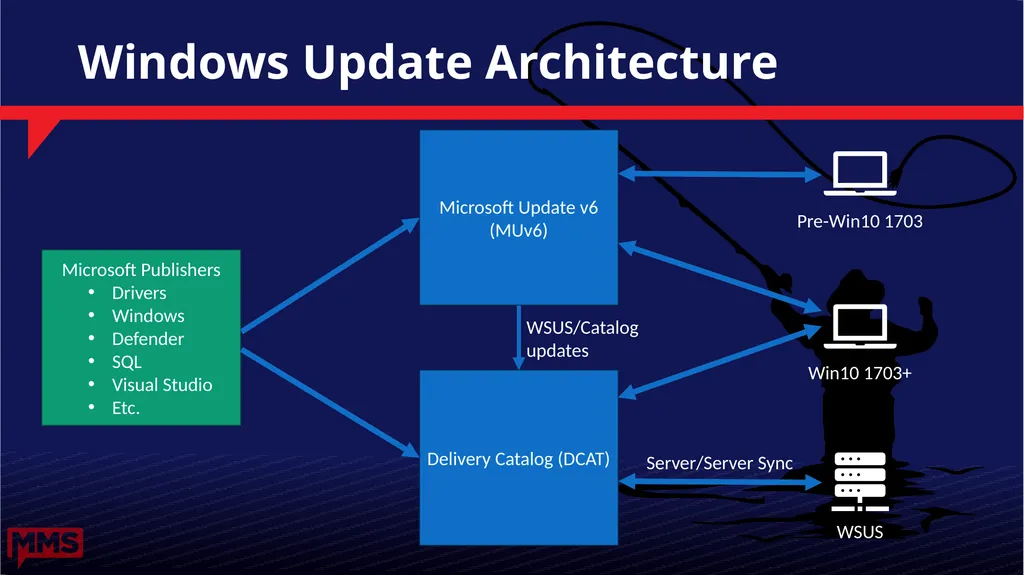
Windows Update Architecture Microsoft Update v6 (MUv6) Delivery Catalog (DCAT) Server/Server Sync WSUS/Catalog
updates Microsoft Publishers
Drivers
Windows
Defender
SQL
Visual Studio
Etc.<br>
09
Why is there Windows And Microsoft Update? Windows Update was created to secure Windows
Microsoft Update released in 2005 to secure other Microsoft products (Office, Visual Studio, SQL, etc.)
Okay, but why create a second service?
User consent is required for automatic updates
Windows: user consent is part of the EULA agreed to at install
Non-OS: user consent is obtained during software install (MU opt-in)
Opting in to MU for one product opts the machine in for all MU products.<br>
10
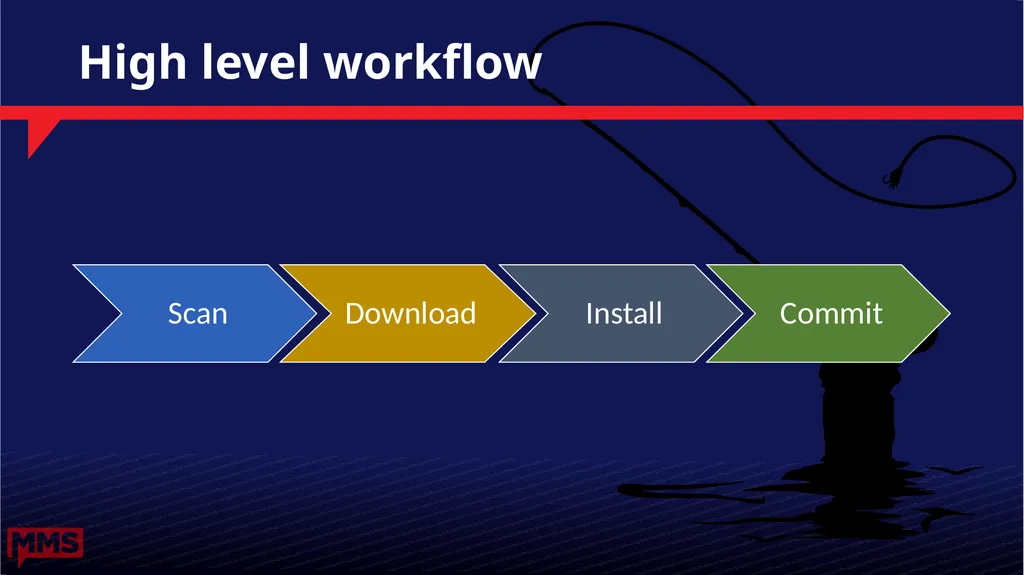
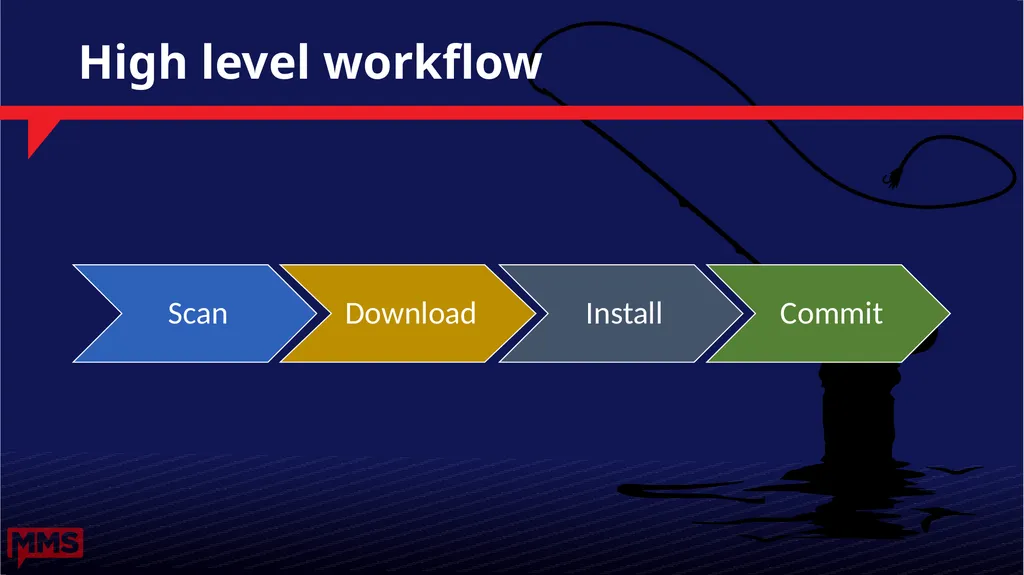
High level workflow Scan<br>
11
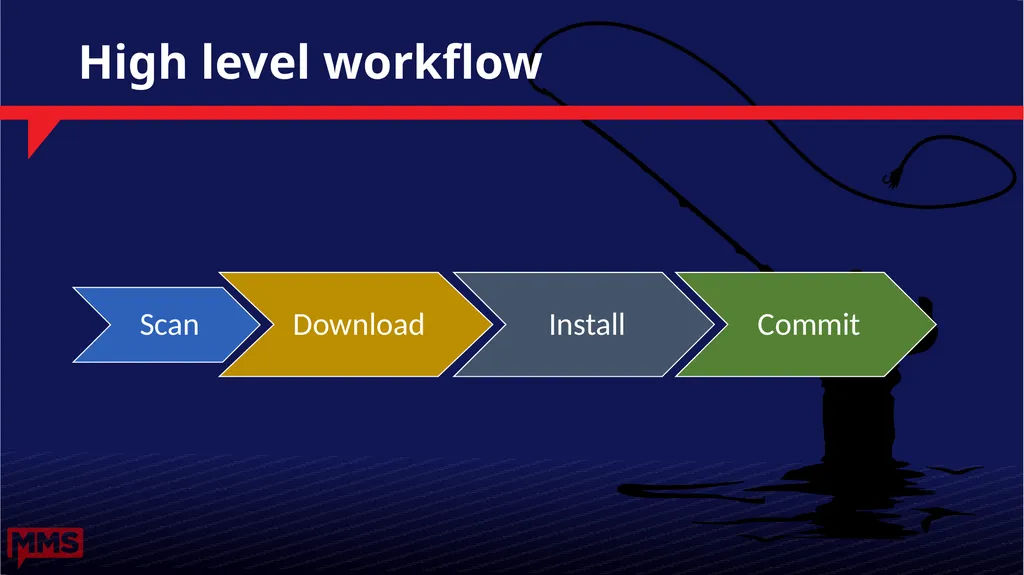
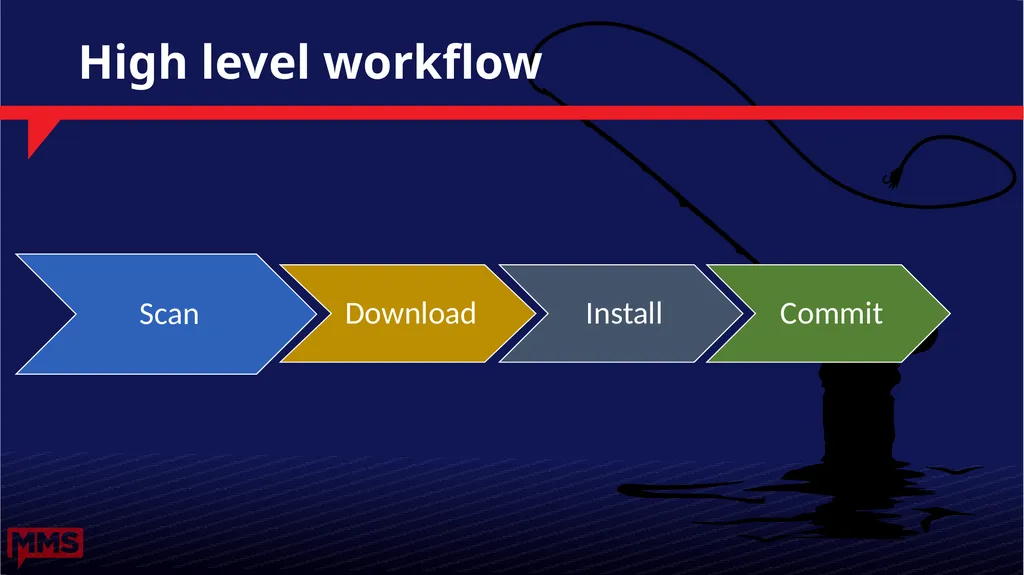
High level workflow Scan<br>
12
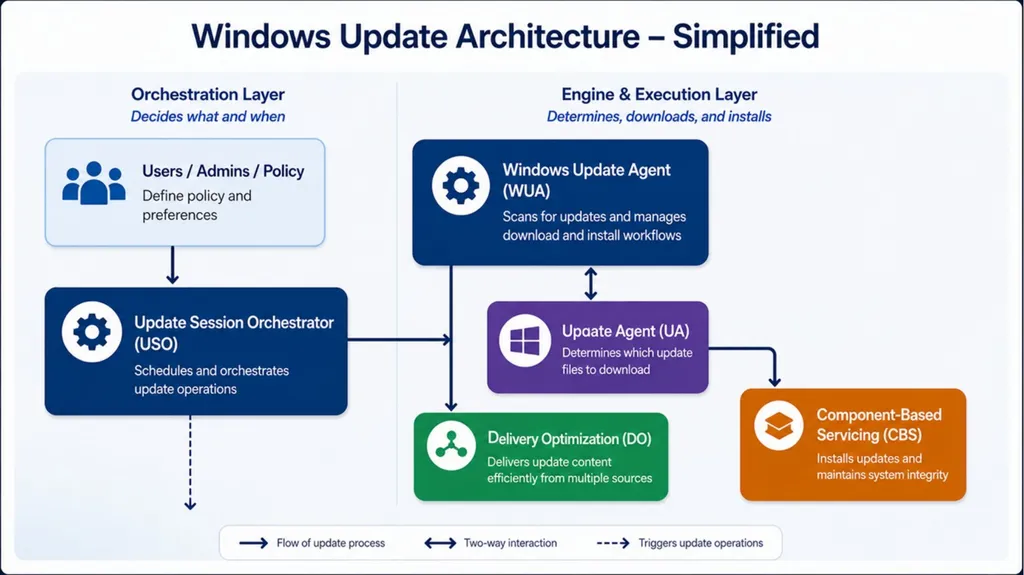
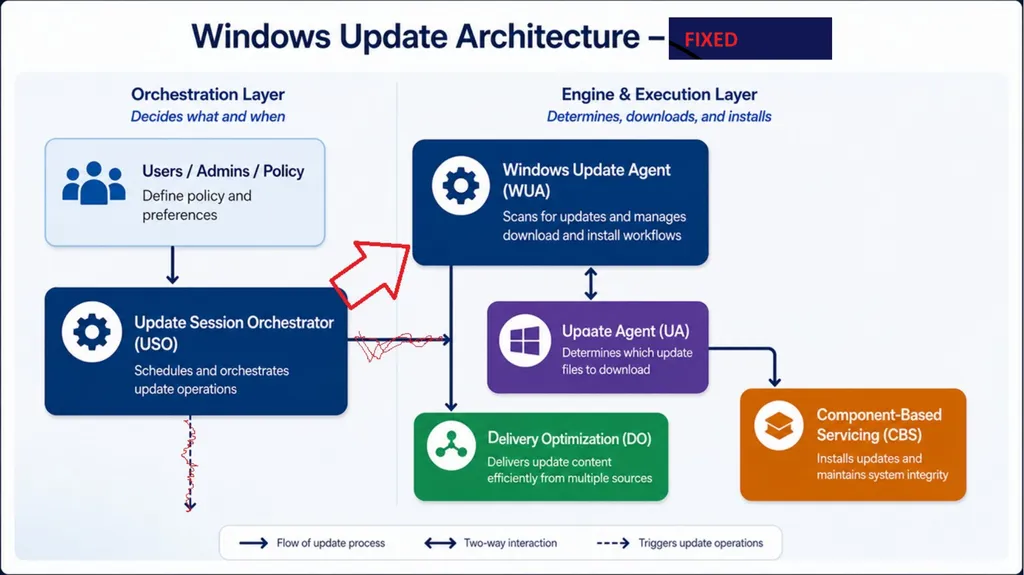
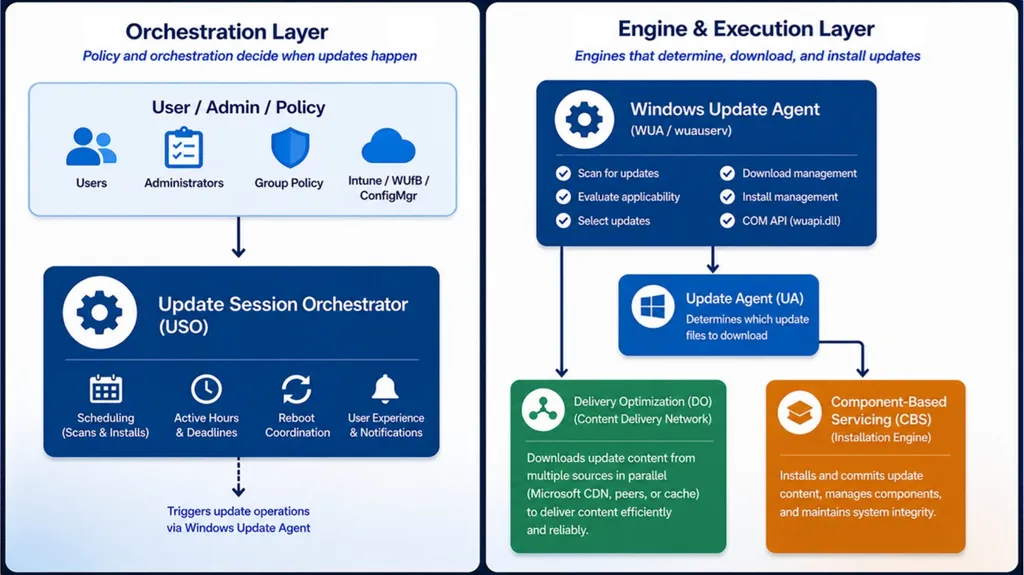
The Client: WUA, USO, BITS, CBS, DO, UA Let’s talk acronyms!<br>
13
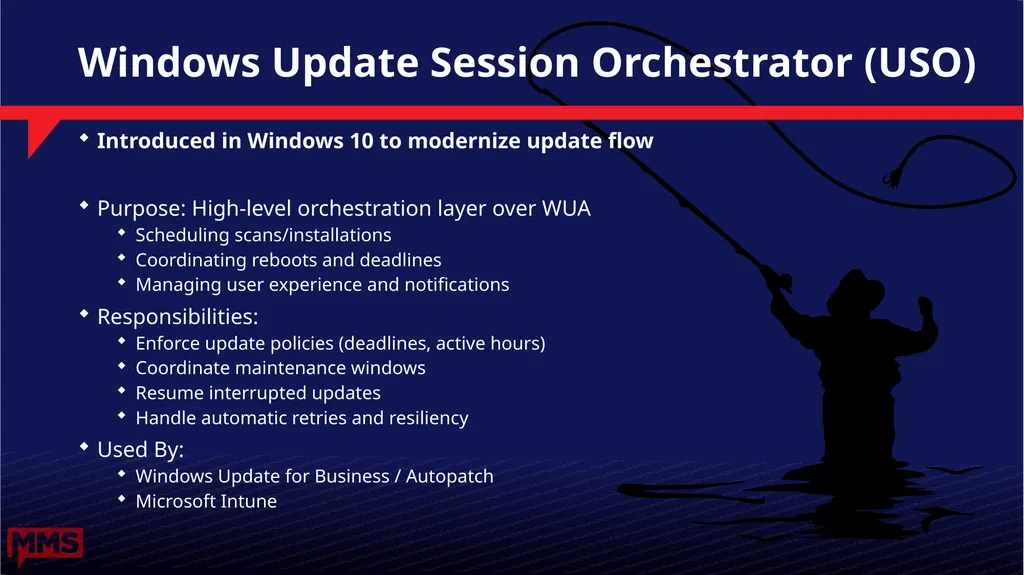
Windows Update Session Orchestrator (USO) Introduced in Windows 10 to modernize update flow
Purpose: High-level orchestration layer over WUA
Scheduling scans/installations
Coordinating reboots and deadlines
Managing user experience and notifications
Responsibilities:
Enforce update policies (deadlines, active hours)
Coordinate maintenance windows
Resume interrupted updates
Handle automatic retries and resiliency
Used By:
Windows Update for Business / Autopatch
Microsoft Intune<br>
14
WUA: Windows Update Agent Core component since early Windows Update era (XP)
API enabling programmatic control of updates
Responsibilities:
Scan for applicable updates
Evaluate applicability rules (supersedence, prerequisites)
Download updates (via DO)
Install updates (via CBS)
Used by:
USO
Configuration Manager
Custom scripts/tools (PowerShell, VBScript, C++)<br>
15
Background Intelligent Transfer Service (BITS) Introduced in Windows XP to protect networks
Purpose: enable efficient, non-disruptive downloads
Key capabilities:
Throttled bandwidth usage (respects idle network capacity)
Automatic pause/resume (network drops, reboots)
Checkpointing (resumes partial downloads)
Queue-based job (download/upload)
Supports BranchCache
Used by:
WUA to download update content
Other MS services
Legacy: Replaced by ...<br>
16
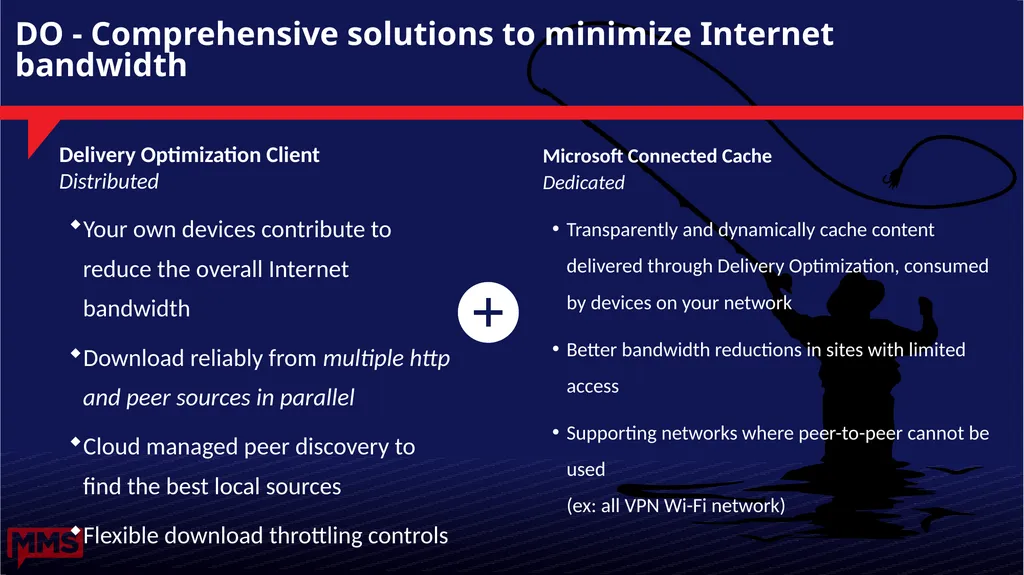
DO - Comprehensive solutions to minimize Internet bandwidth Delivery Optimization Client
Distributed
Your own devices contribute to reduce the overall Internet bandwidth
Download reliably from multiple http and peer sources in parallel
Cloud managed peer discovery to find the best local sources
Flexible download throttling controls Microsoft Connected Cache
Dedicated
Transparently and dynamically cache content delivered through Delivery Optimization, consumed by devices on your network
Better bandwidth reductions in sites with limited access
Supporting networks where peer-to-peer cannot be used �(ex: all VPN Wi-Fi network)<br>
17
Unified Update Platform (UUP) Designed to unify all Windows servicing workflows (flighting/retail, phone/desktop, upgrade/update)
Feature Updates switched to UUP in Win10 1703, Quality Updates switched in Win10 1709
Benefits:
Smaller, smarter downloads on each endpoint
Get current in one step with cumulative Quality Updates
Feature Updates land on the latest Quality Update and preserve installed languages and features (FODs)<br>
18
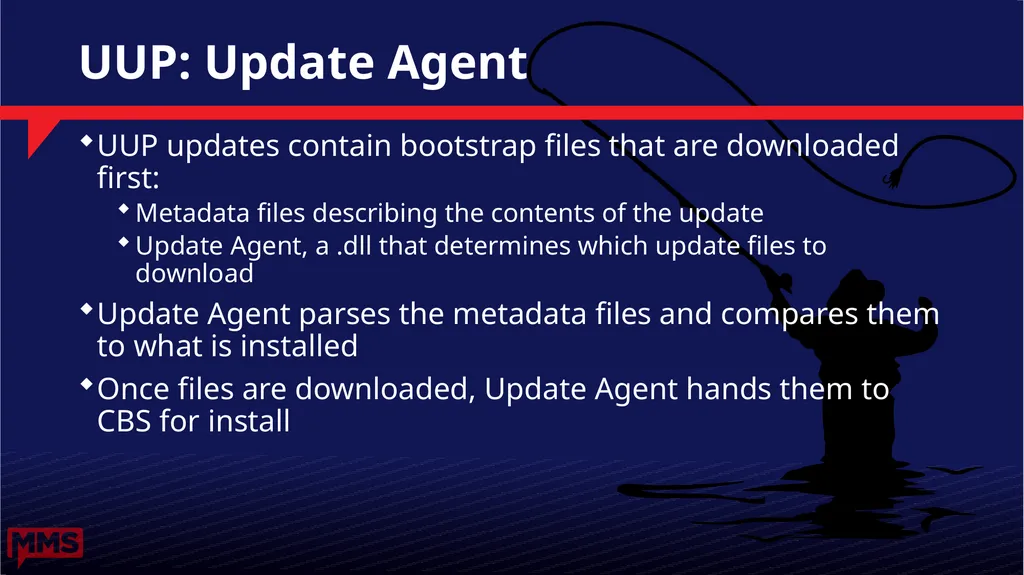
UUP: Update Agent UUP updates contain bootstrap files that are downloaded first:
Metadata files describing the contents of the update
Update Agent, a .dll that determines which update files to download
Update Agent parses the metadata files and compares them to what is installed
Once files are downloaded, Update Agent hands them to CBS for install<br>
19
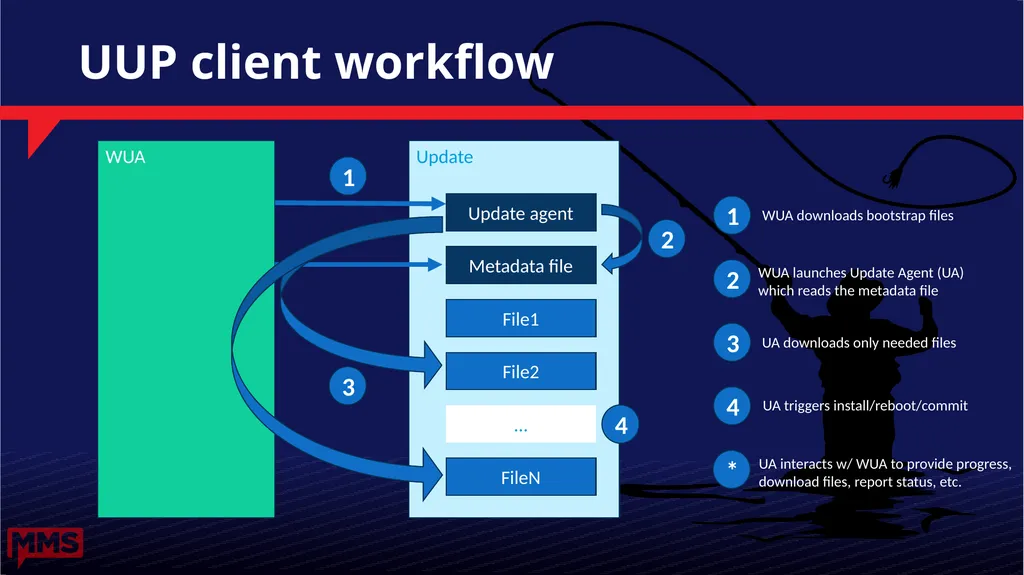
Update UUP client workflow Update agent Metadata file File1 File2 FileN … WUA 1 2 3 4 1 2 3 4 WUA downloads bootstrap files WUA launches Update Agent (UA) which reads the metadata file UA downloads only needed files UA triggers install/reboot/commit * UA interacts w/ WUA to provide progress,
download files, report status, etc.<br>
20
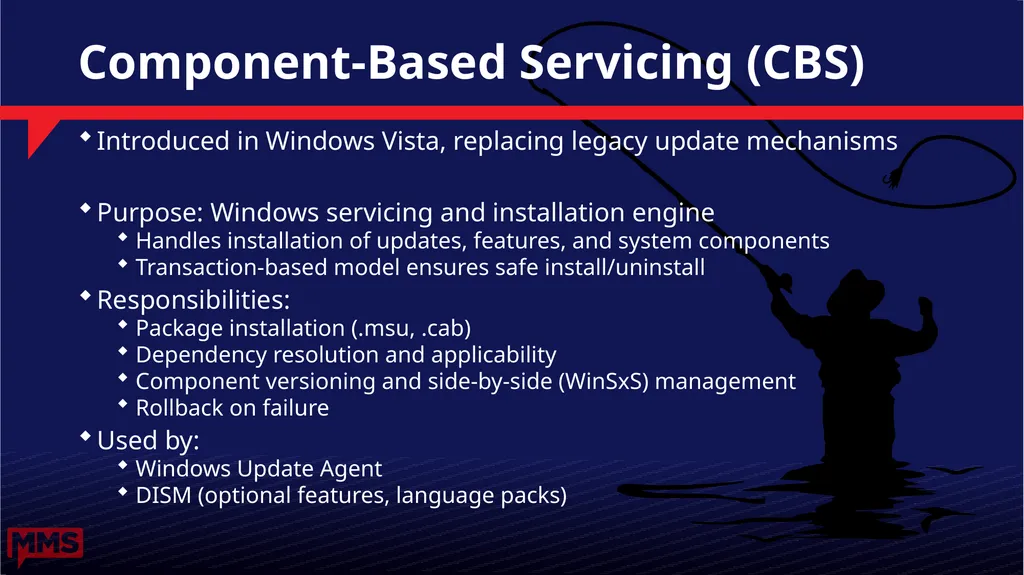
Component-Based Servicing (CBS) Introduced in Windows Vista, replacing legacy update mechanisms
Purpose: Windows servicing and installation engine
Handles installation of updates, features, and system components
Transaction-based model ensures safe install/uninstall
Responsibilities:
Package installation (.msu, .cab)
Dependency resolution and applicability
Component versioning and side-by-side (WinSxS) management
Rollback on failure
Used by:
Windows Update Agent
DISM (optional features, language packs)<br>
21
Widows Update Service: MUv6 vs DCAT Enough acronyms, give us the cloud!<br>
22
High level workflow Scan<br>
23
High level workflow Scan<br>
24
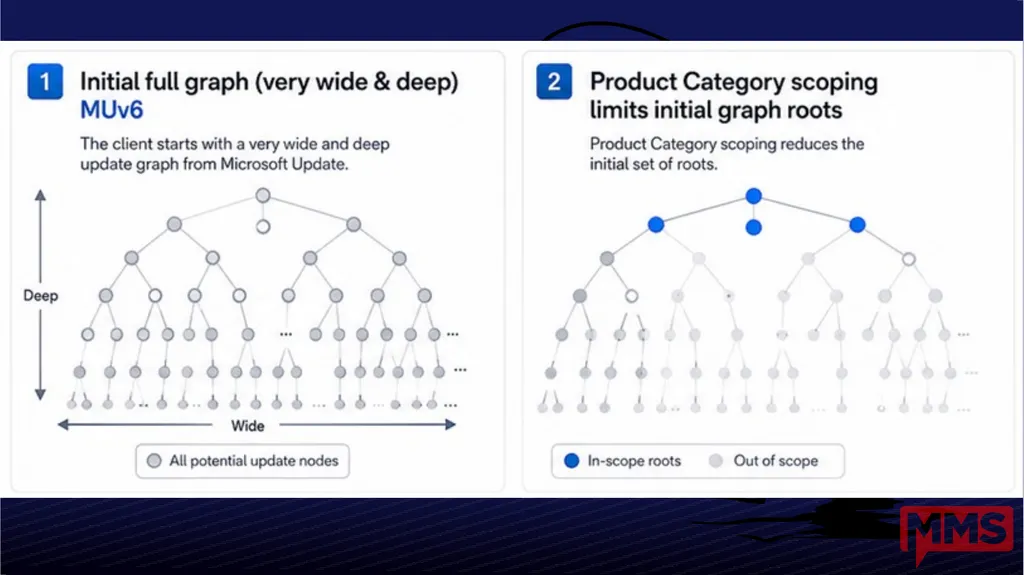
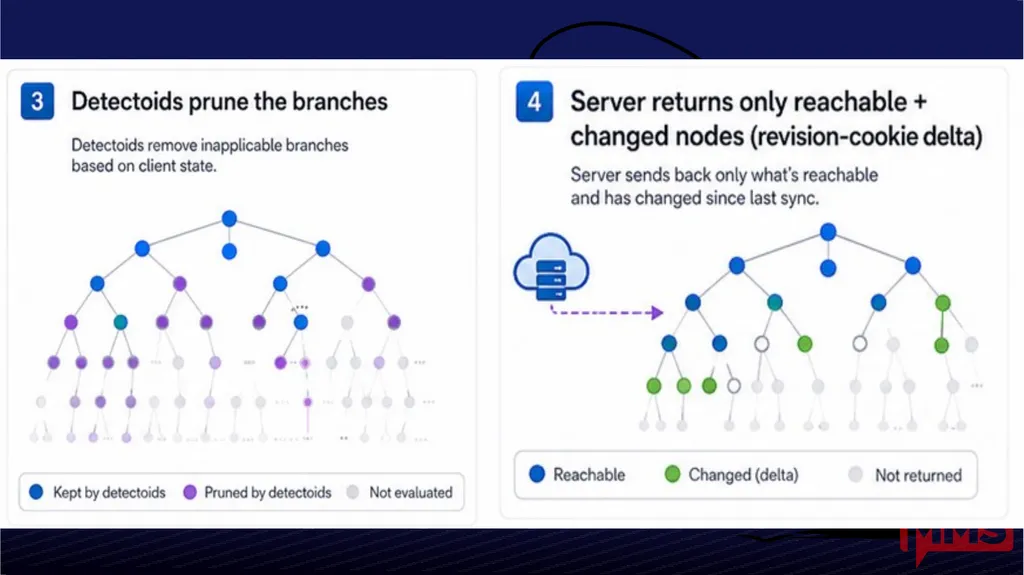
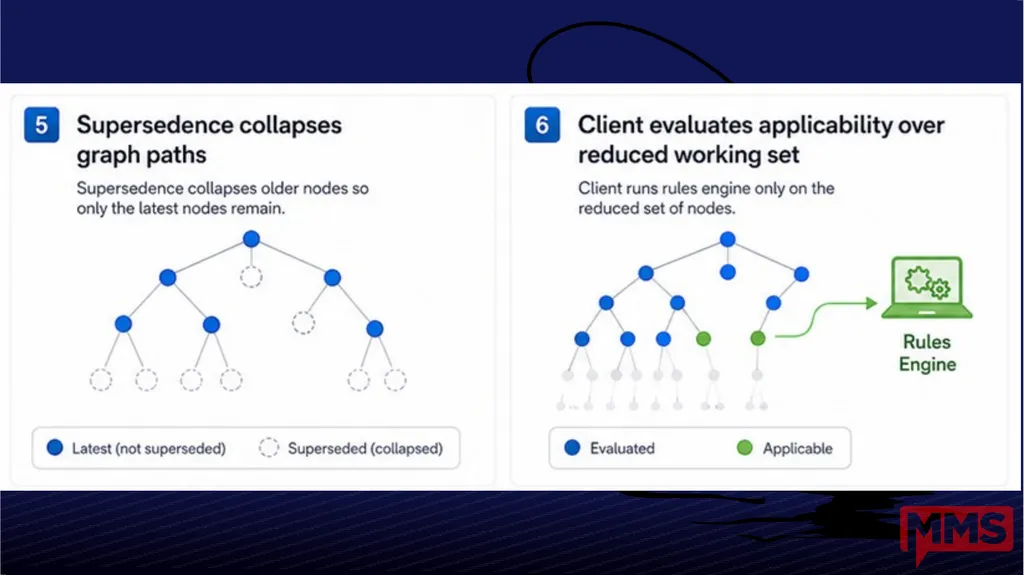
How Does It Work: MUv6 Scan Client evaluates applicability locally (rules engine)
MUv6 pruning model
Product Category scoping limits initial graph roots
Detectoids prune the branches
Server returns only reachable + changed nodes (revision-cookie delta)
Supersedence collapses graph paths (older nodes become unreachable)
Client evaluates applicability over reduced working set
WSUS uses this same protocol<br>
25
MUv6 challenges Client performance + scale issues
Inefficient, chatty protocol
It’s a choose your own adventure game
Too much logic in the client (limits agility)<br>
26
A note on WSUS deprecation WSUS remains a supported role in Windows Server 2025
Server 2025 is in support until 2035
Paid extended support likely for some period beyond 2035
WSUS in Server 2025 continues to support patching of all supported versions of Windows client and Windows Server
This provides at least a 10-year runway for another solution
We know a solution for airgap is needed<br>
27
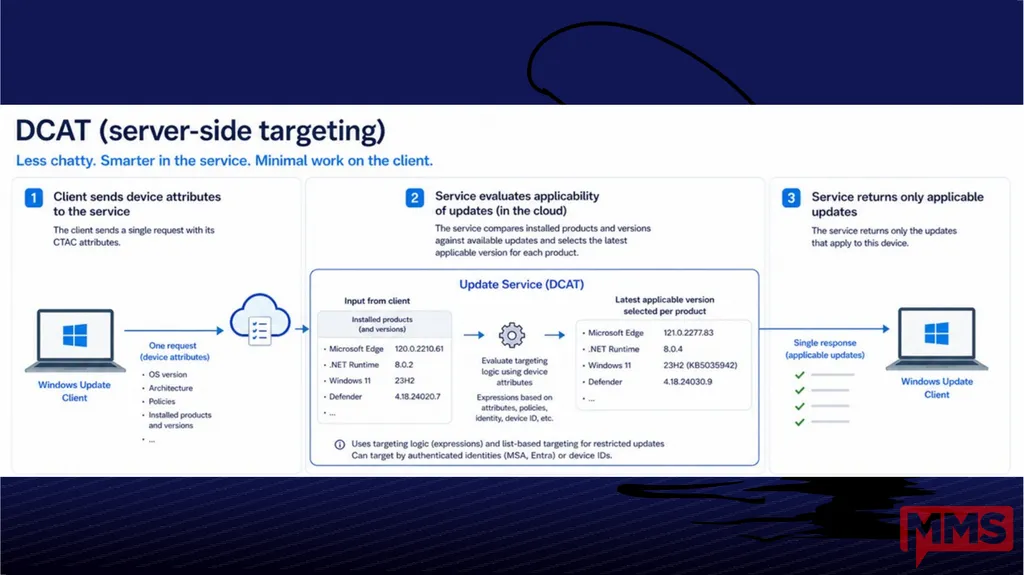
How Does it Work: DCAT Scan Client sends products and attribute info to DCAT:
Installed products (e.g., Windows, Defender, etc.) & versions
Device attributes (arch, OS version, policy values, etc.)
DCAT identifies the latest applicable version for each product
Drivers and Quality Updates have targeting logic based on device attributes (i.e., expressions)
Some updates (e.g., Feature Updates, WIP) use “list-based” targeting, and can target on authenticated identities (MSA, Entra) or device IDs.
DCAT offers the latest applicable version if higher than the installed version.<br>
28
DCAT: Device Attributes Common Targeting Attribute Client (CTAC)
New CTAC attributes are defined in the cloud, then pushed to devices via a configuration service
Typically set by the system or registry keys
The WU Client includes CTAC attributes in its scan
OS version, architecture, policies, etc.
You can see the list of CTAC attributes in a Windows Update log<br>
29
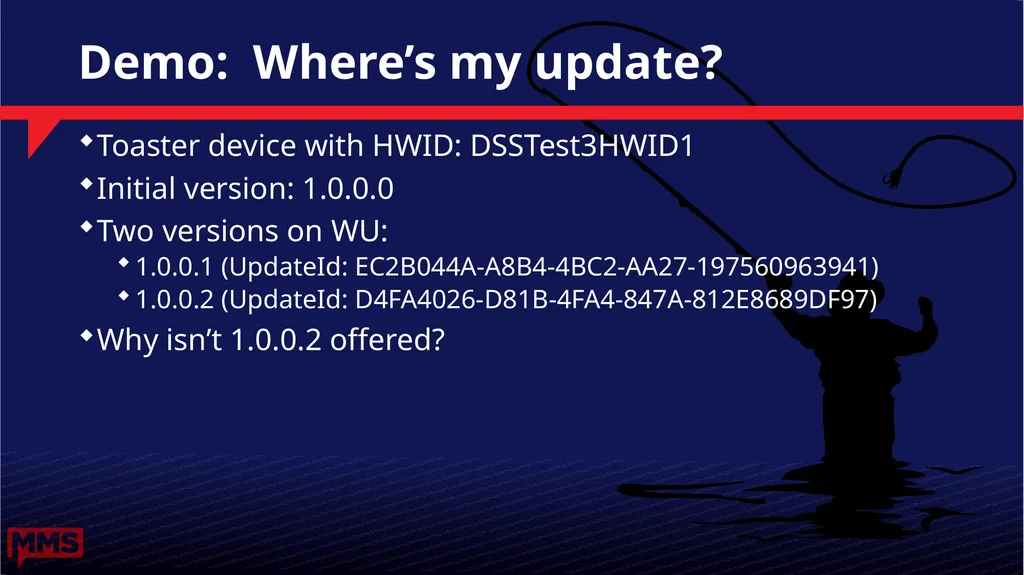
Demo: Where’s my update? Toaster device with HWID: DSSTest3HWID1
Initial version: 1.0.0.0
Two versions on WU:
1.0.0.1 (UpdateId: EC2B044A-A8B4-4BC2-AA27-197560963941)
1.0.0.2 (UpdateId: D4FA4026-D81B-4FA4-847A-812E8689DF97)
Why isn’t 1.0.0.2 offered?<br>
30
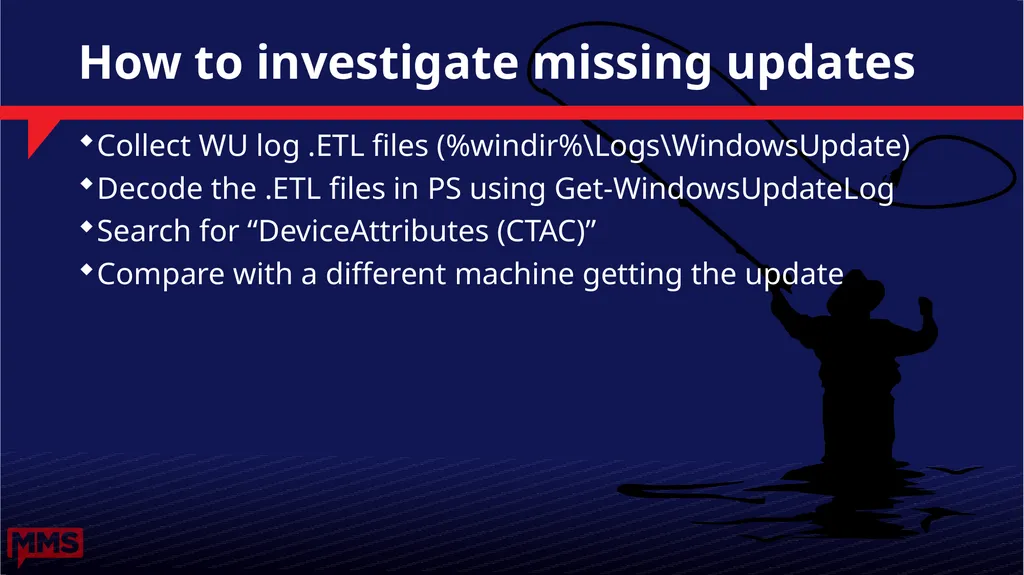
How to investigate missing updates Collect WU log .ETL files (%windir%\Logs\WindowsUpdate)
Decode the .ETL files in PS using Get-WindowsUpdateLog
Search for “DeviceAttributes (CTAC)”
Compare with a different machine getting the update<br>
31
Scan Source What is this madness?<br>
32
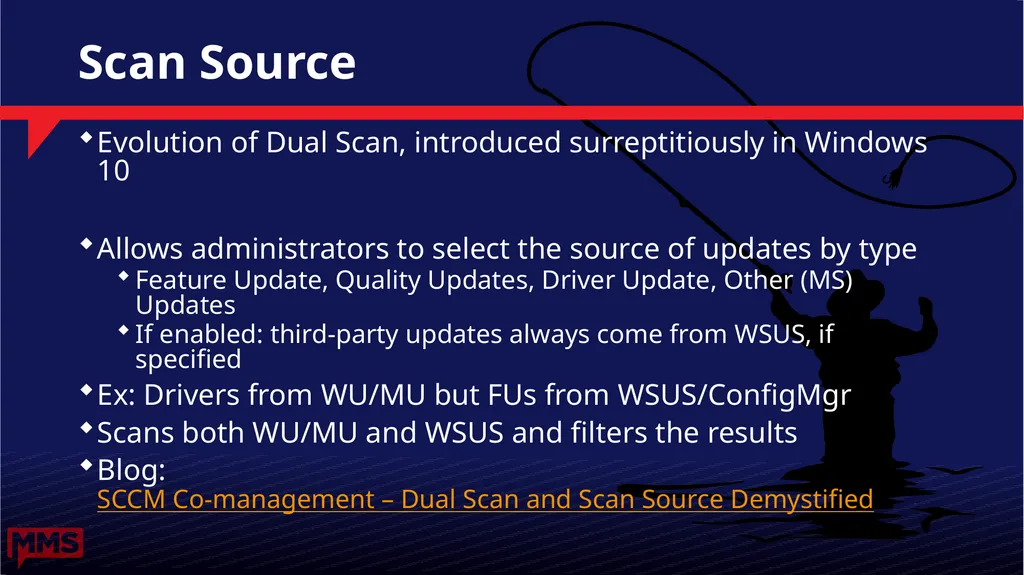
Scan Source Evolution of Dual Scan, introduced surreptitiously in Windows 10
Allows administrators to select the source of updates by type
Feature Update, Quality Updates, Driver Update, Other (MS) Updates
If enabled: third-party updates always come from WSUS, if specified
Ex: Drivers from WU/MU but FUs from WSUS/ConfigMgr
Scans both WU/MU and WSUS and filters the results
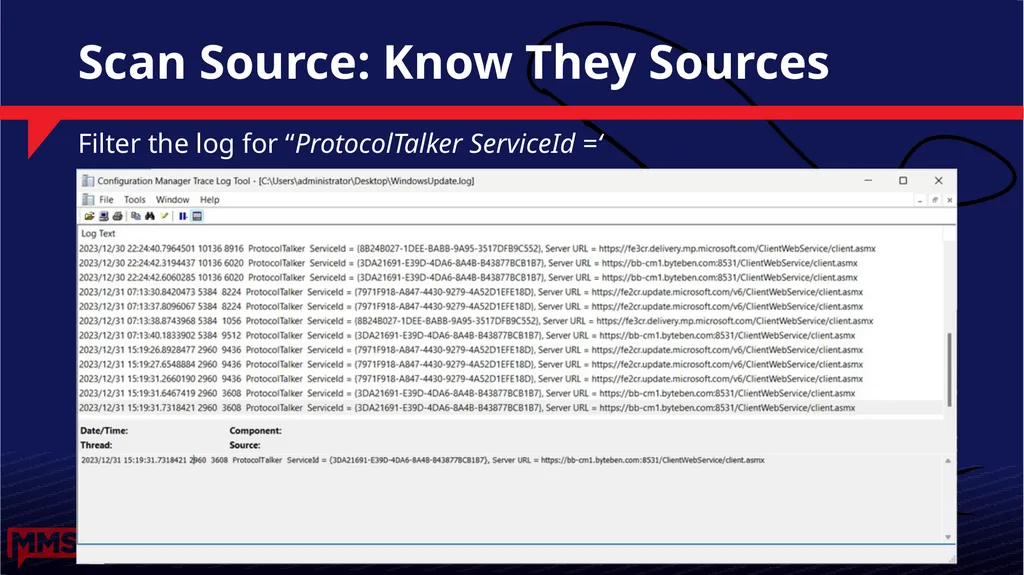
Blog: SCCM Co-management – Dual Scan and Scan Source Demystified<br>
33
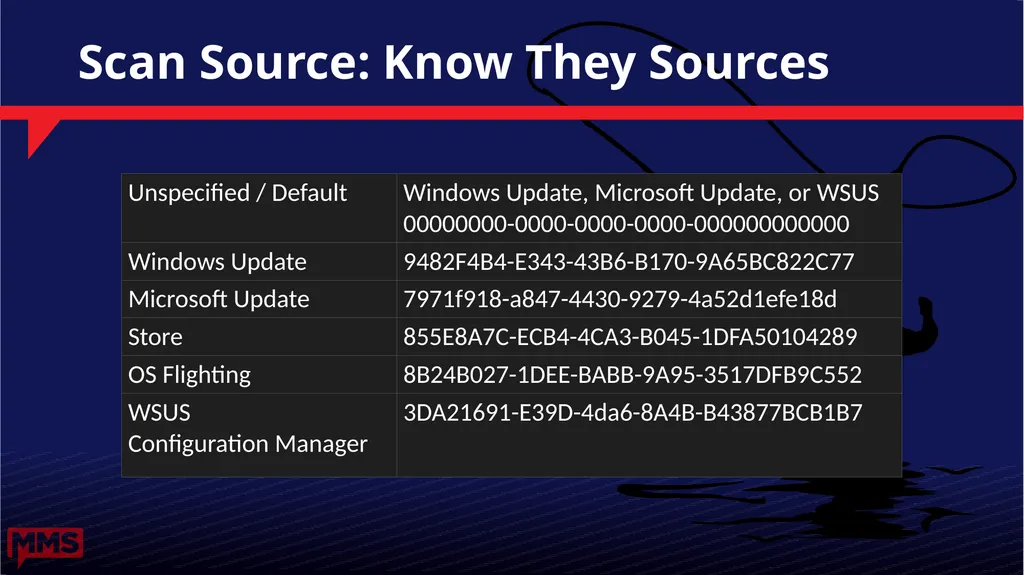
Scan Source: Know They Sources Filter the log for “ProtocolTalker ServiceId =‘<br>
34
Scan Source: Know They Sources<br>
35
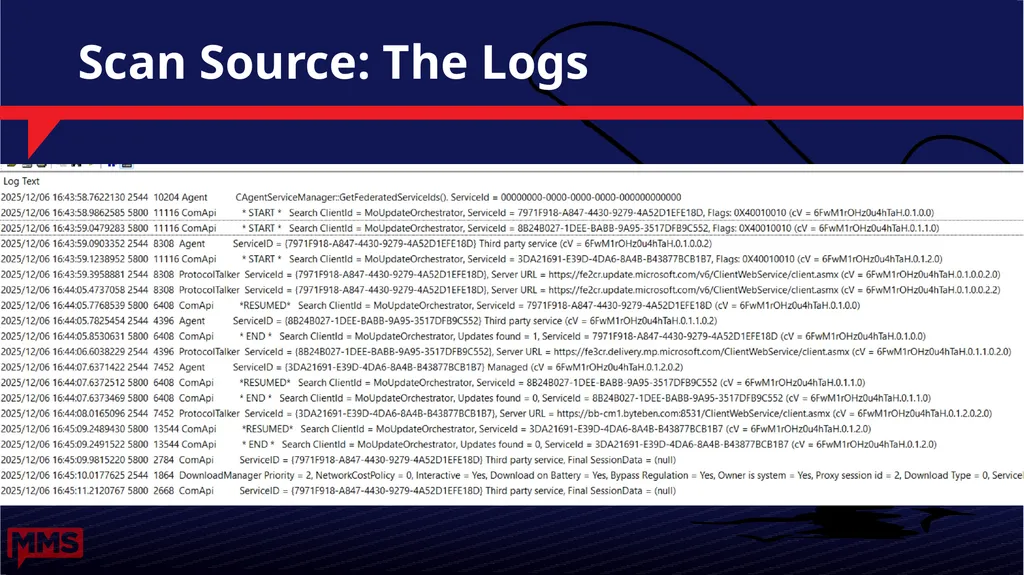
Scan Source: The Logs<br>
36
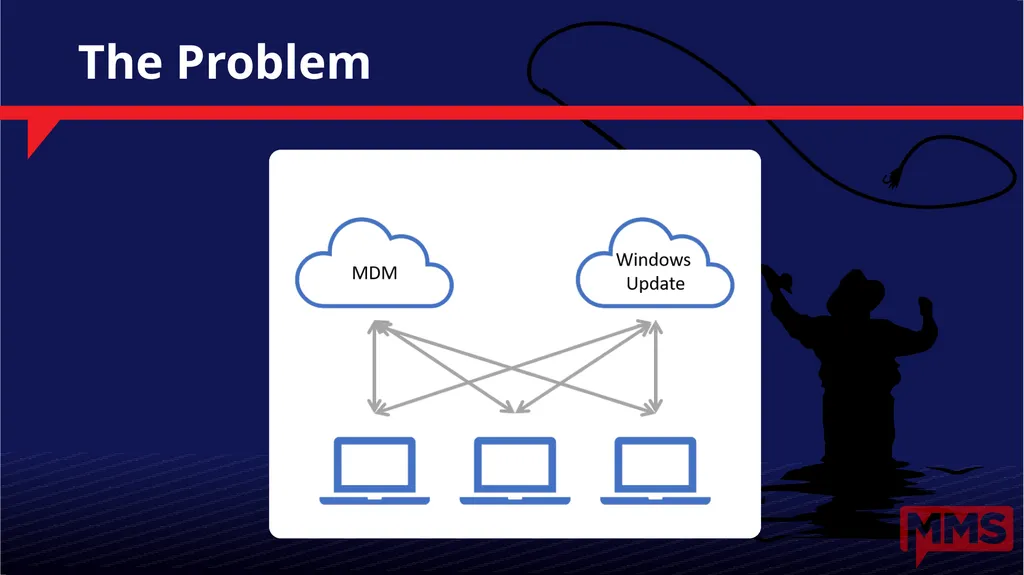
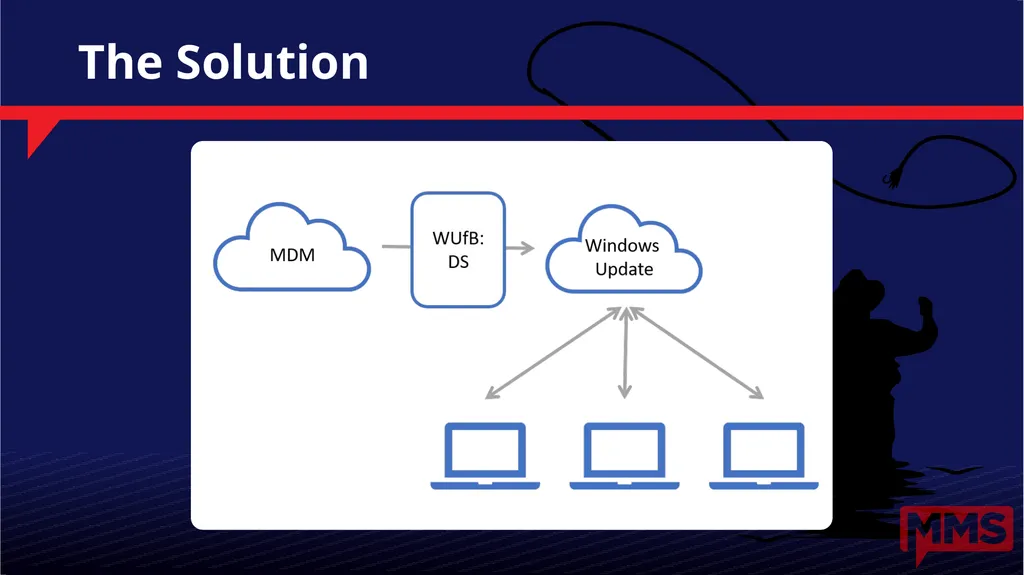
What If The Cloud Service Had An API? Oh the fun we could have<br>
39
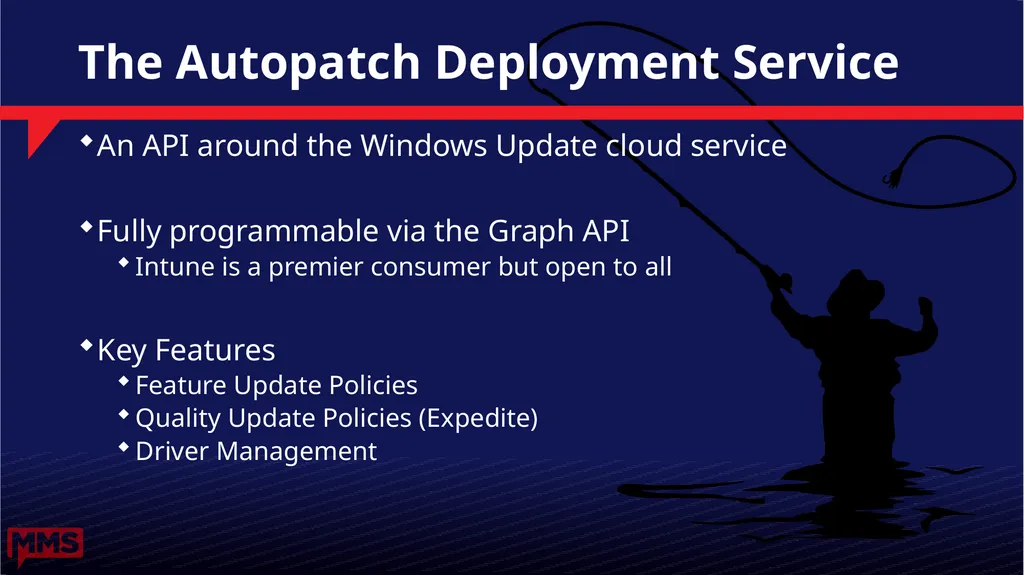
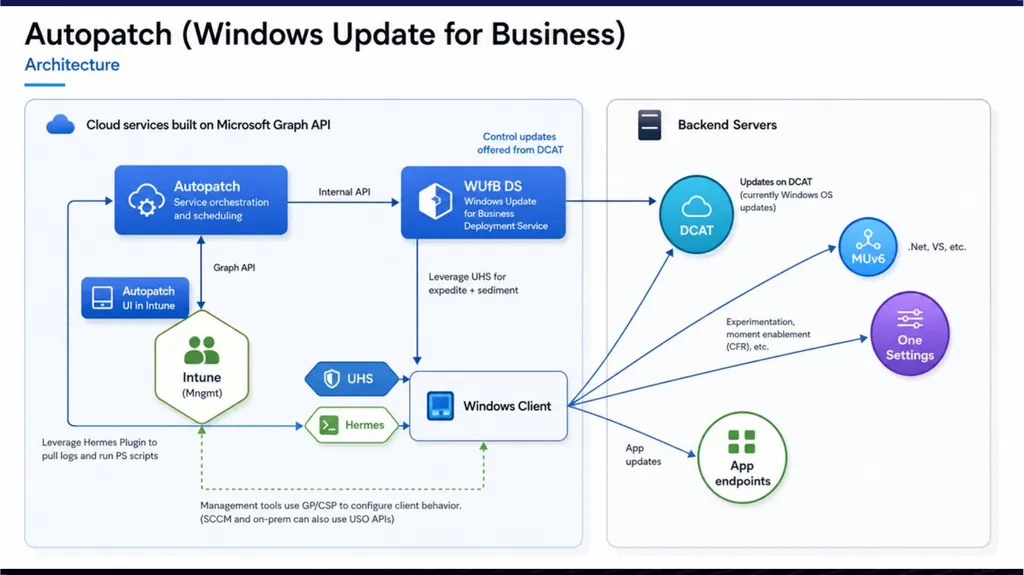
The Autopatch Deployment Service An API around the Windows Update cloud service
Fully programmable via the Graph API
Intune is a premier consumer but open to all
Key Features
Feature Update Policies
Quality Update Policies (Expedite)
Driver Management<br>
40
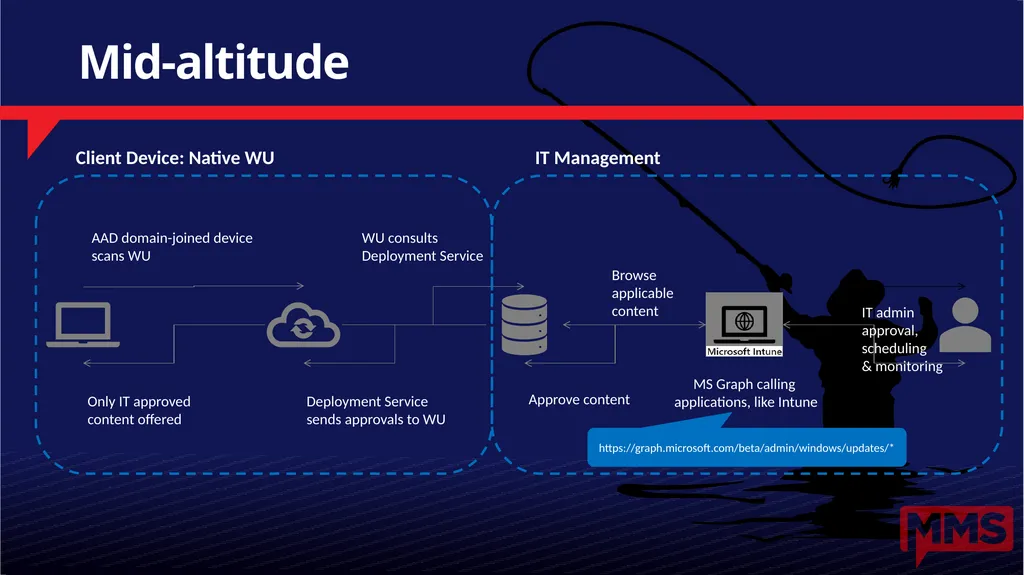
MS Graph calling �applications, like Intune https://graph.microsoft.com/beta/admin/windows/updates/* Mid-altitude<br>