CATCH GAME EDUCATOR GUIDE CATCH GAME EDUCATOR GUIDE With this guide, you can plan and lead a one-hour workshop using Scratch. Participants will make a game where they catch things falling from the sky. Workshop Overview First, gather as
"CATCH GAME / EDUCATOR GUIDE CATCH GAME / EDUCATOR" is the property of its rightful owner. Permission is granted to
download and print the materials on this website for personal, non-commercial use only, and to display it
on your personal computer provided you do not modify the materials and that you retain all copyright
notices contained in the materials. By downloading content from our website, you accept the terms of this
agreement.
Presentation Transcript
01
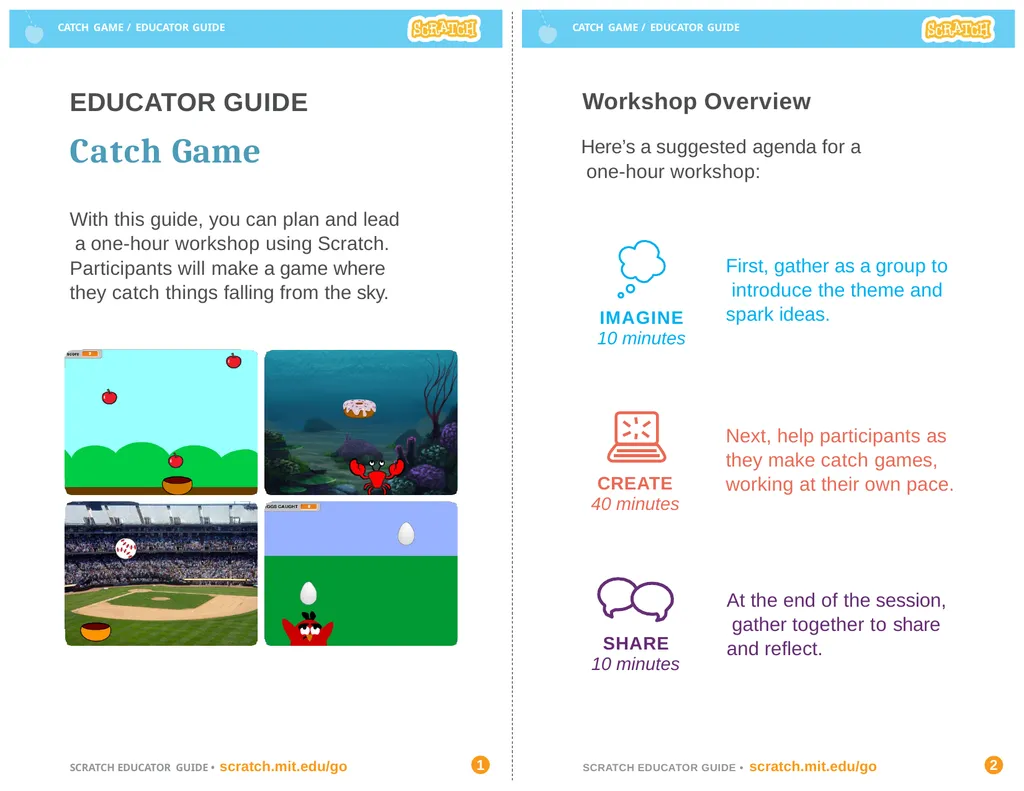
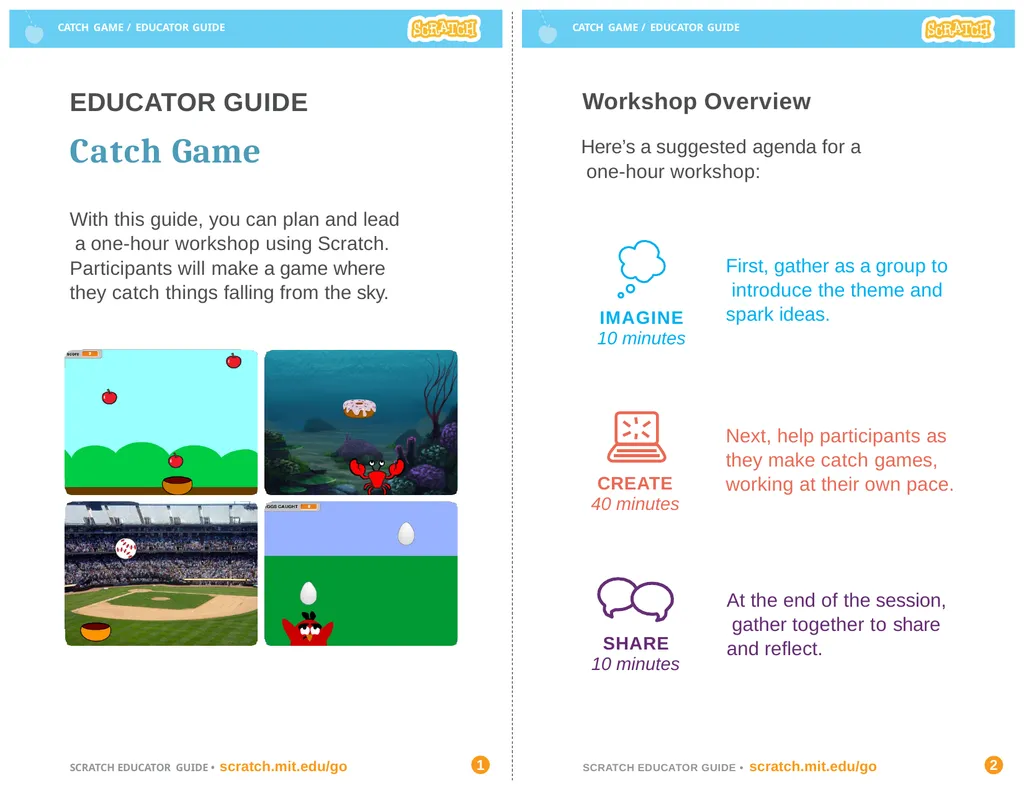
CATCH GAME / EDUCATOR GUIDE CATCH GAME / EDUCATOR GUIDE With this guide, you can plan and lead a one-hour workshop using Scratch.
Participants will make a game where they catch things falling from the sky. Workshop Overview First, gather as a group to introduce the theme and spark ideas. SHARE
10 minutes Next, help participants as they make catch games, working at their own pace. At the end of the session, gather together to share and reflect. IMAGINE
10 minutes CREATE
40 minutes Here’s a suggested agenda for a one-hour workshop: EDUCATOR GUIDE
Catch Game SCRATCH EDUCATOR GUIDE • scratch.mit.edu/go 1 SCRATCH EDUCATOR GUIDE • scratch.mit.edu/go 2<br>
02
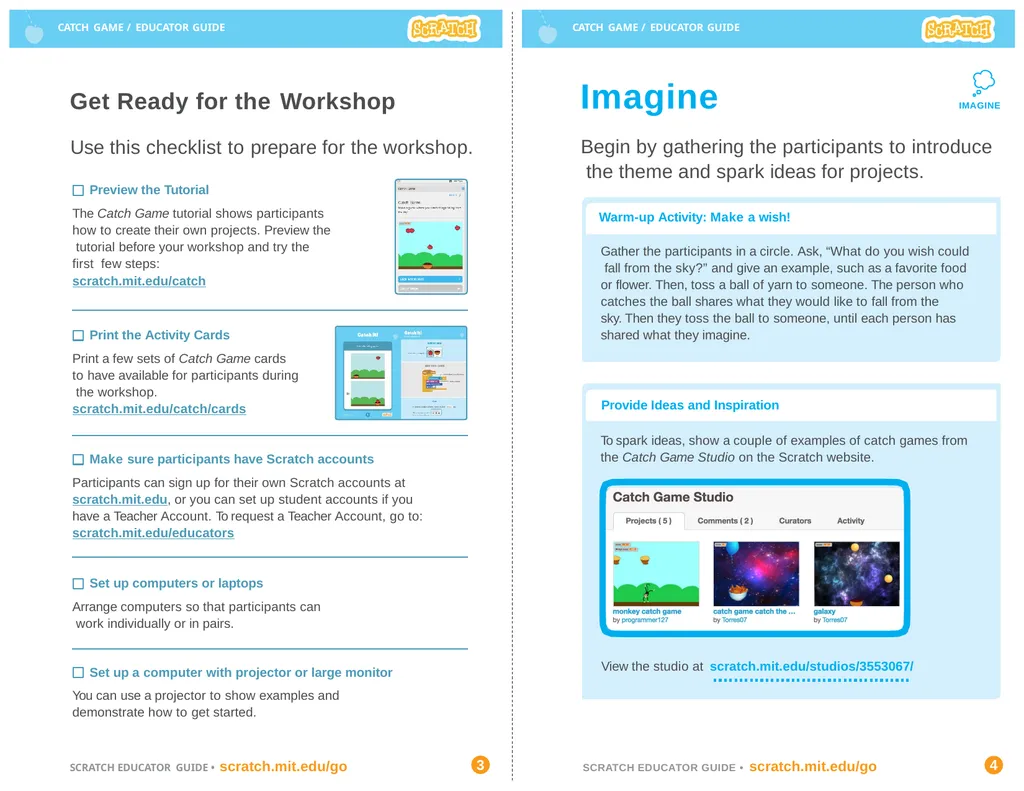
CATCH GAME / EDUCATOR GUIDE CATCH GAME / EDUCATOR GUIDE Imagine Begin by gathering the participants to introduce the theme and spark ideas for projects. IMAGINE Provide Ideas and Inspiration Warm-up Activity: Make a wish! Gather the participants in a circle. Ask, “What do you wish could fall from the sky?” and give an example, such as a favorite food or flower. Then, toss a ball of yarn to someone. The person who catches the ball shares what they would like to fall from the
sky. Then they toss the ball to someone, until each person has shared what they imagine. To spark ideas, show a couple of examples of catch games from the Catch Game Studio on the Scratch website. Get Ready for the Workshop View the studio at scratch.mit.edu/studios/3553067/ Use this checklist to prepare for the workshop. Preview the Tutorial
The Catch Game tutorial shows participants how to create their own projects. Preview the tutorial before your workshop and try the first few steps:
scratch.mit.edu/catch Print the Activity Cards
Print a few sets of Catch Game cards to have available for participants during the workshop. scratch.mit.edu/catch/cards Make sure participants have Scratch accounts
Participants can sign up for their own Scratch accounts at scratch.mit.edu, or you can set up student accounts if you have a Teacher Account. To request a Teacher Account, go to: scratch.mit.edu/educators Set up computers or laptops
Arrange computers so that participants can work individually or in pairs. Set up a computer with projector or large monitor
You can use a projector to show examples and demonstrate how to get started. SCRATCH EDUCATOR GUIDE • scratch.mit.edu/go 3 SCRATCH EDUCATOR GUIDE • scratch.mit.edu/go 4<br>
03
CATCH GAME / EDUCATOR GUIDE CATCH GAME / EDUCATOR GUIDE Demonstrate the First Steps Create
Support participants as they create catch games. Suggest working in pairs. CREATE Provide Resources
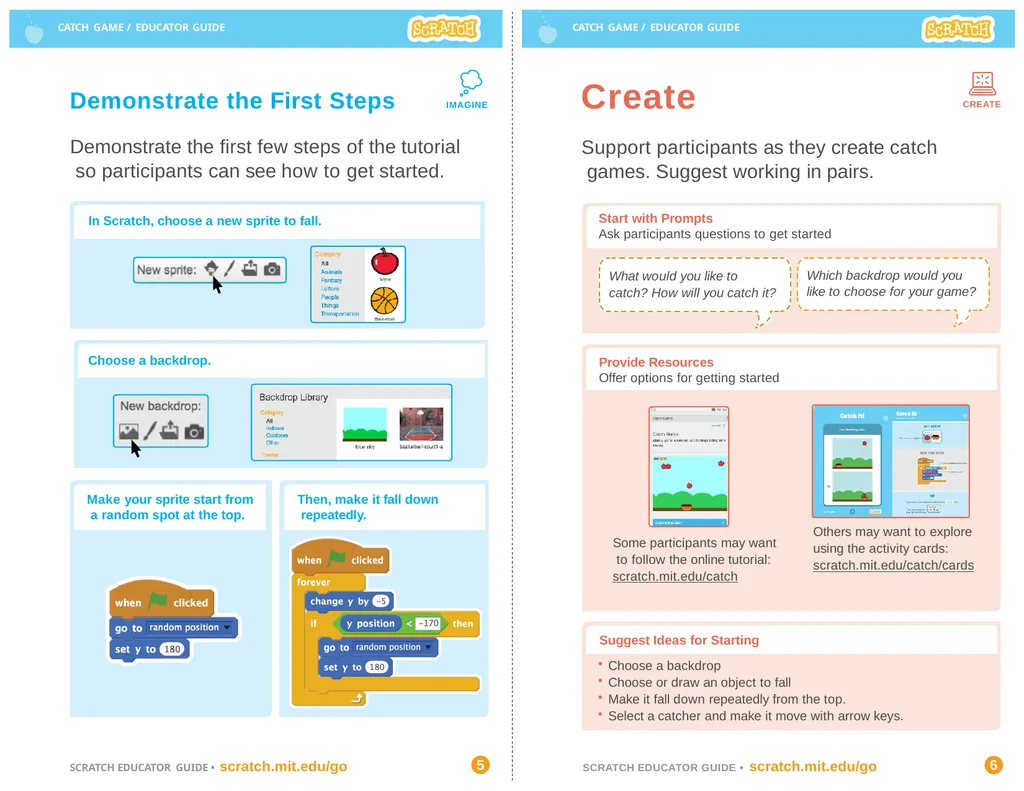
Offer options for getting started IMAGINE What would you like to catch? How will you catch it? Which backdrop would you like to choose for your game? Some participants may want to follow the online tutorial: scratch.mit.edu/catch Others may want to explore using the activity cards: scratch.mit.edu/catch/cards Demonstrate the first few steps of the tutorial so participants can see how to get started. Start with Prompts
Ask participants questions to get started Suggest Ideas for Starting
Choose a backdrop
Choose or draw an object to fall
Make it fall down repeatedly from the top.
Select a catcher and make it move with arrow keys. In Scratch, choose a new sprite to fall. Then, make it fall down repeatedly. Choose a backdrop. Make your sprite start from a random spot at the top. SCRATCH EDUCATOR GUIDE • scratch.mit.edu/go 5 SCRATCH EDUCATOR GUIDE • scratch.mit.edu/go 6<br>
04
CATCH GAME / EDUCATOR GUIDE CATCH GAME / EDUCATOR GUIDE CREATE Share
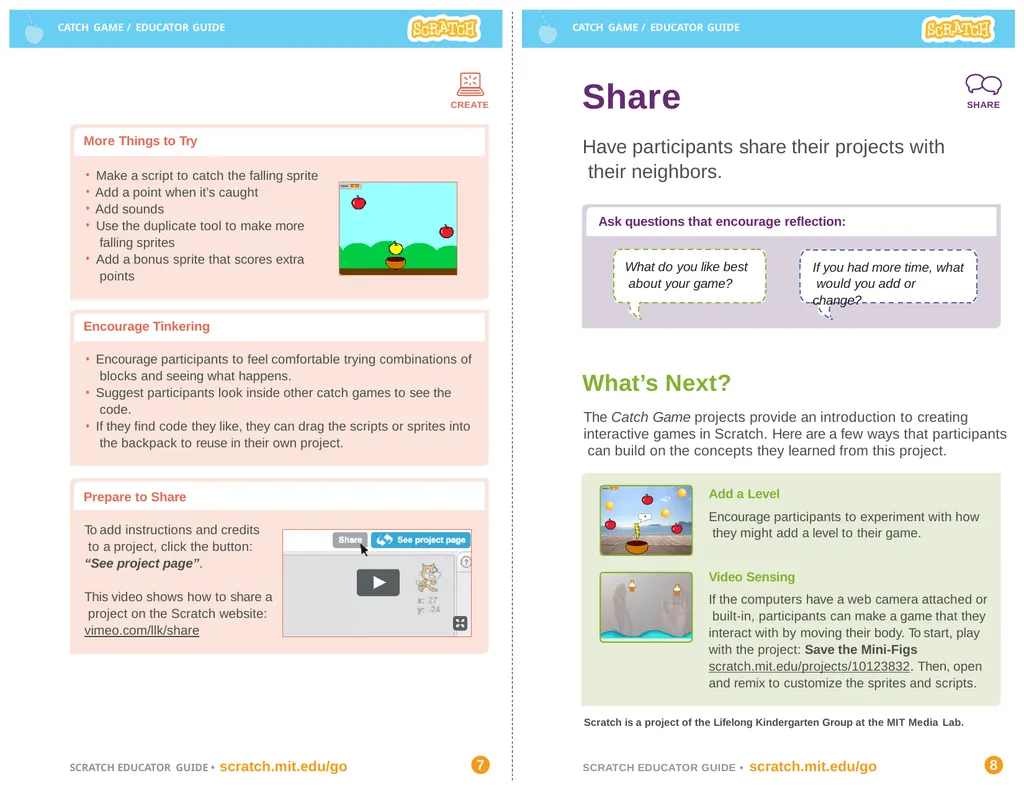
Have participants share their projects with their neighbors. SHARE More Things to Try Ask questions that encourage reflection: Scratch is a project of the Lifelong Kindergarten Group at the MIT Media Lab. Make a script to catch the falling sprite
Add a point when it’s caught
Add sounds
Use the duplicate tool to make more falling sprites
Add a bonus sprite that scores extra points What do you like best about your game? If you had more time, what would you add or change? Video Sensing
If the computers have a web camera attached or built-in, participants can make a game that they interact with by moving their body. To start, play with the project: Save the Mini-Figs scratch.mit.edu/projects/10123832. Then, open and remix to customize the sprites and scripts. What’s Next?
The Catch Game projects provide an introduction to creating interactive games in Scratch. Here are a few ways that participants can build on the concepts they learned from this project. Encourage Tinkering Encourage participants to feel comfortable trying combinations of blocks and seeing what happens.
Suggest participants look inside other catch games to see the code.
If they find code they like, they can drag the scripts or sprites into the backpack to reuse in their own project. Add a Level
Encourage participants to experiment with how they might add a level to their game. Prepare to Share To add instructions and credits to a project, click the button: “See project page”. This video shows how to share a project on the Scratch website: vimeo.com/llk/share SCRATCH EDUCATOR GUIDE • scratch.mit.edu/go 7 SCRATCH EDUCATOR GUIDE • scratch.mit.edu/go 8<br>