
Chapter 3: The Project Management Process Groups:
Description: Chapter 3: The Project Management Process Groups: A Case Study Information Technology Project Management, Eighth Edition Note: See the text itself for full citations. Learning Objectives, Part 1 Describe the five project management process
Related Topics
Download Presentation
"Chapter 3: The Project Management Process Groups:" is the property of its rightful owner. Permission is granted to download and print the materials on this website for personal, non-commercial use only, and to display it on your personal computer provided you do not modify the materials and that you retain all copyright notices contained in the materials. By downloading content from our website, you accept the terms of this agreement.
Presentation Transcript
slide1. Chapter 3:
The Project Management Process Groups: A Case Study Information Technology Project Management, Eighth Edition Note: See the text itself for full citations.<br>
slide2. Learning Objectives, Part 1 Describe the five project management process groups, the typical level of activity for each, and the interactions among them
Understand how the project management process groups relate to the project management knowledge areas
Discuss how organizations develop information technology (IT) project management methodologies to meet their needs Information Technology Project Management, Eighth Edition 2<br>
slide3. Learning Objectives, Part 2 Review a case study of an organization applying the project management process groups to manage an IT project, describe outputs of each process group, and understand the contribution that effective initiating, planning, executing, monitoring and controlling, and closing make to project success
Review the same case study of a project managed with an agile focus to illustrate the key differences in approaches
Describe several templates for creating documents for each process group Information Technology Project Management, Eighth Edition 3<br>
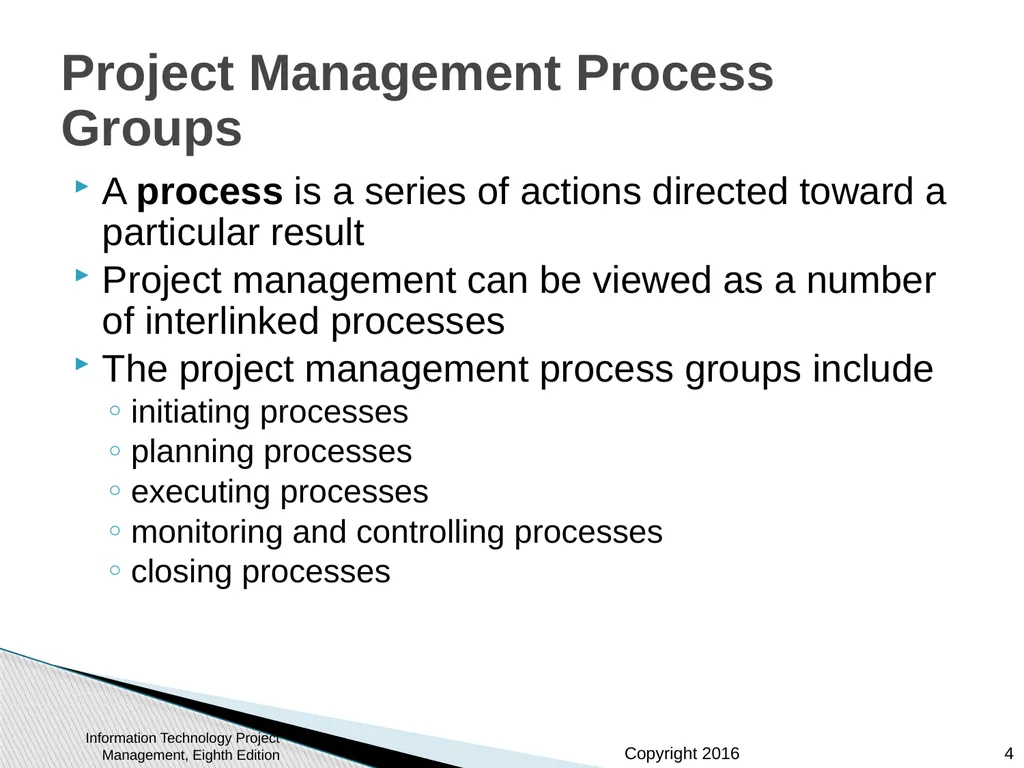
slide4. Project Management Process Groups A process is a series of actions directed toward a particular result
Project management can be viewed as a number of interlinked processes
The project management process groups include
initiating processes
planning processes
executing processes
monitoring and controlling processes
closing processes Information Technology Project Management, Eighth Edition 4<br>
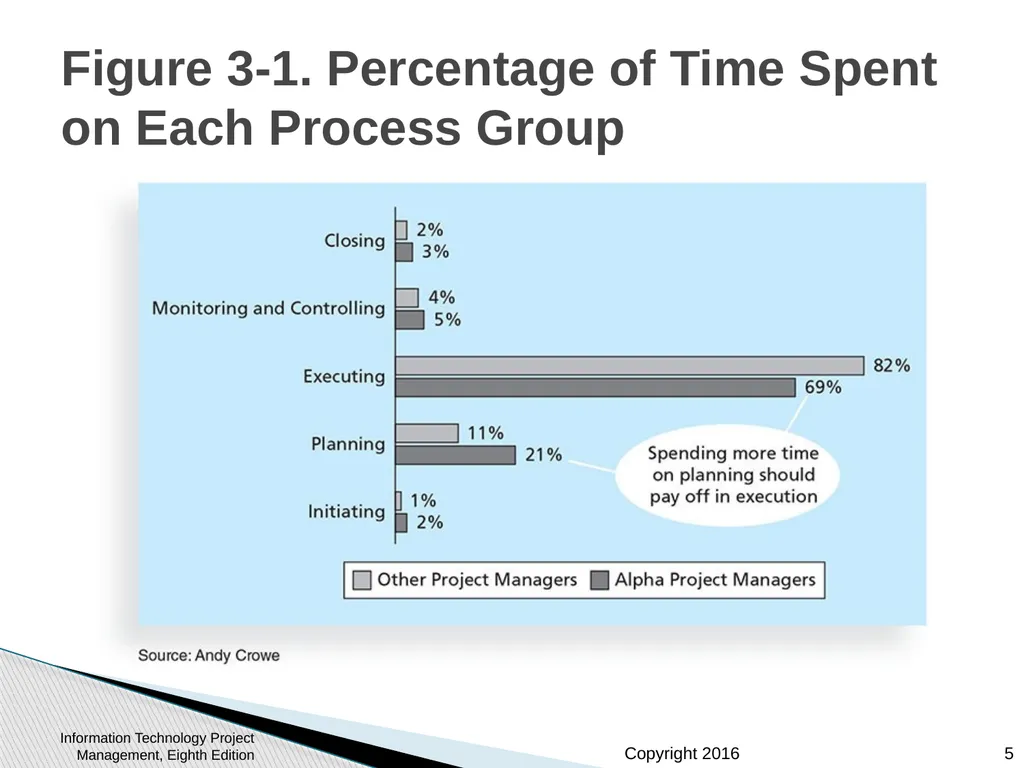
slide5. Figure 3-1. Percentage of Time Spent on Each Process Group Information Technology Project Management, Eighth Edition 5<br>
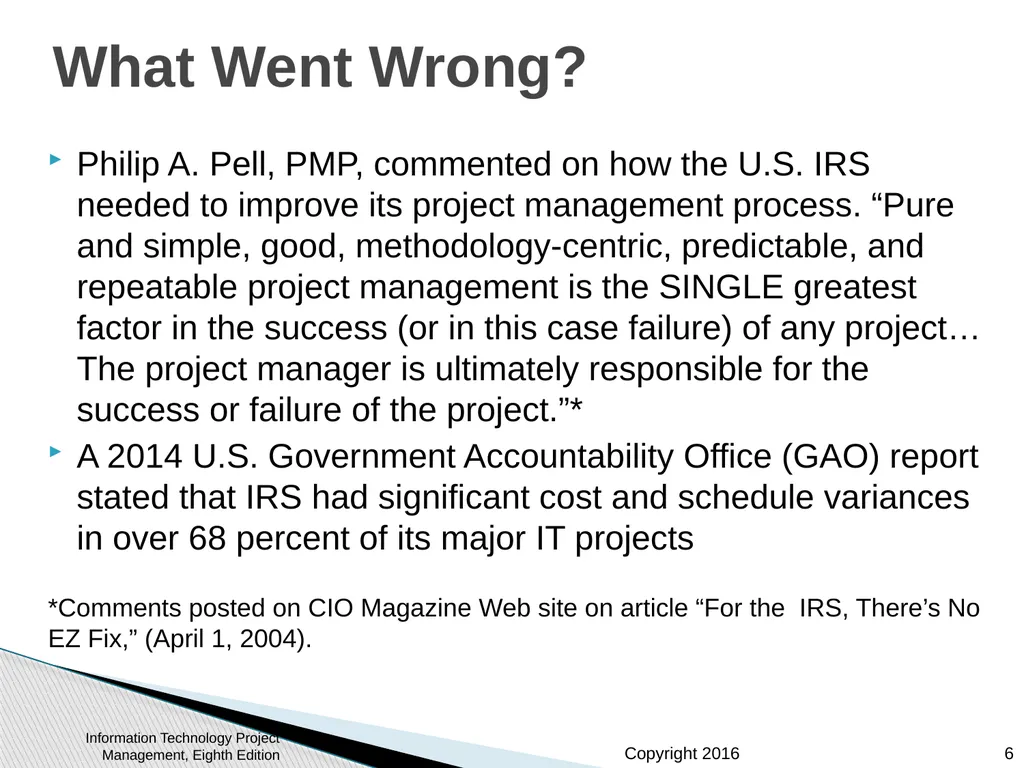
slide6. What Went Wrong? Philip A. Pell, PMP, commented on how the U.S. IRS needed to improve its project management process. “Pure and simple, good, methodology-centric, predictable, and repeatable project management is the SINGLE greatest factor in the success (or in this case failure) of any project… The project manager is ultimately responsible for the success or failure of the project.”*
A 2014 U.S. Government Accountability Office (GAO) report stated that IRS had significant cost and schedule variances in over 68 percent of its major IT projects
*Comments posted on CIO Magazine Web site on article “For the IRS, There’s No EZ Fix,” (April 1, 2004). Information Technology Project Management, Eighth Edition 6<br>
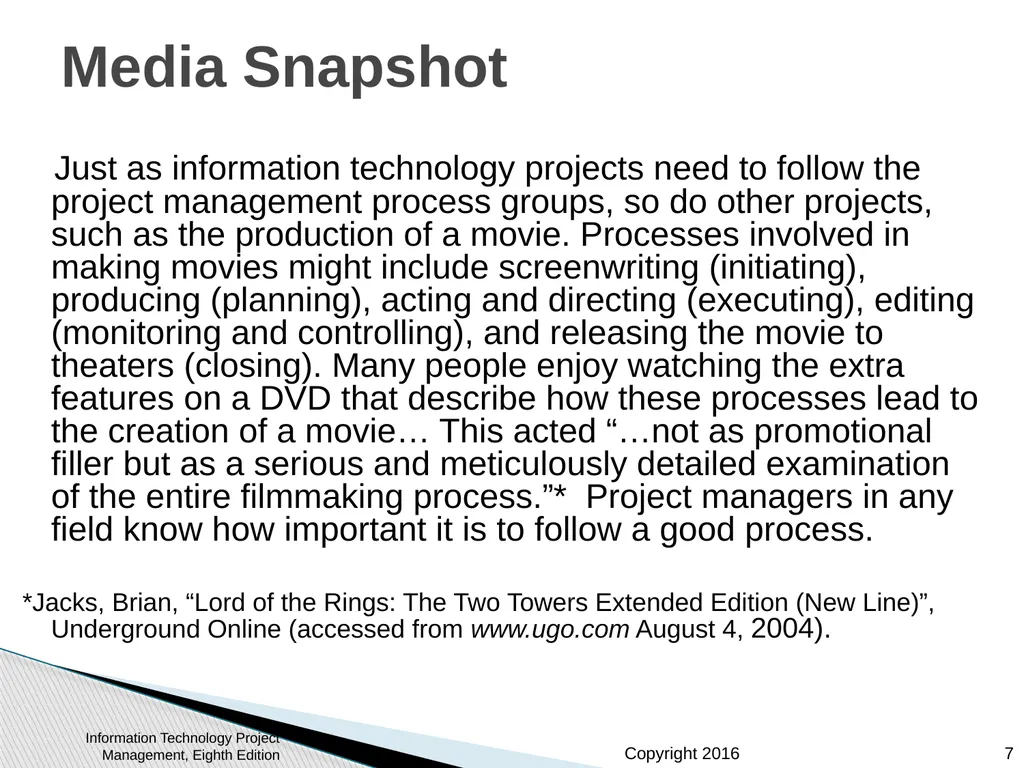
slide7. Media Snapshot Just as information technology projects need to follow the project management process groups, so do other projects, such as the production of a movie. Processes involved in making movies might include screenwriting (initiating), producing (planning), acting and directing (executing), editing (monitoring and controlling), and releasing the movie to theaters (closing). Many people enjoy watching the extra features on a DVD that describe how these processes lead to the creation of a movie… This acted “…not as promotional filler but as a serious and meticulously detailed examination of the entire filmmaking process.”* Project managers in any field know how important it is to follow a good process.
*Jacks, Brian, “Lord of the Rings: The Two Towers Extended Edition (New Line)”, Underground Online (accessed from www.ugo.com August 4, 2004). Information Technology Project Management, Eighth Edition 7<br>
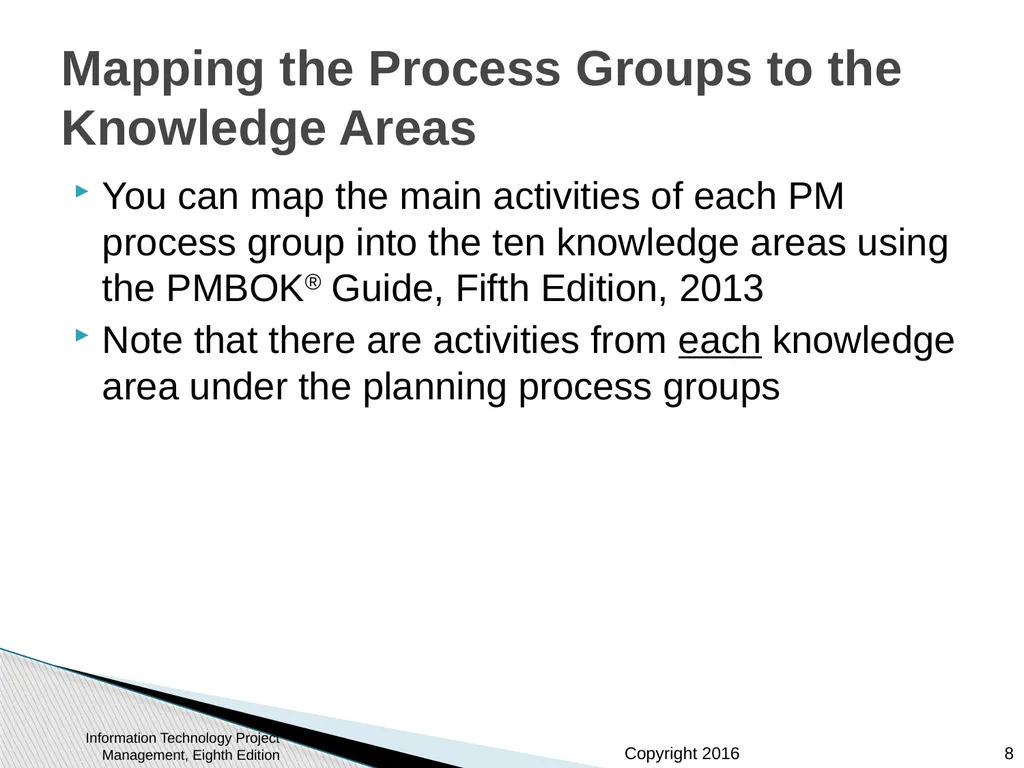
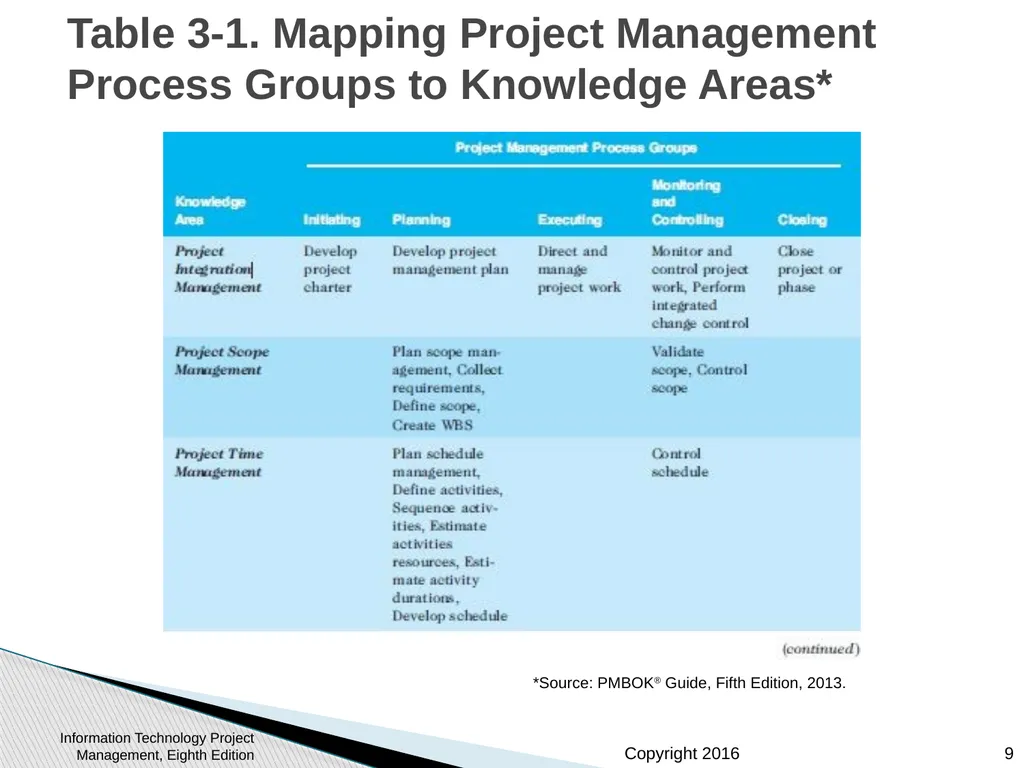
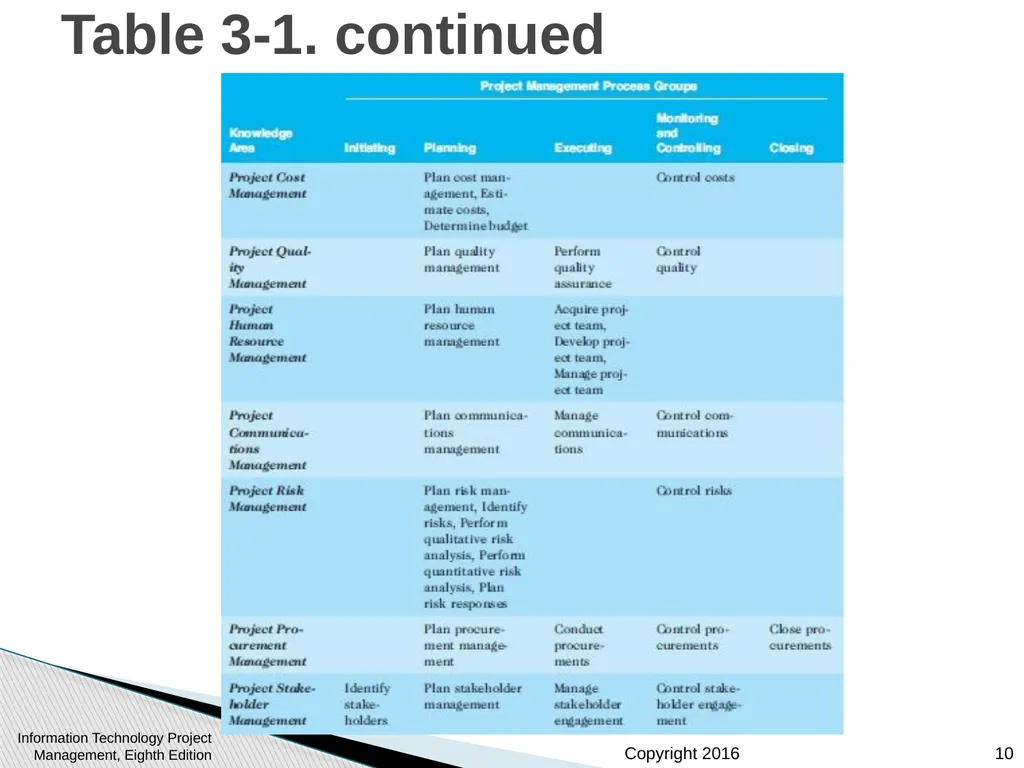
slide8. Mapping the Process Groups to the Knowledge Areas You can map the main activities of each PM process group into the ten knowledge areas using the PMBOK® Guide, Fifth Edition, 2013
Note that there are activities from each knowledge area under the planning process groups Information Technology Project Management, Eighth Edition 8<br>
slide9. Table 3-1. Mapping Project Management Process Groups to Knowledge Areas* *Source: PMBOK® Guide, Fifth Edition, 2013. Information Technology Project Management, Eighth Edition 9<br>
slide10. Table 3-1. continued Information Technology Project Management, Eighth Edition 10<br>
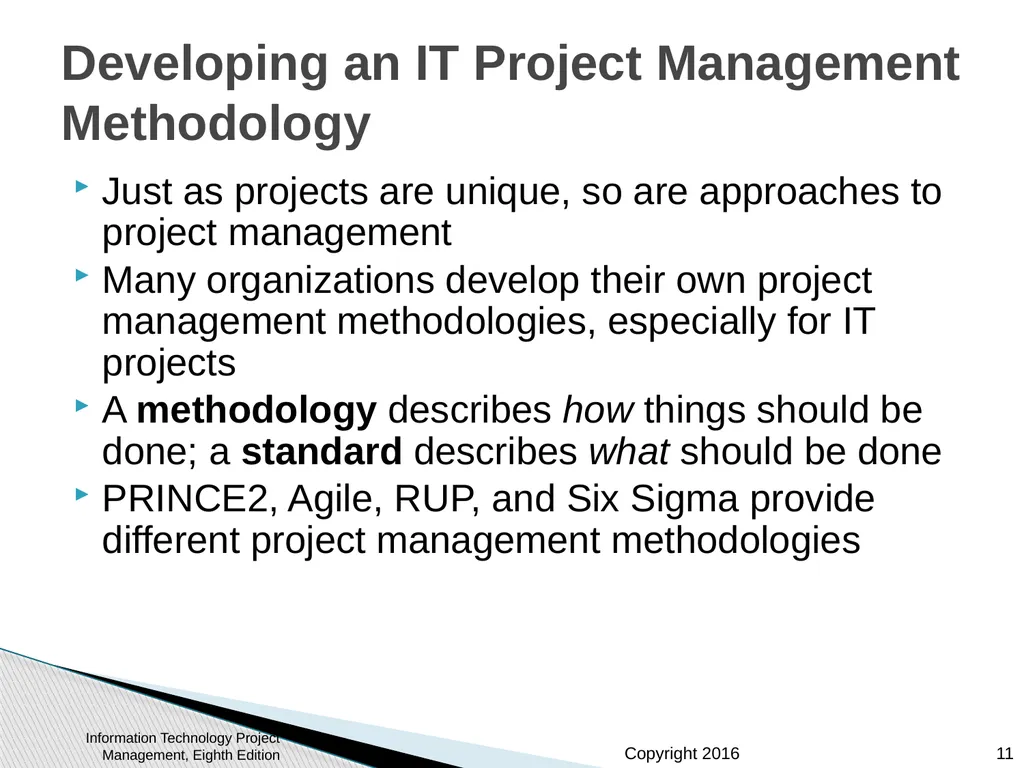
slide11. Developing an IT Project Management Methodology Just as projects are unique, so are approaches to project management
Many organizations develop their own project management methodologies, especially for IT projects
A methodology describes how things should be done; a standard describes what should be done
PRINCE2, Agile, RUP, and Six Sigma provide different project management methodologies Information Technology Project Management, Eighth Edition 11<br>
slide12. Global Issues A 2011 study of organizations across India included the following findings:
Two-thirds of organizations in some stage of Agile adoption are realizing key software and business benefits in terms of faster delivery of products to the customer, an improved ability to manage changing requirements, and higher quality and productivity in IT.
Organizations struggle with the magnitude of the cultural shift required for Agile, opposition to change, a lack of coaching and help in the Agile adoption process, and a lack of qualified people.
The daily stand-up, iteration planning, and release planning are the most commonly used practices, while paired programming and open workspaces are not popular Information Technology Project Management, Eighth Edition 12<br>
slide13. What Went Right? Organizations that excel in project management complete 89 percent of their projects successfully compared to only 36 percent of organizations that do not have good project management processes
PMI estimates that poor project performance costs over $109 million for every $1 billion invested in projects and programs Information Technology Project Management, Eighth Edition 13<br>
slide14. Case Study: JWD Consulting’s Project Management Intranet Site (Predictive Approach) This case study provides an example of what’s involved in initiating, planning, executing, controlling, and closing an IT project
You can download templates for creating your own project management documents from the companion Web site for this text or the author’s site
Note: This case study provides a big picture view of managing a project. Later chapters provide detailed information on each knowledge area Information Technology Project Management, Eighth Edition 14<br>
slide15. Project Pre-initiation It is good practice to lay the groundwork for a project before it officially starts
Senior managers often perform several pre-initiation tasks, including the following:
Determine the scope, time, and cost constraints for the project
Identify the project sponsor
Select the project manager
Develop a business case for a project (see Table 3-2 for an example)
Meet with the project manager to review the process and expectations for managing the project
Determine if the project should be divided into two or more smaller projects Information Technology Project Management, Eighth Edition 15<br>
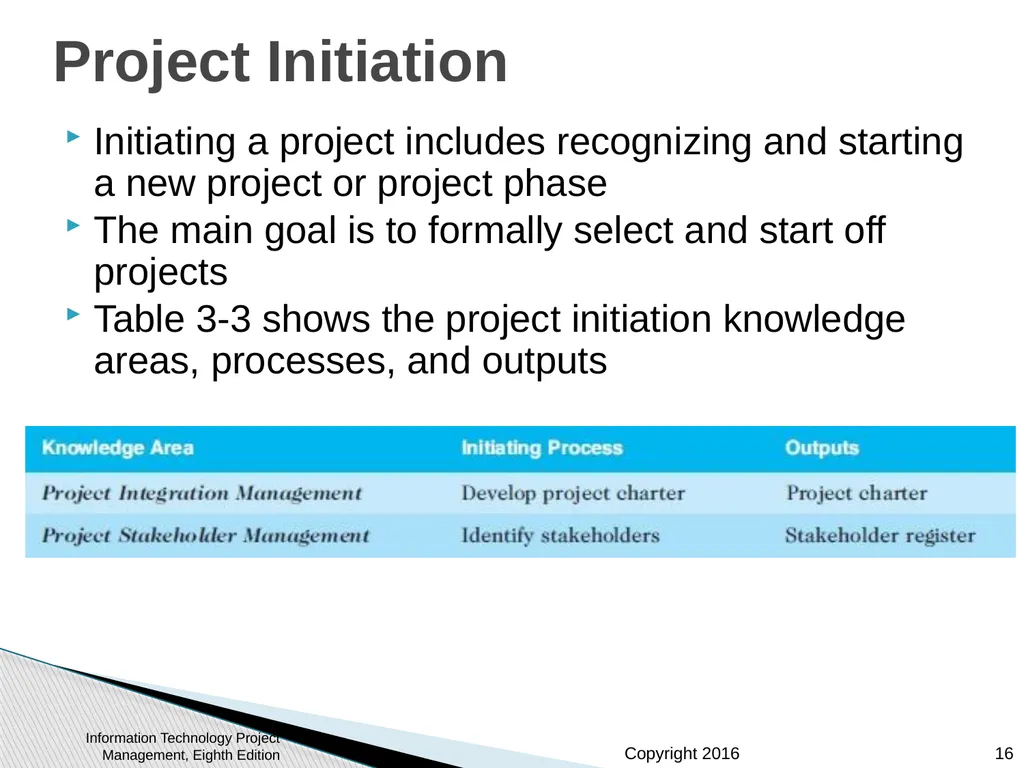
slide16. Project Initiation Initiating a project includes recognizing and starting a new project or project phase
The main goal is to formally select and start off projects
Table 3-3 shows the project initiation knowledge areas, processes, and outputs Information Technology Project Management, Eighth Edition 16<br>
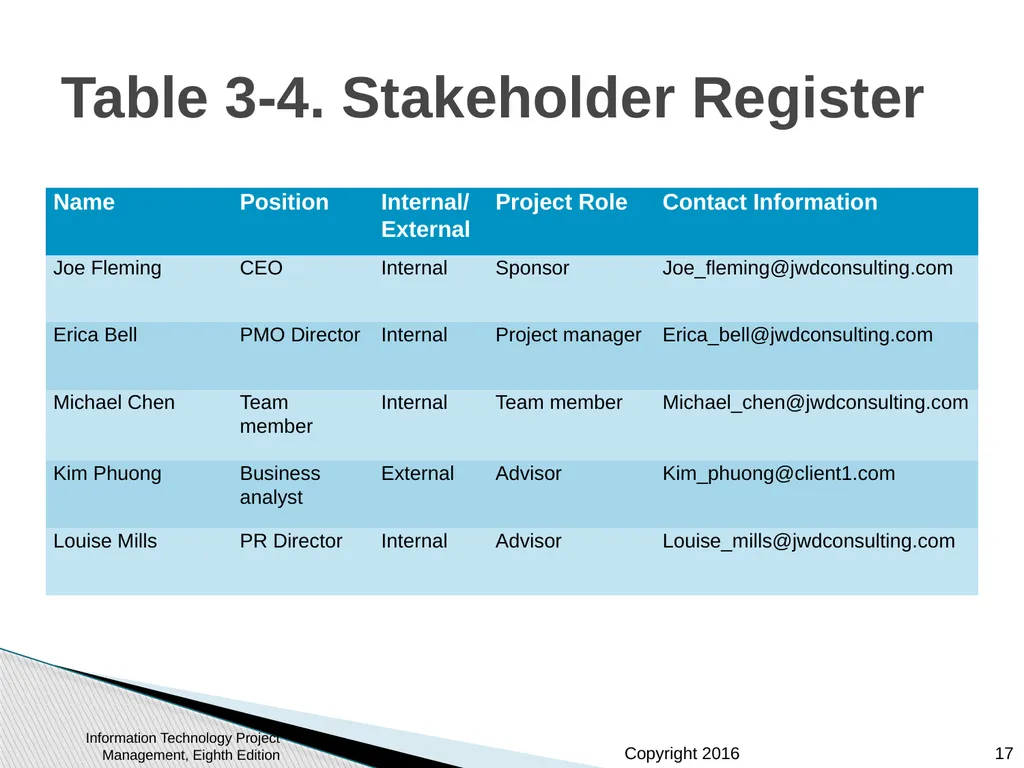
slide17. Table 3-4. Stakeholder Register Information Technology Project Management, Eighth Edition 17<br>
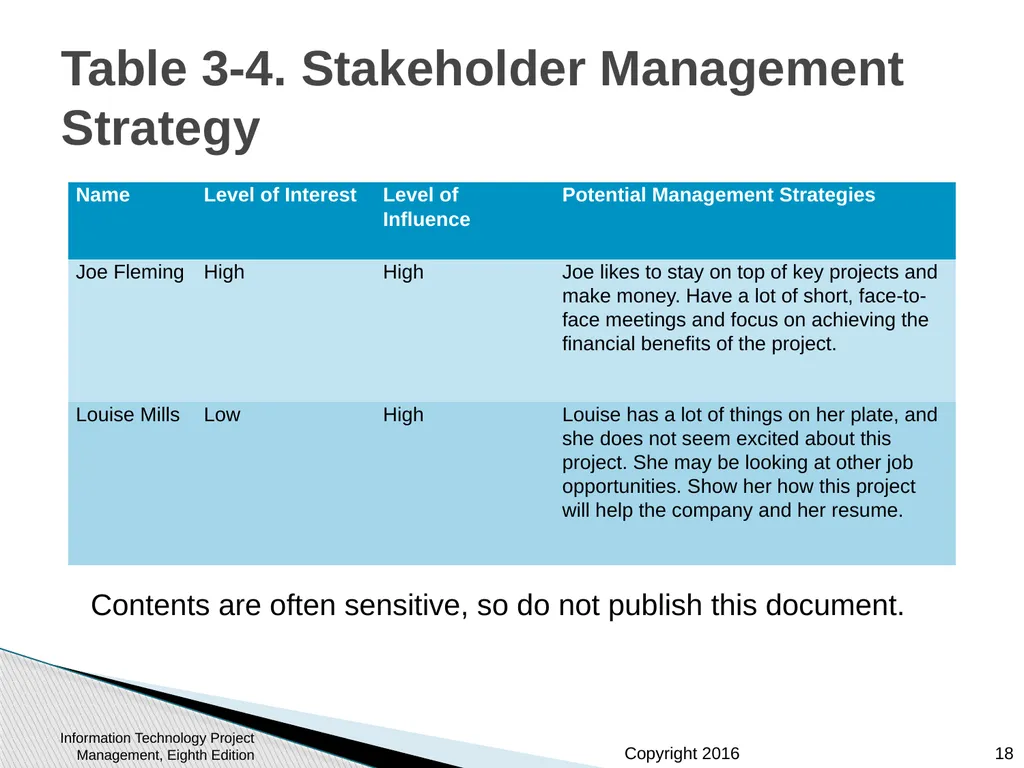
slide18. Table 3-4. Stakeholder Management Strategy Contents are often sensitive, so do not publish this document. Information Technology Project Management, Eighth Edition 18<br>
slide19. Project Charters and Kick-off Meetings See Table 3-6 for an example of a charter
Charters are normally short and include key project information and stakeholder signatures
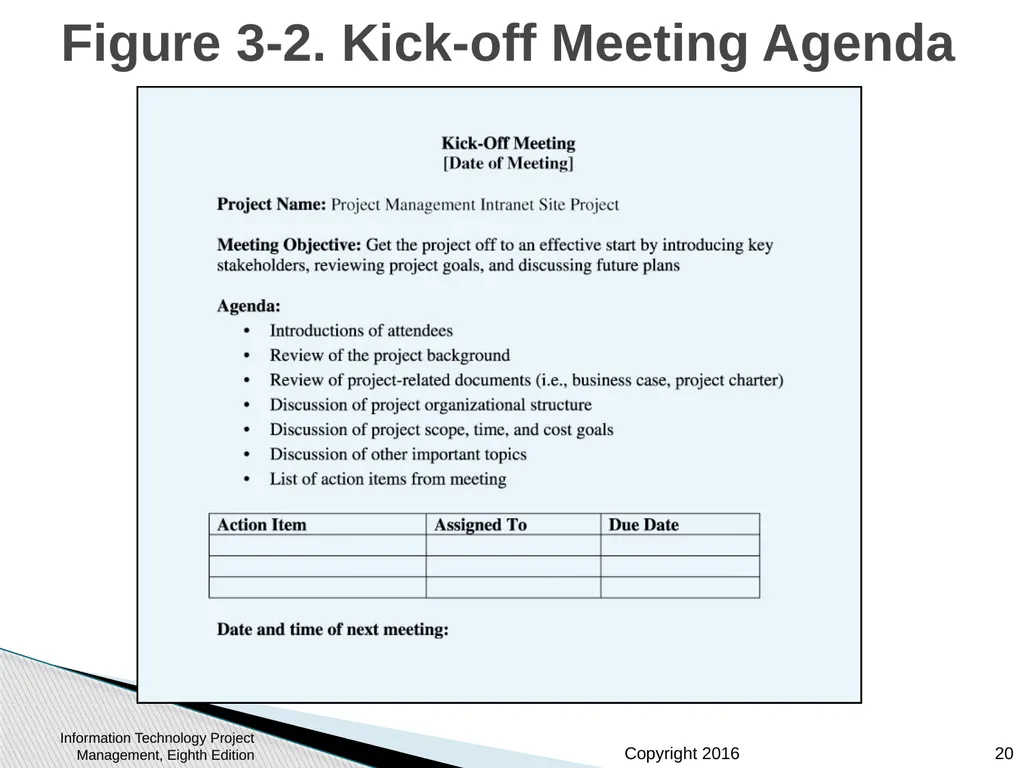
It’s good practice to hold a kick-off meeting at the beginning of a project so that stakeholders can meet each other, review the goals of the project, and discuss future plans Information Technology Project Management, Eighth Edition 19<br>
slide20. Figure 3-2. Kick-off Meeting Agenda Information Technology Project Management, Eighth Edition 20<br>
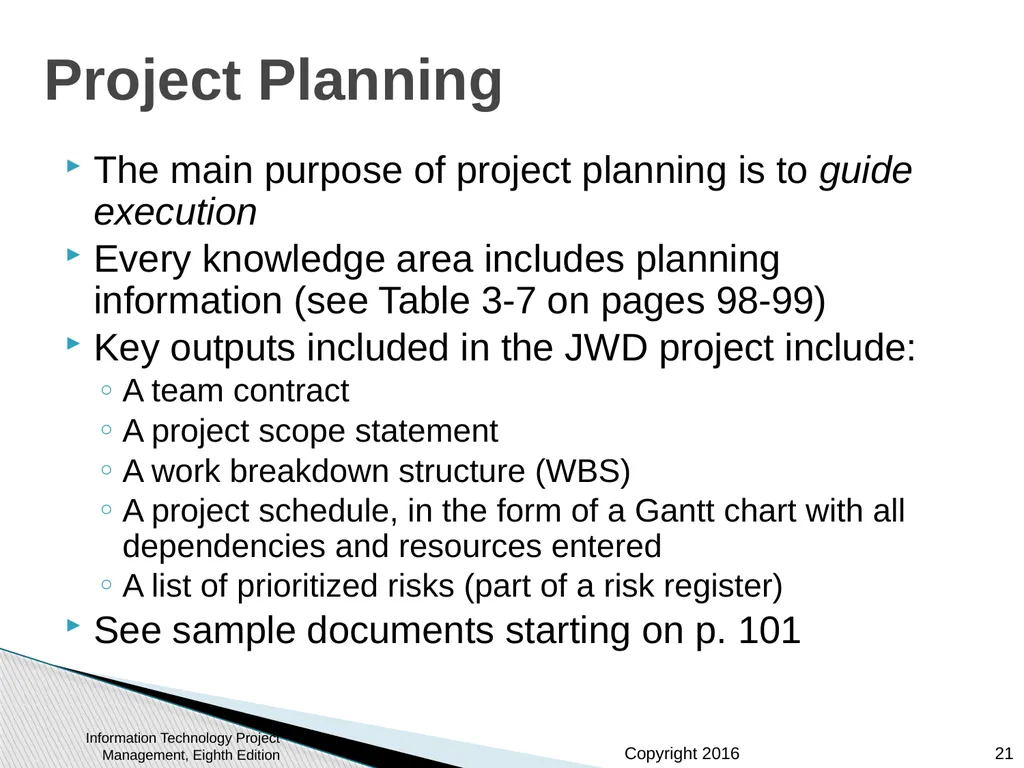
slide21. Project Planning The main purpose of project planning is to guide execution
Every knowledge area includes planning information (see Table 3-7 on pages 98-99)
Key outputs included in the JWD project include:
A team contract
A project scope statement
A work breakdown structure (WBS)
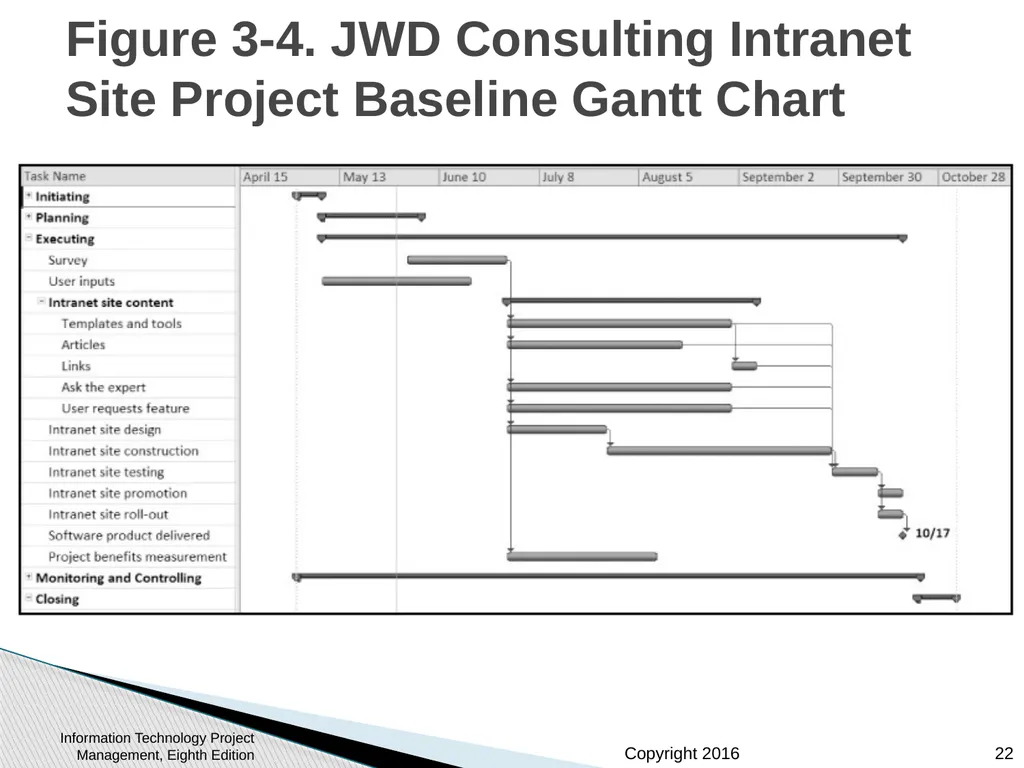
A project schedule, in the form of a Gantt chart with all dependencies and resources entered
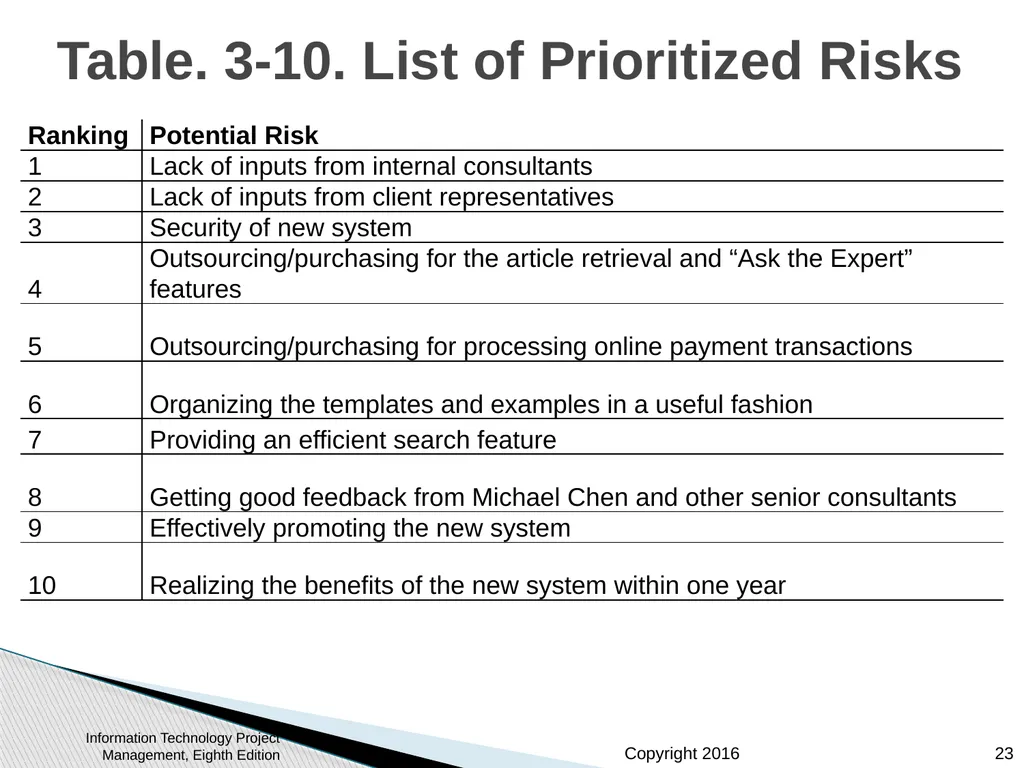
A list of prioritized risks (part of a risk register)
See sample documents starting on p. 101 Information Technology Project Management, Eighth Edition 21<br>
slide22. Figure 3-4. JWD Consulting Intranet Site Project Baseline Gantt Chart Information Technology Project Management, Eighth Edition 22<br>
slide23. Table. 3-10. List of Prioritized Risks Information Technology Project Management, Eighth Edition 23<br>
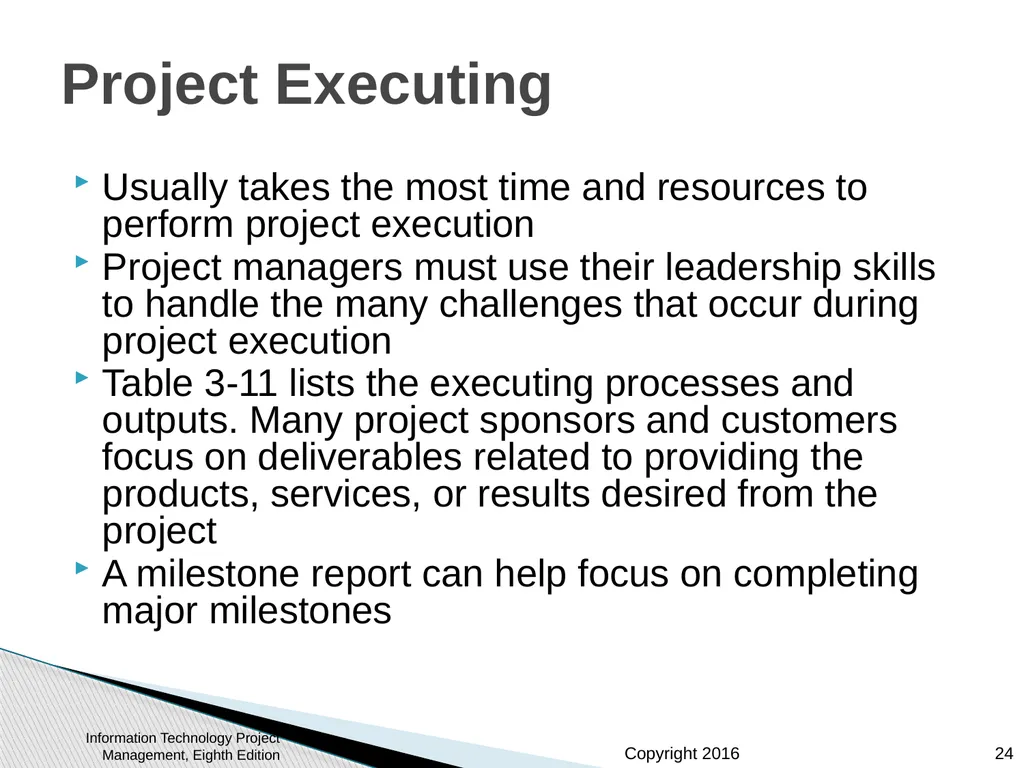
slide24. Project Executing Usually takes the most time and resources to perform project execution
Project managers must use their leadership skills to handle the many challenges that occur during project execution
Table 3-11 lists the executing processes and outputs. Many project sponsors and customers focus on deliverables related to providing the products, services, or results desired from the project
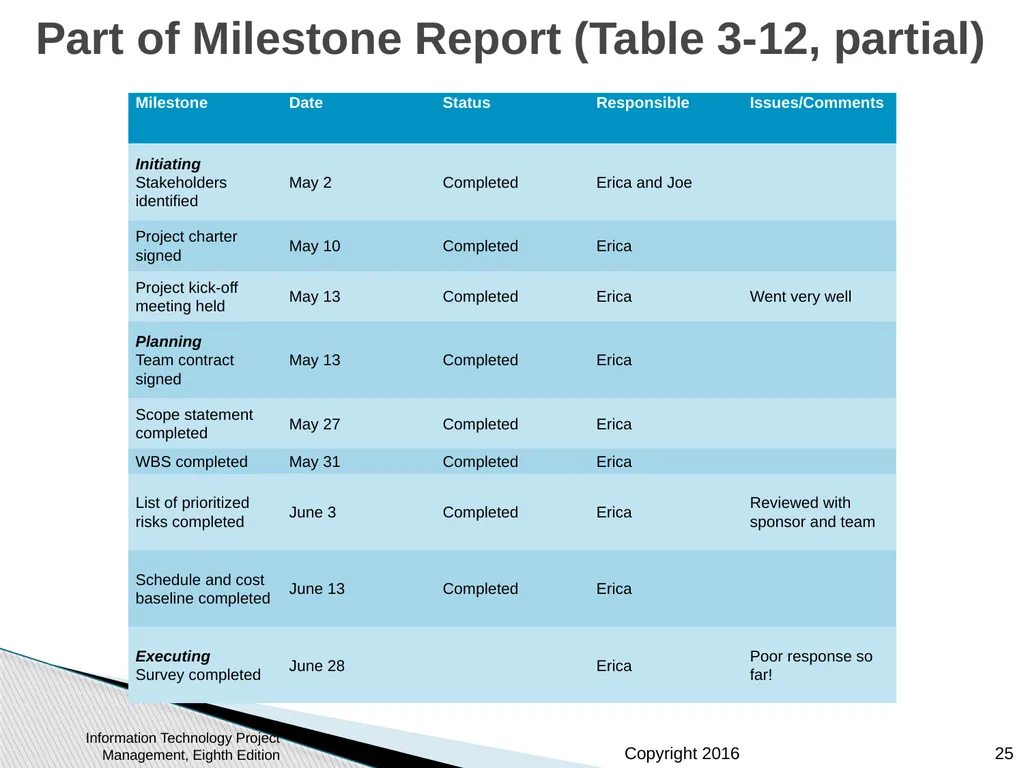
A milestone report can help focus on completing major milestones Information Technology Project Management, Eighth Edition 24<br>
slide25. Part of Milestone Report (Table 3-12, partial) Information Technology Project Management, Eighth Edition 25<br>
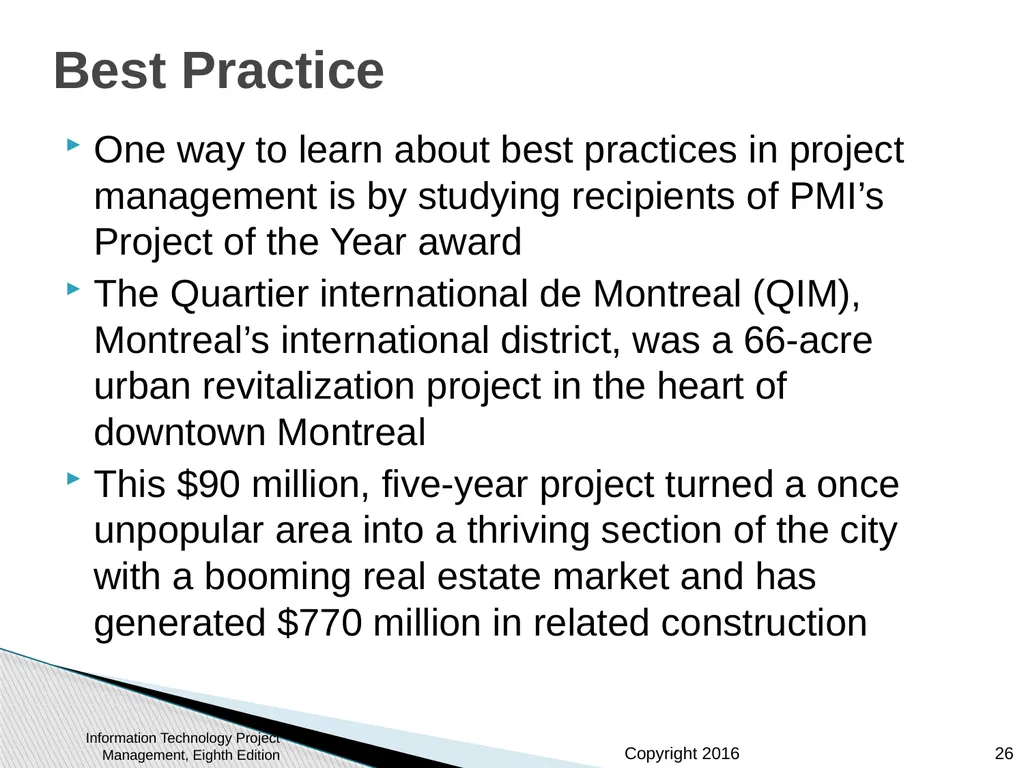
slide26. Best Practice One way to learn about best practices in project management is by studying recipients of PMI’s Project of the Year award
The Quartier international de Montreal (QIM), Montreal’s international district, was a 66-acre urban revitalization project in the heart of downtown Montreal
This $90 million, five-year project turned a once unpopular area into a thriving section of the city with a booming real estate market and has generated $770 million in related construction Information Technology Project Management, Eighth Edition 26<br>
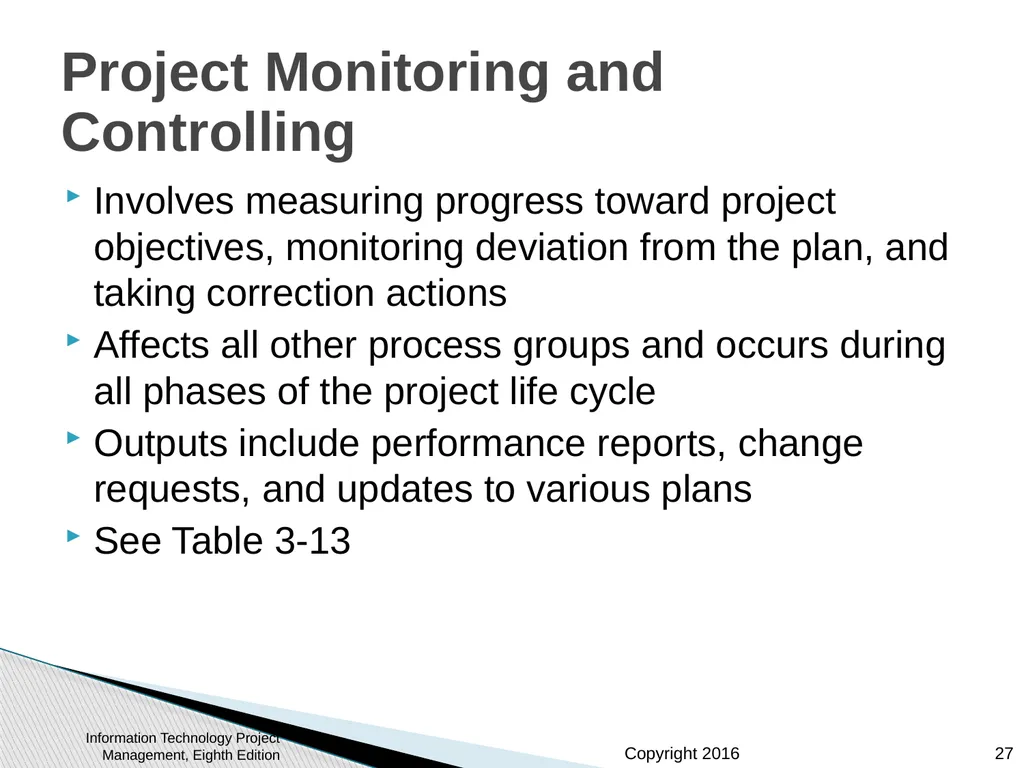
slide27. Project Monitoring and Controlling Involves measuring progress toward project objectives, monitoring deviation from the plan, and taking correction actions
Affects all other process groups and occurs during all phases of the project life cycle
Outputs include performance reports, change requests, and updates to various plans
See Table 3-13 Information Technology Project Management, Eighth Edition 27<br>
slide28. Project Closing Involves gaining stakeholder and customer acceptance of the final products and services
Even if projects are not completed, they should be closed out to learn from the past
Outputs include project files and lessons-learned reports, part of organizational process assets
Most projects also include a final report and presentation to the sponsor/senior management Information Technology Project Management, Eighth Edition 28<br>
slide29. Case Study 2: JWD Consulting’s Project Management Intranet Site (Agile Approach) This section demonstrates a more agile approach to managing the same project
Differences in using an agile approach are highlighted
An agile project team typically uses several iterations or deliveries of software instead of waiting until the end of the project to provide one product. Information Technology Project Management, Eighth Edition 29<br>
slide30. An Informed Decision It is not a snap decision whether to use an agile approach or not, just like flying or driving somewhere on a trip
Projects with less rigid constraints, experienced and preferably co-located teams, smaller risks, unclear requirements, and more flexible scheduling would be more compatible with an agile approach
The following example uses Scrum roles, artifacts, and ceremonies Information Technology Project Management, Eighth Edition 30<br>
slide31. Scrum Roles Product owner: The person responsible for the business value of the project and for deciding what work to do and in what order, as documented in the product backlog.
ScrumMaster: The person who ensures that the team is productive, facilitates the daily Scrum, enables close cooperation across all roles and functions, and removes barriers that prevent the team from being effective.
Scrum team or development team: A cross-functional team of five to nine people who organize themselves and the work to produce the desired results for each sprint, which normally lasts 2-4 weeks. Information Technology Project Management, Eighth Edition 31<br>
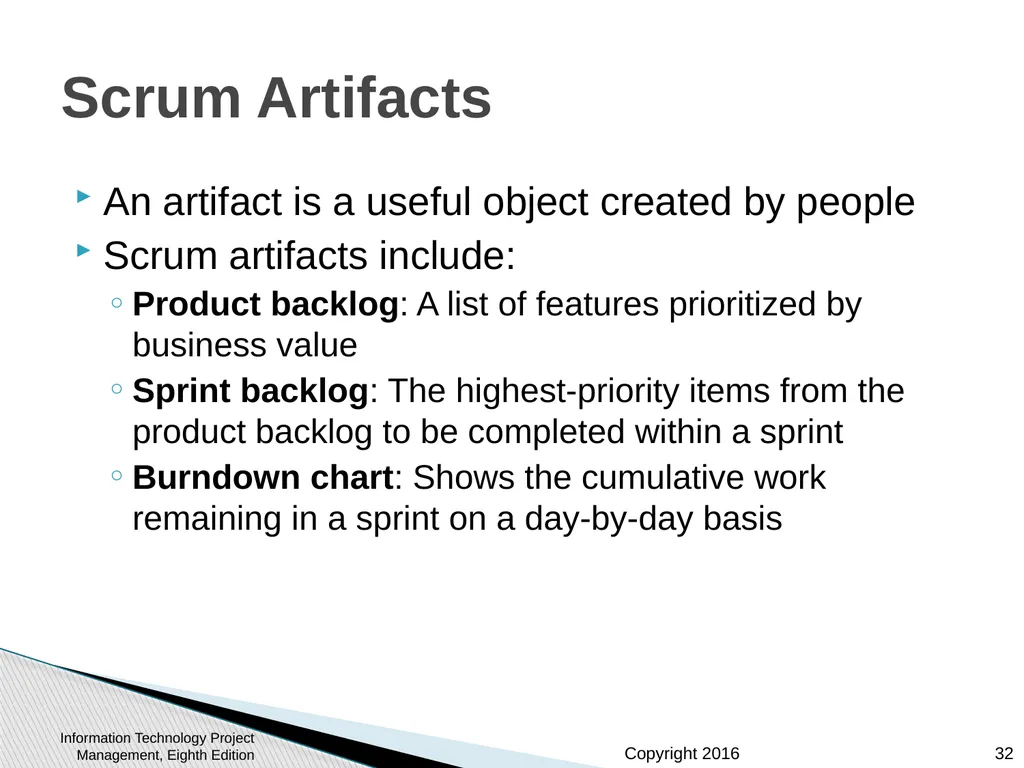
slide32. Scrum Artifacts An artifact is a useful object created by people
Scrum artifacts include:
Product backlog: A list of features prioritized by business value
Sprint backlog: The highest-priority items from the product backlog to be completed within a sprint
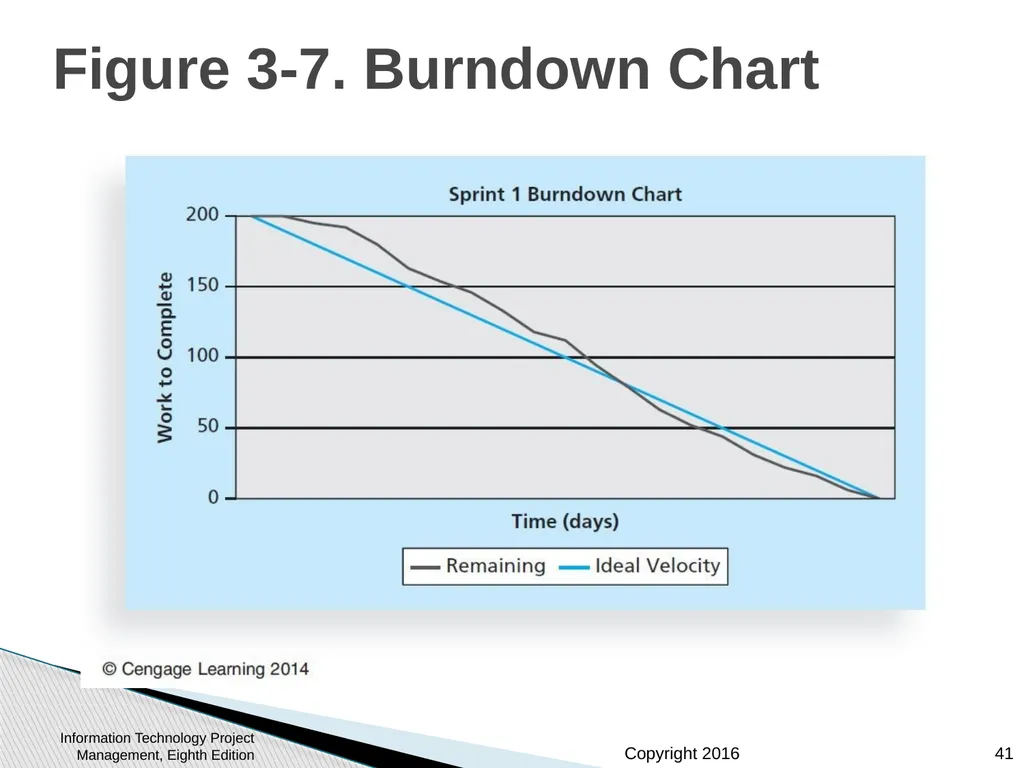
Burndown chart: Shows the cumulative work remaining in a sprint on a day-by-day basis Information Technology Project Management, Eighth Edition 32<br>
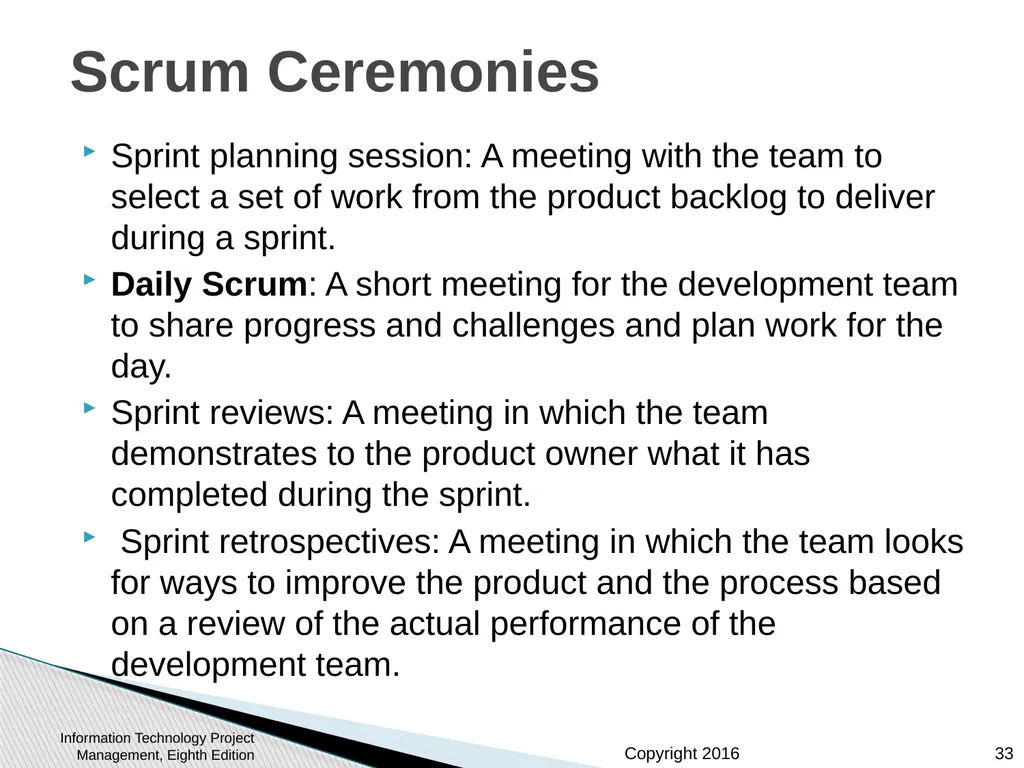
slide33. Scrum Ceremonies Sprint planning session: A meeting with the team to select a set of work from the product backlog to deliver during a sprint.
Daily Scrum: A short meeting for the development team to share progress and challenges and plan work for the day.
Sprint reviews: A meeting in which the team demonstrates to the product owner what it has completed during the sprint.
Sprint retrospectives: A meeting in which the team looks for ways to improve the product and the process based on a review of the actual performance of the development team. Information Technology Project Management, Eighth Edition 33<br>
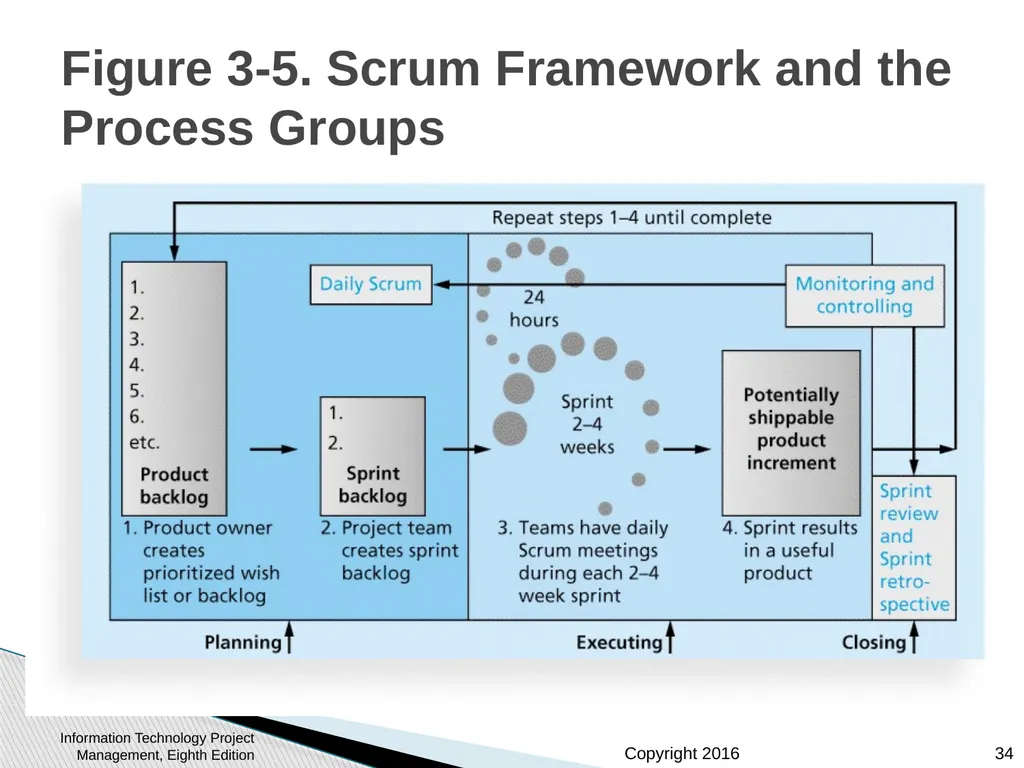
slide34. Figure 3-5. Scrum Framework and the Process Groups Information Technology Project Management, Eighth Edition 34<br>
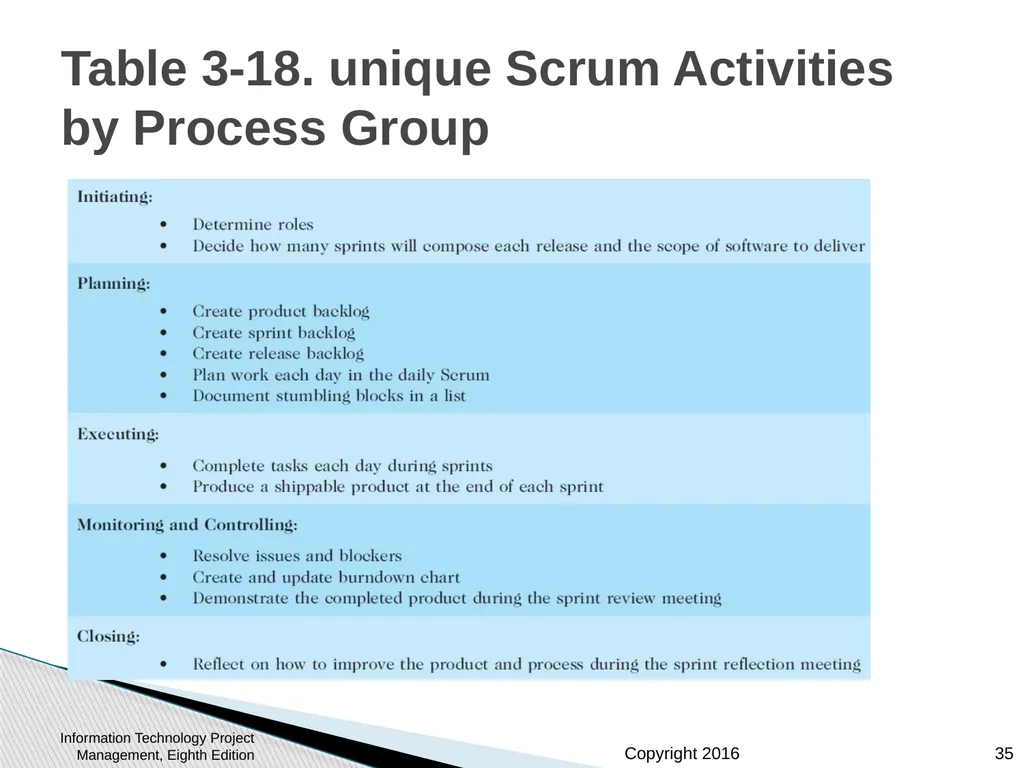
slide35. Table 3-18. unique Scrum Activities by Process Group Initiating:
Determine roles
Decide how many sprints will compose each release and the scope of software to deliver
Planning:
Create product backlog
Create sprint backlog
Plan work each day in the daily Scrum
Document stumbling blocks in a list
Executing:
Complete tasks each day during sprints
Produce a shippable product at the end of each sprint
Monitoring and Controlling:
Resolve issues and blockers
Create and update burndown chart
Demonstrate the completed product during the spring review meeting
Closing:
Reflect on how to improve the product and process during the sprint reflection meeting Information Technology Project Management, Eighth Edition 35<br>
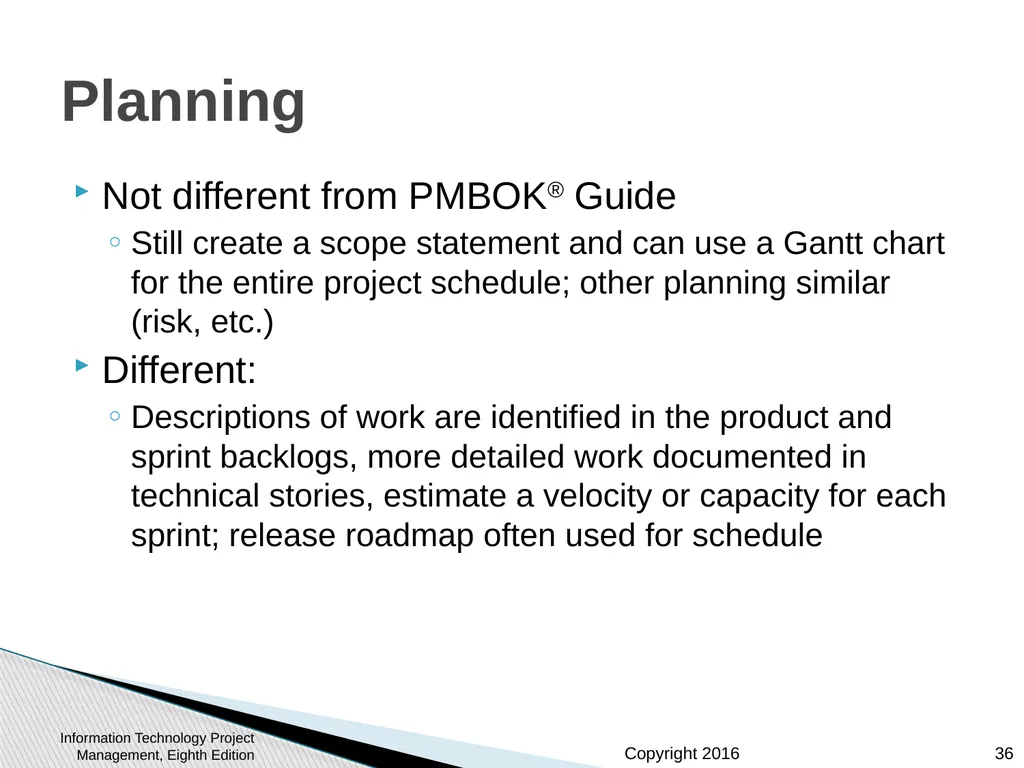
slide36. Planning Not different from PMBOK® Guide
Still create a scope statement and can use a Gantt chart for the entire project schedule; other planning similar (risk, etc.)
Different:
Descriptions of work are identified in the product and sprint backlogs, more detailed work documented in technical stories, estimate a velocity or capacity for each sprint; release roadmap often used for schedule Information Technology Project Management, Eighth Edition 36<br>
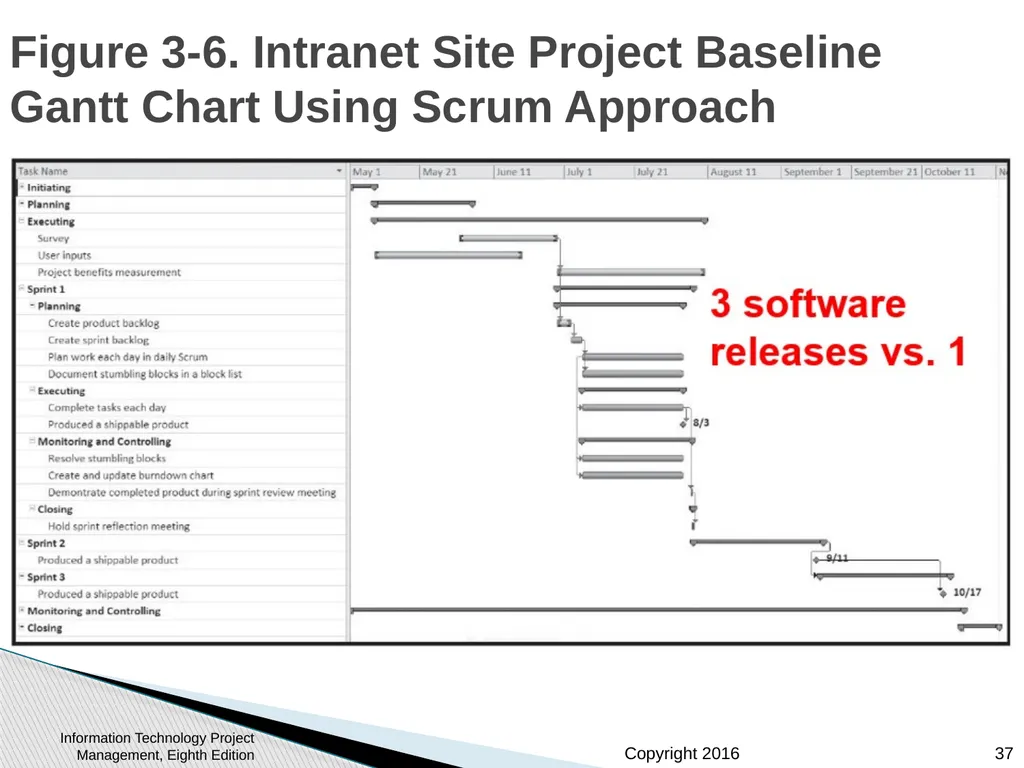
slide37. Figure 3-6. Intranet Site Project Baseline Gantt Chart Using Scrum Approach Information Technology Project Management, Eighth Edition 37<br>
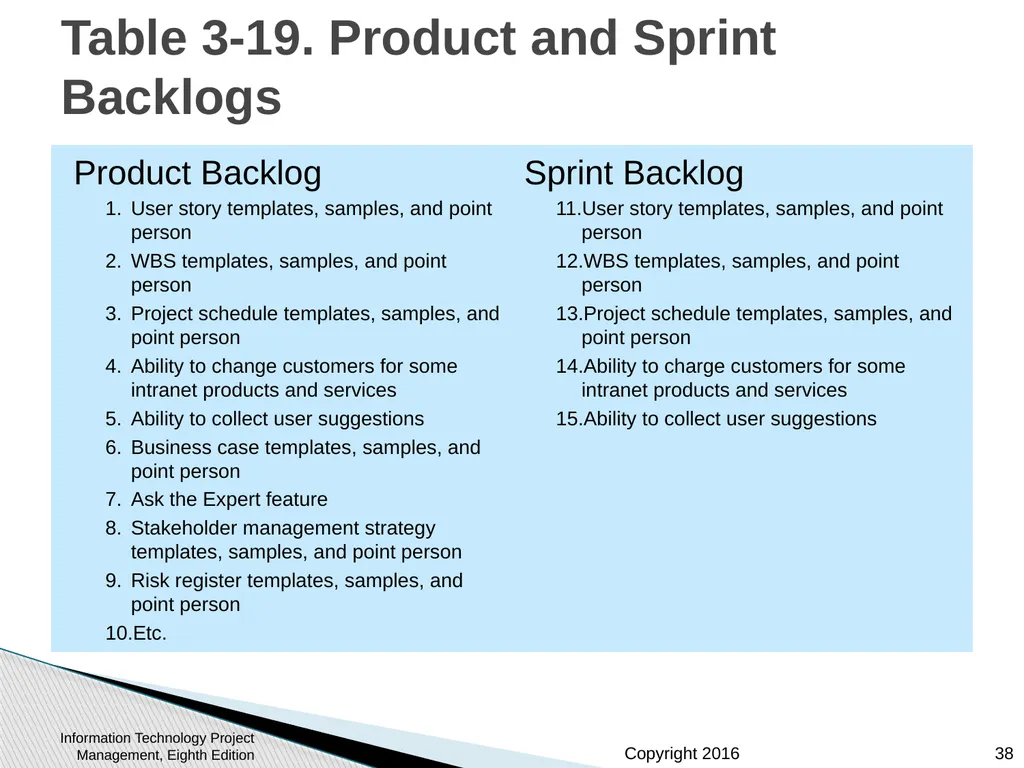
slide38. Table 3-19. Product and Sprint Backlogs Product Backlog
User story templates, samples, and point person
WBS templates, samples, and point person
Project schedule templates, samples, and point person
Ability to change customers for some intranet products and services
Ability to collect user suggestions
Business case templates, samples, and point person
Ask the Expert feature
Stakeholder management strategy templates, samples, and point person
Risk register templates, samples, and point person
Etc.
Sprint Backlog
User story templates, samples, and point person
WBS templates, samples, and point person
Project schedule templates, samples, and point person
Ability to charge customers for some intranet products and services
Ability to collect user suggestions Information Technology Project Management, Eighth Edition 38<br>
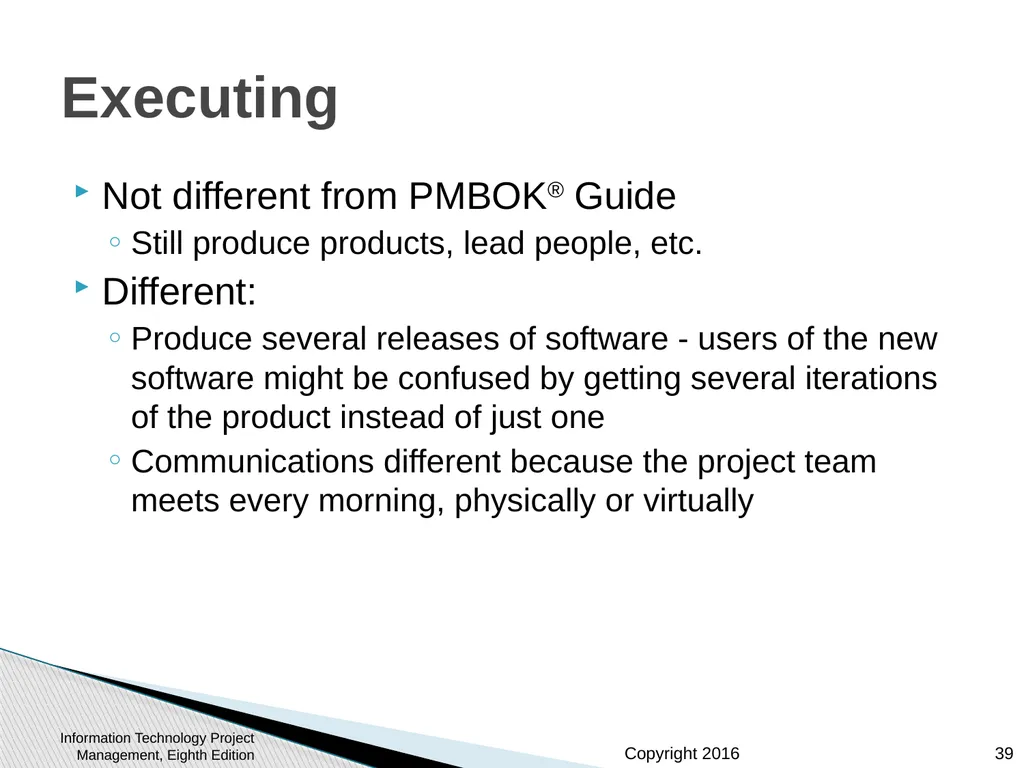
slide39. Executing Not different from PMBOK® Guide
Still produce products, lead people, etc.
Different:
Produce several releases of software - users of the new software might be confused by getting several iterations of the product instead of just one
Communications different because the project team meets every morning, physically or virtually Information Technology Project Management, Eighth Edition 39<br>
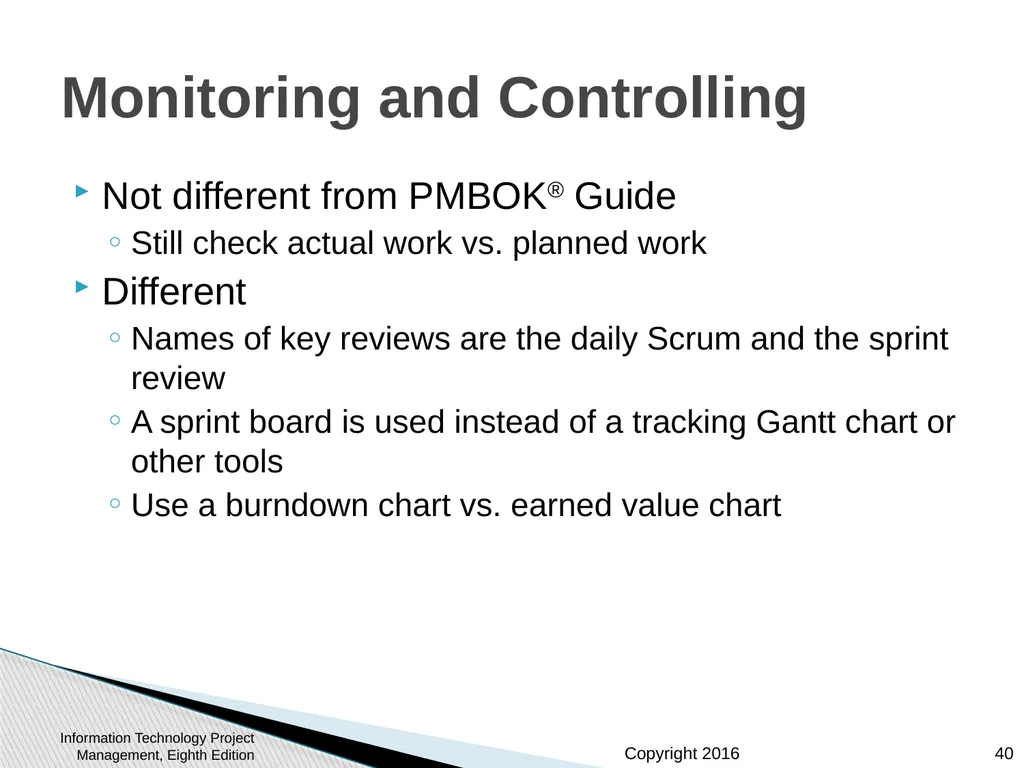
slide40. Monitoring and Controlling Not different from PMBOK® Guide
Still check actual work vs. planned work
Different
Names of key reviews are the daily Scrum and the sprint review
A sprint board is used instead of a tracking Gantt chart or other tools
Use a burndown chart vs. earned value chart Information Technology Project Management, Eighth Edition 40<br>
slide41. Figure 3-7. Burndown Chart Information Technology Project Management, Eighth Edition 41<br>
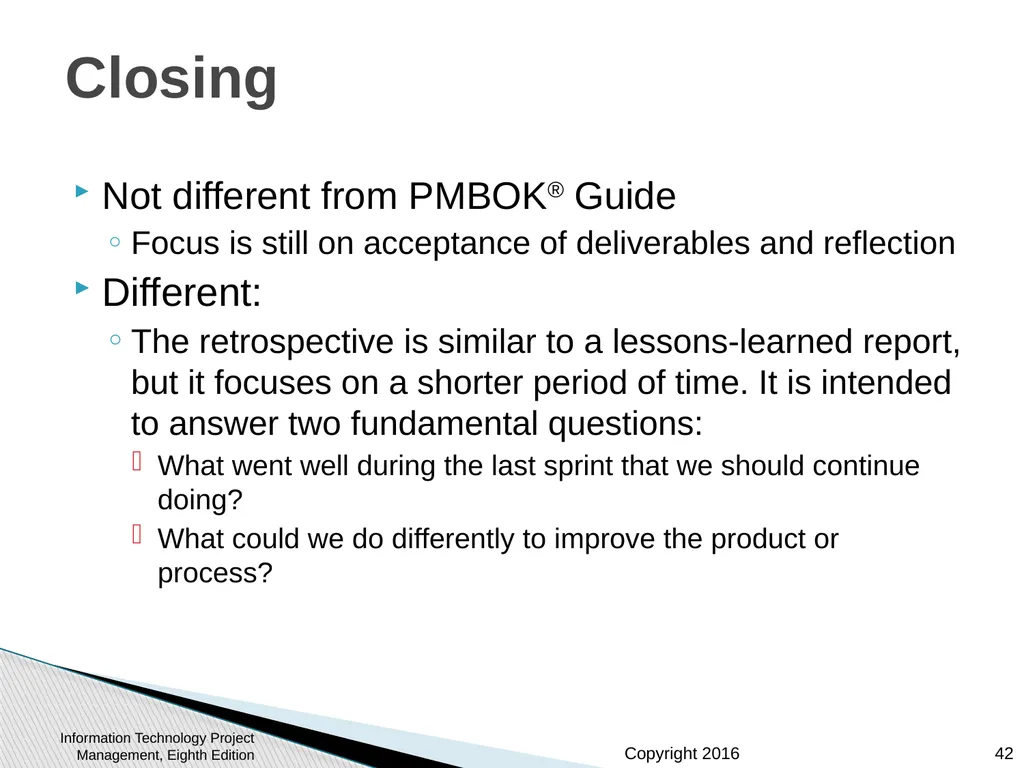
slide42. Closing Not different from PMBOK® Guide
Focus is still on acceptance of deliverables and reflection
Different:
The retrospective is similar to a lessons-learned report, but it focuses on a shorter period of time. It is intended to answer two fundamental questions:
What went well during the last sprint that we should continue doing?
What could we do differently to improve the product or process? Information Technology Project Management, Eighth Edition 42<br>
slide43. Templates Table 3-20 lists the templates available on the companion website and the author’s site at www.pmtexts.com or www.kathyschwalbe.com Information Technology Project Management, Eighth Edition 43<br>
slide44. Chapter Summary The five project management process groups are initiating, planning, executing, monitoring and controlling, and closing
You can map the main activities of each process group to the nine knowledge areas
Some organizations develop their own information technology project management methodologies
The JWD Consulting case study provides an example of using the process groups and shows several important project documents
The second version of the same case study illustrates differences using agile (Scrum). The biggest difference is providing three releases of useable software versus just one Information Technology Project Management, Eighth Edition 44<br>
slide2. Learning Objectives, Part 1 Describe the five project management process groups, the typical level of activity for each, and the interactions among them
Understand how the project management process groups relate to the project management knowledge areas
Discuss how organizations develop information technology (IT) project management methodologies to meet their needs Information Technology Project Management, Eighth Edition 2<br>
slide3. Learning Objectives, Part 2 Review a case study of an organization applying the project management process groups to manage an IT project, describe outputs of each process group, and understand the contribution that effective initiating, planning, executing, monitoring and controlling, and closing make to project success
Review the same case study of a project managed with an agile focus to illustrate the key differences in approaches
Describe several templates for creating documents for each process group Information Technology Project Management, Eighth Edition 3<br>
slide4. Project Management Process Groups A process is a series of actions directed toward a particular result
Project management can be viewed as a number of interlinked processes
The project management process groups include
initiating processes
planning processes
executing processes
monitoring and controlling processes
closing processes Information Technology Project Management, Eighth Edition 4<br>
slide5. Figure 3-1. Percentage of Time Spent on Each Process Group Information Technology Project Management, Eighth Edition 5<br>
slide6. What Went Wrong? Philip A. Pell, PMP, commented on how the U.S. IRS needed to improve its project management process. “Pure and simple, good, methodology-centric, predictable, and repeatable project management is the SINGLE greatest factor in the success (or in this case failure) of any project… The project manager is ultimately responsible for the success or failure of the project.”*
A 2014 U.S. Government Accountability Office (GAO) report stated that IRS had significant cost and schedule variances in over 68 percent of its major IT projects
*Comments posted on CIO Magazine Web site on article “For the IRS, There’s No EZ Fix,” (April 1, 2004). Information Technology Project Management, Eighth Edition 6<br>
slide7. Media Snapshot Just as information technology projects need to follow the project management process groups, so do other projects, such as the production of a movie. Processes involved in making movies might include screenwriting (initiating), producing (planning), acting and directing (executing), editing (monitoring and controlling), and releasing the movie to theaters (closing). Many people enjoy watching the extra features on a DVD that describe how these processes lead to the creation of a movie… This acted “…not as promotional filler but as a serious and meticulously detailed examination of the entire filmmaking process.”* Project managers in any field know how important it is to follow a good process.
*Jacks, Brian, “Lord of the Rings: The Two Towers Extended Edition (New Line)”, Underground Online (accessed from www.ugo.com August 4, 2004). Information Technology Project Management, Eighth Edition 7<br>
slide8. Mapping the Process Groups to the Knowledge Areas You can map the main activities of each PM process group into the ten knowledge areas using the PMBOK® Guide, Fifth Edition, 2013
Note that there are activities from each knowledge area under the planning process groups Information Technology Project Management, Eighth Edition 8<br>
slide9. Table 3-1. Mapping Project Management Process Groups to Knowledge Areas* *Source: PMBOK® Guide, Fifth Edition, 2013. Information Technology Project Management, Eighth Edition 9<br>
slide10. Table 3-1. continued Information Technology Project Management, Eighth Edition 10<br>
slide11. Developing an IT Project Management Methodology Just as projects are unique, so are approaches to project management
Many organizations develop their own project management methodologies, especially for IT projects
A methodology describes how things should be done; a standard describes what should be done
PRINCE2, Agile, RUP, and Six Sigma provide different project management methodologies Information Technology Project Management, Eighth Edition 11<br>
slide12. Global Issues A 2011 study of organizations across India included the following findings:
Two-thirds of organizations in some stage of Agile adoption are realizing key software and business benefits in terms of faster delivery of products to the customer, an improved ability to manage changing requirements, and higher quality and productivity in IT.
Organizations struggle with the magnitude of the cultural shift required for Agile, opposition to change, a lack of coaching and help in the Agile adoption process, and a lack of qualified people.
The daily stand-up, iteration planning, and release planning are the most commonly used practices, while paired programming and open workspaces are not popular Information Technology Project Management, Eighth Edition 12<br>
slide13. What Went Right? Organizations that excel in project management complete 89 percent of their projects successfully compared to only 36 percent of organizations that do not have good project management processes
PMI estimates that poor project performance costs over $109 million for every $1 billion invested in projects and programs Information Technology Project Management, Eighth Edition 13<br>
slide14. Case Study: JWD Consulting’s Project Management Intranet Site (Predictive Approach) This case study provides an example of what’s involved in initiating, planning, executing, controlling, and closing an IT project
You can download templates for creating your own project management documents from the companion Web site for this text or the author’s site
Note: This case study provides a big picture view of managing a project. Later chapters provide detailed information on each knowledge area Information Technology Project Management, Eighth Edition 14<br>
slide15. Project Pre-initiation It is good practice to lay the groundwork for a project before it officially starts
Senior managers often perform several pre-initiation tasks, including the following:
Determine the scope, time, and cost constraints for the project
Identify the project sponsor
Select the project manager
Develop a business case for a project (see Table 3-2 for an example)
Meet with the project manager to review the process and expectations for managing the project
Determine if the project should be divided into two or more smaller projects Information Technology Project Management, Eighth Edition 15<br>
slide16. Project Initiation Initiating a project includes recognizing and starting a new project or project phase
The main goal is to formally select and start off projects
Table 3-3 shows the project initiation knowledge areas, processes, and outputs Information Technology Project Management, Eighth Edition 16<br>
slide17. Table 3-4. Stakeholder Register Information Technology Project Management, Eighth Edition 17<br>
slide18. Table 3-4. Stakeholder Management Strategy Contents are often sensitive, so do not publish this document. Information Technology Project Management, Eighth Edition 18<br>
slide19. Project Charters and Kick-off Meetings See Table 3-6 for an example of a charter
Charters are normally short and include key project information and stakeholder signatures
It’s good practice to hold a kick-off meeting at the beginning of a project so that stakeholders can meet each other, review the goals of the project, and discuss future plans Information Technology Project Management, Eighth Edition 19<br>
slide20. Figure 3-2. Kick-off Meeting Agenda Information Technology Project Management, Eighth Edition 20<br>
slide21. Project Planning The main purpose of project planning is to guide execution
Every knowledge area includes planning information (see Table 3-7 on pages 98-99)
Key outputs included in the JWD project include:
A team contract
A project scope statement
A work breakdown structure (WBS)
A project schedule, in the form of a Gantt chart with all dependencies and resources entered
A list of prioritized risks (part of a risk register)
See sample documents starting on p. 101 Information Technology Project Management, Eighth Edition 21<br>
slide22. Figure 3-4. JWD Consulting Intranet Site Project Baseline Gantt Chart Information Technology Project Management, Eighth Edition 22<br>
slide23. Table. 3-10. List of Prioritized Risks Information Technology Project Management, Eighth Edition 23<br>
slide24. Project Executing Usually takes the most time and resources to perform project execution
Project managers must use their leadership skills to handle the many challenges that occur during project execution
Table 3-11 lists the executing processes and outputs. Many project sponsors and customers focus on deliverables related to providing the products, services, or results desired from the project
A milestone report can help focus on completing major milestones Information Technology Project Management, Eighth Edition 24<br>
slide25. Part of Milestone Report (Table 3-12, partial) Information Technology Project Management, Eighth Edition 25<br>
slide26. Best Practice One way to learn about best practices in project management is by studying recipients of PMI’s Project of the Year award
The Quartier international de Montreal (QIM), Montreal’s international district, was a 66-acre urban revitalization project in the heart of downtown Montreal
This $90 million, five-year project turned a once unpopular area into a thriving section of the city with a booming real estate market and has generated $770 million in related construction Information Technology Project Management, Eighth Edition 26<br>
slide27. Project Monitoring and Controlling Involves measuring progress toward project objectives, monitoring deviation from the plan, and taking correction actions
Affects all other process groups and occurs during all phases of the project life cycle
Outputs include performance reports, change requests, and updates to various plans
See Table 3-13 Information Technology Project Management, Eighth Edition 27<br>
slide28. Project Closing Involves gaining stakeholder and customer acceptance of the final products and services
Even if projects are not completed, they should be closed out to learn from the past
Outputs include project files and lessons-learned reports, part of organizational process assets
Most projects also include a final report and presentation to the sponsor/senior management Information Technology Project Management, Eighth Edition 28<br>
slide29. Case Study 2: JWD Consulting’s Project Management Intranet Site (Agile Approach) This section demonstrates a more agile approach to managing the same project
Differences in using an agile approach are highlighted
An agile project team typically uses several iterations or deliveries of software instead of waiting until the end of the project to provide one product. Information Technology Project Management, Eighth Edition 29<br>
slide30. An Informed Decision It is not a snap decision whether to use an agile approach or not, just like flying or driving somewhere on a trip
Projects with less rigid constraints, experienced and preferably co-located teams, smaller risks, unclear requirements, and more flexible scheduling would be more compatible with an agile approach
The following example uses Scrum roles, artifacts, and ceremonies Information Technology Project Management, Eighth Edition 30<br>
slide31. Scrum Roles Product owner: The person responsible for the business value of the project and for deciding what work to do and in what order, as documented in the product backlog.
ScrumMaster: The person who ensures that the team is productive, facilitates the daily Scrum, enables close cooperation across all roles and functions, and removes barriers that prevent the team from being effective.
Scrum team or development team: A cross-functional team of five to nine people who organize themselves and the work to produce the desired results for each sprint, which normally lasts 2-4 weeks. Information Technology Project Management, Eighth Edition 31<br>
slide32. Scrum Artifacts An artifact is a useful object created by people
Scrum artifacts include:
Product backlog: A list of features prioritized by business value
Sprint backlog: The highest-priority items from the product backlog to be completed within a sprint
Burndown chart: Shows the cumulative work remaining in a sprint on a day-by-day basis Information Technology Project Management, Eighth Edition 32<br>
slide33. Scrum Ceremonies Sprint planning session: A meeting with the team to select a set of work from the product backlog to deliver during a sprint.
Daily Scrum: A short meeting for the development team to share progress and challenges and plan work for the day.
Sprint reviews: A meeting in which the team demonstrates to the product owner what it has completed during the sprint.
Sprint retrospectives: A meeting in which the team looks for ways to improve the product and the process based on a review of the actual performance of the development team. Information Technology Project Management, Eighth Edition 33<br>
slide34. Figure 3-5. Scrum Framework and the Process Groups Information Technology Project Management, Eighth Edition 34<br>
slide35. Table 3-18. unique Scrum Activities by Process Group Initiating:
Determine roles
Decide how many sprints will compose each release and the scope of software to deliver
Planning:
Create product backlog
Create sprint backlog
Plan work each day in the daily Scrum
Document stumbling blocks in a list
Executing:
Complete tasks each day during sprints
Produce a shippable product at the end of each sprint
Monitoring and Controlling:
Resolve issues and blockers
Create and update burndown chart
Demonstrate the completed product during the spring review meeting
Closing:
Reflect on how to improve the product and process during the sprint reflection meeting Information Technology Project Management, Eighth Edition 35<br>
slide36. Planning Not different from PMBOK® Guide
Still create a scope statement and can use a Gantt chart for the entire project schedule; other planning similar (risk, etc.)
Different:
Descriptions of work are identified in the product and sprint backlogs, more detailed work documented in technical stories, estimate a velocity or capacity for each sprint; release roadmap often used for schedule Information Technology Project Management, Eighth Edition 36<br>
slide37. Figure 3-6. Intranet Site Project Baseline Gantt Chart Using Scrum Approach Information Technology Project Management, Eighth Edition 37<br>
slide38. Table 3-19. Product and Sprint Backlogs Product Backlog
User story templates, samples, and point person
WBS templates, samples, and point person
Project schedule templates, samples, and point person
Ability to change customers for some intranet products and services
Ability to collect user suggestions
Business case templates, samples, and point person
Ask the Expert feature
Stakeholder management strategy templates, samples, and point person
Risk register templates, samples, and point person
Etc.
Sprint Backlog
User story templates, samples, and point person
WBS templates, samples, and point person
Project schedule templates, samples, and point person
Ability to charge customers for some intranet products and services
Ability to collect user suggestions Information Technology Project Management, Eighth Edition 38<br>
slide39. Executing Not different from PMBOK® Guide
Still produce products, lead people, etc.
Different:
Produce several releases of software - users of the new software might be confused by getting several iterations of the product instead of just one
Communications different because the project team meets every morning, physically or virtually Information Technology Project Management, Eighth Edition 39<br>
slide40. Monitoring and Controlling Not different from PMBOK® Guide
Still check actual work vs. planned work
Different
Names of key reviews are the daily Scrum and the sprint review
A sprint board is used instead of a tracking Gantt chart or other tools
Use a burndown chart vs. earned value chart Information Technology Project Management, Eighth Edition 40<br>
slide41. Figure 3-7. Burndown Chart Information Technology Project Management, Eighth Edition 41<br>
slide42. Closing Not different from PMBOK® Guide
Focus is still on acceptance of deliverables and reflection
Different:
The retrospective is similar to a lessons-learned report, but it focuses on a shorter period of time. It is intended to answer two fundamental questions:
What went well during the last sprint that we should continue doing?
What could we do differently to improve the product or process? Information Technology Project Management, Eighth Edition 42<br>
slide43. Templates Table 3-20 lists the templates available on the companion website and the author’s site at www.pmtexts.com or www.kathyschwalbe.com Information Technology Project Management, Eighth Edition 43<br>
slide44. Chapter Summary The five project management process groups are initiating, planning, executing, monitoring and controlling, and closing
You can map the main activities of each process group to the nine knowledge areas
Some organizations develop their own information technology project management methodologies
The JWD Consulting case study provides an example of using the process groups and shows several important project documents
The second version of the same case study illustrates differences using agile (Scrum). The biggest difference is providing three releases of useable software versus just one Information Technology Project Management, Eighth Edition 44<br>