
CHAPTER - XI COMPUTER NETWORKS I Class XII Unit I
CB
Published · 115 slides · 0 views

1 / 1






Description
CHAPTER - XI COMPUTER NETWORKS I Class XII Unit I Programming and Computational Thinking (PCT-2) (80 Theory 70 Practical) Prepared by Praveen M Jigajinni DCSc Engg, PGDCA,ADCA,MCA.MSc(IT),Phd(biology),MBBS,Mtech(IT),MPhil (Comp. Sci)
Related Topics
Share
Embed code
Download this presentation From Below
"CHAPTER - XI COMPUTER NETWORKS I Class XII Unit I" is the property of its rightful owner. Permission is granted to download and print the materials on this website for personal, non-commercial use only, and to display it on your personal computer provided you do not modify the materials and that you retain all copyright notices contained in the materials. By downloading content from our website, you accept the terms of this agreement.
Presentation Transcript
01
CHAPTER - XI
COMPUTER NETWORKS I<br>
02
Class XII Unit I Programming and Computational Thinking (PCT-2) (80 Theory + 70 Practical) Prepared by Praveen M Jigajinni DCSc & Engg, PGDCA,ADCA,MCA.MSc(IT),Phd(biology),MBBS,Mtech(IT),MPhil (Comp. Sci)
Department of Computer Science, Sainik School Amaravathinagar
Cell No: 9431453730<br>
Department of Computer Science, Sainik School Amaravathinagar
Cell No: 9431453730<br>
03
INTRODUCTION<br>
04
INTRODUCTION What is Computer Network?
A computer network is a set of computers connected together for the purpose of sharing resources. The most common resource shared today is connection to the Internet. Other shared resources can include a printer or a file server. The Internet itself can be considered a computer network<br>
A computer network is a set of computers connected together for the purpose of sharing resources. The most common resource shared today is connection to the Internet. Other shared resources can include a printer or a file server. The Internet itself can be considered a computer network<br>
05
ADVANTAGES OF COMPUTER NETWORK<br>
06
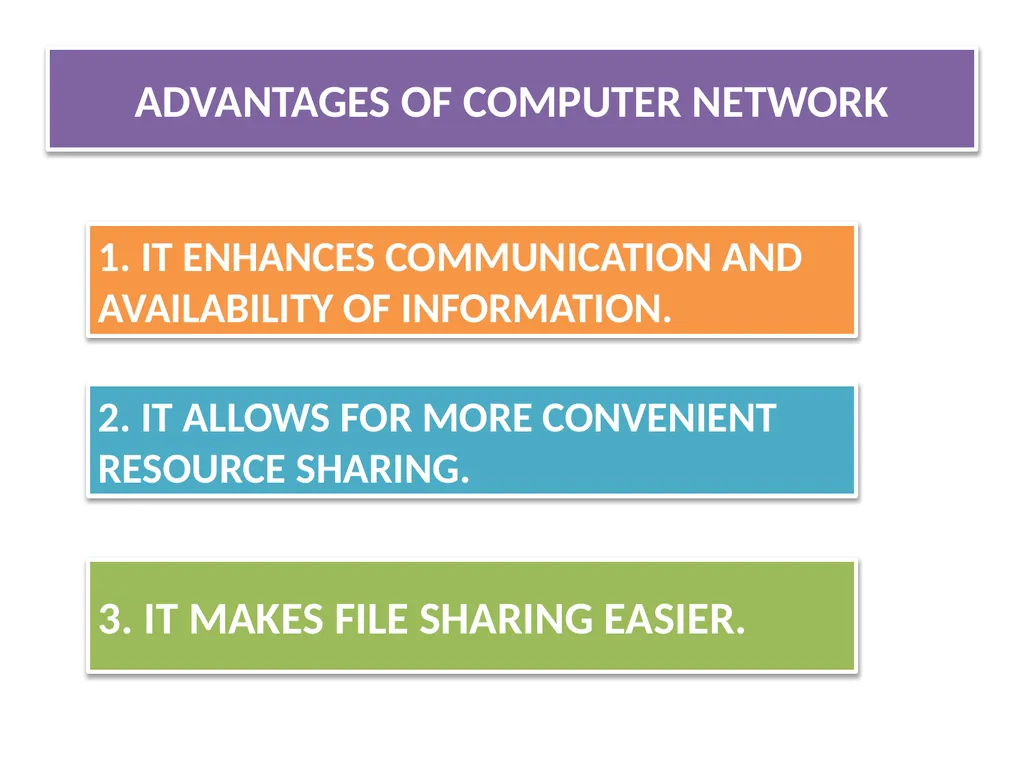
ADVANTAGES OF COMPUTER NETWORK 1. IT ENHANCES COMMUNICATION AND AVAILABILITY OF INFORMATION. 2. IT ALLOWS FOR MORE CONVENIENT RESOURCE SHARING. 3. IT MAKES FILE SHARING EASIER.<br>
07
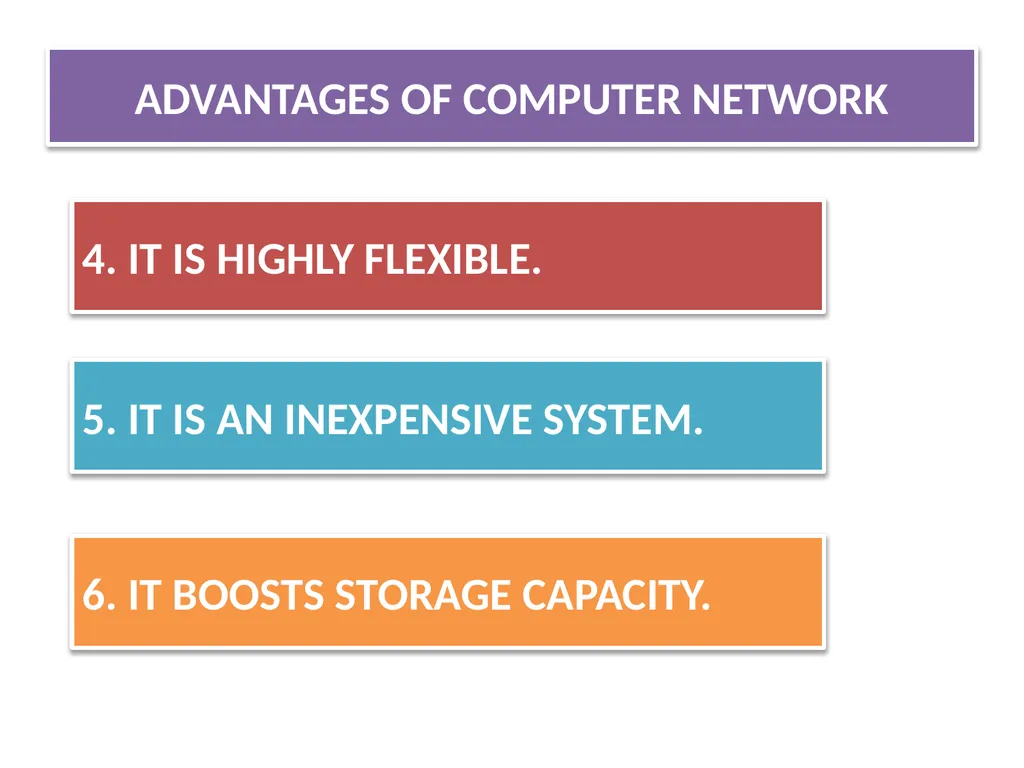
4. IT IS HIGHLY FLEXIBLE. 5. IT IS AN INEXPENSIVE SYSTEM. 6. IT BOOSTS STORAGE CAPACITY. ADVANTAGES OF COMPUTER NETWORK<br>
08
DISADVANTAGES OF COMPUTER NETWORK<br>
09
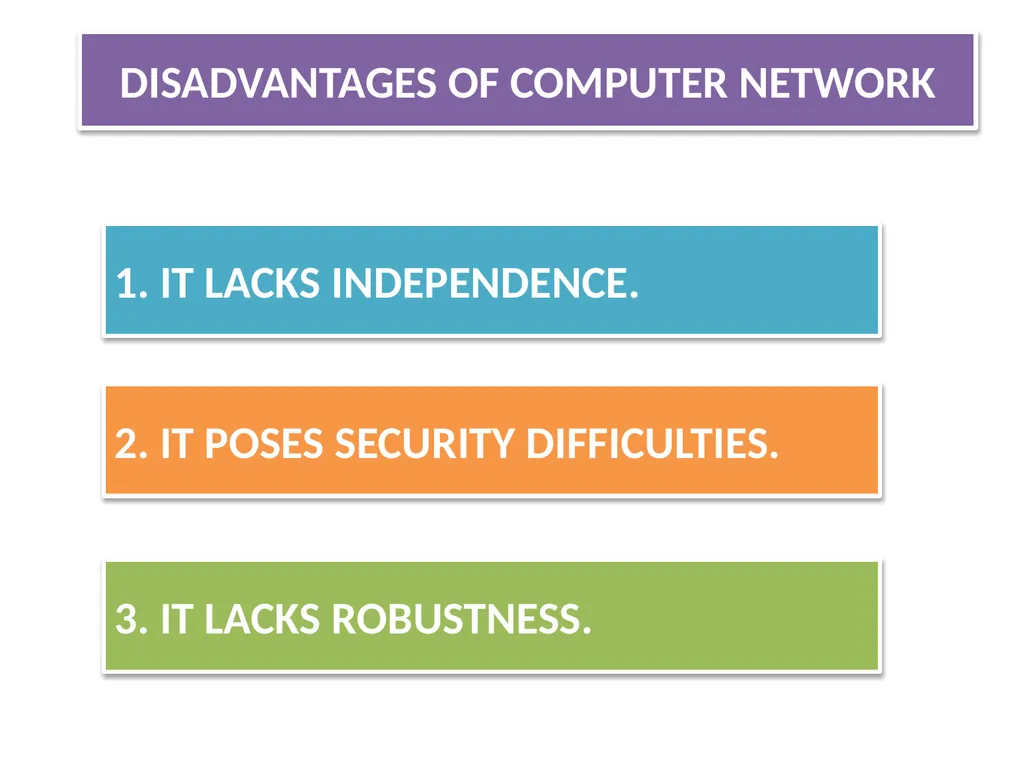
1. IT LACKS INDEPENDENCE. 2. IT POSES SECURITY DIFFICULTIES. 3. IT LACKS ROBUSTNESS. DISADVANTAGES OF COMPUTER NETWORK<br>
10
4. IT ALLOWS FOR MORE PRESENCE OF COMPUTER VIRUSES AND MALWARE. 5. IT REQUIRES AN EFFICIENT HANDLER. 6. IT REQUIRES AN EXPENSIVE SET-UP. DISADVANTAGES OF COMPUTER NETWORK<br>
11
COMPONENTS OF COMPUTER NETWORK<br>
12
COMPONENTS OF COMPUTER NETWORK 1. HUBS 2. SERVERS 3. CLIENT 4. COMMUNICATION CHANNEL<br>
13
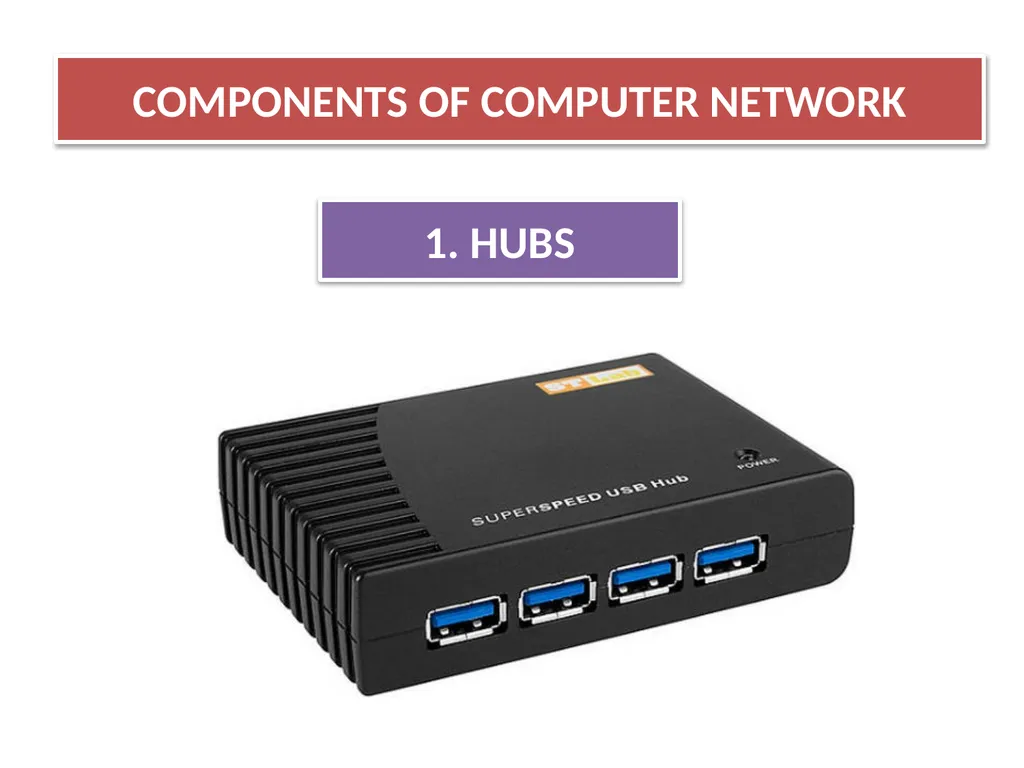
COMPONENTS OF COMPUTER NETWORK 1. HUBS<br>
14
COMPONENTS OF COMPUTER NETWORK 1. HUBS A network host is a computer or other device connected to a computer network. A network host may offer information resources, services, and applications to users or other nodes on the network.
There are two types of hub: (I) ACTIVE HUB (II) PASSIVE HUB<br>
There are two types of hub: (I) ACTIVE HUB (II) PASSIVE HUB<br>
15
it’s electrically amplify the signal as it moves from one connected device to another.
(ii)active concentrators are used like repeaters to extend the length of the network. (I) ACTIVE HUB<br>
(ii)active concentrators are used like repeaters to extend the length of the network. (I) ACTIVE HUB<br>
16
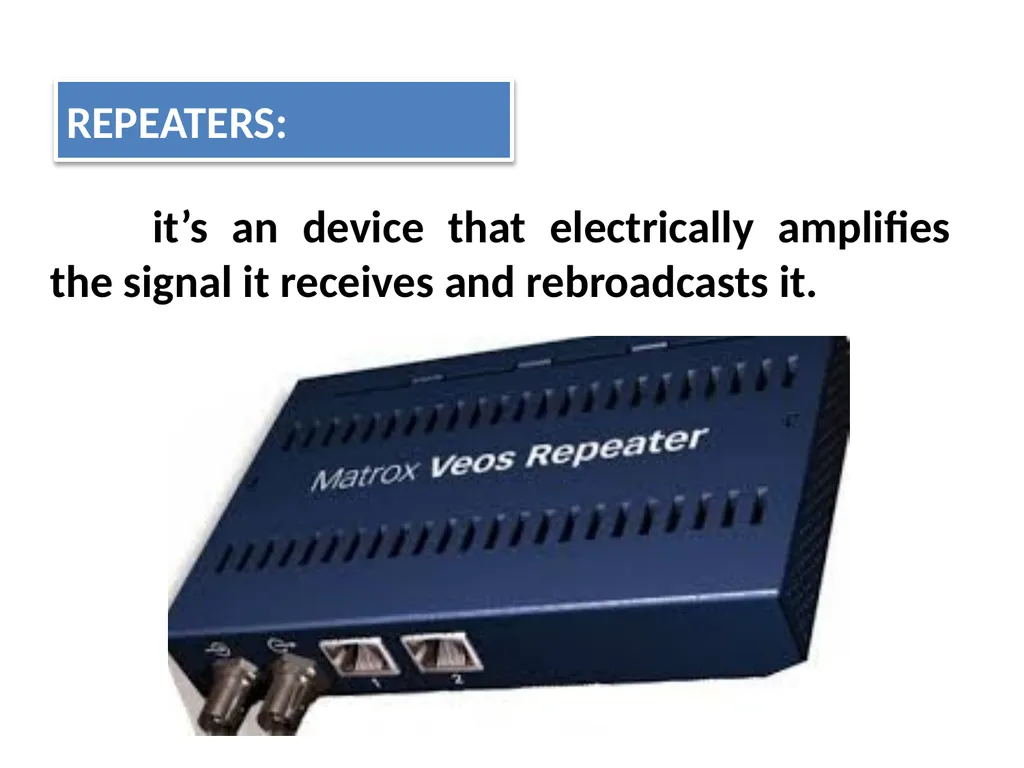
it’s an device that electrically amplifies the signal it receives and rebroadcasts it. REPEATERS:<br>
17
It allows the signal to pass from one computer to another without any change. (ii) PASSIVE HUB<br>
18
COMPONENTS OF COMPUTER NETWORK 2. SERVERS<br>
19
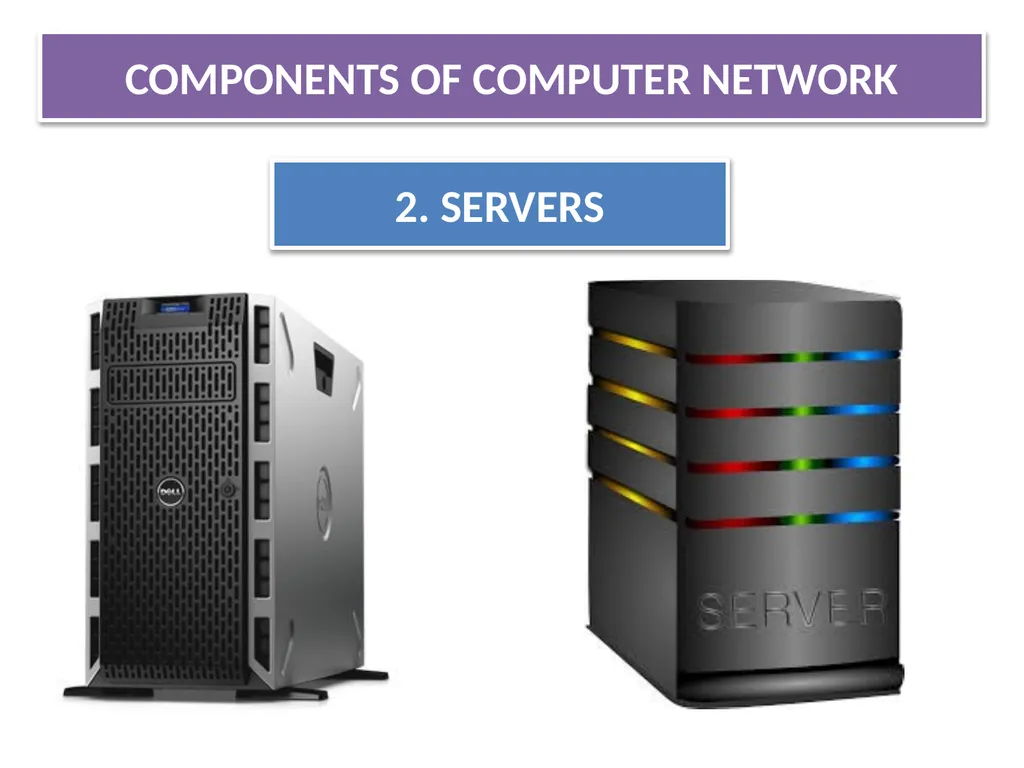
COMPONENTS OF COMPUTER NETWORK 2. SERVERS A server is a type of computer or device on a network that manages network resources. Servers are often dedicated.<br>
20
COMPONENTS OF COMPUTER NETWORK 3. CLIENT(S)<br>
21
COMPONENTS OF COMPUTER NETWORK 3. CLIENT A client is a piece of computer hardware or software that accesses a service made available by a server.<br>
22
COMPONENTS OF COMPUTER NETWORK 4. COMMUNICATION CHANNEL<br>
23
COMPONENTS OF COMPUTER NETWORK 4. COMMUNICATION CHANNEL A communication channel or simply channel refers either to a physical transmission medium such as a wire, or to a logical connection over a multiplexed medium such as a radio channel in telecommunications and computer networking<br>
24
COMPONENTS OF COMPUTER NETWORK 4. COMMUNICATION CHANNEL 1. WIRED OR GUIDED COMMUNICATION CHANNEL 2. WIRELESS OR UNGUIDED COMMUNICATION CHANNEL Types of communication channels are:<br>
25
1. WIRED OR GUIDED COMMUNICATION CHANNEL 4. COMMUNICATION CHANNEL<br>
26
When host and server with one another through guided media
Like ,network cables like it’s called wired communication channels/medium
Example:
TWISTED-PAIR CABLES
COAXIAL CABLES
FIBRE OPTICAL CABLE . 1. WIRED OR GUIDED COMMUNICATION CHANNEL<br>
Like ,network cables like it’s called wired communication channels/medium
Example:
TWISTED-PAIR CABLES
COAXIAL CABLES
FIBRE OPTICAL CABLE . 1. WIRED OR GUIDED COMMUNICATION CHANNEL<br>
27
2. WIRELESS OR UNGUIDED COMMUNICATION CHANNEL 4. COMMUNICATION CHANNEL<br>
28
When hosts and server are connected with one another through guided media. Like, radio waves ,satellite etc.,
Example of wireless communication:
RADIO WAVE ,
MICRO WAVE,
SATELLITE etc., 2. WIRELESS OR UNGUIDED COMMUNICATION CHANNEL<br>
Example of wireless communication:
RADIO WAVE ,
MICRO WAVE,
SATELLITE etc., 2. WIRELESS OR UNGUIDED COMMUNICATION CHANNEL<br>
29
TYPES OF NETWORK<br>
30
A computer network means a group of ‘network’ Computers
A network can mean a small of linked computers to a chain of a few hundred computer of different types (eg , PCs, minis, mainframes etc ) Spread around the world. TYPES OF NETWORK<br>
A network can mean a small of linked computers to a chain of a few hundred computer of different types (eg , PCs, minis, mainframes etc ) Spread around the world. TYPES OF NETWORK<br>
31
Based on network span or geographical spread , network can be divided into two types: TYPES OF NETWORK BASED ON GEOGRAPHICAL SPREAD (I)LAN (LOCAL AREA NETWORK) (II)WAN(WIDE AREA NETWORK)<br>
32
LAN(LOCAL AREA NETWORK) TYPES OF NETWORK BASED ON GEOGRAPHICAL SPREAD<br>
33
Small computer network that are confined to a localised are a ( eg ; an office , a building or a factory) are known as LAN’s.
The key purpose of LAN is to serve its users in resource sharing .
The hardware as well as software resources are shared through LAN’s.
LAN users can share data , information , programs , printers , modems ,etc., LAN (LOCAL AREA NETWORK)<br>
The key purpose of LAN is to serve its users in resource sharing .
The hardware as well as software resources are shared through LAN’s.
LAN users can share data , information , programs , printers , modems ,etc., LAN (LOCAL AREA NETWORK)<br>
34
WAN (WIDE AREA NETWORK) TYPES OF NETWORK BASED ON GEOGRAPHICAL SPREAD<br>
35
The network spread across countries (or) on a very big geographical area are known as WAN‘s.
It is a group of computers that are separated by a large distance and tied together .
It can be a group of LAN’s that are separated across several locations and connected together to look like one big LAN.
Computers are connected to a wide area network are often connected through public networks such as telephone systems . WAN (WIDE AREA NETWORK)<br>
It is a group of computers that are separated by a large distance and tied together .
It can be a group of LAN’s that are separated across several locations and connected together to look like one big LAN.
Computers are connected to a wide area network are often connected through public networks such as telephone systems . WAN (WIDE AREA NETWORK)<br>
36
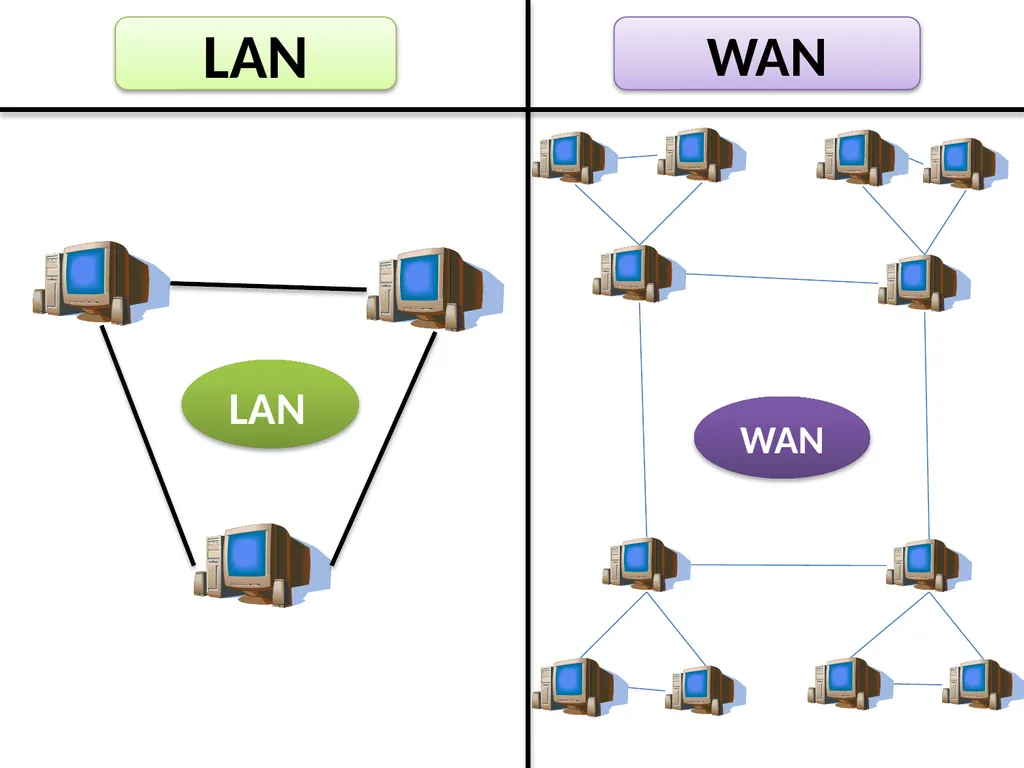
LAN LAN WAN WAN<br>
37
DIFFERENCE BETWEEN LAN & WAN<br>
38
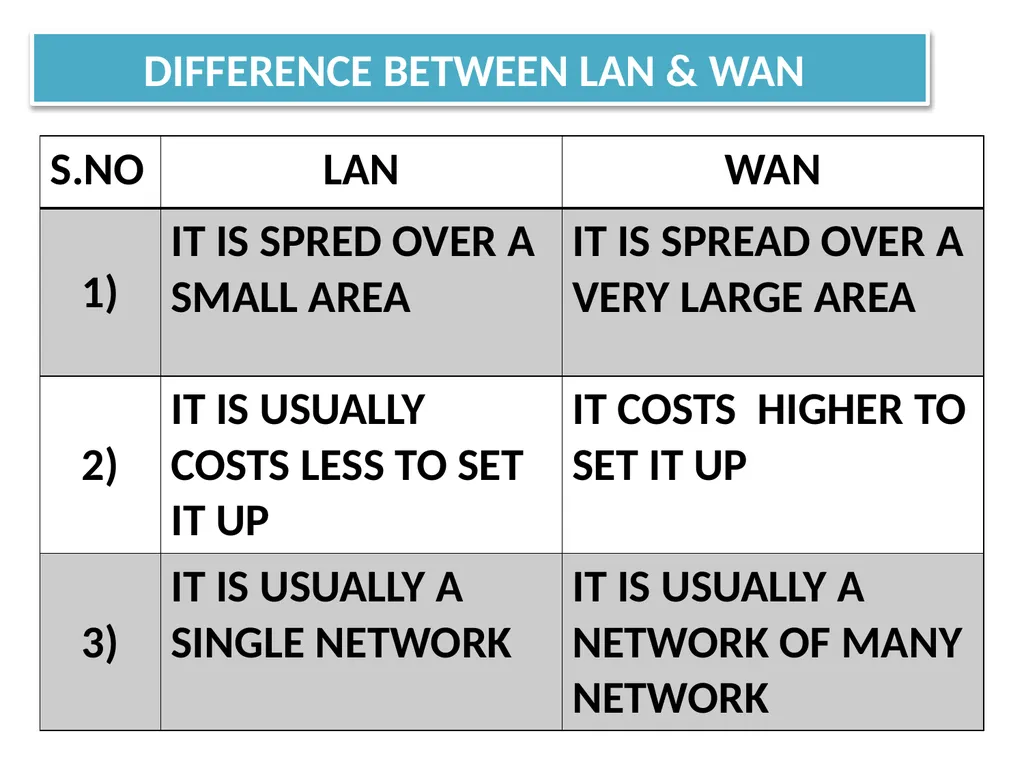
DIFFERENCE BETWEEN LAN & WAN<br>
39
TYPES OF NETWORK BY COMPONENTS<br>
40
Another parameter based on which you can classify networks is the role played by network computers in the network operations on basis , there are 2 types of networks: TYPES OF NETWORK BY COMPONENTS (I) PEER TO PEER NETWORKS II) CLIENT / SERVER NETWORKS<br>
41
PEER TO PEER (P2P) NETWORKS TYPES OF NETWORK BY COMPONENTS<br>
42
PEER TO PEER (P2P) NETWORKS<br>
43
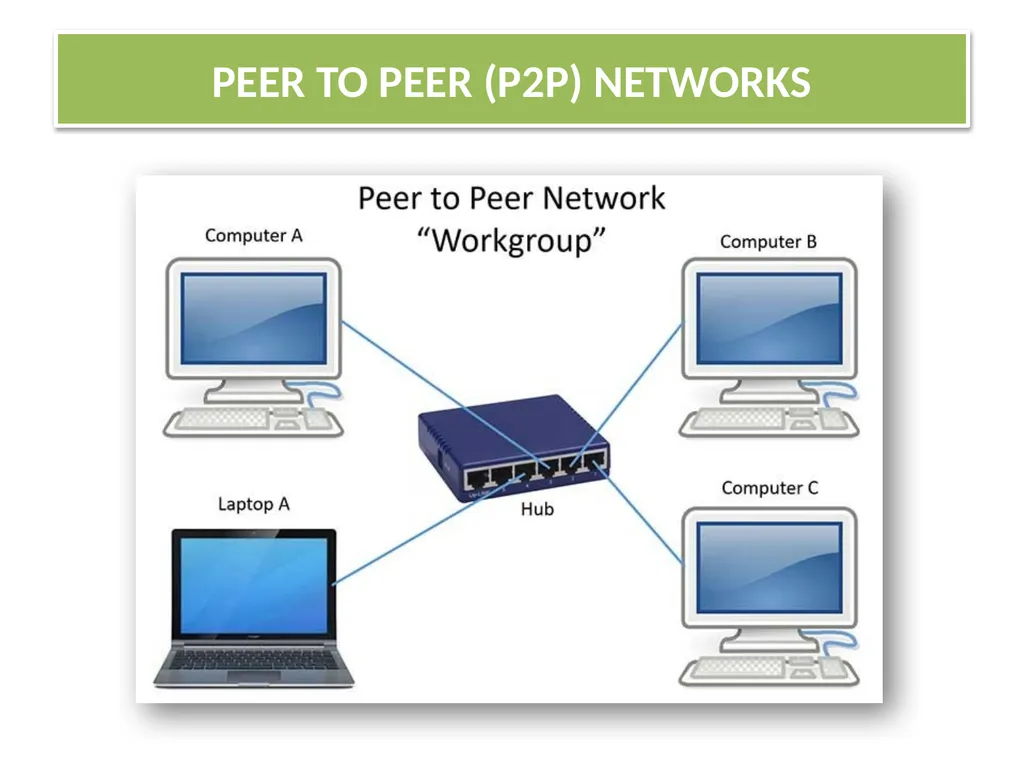
P2P network literally implements the meaning word Peer (ex : Each computer on P2P network is equal) , that is each computer can play a role of a client or a server.
The computer that serve on P2P computers are often termed as non-dedicated servers
Contd…. PEER TO PEER (P2P) NETWORKS<br>
The computer that serve on P2P computers are often termed as non-dedicated servers
Contd…. PEER TO PEER (P2P) NETWORKS<br>
44
(P2P) networks are popular as home networks and for use in small companies as they are inexpensive and easy to install ,but they are limited scope and are difficult to secure.
On small networks , workstation that can double up as a server is known as
NON-DEDICATDED SERVER .
Non–Dedicated Server can shuttle b\w client as well as server role.
Small networks that are using such a servers are known as P2P networks. PEER TO PEER (P2P) NETWORKS<br>
On small networks , workstation that can double up as a server is known as
NON-DEDICATDED SERVER .
Non–Dedicated Server can shuttle b\w client as well as server role.
Small networks that are using such a servers are known as P2P networks. PEER TO PEER (P2P) NETWORKS<br>
45
CLIENT / SERVER NETWORKS TYPES OF NETWORK BY COMPONENTS<br>
46
CLIENT / SERVER NETWORKS<br>
47
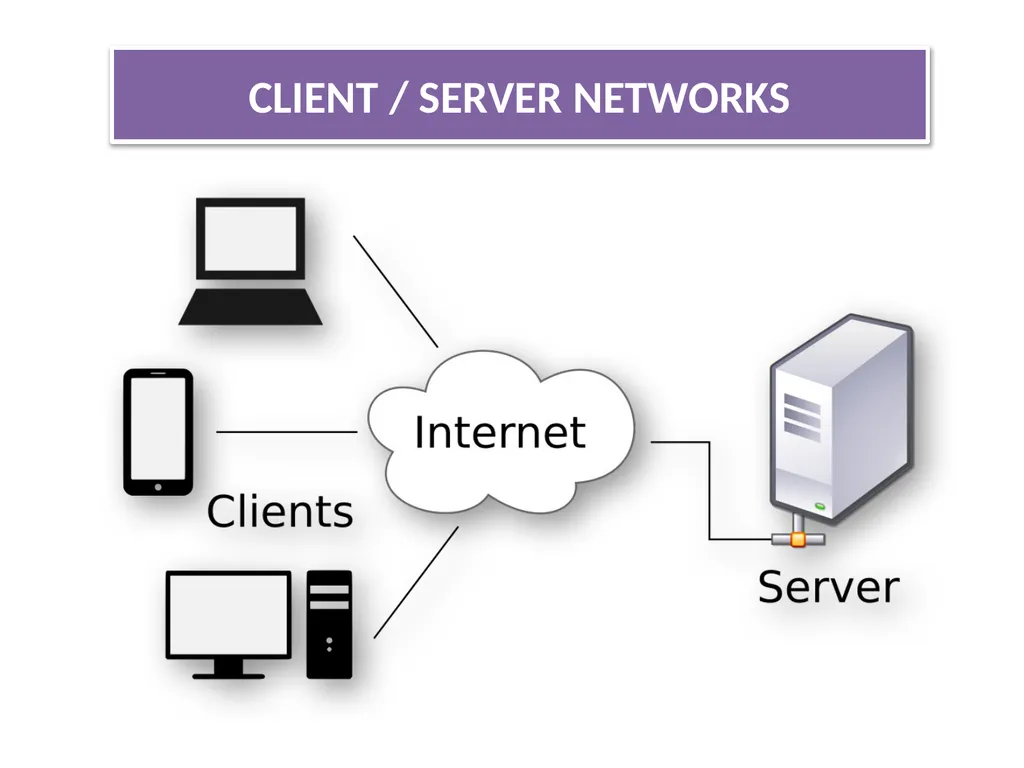
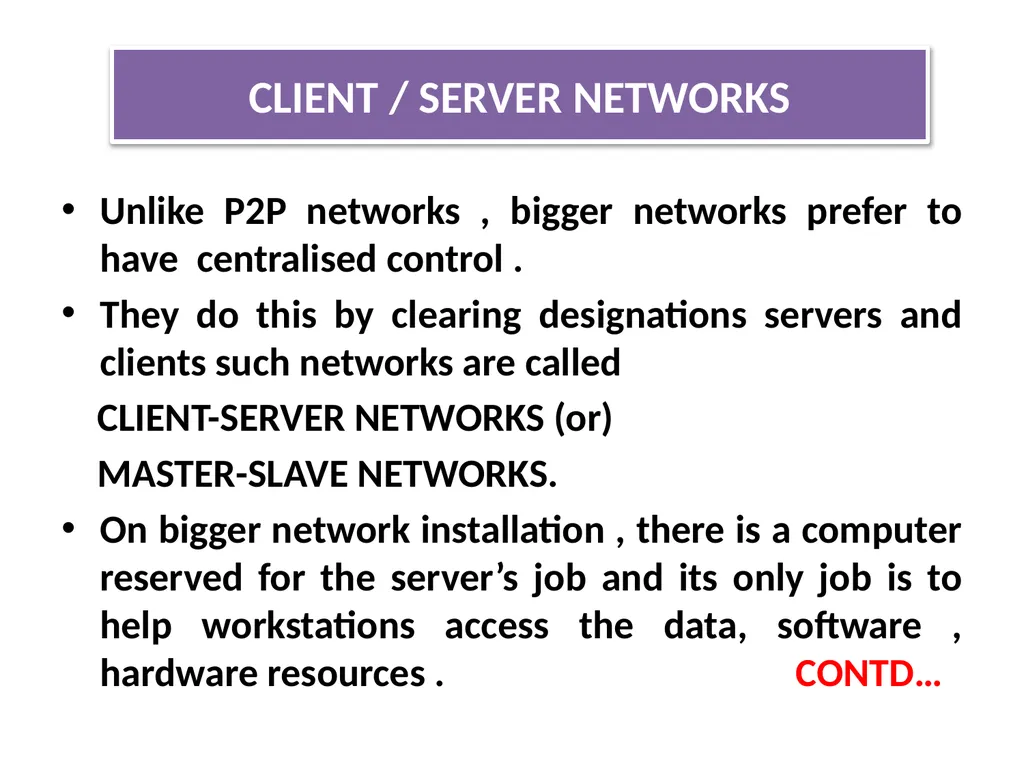
Unlike P2P networks , bigger networks prefer to have centralised control .
They do this by clearing designations servers and clients such networks are called
CLIENT-SERVER NETWORKS (or)
MASTER-SLAVE NETWORKS.
On bigger network installation , there is a computer reserved for the server’s job and its only job is to help workstations access the data, software , hardware resources . CONTD… CLIENT / SERVER NETWORKS<br>
They do this by clearing designations servers and clients such networks are called
CLIENT-SERVER NETWORKS (or)
MASTER-SLAVE NETWORKS.
On bigger network installation , there is a computer reserved for the server’s job and its only job is to help workstations access the data, software , hardware resources . CONTD… CLIENT / SERVER NETWORKS<br>
48
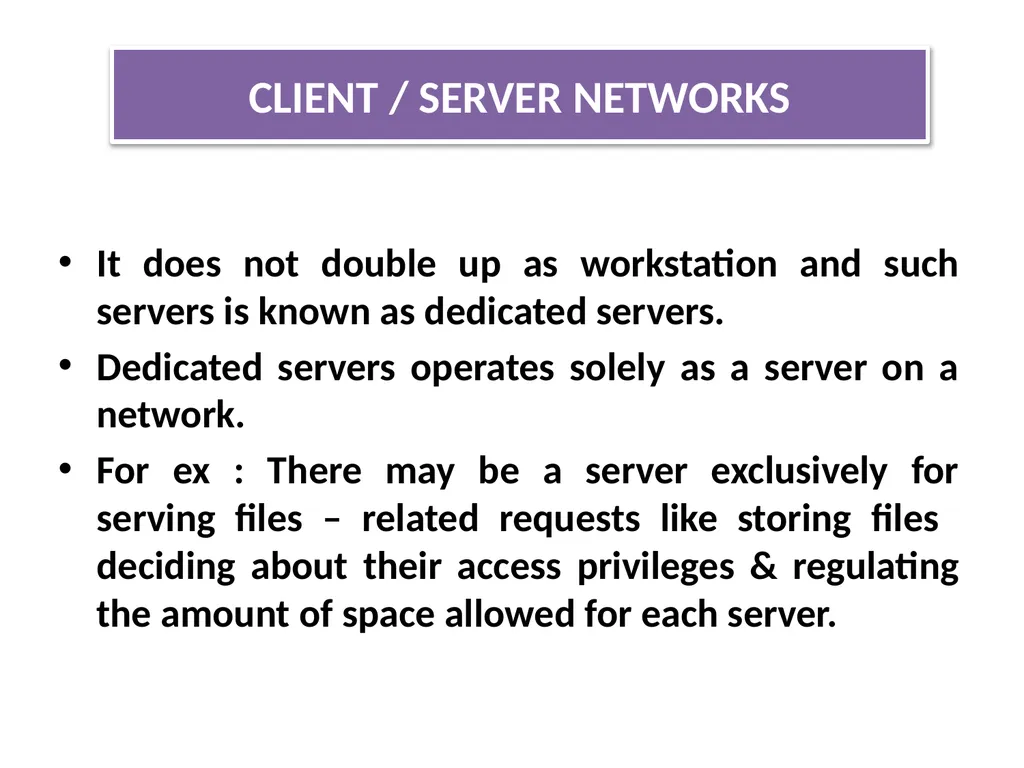
It does not double up as workstation and such servers is known as dedicated servers.
Dedicated servers operates solely as a server on a network.
For ex : There may be a server exclusively for serving files – related requests like storing files deciding about their access privileges & regulating the amount of space allowed for each server. CLIENT / SERVER NETWORKS<br>
Dedicated servers operates solely as a server on a network.
For ex : There may be a server exclusively for serving files – related requests like storing files deciding about their access privileges & regulating the amount of space allowed for each server. CLIENT / SERVER NETWORKS<br>
49
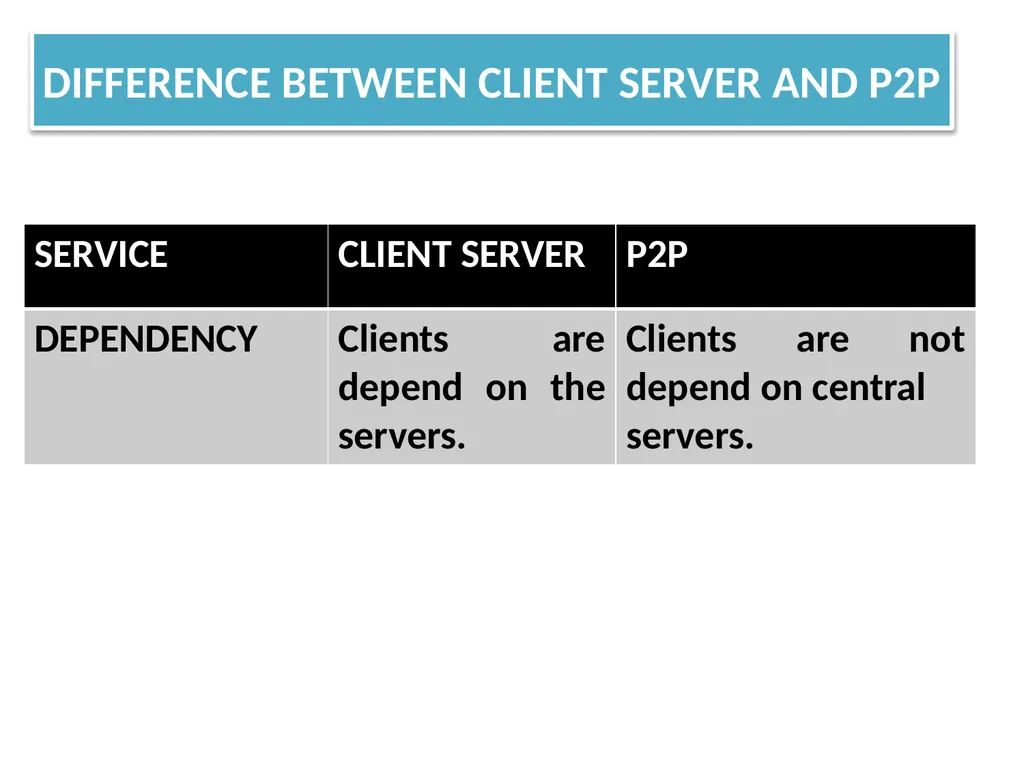
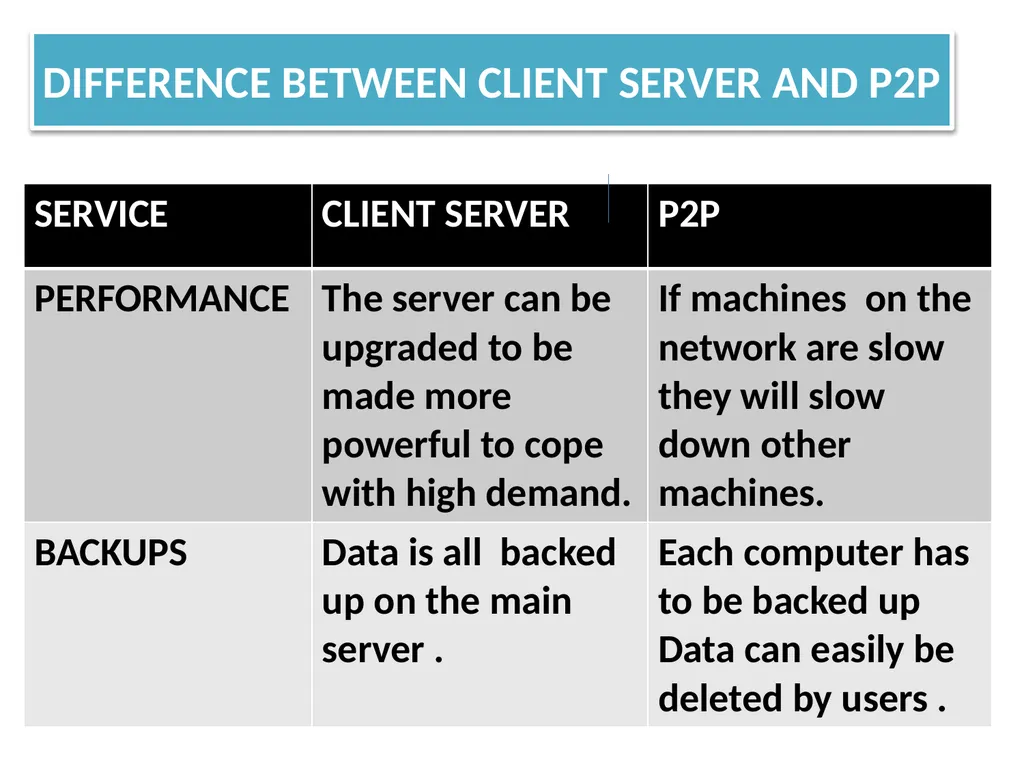
DIFFERENCE BETWEEN CLIENT SERVER AND P2P<br>
50
DIFFERENCE BETWEEN CLIENT SERVER AND P2P<br>
51
DIFFERENCE BETWEEN CLIENT SERVER AND P2P<br>
52
DIFFERENCE BETWEEN CLIENT SERVER AND P2P<br>
53
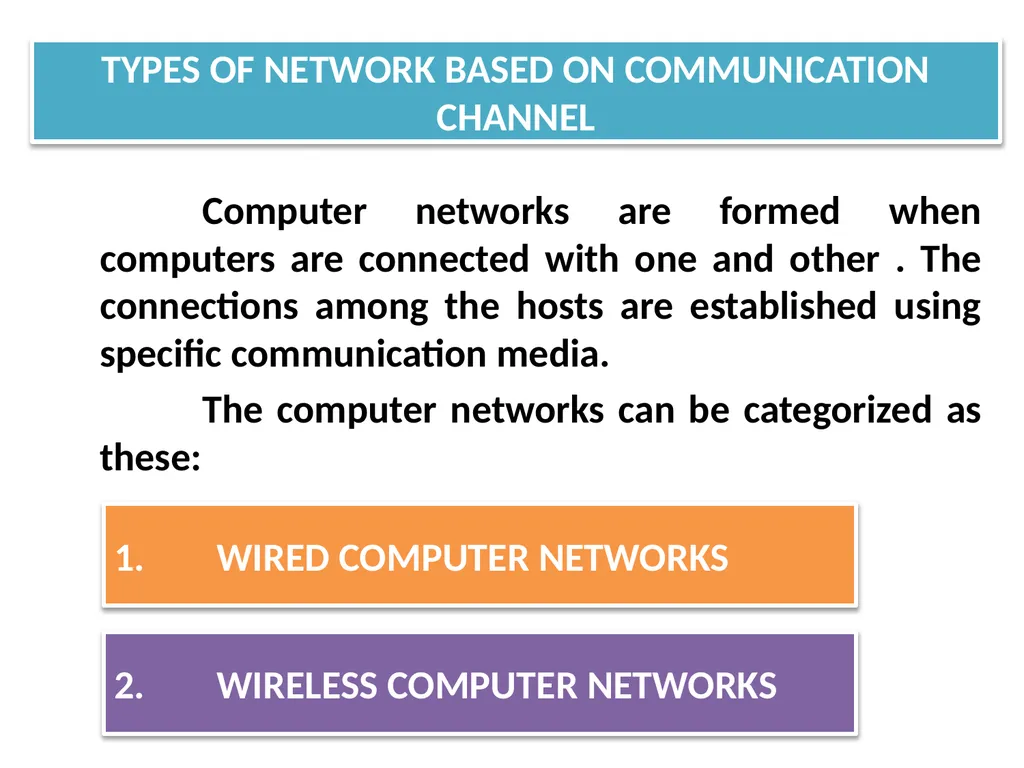
Computer networks are formed when computers are connected with one and other . The connections among the hosts are established using specific communication media.
The computer networks can be categorized as these: TYPES OF NETWORK BASED ON COMMUNICATION CHANNEL 1. WIRED COMPUTER NETWORKS 2. WIRELESS COMPUTER NETWORKS<br>
The computer networks can be categorized as these: TYPES OF NETWORK BASED ON COMMUNICATION CHANNEL 1. WIRED COMPUTER NETWORKS 2. WIRELESS COMPUTER NETWORKS<br>
54
1. WIRED COMPUTER NETWORK TYPES OF NETWORK BASED ON COMMUNICATION CHANNEL<br>
55
As clear by name in wired computer networks , the host and other devices are interconnected through wiring or cables. Most wired computer networks are of LAN type .
Although , there are wireless LAN’s too and there are bigger networks that used wireless medias too.
Contd.. WIRED COMPUTER NETWORK<br>
Although , there are wireless LAN’s too and there are bigger networks that used wireless medias too.
Contd.. WIRED COMPUTER NETWORK<br>
56
Commonly used cables in wired networks are one of the following three types: WIRED COMPUTER NETWORK A) TWISTED PAIR CABLE B) COAXIAL CABLE (COAX) C)FIBRE OPTIC CABLE (OPTIC FIBRE CABLE).<br>
57
TYPES OF WIRED CABLES A) TWISTED PAIR CABLE: TYPES OF NETWORK BASED ON COMMUNICATION CHANNEL<br>
58
A twisted pair cable is a pair of insulated wires that are twisted together to improve electromagnetic capability and to reduce from outside source these available in various forms such as CAT1 , CAT2 , CAT3 , CAT4 , CAT5 , CAT6 TYPES OF WIRED CABLES A) TWISTED PAIR CABLE:<br>
59
TYPES OF WIRED CABLES B) COAXIAL CABLE (COAX) TYPES OF NETWORK BASED ON COMMUNICATION CHANNEL<br>
60
This type cables consist of a solid wire core surrounded by one or more foil or wire shield each separated by some kind of plastic insulator
Ex : Thicknet and Thinnet . TYPES OF WIRED CABLES B) COAXIAL CABLE (COAX)<br>
Ex : Thicknet and Thinnet . TYPES OF WIRED CABLES B) COAXIAL CABLE (COAX)<br>
61
TYPES OF WIRED CABLES C) FIBRE OPTIC CABLE : TYPES OF NETWORK BASED ON COMMUNICATION CHANNEL<br>
62
Consist of a bundle of glass threads each of which capable of transmitting messages modulated on to light waves .
Example:
Single node
Multi-node TYPES OF WIRED CABLES C) FIBRE OPTIC CABLE :<br>
Example:
Single node
Multi-node TYPES OF WIRED CABLES C) FIBRE OPTIC CABLE :<br>
63
WIRELESS COMPUTER NETWORKS TYPES OF NETWORK BASED ON COMMUNICATION CHANNEL<br>
64
WIRELESS COMPUTER NETWORKS The computer networks that use environment or air as the media , through which information is transmitted without any cable or wires or the electronic conductor , rather by using electromagnetic waves like: IR(infrared) , RF(radio frequencies) , satellite , etc are wireless computer networks
EXAMPLE: i) When you connect all smartphones to a common WIFI (a wireless LAN )
ii) WAN can also be formed using wireless media such as satellite.<br>
EXAMPLE: i) When you connect all smartphones to a common WIFI (a wireless LAN )
ii) WAN can also be formed using wireless media such as satellite.<br>
65
TYPES OF WIRELESS NETWORK<br>
66
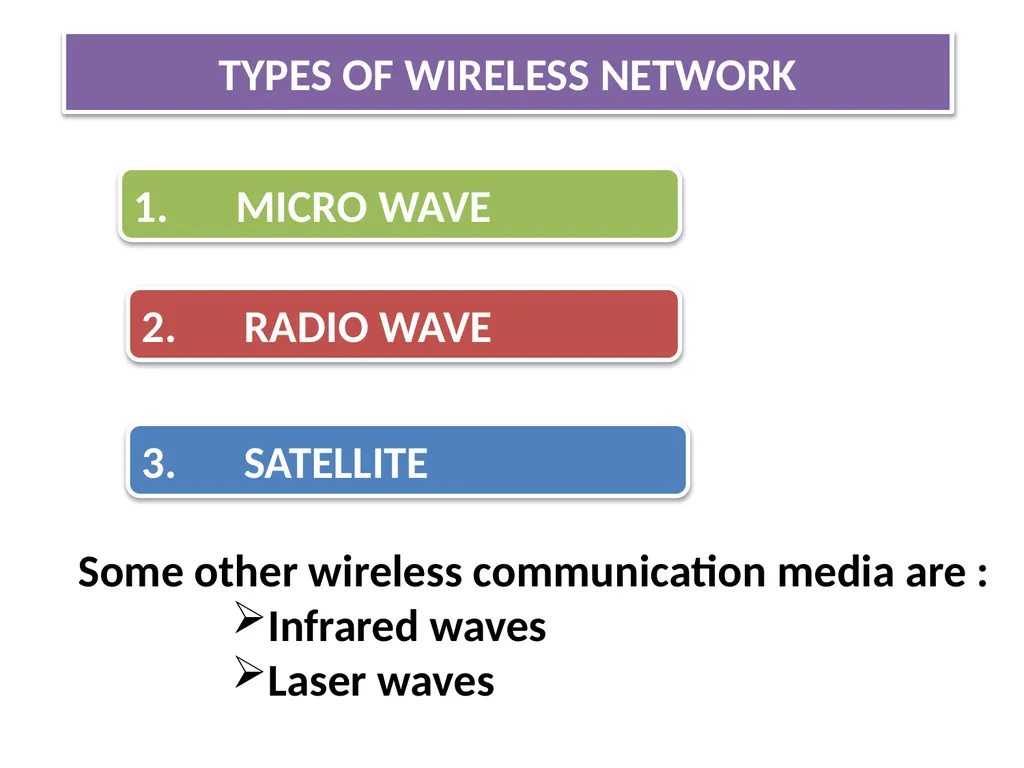
TYPES OF WIRELESS NETWORK 1. MICRO WAVE 3. SATELLITE 2. RADIO WAVE Some other wireless communication media are :
Infrared waves
Laser waves<br>
Infrared waves
Laser waves<br>
67
MICRO WAVE TYPES OF WIRELESS NETWORK<br>
68
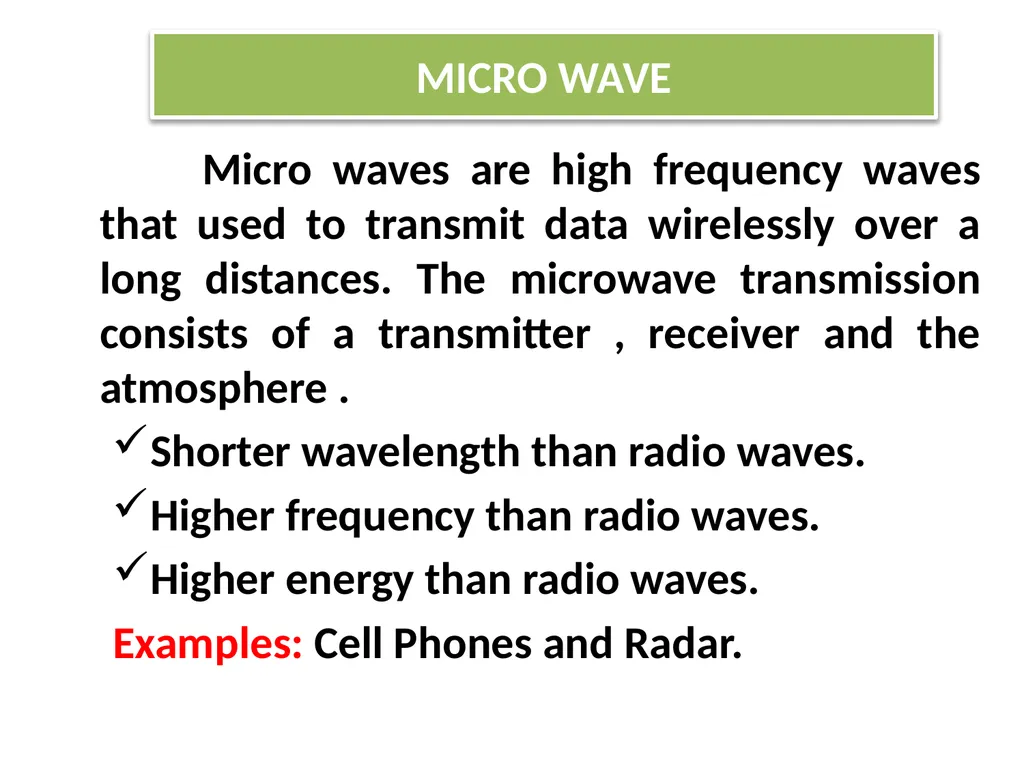
Micro waves are high frequency waves that used to transmit data wirelessly over a long distances. The microwave transmission consists of a transmitter , receiver and the atmosphere .
Shorter wavelength than radio waves.
Higher frequency than radio waves.
Higher energy than radio waves.
Examples: Cell Phones and Radar. MICRO WAVE<br>
Shorter wavelength than radio waves.
Higher frequency than radio waves.
Higher energy than radio waves.
Examples: Cell Phones and Radar. MICRO WAVE<br>
69
RADIO WAVE TYPES OF WIRELESS NETWORK<br>
70
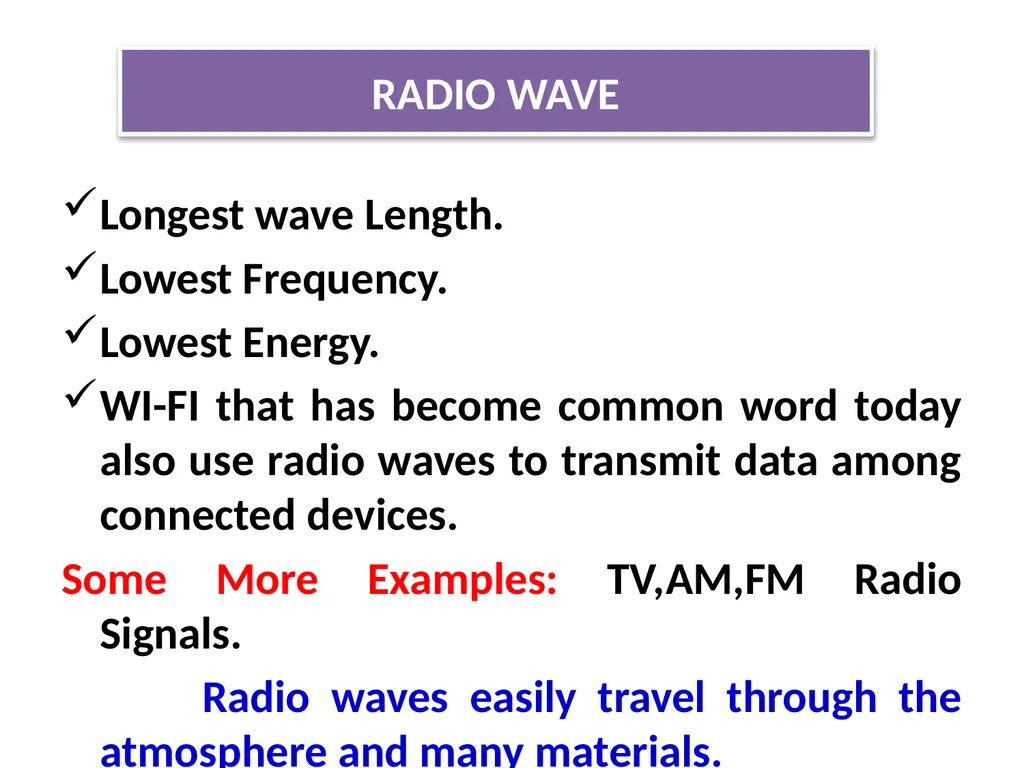
Longest wave Length.
Lowest Frequency.
Lowest Energy.
WI-FI that has become common word today also use radio waves to transmit data among connected devices.
Some More Examples: TV,AM,FM Radio Signals.
Radio waves easily travel through the atmosphere and many materials. RADIO WAVE<br>
Lowest Frequency.
Lowest Energy.
WI-FI that has become common word today also use radio waves to transmit data among connected devices.
Some More Examples: TV,AM,FM Radio Signals.
Radio waves easily travel through the atmosphere and many materials. RADIO WAVE<br>
71
SATELLITE<br>
72
Satellite communication is a special case of a microwave relay system.
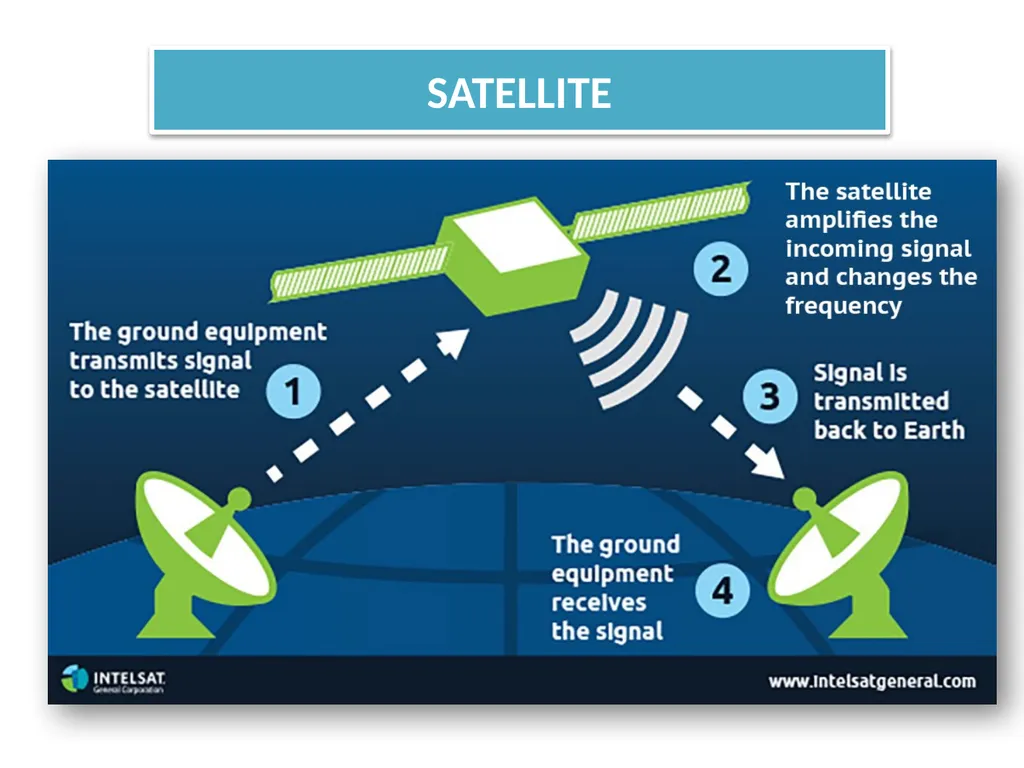
Satellite communication use the synchronous satellite to relay the alien radio signal transmitted from ground station.
The satellite accept data / signals transmitted from an earth station , amplify them , and retransmit them to another station.
Using such as a setup data can be transmitted to other side of the earth in only one step. Contd… SATELLITE<br>
Satellite communication use the synchronous satellite to relay the alien radio signal transmitted from ground station.
The satellite accept data / signals transmitted from an earth station , amplify them , and retransmit them to another station.
Using such as a setup data can be transmitted to other side of the earth in only one step. Contd… SATELLITE<br>
73
SATELLITE<br>
74
NETWORK DEVICES AND HARDWARE<br>
75
In the smooth functioning of a computer , other than computers and wiring , many devices (or) specialized hardware play important roles . NETWORK DEVICES AND HARDWARE<br>
76
NETWORK INTERFACE CARD (NIC)<br>
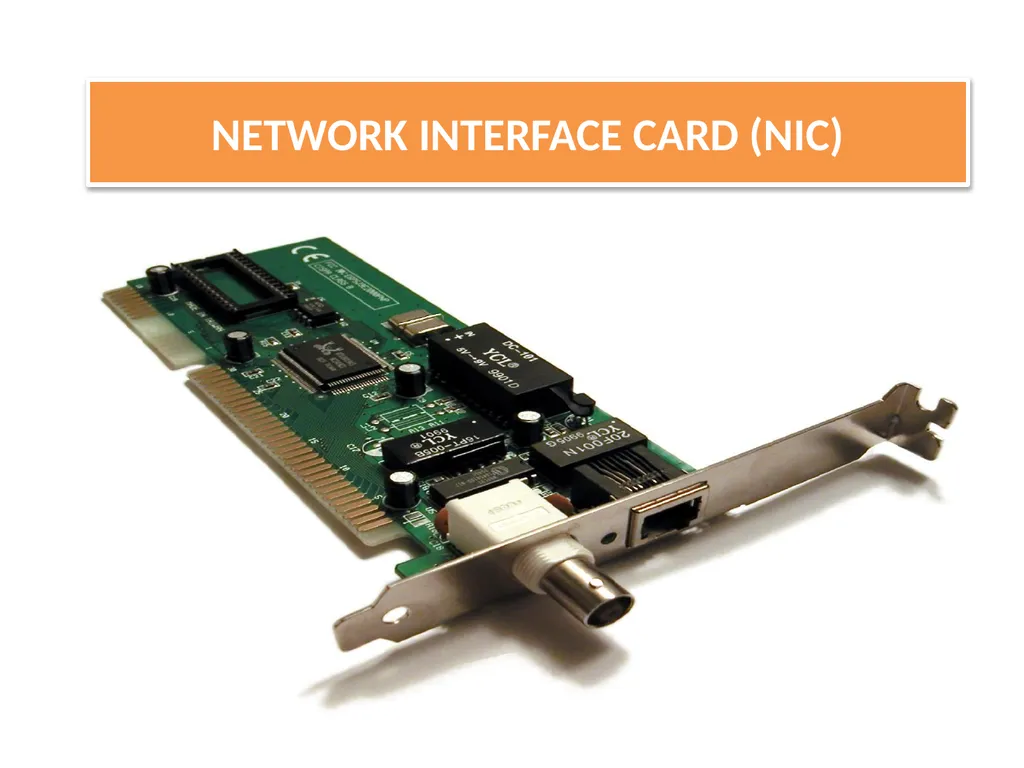
77
A standalone computer (a computer that does not attached to a network) lives in its own world and carries out its tasks with its own inbuilt resources.
The (NIC) is a device that is attached to each of the workstations and the server & helps the workstation to establish all the important connections with network.
Each NIC that is attached to a workstation has a unique number identification which is known as note address
Contd… NETWORK INTERFACE CARD (NIC)<br>
The (NIC) is a device that is attached to each of the workstations and the server & helps the workstation to establish all the important connections with network.
Each NIC that is attached to a workstation has a unique number identification which is known as note address
Contd… NETWORK INTERFACE CARD (NIC)<br>
78
The NIC is also called as Terminal Access Point (TAP) different manufacturers have different name for the interface .
The NIC is also called as NIU – (Network Interface Unit)
The (NIC) manufacturers assigns a unique physical address to each NIC-card , this physical address is know as MAC-address ------ (Media Access Control) NETWORK INTERFACE CARD (NIC)<br>
The NIC is also called as NIU – (Network Interface Unit)
The (NIC) manufacturers assigns a unique physical address to each NIC-card , this physical address is know as MAC-address ------ (Media Access Control) NETWORK INTERFACE CARD (NIC)<br>
79
MAC ADDRESS<br>
80
The (NIC) manufacture assigns a unique physical address to each NIC-card , the physical address is know as (MAC-Address) .
A MAC-Address is a 6-bytes with each byte separated by an colon
Eg;
10 : B5 : 03 : 63 : 2E : FC
Contd.. MAC ADDRESS<br>
A MAC-Address is a 6-bytes with each byte separated by an colon
Eg;
10 : B5 : 03 : 63 : 2E : FC
Contd.. MAC ADDRESS<br>
81
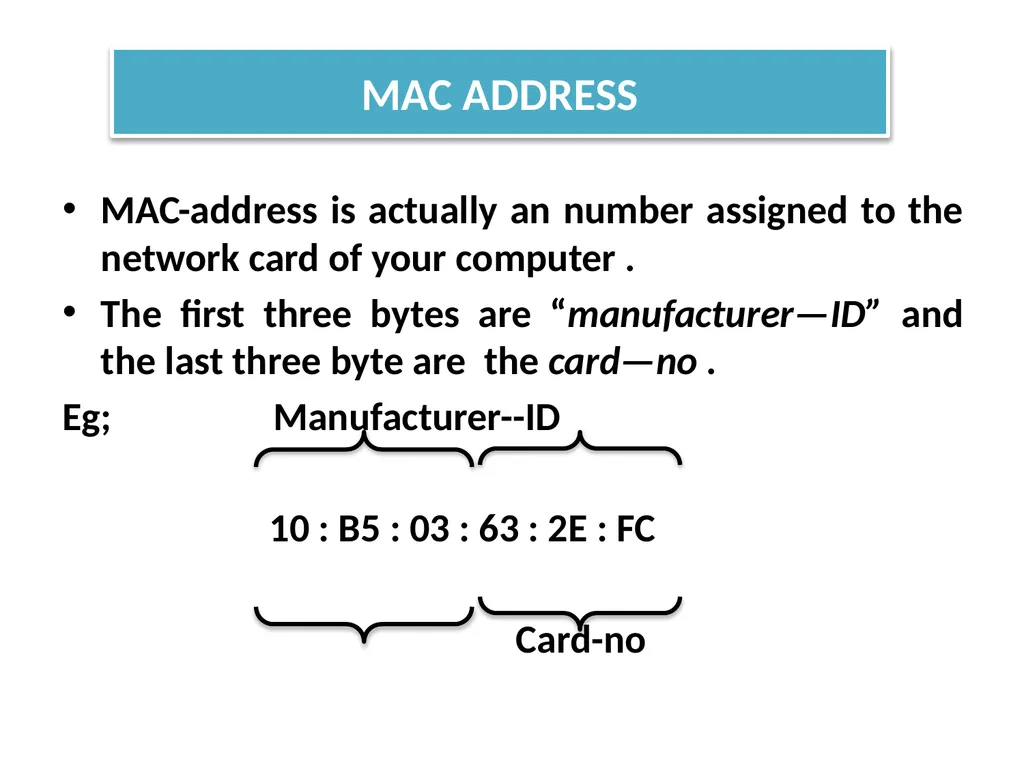
MAC-address is actually an number assigned to the network card of your computer .
The first three bytes are “manufacturer—ID” and the last three byte are the card—no .
Eg; Manufacturer--ID
10 : B5 : 03 : 63 : 2E : FC
Card-no MAC ADDRESS<br>
The first three bytes are “manufacturer—ID” and the last three byte are the card—no .
Eg; Manufacturer--ID
10 : B5 : 03 : 63 : 2E : FC
Card-no MAC ADDRESS<br>
82
WI-FI CARD<br>
83
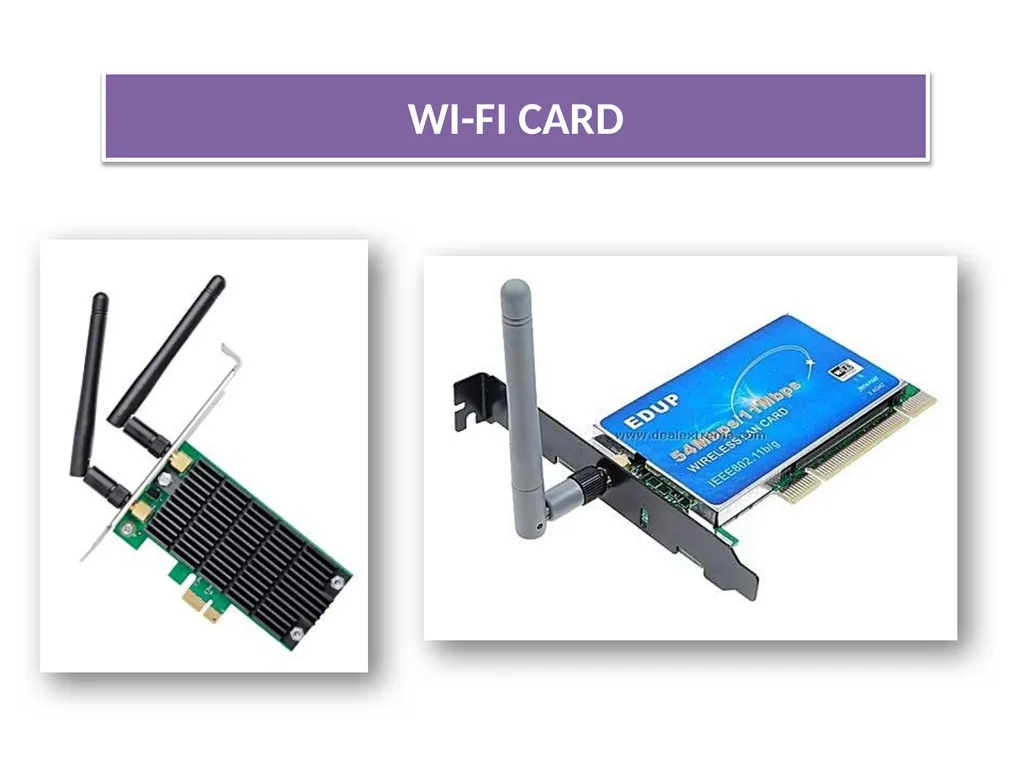
It’s either an internal (or) external local area network adapter with a built-in wireless radio and antenna.
Most common WI-FI cards used in desktop computers are PCI express WI-FI cards made to fit the PCI express cards slots on the mother board .
The primary benefit of using a WI-FI card in desktop computer is that it allows you to set-up your workstation (or) home office without considering the proximity (or) availability of hard line network access WI-FI CARD<br>
Most common WI-FI cards used in desktop computers are PCI express WI-FI cards made to fit the PCI express cards slots on the mother board .
The primary benefit of using a WI-FI card in desktop computer is that it allows you to set-up your workstation (or) home office without considering the proximity (or) availability of hard line network access WI-FI CARD<br>
84
SWITCH<br>
85
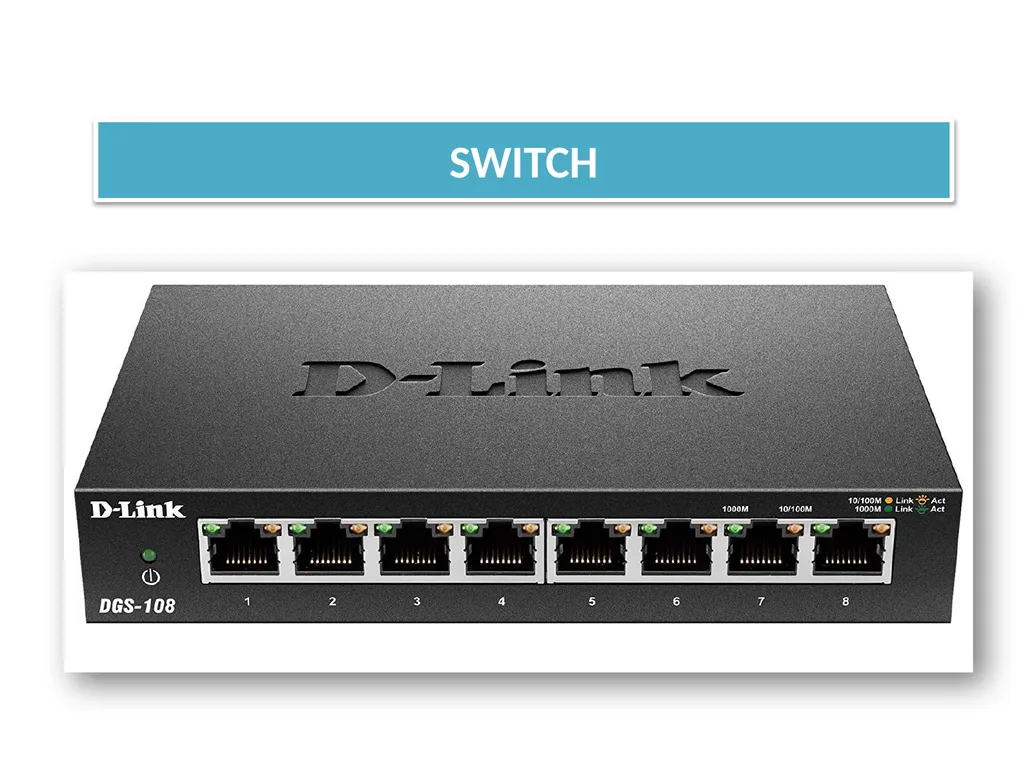
A switch is a device that is used to segment networks into different subnetworks called subnet or LAN Segment.
Segmenting the network into smaller subnet, prevents traffic overload in a network.
A switch is responsible for filtering (or) transforming data in a specific way and forwarding packets between LAN segment. SWITCH Contd…<br>
Segmenting the network into smaller subnet, prevents traffic overload in a network.
A switch is responsible for filtering (or) transforming data in a specific way and forwarding packets between LAN segment. SWITCH Contd…<br>
86
A switch can support any packet of protocol.
LAN’s that are segmented through switches are called as switched LANs. SWITCH<br>
LAN’s that are segmented through switches are called as switched LANs. SWITCH<br>
87
BRIDGE<br>
88
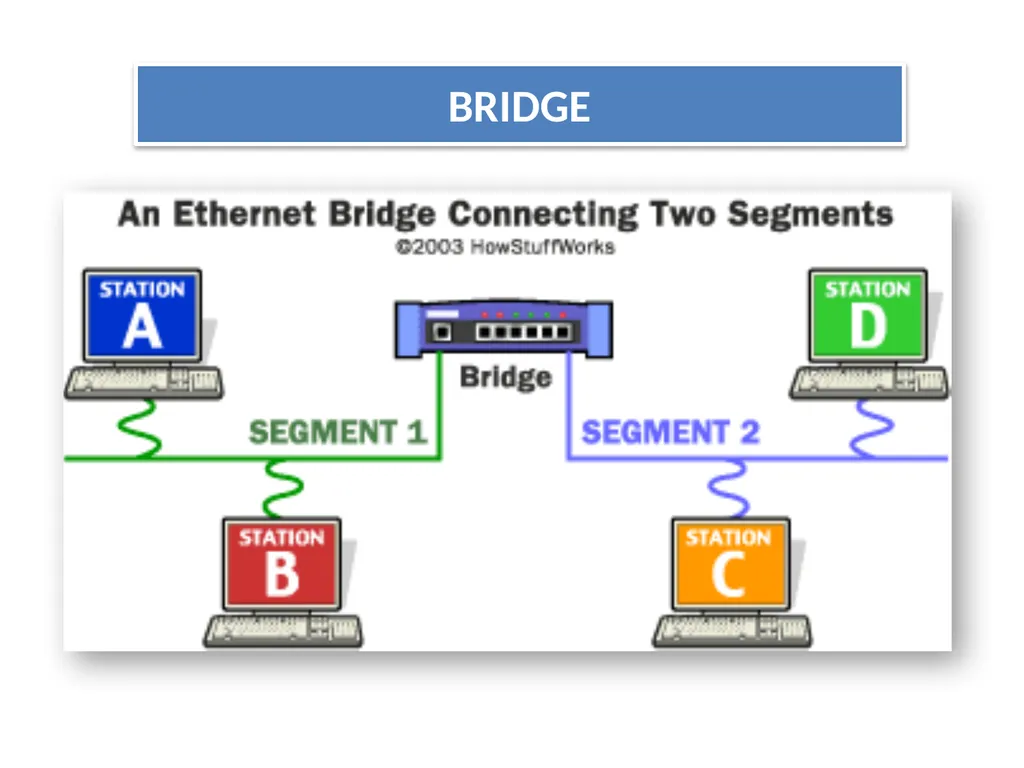
A bridge is a device that let’s you link networks together.
Bridges are smart enough to know which computers are on which side of the bridge, so they only allow those messages that need to get other side to cross the bridge.
Bridges can handle networks that follow same protocol.
Contd.. BRIDGE<br>
Bridges are smart enough to know which computers are on which side of the bridge, so they only allow those messages that need to get other side to cross the bridge.
Bridges can handle networks that follow same protocol.
Contd.. BRIDGE<br>
89
BRIDGE<br>
90
ROUTER<br>
91
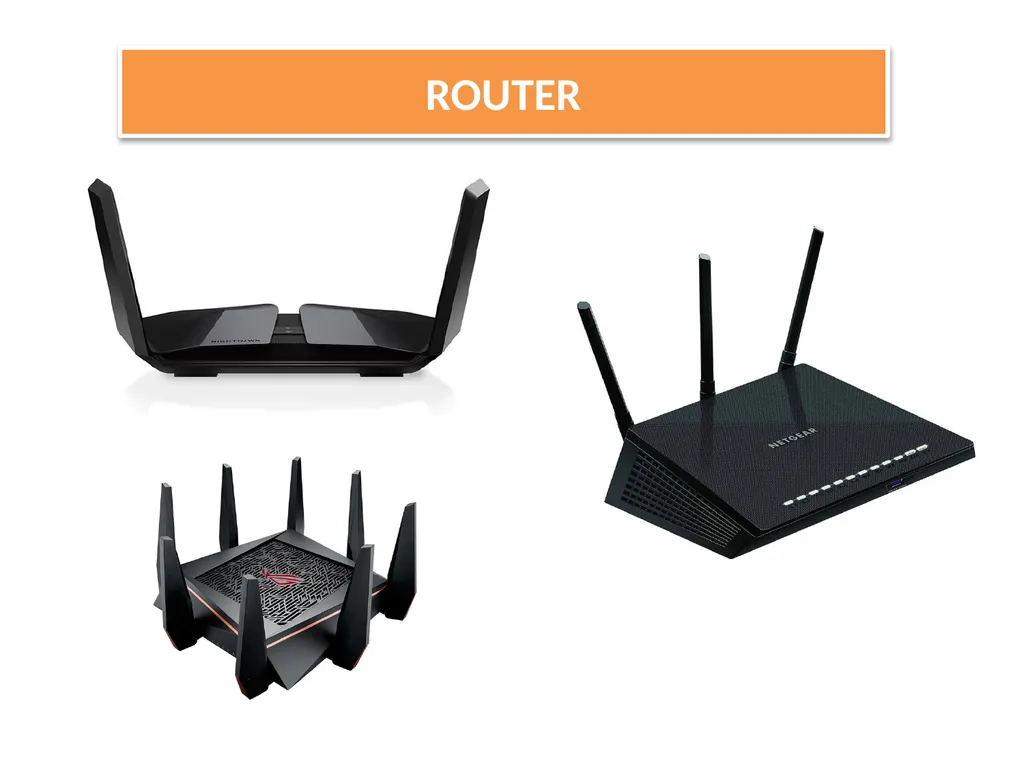
A device that works like a bridge but can handle different protocol is know as Router.
A Router is a network device that forwards data from one network to another network.
A router works like a bridge but can handle different protocols. ROUTER<br>
A Router is a network device that forwards data from one network to another network.
A router works like a bridge but can handle different protocols. ROUTER<br>
92
If the destination is unknow to a router it sends the traffic to another router (using logical address) which knows the destination, Based on a network road map called as (Routing Table).
Routers can help to ensure that packets are travelling the most efficient paths to their destination. ROUTER<br>
Routers can help to ensure that packets are travelling the most efficient paths to their destination. ROUTER<br>
93
GATEWAY<br>
94
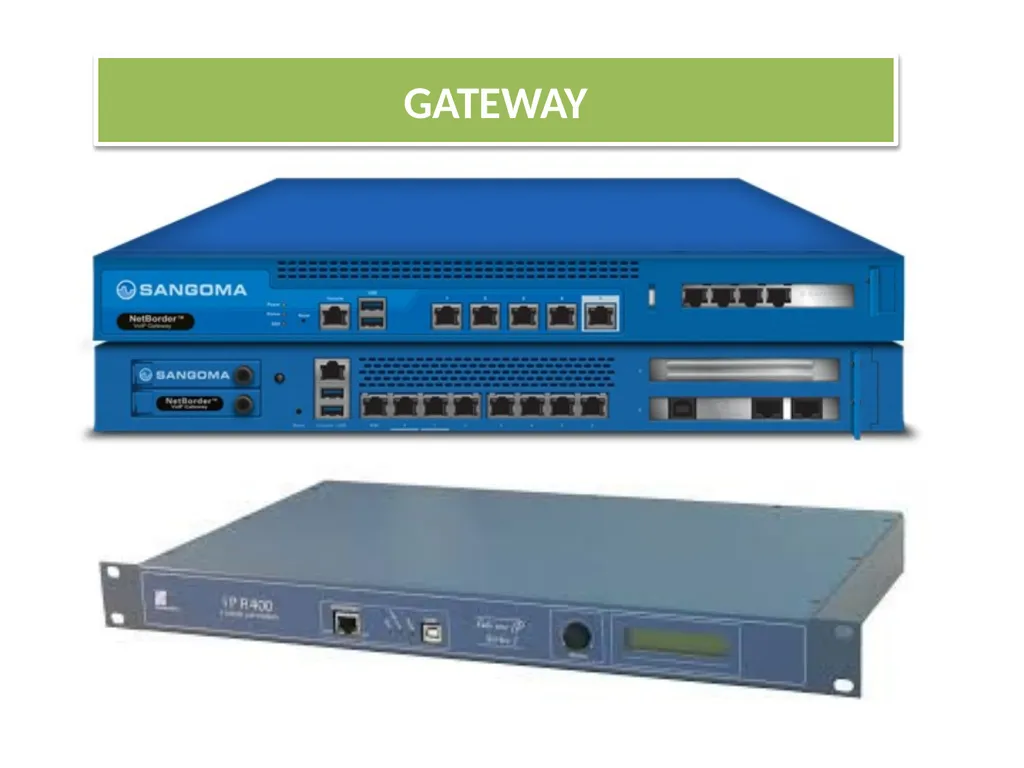
A gateway is a network device that connects dissimilar networks.
It establishes an intelligent connection between a local network and external network with completely different structures
Gateway is actually a node on a network that server as an entrance to another network.
In enterprises the gateway is the computer that routes the traffic from workstation to a out side network that serving the web pages. GATEWAY<br>
It establishes an intelligent connection between a local network and external network with completely different structures
Gateway is actually a node on a network that server as an entrance to another network.
In enterprises the gateway is the computer that routes the traffic from workstation to a out side network that serving the web pages. GATEWAY<br>
95
ACCESS POINT(AP) / WIRELESS ACCESS POINTS<br>
96
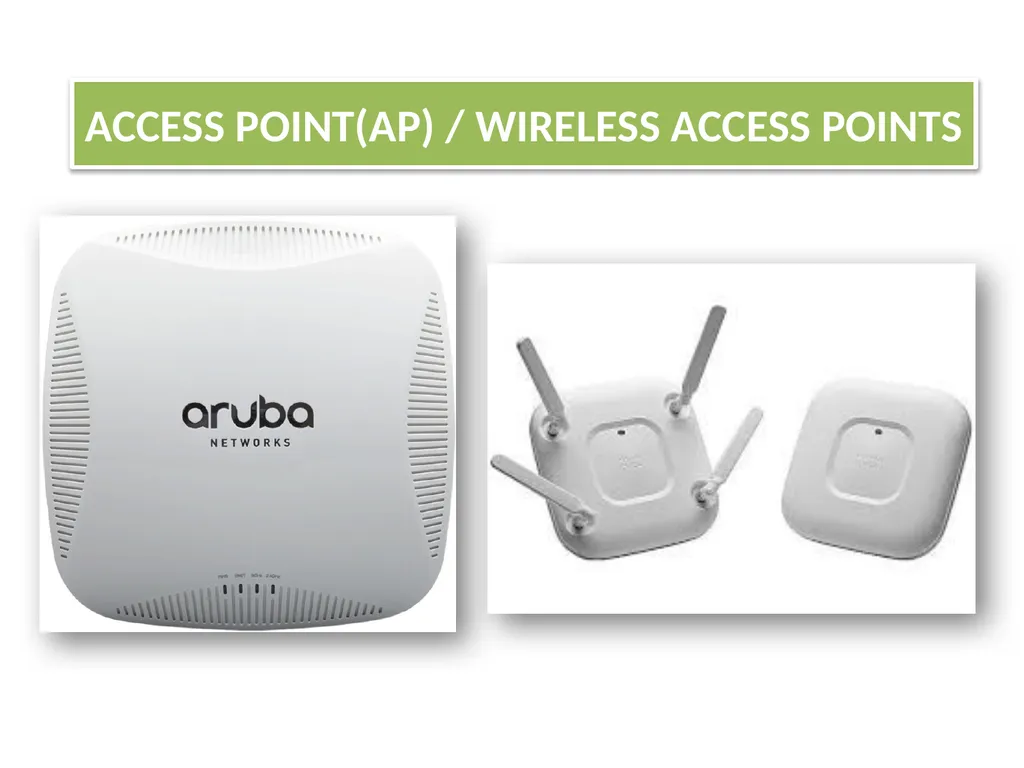
An ACCESS POINT-(AP) , also called as (Wireless access point) WAP
WAP is a hardware device that establishes connections of computer devices on wireless LAN with a fixed wire network.
AP is a station that transmits and receives data
AP has a range of (up to 150 feet for home based APs).
Wireless routers can function as(AP) , but not all (AP)can work as routers. ACCESS POINT(AP)<br>
WAP is a hardware device that establishes connections of computer devices on wireless LAN with a fixed wire network.
AP is a station that transmits and receives data
AP has a range of (up to 150 feet for home based APs).
Wireless routers can function as(AP) , but not all (AP)can work as routers. ACCESS POINT(AP)<br>
97
THE CLOUDS<br>
98
A cloud is a generic term used for “INTERNET”.
Cloud computing is internet-based computing whereby shared resources, software , and information are provided to computer and other devices are in demand, like electricity grid.
Cloud computing is a new name for an old concept :the delivery of computing services from a remote location . THE CLOUDS<br>
Cloud computing is internet-based computing whereby shared resources, software , and information are provided to computer and other devices are in demand, like electricity grid.
Cloud computing is a new name for an old concept :the delivery of computing services from a remote location . THE CLOUDS<br>
99
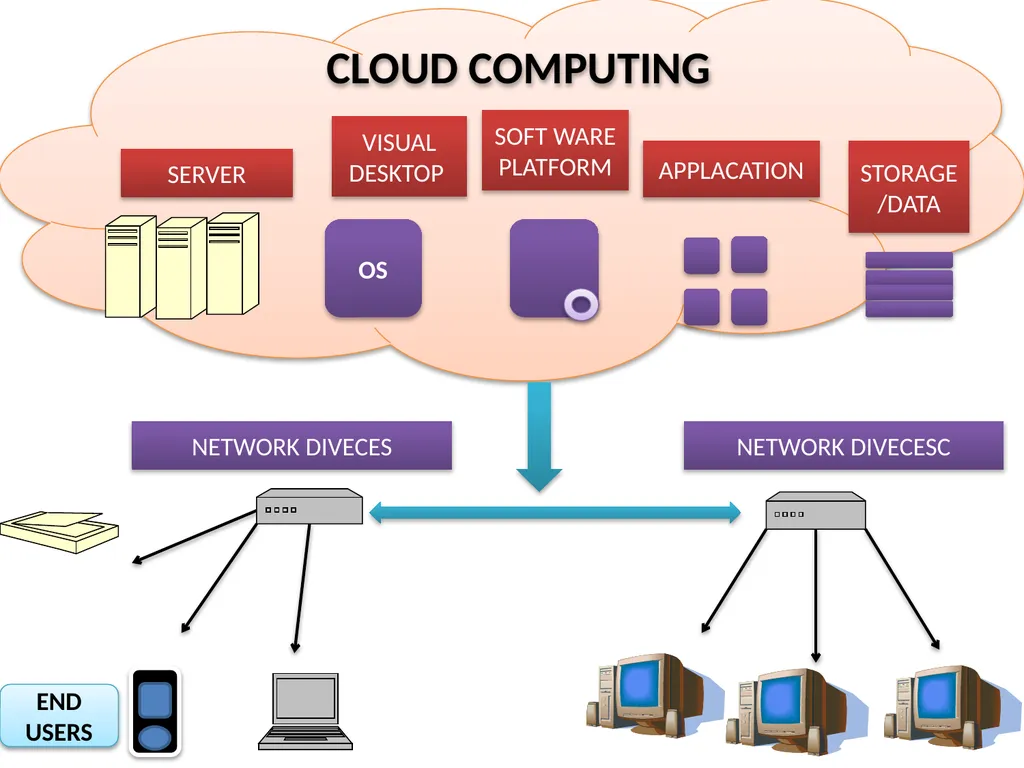
SERVER OS VISUAL
DESKTOP SOFT WARE PLATFORM APPLACATION STORAGE/DATA NETWORK DIVECESC NETWORK DIVECES END USERS CLOUD COMPUTING<br>
DESKTOP SOFT WARE PLATFORM APPLACATION STORAGE/DATA NETWORK DIVECESC NETWORK DIVECES END USERS CLOUD COMPUTING<br>
100
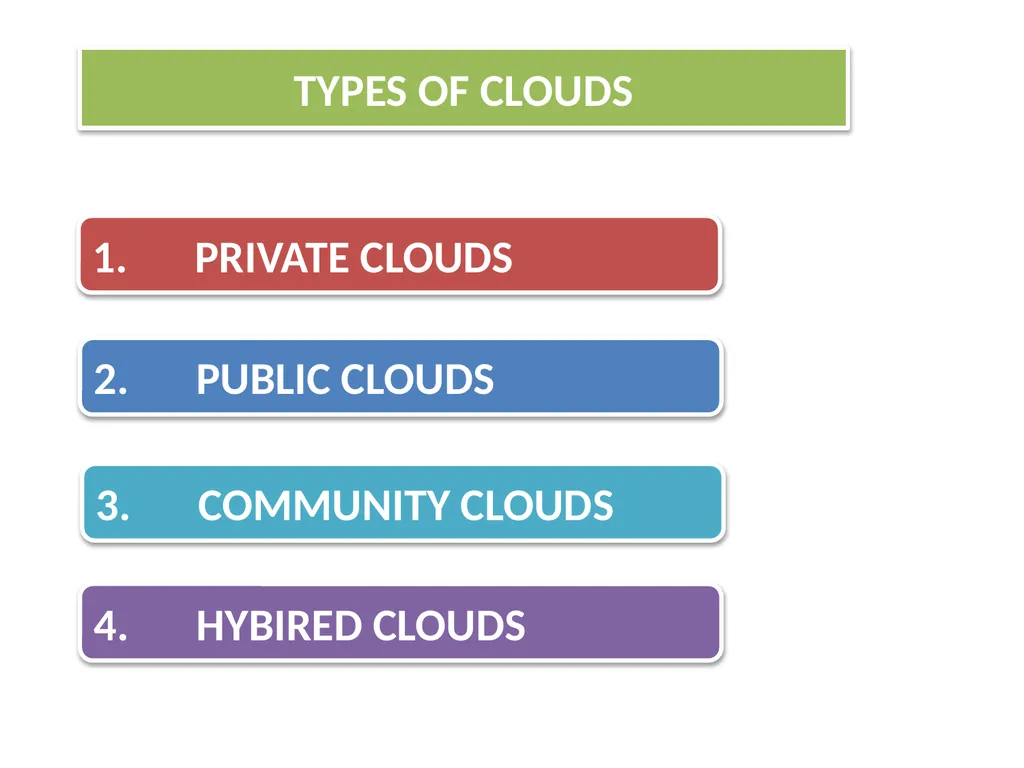
TYPES OF CLOUDS 1. PRIVATE CLOUDS 2. PUBLIC CLOUDS 3. COMMUNITY CLOUDS 4. HYBIRED CLOUDS<br>
101
1.PRIVATE CLOUDS<br>
102
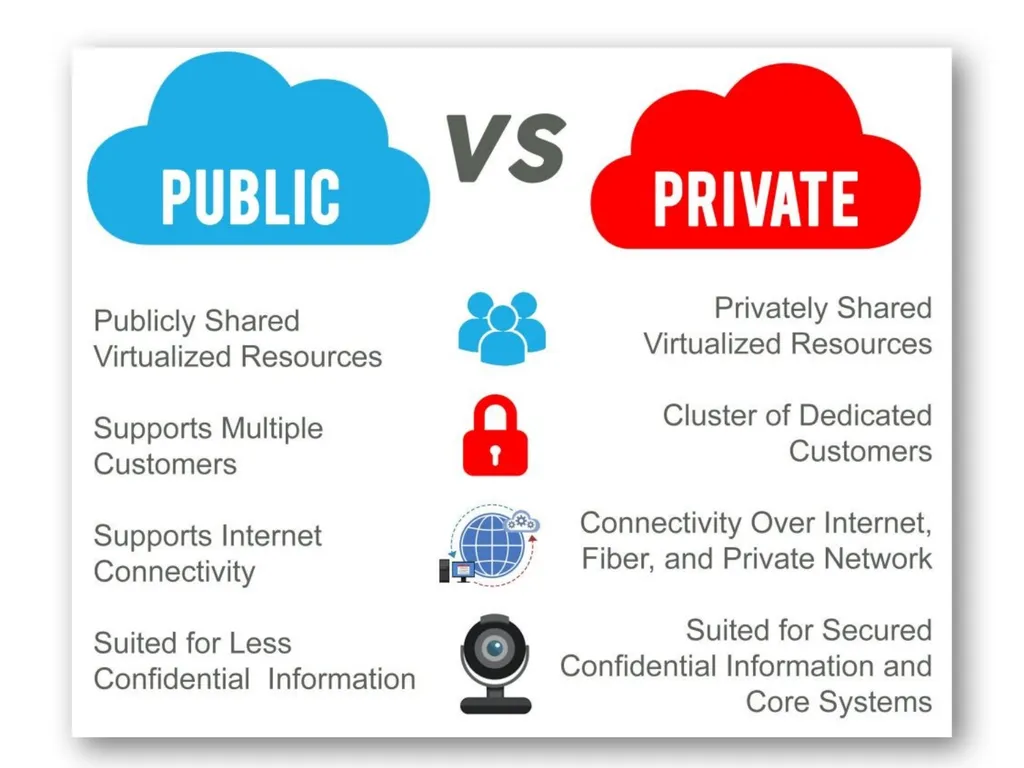
These are the clouds for exclusive use by single organization and typically controlled, managed and hosted in private data centers.
The hosting and operation of private clouds may also be outsourced to third party services provider, but a private clouds remains for the exclusive use of one organization.
Contd… 1.PRIVATE CLOUDS<br>
The hosting and operation of private clouds may also be outsourced to third party services provider, but a private clouds remains for the exclusive use of one organization.
Contd… 1.PRIVATE CLOUDS<br>
103
Best Private Cloud Providers
HPE. By most estimates, Hewlett Packard Enterprise (HPE) is a key leader in the private cloud market.
Vmware Dell Oracle
IBM Microsoft. Cisco.
NetApp. 1.PRIVATE CLOUDS<br>
HPE. By most estimates, Hewlett Packard Enterprise (HPE) is a key leader in the private cloud market.
Vmware Dell Oracle
IBM Microsoft. Cisco.
NetApp. 1.PRIVATE CLOUDS<br>
104
2.PUBLIC CLOUDS<br>
105
These are the clouds for use by multiple organization on shared basis and hosted and by the third party services provider.
Examples of public clouds include Amazon Elastic ComputeCloud (EC2), IBM's Blue Cloud, Sun Cloud,Google AppEngine and Windows Azure Services Platform 2.PUBLIC CLOUDS<br>
Examples of public clouds include Amazon Elastic ComputeCloud (EC2), IBM's Blue Cloud, Sun Cloud,Google AppEngine and Windows Azure Services Platform 2.PUBLIC CLOUDS<br>
106
3.COMMUNITY CLOUDS<br>
107
These are the clouds for use by a group of related organization who wish to make use of a common cloud computing environment .
FOR EXP:
All suppliers to a larger manufacture.
All universities in a given region. 3.COMMUNITY CLOUDS<br>
FOR EXP:
All suppliers to a larger manufacture.
All universities in a given region. 3.COMMUNITY CLOUDS<br>
108
4.HYBRID CLOUDS<br>
109
When a single organization adopts both private and public clouds for a single application in order to take advantage of the benefits of both. 4.HYBRID CLOUDS<br>
110
INTERNET OF THING (IoT)<br>
111
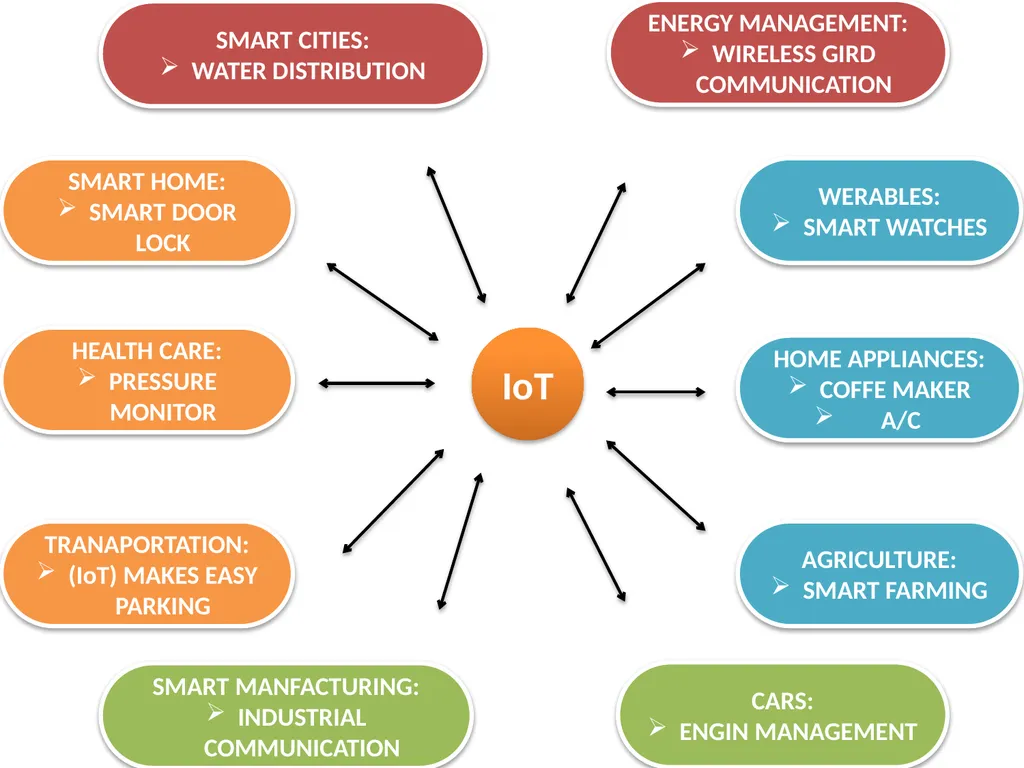
(IoT) is a phenomenon that connects the things to the internet over wired or wireless connections.
(IoT) allows the people and things to be connected ANYTIME, ANYPLACE WITH ANYTHING AND ANYONE .
Contd… INTERNET OF THING (IoT)<br>
(IoT) allows the people and things to be connected ANYTIME, ANYPLACE WITH ANYTHING AND ANYONE .
Contd… INTERNET OF THING (IoT)<br>
112
IoT WERABLES:
SMART WATCHES HEALTH CARE:
PRESSURE MONITOR TRANAPORTATION:
(IoT) MAKES EASY PARKING SMART MANFACTURING:
INDUSTRIAL COMMUNICATION CARS:
ENGIN MANAGEMENT HOME APPLIANCES:
COFFE MAKER
A/C AGRICULTURE:
SMART FARMING SMART CITIES:
WATER DISTRIBUTION SMART HOME:
SMART DOOR LOCK ENERGY MANAGEMENT:
WIRELESS GIRD COMMUNICATION<br>
SMART WATCHES HEALTH CARE:
PRESSURE MONITOR TRANAPORTATION:
(IoT) MAKES EASY PARKING SMART MANFACTURING:
INDUSTRIAL COMMUNICATION CARS:
ENGIN MANAGEMENT HOME APPLIANCES:
COFFE MAKER
A/C AGRICULTURE:
SMART FARMING SMART CITIES:
WATER DISTRIBUTION SMART HOME:
SMART DOOR LOCK ENERGY MANAGEMENT:
WIRELESS GIRD COMMUNICATION<br>
113
DIFFERENCE BETWEEN PRIVATE AND PUBLIC CLOUDS<br>
114
ThankYou<br>