CS5100 Advanced Computer Architecture Installing
Description: CS5100 Advanced Computer Architecture Installing and Running Gem5 Prof. Chung-Ta King Department of Computer Science National Tsing Hua University, Taiwan (Materials from http:gem5.orgDocumentation,
Related Topics
Download Presentation
"CS5100 Advanced Computer Architecture Installing" is the property of its rightful owner. Permission is granted to download and print the materials on this website for personal, non-commercial use only, and to display it on your personal computer provided you do not modify the materials and that you retain all copyright notices contained in the materials. By downloading content from our website, you accept the terms of this agreement.
Presentation Transcript
slide1. CS5100 Advanced Computer ArchitectureInstalling and Running Gem5 Prof. Chung-Ta King
Department of Computer Science
National Tsing Hua University, Taiwan (Materials from http://gem5.org/Documentation, http://learning.gem5.org/book/index.html)<br>
slide2. Outline Installing Gem5
SPEC2006 for Gem5
Configuring Gem5 1<br>
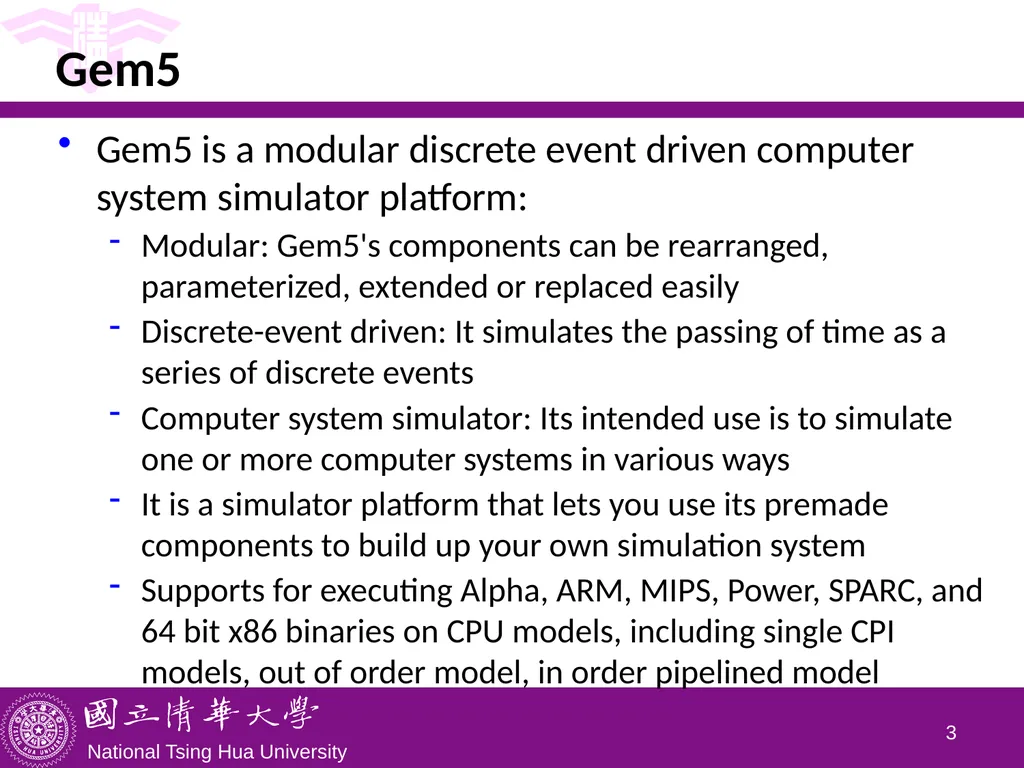
slide3. Gem5 Gem5 is a modular discrete event driven computer system simulator platform:
Modular: Gem5's components can be rearranged, parameterized, extended or replaced easily
Discrete-event driven: It simulates the passing of time as a series of discrete events
Computer system simulator: Its intended use is to simulate one or more computer systems in various ways
It is a simulator platform that lets you use its premade components to build up your own simulation system
Supports for executing Alpha, ARM, MIPS, Power, SPARC, and 64 bit x86 binaries on CPU models, including single CPI models, out of order model, in order pipelined model 2<br>
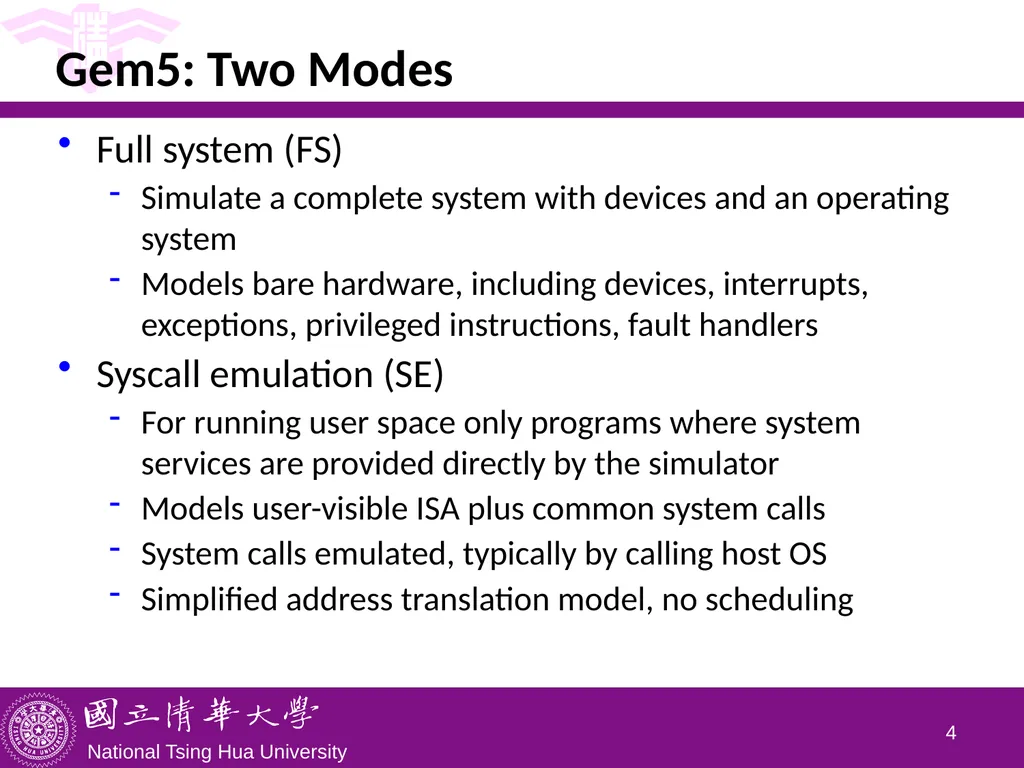
slide4. Gem5: Two Modes Full system (FS)
Simulate a complete system with devices and an operating system
Models bare hardware, including devices, interrupts, exceptions, privileged instructions, fault handlers
Syscall emulation (SE)
For running user space only programs where system services are provided directly by the simulator
Models user-visible ISA plus common system calls
System calls emulated, typically by calling host OS
Simplified address translation model, no scheduling 3<br>
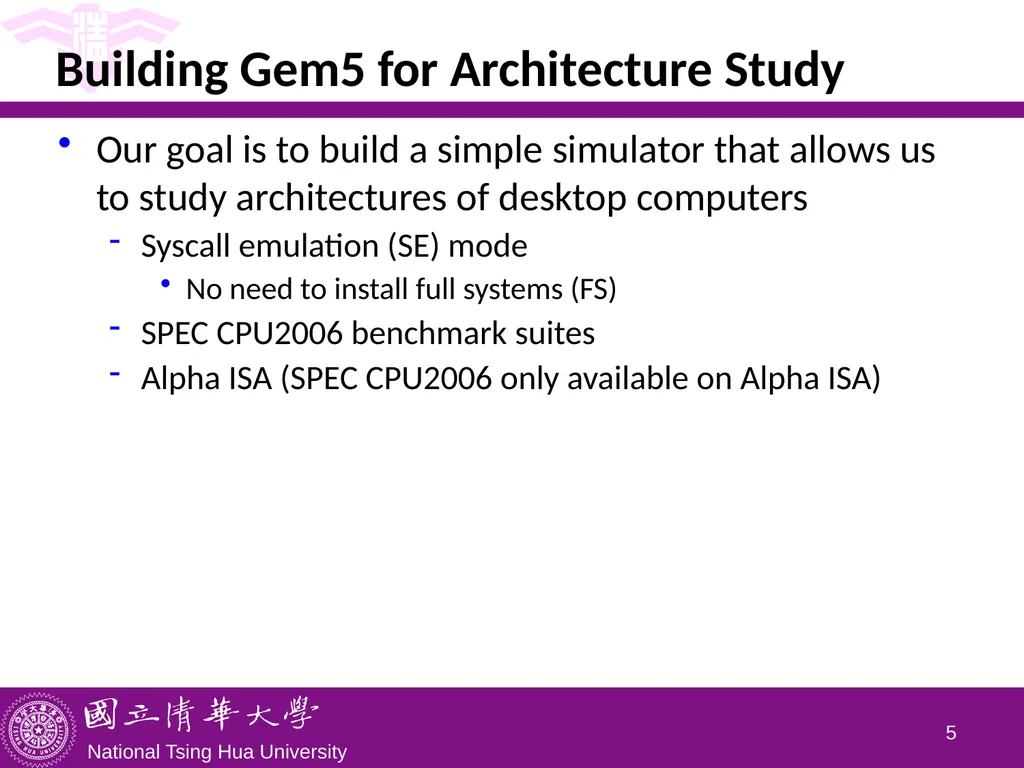
slide5. Building Gem5 for Architecture Study Our goal is to build a simple simulator that allows us to study architectures of desktop computers
Syscall emulation (SE) mode
No need to install full systems (FS)
SPEC CPU2006 benchmark suites
Alpha ISA (SPEC CPU2006 only available on Alpha ISA) 4<br>
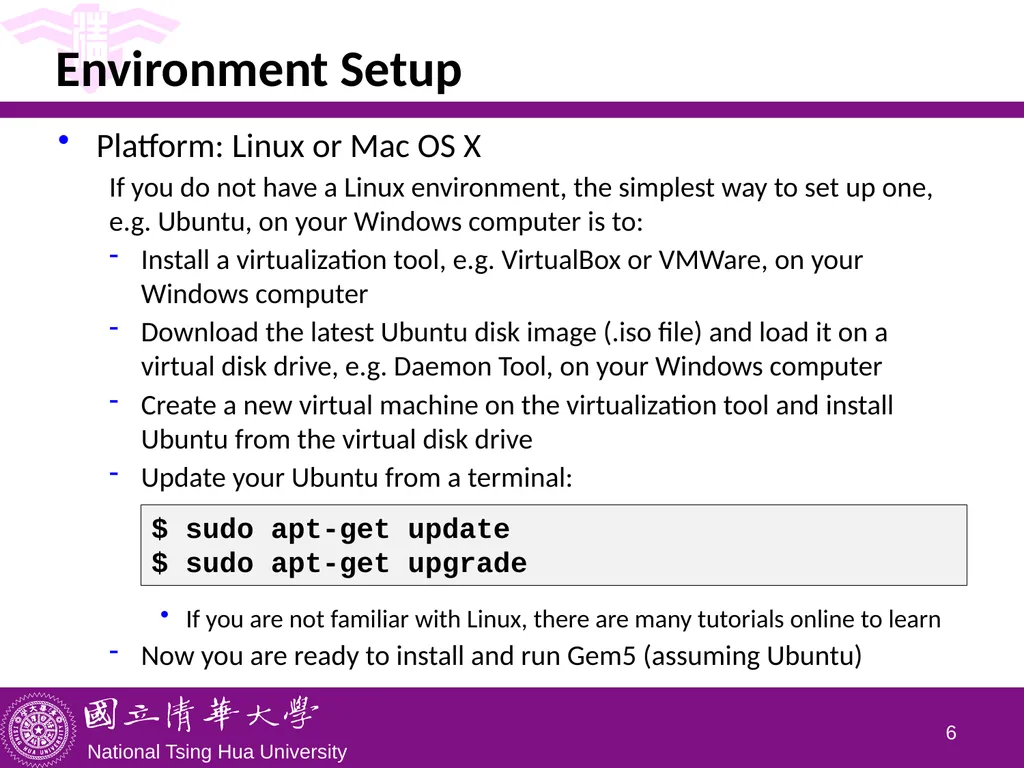
slide6. Environment Setup Platform: Linux or Mac OS X
If you do not have a Linux environment, the simplest way to set up one, e.g. Ubuntu, on your Windows computer is to:
Install a virtualization tool, e.g. VirtualBox or VMWare, on your Windows computer
Download the latest Ubuntu disk image (.iso file) and load it on a virtual disk drive, e.g. Daemon Tool, on your Windows computer
Create a new virtual machine on the virtualization tool and install Ubuntu from the virtual disk drive
Update your Ubuntu from a terminal:
If you are not familiar with Linux, there are many tutorials online to learn
Now you are ready to install and run Gem5 (assuming Ubuntu) 5 $ sudo apt-get update
$ sudo apt-get upgrade<br>
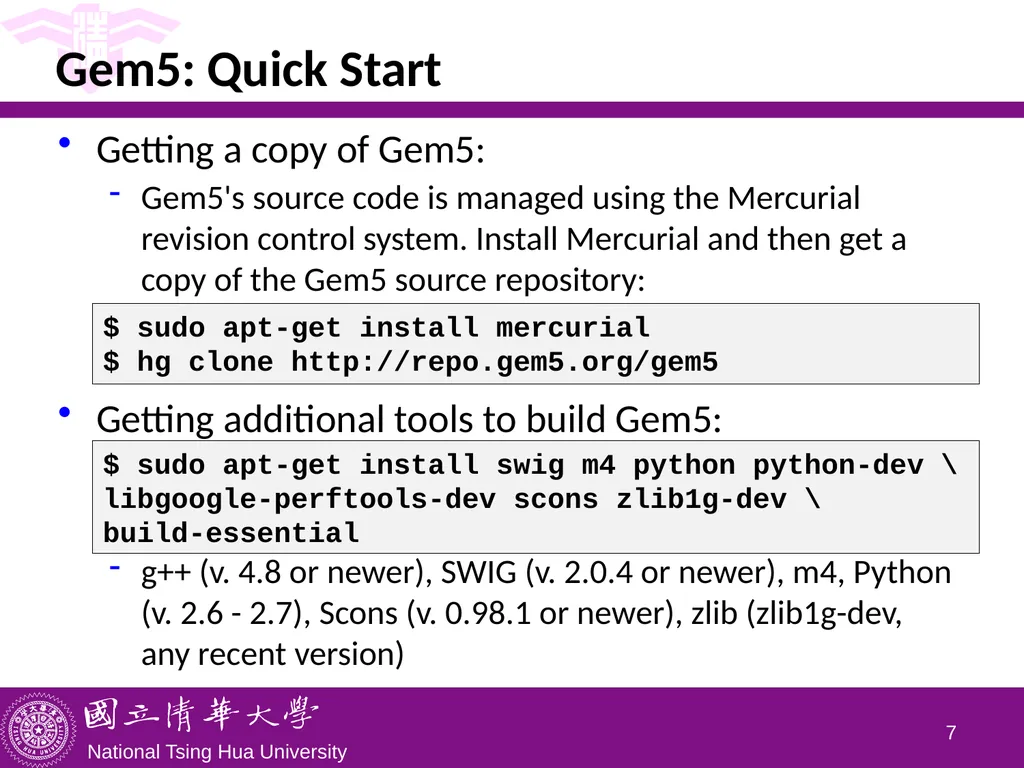
slide7. Gem5: Quick Start Getting a copy of Gem5:
Gem5's source code is managed using the Mercurial revision control system. Install Mercurial and then get a copy of the Gem5 source repository:
Getting additional tools to build Gem5:
g++ (v. 4.8 or newer), SWIG (v. 2.0.4 or newer), m4, Python (v. 2.6 - 2.7), Scons (v. 0.98.1 or newer), zlib (zlib1g-dev, any recent version) 6 $ sudo apt-get install mercurial
$ hg clone http://repo.gem5.org/gem5 $ sudo apt-get install swig m4 python python-dev \
libgoogle-perftools-dev scons zlib1g-dev \
build-essential<br>
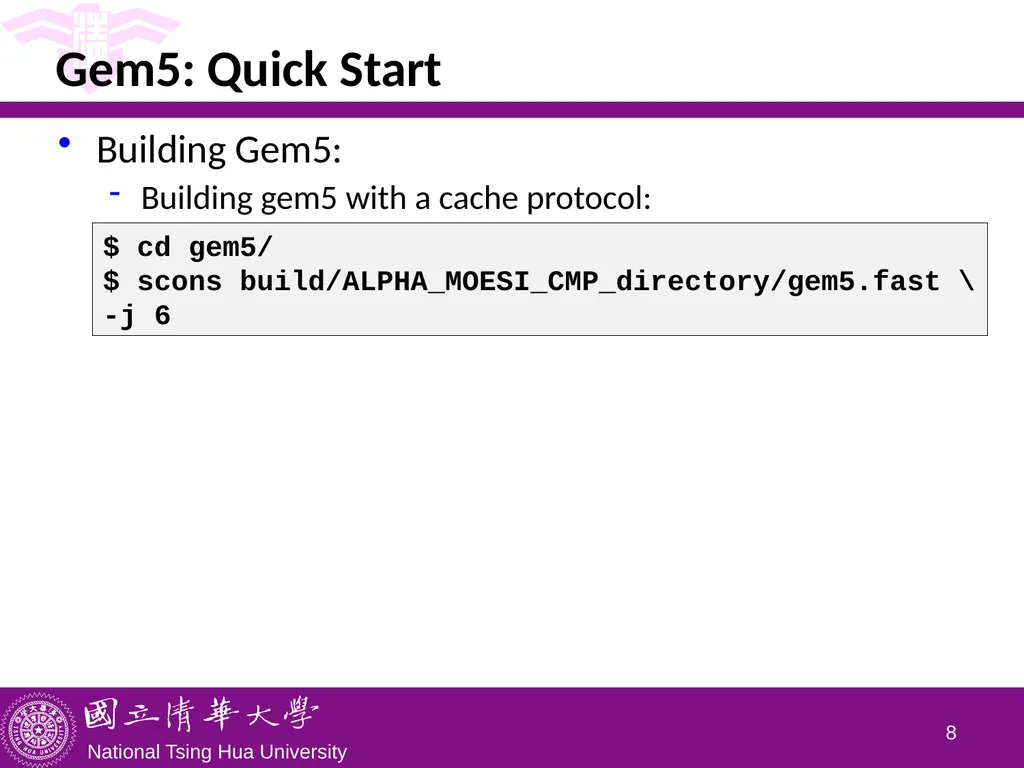
slide8. Gem5: Quick Start Building Gem5:
Building gem5 with a cache protocol: 7 $ cd gem5/
$ scons build/ALPHA_MOESI_CMP_directory/gem5.fast \
-j 6<br>
slide9. Outline Installing Gem5
SPEC2006 for Gem5
Configuring the simulator 8<br>
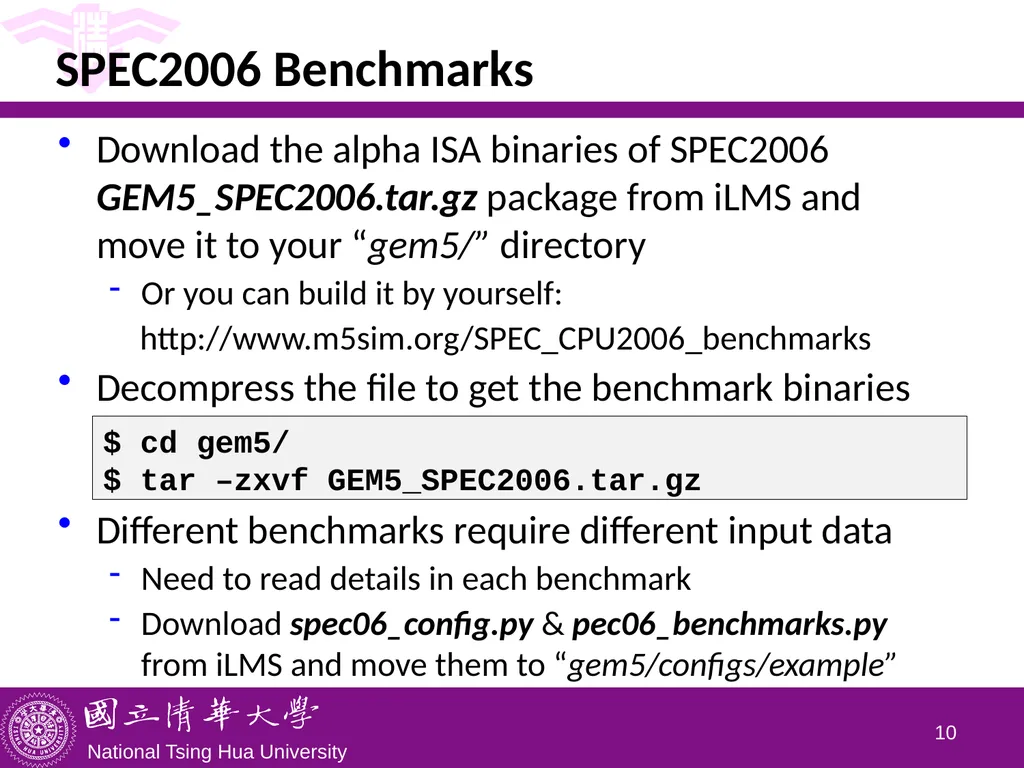
slide10. SPEC2006 Benchmarks Download the alpha ISA binaries of SPEC2006 GEM5_SPEC2006.tar.gz package from iLMS and move it to your “gem5/” directory
Or you can build it by yourself:
http://www.m5sim.org/SPEC_CPU2006_benchmarks
Decompress the file to get the benchmark binaries
Different benchmarks require different input data
Need to read details in each benchmark
Download spec06_config.py & pec06_benchmarks.py from iLMS and move them to “gem5/configs/example” 9 $ cd gem5/
$ tar –zxvf GEM5_SPEC2006.tar.gz<br>
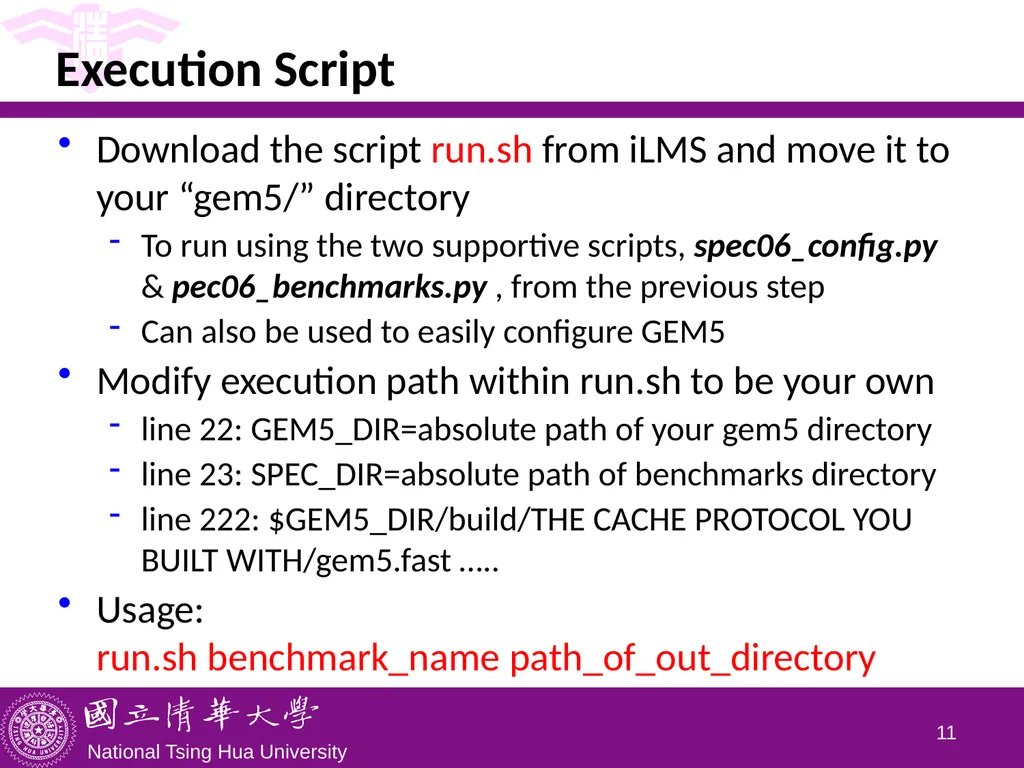
slide11. Execution Script Download the script run.sh from iLMS and move it to your “gem5/” directory
To run using the two supportive scripts, spec06_config.py & pec06_benchmarks.py , from the previous step
Can also be used to easily configure GEM5
Modify execution path within run.sh to be your own
line 22: GEM5_DIR=absolute path of your gem5 directory
line 23: SPEC_DIR=absolute path of benchmarks directory
line 222: $GEM5_DIR/build/THE CACHE PROTOCOL YOU BUILT WITH/gem5.fast …..
Usage: run.sh benchmark_name path_of_out_directory 10<br>
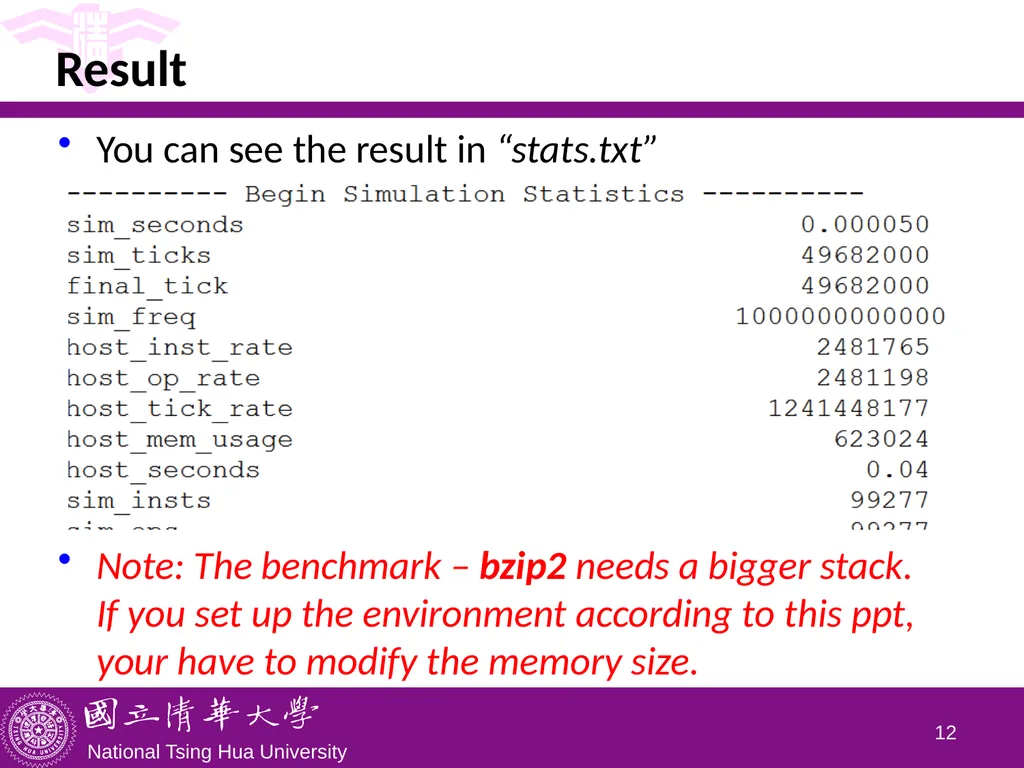
slide12. Result You can see the result in “stats.txt”
Note: The benchmark – bzip2 needs a bigger stack. If you set up the environment according to this ppt, your have to modify the memory size. 11<br>
slide13. Outline Installing Gem5
SPEC2006 for Gem5
Configuring the simulator 12<br>
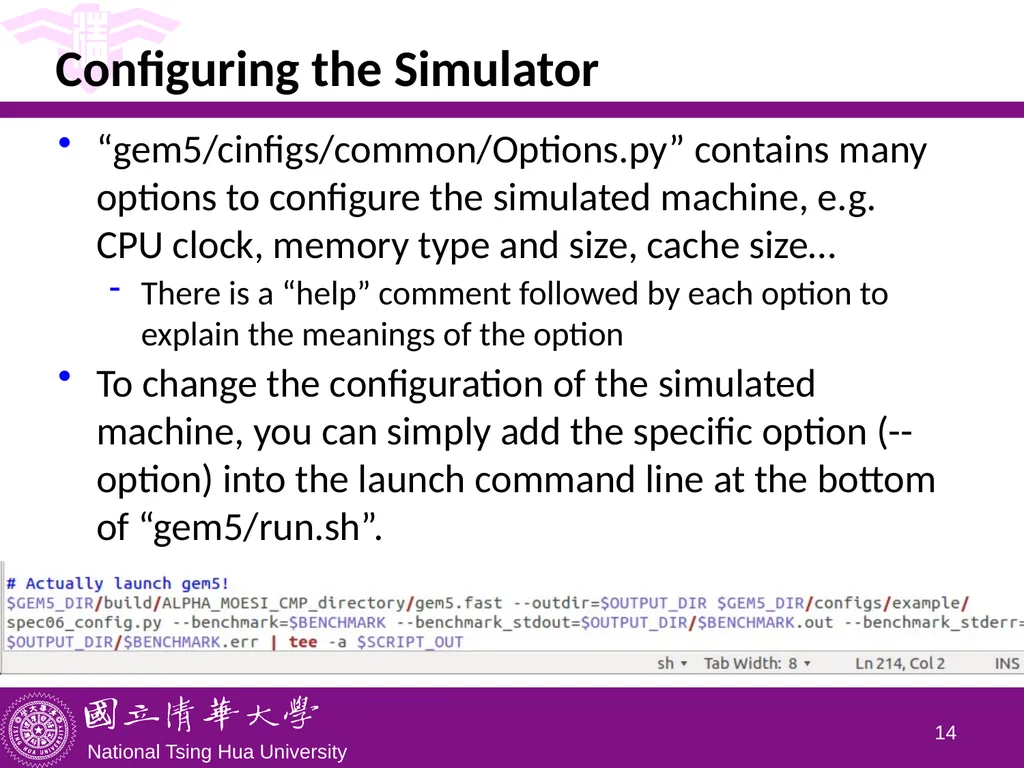
slide14. Configuring the Simulator “gem5/cinfigs/common/Options.py” contains many options to configure the simulated machine, e.g. CPU clock, memory type and size, cache size…
There is a “help” comment followed by each option to explain the meanings of the option
To change the configuration of the simulated machine, you can simply add the specific option (--option) into the launch command line at the bottom of “gem5/run.sh”. 13<br>
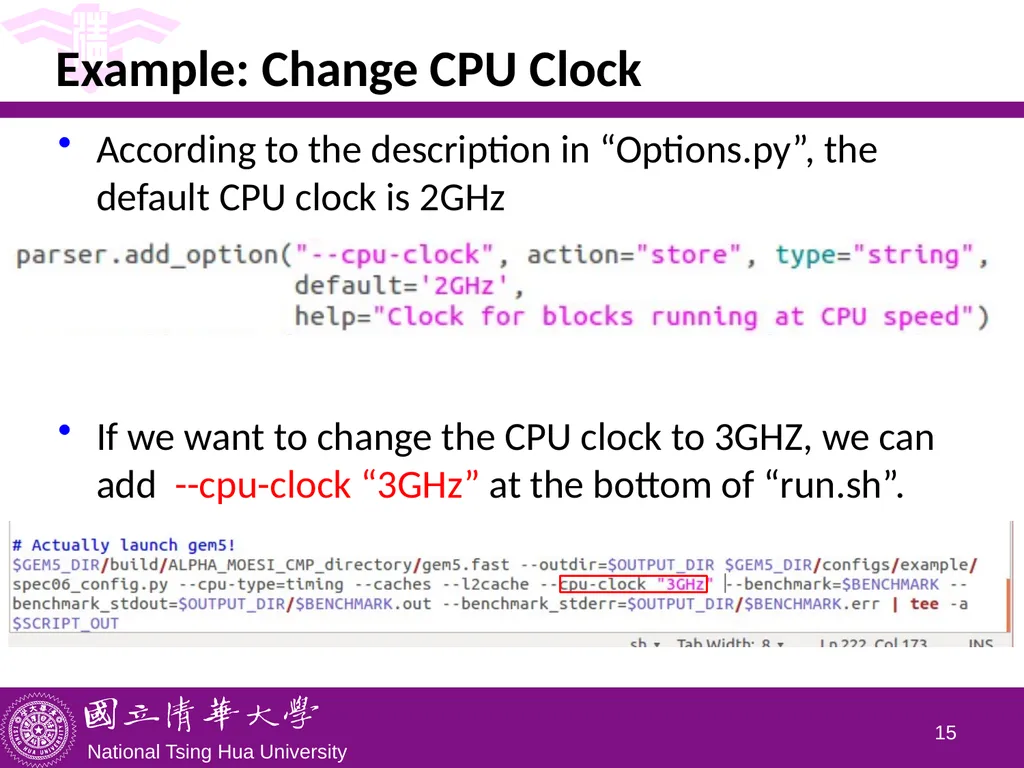
slide15. Example: Change CPU Clock According to the description in “Options.py”, the default CPU clock is 2GHz
If we want to change the CPU clock to 3GHZ, we can add --cpu-clock “3GHz” at the bottom of “run.sh”. 14<br>
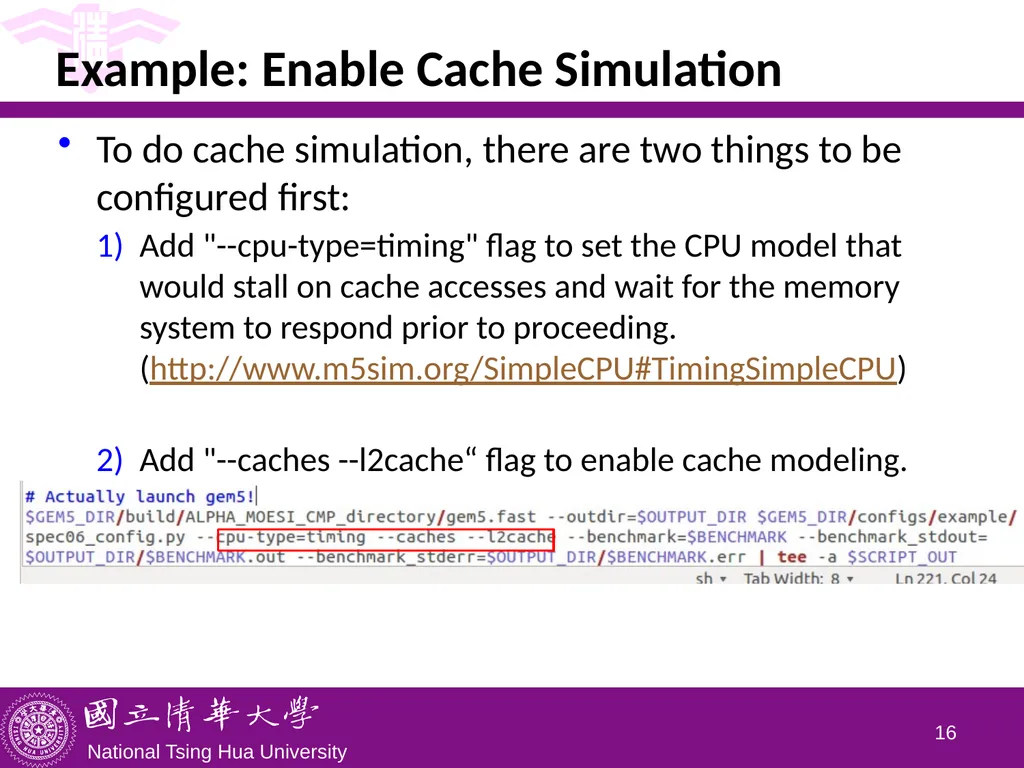
slide16. Example: Enable Cache Simulation To do cache simulation, there are two things to be configured first:
Add "--cpu-type=timing" flag to set the CPU model that would stall on cache accesses and wait for the memory system to respond prior to proceeding.(http://www.m5sim.org/SimpleCPU#TimingSimpleCPU)
Add "--caches --l2cache“ flag to enable cache modeling. 15<br>

Department of Computer Science
National Tsing Hua University, Taiwan (Materials from http://gem5.org/Documentation, http://learning.gem5.org/book/index.html)<br>
slide2. Outline Installing Gem5
SPEC2006 for Gem5
Configuring Gem5 1<br>
slide3. Gem5 Gem5 is a modular discrete event driven computer system simulator platform:
Modular: Gem5's components can be rearranged, parameterized, extended or replaced easily
Discrete-event driven: It simulates the passing of time as a series of discrete events
Computer system simulator: Its intended use is to simulate one or more computer systems in various ways
It is a simulator platform that lets you use its premade components to build up your own simulation system
Supports for executing Alpha, ARM, MIPS, Power, SPARC, and 64 bit x86 binaries on CPU models, including single CPI models, out of order model, in order pipelined model 2<br>
slide4. Gem5: Two Modes Full system (FS)
Simulate a complete system with devices and an operating system
Models bare hardware, including devices, interrupts, exceptions, privileged instructions, fault handlers
Syscall emulation (SE)
For running user space only programs where system services are provided directly by the simulator
Models user-visible ISA plus common system calls
System calls emulated, typically by calling host OS
Simplified address translation model, no scheduling 3<br>
slide5. Building Gem5 for Architecture Study Our goal is to build a simple simulator that allows us to study architectures of desktop computers
Syscall emulation (SE) mode
No need to install full systems (FS)
SPEC CPU2006 benchmark suites
Alpha ISA (SPEC CPU2006 only available on Alpha ISA) 4<br>
slide6. Environment Setup Platform: Linux or Mac OS X
If you do not have a Linux environment, the simplest way to set up one, e.g. Ubuntu, on your Windows computer is to:
Install a virtualization tool, e.g. VirtualBox or VMWare, on your Windows computer
Download the latest Ubuntu disk image (.iso file) and load it on a virtual disk drive, e.g. Daemon Tool, on your Windows computer
Create a new virtual machine on the virtualization tool and install Ubuntu from the virtual disk drive
Update your Ubuntu from a terminal:
If you are not familiar with Linux, there are many tutorials online to learn
Now you are ready to install and run Gem5 (assuming Ubuntu) 5 $ sudo apt-get update
$ sudo apt-get upgrade<br>
slide7. Gem5: Quick Start Getting a copy of Gem5:
Gem5's source code is managed using the Mercurial revision control system. Install Mercurial and then get a copy of the Gem5 source repository:
Getting additional tools to build Gem5:
g++ (v. 4.8 or newer), SWIG (v. 2.0.4 or newer), m4, Python (v. 2.6 - 2.7), Scons (v. 0.98.1 or newer), zlib (zlib1g-dev, any recent version) 6 $ sudo apt-get install mercurial
$ hg clone http://repo.gem5.org/gem5 $ sudo apt-get install swig m4 python python-dev \
libgoogle-perftools-dev scons zlib1g-dev \
build-essential<br>
slide8. Gem5: Quick Start Building Gem5:
Building gem5 with a cache protocol: 7 $ cd gem5/
$ scons build/ALPHA_MOESI_CMP_directory/gem5.fast \
-j 6<br>
slide9. Outline Installing Gem5
SPEC2006 for Gem5
Configuring the simulator 8<br>
slide10. SPEC2006 Benchmarks Download the alpha ISA binaries of SPEC2006 GEM5_SPEC2006.tar.gz package from iLMS and move it to your “gem5/” directory
Or you can build it by yourself:
http://www.m5sim.org/SPEC_CPU2006_benchmarks
Decompress the file to get the benchmark binaries
Different benchmarks require different input data
Need to read details in each benchmark
Download spec06_config.py & pec06_benchmarks.py from iLMS and move them to “gem5/configs/example” 9 $ cd gem5/
$ tar –zxvf GEM5_SPEC2006.tar.gz<br>
slide11. Execution Script Download the script run.sh from iLMS and move it to your “gem5/” directory
To run using the two supportive scripts, spec06_config.py & pec06_benchmarks.py , from the previous step
Can also be used to easily configure GEM5
Modify execution path within run.sh to be your own
line 22: GEM5_DIR=absolute path of your gem5 directory
line 23: SPEC_DIR=absolute path of benchmarks directory
line 222: $GEM5_DIR/build/THE CACHE PROTOCOL YOU BUILT WITH/gem5.fast …..
Usage: run.sh benchmark_name path_of_out_directory 10<br>
slide12. Result You can see the result in “stats.txt”
Note: The benchmark – bzip2 needs a bigger stack. If you set up the environment according to this ppt, your have to modify the memory size. 11<br>
slide13. Outline Installing Gem5
SPEC2006 for Gem5
Configuring the simulator 12<br>
slide14. Configuring the Simulator “gem5/cinfigs/common/Options.py” contains many options to configure the simulated machine, e.g. CPU clock, memory type and size, cache size…
There is a “help” comment followed by each option to explain the meanings of the option
To change the configuration of the simulated machine, you can simply add the specific option (--option) into the launch command line at the bottom of “gem5/run.sh”. 13<br>
slide15. Example: Change CPU Clock According to the description in “Options.py”, the default CPU clock is 2GHz
If we want to change the CPU clock to 3GHZ, we can add --cpu-clock “3GHz” at the bottom of “run.sh”. 14<br>
slide16. Example: Enable Cache Simulation To do cache simulation, there are two things to be configured first:
Add "--cpu-type=timing" flag to set the CPU model that would stall on cache accesses and wait for the memory system to respond prior to proceeding.(http://www.m5sim.org/SimpleCPU#TimingSimpleCPU)
Add "--caches --l2cache“ flag to enable cache modeling. 15<br>